EDU 590
    CHAPTER 4: Cues, Questions, and Advance Organizers

    “Using Technology with Classroom Instruction that Works.”
by Howard Pitler, Elizabeth R. Hubbell, Matt Kuhn and Kim Malenoski

                    Central Michigan University
Chapter Four – Cues, Questions, and
             Advance Organizers
   Planning
    Question:           Suggested Technology:
Which Strategies
    Will Help      3. Word Processing Applications
     Students      4. Spreadsheet Software
   Acquire and
                   5. Organizing & Brainstorming
     Integrate
                      Software
     Learning?
   Learning       6. Multimedia

   Strategies:
Cues, Questions,
   and Advance
    Organizers
Chapter Four – Cues, Questions, and
         Advance Organizers
Cues, Questions, and Advance
Organizers
             McREL’s research supports the
                 following generalizations:
4.Should focus on important higher-level cues, questions, and
advance organizers.
5.Different types of organizers produce different results.
6.Waiting briefly before
accepting responses
increases depth of
students’ answers.

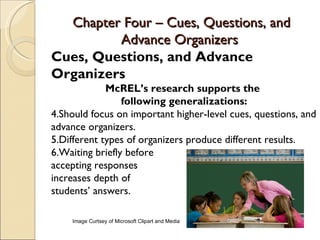
    Image Curtsey of Microsoft Clipart and Media
Chapter Four – Cues, Questions, and
          Advance Organizers
Cues, Questions, and Advance
Organizers:
              McREL’s Recommendations:
3.Use expository and narrative advance organizers.
4.Teach students skimming.
5.Use explicit cues.
6.Ask analytic questions.
7.Ask questions that elicit
inferences.
8.Teach how to use
graphic advance organizers.

       Image Curtsey of Microsoft Clipart and Media
Chapter Four – Cues, Questions, and
              Advance Organizers
   Planning
    Question:     Word Processing Applications:
Which Strategies  Word processing programs are
     Will Help     extremely versatile and have great tool
 Students Acquire to create advance organizers, whether it
   and Integrate   be expository, narrative, or graphic.
     Learning?    Insert Table to create a note-taking
   Learning
   Strategies:     template to help students organize their
                   thoughts and essential information.
Cues, Questions,
   and Advance
    Organizers
Chapter Four – Cues, Questions, and
             Advance Organizers
   Planning
    Question:             Spreadsheet Software:
Which Strategies       Allows the creation of rubrics which
     Will Help          prepare students to apply their
 Students Acquire       abilities, knowledge, and critical
   and Integrate        thinking skills.
     Learning?          ◦ Combine expository information with
   Learning              artistic narrative organizers.
   Strategies:
Cues, Questions,
   and Advance
    Organizers
Chapter Four – Cues, Questions, and
             Advance Organizers
   Planning
    Question:                Organizing and
Which Strategies          Brainstorming Software:
     Will Help         Use software, like Kidspiration, to
 Students Acquire       provide students with a
   and Integrate        straightforward preview of what they
     Learning?
                        will be learning that day, ex: Figure
   Learning
                        4.1.
   Strategies:
                        ◦ Create analytic questions.
Cues, Questions,
   and Advance          ◦ Create an advanced organizer with
    Organizers            vocabulary terms and concepts.
                       Create a brainstorming web before
                        diving into the lesson that day, pose
                        an analytic question.
Chapter Four – Cues, Questions, and
             Advance Organizers
   Planning
    Question:                     Multimedia:
Which Strategies       Extension of expository, narrative,
     Will Help          and graphic advance organizers.
 Students Acquire       ◦ United Streaming (
   and Integrate          www.unitedstreaming.com), The Internet
     Learning?            Archive (www.archive.org), Google Video
   Learning              (http://video.google.com), A9 (
   Strategies:            http://a9.com), Creative Commons (
                          http://creativecommons.org), etc.
Cues, Questions,
   and Advance         Creative engaging advance organizer
    Organizers          and allow for practice.

Chapter 4

  • 1.
    EDU 590 CHAPTER 4: Cues, Questions, and Advance Organizers “Using Technology with Classroom Instruction that Works.” by Howard Pitler, Elizabeth R. Hubbell, Matt Kuhn and Kim Malenoski Central Michigan University
  • 2.
    Chapter Four –Cues, Questions, and Advance Organizers  Planning Question: Suggested Technology: Which Strategies Will Help 3. Word Processing Applications Students 4. Spreadsheet Software Acquire and 5. Organizing & Brainstorming Integrate Software Learning?  Learning 6. Multimedia Strategies: Cues, Questions, and Advance Organizers
  • 3.
    Chapter Four –Cues, Questions, and Advance Organizers Cues, Questions, and Advance Organizers McREL’s research supports the following generalizations: 4.Should focus on important higher-level cues, questions, and advance organizers. 5.Different types of organizers produce different results. 6.Waiting briefly before accepting responses increases depth of students’ answers. Image Curtsey of Microsoft Clipart and Media
  • 4.
    Chapter Four –Cues, Questions, and Advance Organizers Cues, Questions, and Advance Organizers: McREL’s Recommendations: 3.Use expository and narrative advance organizers. 4.Teach students skimming. 5.Use explicit cues. 6.Ask analytic questions. 7.Ask questions that elicit inferences. 8.Teach how to use graphic advance organizers. Image Curtsey of Microsoft Clipart and Media
  • 5.
    Chapter Four –Cues, Questions, and Advance Organizers  Planning Question: Word Processing Applications: Which Strategies  Word processing programs are Will Help extremely versatile and have great tool Students Acquire to create advance organizers, whether it and Integrate be expository, narrative, or graphic. Learning?  Insert Table to create a note-taking  Learning Strategies: template to help students organize their thoughts and essential information. Cues, Questions, and Advance Organizers
  • 6.
    Chapter Four –Cues, Questions, and Advance Organizers  Planning Question: Spreadsheet Software: Which Strategies  Allows the creation of rubrics which Will Help prepare students to apply their Students Acquire abilities, knowledge, and critical and Integrate thinking skills. Learning? ◦ Combine expository information with  Learning artistic narrative organizers. Strategies: Cues, Questions, and Advance Organizers
  • 7.
    Chapter Four –Cues, Questions, and Advance Organizers  Planning Question: Organizing and Which Strategies Brainstorming Software: Will Help  Use software, like Kidspiration, to Students Acquire provide students with a and Integrate straightforward preview of what they Learning? will be learning that day, ex: Figure  Learning 4.1. Strategies: ◦ Create analytic questions. Cues, Questions, and Advance ◦ Create an advanced organizer with Organizers vocabulary terms and concepts.  Create a brainstorming web before diving into the lesson that day, pose an analytic question.
  • 8.
    Chapter Four –Cues, Questions, and Advance Organizers  Planning Question: Multimedia: Which Strategies  Extension of expository, narrative, Will Help and graphic advance organizers. Students Acquire ◦ United Streaming ( and Integrate www.unitedstreaming.com), The Internet Learning? Archive (www.archive.org), Google Video  Learning (http://video.google.com), A9 ( Strategies: http://a9.com), Creative Commons ( http://creativecommons.org), etc. Cues, Questions, and Advance  Creative engaging advance organizer Organizers and allow for practice.