EDU 590: Week 6
     CHAPTER 9: Indentifying Similarities and Differences

    “Using Technology with Classroom Instruction that Works.”
by Howard Pitler, Elizabeth R. Hubbell, Matt Kuhn and Kim Malenoski

                    Central Michigan University
Chapter Nine – Indentifying Similarities and
                Differences
   Planning
   Question:             Suggested Technology:
Which Strategies
    Will Help       3. Word Processing Applications
    Students        4. Spreadsheet Software
     Practice,
   Review, and      5. Organizing & Brainstorming
 Apply Learning?       Software
  Learning         6. Data Collection Tools
   Strategies:
  Indentifying
 Similarities and
   Differences
Chapter Nine – Indentifying Similarities and
               Differences
Indentifying Similarities and
Differences:
                 McREL’s research supports the
                   following generalizations:

•Present students with explicit guidance in identifying.
•Should be identified individually.
•Represent similarities and
differences in a graphic or
symbolic form.


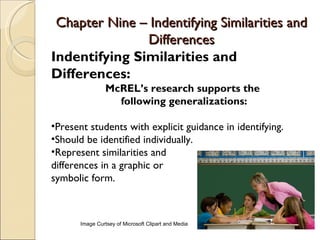
       Image Curtsey of Microsoft Clipart and Media
Chapter Nine – Indentifying Similarities and
               Differences
Identifying Similarities and
Differences:
              McREL’s Recommendations:
3.Teach comparisons, classifying, metaphors, and
analogies.
4.Give a model of steps for engaging in the process.
5.Use familiar context.
6.Use graphics organizers as
a visual tool.
7.Guide students.


      Image Curtsey of Microsoft Clipart and Media
Chapter Nine – Indentifying Similarities and
                    Differences
   Planning
   Question:      Word Processing Applications:
Which Strategies  Use Microsoft Word Drawing toolbar
    Will Help      to draw diagrams, charts, or other
     Students      templates to illustrate similarities and
Practice, Review,  differences, ex: Figure 9.1 – 9.3.
    and Apply      ◦ Guide students throughout the process.
    Learning?
                   ◦ Venn Diagrams can be created but
  Learning
                      classification tables and templates are the
   Strategies:        best for illustrating in Microsoft Word.
  Indentifying     ◦ Can illustrate to create engaging ananoligies.
 Similarities and      Get pictures from Microsoft ClipArt.
   Differences
Chapter Nine – Indentifying Similarities and
                    Differences
   Planning
   Question:              Spreadsheet Software:
Which Strategies       Spreadsheet software facilitates the
    Will Help           comparison of data.
     Students           ◦ Can input formulas into excel for easy
Practice, Review,         computing.
    and Apply           ◦ Spreadsheet software can be easily
    Learning?             converted to graphs.
  Learning             ◦ Allows students to visualize trends and
   Strategies:            predict future patterns.
  Indentifying
 Similarities and
   Differences
Chapter Nine – Indentifying Similarities and
                    Differences
   Planning
   Question:                 Organizing and
Which Strategies          Brainstorming Software:
    Will Help          Kidspiration and Inspiration help to
     Students           visually portray connections,
Practice, Review,       classifications, and to experience
    and Apply
    Learning?           deeper insights about the content.
  Learning            Also for great for students who
   Strategies:          remember facts through nonlinguistic
  Indentifying          representation, they offer hundreds
 Similarities and       of graphics.
   Differences
Chapter Nine – Indentifying Similarities and
                    Differences
   Planning
   Question:              Data Collection Tools:
Which Strategies       Technology is the key to accurate
    Will Help           comparisons.
     Students          A computer interface allows for
Practice, Review,       easier classification.
    and Apply
    Learning?          Data can be represented graphically
  Learning             which allows students to interpret
   Strategies:          and predict future outcomes.
  Indentifying
 Similarities and
   Differences

Chapter 9

  • 1.
    EDU 590: Week6 CHAPTER 9: Indentifying Similarities and Differences “Using Technology with Classroom Instruction that Works.” by Howard Pitler, Elizabeth R. Hubbell, Matt Kuhn and Kim Malenoski Central Michigan University
  • 2.
    Chapter Nine –Indentifying Similarities and Differences  Planning Question: Suggested Technology: Which Strategies Will Help 3. Word Processing Applications Students 4. Spreadsheet Software Practice, Review, and 5. Organizing & Brainstorming Apply Learning? Software  Learning 6. Data Collection Tools Strategies: Indentifying Similarities and Differences
  • 3.
    Chapter Nine –Indentifying Similarities and Differences Indentifying Similarities and Differences: McREL’s research supports the following generalizations: •Present students with explicit guidance in identifying. •Should be identified individually. •Represent similarities and differences in a graphic or symbolic form. Image Curtsey of Microsoft Clipart and Media
  • 4.
    Chapter Nine –Indentifying Similarities and Differences Identifying Similarities and Differences: McREL’s Recommendations: 3.Teach comparisons, classifying, metaphors, and analogies. 4.Give a model of steps for engaging in the process. 5.Use familiar context. 6.Use graphics organizers as a visual tool. 7.Guide students. Image Curtsey of Microsoft Clipart and Media
  • 5.
    Chapter Nine –Indentifying Similarities and Differences  Planning Question: Word Processing Applications: Which Strategies  Use Microsoft Word Drawing toolbar Will Help to draw diagrams, charts, or other Students templates to illustrate similarities and Practice, Review, differences, ex: Figure 9.1 – 9.3. and Apply ◦ Guide students throughout the process. Learning? ◦ Venn Diagrams can be created but  Learning classification tables and templates are the Strategies: best for illustrating in Microsoft Word. Indentifying ◦ Can illustrate to create engaging ananoligies. Similarities and  Get pictures from Microsoft ClipArt. Differences
  • 6.
    Chapter Nine –Indentifying Similarities and Differences  Planning Question: Spreadsheet Software: Which Strategies  Spreadsheet software facilitates the Will Help comparison of data. Students ◦ Can input formulas into excel for easy Practice, Review, computing. and Apply ◦ Spreadsheet software can be easily Learning? converted to graphs.  Learning ◦ Allows students to visualize trends and Strategies: predict future patterns. Indentifying Similarities and Differences
  • 7.
    Chapter Nine –Indentifying Similarities and Differences  Planning Question: Organizing and Which Strategies Brainstorming Software: Will Help  Kidspiration and Inspiration help to Students visually portray connections, Practice, Review, classifications, and to experience and Apply Learning? deeper insights about the content.  Learning  Also for great for students who Strategies: remember facts through nonlinguistic Indentifying representation, they offer hundreds Similarities and of graphics. Differences
  • 8.
    Chapter Nine –Indentifying Similarities and Differences  Planning Question: Data Collection Tools: Which Strategies  Technology is the key to accurate Will Help comparisons. Students  A computer interface allows for Practice, Review, easier classification. and Apply Learning?  Data can be represented graphically  Learning which allows students to interpret Strategies: and predict future outcomes. Indentifying Similarities and Differences