Web 2.0 and social media John Duffy Marketing Director, Nemisys [email_address] 01189 122226
A bit of background Environment97, Autism99, floated dotcom Award winning web sites & campaigns – New Media Age, Third Sector Nemisys in sport
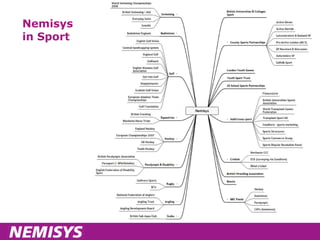
Nemisys in Sport
Agenda Introductions Objectives for the day What is Web 2.0 & social media Web 2.0 techniques & social media sites Measurement Discussion of ideas Your homework – action plan
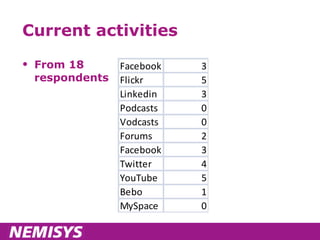
Current activities From 18  respondents
And what you’d like to explore Opportunities around ipadio Use of social media at events and championships Use of blogs for athletes Showing highlights from championships Overseas issues RSS (and private RSS) British/representative teams Providing better service to Members
An internet history warm up
What about Web 2.0? A set of tools and techniques designed to engage with your visitors A con – a new name for web 1.0, such that investors would forget the dotcom crash
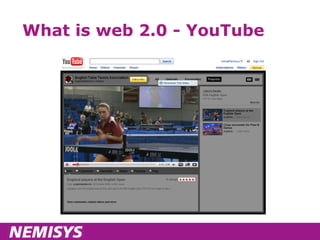
What is web 2.0 - YouTube
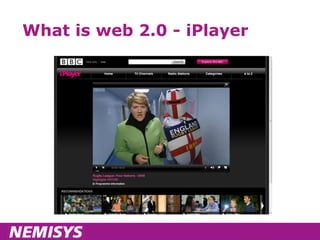
What is web 2.0 - iPlayer
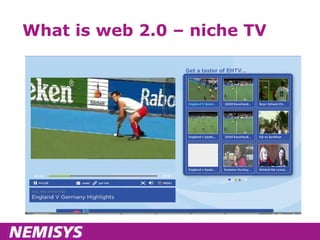
What is web 2.0 – niche TV
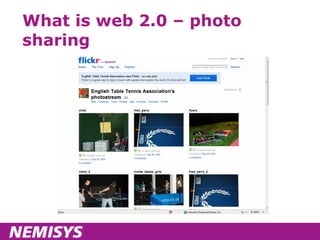
What is web 2.0 – photo sharing
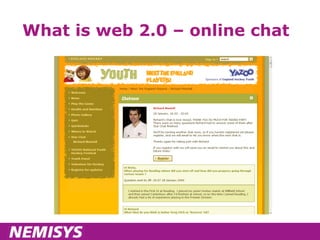
What is web 2.0 – online chat
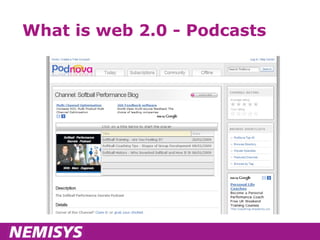
What is web 2.0 - Podcasts
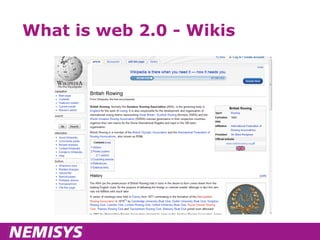
What is web 2.0 - Wikis
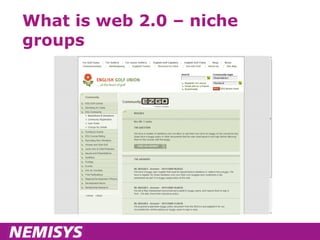
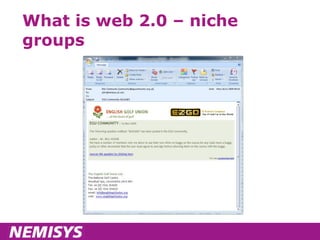
What is web 2.0 – niche groups
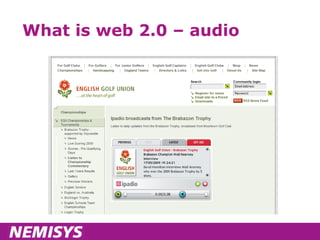
What is web 2.0 – audio
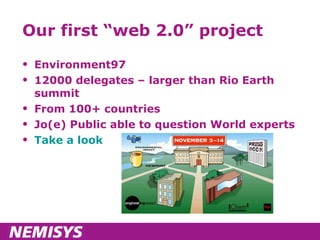
Our first “web 2.0” project Environment97 12000 delegates – larger than Rio Earth summit From 100+ countries Jo(e) Public able to question World experts Take a look
Social media definitions Online people to people interactions A fusion of sociology and technology, transforming monologue (one to many) into dialog (many to many) and is the democratization of information, transforming people from content readers into publishers Social media are works of user-created video, audio, text or multimedia that are published and shared in a social environment, such as a blog, wiki or video hosting site
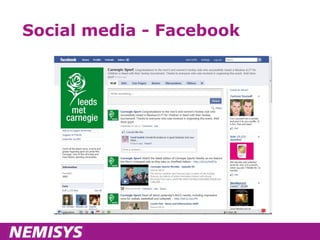
Social media - Facebook
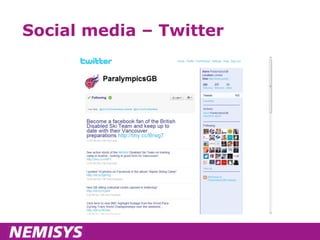
Social media – Twitter
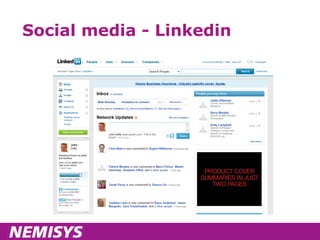
Social media - Linkedin
Objectives Understand what is meant by Web 2.0 & social media Understand the opportunity Know WHERE to start Know HOW to start Explore some of the issues raised in your pre-workshop questionnaires
Introductions Of course, broadcast to the internet ... ;-)
The tour - Facebook
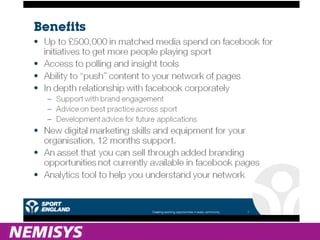
Facebook Overview Account/profile Groups Pages Facebook Connect Sport England - Sports Hub Takeaways
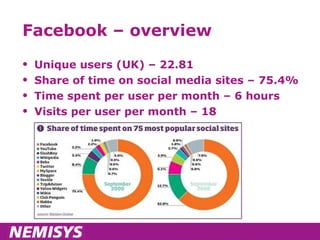
Facebook – overview Unique users (UK) – 22.81 Share of time on social media sites – 75.4% Time spent per user per month – 6 hours Visits per user per month – 18
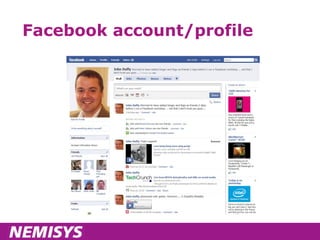
Facebook account/profile
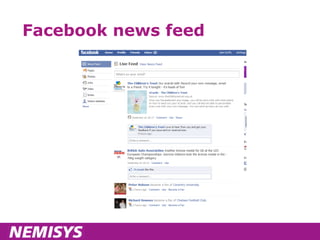
Facebook news feed
Facebook Groups Good for “private” groups – but you shouldn’t regard them as confidential! Maximum 5000 contacts Group creator is in public view Not a patch on Facebook pages – you should start to migrate to pages at the earliest opportunity!
Facebook Pages Open access Rich functionality Discussions Events Photos Videos Unlimited numbers DIALOGUE with fans Advertise Analytics
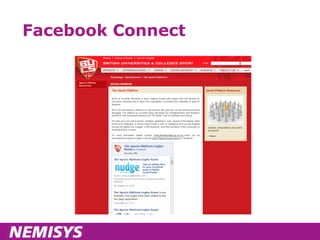
Facebook Connect
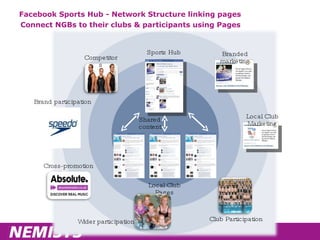
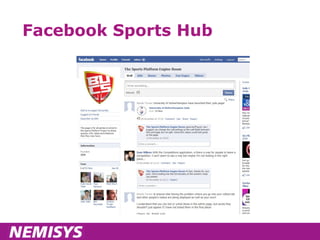
Facebook Sports Hub - Network Structure linking pages Connect NGBs to their clubs & participants using Pages Sports Hub Local Club Pages Shared content Competitors Wider participation Branded marketing Local Club Marketing Club Participation Brand participation Cross-promotion
Facebook Sports Hub
Facebook sports hub – benefits
Sports Hub pilot 6 National Governing Bodies 19 Universities Facebook + Sport England BUCS + Nemisys roadshow Media Trust video training Key objective Can social media attract 12000 new participants to these 6 sports?
Child protection Child Protection in Sport Unit NSPCC / Sport England initiative Provides guidance and publications www.thecpsu.org.uk Standards for Safeguarding and Protecting Children in Sport
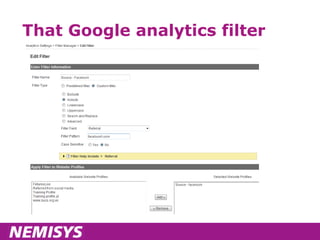
Google Analytics & Facebook Set up a profile Filter for traffic from Facebook Set goals specifically for Facebook visitors
That Google analytics filter
Facebook – Priorities Set up a personal account Don’t worry – it won’t be visible as part of your fan page With limited resource – use Facebook pages Limit content to that you know you can support ENGAGE WITH PEOPLE Monitor for activity/problems Answer questions Share ideas
Detail - tips to start you off Set up a page with  http://www.Facebook.com/business/dashboard/ Name page – be literal, but be right – you cannot rename it later Track your Facebook referrers in Google Analytics or similar
Exercise Split in to 2 groups Decide what you might use Facebook for Or if already using, review what you’re doing in light of today
The tour – Video & YouTube
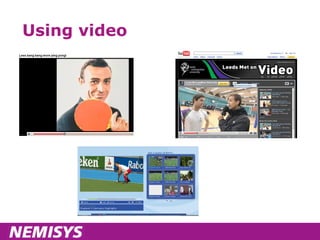
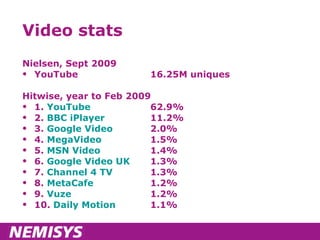
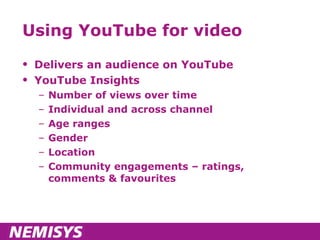
Using video
Video stats Nielsen, Sept 2009 YouTube 16.25M uniques Hitwise, year to Feb 2009 1.  YouTube   62.9% 2.  BBC iPlayer   11.2% 3.  Google Video   2.0% 4.  MegaVideo   1.5% 5.  MSN Video   1.4% 6.  Google Video UK   1.3% 7.  Channel 4 TV   1.3% 8.  MetaCafe   1.2% 9.  Vuze   1.2% 10.  Daily Motion   1.1%
Using YouTube for video Delivers an audience on YouTube YouTube Insights Number of views over time Individual and across channel Age ranges Gender Location Community engagements – ratings, comments & favourites
YouTube tips Brand your profile – name etc Choose name carefully – you can’t change it later  (youtube.com/user/ yourfullname) Complete your profile Account type – choose guru Name and tag your channel Choose to show your latest videos by default When uploading, TAKE TIME TO NAME AND TAG CONTENT Then it’s just content and promotion  
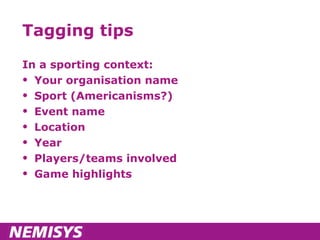
Tagging tips In a sporting context: Your organisation name Sport (Americanisms?) Event name Location Year Players/teams involved Game highlights
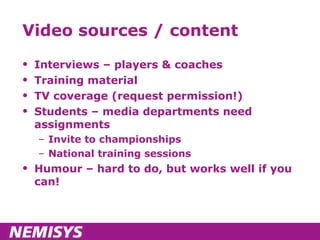
Video sources / content Interviews – players & coaches Training material TV coverage (request permission!) Students – media departments need assignments Invite to championships National training sessions Humour – hard to do, but works well if you can!
Exercise Let’s try to produce a definitive list of content sources for the group
YouTube promotion Share to Facebook Share via Twitter Embed to your web site and blog Link from main sites And ask others to do the same
Exercise Much social media marketing is about using free or low cost networks to seed content Define your networks – I’ll start!
NGB networks Staff Many are players – social media can be “easier” to mix with your social life Committees Members Regions Representative players Some will have their own sites and networks Teams Own sites and networks Events Often a great catalyst for comms change
The tour - photography
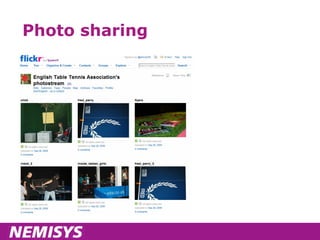
Photo sharing
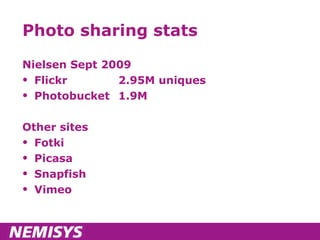
Photo sharing stats Nielsen Sept 2009 Flickr 2.95M uniques Photobucket 1.9M Other sites Fotki Picasa Snapfish Vimeo
Flickr tips Use “pro” account Use sets to organise and optimise Use titles, tags and descriptions Don’t be lazy! Embed to your own web site Share on other social networks
The tour - Twitter
Twitter – overview Micro-blogging Give your views Alert to your news Link sharing Listening to relevant conversations Questions from an event audience Engaging with people who talk about you Potentially, dealing with negative issues quickly
Twitter – before you Tweet Follow people relevant to you Use Twitter lists Get a feel for what’s going on Then dive in!!
When might you Tweet? With links to new content on own web site With links to content on other sites Retweets Industry news of note During events and championships Comment on “the weekend’s play” Running workshops & training events Photos Phlogs Any other ideas?
Twitter – tips for Tweeting Little(!) and often But not too often – “10 per day” rule of thumb Some personal content is fine Retweet Tweets you like – “acquired wisdom” or ego stroking
Twitter – brand monitoring
Twitter – tools & ideas Tweetdeck Search panels Tweetmeme Trending and retweets Twitterlocal Search for local Tweets Uses for championships? Twitpic Email in photos to Twitter ipadio We’ll come to later Twibbons Do you do any campaigning?
Twitter - takeaways Not for everyone – but try it, it delivers web site traffic Decide on the type of account Personal or business or both (the personal brand ...) Add link to your account from site Add Retweet buttons to web site articles Monitor your brand mentions Trial for events
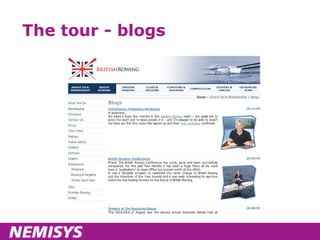
The tour - blogs
Blogs “ Unloved” compared to video, audio But should still have a firm place in your thinking Find ways to make them easier by incorporating other Web 2.0 techniques Embed video Embed audio Embed photos Might be ghosted ... but be careful!
Successful blogs ... Have a clear editorial tone and direction Actually, may have more with guest authors Invite dialogue Reader comments With answers Are optimised Are easy to promote and seed content
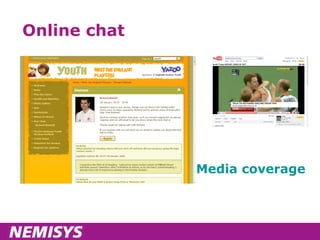
Online chat Media coverage
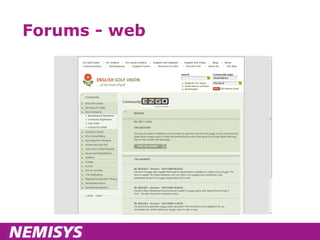
Forums - web
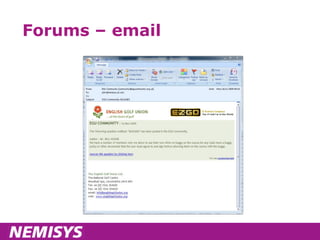
Forums – email
Forums – key points It’s not all about high numbers – service to Members matters too Email still has a role to play People who are used to interacting with you are more likely to TRANSACT with you
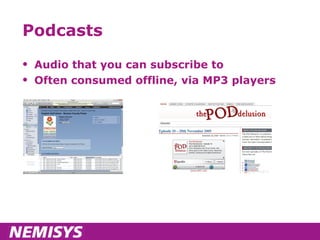
Podcasts Audio that you can subscribe to Often consumed offline, via MP3 players
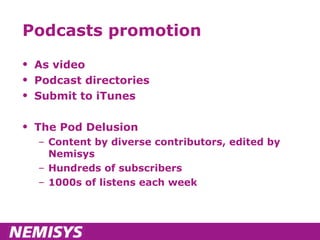
Podcasts promotion As video Podcast directories Submit to iTunes The Pod Delusion Content by diverse contributors, edited by Nemisys Hundreds of subscribers 1000s of listens each week
Podcast creation – tech stuff Recording Laptop + mic, phone Editing Audacity Hosting service ipadio, Podbean,  your site Promotion As with video etc – use your networks
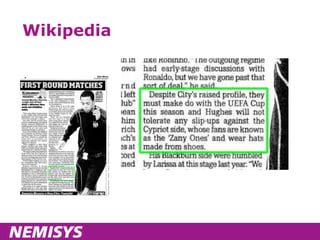
Wikipedia Do you have an entry? Is it correct? Check links to your site – user experience and SEO
Wikipedia
ipadio - demonstration ... And play time Disclaimer – ipadio was developed by Nemisys!
ipadio in sport English Golf Union, championships http://www.englishgolfunion.org/news.asp?code=000100030002&recent=1&id=3728   Interview with Dame Tanni Grey-Thompson http://www.ipadio.com/phlog.asp?section=39&phlogId=849&phlogcastId=870 Interview with Shaun Long http://www.ipadio.com/phlogs/Barlacommentary/2009/10/19/Interview-with-Sean-Long Stewards enquiries http://www.britishhorseracing.com/BHAxtra/ Results at the World Transplant Games http://www.worldtransplantgames09.com/
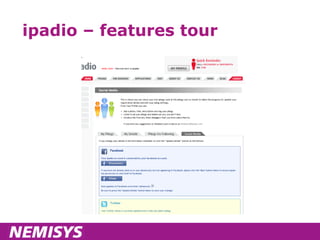
ipadio – features tour
RSS feeds Really simple syndication Allows users to subscribe using RSS Readers Allows other web sites to reuse your content – passing on “linkjuice” if done correctly! Can be applied to most techniques we’ve discussed today! BBC Suffolk Sport
Measuring success Google Analytics – “social media profile” YouTube, Facebook – have their own metrics Meaningful measurements Set up goals Order values Acquisitions / sign ups Engagements (comments, votes etc)
Roundup Facebook Video / YouTube Photos / Flickr Podcasts Online chats Forums Blogs Twitter Wikipedia ipadio RSS feeds
Types of media coverage Media can be Paid Owned Earned
Owned media Owned is “free” – you’ve already bought it But nothing’s really free Time People
Earned media – word of mouth 75% of people trust peer recommendations And most ask for advice before buying 14% trust advertising It’s not new, but it’s easier than ever before Characteristics Other peoples’ voices Which you CANNOT control But you can invite debate and ENGAGE them And you can cultivate them to help you In the end, thousands of people may pass your message on for free
Before we talk ideas We need to discuss this crucial concept With an average of 3 hours per week for all of this, are you PREPARED TO LET GO and let your public speak on your behalf?
In a nutshell CREATION + CURATION = SUCCESS Prioritised, of course!
Ideas – a possible action plan Review existing marketing/communications activities  Might be strategic, better if campaign or project related Any opportunities for Web 2.0 techniques? Existing plans – can Web 2.0 improve? New activities – anything extra you could do? Define some goals, alongside isolating some resource Set up your analytics before you start
Your Next Major Event Let’s pick a major event for one of you Golf – Brabazon, overseas event?  Rowing – next World Championships? And work up some ideas Techniques & sites to use Specific ideas Before, during, after Commercial opportunities? Goals to set
Other scenarios Raising your players’ & teams’ profiles Specifically, blogging for athletes Providing better service to Members Premium deliverables? Online shops – improving performance
Your “homework” Essentials Map techniques to your current marcomms plan / project work / campaigns Insert “social media angle?” in to your future thinking Measure your current traffic and outcomes from social media Monitor Twitter & other social media for mentions and engage with the conversation Then pick & choose Join Twitter and follow  @johnrduffy Survey your Members – what information do they want, and how do they want it? Start a blog Create a Facebook page (you don’t have to publish until you are happy) Kit your teams up with ipadio   Register a YouTube account and start practising filming! Create sets of photos from your events
Whatever you do ... Measure, measure, measure ... We know it works, but how else can you justify future budgets for your, erm, digital agency  

CCPR Web 2 Social Media Distribute

  • 1.
    Web 2.0 andsocial media John Duffy Marketing Director, Nemisys [email_address] 01189 122226
  • 2.
    A bit ofbackground Environment97, Autism99, floated dotcom Award winning web sites & campaigns – New Media Age, Third Sector Nemisys in sport
  • 3.
  • 4.
    Agenda Introductions Objectivesfor the day What is Web 2.0 & social media Web 2.0 techniques & social media sites Measurement Discussion of ideas Your homework – action plan
  • 5.
  • 6.
    And what you’dlike to explore Opportunities around ipadio Use of social media at events and championships Use of blogs for athletes Showing highlights from championships Overseas issues RSS (and private RSS) British/representative teams Providing better service to Members
  • 7.
  • 8.
  • 9.
  • 10.
    What about Web2.0? A set of tools and techniques designed to engage with your visitors A con – a new name for web 1.0, such that investors would forget the dotcom crash
  • 11.
    What is web2.0 - YouTube
  • 12.
    What is web2.0 - iPlayer
  • 13.
    What is web2.0 – niche TV
  • 14.
    What is web2.0 – photo sharing
  • 15.
    What is web2.0 – online chat
  • 16.
    What is web2.0 - Podcasts
  • 17.
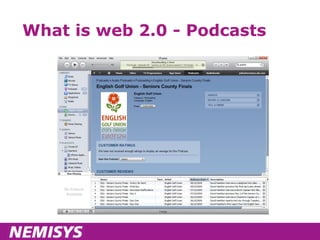
    What is web2.0 - Podcasts
  • 18.
    What is web2.0 - Wikis
  • 19.
    What is web2.0 – niche groups
  • 20.
    What is web2.0 – niche groups
  • 21.
    What is web2.0 – audio
  • 22.
    Our first “web2.0” project Environment97 12000 delegates – larger than Rio Earth summit From 100+ countries Jo(e) Public able to question World experts Take a look
  • 23.
    Social media definitionsOnline people to people interactions A fusion of sociology and technology, transforming monologue (one to many) into dialog (many to many) and is the democratization of information, transforming people from content readers into publishers Social media are works of user-created video, audio, text or multimedia that are published and shared in a social environment, such as a blog, wiki or video hosting site
  • 24.
  • 25.
  • 26.
  • 27.
    Objectives Understand whatis meant by Web 2.0 & social media Understand the opportunity Know WHERE to start Know HOW to start Explore some of the issues raised in your pre-workshop questionnaires
  • 28.
    Introductions Of course,broadcast to the internet ... ;-)
  • 29.
    The tour -Facebook
  • 30.
    Facebook Overview Account/profileGroups Pages Facebook Connect Sport England - Sports Hub Takeaways
  • 31.
    Facebook – overviewUnique users (UK) – 22.81 Share of time on social media sites – 75.4% Time spent per user per month – 6 hours Visits per user per month – 18
  • 32.
  • 33.
  • 34.
    Facebook Groups Goodfor “private” groups – but you shouldn’t regard them as confidential! Maximum 5000 contacts Group creator is in public view Not a patch on Facebook pages – you should start to migrate to pages at the earliest opportunity!
  • 35.
    Facebook Pages Openaccess Rich functionality Discussions Events Photos Videos Unlimited numbers DIALOGUE with fans Advertise Analytics
  • 36.
  • 37.
    Facebook Sports Hub- Network Structure linking pages Connect NGBs to their clubs & participants using Pages Sports Hub Local Club Pages Shared content Competitors Wider participation Branded marketing Local Club Marketing Club Participation Brand participation Cross-promotion
  • 38.
  • 39.
    Facebook sports hub– benefits
  • 40.
    Sports Hub pilot6 National Governing Bodies 19 Universities Facebook + Sport England BUCS + Nemisys roadshow Media Trust video training Key objective Can social media attract 12000 new participants to these 6 sports?
  • 41.
    Child protection ChildProtection in Sport Unit NSPCC / Sport England initiative Provides guidance and publications www.thecpsu.org.uk Standards for Safeguarding and Protecting Children in Sport
  • 42.
    Google Analytics &Facebook Set up a profile Filter for traffic from Facebook Set goals specifically for Facebook visitors
  • 43.
  • 44.
    Facebook – PrioritiesSet up a personal account Don’t worry – it won’t be visible as part of your fan page With limited resource – use Facebook pages Limit content to that you know you can support ENGAGE WITH PEOPLE Monitor for activity/problems Answer questions Share ideas
  • 45.
    Detail - tipsto start you off Set up a page with http://www.Facebook.com/business/dashboard/ Name page – be literal, but be right – you cannot rename it later Track your Facebook referrers in Google Analytics or similar
  • 46.
    Exercise Split into 2 groups Decide what you might use Facebook for Or if already using, review what you’re doing in light of today
  • 47.
    The tour –Video & YouTube
  • 48.
  • 49.
    Video stats Nielsen,Sept 2009 YouTube 16.25M uniques Hitwise, year to Feb 2009 1. YouTube 62.9% 2. BBC iPlayer 11.2% 3. Google Video 2.0% 4. MegaVideo 1.5% 5. MSN Video 1.4% 6. Google Video UK 1.3% 7. Channel 4 TV 1.3% 8. MetaCafe 1.2% 9. Vuze 1.2% 10. Daily Motion 1.1%
  • 50.
    Using YouTube forvideo Delivers an audience on YouTube YouTube Insights Number of views over time Individual and across channel Age ranges Gender Location Community engagements – ratings, comments & favourites
  • 51.
    YouTube tips Brandyour profile – name etc Choose name carefully – you can’t change it later (youtube.com/user/ yourfullname) Complete your profile Account type – choose guru Name and tag your channel Choose to show your latest videos by default When uploading, TAKE TIME TO NAME AND TAG CONTENT Then it’s just content and promotion 
  • 52.
    Tagging tips Ina sporting context: Your organisation name Sport (Americanisms?) Event name Location Year Players/teams involved Game highlights
  • 53.
    Video sources /content Interviews – players & coaches Training material TV coverage (request permission!) Students – media departments need assignments Invite to championships National training sessions Humour – hard to do, but works well if you can!
  • 54.
    Exercise Let’s tryto produce a definitive list of content sources for the group
  • 55.
    YouTube promotion Shareto Facebook Share via Twitter Embed to your web site and blog Link from main sites And ask others to do the same
  • 56.
    Exercise Much socialmedia marketing is about using free or low cost networks to seed content Define your networks – I’ll start!
  • 57.
    NGB networks StaffMany are players – social media can be “easier” to mix with your social life Committees Members Regions Representative players Some will have their own sites and networks Teams Own sites and networks Events Often a great catalyst for comms change
  • 58.
    The tour -photography
  • 59.
  • 60.
    Photo sharing statsNielsen Sept 2009 Flickr 2.95M uniques Photobucket 1.9M Other sites Fotki Picasa Snapfish Vimeo
  • 61.
    Flickr tips Use“pro” account Use sets to organise and optimise Use titles, tags and descriptions Don’t be lazy! Embed to your own web site Share on other social networks
  • 62.
    The tour -Twitter
  • 63.
    Twitter – overviewMicro-blogging Give your views Alert to your news Link sharing Listening to relevant conversations Questions from an event audience Engaging with people who talk about you Potentially, dealing with negative issues quickly
  • 64.
    Twitter – beforeyou Tweet Follow people relevant to you Use Twitter lists Get a feel for what’s going on Then dive in!!
  • 65.
    When might youTweet? With links to new content on own web site With links to content on other sites Retweets Industry news of note During events and championships Comment on “the weekend’s play” Running workshops & training events Photos Phlogs Any other ideas?
  • 66.
    Twitter – tipsfor Tweeting Little(!) and often But not too often – “10 per day” rule of thumb Some personal content is fine Retweet Tweets you like – “acquired wisdom” or ego stroking
  • 67.
  • 68.
    Twitter – tools& ideas Tweetdeck Search panels Tweetmeme Trending and retweets Twitterlocal Search for local Tweets Uses for championships? Twitpic Email in photos to Twitter ipadio We’ll come to later Twibbons Do you do any campaigning?
  • 69.
    Twitter - takeawaysNot for everyone – but try it, it delivers web site traffic Decide on the type of account Personal or business or both (the personal brand ...) Add link to your account from site Add Retweet buttons to web site articles Monitor your brand mentions Trial for events
  • 70.
  • 71.
    Blogs “ Unloved”compared to video, audio But should still have a firm place in your thinking Find ways to make them easier by incorporating other Web 2.0 techniques Embed video Embed audio Embed photos Might be ghosted ... but be careful!
  • 72.
    Successful blogs ...Have a clear editorial tone and direction Actually, may have more with guest authors Invite dialogue Reader comments With answers Are optimised Are easy to promote and seed content
  • 73.
  • 74.
  • 75.
  • 76.
    Forums – keypoints It’s not all about high numbers – service to Members matters too Email still has a role to play People who are used to interacting with you are more likely to TRANSACT with you
  • 77.
    Podcasts Audio thatyou can subscribe to Often consumed offline, via MP3 players
  • 78.
    Podcasts promotion Asvideo Podcast directories Submit to iTunes The Pod Delusion Content by diverse contributors, edited by Nemisys Hundreds of subscribers 1000s of listens each week
  • 79.
    Podcast creation –tech stuff Recording Laptop + mic, phone Editing Audacity Hosting service ipadio, Podbean, your site Promotion As with video etc – use your networks
  • 80.
    Wikipedia Do youhave an entry? Is it correct? Check links to your site – user experience and SEO
  • 81.
  • 82.
    ipadio - demonstration... And play time Disclaimer – ipadio was developed by Nemisys!
  • 83.
    ipadio in sportEnglish Golf Union, championships http://www.englishgolfunion.org/news.asp?code=000100030002&recent=1&id=3728 Interview with Dame Tanni Grey-Thompson http://www.ipadio.com/phlog.asp?section=39&phlogId=849&phlogcastId=870 Interview with Shaun Long http://www.ipadio.com/phlogs/Barlacommentary/2009/10/19/Interview-with-Sean-Long Stewards enquiries http://www.britishhorseracing.com/BHAxtra/ Results at the World Transplant Games http://www.worldtransplantgames09.com/
  • 84.
  • 85.
    RSS feeds Reallysimple syndication Allows users to subscribe using RSS Readers Allows other web sites to reuse your content – passing on “linkjuice” if done correctly! Can be applied to most techniques we’ve discussed today! BBC Suffolk Sport
  • 86.
    Measuring success GoogleAnalytics – “social media profile” YouTube, Facebook – have their own metrics Meaningful measurements Set up goals Order values Acquisitions / sign ups Engagements (comments, votes etc)
  • 87.
    Roundup Facebook Video/ YouTube Photos / Flickr Podcasts Online chats Forums Blogs Twitter Wikipedia ipadio RSS feeds
  • 88.
    Types of mediacoverage Media can be Paid Owned Earned
  • 89.
    Owned media Ownedis “free” – you’ve already bought it But nothing’s really free Time People
  • 90.
    Earned media –word of mouth 75% of people trust peer recommendations And most ask for advice before buying 14% trust advertising It’s not new, but it’s easier than ever before Characteristics Other peoples’ voices Which you CANNOT control But you can invite debate and ENGAGE them And you can cultivate them to help you In the end, thousands of people may pass your message on for free
  • 91.
    Before we talkideas We need to discuss this crucial concept With an average of 3 hours per week for all of this, are you PREPARED TO LET GO and let your public speak on your behalf?
  • 92.
    In a nutshellCREATION + CURATION = SUCCESS Prioritised, of course!
  • 93.
    Ideas – apossible action plan Review existing marketing/communications activities Might be strategic, better if campaign or project related Any opportunities for Web 2.0 techniques? Existing plans – can Web 2.0 improve? New activities – anything extra you could do? Define some goals, alongside isolating some resource Set up your analytics before you start
  • 94.
    Your Next MajorEvent Let’s pick a major event for one of you Golf – Brabazon, overseas event? Rowing – next World Championships? And work up some ideas Techniques & sites to use Specific ideas Before, during, after Commercial opportunities? Goals to set
  • 95.
    Other scenarios Raisingyour players’ & teams’ profiles Specifically, blogging for athletes Providing better service to Members Premium deliverables? Online shops – improving performance
  • 96.
    Your “homework” EssentialsMap techniques to your current marcomms plan / project work / campaigns Insert “social media angle?” in to your future thinking Measure your current traffic and outcomes from social media Monitor Twitter & other social media for mentions and engage with the conversation Then pick & choose Join Twitter and follow @johnrduffy Survey your Members – what information do they want, and how do they want it? Start a blog Create a Facebook page (you don’t have to publish until you are happy) Kit your teams up with ipadio  Register a YouTube account and start practising filming! Create sets of photos from your events
  • 97.
    Whatever you do... Measure, measure, measure ... We know it works, but how else can you justify future budgets for your, erm, digital agency 

Editor's Notes

  • #33 Personal, not organisational Do you want to mix your business and social lives? Many people do! Can link status updates to Twitter, YouTube viewings etc