www.generiscorp.com 
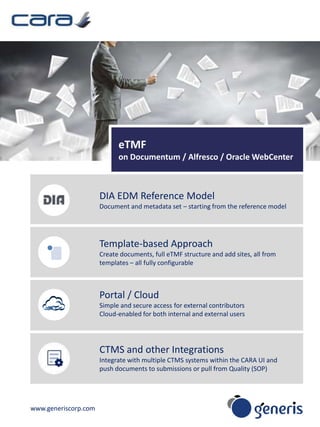
eTMF 
on Documentum / Alfresco / Oracle WebCenter 
DIA EDM Reference Model 
Document and metadata set – starting from the reference model 
Template-based Approach 
Create documents, full eTMF structure and add sites, all from 
templates – all fully configurable 
Portal / Cloud 
Simple and secure access for external contributors 
Cloud-enabled for both internal and external users 
CTMS and other Integrations 
Integrate with multiple CTMS systems within the CARA UI and 
push documents to submissions or pull from Quality (SOP)
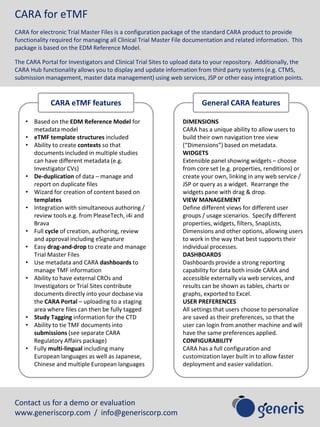
CARA for eTMF 
CARA for electronic Trial Master Files is a configuration package of the standard CARA product to provide 
functionality required for managing all Clinical Trial Master File documentation and related information. This 
package is based on the EDM Reference Model. 
The CARA Portal for Investigators and Clinical Trial Sites to upload data to your repository. Additionally, the 
CARA Hub functionality allows you to display and update information from third party systems (e.g. CTMS, 
submission management, master data management) using web services, JSP or other easy integration points. 
CARA eTMF features General CARA features 
• Based on the EDM Reference Model for 
metadata model 
• eTMF template structures included 
• Ability to create contexts so that 
documents included in multiple studies 
can have different metadata (e.g. 
Investigator CVs) 
• De-duplication of data – manage and 
report on duplicate files 
• Wizard for creation of content based on 
templates 
• Integration with simultaneous authoring / 
review tools e.g. from PleaseTech, i4i and 
Brava 
• Full cycle of creation, authoring, review 
and approval including eSignature 
• Easy drag-and-drop to create and manage 
Trial Master Files 
• Use metadata and CARA dashboards to 
manage TMF information 
• Ability to have external CROs and 
Investigators or Trial Sites contribute 
documents directly into your docbase via 
the CARA Portal – uploading to a staging 
area where files can then be fully tagged 
• Study Tagging information for the CTD 
• Ability to tie TMF documents into 
submissions (see separate CARA 
Regulatory Affairs package) 
• Fully multi-lingual including many 
European languages as well as Japanese, 
Chinese and multiple European languages 
Contact us for a demo or evaluation 
www.generiscorp.com / info@generiscorp.com 
DIMENSIONS 
CARA has a unique ability to allow users to 
build their own navigation tree view 
(“Dimensions”) based on metadata. 
WIDGETS 
Extensible panel showing widgets – choose 
from core set (e.g. properties, renditions) or 
create your own, linking in any web service / 
JSP or query as a widget. Rearrange the 
widgets pane with drag & drop. 
VIEW MANAGEMENT 
Define different views for different user 
groups / usage scenarios. Specify different 
properties, widgets, filters, SnapLists, 
Dimensions and other options, allowing users 
to work in the way that best supports their 
individual processes. 
DASHBOARDS 
Dashboards provide a strong reporting 
capability for data both inside CARA and 
accessible externally via web services, and 
results can be shown as tables, charts or 
graphs, exported to Excel. 
USER PREFERENCES 
All settings that users choose to personalize 
are saved as their preferences, so that the 
user can login from another machine and will 
have the same preferences applied. 
CONFIGURABILITY 
CARA has a full configuration and 
customization layer built in to allow faster 
deployment and easier validation.

CARA for eTMF (electronic Trial Master Files)

  • 1.
    www.generiscorp.com eTMF onDocumentum / Alfresco / Oracle WebCenter DIA EDM Reference Model Document and metadata set – starting from the reference model Template-based Approach Create documents, full eTMF structure and add sites, all from templates – all fully configurable Portal / Cloud Simple and secure access for external contributors Cloud-enabled for both internal and external users CTMS and other Integrations Integrate with multiple CTMS systems within the CARA UI and push documents to submissions or pull from Quality (SOP)
  • 2.
    CARA for eTMF CARA for electronic Trial Master Files is a configuration package of the standard CARA product to provide functionality required for managing all Clinical Trial Master File documentation and related information. This package is based on the EDM Reference Model. The CARA Portal for Investigators and Clinical Trial Sites to upload data to your repository. Additionally, the CARA Hub functionality allows you to display and update information from third party systems (e.g. CTMS, submission management, master data management) using web services, JSP or other easy integration points. CARA eTMF features General CARA features • Based on the EDM Reference Model for metadata model • eTMF template structures included • Ability to create contexts so that documents included in multiple studies can have different metadata (e.g. Investigator CVs) • De-duplication of data – manage and report on duplicate files • Wizard for creation of content based on templates • Integration with simultaneous authoring / review tools e.g. from PleaseTech, i4i and Brava • Full cycle of creation, authoring, review and approval including eSignature • Easy drag-and-drop to create and manage Trial Master Files • Use metadata and CARA dashboards to manage TMF information • Ability to have external CROs and Investigators or Trial Sites contribute documents directly into your docbase via the CARA Portal – uploading to a staging area where files can then be fully tagged • Study Tagging information for the CTD • Ability to tie TMF documents into submissions (see separate CARA Regulatory Affairs package) • Fully multi-lingual including many European languages as well as Japanese, Chinese and multiple European languages Contact us for a demo or evaluation www.generiscorp.com / info@generiscorp.com DIMENSIONS CARA has a unique ability to allow users to build their own navigation tree view (“Dimensions”) based on metadata. WIDGETS Extensible panel showing widgets – choose from core set (e.g. properties, renditions) or create your own, linking in any web service / JSP or query as a widget. Rearrange the widgets pane with drag & drop. VIEW MANAGEMENT Define different views for different user groups / usage scenarios. Specify different properties, widgets, filters, SnapLists, Dimensions and other options, allowing users to work in the way that best supports their individual processes. DASHBOARDS Dashboards provide a strong reporting capability for data both inside CARA and accessible externally via web services, and results can be shown as tables, charts or graphs, exported to Excel. USER PREFERENCES All settings that users choose to personalize are saved as their preferences, so that the user can login from another machine and will have the same preferences applied. CONFIGURABILITY CARA has a full configuration and customization layer built in to allow faster deployment and easier validation.