Organize your online identity
Shawna Reibling
Knoweldge mobilization officer, ORS
@LaurierResearch
October 24, 2013
Agenda
1. Definitions and Questions to consider
2. Discussion of online identity

3. Case studies: organizational diagrams
4. Checklist
5. How to share your digital CV
Digital Identity
Digital identity… a set of data that uniquely
describes a person or a thing and contains
information about the subject's relationships to
other entities.
http://en.wikipedia.org/wiki/Digital_identity
Online CV

Online/digital CV… a version of your CV that
guides a viewer through your work experience,
papers, etc. in a systematic, non-linear way using
online tools.
Questions to consider
•
•
•
•
•

Do I need a online presence?
Am I ready to be digitally social?
What is my online presence?
Am I starting from scratch?
Precautions & opportunities …
Questions to consider 2
• Who am I trying to reach?
• What do I want people to know about
me?
• How much time can I spend online?
• What resources do I have?
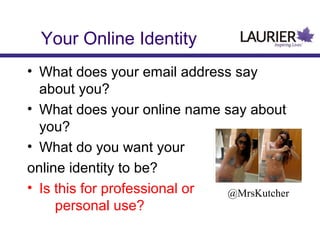
Your Online Identity
• What does your email address say
about you?
• What does your online name say about
you?
• What do you want your
online identity to be?
• Is this for professional or
@MrsKutcher
personal use?
Why am I crafting
a digital identity?
• Knowledge mobilization: Moving research
knowledge into active service
• Feedback on ideas
• What are others in your field working on today?
• Real-time conversation and network exchange
• Resource sharing
• Immediate awareness of information
• Conferences? Contacts? Partnerships?
• Event promotion?
Your Digital Identity
Cas e s t udi es :
Or gani z at i onal
di agr am
s
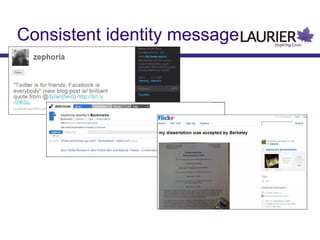
Consistent identity message
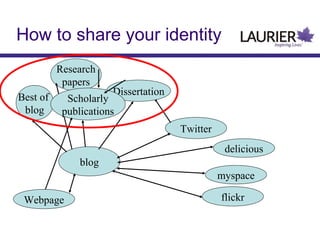
How to share your identity
Research
papers
Best of
blog

Dissertation

Scholarly
publications

Twitter
delicious
blog
myspace
Webpage

flickr
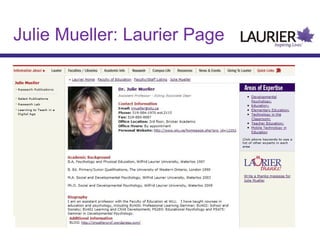
Julie Mueller: Laurier Page
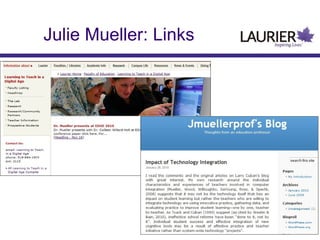
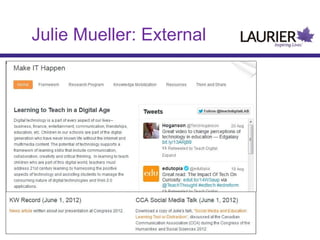
Julie Mueller: Links
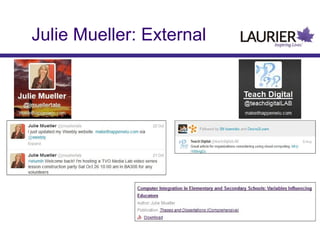
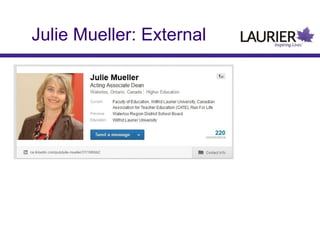
Julie Mueller: External
Julie Mueller: Google Profile
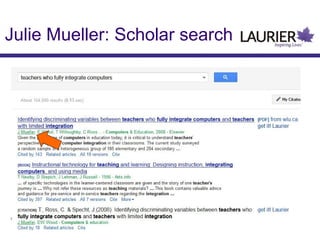
Julie Mueller: Scholar search
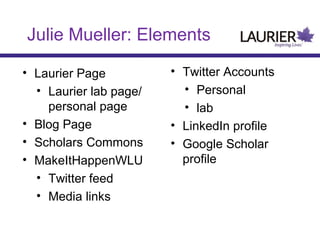
Julie Mueller: Elements
• Laurier Page
• Laurier lab page/
personal page
• Blog Page
• Scholars Commons
• MakeItHappenWLU
• Twitter feed
• Media links

• Twitter Accounts
• Personal
• lab
• LinkedIn profile
• Google Scholar
profile
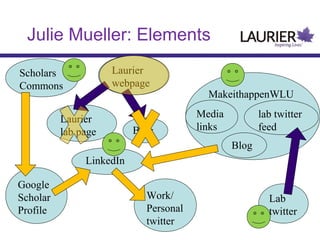
Julie Mueller: Elements
Laurier
webpage

Scholars
Commons

MakeithappenWLU

Laurier
lab page

Blog

Media
links

lab twitter
feed
Blog

LinkedIn
Google
Scholar
Profile

Work/
Personal
twitter

Lab
twitter
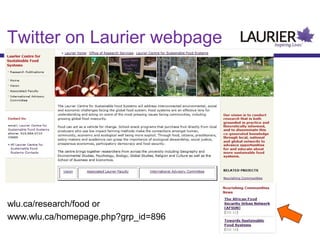
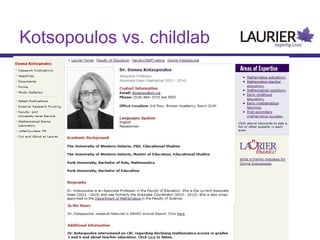
Twitter on Laurier webpage

wlu.ca/research/food or
www.wlu.ca/homepage.php?grp_id=896
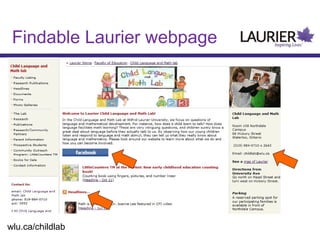
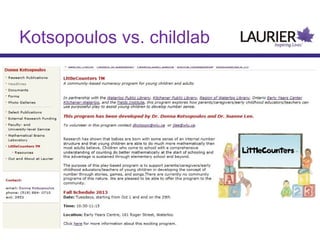
Findable Laurier webpage

wlu.ca/childlab
Childlab on Facebook
Kotsopoulos vs. childlab
Checklist
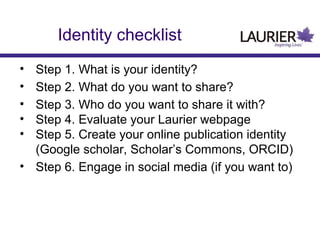
Identity checklist
•
•
•
•
•

Step 1. What is your identity?
Step 2. What do you want to share?
Step 3. Who do you want to share it with?
Step 4. Evaluate your Laurier webpage
Step 5. Create your online publication identity
(Google scholar, Scholar’s Commons, ORCID)
• Step 6. Engage in social media (if you want to)
Choosing an Identity
• What name do you currently use?(if
any)
• For Twitter: choose something short
• Do you use mobile devices? Is it easy
to type?
• Can you get a persistent alias
Figure out your identity
What do you want to share?
• Catalogue what you have and where it
is
• Organize it
Who will you share with?
• Create a “user profile”
– Where are they?

• Find where you want to update
Evaluate your Laurier webpage
•
•
•
•

www.wlu.ca/faculty/name
i.e. wlu.ca/education/kmoreno
wlu.ca/childlab
Do you want it static or do you want to
use its features?
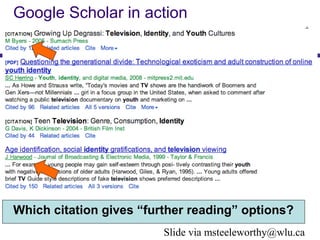
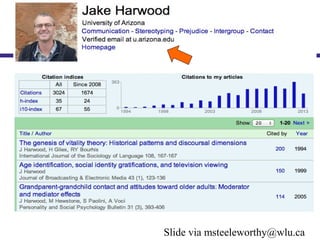
Google Scholar in action

Which citation gives “further reading” options?
Slide via msteeleworthy@wlu.ca
Create online publication
identity: Google Scholar
• Step 1. go to www.google.com/profiles
• Step 2. Follow these instructions:
www.wikihow.com/Create-a-Google-Profile
Create online publication
identity: Scholars Commons
Scholars Commons @ Laurier is an online
collection of the intellectual, creative, and scholarly
output of the Wilfrid Laurier University community.
Scholars Commons creates a consolidated Web
presence for the dissemination, promotion, and
preservation of research and scholarly publishing
at Laurier.
The goal is to support open scholarly
communication, collaboration, and lasting visibility
and recognition for Laurier scholarship.
Create online publication
identity: Scholars Commons
• Step 1. Go to scholars.wlu.ca/
• Step 2. click on ‘My Account’
Researchers should also
register with ORCID ID
•
•
•
•
•

ThomsonReuters
Elsevier
Springer
Wiley
Wellcombe Trust
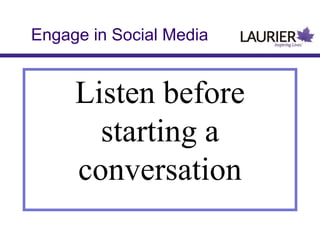
Engage in Social Media

Listen before
starting a
conversation
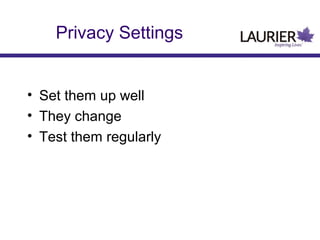
Privacy Settings
• Set them up well
• They change
• Test them regularly
Help Others Find You
•
•
•
•
•
•
•
•

Be consistent
Claim your space
Be recognizable
Start walking!
Profiles
ePortfolio
Blog
Domains

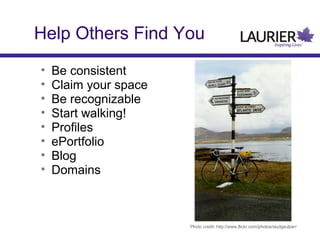
Photo credit: http://www.flickr.com/photos/sludgeulper/
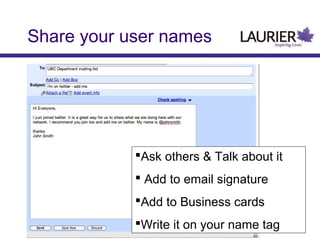
Share your user names

Ask others & Talk about it
 Add to email signature
Add to Business cards
Write it on your name tag
Contact me

Web: wlu.ca/research/kmb
Email: sreibling@wlu.ca
Twitter:@LaurierResearch

Building online identity workshop offered 24 oct13

Editor's Notes

  • #2 Knowledge mobilization is defined as Moving research knowledge into active service
  • #3 http://www.youtube.com/watch?v=MpIOClX1jPE
  • #4 http://www.youtube.com/watch?v=MpIOClX1jPE
  • #5 http://www.youtube.com/watch?v=MpIOClX1jPE
  • #9 Knowledge mobilization is defined as Moving research knowledge into active service Moving this research knowledge into active service involves moving ideas, connecting researchers and people, sharing both people and ideas, as well as searching out and making the connections between ideas and people with common interests visible and transparent. Examples of how these network effects translate to research includes: Faster transfer of information than a journal publication (blog) Feedback on ideas (comments and responses) Knowing what are others in your field working on today? (twitter) Real-time conversation and network exchange (twitter) Resource sharing (blogs) Notification of when new information is shared (RSS) Ideas, people, sharing and searching are all ways to build your knowledge transfer network.
  • #11 Welcome Introduce kyle and shawna Explain why we’re partnering together
  • #12 Danah Boyd’s blog http://www.zephoria.org/thoughts/ Danah Boyd Twitter http://twitter.com/zephoria Danah Boyd Delicious http://delicious.com/zephoria/4blog
  • #13 What and why not where How people search for content? Where to upload and why? Time Management Issues
  • #28 Welcome Introduce kyle and shawna Explain why we’re partnering together
  • #35 http://1.bp.blogspot.com/_sCKw2nO8wVo/S2U_vNppLmI/AAAAAAAAALg/9HF_7PSRu_c/s400/business+cat.jpg
  • #36 http://1.bp.blogspot.com/_sCKw2nO8wVo/S2U_vNppLmI/AAAAAAAAALg/9HF_7PSRu_c/s400/business+cat.jpg
  • #40 http://1.bp.blogspot.com/_sCKw2nO8wVo/S2U_vNppLmI/AAAAAAAAALg/9HF_7PSRu_c/s400/business+cat.jpg
  • #44 PJ: So you still don’t have any followers. It would be cool if you could get important people in your network to add you. First, you should let others know you are on twitter - send out an email <CLICK> PJ: Verbally ask your colleagues, send out an email, place your twitter name on your email signature, add it to your business cards, attach it to your door, tell your colleagues, add it to your conference badge. Be visible. <next page> NOTE: Shawna will wear name tag with twitter ID on them