The document provides guidance on book cover design, outlining the purpose and process of designing an effective cover, including key elements, compositional modes, and considerations for typography and imagery integration to appropriately represent the book. It also presents examples of book covers and discusses designing covers for book series with consistent visual elements.
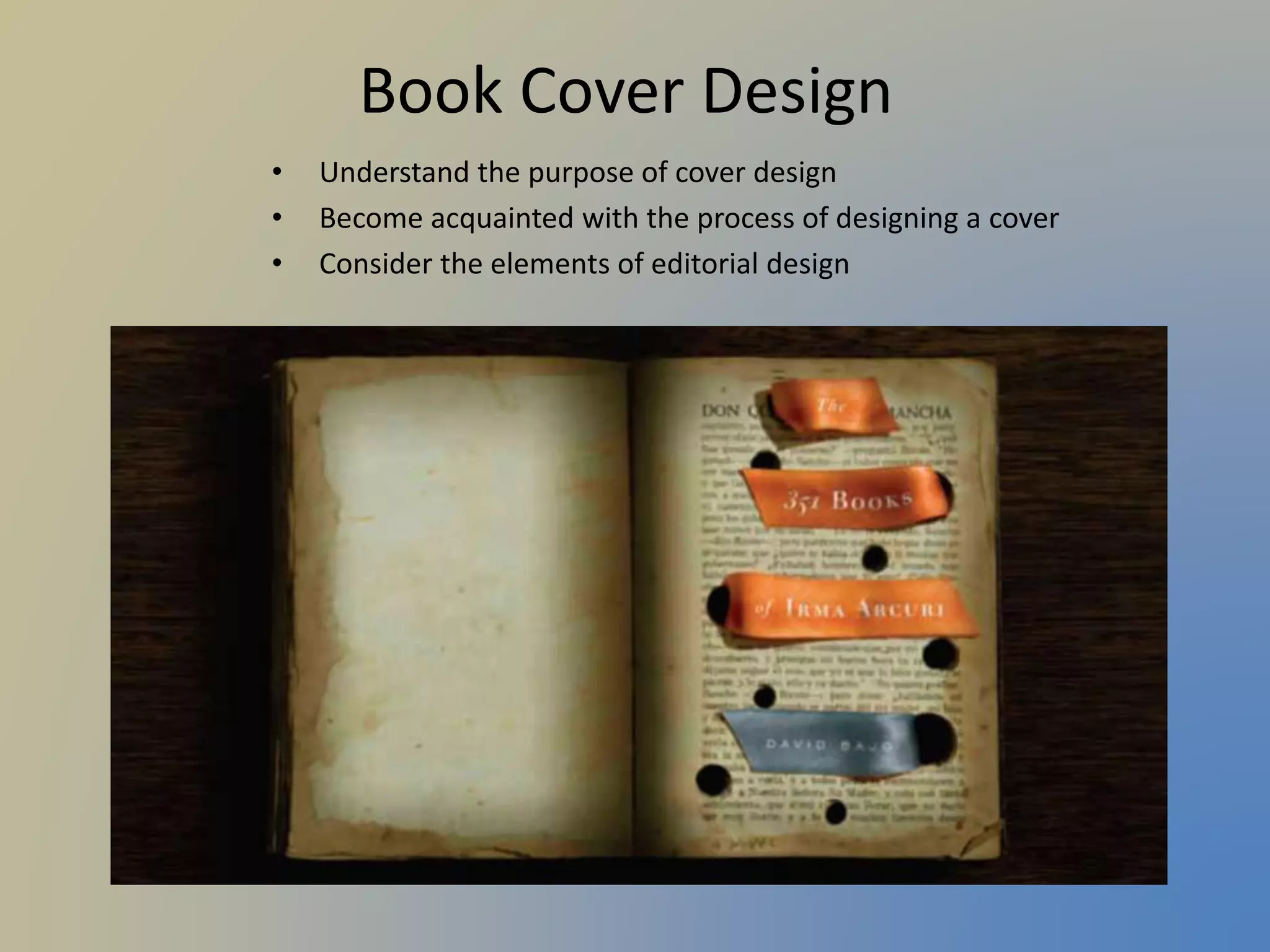
Book Cover Design
•Understand the purpose of cover design
• Become acquainted with the process of designing a cover
• Consider the elements of editorial design
2.
Cover Design
• Abook cover is a POP
display and like packaging
must grab a reader’s
attention.
• A cover design is both
promotional and editorial
• It is informational--should
give the reader a sense of
what the text is about.
• Promotional—it must
beckon you to pick it up.
Cover Design Checklist
Attract readers with an attention-grabbing design
Display information in a clear visual hierarchy
Express the essence of the book’s content
Suggest the genre
Brand! Differentiate it—make it unique
Design the spine for graphic impact and readability
Treat back cover and spine as part of the “whole” design
• The front and back may even be treated as a continuous design.
6.
Compositional Modes
• Considerthe following structures
as points of departure:
Approximate symmetry: The
composition is arranged with
almost exact correspondence
on either side of a vertical axis.
7.
Compositional Modes
Modulargrid: Produces unity and
continuity, helps maintain alignment
among graphic elements, and can be
rearranged to create different zones or
forms yet still remain unified.
Modular grid
8.
Compositional Modes
Majorfocal: Establish emphasis in a visual hierarchy with a
main focal point.
Parallel or corresponding movements: Create alignment
through parallel arrangements of type, image, rules, and
graphic elements.
9.
Compositional Modes
Rhythm,pattern, color: All over pattern and/or thoughtfully
positioned repeats of color creating rhythm.
Compositional Modes
Canvasof interesting juxtapositions:
Arrange type and image into
interesting juxtapositions, yet respect
the principles of emphasis and visual
hierarchy
13.
Compositional Modes
Cornerto corner: Diagonally transverse the surface by a pulling-like action
from opposite corners to achieve active spatial tension.
14.
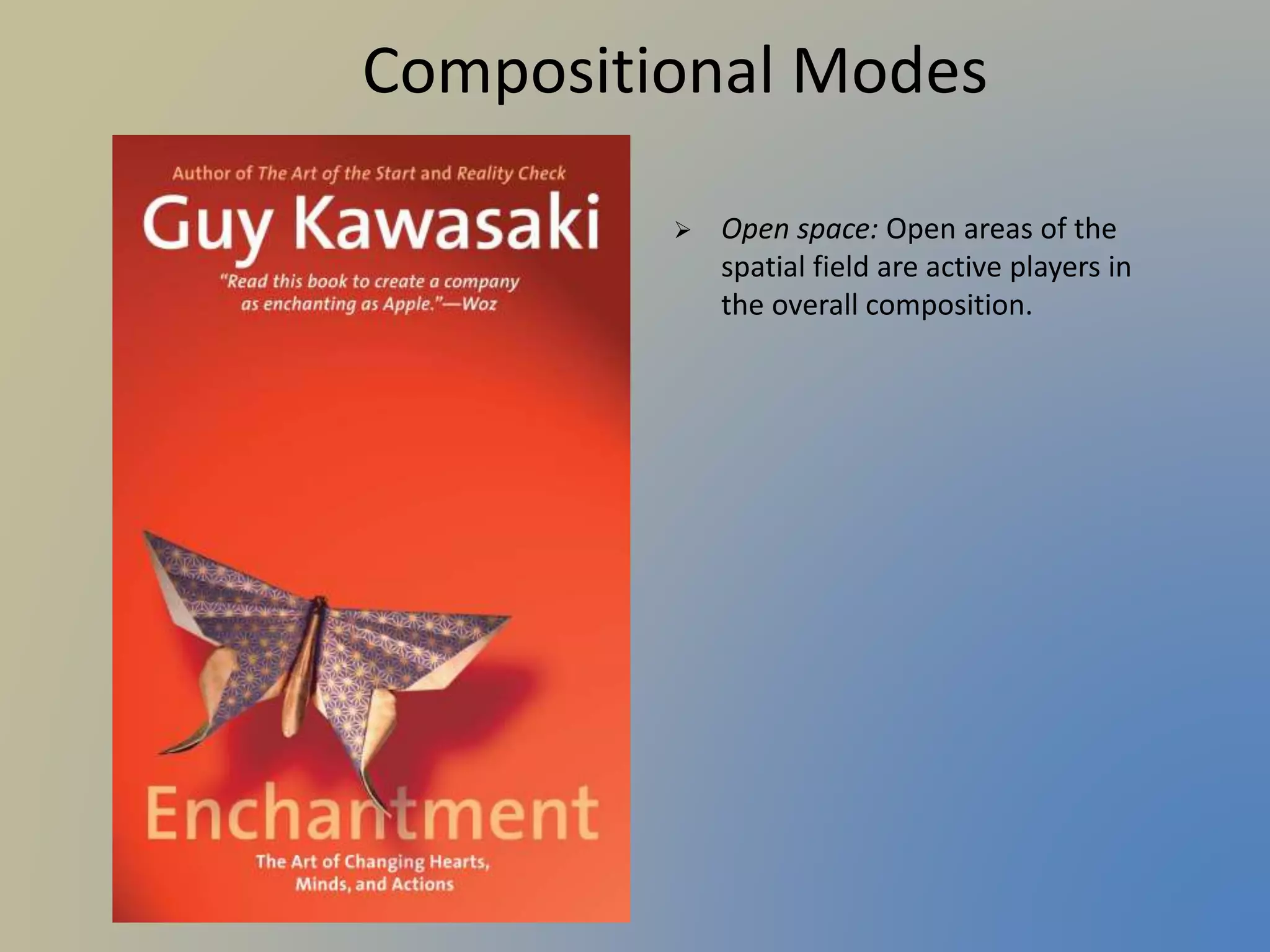
Compositional Modes
Openspace: Open areas of the
spatial field are active players in
the overall composition.
15.
Compositional Modes
Illusionof space or movement: Create illusions
of spatial depth or movement in a variety of
ways by manipulating the picture plane.
16.
Compositional Modes
Fracturedor ambiguous space: Graphic space that is fractured or ambiguous
does not reflect how we see the natural world.
17.
Other Concerns
Designa cover that represents the content as
an enthusiastic and intelligent approach to
the book’s topic.
Differentiate the cover from the current
competition.
Make the author’s name easy to see.
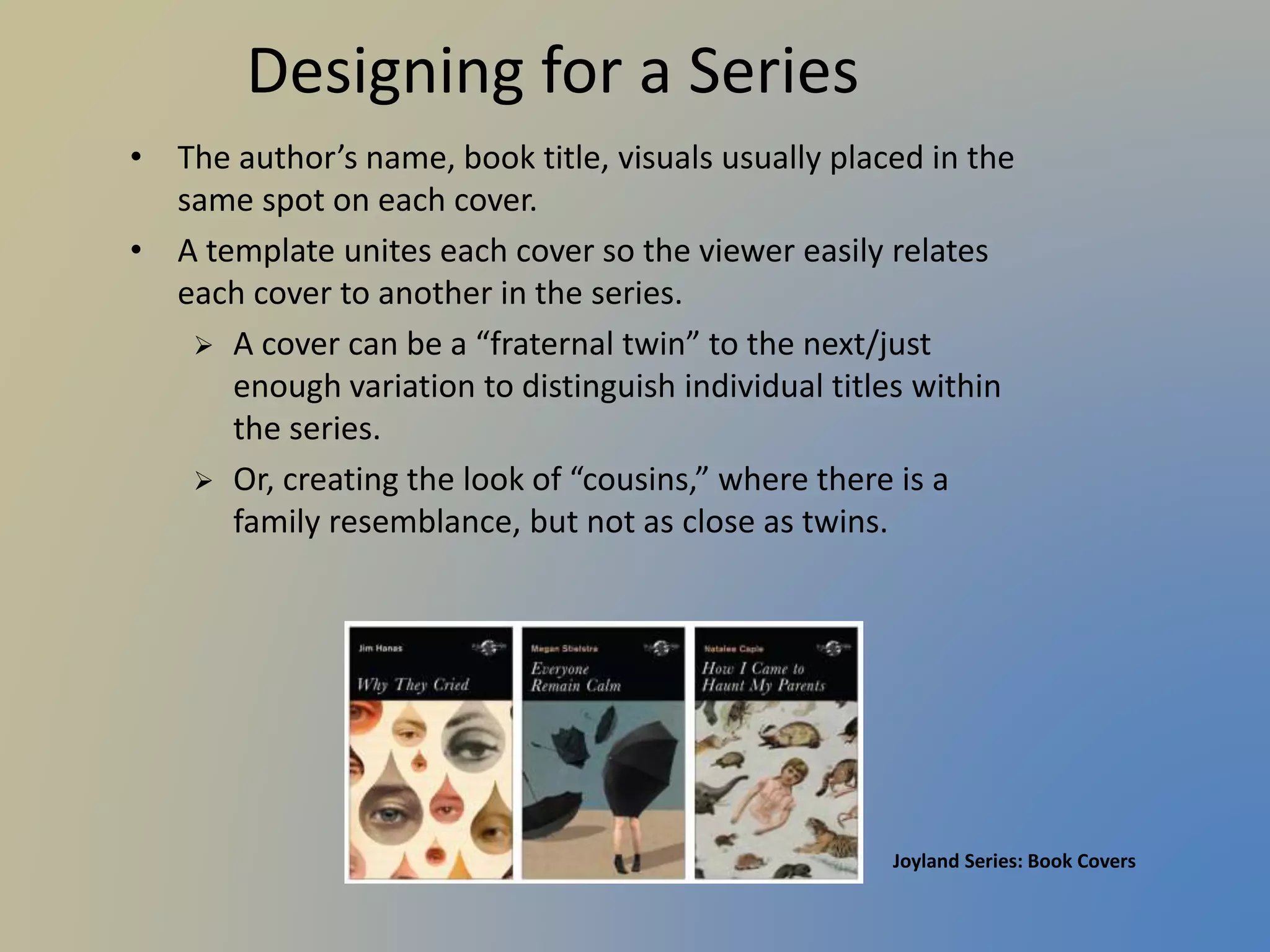
Designing for aSeries
• The author’s name, book title, visuals usually placed in the
same spot on each cover.
• A template unites each cover so the viewer easily relates
each cover to another in the series.
A cover can be a “fraternal twin” to the next/just
enough variation to distinguish individual titles within
the series.
Or, creating the look of “cousins,” where there is a
family resemblance, but not as close as twins.
Joyland Series: Book Covers
Your Assignment
Design atrade paperback book
cover for a novel while making
typography an INTEGRAL part of
the design.
Required Size: 5.5 x 8 inches with a
1-inch spine
25.
Choice of Titles
BelCanto by Ann Patchett
The Thirteenth Tale by Diane Setterfield
Life After Life by Kate Atkinson
Like Water for Chocolate by Laura Esquivel
The Color Purple by Alice Walker
Four Quarters of the Orange by Joanne Harris
The Famished Road by Ben Okri
Sea of Poppies by Amitav Ghosh
Pearl of China by Anchee Min
We All Need New Names by NoViolet Bulawayo
The Corrections by Jonathan Franzen
The Book of Night Women by Marlon James
People of the Book by Geraldine Brooks
The Book Thief by Markus Zusak
American Gods by Neil Gaiman
One Hundred Years of Solitude by
Gabriel García Márquez
26.
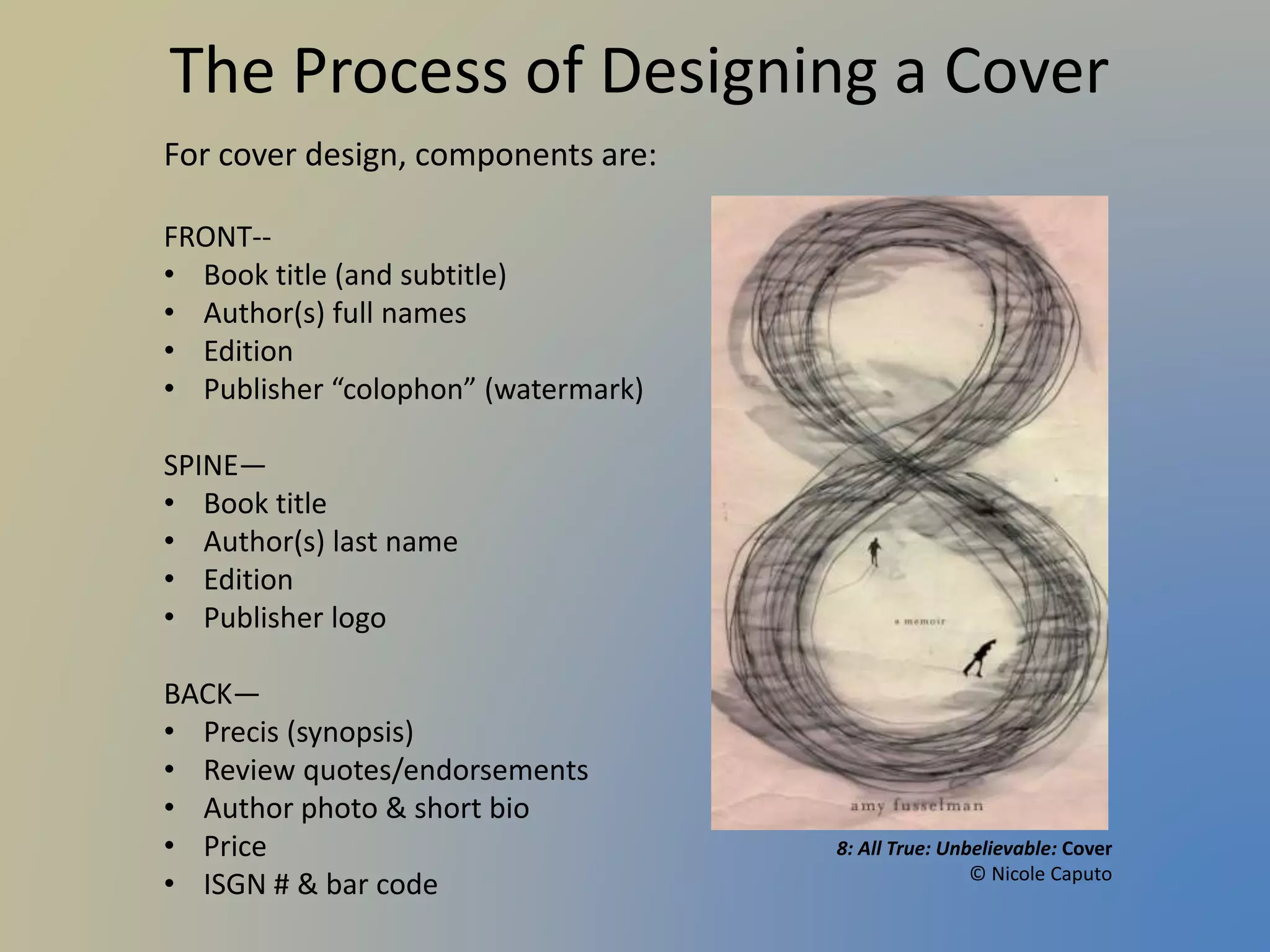
Required Components
FRONT--
Book title(and subtitle or,
possibly, a one-phrase
description)
Author(s) full names
Edition #
Publisher “watermark”
Any prominent awards received
SPINE—
Book title
Author(s) last name
Edition
Publisher logo
BACK—
Precis (synopsis)
Review quotes/endorsements
Author photo & short bio
Price
ISGN # & bar code
27.
Assignment Construct, Stepby Step
1. Start with a mini-brief. In one
or two sentences, define the
key element of the book that
needs to be communicated
visually on its cover.
• What will be the emphasis and
how can you achieve it?
• What colors will best depict the
feeling?
28.
Assignment Construct, Stepby Step
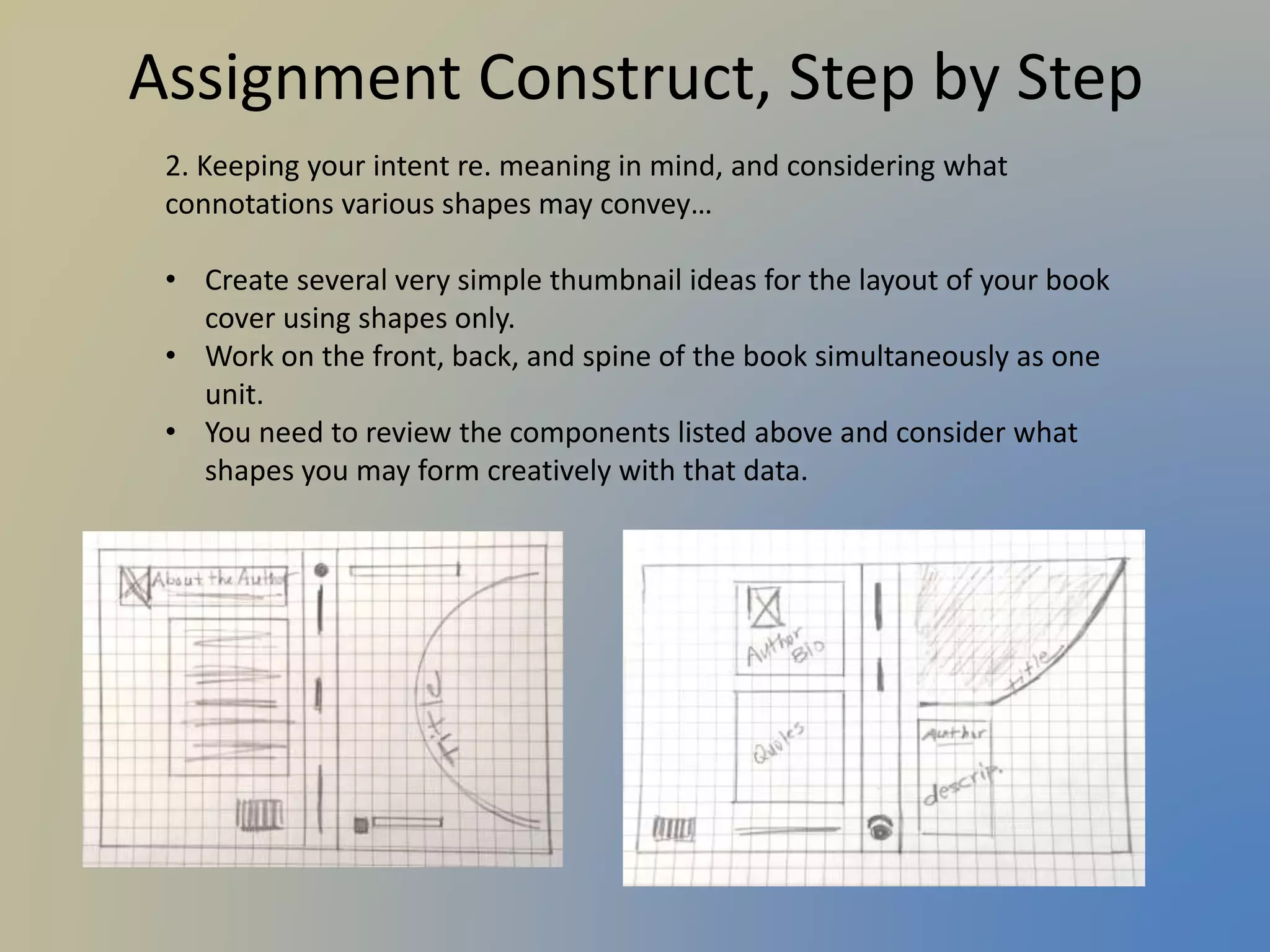
2. Keeping your intent re. meaning in mind, and considering what
connotations various shapes may convey…
• Create several very simple thumbnail ideas for the layout of your book
cover using shapes only.
• Work on the front, back, and spine of the book simultaneously as one
unit.
• You need to review the components listed above and consider what
shapes you may form creatively with that data.
29.
Assignment Construct, Stepby Step
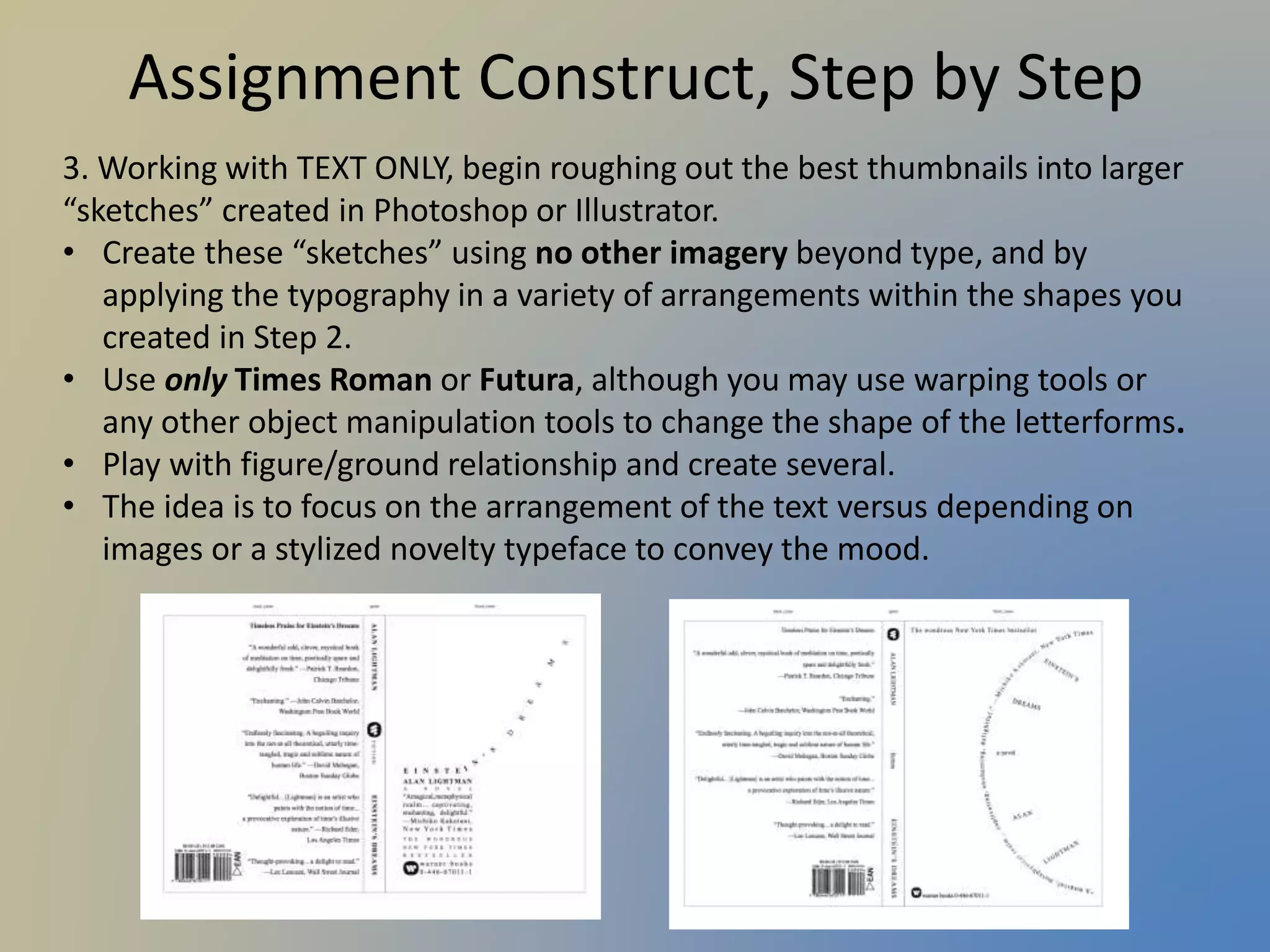
3. Working with TEXT ONLY, begin roughing out the best thumbnails into larger
“sketches” created in Photoshop or Illustrator.
• Create these “sketches” using no other imagery beyond type, and by
applying the typography in a variety of arrangements within the shapes you
created in Step 2.
• Use only Times Roman or Futura, although you may use warping tools or
any other object manipulation tools to change the shape of the letterforms.
• Play with figure/ground relationship and create several.
• The idea is to focus on the arrangement of the text versus depending on
images or a stylized novelty typeface to convey the mood.
30.
Assignment Construct, Stepby Step
4. Choose the most interesting typographic designs and slowly begin adding in
images (illustration or photography) and other design elements.
• Tweak the type design and work toward developing full-size roughs (which can
be drawn by hand or created in software using very basic shapes and
placeholder imagery).
• You may print out several copies of your type-only designs and begin sketching
in imagery on the copies.
• Consider how you are communicating the book’s “essence” through your
arrangement of the elements, choice of imagery, and final font selection.
• Try several variations before moving into a final mechanical!
31.
Assignment Construct, Stepby Step
5. For the final file, work in 300 ppi at exact size. Your final mechanical is
a thorough mock-up, does not have to be press-ready or include bleeds.