NICOLA PAOLUCCI • DEVELOPER INSTIGATOR • • @DURDN
The business case for Git
Concepts and techniques to convert you
into a master of the DVCS craft
Becoming a Git Master
I'm George. George McFly.
I'm your density… I mean,
your destiny
Let’s Become Git Pros!
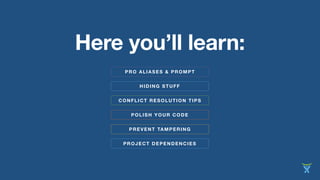
CONFLICT RESOLUTION TIPS
HIDING STUFF
Here you’ll learn:
POLISH YOUR CODE
PREVENT TAMPERING
PROJECT DEPENDENCIES
PRO ALIASES & PROMPT
A pro command prompt
PRO ALIASES & PROMPT
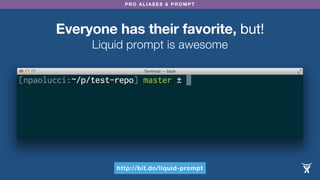
Everyone has their favorite, but!
Liquid prompt is awesome
http://bit.do/liquid-prompt
PRO ALIASES & PROMPT
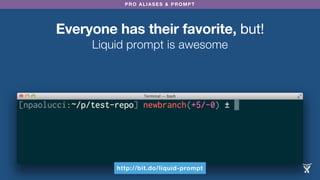
Everyone has their favorite, but!
Liquid prompt is awesome
http://bit.do/liquid-prompt
Crafting Awesome Aliases
Aliases are stored in
.gitconfig
In a section prefixed:
[alias]
PRO ALIASES & PROMPT
Basic Alias Form
Very simple:
ls = log --oneline
[vagrant@vagrant-ubuntu-trusty-64:/home/vagrant/buildstep] master ± git ls
90aa814 Merge pull request #85 from marqu3z/master
f1eb16b overwrite source.list
e6b9d16 change repo before prepare task
8bc10c0 Fix for deprecated repository
e34d861 Link to buildpacks.txt instead
4502635 Merge pull request #76 from elia/fix-72-no-buildpack-bundle-install
38be796 Bundle install ain't needed against the buildpack
PRO ALIASES & PROMPT
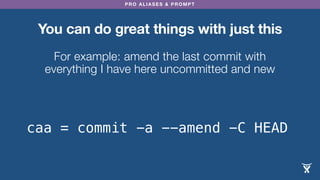
You can do great things with just this
For example: amend the last commit with
everything I have here uncommitted and new
caa = commit -a --amend -C HEAD
You can’t pass parameters
to simple aliases :(
Or can you?!
muahahhahahhaha
hahahahahahahha
hahahhahahahah!
PRO ALIASES & PROMPT
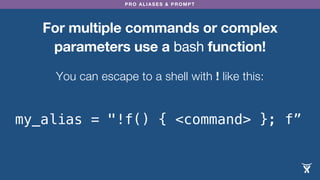
For multiple commands or complex
parameters use a bash function!
You can escape to a shell with ! like this:
my_alias = "!f() { <command> }; f”
PRO ALIASES & PROMPT
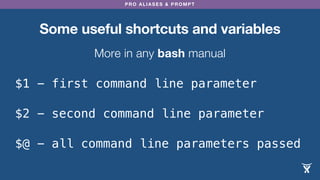
Some useful shortcuts and variables
More in any bash manual
$@ - all command line parameters passed
$1 - first command line parameter
$2 - second command line parameter
Ma, it’s the mini-DSL
I always wanted!
PRO ALIASES & PROMPT
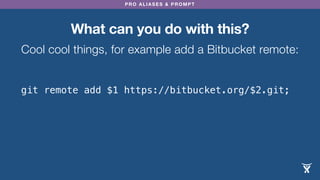
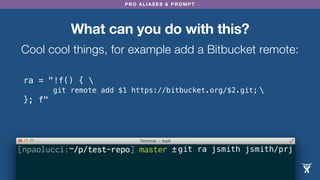
What can you do with this?
Cool cool things, for example add a Bitbucket remote:
git remote add $1 https://bitbucket.org/$2.git;
PRO ALIASES & PROMPT
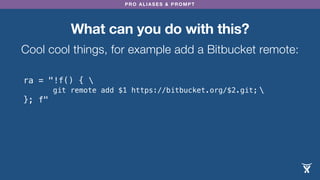
ra = "!f() { 

}; f"
What can you do with this?
Cool cool things, for example add a Bitbucket remote:
git remote add $1 https://bitbucket.org/$2.git;
PRO ALIASES & PROMPT
ra = "!f() { 

}; f"
What can you do with this?
Cool cool things, for example add a Bitbucket remote:
git remote add $1 https://bitbucket.org/$2.git;
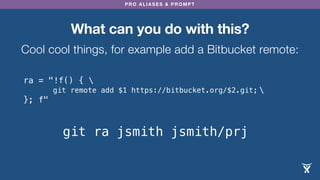
git ra jsmith jsmith/prj
PRO ALIASES & PROMPT
ra = "!f() { 

}; f"
What can you do with this?
Cool cool things, for example add a Bitbucket remote:
git remote add $1 https://bitbucket.org/$2.git;
git ra jsmith jsmith/prj
PRO ALIASES & PROMPT
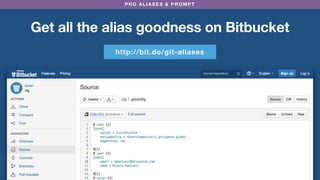
Get all the alias goodness on Bitbucket
http://bit.do/git-aliases
© http://www.amigosdosbichos.org/
1. Powers of invisibility
© http://www.amigosdosbichos.org/
1. Powers of invisibility
Tell git which files
or folders to ignore
in .gitignore
What if the file is
already committed?!
muahahhahahhaha
hahahahahahahha
hahahhahahahah!
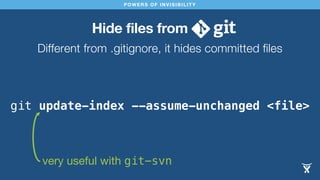
Hide files from
Different from .gitignore, it hides committed files
POWERS OF INVISIBILITY
git update-index --assume-unchanged <file>
very useful with git-svn
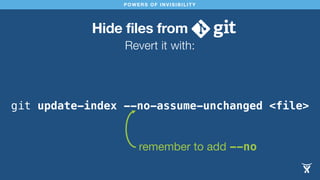
Hide files from
Revert it with:
POWERS OF INVISIBILITY
git update-index --no-assume-unchanged <file>
remember to add --no
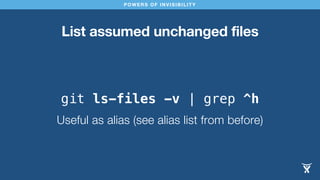
POWERS OF INVISIBILITY
List assumed unchanged files
git ls-files -v | grep ^h
Useful as alias (see alias list from before)
Conflict Resolution Tips
What is a conflict?
PRO ALIASES & PROMPT
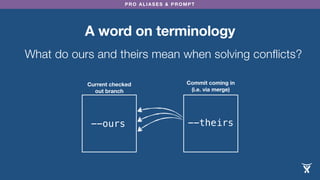
A word on terminology
Current checked
out branch
--ours
What do ours and theirs mean when solving conflicts?
Commit coming in
(i.e. via merge)
--theirs
PRO ALIASES & PROMPT
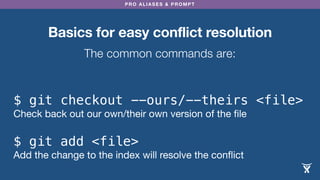
Basics for easy conflict resolution
The common commands are:
$ git checkout --ours/--theirs <file>
Check back out our own/their own version of the file
$ git add <file>
Add the change to the index will resolve the conflict
PRO ALIASES & PROMPT
Aliases for easy conflict resolution
Add these to [alias] in .gitconfig:
git checkout --ours $@ && git add $@;
PRO ALIASES & PROMPT
Aliases for easy conflict resolution
Add these to [alias] in .gitconfig:
ours = "!f() { 

}; f"
git checkout --ours $@ && git add $@;
PRO ALIASES & PROMPT
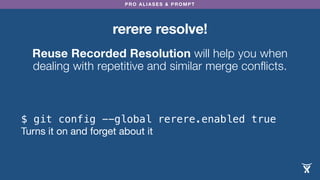
rerere resolve!
Reuse Recorded Resolution will help you when
dealing with repetitive and similar merge conflicts.
$ git config --global rerere.enabled true
Turns it on and forget about it
PRO ALIASES & PROMPT
Sample output rerere
$ git add hello.rb
$ git commit
Recorded resolution for 'hello.rb'.
[master 68e16e5] Merge branch 'i18n'
Auto-merging hello.rb
CONFLICT (content): Merge conflict in hello.rb
Resolved 'hello.rb' using previous resolution.
Cover your tracks
(aka polish your code)
POLISH YOUR CODE
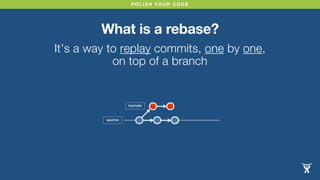
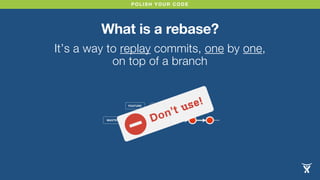
What is a rebase?
It’s a way to replay commits, one by one,
on top of a branch
MASTER
FEATURE
POLISH YOUR CODE
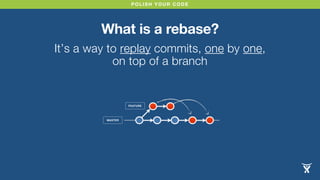
What is a rebase?
It’s a way to replay commits, one by one,
on top of a branch
MASTER
FEATURE
POLISH YOUR CODE
What is a rebase?
It’s a way to replay commits, one by one,
on top of a branch
MASTER
FEATURE
Don’t use!
POLISH YOUR CODE
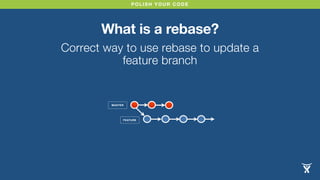
What is a rebase?
Correct way to use rebase to update a
feature branch
MASTER
FEATURE
POLISH YOUR CODE
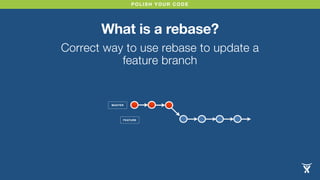
What is a rebase?
Correct way to use rebase to update a
feature branch
MASTER
FEATURE
POLISH YOUR CODE
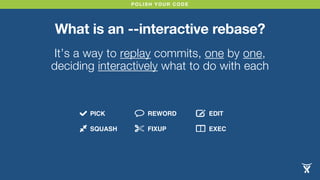
What is an --interactive rebase?
It’s a way to replay commits, one by one,
deciding interactively what to do with each
PICK
SQUASH
REWORD
FIXUP
EDIT
EXEC
POLISH YOUR CODE
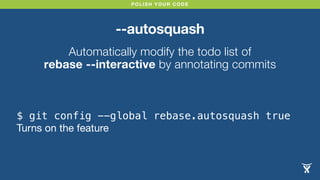
--autosquash
Automatically modify the todo list of
rebase --interactive by annotating commits
$ git config --global rebase.autosquash true
Turns on the feature
POLISH YOUR CODE
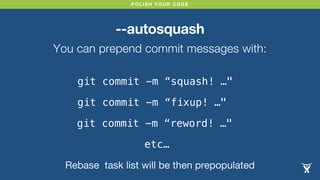
--autosquash
You can prepend commit messages with:
git commit -m “squash! …"
git commit -m “fixup! …"
git commit -m “reword! …"
etc…
Rebase task list will be then prepopulated
CUSTOMARY
WARNING!
rebase rewrites history!
Treat this power with great care. 

Only rewrite history of local branches or…
Prevent tampering
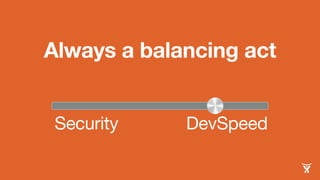
Always a balancing act
Security DevSpeed
PREVENT TAMPERING
Lock down your repo
# no rewriting history
denyNonFastForwards = true
# no deleting history
denyDeletes = true
# check object consistency
fsckObjects = true
Edit .git/config in the [receive] section:
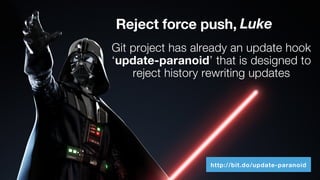
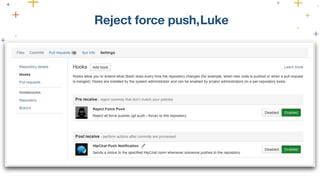
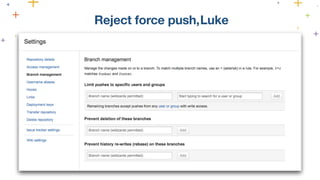
Reject force push,
Git project has already an update hook
‘update-paranoid’ that is designed to
reject history rewriting updates
Luke
http://bit.do/update-paranoid
Reject force push,Luke
PREVENT TAMPERING
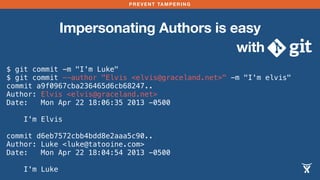
Impersonating Authors is easy
with
$ git commit -m "I'm Luke"
$ git commit --author "Elvis <elvis@graceland.net>" -m "I'm elvis"
commit a9f0967cba236465d6cb68247..
Author: Elvis <elvis@graceland.net>
Date: Mon Apr 22 18:06:35 2013 -0500
I'm Elvis
commit d6eb7572cbb4bdd8e2aaa5c90..
Author: Luke <luke@tatooine.com>
Date: Mon Apr 22 18:04:54 2013 -0500
I'm Luke
PREVENT TAMPERING
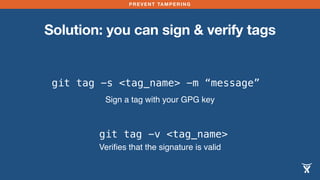
Solution: you can sign & verify tags
git tag -s <tag_name> -m “message”
Sign a tag with your GPG key
git tag -v <tag_name>
Verifies that the signature is valid
Signing release tags is often
all you need
PREVENT TAMPERING
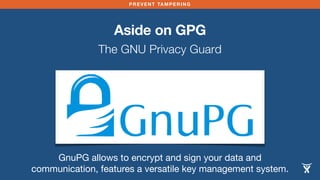
Aside on GPG
The GNU Privacy Guard
GnuPG allows to encrypt and sign your data and
communication, features a versatile key management system.
PREVENT TAMPERING
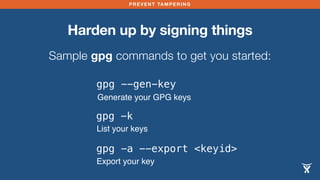
Harden up by signing things
Sample gpg commands to get you started:
gpg --gen-key
Generate your GPG keys
gpg -k
List your keys
gpg -a --export <keyid>
Export your key
PREVENT TAMPERING
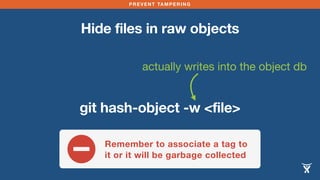
Hide files in raw objects
actually writes into the object db
git hash-object -w <file>
Remember to associate a tag to
it or it will be garbage collected
PREVENT TAMPERING
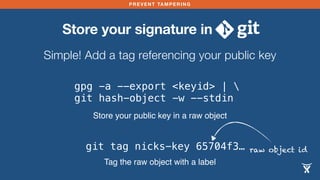
Store your signature in
Simple! Add a tag referencing your public key
gpg -a --export <keyid> | 
git hash-object -w --stdin
Store your public key in a raw object
git tag nicks-key 65704f3…
Tag the raw object with a label
raw object id
PREVENT TAMPERING
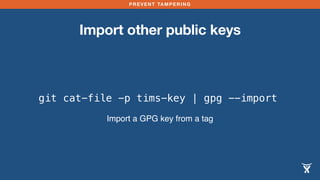
Import other public keys
git cat-file -p tims-key | gpg --import
Import a GPG key from a tag
PREVENT TAMPERING
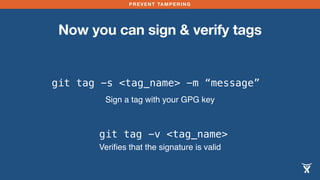
Now you can sign & verify tags
git tag -s <tag_name> -m “message”
Sign a tag with your GPG key
git tag -v <tag_name>
Verifies that the signature is valid
and Project Dependencies
How do you handle
project dependencies
with ?
Splitting up a project
is painful, for so many
reasons
Use a build/dependency
tool instead of
GIT AND PROJECT DEPENDENCIES
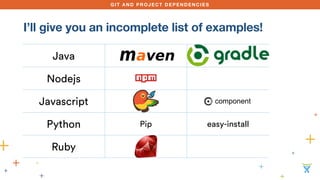
I’ll give you an incomplete list of examples!
Java
Nodejs
Javascript
Python Pip easy-install
Ruby
GIT AND PROJECT DEPENDENCIES
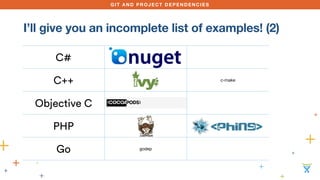
I’ll give you an incomplete list of examples! (2)
C#
C++ c-make
Objective C
PHP
Go godep
Another possibility:
use git submodule
Another possibility:
use git subtree
Use other build
and cross-stack
dependency tools
GIT AND PROJECT DEPENDENCIES
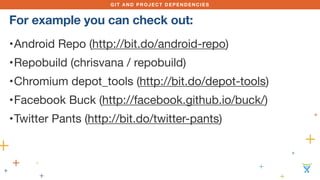
•Android Repo (http://bit.do/android-repo)

•Repobuild (chrisvana / repobuild)

•Chromium depot_tools (http://bit.do/depot-tools)

•Facebook Buck (http://facebook.github.io/buck/)

•Twitter Pants (http://bit.do/twitter-pants)
For example you can check out:
PRO ALIASES & PROMPT
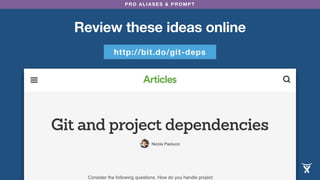
Review these ideas online
http://bit.do/git-deps
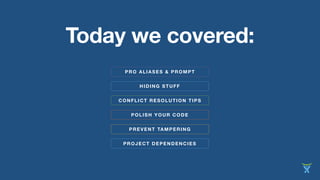
CONFLICT RESOLUTION TIPS
HIDING STUFF
Today we covered:
POLISH YOUR CODE
PREVENT TAMPERING
PROJECT DEPENDENCIES
PRO ALIASES & PROMPT
NICOLA PAOLUCCI • DEVELOPER INSTIGATOR • ATLASSIAN • @DURDN
Thank you!
Mechelen - 26th November
@durdn

Becoming a Git Master

  • 1.
    NICOLA PAOLUCCI •DEVELOPER INSTIGATOR • • @DURDN The business case for Git Concepts and techniques to convert you into a master of the DVCS craft Becoming a Git Master
  • 2.
    I'm George. GeorgeMcFly. I'm your density… I mean, your destiny
  • 3.
  • 4.
    CONFLICT RESOLUTION TIPS HIDINGSTUFF Here you’ll learn: POLISH YOUR CODE PREVENT TAMPERING PROJECT DEPENDENCIES PRO ALIASES & PROMPT
  • 5.
  • 6.
    PRO ALIASES &PROMPT Everyone has their favorite, but! Liquid prompt is awesome http://bit.do/liquid-prompt
  • 7.
    PRO ALIASES &PROMPT Everyone has their favorite, but! Liquid prompt is awesome http://bit.do/liquid-prompt
  • 8.
  • 9.
    Aliases are storedin .gitconfig
  • 10.
    In a sectionprefixed: [alias]
  • 11.
    PRO ALIASES &PROMPT Basic Alias Form Very simple: ls = log --oneline [vagrant@vagrant-ubuntu-trusty-64:/home/vagrant/buildstep] master ± git ls 90aa814 Merge pull request #85 from marqu3z/master f1eb16b overwrite source.list e6b9d16 change repo before prepare task 8bc10c0 Fix for deprecated repository e34d861 Link to buildpacks.txt instead 4502635 Merge pull request #76 from elia/fix-72-no-buildpack-bundle-install 38be796 Bundle install ain't needed against the buildpack
  • 12.
    PRO ALIASES &PROMPT You can do great things with just this For example: amend the last commit with everything I have here uncommitted and new caa = commit -a --amend -C HEAD
  • 13.
    You can’t passparameters to simple aliases :(
  • 14.
  • 15.
  • 16.
    PRO ALIASES &PROMPT For multiple commands or complex parameters use a bash function! You can escape to a shell with ! like this: my_alias = "!f() { <command> }; f”
  • 17.
    PRO ALIASES &PROMPT Some useful shortcuts and variables More in any bash manual $@ - all command line parameters passed $1 - first command line parameter $2 - second command line parameter
  • 18.
    Ma, it’s themini-DSL I always wanted!
  • 19.
    PRO ALIASES &PROMPT What can you do with this? Cool cool things, for example add a Bitbucket remote: git remote add $1 https://bitbucket.org/$2.git;
  • 20.
    PRO ALIASES &PROMPT ra = "!f() { }; f" What can you do with this? Cool cool things, for example add a Bitbucket remote: git remote add $1 https://bitbucket.org/$2.git;
  • 21.
    PRO ALIASES &PROMPT ra = "!f() { }; f" What can you do with this? Cool cool things, for example add a Bitbucket remote: git remote add $1 https://bitbucket.org/$2.git; git ra jsmith jsmith/prj
  • 22.
    PRO ALIASES &PROMPT ra = "!f() { }; f" What can you do with this? Cool cool things, for example add a Bitbucket remote: git remote add $1 https://bitbucket.org/$2.git; git ra jsmith jsmith/prj
  • 23.
    PRO ALIASES &PROMPT Get all the alias goodness on Bitbucket http://bit.do/git-aliases
  • 24.
  • 25.
  • 26.
    Tell git whichfiles or folders to ignore in .gitignore
  • 27.
    What if thefile is already committed?!
  • 28.
  • 29.
    Hide files from Differentfrom .gitignore, it hides committed files POWERS OF INVISIBILITY git update-index --assume-unchanged <file> very useful with git-svn
  • 30.
    Hide files from Revertit with: POWERS OF INVISIBILITY git update-index --no-assume-unchanged <file> remember to add --no
  • 31.
    POWERS OF INVISIBILITY Listassumed unchanged files git ls-files -v | grep ^h Useful as alias (see alias list from before)
  • 32.
  • 33.
    What is aconflict?
  • 34.
    PRO ALIASES &PROMPT A word on terminology Current checked out branch --ours What do ours and theirs mean when solving conflicts? Commit coming in (i.e. via merge) --theirs
  • 35.
    PRO ALIASES &PROMPT Basics for easy conflict resolution The common commands are: $ git checkout --ours/--theirs <file> Check back out our own/their own version of the file $ git add <file> Add the change to the index will resolve the conflict
  • 36.
    PRO ALIASES &PROMPT Aliases for easy conflict resolution Add these to [alias] in .gitconfig: git checkout --ours $@ && git add $@;
  • 37.
    PRO ALIASES &PROMPT Aliases for easy conflict resolution Add these to [alias] in .gitconfig: ours = "!f() { }; f" git checkout --ours $@ && git add $@;
  • 38.
    PRO ALIASES &PROMPT rerere resolve! Reuse Recorded Resolution will help you when dealing with repetitive and similar merge conflicts. $ git config --global rerere.enabled true Turns it on and forget about it
  • 39.
    PRO ALIASES &PROMPT Sample output rerere $ git add hello.rb $ git commit Recorded resolution for 'hello.rb'. [master 68e16e5] Merge branch 'i18n' Auto-merging hello.rb CONFLICT (content): Merge conflict in hello.rb Resolved 'hello.rb' using previous resolution.
  • 40.
    Cover your tracks (akapolish your code)
  • 41.
    POLISH YOUR CODE Whatis a rebase? It’s a way to replay commits, one by one, on top of a branch MASTER FEATURE
  • 42.
    POLISH YOUR CODE Whatis a rebase? It’s a way to replay commits, one by one, on top of a branch MASTER FEATURE
  • 43.
    POLISH YOUR CODE Whatis a rebase? It’s a way to replay commits, one by one, on top of a branch MASTER FEATURE Don’t use!
  • 44.
    POLISH YOUR CODE Whatis a rebase? Correct way to use rebase to update a feature branch MASTER FEATURE
  • 45.
    POLISH YOUR CODE Whatis a rebase? Correct way to use rebase to update a feature branch MASTER FEATURE
  • 46.
    POLISH YOUR CODE Whatis an --interactive rebase? It’s a way to replay commits, one by one, deciding interactively what to do with each PICK SQUASH REWORD FIXUP EDIT EXEC
  • 47.
    POLISH YOUR CODE --autosquash Automaticallymodify the todo list of rebase --interactive by annotating commits $ git config --global rebase.autosquash true Turns on the feature
  • 48.
    POLISH YOUR CODE --autosquash Youcan prepend commit messages with: git commit -m “squash! …" git commit -m “fixup! …" git commit -m “reword! …" etc… Rebase task list will be then prepopulated
  • 49.
    CUSTOMARY WARNING! rebase rewrites history! Treatthis power with great care. Only rewrite history of local branches or…
  • 50.
  • 51.
    Always a balancingact Security DevSpeed
  • 52.
    PREVENT TAMPERING Lock downyour repo # no rewriting history denyNonFastForwards = true # no deleting history denyDeletes = true # check object consistency fsckObjects = true Edit .git/config in the [receive] section:
  • 53.
    Reject force push, Gitproject has already an update hook ‘update-paranoid’ that is designed to reject history rewriting updates Luke http://bit.do/update-paranoid
  • 54.
  • 55.
  • 56.
    PREVENT TAMPERING Impersonating Authorsis easy with $ git commit -m "I'm Luke" $ git commit --author "Elvis <elvis@graceland.net>" -m "I'm elvis" commit a9f0967cba236465d6cb68247.. Author: Elvis <elvis@graceland.net> Date: Mon Apr 22 18:06:35 2013 -0500 I'm Elvis commit d6eb7572cbb4bdd8e2aaa5c90.. Author: Luke <luke@tatooine.com> Date: Mon Apr 22 18:04:54 2013 -0500 I'm Luke
  • 57.
    PREVENT TAMPERING Solution: youcan sign & verify tags git tag -s <tag_name> -m “message” Sign a tag with your GPG key git tag -v <tag_name> Verifies that the signature is valid
  • 58.
    Signing release tagsis often all you need
  • 59.
    PREVENT TAMPERING Aside onGPG The GNU Privacy Guard GnuPG allows to encrypt and sign your data and communication, features a versatile key management system.
  • 60.
    PREVENT TAMPERING Harden upby signing things Sample gpg commands to get you started: gpg --gen-key Generate your GPG keys gpg -k List your keys gpg -a --export <keyid> Export your key
  • 61.
    PREVENT TAMPERING Hide filesin raw objects actually writes into the object db git hash-object -w <file> Remember to associate a tag to it or it will be garbage collected
  • 62.
    PREVENT TAMPERING Store yoursignature in Simple! Add a tag referencing your public key gpg -a --export <keyid> | git hash-object -w --stdin Store your public key in a raw object git tag nicks-key 65704f3… Tag the raw object with a label raw object id
  • 63.
    PREVENT TAMPERING Import otherpublic keys git cat-file -p tims-key | gpg --import Import a GPG key from a tag
  • 64.
    PREVENT TAMPERING Now youcan sign & verify tags git tag -s <tag_name> -m “message” Sign a tag with your GPG key git tag -v <tag_name> Verifies that the signature is valid
  • 65.
  • 66.
    How do youhandle project dependencies with ?
  • 67.
    Splitting up aproject is painful, for so many reasons
  • 68.
  • 69.
    GIT AND PROJECTDEPENDENCIES I’ll give you an incomplete list of examples! Java Nodejs Javascript Python Pip easy-install Ruby
  • 70.
    GIT AND PROJECTDEPENDENCIES I’ll give you an incomplete list of examples! (2) C# C++ c-make Objective C PHP Go godep
  • 71.
  • 72.
  • 73.
    Use other build andcross-stack dependency tools
  • 74.
    GIT AND PROJECTDEPENDENCIES •Android Repo (http://bit.do/android-repo) •Repobuild (chrisvana / repobuild) •Chromium depot_tools (http://bit.do/depot-tools) •Facebook Buck (http://facebook.github.io/buck/) •Twitter Pants (http://bit.do/twitter-pants) For example you can check out:
  • 75.
    PRO ALIASES &PROMPT Review these ideas online http://bit.do/git-deps
  • 76.
    CONFLICT RESOLUTION TIPS HIDINGSTUFF Today we covered: POLISH YOUR CODE PREVENT TAMPERING PROJECT DEPENDENCIES PRO ALIASES & PROMPT
  • 77.
    NICOLA PAOLUCCI •DEVELOPER INSTIGATOR • ATLASSIAN • @DURDN Thank you! Mechelen - 26th November @durdn