Basics of Java
PART 2
The Java language also provides a vocabulary and a set of rules to use the vocabulary.
The vocabulary is represented through a set of keywords and the grammar is the syntax of the
language.
1. Java Keyword
2. Data types in Java
3. Variable naming conventions
4. Initializing Variables.
5. Literals
Keywords
Keywords are special words that are of significance to the Java compiler. You cannot use
keywords to name classes or variables
A compiler converts the Java program into an intermediate language representation called
Bytecode which is platform independent. A Java file will have the extension .java, similar to a
word file having the extension .doc, a pascal file has the extension .pas and a text file has the
extension .txt.
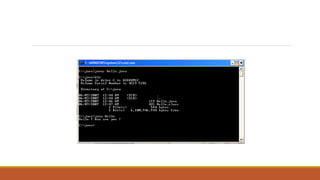
Let us assume there exists a Java file named Hello. java. When this file is complied we get a file
called as Hello. Class
Public class Hello{
◦ Public static void main(String args[]){
◦ System.out.println(“Hello World”);
◦ }
◦ }
The concept of “write once, run anywhere” is possible in Java. The Java program can be
compiled on any platform having a Java compiler.
The resulting bytecodes can then be run on Window NT or Solaris or Macintosh or any other
machine.
The machine should have a Java platform to run Java code. Java platform consists of Java Virtual
Machine (JVM) and a package of ready made software components.
This package is known as The Java Application Programming Interface (Java AP!). The compiled
Java program can run on any hardware platform having Java Virtual Machine (JVM) installed on
it.
Data Types in Java
There are two kinds of data types in Java:
1. The Primitives/standard data types.
2. The Abstract/derived data types
Primitives Data Types
Primitive data types (also know as standard data types) are the data types that are built into the
Java language.
The Java compiler holds details instructions on each operation the data types that
are built into the Java language.
The Java compiler holds detailed instructions on each legal operation the data type supports.
There are eight primitive data types in Java.
The data types – byte, short, int, long, float and double are numeric data types.
The first four of these can hold only whole numbers whereas the last two (float and double) can
hold decimal values like 5.05. All these data types can hold negative values.
However, the keyword unsigned can be used to restrict the range of values to positive numbers.
Amongst others, boolean can hold only the value true or false and char can hold only a single
character
Abstract/Derived Data Types
Abstract data types are based on primitives data types and have more functionality that the
primitive data types. For example, String is an abstract data type that can store alphabets, digits
and other characters like /, (); :$#. You cannot perform calculations on a variable of the string
data type even if the data stored in it has digits.
Variables in Java
When you learned algebraic equations in school, you used x and y to represent values in
equations.
Unlike pi which has a constant value of 3.14, the values of x and y are not constant in equations.
Java provides constants and variables to store data in programs.
Java allocates memory to each variable and constant you use in your program. As in algebra, the
values of variables may change in a program, but the values of constants, as the name suggests,
do not change. You must assign unique names to variables and constants. Variable names are
used in a program in much the same way as they are in ordinary Algebra.
Each variable used in a program must be declared. That is to say, the program must contain a
statement specifying precisely what kind of information (data type) the variable will contain.
This applies to every variable used in the program, regardless of the type.
Naming Variables
A program refers to a variable using its name. Certain rules and conventions govern the naming
of variables. You must adhere to rules. Conventions help improve the readability of the
program, but following them is not mandatory.
Rules for Naming Variables in Java
A variable name:
1. Must not be a keyword in Java.
2. Must not begin with a digit.
3. Must not contain embedded spaces.
4. Can contain characters from various alphabets, like Japanese, Greek, and Cyrillic.
Syntax for Defining Variables
All the attributes of a class are defined as data members. The syntax used to declare a class
variable is:
<data_type> <variable_name>
As the braces “{ }” are used to mark the beginning and end of a class, a semicolon “;” is used to
mark the end of a statement.
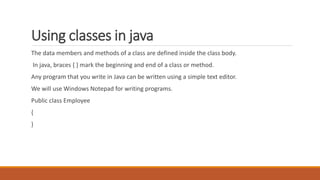
Using classes in java
The data members and methods of a class are defined inside the class body.
In java, braces { } mark the beginning and end of a class or method.
Any program that you write in Java can be written using a simple text editor.
We will use Windows Notepad for writing programs.
Public class Employee
{
}
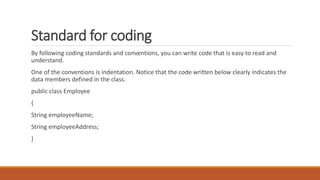
Standard for coding
By following coding standards and conventions, you can write code that is easy to read and
understand.
One of the conventions is indentation. Notice that the code written below clearly indicates the
data members defined in the class.
public class Employee
{
String employeeName;
String employeeAddress;
}
Declaring methods in java
<access_specifier><return_type><method_name> ([argument_list])
{
}
access_specifier
An access specifier defines where a method can be accessed. A public specifier allows the
method to be executed from another class. A private provides access to methods for only the
current class.
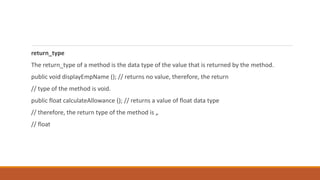
return_type
The return_type of a method is the data type of the value that is returned by the method.
public void displayEmpName (); // returns no value, therefore, the return
// type of the method is void.
public float calculateAllowance (); // returns a value of float data type
// therefore, the return type of the method is „
// float
Code to display Test Value
The System class
To communicate with the computer, a program needs to use certain system resources such as
the display device and the keyboard.
Java makes use of all these resources with the help of a class called System, which contains all
the methods that are required to work with these resources.
System is one of the most important and useful classes provided by Java. It provides a standard
interface to common system resources like the display device and the keyboard.
The out Object
It is an object encapsulated inside the System class, and represents the standard output device.
This object contains the println () method.
The println () method
The println () method displays the data on the screen.
Example
System.out.println (“Hello World”);
Will display “Hello World” on the screen.
The main method
In a Java application, you may have many classes. Within those classes, you may have many methods. The method that
you need to execute first should be the main () method.
Syntax for the main () method
Public static void main (String args [])
{
}
The main () method should exist in a class that is declared as public.
Rules for the main () method
The primary name of the file in which the code is written, and the name of the class that has the main () method should
be exactly the same.
If you try to execute a Java application that does not have a main () method, the following error message will be printed:
Exception in thread “main” Java.lang.NoSuchMethodError: main
Invoke methods
Creating an Object of a class
The new operator is used to create a class object.
Example
Employee emp = new Employee ();
Invoking a Method
To invoke a method, the method name must be followed by parentheses and a semicolon. One
method of a class can invoke another method of the same class using the name of the method.
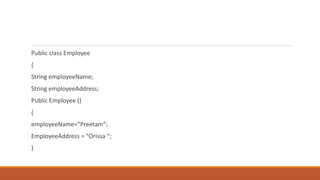
Public class Employee
{
String employeeName;
String employeeAddress;
Public Employee ()
{
employeeName=”Preetam”;
EmployeeAddress = “Orissa “;
}
public void display ()
{
System.out.println (“Name: “+employeeName);
System.out.println (“Address: “+ employeeAddress);
}
public static void main (String arg [])
{
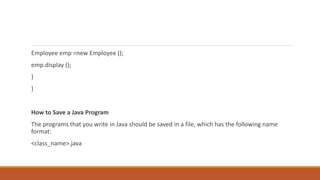
Employee emp =new Employee ();
emp.display ();
}
}
How to Save a Java Program
The programs that you write in Java should be saved in a file, which has the following name
format:
<class_name>.java
Compiling Java Programs
A program is a set of instructions. In order to execute a program, the operating system needs to
understand the language. The only language an operating system understands is in terms of 0‟s
and 1‟s i.e. the binary language. Programs written in language such as C and C++ are converted
to binary code during the compilation process. However, that binary code can be understood
only by the operating system for which the program is compiled. This makes the program or
application operating system dependent.
In Java, the program is compiled into bytecode (.class file) that run on the Java Virtual Machine,
which can interpret and run the program on any operating system. This makes Java programs
platform-independent.
At the command prompt, type
javac <filename>.java
Executing a Java Program
When the code is compiled and error-free, the program can be executed using the command:
java <filename>

Basics of java 2

  • 1.
  • 2.
    The Java languagealso provides a vocabulary and a set of rules to use the vocabulary. The vocabulary is represented through a set of keywords and the grammar is the syntax of the language. 1. Java Keyword 2. Data types in Java 3. Variable naming conventions 4. Initializing Variables. 5. Literals
  • 3.
    Keywords Keywords are specialwords that are of significance to the Java compiler. You cannot use keywords to name classes or variables A compiler converts the Java program into an intermediate language representation called Bytecode which is platform independent. A Java file will have the extension .java, similar to a word file having the extension .doc, a pascal file has the extension .pas and a text file has the extension .txt. Let us assume there exists a Java file named Hello. java. When this file is complied we get a file called as Hello. Class
  • 4.
    Public class Hello{ ◦Public static void main(String args[]){ ◦ System.out.println(“Hello World”); ◦ } ◦ }
  • 6.
    The concept of“write once, run anywhere” is possible in Java. The Java program can be compiled on any platform having a Java compiler. The resulting bytecodes can then be run on Window NT or Solaris or Macintosh or any other machine. The machine should have a Java platform to run Java code. Java platform consists of Java Virtual Machine (JVM) and a package of ready made software components. This package is known as The Java Application Programming Interface (Java AP!). The compiled Java program can run on any hardware platform having Java Virtual Machine (JVM) installed on it.
  • 7.
    Data Types inJava There are two kinds of data types in Java: 1. The Primitives/standard data types. 2. The Abstract/derived data types
  • 8.
    Primitives Data Types Primitivedata types (also know as standard data types) are the data types that are built into the Java language. The Java compiler holds details instructions on each operation the data types that are built into the Java language. The Java compiler holds detailed instructions on each legal operation the data type supports. There are eight primitive data types in Java.
  • 9.
    The data types– byte, short, int, long, float and double are numeric data types. The first four of these can hold only whole numbers whereas the last two (float and double) can hold decimal values like 5.05. All these data types can hold negative values. However, the keyword unsigned can be used to restrict the range of values to positive numbers. Amongst others, boolean can hold only the value true or false and char can hold only a single character
  • 10.
    Abstract/Derived Data Types Abstractdata types are based on primitives data types and have more functionality that the primitive data types. For example, String is an abstract data type that can store alphabets, digits and other characters like /, (); :$#. You cannot perform calculations on a variable of the string data type even if the data stored in it has digits.
  • 11.
    Variables in Java Whenyou learned algebraic equations in school, you used x and y to represent values in equations. Unlike pi which has a constant value of 3.14, the values of x and y are not constant in equations. Java provides constants and variables to store data in programs. Java allocates memory to each variable and constant you use in your program. As in algebra, the values of variables may change in a program, but the values of constants, as the name suggests, do not change. You must assign unique names to variables and constants. Variable names are used in a program in much the same way as they are in ordinary Algebra.
  • 12.
    Each variable usedin a program must be declared. That is to say, the program must contain a statement specifying precisely what kind of information (data type) the variable will contain. This applies to every variable used in the program, regardless of the type. Naming Variables A program refers to a variable using its name. Certain rules and conventions govern the naming of variables. You must adhere to rules. Conventions help improve the readability of the program, but following them is not mandatory.
  • 13.
    Rules for NamingVariables in Java A variable name: 1. Must not be a keyword in Java. 2. Must not begin with a digit. 3. Must not contain embedded spaces. 4. Can contain characters from various alphabets, like Japanese, Greek, and Cyrillic.
  • 14.
    Syntax for DefiningVariables All the attributes of a class are defined as data members. The syntax used to declare a class variable is: <data_type> <variable_name> As the braces “{ }” are used to mark the beginning and end of a class, a semicolon “;” is used to mark the end of a statement.
  • 15.
    Using classes injava The data members and methods of a class are defined inside the class body. In java, braces { } mark the beginning and end of a class or method. Any program that you write in Java can be written using a simple text editor. We will use Windows Notepad for writing programs. Public class Employee { }
  • 16.
    Standard for coding Byfollowing coding standards and conventions, you can write code that is easy to read and understand. One of the conventions is indentation. Notice that the code written below clearly indicates the data members defined in the class. public class Employee { String employeeName; String employeeAddress; }
  • 17.
    Declaring methods injava <access_specifier><return_type><method_name> ([argument_list]) { } access_specifier An access specifier defines where a method can be accessed. A public specifier allows the method to be executed from another class. A private provides access to methods for only the current class.
  • 18.
    return_type The return_type ofa method is the data type of the value that is returned by the method. public void displayEmpName (); // returns no value, therefore, the return // type of the method is void. public float calculateAllowance (); // returns a value of float data type // therefore, the return type of the method is „ // float
  • 19.
    Code to displayTest Value The System class To communicate with the computer, a program needs to use certain system resources such as the display device and the keyboard. Java makes use of all these resources with the help of a class called System, which contains all the methods that are required to work with these resources.
  • 20.
    System is oneof the most important and useful classes provided by Java. It provides a standard interface to common system resources like the display device and the keyboard. The out Object It is an object encapsulated inside the System class, and represents the standard output device. This object contains the println () method. The println () method The println () method displays the data on the screen. Example System.out.println (“Hello World”); Will display “Hello World” on the screen.
  • 21.
    The main method Ina Java application, you may have many classes. Within those classes, you may have many methods. The method that you need to execute first should be the main () method. Syntax for the main () method Public static void main (String args []) { } The main () method should exist in a class that is declared as public. Rules for the main () method The primary name of the file in which the code is written, and the name of the class that has the main () method should be exactly the same. If you try to execute a Java application that does not have a main () method, the following error message will be printed: Exception in thread “main” Java.lang.NoSuchMethodError: main
  • 22.
    Invoke methods Creating anObject of a class The new operator is used to create a class object. Example Employee emp = new Employee (); Invoking a Method To invoke a method, the method name must be followed by parentheses and a semicolon. One method of a class can invoke another method of the same class using the name of the method.
  • 23.
    Public class Employee { StringemployeeName; String employeeAddress; Public Employee () { employeeName=”Preetam”; EmployeeAddress = “Orissa “; }
  • 24.
    public void display() { System.out.println (“Name: “+employeeName); System.out.println (“Address: “+ employeeAddress); } public static void main (String arg []) {
  • 25.
    Employee emp =newEmployee (); emp.display (); } } How to Save a Java Program The programs that you write in Java should be saved in a file, which has the following name format: <class_name>.java
  • 26.
    Compiling Java Programs Aprogram is a set of instructions. In order to execute a program, the operating system needs to understand the language. The only language an operating system understands is in terms of 0‟s and 1‟s i.e. the binary language. Programs written in language such as C and C++ are converted to binary code during the compilation process. However, that binary code can be understood only by the operating system for which the program is compiled. This makes the program or application operating system dependent. In Java, the program is compiled into bytecode (.class file) that run on the Java Virtual Machine, which can interpret and run the program on any operating system. This makes Java programs platform-independent. At the command prompt, type javac <filename>.java
  • 27.
    Executing a JavaProgram When the code is compiled and error-free, the program can be executed using the command: java <filename>