This document provides an overview of object-oriented programming concepts. It discusses the need for OOP, defining classes and objects, class hierarchies and inheritance, method binding and overriding, exceptions, and abstraction mechanisms. The key concepts covered are objects, classes, encapsulation, inheritance, polymorphism, and abstraction.
In this document
Powered by AI
Introduction to OOP concepts, index of topics, including paradigm need, agents, responsibilities, classes, and instances.
OOP aims to enhance program organization by using objects for data encapsulation, improving problem decomposition.
Focuses on data over procedures, creating objects with encapsulated data, and facilitating communication through methods.
Describes how OOP models real-world agents as objects, emphasizing data control and structured programming.
Highlights the importance of clear responsibilities for classes in software development.
Discusses the significance of user-friendly status and error messages in applications, and their translation.
Methods are named groups of instructions callable throughout the program; comparison with functions in other languages.
Explanation of classes as blueprints for objects; instances are created from classes with specific attributes.
Describes Java's class hierarchy, where all classes derive from the Object class, enabling object interaction.
Explains inheritance to reuse existing class characteristics; provides a framework for understanding class relationships.
Covers method binding techniques, exploring overloading and polymorphism for method identification based on arguments.
Defines method overriding allowing subclasses to define specific behavior contrary to superclass methods.
Explains exception handling in Java, distinguishing between compile-time, run-time errors, and exception classes.
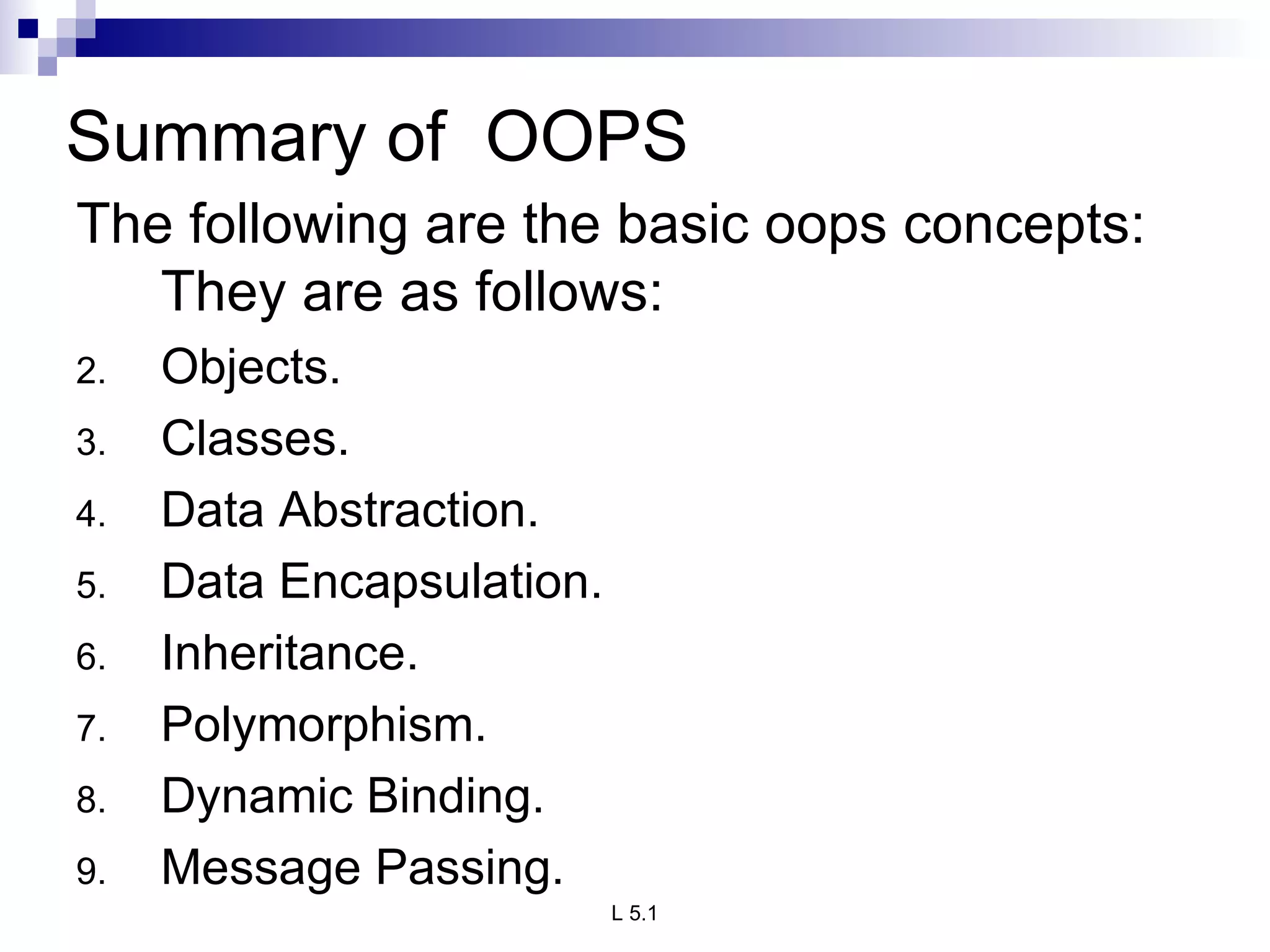
Lists fundamental OOP concepts: Objects, Classes, Inheritance, Encapsulation, etc.
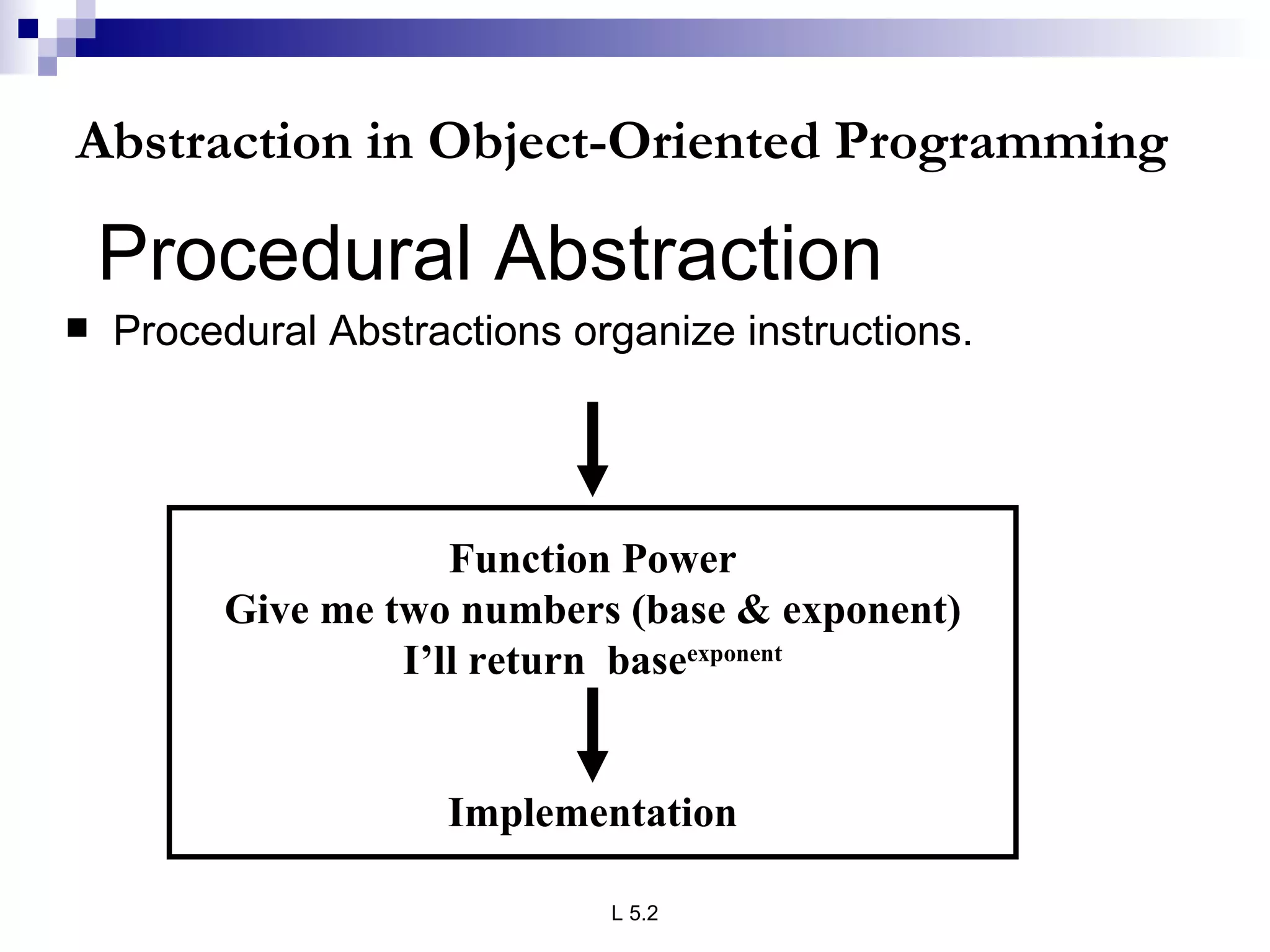
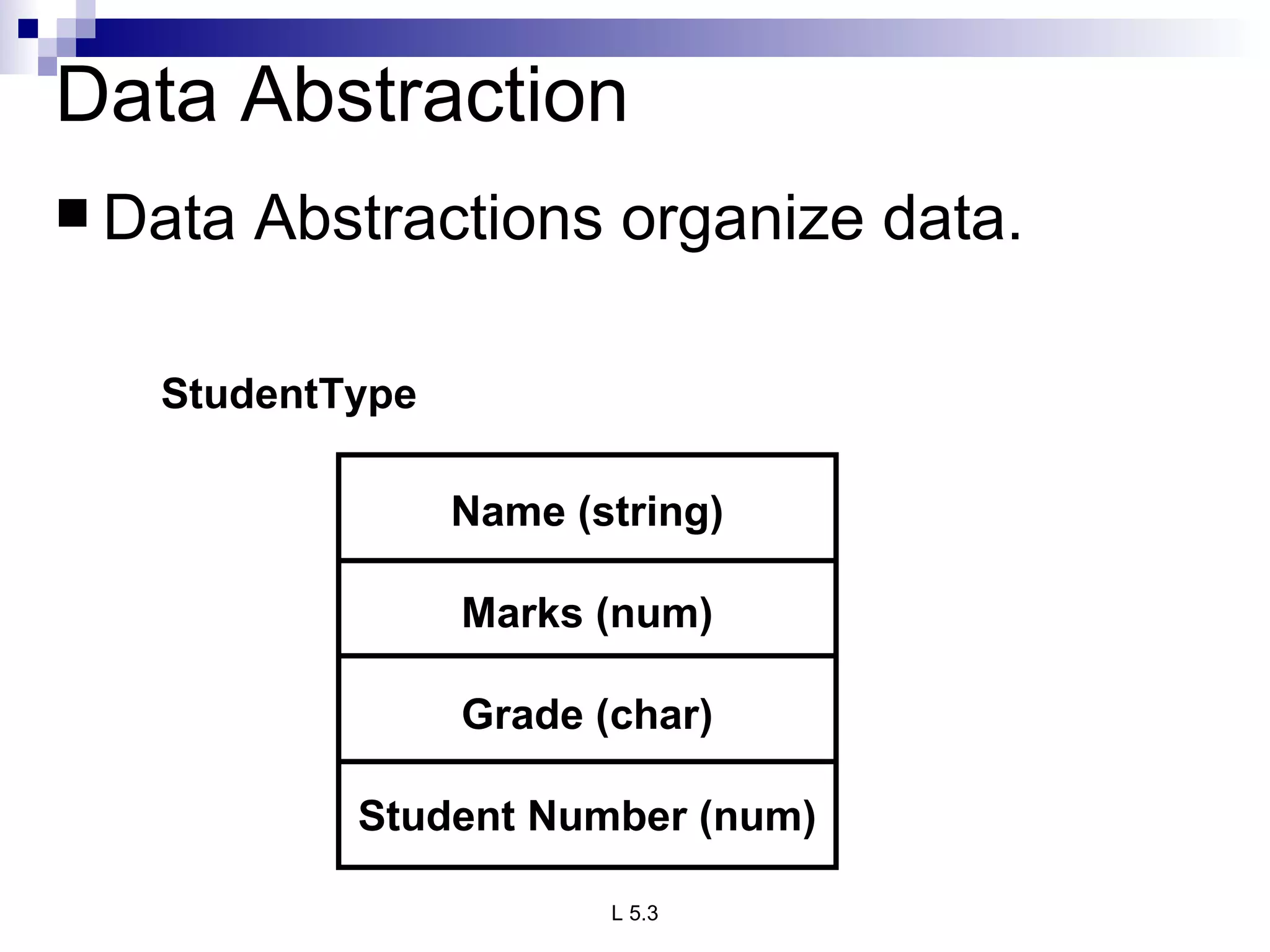
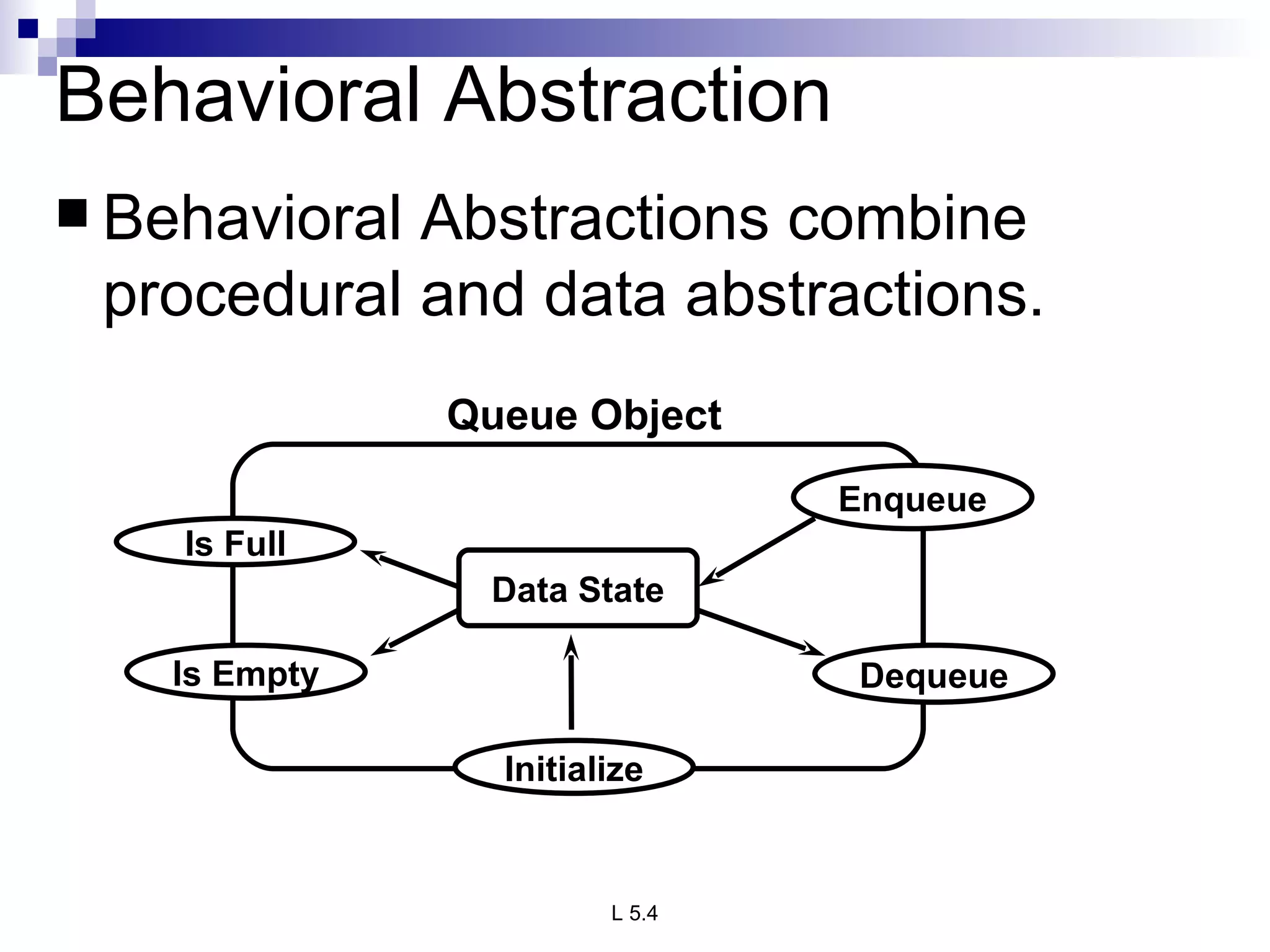
Elaborates on various types of abstraction (procedural, data, behavioral) and their organization in programming.
INDEX UNIT1 PPT SLIDES S.NO. TOPIC LECTURE NO. PPTSLIDES Need for oop paradigm, L1 L1.1TO L1.4 A way of viewing world – Agents Responsibility, Messages, Methods L2 L2.1 TO L2.3 classes and instances, L3 L3.1 TO L3.6 class hierarchies, Inheritance method binding L 4 L4.1 TO L4.5 overriding and exceptions summary of oop concepts, coping with complexity, L5 L5.1 TO 5.4 abstraction mechanisms
3.
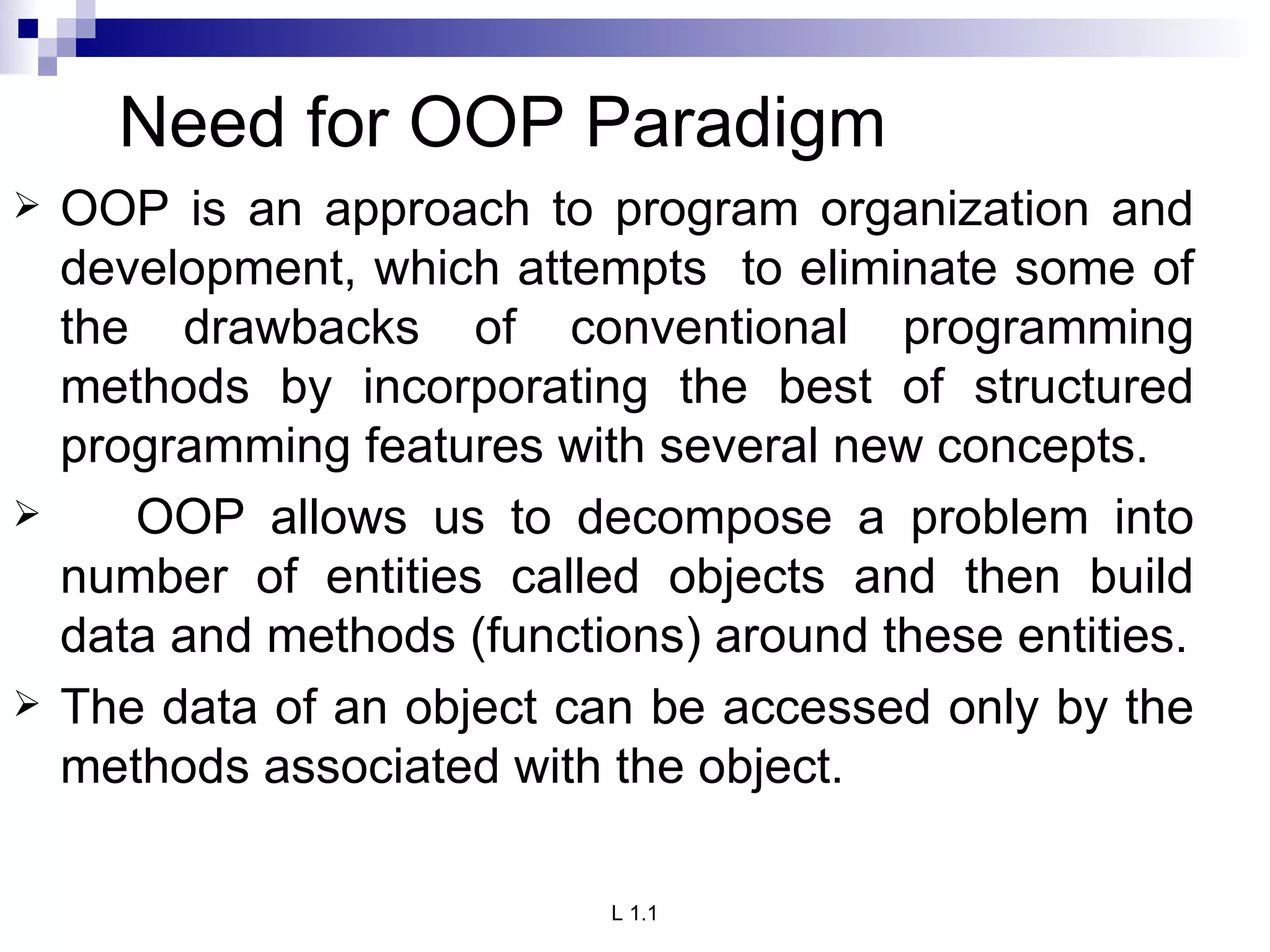
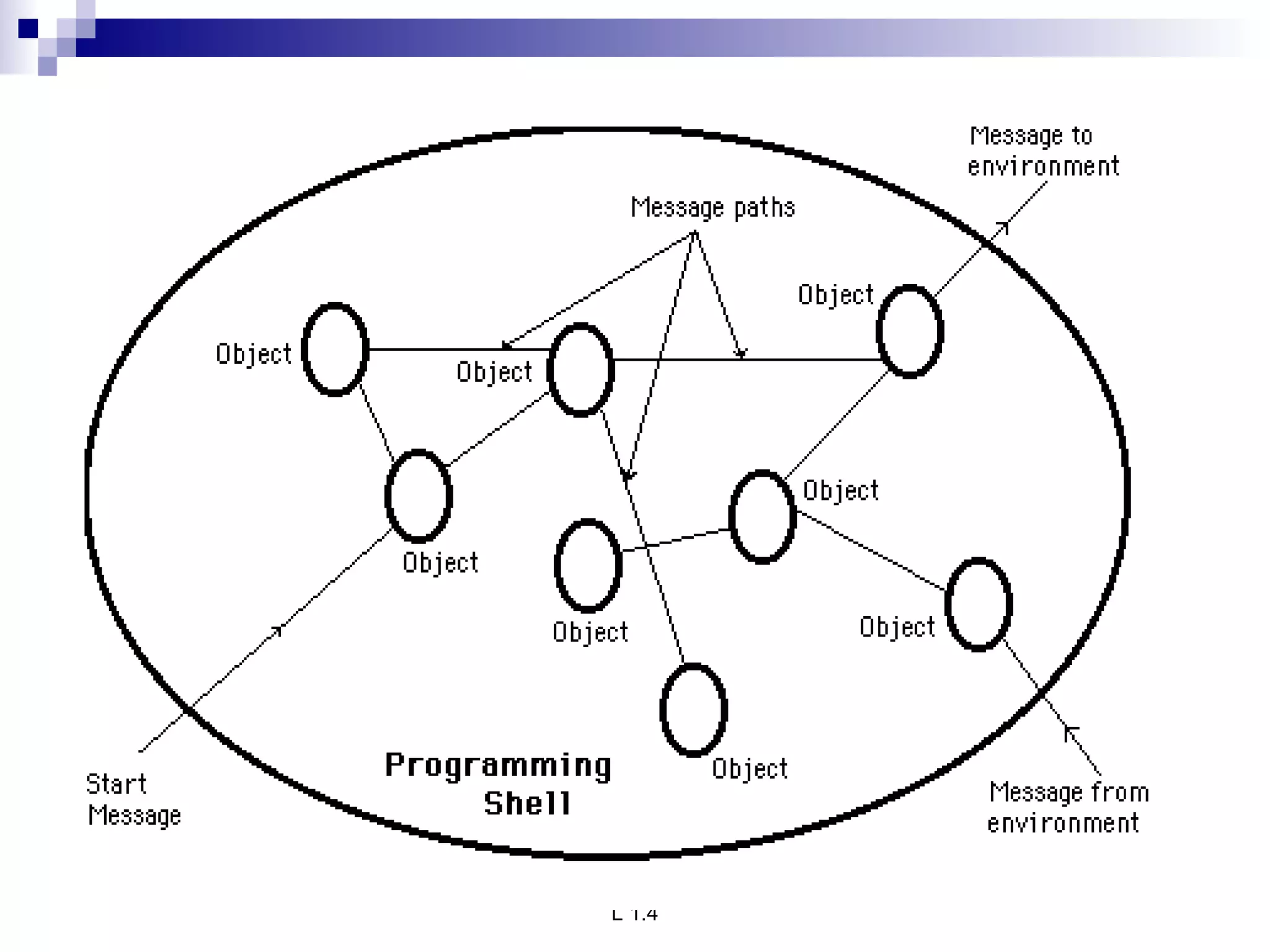
Need for OOPParadigm OOP is an approach to program organization and development, which attempts to eliminate some of the drawbacks of conventional programming methods by incorporating the best of structured programming features with several new concepts. OOP allows us to decompose a problem into number of entities called objects and then build data and methods (functions) around these entities. The data of an object can be accessed only by the methods associated with the object.
4.
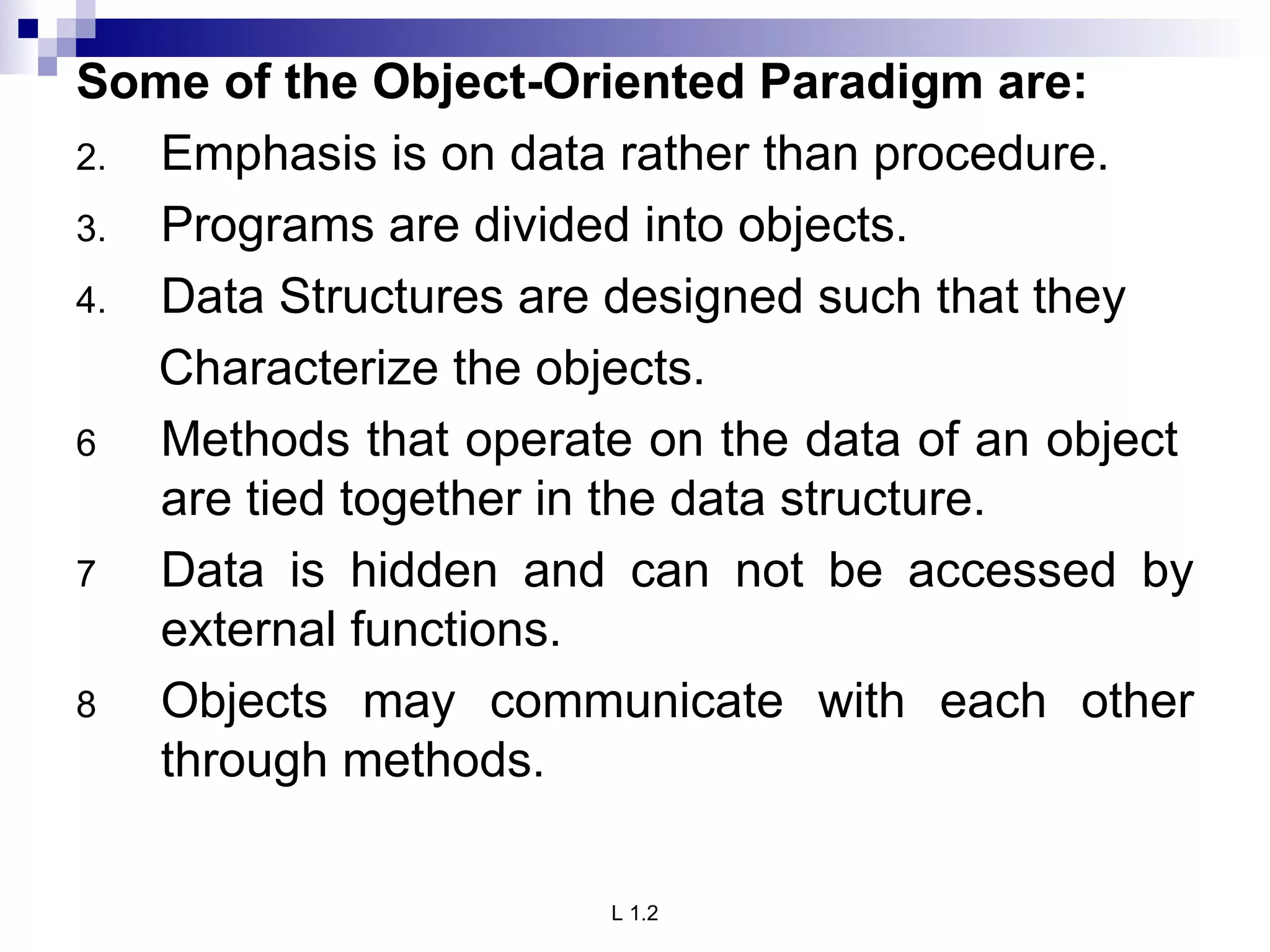
Some of theObject-Oriented Paradigm are: Emphasis is on data rather than procedure. Programs are divided into objects. Data Structures are designed such that they Characterize the objects. Methods that operate on the data of an object are tied together in the data structure. Data is hidden and can not be accessed by external functions. Objects may communicate with each other through methods.
5.
A way ofviewing world – Agents OOP uses an approach of treating a real world agent as an object. Object-oriented programming organizes a program around its data (that is, objects) and a set of well-defined interfaces to that data. An object-oriented program can be characterized as data controlling access to code by switching the controlling entity to data.
6.
7.
Responsibility primarymotivation is the need for a platform-independent (that is, architecture- neutral) language that could be used to create software to be embedded in various consumer electronic devices, such as microwave ovens and remote controls. Objects with clear responsibilities Each class should have a clear responsibility. If you can't state the purpose of a class in a single, clear sentence, then perhaps your class structure needs some thought.
8.
Messages We alllike to use programs that let us know what's going on. Programs that keep us informed often do so by displaying status and error messages. These messages need to be translated so they can be understood by end users around the world. The Section discusses translatable text messages. Usually, you're done after you move a message String into a ResourceBundle. If you've embedded variable data in a message, you'll have to take some extra steps to prepare it for translation.
9.
Methods A methodis a group of instructions that is given a name and can be called up at any point in a program simply by quoting that name. Drawing a Triangle require draw of three straight lines. This instruction three times to draw a simple triangle. We can define a method to call this instruction three times and draw the triangle(i.e. create a method drawLine() to draw lines and this method is called repeatedly to achieve the needed task) The idea of methods appears in all programming languages, although sometimes it goes under the name functions and sometimes under the name procedures . The name methods is a throw-back to the language C++, from which Java was developed. In C++, there is an object called a class which can contain methods. However, everything in Java is enclosed within a class .so the functions within it are called methods
10.
CLASSES Class isblue print or an idea of an Object From One class any number of Instances can be created It is an encapsulation of attributes and methods FIGURE CIRCLE RECTANGLE SQUARE Ob1 Ob2 Ob3 class
11.
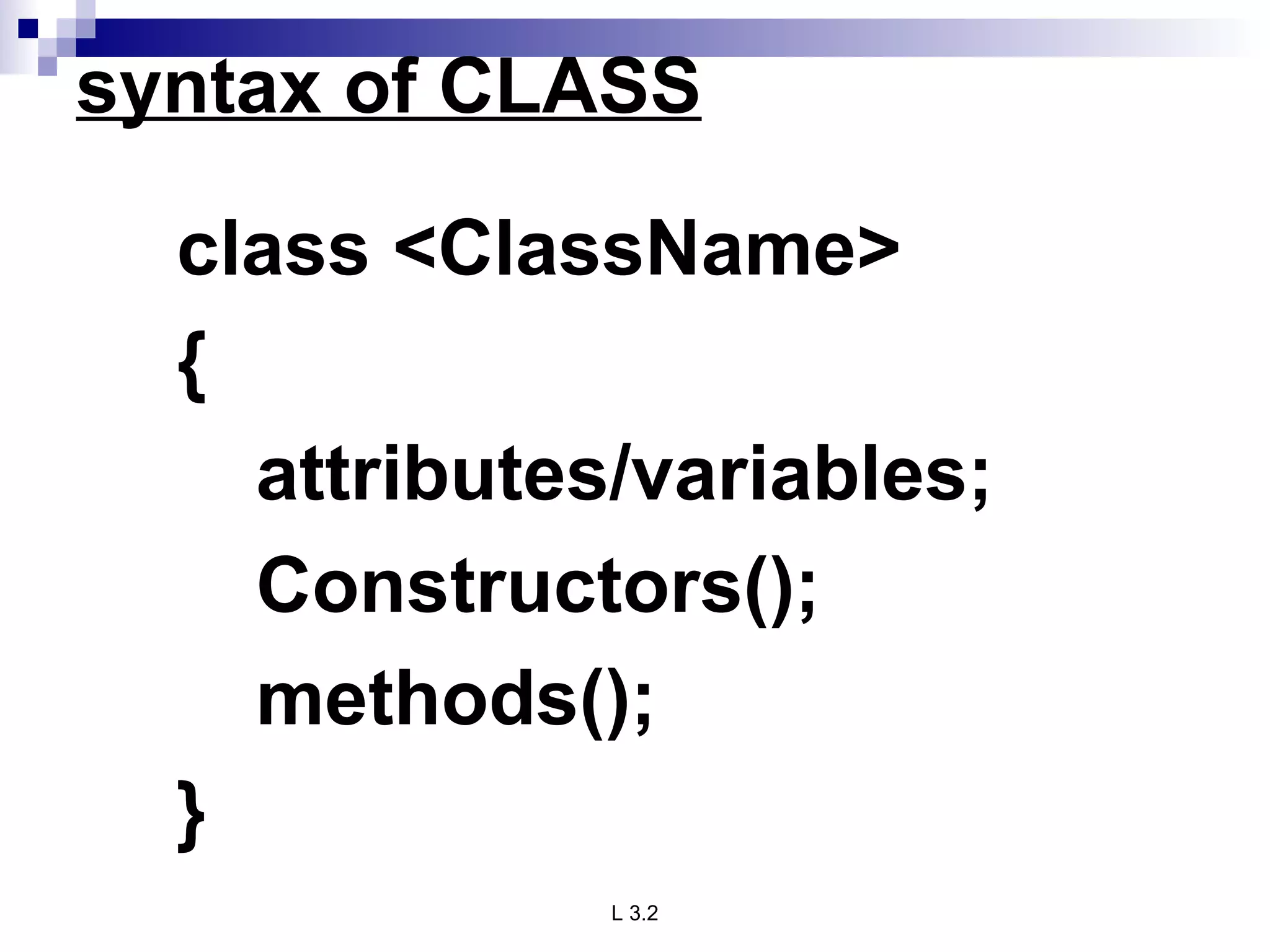
syntax of CLASSclass <ClassName> { attributes/variables; Constructors(); methods(); }
12.
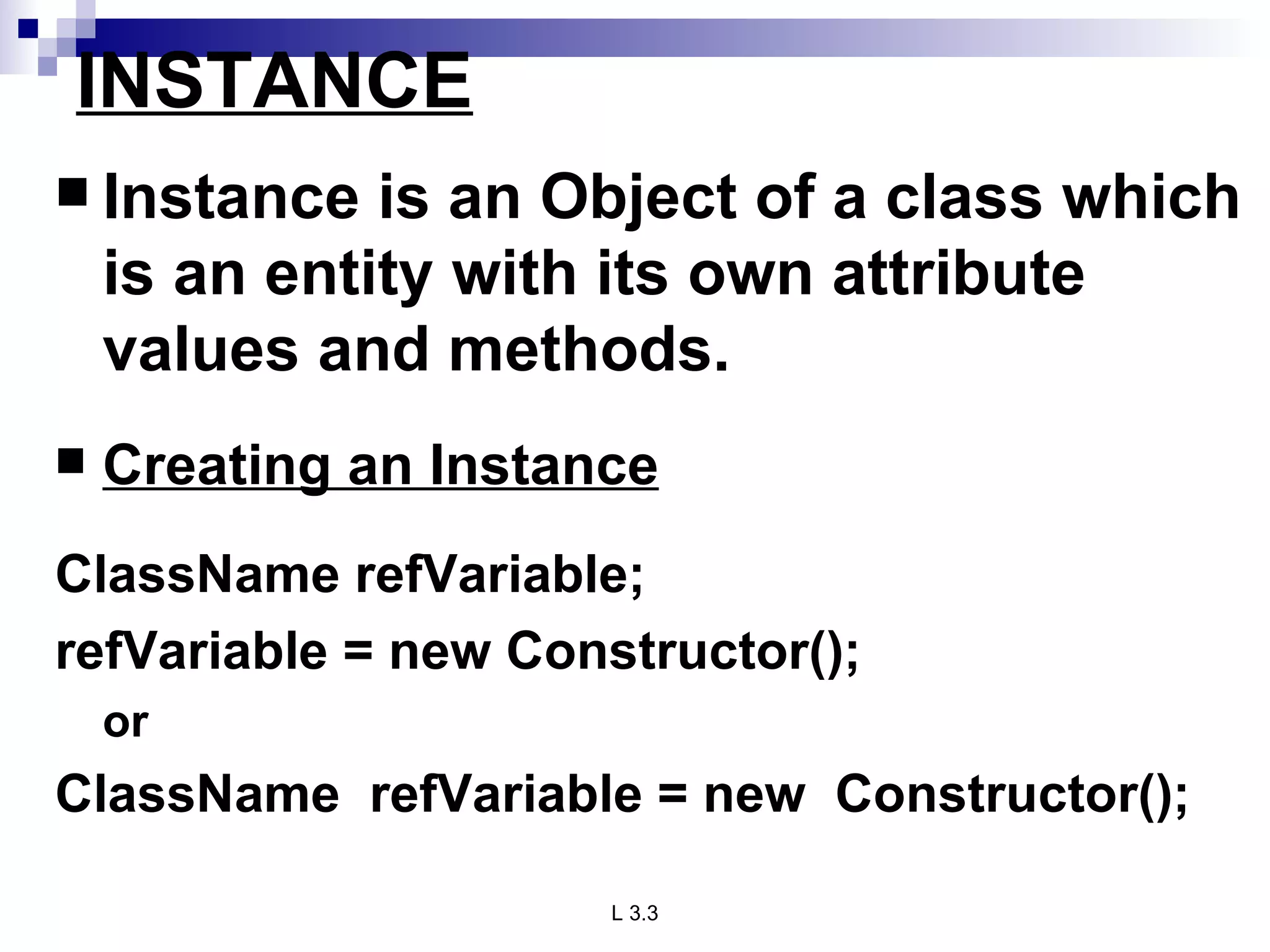
INSTANCE Instance isan Object of a class which is an entity with its own attribute values and methods. Creating an Instance ClassName refVariable; refVariable = new Constructor(); or ClassName refVariable = new Constructor();
13.
Java Class HierarchyIn Java, class “Object” is the base class to all other classes If we do not explicitly say extends in a new class definition, it implicitly extends Object The tree of classes that extend from Object and all of its subclasses are is called the class hierarchy All classes eventually lead back up to Object This will enable consistent access of objects of different classes.
14.
Inheritance Methods allowsto reuse a sequence of statements Inheritance allows to reuse classes by deriving a new class from an existing one The existing class is called the parent class, or superclass , or base class The derived class is called the child class or subclass . The child class inherits characteristics of the parent class(i.e the child class inherits the methods and data defined for the parent class
15.
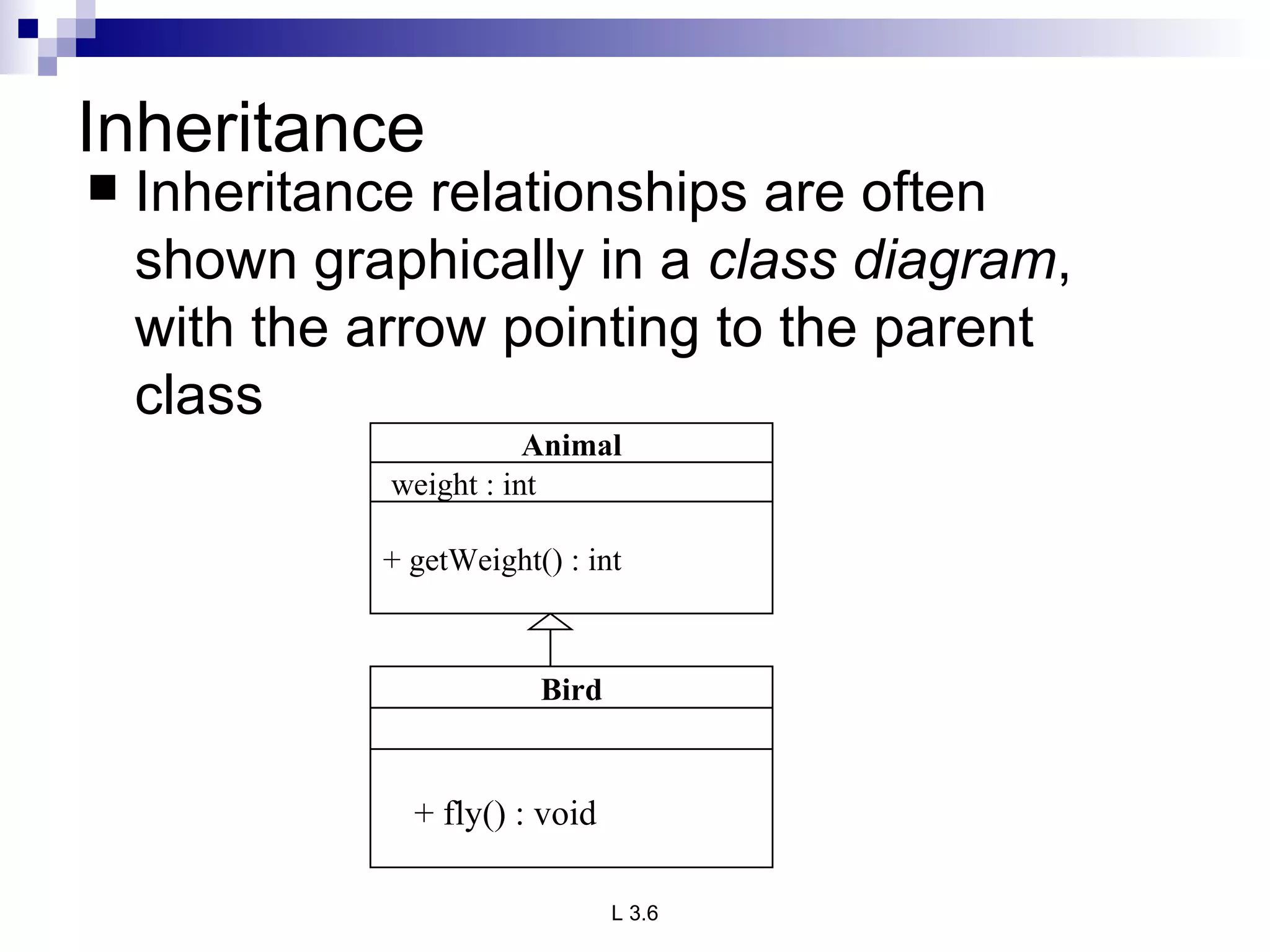
Inheritance Inheritance relationshipsare often shown graphically in a class diagram , with the arrow pointing to the parent class + fly() : void Animal weight : int + getWeight() : int Bird
16.
Method Binding Objectsare used to call methods. MethodBinding is an object that can be used to call an arbitrary public method, on an instance that is acquired by evaluatng the leading portion of a method binding expression via a value binding. It is legal for a class to have two or more methods with the same name. Java has to be able to uniquely associate the invocation of a method with its definition relying on the number and types of arguments. Therefore the same-named methods must be distinguished: 1) by the number of arguments, or 2) by the types of arguments Overloading and inheritance are two ways to implement polymorphism.
17.
Method Overriding. Theremay be some occasions when we want an object to respond to the same method but have different behaviour when that method is called. That means, we should override the method defined in the superclass. This is possible by defining a method in a sub class that has the same name, same arguments and same return type as a method in the superclass. Then when that method is called, the method defined in the sub class is invoked and executed instead of the one in the superclass. This is known as overriding.
18.
Exceptions in JavaException is an abnormal condition that arises in the code sequence. Exceptions occur during compile time or run time. “ throwable” is the super class in exception hierarchy. Compile time errors occurs due to incorrect syntax. Run-time errors happen when User enters incorrect input Resource is not available (ex. file) Logic error (bug) that was not fixed
19.
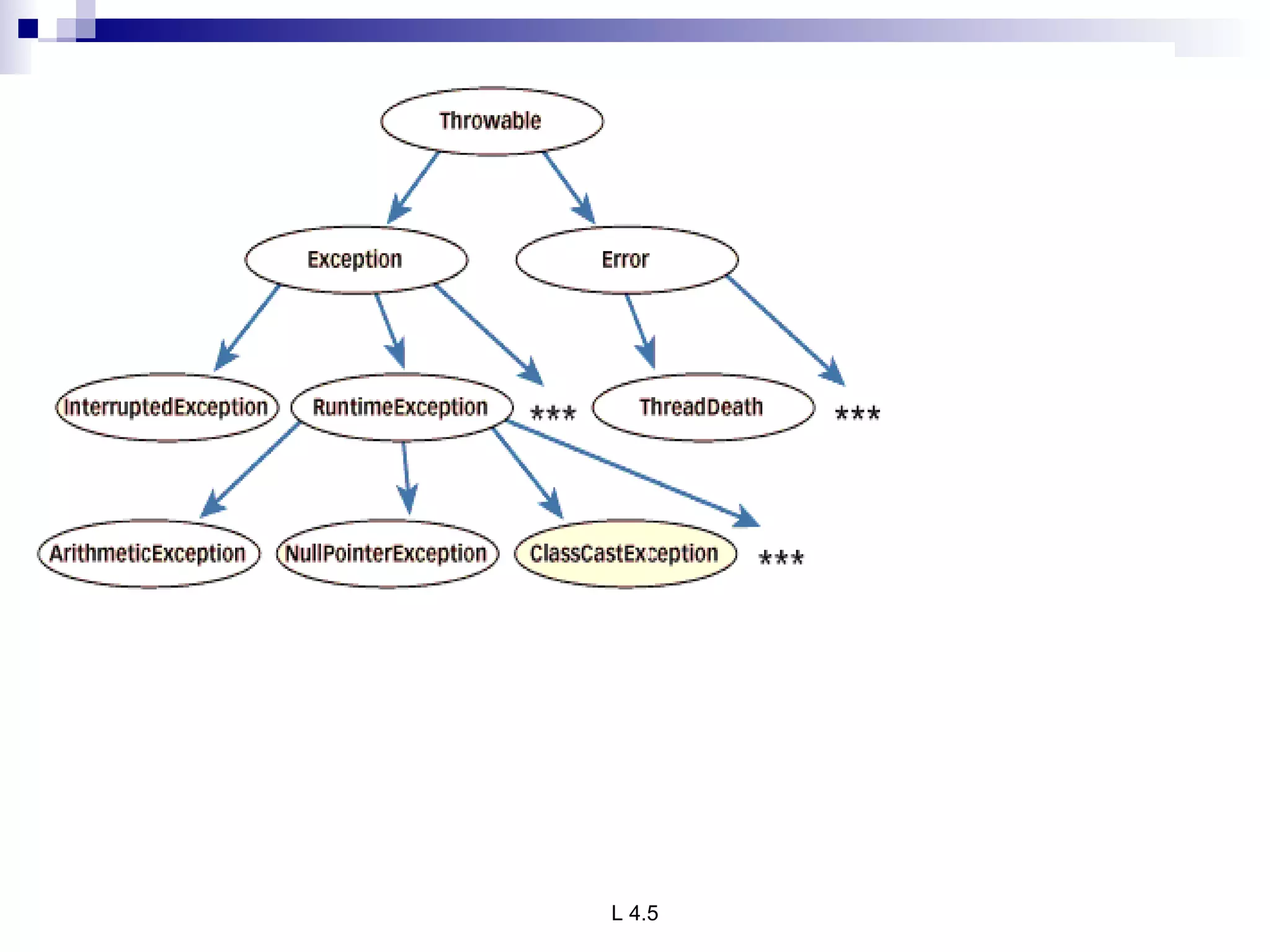
Exception classes InJava, exceptions are objects. When you throw an exception, you throw an object. You can't throw just any object as an exception, however -- only those objects whose classes descend from Throwable. Throwable serves as the base class for an entire family of classes, declared in java.lang, that your program can instantiate and throw. Throwable has two direct subclasses, Exception and Error. Exceptions are thrown to signal abnormal conditions that can often be handled by some catcher, though it's possible they may not be caught and therefore could result in a dead thread. Errors are usually thrown for more serious problems, such as OutOfMemoryError, that may not be so easy to handle. In general, code you write should throw only exceptions, not errors. Errors are usually thrown by the methods of the Java API, or by the Java virtual machine itself.
20.
21.
Summary of OOPS The following are the basic oops concepts: They are as follows: Objects. Classes. Data Abstraction. Data Encapsulation. Inheritance. Polymorphism. Dynamic Binding. Message Passing.
22.
Abstraction in Object-OrientedProgramming Procedural Abstraction Procedural Abstractions organize instructions. Function Power Give me two numbers (base & exponent) I’ll return base exponent Implementation
23.
Data Abstraction DataAbstractions organize data. Name (string) Marks (num) Grade (char) Student Number (num) StudentType
24.
Behavioral Abstraction BehavioralAbstractions combine procedural and data abstractions. Data State Enqueue Is Full Is Empty Dequeue Initialize Queue Object