Java
What is java ?
Java is high level programming language
1. What is language ?
2. What is Programming?
3. What is Programming Language?
4. What is High Level Programming Language?
What Is Language ?
Language is medium which is used for communication.
Ex: English, Kannada, Hindi, etc..
What is Programming ?
Set of instruction / Group of instruction.
What is Programming Language ?
A Language which is used to communicate between
humans and system.
Ex: Java, Python, C, C++, etc..
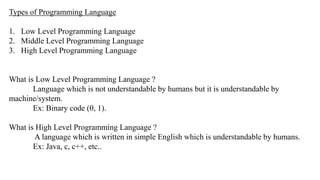
Types of Programming Language
1. Low Level Programming Language
2. Middle Level Programming Language
3. High Level Programming Language
What is Low Level Programming Language ?
Language which is not understandable by humans but it is understandable by
machine/system.
Ex: Binary code (0, 1).
What is High Level Programming Language ?
A language which is written in simple English which is understandable by humans.
Ex: Java, c, c++, etc..
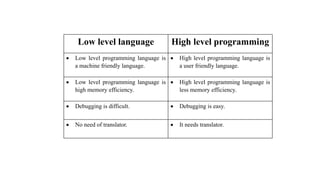
Low level language High level programming
 Low level programming language is
a machine friendly language.
 High level programming language is
a user friendly language.
 Low level programming language is
high memory efficiency.
 High level programming language is
less memory efficiency.
 Debugging is difficult.  Debugging is easy.
 No need of translator.  It needs translator.
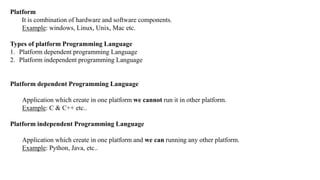
Platform
It is combination of hardware and software components.
Example: windows, Linux, Unix, Mac etc.
Types of platform Programming Language
1. Platform dependent programming Language
2. Platform independent programming Language
Platform dependent Programming Language
Application which create in one platform we cannot run it in other platform.
Example: C & C++ etc..
Platform independent Programming Language
Application which create in one platform and we can running any other platform.
Example: Python, Java, etc..
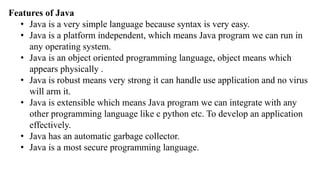
Features of Java
• Java is a very simple language because syntax is very easy.
• Java is a platform independent, which means Java program we can run in
any operating system.
• Java is an object oriented programming language, object means which
appears physically .
• Java is robust means very strong it can handle use application and no virus
will arm it.
• Java is extensible which means Java program we can integrate with any
other programming language like c python etc. To develop an application
effectively.
• Java has an automatic garbage collector.
• Java is a most secure programming language.
History of Java
 Java is started by company called as Sun microsystem.
 Java currently owned company called as Oracle.
 Java is invented by person called as James Gosling.
The first name of Java was Green talk but the name was not so popular so renamed as oak
but the name was already registered by some other company later the renamed as Java so it
means the coffee been flavor and it is a coffee shop name.
When ?
• Java was introduce in the year 1995
• JDK 1.0 is introduce in 1996
• Currently we have JDK 21 which is lunched in september 2023
Structure of Java
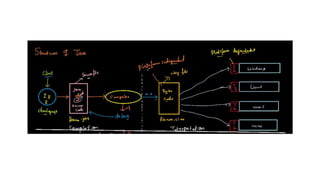
Once developer received the requirement developer team start working on it and write a java program which is
also known as source code and save the file as(filename. java) to check any bugs are mistakes are errors
developers is going to give the compiler for a compilation purpose.
Compiler
Compiler check any bugs is there in the program if it find any bugs compiler throw the compilation error to the
developer now developer should debug and sent back to the compiler this process will be repeated until it correct
it once compiler didn't found any mistake then the compiler is going to convert source code into byte code and
saved file name as (filename.class).
Byte code
Byte code is an intermediate code which is not understandable by machine nor by human beings and byte code a
platform independent which means byte code can be run in any operating system like windows, Linux, Mac, etc.
with the help of JVM.
JVM (Java virtual Machine)
Java virtual Machine reads the byte code line by line and convert it to machine understandable language with the
help of JIT and interpreter JVM is a platform dependent which means JVM used for windows cannot be used for
any other operating system.
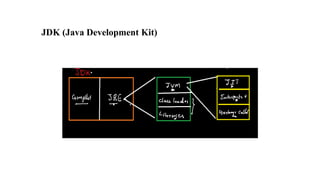
JDK (Java Development Kit)
JDK: It is a collection of essential resources and software which is used for development of
java application.
JRE (Java runtime environment): It will provide the environment for execution of Java
program.
JVM (Java virtual Machine): It is used to convert bytecode into machine code with the
help of JIT and interpreter.
Interpreter: It is a translator which is used to convert bytecode into machine code in Java.
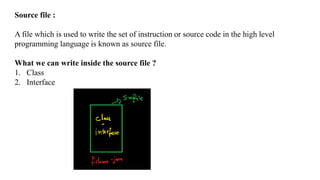
Source file :
A file which is used to write the set of instruction or source code in the high level
programming language is known as source file.
What we can write inside the source file ?
1. Class
2. Interface
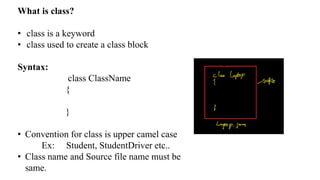
What is class?
• class is a keyword
• class used to create a class block
Syntax:
class ClassName
{
}
• Convention for class is upper camel case
Ex: Student, StudentDriver etc..
• Class name and Source file name must be
same.
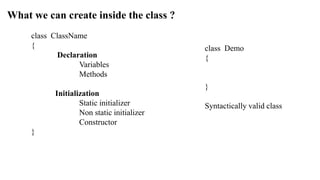
What we can create inside the class ?
class ClassName
{
Declaration
Variables
Methods
Initialization
Static initializer
Non static initializer
Constructor
}
class Demo
{
}
Syntactically valid class
 In Java if you want to start the execution you need main method
How to create a main method ?
Syntax:
public static void main(String[] args)
{
Statements;
}
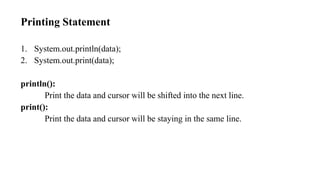
Printing Statement
1. System.out.println(data);
2. System.out.print(data);
println():
Print the data and cursor will be shifted into the next line.
print():
Print the data and cursor will be staying in the same line.
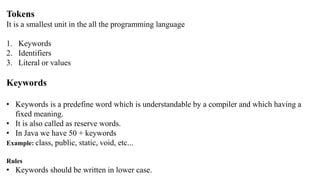
Tokens
It is a smallest unit in the all the programming language
1. Keywords
2. Identifiers
3. Literal or values
Keywords
• Keywords is a predefine word which is understandable by a compiler and which having a
fixed meaning.
• It is also called as reserve words.
• In Java we have 50 + keywords
Example: class, public, static, void, etc...
Rules
• Keywords should be written in lower case.
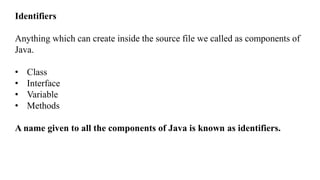
Identifiers
Anything which can create inside the source file we called as components of
Java.
• Class
• Interface
• Variable
• Methods
A name given to all the components of Java is known as identifiers.
Example:
class Test
{
public static void main(String[] args)
{
}
}
Test , main are identifiers
Rules of identifiers
• It's not start with the numbers.
• Special characters are not allowed other than $ and _ as identifiers.
• We cannot use keywords has identifiers
• Space or not allowed in identifiers.
Literals
The data or value written by a programmer in the program is known as literals.
Types of literals
1. Number literals
2. Character literals
3. String literals
4. Boolean literals
Number literal
Integer : non decimal numbers
Examples: 10, 5, 3,98,5 etc...
Decimal: decimal numbers
Examples: 12.3,5.6,2.6,36.9 etc…
Character literals
It should be enclosed with a single quotes and the length should be only one
Examples : ‘A’ , ‘g’ , ‘5’ etc…
String literals
It is enclosed with the double quotes and length should be anything
Example: “Java” , “Pavan” etc…
Boolean literals
It is used for logical data
Example: true, false.
Variables and data types
Variables
It's a container or block of memory which is used to store the data
Characteristics of variable
• Variable is a named block of memory
• By using a name we can store the data we can fetch the data
• We cannot store multiple values in variables
How to create a variable
Variable declaration
Syntax : datatype variablename ;
Ex: int a;
Variable initialization
Syntax : variablename=value/data ;
Ex: a=20;
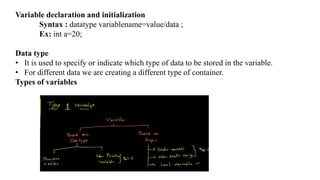
Variable declaration and initialization
Syntax : datatype variablename=value/data ;
Ex: int a=20;
Data type
• It is used to specify or indicate which type of data to be stored in the variable.
• For different data we are creating a different type of container.
Types of variables
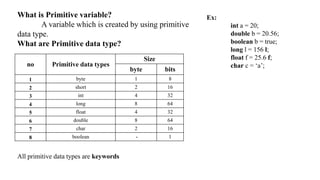
What is Primitive variable?
A variable which is created by using primitive
data type.
What are Primitive data type?
All primitive data types are keywords
no Primitive data types
Size
byte bits
1 byte 1 8
2 short 2 16
3 int 4 32
4 long 8 64
5 float 4 32
6 double 8 64
7 char 2 16
8 boolean - 1
Ex:
int a = 20;
double b = 20.56;
boolean b = true;
long l = 156 l;
float f = 25.6 f;
char c = ‘a’;
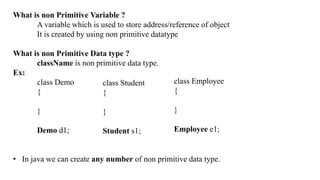
What is non Primitive Variable ?
A variable which is used to store address/reference of object
It is created by using non primitive datatype
What is non Primitive Data type ?
className is non primitive data type.
Ex:
class Demo
{
}
Demo d1;
• In java we can create any number of non primitive data type.
class Student
{
}
Student s1;
class Employee
{
}
Employee e1;
Local Variable
• A variable which is declared inside the Particular block /scope except class block is know as local variable.
• Local Variable can be access only inside particular scope.
• Local variable must be initialized.
Ex:
class Demo
{
int a = 50; // member variable
public static void main(String[] args)
{
int a = 10; // local Variable
{
int b = 20; // local Variable
}
}
}
Reinitialisation
The process of modifying existing data inside the variable is known as reinitialisation.
Ex:
class Demo
{
public static void main(String[] args)
{
int a = 20 ;
a=30;
a=40;
System.out.println(a);
}
}
Ex:
class Demo
{
public static void main(String[] args)
{
int a = 20 ;
System.out.print(a);
a=a+10;
System.out.println(a);
}
}
OutPut
2030
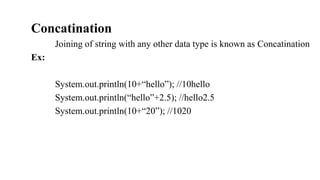
Concatination
Joining of string with any other data type is known as Concatination
Ex:
System.out.println(10+“hello”); //10hello
System.out.println(“hello”+2.5); //hello2.5
System.out.println(10+“20”); //1020
Ex:
class Person
{
public static void main(String[] args)
{
String n = “Dinga” ;
int age = 22 ;
System.out.println(n);
System.out.println(“Name:”+n);
System.out.println(“Age:”+n+”Years”);
}
}
Output
Dinga
Name:Dinga
Age:22years
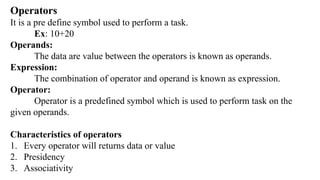
Operators
It is a pre define symbol used to perform a task.
Ex: 10+20
Operands:
The data are value between the operators is known as operands.
Expression:
The combination of operator and operand is known as expression.
Operator:
Operator is a predefined symbol which is used to perform task on the
given operands.
Characteristics of operators
1. Every operator will returns data or value
2. Presidency
3. Associativity
1. Every operator will returns some data or value
Ex: 10 + 20 - > 30
50 * 2 - >100
2. Presidency [Priority]
When the expression having more than one operator then presidency comes into
picture.
Ex: 10 + 2 * 3
3. Associativity
• Direction of order of execution.
• When you have the same priority then associativity comes into picture.
Ex: 10 + 20 + 30
20 + 10 - 5
5 – 2 + 5
Types of Operators
1. Arithmetic operators
2. Assignment operators
3. Comparison/ Relational operators
4. Logical operators
5. Ternary operators
6. Unary operators
1. Arithmetic operators
It is a operator which is used to perform Arithmetic operations
Symbols: [+ , - , * , / , %]
[+]
1.Addition.
2.Concatination(when at least one operand is string)
class Demo2
{
public static void main(String[] args)
{
System.out.println(10+20);
System.out.println(20-2);
System.out.println(5*6);
System.out.println(6/2);
System.out.println(5%3);
}
}
2. Assignment operators
It is a shortened operators used to modify the existing data in variable
Symbols: [+= , - = , *= , /= , %=]
Ex:
int a = 20;
a += 10; //a=a+10
a - = 15; //a=a-15
a * = 12; //a=a*12
a / = 14; //a=a/14
a %= 11; //a=a%11
3. Comparison or Relational operators:
This operator is used to compare the two operands.
Symbols: [= = , ! = , > , < , >= ,<=]
• The return type of this operator is Boolean.
Condition: Expression which returns the Boolean value.
4. Logical operators:
The operator which is used to compare the two condition, the return type
of this operator is also Boolean
Symbols: [&& , | | , !]
I. && [and]
This operator is used to compare the two condition if both the condition
are true then it will return boolean true otherwise it will return false.
Truth Table
• If both conditions are satisfied then only it will return True otherwise False
Condition Return Value
True && False False
False && True False
False && False False
True && True True
II. | | [or]
This operator is used to compare the two condition if both the condition
are false then it will return boolean false otherwise it will return true
Truth Table
• If one conditions are satisfied then only it will return True otherwise False
Condition Return Value
True | | False True
False | | True True
False | | False False
True | | True True
class Demo2
{
public static void main(String[] args)
{
int a=10,b=20,c=10;
System.out.println(true && false);
System.out.println(true || false);
System.out.println(a>b && a==c);
System.out.println(b<c || a!=b) ;
System.out.println(a!=c || b==c);
}
}
III. ![not]
This operator is used to reverse the Boolean output.
Ex:
System.out.println(!true); //false
System.out.println(!false); //true
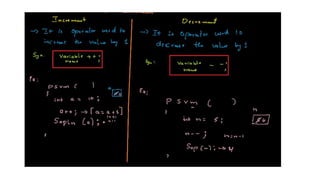
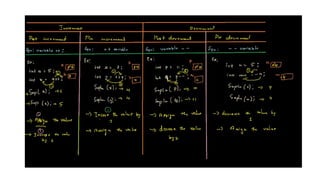
5. Unary operator
The operator which will have only one apparent is known as unary
operator.
Types of unary operator
1. Increment
2. Decrement
6. Ternary operators
A operator which will have a three operands is known as ternary operator
Syntax: Condition ? Op2 : Op3;
• The return type of this operator is depend upon the data type of operands.
Conditional statements / Decisions statements
A Statement which is used to execute set of instruction based on the
condition provided is known as conditional statement
Types of conditional statements
1. Simple if
2. if-else
3. else-if ladder
4. Switch
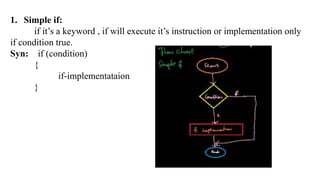
1. Simple if:
if it’s a keyword , if will execute it’s instruction or implementation only
if condition true.
Syn: if (condition)
{
if-implementataion
}
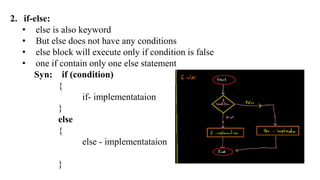
2. if-else:
• else is also keyword
• But else does not have any conditions
• else block will execute only if condition is false
• one if contain only one else statement
Syn: if (condition)
{
if- implementataion
}
else
{
else - implementataion
}
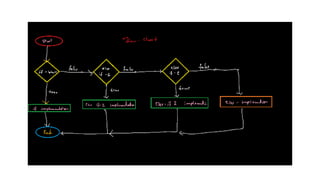
3. Else-if ladder:
when we have a multiple condition with there own implementation
Syn: if (condition)
{
if- implementataion;
}
else if (condition)
{
else if-1 – implementataion;
}
else{
else – implementataion;
}
• You can write any number of else-if and else is optional
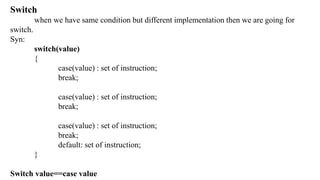
Switch
when we have same condition but different implementation then we are going for
switch.
Syn:
switch(value)
{
case(value) : set of instruction;
break;
case(value) : set of instruction;
break;
case(value) : set of instruction;
break;
default: set of instruction;
}
Switch value==case value
Java (1).ppt  seminar topics engineering

Java (1).ppt seminar topics engineering

  • 1.
  • 2.
    What is java? Java is high level programming language 1. What is language ? 2. What is Programming? 3. What is Programming Language? 4. What is High Level Programming Language?
  • 3.
    What Is Language? Language is medium which is used for communication. Ex: English, Kannada, Hindi, etc.. What is Programming ? Set of instruction / Group of instruction. What is Programming Language ? A Language which is used to communicate between humans and system. Ex: Java, Python, C, C++, etc..
  • 4.
    Types of ProgrammingLanguage 1. Low Level Programming Language 2. Middle Level Programming Language 3. High Level Programming Language What is Low Level Programming Language ? Language which is not understandable by humans but it is understandable by machine/system. Ex: Binary code (0, 1). What is High Level Programming Language ? A language which is written in simple English which is understandable by humans. Ex: Java, c, c++, etc..
  • 5.
    Low level languageHigh level programming  Low level programming language is a machine friendly language.  High level programming language is a user friendly language.  Low level programming language is high memory efficiency.  High level programming language is less memory efficiency.  Debugging is difficult.  Debugging is easy.  No need of translator.  It needs translator.
  • 6.
    Platform It is combinationof hardware and software components. Example: windows, Linux, Unix, Mac etc. Types of platform Programming Language 1. Platform dependent programming Language 2. Platform independent programming Language Platform dependent Programming Language Application which create in one platform we cannot run it in other platform. Example: C & C++ etc.. Platform independent Programming Language Application which create in one platform and we can running any other platform. Example: Python, Java, etc..
  • 7.
    Features of Java •Java is a very simple language because syntax is very easy. • Java is a platform independent, which means Java program we can run in any operating system. • Java is an object oriented programming language, object means which appears physically . • Java is robust means very strong it can handle use application and no virus will arm it. • Java is extensible which means Java program we can integrate with any other programming language like c python etc. To develop an application effectively. • Java has an automatic garbage collector. • Java is a most secure programming language.
  • 8.
    History of Java Java is started by company called as Sun microsystem.  Java currently owned company called as Oracle.  Java is invented by person called as James Gosling. The first name of Java was Green talk but the name was not so popular so renamed as oak but the name was already registered by some other company later the renamed as Java so it means the coffee been flavor and it is a coffee shop name. When ? • Java was introduce in the year 1995 • JDK 1.0 is introduce in 1996 • Currently we have JDK 21 which is lunched in september 2023
  • 9.
  • 11.
    Once developer receivedthe requirement developer team start working on it and write a java program which is also known as source code and save the file as(filename. java) to check any bugs are mistakes are errors developers is going to give the compiler for a compilation purpose. Compiler Compiler check any bugs is there in the program if it find any bugs compiler throw the compilation error to the developer now developer should debug and sent back to the compiler this process will be repeated until it correct it once compiler didn't found any mistake then the compiler is going to convert source code into byte code and saved file name as (filename.class). Byte code Byte code is an intermediate code which is not understandable by machine nor by human beings and byte code a platform independent which means byte code can be run in any operating system like windows, Linux, Mac, etc. with the help of JVM. JVM (Java virtual Machine) Java virtual Machine reads the byte code line by line and convert it to machine understandable language with the help of JIT and interpreter JVM is a platform dependent which means JVM used for windows cannot be used for any other operating system.
  • 12.
  • 13.
    JDK: It isa collection of essential resources and software which is used for development of java application. JRE (Java runtime environment): It will provide the environment for execution of Java program. JVM (Java virtual Machine): It is used to convert bytecode into machine code with the help of JIT and interpreter. Interpreter: It is a translator which is used to convert bytecode into machine code in Java.
  • 14.
    Source file : Afile which is used to write the set of instruction or source code in the high level programming language is known as source file. What we can write inside the source file ? 1. Class 2. Interface
  • 15.
    What is class? •class is a keyword • class used to create a class block Syntax: class ClassName { } • Convention for class is upper camel case Ex: Student, StudentDriver etc.. • Class name and Source file name must be same.
  • 16.
    What we cancreate inside the class ? class ClassName { Declaration Variables Methods Initialization Static initializer Non static initializer Constructor } class Demo { } Syntactically valid class
  • 17.
     In Javaif you want to start the execution you need main method How to create a main method ? Syntax: public static void main(String[] args) { Statements; }
  • 18.
    Printing Statement 1. System.out.println(data); 2.System.out.print(data); println(): Print the data and cursor will be shifted into the next line. print(): Print the data and cursor will be staying in the same line.
  • 19.
    Tokens It is asmallest unit in the all the programming language 1. Keywords 2. Identifiers 3. Literal or values Keywords • Keywords is a predefine word which is understandable by a compiler and which having a fixed meaning. • It is also called as reserve words. • In Java we have 50 + keywords Example: class, public, static, void, etc... Rules • Keywords should be written in lower case.
  • 20.
    Identifiers Anything which cancreate inside the source file we called as components of Java. • Class • Interface • Variable • Methods A name given to all the components of Java is known as identifiers.
  • 21.
    Example: class Test { public staticvoid main(String[] args) { } } Test , main are identifiers Rules of identifiers • It's not start with the numbers. • Special characters are not allowed other than $ and _ as identifiers. • We cannot use keywords has identifiers • Space or not allowed in identifiers.
  • 22.
    Literals The data orvalue written by a programmer in the program is known as literals. Types of literals 1. Number literals 2. Character literals 3. String literals 4. Boolean literals Number literal Integer : non decimal numbers Examples: 10, 5, 3,98,5 etc... Decimal: decimal numbers Examples: 12.3,5.6,2.6,36.9 etc… Character literals It should be enclosed with a single quotes and the length should be only one Examples : ‘A’ , ‘g’ , ‘5’ etc…
  • 23.
    String literals It isenclosed with the double quotes and length should be anything Example: “Java” , “Pavan” etc… Boolean literals It is used for logical data Example: true, false.
  • 24.
    Variables and datatypes Variables It's a container or block of memory which is used to store the data Characteristics of variable • Variable is a named block of memory • By using a name we can store the data we can fetch the data • We cannot store multiple values in variables How to create a variable Variable declaration Syntax : datatype variablename ; Ex: int a; Variable initialization Syntax : variablename=value/data ; Ex: a=20;
  • 25.
    Variable declaration andinitialization Syntax : datatype variablename=value/data ; Ex: int a=20; Data type • It is used to specify or indicate which type of data to be stored in the variable. • For different data we are creating a different type of container. Types of variables
  • 26.
    What is Primitivevariable? A variable which is created by using primitive data type. What are Primitive data type? All primitive data types are keywords no Primitive data types Size byte bits 1 byte 1 8 2 short 2 16 3 int 4 32 4 long 8 64 5 float 4 32 6 double 8 64 7 char 2 16 8 boolean - 1 Ex: int a = 20; double b = 20.56; boolean b = true; long l = 156 l; float f = 25.6 f; char c = ‘a’;
  • 27.
    What is nonPrimitive Variable ? A variable which is used to store address/reference of object It is created by using non primitive datatype What is non Primitive Data type ? className is non primitive data type. Ex: class Demo { } Demo d1; • In java we can create any number of non primitive data type. class Student { } Student s1; class Employee { } Employee e1;
  • 28.
    Local Variable • Avariable which is declared inside the Particular block /scope except class block is know as local variable. • Local Variable can be access only inside particular scope. • Local variable must be initialized. Ex: class Demo { int a = 50; // member variable public static void main(String[] args) { int a = 10; // local Variable { int b = 20; // local Variable } } }
  • 29.
    Reinitialisation The process ofmodifying existing data inside the variable is known as reinitialisation. Ex: class Demo { public static void main(String[] args) { int a = 20 ; a=30; a=40; System.out.println(a); } }
  • 30.
    Ex: class Demo { public staticvoid main(String[] args) { int a = 20 ; System.out.print(a); a=a+10; System.out.println(a); } } OutPut 2030
  • 31.
    Concatination Joining of stringwith any other data type is known as Concatination Ex: System.out.println(10+“hello”); //10hello System.out.println(“hello”+2.5); //hello2.5 System.out.println(10+“20”); //1020
  • 32.
    Ex: class Person { public staticvoid main(String[] args) { String n = “Dinga” ; int age = 22 ; System.out.println(n); System.out.println(“Name:”+n); System.out.println(“Age:”+n+”Years”); } } Output Dinga Name:Dinga Age:22years
  • 33.
    Operators It is apre define symbol used to perform a task. Ex: 10+20 Operands: The data are value between the operators is known as operands. Expression: The combination of operator and operand is known as expression. Operator: Operator is a predefined symbol which is used to perform task on the given operands. Characteristics of operators 1. Every operator will returns data or value 2. Presidency 3. Associativity
  • 34.
    1. Every operatorwill returns some data or value Ex: 10 + 20 - > 30 50 * 2 - >100 2. Presidency [Priority] When the expression having more than one operator then presidency comes into picture. Ex: 10 + 2 * 3 3. Associativity • Direction of order of execution. • When you have the same priority then associativity comes into picture. Ex: 10 + 20 + 30 20 + 10 - 5 5 – 2 + 5
  • 35.
    Types of Operators 1.Arithmetic operators 2. Assignment operators 3. Comparison/ Relational operators 4. Logical operators 5. Ternary operators 6. Unary operators 1. Arithmetic operators It is a operator which is used to perform Arithmetic operations Symbols: [+ , - , * , / , %] [+] 1.Addition. 2.Concatination(when at least one operand is string)
  • 36.
    class Demo2 { public staticvoid main(String[] args) { System.out.println(10+20); System.out.println(20-2); System.out.println(5*6); System.out.println(6/2); System.out.println(5%3); } }
  • 37.
    2. Assignment operators Itis a shortened operators used to modify the existing data in variable Symbols: [+= , - = , *= , /= , %=] Ex: int a = 20; a += 10; //a=a+10 a - = 15; //a=a-15 a * = 12; //a=a*12 a / = 14; //a=a/14 a %= 11; //a=a%11
  • 38.
    3. Comparison orRelational operators: This operator is used to compare the two operands. Symbols: [= = , ! = , > , < , >= ,<=] • The return type of this operator is Boolean. Condition: Expression which returns the Boolean value. 4. Logical operators: The operator which is used to compare the two condition, the return type of this operator is also Boolean Symbols: [&& , | | , !]
  • 39.
    I. && [and] Thisoperator is used to compare the two condition if both the condition are true then it will return boolean true otherwise it will return false. Truth Table • If both conditions are satisfied then only it will return True otherwise False Condition Return Value True && False False False && True False False && False False True && True True
  • 40.
    II. | |[or] This operator is used to compare the two condition if both the condition are false then it will return boolean false otherwise it will return true Truth Table • If one conditions are satisfied then only it will return True otherwise False Condition Return Value True | | False True False | | True True False | | False False True | | True True
  • 41.
    class Demo2 { public staticvoid main(String[] args) { int a=10,b=20,c=10; System.out.println(true && false); System.out.println(true || false); System.out.println(a>b && a==c); System.out.println(b<c || a!=b) ; System.out.println(a!=c || b==c); } }
  • 42.
    III. ![not] This operatoris used to reverse the Boolean output. Ex: System.out.println(!true); //false System.out.println(!false); //true 5. Unary operator The operator which will have only one apparent is known as unary operator. Types of unary operator 1. Increment 2. Decrement
  • 45.
    6. Ternary operators Aoperator which will have a three operands is known as ternary operator Syntax: Condition ? Op2 : Op3; • The return type of this operator is depend upon the data type of operands.
  • 46.
    Conditional statements /Decisions statements A Statement which is used to execute set of instruction based on the condition provided is known as conditional statement Types of conditional statements 1. Simple if 2. if-else 3. else-if ladder 4. Switch
  • 47.
    1. Simple if: ifit’s a keyword , if will execute it’s instruction or implementation only if condition true. Syn: if (condition) { if-implementataion }
  • 48.
    2. if-else: • elseis also keyword • But else does not have any conditions • else block will execute only if condition is false • one if contain only one else statement Syn: if (condition) { if- implementataion } else { else - implementataion }
  • 49.
    3. Else-if ladder: whenwe have a multiple condition with there own implementation Syn: if (condition) { if- implementataion; } else if (condition) { else if-1 – implementataion; } else{ else – implementataion; } • You can write any number of else-if and else is optional
  • 51.
    Switch when we havesame condition but different implementation then we are going for switch. Syn: switch(value) { case(value) : set of instruction; break; case(value) : set of instruction; break; case(value) : set of instruction; break; default: set of instruction; } Switch value==case value