Python
$ python
Running this command should start the interactive Python interpreter , with output similar to
the following:
Python 2.5.1 (r251:54869, Apr 18 2007, 22:08:04)
[GCC 4.0.1 (Apple Computer, Inc. build 5367)] on darwin
Type "help", "copyright", "credits" or "license" for more information.
>>>
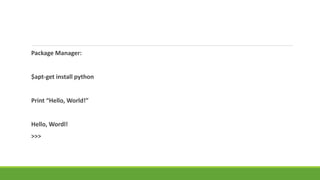
Package Manager:
$apt-get install python
Print “Hello, World!”
Hello, Wordl!
>>>
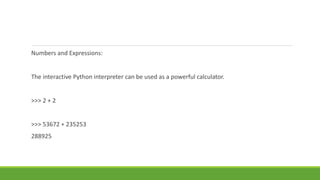
Numbers and Expressions:
The interactive Python interpreter can be used as a powerful calculator.
>>> 2 + 2
>>> 53672 + 235253
288925
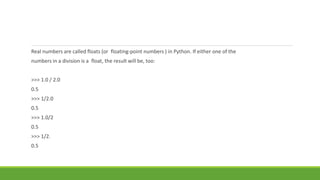
Real numbers are called floats (or floating-point numbers ) in Python. If either one of the
numbers in a division is a float, the result will be, too:
>>> 1.0 / 2.0
0.5
>>> 1/2.0
0.5
>>> 1.0/2
0.5
>>> 1/2.
0.5
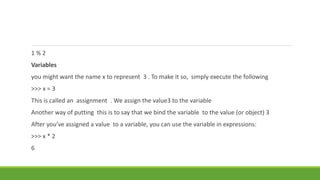
1 % 2
Variables
you might want the name x to represent 3 . To make it so, simply execute the following
>>> x = 3
This is called an assignment . We assign the value3 to the variable
Another way of putting this is to say that we bind the variable to the value (or object) 3
After you’ve assigned a value to a variable, you can use the variable in expressions:
>>> x * 2
6
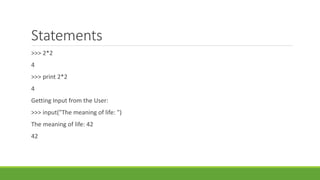
Statements
>>> 2*2
4
>>> print 2*2
4
Getting Input from the User:
>>> input("The meaning of life: ")
The meaning of life: 42
42
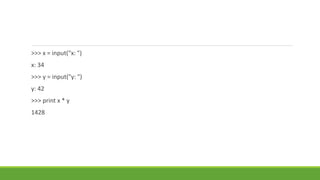
>>> x = input("x: ")
x: 34
>>> y = input("y: ")
y: 42
>>> print x * y
1428
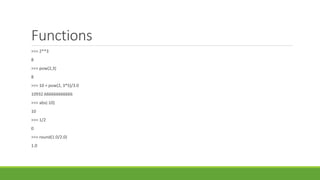
Functions
>>> 2**3
8
>>> pow(2,3)
8
>>> 10 + pow(2, 3*5)/3.0
10932.666666666666
>>> abs(-10)
10
>>> 1/2
0
>>> round(1.0/2.0)
1.0
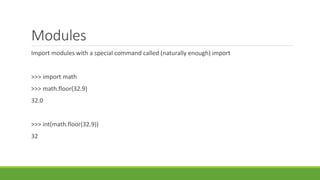
Modules
Import modules with a special command called (naturally enough) import
>>> import math
>>> math.floor(32.9)
32.0
>>> int(math.floor(32.9))
32
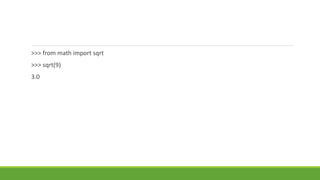
>>> from math import sqrt
>>> sqrt(9)
3.0
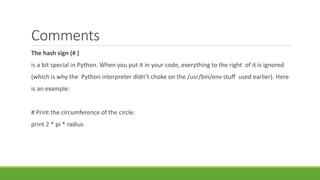
Comments
The hash sign (# )
is a bit special in Python. When you put it in your code, everything to the right of it is ignored
(which is why the Python interpreter didn’t choke on the /usr/bin/env stuff used earlier). Here
is an example:
# Print the circumference of the circle:
print 2 * pi * radius
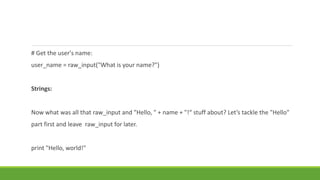
# Get the user's name:
user_name = raw_input("What is your name?")
Strings:
Now what was all that raw_input and "Hello, " + name + "!“ stuff about? Let’s tackle the "Hello"
part first and leave raw_input for later.
print "Hello, world!"
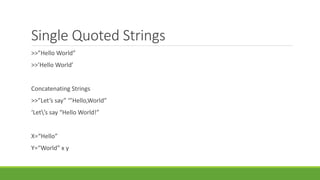
Single Quoted Strings
>>”Hello World”
>>’Hello World’
Concatenating Strings
>>”Let’s say” ‘”Hello,World”
‘Let’s say “Hello World!”
X=“Hello”
Y=“World” x y
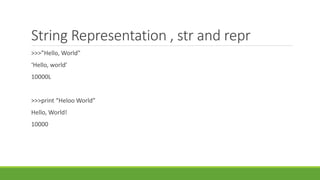
String Representation , str and repr
>>>”Hello, World”
‘Hello, world’
10000L
>>>print “Heloo World”
Hello, World!
10000
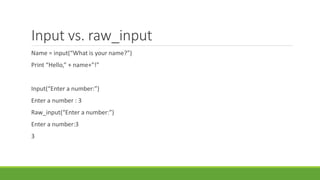
Input vs. raw_input
Name = input(“What is your name?”)
Print “Hello,” + name+”!”
Input(“Enter a number:”)
Enter a number : 3
Raw_input(“Enter a number:”)
Enter a number:3
3
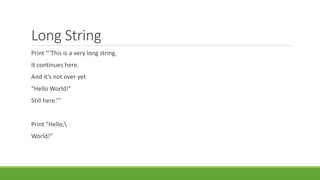
Long String
Print ‘’’This is a very long string.
It continues here.
And it’s not over yet
“Hello World!”
Still here.’’’
Print “Hello,
World!”
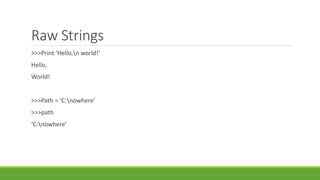
Raw Strings
>>>Print ‘Hello,n world!’
Hello,
World!
>>>Path = ‘C:nowhere’
>>>path
‘C:nowhere’
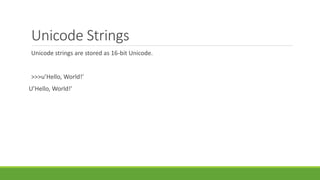
Unicode Strings
Unicode strings are stored as 16-bit Unicode.
>>>u’Hello, World!’
U’Hello, World!’
List and Tuple
Data structure is a collection of data elements.
>>Edward = [‘Edward Gumby’,42]
Edward = [‘Edward Gumby’,42]
John = [‘John Smith’,50]
Database = [Edward,john]
Database
[[‘Edward Gumby’,42],[‘John Smith’,50]
Indexing
All elements in a sequence are numbered from 0 to upwards.
Greeting = “Hello”
Greeting[0]
‘H’
Note : A String is a sequence of characters. The index 0 refers to first element.
Greeting[-1] = ‘o’
Fourth = raw_input(‘Year:’)[3]
Year: 2005
>>Fourth
‘5’
Slicing
Indexing to access individual elements.
You can use slicing to access ranges of elements.
You can do this by using two indices, separated by a colon:
>>tag = ‘<a href=http://www.python.org>Python web site</a>’
>>tag[9:30]
‘http://www.python.org’
>>tag[32:-4]
‘Python web site’
Numbers[0:10:1]
[1,2,3,4,5,6,7,8,9,10]
Numbers[0:10:2]
[1,3,5,7,9]
Numbers[3:6:3]
[4]
Numbers[::4]
[1,5,9]
Adding Sequence :
[1,2,3]+[4,5,6]
[1,2,3,4,5,6]
‘Hello’+’World!’
>>>[1,2,3]+’World’
Multiplication:
‘python’*5
[42]*10
[42,42,42,42,42,42,42,42,42]
Sequence = [None]*10
Sequence
[None,None,None,None,None,None,None,None,None,None]
Lists:
The list function:
>>list(‘Hello’)
[‘H’,’e’,’l’,’l’,’o’]
‘’.join(somelist)
X = [1,1,1]
X[1]=2
X
[1,2,1]
Deleting Elements
Names = [‘Alice’,’Beth’,’Cecil’,’Dee-Dee’,’Earl’]
Del Names[2]
Names
[‘Alice’,’Beth’,’Cecil’]
List methods
Object.method(arguments)
Append :
The append method is used to append an object to the end of a list:
Lst = [1,2,3]
Lst.append(4)
Lst
[1,2,3,4]
Count
The count method counts the occurences of an element in the list
>>[‘to’,’be’,’or’,’not’,’to’,’be’].count(‘to’)
2
>>X=[[1,2],1,1,[2,1,[1,2]]]
X.count(1)
2
>> X.count([1,2])
index
The index method is used for searching lists to find the index of the first
Occurrence of a value:
>> knights = [‘we’,’are’,’the’,’knings’,’who’,’say’,’ni’]
>>>knights.index(‘who’)
4
>>knights[4]
‘who’
insert
The insert method is used to insert an object into a list:
>>> numbers = [1,2,3,4,5,6,7]
>>>numbers.insert(3,’four’)
>>>numbers
[1,2,3,’four’,5,6,7]
pop
The pop method removes an element (by default, the last one) from the list and returns it:
>>>x=[1,2,3]
>>>x.pop()
3
>>>x
[1,2]
>>>x.pop(0)
1
>>>x [2]
>>>x = [1.2.3]
>>>x.append(x.pop())
>>>x
[1,2,3]
remove
The remove method is used to remove
>>>x = [‘to’,’be’,’or’,’not’,’to’,’be’]
>>>x.remove(‘be’)
>>>x
reverse
>>>X = [1,2,3]
>>>X.reverse()
>>>X
[3,2,1]
Sort
>>>X = [4,6,2,1,7,9]
>>X.sort()
>>>x
[1,2,4,6,7,9]
>>> y = x.sort()
>>>print y
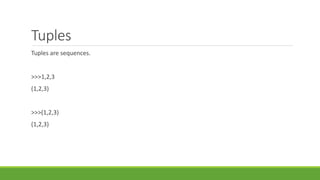
Tuples
Tuples are sequences.
>>>1,2,3
(1,2,3)
>>>(1,2,3)
(1,2,3)
>>>()
()
The tuple function
>>>tuple([1,2,3])
(1,2,3)
Tuple(‘abc’)
(‘a’,’b’,’c’)
Tuple((1,2,3))
(1,2,3)
>>>x = 1,2,3
>>>x[1]
2
>>>x[0:2]
>>>(1,2)
Working with Strings:
>>>website = ‘http://www.python.org’
>>>website[-3:] = ‘com’
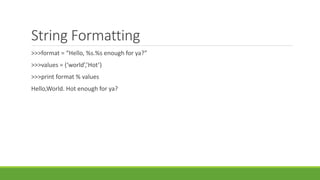
String Formatting
>>>format = “Hello, %s.%s enough for ya?”
>>>values = (‘world’,’Hot’)
>>>print format % values
Hello,World. Hot enough for ya?
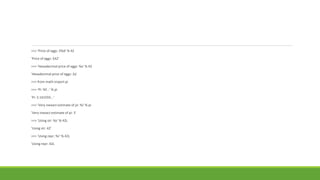
>>> 'Price of eggs: $%d' % 42
'Price of eggs: $42'
>>> 'Hexadecimal price of eggs: %x' % 42
'Hexadecimal price of eggs: 2a'
>>> from math import pi
>>> 'Pi: %f...' % pi
'Pi: 3.141593...'
>>> 'Very inexact estimate of pi: %i' % pi
'Very inexact estimate of pi: 3'
>>> 'Using str: %s' % 42L
'Using str: 42'
>>> 'Using repr: %r' % 42L
'Using repr: 42L
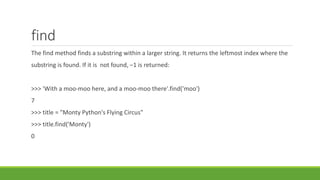
find
The find method finds a substring within a larger string. It returns the leftmost index where the
substring is found. If it is not found, –1 is returned:
>>> 'With a moo-moo here, and a moo-moo there'.find('moo')
7
>>> title = "Monty Python's Flying Circus"
>>> title.find('Monty')
0
join
A very important string method, join is the inverse of split . It is used to join the elements of a
Sequence.
>>> seq = [1, 2, 3, 4, 5]
>>> sep = '+'
>>> sep.join(seq
lower
The lower method returns a lowercase version of the string:
>>> 'Trondheim Hammer Dance'.lower()
'trondheim hammer dance
>>> if 'Gumby' in ['gumby', 'smith', 'jones']: print 'Found it!
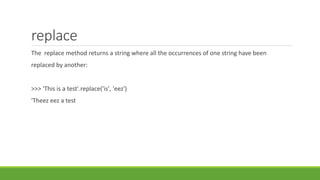
replace
The replace method returns a string where all the occurrences of one string have been
replaced by another:
>>> 'This is a test'.replace('is', 'eez')
'Theez eez a test
split
A very important string method, split is the inverse of join , and is used to split a string into a
sequence:
>>> '1+2+3+4+5'.split('+')
['1', '2', '3', '4', '5']
>>> '/usr/bin/env'.split('/')
['', 'usr', 'bin', 'env']
>>> 'Using the default'.split()
['Using', 'the', 'default']
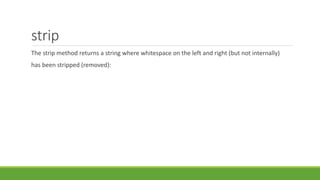
strip
The strip method returns a string where whitespace on the left and right (but not internally)
has been stripped (removed):
>>> ' internal whitespace is kept '.strip()
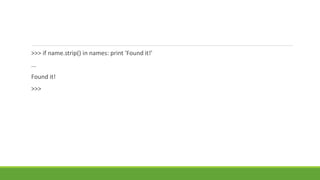
'internal whitespace is kept‘ As with lower , strip can be useful when comparing input to stored values. Let’s return to
the user name example from the section on lower
, and let’s say that the user inadvertently
types a space after his name:
>>> names = ['gumby', 'smith', 'jones']
>>> name = 'gumby '
>>> if name in names: print 'Found it!'
...
>>> if name.strip() in names: print 'Found it!'
...
Found it!
>>>
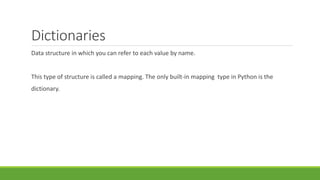
Dictionaries
Data structure in which you can refer to each value by name.
This type of structure is called a mapping. The only built-in mapping type in Python is the
dictionary.
Dictionary Uses:
A dictionary is more appropriate than a list in many situations. Here are some examples of
uses of Python dictionaries:
• Representing the state of a game board, with each key being a tuple of coordinates
• Storing file modification times, with file names as keys
• A digital telephone/address book
Let’s say you have a list of people:
>>> names = ['Alice', 'Beth', 'Cecil', 'Dee-Dee', 'Earl']
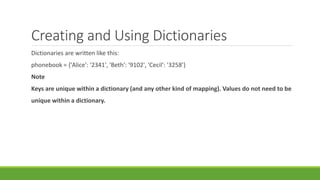
Creating and Using Dictionaries
Dictionaries are written like this:
phonebook = {'Alice': '2341', 'Beth': '9102', 'Cecil': '3258'}
Note
Keys are unique within a dictionary (and any other kind of mapping). Values do not need to be
unique within a dictionary.
The dict Function You can use the dict function 1 to construct dictionaries from other mappings
(for example, other dictionaries) orfrom sequences of (key, value) pairs.
>>> items = [('name', 'Gumby'), ('age', 42)]
>>> d = dict(items)
>>> d
{'age': 42, 'name': 'Gumby'}
>>> d['name']
'Gumby
Dictionary Methods
Clear
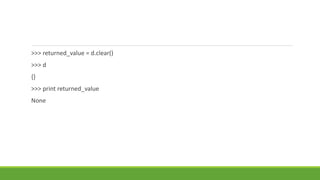
The clear method removes all items from the dictionary. This is an In-place operation (like
list.sort ), so it returns nothing (or, rather, None)
>>> d = {}
>>> d['name'] = 'Gumby'
>>> d['age'] = 42
>>> d
{'age': 42, 'name': 'Gumby'}
>>> returned_value = d.clear()
>>> d
{}
>>> print returned_value
None
>>> x = {}
>>> y = x
>>> x['key'] = 'value'
>>> y
{'key': 'value'}
>>> x = {}
>>> y
{'key': 'value'}
copy
The copy method returns a new dictionary with the same key-value pairs (a shallow copy
, since the values themselves are the same , not copies):
>>> x = {'username': 'admin', 'machines': ['foo', 'bar', 'baz']}
>>> y = x.copy()
>>> y['username'] = 'mlh'
>>> y['machines'].remove('bar')
>>> y
Deepcopy
>>> from copy import deepcopy
>>> d = {}
>>> d['names'] = ['Alfred', 'Bertrand']
>>> c = d.copy()
>>> dc = deepcopy(d)
>>> d['names'].append('Clive')
>>> c
{'names': ['Alfred', 'Bertrand', 'Clive']}
>>> dc
{'names': ['Alfred', 'Bertrand']}
fromkeys
The fromkeys method creates a new dictionary with the given keys, each with a default corre-
sponding value of None:
>>> {}.fromkeys(['name', 'age'])
{'age': None, 'name': None}
get
The get method is a forgiving way of accessing dictionary items. Ordinarily, when you try to
access an item that is not present in the dictionary, things go very wrong:
>>> d = {}
>>> print d['name']
Traceback (most recent call last):
File "<stdin>", line 1, in ?
KeyError: 'name
has_key
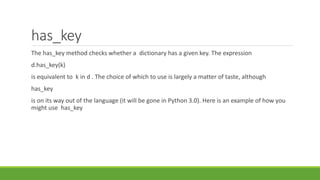
The has_key method checks whether a dictionary has a given key. The expression
d.has_key(k)
is equivalent to k in d . The choice of which to use is largely a matter of taste, although
has_key
is on its way out of the language (it will be gone in Python 3.0). Here is an example of how you
might use has_key
>>> d = {}
>>> d.has_key('name')
False
>>> d['name'] = 'Eric'
>>> d.has_key('name')
True
items and iteritems
The items method returns all the items of the dictionary as a list of items in which each item is
of the form (key, value)
. The items are not returned in any particular order:
>>> d = {'title': 'Python Web Site', 'url': 'http://www.python.org', 'spam': 0}
>>> d.items()
[('url', 'http://www.python.org'), ('spam', 0), ('title', 'Python Web Site')]
Pop
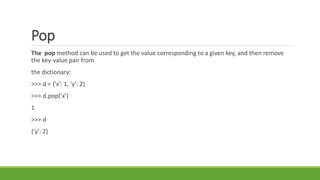
The pop method can be used to get the value corresponding to a given key, and then remove
the key-value pair from
the dictionary:
>>> d = {'x': 1, 'y': 2}
>>> d.pop('x')
1
>>> d
{'y': 2}
Popiem
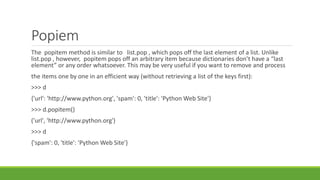
The popitem method is similar to list.pop , which pops off the last element of a list. Unlike
list.pop , however, popitem pops off an arbitrary item because dictionaries don’t have a “last
element” or any order whatsoever. This may be very useful if you want to remove and process
the items one by one in an efficient way (without retrieving a list of the keys first):
>>> d
{'url': 'http://www.python.org', 'spam': 0, 'title': 'Python Web Site'}
>>> d.popitem()
('url', 'http://www.python.org')
>>> d
{'spam': 0, 'title': 'Python Web Site'}
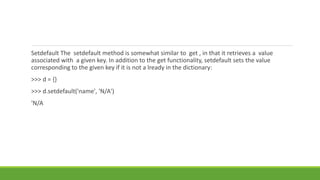
Setdefault The setdefault method is somewhat similar to get , in that it retrieves a value
associated with a given key. In addition to the get functionality, setdefault sets the value
corresponding to the given key if it is not a lready in the dictionary:
>>> d = {}
>>> d.setdefault('name', 'N/A')
'N/A
>>> d
{'name': 'N/A'}
>>> d['name'] = 'Gumby'
>>> d.setdefault('name', 'N/A')
'Gumby'
>>> d
{'name': 'Gumby'}
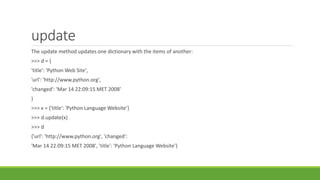
update
The update method updates one dictionary with the items of another:
>>> d = {
'title': 'Python Web Site',
'url': 'http://www.python.org',
'changed': 'Mar 14 22:09:15 MET 2008'
}
>>> x = {'title': 'Python Language Website'}
>>> d.update(x)
>>> d
{'url': 'http://www.python.org', 'changed':
'Mar 14 22:09:15 MET 2008', 'title': 'Python Language Website'}
values and iter values
The values method returns a list of the values in the dictionary (and itervalues
returns an iterator of the values). Unlike keys , the list returned by values may contain
duplicates:
>>> d = {}
>>> d[1] = 1
>>> d[2] = 2
>>> d[3] = 3
>>> d[4] = 1
>>> d.values()
[1, 2, 3, 1]
Conditions and Conditional Statements
The following values are considered by the interpreter to mean false when evaluated as a
Boolean expression (for example, as the condition of an if statement):
False None 0 "" () [] {}
>>> True
True
>>> False
False
>>> True == 1
True
>>> False == 0
True
>>> True + False + 42
43
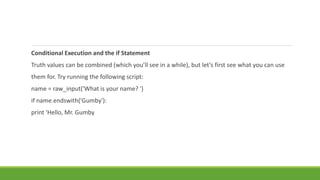
Conditional Execution and the if Statement
Truth values can be combined (which you’ll see in a while), but let’s first see what you can use
them for. Try running the following script:
name = raw_input('What is your name? ')
if name.endswith('Gumby'):
print 'Hello, Mr. Gumby
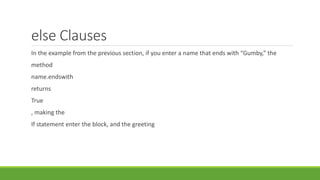
else Clauses
In the example from the previous section, if you enter a name that ends with “Gumby,” the
method
name.endswith
returns
True
, making the
If statement enter the block, and the greeting
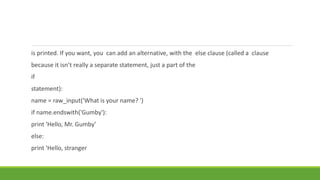
is printed. If you want, you can add an alternative, with the else clause (called a clause
because it isn’t really a separate statement, just a part of the
if
statement):
name = raw_input('What is your name? ')
if name.endswith('Gumby'):
print 'Hello, Mr. Gumby'
else:
print 'Hello, stranger
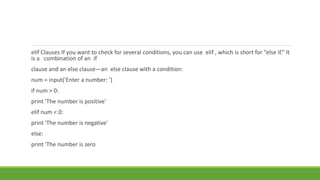
elif Clauses If you want to check for several conditions, you can use elif , which is short for “else if.” It
is a combination of an if
clause and an else clause—an else clause with a condition:
num = input('Enter a number: ')
if num > 0:
print 'The number is positive'
elif num < 0:
print 'The number is negative'
else:
print 'The number is zero
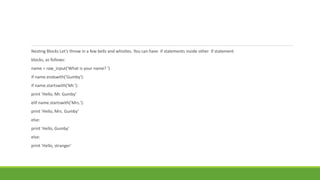
Nesting Blocks Let’s throw in a few bells and whistles. You can have if statements inside other if statement
blocks, as follows:
name = raw_input('What is your name? ')
if name.endswith('Gumby'):
if name.startswith('Mr.'):
print 'Hello, Mr. Gumby'
elif name.startswith('Mrs.'):
print 'Hello, Mrs. Gumby'
else:
print 'Hello, Gumby'
else:
print 'Hello, stranger'
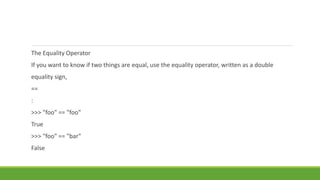
The Equality Operator
If you want to know if two things are equal, use the equality operator, written as a double
equality sign,
==
:
>>> "foo" == "foo"
True
>>> "foo" == "bar"
False
is: The Identity Operator
The
is
operator is interesting. It
seems to work just like
==
, but it doesn’t:
>>> x = y = [1, 2, 3]
>>> z = [1, 2, 3]
>>> x == y
True
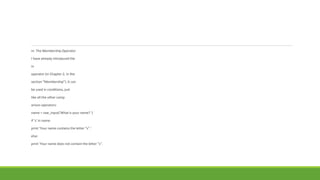
in: The Membership Operator
I have already introduced the
in
operator (in Chapter 2, in the
section “Membership”). It can
be used in conditions, just
like all the other comp
arison operators:
name = raw_input('What is your name? ')
if 's' in name:
print 'Your name contains the letter "s".'
else:
print 'Your name does not contain the letter "s".
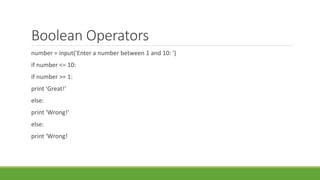
Boolean Operators
number = input('Enter a number between 1 and 10: ')
if number <= 10:
if number >= 1:
print 'Great!'
else:
print 'Wrong!'
else:
print 'Wrong!
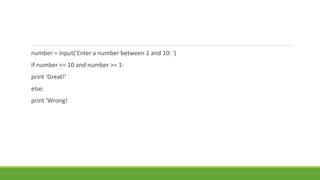
number = input('Enter a number between 1 and 10: ')
if number <= 10 and number >= 1:
print 'Great!'
else:
print 'Wrong!
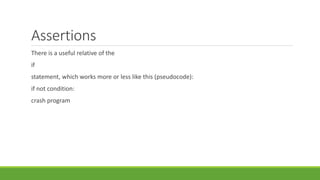
Assertions
There is a useful relative of the
if
statement, which works more or less like this (pseudocode):
if not condition:
crash program
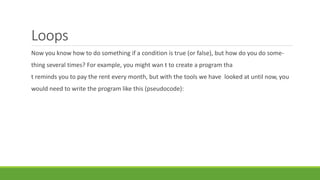
Loops
Now you know how to do something if a condition is true (or false), but how do you do some-
thing several times? For example, you might wan t to create a program tha
t reminds you to pay the rent every month, but with the tools we have looked at until now, you
would need to write the program like this (pseudocode):
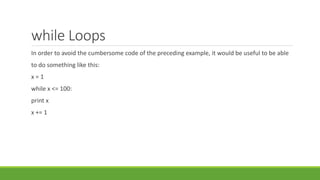
while Loops
In order to avoid the cumbersome code of the preceding example, it would be useful to be able
to do something like this:
x = 1
while x <= 100:
print x
x += 1
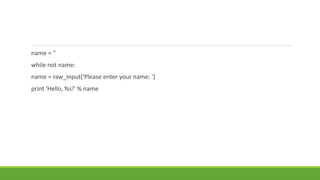
name = ''
while not name:
name = raw_input('Please enter your name: ')
print 'Hello, %s!' % name
for Loops
words = ['this', 'is', 'an', 'ex', 'parrot']
for word in words:
◦ print word
numbers = [0, 1, 2, 3, 4, 5, 6, 7, 8, 9]
for number in numbers:
◦ print number
>>> range(0, 10)
◦ [0, 1, 2, 3, 4, 5, 6, 7, 8, 9]
>>> range(10)
[0, 1, 2, 3, 4, 5, 6, 7, 8, 9]
for number in range(1,101):
◦ print number
Iterating Over Dictionaries
To loop over the keys of a dictionary, you can use a plain for statement, just as you can with
sequences:
d = {'x': 1, 'y': 2, 'z': 3}
for key in d:
◦ print key, 'corresponds to', d[key]
for key, value in d.items():
◦ print key, 'corresponds to', value
for i in range(len(names)):
◦ print names[i], 'is', ages[i], 'years old
Numbered Iteration
for string in strings:
if 'xxx' in string:
◦ index = strings.index(string) # Search for the string in the list of strings
◦ strings[index] = '[censored]
index = 0
for string in strings:
◦ if 'xxx' in string:
◦ rings[index] = '[censored]‘
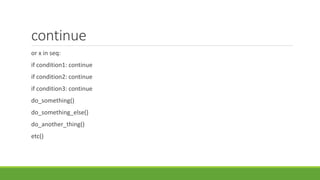
continue
or x in seq:
if condition1: continue
if condition2: continue
if condition3: continue
do_something()
do_something_else()
do_another_thing()
etc()
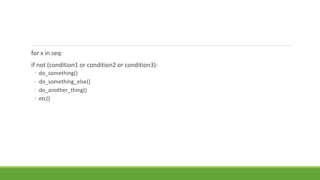
for x in seq:
if not (condition1 or condition2 or condition3):
◦ do_something()
◦ do_something_else()
◦ do_another_thing()
◦ etc()
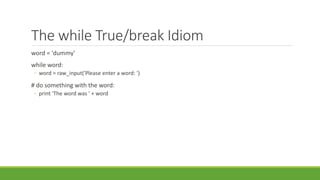
The while True/break Idiom
word = 'dummy'
while word:
◦ word = raw_input('Please enter a word: ')
# do something with the word:
◦ print 'The word was ' + word
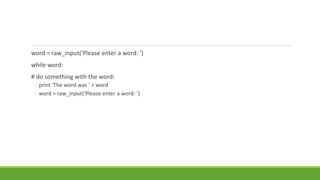
word = raw_input('Please enter a word: ')
while word:
# do something with the word:
◦ print 'The word was ' + word
◦ word = raw_input('Please enter a word: ')
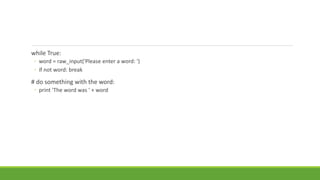
while True:
◦ word = raw_input('Please enter a word: ')
◦ if not word: break
# do something with the word:
◦ print 'The word was ' + word
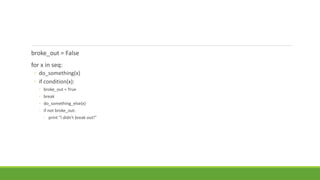
broke_out = False
for x in seq:
◦ do_something(x)
◦ if condition(x):
◦ broke_out = True
◦ break
◦ do_something_else(x)
◦ if not broke_out:
◦ print "I didn't break out!"
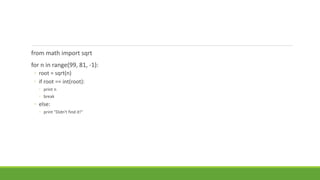
from math import sqrt
for n in range(99, 81, -1):
◦ root = sqrt(n)
◦ if root == int(root):
◦ print n
◦ break
◦ else:
◦ print "Didn't find it!"
List Comprehension
>>> [x*x for x in range(10)]
[0, 1, 4, 9, 16, 25, 36, 49, 64, 81
>>> [x*x for x in range(10) if x % 3 == 0]
[0, 9, 36, 81]
result = []
for x in range(3):
◦ for y in range(3)
result.append((x, y))
Abstraction
Fibonacci numbers (a series of numbers in which each number is the sum of the two previous
ones):
fibs = [0, 1]
for i in range(8):
◦ fibs.append(fibs[-2] + fibs[-1])
>>> fibs
[0, 1, 1, 2, 3, 5, 8, 13, 21, 34]
fibs = [0, 1]
num = input('How many Fibonacci numbers do you want? ')
for i in range(num-2):
◦ fibs.append(fibs[-2] + fibs[-1])
◦ print fibs
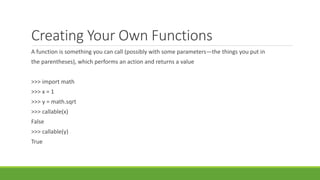
Creating Your Own Functions
A function is something you can call (possibly with some parameters—the things you put in
the parentheses), which performs an action and returns a value
>>> import math
>>> x = 1
>>> y = math.sqrt
>>> callable(x)
False
>>> callable(y)
True
Scoping
>>> x = 1
>>> scope = vars()
>>> scope['x']
1
>>> scope['x'] += 1
>>> x
2
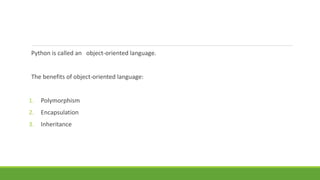
Python is called an object-oriented language.
The benefits of object-oriented language:
1. Polymorphism
2. Encapsulation
3. Inheritance
Polymorphism
def getPrice(object):
if isinstance(object, tuple):
◦ return object[1]
else:
◦ return magic_network_method(object)
# Don't do it like this...
def getPrice(object):
◦ if isinstance(object, tuple):
◦ return object[1]
◦ elif isinstance(object, dict):
◦ return int(object['price'])
◦ else:
◦ return magic_network_method(object)
>>> object.getPrice()
2.5
>>> 'abc'.count('a')
1
>>> [1, 2, 'a'].count('a')
1
>>> from random import choice
>>> x = choice(['Hello, world!', [1, 2, 'e', 'e', 4]])
>>> x.count('e')
2
>>> o = OpenObject() # This is how we create objects...
>>> o.setName('Sir Lancelot')
>>> o.getName()
'Sir Lancelot
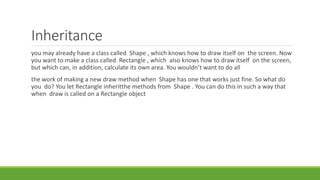
Inheritance
you may already have a class called Shape , which knows how to draw itself on the screen. Now
you want to make a class called Rectangle , which also knows how to draw itself on the screen,
but which can, in addition, calculate its own area. You wouldn’t want to do all
the work of making a new draw method when Shape has one that works just fine. So what do
you do? You let Rectangle inheritthe methods from Shape . You can do this in such a way that
when draw is called on a Rectangle object
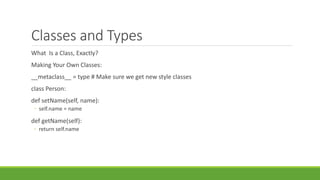
Classes and Types
What Is a Class, Exactly?
Making Your Own Classes:
__metaclass__ = type # Make sure we get new style classes
class Person:
def setName(self, name):
◦ self.name = name
def getName(self):
◦ return self.name
elif greet(self):
◦ print "Hello, world! I'm %s." % self.name
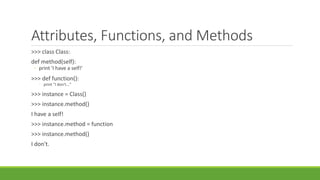
Attributes, Functions, and Methods
>>> class Class:
def method(self):
◦ print 'I have a self!'
>>> def function():
◦ print "I don't..."
>>> instance = Class()
>>> instance.method()
I have a self!
>>> instance.method = function
>>> instance.method()
I don't.
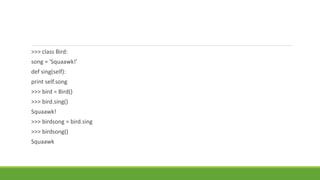
>>> class Bird:
song = 'Squaawk!'
def sing(self):
print self.song
>>> bird = Bird()
>>> bird.sing()
Squaawk!
>>> birdsong = bird.sing
>>> birdsong()
Squaawk
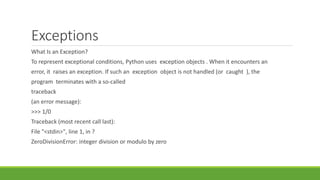
Exceptions
What Is an Exception?
To represent exceptional conditions, Python uses exception objects . When it encounters an
error, it raises an exception. If such an exception object is not handled (or caught ), the
program terminates with a so-called
traceback
(an error message):
>>> 1/0
Traceback (most recent call last):
File "<stdin>", line 1, in ?
ZeroDivisionError: integer division or modulo by zero
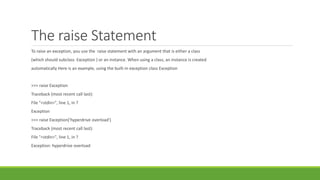
The raise Statement
To raise an exception, you use the raise statement with an argument that is either a class
(which should subclass Exception ) or an instance. When using a class, an instance is created
automatically Here is an example, using the built-in exception class Exception
>>> raise Exception
Traceback (most recent call last):
File "<stdin>", line 1, in ?
Exception
>>> raise Exception('hyperdrive overload')
Traceback (most recent call last):
File "<stdin>", line 1, in ?
Exception: hyperdrive overload
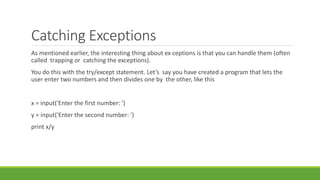
Catching Exceptions
As mentioned earlier, the interesting thing about ex ceptions is that you can handle them (often
called trapping or catching the exceptions).
You do this with the try/except statement. Let’s say you have created a program that lets the
user enter two numbers and then divides one by the other, like this
x = input('Enter the first number: ')
y = input('Enter the second number: ')
print x/y
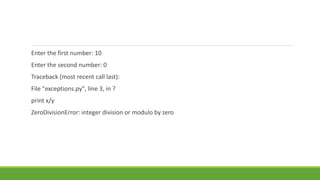
Enter the first number: 10
Enter the second number: 0
Traceback (most recent call last):
File "exceptions.py", line 3, in ?
print x/y
ZeroDivisionError: integer division or modulo by zero
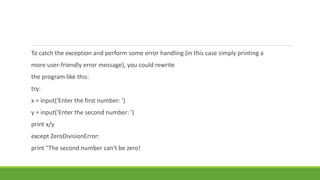
To catch the exception and perform some error handling (in this case simply printing a
more user-friendly error message), you could rewrite
the program like this:
try:
x = input('Enter the first number: ')
y = input('Enter the second number: ')
print x/y
except ZeroDivisionError:
print "The second number can't be zero!
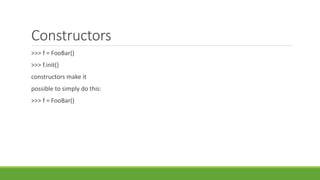
Constructors
>>> f = FooBar()
>>> f.init()
constructors make it
possible to simply do this:
>>> f = FooBar()
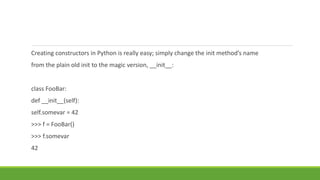
Creating constructors in Python is really easy; simply change the init method’s name
from the plain old init to the magic version, __init__:
class FooBar:
def __init__(self):
self.somevar = 42
>>> f = FooBar()
>>> f.somevar
42
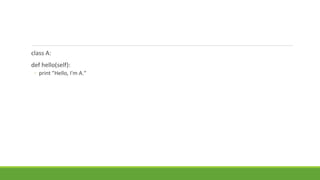
class A:
def hello(self):
◦ print "Hello, I'm A."
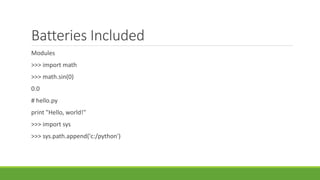
Batteries Included
Modules
>>> import math
>>> math.sin(0)
0.0
# hello.py
print "Hello, world!"
>>> import sys
>>> sys.path.append('c:/python')
>>> import hello
Hello, world!

Python chapter 2

  • 1.
  • 2.
    $ python Running thiscommand should start the interactive Python interpreter , with output similar to the following: Python 2.5.1 (r251:54869, Apr 18 2007, 22:08:04) [GCC 4.0.1 (Apple Computer, Inc. build 5367)] on darwin Type "help", "copyright", "credits" or "license" for more information. >>>
  • 3.
    Package Manager: $apt-get installpython Print “Hello, World!” Hello, Wordl! >>>
  • 4.
    Numbers and Expressions: Theinteractive Python interpreter can be used as a powerful calculator. >>> 2 + 2 >>> 53672 + 235253 288925
  • 5.
    Real numbers arecalled floats (or floating-point numbers ) in Python. If either one of the numbers in a division is a float, the result will be, too: >>> 1.0 / 2.0 0.5 >>> 1/2.0 0.5 >>> 1.0/2 0.5 >>> 1/2. 0.5
  • 6.
    1 % 2 Variables youmight want the name x to represent 3 . To make it so, simply execute the following >>> x = 3 This is called an assignment . We assign the value3 to the variable Another way of putting this is to say that we bind the variable to the value (or object) 3 After you’ve assigned a value to a variable, you can use the variable in expressions: >>> x * 2 6
  • 7.
    Statements >>> 2*2 4 >>> print2*2 4 Getting Input from the User: >>> input("The meaning of life: ") The meaning of life: 42 42
  • 8.
    >>> x =input("x: ") x: 34 >>> y = input("y: ") y: 42 >>> print x * y 1428
  • 9.
    Functions >>> 2**3 8 >>> pow(2,3) 8 >>>10 + pow(2, 3*5)/3.0 10932.666666666666 >>> abs(-10) 10 >>> 1/2 0 >>> round(1.0/2.0) 1.0
  • 10.
    Modules Import modules witha special command called (naturally enough) import >>> import math >>> math.floor(32.9) 32.0 >>> int(math.floor(32.9)) 32
  • 11.
    >>> from mathimport sqrt >>> sqrt(9) 3.0
  • 12.
    Comments The hash sign(# ) is a bit special in Python. When you put it in your code, everything to the right of it is ignored (which is why the Python interpreter didn’t choke on the /usr/bin/env stuff used earlier). Here is an example: # Print the circumference of the circle: print 2 * pi * radius
  • 13.
    # Get theuser's name: user_name = raw_input("What is your name?") Strings: Now what was all that raw_input and "Hello, " + name + "!“ stuff about? Let’s tackle the "Hello" part first and leave raw_input for later. print "Hello, world!"
  • 14.
    Single Quoted Strings >>”HelloWorld” >>’Hello World’ Concatenating Strings >>”Let’s say” ‘”Hello,World” ‘Let’s say “Hello World!” X=“Hello” Y=“World” x y
  • 15.
    String Representation ,str and repr >>>”Hello, World” ‘Hello, world’ 10000L >>>print “Heloo World” Hello, World! 10000
  • 16.
    Input vs. raw_input Name= input(“What is your name?”) Print “Hello,” + name+”!” Input(“Enter a number:”) Enter a number : 3 Raw_input(“Enter a number:”) Enter a number:3 3
  • 17.
    Long String Print ‘’’Thisis a very long string. It continues here. And it’s not over yet “Hello World!” Still here.’’’ Print “Hello, World!”
  • 18.
    Raw Strings >>>Print ‘Hello,nworld!’ Hello, World! >>>Path = ‘C:nowhere’ >>>path ‘C:nowhere’
  • 19.
    Unicode Strings Unicode stringsare stored as 16-bit Unicode. >>>u’Hello, World!’ U’Hello, World!’
  • 20.
    List and Tuple Datastructure is a collection of data elements. >>Edward = [‘Edward Gumby’,42] Edward = [‘Edward Gumby’,42] John = [‘John Smith’,50] Database = [Edward,john] Database [[‘Edward Gumby’,42],[‘John Smith’,50]
  • 21.
    Indexing All elements ina sequence are numbered from 0 to upwards. Greeting = “Hello” Greeting[0] ‘H’ Note : A String is a sequence of characters. The index 0 refers to first element. Greeting[-1] = ‘o’
  • 22.
  • 23.
    Slicing Indexing to accessindividual elements. You can use slicing to access ranges of elements. You can do this by using two indices, separated by a colon: >>tag = ‘<a href=http://www.python.org>Python web site</a>’ >>tag[9:30] ‘http://www.python.org’ >>tag[32:-4] ‘Python web site’
  • 24.
  • 25.
  • 26.
  • 27.
  • 28.
  • 29.
    Deleting Elements Names =[‘Alice’,’Beth’,’Cecil’,’Dee-Dee’,’Earl’] Del Names[2] Names [‘Alice’,’Beth’,’Cecil’]
  • 30.
    List methods Object.method(arguments) Append : Theappend method is used to append an object to the end of a list: Lst = [1,2,3] Lst.append(4) Lst [1,2,3,4]
  • 31.
    Count The count methodcounts the occurences of an element in the list >>[‘to’,’be’,’or’,’not’,’to’,’be’].count(‘to’) 2 >>X=[[1,2],1,1,[2,1,[1,2]]] X.count(1) 2 >> X.count([1,2])
  • 32.
    index The index methodis used for searching lists to find the index of the first Occurrence of a value: >> knights = [‘we’,’are’,’the’,’knings’,’who’,’say’,’ni’] >>>knights.index(‘who’) 4 >>knights[4] ‘who’
  • 33.
    insert The insert methodis used to insert an object into a list: >>> numbers = [1,2,3,4,5,6,7] >>>numbers.insert(3,’four’) >>>numbers [1,2,3,’four’,5,6,7]
  • 34.
    pop The pop methodremoves an element (by default, the last one) from the list and returns it: >>>x=[1,2,3] >>>x.pop() 3 >>>x [1,2] >>>x.pop(0) 1 >>>x [2]
  • 35.
  • 36.
    remove The remove methodis used to remove >>>x = [‘to’,’be’,’or’,’not’,’to’,’be’] >>>x.remove(‘be’) >>>x
  • 37.
  • 38.
  • 39.
  • 40.
  • 41.
  • 42.
  • 43.
    Working with Strings: >>>website= ‘http://www.python.org’ >>>website[-3:] = ‘com’
  • 44.
    String Formatting >>>format =“Hello, %s.%s enough for ya?” >>>values = (‘world’,’Hot’) >>>print format % values Hello,World. Hot enough for ya?
  • 45.
    >>> 'Price ofeggs: $%d' % 42 'Price of eggs: $42' >>> 'Hexadecimal price of eggs: %x' % 42 'Hexadecimal price of eggs: 2a' >>> from math import pi >>> 'Pi: %f...' % pi 'Pi: 3.141593...' >>> 'Very inexact estimate of pi: %i' % pi 'Very inexact estimate of pi: 3' >>> 'Using str: %s' % 42L 'Using str: 42' >>> 'Using repr: %r' % 42L 'Using repr: 42L
  • 46.
    find The find methodfinds a substring within a larger string. It returns the leftmost index where the substring is found. If it is not found, –1 is returned: >>> 'With a moo-moo here, and a moo-moo there'.find('moo') 7 >>> title = "Monty Python's Flying Circus" >>> title.find('Monty') 0
  • 47.
    join A very importantstring method, join is the inverse of split . It is used to join the elements of a Sequence. >>> seq = [1, 2, 3, 4, 5] >>> sep = '+' >>> sep.join(seq
  • 48.
    lower The lower methodreturns a lowercase version of the string: >>> 'Trondheim Hammer Dance'.lower() 'trondheim hammer dance >>> if 'Gumby' in ['gumby', 'smith', 'jones']: print 'Found it!
  • 49.
    replace The replace methodreturns a string where all the occurrences of one string have been replaced by another: >>> 'This is a test'.replace('is', 'eez') 'Theez eez a test
  • 50.
    split A very importantstring method, split is the inverse of join , and is used to split a string into a sequence: >>> '1+2+3+4+5'.split('+') ['1', '2', '3', '4', '5'] >>> '/usr/bin/env'.split('/') ['', 'usr', 'bin', 'env'] >>> 'Using the default'.split() ['Using', 'the', 'default']
  • 51.
    strip The strip methodreturns a string where whitespace on the left and right (but not internally) has been stripped (removed):
  • 52.
    >>> ' internalwhitespace is kept '.strip() 'internal whitespace is kept‘ As with lower , strip can be useful when comparing input to stored values. Let’s return to the user name example from the section on lower , and let’s say that the user inadvertently types a space after his name: >>> names = ['gumby', 'smith', 'jones'] >>> name = 'gumby ' >>> if name in names: print 'Found it!' ...
  • 53.
    >>> if name.strip()in names: print 'Found it!' ... Found it! >>>
  • 54.
    Dictionaries Data structure inwhich you can refer to each value by name. This type of structure is called a mapping. The only built-in mapping type in Python is the dictionary.
  • 55.
    Dictionary Uses: A dictionaryis more appropriate than a list in many situations. Here are some examples of uses of Python dictionaries: • Representing the state of a game board, with each key being a tuple of coordinates • Storing file modification times, with file names as keys • A digital telephone/address book Let’s say you have a list of people: >>> names = ['Alice', 'Beth', 'Cecil', 'Dee-Dee', 'Earl']
  • 56.
    Creating and UsingDictionaries Dictionaries are written like this: phonebook = {'Alice': '2341', 'Beth': '9102', 'Cecil': '3258'} Note Keys are unique within a dictionary (and any other kind of mapping). Values do not need to be unique within a dictionary.
  • 57.
    The dict FunctionYou can use the dict function 1 to construct dictionaries from other mappings (for example, other dictionaries) orfrom sequences of (key, value) pairs. >>> items = [('name', 'Gumby'), ('age', 42)] >>> d = dict(items) >>> d {'age': 42, 'name': 'Gumby'} >>> d['name'] 'Gumby
  • 58.
    Dictionary Methods Clear The clearmethod removes all items from the dictionary. This is an In-place operation (like list.sort ), so it returns nothing (or, rather, None) >>> d = {} >>> d['name'] = 'Gumby' >>> d['age'] = 42 >>> d {'age': 42, 'name': 'Gumby'}
  • 59.
    >>> returned_value =d.clear() >>> d {} >>> print returned_value None
  • 60.
    >>> x ={} >>> y = x >>> x['key'] = 'value' >>> y {'key': 'value'} >>> x = {} >>> y {'key': 'value'}
  • 61.
    copy The copy methodreturns a new dictionary with the same key-value pairs (a shallow copy , since the values themselves are the same , not copies): >>> x = {'username': 'admin', 'machines': ['foo', 'bar', 'baz']} >>> y = x.copy() >>> y['username'] = 'mlh' >>> y['machines'].remove('bar') >>> y
  • 62.
    Deepcopy >>> from copyimport deepcopy >>> d = {} >>> d['names'] = ['Alfred', 'Bertrand'] >>> c = d.copy() >>> dc = deepcopy(d) >>> d['names'].append('Clive') >>> c {'names': ['Alfred', 'Bertrand', 'Clive']} >>> dc {'names': ['Alfred', 'Bertrand']}
  • 63.
    fromkeys The fromkeys methodcreates a new dictionary with the given keys, each with a default corre- sponding value of None: >>> {}.fromkeys(['name', 'age']) {'age': None, 'name': None}
  • 64.
    get The get methodis a forgiving way of accessing dictionary items. Ordinarily, when you try to access an item that is not present in the dictionary, things go very wrong: >>> d = {} >>> print d['name'] Traceback (most recent call last): File "<stdin>", line 1, in ? KeyError: 'name
  • 65.
    has_key The has_key methodchecks whether a dictionary has a given key. The expression d.has_key(k) is equivalent to k in d . The choice of which to use is largely a matter of taste, although has_key is on its way out of the language (it will be gone in Python 3.0). Here is an example of how you might use has_key
  • 66.
    >>> d ={} >>> d.has_key('name') False >>> d['name'] = 'Eric' >>> d.has_key('name') True
  • 67.
    items and iteritems Theitems method returns all the items of the dictionary as a list of items in which each item is of the form (key, value) . The items are not returned in any particular order: >>> d = {'title': 'Python Web Site', 'url': 'http://www.python.org', 'spam': 0} >>> d.items() [('url', 'http://www.python.org'), ('spam', 0), ('title', 'Python Web Site')]
  • 68.
    Pop The pop methodcan be used to get the value corresponding to a given key, and then remove the key-value pair from the dictionary: >>> d = {'x': 1, 'y': 2} >>> d.pop('x') 1 >>> d {'y': 2}
  • 69.
    Popiem The popitem methodis similar to list.pop , which pops off the last element of a list. Unlike list.pop , however, popitem pops off an arbitrary item because dictionaries don’t have a “last element” or any order whatsoever. This may be very useful if you want to remove and process the items one by one in an efficient way (without retrieving a list of the keys first): >>> d {'url': 'http://www.python.org', 'spam': 0, 'title': 'Python Web Site'} >>> d.popitem() ('url', 'http://www.python.org') >>> d {'spam': 0, 'title': 'Python Web Site'}
  • 70.
    Setdefault The setdefaultmethod is somewhat similar to get , in that it retrieves a value associated with a given key. In addition to the get functionality, setdefault sets the value corresponding to the given key if it is not a lready in the dictionary: >>> d = {} >>> d.setdefault('name', 'N/A') 'N/A
  • 71.
    >>> d {'name': 'N/A'} >>>d['name'] = 'Gumby' >>> d.setdefault('name', 'N/A') 'Gumby' >>> d {'name': 'Gumby'}
  • 72.
    update The update methodupdates one dictionary with the items of another: >>> d = { 'title': 'Python Web Site', 'url': 'http://www.python.org', 'changed': 'Mar 14 22:09:15 MET 2008' } >>> x = {'title': 'Python Language Website'} >>> d.update(x) >>> d {'url': 'http://www.python.org', 'changed': 'Mar 14 22:09:15 MET 2008', 'title': 'Python Language Website'}
  • 73.
    values and itervalues The values method returns a list of the values in the dictionary (and itervalues returns an iterator of the values). Unlike keys , the list returned by values may contain duplicates: >>> d = {} >>> d[1] = 1 >>> d[2] = 2 >>> d[3] = 3 >>> d[4] = 1 >>> d.values() [1, 2, 3, 1]
  • 74.
    Conditions and ConditionalStatements The following values are considered by the interpreter to mean false when evaluated as a Boolean expression (for example, as the condition of an if statement): False None 0 "" () [] {} >>> True True >>> False False >>> True == 1 True >>> False == 0 True >>> True + False + 42 43
  • 75.
    Conditional Execution andthe if Statement Truth values can be combined (which you’ll see in a while), but let’s first see what you can use them for. Try running the following script: name = raw_input('What is your name? ') if name.endswith('Gumby'): print 'Hello, Mr. Gumby
  • 76.
    else Clauses In theexample from the previous section, if you enter a name that ends with “Gumby,” the method name.endswith returns True , making the If statement enter the block, and the greeting
  • 77.
    is printed. Ifyou want, you can add an alternative, with the else clause (called a clause because it isn’t really a separate statement, just a part of the if statement): name = raw_input('What is your name? ') if name.endswith('Gumby'): print 'Hello, Mr. Gumby' else: print 'Hello, stranger
  • 78.
    elif Clauses Ifyou want to check for several conditions, you can use elif , which is short for “else if.” It is a combination of an if clause and an else clause—an else clause with a condition: num = input('Enter a number: ') if num > 0: print 'The number is positive' elif num < 0: print 'The number is negative' else: print 'The number is zero
  • 79.
    Nesting Blocks Let’sthrow in a few bells and whistles. You can have if statements inside other if statement blocks, as follows: name = raw_input('What is your name? ') if name.endswith('Gumby'): if name.startswith('Mr.'): print 'Hello, Mr. Gumby' elif name.startswith('Mrs.'): print 'Hello, Mrs. Gumby' else: print 'Hello, Gumby' else: print 'Hello, stranger'
  • 80.
    The Equality Operator Ifyou want to know if two things are equal, use the equality operator, written as a double equality sign, == : >>> "foo" == "foo" True >>> "foo" == "bar" False
  • 81.
    is: The IdentityOperator The is operator is interesting. It seems to work just like == , but it doesn’t: >>> x = y = [1, 2, 3] >>> z = [1, 2, 3] >>> x == y True
  • 82.
    in: The MembershipOperator I have already introduced the in operator (in Chapter 2, in the section “Membership”). It can be used in conditions, just like all the other comp arison operators: name = raw_input('What is your name? ') if 's' in name: print 'Your name contains the letter "s".' else: print 'Your name does not contain the letter "s".
  • 83.
    Boolean Operators number =input('Enter a number between 1 and 10: ') if number <= 10: if number >= 1: print 'Great!' else: print 'Wrong!' else: print 'Wrong!
  • 84.
    number = input('Entera number between 1 and 10: ') if number <= 10 and number >= 1: print 'Great!' else: print 'Wrong!
  • 85.
    Assertions There is auseful relative of the if statement, which works more or less like this (pseudocode): if not condition: crash program
  • 86.
    Loops Now you knowhow to do something if a condition is true (or false), but how do you do some- thing several times? For example, you might wan t to create a program tha t reminds you to pay the rent every month, but with the tools we have looked at until now, you would need to write the program like this (pseudocode):
  • 87.
    while Loops In orderto avoid the cumbersome code of the preceding example, it would be useful to be able to do something like this: x = 1 while x <= 100: print x x += 1
  • 88.
    name = '' whilenot name: name = raw_input('Please enter your name: ') print 'Hello, %s!' % name
  • 89.
    for Loops words =['this', 'is', 'an', 'ex', 'parrot'] for word in words: ◦ print word numbers = [0, 1, 2, 3, 4, 5, 6, 7, 8, 9] for number in numbers: ◦ print number
  • 90.
    >>> range(0, 10) ◦[0, 1, 2, 3, 4, 5, 6, 7, 8, 9] >>> range(10) [0, 1, 2, 3, 4, 5, 6, 7, 8, 9] for number in range(1,101): ◦ print number
  • 91.
    Iterating Over Dictionaries Toloop over the keys of a dictionary, you can use a plain for statement, just as you can with sequences: d = {'x': 1, 'y': 2, 'z': 3} for key in d: ◦ print key, 'corresponds to', d[key]
  • 92.
    for key, valuein d.items(): ◦ print key, 'corresponds to', value for i in range(len(names)): ◦ print names[i], 'is', ages[i], 'years old
  • 93.
    Numbered Iteration for stringin strings: if 'xxx' in string: ◦ index = strings.index(string) # Search for the string in the list of strings ◦ strings[index] = '[censored] index = 0 for string in strings: ◦ if 'xxx' in string: ◦ rings[index] = '[censored]‘
  • 94.
    continue or x inseq: if condition1: continue if condition2: continue if condition3: continue do_something() do_something_else() do_another_thing() etc()
  • 95.
    for x inseq: if not (condition1 or condition2 or condition3): ◦ do_something() ◦ do_something_else() ◦ do_another_thing() ◦ etc()
  • 96.
    The while True/breakIdiom word = 'dummy' while word: ◦ word = raw_input('Please enter a word: ') # do something with the word: ◦ print 'The word was ' + word
  • 97.
    word = raw_input('Pleaseenter a word: ') while word: # do something with the word: ◦ print 'The word was ' + word ◦ word = raw_input('Please enter a word: ')
  • 98.
    while True: ◦ word= raw_input('Please enter a word: ') ◦ if not word: break # do something with the word: ◦ print 'The word was ' + word
  • 99.
    broke_out = False forx in seq: ◦ do_something(x) ◦ if condition(x): ◦ broke_out = True ◦ break ◦ do_something_else(x) ◦ if not broke_out: ◦ print "I didn't break out!"
  • 100.
    from math importsqrt for n in range(99, 81, -1): ◦ root = sqrt(n) ◦ if root == int(root): ◦ print n ◦ break ◦ else: ◦ print "Didn't find it!"
  • 101.
    List Comprehension >>> [x*xfor x in range(10)] [0, 1, 4, 9, 16, 25, 36, 49, 64, 81 >>> [x*x for x in range(10) if x % 3 == 0] [0, 9, 36, 81] result = [] for x in range(3): ◦ for y in range(3) result.append((x, y))
  • 102.
    Abstraction Fibonacci numbers (aseries of numbers in which each number is the sum of the two previous ones): fibs = [0, 1] for i in range(8): ◦ fibs.append(fibs[-2] + fibs[-1])
  • 103.
    >>> fibs [0, 1,1, 2, 3, 5, 8, 13, 21, 34] fibs = [0, 1] num = input('How many Fibonacci numbers do you want? ') for i in range(num-2): ◦ fibs.append(fibs[-2] + fibs[-1]) ◦ print fibs
  • 104.
    Creating Your OwnFunctions A function is something you can call (possibly with some parameters—the things you put in the parentheses), which performs an action and returns a value >>> import math >>> x = 1 >>> y = math.sqrt >>> callable(x) False >>> callable(y) True
  • 105.
    Scoping >>> x =1 >>> scope = vars() >>> scope['x'] 1 >>> scope['x'] += 1 >>> x 2
  • 106.
    Python is calledan object-oriented language. The benefits of object-oriented language: 1. Polymorphism 2. Encapsulation 3. Inheritance
  • 107.
    Polymorphism def getPrice(object): if isinstance(object,tuple): ◦ return object[1] else: ◦ return magic_network_method(object)
  • 108.
    # Don't doit like this... def getPrice(object): ◦ if isinstance(object, tuple): ◦ return object[1] ◦ elif isinstance(object, dict): ◦ return int(object['price']) ◦ else: ◦ return magic_network_method(object)
  • 109.
  • 110.
    >>> from randomimport choice >>> x = choice(['Hello, world!', [1, 2, 'e', 'e', 4]]) >>> x.count('e') 2 >>> o = OpenObject() # This is how we create objects... >>> o.setName('Sir Lancelot') >>> o.getName() 'Sir Lancelot
  • 111.
    Inheritance you may alreadyhave a class called Shape , which knows how to draw itself on the screen. Now you want to make a class called Rectangle , which also knows how to draw itself on the screen, but which can, in addition, calculate its own area. You wouldn’t want to do all the work of making a new draw method when Shape has one that works just fine. So what do you do? You let Rectangle inheritthe methods from Shape . You can do this in such a way that when draw is called on a Rectangle object
  • 112.
    Classes and Types WhatIs a Class, Exactly? Making Your Own Classes: __metaclass__ = type # Make sure we get new style classes class Person: def setName(self, name): ◦ self.name = name def getName(self): ◦ return self.name
  • 113.
    elif greet(self): ◦ print"Hello, world! I'm %s." % self.name
  • 114.
    Attributes, Functions, andMethods >>> class Class: def method(self): ◦ print 'I have a self!' >>> def function(): ◦ print "I don't..." >>> instance = Class() >>> instance.method() I have a self! >>> instance.method = function >>> instance.method() I don't.
  • 115.
    >>> class Bird: song= 'Squaawk!' def sing(self): print self.song >>> bird = Bird() >>> bird.sing() Squaawk! >>> birdsong = bird.sing >>> birdsong() Squaawk
  • 116.
    Exceptions What Is anException? To represent exceptional conditions, Python uses exception objects . When it encounters an error, it raises an exception. If such an exception object is not handled (or caught ), the program terminates with a so-called traceback (an error message): >>> 1/0 Traceback (most recent call last): File "<stdin>", line 1, in ? ZeroDivisionError: integer division or modulo by zero
  • 117.
    The raise Statement Toraise an exception, you use the raise statement with an argument that is either a class (which should subclass Exception ) or an instance. When using a class, an instance is created automatically Here is an example, using the built-in exception class Exception >>> raise Exception Traceback (most recent call last): File "<stdin>", line 1, in ? Exception >>> raise Exception('hyperdrive overload') Traceback (most recent call last): File "<stdin>", line 1, in ? Exception: hyperdrive overload
  • 118.
    Catching Exceptions As mentionedearlier, the interesting thing about ex ceptions is that you can handle them (often called trapping or catching the exceptions). You do this with the try/except statement. Let’s say you have created a program that lets the user enter two numbers and then divides one by the other, like this x = input('Enter the first number: ') y = input('Enter the second number: ') print x/y
  • 119.
    Enter the firstnumber: 10 Enter the second number: 0 Traceback (most recent call last): File "exceptions.py", line 3, in ? print x/y ZeroDivisionError: integer division or modulo by zero
  • 120.
    To catch theexception and perform some error handling (in this case simply printing a more user-friendly error message), you could rewrite the program like this: try: x = input('Enter the first number: ') y = input('Enter the second number: ') print x/y except ZeroDivisionError: print "The second number can't be zero!
  • 121.
    Constructors >>> f =FooBar() >>> f.init() constructors make it possible to simply do this: >>> f = FooBar()
  • 122.
    Creating constructors inPython is really easy; simply change the init method’s name from the plain old init to the magic version, __init__: class FooBar: def __init__(self): self.somevar = 42 >>> f = FooBar() >>> f.somevar 42
  • 123.
    class A: def hello(self): ◦print "Hello, I'm A."
  • 124.
    Batteries Included Modules >>> importmath >>> math.sin(0) 0.0 # hello.py print "Hello, world!" >>> import sys >>> sys.path.append('c:/python')
  • 125.