z
Basic Principles
of Design and
Layout
z
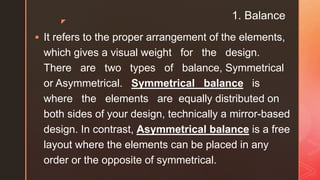
1. Balance
 It refers to the proper arrangement of the elements,
which gives a visual weight for the design.
There are two types of balance, Symmetrical
or Asymmetrical. Symmetrical balance is
where the elements are equally distributed on
both sides of your design, technically a mirror-based
design. In contrast, Asymmetrical balance is a free
layout where the elements can be placed in any
order or the opposite of symmetrical.
z
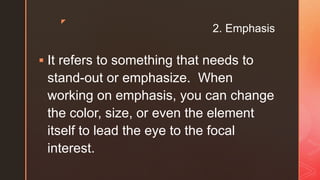
2. Emphasis
 It refers to something that needs to
stand-out or emphasize. When
working on emphasis, you can change
the color, size, or even the element
itself to lead the eye to the focal
interest.
z
3. Pattern, Repetition and Rhythm
 The use of repetitive elements such as
lines, shapes, forms, textures, space,
colors, font, style, and the like to create
texture, movement, continuity, and
consistency of the design.
z
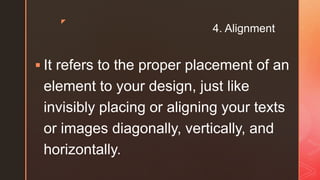
4. Alignment
 It refers to the proper placement of an
element to your design, just like
invisibly placing or aligning your texts
or images diagonally, vertically, and
horizontally.
z
5. Hierarchy
 It refers to the proper
arrangement of the details
such as text, characters,
numbers, and symbols.
z
6. Contrast
 It refers to the use of different or opposite
elements such as sizes (large or small),
shapes (geometric or organic), spaces
(negative or positive), form (real or abstract),
colors (monochromatic, complementary,
triadic, tetradic), texture (smooth or rough),
and values (light or dark). The contrast gives
visual weight to an object or design.
z
7. Unity and Harmony
 It refers to the relationship of the
elements or the contents when you
place them together. The elements of
the design must work together and
agree to its meaning, theme, feeling,
or mood.
z

Basic Principles of Design and Layout.pptx

  • 1.
  • 2.
    z 1. Balance  Itrefers to the proper arrangement of the elements, which gives a visual weight for the design. There are two types of balance, Symmetrical or Asymmetrical. Symmetrical balance is where the elements are equally distributed on both sides of your design, technically a mirror-based design. In contrast, Asymmetrical balance is a free layout where the elements can be placed in any order or the opposite of symmetrical.
  • 3.
    z 2. Emphasis  Itrefers to something that needs to stand-out or emphasize. When working on emphasis, you can change the color, size, or even the element itself to lead the eye to the focal interest.
  • 4.
    z 3. Pattern, Repetitionand Rhythm  The use of repetitive elements such as lines, shapes, forms, textures, space, colors, font, style, and the like to create texture, movement, continuity, and consistency of the design.
  • 5.
    z 4. Alignment  Itrefers to the proper placement of an element to your design, just like invisibly placing or aligning your texts or images diagonally, vertically, and horizontally.
  • 6.
    z 5. Hierarchy  Itrefers to the proper arrangement of the details such as text, characters, numbers, and symbols.
  • 7.
    z 6. Contrast  Itrefers to the use of different or opposite elements such as sizes (large or small), shapes (geometric or organic), spaces (negative or positive), form (real or abstract), colors (monochromatic, complementary, triadic, tetradic), texture (smooth or rough), and values (light or dark). The contrast gives visual weight to an object or design.
  • 8.
    z 7. Unity andHarmony  It refers to the relationship of the elements or the contents when you place them together. The elements of the design must work together and agree to its meaning, theme, feeling, or mood.
  • 9.