welcome to
What are Basic Dos Commands?
[Internal And External]
 In MS-DOS (Disk Operating System) There are two types
of Basic dos commands they are internal dos commands
and external dos commands which are used separately to
perform specific task or operation. Internal dos commands
are those commands which are included in command
processor (command.com).
 Internal dos commands are built in command.com file and
while the computer has been booted this file or commands
are loaded in the computer memory and you can use this
basic dos commands while computer is ON.
 Examples:: ver, time, del, md , cd , copy con, cls , date, vol,
ren, copy etc
Basic Dos Commands?
 External Dos Commands are those basic dos commands
which require external supporting files which may be
present on the bootable disk or harddisk , without
supporting files you cannot run or execute this commands.
 The External Dos Commands are not built in
command.com file . They are present separately on
harddisk , they are slow as compared to internal dos
commands and require a lot of Computer memory to
execute or run
 Examples of Basic Dos Commands:: tree, xcopy, diskcopy,
more, fdisk, format etc.
External Dos Commands
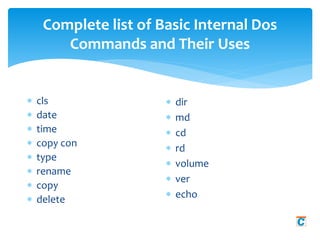
Complete list of Basic Internal Dos
Commands and Their Uses
 cls
 date
 time
 copy con
 type
 rename
 copy
 delete
 dir
 md
 cd
 rd
 volume
 ver
 echo
CLS COMMAND
 This is an Internal dos
command which is used to
clear the output on the
screen obtained when
executed any basic dos
commands.
 These commands clears all
the text from the screen
and shows user a Command
prompt.
 (Syntax)
C:>cls (Press Enter)
DATE COMMAND
 Date command is a
internal basic dos
command which is used
to display or change
current date of system in
format of mm/dd/yy.
 (Syntax)
C:>date (Press Enter)
TIME COMMAND
 Time command is used to
display or change the
current time of Computer
system. The format which is
used by time command is
HH:MM:SS .
 Where HH stands for hours
of the day in 24 hour format
, MM for minutes , SS For
seconds and CC For
hundreds of a second.
 (Syntax)
C:> Time (Press Enter)
COPY CON COMMAND
 This is a very important internal
dos command which is used to
create text files . The filename
used while creating a file using
this basic dos command consist of
a primary name and a extension
which is separated by a dot or
commonly called as period.
 While creating a File there are
some rules, that a primary file
name must not be greater then 8
characters and the extension
must be not greater then 3
characters.
 Filename can consist of digits
and special symbols such as 0 to
9 or @ # % etc
 (Syntax)
C:>copy con abc.com
(Press Enter)
 Every body wants to go to
heaven but nobody wants
to die.
 To save the file use CTRL+Z
OR F6 OR to cancel use
CTRL+C from keyboard.
 External Dos Commands are those commands which
are not embedded into command.com file, these
command requires external supporting files for
execution.
 For example to run fdisk command you will need a
fdisk.exe or fdisk.com file inside your Computer
system or bootable drives.
Basic External Dos Commands & Uses
FORMAT COMMAND
 Format command is a external
command and to run format
command you need a supporting
file named format.com
 Format command deletes or
erase all the data present in the
drives . which can be any flash
drives , hard drives or floppy
disk.
 The format command creates
new allocation table and root
directory and make the drive use
able. The command also checks
for bad areas of drives
commonly called as bad sectors.
 (Syntax)
C:> format (drive name)
(Press Enter)
C:>format A: (Press Enter)
Switches used in format
command.
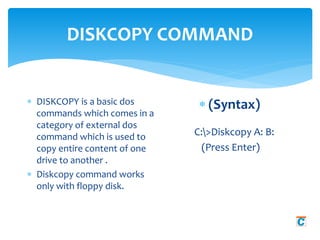
DISKCOPY COMMAND
 DISKCOPY is a basic dos
commands which comes in a
category of external dos
command which is used to
copy entire content of one
drive to another .
 Diskcopy command works
only with floppy disk.
 (Syntax)
C:>Diskcopy A: B:
(Press Enter)
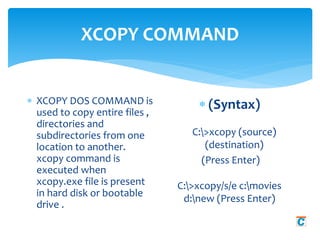
XCOPY COMMAND
 XCOPY DOS COMMAND is
used to copy entire files ,
directories and
subdirectories from one
location to another.
xcopy command is
executed when
xcopy.exe file is present
in hard disk or bootable
drive .
 (Syntax)
C:>xcopy (source)
(destination)
(Press Enter)
C:>xcopy/s/e c:movies
d:new (Press Enter)
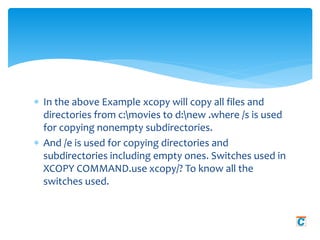
 In the above Example xcopy will copy all files and
directories from c:movies to d:new .where /s is used
for copying nonempty subdirectories.
 And /e is used for copying directories and
subdirectories including empty ones. Switches used in
XCOPY COMMAND.use xcopy/? To know all the
switches used.
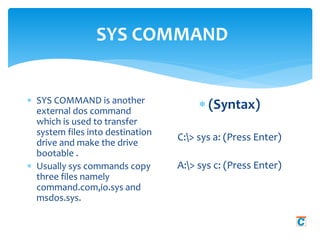
SYS COMMAND
 SYS COMMAND is another
external dos command
which is used to transfer
system files into destination
drive and make the drive
bootable .
 Usually sys commands copy
three files namely
command.com,io.sys and
msdos.sys.
 (Syntax)
C:> sys a: (Press Enter)
A:> sys c: (Press Enter)
http://www.chtips.com/msdos/basic-dos-commands
http://www.chtips.com/msdos/what-is-dos-operating-system

Basic dos-commands

  • 1.
    welcome to What areBasic Dos Commands? [Internal And External]
  • 2.
     In MS-DOS(Disk Operating System) There are two types of Basic dos commands they are internal dos commands and external dos commands which are used separately to perform specific task or operation. Internal dos commands are those commands which are included in command processor (command.com).  Internal dos commands are built in command.com file and while the computer has been booted this file or commands are loaded in the computer memory and you can use this basic dos commands while computer is ON.  Examples:: ver, time, del, md , cd , copy con, cls , date, vol, ren, copy etc Basic Dos Commands?
  • 3.
     External DosCommands are those basic dos commands which require external supporting files which may be present on the bootable disk or harddisk , without supporting files you cannot run or execute this commands.  The External Dos Commands are not built in command.com file . They are present separately on harddisk , they are slow as compared to internal dos commands and require a lot of Computer memory to execute or run  Examples of Basic Dos Commands:: tree, xcopy, diskcopy, more, fdisk, format etc. External Dos Commands
  • 4.
    Complete list ofBasic Internal Dos Commands and Their Uses  cls  date  time  copy con  type  rename  copy  delete  dir  md  cd  rd  volume  ver  echo
  • 5.
    CLS COMMAND  Thisis an Internal dos command which is used to clear the output on the screen obtained when executed any basic dos commands.  These commands clears all the text from the screen and shows user a Command prompt.  (Syntax) C:>cls (Press Enter)
  • 6.
    DATE COMMAND  Datecommand is a internal basic dos command which is used to display or change current date of system in format of mm/dd/yy.  (Syntax) C:>date (Press Enter)
  • 7.
    TIME COMMAND  Timecommand is used to display or change the current time of Computer system. The format which is used by time command is HH:MM:SS .  Where HH stands for hours of the day in 24 hour format , MM for minutes , SS For seconds and CC For hundreds of a second.  (Syntax) C:> Time (Press Enter)
  • 8.
    COPY CON COMMAND This is a very important internal dos command which is used to create text files . The filename used while creating a file using this basic dos command consist of a primary name and a extension which is separated by a dot or commonly called as period.  While creating a File there are some rules, that a primary file name must not be greater then 8 characters and the extension must be not greater then 3 characters.  Filename can consist of digits and special symbols such as 0 to 9 or @ # % etc  (Syntax) C:>copy con abc.com (Press Enter)  Every body wants to go to heaven but nobody wants to die.  To save the file use CTRL+Z OR F6 OR to cancel use CTRL+C from keyboard.
  • 9.
     External DosCommands are those commands which are not embedded into command.com file, these command requires external supporting files for execution.  For example to run fdisk command you will need a fdisk.exe or fdisk.com file inside your Computer system or bootable drives. Basic External Dos Commands & Uses
  • 10.
    FORMAT COMMAND  Formatcommand is a external command and to run format command you need a supporting file named format.com  Format command deletes or erase all the data present in the drives . which can be any flash drives , hard drives or floppy disk.  The format command creates new allocation table and root directory and make the drive use able. The command also checks for bad areas of drives commonly called as bad sectors.  (Syntax) C:> format (drive name) (Press Enter) C:>format A: (Press Enter) Switches used in format command.
  • 11.
    DISKCOPY COMMAND  DISKCOPYis a basic dos commands which comes in a category of external dos command which is used to copy entire content of one drive to another .  Diskcopy command works only with floppy disk.  (Syntax) C:>Diskcopy A: B: (Press Enter)
  • 12.
    XCOPY COMMAND  XCOPYDOS COMMAND is used to copy entire files , directories and subdirectories from one location to another. xcopy command is executed when xcopy.exe file is present in hard disk or bootable drive .  (Syntax) C:>xcopy (source) (destination) (Press Enter) C:>xcopy/s/e c:movies d:new (Press Enter)
  • 13.
     In theabove Example xcopy will copy all files and directories from c:movies to d:new .where /s is used for copying nonempty subdirectories.  And /e is used for copying directories and subdirectories including empty ones. Switches used in XCOPY COMMAND.use xcopy/? To know all the switches used.
  • 14.
    SYS COMMAND  SYSCOMMAND is another external dos command which is used to transfer system files into destination drive and make the drive bootable .  Usually sys commands copy three files namely command.com,io.sys and msdos.sys.  (Syntax) C:> sys a: (Press Enter) A:> sys c: (Press Enter)
  • 15.