Basic and Advanced
Analysis of
Ceph Volume Backend Driver
in Cinder
TOP3
2017GLOBAL
PUBLISHERS
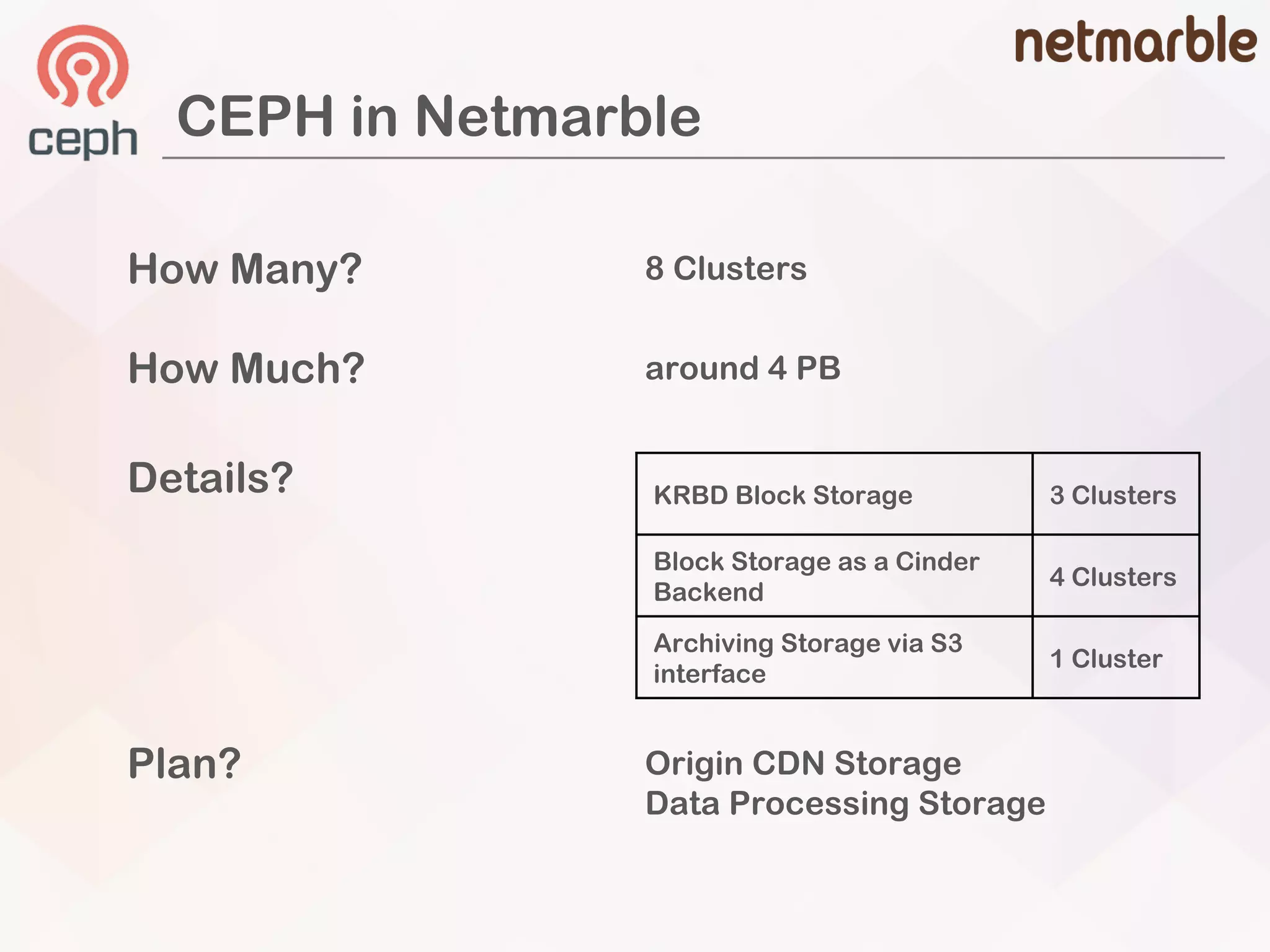
How Many?
How Much?
Details?
Plan?
8 Clusters
around 4 PB
KRBD Block Storage 3 Clusters
Block Storage as a Cinder
Backend
4 Clusters
Archiving Storage via S3
interface
1 Cluster
Origin CDN Storage
Data Processing Storage
CEPH in Netmarble
Today’s Journey
Default
Cinder
Features Complex
Cinder
Feature
Basic
Advanced
John Haan (Seungjin Han)
2011 – 2016 (Samsung SDS)
Cloud Solution Engineer
OpenStack Development
2016 – present (Netmarble)
Cloud Platform Engineer
Responsible for Ceph Storage
Who’s Speker
Basic
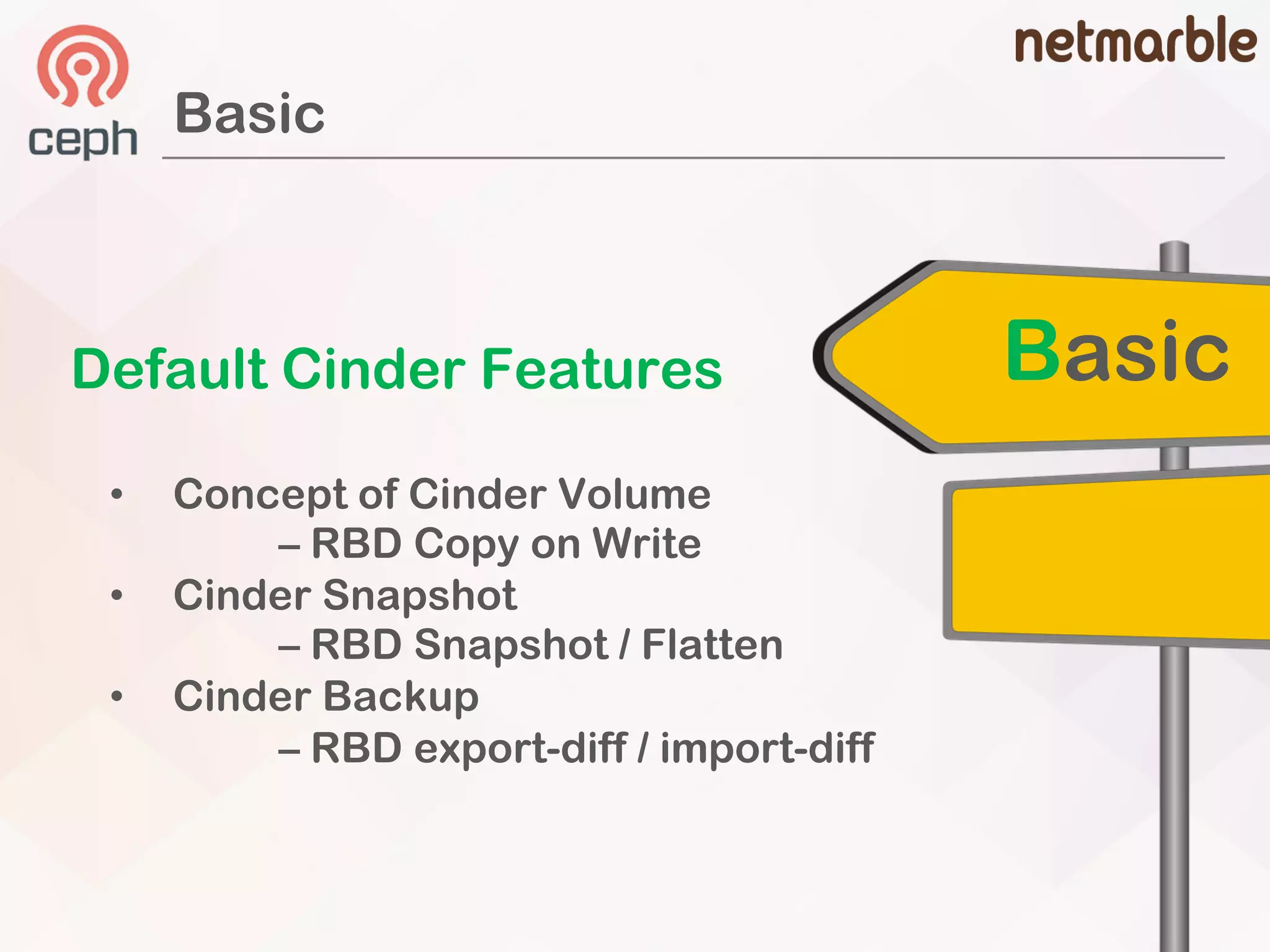
Default Cinder Features
• Concept of Cinder Volume
– RBD Copy on Write
• Cinder Snapshot
– RBD Snapshot / Flatten
• Cinder Backup
– RBD export-diff / import-diff
Basic
OpenStack Cinder & CEPH
OpenStack Cinder
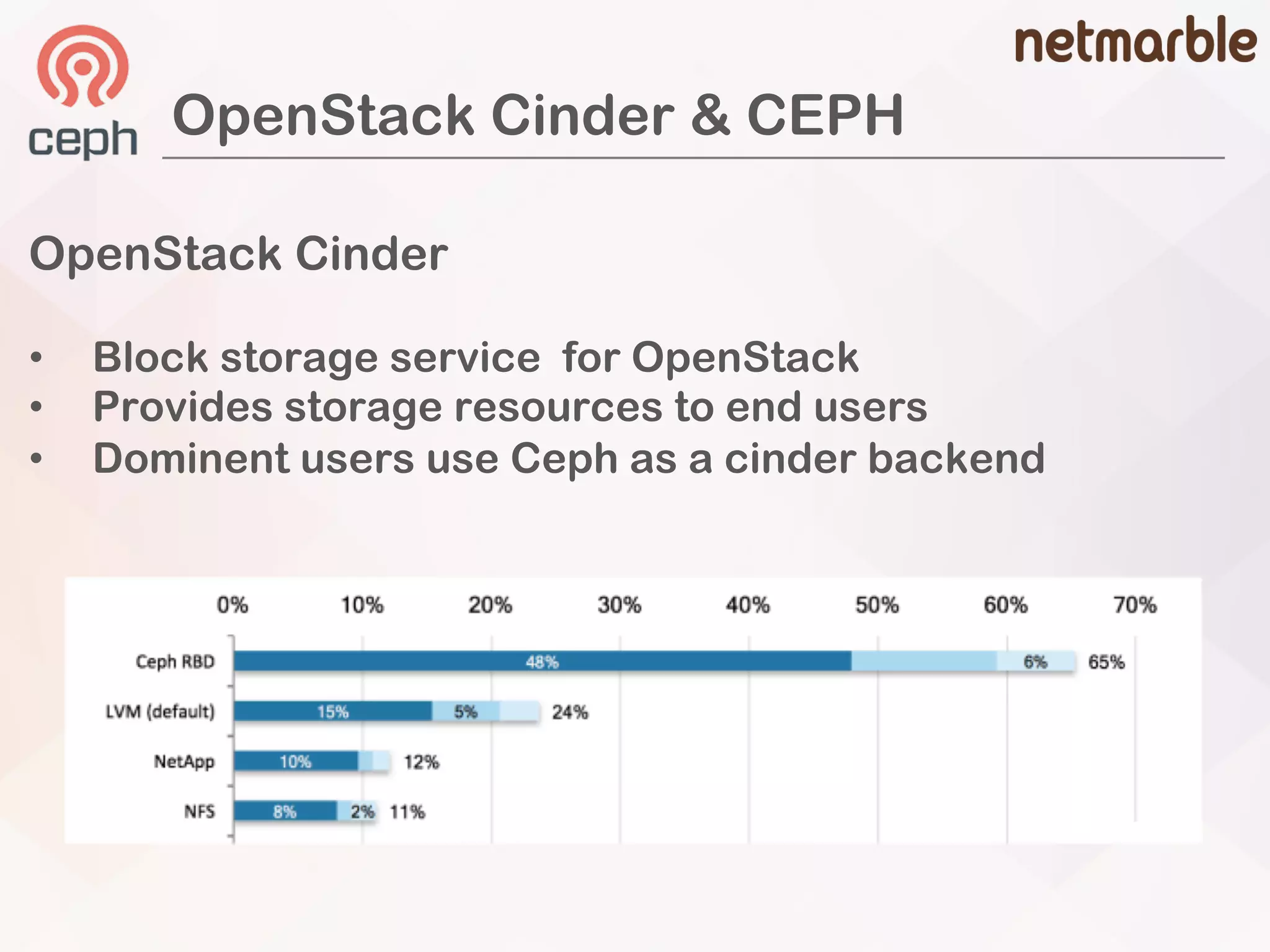
• Block storage service for OpenStack
• Provides storage resources to end users
• Dominent users use Ceph as a cinder backend
OpenStack Cinder & CEPH
• http://docs.ceph.com/docs/master/rbd/rbd-openstack/
How to Integrate Ceph as a Cinder Backend
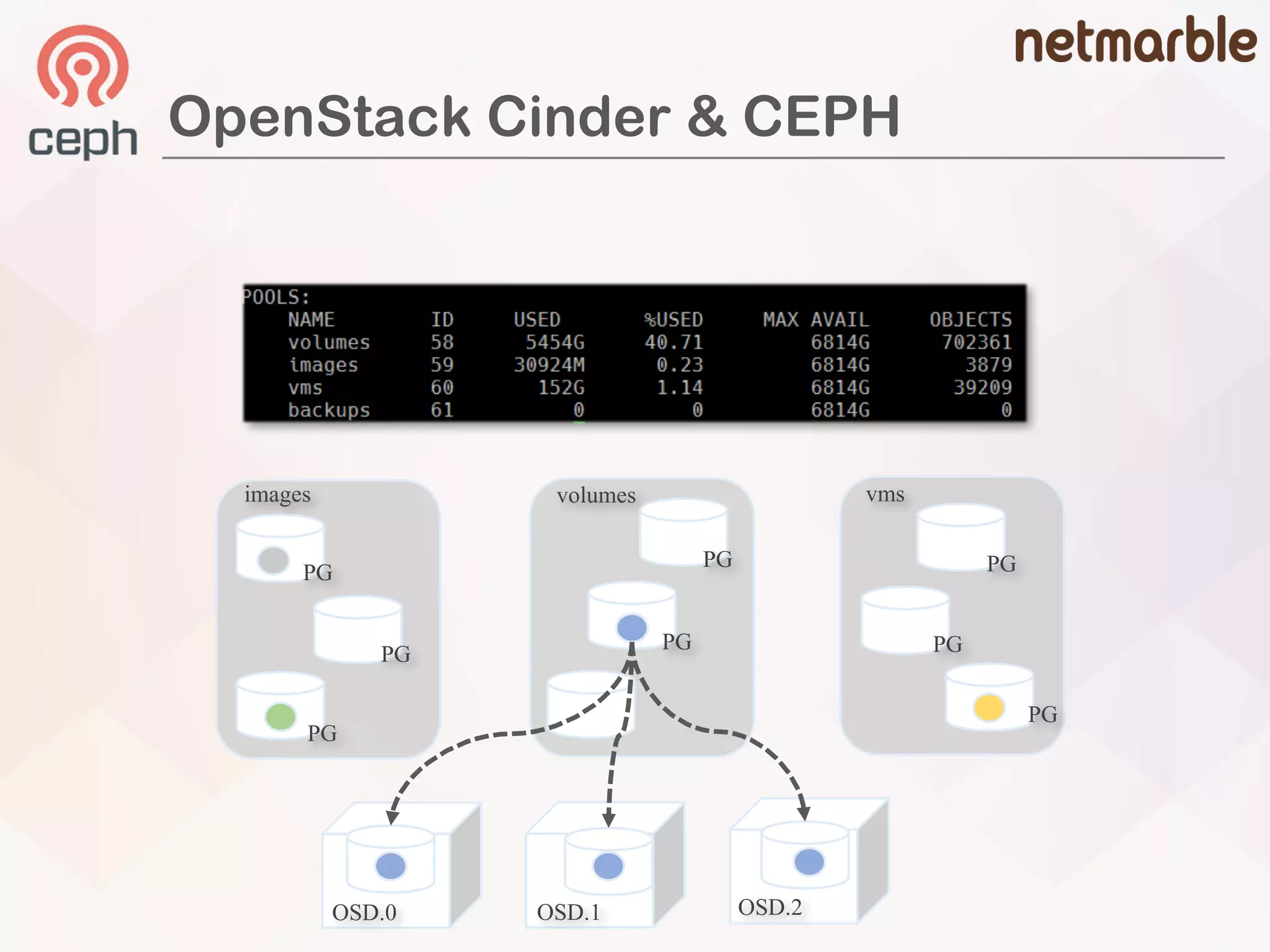
ceph osd pool create volumes …
ceph osd pool create images …
ceph osd pool create backups …
ceph osd pool create vms …
### glance
[glance_store]
rbd_store_pool = images
### cinder
[rbd]
rbd_pool = volumes
### nova
[libvirt]
images_rbd_pool = vms
OpenStack
Configurations
Create
Ceph Pools
OpenStack Cinder & CEPH
OSD.0 OSD.1 OSD.2
PG
PG
PG
PG
PG
PG
PG
PG
images volumes vms
OpenStack Cinder & CEPH
Anatomy of Cinder Volume
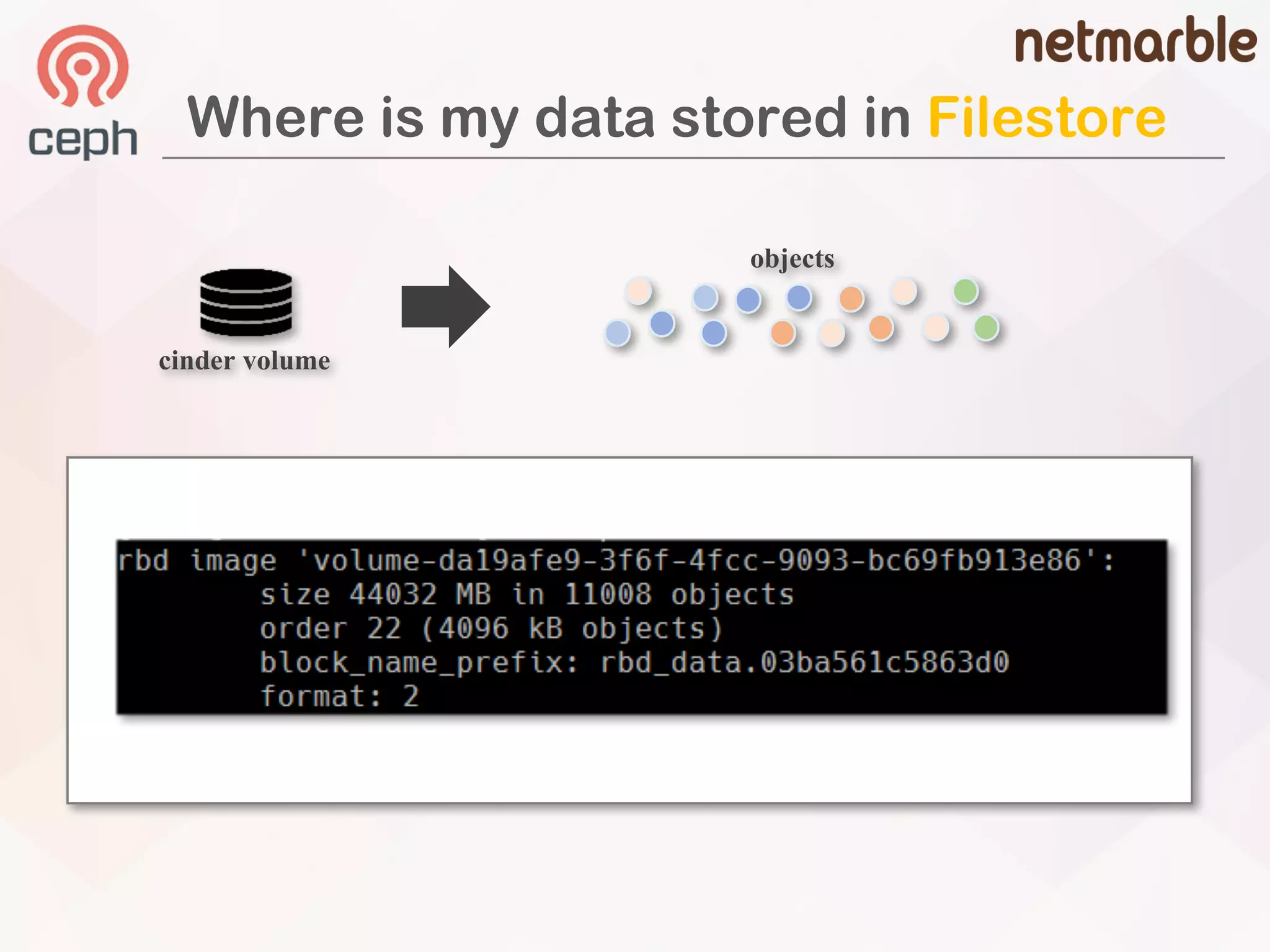
• 4MB chuk of rbd volume
• 8MB chunk of rbd volumes
### cinder
[rbd]
rbd_store_chunk_size = {chunk size in MB}
# default value is 4MB
• 20GB of cinder volume
• could change rados default size
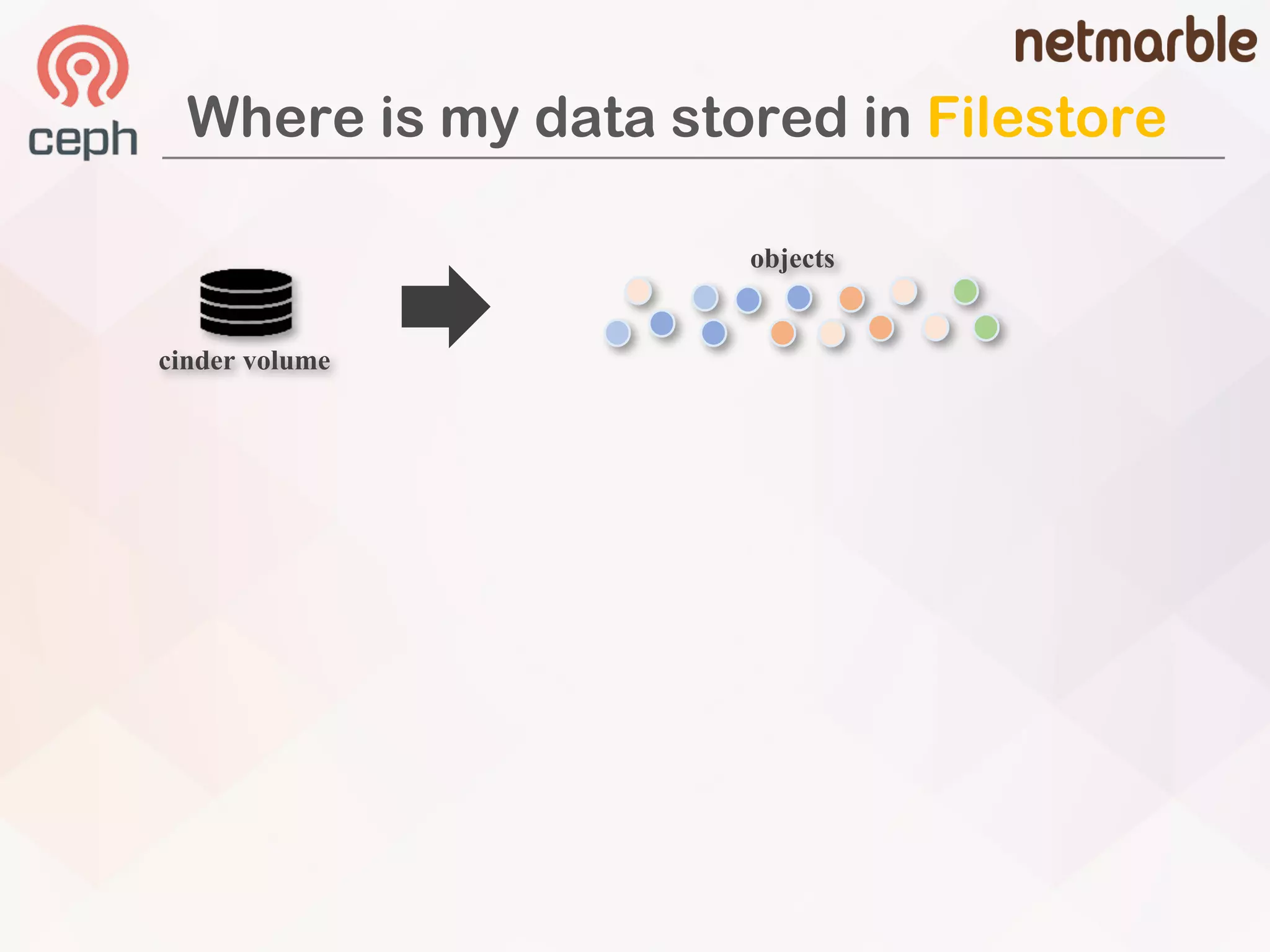
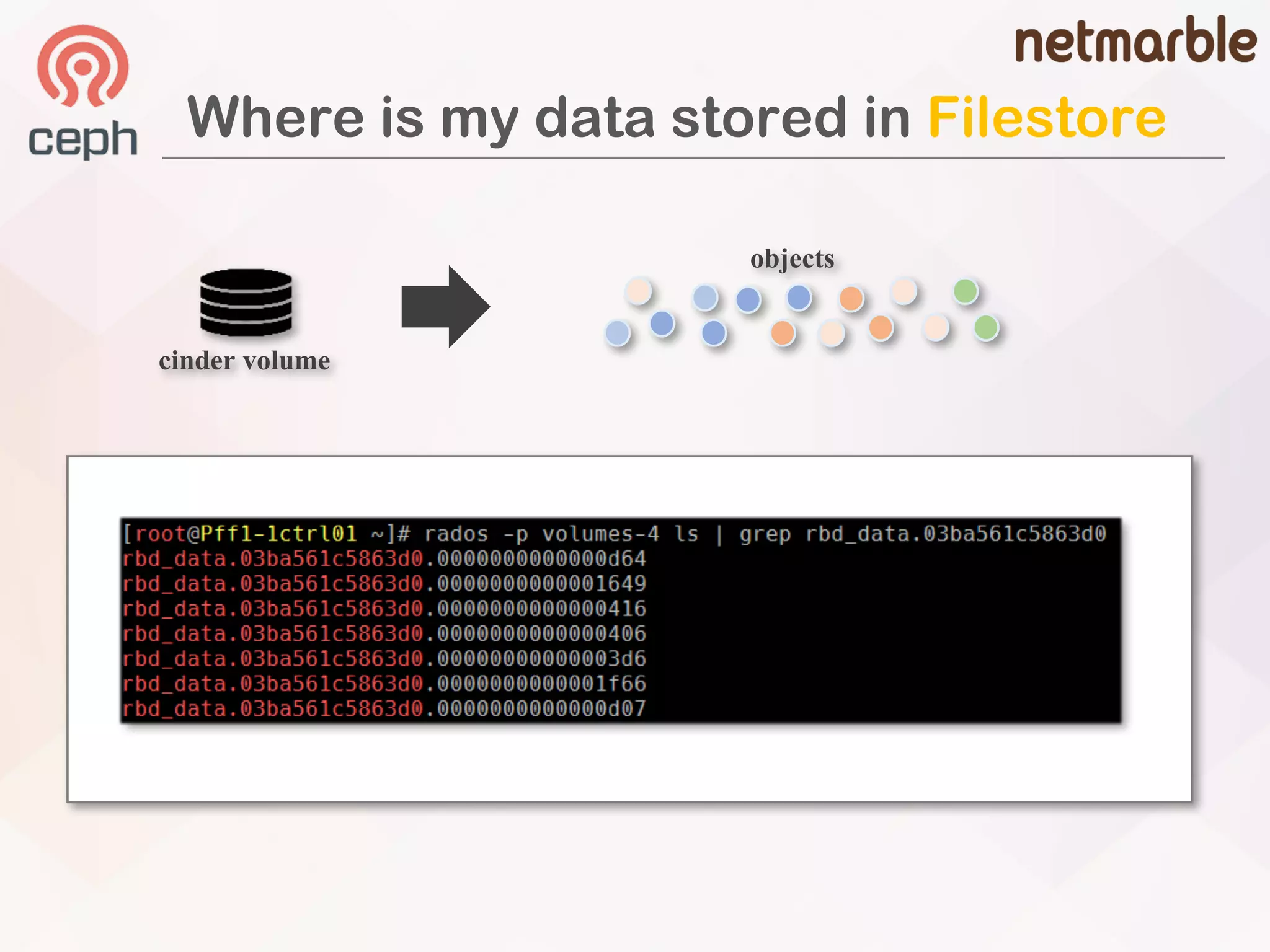
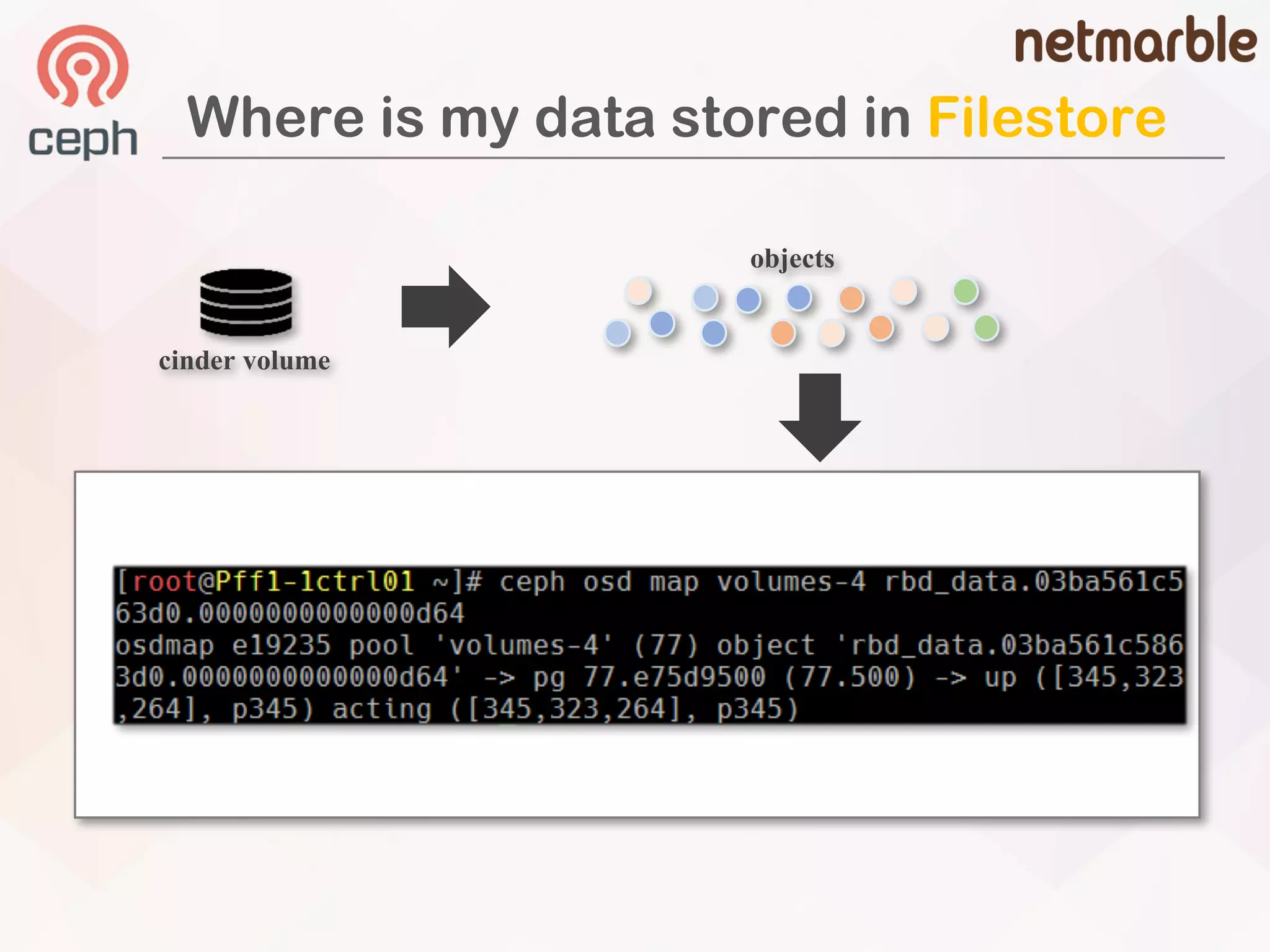
Where is my data stored in Filestore
objects
cinder volume
Where is my data stored in Filestore
objects
cinder volume
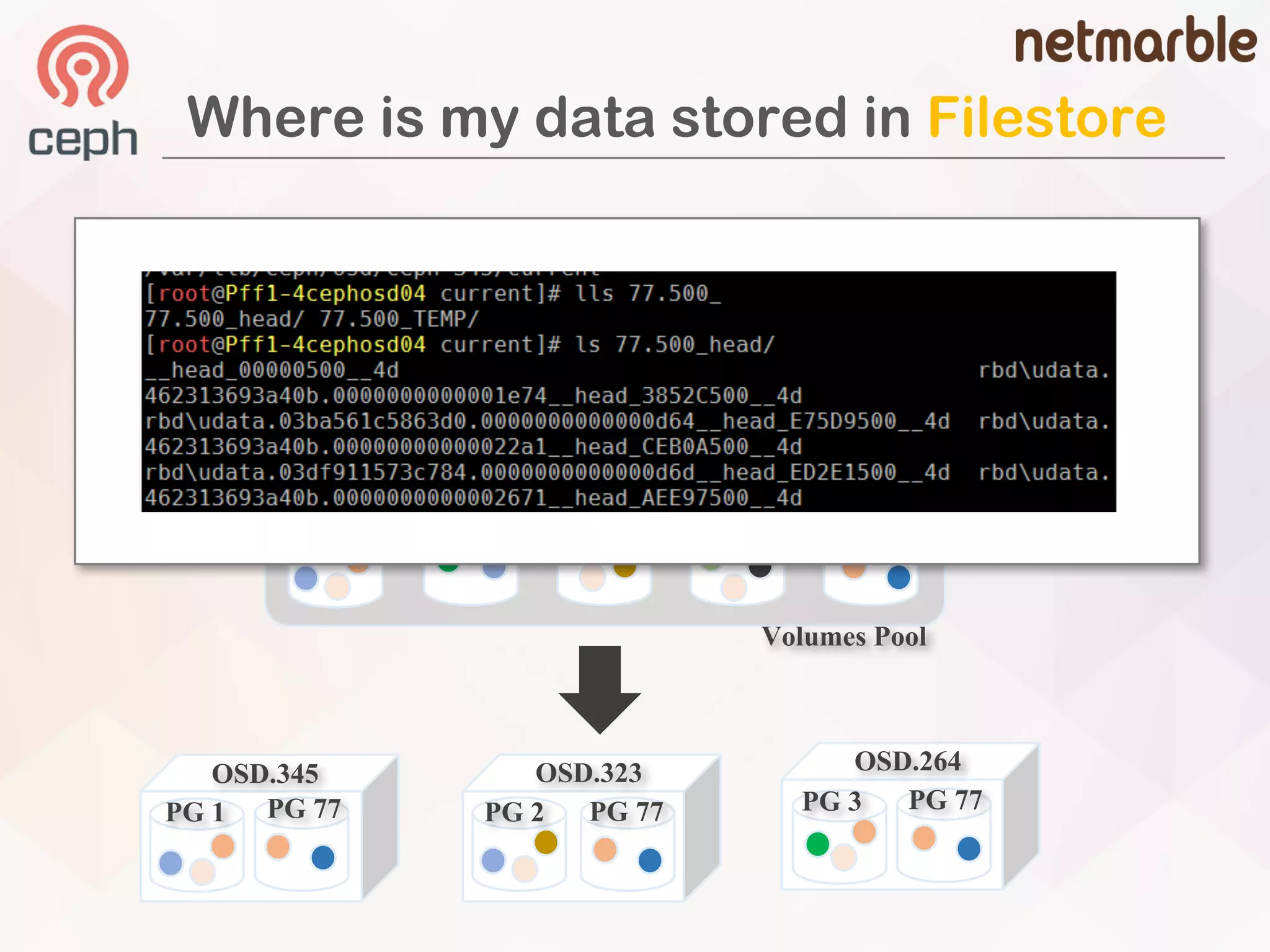
Where is my data stored in Filestore
objects
cinder volume
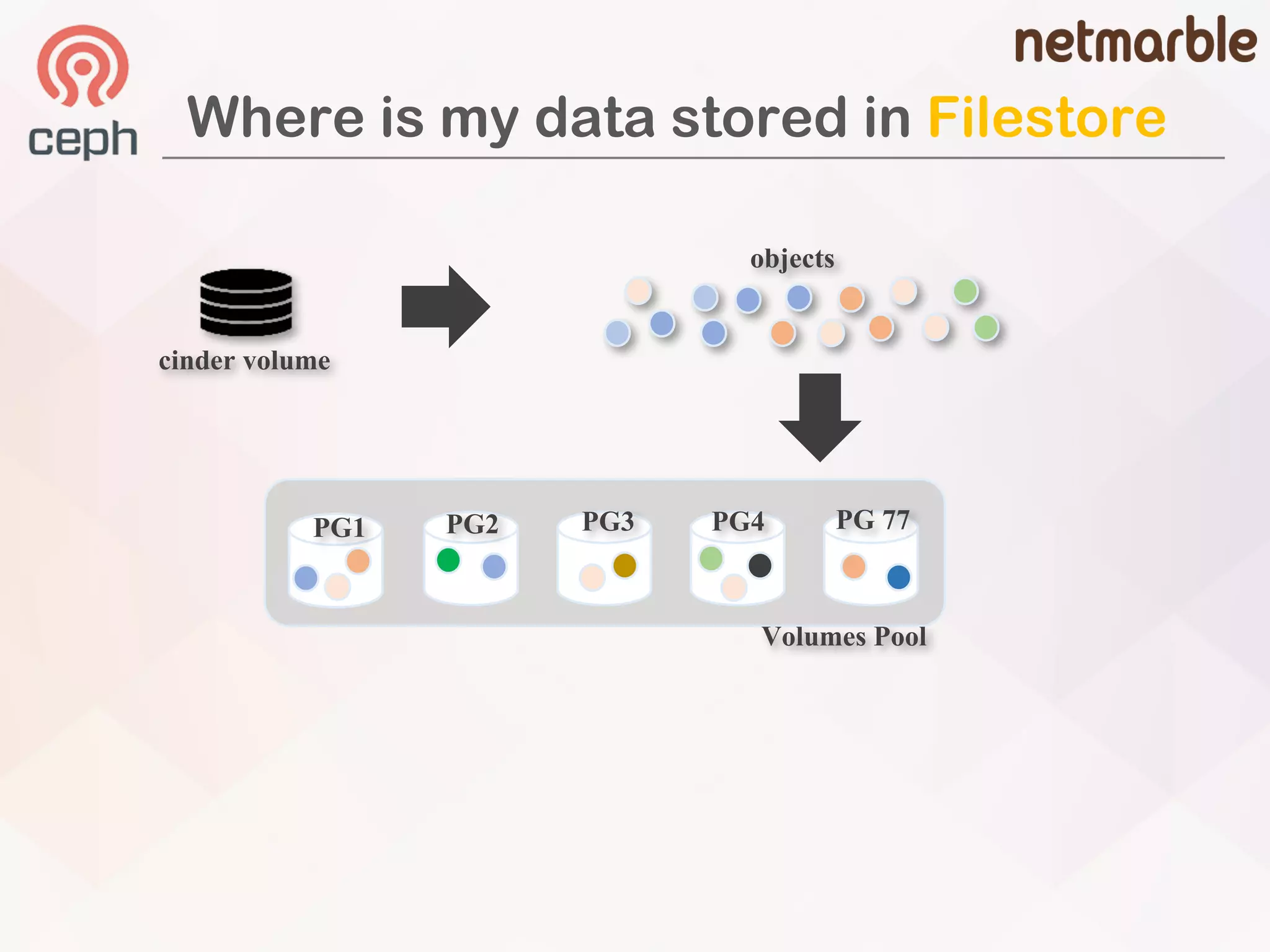
Where is my data stored in Filestore
PG1 PG2 PG3 PG4 PG 77
Volumes Pool
objects
cinder volume
Where is my data stored in Filestore
PG1 PG2 PG3 PG4 PG77
Volumes Pool
objects
cinder volume
Where is my data stored in Filestore
PG1 PG2 PG3 PG4 PG 77
Volumes Pool
objects
OSD.345 OSD.323
PG 1 PG 2
cinder volume
PG 77 PG 77
OSD.264
PG 77PG 3
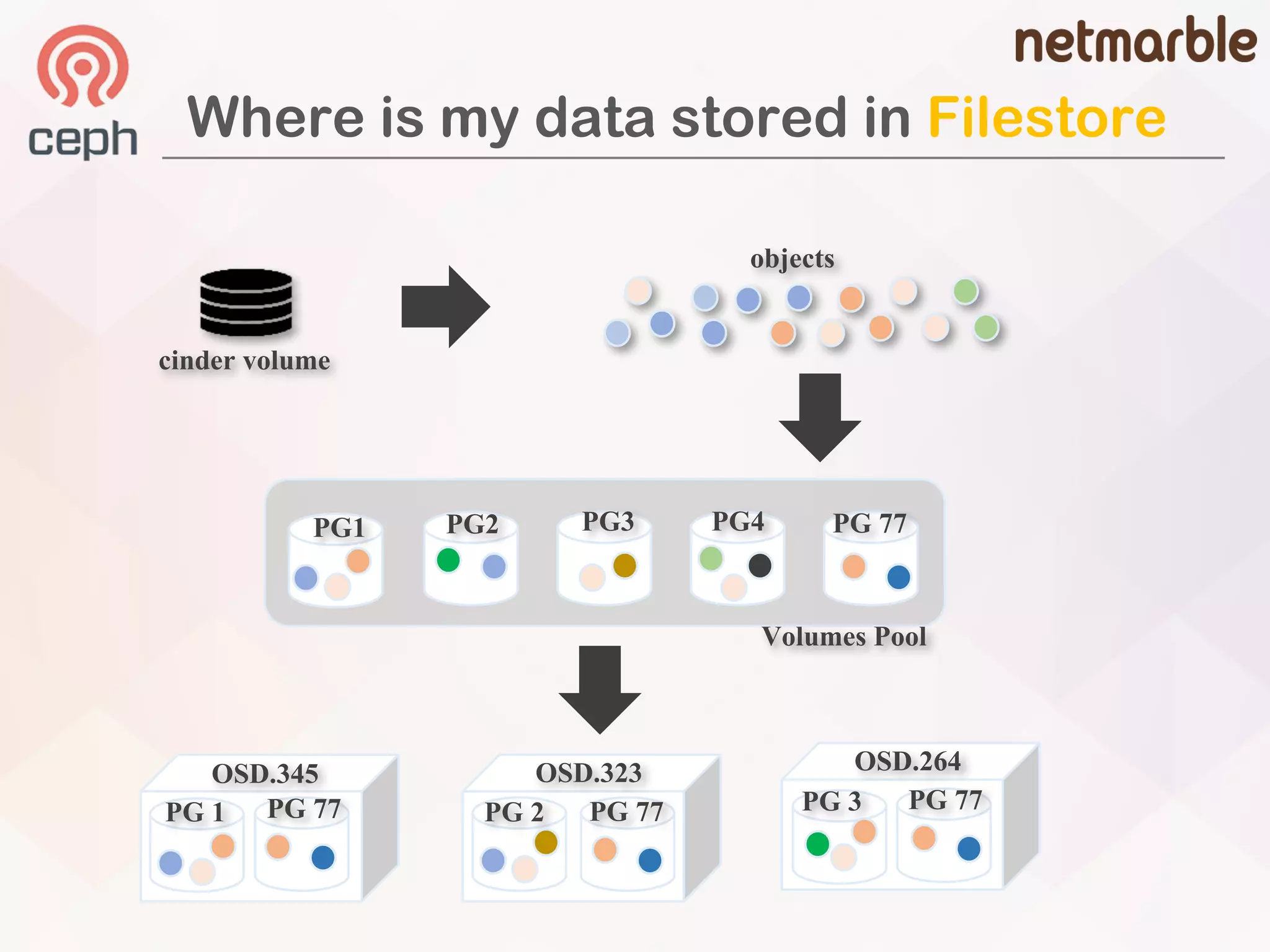
Where is my data stored in Filestore
PG1 PG2 PG3 PG4 PG 77
Volumes Pool
objects
cinder volume
OSD.345 OSD.323
PG 1 PG 2PG 77 PG 77
OSD.264
PG 77PG 3
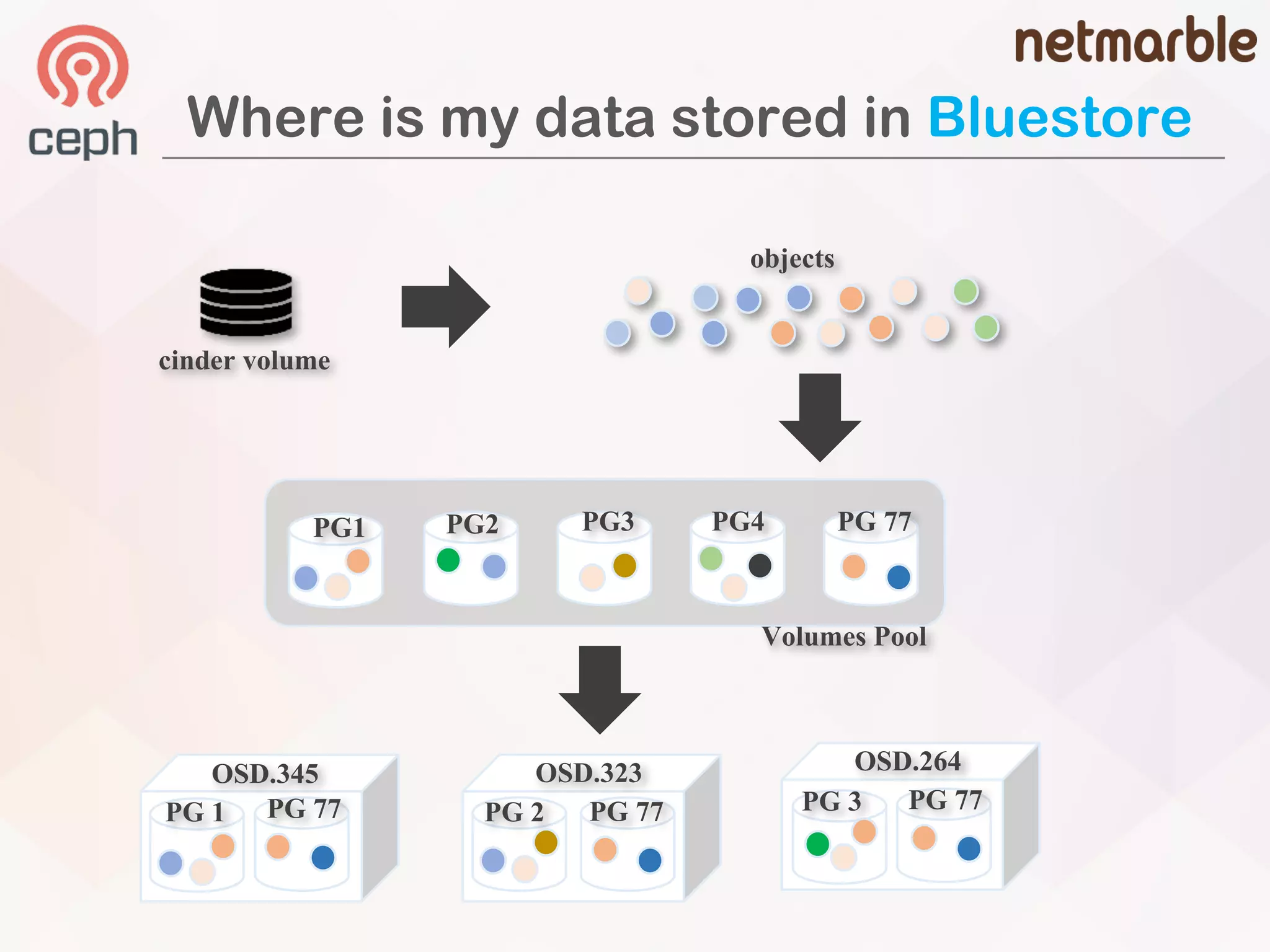
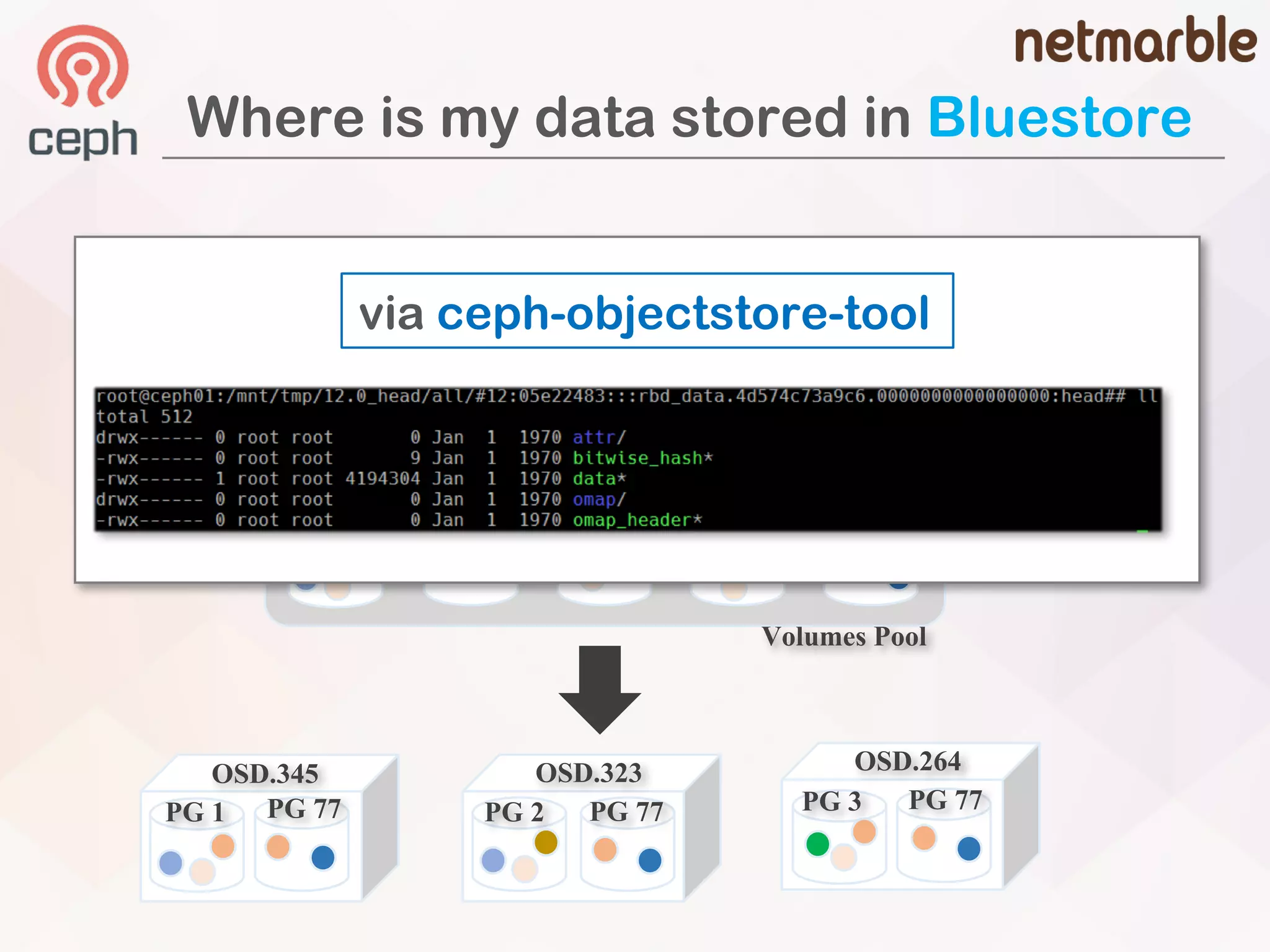
Where is my data stored in Bluestore
PG1 PG2 PG3 PG4 PG 77
Volumes Pool
objects
cinder volume
OSD.345 OSD.323
PG 1 PG 2PG 77 PG 77
OSD.264
PG 77PG 3
Where is my data stored in Bluestore
PG1 PG2 PG3 PG4 PG 77
Volumes Pool
objects
cinder volume
via ceph-objectstore-tool
OSD.345 OSD.323
PG 1 PG 2PG 77 PG 77
OSD.264
PG 77PG 3
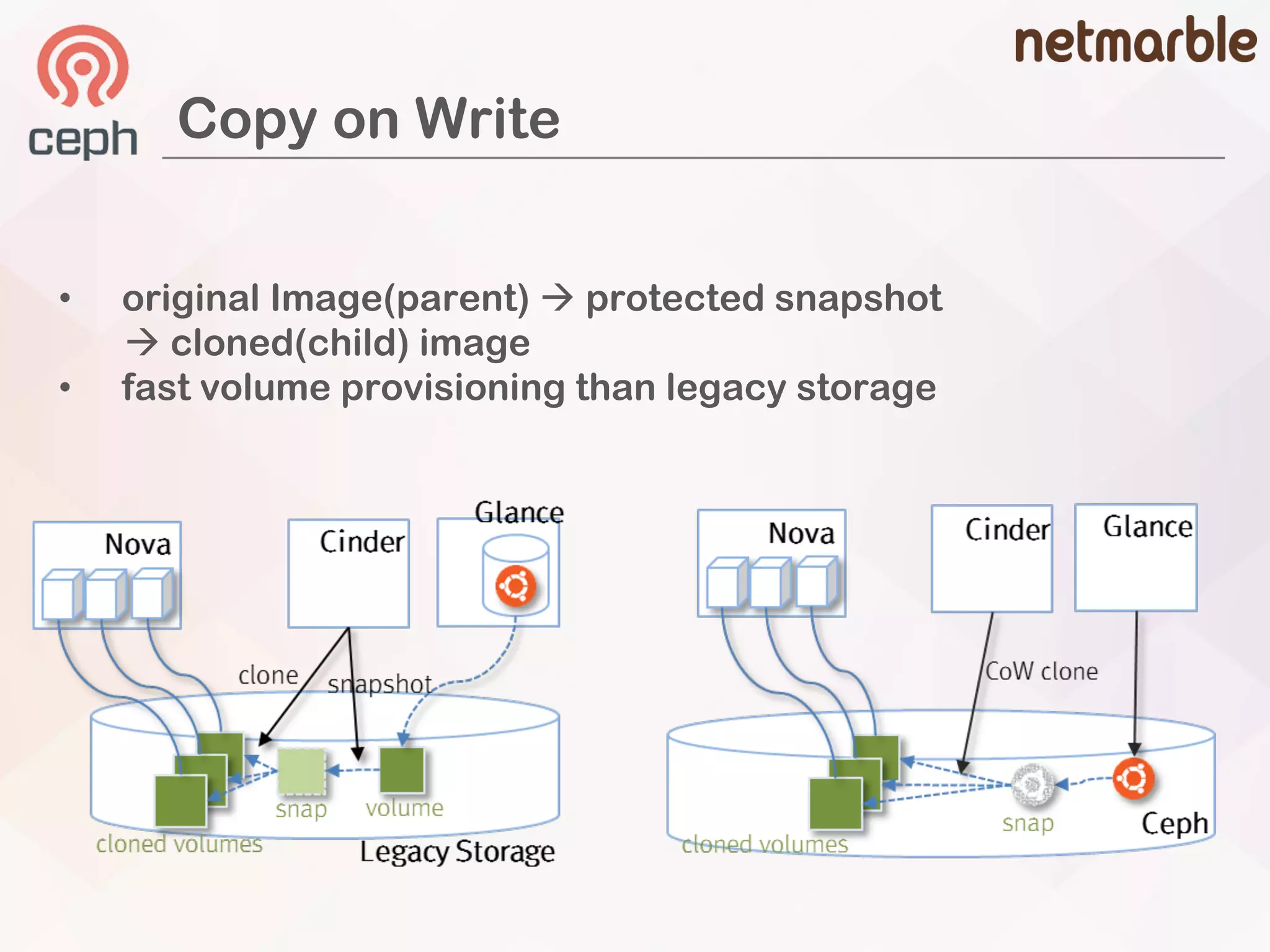
Copy on Write
• original Image(parent) à protected snapshot
à cloned(child) image
• fast volume provisioning than legacy storage
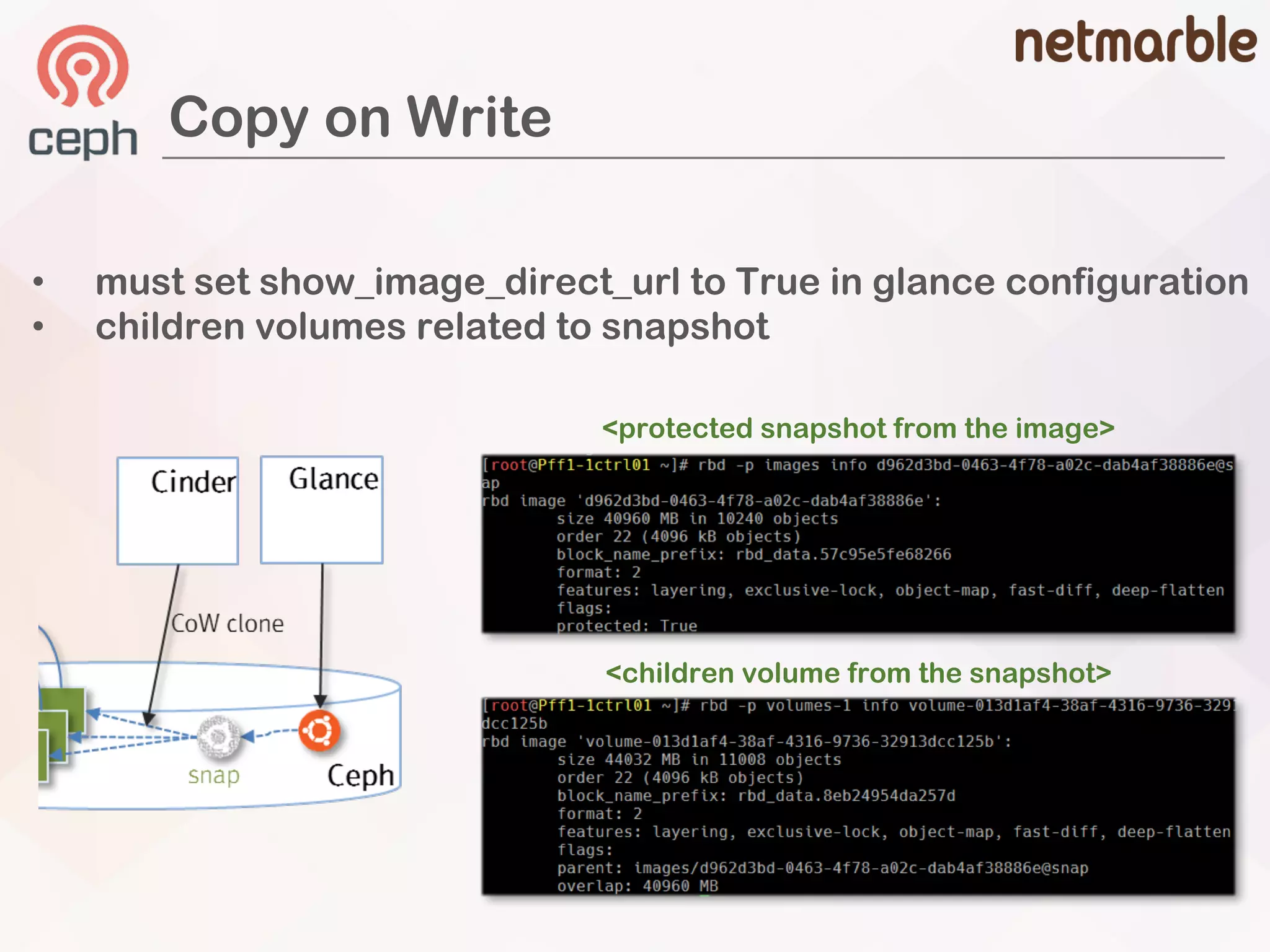
Copy on Write
• must set show_image_direct_url to True in glance configuration
• children volumes related to snapshot
<protected snapshot from the image>
<children volume from the snapshot>
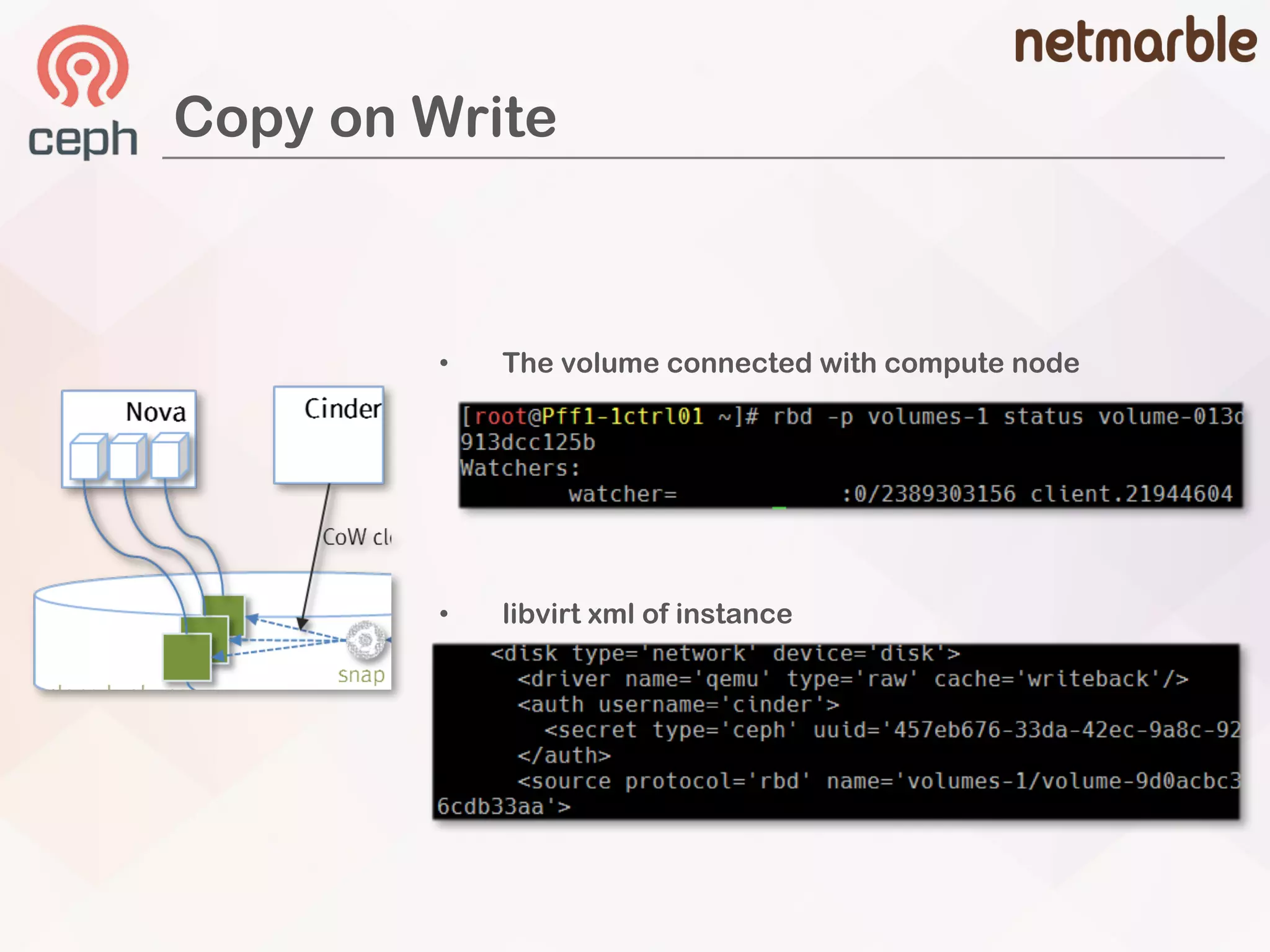
Copy on Write
• libvirt xml of instance
• The volume connected with compute node
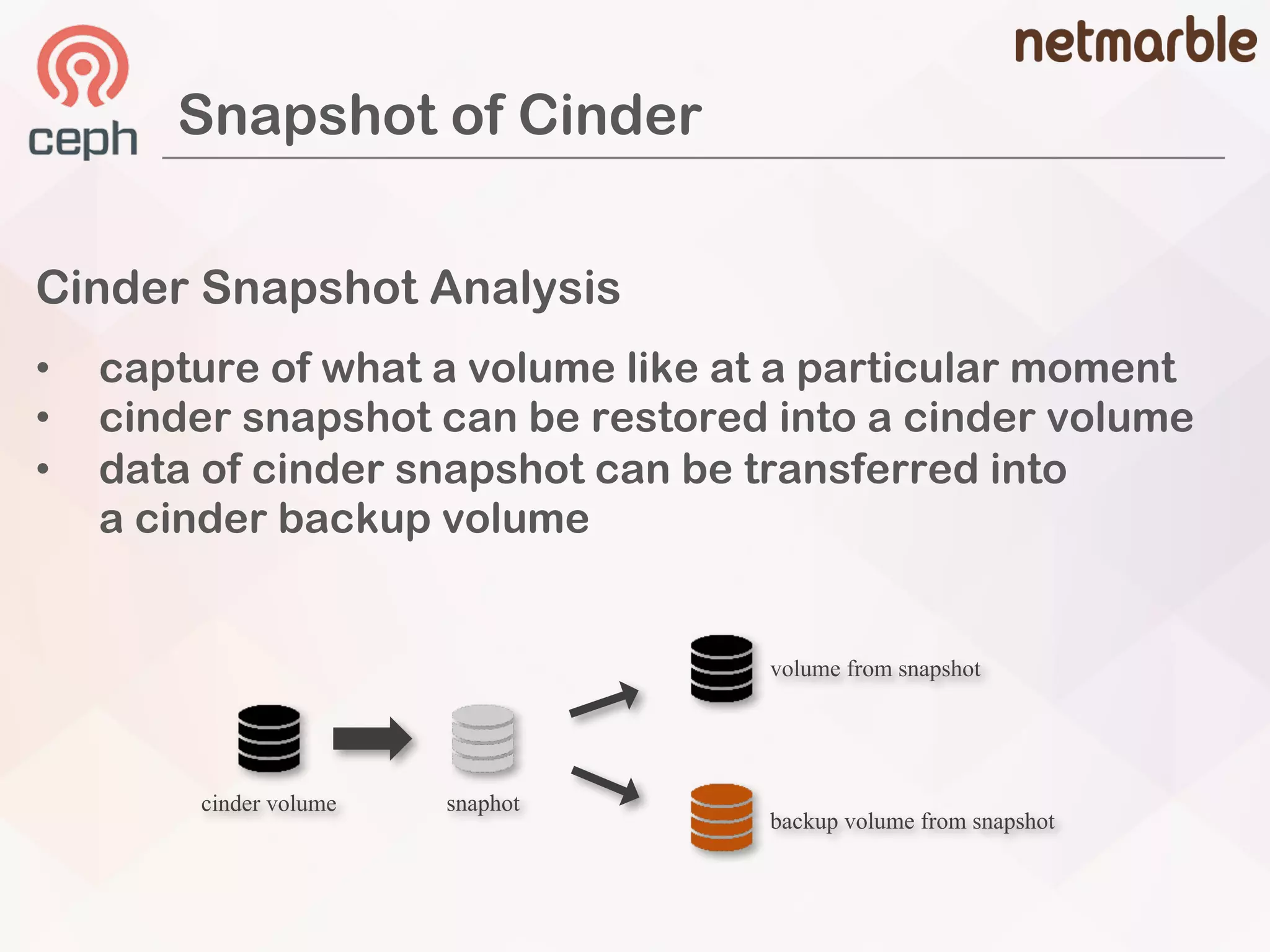
Cinder Snapshot Analysis
• capture of what a volume like at a particular moment
• cinder snapshot can be restored into a cinder volume
• data of cinder snapshot can be transferred into
a cinder backup volume
Snapshot of Cinder
cinder volume snaphot
volume from snapshot
backup volume from snapshot
Ceph Snapshot Analysis
• snapshot concept is the same as cinder
• volume can be flatten or cloned when creating from snapshot
Snapshot of Ceph
### cinder
[rbd]
rbd_flatten_volume_from_snapshot = {false or true}
### CEPH
rbd –p volumes flatten volume-xxxxxx
Image flatten: 100% complete...done.
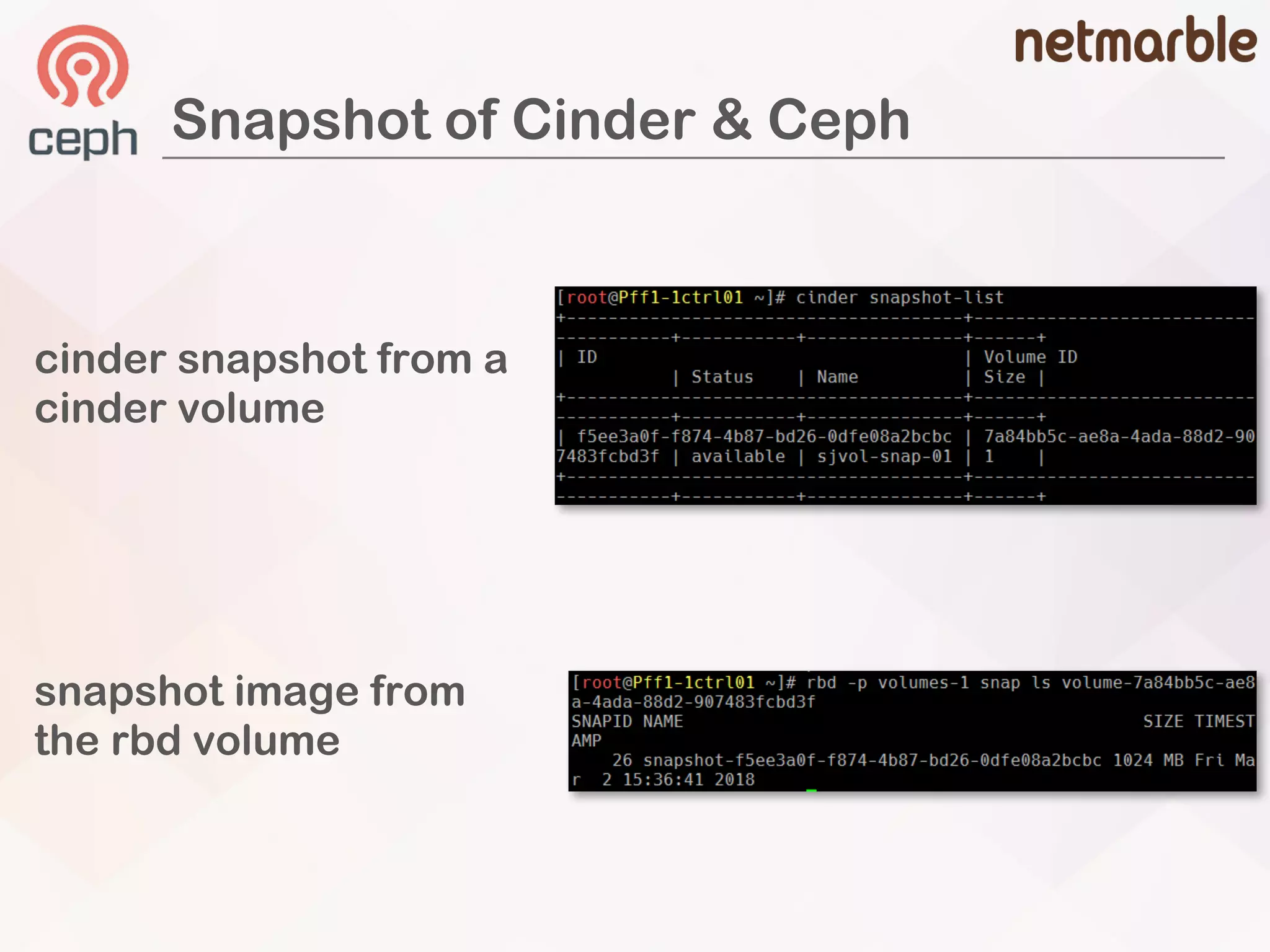
Snapshot of Cinder & Ceph
cinder snapshot from a
cinder volume
snapshot image from
the rbd volume
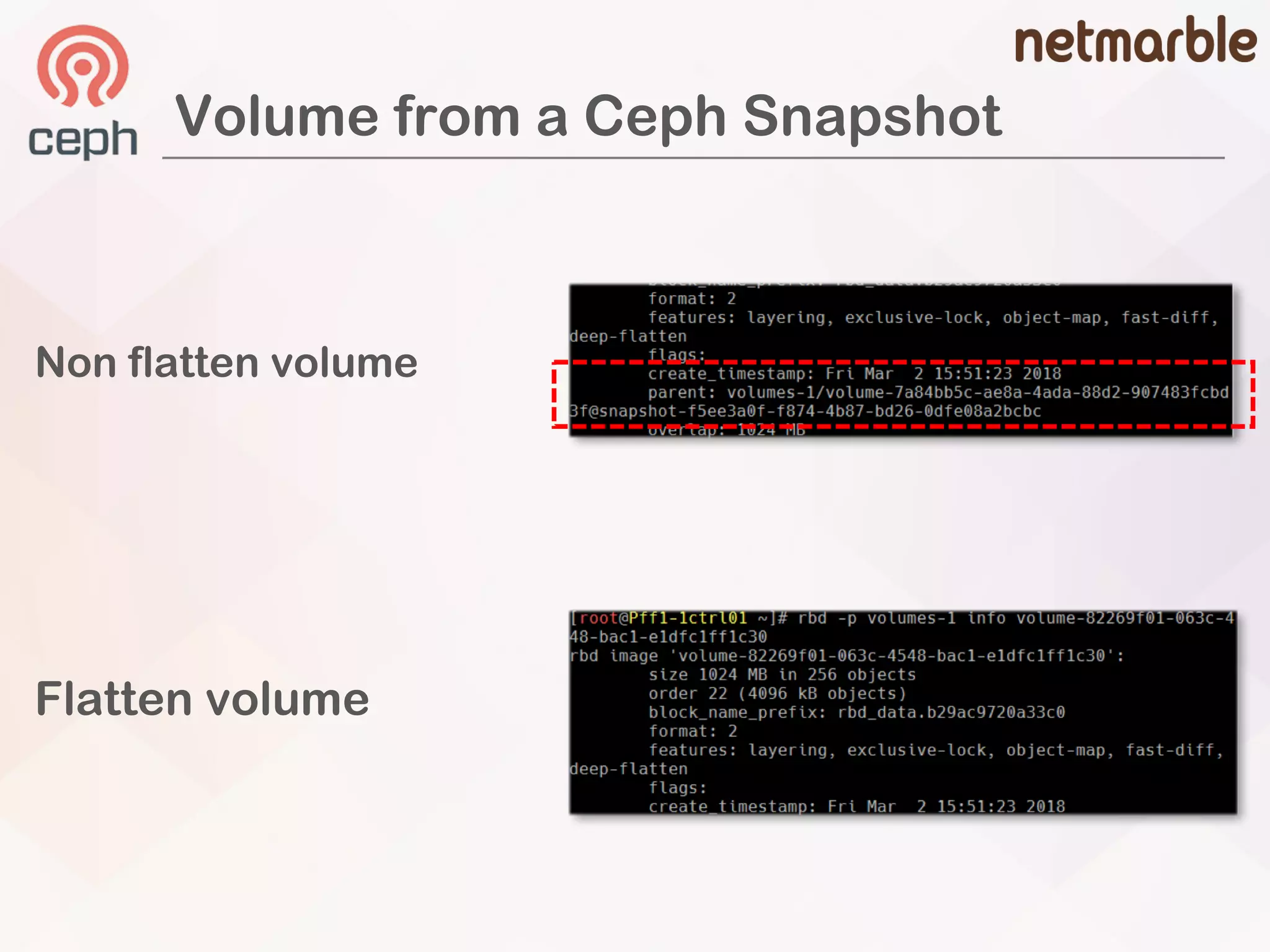
Non flatten volume
Flatten volume
Volume from a Ceph Snapshot
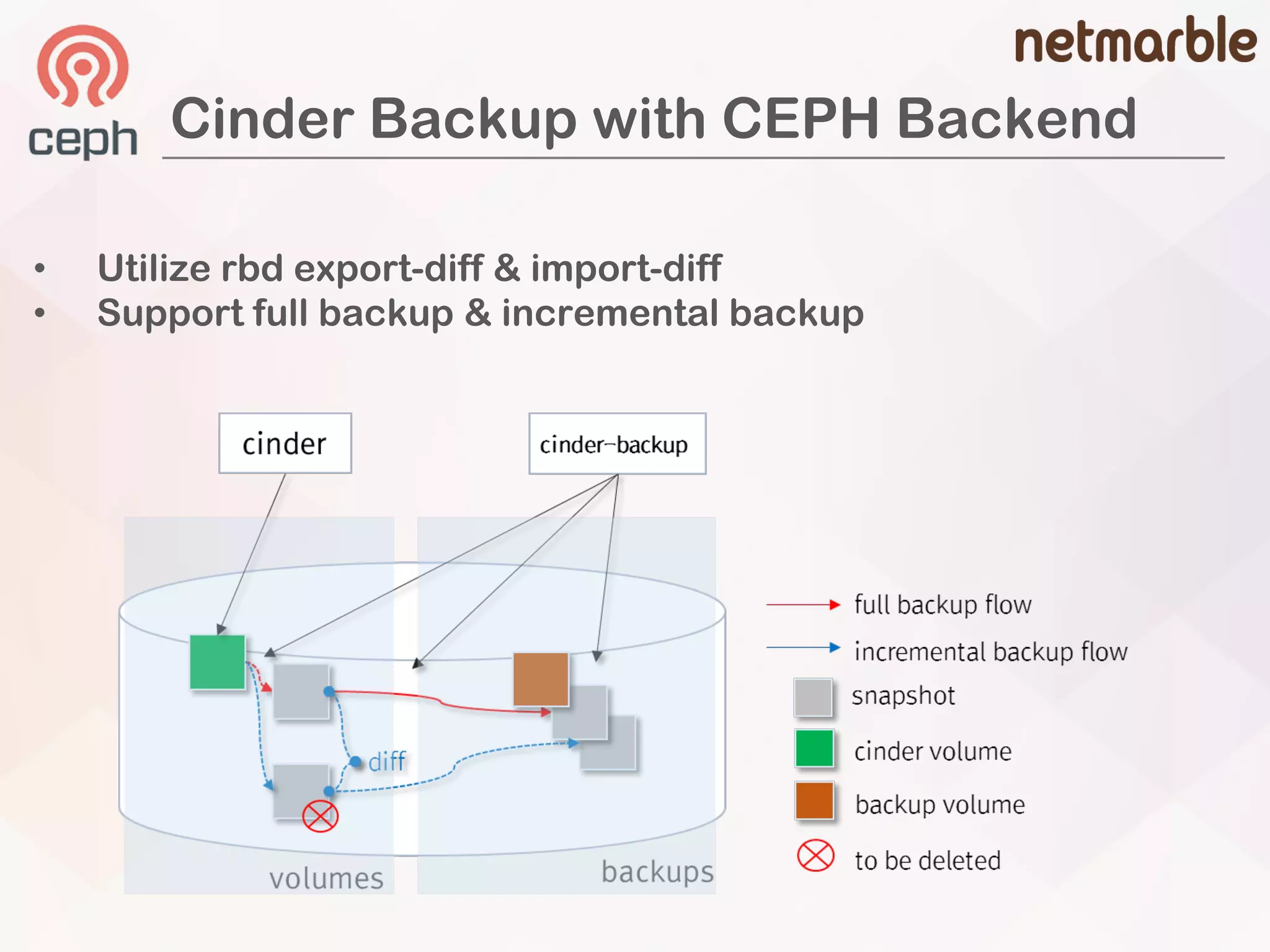
Cinder Backup with CEPH Backend
• Utilize rbd export-diff & import-diff
• Support full backup & incremental backup
Full Backup from a Cinder Volume
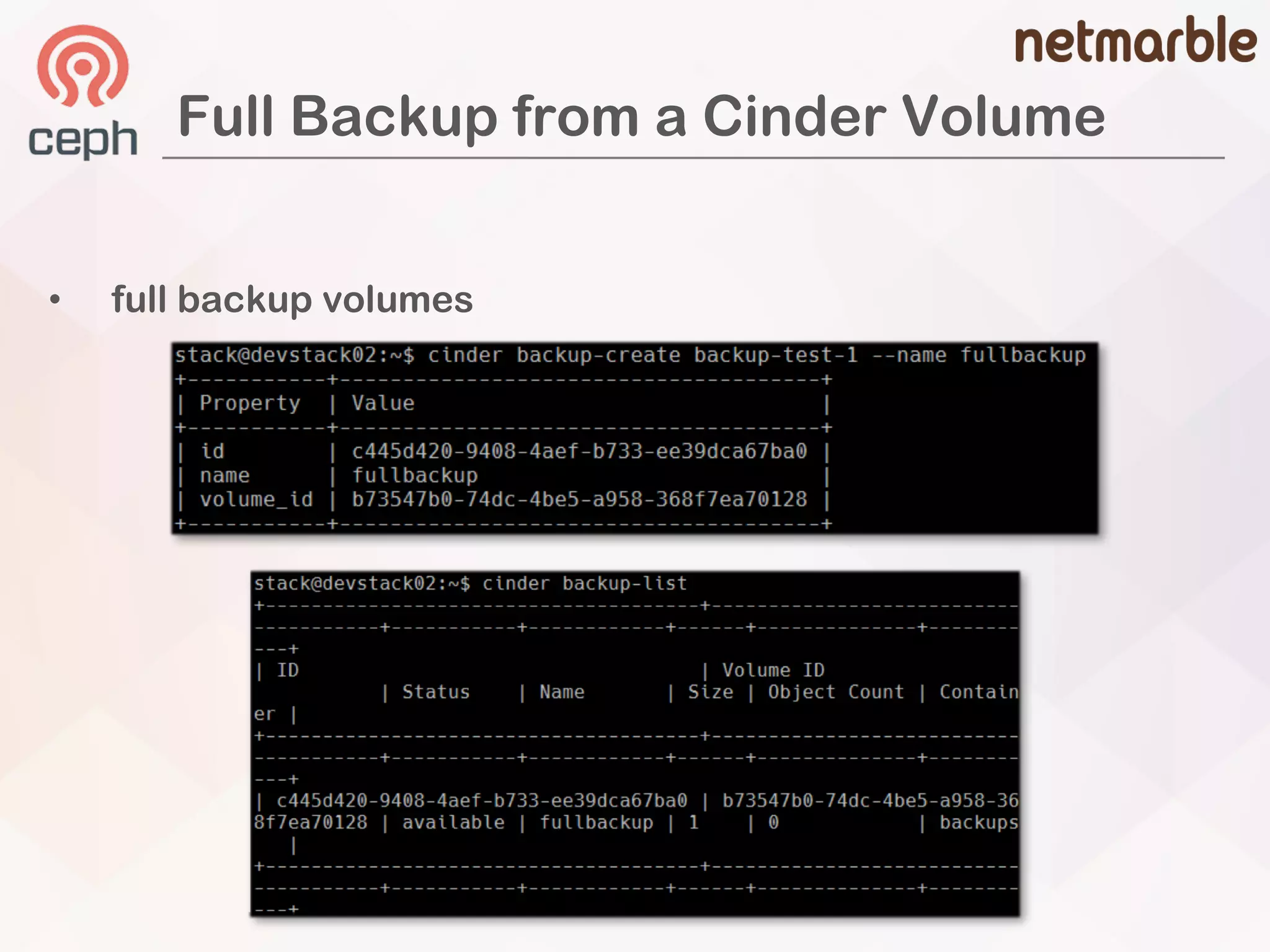
• full backup volumes
Full Backup from a Cinder Volume
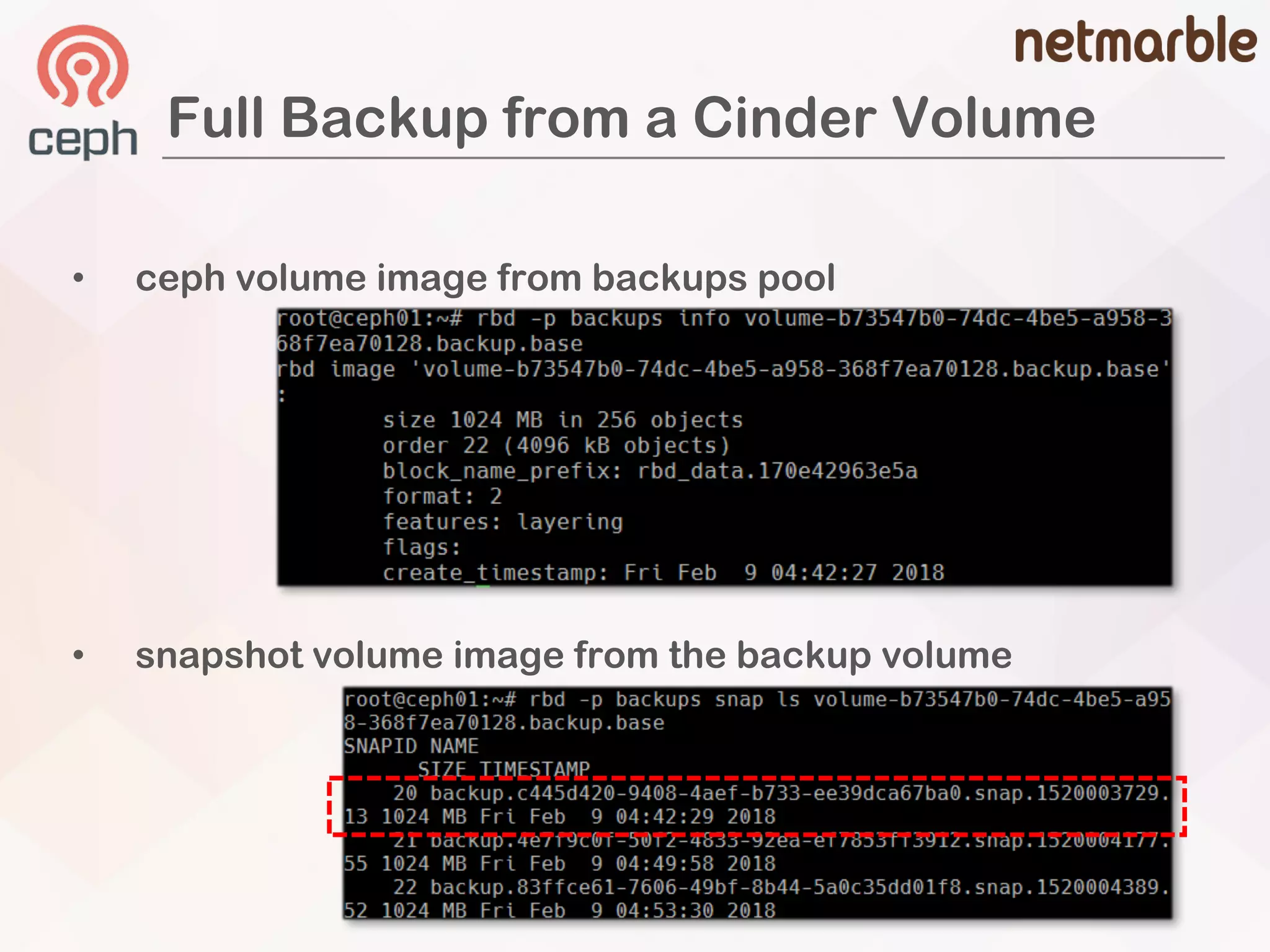
• ceph volume image from backups pool
• snapshot volume image from the backup volume
Incremental Backups
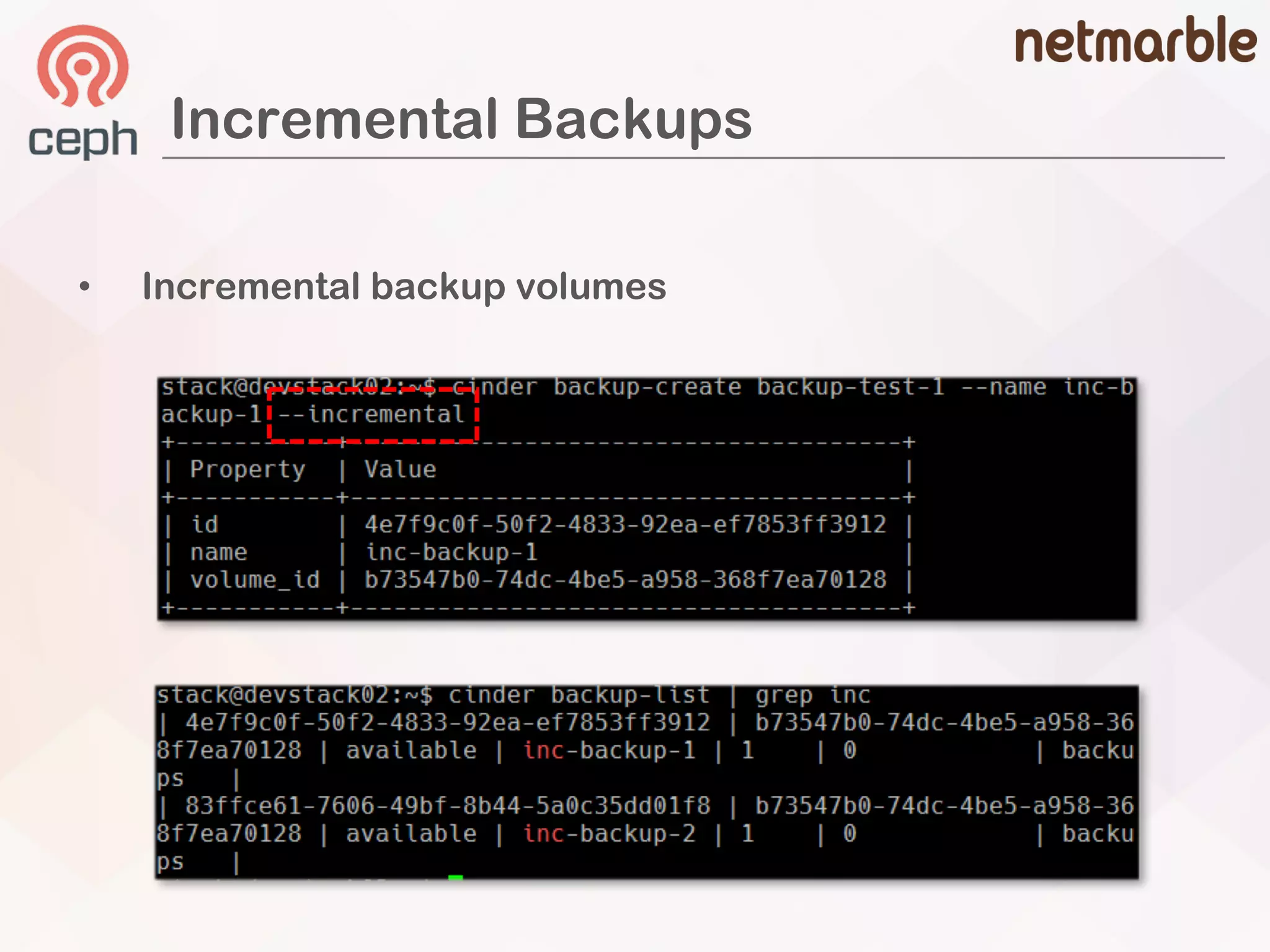
• Incremental backup volumes
Incremental Backups
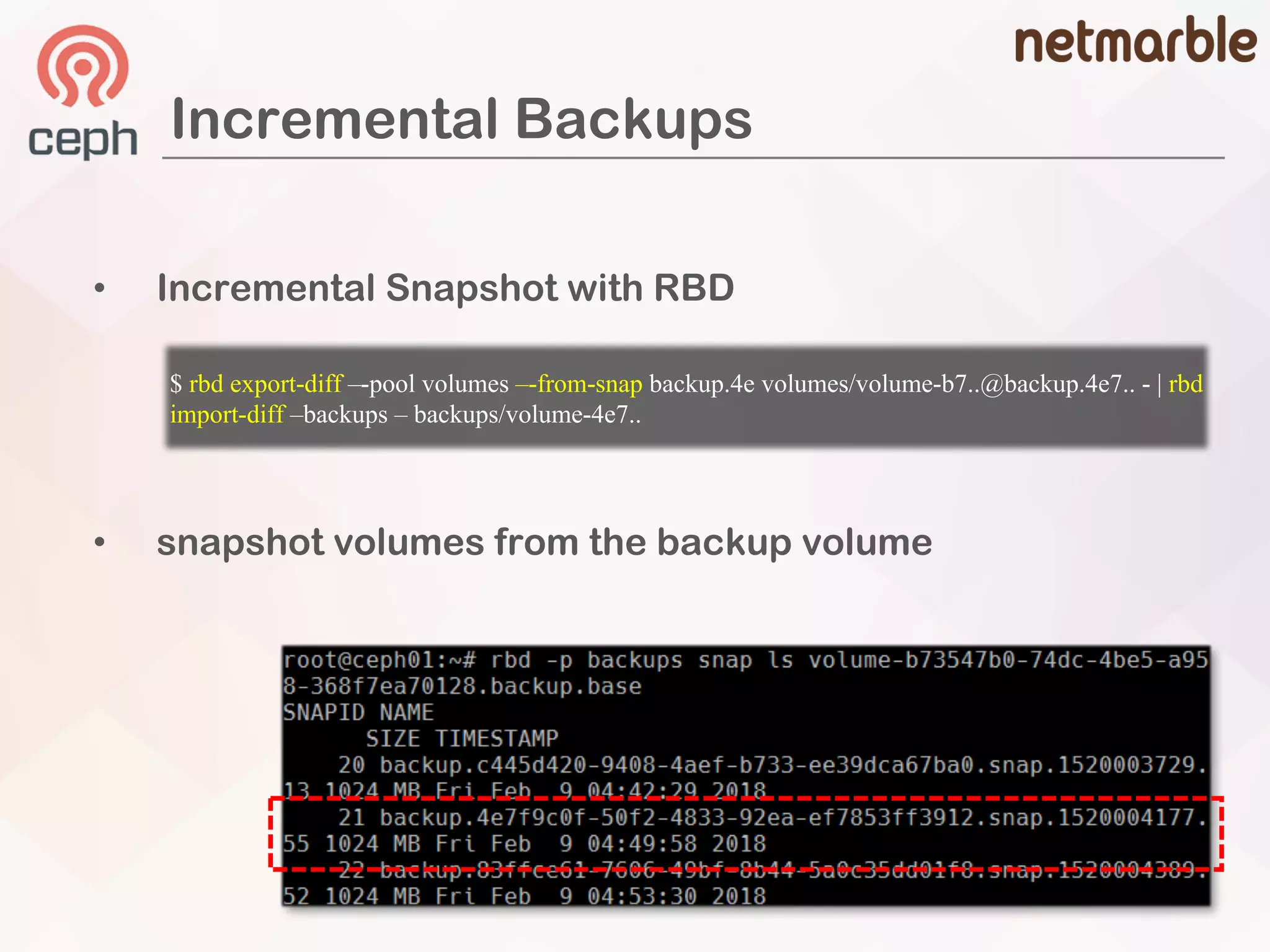
• snapshot volumes from the backup volume
$ rbd export-diff –-pool volumes –-from-snap backup.4e volumes/volume-b7..@backup.4e7.. - | rbd
import-diff –backups – backups/volume-4e7..
• Incremental Snapshot with RBD
Advanced
• Image Cached Volume
• Cinder Replication
– RBD Mirroring
Advanced
Complex Cinder Features
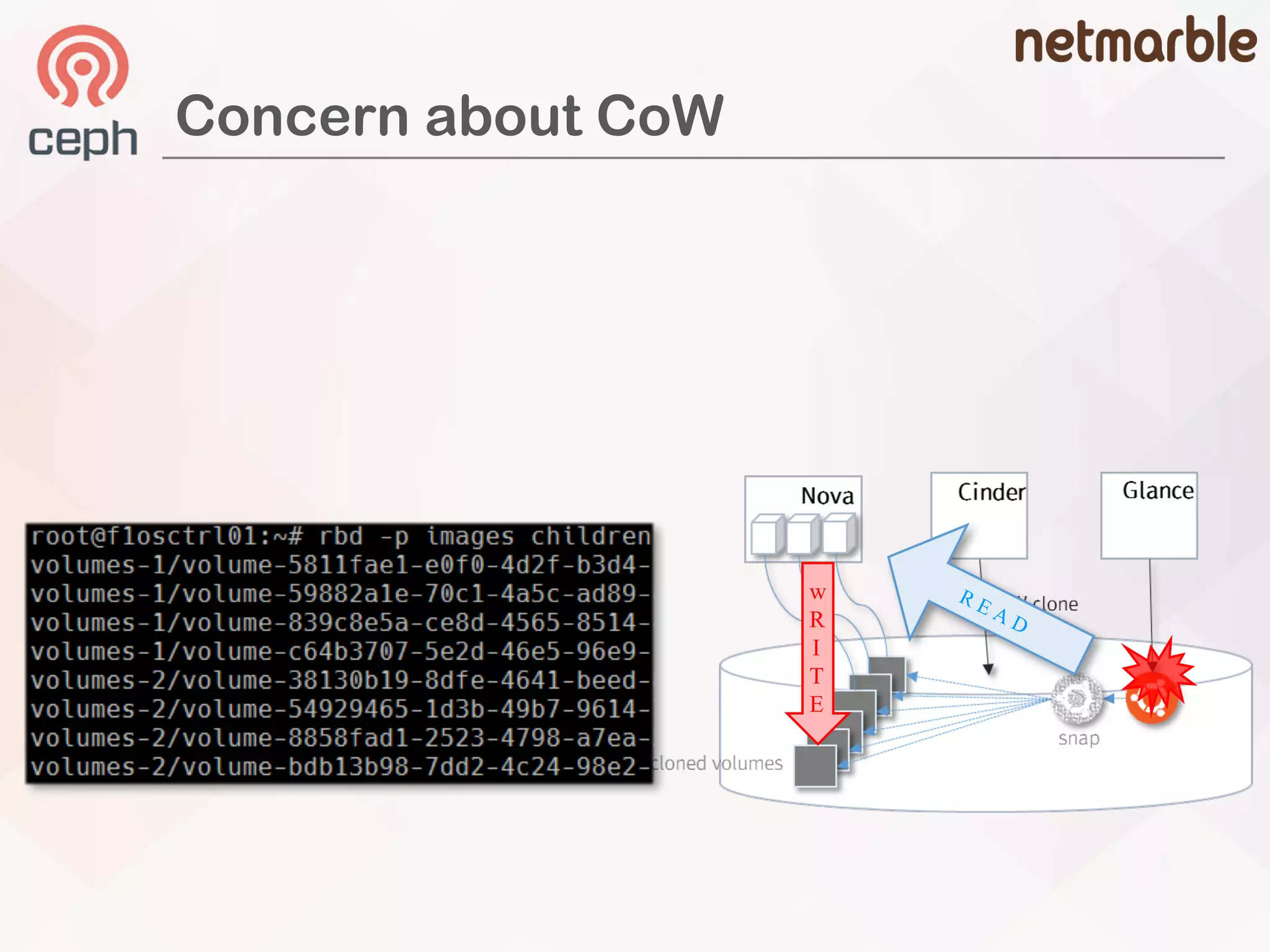
Concern about CoW
w
R
I
T
E
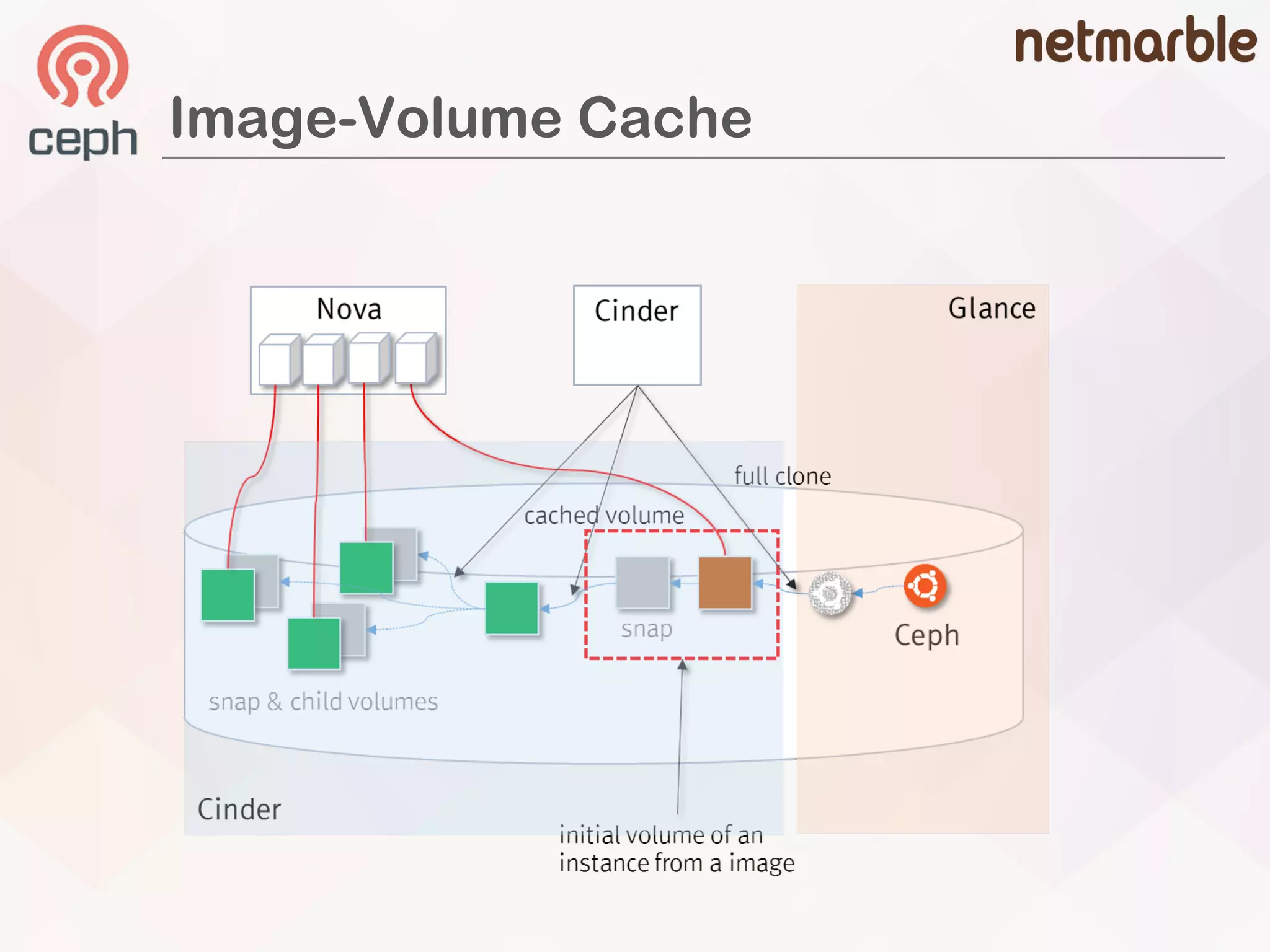
Image-Volume Cache
Image-Volume Cache Defines
[DEFAULT]
cinder_internal_tenant_project_id = {project id}
cinder_internal_tenant_user_id = {user id}
[ceph]
image_volume_cache_enabled = True
image_volume_cache_max_size_gb = 10000
image_volume_cache_max_count = 1000
Configuration
• improve the performance of creating a volume
from an image
• volume is first created from an image
à a new cached image-volume will be created
Image-Volume Cache
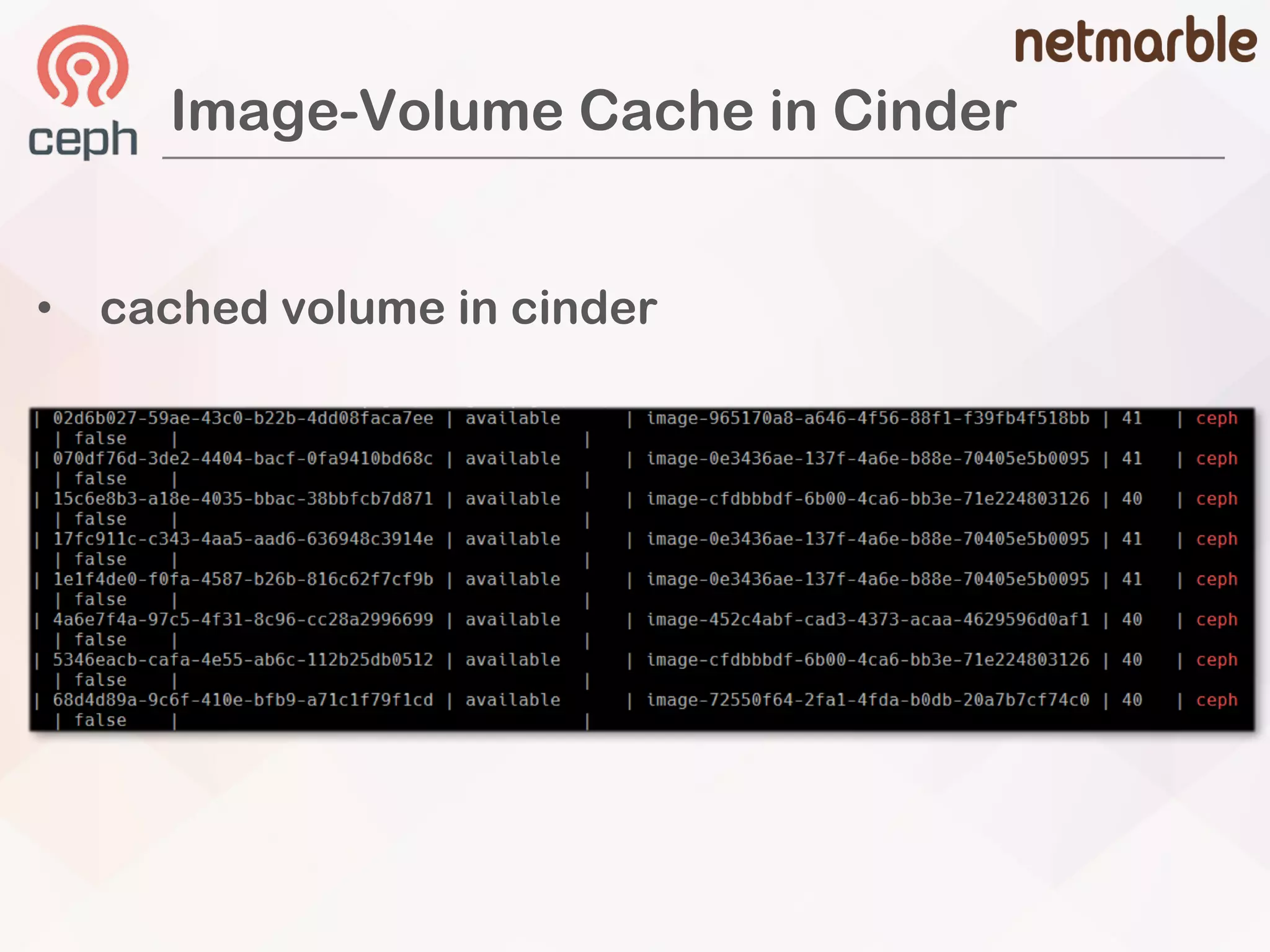
Image-Volume Cache in Cinder
• cached volume in cinder
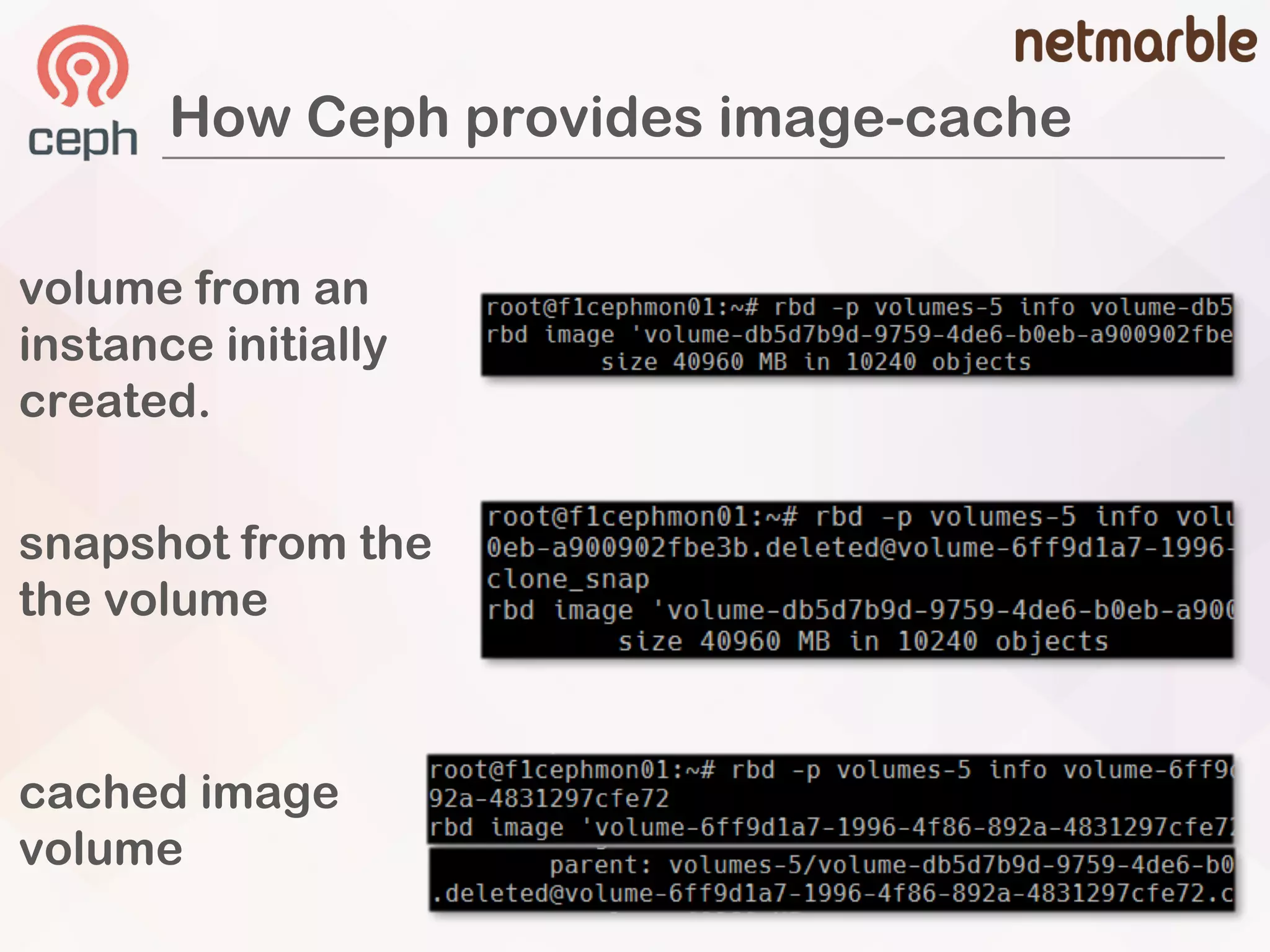
How Ceph provides image-cache
volume from an
instance initially
created.
cached image
volume
snapshot from the
the volume
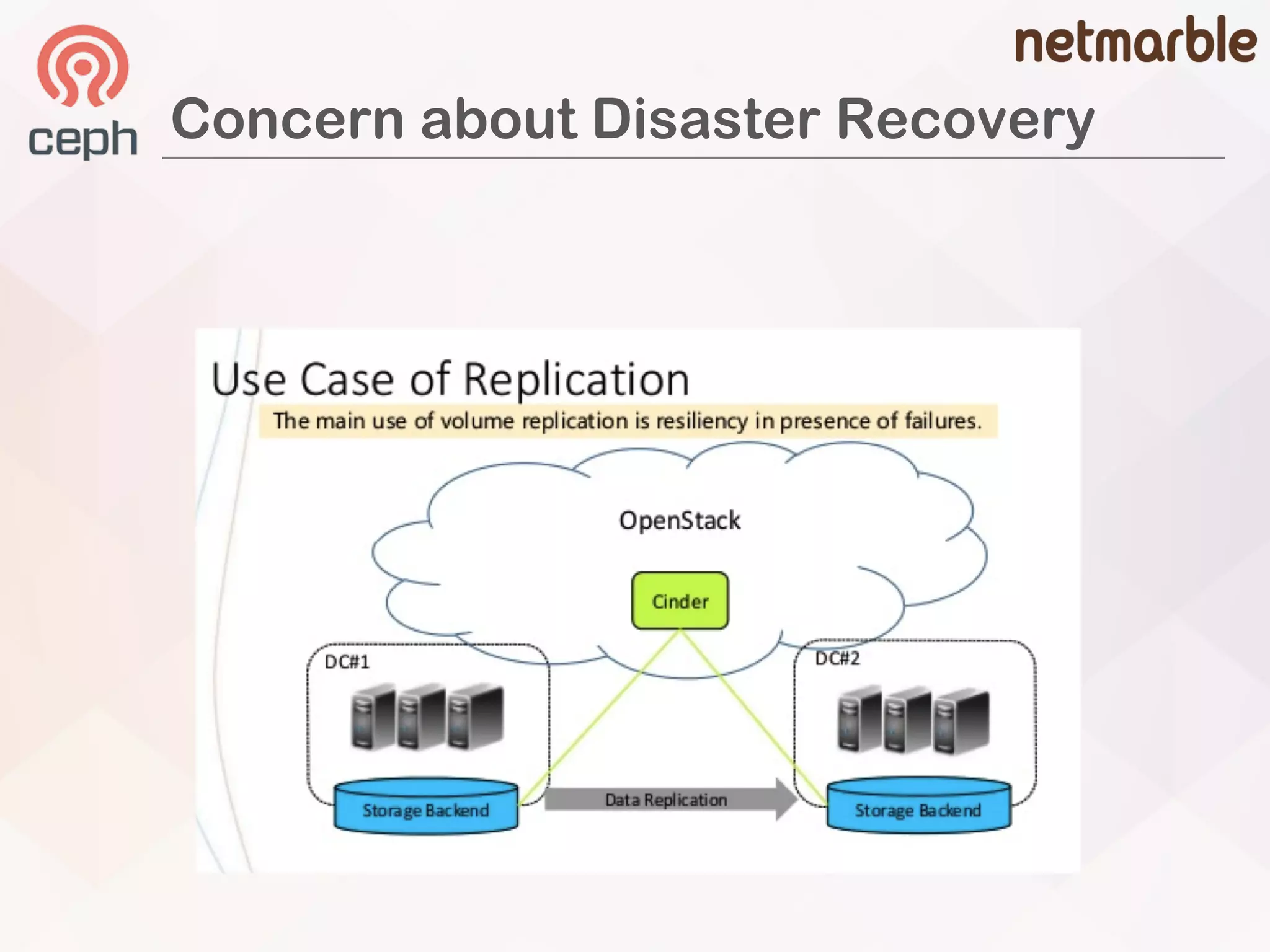
Concern about Disaster Recovery
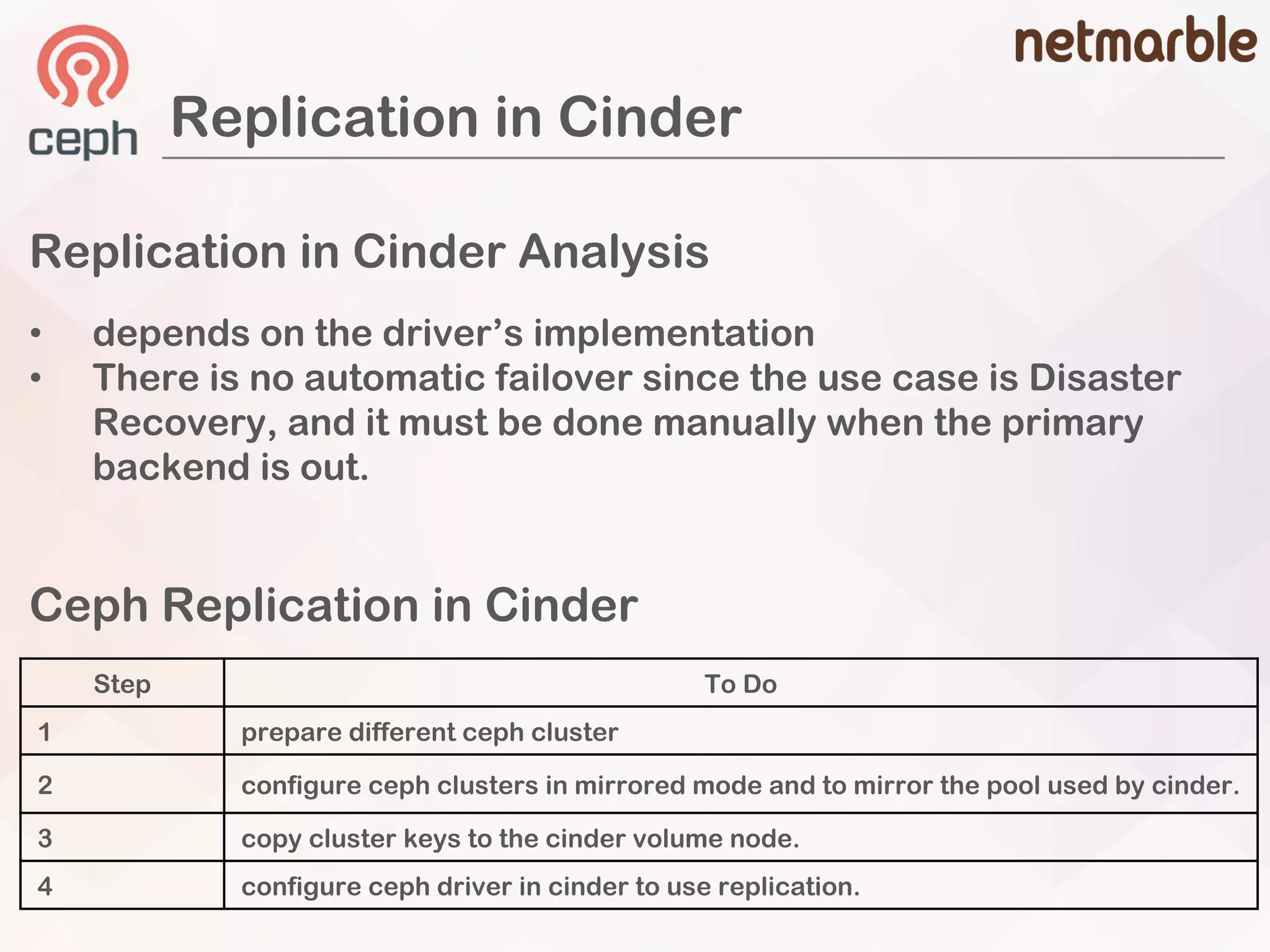
Replication in Cinder
Replication in Cinder Analysis
• depends on the driver’s implementation
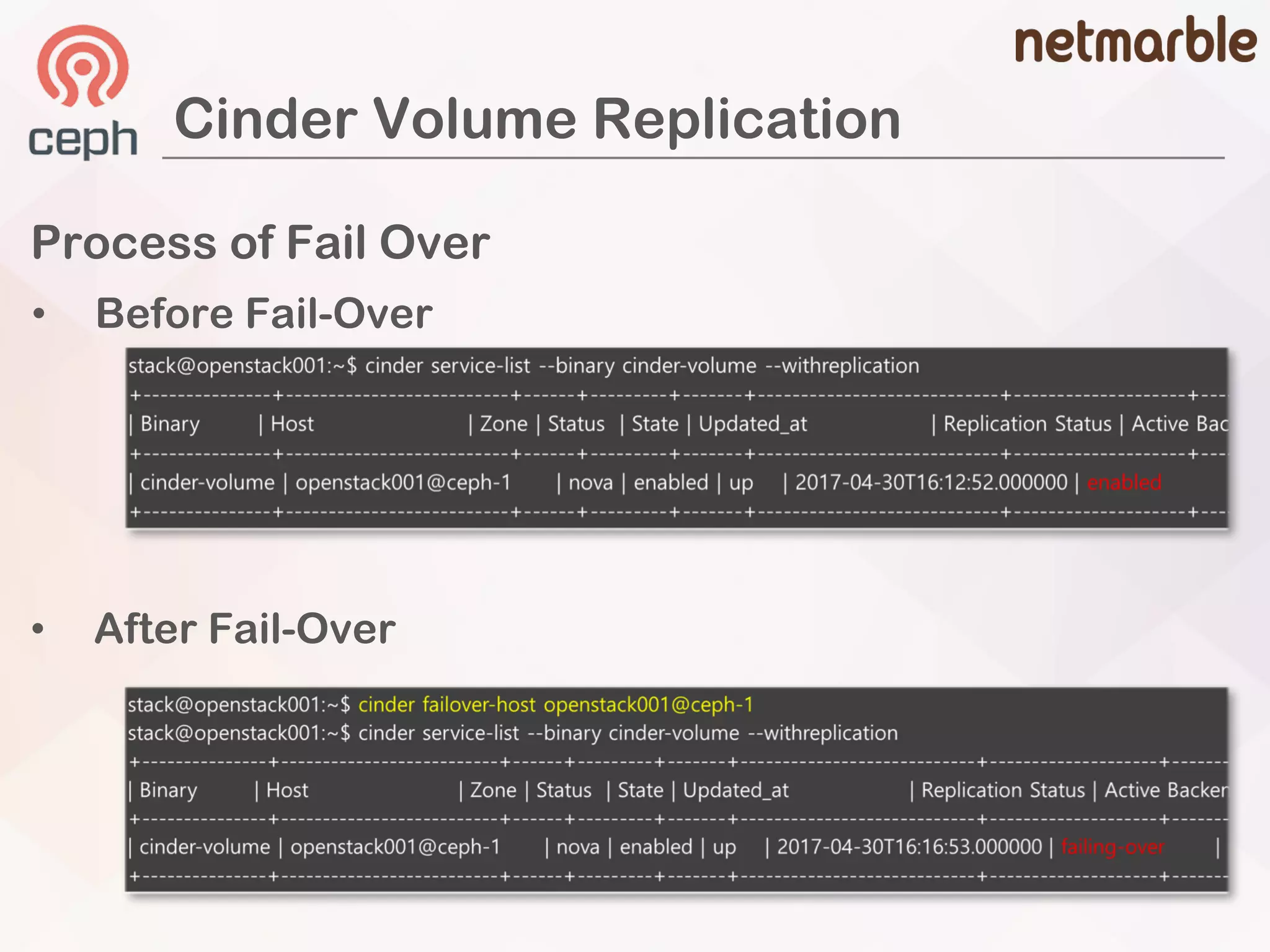
• There is no automatic failover since the use case is Disaster
Recovery, and it must be done manually when the primary
backend is out.
Ceph Replication in Cinder
Step To Do
1 prepare different ceph cluster
2 configure ceph clusters in mirrored mode and to mirror the pool used by cinder.
3 copy cluster keys to the cinder volume node.
4 configure ceph driver in cinder to use replication.
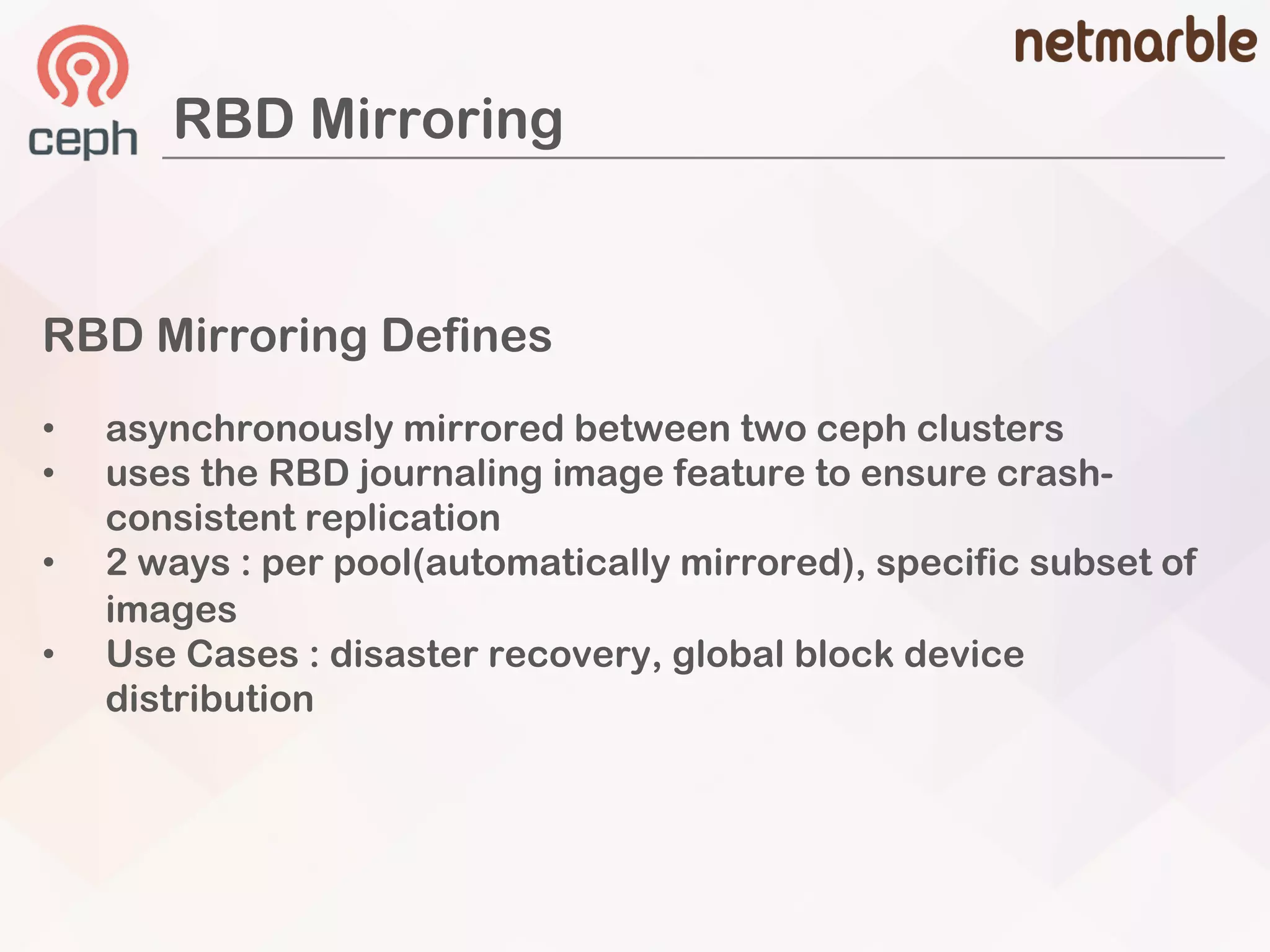
RBD Mirroring
RBD Mirroring Defines
• asynchronously mirrored between two ceph clusters
• uses the RBD journaling image feature to ensure crash-
consistent replication
• 2 ways : per pool(automatically mirrored), specific subset of
images
• Use Cases : disaster recovery, global block device
distribution
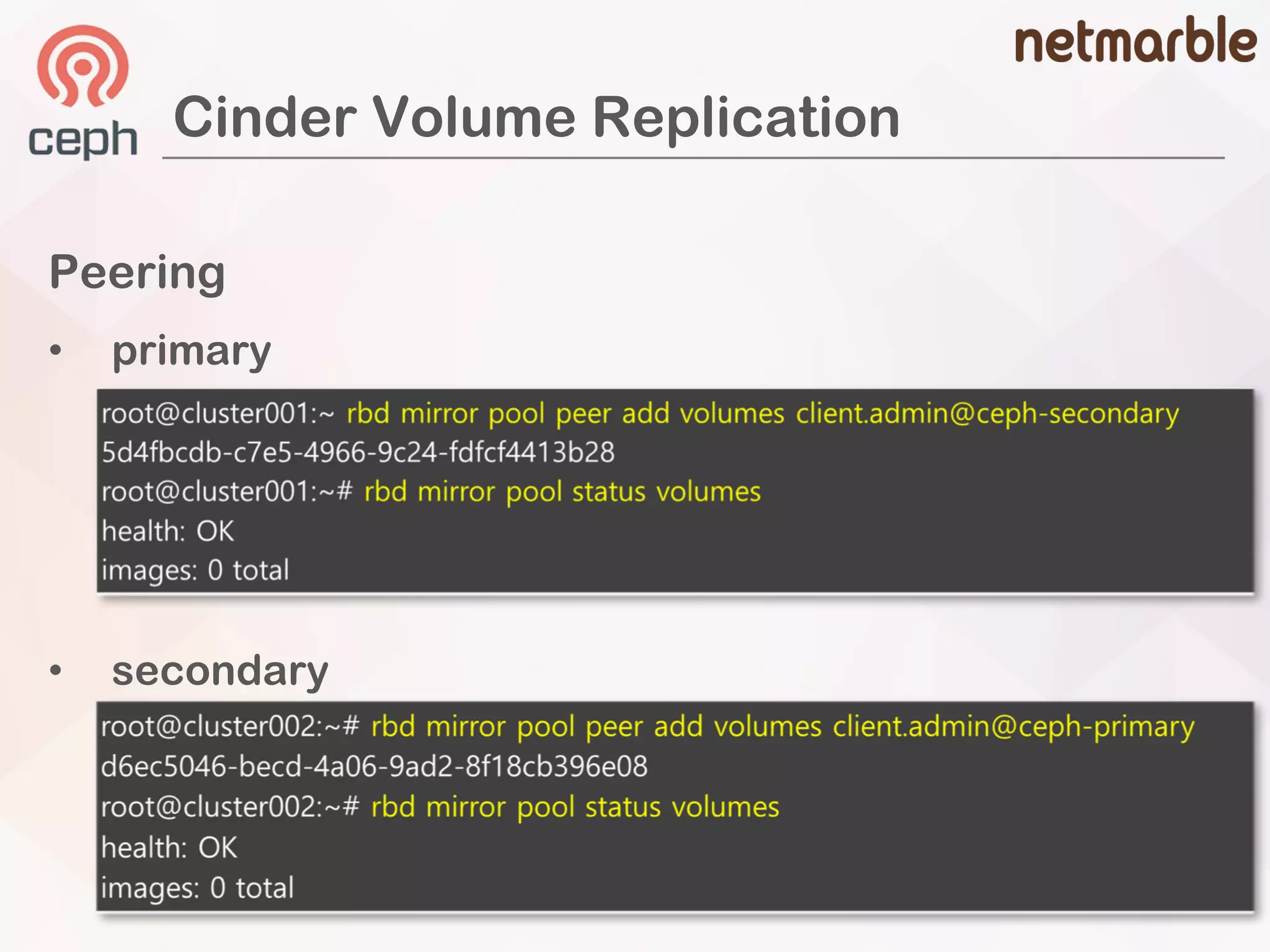
Cinder Volume Replication
Peering
• primary
• secondary
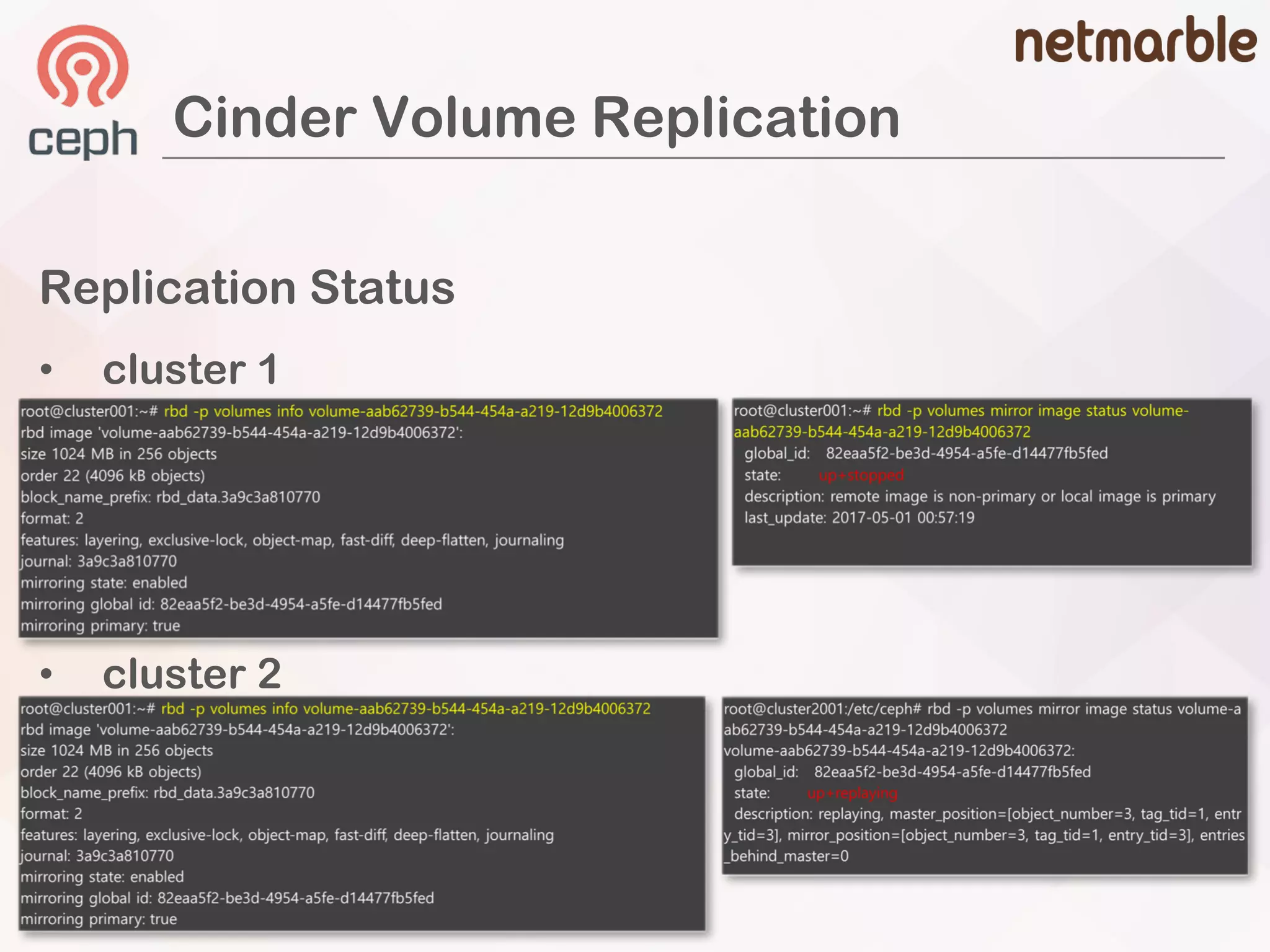
Cinder Volume Replication
Replication Status
• cluster 1
• cluster 2
Cinder Volume Replication
Process of Fail Over
• Before Fail-Over
• After Fail-Over
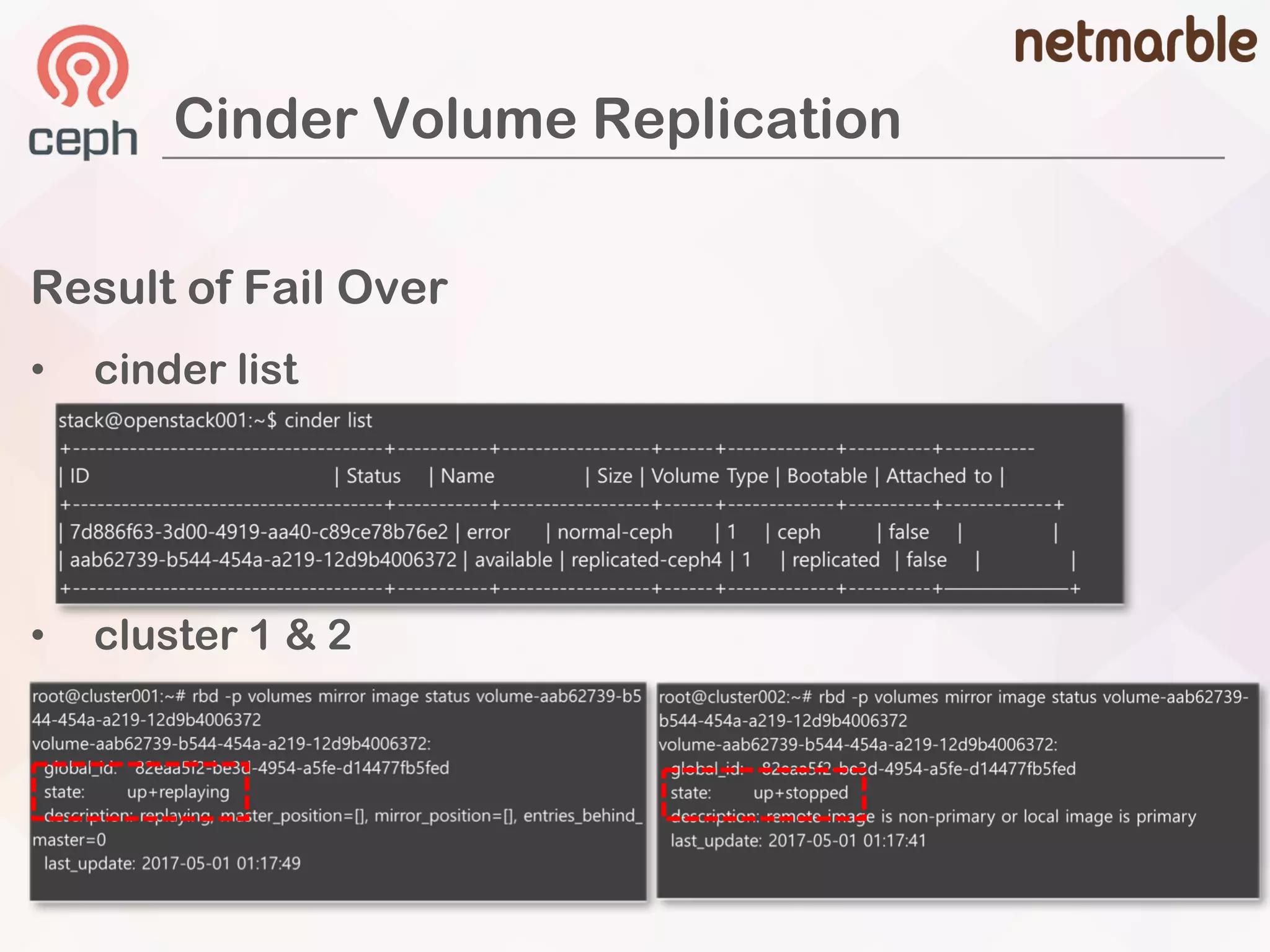
Cinder Volume Replication
Result of Fail Over
• cinder list
• cluster 1 & 2
Straight roads do not
make skillful
drivers. - Paulo Coelho -
Q & A
Thanks

Basic and Advanced Analysis of Ceph Volume Backend Driver in Cinder - John Haan

  • 1.
    Basic and Advanced Analysisof Ceph Volume Backend Driver in Cinder
  • 2.
  • 3.
    How Many? How Much? Details? Plan? 8Clusters around 4 PB KRBD Block Storage 3 Clusters Block Storage as a Cinder Backend 4 Clusters Archiving Storage via S3 interface 1 Cluster Origin CDN Storage Data Processing Storage CEPH in Netmarble
  • 4.
  • 5.
    John Haan (SeungjinHan) 2011 – 2016 (Samsung SDS) Cloud Solution Engineer OpenStack Development 2016 – present (Netmarble) Cloud Platform Engineer Responsible for Ceph Storage Who’s Speker
  • 6.
    Basic Default Cinder Features •Concept of Cinder Volume – RBD Copy on Write • Cinder Snapshot – RBD Snapshot / Flatten • Cinder Backup – RBD export-diff / import-diff Basic
  • 7.
    OpenStack Cinder &CEPH OpenStack Cinder • Block storage service for OpenStack • Provides storage resources to end users • Dominent users use Ceph as a cinder backend
  • 8.
    OpenStack Cinder &CEPH • http://docs.ceph.com/docs/master/rbd/rbd-openstack/ How to Integrate Ceph as a Cinder Backend
  • 9.
    ceph osd poolcreate volumes … ceph osd pool create images … ceph osd pool create backups … ceph osd pool create vms … ### glance [glance_store] rbd_store_pool = images ### cinder [rbd] rbd_pool = volumes ### nova [libvirt] images_rbd_pool = vms OpenStack Configurations Create Ceph Pools OpenStack Cinder & CEPH
  • 10.
    OSD.0 OSD.1 OSD.2 PG PG PG PG PG PG PG PG imagesvolumes vms OpenStack Cinder & CEPH
  • 11.
    Anatomy of CinderVolume • 4MB chuk of rbd volume • 8MB chunk of rbd volumes ### cinder [rbd] rbd_store_chunk_size = {chunk size in MB} # default value is 4MB • 20GB of cinder volume • could change rados default size
  • 12.
    Where is mydata stored in Filestore objects cinder volume
  • 13.
    Where is mydata stored in Filestore objects cinder volume
  • 14.
    Where is mydata stored in Filestore objects cinder volume
  • 15.
    Where is mydata stored in Filestore PG1 PG2 PG3 PG4 PG 77 Volumes Pool objects cinder volume
  • 16.
    Where is mydata stored in Filestore PG1 PG2 PG3 PG4 PG77 Volumes Pool objects cinder volume
  • 17.
    Where is mydata stored in Filestore PG1 PG2 PG3 PG4 PG 77 Volumes Pool objects OSD.345 OSD.323 PG 1 PG 2 cinder volume PG 77 PG 77 OSD.264 PG 77PG 3
  • 18.
    Where is mydata stored in Filestore PG1 PG2 PG3 PG4 PG 77 Volumes Pool objects cinder volume OSD.345 OSD.323 PG 1 PG 2PG 77 PG 77 OSD.264 PG 77PG 3
  • 19.
    Where is mydata stored in Bluestore PG1 PG2 PG3 PG4 PG 77 Volumes Pool objects cinder volume OSD.345 OSD.323 PG 1 PG 2PG 77 PG 77 OSD.264 PG 77PG 3
  • 20.
    Where is mydata stored in Bluestore PG1 PG2 PG3 PG4 PG 77 Volumes Pool objects cinder volume via ceph-objectstore-tool OSD.345 OSD.323 PG 1 PG 2PG 77 PG 77 OSD.264 PG 77PG 3
  • 21.
    Copy on Write •original Image(parent) à protected snapshot à cloned(child) image • fast volume provisioning than legacy storage
  • 22.
    Copy on Write •must set show_image_direct_url to True in glance configuration • children volumes related to snapshot <protected snapshot from the image> <children volume from the snapshot>
  • 23.
    Copy on Write •libvirt xml of instance • The volume connected with compute node
  • 24.
    Cinder Snapshot Analysis •capture of what a volume like at a particular moment • cinder snapshot can be restored into a cinder volume • data of cinder snapshot can be transferred into a cinder backup volume Snapshot of Cinder cinder volume snaphot volume from snapshot backup volume from snapshot
  • 25.
    Ceph Snapshot Analysis •snapshot concept is the same as cinder • volume can be flatten or cloned when creating from snapshot Snapshot of Ceph ### cinder [rbd] rbd_flatten_volume_from_snapshot = {false or true} ### CEPH rbd –p volumes flatten volume-xxxxxx Image flatten: 100% complete...done.
  • 26.
    Snapshot of Cinder& Ceph cinder snapshot from a cinder volume snapshot image from the rbd volume
  • 27.
    Non flatten volume Flattenvolume Volume from a Ceph Snapshot
  • 28.
    Cinder Backup withCEPH Backend • Utilize rbd export-diff & import-diff • Support full backup & incremental backup
  • 29.
    Full Backup froma Cinder Volume • full backup volumes
  • 30.
    Full Backup froma Cinder Volume • ceph volume image from backups pool • snapshot volume image from the backup volume
  • 31.
  • 32.
    Incremental Backups • snapshotvolumes from the backup volume $ rbd export-diff –-pool volumes –-from-snap backup.4e volumes/volume-b7..@backup.4e7.. - | rbd import-diff –backups – backups/volume-4e7.. • Incremental Snapshot with RBD
  • 33.
    Advanced • Image CachedVolume • Cinder Replication – RBD Mirroring Advanced Complex Cinder Features
  • 34.
  • 35.
    Image-Volume Cache Image-Volume CacheDefines [DEFAULT] cinder_internal_tenant_project_id = {project id} cinder_internal_tenant_user_id = {user id} [ceph] image_volume_cache_enabled = True image_volume_cache_max_size_gb = 10000 image_volume_cache_max_count = 1000 Configuration • improve the performance of creating a volume from an image • volume is first created from an image à a new cached image-volume will be created
  • 36.
  • 37.
    Image-Volume Cache inCinder • cached volume in cinder
  • 38.
    How Ceph providesimage-cache volume from an instance initially created. cached image volume snapshot from the the volume
  • 39.
  • 40.
    Replication in Cinder Replicationin Cinder Analysis • depends on the driver’s implementation • There is no automatic failover since the use case is Disaster Recovery, and it must be done manually when the primary backend is out. Ceph Replication in Cinder Step To Do 1 prepare different ceph cluster 2 configure ceph clusters in mirrored mode and to mirror the pool used by cinder. 3 copy cluster keys to the cinder volume node. 4 configure ceph driver in cinder to use replication.
  • 41.
    RBD Mirroring RBD MirroringDefines • asynchronously mirrored between two ceph clusters • uses the RBD journaling image feature to ensure crash- consistent replication • 2 ways : per pool(automatically mirrored), specific subset of images • Use Cases : disaster recovery, global block device distribution
  • 42.
  • 43.
    Cinder Volume Replication ReplicationStatus • cluster 1 • cluster 2
  • 44.
    Cinder Volume Replication Processof Fail Over • Before Fail-Over • After Fail-Over
  • 45.
    Cinder Volume Replication Resultof Fail Over • cinder list • cluster 1 & 2
  • 46.
    Straight roads donot make skillful drivers. - Paulo Coelho -
  • 47.
  • 48.