PostgreSQL Backup and
                     Recovery


                     Except where otherwise noted, this work is licensed under
                     http://creativecommons.org/licenses/by/3.0/

PG West, 2009                                       www.consistentstate.com
by Kevin Kempter                                 kevink@consistentstate.com
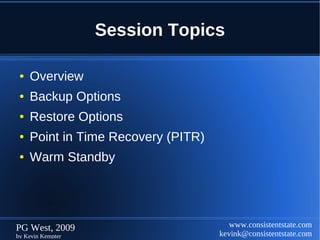
Session Topics

 ●   Overview
 ●   Backup Options
 ●   Restore Options
 ●   Point in Time Recovery (PITR)
 ●   Warm Standby


PG West, 2009                           www.consistentstate.com
by Kevin Kempter                     kevink@consistentstate.com
Backup Options

 ●   pg_dump
 ●   pg_dumpall


PG West, 2009                      www.consistentstate.com
by Kevin Kempter                kevink@consistentstate.com
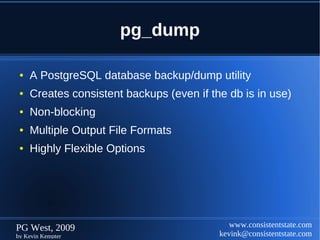
pg_dump

 ●   A PostgreSQL database backup/dump utility
 ●   Creates consistent backups (even if the db is in use)
 ●   Non-blocking
 ●   Multiple Output File Formats
 ●   Highly Flexible Options


PG West, 2009                                 www.consistentstate.com
by Kevin Kempter                           kevink@consistentstate.com
pg_dump
  ●   Syntax:
      pg_dump [options] dbname


  ●   Connection Options:
      pg_dump -h <host> -p <port> -U <user> -W
      pg_dump --host=<host> --port=<port> --username=<user> --password


  ●   Environment Variables:
      PGDATABASE      PGHOST      PGPORT         PGUSER


PG West, 2009                                            www.consistentstate.com
by Kevin Kempter                                      kevink@consistentstate.com
pg_dump

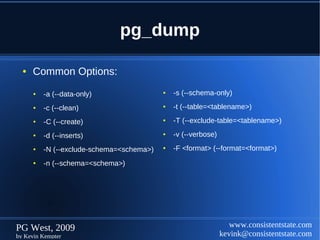
  ●   Common Options:
      ●   -a (--data-only)                 ●   -s (--schema-only)
      ●   -c (--clean)                     ●   -t (--table=<tablename>)
      ●   -C (--create)                    ●   -T (--exclude-table=<tablename>)
      ●   -d (--inserts)                   ●   -v (--verbose)
      ●   -N (--exclude-schema=<schema>)   ●   -F <format> (--format=<format>)
      ●   -n (--schema=<schema>)


PG West, 2009                                                      www.consistentstate.com
by Kevin Kempter                                                kevink@consistentstate.com
pg_dump

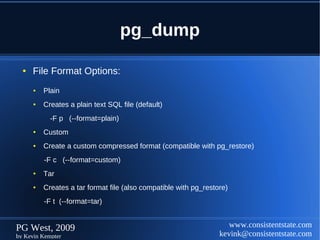
  ●   File Format Options:
      ●   Plain
      ●   Creates a plain text SQL file (default)
            -F p (--format=plain)
      ●   Custom
      ●   Create a custom compressed format (compatible with pg_restore)
          -F c (--format=custom)
      ●   Tar
      ●   Creates a tar format file (also compatible with pg_restore)
          -F t (--format=tar)


PG West, 2009                                                        www.consistentstate.com
by Kevin Kempter                                                  kevink@consistentstate.com
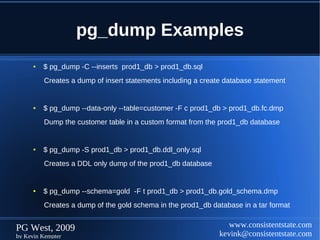
pg_dump Examples
      ●   $ pg_dump -C --inserts prod1_db > prod1_db.sql
          Creates a dump of insert statements including a create database statement


      ●   $ pg_dump --data-only --table=customer -F c prod1_db > prod1_db.fc.dmp
          Dump the customer table in a custom format from the prod1_db database


      ●   $ pg_dump -S prod1_db > prod1_db.ddl_only.sql
          Creates a DDL only dump of the prod1_db database


      ●   $ pg_dump --schema=gold -F t prod1_db > prod1_db.gold_schema.dmp
          Creates a dump of the gold schema in the prod1_db database in a tar format


PG West, 2009                                                     www.consistentstate.com
by Kevin Kempter                                               kevink@consistentstate.com
pg_dumpall

 ●   A PostgreSQL cluster (instance) backup/dump utility
 ●   Creates consistent backups (even if the db is in use)
 ●   Non-blocking
 ●   Multiple Output File Formats
 ●   Highly Flexible Options


PG West, 2009                                 www.consistentstate.com
by Kevin Kempter                           kevink@consistentstate.com
pg_dumpall
  ●   Syntax:
      pg_dumpall [options]


  ●   Connection Options:
      pg_dump -h <host> -p <port> -U <user> -W
      pg_dump --host=<host> --port=<port> --username=<user> --password


  ●   Environment Variables:
      PGDATABASE       PGHOST     PGPORT         PGUSER


PG West, 2009                                            www.consistentstate.com
by Kevin Kempter                                      kevink@consistentstate.com
pg_dumpall

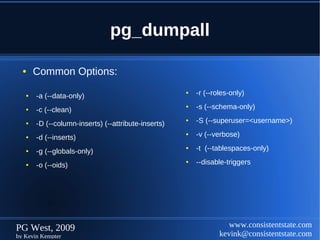
  ●    Common Options:

   ●   -a (--data-only)
                                                     ●   -r (--roles-only)

   ●   -c (--clean)
                                                     ●   -s (--schema-only)

   ●   -D (--column-inserts) (--attribute-inserts)
                                                     ●   -S (--superuser=<username>)

   ●   -d (--inserts)
                                                     ●   -v (--verbose)

   ●   -g (--globals-only)
                                                     ●   -t (--tablespaces-only)

   ●   -o (--oids)
                                                     ●   --disable-triggers


PG West, 2009                                                       www.consistentstate.com
by Kevin Kempter                                                 kevink@consistentstate.com
pg_dumpall Examples
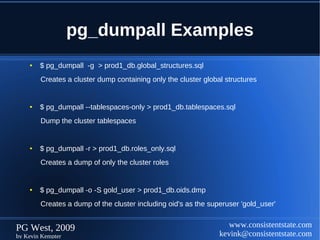
    ●   $ pg_dumpall -g > prod1_db.global_structures.sql
        Creates a cluster dump containing only the cluster global structures


    ●   $ pg_dumpall --tablespaces-only > prod1_db.tablespaces.sql
        Dump the cluster tablespaces


    ●   $ pg_dumpall -r > prod1_db.roles_only.sql
        Creates a dump of only the cluster roles


    ●   $ pg_dumpall -o -S gold_user > prod1_db.oids.dmp
        Creates a dump of the cluster including oid's as the superuser 'gold_user'


PG West, 2009                                                      www.consistentstate.com
by Kevin Kempter                                                kevink@consistentstate.com
Restore Options

 ●   pg_restore
 ●   psql


PG West, 2009                      www.consistentstate.com
by Kevin Kempter                kevink@consistentstate.com
pg_restore
  ●   Syntax:
      pg_restore [options] [filename]


  ●   Connection Options:
      pg_dump -h <host> -p <port> -U <user> -W
      pg_dump --host=<host> --port=<port> --username=<user> --password


  ●   Environment Variables:
      PGDATABASE        PGHOST      PGPORT       PGUSER


PG West, 2009                                            www.consistentstate.com
by Kevin Kempter                                      kevink@consistentstate.com
pg_restore
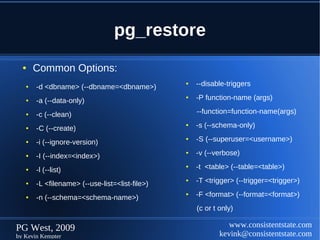
  ●    Common Options:
   ●   -d <dbname> (--dbname=<dbname>)
                                                ●   --disable-triggers

   ●   -a (--data-only)
                                                ●   -P function-name (args)

   ●   -c (--clean)                                 --function=function-name(args)

   ●   -C (--create)
                                                ●   -s (--schema-only)

   ●   -i (--ignore-version)
                                                ●   -S (--superuser=<username>)

   ●   -I (--index=<index>)
                                                ●   -v (--verbose)

   ●   -l (--list)
                                                ●   -t <table> (--table=<table>)

   ●   -L <filename> (--use-list=<list-file>)
                                                ●   -T <trigger> (--trigger=<trigger>)

   ●   -n (--schema=<schema-name>)
                                                ●   -F <format> (--format=<format>)
                                                    (c or t only)

PG West, 2009                                                  www.consistentstate.com
by Kevin Kempter                                            kevink@consistentstate.com
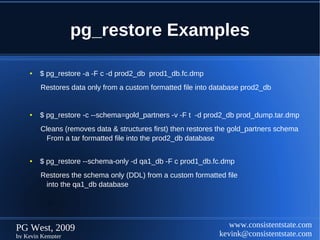
pg_restore Examples

    ●   $ pg_restore -a -F c -d prod2_db prod1_db.fc.dmp
        Restores data only from a custom formatted file into database prod2_db


    ●   $ pg_restore -c --schema=gold_partners -v -F t -d prod2_db prod_dump.tar.dmp
        Cleans (removes data & structures first) then restores the gold_partners schema
          From a tar formatted file into the prod2_db database

    ●   $ pg_restore --schema-only -d qa1_db -F c prod1_db.fc.dmp
        Restores the schema only (DDL) from a custom formatted file
         into the qa1_db database


PG West, 2009                                                    www.consistentstate.com
by Kevin Kempter                                              kevink@consistentstate.com
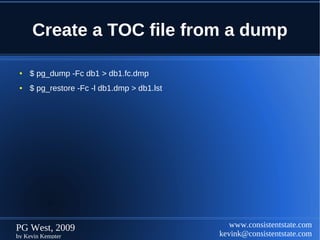
Create a TOC file from a dump

 ●   $ pg_dump -Fc db1 > db1.fc.dmp
 ●   $ pg_restore -Fc -l db1.dmp > db1.lst


PG West, 2009                                   www.consistentstate.com
by Kevin Kempter                             kevink@consistentstate.com
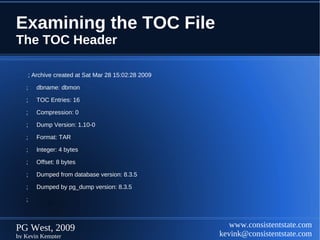
Examining the TOC File
The TOC Header

       ; Archive created at Sat Mar 28 15:02:28 2009

   ;      dbname: dbmon

   ;      TOC Entries: 16

   ;      Compression: 0

   ;      Dump Version: 1.10-0

   ;      Format: TAR

   ;      Integer: 4 bytes

   ;      Offset: 8 bytes

   ;      Dumped from database version: 8.3.5

   ;      Dumped by pg_dump version: 8.3.5

   ;


PG West, 2009                                             www.consistentstate.com
by Kevin Kempter                                       kevink@consistentstate.com
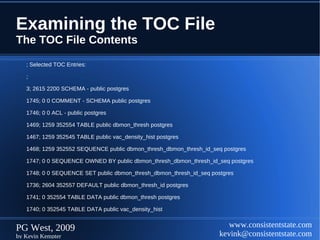
Examining the TOC File
The TOC File Contents

   ; Selected TOC Entries:

   ;

   3; 2615 2200 SCHEMA - public postgres

   1745; 0 0 COMMENT - SCHEMA public postgres

   1746; 0 0 ACL - public postgres

   1469; 1259 352554 TABLE public dbmon_thresh postgres

   1467; 1259 352545 TABLE public vac_density_hist postgres

   1468; 1259 352552 SEQUENCE public dbmon_thresh_dbmon_thresh_id_seq postgres

   1747; 0 0 SEQUENCE OWNED BY public dbmon_thresh_dbmon_thresh_id_seq postgres

   1748; 0 0 SEQUENCE SET public dbmon_thresh_dbmon_thresh_id_seq postgres

   1736; 2604 352557 DEFAULT public dbmon_thresh_id postgres

   1741; 0 352554 TABLE DATA public dbmon_thresh postgres

   1740; 0 352545 TABLE DATA public vac_density_hist


PG West, 2009                                                           www.consistentstate.com
by Kevin Kempter                                                     kevink@consistentstate.com
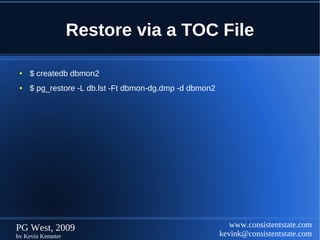
Restore via a TOC File

 ●   $ createdb dbmon2
 ●   $ pg_restore -L db.lst -Ft dbmon-dg.dmp -d dbmon2


PG West, 2009                                               www.consistentstate.com
by Kevin Kempter                                         kevink@consistentstate.com
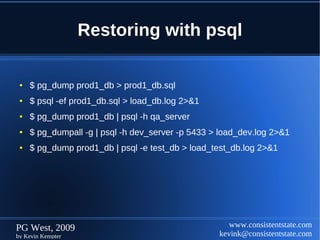
Restoring with psql

 ●   $ pg_dump prod1_db > prod1_db.sql
 ●   $ psql -ef prod1_db.sql > load_db.log 2>&1
 ●   $ pg_dump prod1_db | psql -h qa_server
 ●   $ pg_dumpall -g | psql -h dev_server -p 5433 > load_dev.log 2>&1
 ●   $ pg_dump prod1_db | psql -e test_db > load_test_db.log 2>&1


PG West, 2009                                         www.consistentstate.com
by Kevin Kempter                                   kevink@consistentstate.com
Backup/Restore


                       Summary


PG West, 2009                       www.consistentstate.com
by Kevin Kempter                 kevink@consistentstate.com
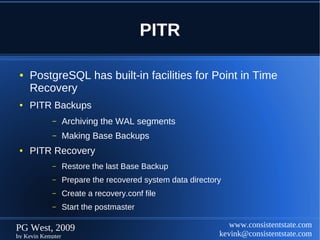
PITR

 ●   PostgreSQL has built-in facilities for Point in Time
     Recovery
 ●   PITR Backups
            –      Archiving the WAL segments
            –      Making Base Backups
 ●   PITR Recovery
            –      Restore the last Base Backup
            –      Prepare the recovered system data directory
            –      Create a recovery.conf file
            –      Start the postmaster

PG West, 2009                                                   www.consistentstate.com
by Kevin Kempter                                             kevink@consistentstate.com
PITR Backups
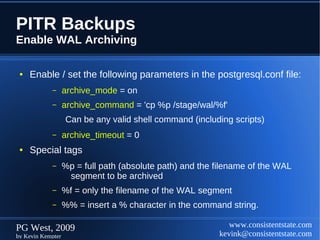
Enable WAL Archiving

 ●   Enable / set the following parameters in the postgresql.conf file:
            –      archive_mode = on
            –      archive_command = 'cp %p /stage/wal/%f'
                   Can be any valid shell command (including scripts)
            –      archive_timeout = 0
 ●   Special tags
            –      %p = full path (absolute path) and the filename of the WAL
                    segment to be archived
            –      %f = only the filename of the WAL segment
            –      %% = insert a % character in the command string.

PG West, 2009                                                www.consistentstate.com
by Kevin Kempter                                          kevink@consistentstate.com
PITR Backups
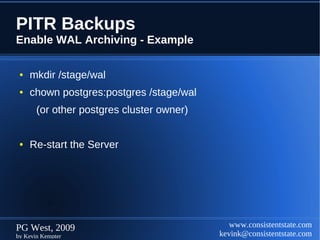
Enable WAL Archiving - Example

 ●   mkdir /stage/wal
 ●   chown postgres:postgres /stage/wal
       (or other postgres cluster owner)


 ●   Re-start the Server


PG West, 2009                                 www.consistentstate.com
by Kevin Kempter                           kevink@consistentstate.com
PITR Backups
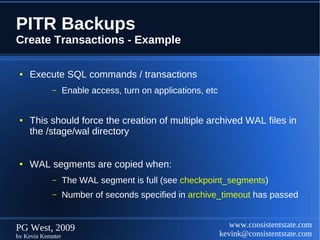
Create Transactions - Example

 ●   Execute SQL commands / transactions
            –      Enable access, turn on applications, etc


 ●   This should force the creation of multiple archived WAL files in
     the /stage/wal directory


 ●   WAL segments are copied when:
            –      The WAL segment is full (see checkpoint_segments)
            –      Number of seconds specified in archive_timeout has passed


PG West, 2009                                                    www.consistentstate.com
by Kevin Kempter                                              kevink@consistentstate.com
PITR Backups
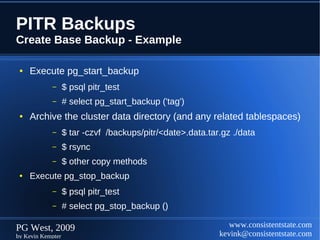
Create Base Backup - Example

 ●   Execute pg_start_backup
            –      $ psql pitr_test
            –      # select pg_start_backup ('tag')
 ●   Archive the cluster data directory (and any related tablespaces)
            –      $ tar -czvf /backups/pitr/<date>.data.tar.gz ./data
            –      $ rsync
            –      $ other copy methods
 ●   Execute pg_stop_backup
            –      $ psql pitr_test
            –      # select pg_stop_backup ()

PG West, 2009                                                  www.consistentstate.com
by Kevin Kempter                                            kevink@consistentstate.com
PITR Backups
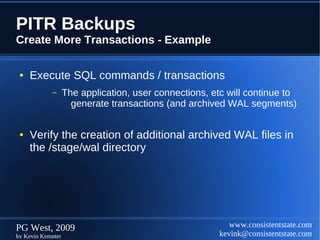
Create More Transactions - Example

 ●   Execute SQL commands / transactions
            –      The application, user connections, etc will continue to
                     generate transactions (and archived WAL segments)


 ●   Verify the creation of additional archived WAL files in
     the /stage/wal directory


PG West, 2009                                             www.consistentstate.com
by Kevin Kempter                                       kevink@consistentstate.com
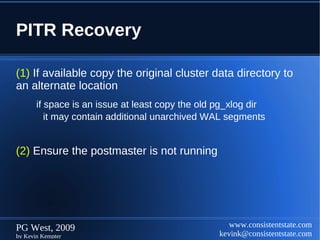
PITR Recovery

(1) If available copy the original cluster data directory to
an alternate location
       if space is an issue at least copy the old pg_xlog dir
          it may contain additional unarchived WAL segments


(2) Ensure the postmaster is not running


PG West, 2009                                        www.consistentstate.com
by Kevin Kempter                                  kevink@consistentstate.com
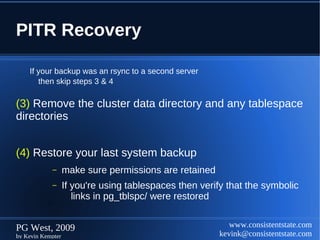
PITR Recovery

    If your backup was an rsync to a second server
       then skip steps 3 & 4

(3) Remove the cluster data directory and any tablespace
directories


(4) Restore your last system backup
            –      make sure permissions are retained
            –      If you're using tablespaces then verify that the symbolic
                      links in pg_tblspc/ were restored


PG West, 2009                                              www.consistentstate.com
by Kevin Kempter                                        kevink@consistentstate.com
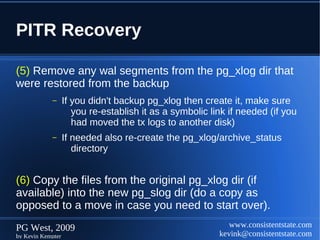
PITR Recovery

(5) Remove any wal segments from the pg_xlog dir that
were restored from the backup
            –      If you didn't backup pg_xlog then create it, make sure
                      you re-establish it as a symbolic link if needed (if you
                      had moved the tx logs to another disk)
            –      If needed also re-create the pg_xlog/archive_status
                      directory


(6) Copy the files from the original pg_xlog dir (if
available) into the new pg_slog dir (do a copy as
opposed to a move in case you need to start over).
PG West, 2009                                                www.consistentstate.com
by Kevin Kempter                                          kevink@consistentstate.com
PITR Recovery
(7) Create a recovery command file named recovery.conf
in the cluster data directory.
(8) [Optional] Temporarily modify pg_hba.conf to prevent
ordinary users from connecting until the recovery is
complete
(9) Start the server.
The server will go into recovery mode via the recovery.conf file.
Once the recovery is complete then the server will become
available and rename the recovery.conf file to recovery.done
If an error interrupts the recovery (or stops the server) then simply
re-starting the server will restart the recovery

PG West, 2009                                       www.consistentstate.com
by Kevin Kempter                                 kevink@consistentstate.com
PITR Recovery

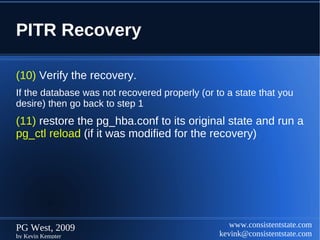
(10) Verify the recovery.
If the database was not recovered properly (or to a state that you
desire) then go back to step 1
(11) restore the pg_hba.conf to its original state and run a
pg_ctl reload (if it was modified for the recovery)


PG West, 2009                                      www.consistentstate.com
by Kevin Kempter                                kevink@consistentstate.com
PITR Recovery
recovery.conf

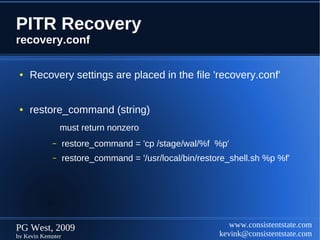
 ●   Recovery settings are placed in the file 'recovery.conf'


 ●   restore_command (string)
                must return nonzero
            –      restore_command = 'cp /stage/wal/%f %p'
            –      restore_command = '/usr/local/bin/restore_shell.sh %p %f'


PG West, 2009                                                www.consistentstate.com
by Kevin Kempter                                          kevink@consistentstate.com
PITR Recovery
recovery.conf


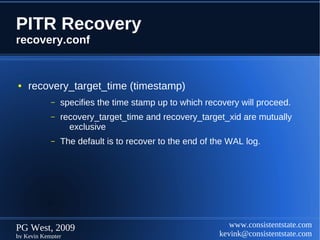
●   recovery_target_time (timestamp)
            –   specifies the time stamp up to which recovery will proceed.
            –   recovery_target_time and recovery_target_xid are mutually
                  exclusive
            –   The default is to recover to the end of the WAL log.


PG West, 2009                                               www.consistentstate.com
by Kevin Kempter                                         kevink@consistentstate.com
PITR Recovery
recovery.conf


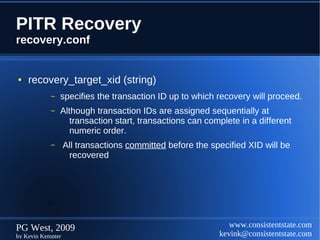
●   recovery_target_xid (string)
            –   specifies the transaction ID up to which recovery will proceed.
            –   Although transaction IDs are assigned sequentially at
                   transaction start, transactions can complete in a different
                   numeric order.
            –      All transactions committed before the specified XID will be
                    recovered


PG West, 2009                                                 www.consistentstate.com
by Kevin Kempter                                           kevink@consistentstate.com
PITR Recovery
recovery.conf


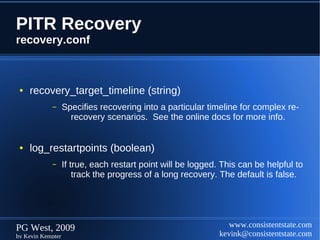
 ●   recovery_target_timeline (string)
            –      Specifies recovering into a particular timeline for complex re-
                     recovery scenarios. See the online docs for more info.


 ●   log_restartpoints (boolean)
            –      If true, each restart point will be logged. This can be helpful to
                       track the progress of a long recovery. The default is false.


PG West, 2009                                                    www.consistentstate.com
by Kevin Kempter                                              kevink@consistentstate.com
PITR Recovery


                   Summary


PG West, 2009                   www.consistentstate.com
by Kevin Kempter             kevink@consistentstate.com
Warm Standby

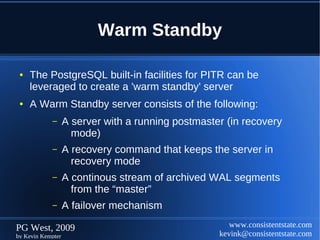
 ●   The PostgreSQL built-in facilities for PITR can be
     leveraged to create a 'warm standby' server
 ●   A Warm Standby server consists of the following:
            –      A server with a running postmaster (in recovery
                     mode)
            –      A recovery command that keeps the server in
                     recovery mode
            –      A continous stream of archived WAL segments
                     from the “master”
            –      A failover mechanism

PG West, 2009                                          www.consistentstate.com
by Kevin Kempter                                    kevink@consistentstate.com
Warm Standby
Overview

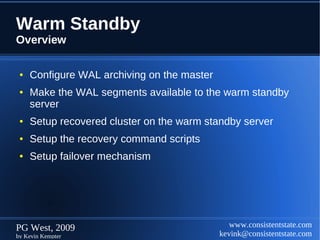
 ●   Configure WAL archiving on the master
 ●   Make the WAL segments available to the warm standby
     server
 ●   Setup recovered cluster on the warm standby server
 ●   Setup the recovery command scripts
 ●   Setup failover mechanism


PG West, 2009                                   www.consistentstate.com
by Kevin Kempter                             kevink@consistentstate.com
Warm Standby
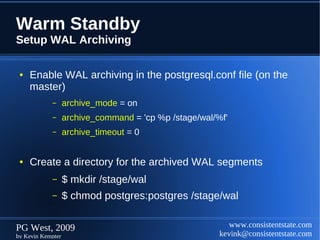
Setup WAL Archiving

 ●   Enable WAL archiving in the postgresql.conf file (on the
     master)
            –      archive_mode = on
            –      archive_command = 'cp %p /stage/wal/%f'
            –      archive_timeout = 0


 ●   Create a directory for the archived WAL segments
            –      $ mkdir /stage/wal
            –      $ chmod postgres:postgres /stage/wal


PG West, 2009                                              www.consistentstate.com
by Kevin Kempter                                        kevink@consistentstate.com
Warm Standby
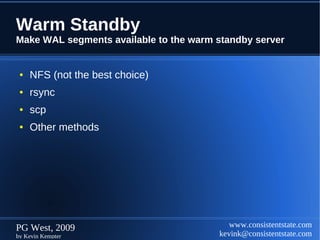
Make WAL segments available to the warm standby server


 ●   NFS (not the best choice)
 ●   rsync
 ●   scp
 ●   Other methods


PG West, 2009                              www.consistentstate.com
by Kevin Kempter                        kevink@consistentstate.com
Warm Standby
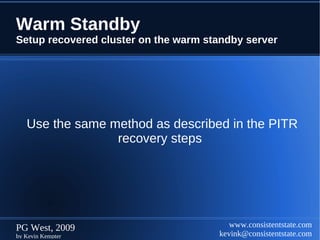
Setup recovered cluster on the warm standby server


   Use the same method as described in the PITR
                 recovery steps


PG West, 2009                            www.consistentstate.com
by Kevin Kempter                      kevink@consistentstate.com
Warm Standby
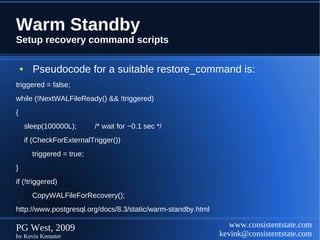
Setup recovery command scripts

    ●     Pseudocode for a suitable restore_command is:
triggered = false;
while (!NextWALFileReady() && !triggered)
{
        sleep(100000L);       /* wait for ~0.1 sec */
        if (CheckForExternalTrigger())
          triggered = true;
}
if (!triggered)
          CopyWALFileForRecovery();
http://www.postgresql.org/docs/8.3/static/warm-standby.html

PG West, 2009                                                    www.consistentstate.com
by Kevin Kempter                                              kevink@consistentstate.com
Warm Standby
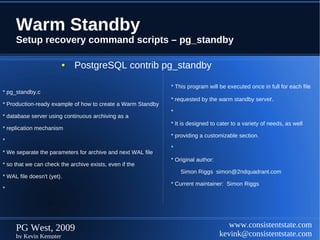
     Setup recovery command scripts – pg_standby

                        ●    PostgreSQL contrib pg_standby

                                                             * This program will be executed once in full for each file
* pg_standby.c
                                                             * requested by the warm standby server.
* Production-ready example of how to create a Warm Standby
                                                             *
* database server using continuous archiving as a
                                                             * It is designed to cater to a variety of needs, as well
* replication mechanism
                                                             * providing a customizable section.
*
                                                             *
* We separate the parameters for archive and next WAL file
                                                             * Original author:
* so that we can check the archive exists, even if the
                                                                 Simon Riggs simon@2ndquadrant.com
* WAL file doesn't (yet).
                                                             * Current maintainer: Simon Riggs
*


     PG West, 2009                                                                   www.consistentstate.com
     by Kevin Kempter                                                             kevink@consistentstate.com
Warm Standby
Setup recovery command scripts – recovery.conf file


 ●   Using a shell script
            –      restore_command = '/home/postgres/wst/bin/shell_script.sh %p %f'


 ●   Using the pg_standby contrib
            –      restore_command =
                   pg_standby [options] archivelocation %f %p %r [RESTARTWALFILE]
                   %r = “The size of the WAL archive can be minimized by using the %r option of the
                           restore_command. This option specifies the last archive file name that needs
                           to be kept to allow the recovery to restart correctly. This can be used to truncate
                           the archive once files are no longer required, if the archive is writable from the
                          standby server.” **


     ** http://www.postgresql.org/docs/8.3/static/warm-standby.html

PG West, 2009                                                                       www.consistentstate.com
by Kevin Kempter                                                                 kevink@consistentstate.com
Warm Standby
     Setup recovery command scripts – recovery.conf file

      ●   pg_standby [options] **


Option                     Default   Use cp or copy command to restore WAL files from archive.
-c                         yes       Remove files from archivelocation so that no more than this many WAL files
                                     before the current one are kept in the archive. Zero (the default) means not to
                                     remove any files from archivelocation.
-d                         no        Use ln command to restore WAL files from archive. Link is more efficient than
                                     copy, but the default is copy since link will not work in all scenarios
-k <numfiles>              0         Remove files from archivelocation so that no more than this many WAL
                                     files before the current one are kept in the archive. Zero (the default)
                                     means not to remove any files from archivelocation. This parameter will
                                     be silently ignored if restartwalfile is specified
-l                         no        Use ln command to restore WAL files from archive. Link is more
                                     efficient than copy, but the default is copy since link will not work in all
                                     scenarios.

     ** http://www.postgresql.org/docs/8.3/static/pgstandby.html

     PG West, 2009                                                                     www.consistentstate.com
     by Kevin Kempter                                                               kevink@consistentstate.com
Warm Standby
  Setup recovery command scripts – recovery.conf file


    ●    pg_standby [options] **


Option                  Default   Use cp or copy command to restore WAL files from archive.
-r <max retries>        3         Set the maximum number of times to retry the copy or link command if it
                                  fails. After each failure, we wait for sleeptime * num_retries so that the
                                  wait time increases progressively.
-s <sleep time>         5         Set the number of seconds (up to 60) to sleep between tests to see if
                                  the WAL file to be restored is available in the archive yet.
-t <trigger file>       none      Specify a trigger file whose presence should cause recovery to end
                                  whether or not the next WAL file is available.
-w <max wait time>      0         Set the maximum number of seconds to wait for the next WAL file, after
                                  which recovery will end and the standby will come up. A setting of zero
                                  (the default) means wait forever.


  ** http://www.postgresql.org/docs/8.3/static/pgstandby.html

  PG West, 2009                                                                  www.consistentstate.com
  by Kevin Kempter                                                            kevink@consistentstate.com
Warm Standby


                   Summary


PG West, 2009                   www.consistentstate.com
by Kevin Kempter             kevink@consistentstate.com
End


PG West, 2009               www.consistentstate.com
by Kevin Kempter         kevink@consistentstate.com

Backup and-recovery2

  • 1.
    PostgreSQL Backup and Recovery Except where otherwise noted, this work is licensed under http://creativecommons.org/licenses/by/3.0/ PG West, 2009 www.consistentstate.com by Kevin Kempter kevink@consistentstate.com
  • 2.
    Session Topics ● Overview ● Backup Options ● Restore Options ● Point in Time Recovery (PITR) ● Warm Standby PG West, 2009 www.consistentstate.com by Kevin Kempter kevink@consistentstate.com
  • 3.
    Backup Options ● pg_dump ● pg_dumpall PG West, 2009 www.consistentstate.com by Kevin Kempter kevink@consistentstate.com
  • 4.
    pg_dump ● A PostgreSQL database backup/dump utility ● Creates consistent backups (even if the db is in use) ● Non-blocking ● Multiple Output File Formats ● Highly Flexible Options PG West, 2009 www.consistentstate.com by Kevin Kempter kevink@consistentstate.com
  • 5.
    pg_dump ● Syntax: pg_dump [options] dbname ● Connection Options: pg_dump -h <host> -p <port> -U <user> -W pg_dump --host=<host> --port=<port> --username=<user> --password ● Environment Variables: PGDATABASE PGHOST PGPORT PGUSER PG West, 2009 www.consistentstate.com by Kevin Kempter kevink@consistentstate.com
  • 6.
    pg_dump ● Common Options: ● -a (--data-only) ● -s (--schema-only) ● -c (--clean) ● -t (--table=<tablename>) ● -C (--create) ● -T (--exclude-table=<tablename>) ● -d (--inserts) ● -v (--verbose) ● -N (--exclude-schema=<schema>) ● -F <format> (--format=<format>) ● -n (--schema=<schema>) PG West, 2009 www.consistentstate.com by Kevin Kempter kevink@consistentstate.com
  • 7.
    pg_dump ● File Format Options: ● Plain ● Creates a plain text SQL file (default) -F p (--format=plain) ● Custom ● Create a custom compressed format (compatible with pg_restore) -F c (--format=custom) ● Tar ● Creates a tar format file (also compatible with pg_restore) -F t (--format=tar) PG West, 2009 www.consistentstate.com by Kevin Kempter kevink@consistentstate.com
  • 8.
    pg_dump Examples ● $ pg_dump -C --inserts prod1_db > prod1_db.sql Creates a dump of insert statements including a create database statement ● $ pg_dump --data-only --table=customer -F c prod1_db > prod1_db.fc.dmp Dump the customer table in a custom format from the prod1_db database ● $ pg_dump -S prod1_db > prod1_db.ddl_only.sql Creates a DDL only dump of the prod1_db database ● $ pg_dump --schema=gold -F t prod1_db > prod1_db.gold_schema.dmp Creates a dump of the gold schema in the prod1_db database in a tar format PG West, 2009 www.consistentstate.com by Kevin Kempter kevink@consistentstate.com
  • 9.
    pg_dumpall ● A PostgreSQL cluster (instance) backup/dump utility ● Creates consistent backups (even if the db is in use) ● Non-blocking ● Multiple Output File Formats ● Highly Flexible Options PG West, 2009 www.consistentstate.com by Kevin Kempter kevink@consistentstate.com
  • 10.
    pg_dumpall ● Syntax: pg_dumpall [options] ● Connection Options: pg_dump -h <host> -p <port> -U <user> -W pg_dump --host=<host> --port=<port> --username=<user> --password ● Environment Variables: PGDATABASE PGHOST PGPORT PGUSER PG West, 2009 www.consistentstate.com by Kevin Kempter kevink@consistentstate.com
  • 11.
    pg_dumpall ● Common Options: ● -a (--data-only) ● -r (--roles-only) ● -c (--clean) ● -s (--schema-only) ● -D (--column-inserts) (--attribute-inserts) ● -S (--superuser=<username>) ● -d (--inserts) ● -v (--verbose) ● -g (--globals-only) ● -t (--tablespaces-only) ● -o (--oids) ● --disable-triggers PG West, 2009 www.consistentstate.com by Kevin Kempter kevink@consistentstate.com
  • 12.
    pg_dumpall Examples ● $ pg_dumpall -g > prod1_db.global_structures.sql Creates a cluster dump containing only the cluster global structures ● $ pg_dumpall --tablespaces-only > prod1_db.tablespaces.sql Dump the cluster tablespaces ● $ pg_dumpall -r > prod1_db.roles_only.sql Creates a dump of only the cluster roles ● $ pg_dumpall -o -S gold_user > prod1_db.oids.dmp Creates a dump of the cluster including oid's as the superuser 'gold_user' PG West, 2009 www.consistentstate.com by Kevin Kempter kevink@consistentstate.com
  • 13.
    Restore Options ● pg_restore ● psql PG West, 2009 www.consistentstate.com by Kevin Kempter kevink@consistentstate.com
  • 14.
    pg_restore ● Syntax: pg_restore [options] [filename] ● Connection Options: pg_dump -h <host> -p <port> -U <user> -W pg_dump --host=<host> --port=<port> --username=<user> --password ● Environment Variables: PGDATABASE PGHOST PGPORT PGUSER PG West, 2009 www.consistentstate.com by Kevin Kempter kevink@consistentstate.com
  • 15.
    pg_restore ● Common Options: ● -d <dbname> (--dbname=<dbname>) ● --disable-triggers ● -a (--data-only) ● -P function-name (args) ● -c (--clean) --function=function-name(args) ● -C (--create) ● -s (--schema-only) ● -i (--ignore-version) ● -S (--superuser=<username>) ● -I (--index=<index>) ● -v (--verbose) ● -l (--list) ● -t <table> (--table=<table>) ● -L <filename> (--use-list=<list-file>) ● -T <trigger> (--trigger=<trigger>) ● -n (--schema=<schema-name>) ● -F <format> (--format=<format>) (c or t only) PG West, 2009 www.consistentstate.com by Kevin Kempter kevink@consistentstate.com
  • 16.
    pg_restore Examples ● $ pg_restore -a -F c -d prod2_db prod1_db.fc.dmp Restores data only from a custom formatted file into database prod2_db ● $ pg_restore -c --schema=gold_partners -v -F t -d prod2_db prod_dump.tar.dmp Cleans (removes data & structures first) then restores the gold_partners schema From a tar formatted file into the prod2_db database ● $ pg_restore --schema-only -d qa1_db -F c prod1_db.fc.dmp Restores the schema only (DDL) from a custom formatted file into the qa1_db database PG West, 2009 www.consistentstate.com by Kevin Kempter kevink@consistentstate.com
  • 17.
    Create a TOCfile from a dump ● $ pg_dump -Fc db1 > db1.fc.dmp ● $ pg_restore -Fc -l db1.dmp > db1.lst PG West, 2009 www.consistentstate.com by Kevin Kempter kevink@consistentstate.com
  • 18.
    Examining the TOCFile The TOC Header ; Archive created at Sat Mar 28 15:02:28 2009 ; dbname: dbmon ; TOC Entries: 16 ; Compression: 0 ; Dump Version: 1.10-0 ; Format: TAR ; Integer: 4 bytes ; Offset: 8 bytes ; Dumped from database version: 8.3.5 ; Dumped by pg_dump version: 8.3.5 ; PG West, 2009 www.consistentstate.com by Kevin Kempter kevink@consistentstate.com
  • 19.
    Examining the TOCFile The TOC File Contents ; Selected TOC Entries: ; 3; 2615 2200 SCHEMA - public postgres 1745; 0 0 COMMENT - SCHEMA public postgres 1746; 0 0 ACL - public postgres 1469; 1259 352554 TABLE public dbmon_thresh postgres 1467; 1259 352545 TABLE public vac_density_hist postgres 1468; 1259 352552 SEQUENCE public dbmon_thresh_dbmon_thresh_id_seq postgres 1747; 0 0 SEQUENCE OWNED BY public dbmon_thresh_dbmon_thresh_id_seq postgres 1748; 0 0 SEQUENCE SET public dbmon_thresh_dbmon_thresh_id_seq postgres 1736; 2604 352557 DEFAULT public dbmon_thresh_id postgres 1741; 0 352554 TABLE DATA public dbmon_thresh postgres 1740; 0 352545 TABLE DATA public vac_density_hist PG West, 2009 www.consistentstate.com by Kevin Kempter kevink@consistentstate.com
  • 20.
    Restore via aTOC File ● $ createdb dbmon2 ● $ pg_restore -L db.lst -Ft dbmon-dg.dmp -d dbmon2 PG West, 2009 www.consistentstate.com by Kevin Kempter kevink@consistentstate.com
  • 21.
    Restoring with psql ● $ pg_dump prod1_db > prod1_db.sql ● $ psql -ef prod1_db.sql > load_db.log 2>&1 ● $ pg_dump prod1_db | psql -h qa_server ● $ pg_dumpall -g | psql -h dev_server -p 5433 > load_dev.log 2>&1 ● $ pg_dump prod1_db | psql -e test_db > load_test_db.log 2>&1 PG West, 2009 www.consistentstate.com by Kevin Kempter kevink@consistentstate.com
  • 22.
    Backup/Restore Summary PG West, 2009 www.consistentstate.com by Kevin Kempter kevink@consistentstate.com
  • 23.
    PITR ● PostgreSQL has built-in facilities for Point in Time Recovery ● PITR Backups – Archiving the WAL segments – Making Base Backups ● PITR Recovery – Restore the last Base Backup – Prepare the recovered system data directory – Create a recovery.conf file – Start the postmaster PG West, 2009 www.consistentstate.com by Kevin Kempter kevink@consistentstate.com
  • 24.
    PITR Backups Enable WALArchiving ● Enable / set the following parameters in the postgresql.conf file: – archive_mode = on – archive_command = 'cp %p /stage/wal/%f' Can be any valid shell command (including scripts) – archive_timeout = 0 ● Special tags – %p = full path (absolute path) and the filename of the WAL segment to be archived – %f = only the filename of the WAL segment – %% = insert a % character in the command string. PG West, 2009 www.consistentstate.com by Kevin Kempter kevink@consistentstate.com
  • 25.
    PITR Backups Enable WALArchiving - Example ● mkdir /stage/wal ● chown postgres:postgres /stage/wal (or other postgres cluster owner) ● Re-start the Server PG West, 2009 www.consistentstate.com by Kevin Kempter kevink@consistentstate.com
  • 26.
    PITR Backups Create Transactions- Example ● Execute SQL commands / transactions – Enable access, turn on applications, etc ● This should force the creation of multiple archived WAL files in the /stage/wal directory ● WAL segments are copied when: – The WAL segment is full (see checkpoint_segments) – Number of seconds specified in archive_timeout has passed PG West, 2009 www.consistentstate.com by Kevin Kempter kevink@consistentstate.com
  • 27.
    PITR Backups Create BaseBackup - Example ● Execute pg_start_backup – $ psql pitr_test – # select pg_start_backup ('tag') ● Archive the cluster data directory (and any related tablespaces) – $ tar -czvf /backups/pitr/<date>.data.tar.gz ./data – $ rsync – $ other copy methods ● Execute pg_stop_backup – $ psql pitr_test – # select pg_stop_backup () PG West, 2009 www.consistentstate.com by Kevin Kempter kevink@consistentstate.com
  • 28.
    PITR Backups Create MoreTransactions - Example ● Execute SQL commands / transactions – The application, user connections, etc will continue to generate transactions (and archived WAL segments) ● Verify the creation of additional archived WAL files in the /stage/wal directory PG West, 2009 www.consistentstate.com by Kevin Kempter kevink@consistentstate.com
  • 29.
    PITR Recovery (1) Ifavailable copy the original cluster data directory to an alternate location if space is an issue at least copy the old pg_xlog dir it may contain additional unarchived WAL segments (2) Ensure the postmaster is not running PG West, 2009 www.consistentstate.com by Kevin Kempter kevink@consistentstate.com
  • 30.
    PITR Recovery If your backup was an rsync to a second server then skip steps 3 & 4 (3) Remove the cluster data directory and any tablespace directories (4) Restore your last system backup – make sure permissions are retained – If you're using tablespaces then verify that the symbolic links in pg_tblspc/ were restored PG West, 2009 www.consistentstate.com by Kevin Kempter kevink@consistentstate.com
  • 31.
    PITR Recovery (5) Removeany wal segments from the pg_xlog dir that were restored from the backup – If you didn't backup pg_xlog then create it, make sure you re-establish it as a symbolic link if needed (if you had moved the tx logs to another disk) – If needed also re-create the pg_xlog/archive_status directory (6) Copy the files from the original pg_xlog dir (if available) into the new pg_slog dir (do a copy as opposed to a move in case you need to start over). PG West, 2009 www.consistentstate.com by Kevin Kempter kevink@consistentstate.com
  • 32.
    PITR Recovery (7) Createa recovery command file named recovery.conf in the cluster data directory. (8) [Optional] Temporarily modify pg_hba.conf to prevent ordinary users from connecting until the recovery is complete (9) Start the server. The server will go into recovery mode via the recovery.conf file. Once the recovery is complete then the server will become available and rename the recovery.conf file to recovery.done If an error interrupts the recovery (or stops the server) then simply re-starting the server will restart the recovery PG West, 2009 www.consistentstate.com by Kevin Kempter kevink@consistentstate.com
  • 33.
    PITR Recovery (10) Verifythe recovery. If the database was not recovered properly (or to a state that you desire) then go back to step 1 (11) restore the pg_hba.conf to its original state and run a pg_ctl reload (if it was modified for the recovery) PG West, 2009 www.consistentstate.com by Kevin Kempter kevink@consistentstate.com
  • 34.
    PITR Recovery recovery.conf ● Recovery settings are placed in the file 'recovery.conf' ● restore_command (string) must return nonzero – restore_command = 'cp /stage/wal/%f %p' – restore_command = '/usr/local/bin/restore_shell.sh %p %f' PG West, 2009 www.consistentstate.com by Kevin Kempter kevink@consistentstate.com
  • 35.
    PITR Recovery recovery.conf ● recovery_target_time (timestamp) – specifies the time stamp up to which recovery will proceed. – recovery_target_time and recovery_target_xid are mutually exclusive – The default is to recover to the end of the WAL log. PG West, 2009 www.consistentstate.com by Kevin Kempter kevink@consistentstate.com
  • 36.
    PITR Recovery recovery.conf ● recovery_target_xid (string) – specifies the transaction ID up to which recovery will proceed. – Although transaction IDs are assigned sequentially at transaction start, transactions can complete in a different numeric order. – All transactions committed before the specified XID will be recovered PG West, 2009 www.consistentstate.com by Kevin Kempter kevink@consistentstate.com
  • 37.
    PITR Recovery recovery.conf ● recovery_target_timeline (string) – Specifies recovering into a particular timeline for complex re- recovery scenarios. See the online docs for more info. ● log_restartpoints (boolean) – If true, each restart point will be logged. This can be helpful to track the progress of a long recovery. The default is false. PG West, 2009 www.consistentstate.com by Kevin Kempter kevink@consistentstate.com
  • 38.
    PITR Recovery Summary PG West, 2009 www.consistentstate.com by Kevin Kempter kevink@consistentstate.com
  • 39.
    Warm Standby ● The PostgreSQL built-in facilities for PITR can be leveraged to create a 'warm standby' server ● A Warm Standby server consists of the following: – A server with a running postmaster (in recovery mode) – A recovery command that keeps the server in recovery mode – A continous stream of archived WAL segments from the “master” – A failover mechanism PG West, 2009 www.consistentstate.com by Kevin Kempter kevink@consistentstate.com
  • 40.
    Warm Standby Overview ● Configure WAL archiving on the master ● Make the WAL segments available to the warm standby server ● Setup recovered cluster on the warm standby server ● Setup the recovery command scripts ● Setup failover mechanism PG West, 2009 www.consistentstate.com by Kevin Kempter kevink@consistentstate.com
  • 41.
    Warm Standby Setup WALArchiving ● Enable WAL archiving in the postgresql.conf file (on the master) – archive_mode = on – archive_command = 'cp %p /stage/wal/%f' – archive_timeout = 0 ● Create a directory for the archived WAL segments – $ mkdir /stage/wal – $ chmod postgres:postgres /stage/wal PG West, 2009 www.consistentstate.com by Kevin Kempter kevink@consistentstate.com
  • 42.
    Warm Standby Make WALsegments available to the warm standby server ● NFS (not the best choice) ● rsync ● scp ● Other methods PG West, 2009 www.consistentstate.com by Kevin Kempter kevink@consistentstate.com
  • 43.
    Warm Standby Setup recoveredcluster on the warm standby server Use the same method as described in the PITR recovery steps PG West, 2009 www.consistentstate.com by Kevin Kempter kevink@consistentstate.com
  • 44.
    Warm Standby Setup recoverycommand scripts ● Pseudocode for a suitable restore_command is: triggered = false; while (!NextWALFileReady() && !triggered) { sleep(100000L); /* wait for ~0.1 sec */ if (CheckForExternalTrigger()) triggered = true; } if (!triggered) CopyWALFileForRecovery(); http://www.postgresql.org/docs/8.3/static/warm-standby.html PG West, 2009 www.consistentstate.com by Kevin Kempter kevink@consistentstate.com
  • 45.
    Warm Standby Setup recovery command scripts – pg_standby ● PostgreSQL contrib pg_standby * This program will be executed once in full for each file * pg_standby.c * requested by the warm standby server. * Production-ready example of how to create a Warm Standby * * database server using continuous archiving as a * It is designed to cater to a variety of needs, as well * replication mechanism * providing a customizable section. * * * We separate the parameters for archive and next WAL file * Original author: * so that we can check the archive exists, even if the Simon Riggs simon@2ndquadrant.com * WAL file doesn't (yet). * Current maintainer: Simon Riggs * PG West, 2009 www.consistentstate.com by Kevin Kempter kevink@consistentstate.com
  • 46.
    Warm Standby Setup recoverycommand scripts – recovery.conf file ● Using a shell script – restore_command = '/home/postgres/wst/bin/shell_script.sh %p %f' ● Using the pg_standby contrib – restore_command = pg_standby [options] archivelocation %f %p %r [RESTARTWALFILE] %r = “The size of the WAL archive can be minimized by using the %r option of the restore_command. This option specifies the last archive file name that needs to be kept to allow the recovery to restart correctly. This can be used to truncate the archive once files are no longer required, if the archive is writable from the standby server.” ** ** http://www.postgresql.org/docs/8.3/static/warm-standby.html PG West, 2009 www.consistentstate.com by Kevin Kempter kevink@consistentstate.com
  • 47.
    Warm Standby Setup recovery command scripts – recovery.conf file ● pg_standby [options] ** Option Default Use cp or copy command to restore WAL files from archive. -c yes Remove files from archivelocation so that no more than this many WAL files before the current one are kept in the archive. Zero (the default) means not to remove any files from archivelocation. -d no Use ln command to restore WAL files from archive. Link is more efficient than copy, but the default is copy since link will not work in all scenarios -k <numfiles> 0 Remove files from archivelocation so that no more than this many WAL files before the current one are kept in the archive. Zero (the default) means not to remove any files from archivelocation. This parameter will be silently ignored if restartwalfile is specified -l no Use ln command to restore WAL files from archive. Link is more efficient than copy, but the default is copy since link will not work in all scenarios. ** http://www.postgresql.org/docs/8.3/static/pgstandby.html PG West, 2009 www.consistentstate.com by Kevin Kempter kevink@consistentstate.com
  • 48.
    Warm Standby Setup recovery command scripts – recovery.conf file ● pg_standby [options] ** Option Default Use cp or copy command to restore WAL files from archive. -r <max retries> 3 Set the maximum number of times to retry the copy or link command if it fails. After each failure, we wait for sleeptime * num_retries so that the wait time increases progressively. -s <sleep time> 5 Set the number of seconds (up to 60) to sleep between tests to see if the WAL file to be restored is available in the archive yet. -t <trigger file> none Specify a trigger file whose presence should cause recovery to end whether or not the next WAL file is available. -w <max wait time> 0 Set the maximum number of seconds to wait for the next WAL file, after which recovery will end and the standby will come up. A setting of zero (the default) means wait forever. ** http://www.postgresql.org/docs/8.3/static/pgstandby.html PG West, 2009 www.consistentstate.com by Kevin Kempter kevink@consistentstate.com
  • 49.
    Warm Standby Summary PG West, 2009 www.consistentstate.com by Kevin Kempter kevink@consistentstate.com
  • 50.
    End PG West, 2009 www.consistentstate.com by Kevin Kempter kevink@consistentstate.com