Fuzzing Softwares for Bugs
AMol NAik & Rushikesh Nandedkar
Agenda
● Introduction
● Fuzzing Process
● Types of Fuzzing
● Mutation-based Fuzzing - AFL
● Generation-based Fuzzing - Domato with WebKit
AMol NAik (@amolnaik4)
● Head of Information Security, GOJEK
○ Product Security, DevSecOps, Cloud Security
○ Data Security, Compliance
● Core member of G4H
● Fuzzing browsers since 2013
● IE 9/10/11 were my favorite
Rishikesh Nandedkar (@nandedkarhrishi)
● Engineer || Analyst || Researcher
● Learned last year that “./configure -h” gives customized help
● Thinks in CPU time
● Spams friends/mentors & unknowns for IEEE 802.11, Binary Analysis, Linear
Equations and Kernel
● @office/@home
○ Threat Research
○ Binary Analysis
○ Honeypots
Test Setup
● VM details
○ Everything setup
○ Radamsa is missing, install as per instructions given
○ Username: fuzzy
○ Password: password123
○ Download: https://drive.google.com/drive/folders/1xYjhsillIkPjuoS5Vr7lmWSFRD9XQNHU
● Hardware requirements
○ 4GB RAM
○ 40GB HDD
○ Minimum number of cores assigned: 2
○ VirtualBox 6 or above
What is Fuzzing
Wikipedia
Fuzzing or fuzz testing is an automated software testing technique that
involves providing invalid, unexpected, or random data as inputs to a
computer program. The program is then monitored for exceptions such as
crashes, failing built-in code assertions, or potential memory leaks.
Why Fuzz
● For Companies
○ Stress test
○ Security
● For Security researchers
○ Vulnerability Research
○ Exploits
○ 0-day
○ $$$$
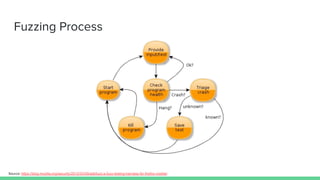
Fuzzing Process
Source: https://blog.mozilla.org/security/2012/03/09/adbfuzz-a-fuzz-testing-harness-for-firefox-mobile/
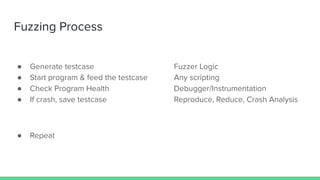
Fuzzing Process
● Generate testcase Fuzzer Logic
● Start program & feed the testcase Any scripting
● Check Program Health Debugger/Instrumentation
● If crash, save testcase Reproduce, Reduce, Crash Analysis
● Repeat
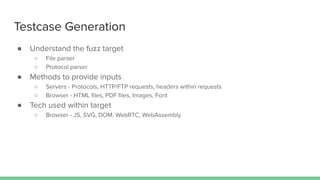
Testcase Generation
● Understand the fuzz target
○ File parser
○ Protocol parser
● Methods to provide inputs
○ Servers - Protocols, HTTP/FTP requests, headers within requests
○ Browser - HTML files, PDF files, Images, Font
● Tech used within target
○ Browser - JS, SVG, DOM, WebRTC, WebAssembly
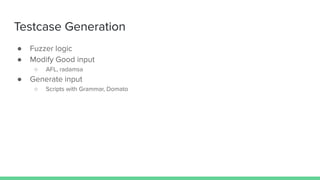
Testcase Generation
● Fuzzer logic
● Modify Good input
○ AFL, radamsa
● Generate input
○ Scripts with Grammar, Domato
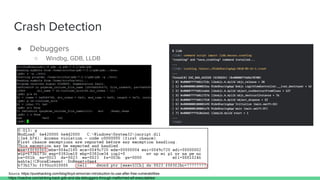
Crash Detection
● Debuggers
○ Windbg, GDB, LLDB
Source: https://purehacking.com/blog/lloyd-simon/an-introduction-to-use-after-free-vulnerabilities
https://ioactive.com/striking-back-gdb-and-ida-debuggers-through-malformed-elf-executables/
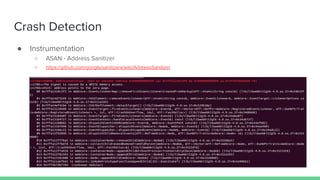
Crash Detection
● Instrumentation
○ ASAN - Address Sanitizer
○ https://github.com/google/sanitizers/wiki/AddressSanitizer
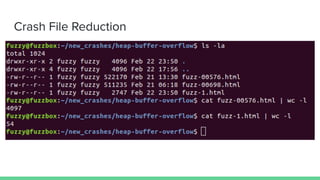
Crash File Reduction
Crash Analysis
● Out of scope for this workshop
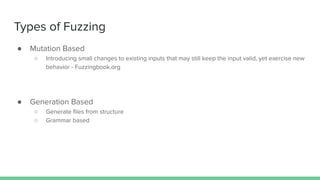
Types of Fuzzing
● Mutation Based
○ Introducing small changes to existing inputs that may still keep the input valid, yet exercise new
behavior - Fuzzingbook.org
● Generation Based
○ Generate files from structure
○ Grammar based
Mutation Based Fuzzing
● AFL (American Fuzzy Lop)
○ Brute-force fuzzer coupled with an exceedingly simple but rock-solid instrumentation-guided
genetic algorithm
○ https://github.com/google/AFL
How is AFL Better
● Compile time instrumentation
● Better coverage
● Intelligent test case trimming
● Utilities which comes handy before, during and after fuzzing
“When you do demos, you have to surrender to the
demo gods.” - Mikko Hypponen
Hopefully, won’t see a proof of Murphy’s law
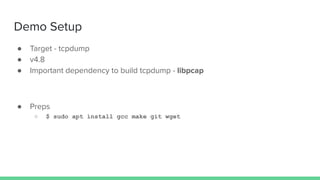
Demo Setup
● Target - tcpdump
● v4.8
● Important dependency to build tcpdump - libpcap
● Preps
○ $ sudo apt install gcc make git wget
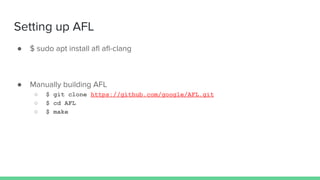
Setting up AFL
● $ sudo apt install afl afl-clang
● Manually building AFL
○ $ git clone https://github.com/google/AFL.git
○ $ cd AFL
○ $ make
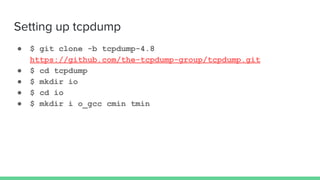
Setting up tcpdump
● $ git clone -b tcpdump-4.8
https://github.com/the-tcpdump-group/tcpdump.git
● $ cd tcpdump
● $ mkdir io
● $ cd io
● $ mkdir i o_gcc cmin tmin
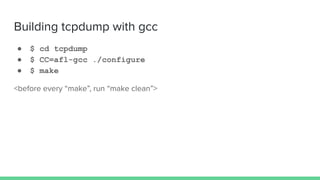
Building tcpdump with gcc
● $ cd tcpdump
● $ CC=afl-gcc ./configure
● $ make
<before every “make”, run “make clean”>
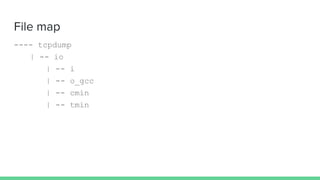
File map
---- tcpdump
| -- io
| -- i
| -- o_gcc
| -- cmin
| -- tmin
Thoughts on test files
● Keep them as small as possible
● Use afl-analyze
● Use cmin
● Manually check the time the target binary is taking to execute for test file
● # of files does not always matter
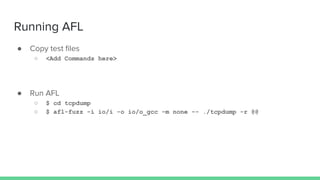
Running AFL
● Copy test files
○ <Add Commands here>
● Run AFL
○ $ cd tcpdump
○ $ afl-fuzz -i io/i -o io/o_gcc -m none -- ./tcpdump -r @@
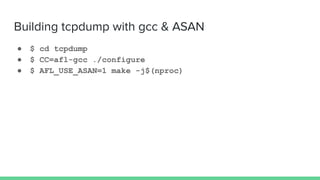
Building tcpdump with gcc & ASAN
● $ cd tcpdump
● $ CC=afl-gcc ./configure
● $ AFL_USE_ASAN=1 make -j$(nproc)
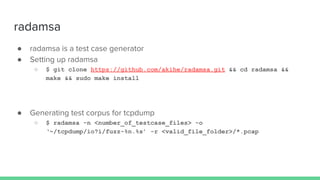
radamsa
● radamsa is a test case generator
● Setting up radamsa
○ $ git clone https://github.com/akihe/radamsa.git && cd radamsa &&
make && sudo make install
● Generating test corpus for tcpdump
○ $ radamsa -n <number_of_testcase_files> -o
‘~/tcpdump/io?i/fuzz-%n.%s’ -r <valid_file_folder>/*.pcap
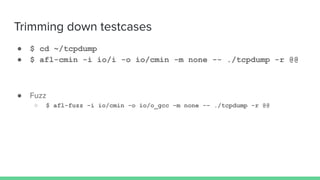
Trimming down testcases
● $ cd ~/tcpdump
● $ afl-cmin -i io/i -o io/cmin -m none -- ./tcpdump -r @@
● Fuzz
○ $ afl-fuzz -i io/cmin -o io/o_gcc -m none -- ./tcpdump -r @@
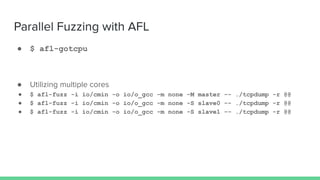
Parallel Fuzzing with AFL
● $ afl-gotcpu
● Utilizing multiple cores
● $ afl-fuzz -i io/cmin -o io/o_gcc -m none -M master -- ./tcpdump -r @@
● $ afl-fuzz -i io/cmin -o io/o_gcc -m none -S slave0 -- ./tcpdump -r @@
● $ afl-fuzz -i io/cmin -o io/o_gcc -m none -S slave1 -- ./tcpdump -r @@
I feel the need, the need for speed !
Did you noticed ?
● Stage Progress stats
○ stage execs
○ total execs
○ exec speed
○ <add more if relevant>
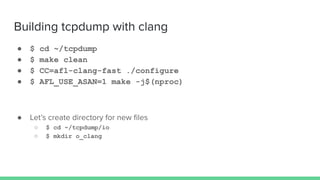
Building tcpdump with clang
● $ cd ~/tcpdump
● $ make clean
● $ CC=afl-clang-fast ./configure
● $ AFL_USE_ASAN=1 make -j$(nproc)
● Let’s create directory for new files
○ $ cd ~/tcpdump/io
○ $ mkdir o_clang
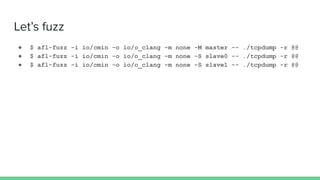
Let’s fuzz
● $ afl-fuzz -i io/cmin -o io/o_clang -m none -M master -- ./tcpdump -r @@
● $ afl-fuzz -i io/cmin -o io/o_clang -m none -S slave0 -- ./tcpdump -r @@
● $ afl-fuzz -i io/cmin -o io/o_clang -m none -S slave1 -- ./tcpdump -r @@
Wait for crashes
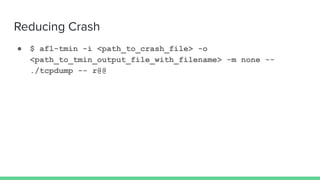
Reducing Crash
● $ afl-tmin -i <path_to_crash_file> -o
<path_to_tmin_output_file_with_filename> -m none --
./tcpdump -- r@@
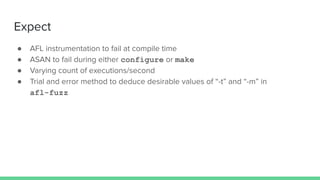
Expect
● AFL instrumentation to fail at compile time
● ASAN to fail during either configure or make
● Varying count of executions/second
● Trial and error method to deduce desirable values of “-t” and “-m” in
afl-fuzz
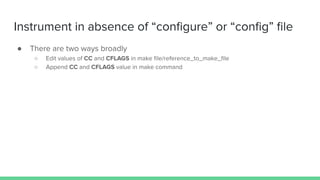
Instrument in absence of “configure” or “config” file
● There are two ways broadly
○ Edit values of CC and CFLAGS in make file/reference_to_make_file
○ Append CC and CFLAGS value in make command
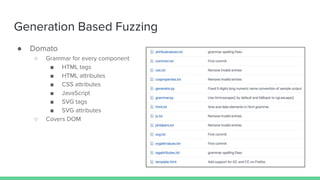
Generation Based Fuzzing
● Domato
○ Grammar for every component
■ HTML tags
■ HTML attributes
■ CSS attributes
■ JavaScript
■ SVG tags
■ SVG attributes
○ Covers DOM
Generation Based Fuzzing - Domato
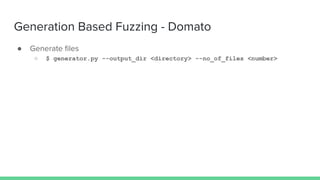
● Generate files
○ $ generator.py --output_dir <directory> --no_of_files <number>
Generation Based Fuzzing
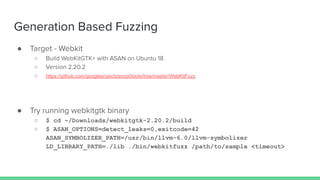
● Target - Webkit
○ Build WebKitGTK+ with ASAN on Ubuntu 18
○ Version 2.20.2
○ https://github.com/googleprojectzero/p0tools/tree/master/WebKitFuzz
● Try running webkitgtk binary
○ $ cd ~/Downloads/webkitgtk-2.20.2/build
○ $ ASAN_OPTIONS=detect_leaks=0,exitcode=42
ASAN_SYMBOLIZER_PATH=/usr/bin/llvm-6.0/llvm-symbolizer
LD_LIBRARY_PATH=./lib ./bin/webkitfuzz /path/to/sample <timeout>
Generation Based Fuzzing
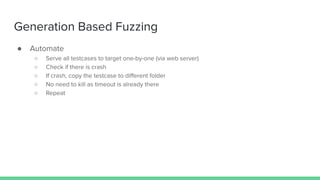
● Automate
○ Serve all testcases to target one-by-one (via web server)
○ Check if there is crash
○ If crash, copy the testcase to different folder
○ No need to kill as timeout is already there
○ Repeat
Generation Based Fuzzing
● Automate
○ One way - fuzz.sh
Got any crashes ??
● Navigate to ~/new_crashes
● Crashes
○ Heap-buffer-overflow
○ SEGV
■ There are different types of SEGV
Generation Based Fuzzers
● Publicly available fuzzers
○ Cross_fuzz
○ Nodefuzz
○ Nduja
○ Fileja
Fuzzing Principles
● Have Patience
○ Don’t expect to get new crashes in 1-2 days
● Don’t lose hopes
○ Fuzzing is about randomness
○ You might hit right node at right time
● Build your own fuzzers
○ Everyone uses public fuzzers
○ Target one thing at a time
○ Modify when crashes reduced
Thank You !!

Fuzzing softwares for bugs - OWASP Seasides

  • 1.
    Fuzzing Softwares forBugs AMol NAik & Rushikesh Nandedkar
  • 2.
    Agenda ● Introduction ● FuzzingProcess ● Types of Fuzzing ● Mutation-based Fuzzing - AFL ● Generation-based Fuzzing - Domato with WebKit
  • 3.
    AMol NAik (@amolnaik4) ●Head of Information Security, GOJEK ○ Product Security, DevSecOps, Cloud Security ○ Data Security, Compliance ● Core member of G4H ● Fuzzing browsers since 2013 ● IE 9/10/11 were my favorite
  • 4.
    Rishikesh Nandedkar (@nandedkarhrishi) ●Engineer || Analyst || Researcher ● Learned last year that “./configure -h” gives customized help ● Thinks in CPU time ● Spams friends/mentors & unknowns for IEEE 802.11, Binary Analysis, Linear Equations and Kernel ● @office/@home ○ Threat Research ○ Binary Analysis ○ Honeypots
  • 5.
    Test Setup ● VMdetails ○ Everything setup ○ Radamsa is missing, install as per instructions given ○ Username: fuzzy ○ Password: password123 ○ Download: https://drive.google.com/drive/folders/1xYjhsillIkPjuoS5Vr7lmWSFRD9XQNHU ● Hardware requirements ○ 4GB RAM ○ 40GB HDD ○ Minimum number of cores assigned: 2 ○ VirtualBox 6 or above
  • 6.
    What is Fuzzing Wikipedia Fuzzingor fuzz testing is an automated software testing technique that involves providing invalid, unexpected, or random data as inputs to a computer program. The program is then monitored for exceptions such as crashes, failing built-in code assertions, or potential memory leaks.
  • 7.
    Why Fuzz ● ForCompanies ○ Stress test ○ Security ● For Security researchers ○ Vulnerability Research ○ Exploits ○ 0-day ○ $$$$
  • 8.
  • 9.
    Fuzzing Process ● Generatetestcase Fuzzer Logic ● Start program & feed the testcase Any scripting ● Check Program Health Debugger/Instrumentation ● If crash, save testcase Reproduce, Reduce, Crash Analysis ● Repeat
  • 10.
    Testcase Generation ● Understandthe fuzz target ○ File parser ○ Protocol parser ● Methods to provide inputs ○ Servers - Protocols, HTTP/FTP requests, headers within requests ○ Browser - HTML files, PDF files, Images, Font ● Tech used within target ○ Browser - JS, SVG, DOM, WebRTC, WebAssembly
  • 11.
    Testcase Generation ● Fuzzerlogic ● Modify Good input ○ AFL, radamsa ● Generate input ○ Scripts with Grammar, Domato
  • 12.
    Crash Detection ● Debuggers ○Windbg, GDB, LLDB Source: https://purehacking.com/blog/lloyd-simon/an-introduction-to-use-after-free-vulnerabilities https://ioactive.com/striking-back-gdb-and-ida-debuggers-through-malformed-elf-executables/
  • 13.
    Crash Detection ● Instrumentation ○ASAN - Address Sanitizer ○ https://github.com/google/sanitizers/wiki/AddressSanitizer
  • 14.
  • 15.
    Crash Analysis ● Outof scope for this workshop
  • 16.
    Types of Fuzzing ●Mutation Based ○ Introducing small changes to existing inputs that may still keep the input valid, yet exercise new behavior - Fuzzingbook.org ● Generation Based ○ Generate files from structure ○ Grammar based
  • 17.
    Mutation Based Fuzzing ●AFL (American Fuzzy Lop) ○ Brute-force fuzzer coupled with an exceedingly simple but rock-solid instrumentation-guided genetic algorithm ○ https://github.com/google/AFL
  • 18.
    How is AFLBetter ● Compile time instrumentation ● Better coverage ● Intelligent test case trimming ● Utilities which comes handy before, during and after fuzzing
  • 19.
    “When you dodemos, you have to surrender to the demo gods.” - Mikko Hypponen Hopefully, won’t see a proof of Murphy’s law
  • 20.
    Demo Setup ● Target- tcpdump ● v4.8 ● Important dependency to build tcpdump - libpcap ● Preps ○ $ sudo apt install gcc make git wget
  • 21.
    Setting up AFL ●$ sudo apt install afl afl-clang ● Manually building AFL ○ $ git clone https://github.com/google/AFL.git ○ $ cd AFL ○ $ make
  • 22.
    Setting up tcpdump ●$ git clone -b tcpdump-4.8 https://github.com/the-tcpdump-group/tcpdump.git ● $ cd tcpdump ● $ mkdir io ● $ cd io ● $ mkdir i o_gcc cmin tmin
  • 23.
    Building tcpdump withgcc ● $ cd tcpdump ● $ CC=afl-gcc ./configure ● $ make <before every “make”, run “make clean”>
  • 24.
    File map ---- tcpdump |-- io | -- i | -- o_gcc | -- cmin | -- tmin
  • 25.
    Thoughts on testfiles ● Keep them as small as possible ● Use afl-analyze ● Use cmin ● Manually check the time the target binary is taking to execute for test file ● # of files does not always matter
  • 26.
    Running AFL ● Copytest files ○ <Add Commands here> ● Run AFL ○ $ cd tcpdump ○ $ afl-fuzz -i io/i -o io/o_gcc -m none -- ./tcpdump -r @@
  • 27.
    Building tcpdump withgcc & ASAN ● $ cd tcpdump ● $ CC=afl-gcc ./configure ● $ AFL_USE_ASAN=1 make -j$(nproc)
  • 28.
    radamsa ● radamsa isa test case generator ● Setting up radamsa ○ $ git clone https://github.com/akihe/radamsa.git && cd radamsa && make && sudo make install ● Generating test corpus for tcpdump ○ $ radamsa -n <number_of_testcase_files> -o ‘~/tcpdump/io?i/fuzz-%n.%s’ -r <valid_file_folder>/*.pcap
  • 29.
    Trimming down testcases ●$ cd ~/tcpdump ● $ afl-cmin -i io/i -o io/cmin -m none -- ./tcpdump -r @@ ● Fuzz ○ $ afl-fuzz -i io/cmin -o io/o_gcc -m none -- ./tcpdump -r @@
  • 30.
    Parallel Fuzzing withAFL ● $ afl-gotcpu ● Utilizing multiple cores ● $ afl-fuzz -i io/cmin -o io/o_gcc -m none -M master -- ./tcpdump -r @@ ● $ afl-fuzz -i io/cmin -o io/o_gcc -m none -S slave0 -- ./tcpdump -r @@ ● $ afl-fuzz -i io/cmin -o io/o_gcc -m none -S slave1 -- ./tcpdump -r @@
  • 31.
    I feel theneed, the need for speed !
  • 32.
    Did you noticed? ● Stage Progress stats ○ stage execs ○ total execs ○ exec speed ○ <add more if relevant>
  • 33.
    Building tcpdump withclang ● $ cd ~/tcpdump ● $ make clean ● $ CC=afl-clang-fast ./configure ● $ AFL_USE_ASAN=1 make -j$(nproc) ● Let’s create directory for new files ○ $ cd ~/tcpdump/io ○ $ mkdir o_clang
  • 34.
    Let’s fuzz ● $afl-fuzz -i io/cmin -o io/o_clang -m none -M master -- ./tcpdump -r @@ ● $ afl-fuzz -i io/cmin -o io/o_clang -m none -S slave0 -- ./tcpdump -r @@ ● $ afl-fuzz -i io/cmin -o io/o_clang -m none -S slave1 -- ./tcpdump -r @@
  • 35.
  • 36.
    Reducing Crash ● $afl-tmin -i <path_to_crash_file> -o <path_to_tmin_output_file_with_filename> -m none -- ./tcpdump -- r@@
  • 37.
    Expect ● AFL instrumentationto fail at compile time ● ASAN to fail during either configure or make ● Varying count of executions/second ● Trial and error method to deduce desirable values of “-t” and “-m” in afl-fuzz
  • 38.
    Instrument in absenceof “configure” or “config” file ● There are two ways broadly ○ Edit values of CC and CFLAGS in make file/reference_to_make_file ○ Append CC and CFLAGS value in make command
  • 39.
    Generation Based Fuzzing ●Domato ○ Grammar for every component ■ HTML tags ■ HTML attributes ■ CSS attributes ■ JavaScript ■ SVG tags ■ SVG attributes ○ Covers DOM
  • 40.
    Generation Based Fuzzing- Domato ● Generate files ○ $ generator.py --output_dir <directory> --no_of_files <number>
  • 41.
    Generation Based Fuzzing ●Target - Webkit ○ Build WebKitGTK+ with ASAN on Ubuntu 18 ○ Version 2.20.2 ○ https://github.com/googleprojectzero/p0tools/tree/master/WebKitFuzz ● Try running webkitgtk binary ○ $ cd ~/Downloads/webkitgtk-2.20.2/build ○ $ ASAN_OPTIONS=detect_leaks=0,exitcode=42 ASAN_SYMBOLIZER_PATH=/usr/bin/llvm-6.0/llvm-symbolizer LD_LIBRARY_PATH=./lib ./bin/webkitfuzz /path/to/sample <timeout>
  • 42.
    Generation Based Fuzzing ●Automate ○ Serve all testcases to target one-by-one (via web server) ○ Check if there is crash ○ If crash, copy the testcase to different folder ○ No need to kill as timeout is already there ○ Repeat
  • 43.
    Generation Based Fuzzing ●Automate ○ One way - fuzz.sh
  • 44.
    Got any crashes?? ● Navigate to ~/new_crashes ● Crashes ○ Heap-buffer-overflow ○ SEGV ■ There are different types of SEGV
  • 45.
    Generation Based Fuzzers ●Publicly available fuzzers ○ Cross_fuzz ○ Nodefuzz ○ Nduja ○ Fileja
  • 46.
    Fuzzing Principles ● HavePatience ○ Don’t expect to get new crashes in 1-2 days ● Don’t lose hopes ○ Fuzzing is about randomness ○ You might hit right node at right time ● Build your own fuzzers ○ Everyone uses public fuzzers ○ Target one thing at a time ○ Modify when crashes reduced
  • 47.