Setting up a website using   http://blogger.com Part 2 Presentation for the Wiltshire AST Network Meeting on 29 June 2009 Dave Drake Humanities Advanced Skills Teacher http://humanitiesastwiltshire.blogspot.com
 
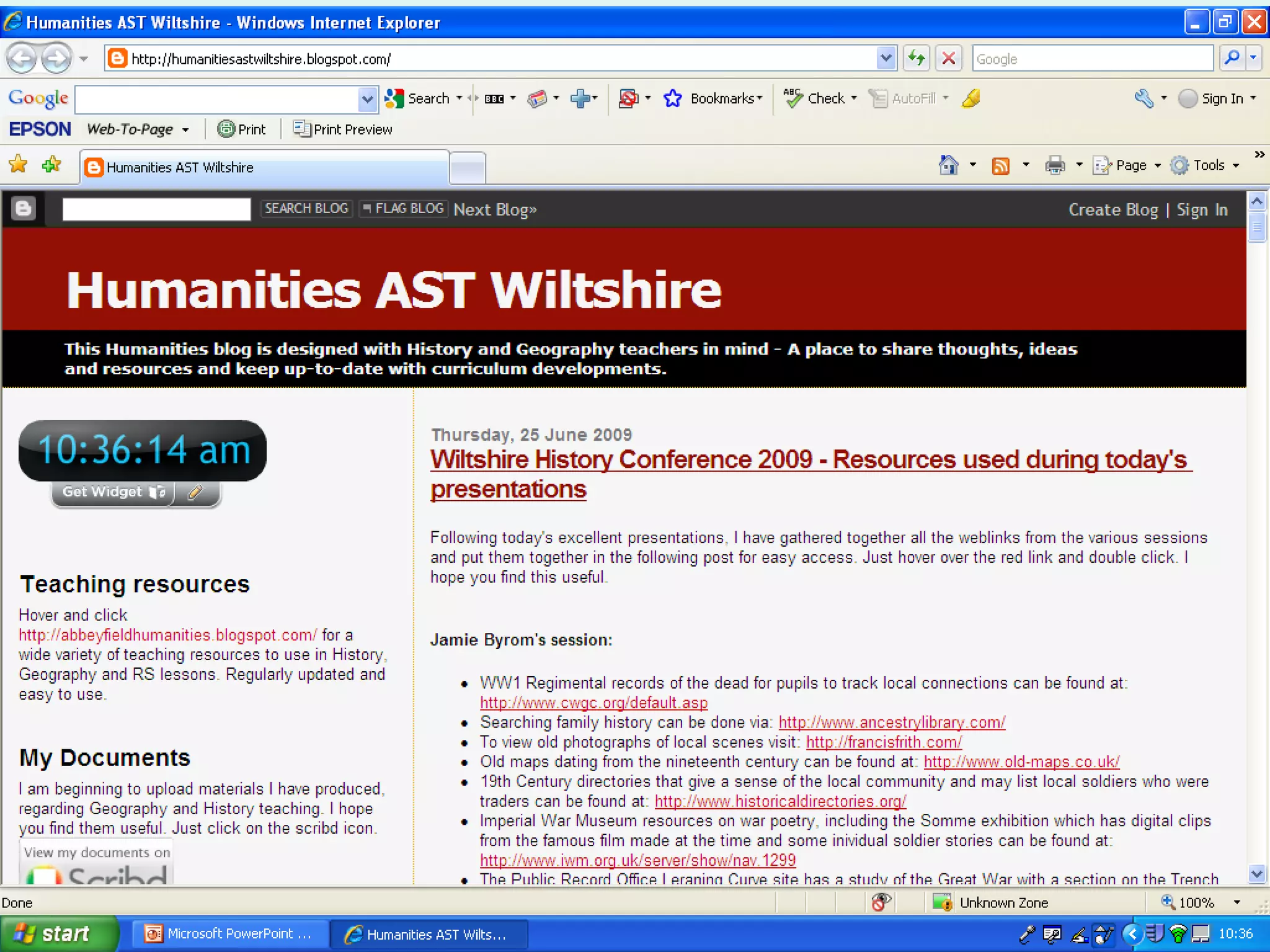
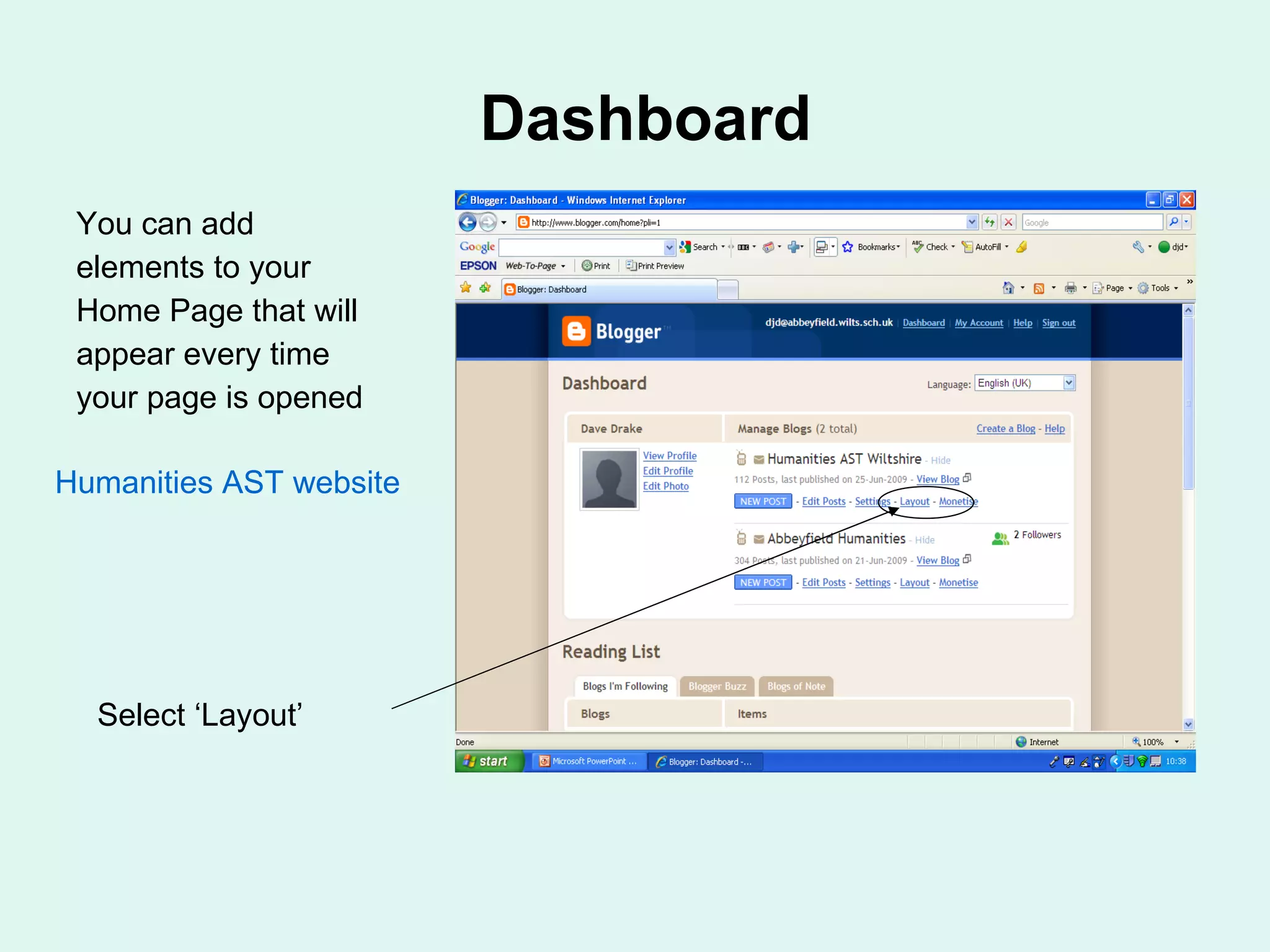
Dashboard You can add elements to your Home Page that will appear every time your page is opened Select ‘Layout’ Humanities AST website
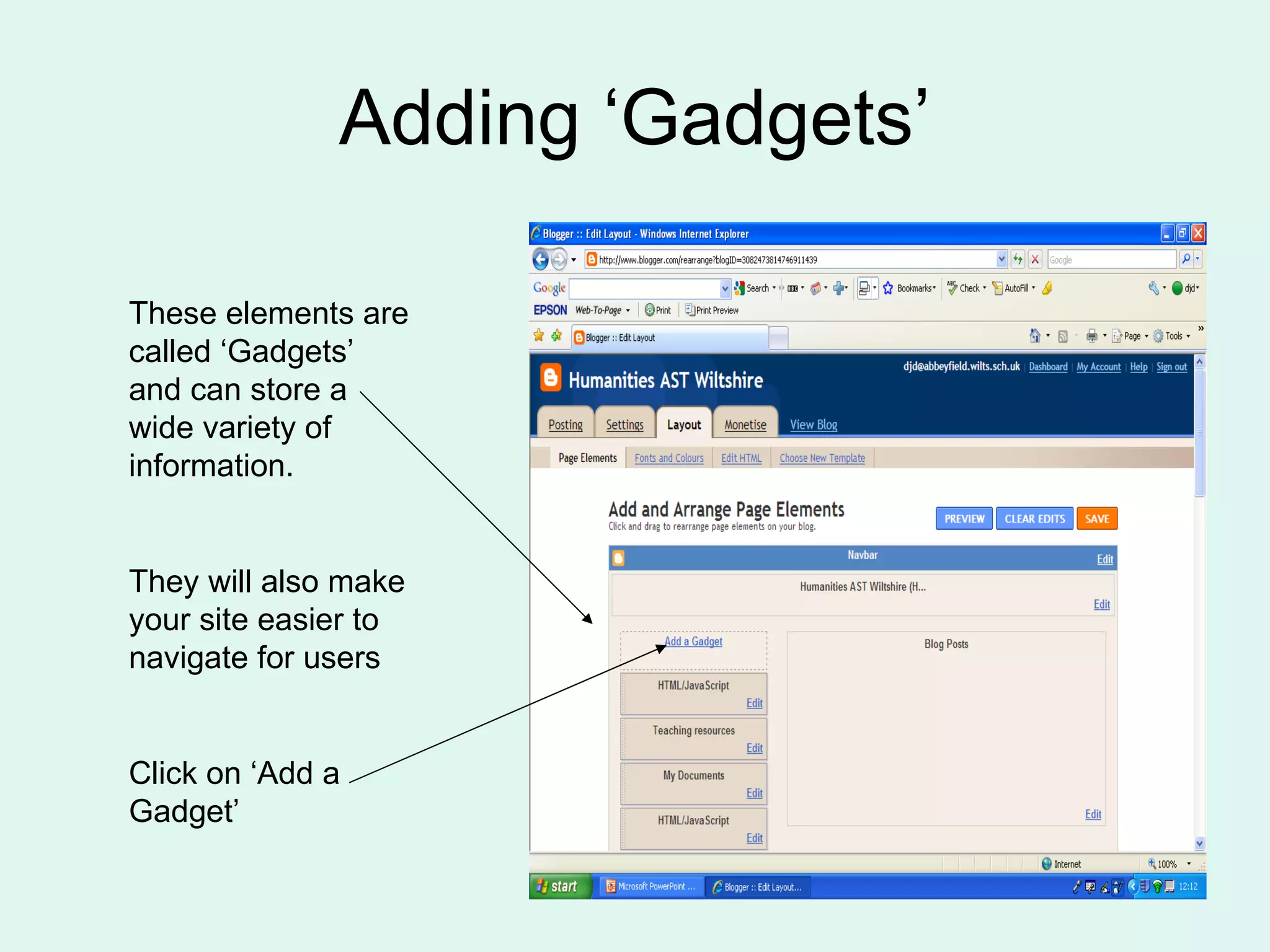
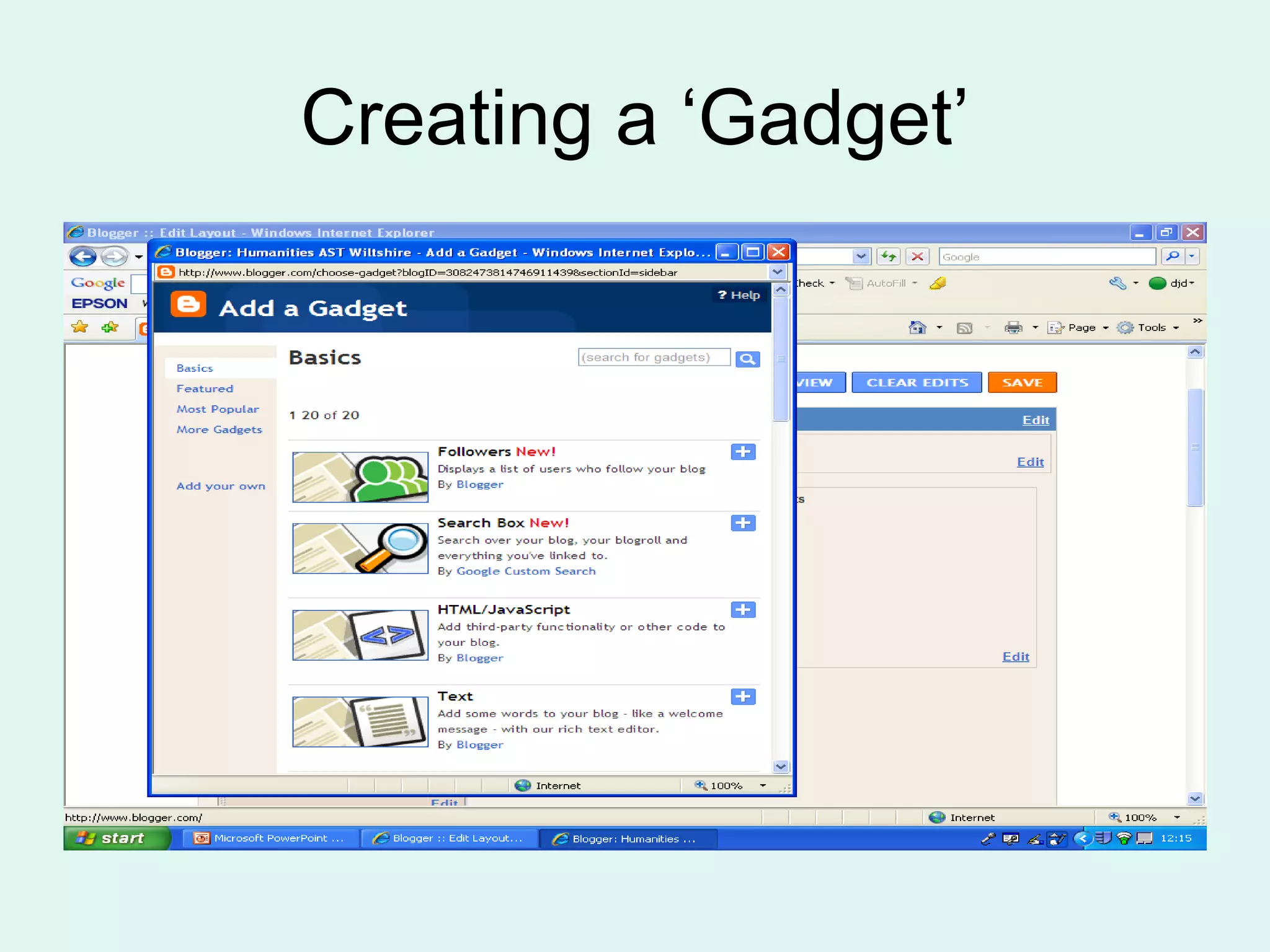
Adding ‘Gadgets’ These elements are called ‘Gadgets’ and can store a wide variety of information. They will also make your site easier to navigate for users Click on ‘Add a Gadget’
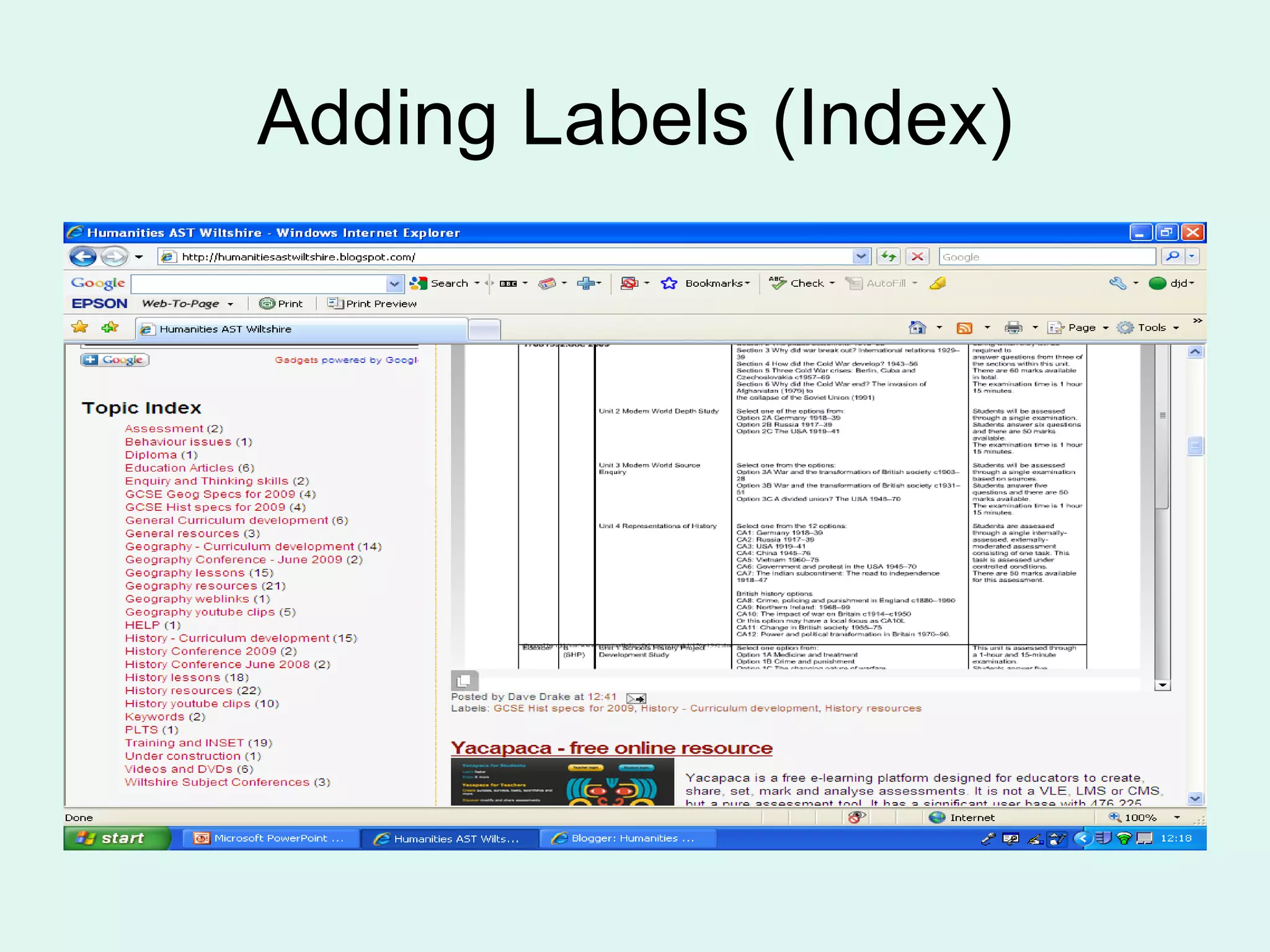
Adding Labels (Index)
Creating a ‘Gadget’
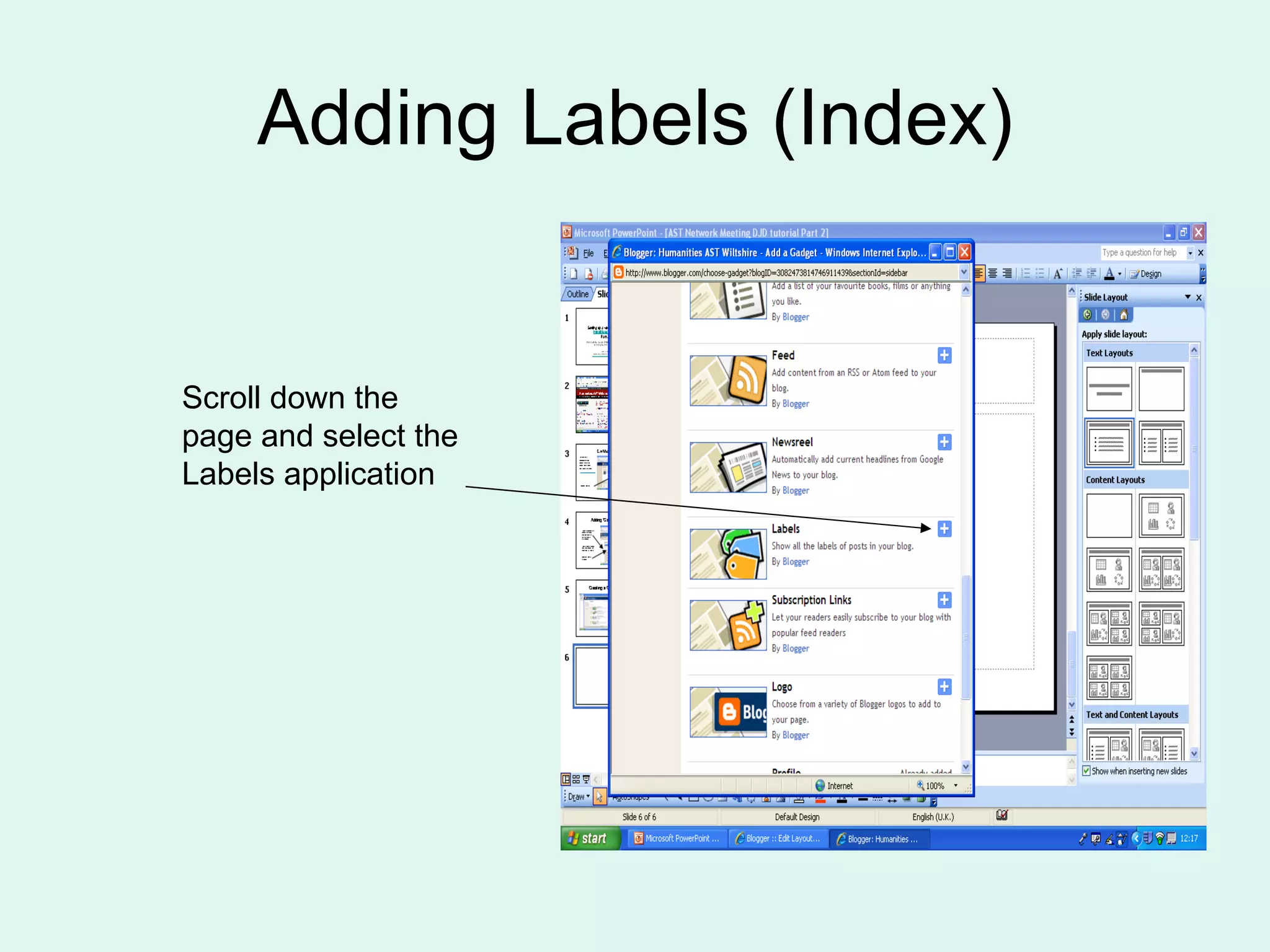
Adding Labels (Index) Scroll down the page and select the Labels application
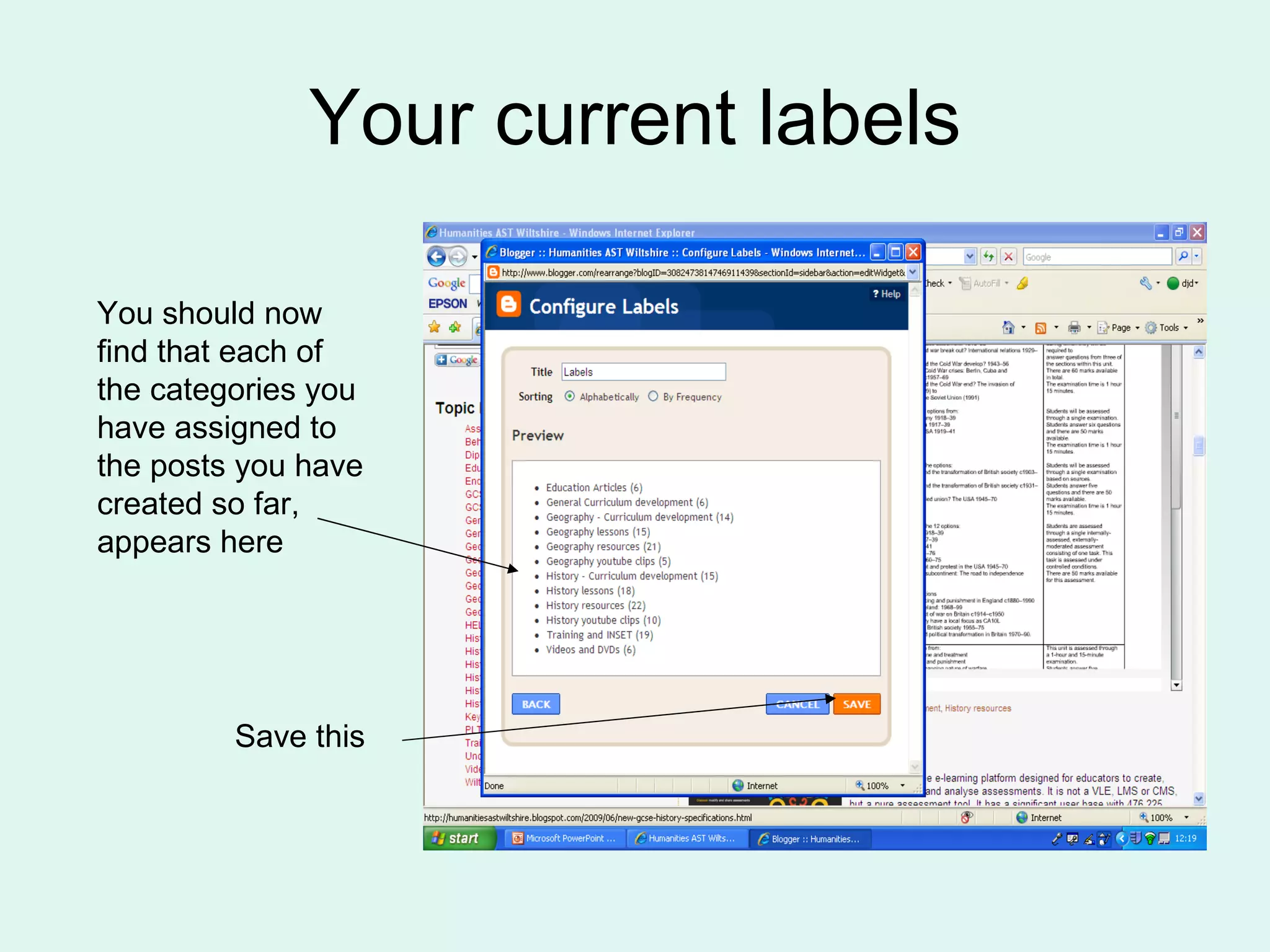
Your current labels You should now find that each of the categories you have assigned to the posts you have created so far, appears here Save this
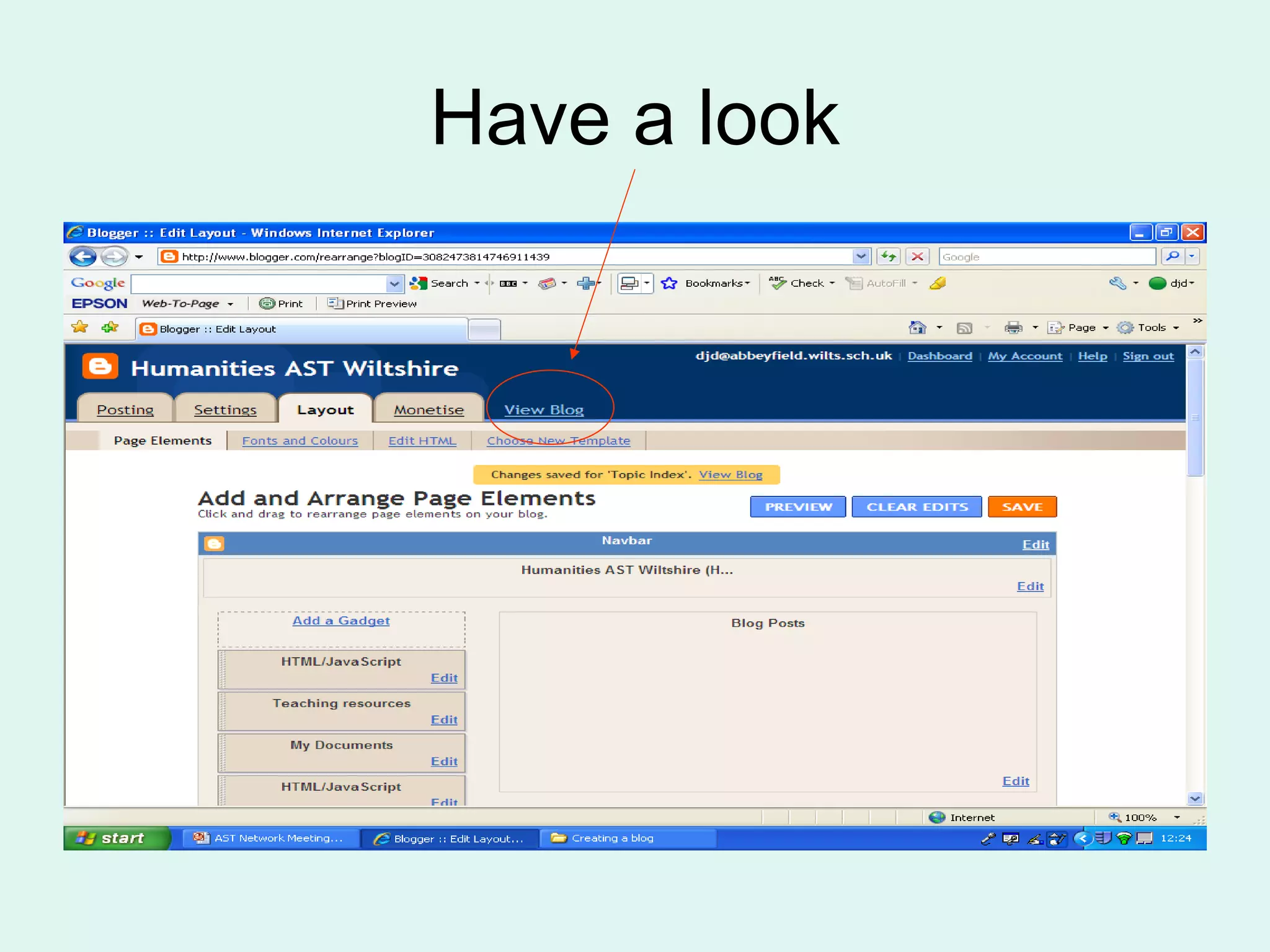
Have a look
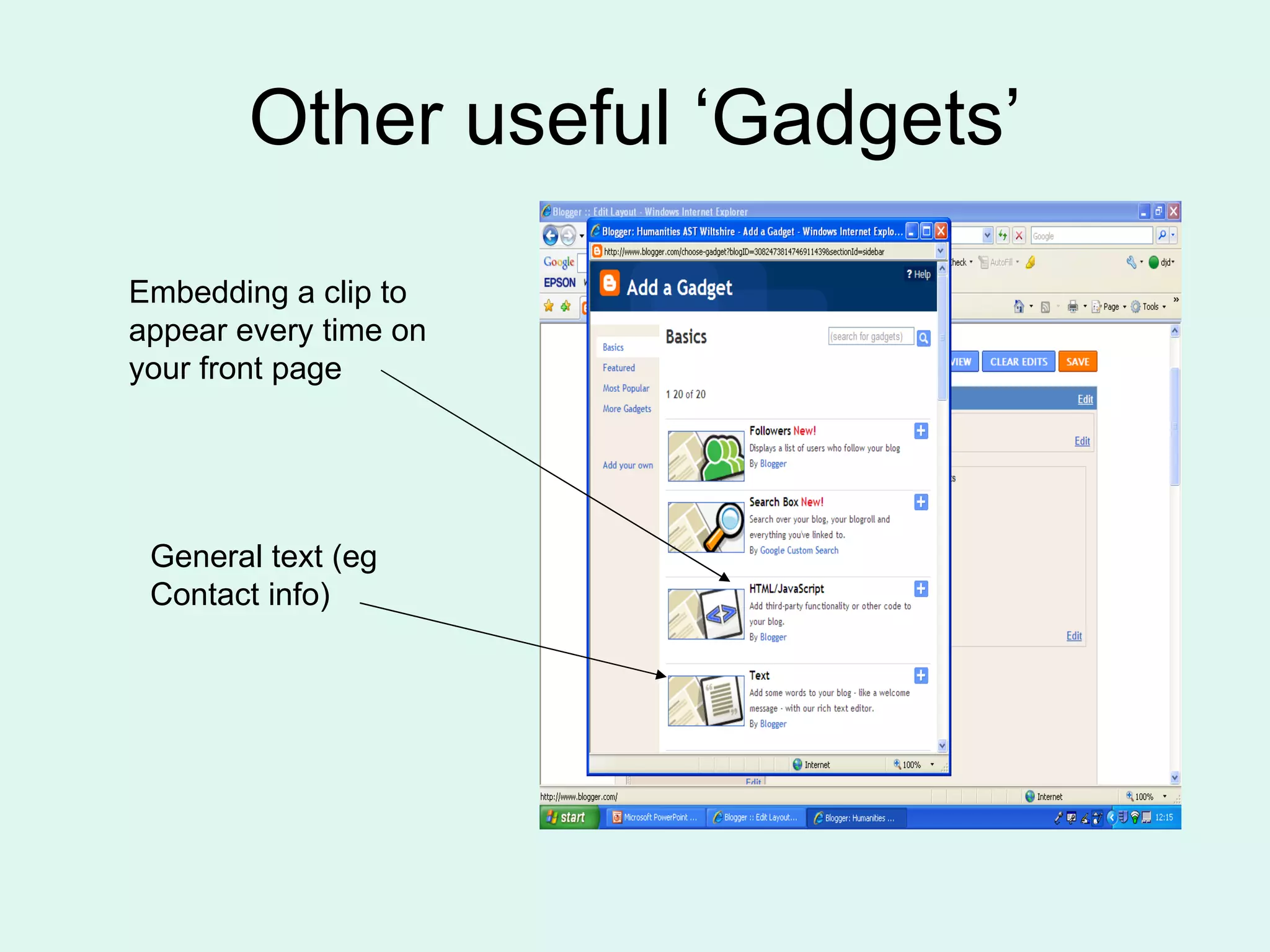
Other useful ‘Gadgets’ Embedding a clip to appear every time on your front page General text (eg Contact info)
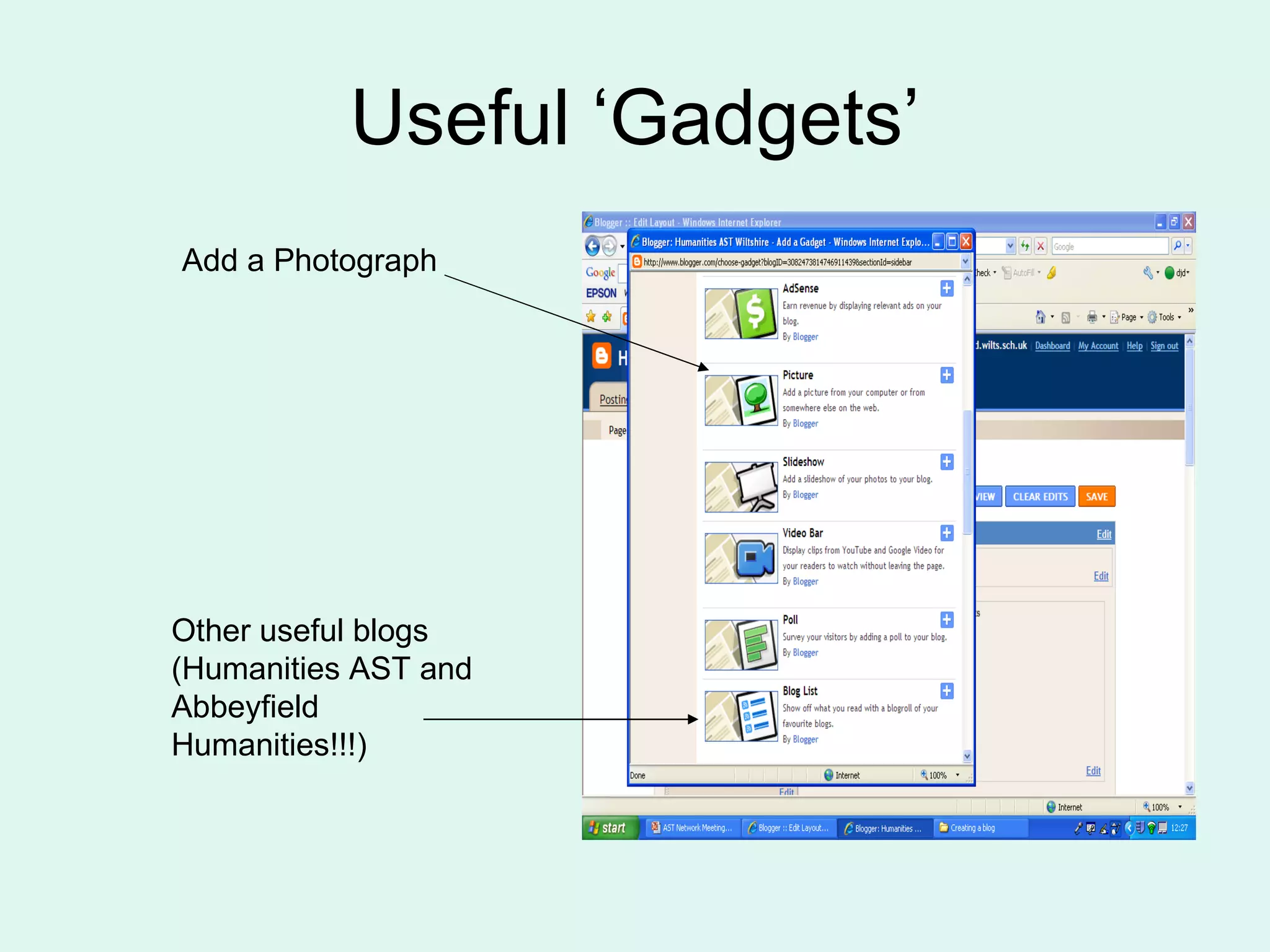
Useful ‘Gadgets’ Add a Photograph Other useful blogs (Humanities AST and Abbeyfield Humanities!!!)
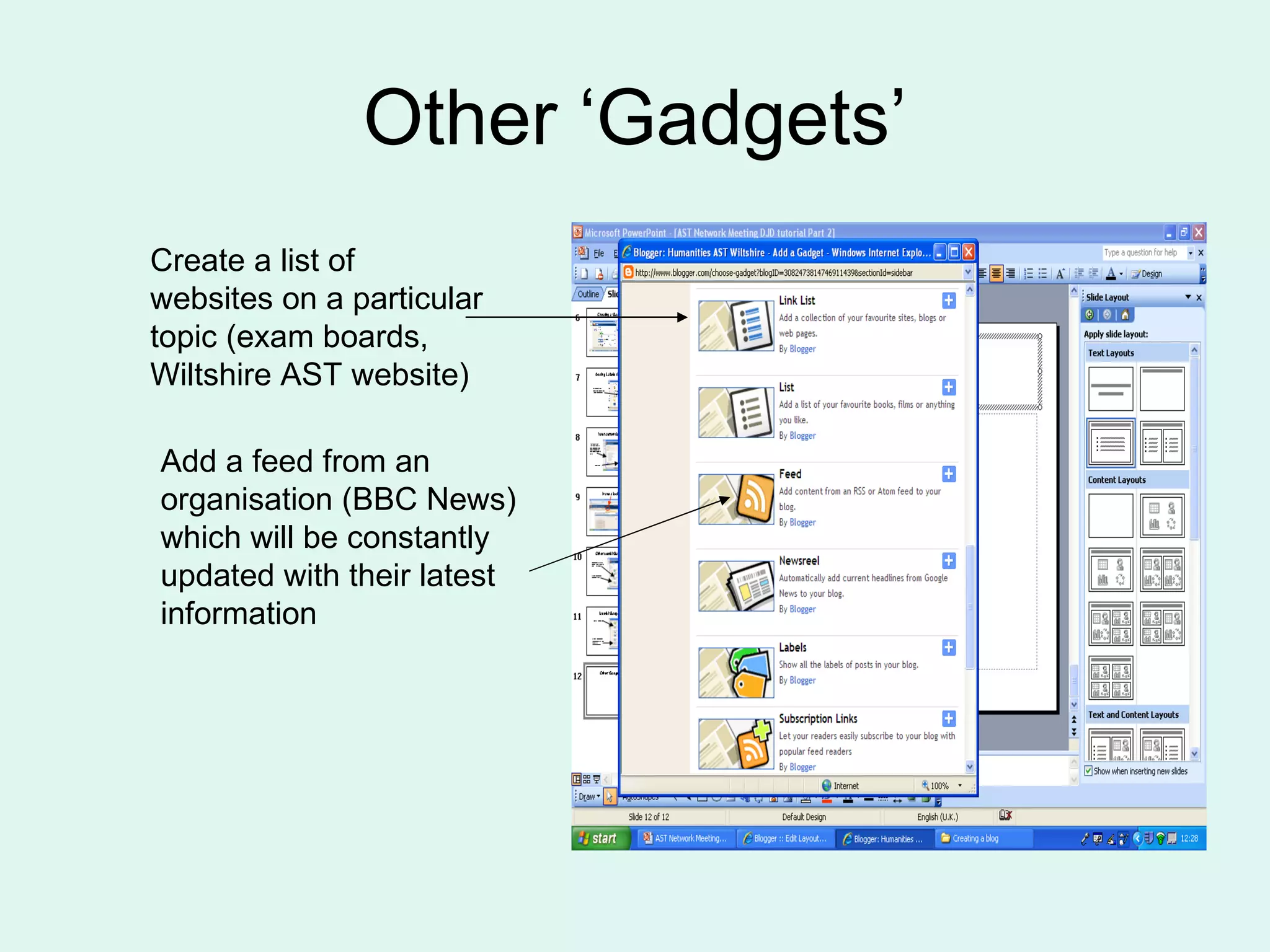
Other ‘Gadgets’ Create a list of websites on a particular topic (exam boards, Wiltshire AST website) Add a feed from an organisation (BBC News) which will be constantly updated with their latest information
Have a go See if you can add things that you know would be useful for your subject Flick back to  Humanities AST website  for some ideas

How to create a blog - Part Two

  • 1.
    Setting up awebsite using http://blogger.com Part 2 Presentation for the Wiltshire AST Network Meeting on 29 June 2009 Dave Drake Humanities Advanced Skills Teacher http://humanitiesastwiltshire.blogspot.com
  • 2.
  • 3.
    Dashboard You canadd elements to your Home Page that will appear every time your page is opened Select ‘Layout’ Humanities AST website
  • 4.
    Adding ‘Gadgets’ Theseelements are called ‘Gadgets’ and can store a wide variety of information. They will also make your site easier to navigate for users Click on ‘Add a Gadget’
  • 5.
  • 6.
  • 7.
    Adding Labels (Index)Scroll down the page and select the Labels application
  • 8.
    Your current labelsYou should now find that each of the categories you have assigned to the posts you have created so far, appears here Save this
  • 9.
  • 10.
    Other useful ‘Gadgets’Embedding a clip to appear every time on your front page General text (eg Contact info)
  • 11.
    Useful ‘Gadgets’ Adda Photograph Other useful blogs (Humanities AST and Abbeyfield Humanities!!!)
  • 12.
    Other ‘Gadgets’ Createa list of websites on a particular topic (exam boards, Wiltshire AST website) Add a feed from an organisation (BBC News) which will be constantly updated with their latest information
  • 13.
    Have a goSee if you can add things that you know would be useful for your subject Flick back to Humanities AST website for some ideas