ARCHITECTURE
PRESENTATION
BOARD
A R . M . TA R I Q
A R - 2 0 1 6
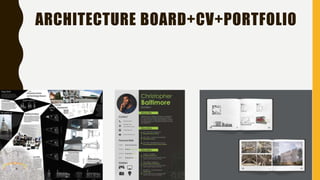
ARCHITECTURE BOARD+CV+PORTFOLIO
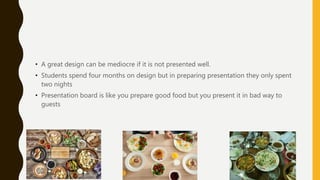
• A great design can be mediocre if it is not presented well.
• Students spend four months on design but in preparing presentation they only spent
two nights
• Presentation board is like you prepare good food but you present it in bad way to
guests
TIPS
• In general we read design presentations from left to right and from top to bottom, so
consider the story of your design and how it will be read. Show the progression.
STRUCTURE
• Before you start creating your presentation boards, take a moment to organise your
work. What are you trying to convey? What drawings / images do you have to show as
part of your criteria? What are the key elements in your design that you would like to
portray?
• Collect together the information – even list out all the images to be included and what
text you would like to put it, then you can start planning the structure of your boards.
LAYOUT
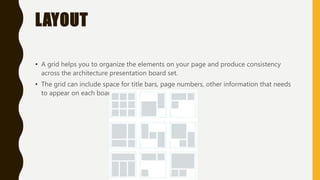
• A grid helps you to organize the elements on your page and produce consistency
across the architecture presentation board set.
• The grid can include space for title bars, page numbers, other information that needs
to appear on each board.
HIERARCHY
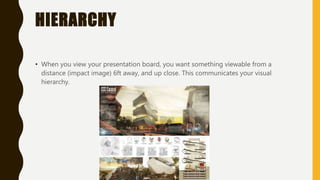
• When you view your presentation board, you want something viewable from a
distance (impact image) 6ft away, and up close. This communicates your visual
hierarchy.
BACKGROUND
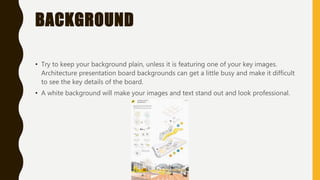
• Try to keep your background plain, unless it is featuring one of your key images.
Architecture presentation board backgrounds can get a little busy and make it difficult
to see the key details of the board.
• A white background will make your images and text stand out and look professional.
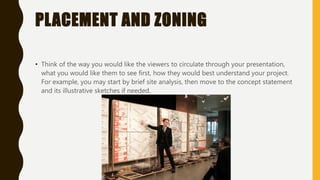
PLACEMENT AND ZONING
• Think of the way you would like the viewers to circulate through your presentation,
what you would like them to see first, how they would best understand your project.
For example, you may start by brief site analysis, then move to the concept statement
and its illustrative sketches if needed.

Architecture presentation board

  • 1.
    ARCHITECTURE PRESENTATION BOARD A R .M . TA R I Q A R - 2 0 1 6
  • 2.
  • 4.
    • A greatdesign can be mediocre if it is not presented well. • Students spend four months on design but in preparing presentation they only spent two nights • Presentation board is like you prepare good food but you present it in bad way to guests
  • 5.
    TIPS • In generalwe read design presentations from left to right and from top to bottom, so consider the story of your design and how it will be read. Show the progression.
  • 6.
    STRUCTURE • Before youstart creating your presentation boards, take a moment to organise your work. What are you trying to convey? What drawings / images do you have to show as part of your criteria? What are the key elements in your design that you would like to portray? • Collect together the information – even list out all the images to be included and what text you would like to put it, then you can start planning the structure of your boards.
  • 7.
    LAYOUT • A gridhelps you to organize the elements on your page and produce consistency across the architecture presentation board set. • The grid can include space for title bars, page numbers, other information that needs to appear on each board.
  • 8.
    HIERARCHY • When youview your presentation board, you want something viewable from a distance (impact image) 6ft away, and up close. This communicates your visual hierarchy.
  • 9.
    BACKGROUND • Try tokeep your background plain, unless it is featuring one of your key images. Architecture presentation board backgrounds can get a little busy and make it difficult to see the key details of the board. • A white background will make your images and text stand out and look professional.
  • 10.
    PLACEMENT AND ZONING •Think of the way you would like the viewers to circulate through your presentation, what you would like them to see first, how they would best understand your project. For example, you may start by brief site analysis, then move to the concept statement and its illustrative sketches if needed.