Presented By: Divyansh Jain
Software Consultant
Knoldus Inc
Apache Airflow
Agenda
What is Airflow?
How it works?
Pros & Cons
UI Screenshots
Demo
Why use Airflow ?
c
Airflow is a platform to
programmatically author, schedule
and monitor workflows (a.k.a DAGs or
Directed Acyclic Graph)
What is Apache
Airflow?
Incubating
- Created @ Airbnb in 2015 by Maxime
Beauchemin
- 6100+ Forks
- 16k+ Github Stars
- 1k+ Contributors
- 150+ companies officially using it
- More than 8k committers
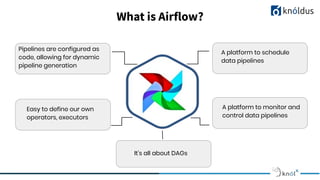
What is Airflow?
Pipelines are configured as
code, allowing for dynamic
pipeline generation
A platform to schedule
data pipelines
Easy to define our own
operators, executors
It’s all about DAGs
A platform to monitor and
control data pipelines
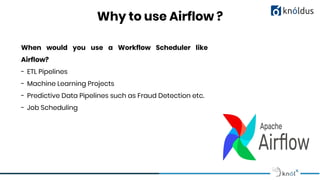
Why to use Airflow ?
When would you use a Workflow Scheduler like
Airflow?
- ETL Pipelines
- Machine Learning Projects
- Predictive Data Pipelines such as Fraud Detection etc.
- Job Scheduling
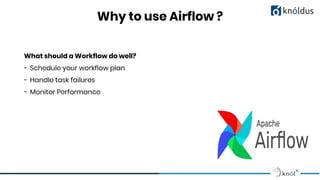
Why to use Airflow ?
What should a Workflow do well?
- Schedule your workflow plan
- Handle task failures
- Monitor Performance
Very Flexible
- Rich User Interface
- Easily Extensible
- Allow communication between task
- Backfill Control
- Efficient CLI
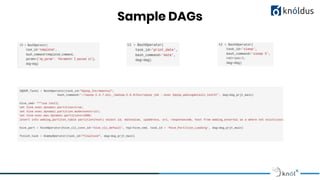
Sample DAGs
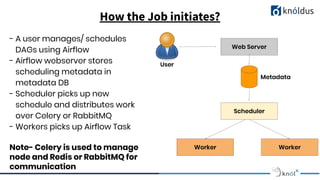
How the Job initiates?
Web Server
Scheduler
Worker Worker
Metadata
User
- A user manages/ schedules
DAGs using Airflow
- Airflow webserver stores
scheduling metadata in
metadata DB
- Scheduler picks up new
schedule and distributes work
over Celery or RabbitMQ
- Workers picks up Airflow Task
Note- Celery is used to manage
node and Redis or RabbitMQ for
communication
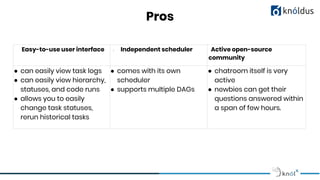
Pros
Easy-to-use user interface - Independent scheduler Active open-source
community
● can easily view task logs
● can easily view hierarchy,
statuses, and code runs
● allows you to easily
change task statuses,
rerun historical tasks
● comes with its own
scheduler
● supports multiple DAGs
● chatroom itself is very
active
● newbies can get their
questions answered within
a span of few hours.
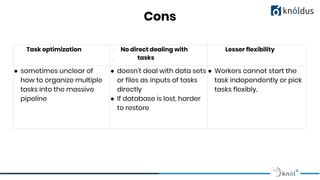
Cons
Task optimization - No direct dealing with
- tasks
Lesser flexibility
● sometimes unclear of
how to organize multiple
tasks into the massive
pipeline
● doesn't deal with data sets
or files as inputs of tasks
directly
● If database is lost, harder
to restore
● Workers cannot start the
task independently or pick
tasks flexibly.
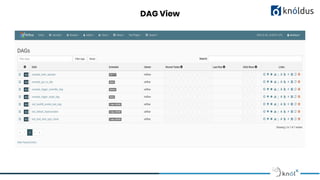
DAG View
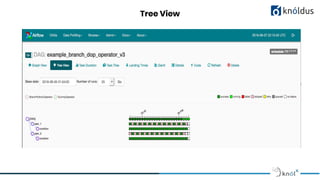
Tree View
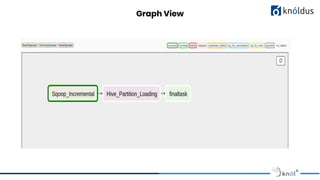
Graph View
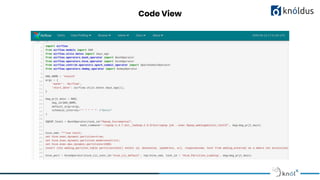
Code View
Thank You !

Apache Airflow

  • 1.
    Presented By: DivyanshJain Software Consultant Knoldus Inc Apache Airflow
  • 2.
    Agenda What is Airflow? Howit works? Pros & Cons UI Screenshots Demo Why use Airflow ?
  • 3.
    c Airflow is aplatform to programmatically author, schedule and monitor workflows (a.k.a DAGs or Directed Acyclic Graph) What is Apache Airflow?
  • 4.
    Incubating - Created @Airbnb in 2015 by Maxime Beauchemin - 6100+ Forks - 16k+ Github Stars - 1k+ Contributors - 150+ companies officially using it - More than 8k committers
  • 5.
    What is Airflow? Pipelinesare configured as code, allowing for dynamic pipeline generation A platform to schedule data pipelines Easy to define our own operators, executors It’s all about DAGs A platform to monitor and control data pipelines
  • 6.
    Why to useAirflow ? When would you use a Workflow Scheduler like Airflow? - ETL Pipelines - Machine Learning Projects - Predictive Data Pipelines such as Fraud Detection etc. - Job Scheduling
  • 7.
    Why to useAirflow ? What should a Workflow do well? - Schedule your workflow plan - Handle task failures - Monitor Performance
  • 8.
    Very Flexible - RichUser Interface - Easily Extensible - Allow communication between task - Backfill Control - Efficient CLI
  • 9.
  • 10.
    How the Jobinitiates? Web Server Scheduler Worker Worker Metadata User - A user manages/ schedules DAGs using Airflow - Airflow webserver stores scheduling metadata in metadata DB - Scheduler picks up new schedule and distributes work over Celery or RabbitMQ - Workers picks up Airflow Task Note- Celery is used to manage node and Redis or RabbitMQ for communication
  • 11.
    Pros Easy-to-use user interface- Independent scheduler Active open-source community ● can easily view task logs ● can easily view hierarchy, statuses, and code runs ● allows you to easily change task statuses, rerun historical tasks ● comes with its own scheduler ● supports multiple DAGs ● chatroom itself is very active ● newbies can get their questions answered within a span of few hours.
  • 12.
    Cons Task optimization -No direct dealing with - tasks Lesser flexibility ● sometimes unclear of how to organize multiple tasks into the massive pipeline ● doesn't deal with data sets or files as inputs of tasks directly ● If database is lost, harder to restore ● Workers cannot start the task independently or pick tasks flexibly.
  • 13.
  • 14.
  • 15.
  • 16.
  • 17.