
Online Evaluation System
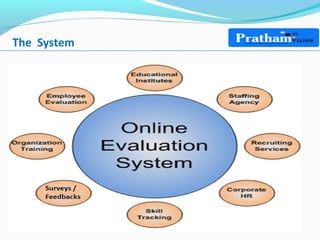
The System
Applications Features
• Web Based Application compatible with multi-browser
• Can be accessed on Internet through a secured URL globally
• Application suitable for both Online Test for new aspirants and also Skill
Evaluation for the existing students / Human resources
• A Tool that can be used for exploring Training needs / additional inputs for
Skill / Knowledge enhancement.
• Application equally compatible for the purpose of Feedback & Survey
activities
• Eliminates human intervention in handling the complex evaluation process,
tracking & maintenance of records
Administrator Module
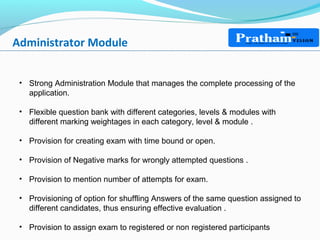
• Strong Administration Module that manages the complete processing of the
application.
• Flexible question bank with different categories, levels & modules with
different marking weightages in each category, level & module .
• Provision for creating exam with time bound or open.
• Provision of Negative marks for wrongly attempted questions .
• Provision to mention number of attempts for exam.
• Provisioning of option for shuffling Answers of the same question assigned to
different candidates, thus ensuring effective evaluation .
• Provision to assign exam to registered or non registered participants
Login Page
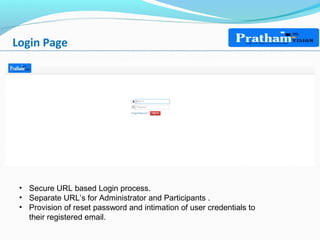
• Secure URL based Login process.
• Separate URL’s for Administrator and Participants .
• Provision of reset password and intimation of user credentials to
their registered email.
Course Management
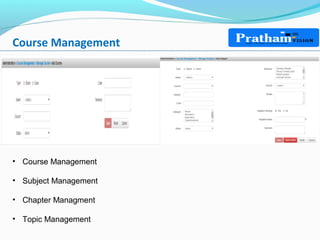
• Course Management
• Subject Management
• Chapter Managment
• Topic Management
User/Role Management
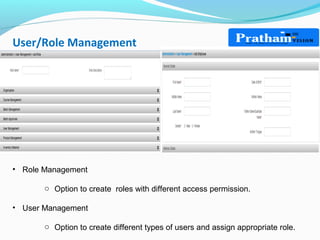
• Role Management
o Option to create roles with different access permission.
• User Management
o Option to create different types of users and assign appropriate role.
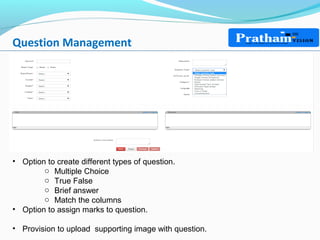
Question Management
• Option to create different types of question.
o Multiple Choice
o True False
o Brief answer
o Match the columns
• Option to assign marks to question.
• Provision to upload supporting image with question.
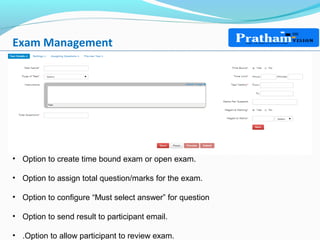
Exam Management
• Option to create time bound exam or open exam.
• Option to assign total question/marks for the exam.
• Option to configure “Must select answer” for question
• Option to send result to participant email.
• .Option to allow participant to review exam.
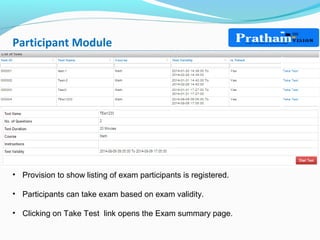
Participant Module
• Provision to show listing of exam participants is registered.
• Participants can take exam based on exam validity.
• Clicking on Take Test link opens the Exam summary page.
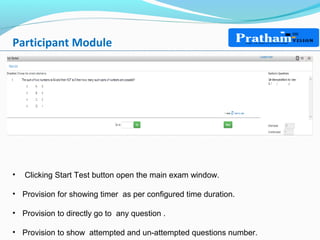
Participant Module
• Clicking Start Test button open the main exam window.
• Provision for showing timer as per configured time duration.
• Provision to directly go to any question .
• Provision to show attempted and un-attempted questions number.
Reports
• Real-time Participants Result
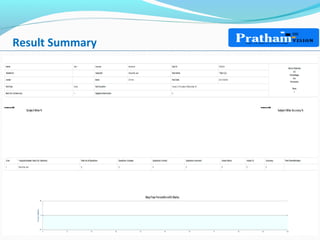
• Result Summary
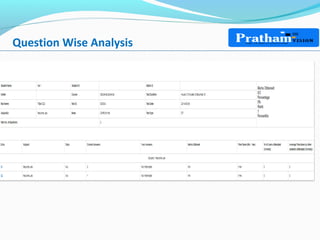
• Question wise analysis
• Topic Level analysis
• Difficulty Wise analysis
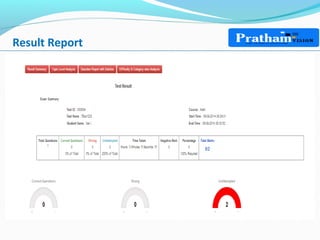
Result Report
• Clicking Start Test button open the main exam window.
Result Summary
Question Wise Analysis
Security Features
• All Q & A are stored as encrypted data.
• No refresh of URL is allowed.
• No Copy/Paste is allowed
• Separate URL’s for admin and participants.
Thank You

Online Performance Evaluation System

  • 1.
  • 2.
  • 3.
    Applications Features • WebBased Application compatible with multi-browser • Can be accessed on Internet through a secured URL globally • Application suitable for both Online Test for new aspirants and also Skill Evaluation for the existing students / Human resources • A Tool that can be used for exploring Training needs / additional inputs for Skill / Knowledge enhancement. • Application equally compatible for the purpose of Feedback & Survey activities • Eliminates human intervention in handling the complex evaluation process, tracking & maintenance of records
  • 4.
    Administrator Module • StrongAdministration Module that manages the complete processing of the application. • Flexible question bank with different categories, levels & modules with different marking weightages in each category, level & module . • Provision for creating exam with time bound or open. • Provision of Negative marks for wrongly attempted questions . • Provision to mention number of attempts for exam. • Provisioning of option for shuffling Answers of the same question assigned to different candidates, thus ensuring effective evaluation . • Provision to assign exam to registered or non registered participants
  • 5.
    Login Page • SecureURL based Login process. • Separate URL’s for Administrator and Participants . • Provision of reset password and intimation of user credentials to their registered email.
  • 6.
    Course Management • CourseManagement • Subject Management • Chapter Managment • Topic Management
  • 7.
    User/Role Management • RoleManagement o Option to create roles with different access permission. • User Management o Option to create different types of users and assign appropriate role.
  • 8.
    Question Management • Optionto create different types of question. o Multiple Choice o True False o Brief answer o Match the columns • Option to assign marks to question. • Provision to upload supporting image with question.
  • 9.
    Exam Management • Optionto create time bound exam or open exam. • Option to assign total question/marks for the exam. • Option to configure “Must select answer” for question • Option to send result to participant email. • .Option to allow participant to review exam.
  • 10.
    Participant Module • Provisionto show listing of exam participants is registered. • Participants can take exam based on exam validity. • Clicking on Take Test link opens the Exam summary page.
  • 11.
    Participant Module • ClickingStart Test button open the main exam window. • Provision for showing timer as per configured time duration. • Provision to directly go to any question . • Provision to show attempted and un-attempted questions number.
  • 12.
    Reports • Real-time ParticipantsResult • Result Summary • Question wise analysis • Topic Level analysis • Difficulty Wise analysis
  • 13.
    Result Report • ClickingStart Test button open the main exam window.
  • 14.
  • 15.
  • 16.
    Security Features • AllQ & A are stored as encrypted data. • No refresh of URL is allowed. • No Copy/Paste is allowed • Separate URL’s for admin and participants.
  • 17.