Android UI Patterns by Peter Pascale, Vladan Pulec
Agenda Android UI History Android 4 UI Highlights Android UI Patterns
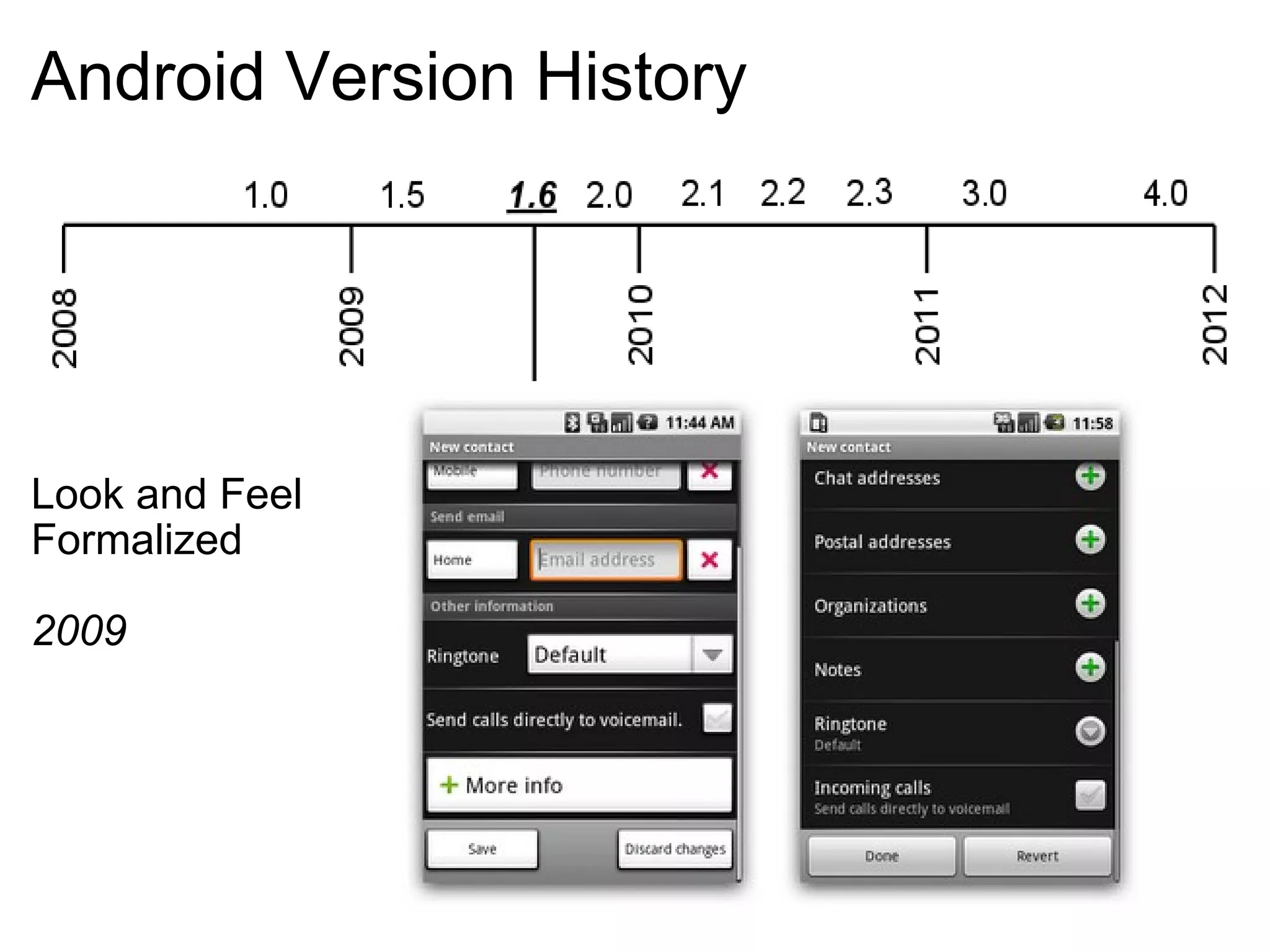
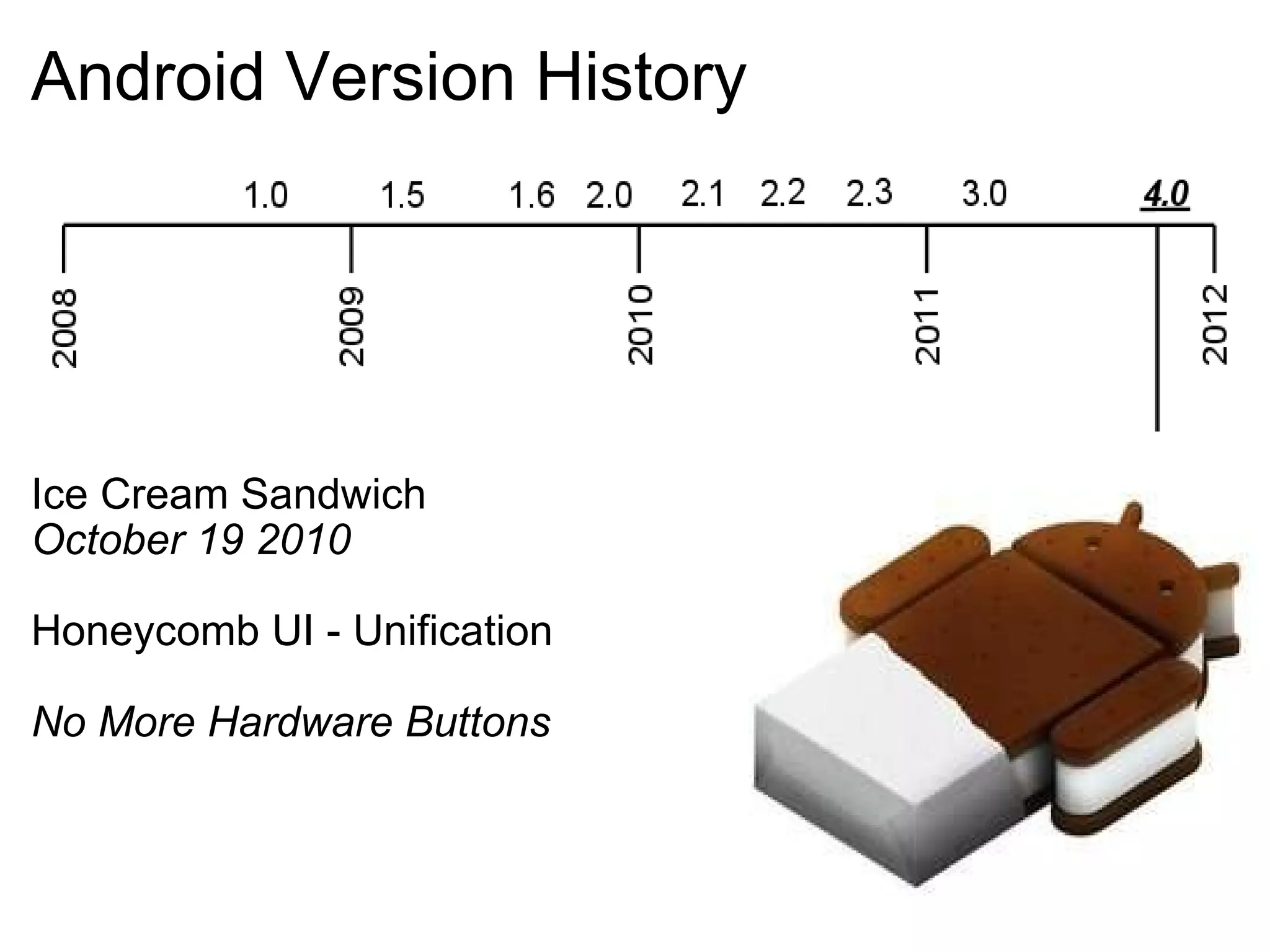
Android Version History Look and Feel  Formalized 2009
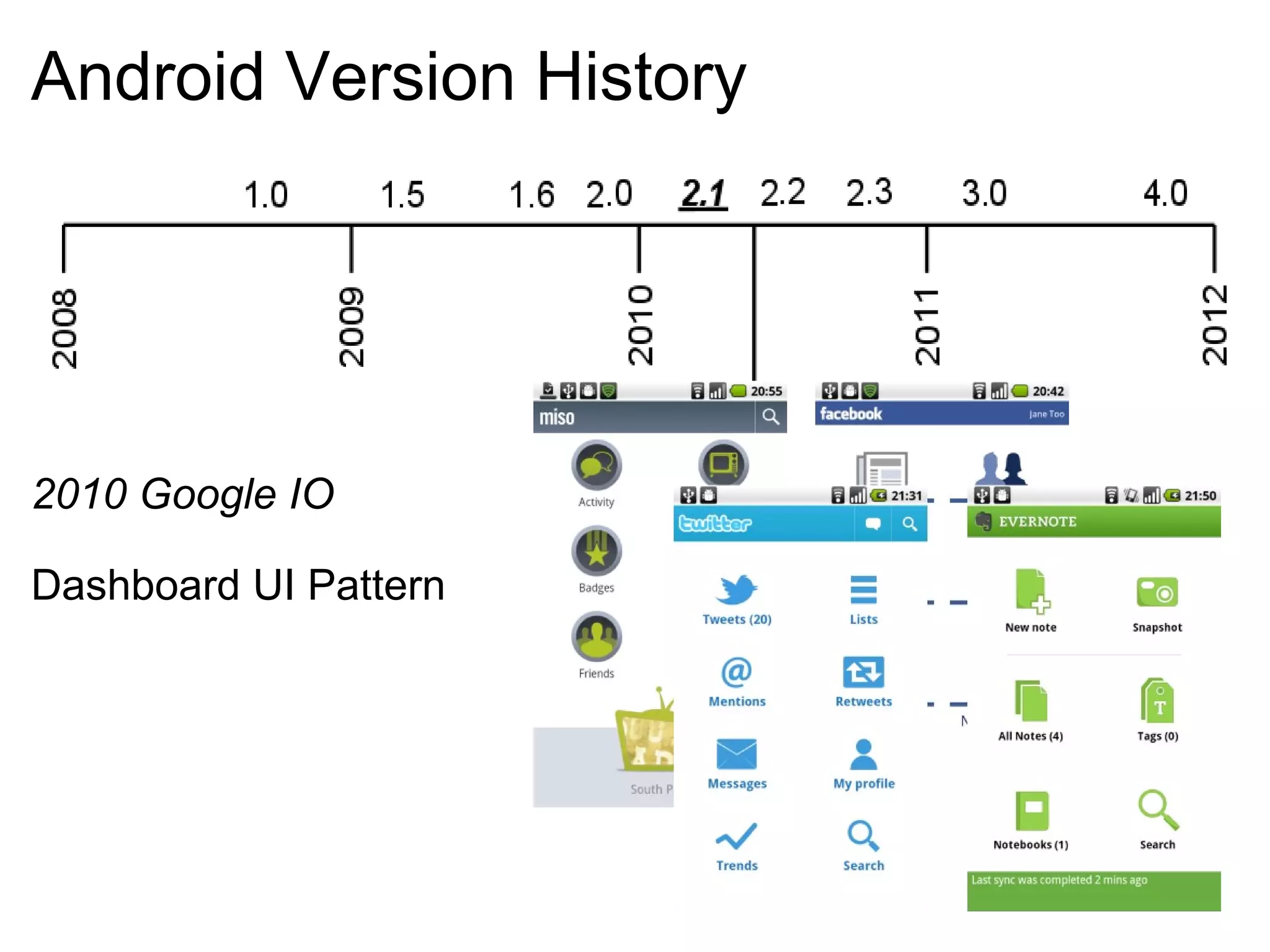
Android Version History 2010 Google IO Dashboard UI Pattern
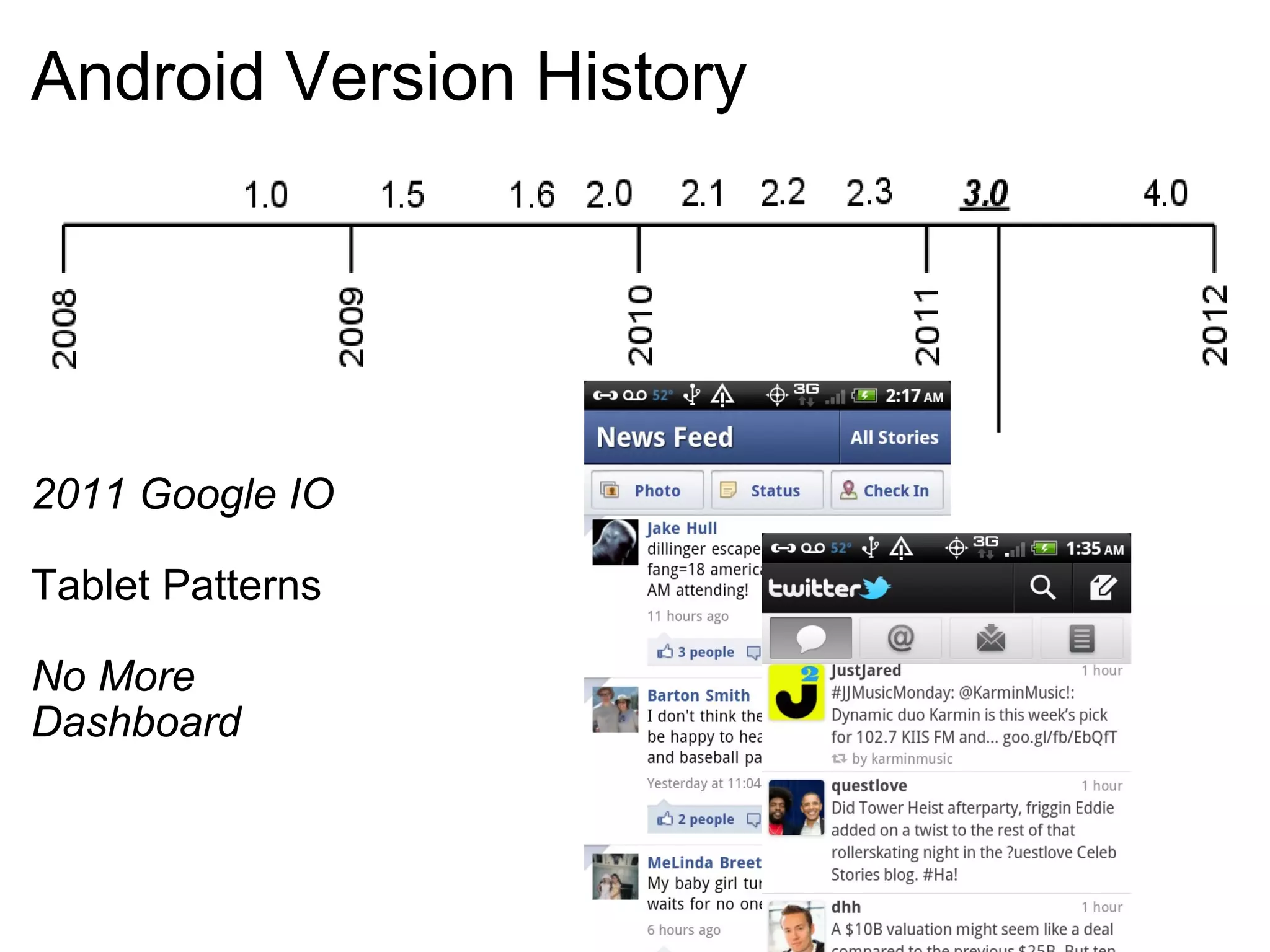
Android Version History 2011 Google IO Tablet Patterns No More  Dashboard
Android Version History Ice Cream Sandwich October 19 2010 Honeycomb UI - Unification No More Hardware Buttons  
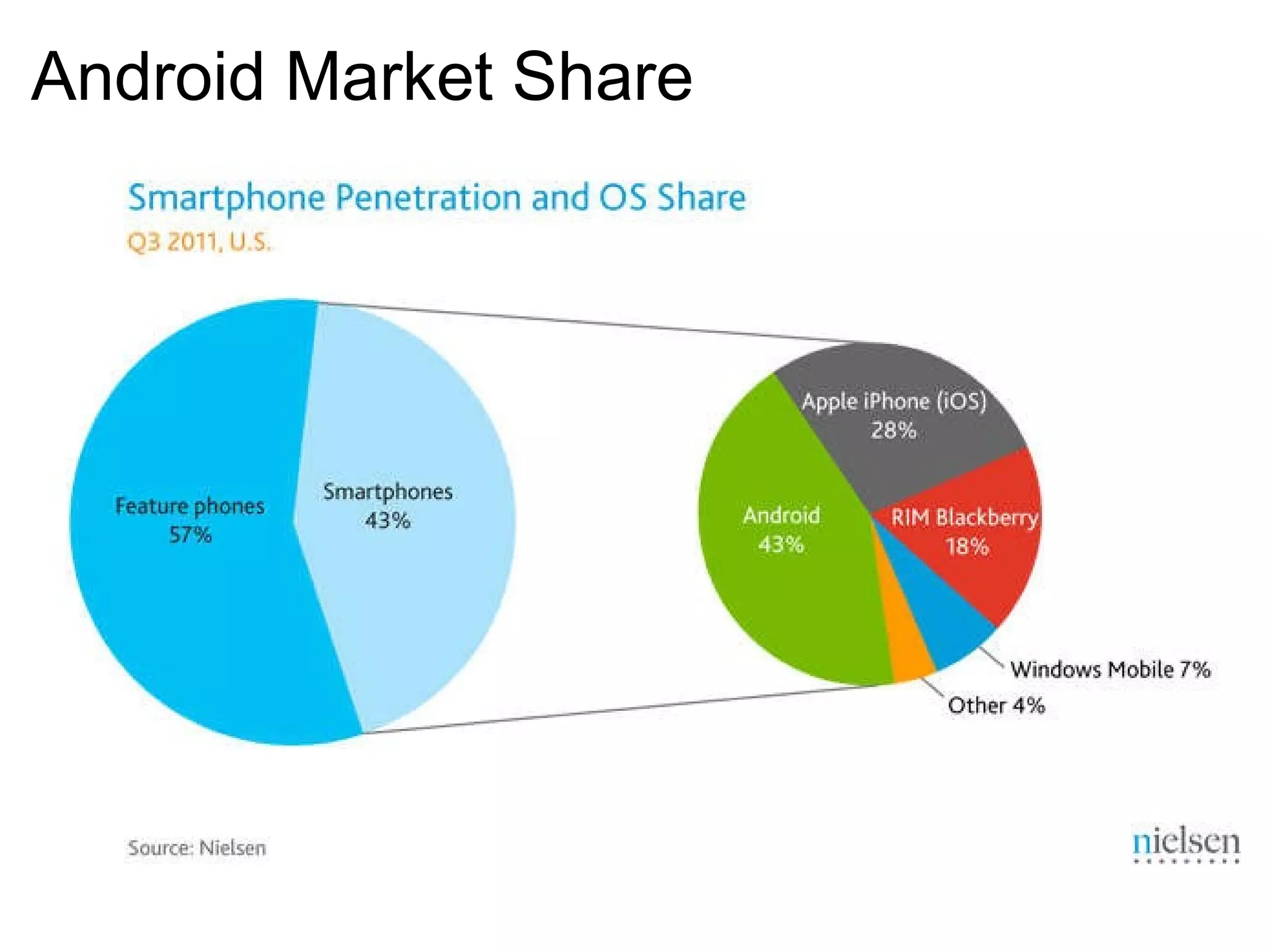
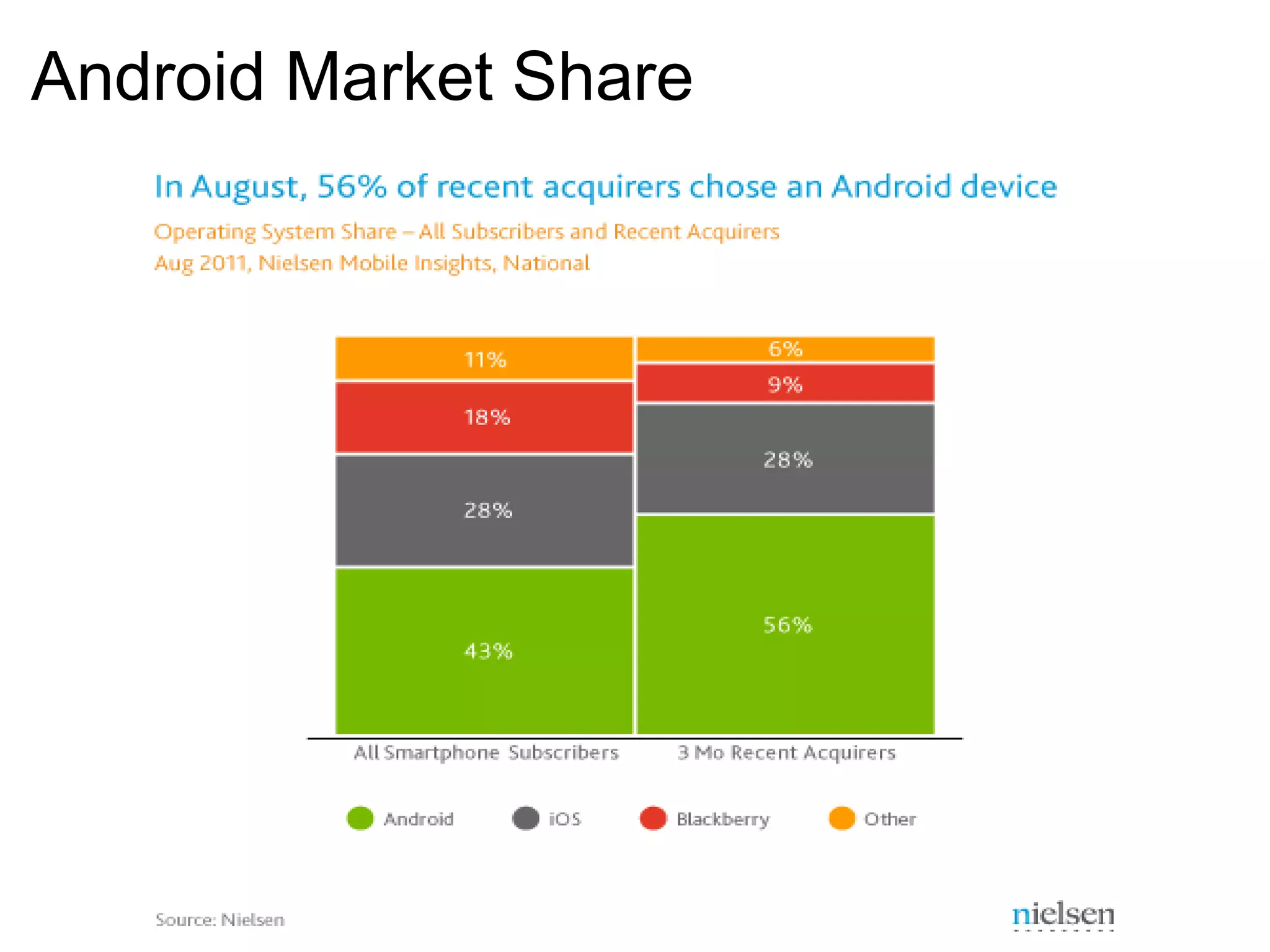
Android Market Share
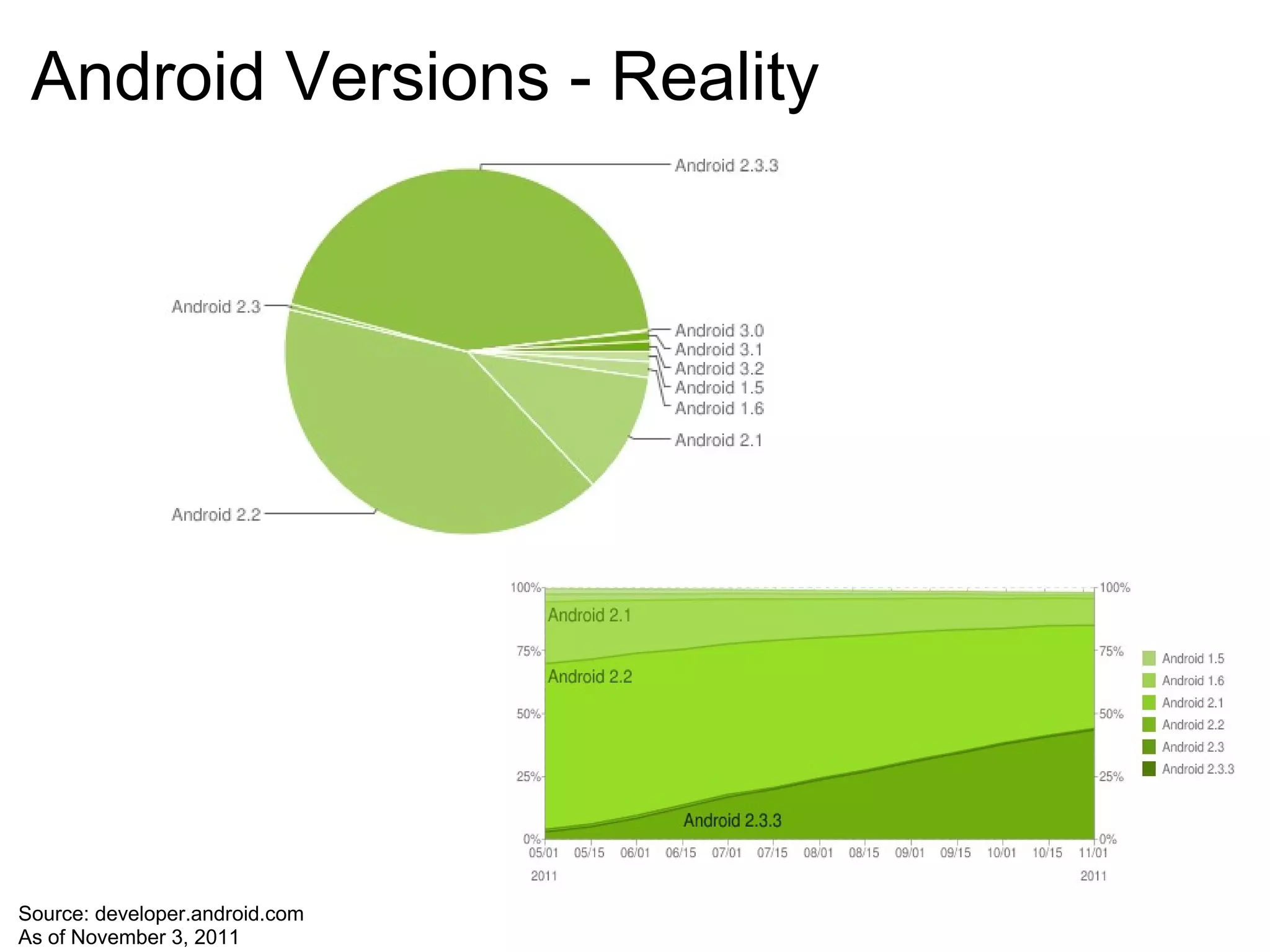
Android Versions - Reality Source: developer.android.com As of November 3, 2011
UI Design Pattern Goals
UI Design Goals Related to Patterns Stay Consistent Use Visual Hierarchy Value Simplicity Pay Attention to Patterns
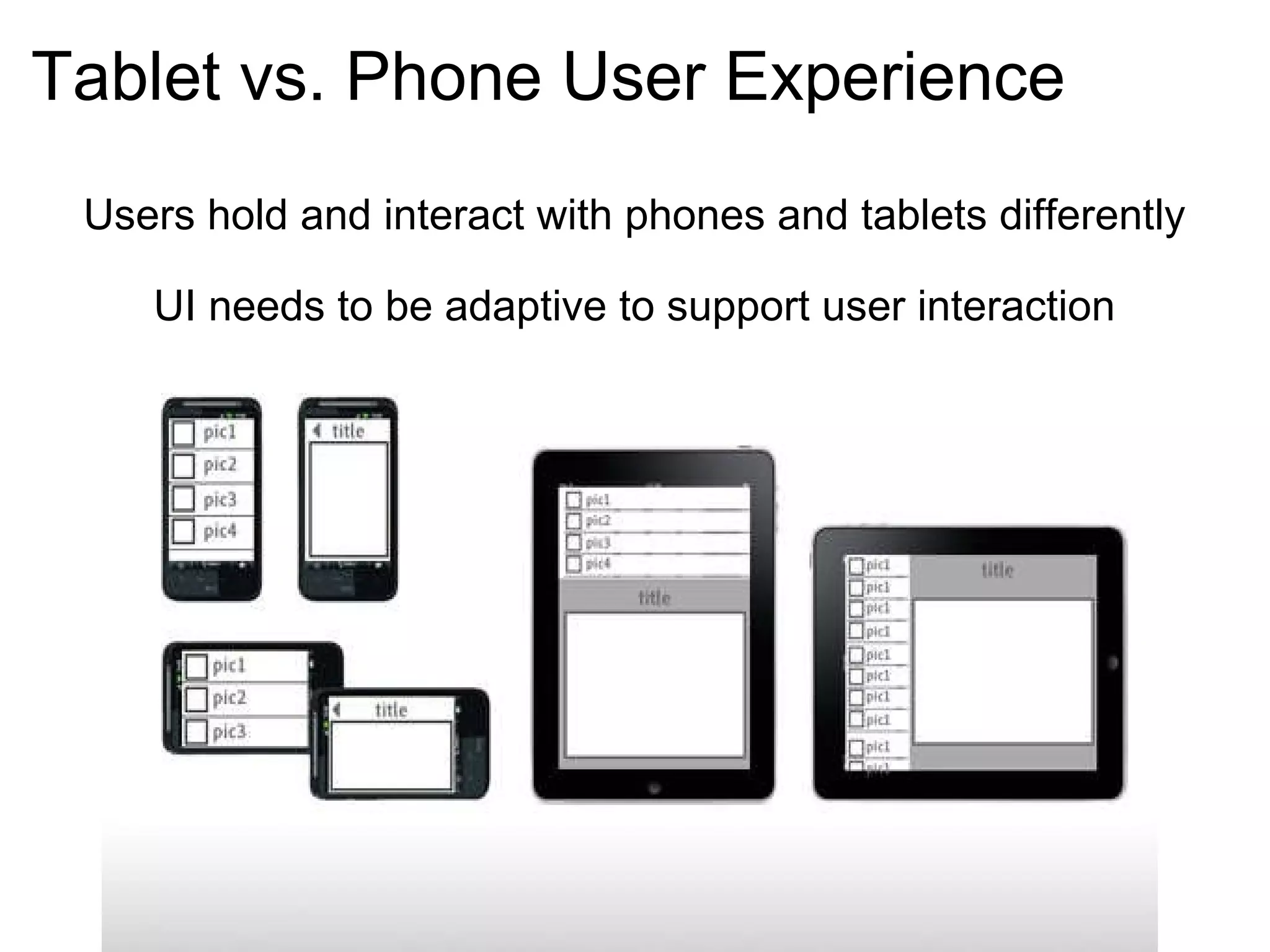
Tablet vs. Phone User Experience Users hold and interact with phones and tablets differently UI needs to be adaptive to support user interaction
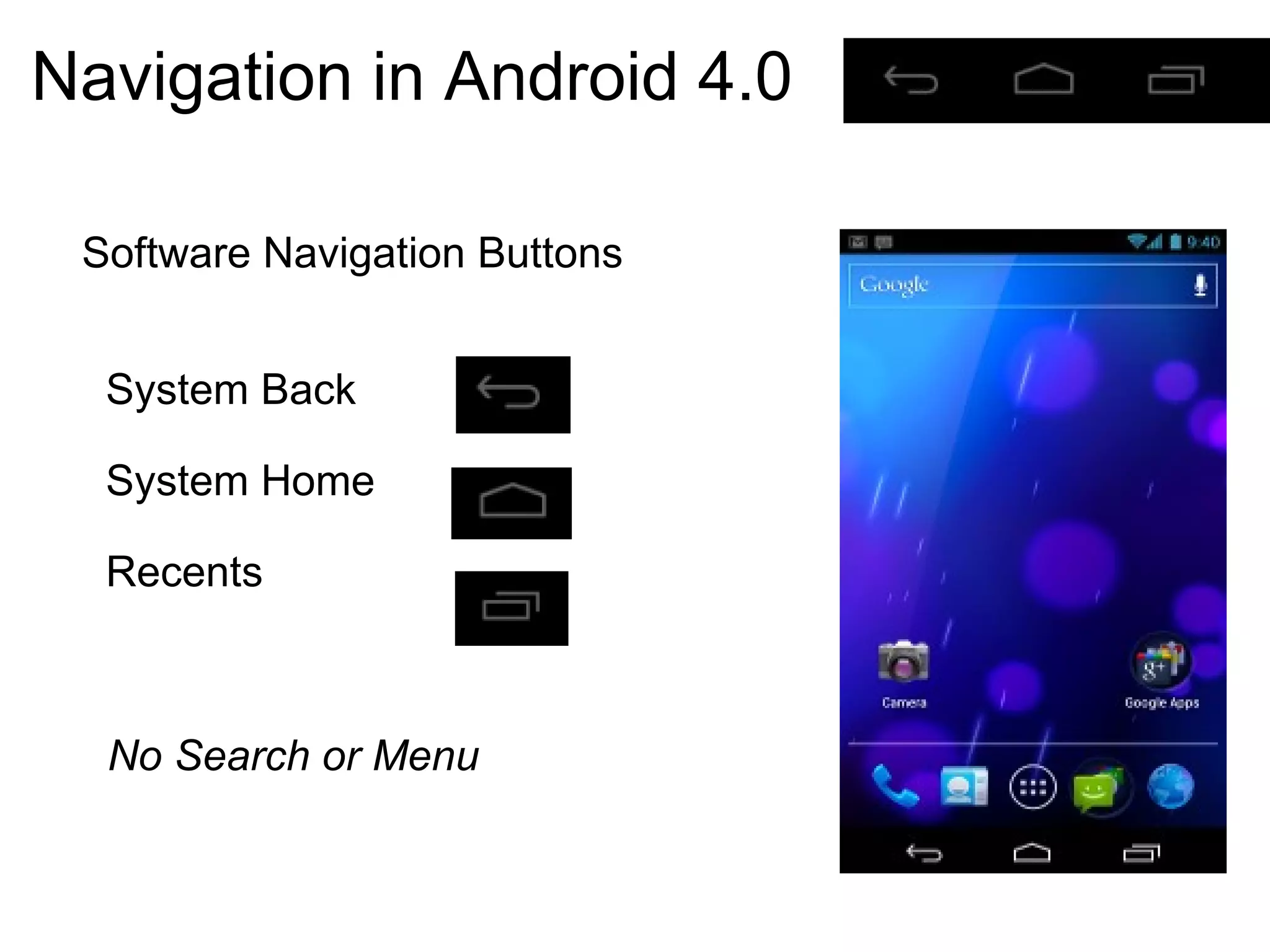
Android 4.0 UI Features Simplified Look and Feel Unified Tablet/Phone Platform System Bar and Action Bar Virtual Navigation Buttons No Hardware Buttons
Navigation in Android 4.0 Software Navigation Buttons    System Back    System Home    Recents No Search or Menu
Android UI Patterns Action Bar Multi-Pane Layout Carousel Quick Actions Dashboard Workspaces
Action Bar Multi-Pane Layout Carousel Quick Actions Dashboard Workspaces
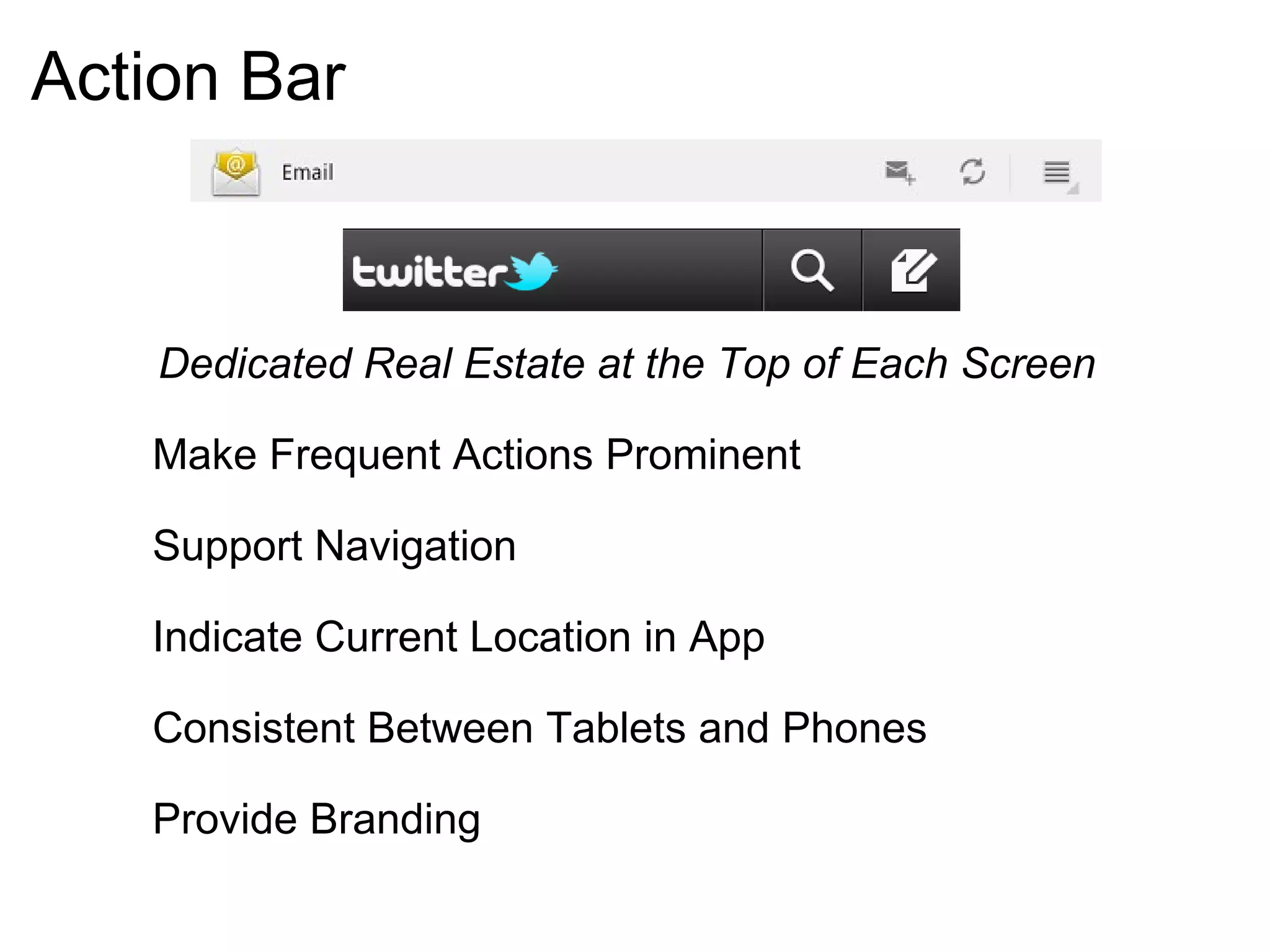
Action Bar Dedicated Real Estate at the Top of Each Screen          Make Frequent Actions Prominent          Support Navigation          Indicate Current Location in App          Consistent Between Tablets and Phones          Provide Branding
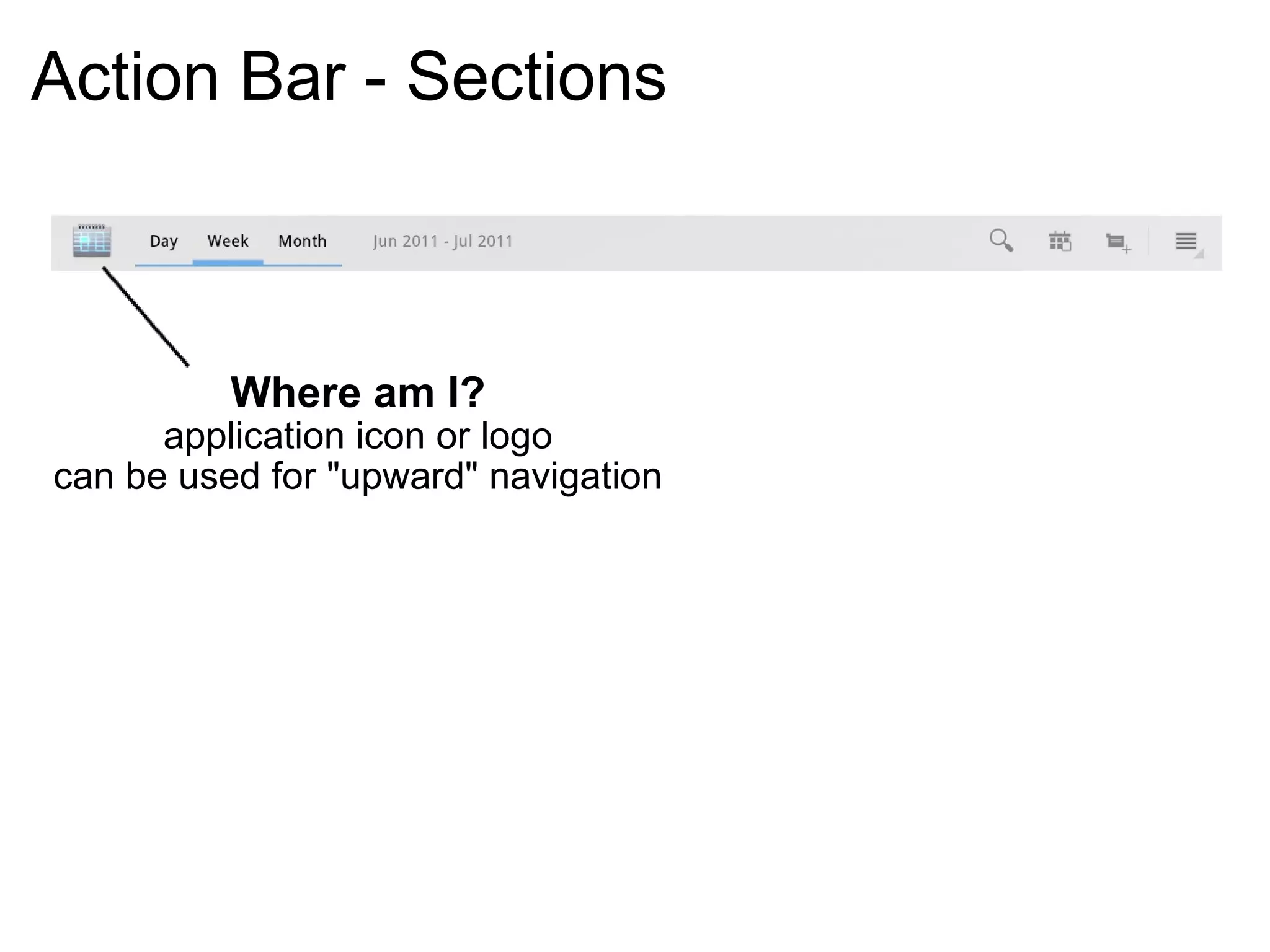
Action Bar - Sections Where am I? application icon or logo can be used for "upward" navigation
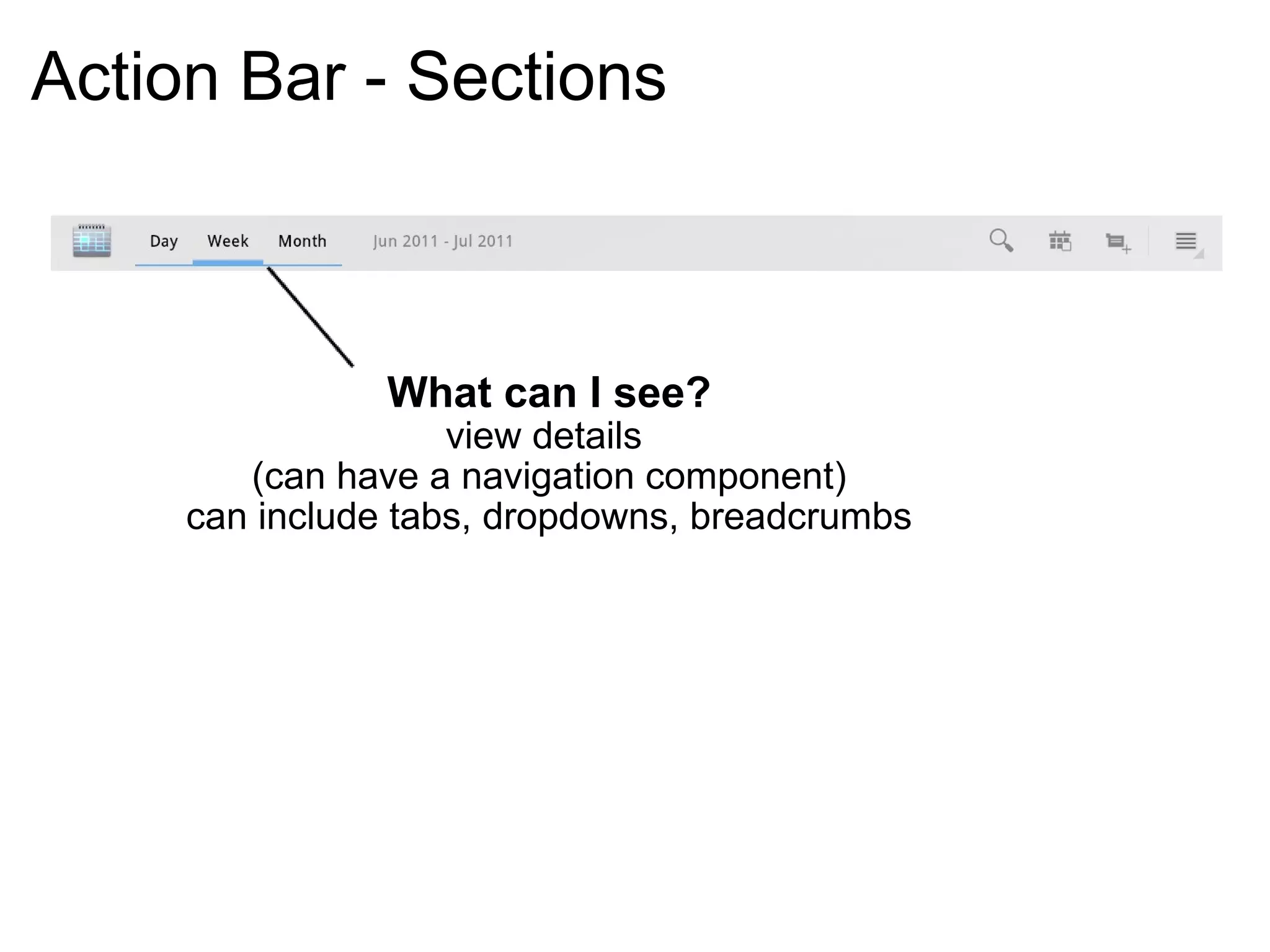
Action Bar - Sections What can I see? view details  (can have a navigation component) can include tabs, dropdowns, breadcrumbs
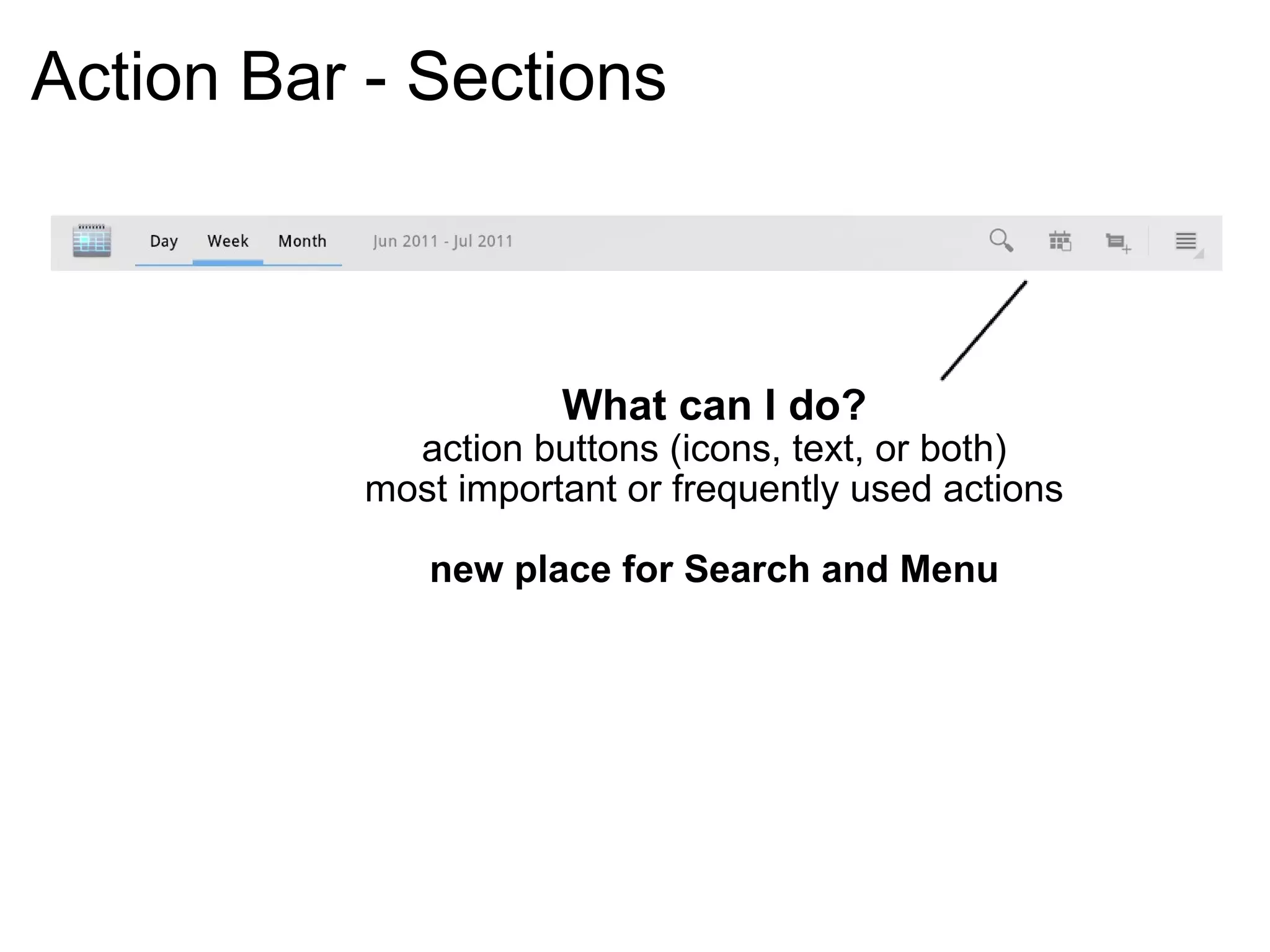
Action Bar - Sections What can I do? action buttons (icons, text, or both) most important or frequently used actions new place for Search and Menu
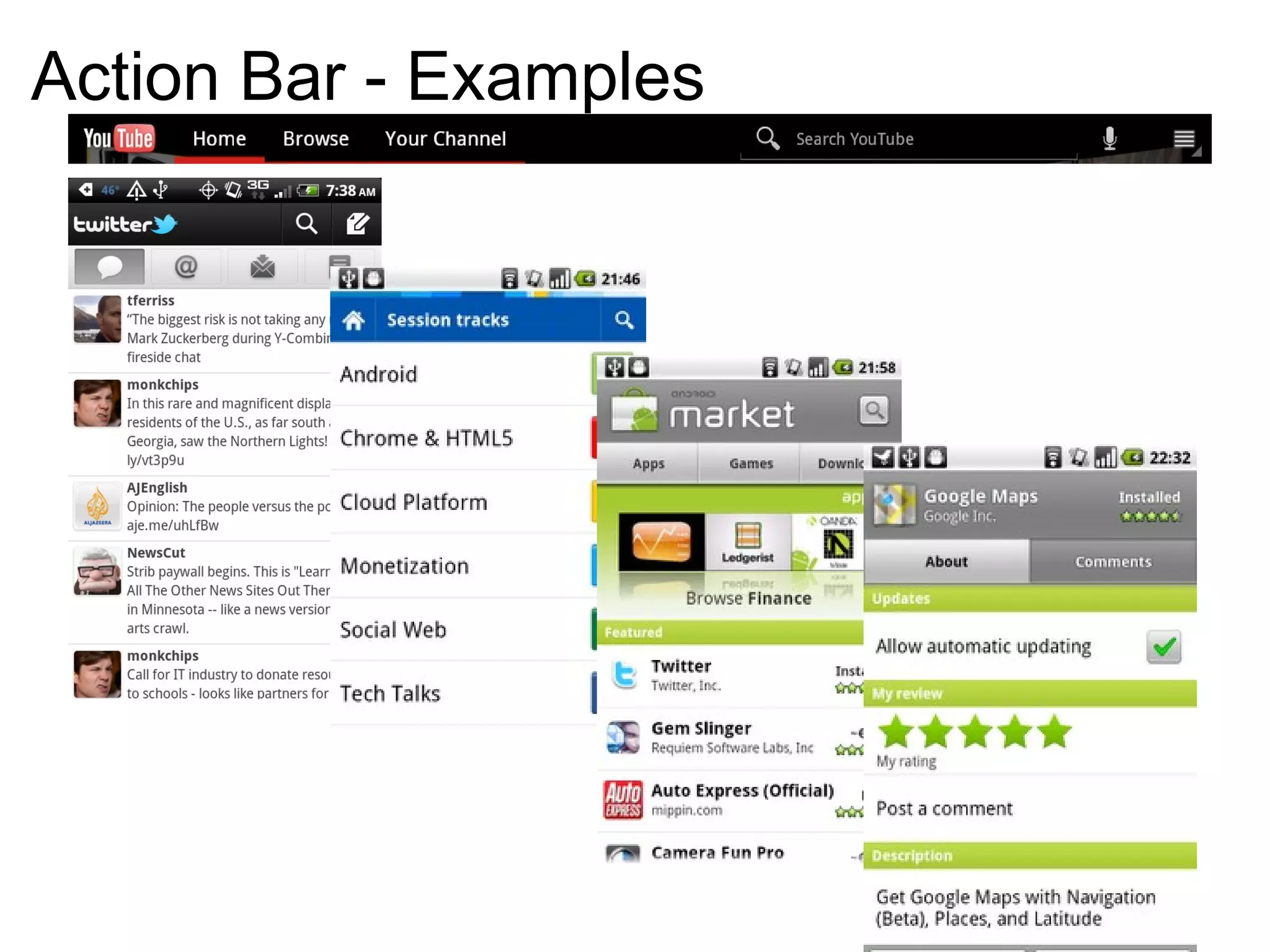
Action Bar - Examples
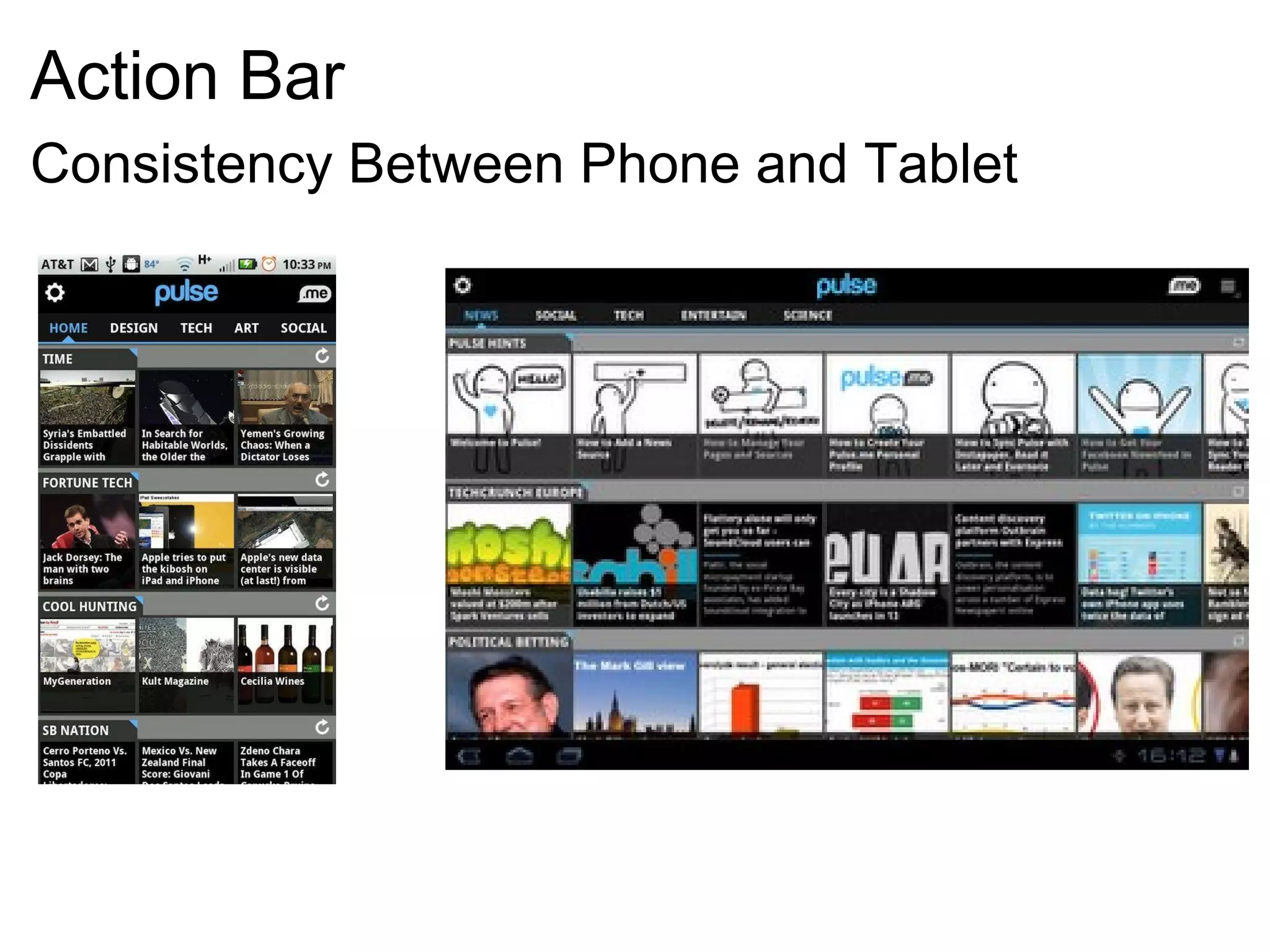
Action Bar Consistency Between Phone and Tablet
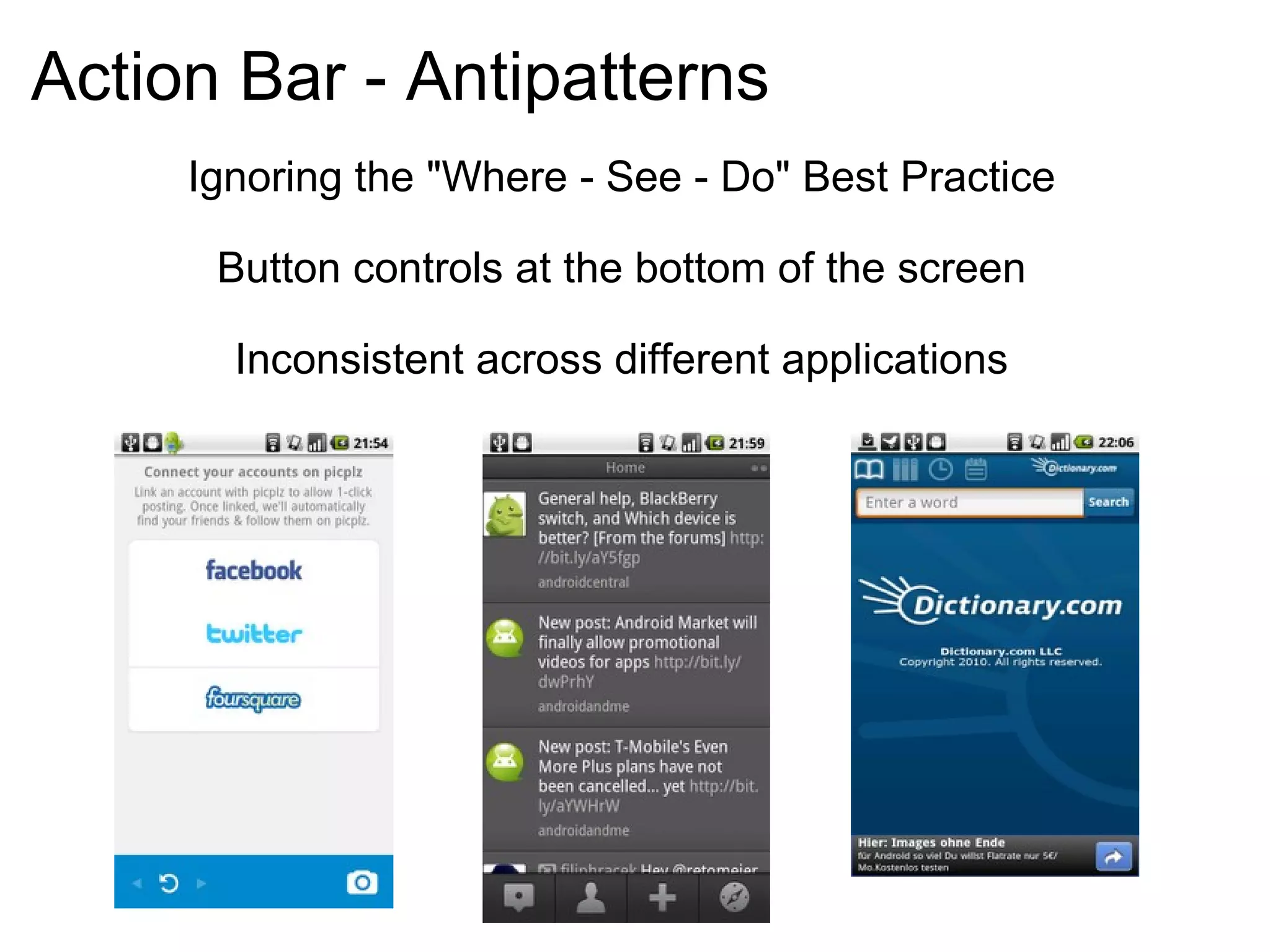
Action Bar - Antipatterns Ignoring the "Where - See - Do" Best Practice Button controls at the bottom of the screen Inconsistent across different applications
ActionBar Code Demo
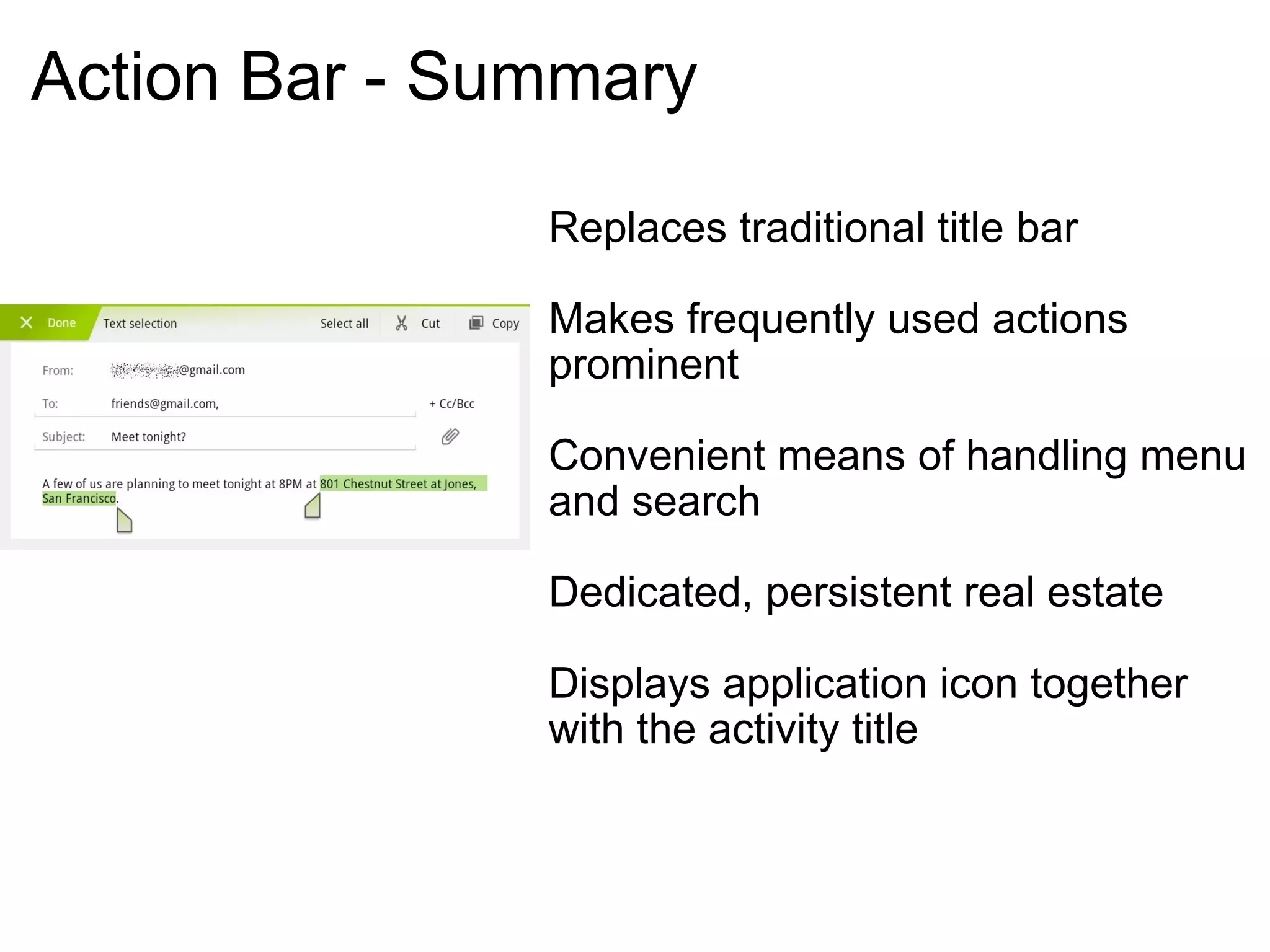
Action Bar - Summary Replaces traditional title bar Makes frequently used actions prominent Convenient means of handling menu and search Dedicated, persistent real estate Displays application icon together with the activity title
Action Bar Multi-Pane Layout Carousel Quick Actions Dashboard Workspaces
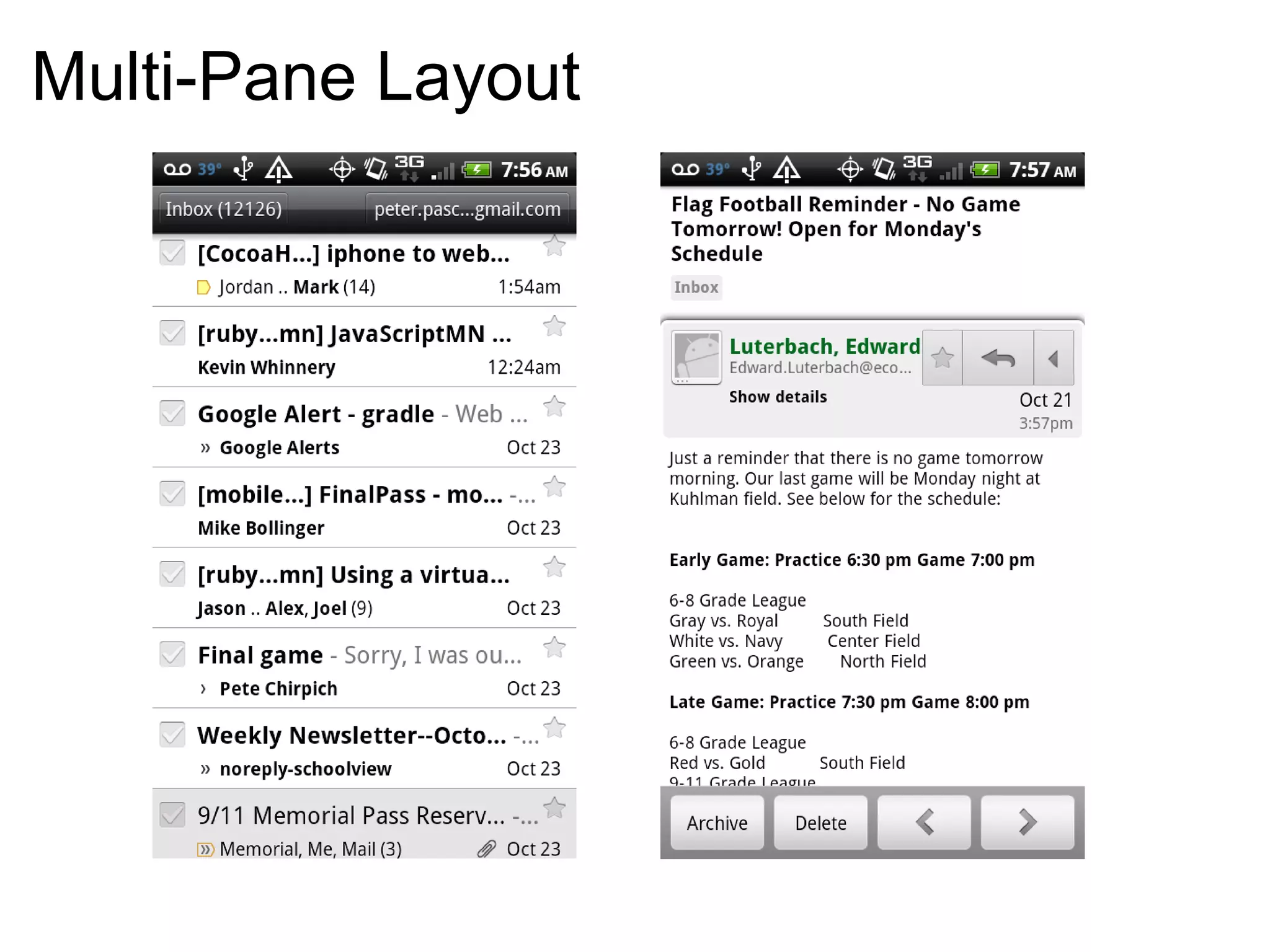
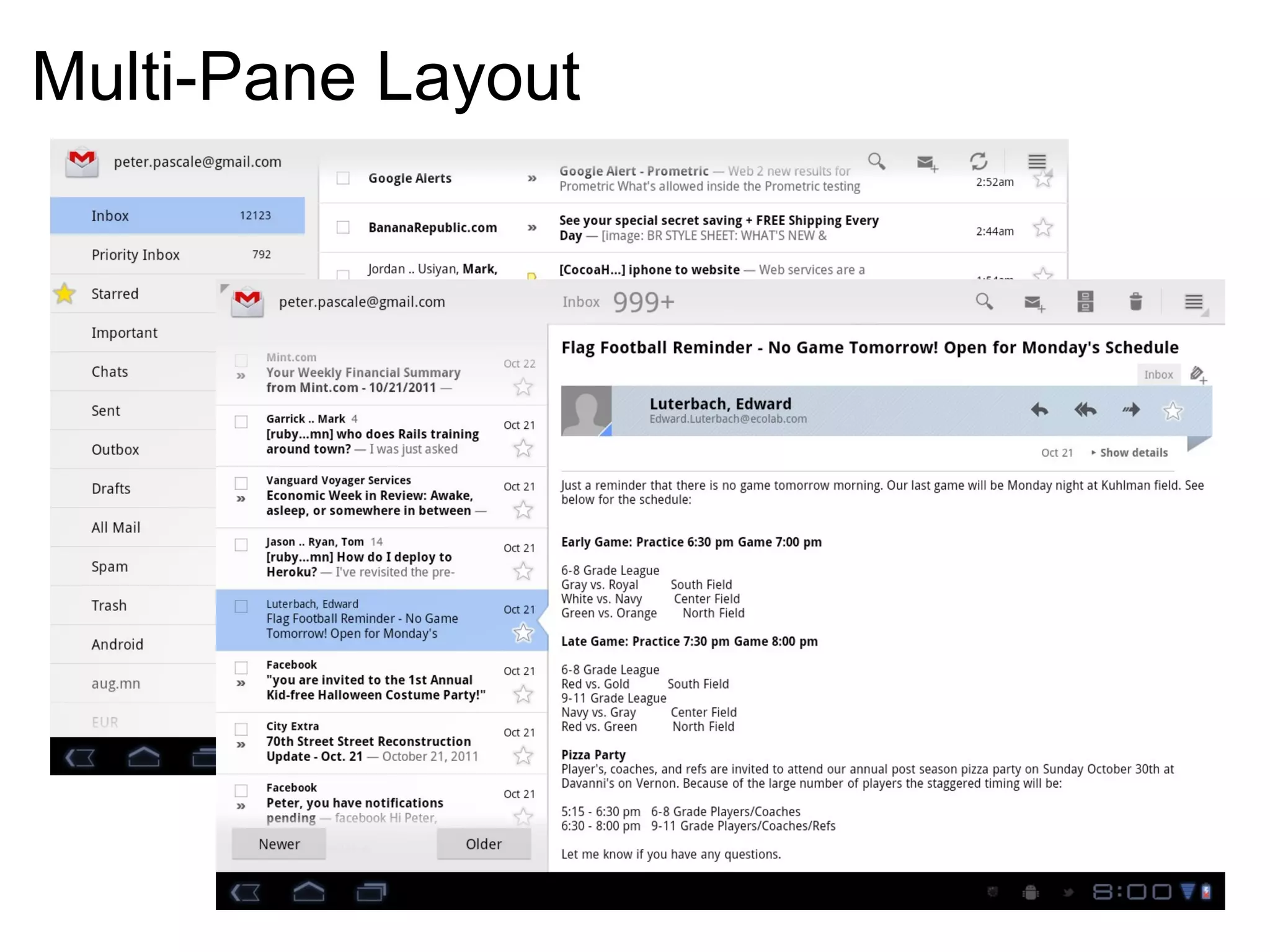
Multi-Pane Layout
Multi-Pane Layout
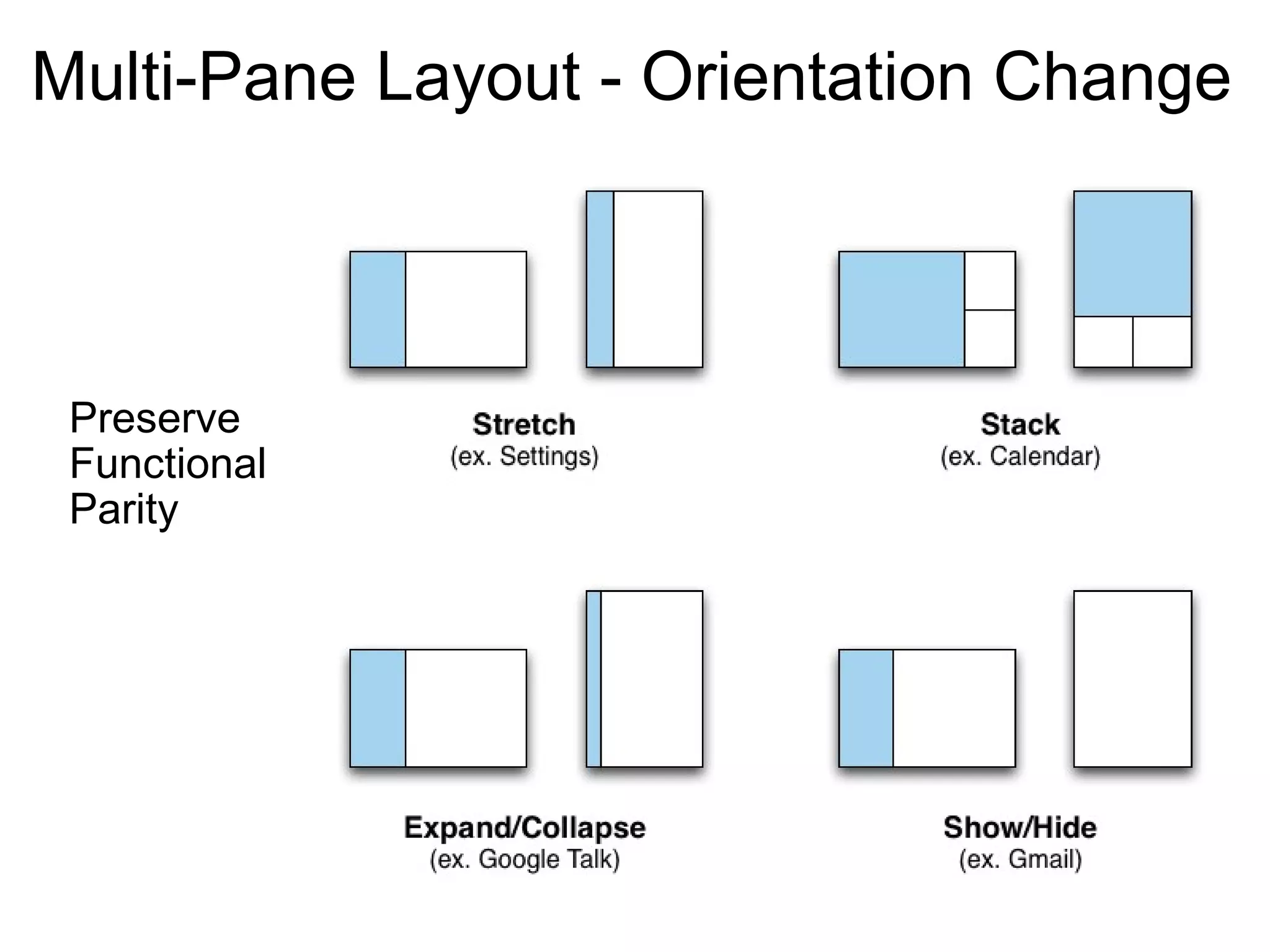
Multi-Pane Layout - Orientation Change Preserve  Functional  Parity
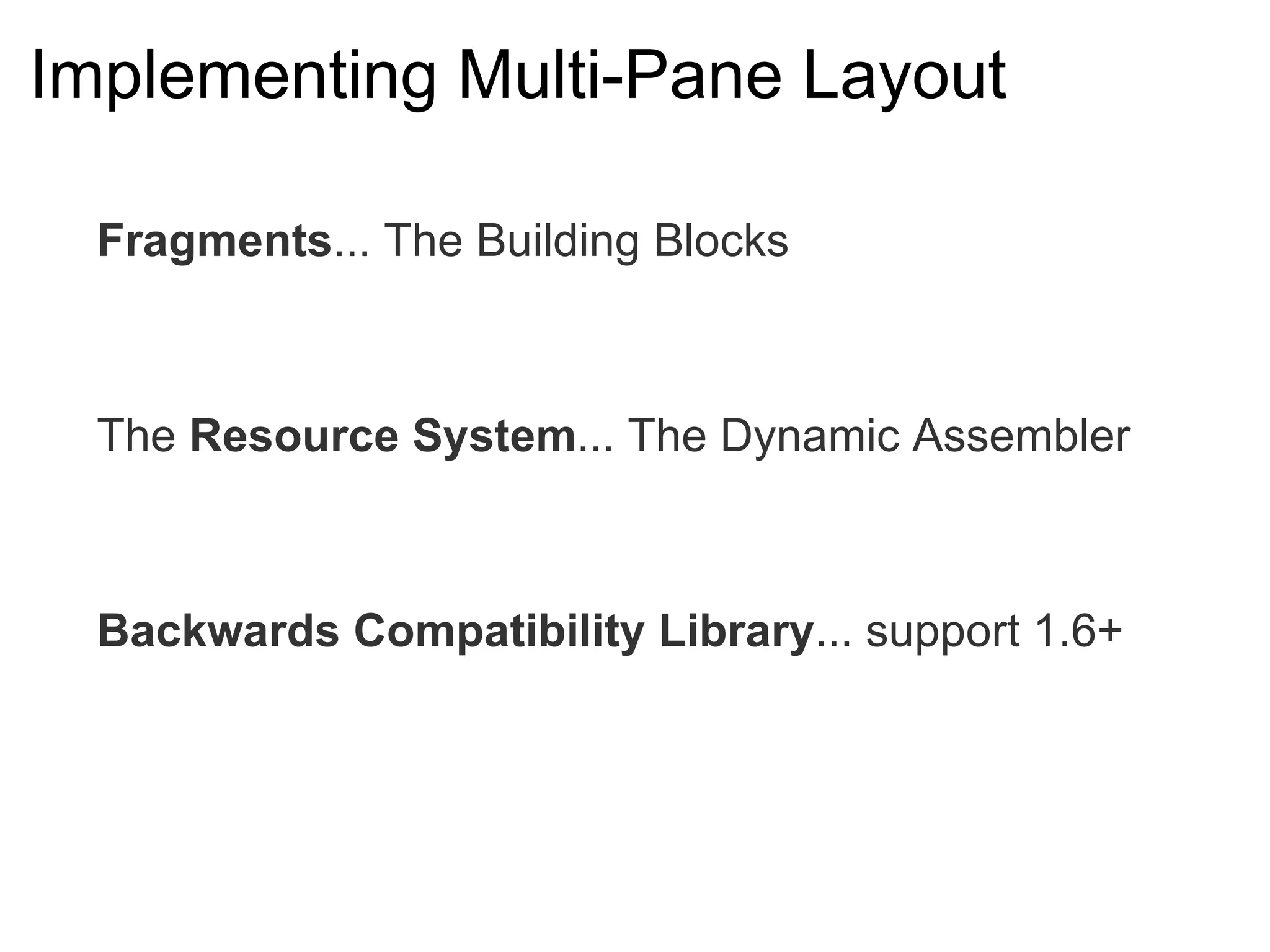
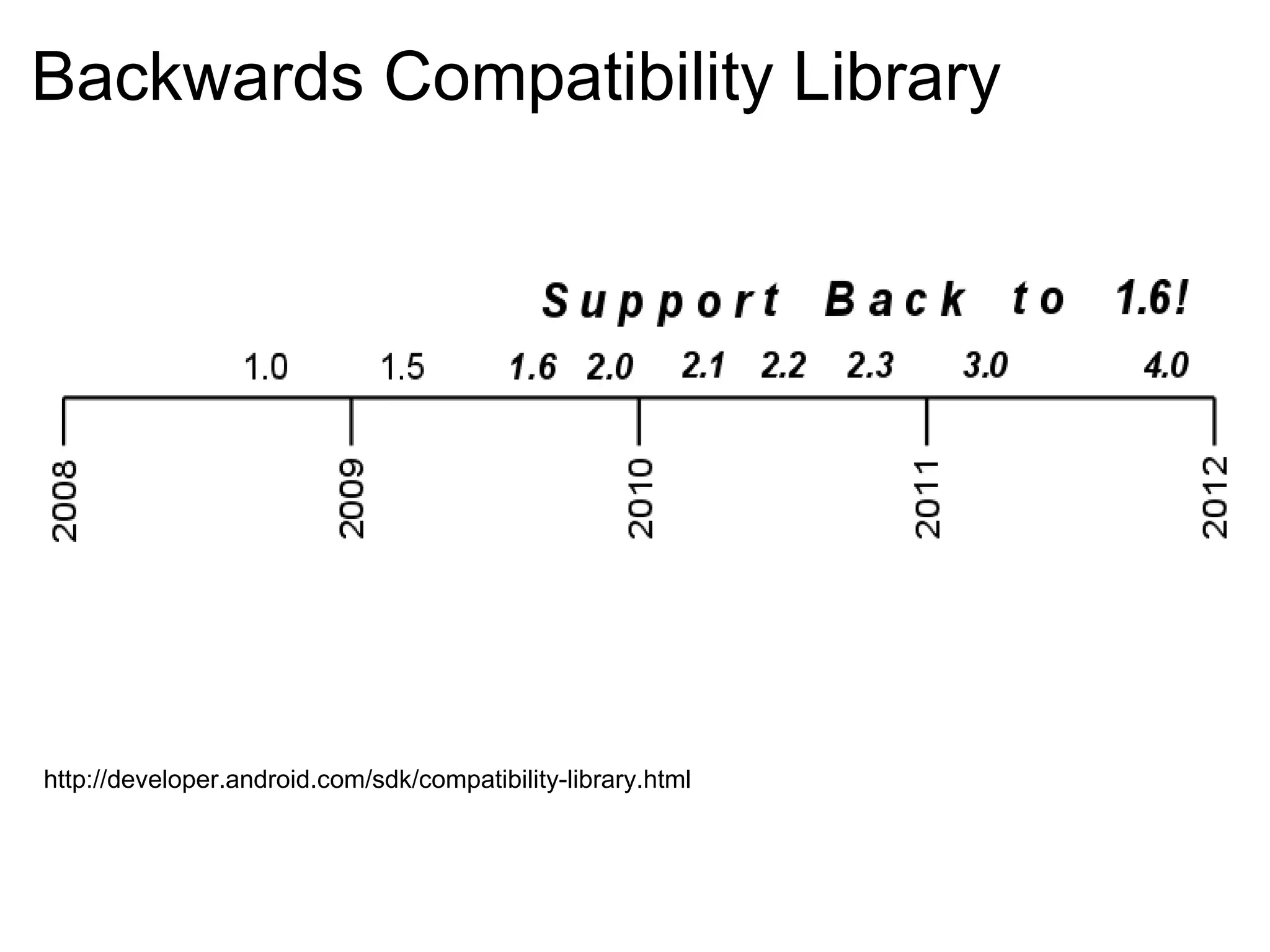
Implementing Multi-Pane Layout Fragments ... The Building Blocks The  Resource System ... The Dynamic Assembler Backwards Compatibility Library ... support 1.6+
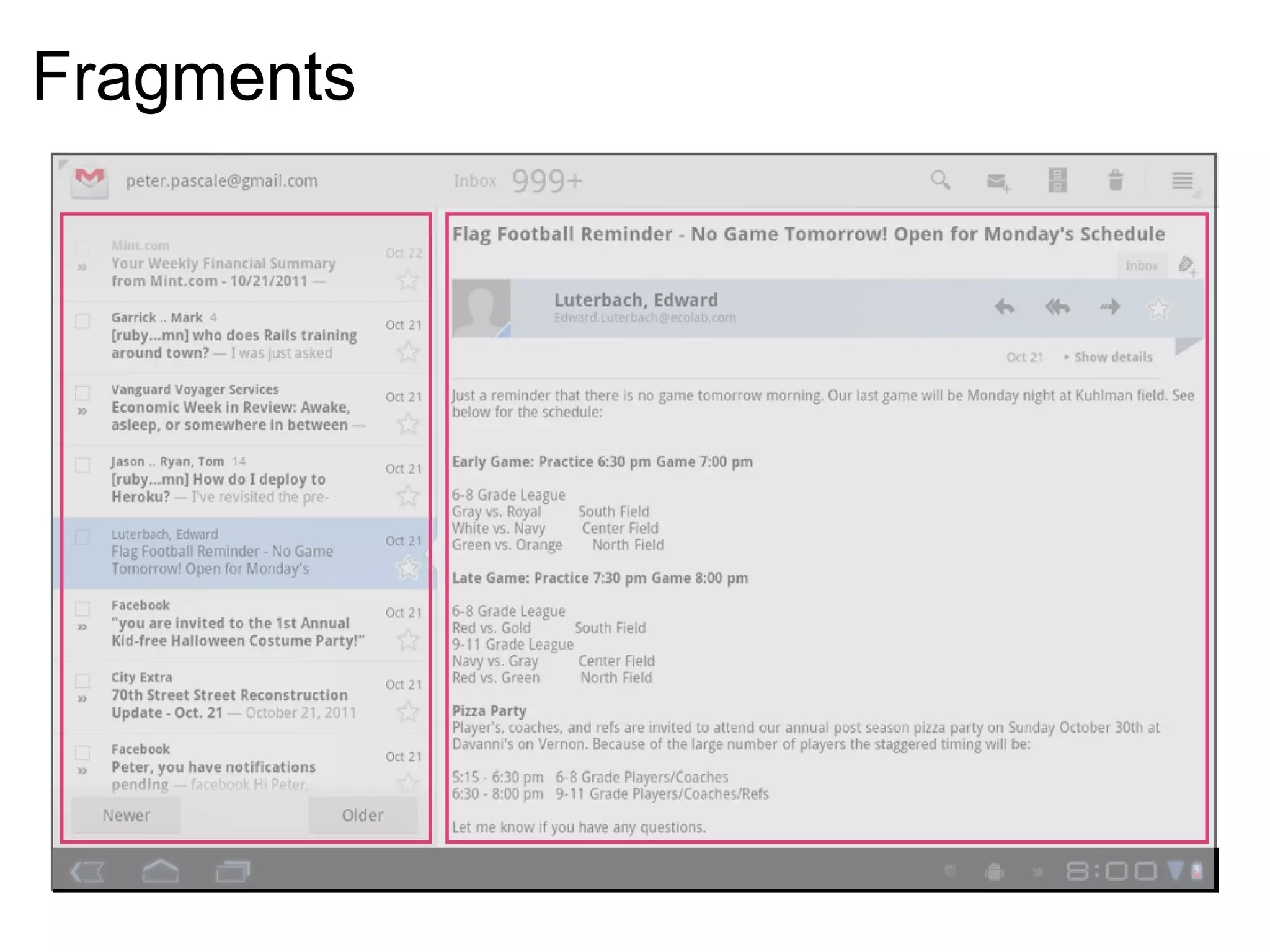
Fragments
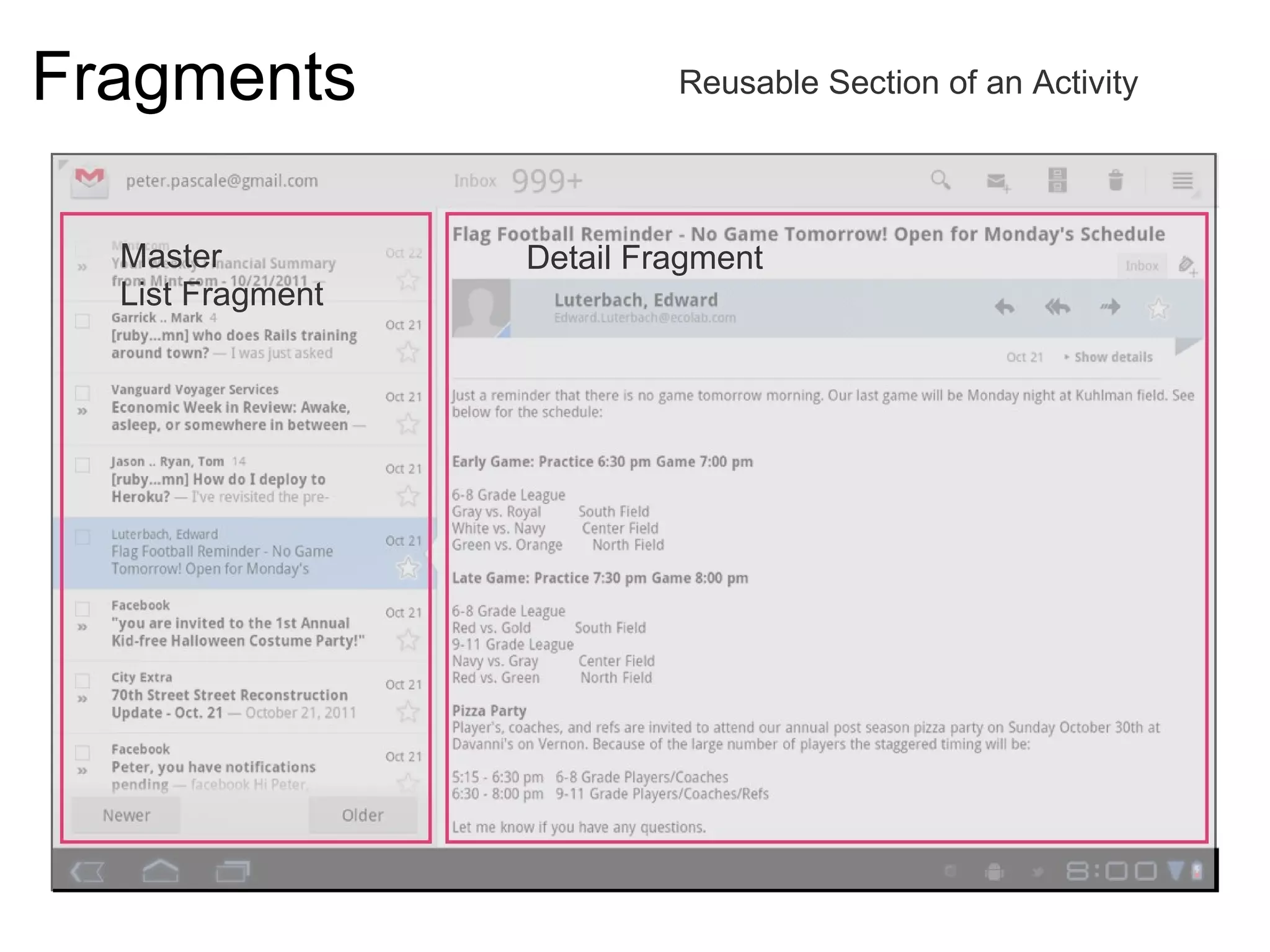
Fragments Reusable Section of an Activity Master  List Fragment  Detail Fragment 
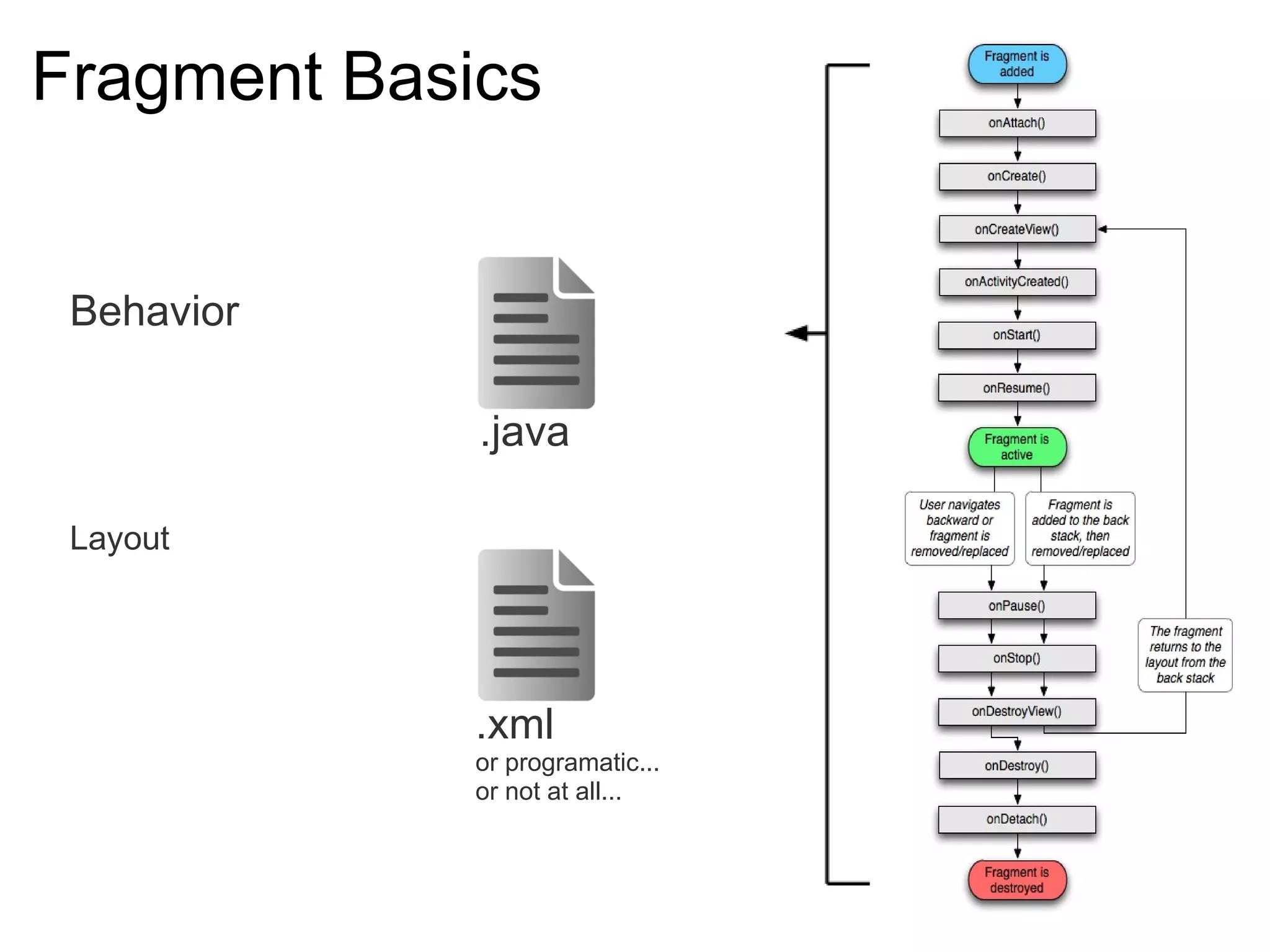
Fragment Basics   Behavior Layout .xml .java or programatic... or not at all...
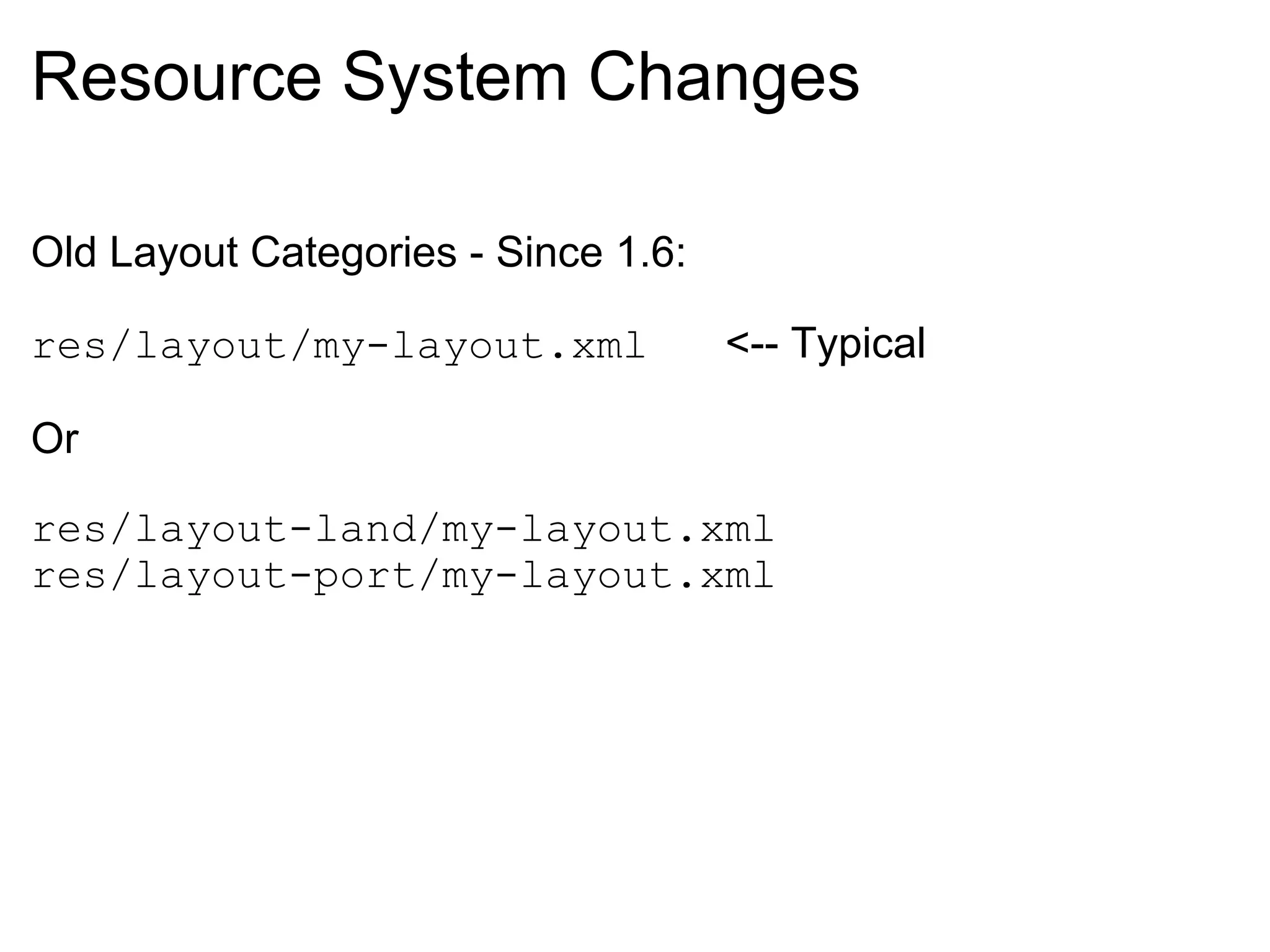
Resource System Changes Old Layout Categories - Since 1.6: res/layout/my-layout.xml    <-- Typical Or res/layout-land/my-layout.xml res/layout-port/my-layout.xml
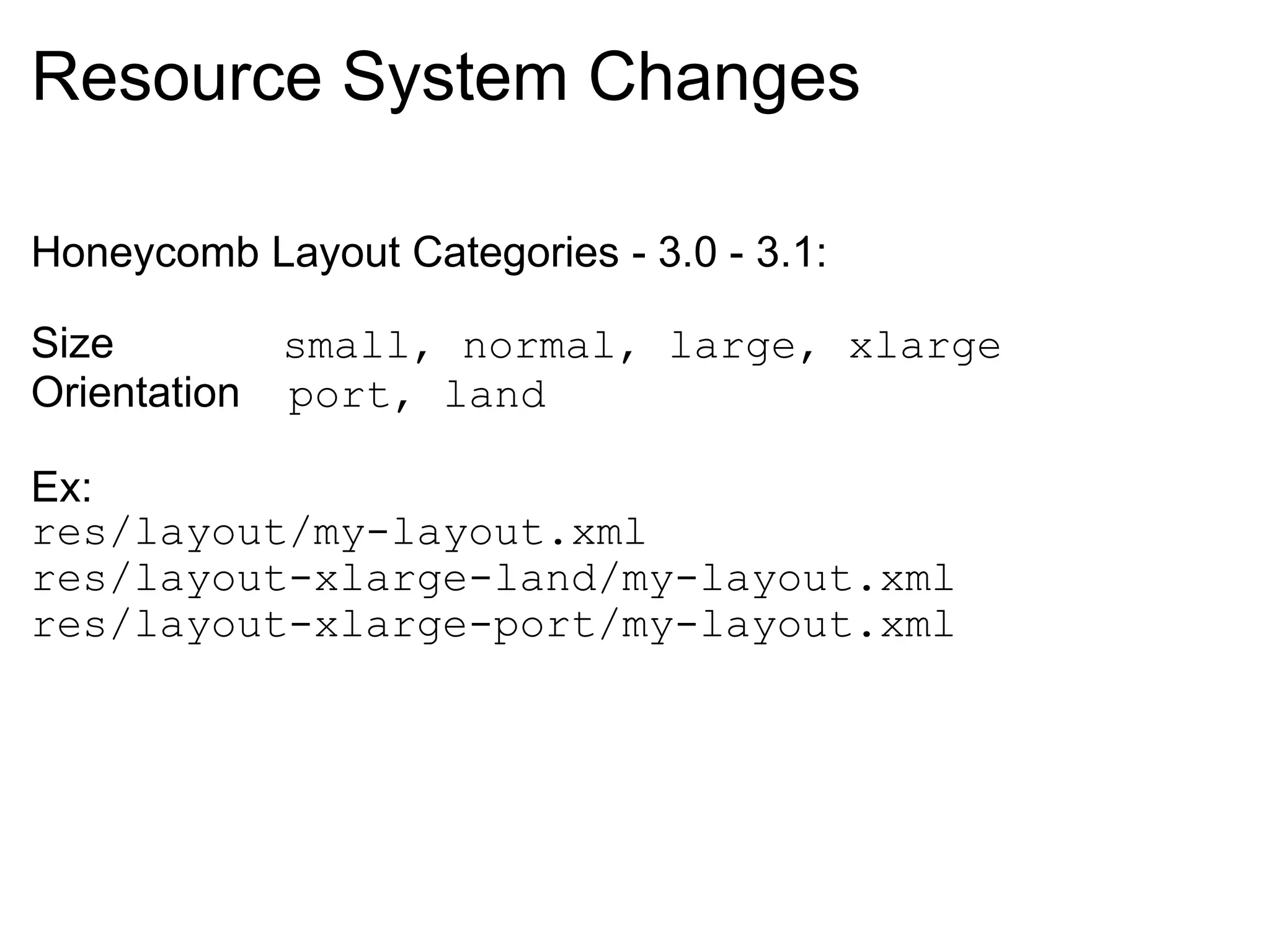
Resource System Changes Honeycomb Layout Categories - 3.0 - 3.1: Size               small, normal, large, xlarge Orientation     port, land    Ex: res/layout/my-layout.xml res/layout-xlarge-land/my-layout.xml res/layout-xlarge-port/my-layout.xml
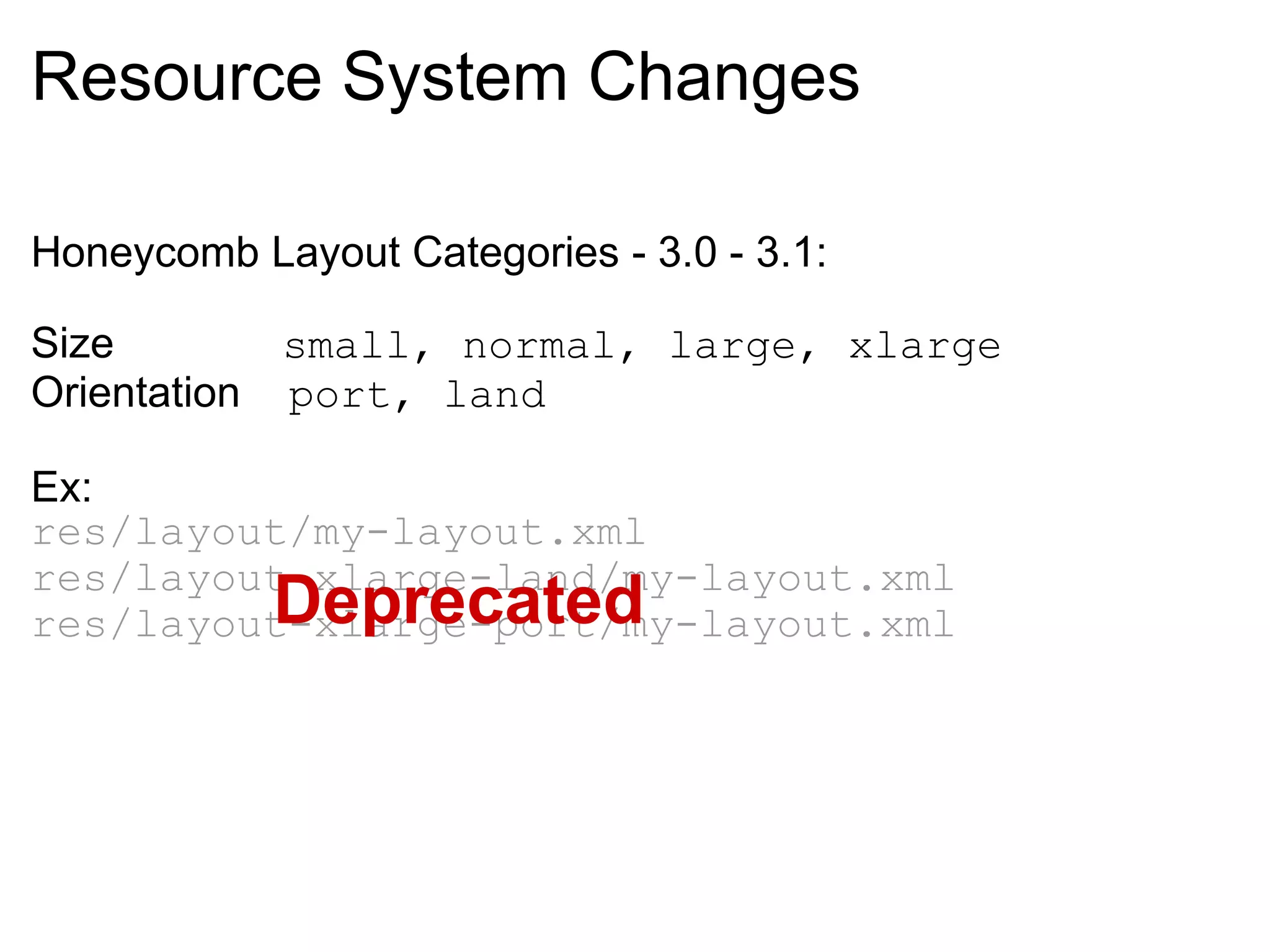
Resource System Changes Honeycomb Layout Categories - 3.0 - 3.1: Size               small, normal, large, xlarge Orientation     port, land    Ex: res/layout/my-layout.xml res/layout-xlarge-land/my-layout.xml res/layout-xlarge-port/my-layout.xml Deprecated
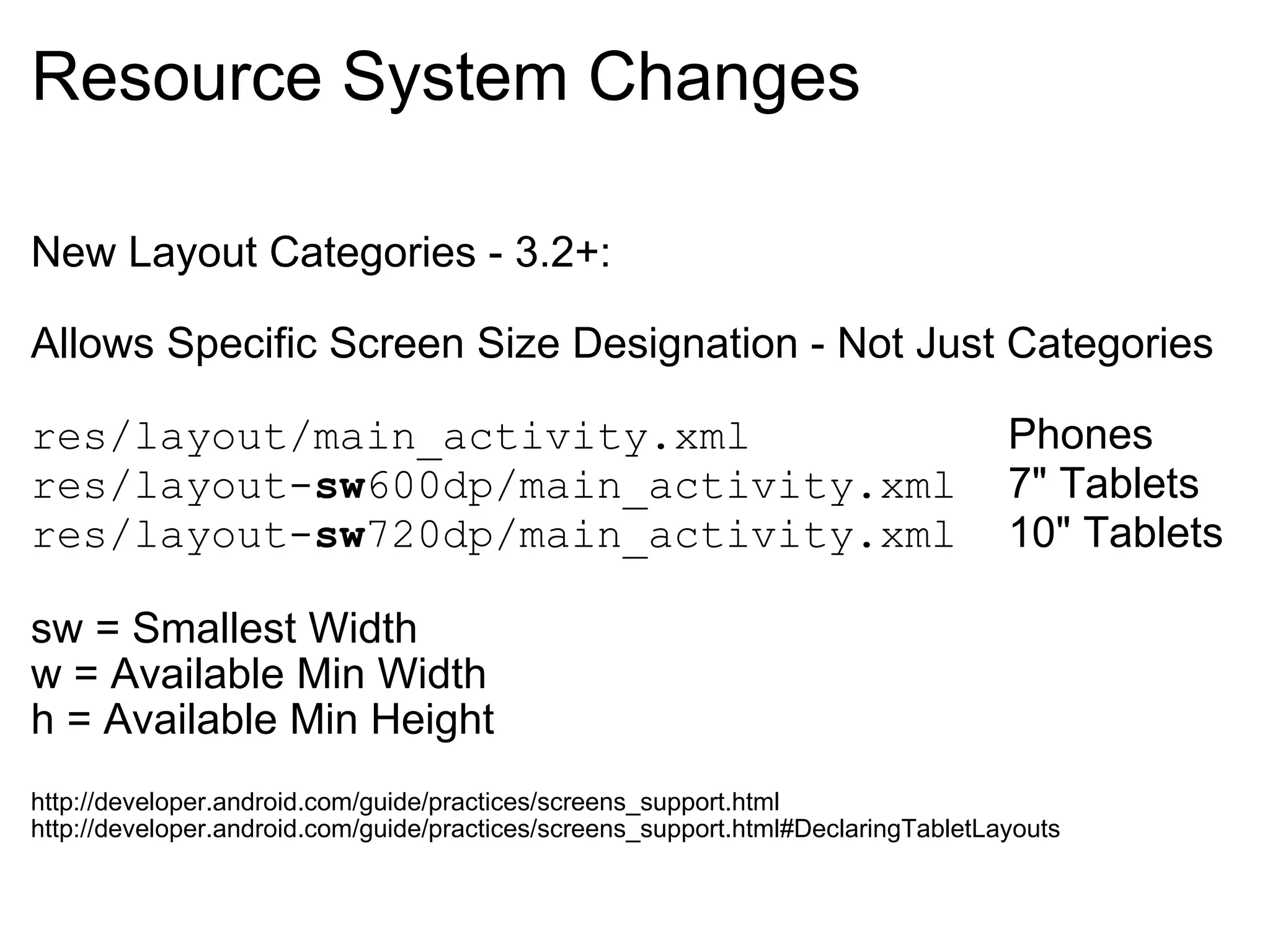
Resource System Changes New Layout Categories - 3.2+: Allows Specific Screen Size Designation - Not Just Categories res/layout/main_activity.xml           Phones res/layout- sw 600dp/main_activity.xml   7&quot; Tablets res/layout- sw 720dp/main_activity.xml   10&quot; Tablets   sw = Smallest Width w = Available Min Width h = Available Min Height http://developer.android.com/guide/practices/screens_support.html http://developer.android.com/guide/practices/screens_support.html#DeclaringTabletLayouts
Backwards Compatibility Library http://developer.android.com/sdk/compatibility-library.html
Multi-Pane Layout Code Demo https://github.com/peterpascale/FragmentExample
Action Bar Multi-Pane Layout Carousel Quick Actions Dashboard Workspaces
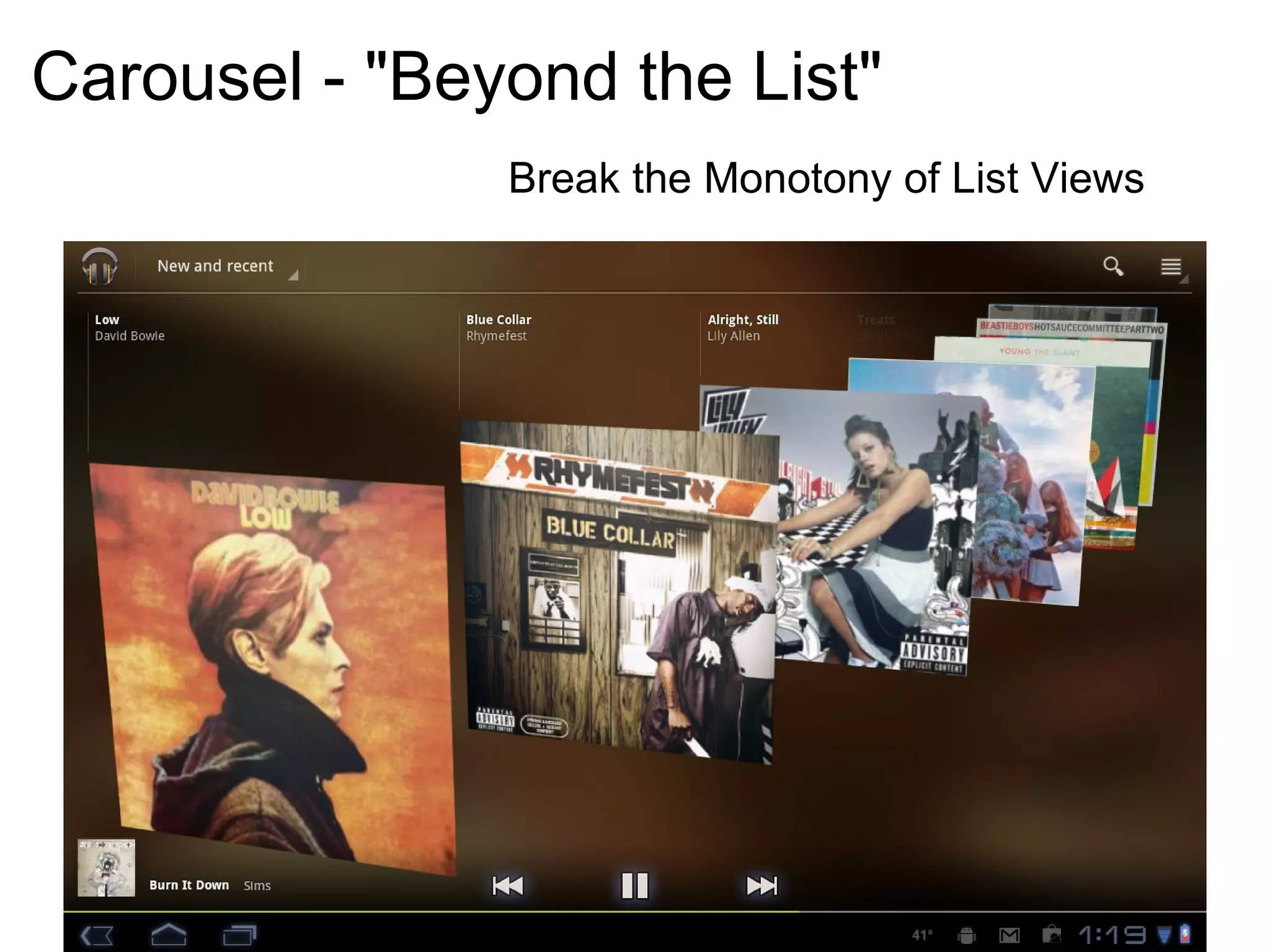
Carousel - &quot;Beyond the List&quot; Break the Monotony of List Views
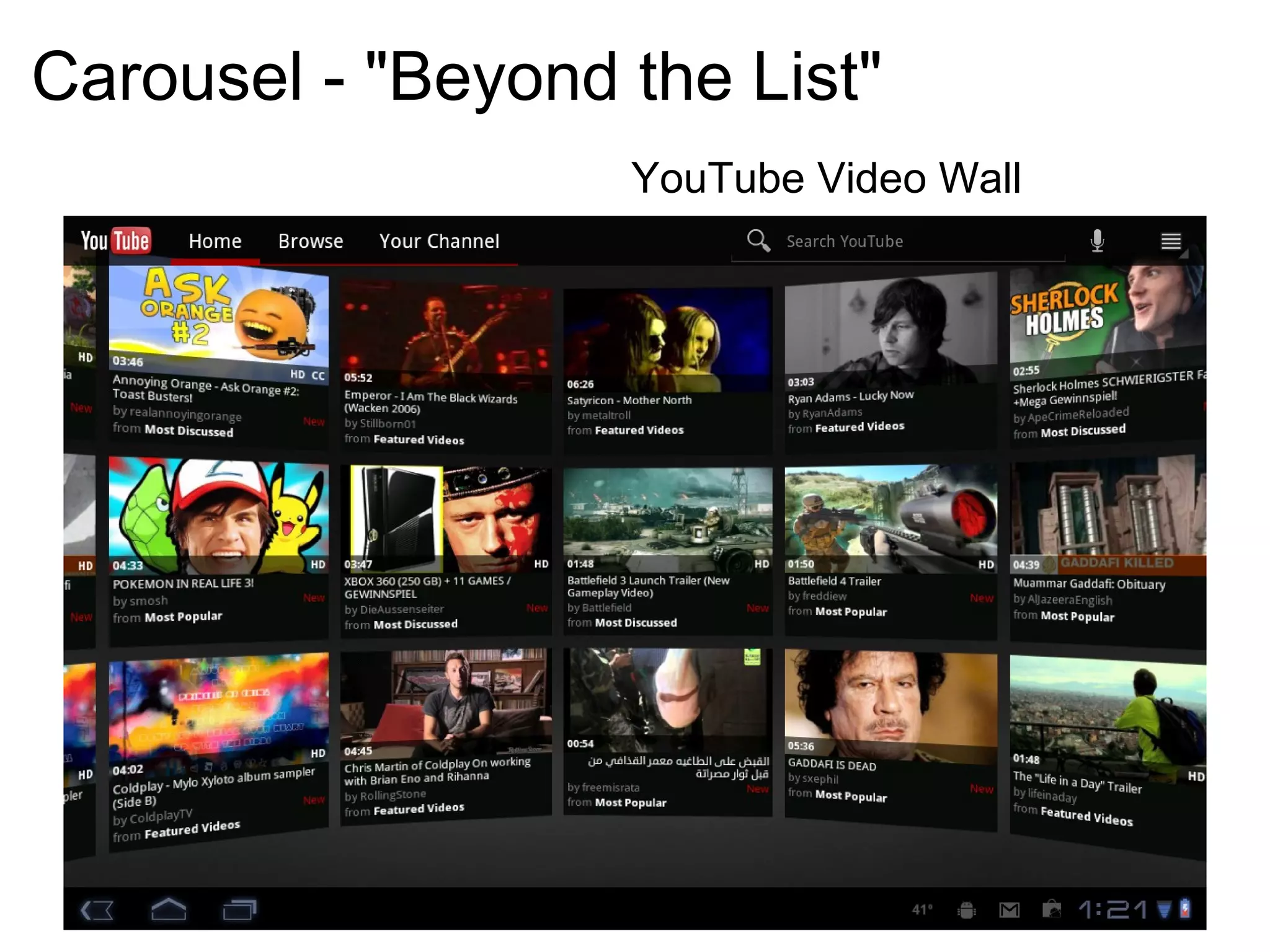
Carousel - &quot;Beyond the List&quot; YouTube Video Wall
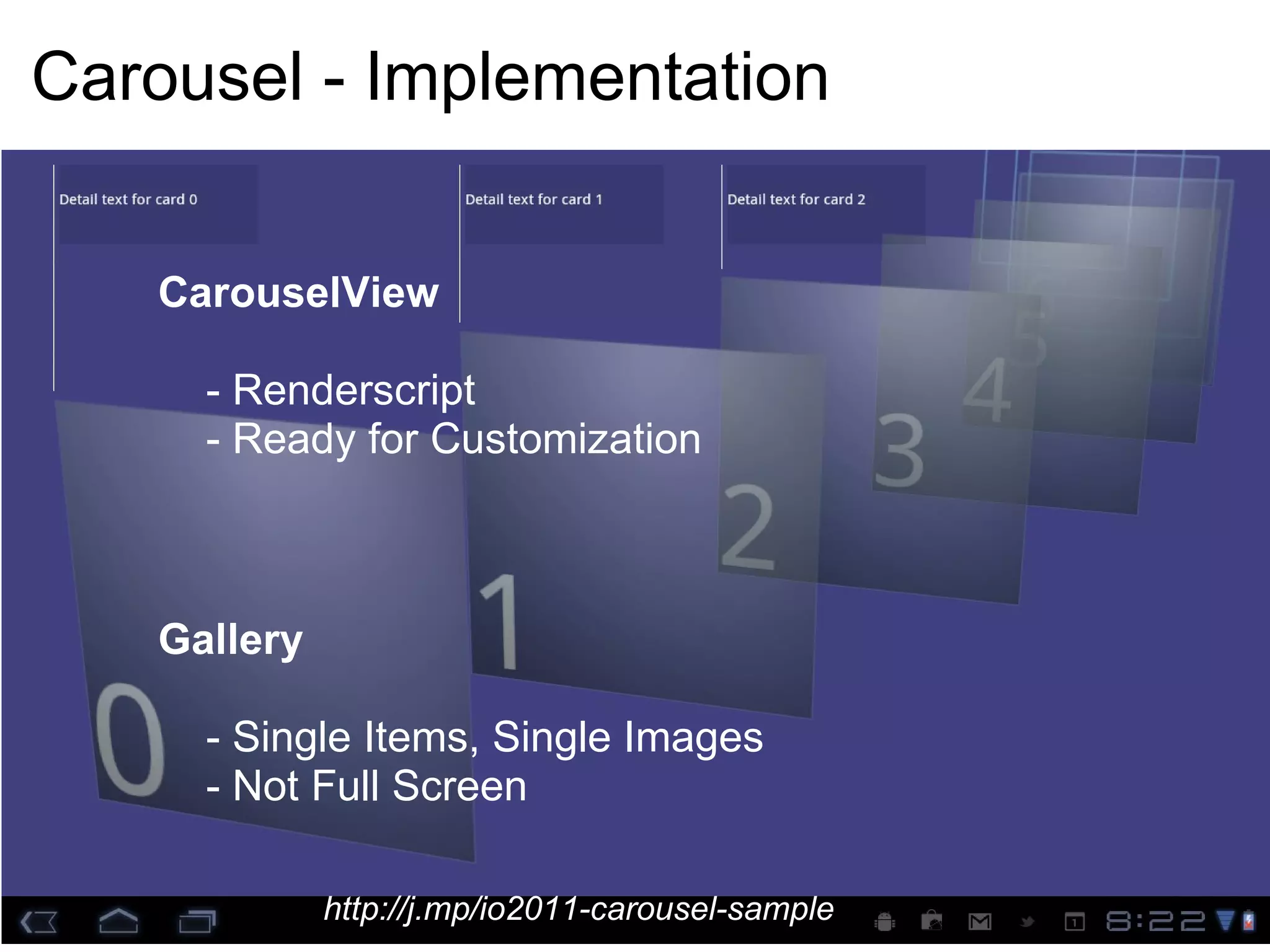
Carousel - Implementation CarouselView      - Renderscript      - Ready for Customization Gallery      - Single Items, Single Images      - Not Full Screen http://j.mp/io2011-carousel-sample
  Action Bar Multi-Pane Layout Carousel Quick Actions Dashboard Workspaces
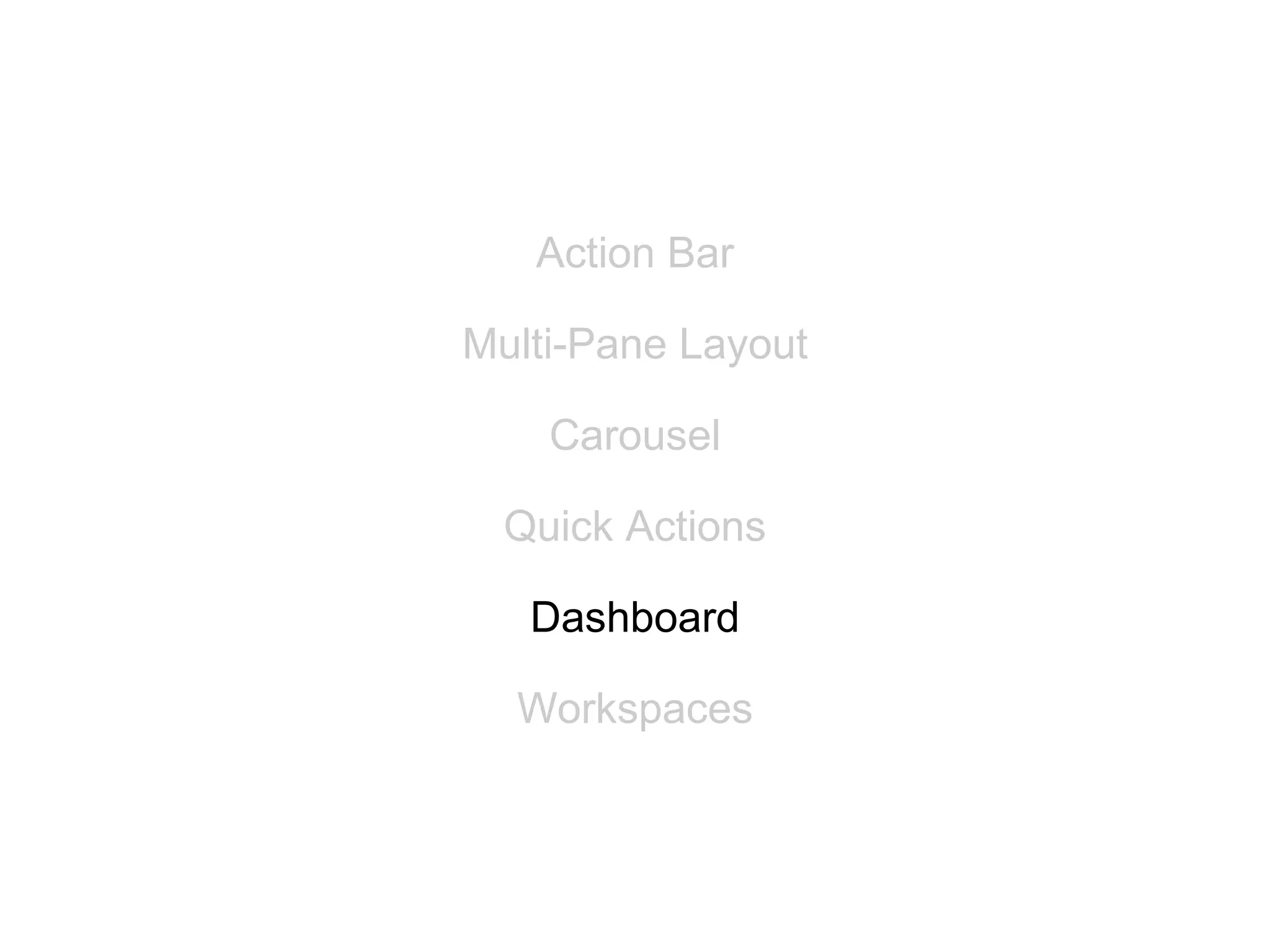
Quick Actions Easy access to contextual actions Practical even for limited real-estate User easily sees context even when quick action is open
  Action Bar Multi-Pane Layout Carousel Quick Actions Dashboard Workspaces
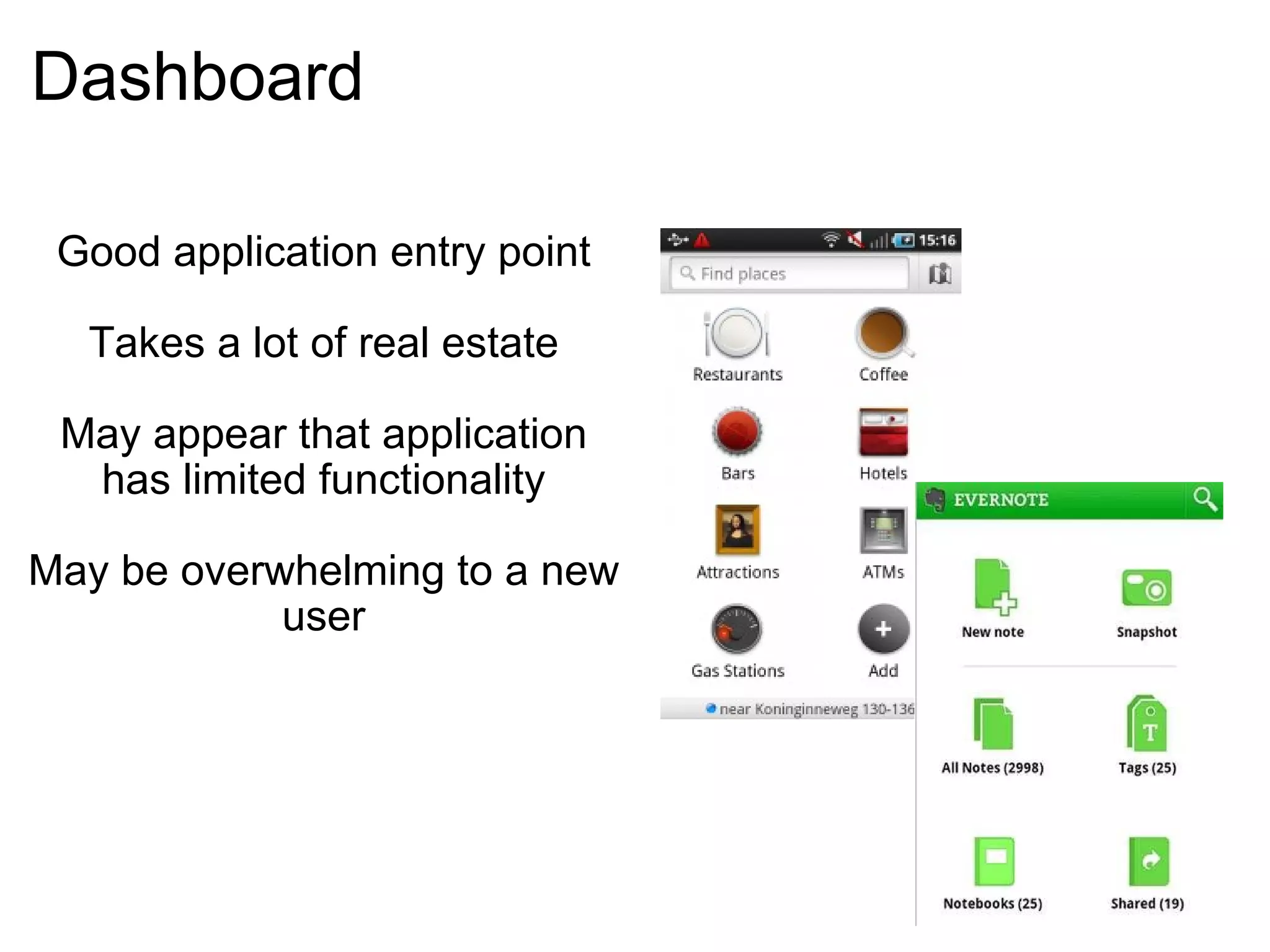
Dashboard Good application entry point Takes a lot of real estate May appear that application has limited functionality May be overwhelming to a new user
  Action Bar Multi-Pane Layout Carousel Quick Actions Dashboard Workspaces
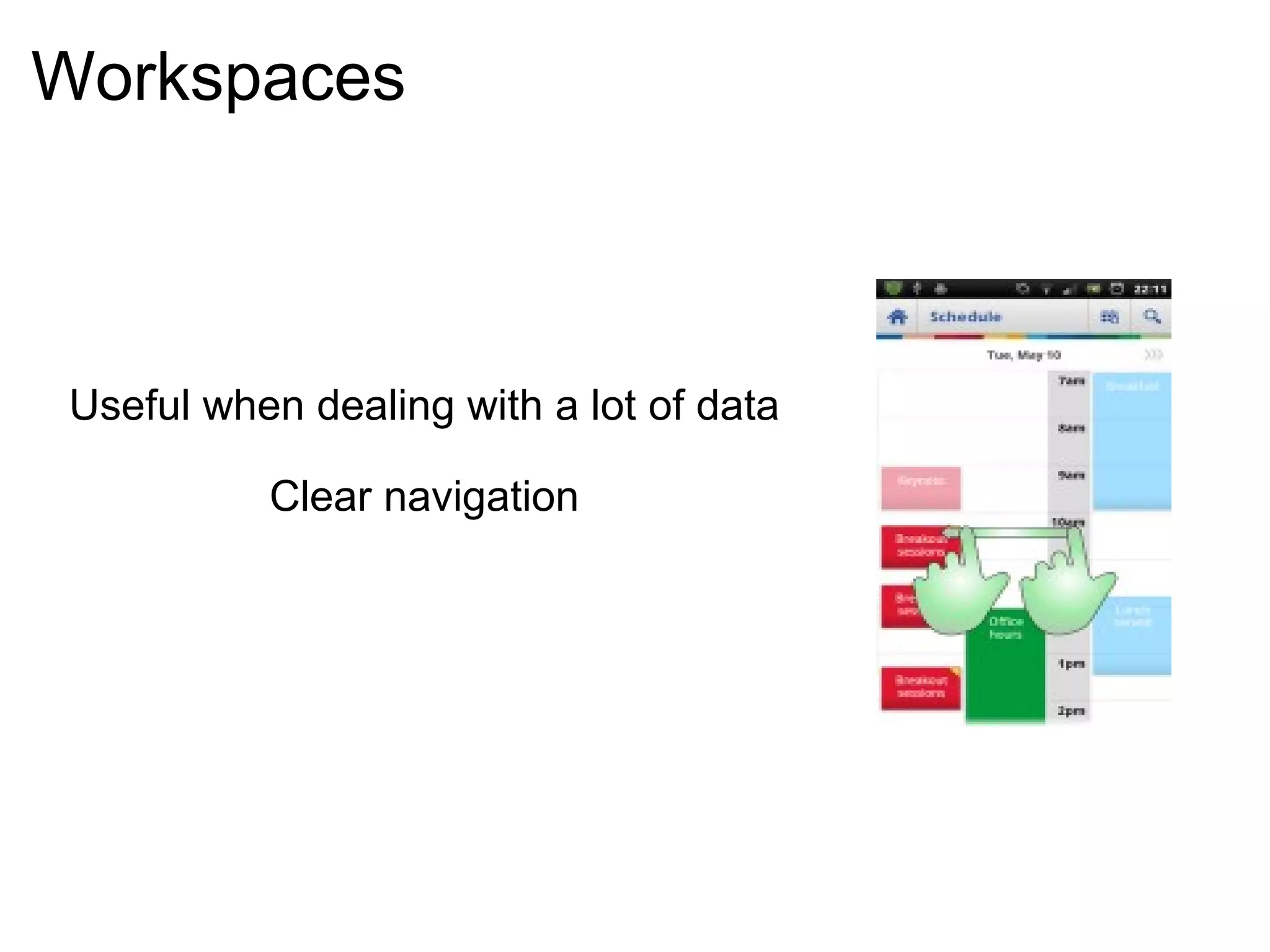
Workspaces Useful when dealing with a lot of data Clear navigation
Summary  
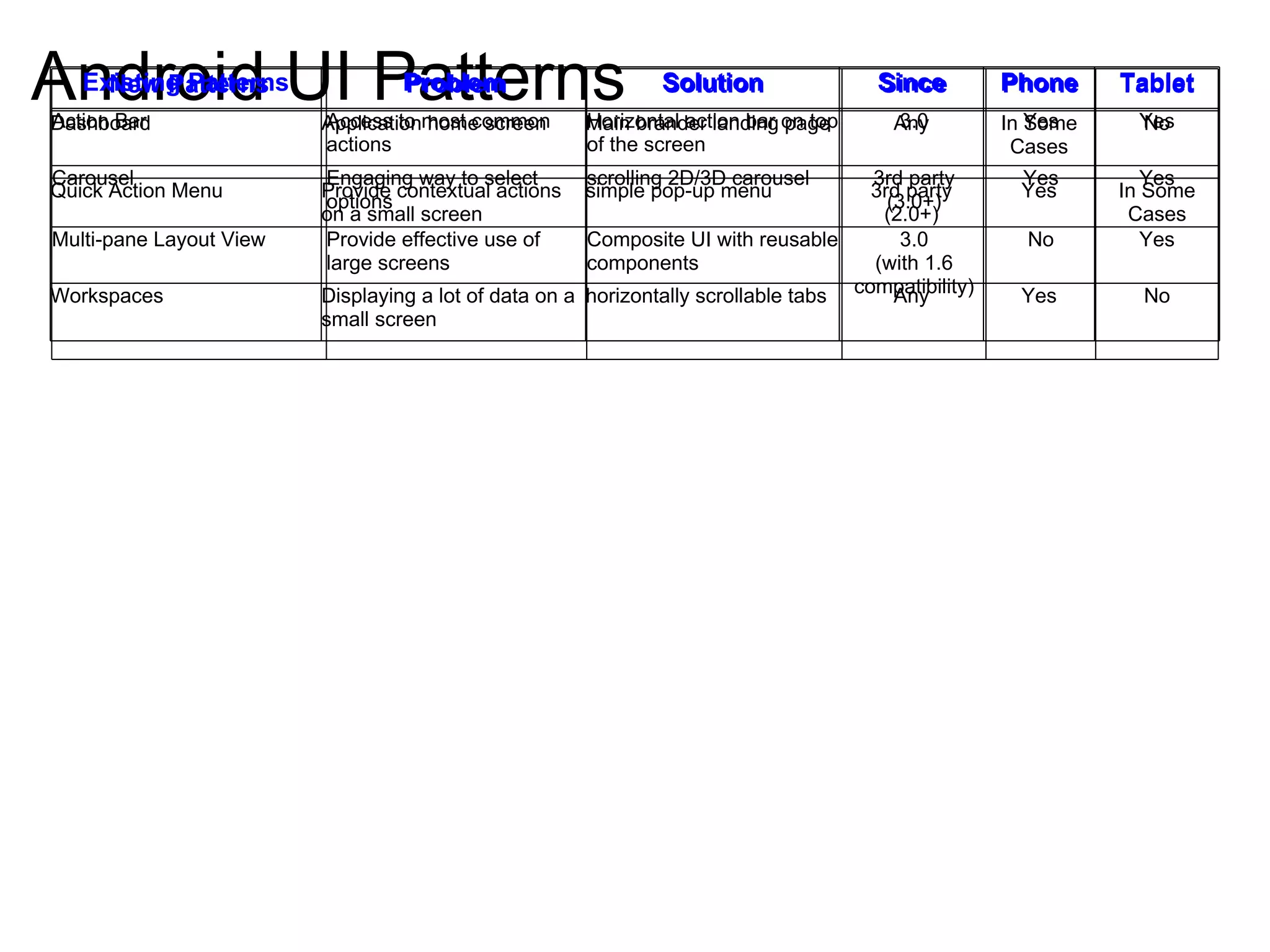
Android UI Patterns New Patterns Problem Solution Since Phone Tablet Action Bar Access to most common actions Horizontal action bar on top of the screen 3.0 Yes Yes Carousel Engaging way to select options scrolling 2D/3D carousel 3rd party (3.0+) Yes Yes Multi-pane Layout View Provide effective use of large screens Composite UI with reusable components 3.0 (with 1.6 compatibility) No Yes Existing Patterns Problem Solution Since Phone Tablet Dashboard Application home screen Main brander landing page Any In Some Cases No Quick Action Menu Provide contextual actions on a small screen simple pop-up menu 3rd party (2.0+) Yes In Some Cases Workspaces Displaying a lot of data on a small screen horizontally scrollable tabs Any Yes No
Resources http://en.wikipedia.org/wiki/User_interface_design http://www.androiduipatterns.com/ http://momentummobile.com/mobile-app-ui-ux-design.html http://developer.android.com/guide/topics/ui/declaring-layout.html http://developer.android.com/guide/practices/screens_support.html http://developer.android.com/guide/practices/ui_guidelines/icon_design.html  http://www.google.com/events/io/2011/sessions/designing-and-implementing-android-uis-for-phones-and-tablets.html http://www.donnfelker.com/downloads/AndroidTabletDevelopment.pdf http://developer.android.com/guide/topics/fundamentals/fragments.html https://github.com/peterpascale/FragmentExample http://j.mp/io2011-carousel-sample Images Android & Alien http://www.flickr.com/photos/jdhancock/5138860024/ Roof http://www.flickr.com/photos/45574318@N00/5370376951/ Android Pics http://www.flickr.com/photos/lwallenstein/3870027760/sizes/m/in/photostream/

Android UI Patterns

  • 1.
    Android UI Patternsby Peter Pascale, Vladan Pulec
  • 2.
    Agenda Android UIHistory Android 4 UI Highlights Android UI Patterns
  • 3.
    Android Version HistoryLook and Feel  Formalized 2009
  • 4.
    Android Version History2010 Google IO Dashboard UI Pattern
  • 5.
    Android Version History2011 Google IO Tablet Patterns No More  Dashboard
  • 6.
    Android Version HistoryIce Cream Sandwich October 19 2010 Honeycomb UI - Unification No More Hardware Buttons  
  • 7.
  • 8.
  • 9.
    Android Versions -Reality Source: developer.android.com As of November 3, 2011
  • 10.
  • 11.
    UI Design GoalsRelated to Patterns Stay Consistent Use Visual Hierarchy Value Simplicity Pay Attention to Patterns
  • 12.
    Tablet vs. PhoneUser Experience Users hold and interact with phones and tablets differently UI needs to be adaptive to support user interaction
  • 13.
    Android 4.0 UIFeatures Simplified Look and Feel Unified Tablet/Phone Platform System Bar and Action Bar Virtual Navigation Buttons No Hardware Buttons
  • 14.
    Navigation in Android4.0 Software Navigation Buttons   System Back   System Home   Recents No Search or Menu
  • 15.
    Android UI PatternsAction Bar Multi-Pane Layout Carousel Quick Actions Dashboard Workspaces
  • 16.
    Action Bar Multi-PaneLayout Carousel Quick Actions Dashboard Workspaces
  • 17.
    Action Bar DedicatedReal Estate at the Top of Each Screen          Make Frequent Actions Prominent          Support Navigation          Indicate Current Location in App          Consistent Between Tablets and Phones          Provide Branding
  • 18.
    Action Bar -Sections Where am I? application icon or logo can be used for &quot;upward&quot; navigation
  • 19.
    Action Bar -Sections What can I see? view details  (can have a navigation component) can include tabs, dropdowns, breadcrumbs
  • 20.
    Action Bar -Sections What can I do? action buttons (icons, text, or both) most important or frequently used actions new place for Search and Menu
  • 21.
    Action Bar -Examples
  • 22.
    Action Bar ConsistencyBetween Phone and Tablet
  • 23.
    Action Bar -Antipatterns Ignoring the &quot;Where - See - Do&quot; Best Practice Button controls at the bottom of the screen Inconsistent across different applications
  • 24.
  • 25.
    Action Bar -Summary Replaces traditional title bar Makes frequently used actions prominent Convenient means of handling menu and search Dedicated, persistent real estate Displays application icon together with the activity title
  • 26.
    Action Bar Multi-PaneLayout Carousel Quick Actions Dashboard Workspaces
  • 27.
  • 28.
  • 29.
    Multi-Pane Layout -Orientation Change Preserve  Functional  Parity
  • 30.
    Implementing Multi-Pane LayoutFragments ... The Building Blocks The Resource System ... The Dynamic Assembler Backwards Compatibility Library ... support 1.6+
  • 31.
  • 32.
    Fragments Reusable Sectionof an Activity Master  List Fragment  Detail Fragment 
  • 33.
    Fragment Basics  Behavior Layout .xml .java or programatic... or not at all...
  • 34.
    Resource System ChangesOld Layout Categories - Since 1.6: res/layout/my-layout.xml   <-- Typical Or res/layout-land/my-layout.xml res/layout-port/my-layout.xml
  • 35.
    Resource System ChangesHoneycomb Layout Categories - 3.0 - 3.1: Size               small, normal, large, xlarge Orientation     port, land    Ex: res/layout/my-layout.xml res/layout-xlarge-land/my-layout.xml res/layout-xlarge-port/my-layout.xml
  • 36.
    Resource System ChangesHoneycomb Layout Categories - 3.0 - 3.1: Size               small, normal, large, xlarge Orientation     port, land    Ex: res/layout/my-layout.xml res/layout-xlarge-land/my-layout.xml res/layout-xlarge-port/my-layout.xml Deprecated
  • 37.
    Resource System ChangesNew Layout Categories - 3.2+: Allows Specific Screen Size Designation - Not Just Categories res/layout/main_activity.xml           Phones res/layout- sw 600dp/main_activity.xml   7&quot; Tablets res/layout- sw 720dp/main_activity.xml   10&quot; Tablets   sw = Smallest Width w = Available Min Width h = Available Min Height http://developer.android.com/guide/practices/screens_support.html http://developer.android.com/guide/practices/screens_support.html#DeclaringTabletLayouts
  • 38.
    Backwards Compatibility Libraryhttp://developer.android.com/sdk/compatibility-library.html
  • 39.
    Multi-Pane Layout CodeDemo https://github.com/peterpascale/FragmentExample
  • 40.
    Action Bar Multi-PaneLayout Carousel Quick Actions Dashboard Workspaces
  • 41.
    Carousel - &quot;Beyondthe List&quot; Break the Monotony of List Views
  • 42.
    Carousel - &quot;Beyondthe List&quot; YouTube Video Wall
  • 43.
    Carousel - ImplementationCarouselView     - Renderscript     - Ready for Customization Gallery      - Single Items, Single Images      - Not Full Screen http://j.mp/io2011-carousel-sample
  • 44.
      Action BarMulti-Pane Layout Carousel Quick Actions Dashboard Workspaces
  • 45.
    Quick Actions Easyaccess to contextual actions Practical even for limited real-estate User easily sees context even when quick action is open
  • 46.
      Action BarMulti-Pane Layout Carousel Quick Actions Dashboard Workspaces
  • 47.
    Dashboard Good applicationentry point Takes a lot of real estate May appear that application has limited functionality May be overwhelming to a new user
  • 48.
      Action BarMulti-Pane Layout Carousel Quick Actions Dashboard Workspaces
  • 49.
    Workspaces Useful whendealing with a lot of data Clear navigation
  • 50.
  • 51.
    Android UI PatternsNew Patterns Problem Solution Since Phone Tablet Action Bar Access to most common actions Horizontal action bar on top of the screen 3.0 Yes Yes Carousel Engaging way to select options scrolling 2D/3D carousel 3rd party (3.0+) Yes Yes Multi-pane Layout View Provide effective use of large screens Composite UI with reusable components 3.0 (with 1.6 compatibility) No Yes Existing Patterns Problem Solution Since Phone Tablet Dashboard Application home screen Main brander landing page Any In Some Cases No Quick Action Menu Provide contextual actions on a small screen simple pop-up menu 3rd party (2.0+) Yes In Some Cases Workspaces Displaying a lot of data on a small screen horizontally scrollable tabs Any Yes No
  • 52.
    Resources http://en.wikipedia.org/wiki/User_interface_design http://www.androiduipatterns.com/http://momentummobile.com/mobile-app-ui-ux-design.html http://developer.android.com/guide/topics/ui/declaring-layout.html http://developer.android.com/guide/practices/screens_support.html http://developer.android.com/guide/practices/ui_guidelines/icon_design.html  http://www.google.com/events/io/2011/sessions/designing-and-implementing-android-uis-for-phones-and-tablets.html http://www.donnfelker.com/downloads/AndroidTabletDevelopment.pdf http://developer.android.com/guide/topics/fundamentals/fragments.html https://github.com/peterpascale/FragmentExample http://j.mp/io2011-carousel-sample Images Android & Alien http://www.flickr.com/photos/jdhancock/5138860024/ Roof http://www.flickr.com/photos/45574318@N00/5370376951/ Android Pics http://www.flickr.com/photos/lwallenstein/3870027760/sizes/m/in/photostream/

Editor's Notes

  • #2 Peter
  • #3 Peter Android UI as a bit of a moving target. Android 4 - the focus Android UI patterns in the context of Android 4
  • #4 Peter UI layout established default color schemes boxy immature UI patterns
  • #5 Peter Dashboard pattern introduced Action bars implemented inconsistently
  • #6 Peter Dashboard is being replaced with action bar
  • #7 Peter UI unification lesson learned - UI keeps constantly evolving and applications need to adjust hardware navigation going away
  • #9 Peter
  • #10 Peter/Vladan diversified support for multiple versions
  • #11 Vladan
  • #12 Vladan Google Emphasizes Platform Consistency user should feel in control http://momentummobile.com/mobile-app-ui-ux-design.html
  • #13 Vladan phones - one hand holds the device, the other interacts tablets - Because of the size and the weight of tablets, you might design your screens differently to accept interactions on the left and on the right portions of the screen. Ideally, some users would just use their left and right thumbs to interact with your app. Google SDK supports reuse between devices of different screen sizes
  • #14 Vladan Support in Action Bar or other mechanism Don&apos;t Assume Search Hard Key Unified UI toolkit: A single set of UI components, styles, and capabilities for phones, tablets, and other devices. Rich communication and sharing: New social and calendar APIs, Android Beam for NFC-based instant sharing, Wi-Fi Direct support, Bluetooth Health Device Profile support. Deep interactivity and customization: Improved notifications, lockscreen with camera and music controls, and improved app management in the launcher. New graphics, camera, and media capabilities: Image and video effects, precise camera metering and face detection, new media codecs and containers. Interface and input: Hardware-accelerated 2D drawing, new grid-based layout, improved soft keyboard, spell-checker API, stylus input support, and better mouse support.
  • #15 Vladan Navigation to Search and Menu items must be supported in the application UI - These functions have to find a place in the UI.
  • #18 Vladan actions - context sensitive actions, most used actions for each screen  navigation tabs incorporated directly into the bar search button throughout an application Honeycomb tables (and future Ice Cream Sandwich phones) lack physical navigation buttons Contextual actions can be used based on user&apos;s action on the screen (ie. selecting text or an email message) overflow - less commonly used actions, tablets do not have &amp;quot;Menu&amp;quot; button, Overflow menu replaces it Branding and Home Access - excellent spot for application logo, selecting the logo should either send users to the home screen, go back within the application
  • #24 close to hardware controls
  • #27 Peter
  • #28 Peter Take Advantage of Tablet Real Estate Consolidate Multiple Phone Screens into One Layout Master - Detail
  • #32 Peter Android goal: Create a single APK (android exe) for both tablet and phone app. Ambitious, but Android provides a number of facilities  to support this. First - Fragments You can think of a fragment as a modular section of an activity, which has its own lifecycle, receives its own input events, and which you can add or remove while the activity is running. You can combine multiple fragments in a single activity to build a multi-pane UI and reuse a fragment in multiple activities. 
  • #33 Peter Android goal: Create a single APK (android exe) for both tablet and phone app. Ambitious, but Android provides a number of facilities  to support this. First - Fragments You can think of a fragment as a modular section of an activity, which has its own lifecycle, receives its own input events, and which you can add or remove while the activity is running. You can combine multiple fragments in a single activity to build a multi-pane UI and reuse a fragment in multiple activities. 
  • #34 Fragment - represents a behavior or a portion of user interface in an Activity  Can combine multiple fragments in a single activity to build a multi-pane UI and reuse a fragment in multiple activities.  modular section of an activity,  which has its own lifecycle,  receives its own input events,  you can add or remove while the activity is running 
  • #36 Peter Honeycomb added new layout categories which you could combine with sizes.
  • #41 Peter
  • #45 Peter
  • #47 Vladan
  • #49 Vladan
  • #50 Vladan
  • #52 Vladan/Peter categorize the patterns into categories-new, relevant, dated new patterns - action bar - multipane - carousel Still good - dashboard - busy indicator - quick action menu - workspaces Not so good - action drawer - dynamic list - look what this is -