Image Processing with OpenCV
        Debayan Banerjee
       Co-founder, Uberlabs
Introduction
What is Image Processing?


„any form of signal processing for which the input is
an image; the output of image processing may be
either an image or a set of characteristics or
parameters related to the image. Most image-
processing techniques involve treating the image as
a two-dimensional signal and applying standard
signal-processing techniques to it“
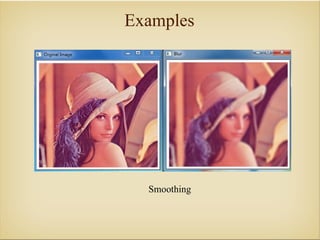
Examples


  Smoothing
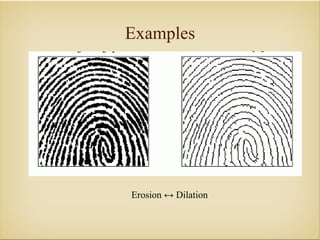
Examples


Erosion ↔ Dilation
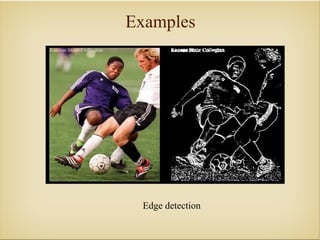
Examples


 Edge detection
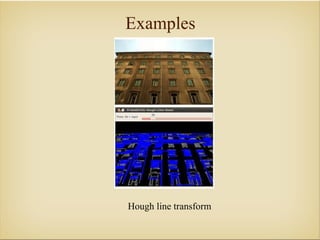
Examples


Hough line transform
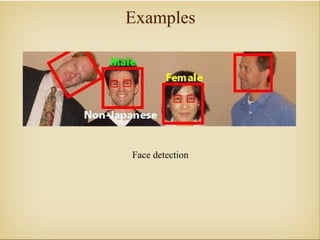
Examples


Face detection
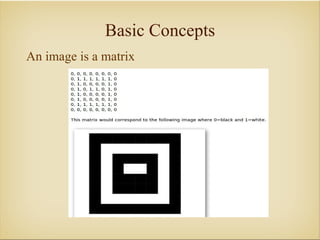
Basic Concepts
An image is a matrix
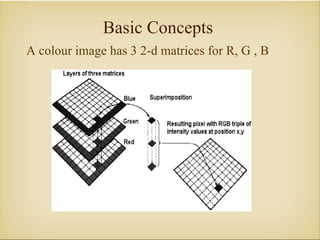
Basic Concepts
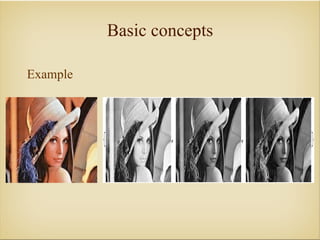
A colour image has 3 2-d matrices for R, G , B
Basic concepts

Example
Basic operations: OpenCV
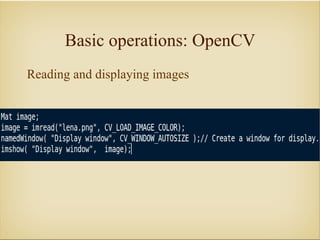
Reading and displaying images
Basic operations: OpenCV
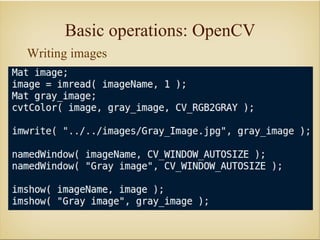
Writing images
Core module: OpenCV
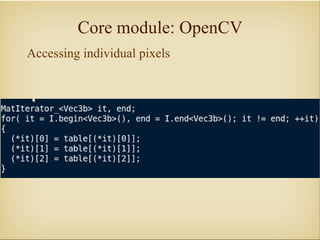
Accessing individual pixels
Core module: OpenCV
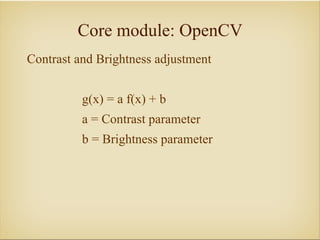
Contrast and Brightness adjustment


          g(x) = a f(x) + b
          a = Contrast parameter
          b = Brightness parameter
Core module: OpenCV
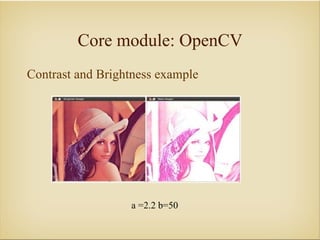
Contrast and Brightness example


                  a =2.2 b=50
Core module: OpenCV
Drawing functions


Lines
Circles
Ellipses
Polygon
Image Processing
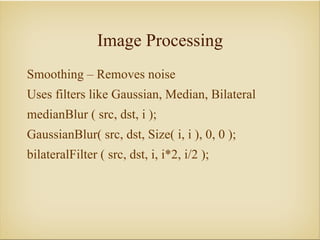
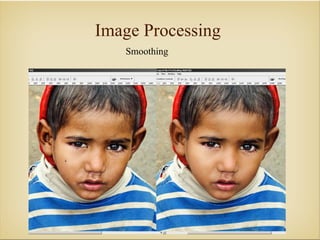
Smoothing – Removes noise
Uses filters like Gaussian, Median, Bilateral
medianBlur ( src, dst, i );
GaussianBlur( src, dst, Size( i, i ), 0, 0 );
bilateralFilter ( src, dst, i, i*2, i/2 );
Image Processing
   Smoothing
Image Processing
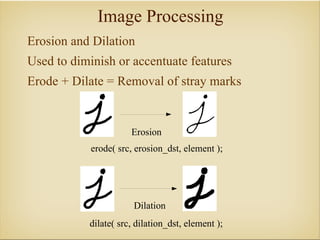
Erosion and Dilation
Used to diminish or accentuate features
Erode + Dilate = Removal of stray marks


                      Erosion
            erode( src, erosion_dst, element );


                       Dilation
           dilate( src, dilation_dst, element );
Image Processing
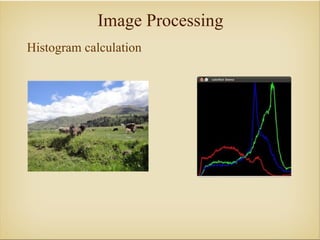
Histogram calculation
Image Processing
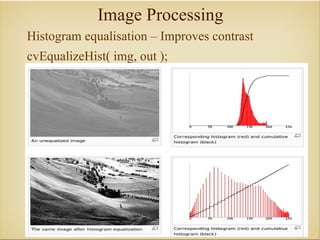
Histogram equalisation – Improves contrast
cvEqualizeHist( img, out );
Image Processing
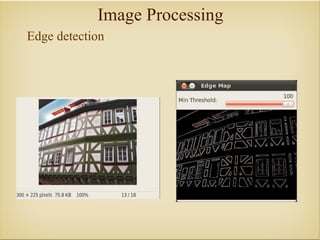
Edge detection
Image Processing
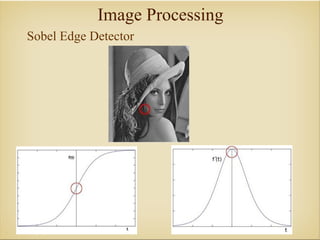
Sobel Edge Detector
Image Processing
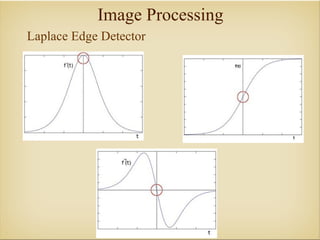
Laplace Edge Detector
Image Processing
Canny Edge Detector
Best edge detector available
Uses more advanced intensity gradient based
 methods
Feature Detection
The following 3 are considered to be keypoints in
 an image
1) Edges
2) Corner (also known as interest points)
3) Blobs (also known as regions of interest )
Once the features have been found, these features
 are „described“. That is, the details around the
 keypoints are recorded.
Later these descriptors are matched against
 incoming images.
Feature Detection

Feature Extraction: SURF, SIFT, BRIEF
Feature Descriptors: SURF, SIFT, BRIEF, STAR
Matchers: FLANN, BruteForce
Thank You :)


               debayan@uberlabs.net

Image Processing with OpenCV