Android Layout
Bayu Firmawan Paoh
Codelabs Unikom
+
Linear Layout
Relative Layout
Absolute Layout
Frame Layout
Intent ( Extras)
Android Layout
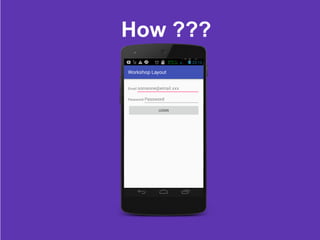
Linear Layout
A layout that organizes its children into a single horizontal
or vertical row.
Linear Layout
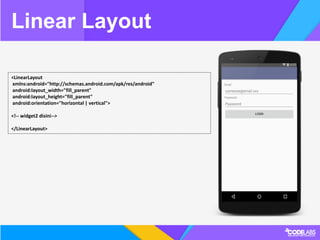
<LinearLayout
xmlns:android="http://schemas.android.com/apk/res/android"
android:layout_width="fill_parent"
android:layout_height="fill_parent"
android:orientation="horizontal | vertical">
<!-- widget2 disini-->
</LinearLayout>
How ???
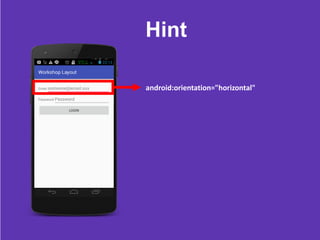
Hint
android:orientation="horizontal"
Relative Layout
Enables you to specify the location of child objects relative to each other
(child A to the left of child B) or to the parent (aligned to the top of the
parent).
Relative Layout
<RelativeLayout
xmlns:android="http://schemas.android.com/apk/res/android"
android:layout_width="fill_parent"
android:layout_height="fill_parent">
<!-- widget2 disini-->
</RelativeLayout>
Absolute Layout
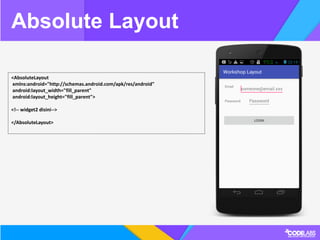
A layout that lets you specify exact locations (x/y coordinates) of its children.
Absolute Layout
<AbsoluteLayout
xmlns:android="http://schemas.android.com/apk/res/android"
android:layout_width="fill_parent"
android:layout_height="fill_parent">
<!-- widget2 disini-->
</AbsoluteLayout>
Frame Layout
FrameLayout is designed to block out an area on the screen to display a
single item.
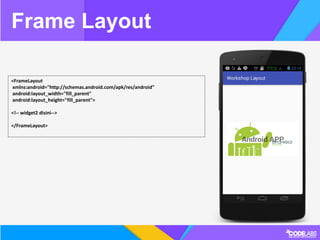
Frame Layout
<FrameLayout
xmlns:android="http://schemas.android.com/apk/res/android"
android:layout_width="fill_parent"
android:layout_height="fill_parent">
<!-- widget2 disini-->
</FrameLayout>
Intent
An Intent provides a facility for performing late runtime binding between the
code in different applications.
Intent
Intent intent = new Intent(this, ActivityName.class);
startActivity(intent);
Challenges
STAY HUNGRY
STAY FOOLISH
Slide : goo.gl/VpZgd1
References : developer.android.com
Project : github.com/bayupaohganteng/androidlayout.git
+

Basic Android Layout