Advanced Word
Processing Skills
• Mail merge and label generation
• Integrating images and external
materials
At the end of this lesson, the students should be able to:
1. use some advanced capabilities of Microsoft Word commonly
used to increase productivity and efficiency;
2. effectively use these features to help improve the productivity
of an organization through maximizing the potential of MS Word;
3. create form letters or documents for distribution to various
recipients;
4. create labels and envelops for distribution; and
5. create media-rich documents for printing or publishing.
What is Mail Merge?
Mail Merge is a software toolkit that is used
to produce multiple documents with a given
template, editing the basic information that is
supplied by a structured dataset. A sample output
are certificates of attendees in a seminar. Instead
of manually and individually inputting information,
it is automatically generated when using Mail
Merge. The template of the certificate should, of
course be uniform, but the names should be
customized for every individual.
Two Components of Mail Merge:
1.Form Document
The document that contains the main
body of the message we want to convey or
send.
2. List or Data File
This is where the individual information
or data that needs to be plugged in (merged)
to our form document is placed and
maintained.
Label Generation
It creates a blank form document
that simulates either a blank label
or envelope of pre-defined size
and will use the data file that you
selected to print the information,
typically, individual addresses.
Integrating Images and
External Materials
Kinds of Materials:
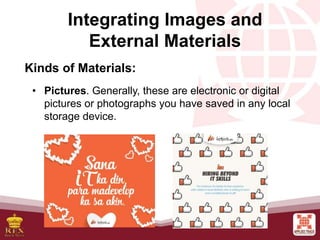
• Pictures. Generally, these are electronic or digital
pictures or photographs you have saved in any local
storage device.
Integrating Images and
External Materials
Kinds of Materials:
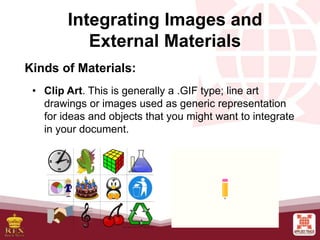
• Clip Art. This is generally a .GIF type; line art
drawings or images used as generic representation
for ideas and objects that you might want to integrate
in your document.
Integrating Images and
External Materials
Kinds of Materials:
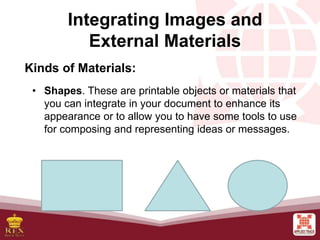
• Shapes. These are printable objects or materials that
you can integrate in your document to enhance its
appearance or to allow you to have some tools to use
for composing and representing ideas or messages.
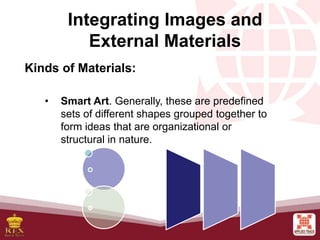
• Smart Art. Generally, these are predefined
sets of different shapes grouped together to
form ideas that are organizational or
structural in nature.
Integrating Images and
External Materials
Kinds of Materials:
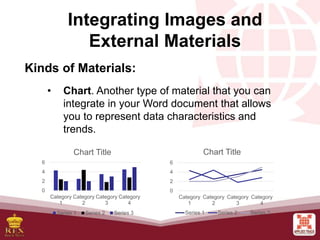
• Chart. Another type of material that you can
integrate in your Word document that allows
you to represent data characteristics and
trends.
Integrating Images and
External Materials
Kinds of Materials:
0
2
4
6
Category
1
Category
2
Category
3
Category
4
Chart Title
Series 1 Series 2 Series 3
0
2
4
6
Category
1
Category
2
Category
3
Category
4
Chart Title
Series 1 Series 2 Series 3
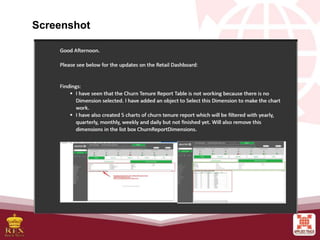
• Screenshot. Sometimes, creating reports or
manuals for training or procedure will require
the integration of a more realistic image of
what you are discussing on your report or
manual.
Integrating Images and
External Materials
Kinds of Materials:
Screenshot

Advanced Word Processing Skills

  • 1.
    Advanced Word Processing Skills •Mail merge and label generation • Integrating images and external materials
  • 2.
    At the endof this lesson, the students should be able to: 1. use some advanced capabilities of Microsoft Word commonly used to increase productivity and efficiency; 2. effectively use these features to help improve the productivity of an organization through maximizing the potential of MS Word; 3. create form letters or documents for distribution to various recipients; 4. create labels and envelops for distribution; and 5. create media-rich documents for printing or publishing.
  • 3.
    What is MailMerge? Mail Merge is a software toolkit that is used to produce multiple documents with a given template, editing the basic information that is supplied by a structured dataset. A sample output are certificates of attendees in a seminar. Instead of manually and individually inputting information, it is automatically generated when using Mail Merge. The template of the certificate should, of course be uniform, but the names should be customized for every individual.
  • 4.
    Two Components ofMail Merge: 1.Form Document The document that contains the main body of the message we want to convey or send. 2. List or Data File This is where the individual information or data that needs to be plugged in (merged) to our form document is placed and maintained.
  • 5.
    Label Generation It createsa blank form document that simulates either a blank label or envelope of pre-defined size and will use the data file that you selected to print the information, typically, individual addresses.
  • 6.
    Integrating Images and ExternalMaterials Kinds of Materials: • Pictures. Generally, these are electronic or digital pictures or photographs you have saved in any local storage device.
  • 7.
    Integrating Images and ExternalMaterials Kinds of Materials: • Clip Art. This is generally a .GIF type; line art drawings or images used as generic representation for ideas and objects that you might want to integrate in your document.
  • 8.
    Integrating Images and ExternalMaterials Kinds of Materials: • Shapes. These are printable objects or materials that you can integrate in your document to enhance its appearance or to allow you to have some tools to use for composing and representing ideas or messages.
  • 9.
    • Smart Art.Generally, these are predefined sets of different shapes grouped together to form ideas that are organizational or structural in nature. Integrating Images and External Materials Kinds of Materials:
  • 10.
    • Chart. Anothertype of material that you can integrate in your Word document that allows you to represent data characteristics and trends. Integrating Images and External Materials Kinds of Materials: 0 2 4 6 Category 1 Category 2 Category 3 Category 4 Chart Title Series 1 Series 2 Series 3 0 2 4 6 Category 1 Category 2 Category 3 Category 4 Chart Title Series 1 Series 2 Series 3
  • 11.
    • Screenshot. Sometimes,creating reports or manuals for training or procedure will require the integration of a more realistic image of what you are discussing on your report or manual. Integrating Images and External Materials Kinds of Materials:
  • 12.