Prepared by: Erlee June Ann S. Navarra
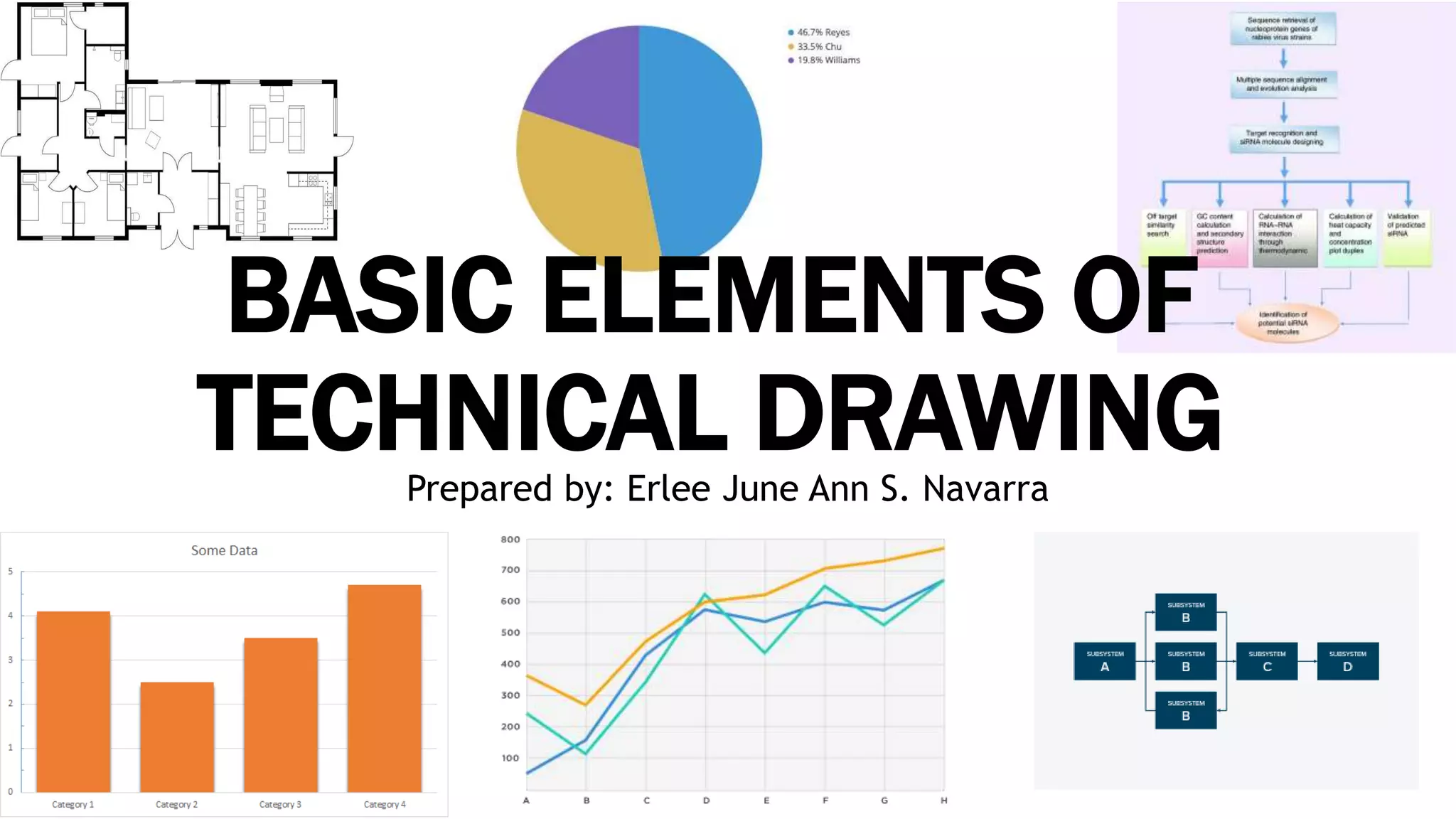
BASIC ELEMENTS OF
TECHNICAL DRAWING
WHAT IS TECHNICAL DRAWING?
• typically comprise the following, coordinates, a title
block, orthographic views of the part, section views,
detail views, and notes to the manufacturer.
• a sequence of actions, materials or services entering
or leaving the process (inputs and outputs), decisions
that must be made, people who become involved,
time involved at each step, and/or process
measurements.
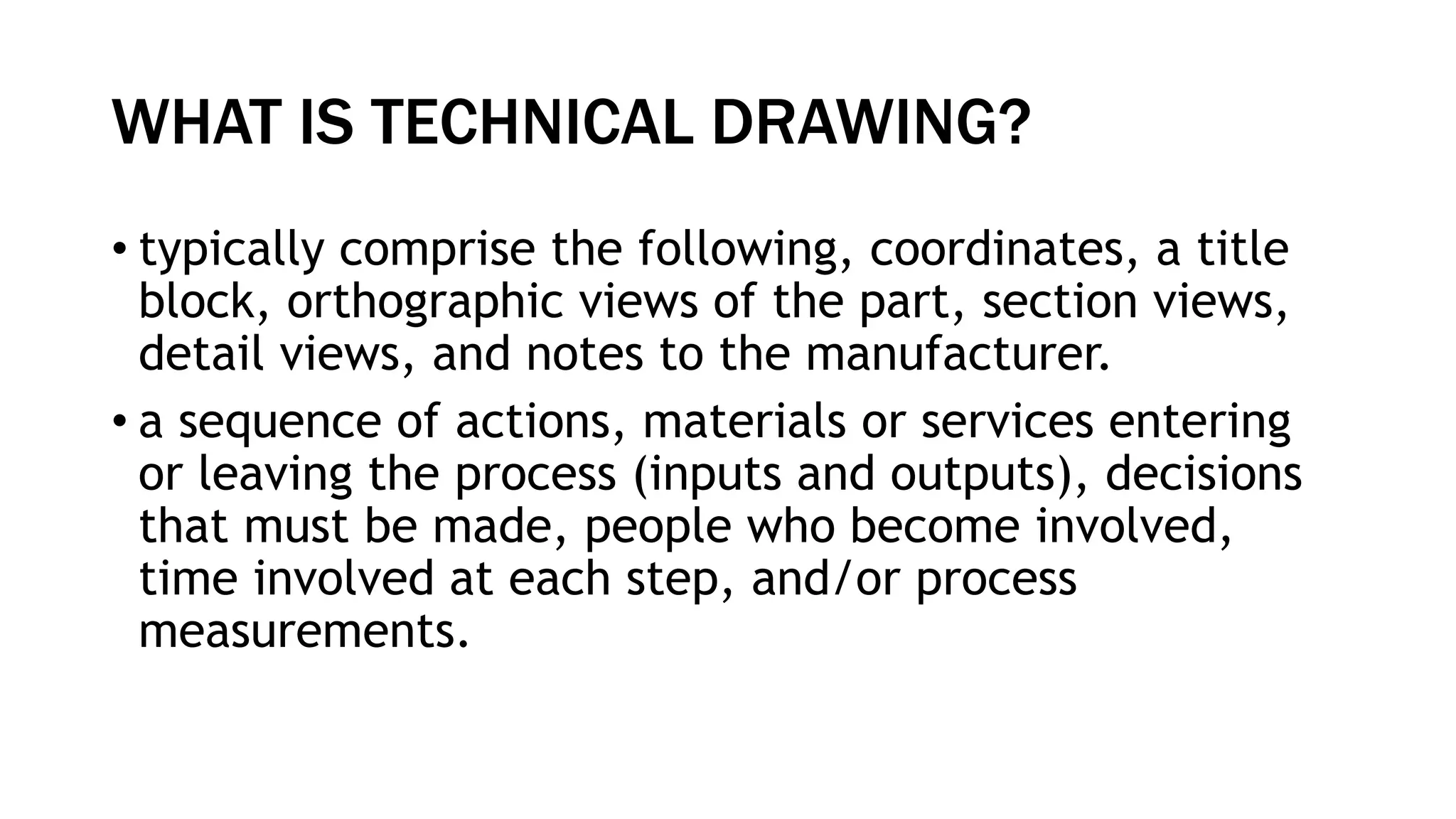
Why is that flowchart essential in technical
drawing?
•it provides a breakdown of the
essential steps to solving the
problem.
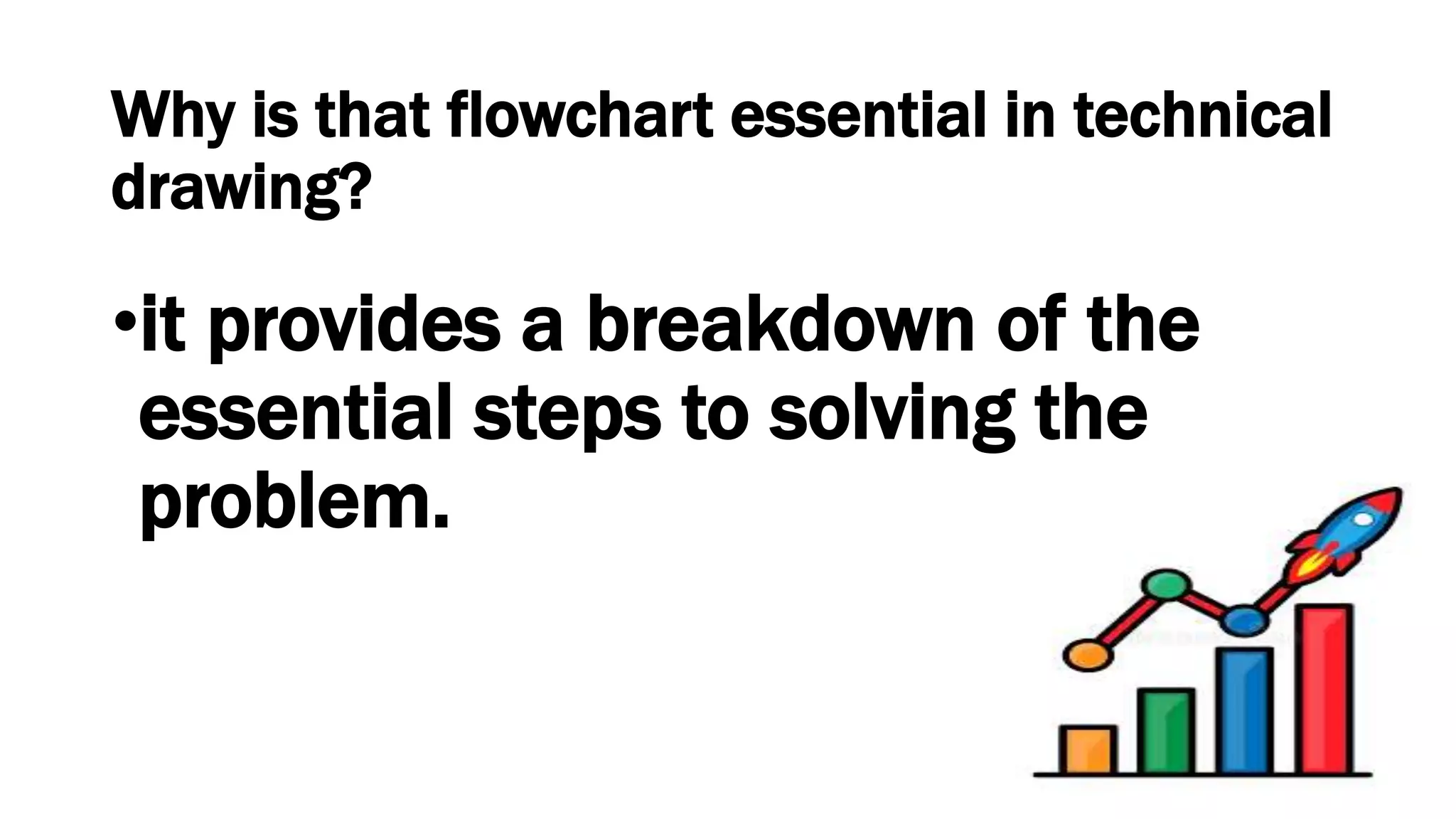
Other than a flowchart, there are several
elements that you can still use to represent
your process flows, such as:
•Schematic diagram
•Layout Plan
•Loop diagram
•Charts
•Block diagram
SCHEMATIC DIAGRAM
• A schematic diagram is a representation of system elements
that are abstract or symbols which are graphical in nature. It
removes all the irrelevant information.
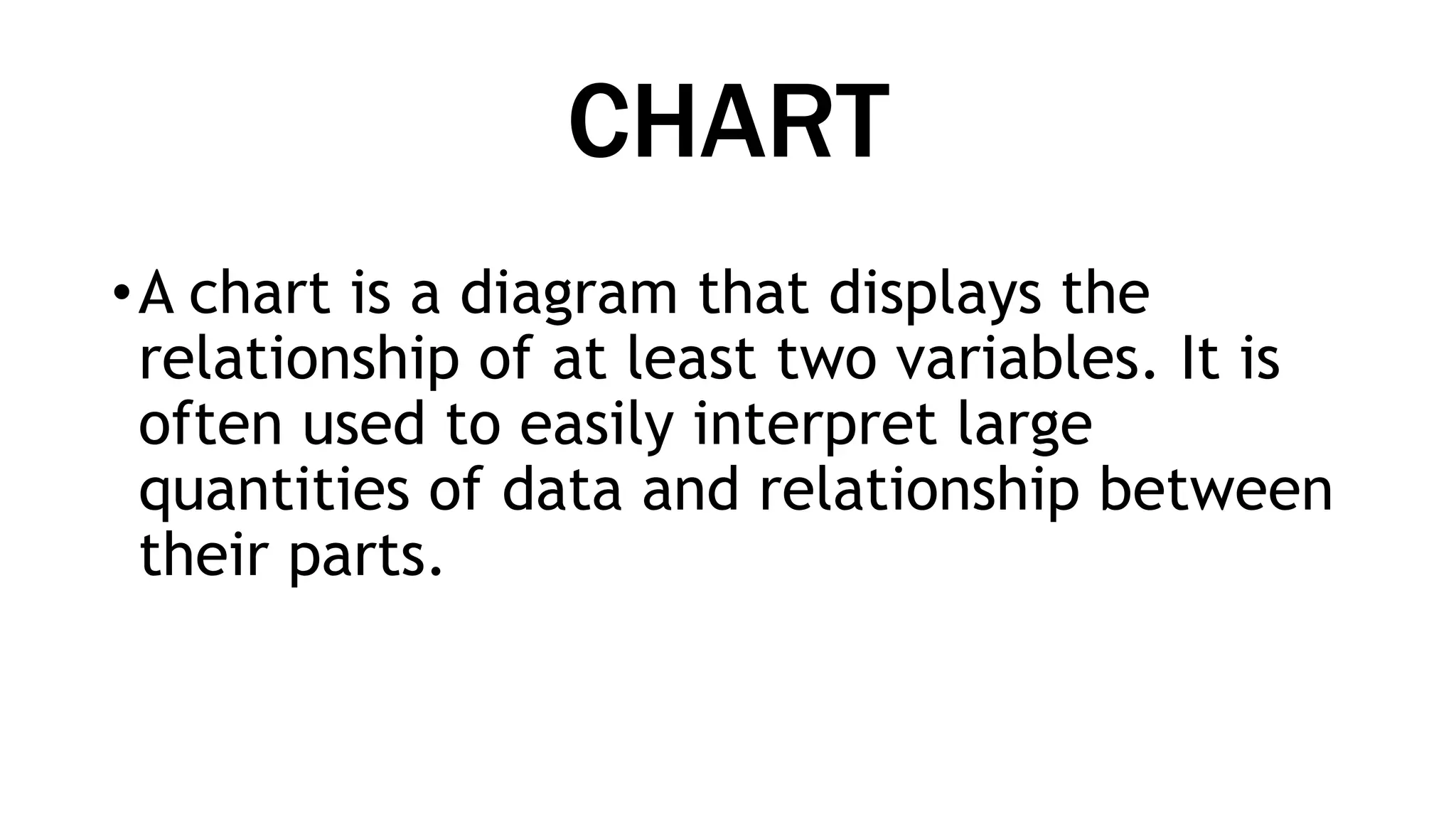
• In the data processing cycle example below, Input/ Output
Devices are represented by a rectangle. The rectangles don’t
resemble the actual devices but give you information without
unnecessary visual clutter. The same logic goes with the flow
of the data and how they are being processed, stored, and
retrieved from the CPU and computer memory.
CHART
•A chart is a diagram that displays the
relationship of at least two variables. It is
often used to easily interpret large
quantities of data and relationship between
their parts.
There are four common charts:
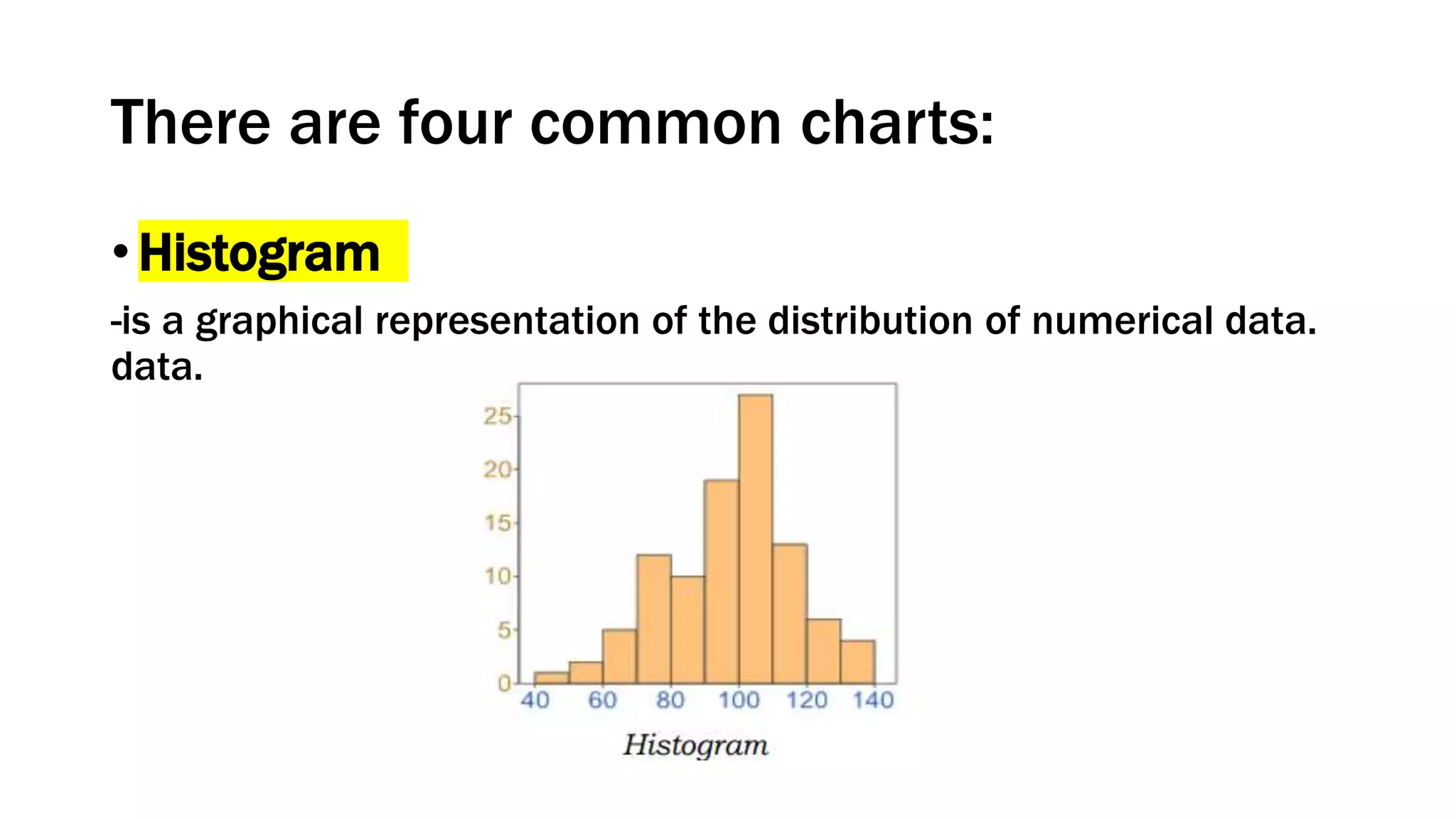
• Histogram
-is a graphical representation of the distribution of numerical data.
data.
There are four common charts:
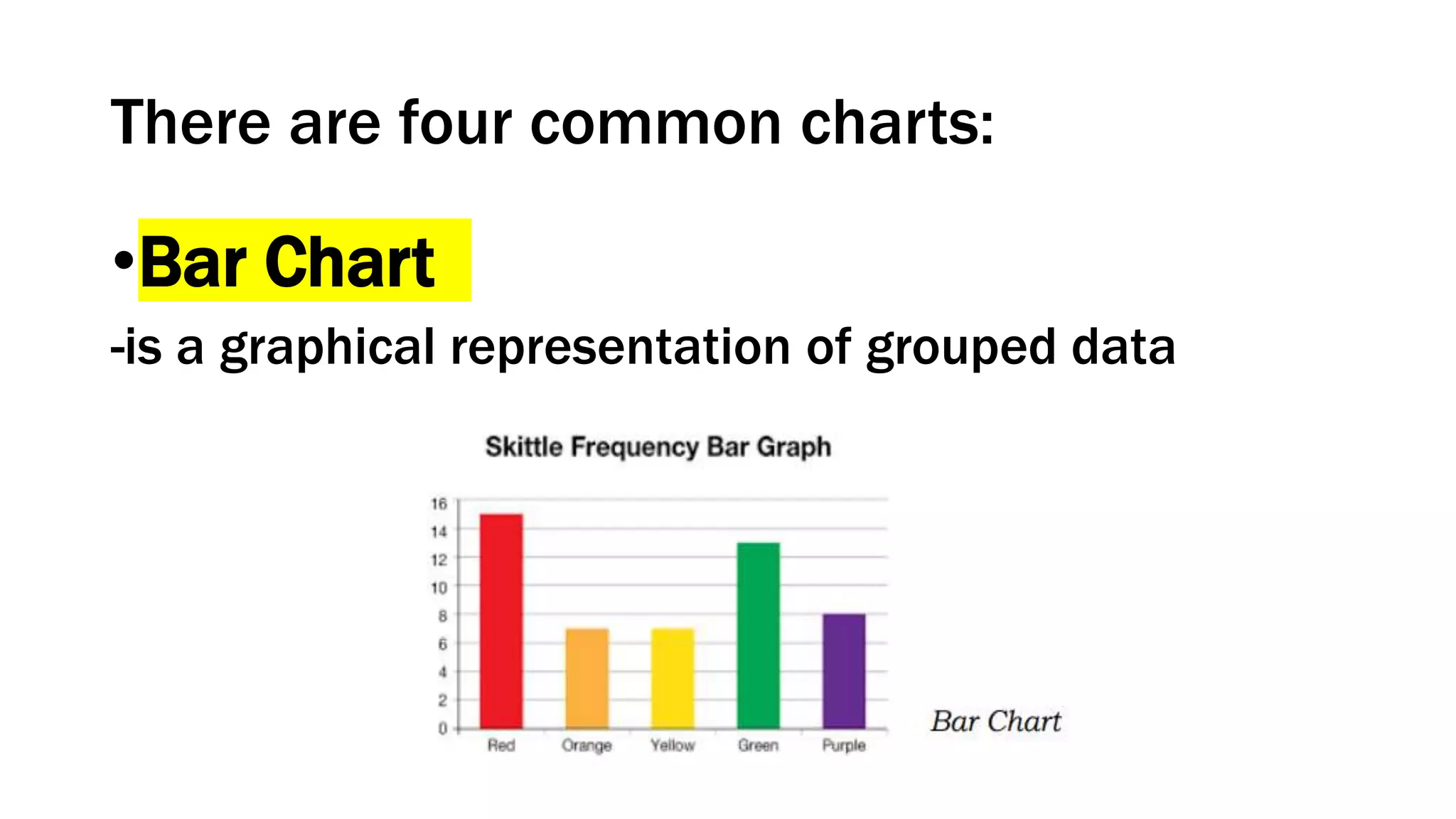
•Bar Chart
-is a graphical representation of grouped data
There are four common charts:
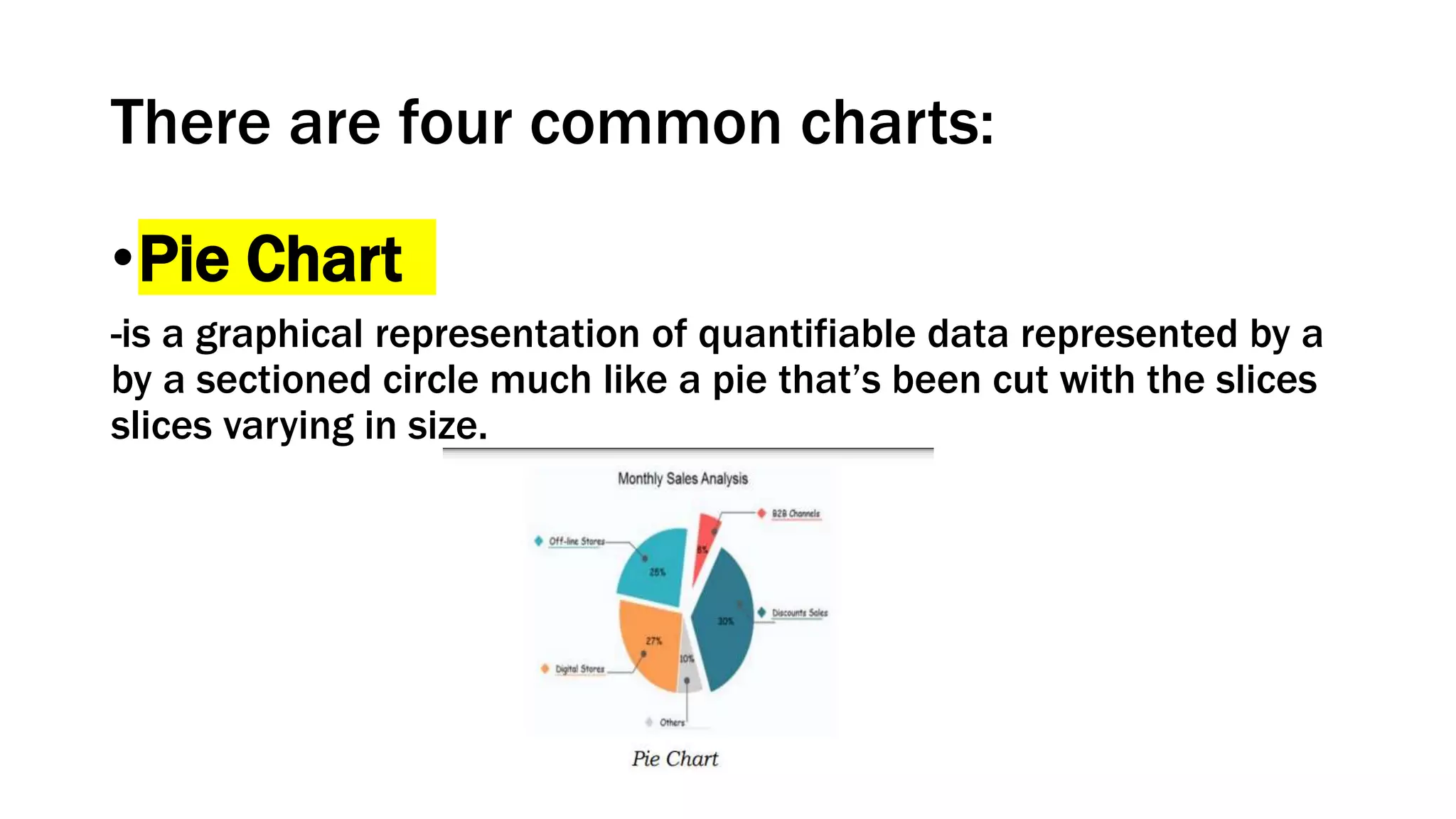
•Pie Chart
-is a graphical representation of quantifiable data represented by a
by a sectioned circle much like a pie that’s been cut with the slices
slices varying in size.
There are four common charts:
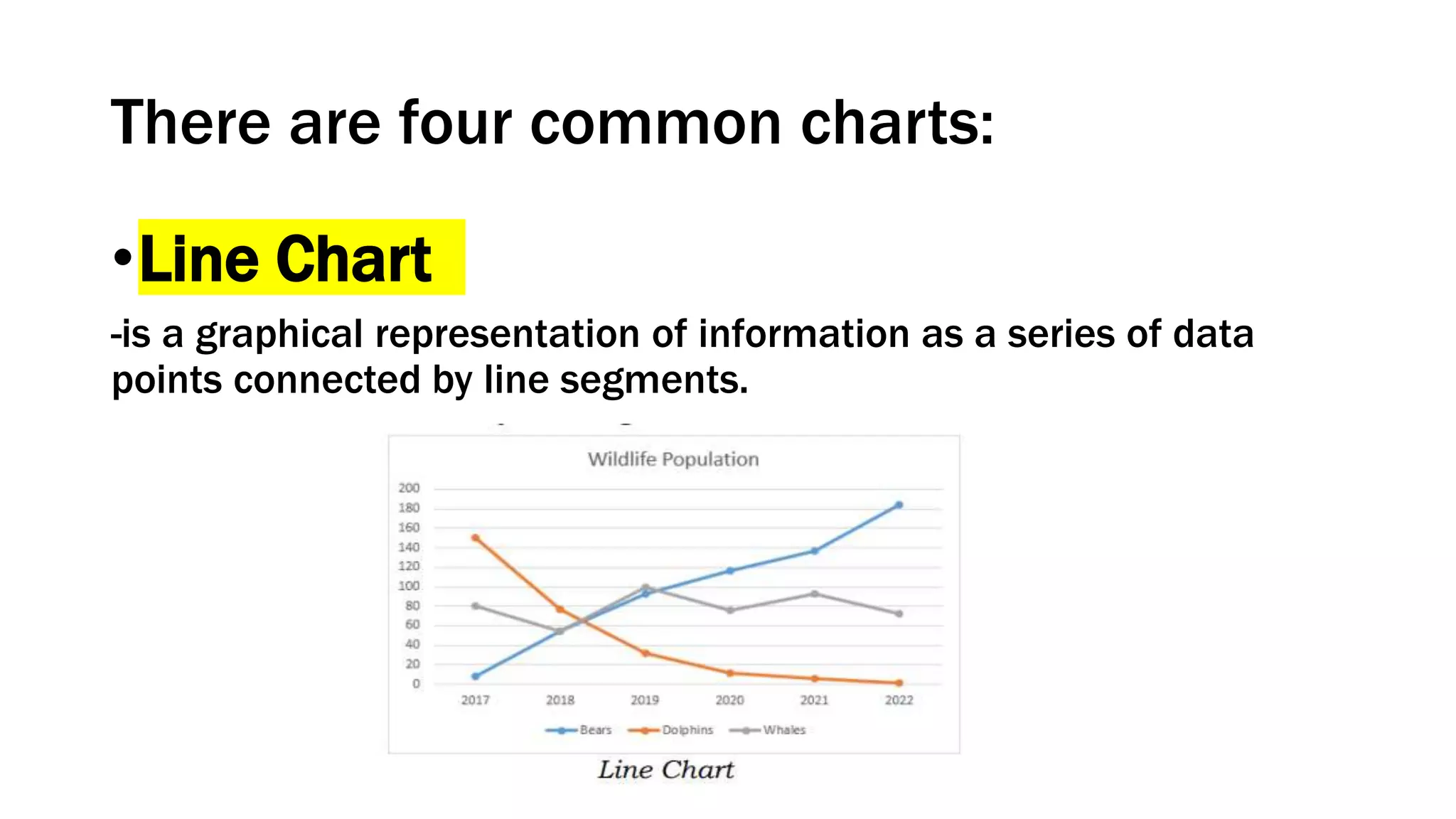
•Line Chart
-is a graphical representation of information as a series of data
points connected by line segments.
BLOCK DIAGRAM
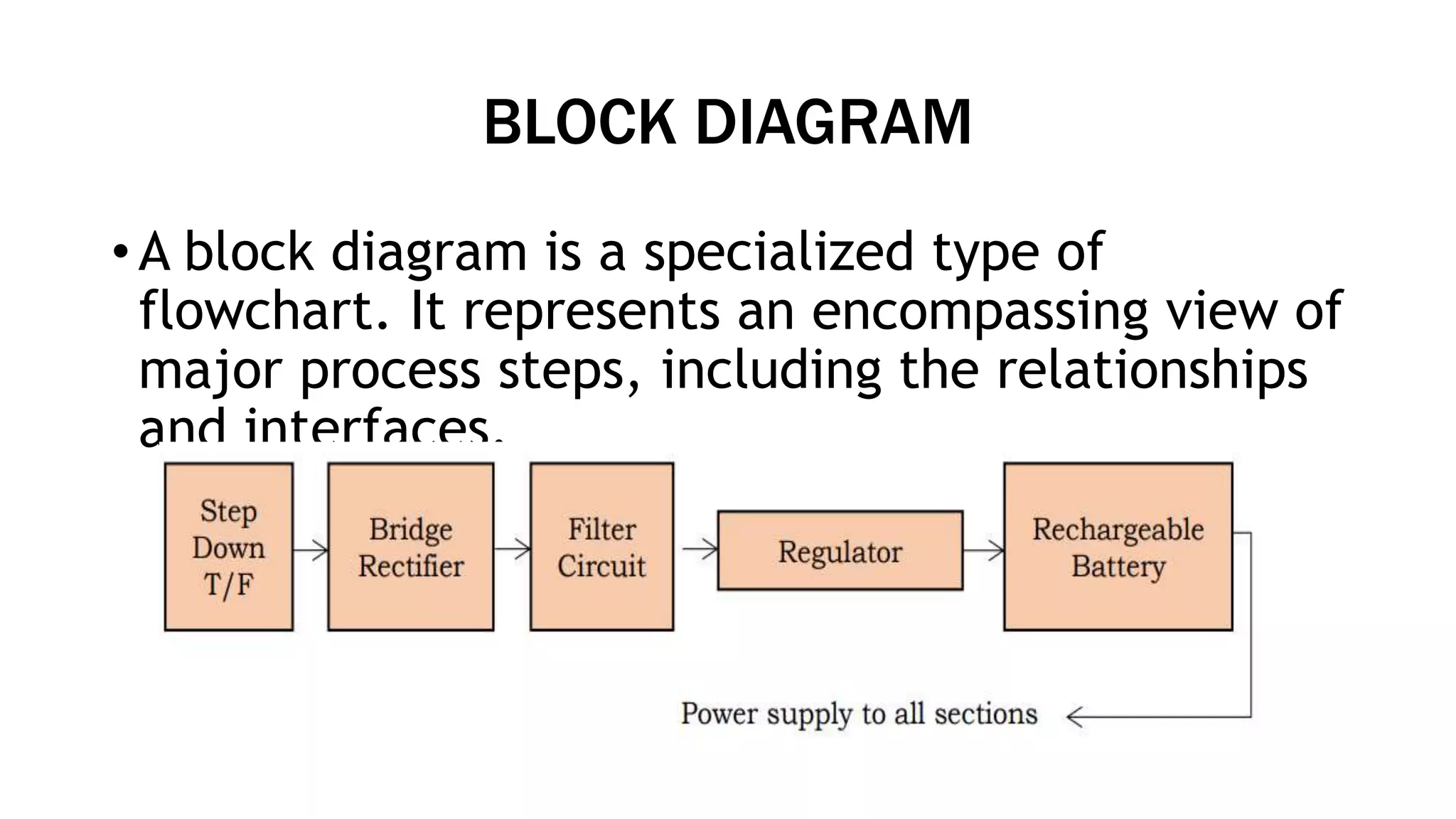
• A block diagram is a specialized type of
flowchart. It represents an encompassing view of
major process steps, including the relationships
and interfaces.
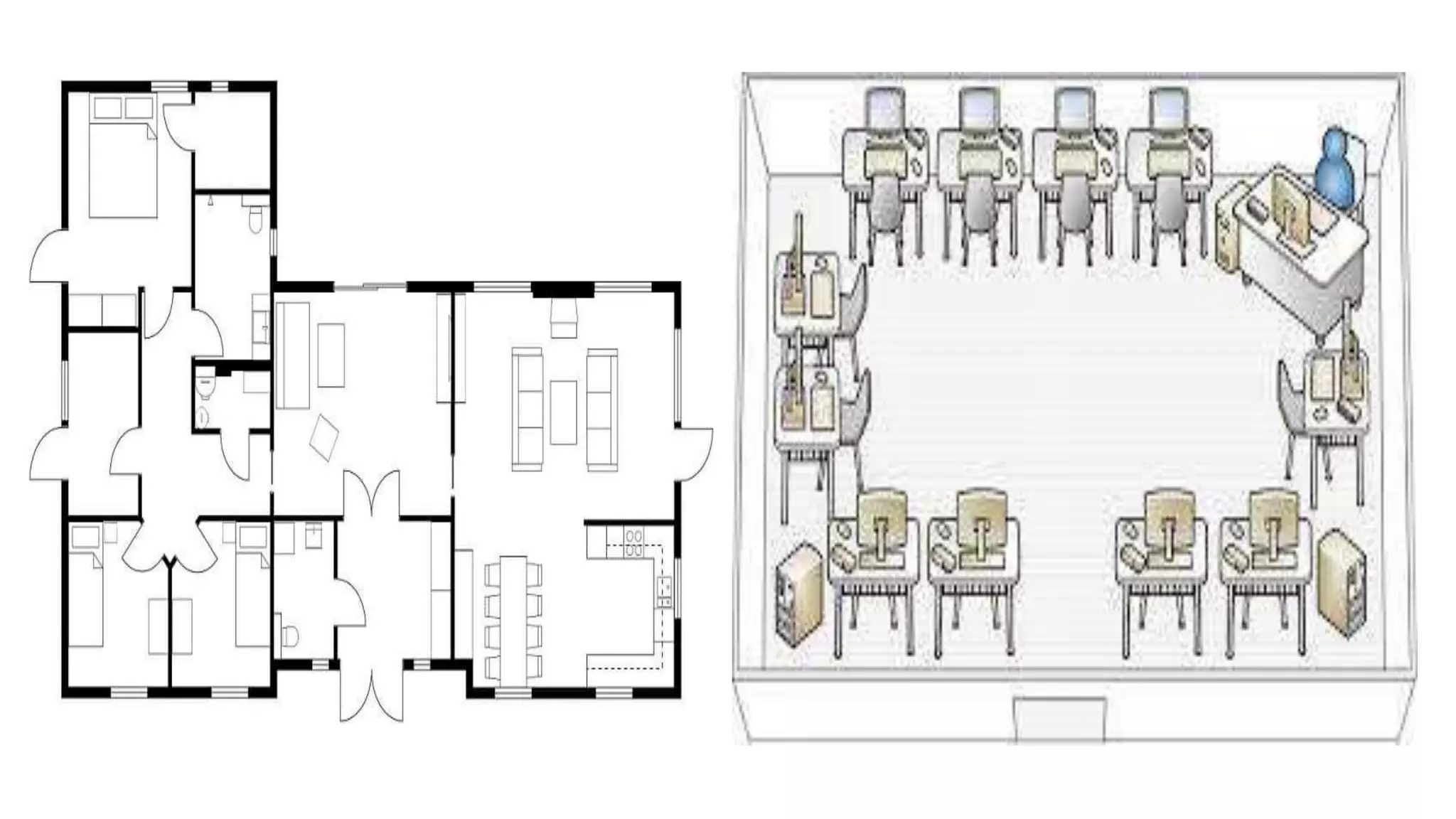
LAYOUT PLANS
• A layout is a tool to arrange a workplace, like in
a plant, organization, or computer laboratory in
your school.
• It shows how the computers should be located
and arranged properly according to
specifications like the size of the room and
number of units to be installed.
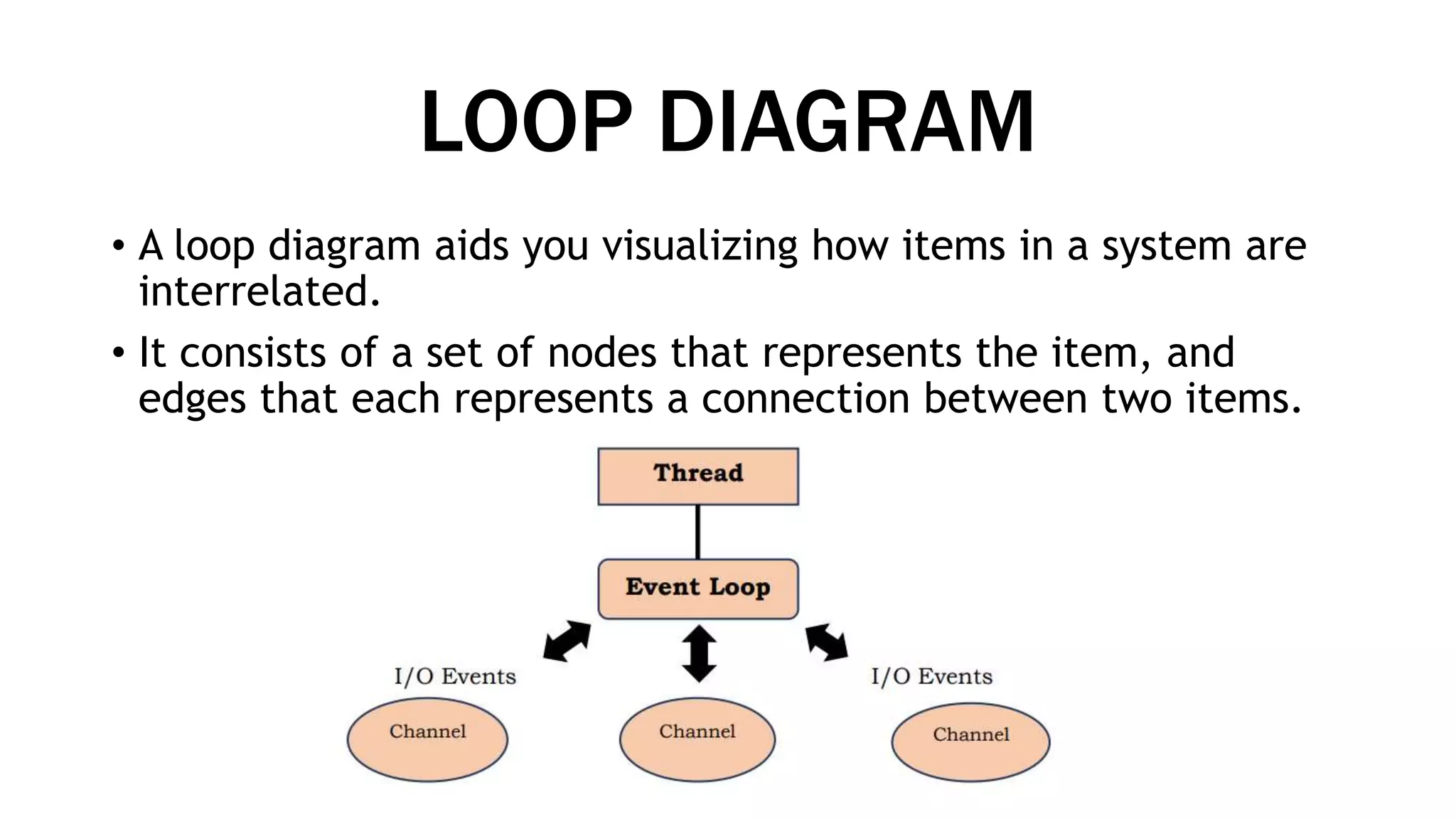
LOOP DIAGRAM
• A loop diagram aids you visualizing how items in a system are
interrelated.
• It consists of a set of nodes that represents the item, and
edges that each represents a connection between two items.
QUESTIONS?
THANK YOU!

BASIC ELEMENTS OF TECHNICAL DRAWING.pptx

  • 1.
    Prepared by: ErleeJune Ann S. Navarra BASIC ELEMENTS OF TECHNICAL DRAWING
  • 2.
    WHAT IS TECHNICALDRAWING? • typically comprise the following, coordinates, a title block, orthographic views of the part, section views, detail views, and notes to the manufacturer. • a sequence of actions, materials or services entering or leaving the process (inputs and outputs), decisions that must be made, people who become involved, time involved at each step, and/or process measurements.
  • 3.
    Why is thatflowchart essential in technical drawing? •it provides a breakdown of the essential steps to solving the problem.
  • 4.
    Other than aflowchart, there are several elements that you can still use to represent your process flows, such as: •Schematic diagram •Layout Plan •Loop diagram •Charts •Block diagram
  • 5.
    SCHEMATIC DIAGRAM • Aschematic diagram is a representation of system elements that are abstract or symbols which are graphical in nature. It removes all the irrelevant information. • In the data processing cycle example below, Input/ Output Devices are represented by a rectangle. The rectangles don’t resemble the actual devices but give you information without unnecessary visual clutter. The same logic goes with the flow of the data and how they are being processed, stored, and retrieved from the CPU and computer memory.
  • 7.
    CHART •A chart isa diagram that displays the relationship of at least two variables. It is often used to easily interpret large quantities of data and relationship between their parts.
  • 8.
    There are fourcommon charts: • Histogram -is a graphical representation of the distribution of numerical data. data.
  • 9.
    There are fourcommon charts: •Bar Chart -is a graphical representation of grouped data
  • 10.
    There are fourcommon charts: •Pie Chart -is a graphical representation of quantifiable data represented by a by a sectioned circle much like a pie that’s been cut with the slices slices varying in size.
  • 11.
    There are fourcommon charts: •Line Chart -is a graphical representation of information as a series of data points connected by line segments.
  • 12.
    BLOCK DIAGRAM • Ablock diagram is a specialized type of flowchart. It represents an encompassing view of major process steps, including the relationships and interfaces.
  • 13.
    LAYOUT PLANS • Alayout is a tool to arrange a workplace, like in a plant, organization, or computer laboratory in your school. • It shows how the computers should be located and arranged properly according to specifications like the size of the room and number of units to be installed.
  • 15.
    LOOP DIAGRAM • Aloop diagram aids you visualizing how items in a system are interrelated. • It consists of a set of nodes that represents the item, and edges that each represents a connection between two items.
  • 16.
  • 17.