



Training
     Development

             6/8/2010

Presented to ASTD Southeast Houston
          Training Network
                                      Version: C.01
How to Develop Training

  •   ADDIE Model
  •   How People Learn
  •   Content Development
  •   Practical Strategies
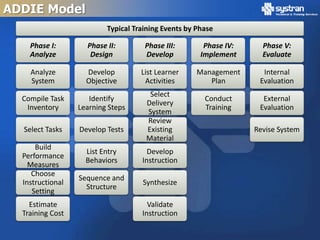
ADDIE Model
ADDIE Model
                          Typical Training Events by Phase

    Phase I:        Phase II:        Phase III:        Phase IV:     Phase V:
    Analyze          Design          Develop          Implement      Evaluate

    Analyze         Develop         List Learner     Management      Internal
    System          Objective        Activities         Plan        Evaluation
                                      Select
  Compile Task       Identify                          Conduct       External
                                     Delivery
   Inventory      Learning Steps                       Training     Evaluation
                                     System
                                     Review
  Select Tasks    Develop Tests      Existing                      Revise System
                                     Material
      Build
                    List Entry        Develop
  Performance
                    Behaviors       Instruction
    Measures
     Choose
                  Sequence and
  Instructional                     Synthesize
                    Structure
     Setting
    Estimate                          Validate
  Training Cost                     Instruction
How People Learn
What is Learning?

  • Relatively permanent change in
    behavioral that occurs as a result
    of reinforced practice
  • An observable change in
    behavior.
  • After learning, learners are
    capable of performing something
    that they could not do before the
    learning experience.
  • The change in behavior results
    from experience or practice.
  • The experience or practice must
    be reinforced.
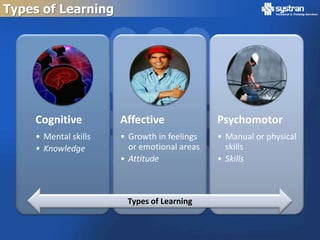
Types of Learning


    Cognitive         Affective              Psychomotor
    • Mental skills   • Growth in feelings   • Manual or physical
    • Knowledge         or emotional areas     skills
                      • Attitude             • Skills


                       Types of Learning
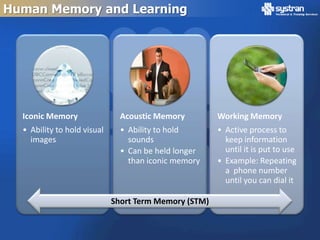
Human Memory and Learning


  Iconic Memory                Acoustic Memory         Working Memory
  • Ability to hold visual     • Ability to hold       • Active process to
    images                       sounds                  keep information
                               • Can be held longer      until it is put to use
                                 than iconic memory    • Example: Repeating
                                                         a phone number
                                                         until you can dial it

                             Short Term Memory (STM)
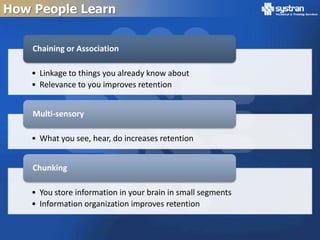
How People Learn


    Chaining or Association

    • Linkage to things you already know about
    • Relevance to you improves retention


    Multi-sensory

    • What you see, hear, do increases retention


    Chunking

    • You store information in your brain in small segments
    • Information organization improves retention
Laws of Learning

  •   Law of Readiness
  •   Law of Exercise
  •   Law of Effect
  •   Law of Primacy
  •   Law of Intensity
  •   Law of Recency
Content Development
Outlines

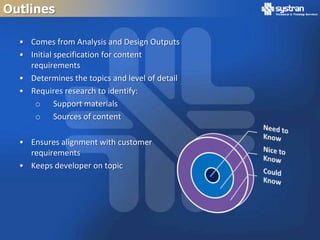
  • Comes from Analysis and Design Outputs
  • Initial specification for content
    requirements
  • Determines the topics and level of detail
  • Requires research to identify:
     o Support materials
     o Sources of content

  • Ensures alignment with customer
    requirements
  • Keeps developer on topic
Research Source Materials

  Resource Documents         Tips
  • Previously Developed     • Relate information to
    Materials                  target audience
  • Procedures               • Consider the
  • Manuals                    background of your
  • Vendor information         audience
  • Subject Matter Experts   • Retain original meaning
  • Internet
Lesson Content

  •   Lesson Title
  •   Lesson Objectives
  •   Introduction
  •   Content
  •   Summary
  •   Self Check
Lesson Content

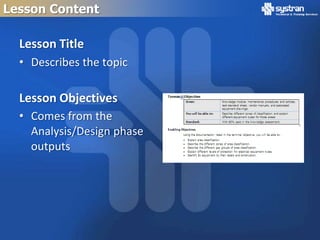
  Lesson Title
  • Describes the topic

  Lesson Objectives
  • Comes from the
    Analysis/Design phase
    outputs
Lesson Content

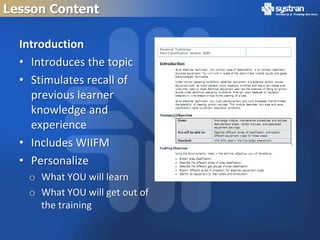
  Introduction
  • Introduces the topic
  • Stimulates recall of
    previous learner
    knowledge and
    experience
  • Includes WIIFM
  • Personalize
   o What YOU will learn
   o What YOU will get out of
     the training
Lesson Content

  • Learning Objective Types
    o Terminal Objectives
    o Enabling Objectives


  • Objectives define the level and type of content to
    be developed
    o Must be measureable and observable
    o Verbs help define level of cognition
    o Avoid “Understand” or “Know”
Lesson Content

  • Covers the topics from the outline
  • Integrates media to present information
  • Organizes the information into appropriate
    chunks with a logical sequence and flow
  • Incorporates activities and exercises to provide
    practice

  • Flow may change as materials are developed
  • Keep content directly relevant, need to know
Summary

 •   Short recap of the lesson
 •   Discusses the most critical concepts to reinforce
 •   Provides closure to the current lesson
 •   Introduces the next learning event
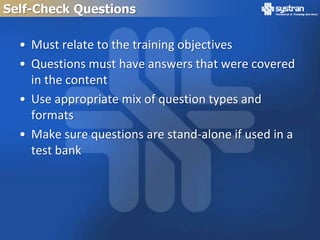
Self-Check Questions

  • Must relate to the training objectives
  • Questions must have answers that were covered
    in the content
  • Use appropriate mix of question types and
    formats
  • Make sure questions are stand-alone if used in a
    test bank
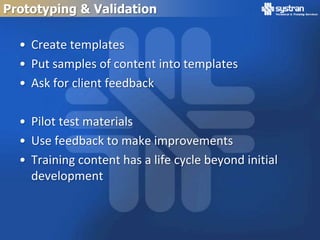
Prototyping & Validation

  • Create templates
  • Put samples of content into templates
  • Ask for client feedback

  • Pilot test materials
  • Use feedback to make improvements
  • Training content has a life cycle beyond initial
    development
Practical Strategies
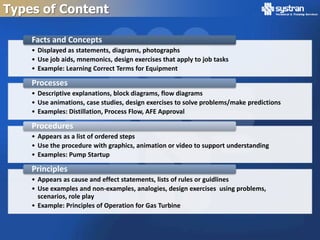
Types of Content

    Facts and Concepts
    • Displayed as statements, diagrams, photographs
    • Use job aids, mnemonics, design exercises that apply to job tasks
    • Example: Learning Correct Terms for Equipment

    Processes
    • Descriptive explanations, block diagrams, flow diagrams
    • Use animations, case studies, design exercises to solve problems/make predictions
    • Examples: Distillation, Process Flow, AFE Approval

    Procedures
    • Appears as a list of ordered steps
    • Use the procedure with graphics, animation or video to support understanding
    • Examples: Pump Startup

    Principles
    • Appears as cause and effect statements, lists of rules or guidlines
    • Use examples and non-examples, analogies, design exercises using problems,
      scenarios, role play
    • Example: Principles of Operation for Gas Turbine
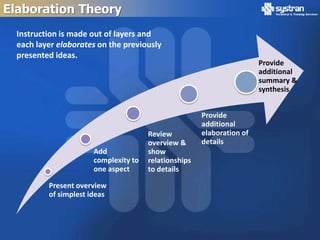
Elaboration Theory
  Instruction is made out of layers and
  each layer elaborates on the previously
  presented ideas.
                                                                        Provide
                                                                        additional
                                                                        summary &
                                                                        synthesis


                                                       Provide
                                                       additional
                                       Review          elaboration of
                                       overview &      details
                       Add             show
                       complexity to   relationships
                       one aspect      to details

          Present overview
          of simplest ideas
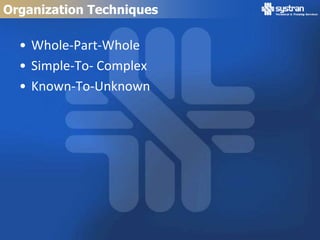
Organization Techniques

  • Whole-Part-Whole
  • Simple-To- Complex
  • Known-To-Unknown
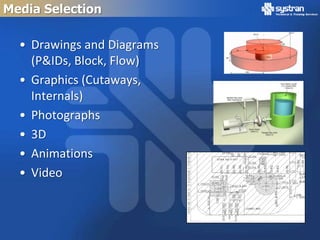
Media Selection

  • Drawings and Diagrams
    (P&IDs, Block, Flow)
  • Graphics (Cutaways,
    Internals)
  • Photographs
  • 3D
  • Animations
  • Video
Using Graphics

  •   Must relate to the materials
  •   Remove extraneous information
  •   Use labels if not clear what the point is
  •   If graphic is labeled, content must cover it
  •   If content describes it, graphic needs a label
  •   Typically, put content, then graphic below it
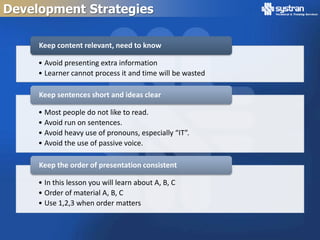
Development Strategies

     Keep content relevant, need to know

     • Avoid presenting extra information
     • Learner cannot process it and time will be wasted

     Keep sentences short and ideas clear

     • Most people do not like to read.
     • Avoid run on sentences.
     • Avoid heavy use of pronouns, especially “IT”.
     • Avoid the use of passive voice.

     Keep the order of presentation consistent

     • In this lesson you will learn about A, B, C
     • Order of material A, B, C
     • Use 1,2,3 when order matters
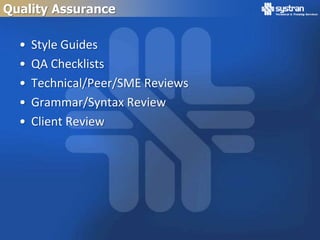
Quality Assurance

  •   Style Guides
  •   QA Checklists
  •   Technical/Peer/SME Reviews
  •   Grammar/Syntax Review
  •   Client Review
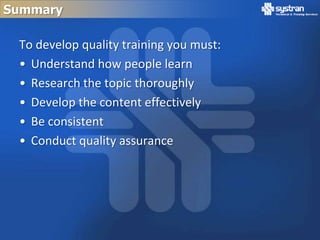
Summary

 To develop quality training you must:
 • Understand how people learn
 • Research the topic thoroughly
 • Develop the content effectively
 • Be consistent
 • Conduct quality assurance
Questions?

      David Hirsch
     (281) 480-8004
dhirsch@systraninc.com

ADDIE Training Development

  • 1.
    Training Development 6/8/2010 Presented to ASTD Southeast Houston Training Network Version: C.01
  • 2.
    How to DevelopTraining • ADDIE Model • How People Learn • Content Development • Practical Strategies
  • 3.
  • 4.
    ADDIE Model Typical Training Events by Phase Phase I: Phase II: Phase III: Phase IV: Phase V: Analyze Design Develop Implement Evaluate Analyze Develop List Learner Management Internal System Objective Activities Plan Evaluation Select Compile Task Identify Conduct External Delivery Inventory Learning Steps Training Evaluation System Review Select Tasks Develop Tests Existing Revise System Material Build List Entry Develop Performance Behaviors Instruction Measures Choose Sequence and Instructional Synthesize Structure Setting Estimate Validate Training Cost Instruction
  • 5.
  • 6.
    What is Learning? • Relatively permanent change in behavioral that occurs as a result of reinforced practice • An observable change in behavior. • After learning, learners are capable of performing something that they could not do before the learning experience. • The change in behavior results from experience or practice. • The experience or practice must be reinforced.
  • 7.
    Types of Learning Cognitive Affective Psychomotor • Mental skills • Growth in feelings • Manual or physical • Knowledge or emotional areas skills • Attitude • Skills Types of Learning
  • 8.
    Human Memory andLearning Iconic Memory Acoustic Memory Working Memory • Ability to hold visual • Ability to hold • Active process to images sounds keep information • Can be held longer until it is put to use than iconic memory • Example: Repeating a phone number until you can dial it Short Term Memory (STM)
  • 9.
    How People Learn Chaining or Association • Linkage to things you already know about • Relevance to you improves retention Multi-sensory • What you see, hear, do increases retention Chunking • You store information in your brain in small segments • Information organization improves retention
  • 10.
    Laws of Learning • Law of Readiness • Law of Exercise • Law of Effect • Law of Primacy • Law of Intensity • Law of Recency
  • 11.
  • 12.
    Outlines •Comes from Analysis and Design Outputs • Initial specification for content requirements • Determines the topics and level of detail • Requires research to identify: o Support materials o Sources of content • Ensures alignment with customer requirements • Keeps developer on topic
  • 13.
    Research Source Materials Resource Documents Tips • Previously Developed • Relate information to Materials target audience • Procedures • Consider the • Manuals background of your • Vendor information audience • Subject Matter Experts • Retain original meaning • Internet
  • 14.
    Lesson Content • Lesson Title • Lesson Objectives • Introduction • Content • Summary • Self Check
  • 15.
    Lesson Content Lesson Title • Describes the topic Lesson Objectives • Comes from the Analysis/Design phase outputs
  • 16.
    Lesson Content Introduction • Introduces the topic • Stimulates recall of previous learner knowledge and experience • Includes WIIFM • Personalize o What YOU will learn o What YOU will get out of the training
  • 17.
    Lesson Content • Learning Objective Types o Terminal Objectives o Enabling Objectives • Objectives define the level and type of content to be developed o Must be measureable and observable o Verbs help define level of cognition o Avoid “Understand” or “Know”
  • 18.
    Lesson Content • Covers the topics from the outline • Integrates media to present information • Organizes the information into appropriate chunks with a logical sequence and flow • Incorporates activities and exercises to provide practice • Flow may change as materials are developed • Keep content directly relevant, need to know
  • 19.
    Summary • Short recap of the lesson • Discusses the most critical concepts to reinforce • Provides closure to the current lesson • Introduces the next learning event
  • 20.
    Self-Check Questions • Must relate to the training objectives • Questions must have answers that were covered in the content • Use appropriate mix of question types and formats • Make sure questions are stand-alone if used in a test bank
  • 21.
    Prototyping & Validation • Create templates • Put samples of content into templates • Ask for client feedback • Pilot test materials • Use feedback to make improvements • Training content has a life cycle beyond initial development
  • 22.
  • 23.
    Types of Content Facts and Concepts • Displayed as statements, diagrams, photographs • Use job aids, mnemonics, design exercises that apply to job tasks • Example: Learning Correct Terms for Equipment Processes • Descriptive explanations, block diagrams, flow diagrams • Use animations, case studies, design exercises to solve problems/make predictions • Examples: Distillation, Process Flow, AFE Approval Procedures • Appears as a list of ordered steps • Use the procedure with graphics, animation or video to support understanding • Examples: Pump Startup Principles • Appears as cause and effect statements, lists of rules or guidlines • Use examples and non-examples, analogies, design exercises using problems, scenarios, role play • Example: Principles of Operation for Gas Turbine
  • 24.
    Elaboration Theory Instruction is made out of layers and each layer elaborates on the previously presented ideas. Provide additional summary & synthesis Provide additional Review elaboration of overview & details Add show complexity to relationships one aspect to details Present overview of simplest ideas
  • 25.
    Organization Techniques • Whole-Part-Whole • Simple-To- Complex • Known-To-Unknown
  • 26.
    Media Selection • Drawings and Diagrams (P&IDs, Block, Flow) • Graphics (Cutaways, Internals) • Photographs • 3D • Animations • Video
  • 27.
    Using Graphics • Must relate to the materials • Remove extraneous information • Use labels if not clear what the point is • If graphic is labeled, content must cover it • If content describes it, graphic needs a label • Typically, put content, then graphic below it
  • 28.
    Development Strategies Keep content relevant, need to know • Avoid presenting extra information • Learner cannot process it and time will be wasted Keep sentences short and ideas clear • Most people do not like to read. • Avoid run on sentences. • Avoid heavy use of pronouns, especially “IT”. • Avoid the use of passive voice. Keep the order of presentation consistent • In this lesson you will learn about A, B, C • Order of material A, B, C • Use 1,2,3 when order matters
  • 29.
    Quality Assurance • Style Guides • QA Checklists • Technical/Peer/SME Reviews • Grammar/Syntax Review • Client Review
  • 30.
    Summary To developquality training you must: • Understand how people learn • Research the topic thoroughly • Develop the content effectively • Be consistent • Conduct quality assurance
  • 31.
    Questions? David Hirsch (281) 480-8004 dhirsch@systraninc.com

Editor's Notes

  • #5 Entry behaviors – knowledge, skills, abilities requred to have before the training can beginObservable Action (task)This describes the observable performance or behavior. An action means a verb must be in the statement, for example "type a letter" or "lift a load." Each objective covers one behavior, hence, only one verb should be present. If the are many behaviors or the behaviors are complicated, then the objective should be broken down into one or more enabling learning objectives that supports the main terminal learning objective.  At Least One Measurable Criterion (standard)This states the level of acceptable performance of the task in terms of quantity, quality, time limitations, etc. This will answer any question such as "How many?" "How fast?" or "How well?". For example "At least 5 will be produced", "Within 10 minutes", "Without error". There can be more than one measurable criterion. Do not fall into the trap of putting in a time constraint because you think there should be a time limit or you cannot easily find another measurable criterion — use a time limit only if required under normal working standards. Conditions of performance (usually) (condition)Describes the actual conditions under which the task will occur or be observed. Also, it identifies the tools, procedures, materials, aids, or facilities to be used in performing the task. This is best expressed with a prepositional phase such as "without reference to a manual" or "by checking a chart".
  • #8 There is more than one type of learning:Cognitive: mental skills (Knowledge)Affective: growth in feelings or emotional areas (Attitude)Psychomotor: manual or physical skills (Skills)
  • #9 After entering sensory memory, a limited amount of information is transferred into short-term memory. Within STM, there are three basic operations: Iconic memory - The ability to hold visual images. Acoustic memory - The ability to hold sounds. Acoustic memory can be held longer than iconic memory. Working memory - An active process to keep it until it is put to use (think of a phone number you'll repeat to yourself until you can dial it on the phone). Note that the goal is not really to move the information from STM to LTM, but merely put the information to immediate use.
  • #18 Tie this slide into the next two slides
  • #24 Content, which consists of facts, concepts, procedures, and principles. Content ranges from facts, which are the most basic forms of content, to principles. It is the actual information to be learned. The four types of content in component display theory are: Facts - logically associated pieces of information. Some examples are names, dates, and events. Concepts - symbols, events, and objects that share characteristics and are identified by the same name. Concepts make up a large portion of language and understanding them is integral to communication. Procedures - a set of ordered steps, sequenced to solve a problem or accomplish a goal.Principles - work through either cause-and-effect or relationships. They explain or predict why something happens in a particular way.
  • #29 Content, which consists of facts, concepts, procedures, and principles. Content ranges from facts, which are the most basic forms of content, to principles. It is the actual information to be learned. The four types of content in component display theory are: Facts - logically associated pieces of information. Some examples are names, dates, and events. Concepts - symbols, events, and objects that share characteristics and are identified by the same name. Concepts make up a large portion of language and understanding them is integral to communication. Procedures - a set of ordered steps, sequenced to solve a problem or accomplish a goal.Principles - work through either cause-and-effect or relationships. They explain or predict why something happens in a particular way.