




1
Mr.R.D.SIVAKUMAR,M.Sc.,M.Phil.,M.Tech.,
Assistant Professor of Computer Science
& Head of M.Com.(CA) Department
and Technical Trainer in CTEL
AYYA NADAR JANAKI AMMAL COLLEGE
(Affiliated to Madurai Kamaraj University, Madurai, Re-accredited (3rd Cycle) with
‘A’ Grade (CGPA 3.67 out of 4) by NAAC, Recognized by DBT as Star College,
College of Excellence by UGC and and Ranked 13th at National Level in NIRF 2017)
SIVAKASI – 626 124.
(Website: www.rdsivakumar.blogspot.in)
Mobile Apps : Google Play Store – rds academic
E-mail : sivamsccsit@gmail.com Mobile : 99440-42243
ADAPTIVE E-LEARNING SYSTEMS
e
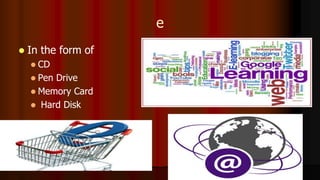
 In the form of
 CD
 Pen Drive
 Memory Card
 Hard Disk
E-learning Another Name
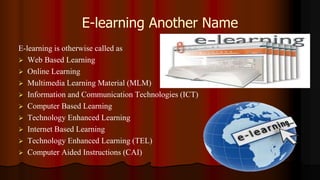
E-learning is otherwise called as
 Web Based Learning
 Online Learning
 Multimedia Learning Material (MLM)
 Information and Communication Technologies (ICT)
 Computer Based Learning
 Technology Enhanced Learning
 Internet Based Learning
 Technology Enhanced Learning (TEL)
 Computer Aided Instructions (CAI)
Definition
 E-learning involves the use of a computer or electronic
device (e.g. a mobile phone) in some way to provide
training, educational or learning material
It is Combination of
Audio
Video
Text
Graphics
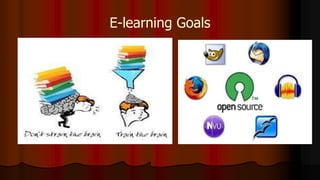
E-learning Goals
Self-paced Course
 It involves using the
 Internet
 Intranet
 Knowledge Explosion
 Digital Generation
 New Generation of Learners
 New Learning Environments
 New Learning Media
 New Generation of Teachers ?
Types of e- learning
Synchronous
Asynchronous
Synchronous
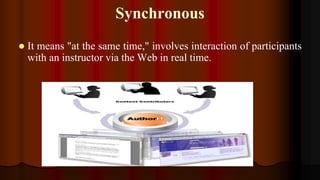
 It means "at the same time," involves interaction of participants
with an instructor via the Web in real time.
Asynchronous
Which means "not at the same time,"
Use
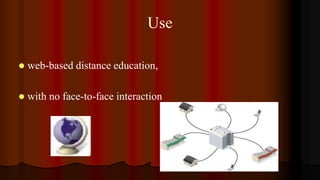
 web-based distance education,
 with no face-to-face interaction
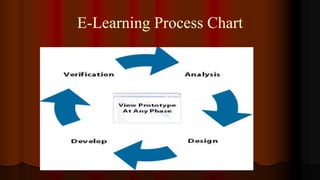
E-Learning Process Chart
Advantages of E-Learning
 Anytime Anywhere Learning
 User friendly and Flexible
 Learner Centered
 Individualized & Interactive
 Many to Many Learning
 Speed and Accuracy
TEACHING AND LEARNING PROCESS
 LCD Projector
 Clarity Visualizer
 Interactive boards
 Television with DTH
 VYAS Channel access
 NPTEL Lectures
 MLM and
 Video lessons
 Group Discussion
 Mock Interviews
 Project Works
17
 FM Radio,
 eBooks,
 Audio Books,
 Educational Video,
 Smart Phones,
 Tablets
 iPADs
 Skype,
 Wikis,
 Facebook, Twitter, WhatsApp, and
Instagram,
 MySpace,
 MOOCs
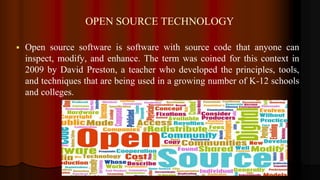
OPEN SOURCE TECHNOLOGY
 Open source software is software with source code that anyone can
inspect, modify, and enhance. The term was coined for this context in
2009 by David Preston, a teacher who developed the principles, tools,
and techniques that are being used in a growing number of K-12 schools
and colleges.
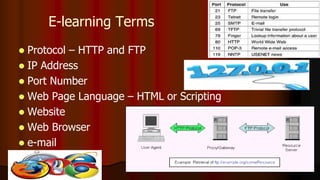
E-learning Terms
 Protocol – HTTP and FTP
 IP Address
 Port Number
 Web Page Language – HTML or Scripting
 Website
 Web Browser
 e-mail
E-LEARNING SOFTWARE USED
 HTML 5
 MS- PowerPoint 2010
 Macromedia Dreamweaver
 Audacity
 Quiz Maker
 Movie Maker
 Open Source Softwares
21
HTML
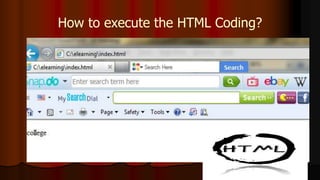
 HTML – Hypertext Markup Language. To design a web
page.
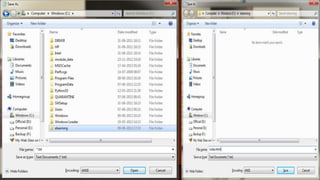
 Save Extension – filename.html
 Run – Web Browser
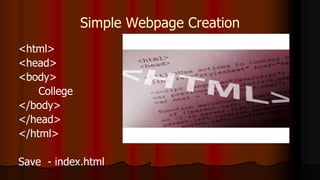
Simple Webpage Creation
<html>
<head>
<body>
College
</body>
</head>
</html>
Save - index.html
How to execute the HTML Coding?
Small Tips
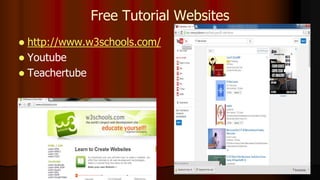
Free Tutorial Websites
 http://www.w3schools.com/
 Youtube
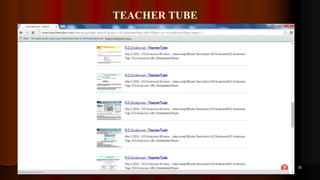
 Teachertube
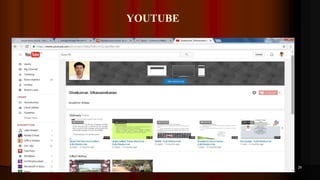
YOUTUBE
29
TEACHER TUBE
30
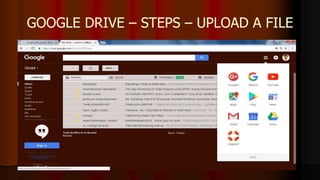
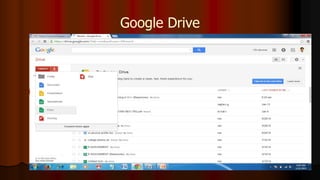
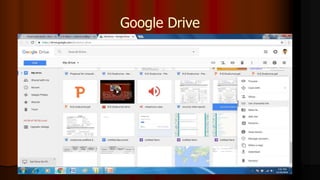
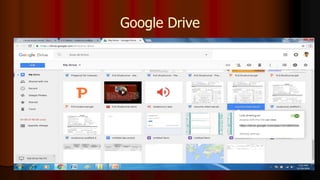
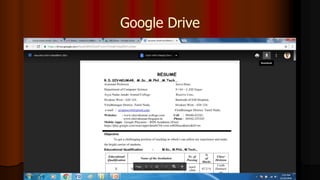
GOOGLE DRIVE – STEPS – UPLOAD A FILE
Google Drive
Google Drive
Google Drive
Google Drive
ANDROID – QR CODE CREATED
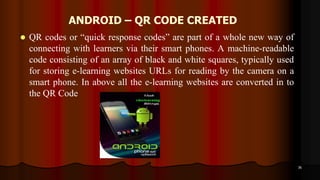
 QR codes or “quick response codes” are part of a whole new way of
connecting with learners via their smart phones. A machine-readable
code consisting of an array of black and white squares, typically used
for storing e-learning websites URLs for reading by the camera on a
smart phone. In above all the e-learning websites are converted in to
the QR Code
36
ANDROID – QR CODE CREATED
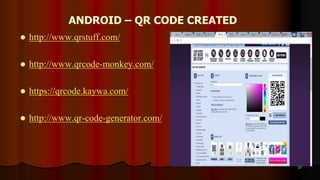
 http://www.qrstuff.com/
 http://www.qrcode-monkey.com/
 https://qrcode.kaywa.com/
 http://www.qr-code-generator.com/
37
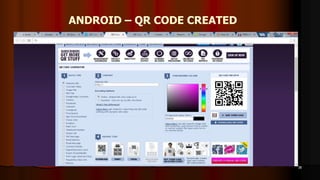
ANDROID – QR CODE CREATED
38
40
Adaptive E-Learning Systems - R.D.Sivakumar

Adaptive E-Learning Systems - R.D.Sivakumar

  • 1.
    1 Mr.R.D.SIVAKUMAR,M.Sc.,M.Phil.,M.Tech., Assistant Professor ofComputer Science & Head of M.Com.(CA) Department and Technical Trainer in CTEL AYYA NADAR JANAKI AMMAL COLLEGE (Affiliated to Madurai Kamaraj University, Madurai, Re-accredited (3rd Cycle) with ‘A’ Grade (CGPA 3.67 out of 4) by NAAC, Recognized by DBT as Star College, College of Excellence by UGC and and Ranked 13th at National Level in NIRF 2017) SIVAKASI – 626 124. (Website: www.rdsivakumar.blogspot.in) Mobile Apps : Google Play Store – rds academic E-mail : sivamsccsit@gmail.com Mobile : 99440-42243 ADAPTIVE E-LEARNING SYSTEMS
  • 2.
    e  In theform of  CD  Pen Drive  Memory Card  Hard Disk
  • 3.
    E-learning Another Name E-learningis otherwise called as  Web Based Learning  Online Learning  Multimedia Learning Material (MLM)  Information and Communication Technologies (ICT)  Computer Based Learning  Technology Enhanced Learning  Internet Based Learning  Technology Enhanced Learning (TEL)  Computer Aided Instructions (CAI)
  • 4.
    Definition  E-learning involvesthe use of a computer or electronic device (e.g. a mobile phone) in some way to provide training, educational or learning material
  • 5.
    It is Combinationof Audio Video Text Graphics
  • 6.
  • 7.
    Self-paced Course  Itinvolves using the  Internet  Intranet
  • 9.
     Knowledge Explosion Digital Generation
  • 10.
     New Generationof Learners  New Learning Environments  New Learning Media  New Generation of Teachers ?
  • 11.
    Types of e-learning Synchronous Asynchronous
  • 12.
    Synchronous  It means"at the same time," involves interaction of participants with an instructor via the Web in real time.
  • 13.
  • 14.
    Use  web-based distanceeducation,  with no face-to-face interaction
  • 15.
  • 16.
    Advantages of E-Learning Anytime Anywhere Learning  User friendly and Flexible  Learner Centered  Individualized & Interactive  Many to Many Learning  Speed and Accuracy
  • 17.
    TEACHING AND LEARNINGPROCESS  LCD Projector  Clarity Visualizer  Interactive boards  Television with DTH  VYAS Channel access  NPTEL Lectures  MLM and  Video lessons  Group Discussion  Mock Interviews  Project Works 17  FM Radio,  eBooks,  Audio Books,  Educational Video,  Smart Phones,  Tablets  iPADs  Skype,  Wikis,  Facebook, Twitter, WhatsApp, and Instagram,  MySpace,  MOOCs
  • 18.
    OPEN SOURCE TECHNOLOGY Open source software is software with source code that anyone can inspect, modify, and enhance. The term was coined for this context in 2009 by David Preston, a teacher who developed the principles, tools, and techniques that are being used in a growing number of K-12 schools and colleges.
  • 20.
    E-learning Terms  Protocol– HTTP and FTP  IP Address  Port Number  Web Page Language – HTML or Scripting  Website  Web Browser  e-mail
  • 21.
    E-LEARNING SOFTWARE USED HTML 5  MS- PowerPoint 2010  Macromedia Dreamweaver  Audacity  Quiz Maker  Movie Maker  Open Source Softwares 21
  • 23.
    HTML  HTML –Hypertext Markup Language. To design a web page.  Save Extension – filename.html  Run – Web Browser
  • 24.
  • 26.
    How to executethe HTML Coding?
  • 27.
  • 28.
    Free Tutorial Websites http://www.w3schools.com/  Youtube  Teachertube
  • 29.
  • 30.
  • 31.
    GOOGLE DRIVE –STEPS – UPLOAD A FILE
  • 32.
  • 33.
  • 34.
  • 35.
  • 36.
    ANDROID – QRCODE CREATED  QR codes or “quick response codes” are part of a whole new way of connecting with learners via their smart phones. A machine-readable code consisting of an array of black and white squares, typically used for storing e-learning websites URLs for reading by the camera on a smart phone. In above all the e-learning websites are converted in to the QR Code 36
  • 37.
    ANDROID – QRCODE CREATED  http://www.qrstuff.com/  http://www.qrcode-monkey.com/  https://qrcode.kaywa.com/  http://www.qr-code-generator.com/ 37
  • 38.
    ANDROID – QRCODE CREATED 38
  • 40.