1
PREPARDED BY :ENAAM ABDELGADER
Computer skills 1
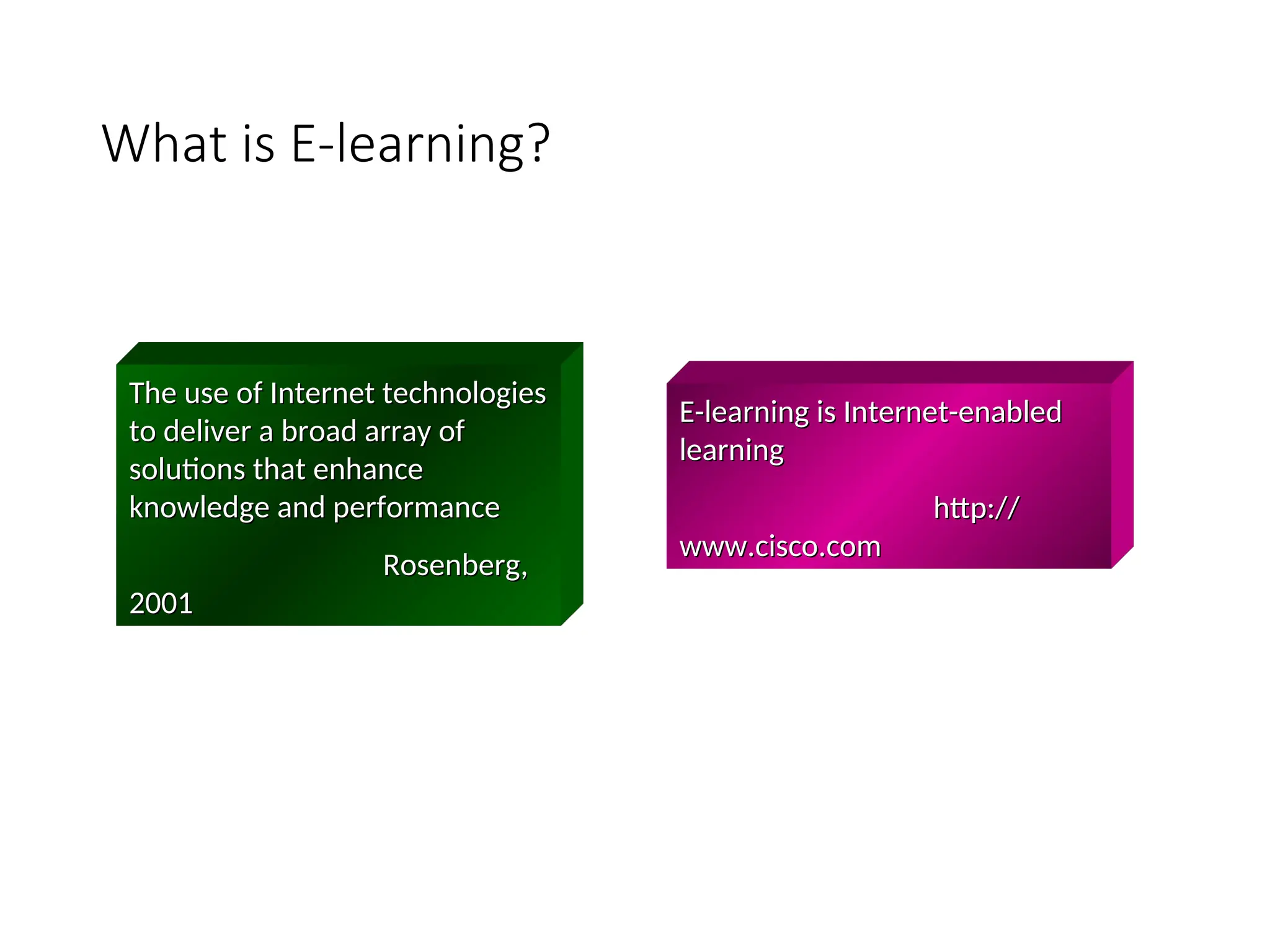
What is E-learning?
The use of Internet technologies
to deliver a broad array of
solutions that enhance
knowledge and performance
Rosenberg,
Rosenberg,
2001
2001
E-learning is Internet-enabled
learning
learning
http://
http://
www.cisco.com
www.cisco.com
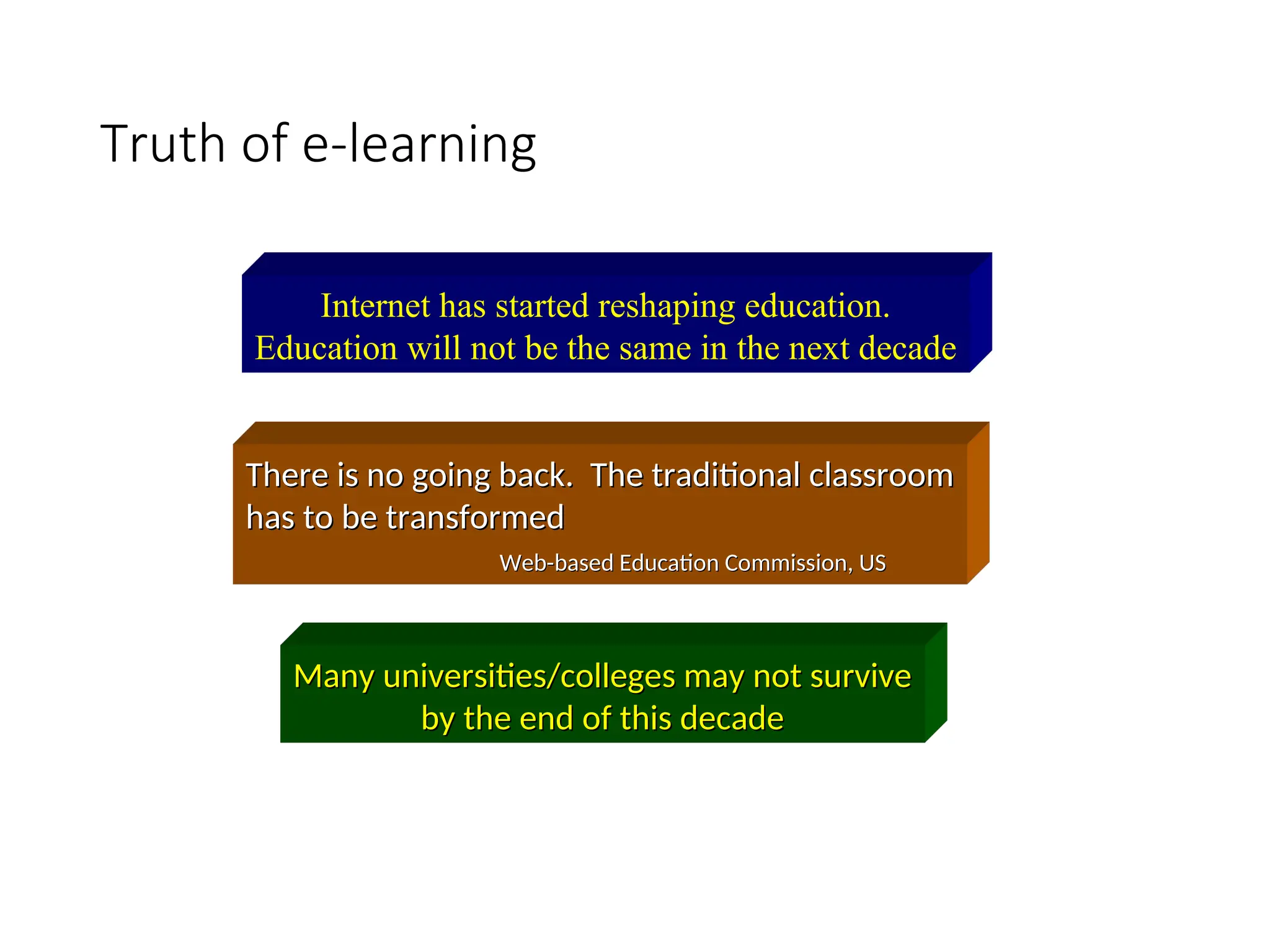
Truth of e-learning
Internet has started reshaping education.
Education will not be the same in the next decade
There is no going back. The traditional classroom
has to be transformed
Web-based Education Commission, US
Many universities/colleges may not survive
by the end of this decade
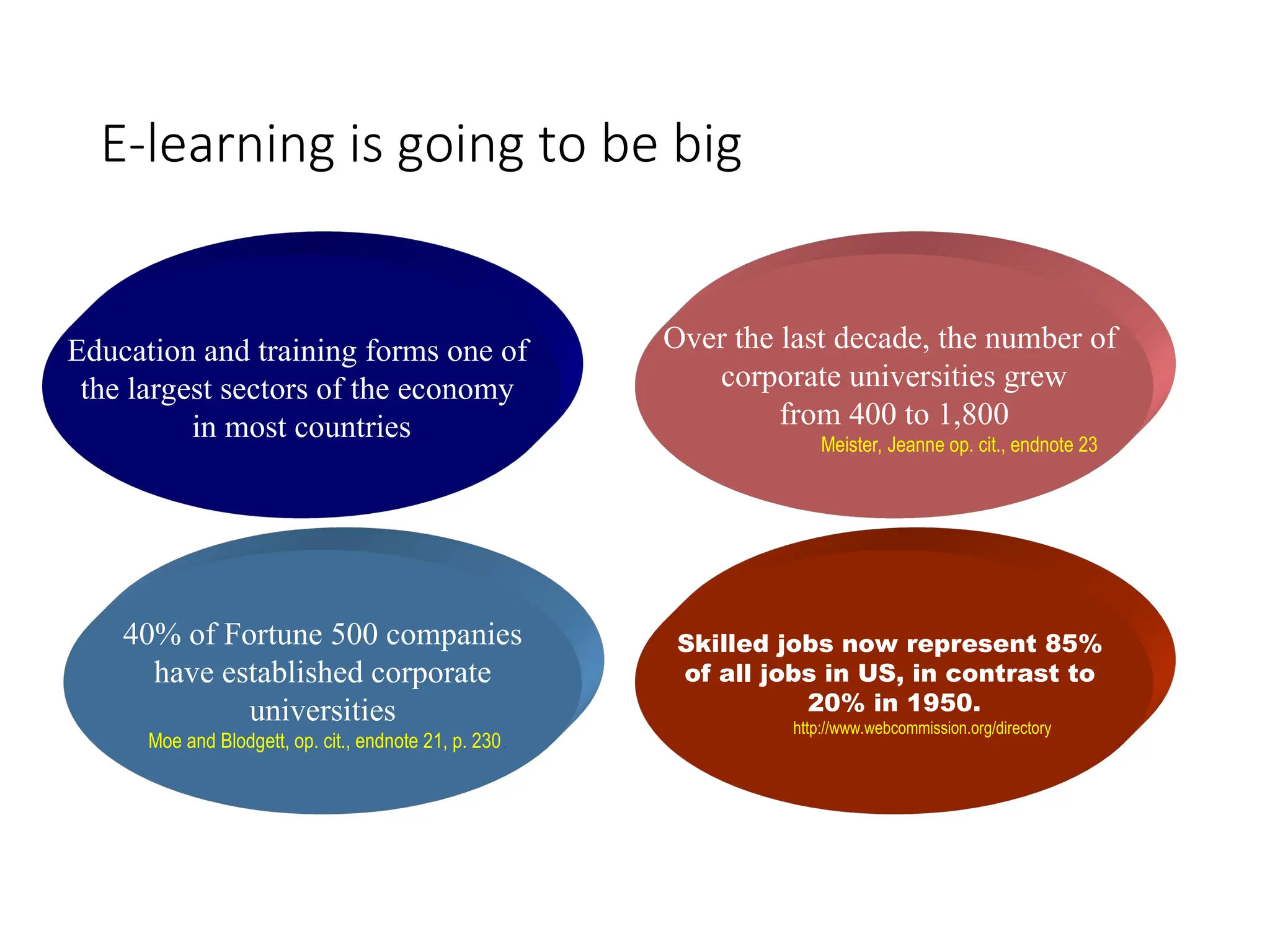
E-learning is going to be big
Education and training forms one of
the largest sectors of the economy
in most countries
Over the last decade, the number of
corporate universities grew
from 400 to 1,800
Meister, Jeanne op. cit., endnote 23
40% of Fortune 500 companies
have established corporate
universities
Moe and Blodgett, op. cit., endnote 21, p. 230.
Skilled jobs now represent 85%
of all jobs in US, in contrast to
20% in 1950.
http://www.webcommission.org/directory
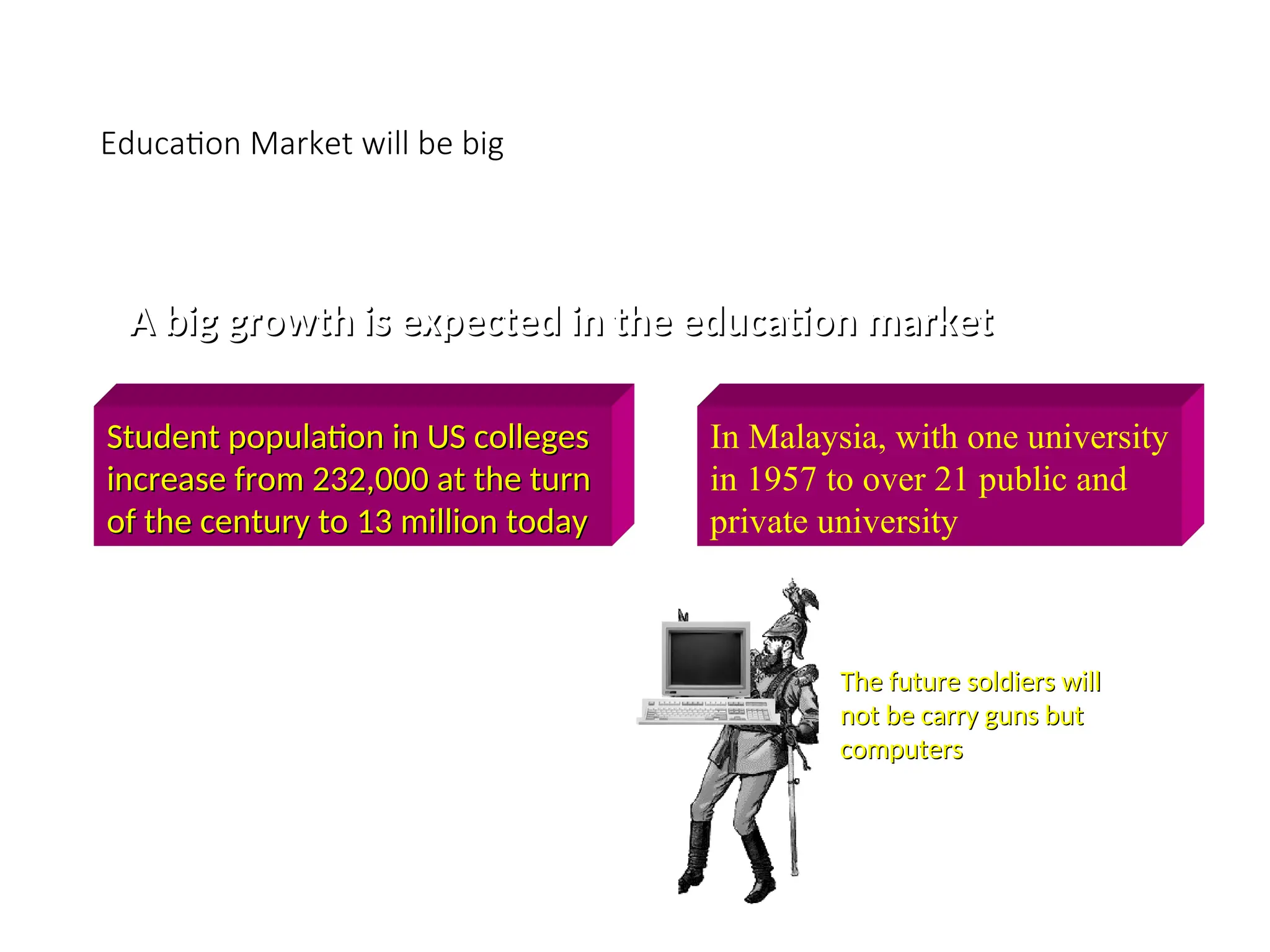
Education Market will be big
A big growth is expected in the education market
Student population in US colleges
increase from 232,000 at the turn
of the century to 13 million today
In Malaysia, with one university
in 1957 to over 21 public and
private university
The US Army has established
a online educational portal
and hope to enroll 15,000 to
20,000 of its army personnel
for a degree programme
The future soldiers will
not be carry guns but
computers
computers
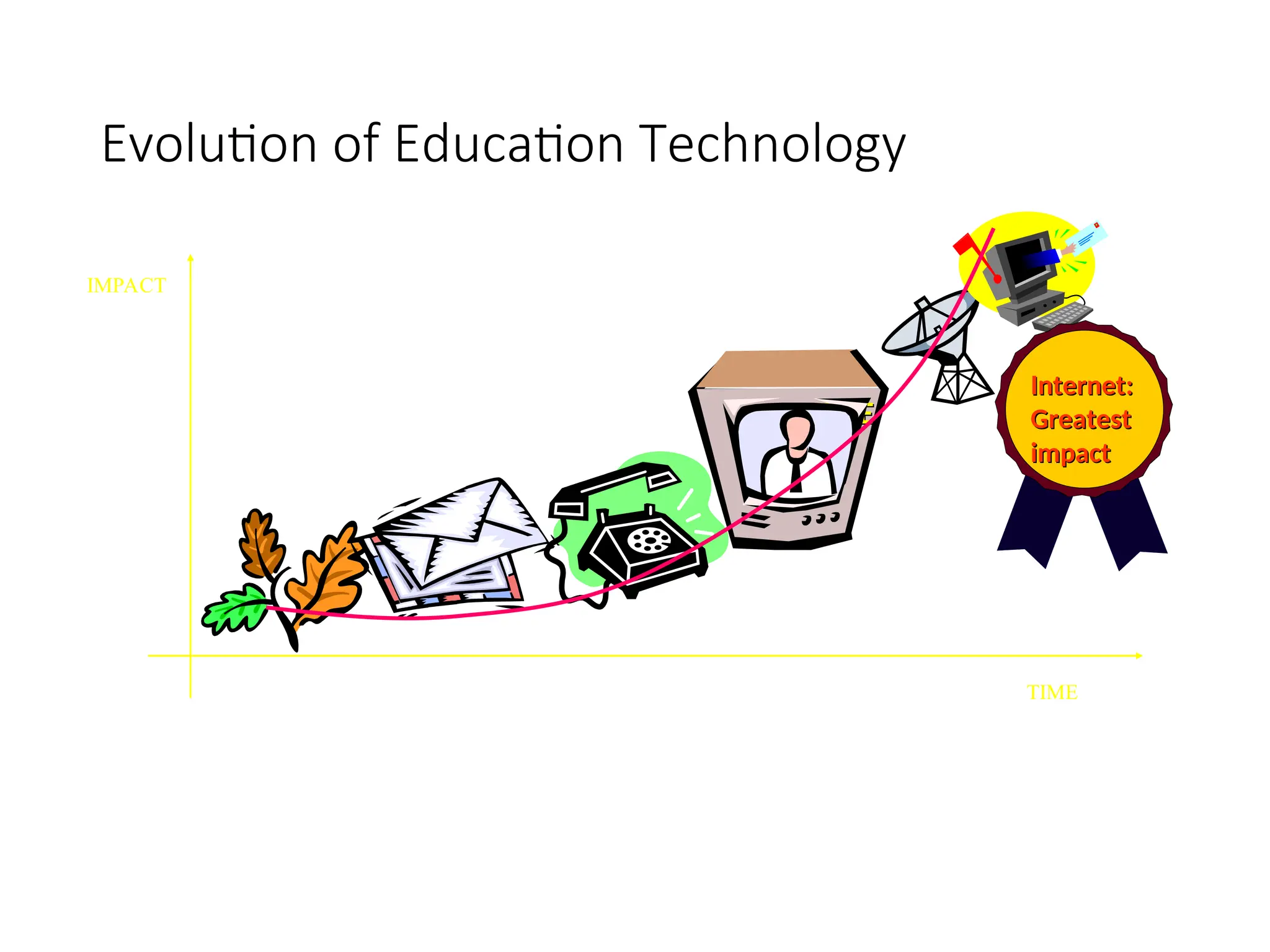
Evolution of Education Technology
TIME
TIME
TIME
IMPACT
Internet:
Internet:
Greatest
Greatest
impact
impact
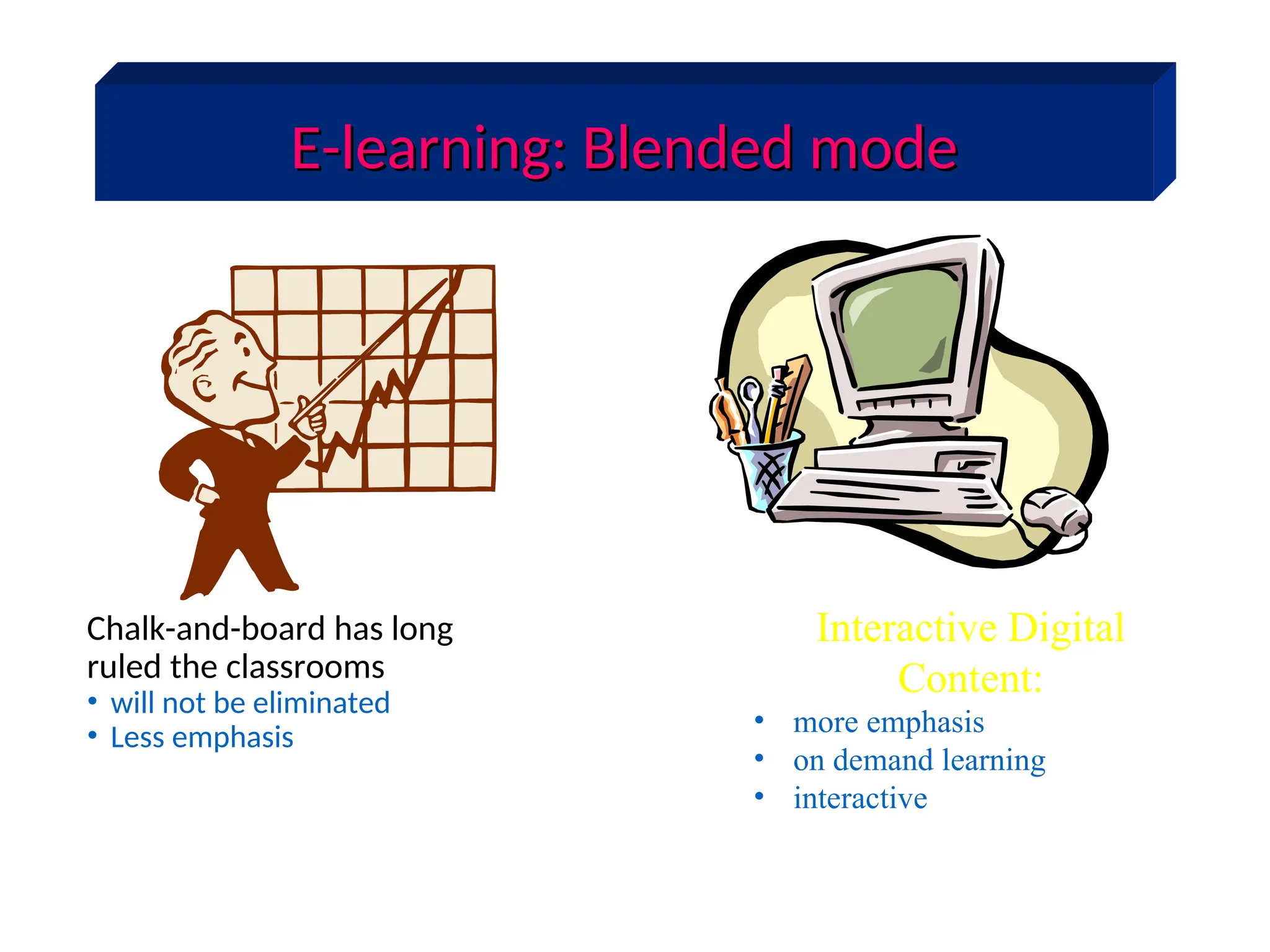
E-learning: Blended mode
Chalk-and-board has long
ruled the classrooms
• will not be eliminated
• Less emphasis
Interactive Digital
Content:
• more emphasis
• on demand learning
• interactive
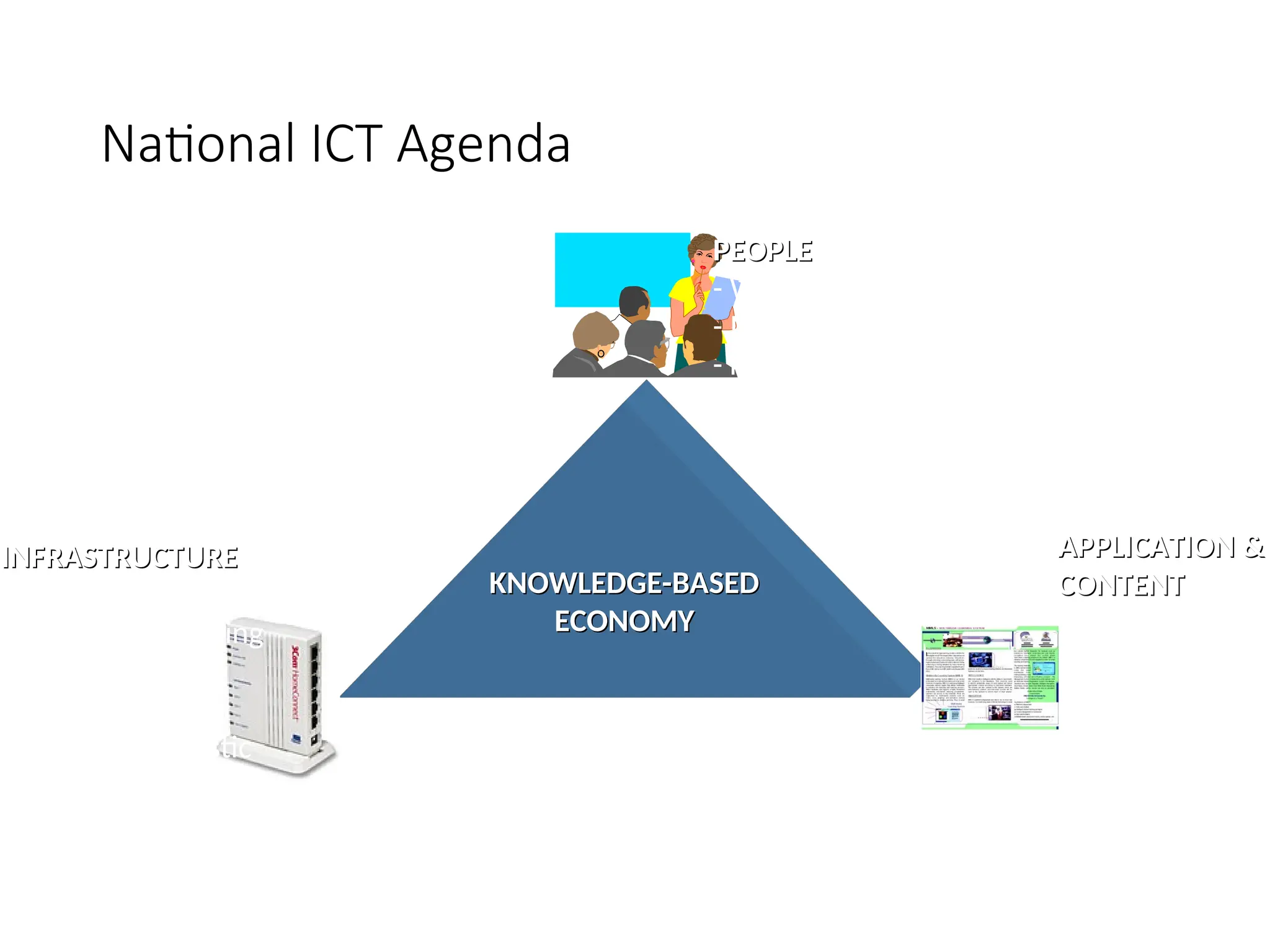
National ICT Agenda
KNOWLEDGE-BASED
KNOWLEDGE-BASED
ECONOMY
ECONOMY
PEOPLE
PEOPLE
- Work Culture
- ICT Skills
- Knowledge worker
- Learning Society
- United, moral & ethical
INFRASTRUCTURE
INFRASTRUCTURE
- Communication
- Fibre-Optic Cabling
- Gigabit ATM
- Satellite
- Transport/Logistic
- etc
APPLICATION &
APPLICATION &
CONTENT
CONTENT
- Smart Schools
- e-govt.
- Smartcard
- Tele-medicine
- Others
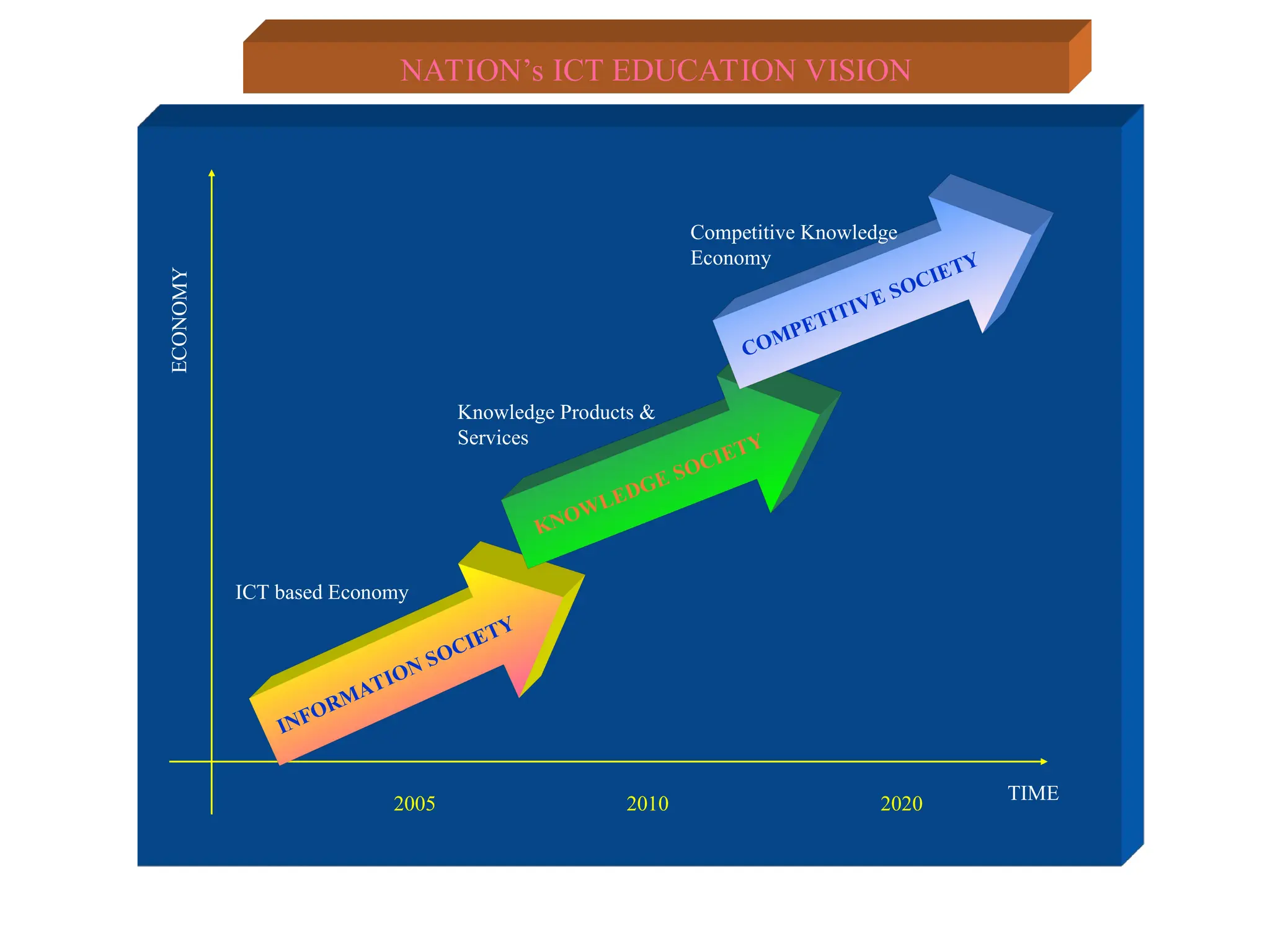
ECONOMY
TIME
INFORMATION SOCIETY
KNOWLEDGE SOCIETY
COMPETITIVE SOCIETY
2005 2020
2010
ICT based Economy
Knowledge Products &
Services
Competitive Knowledge
Economy
NATION’s ICT EDUCATION VISION
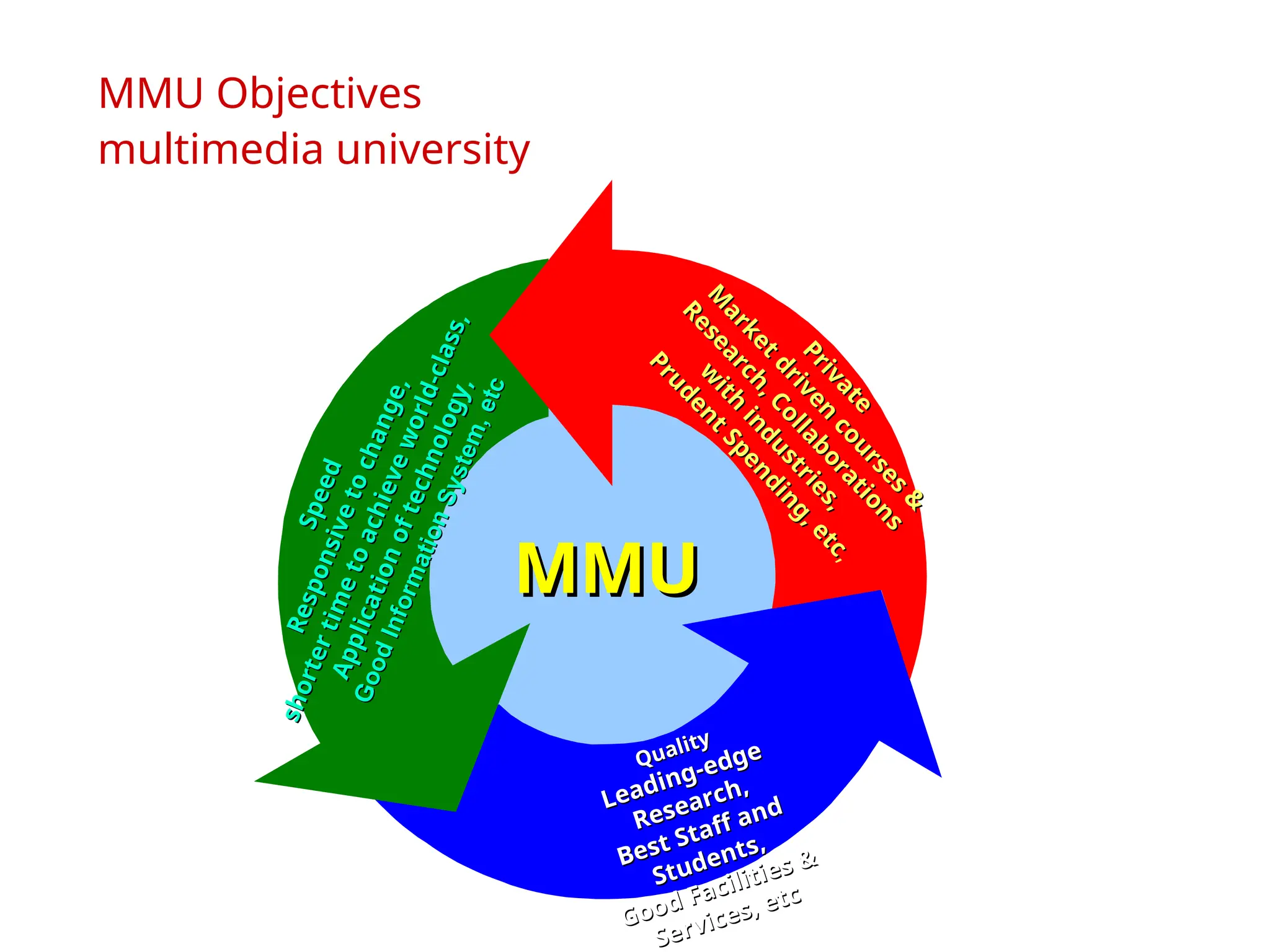
MMU Objectives
multimedia university
Quality
Quality
Leading-edge
Leading-edge
Research,
Research,
Best Staff and
Best Staff and
Students,
Students,
Good Facilities &
Good Facilities &
Services, etc
Services, etc
P
r
i
v
a
t
e
P
r
i
v
a
t
e
M
a
r
k
e
t
d
r
i
v
e
n
c
o
u
r
s
e
s
&
M
a
r
k
e
t
d
r
i
v
e
n
c
o
u
r
s
e
s
&
R
e
s
e
a
r
c
h
,
C
o
l
l
a
b
o
r
a
t
i
o
n
s
R
e
s
e
a
r
c
h
,
C
o
l
l
a
b
o
r
a
t
i
o
n
s
w
i
t
h
i
n
d
u
s
t
r
i
e
s
,
w
i
t
h
i
n
d
u
s
t
r
i
e
s
,
P
r
u
d
e
n
t
S
p
e
n
d
i
n
g
,
e
t
c
P
r
u
d
e
n
t
S
p
e
n
d
i
n
g
,
e
t
c
,
S
p
e
e
d
S
p
e
e
d
R
e
s
p
o
n
s
i
v
e
t
o
c
h
a
n
g
e
,
R
e
s
p
o
n
s
i
v
e
t
o
c
h
a
n
g
e
,
s
h
o
r
t
e
r
t
i
m
e
t
o
a
c
h
i
e
v
e
w
o
r
l
d
-
c
l
a
s
s
,
s
h
o
r
t
e
r
t
i
m
e
t
o
a
c
h
i
e
v
e
w
o
r
l
d
-
c
l
a
s
s
,
A
p
p
l
i
c
a
t
i
o
n
o
f
t
e
c
h
n
o
l
o
g
y
,
A
p
p
l
i
c
a
t
i
o
n
o
f
t
e
c
h
n
o
l
o
g
y
,
G
o
o
d
I
n
f
o
r
m
a
t
i
o
n
S
y
s
t
e
m
,
e
t
c
G
o
o
d
I
n
f
o
r
m
a
t
i
o
n
S
y
s
t
e
m
,
e
t
c
MMU
MMU
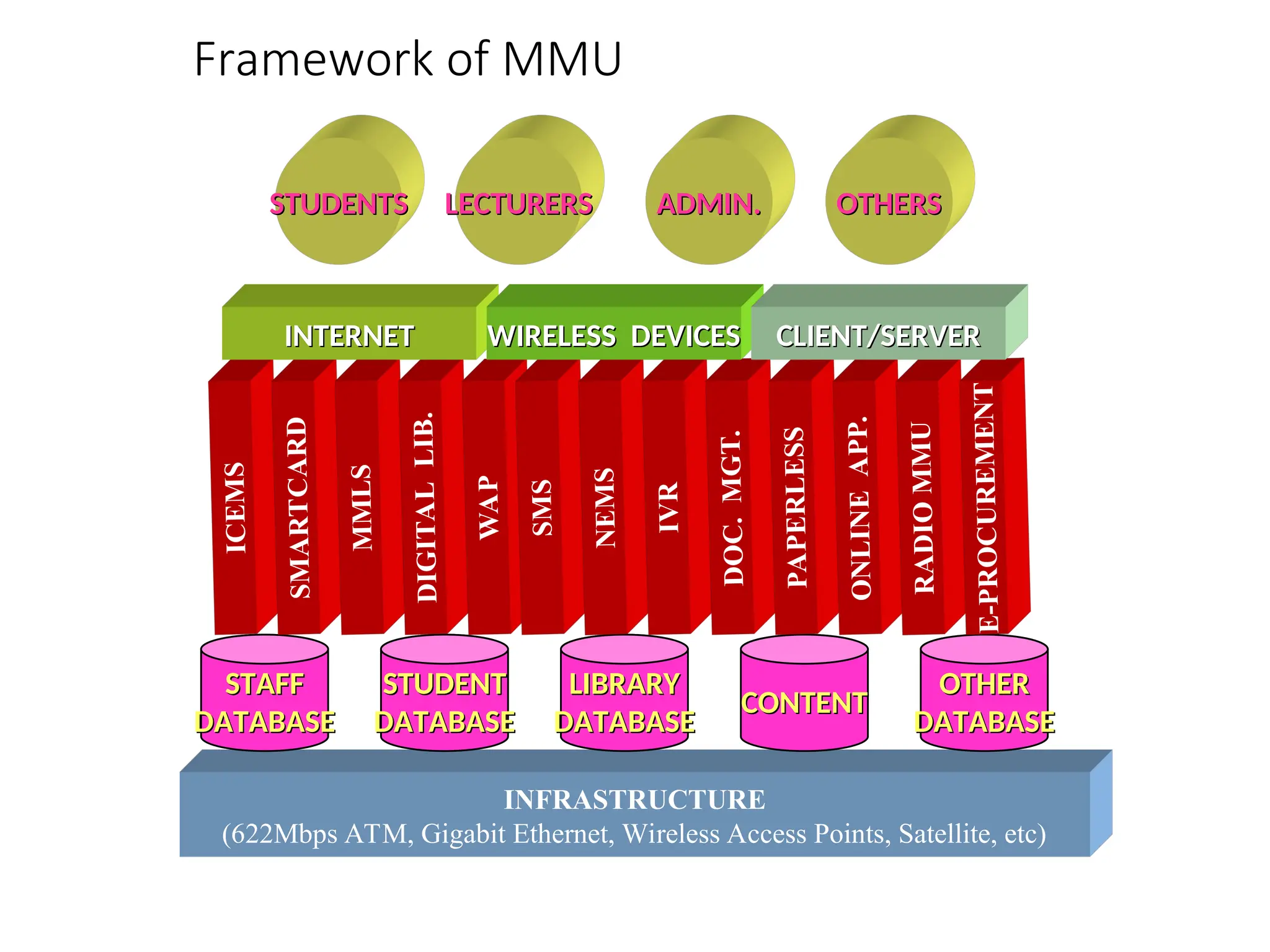
Framework of MMU
INFRASTRUCTURE
(622Mbps ATM, Gigabit Ethernet, Wireless Access Points, Satellite, etc)
STAFF
STAFF
DATABASE
DATABASE
STUDENT
STUDENT
DATABASE
DATABASE
LIBRARY
LIBRARY
DATABASE
DATABASE
OTHER
OTHER
DATABASE
DATABASE
CONTENT
CONTENT
ICE
MS
SMA
RT
CA
RD
MM
LS
DIG
ITA
L
LIB
.
WA
P
SM
S
NEM
S
IVR
DO
C.
MG
T.
PA
PE
RLE
SS
ON
LIN
E
AP
P.
RA
DIO
MM
U
E-P
RO
CU
RE
ME
NT
INTERNET
INTERNET WIRELESS DEVICES
WIRELESS DEVICES CLIENT/SERVER
CLIENT/SERVER
STUDENTS
STUDENTS LECTURERS
LECTURERS ADMIN.
ADMIN. OTHERS
OTHERS
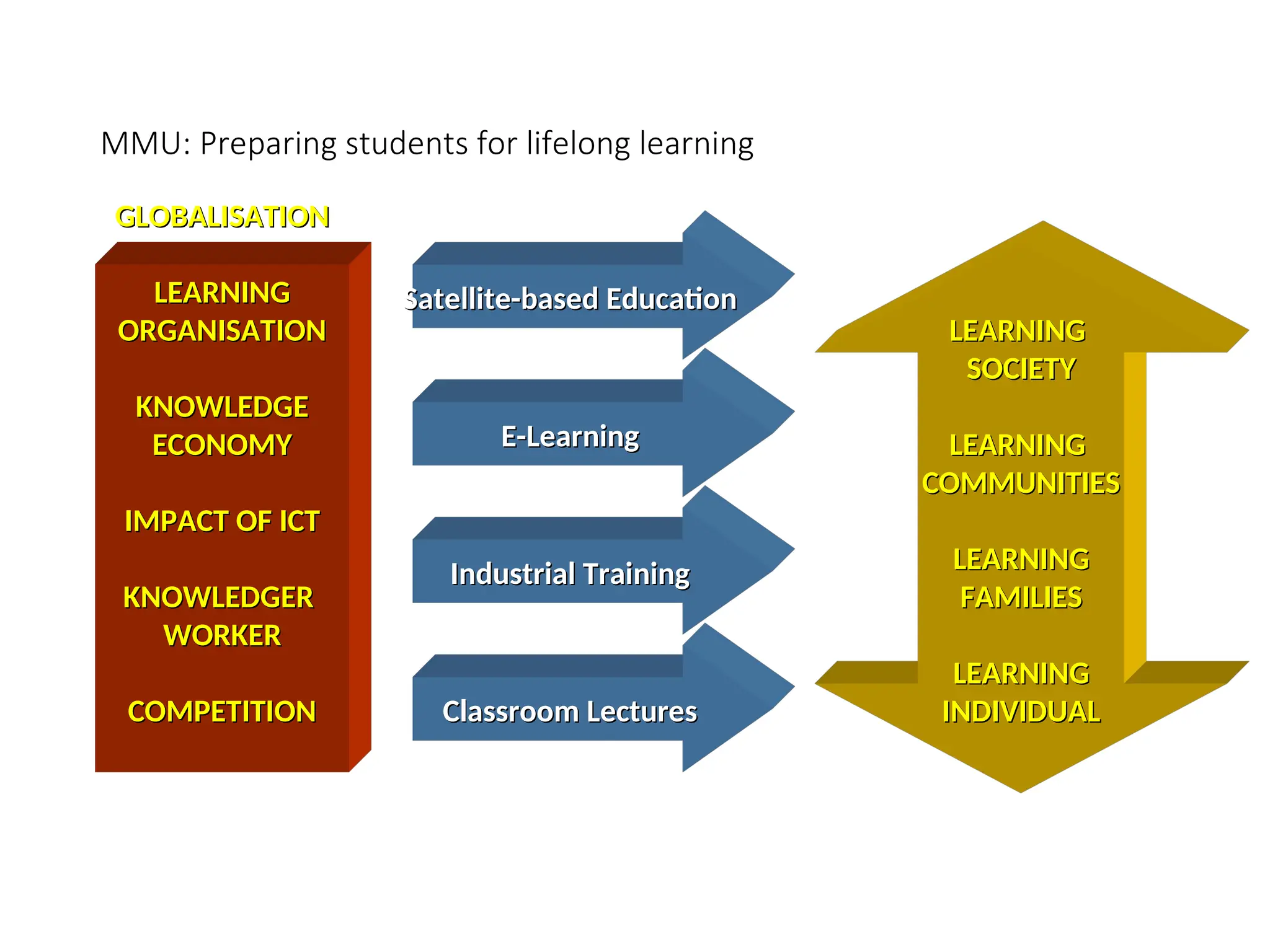
MMU: Preparing students for lifelong learning
GLOBALISATION
GLOBALISATION
LEARNING
LEARNING
ORGANISATION
ORGANISATION
KNOWLEDGE
KNOWLEDGE
ECONOMY
ECONOMY
IMPACT OF ICT
IMPACT OF ICT
KNOWLEDGER
KNOWLEDGER
WORKER
WORKER
COMPETITION
COMPETITION
Satellite-based Education
E-Learning
E-Learning
Industrial Training
Industrial Training
Classroom Lectures
Classroom Lectures
LEARNING
LEARNING
SOCIETY
SOCIETY
LEARNING
LEARNING
COMMUNITIES
COMMUNITIES
LEARNING
LEARNING
FAMILIES
FAMILIES
LEARNING
LEARNING
INDIVIDUAL
INDIVIDUAL
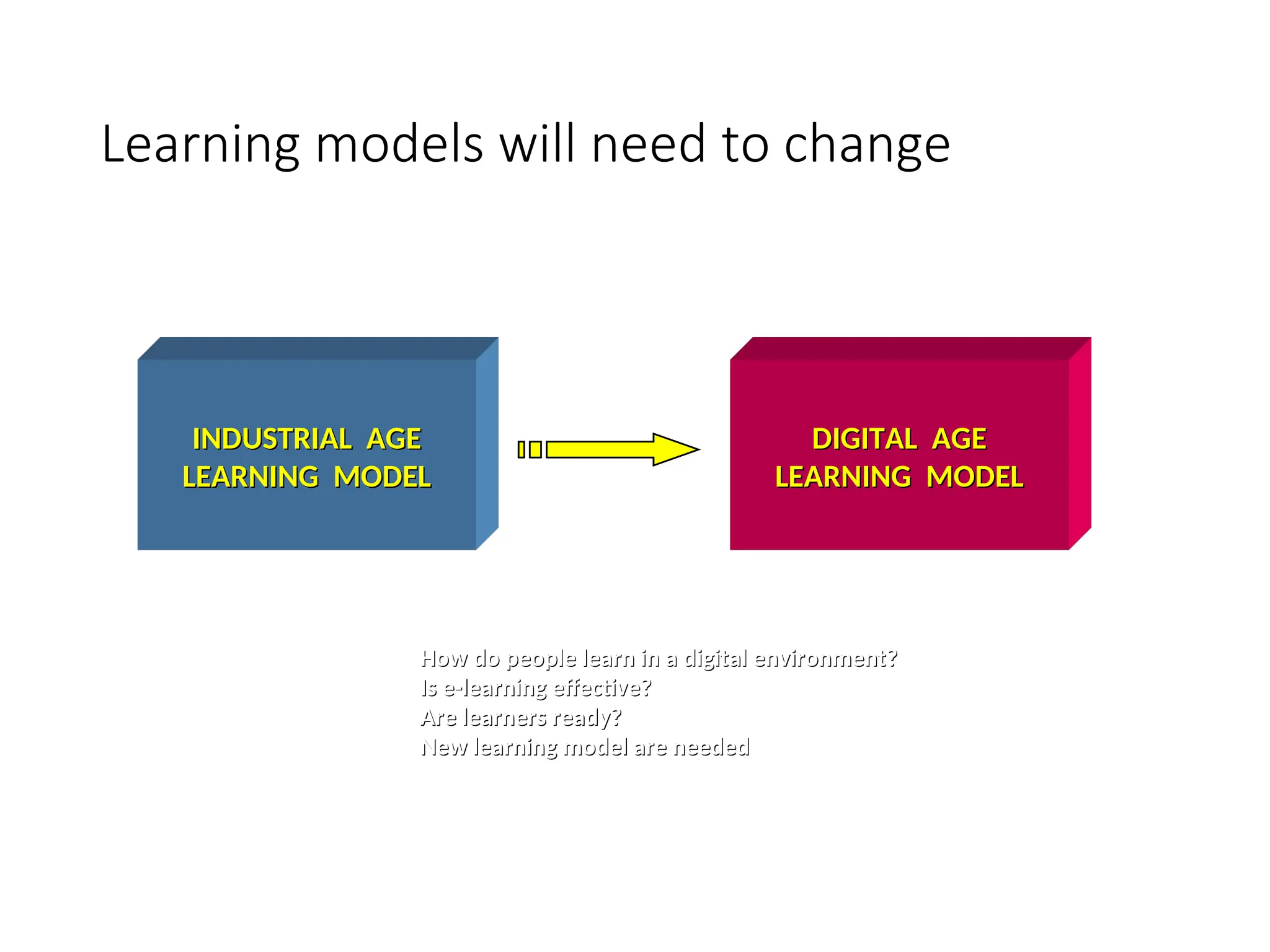
Learning models will need to change
INDUSTRIAL AGE
INDUSTRIAL AGE
LEARNING MODEL
LEARNING MODEL
DIGITAL AGE
DIGITAL AGE
LEARNING MODEL
LEARNING MODEL
How do people learn in a digital environment?
Is e-learning effective?
Are learners ready?
Are learners ready?
New learning model are needed
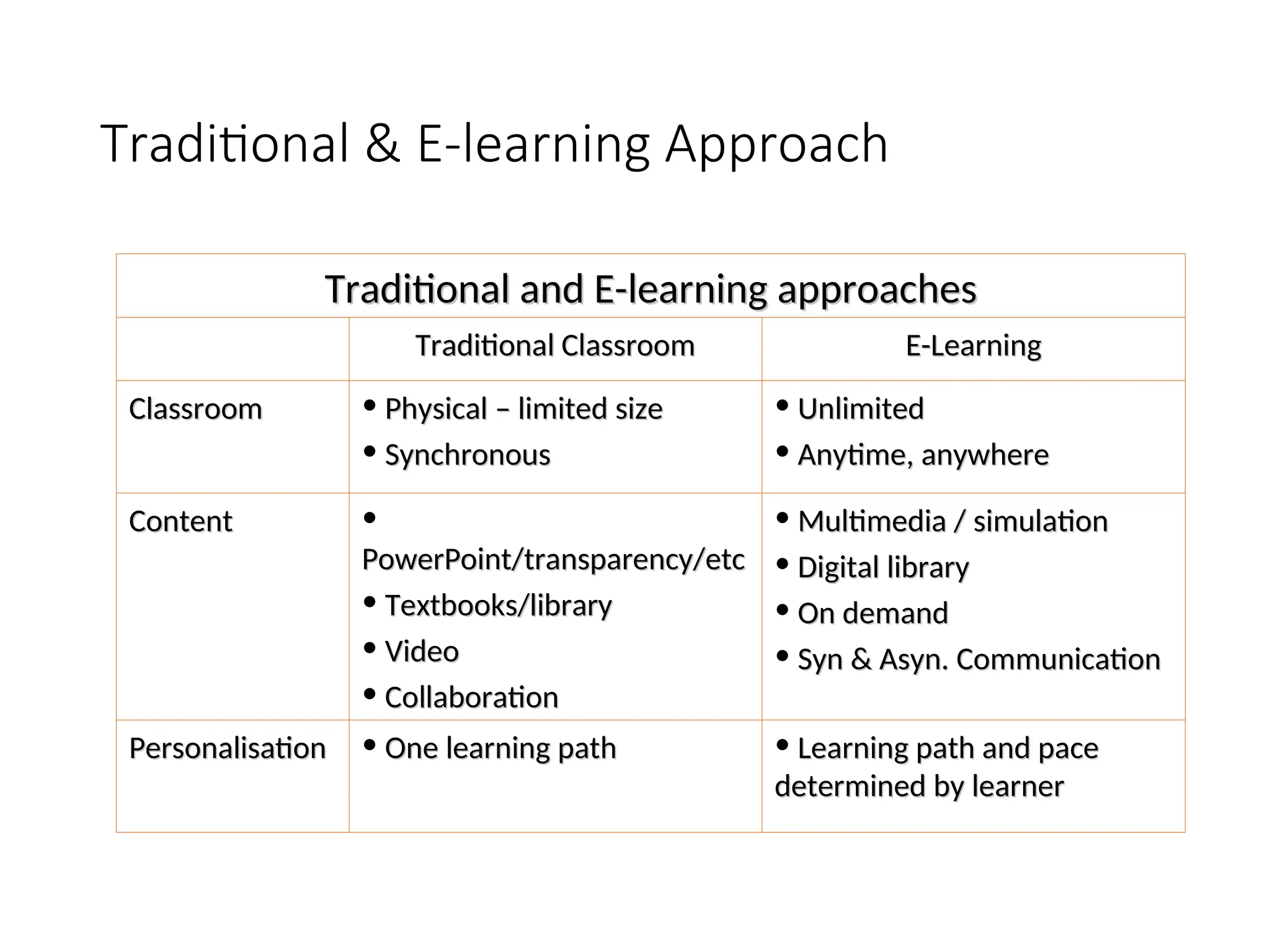
Traditional & E-learning Approach
Traditional and E-learning approaches
Traditional Classroom
Traditional Classroom E-Learning
E-Learning
Classroom
Classroom • Physical – limited size
Physical – limited size
• Synchronous
Synchronous
• Unlimited
Unlimited
• Anytime, anywhere
Anytime, anywhere
Content
Content •
PowerPoint/transparency/etc
• Textbooks/library
Textbooks/library
• Video
Video
• Collaboration
Collaboration
• Multimedia / simulation
Multimedia / simulation
• Digital library
Digital library
• On demand
On demand
• Syn & Asyn. Communication
Syn & Asyn. Communication
Personalisation
Personalisation • One learning path
One learning path • Learning path and pace
Learning path and pace
determined by learner
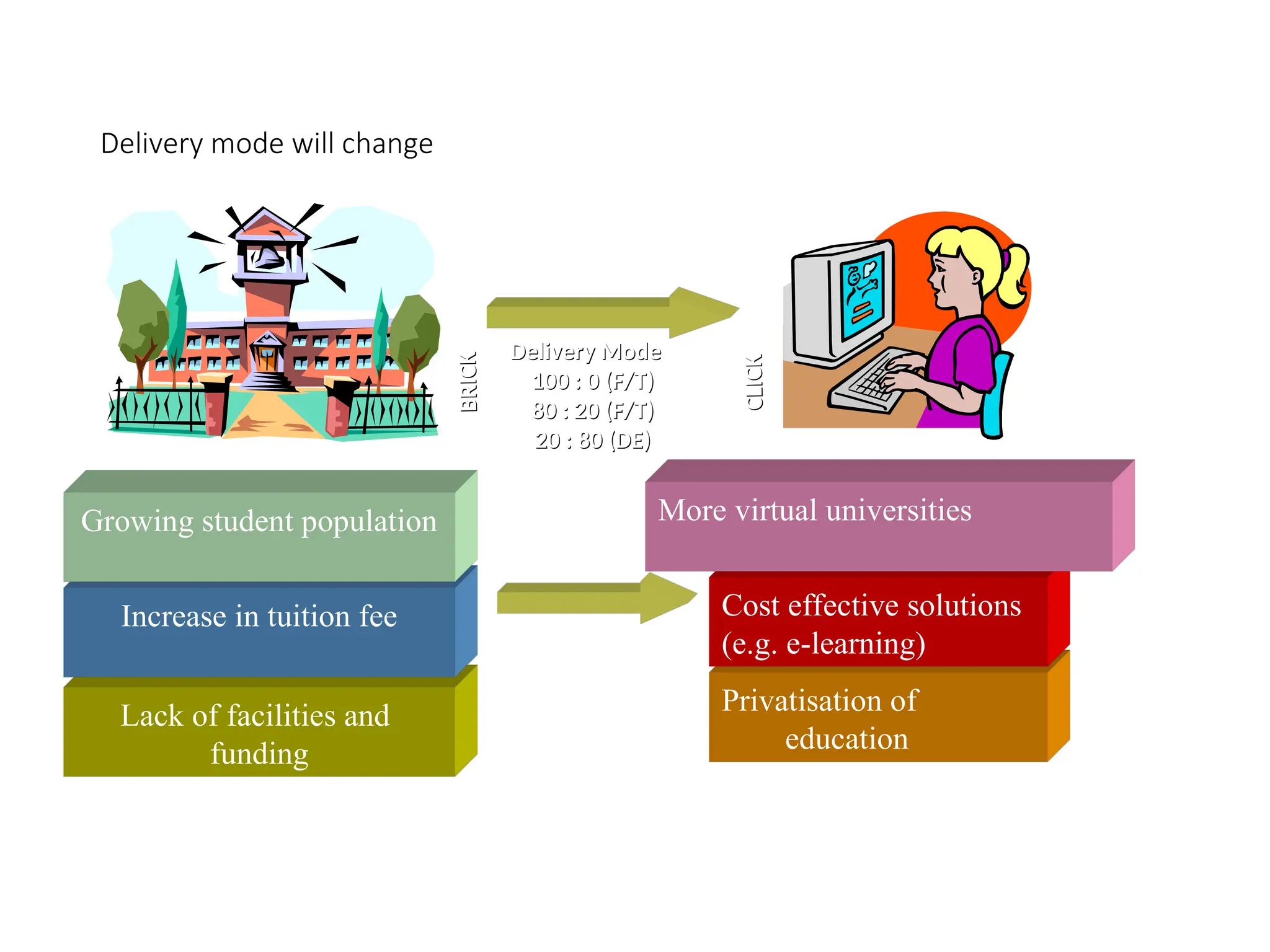
Delivery mode will change
Lack of facilities and
funding
Increase in tuition fee
Growing student population
Privatisation of
education
Cost effective solutions
(e.g. e-learning)
More virtual universities
Delivery Mode
Delivery Mode
100 : 0 (F/T)
100 : 0 (F/T)
80 : 20 (F/T)
80 : 20 (F/T)
20 : 80 (DE)
20 : 80 (DE)
BRIC
K
BRIC
K
CLICK
CLICK
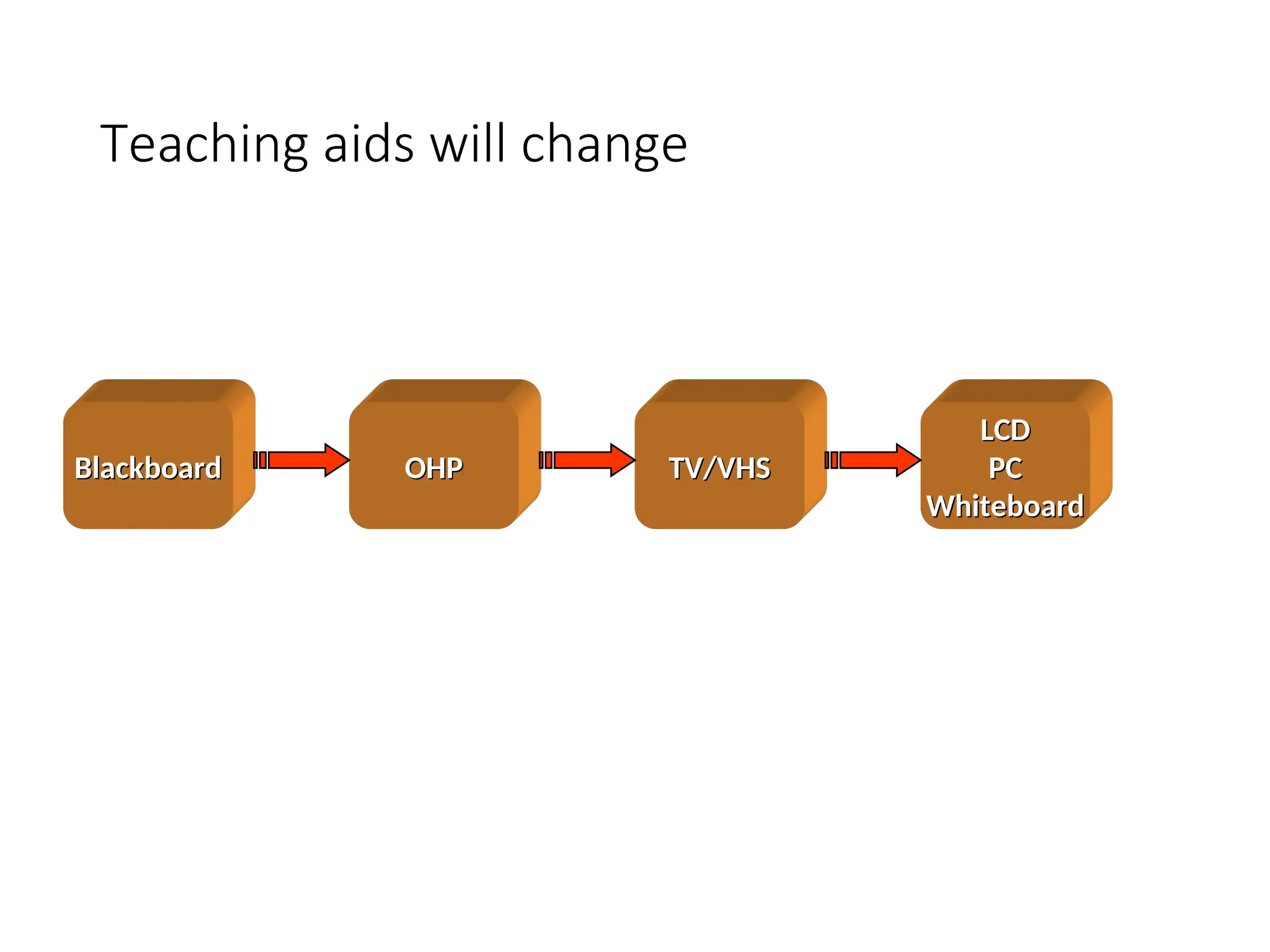
Teaching aids will change
Blackboard
Blackboard OHP
OHP TV/VHS
TV/VHS
LCD
LCD
PC
PC
Whiteboard
Whiteboard
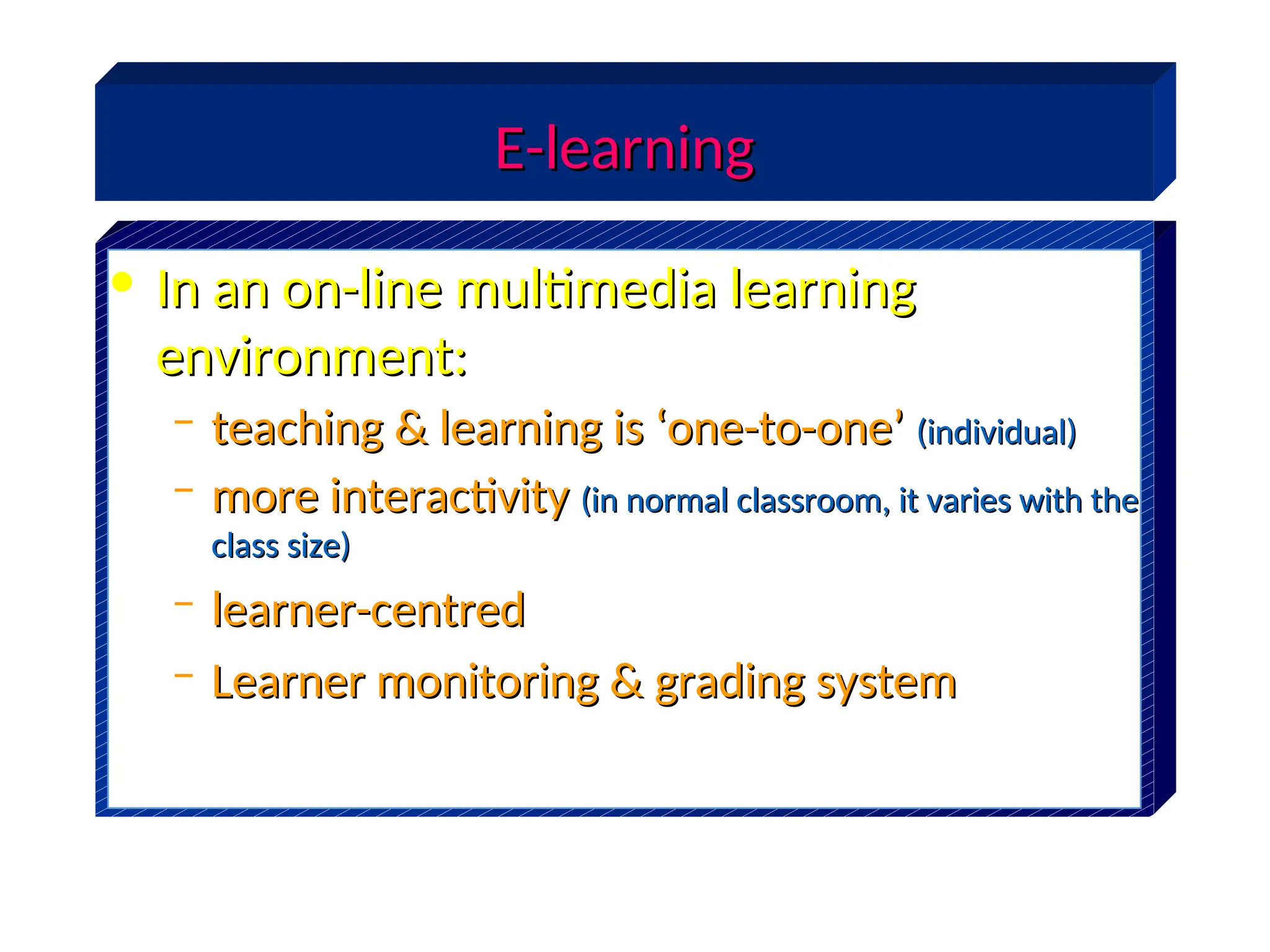
E-learning
E-learning
• In an on-line multimedia learning
In an on-line multimedia learning
environment:
environment:
– teaching & learning is ‘one-to-one’
teaching & learning is ‘one-to-one’ (individual)
(individual)
– more interactivity
more interactivity (in normal classroom, it varies with the
(in normal classroom, it varies with the
class size)
class size)
– learner-centred
learner-centred
– Learner monitoring & grading system
Learner monitoring & grading system
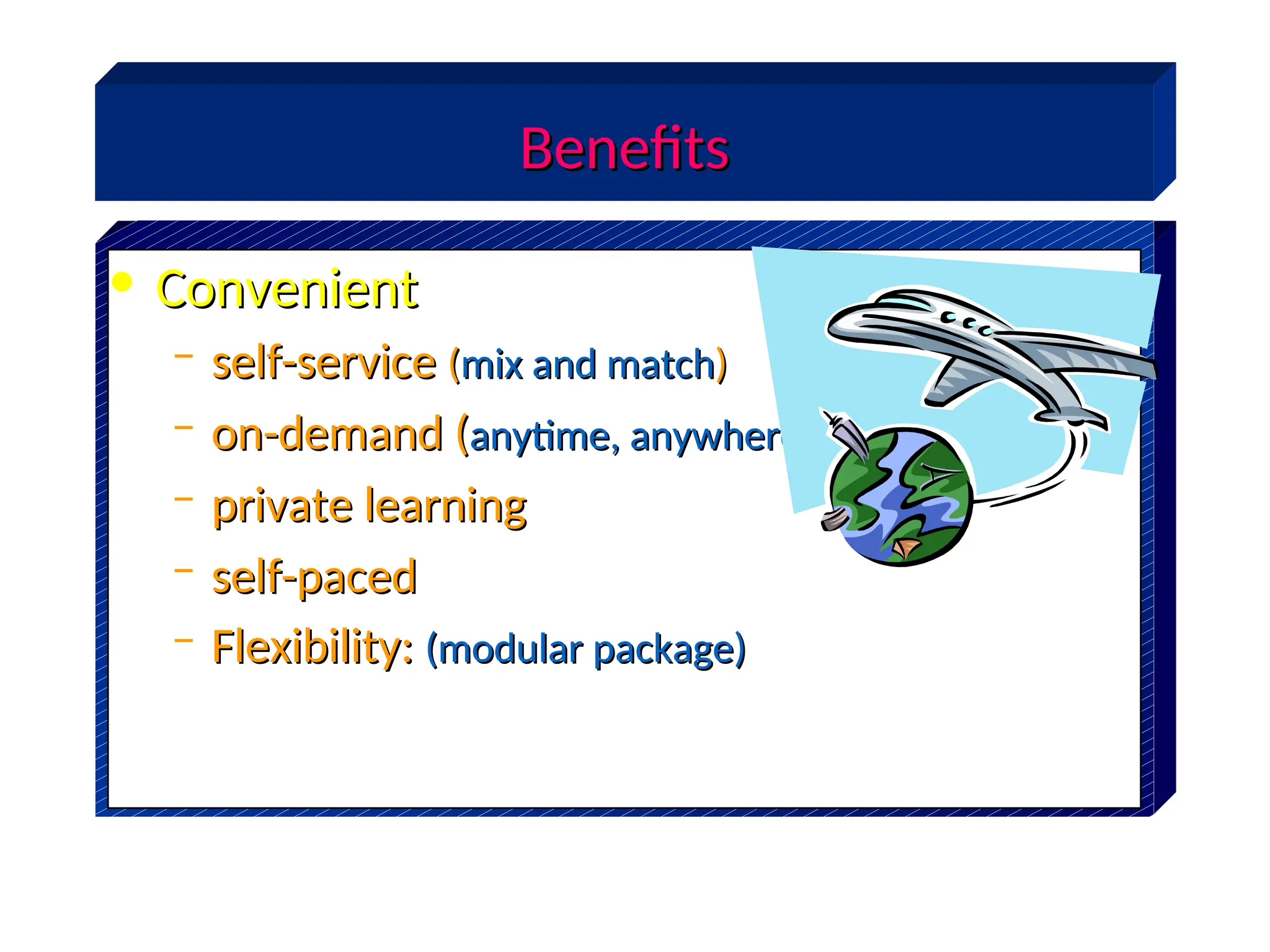
Benefits
Benefits
• Convenient
Convenient
– self-service
self-service (
(mix and match
mix and match)
)
– on-demand (
on-demand (anytime, anywhere
anytime, anywhere)
)
– private learning
private learning
– self-paced
self-paced
– Flexibility:
Flexibility: (modular package)
(modular package)
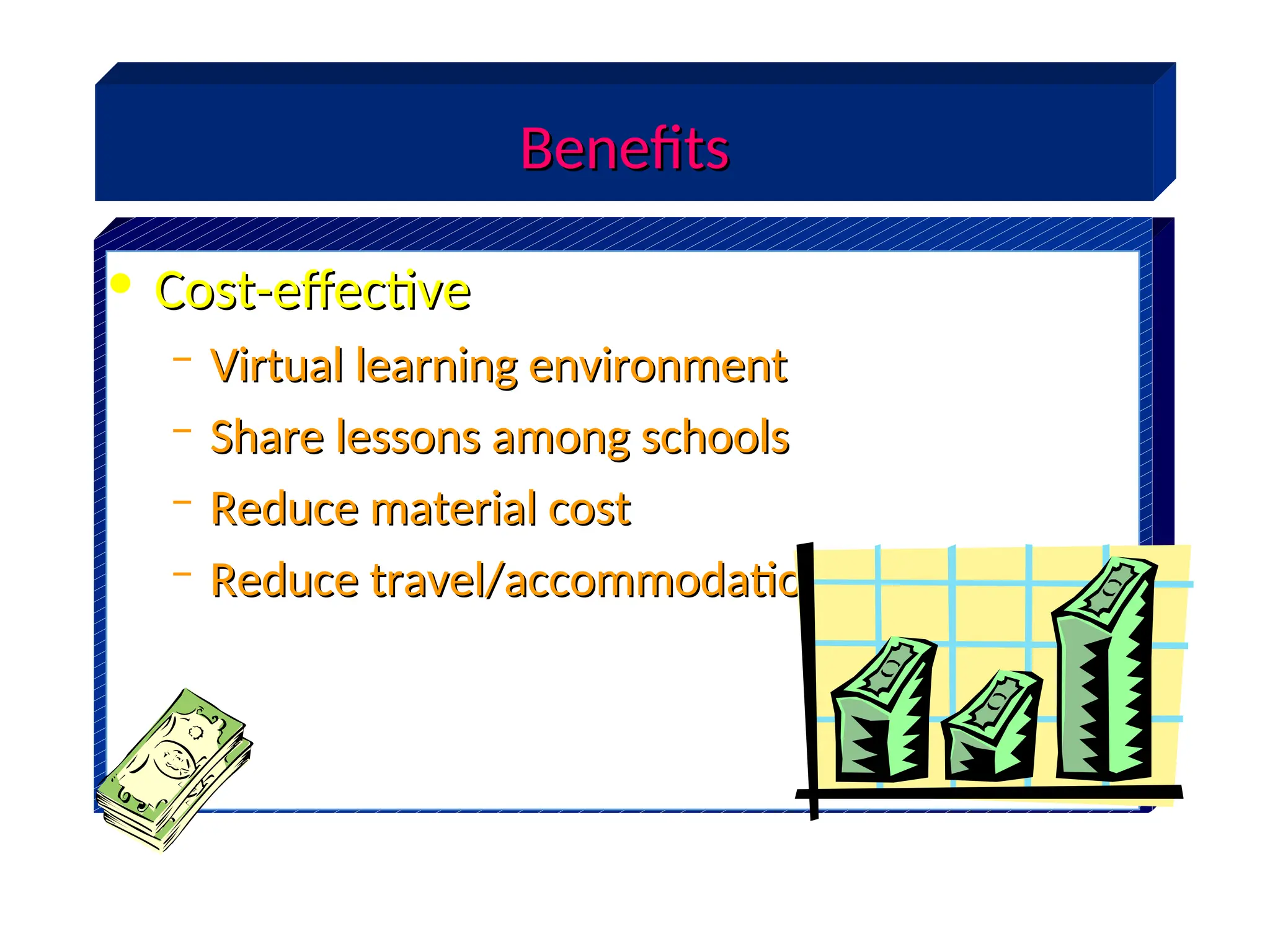
• Cost-effective
Cost-effective
– Virtual learning environment
Virtual learning environment
– Share lessons among schools
Share lessons among schools
– Reduce material cost
Reduce material cost
– Reduce travel/accommodation costs
Reduce travel/accommodation costs
Benefits
Benefits
Benefits
Benefits
• Consistent
Consistent
– Central control of content
Central control of content
– Same quality of content for all
Same quality of content for all
– Same quality of education for all
Same quality of education for all
Benefits
Benefits
• media-rich
media-rich
– Easier to understand & more engaging
Easier to understand & more engaging
• repeatable
repeatable
– As many times as you like
As many times as you like
• easier to monitor progress
easier to monitor progress
– less administrative work
less administrative work
– can be more precise
can be more precise
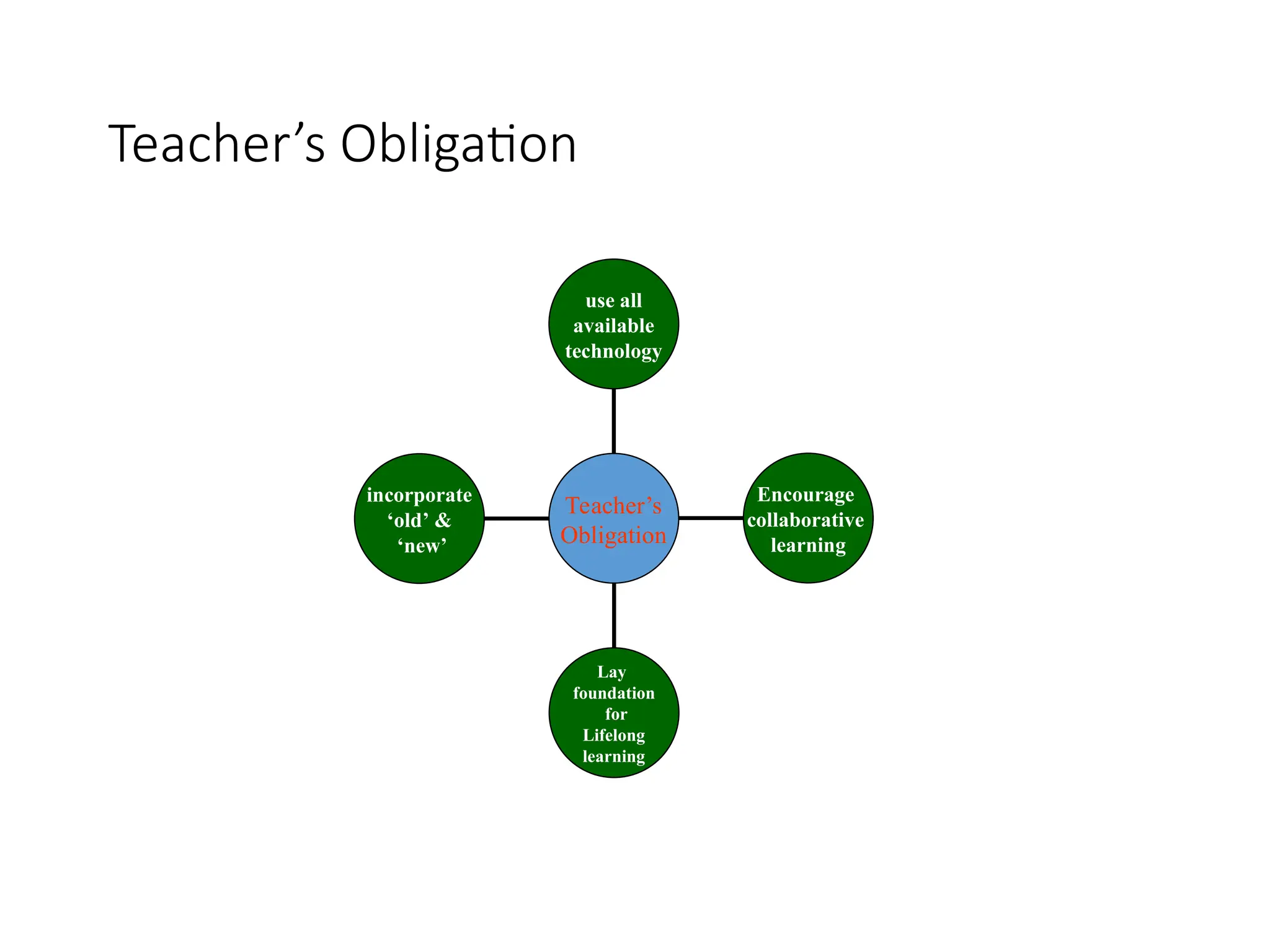
Teacher’s Obligation
incorporate
‘old’ &
‘new’
Lay
foundation
for
Lifelong
learning
Encourage
collaborative
learning
use all
available
technology
Teacher’s
Obligation
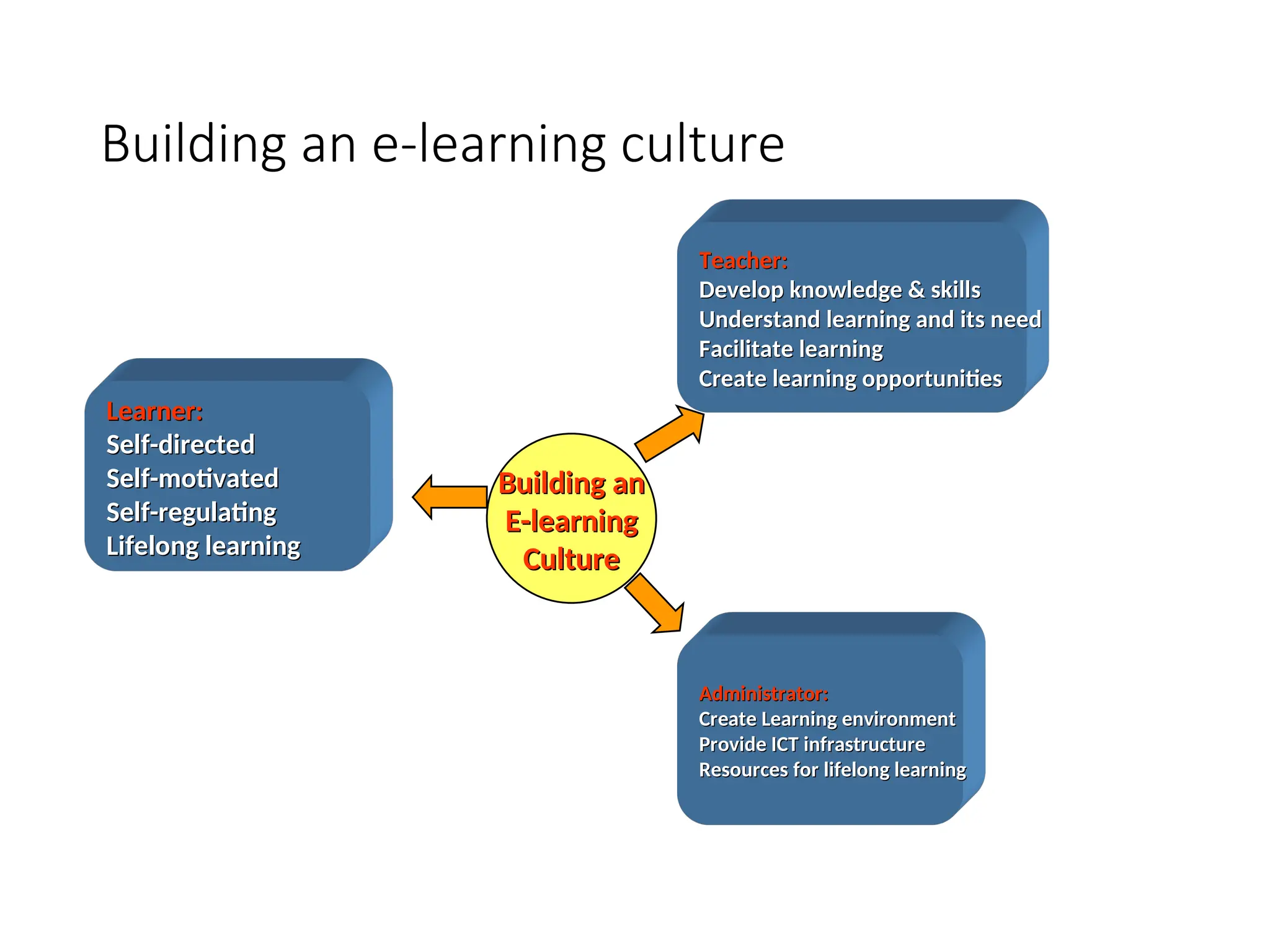
Building an e-learning culture
Learner:
Learner:
Self-directed
Self-directed
Self-motivated
Self-motivated
Self-regulating
Self-regulating
Lifelong learning
Lifelong learning
Teacher:
Teacher:
Develop knowledge & skills
Understand learning and its need
Facilitate learning
Facilitate learning
Create learning opportunities
Administrator:
Administrator:
Create Learning environment
Provide ICT infrastructure
Resources for lifelong learning
Building an
Building an
E-learning
E-learning
Culture
Culture
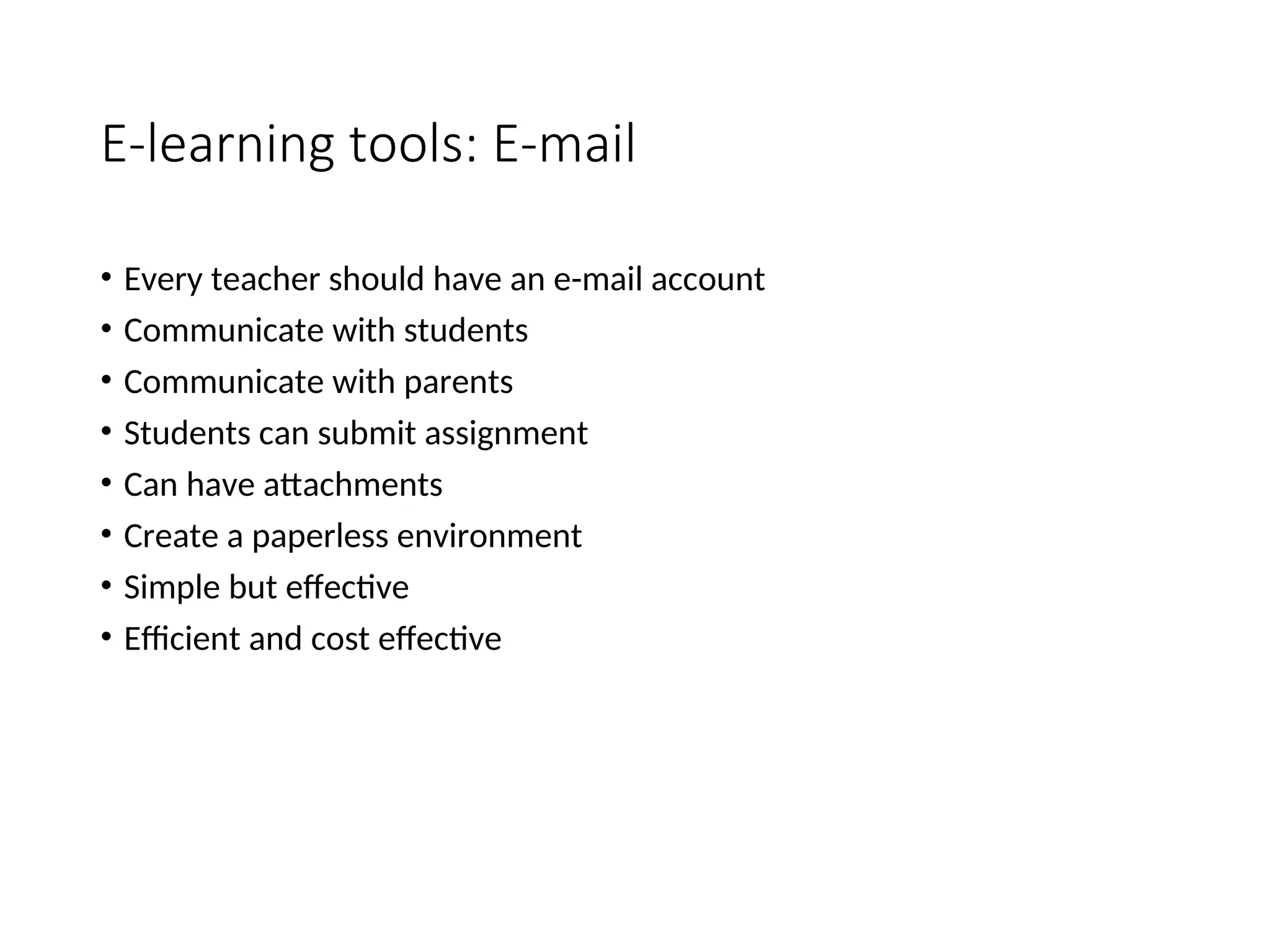
E-learning tools: E-mail
• Every teacher should have an e-mail account
• Communicate with students
• Communicate with parents
• Students can submit assignment
• Can have attachments
• Create a paperless environment
• Simple but effective
• Efficient and cost effective
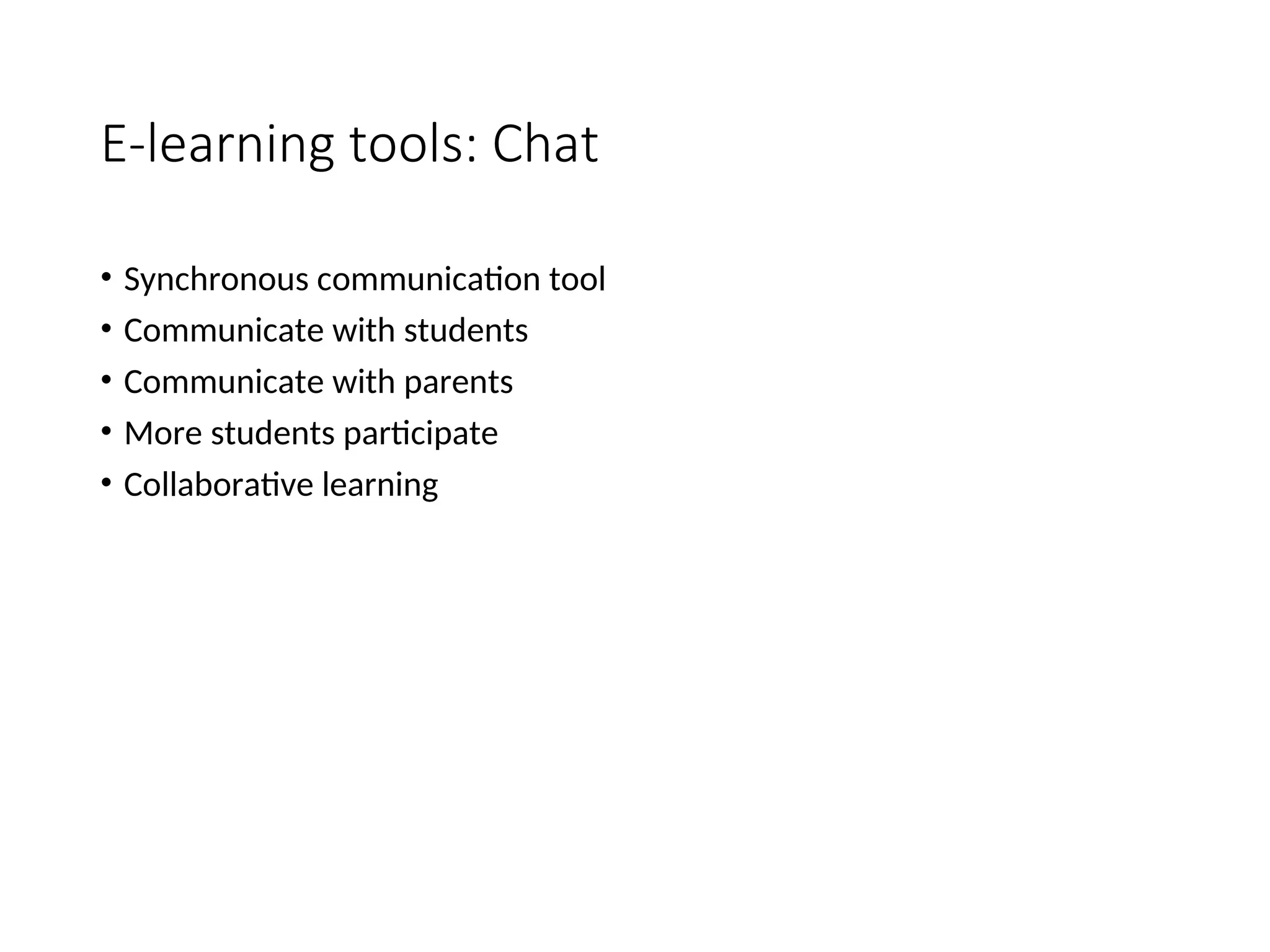
E-learning tools: Chat
• Synchronous communication tool
• Communicate with students
• Communicate with parents
• More students participate
• Collaborative learning
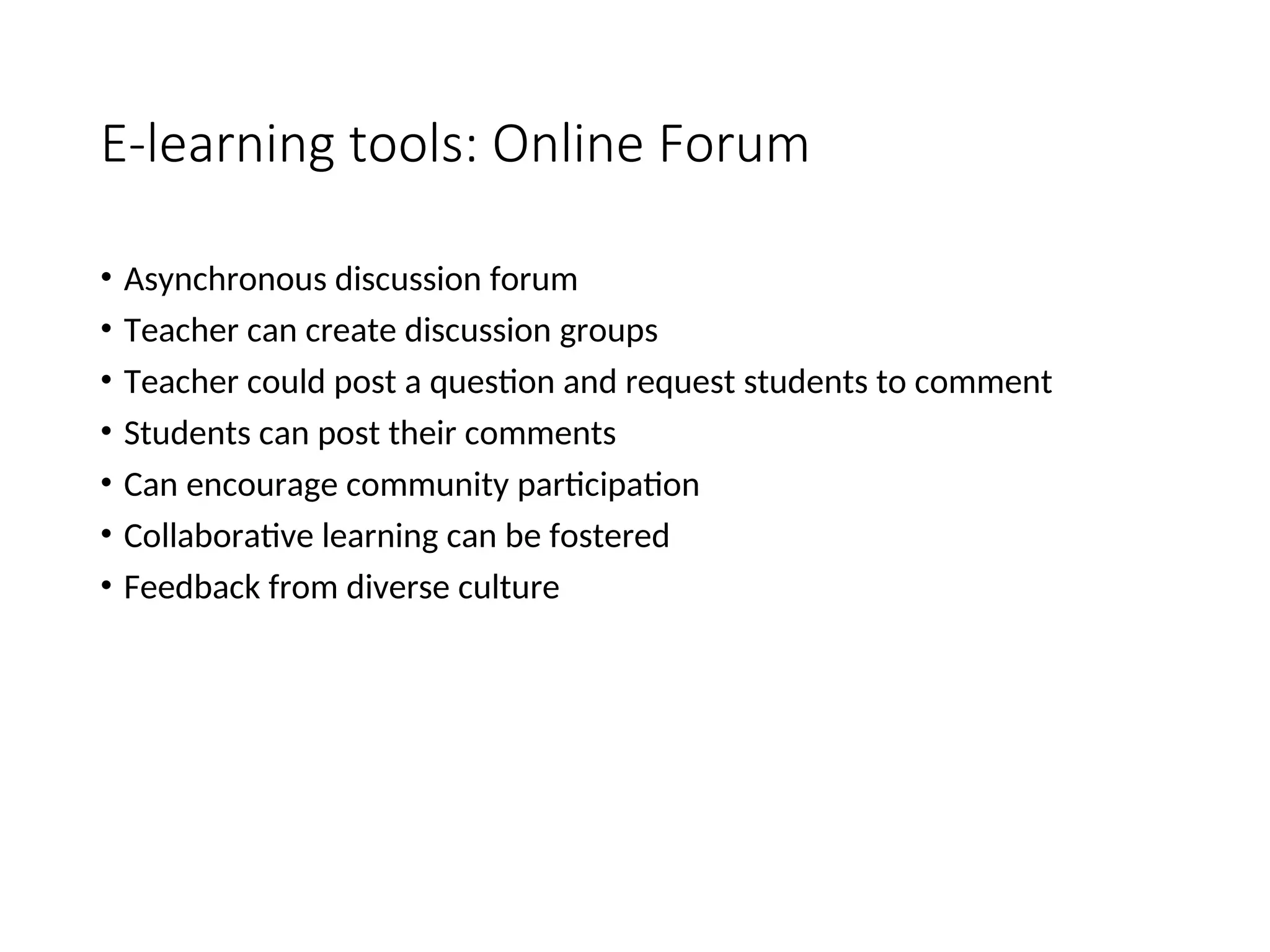
E-learning tools: Online Forum
• Asynchronous discussion forum
• Teacher can create discussion groups
• Teacher could post a question and request students to comment
• Students can post their comments
• Can encourage community participation
• Collaborative learning can be fostered
• Feedback from diverse culture
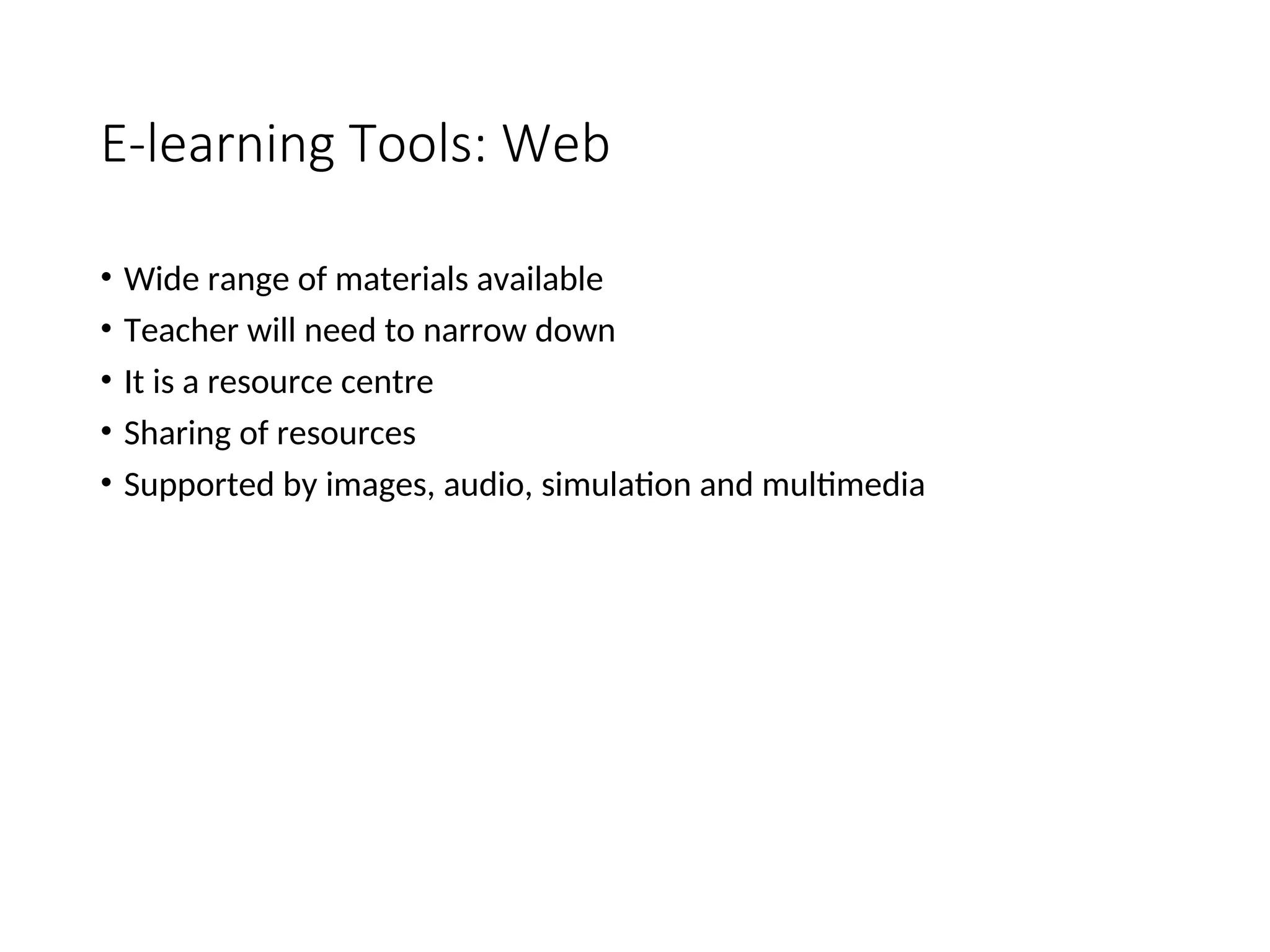
E-learning Tools: Web
• Wide range of materials available
• Teacher will need to narrow down
• It is a resource centre
• Sharing of resources
• Supported by images, audio, simulation and multimedia
E-learning tools: Video Conference
• Can conduct a live lecture
• Communication with students
• Communication with parents
• Support by audio, chat and whiteboard
• Support sharing of applications
• Can be recorded and later be used for on demand lectures
• Demo…
Tools: Learning Management System (LMS)
• Management of content
• Tracking students
• Administrative features
• Integration with various tools such as chat, forum, e-mail, etc.
• Reporting
• Demo... of Multimedia Learning System (MMLS)
Where to start?
• Traditional
• Pen and paper
• Personal presentation
• MS Word
• Use Kid pictures
• Beginning
• Use MS Publisher
• Use MS Powerpoint
• Use creative writing
• Regularly access the Internet
• Students can navigate your Network
• Students frequently use a Digital Camera
• Evolving
• I.C.T. is formally taught to every student
• Students manage the school Internet
• Students and teachers use a wide range of CD ROM
• Student can craft web pages
Where to start?
• Consolidating
• School website is current and reflects school culture
• School website has educational value for students and the wider community
• Students can use multi media
• Advanced
• Teacher use the Intranet to display and initiate learning
• Teachers can design web pages
• Students submit learning using floppy, Network, Print format
• Use selected software to source knowledge
• Use the Internet to compliment learning outcomes
• Use of personal web pages to link to a variety of program
• e-learning / digital classroom
• Teacher use the Intranet to initiate and measure learning
• E Mail is a focal educational exchange medium
• Students are able to manage and produce digitally edited movies
• Multimedia visual literacy is a valued learning focus
• Teachers can comfortably use digital multimedia to enhance learning
Searching the Web
Objectives
1. Help you develop better Web search skills
o Use the right tools for finding various types of information
o Create good search strategies & queries
2. Provide tips on how to evaluate and critique information found on the
Web
o Guide for evaluating Web sites
o Identify misinformation on the Web
o Be more selective when choosing sources of information available on the Web
What is the Web?
•collection of graphical pages on the Internet that
can be read and interacted with by computer
•Consists of pages authored by reputable
publishers of information and “anyone with a
computer and a modem, requiring no editing or
checking for factual accuracy”
[From: Netlingo.com (
[From: Netlingo.com (
http://www.netlingo.com/lookup.cfm?term=Internet) & Anne P. Mintz,
) & Anne P. Mintz,
editor.
editor. Web of Deception: Misinformation on the Internet
Web of Deception: Misinformation on the Internet. Information
. Information
Today, Inc., 2002, p. xvii.]
How do we find
relevant information on
the Web?
Web Search Tools
•Search engines
•Metasearch
engines
•Web subject
directories
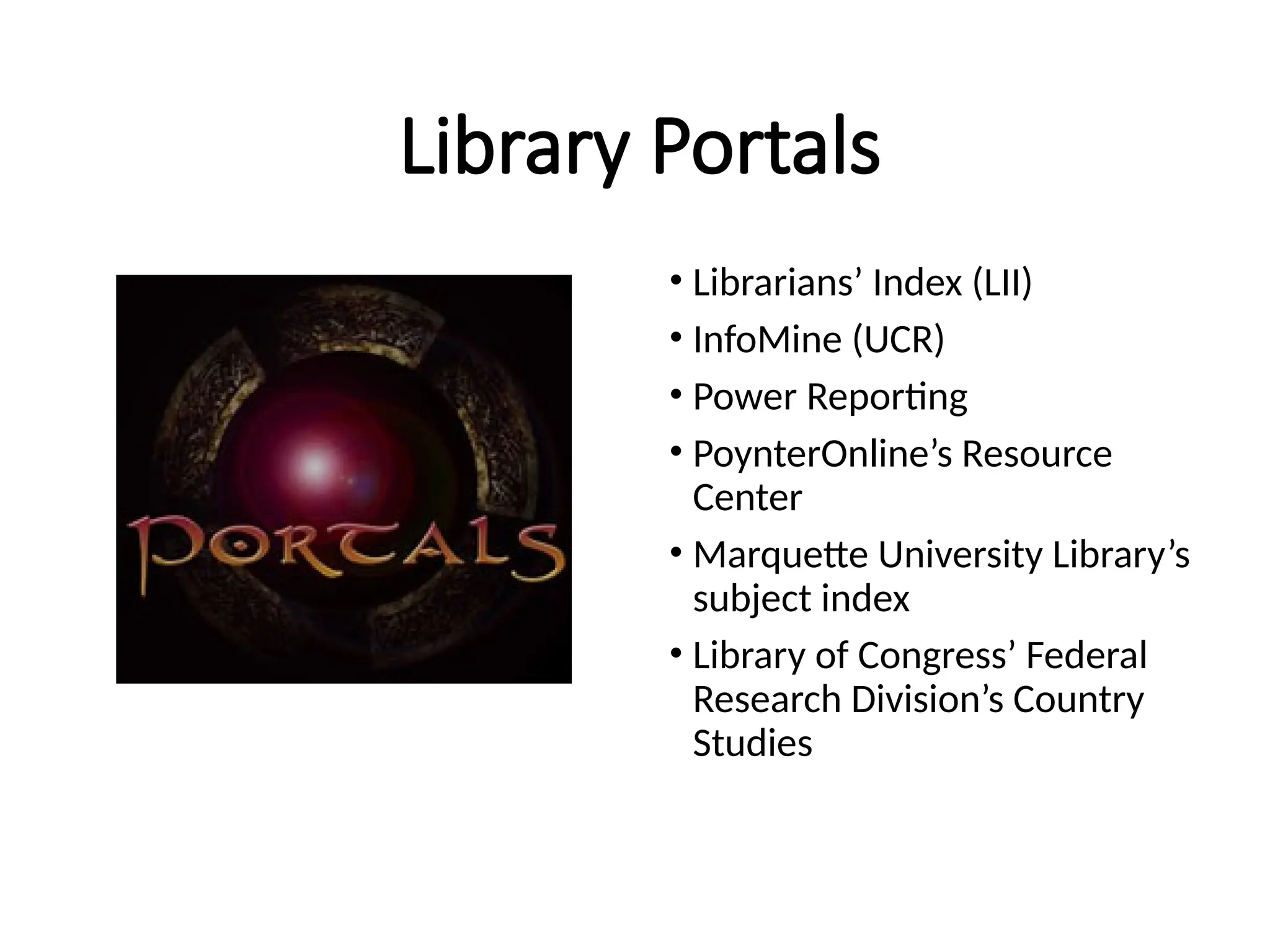
•Library portals
Search Engines
Metasearch Engines
Web Subject Directories
Library Portals
• Librarians’ Index (LII)
• InfoMine (UCR)
• Power Reporting
• PoynterOnline’s Resource
Center
• Marquette University Library’s
subject index
• Library of Congress’ Federal
Research Division’s Country
Studies
Search Engine Myths
1) Search engines provide a comprehensive coverage of the
Web.
2) All search engines are created equal.
3) There is much overlap in search engine coverage.
4) If I can’t find it in Google, then it doesn’t exist on the Web.
5) A search engine’s index is always current.
6) Search engines automatically sort results by relevance.
7) If you found a Web page once using a search engine, you’ll
find it again.
[Chris Sherman and Gary Price. The Invisible Web: Uncovering Information Sources Search Engines
Can’t See. Information Today, Inc., 2001.]
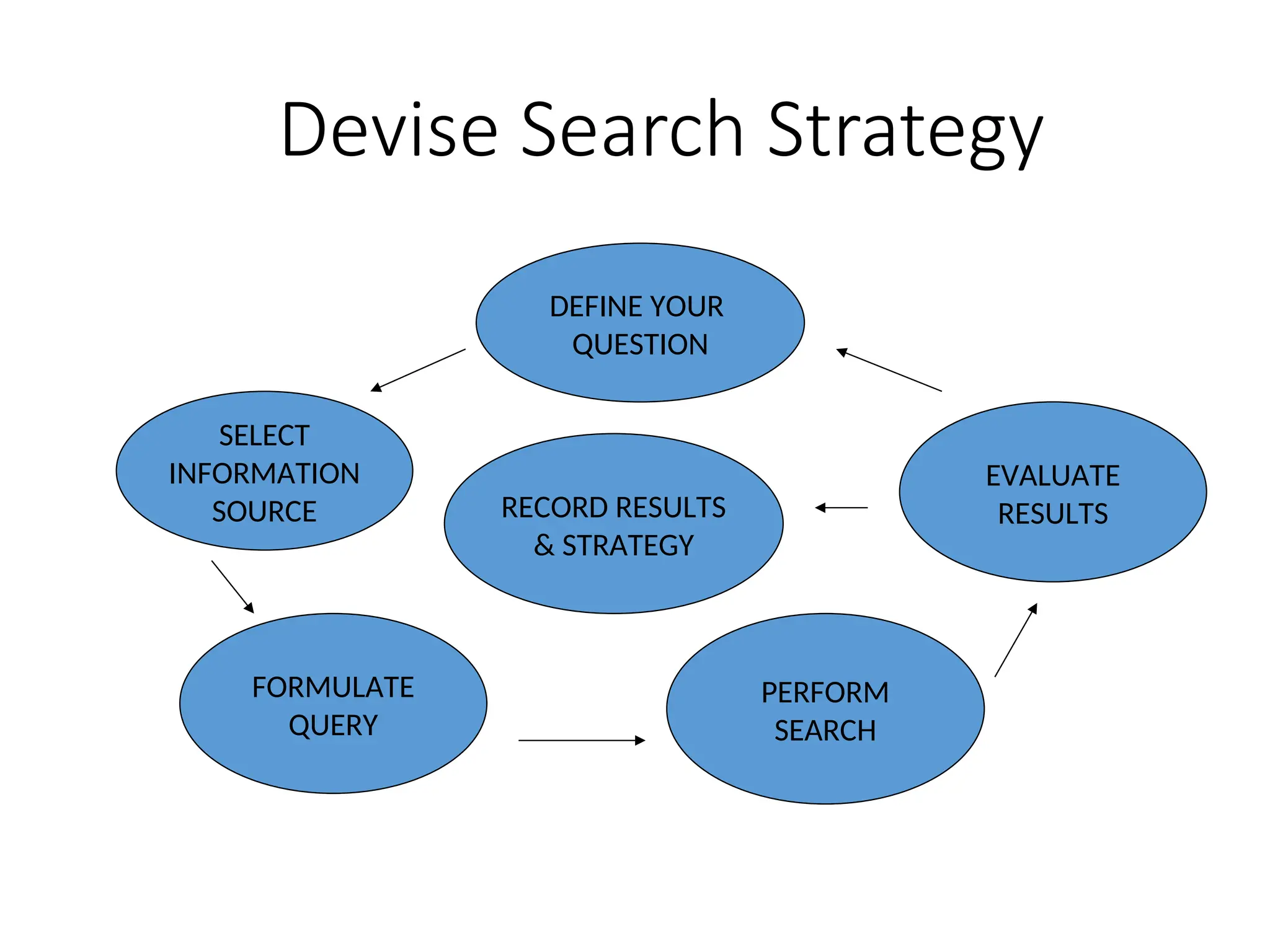
Devise Search Strategy
DEFINE YOUR
QUESTION
SELECT
INFORMATION
SOURCE
FORMULATE
QUERY
PERFORM
SEARCH
RECORD RESULTS
& STRATEGY
EVALUATE
RESULTS
QUICK Web Search Tips
1. ALWAYS ask yourself where you would most likely find
type of information? Then go straight to the source.
2. Select most appropriate type of search vehicle
3. ALWAYS type more than one word in the query field
4. Remember to use advanced search features
5. Search for words that should be on a web page, not broad
keywords
6. Frustrated? Seek help. Contact a librarian.
Beyond Search Engines:
What is the Invisible Web?
“Text pages, files, or other often high-quality
authoritative information available via the World Wide
Web that general-purpose search engines cannot, due
to technical limitations, or will not, due to deliberate
choice, add to their indices of Web pages. Sometimes
also referred to as the ‘Deep Web’ or ‘dark matter.’ “
[Chris Sherman and Gary Price. The Invisible Web: Uncovering Information Sources
Search Engines Can’t See. Information Today, Inc., 2001, p. 57.]
Beyond Search Engines:
How to Find Content on the Invisible Web
• Pay attention to links found on Web sites
from Government agencies, academic
institutions, and other organizations
• Use industry gateways/portals
• Check resource links in library guides
• Build a favorites/bookmark list of Web
sites you find
Misinformation on the Web
• Beware of agenda-driven sites
• Opinions stated as fact can be
dangerous
• Errors get repeated in news sources
• Scrutinize methodology and source
of statistics – identify bias, if any
• Always question, compare and verify
Mintz, Anne P. (editor) Web of Deception: Misinformation on the Internet.
Information Today, Inc., 2002.
Evaluating Web Sites
•Know how to spot unreliable sites
•Check URL for clues
•Site sponsors: Is site bombarded with advertising?
•Is the site frequently linked to or reviewed?
•Use authoritative portals to check on sites
•Follow 5 Criteria for Evaluating Web sites
Web Site Evaluation Criteria
1) Accuracy
2) Authority
3) Objectivity
4) Currency
5) Coverage
[From Kapoun, Jim. “Teaching undergrads WEB evaluation: A guide for
[From Kapoun, Jim. “Teaching undergrads WEB evaluation: A guide for
library instruction.” C&RL News, July/Aug. 1998, v. 59, #7.
http://www.ala.org/ala/acrl/acrlpubs/crlnews/backissues1998/julyaugust6/teachingu
ndergrads.htm
]
]
Evaluation Criteria #1
ACCURACY
• Who is the author of the site?
• Can you contact him/her?
• Are the author’s credentials listed?
• What’s the purpose of the document?
• Is the information presented as fact
accurate?
Evaluation Criteria #2
AUTHORITY
• Who is the publisher of the document?
• Publisher’s credentials?
• What’s the reputation of the publisher?
• Check URL domain.
• Are they experts in the field?
Evaluation Criteria #3
OBJECTIVITY
• What are the goals/objectives for the
page/site?
• How detailed is the information?
• What opinions (if any) are expressed by the
author?
• Is there an information bias?
Evaluation Criteria #4
CURRENCY
• When was the document produced?
• When was it updated?
• How up-to-date are its links?
• Are there dead links present?
• Does the information appear to be outdated?
Evaluation Criteria # 5
COVERAGE
• Are the links evaluated and do they
complement the subject of the document?
• Is the information presented cited correctly?
• Is there a fee to obtain the information or is it
free?
Ethics & the Web
• Copyright laws do apply to Web documents as much as
they apply to print documents
• Read a Web page’s copyright statements carefully – don’t
just click through it
• Follow copyright permission request instructions
• Use of material should always be credited and cited
accurately
• See CPA’s “Fair Publishing Practices Code” (revised May
2004)

lecture 4----E-Learning-for-Education.ppt

  • 1.
    1 PREPARDED BY :ENAAMABDELGADER Computer skills 1
  • 3.
    What is E-learning? Theuse of Internet technologies The use of Internet technologies to deliver a broad array of to deliver a broad array of solutions that enhance solutions that enhance knowledge and performance knowledge and performance Rosenberg, Rosenberg, 2001 2001 E-learning is Internet-enabled E-learning is Internet-enabled learning learning http:// http:// www.cisco.com www.cisco.com
  • 4.
    Truth of e-learning Internethas started reshaping education. Education will not be the same in the next decade There is no going back. The traditional classroom There is no going back. The traditional classroom has to be transformed has to be transformed Web-based Education Commission, US Web-based Education Commission, US Many universities/colleges may not survive Many universities/colleges may not survive by the end of this decade by the end of this decade
  • 5.
    E-learning is goingto be big Education and training forms one of the largest sectors of the economy in most countries Over the last decade, the number of corporate universities grew from 400 to 1,800 Meister, Jeanne op. cit., endnote 23 40% of Fortune 500 companies have established corporate universities Moe and Blodgett, op. cit., endnote 21, p. 230. Skilled jobs now represent 85% of all jobs in US, in contrast to 20% in 1950. http://www.webcommission.org/directory
  • 6.
    Education Market willbe big A big growth is expected in the education market A big growth is expected in the education market Student population in US colleges Student population in US colleges increase from 232,000 at the turn increase from 232,000 at the turn of the century to 13 million today of the century to 13 million today In Malaysia, with one university in 1957 to over 21 public and private university The US Army has established a online educational portal and hope to enroll 15,000 to 20,000 of its army personnel for a degree programme The future soldiers will The future soldiers will not be carry guns but not be carry guns but computers computers
  • 7.
    Evolution of EducationTechnology TIME TIME TIME IMPACT Internet: Internet: Greatest Greatest impact impact
  • 8.
    E-learning: Blended mode E-learning:Blended mode Chalk-and-board has long ruled the classrooms • will not be eliminated • Less emphasis Interactive Digital Content: • more emphasis • on demand learning • interactive
  • 9.
    National ICT Agenda KNOWLEDGE-BASED KNOWLEDGE-BASED ECONOMY ECONOMY PEOPLE PEOPLE -Work Culture - ICT Skills - Knowledge worker - Learning Society - United, moral & ethical INFRASTRUCTURE INFRASTRUCTURE - Communication - Fibre-Optic Cabling - Gigabit ATM - Satellite - Transport/Logistic - etc APPLICATION & APPLICATION & CONTENT CONTENT - Smart Schools - e-govt. - Smartcard - Tele-medicine - Others
  • 10.
    ECONOMY TIME INFORMATION SOCIETY KNOWLEDGE SOCIETY COMPETITIVESOCIETY 2005 2020 2010 ICT based Economy Knowledge Products & Services Competitive Knowledge Economy NATION’s ICT EDUCATION VISION
  • 11.
    MMU Objectives multimedia university Quality Quality Leading-edge Leading-edge Research, Research, BestStaff and Best Staff and Students, Students, Good Facilities & Good Facilities & Services, etc Services, etc P r i v a t e P r i v a t e M a r k e t d r i v e n c o u r s e s & M a r k e t d r i v e n c o u r s e s & R e s e a r c h , C o l l a b o r a t i o n s R e s e a r c h , C o l l a b o r a t i o n s w i t h i n d u s t r i e s , w i t h i n d u s t r i e s , P r u d e n t S p e n d i n g , e t c P r u d e n t S p e n d i n g , e t c , S p e e d S p e e d R e s p o n s i v e t o c h a n g e , R e s p o n s i v e t o c h a n g e , s h o r t e r t i m e t o a c h i e v e w o r l d - c l a s s , s h o r t e r t i m e t o a c h i e v e w o r l d - c l a s s , A p p l i c a t i o n o f t e c h n o l o g y , A p p l i c a t i o n o f t e c h n o l o g y , G o o d I n f o r m a t i o n S y s t e m , e t c G o o d I n f o r m a t i o n S y s t e m , e t c MMU MMU
  • 12.
    Framework of MMU INFRASTRUCTURE (622MbpsATM, Gigabit Ethernet, Wireless Access Points, Satellite, etc) STAFF STAFF DATABASE DATABASE STUDENT STUDENT DATABASE DATABASE LIBRARY LIBRARY DATABASE DATABASE OTHER OTHER DATABASE DATABASE CONTENT CONTENT ICE MS SMA RT CA RD MM LS DIG ITA L LIB . WA P SM S NEM S IVR DO C. MG T. PA PE RLE SS ON LIN E AP P. RA DIO MM U E-P RO CU RE ME NT INTERNET INTERNET WIRELESS DEVICES WIRELESS DEVICES CLIENT/SERVER CLIENT/SERVER STUDENTS STUDENTS LECTURERS LECTURERS ADMIN. ADMIN. OTHERS OTHERS
  • 13.
    MMU: Preparing studentsfor lifelong learning GLOBALISATION GLOBALISATION LEARNING LEARNING ORGANISATION ORGANISATION KNOWLEDGE KNOWLEDGE ECONOMY ECONOMY IMPACT OF ICT IMPACT OF ICT KNOWLEDGER KNOWLEDGER WORKER WORKER COMPETITION COMPETITION Satellite-based Education Satellite-based Education E-Learning E-Learning Industrial Training Industrial Training Classroom Lectures Classroom Lectures LEARNING LEARNING SOCIETY SOCIETY LEARNING LEARNING COMMUNITIES COMMUNITIES LEARNING LEARNING FAMILIES FAMILIES LEARNING LEARNING INDIVIDUAL INDIVIDUAL
  • 14.
    Learning models willneed to change INDUSTRIAL AGE INDUSTRIAL AGE LEARNING MODEL LEARNING MODEL DIGITAL AGE DIGITAL AGE LEARNING MODEL LEARNING MODEL How do people learn in a digital environment? How do people learn in a digital environment? Is e-learning effective? Is e-learning effective? Are learners ready? Are learners ready? New learning model are needed New learning model are needed
  • 15.
    Traditional & E-learningApproach Traditional and E-learning approaches Traditional and E-learning approaches Traditional Classroom Traditional Classroom E-Learning E-Learning Classroom Classroom • Physical – limited size Physical – limited size • Synchronous Synchronous • Unlimited Unlimited • Anytime, anywhere Anytime, anywhere Content Content • PowerPoint/transparency/etc PowerPoint/transparency/etc • Textbooks/library Textbooks/library • Video Video • Collaboration Collaboration • Multimedia / simulation Multimedia / simulation • Digital library Digital library • On demand On demand • Syn & Asyn. Communication Syn & Asyn. Communication Personalisation Personalisation • One learning path One learning path • Learning path and pace Learning path and pace determined by learner determined by learner
  • 16.
    Delivery mode willchange Lack of facilities and funding Increase in tuition fee Growing student population Privatisation of education Cost effective solutions (e.g. e-learning) More virtual universities Delivery Mode Delivery Mode 100 : 0 (F/T) 100 : 0 (F/T) 80 : 20 (F/T) 80 : 20 (F/T) 20 : 80 (DE) 20 : 80 (DE) BRIC K BRIC K CLICK CLICK
  • 17.
    Teaching aids willchange Blackboard Blackboard OHP OHP TV/VHS TV/VHS LCD LCD PC PC Whiteboard Whiteboard
  • 18.
    E-learning E-learning • In anon-line multimedia learning In an on-line multimedia learning environment: environment: – teaching & learning is ‘one-to-one’ teaching & learning is ‘one-to-one’ (individual) (individual) – more interactivity more interactivity (in normal classroom, it varies with the (in normal classroom, it varies with the class size) class size) – learner-centred learner-centred – Learner monitoring & grading system Learner monitoring & grading system
  • 19.
    Benefits Benefits • Convenient Convenient – self-service self-service( (mix and match mix and match) ) – on-demand ( on-demand (anytime, anywhere anytime, anywhere) ) – private learning private learning – self-paced self-paced – Flexibility: Flexibility: (modular package) (modular package)
  • 20.
    • Cost-effective Cost-effective – Virtuallearning environment Virtual learning environment – Share lessons among schools Share lessons among schools – Reduce material cost Reduce material cost – Reduce travel/accommodation costs Reduce travel/accommodation costs Benefits Benefits
  • 21.
    Benefits Benefits • Consistent Consistent – Centralcontrol of content Central control of content – Same quality of content for all Same quality of content for all – Same quality of education for all Same quality of education for all
  • 22.
    Benefits Benefits • media-rich media-rich – Easierto understand & more engaging Easier to understand & more engaging • repeatable repeatable – As many times as you like As many times as you like • easier to monitor progress easier to monitor progress – less administrative work less administrative work – can be more precise can be more precise
  • 23.
  • 24.
    Building an e-learningculture Learner: Learner: Self-directed Self-directed Self-motivated Self-motivated Self-regulating Self-regulating Lifelong learning Lifelong learning Teacher: Teacher: Develop knowledge & skills Develop knowledge & skills Understand learning and its need Understand learning and its need Facilitate learning Facilitate learning Create learning opportunities Create learning opportunities Administrator: Administrator: Create Learning environment Create Learning environment Provide ICT infrastructure Provide ICT infrastructure Resources for lifelong learning Resources for lifelong learning Building an Building an E-learning E-learning Culture Culture
  • 25.
    E-learning tools: E-mail •Every teacher should have an e-mail account • Communicate with students • Communicate with parents • Students can submit assignment • Can have attachments • Create a paperless environment • Simple but effective • Efficient and cost effective
  • 26.
    E-learning tools: Chat •Synchronous communication tool • Communicate with students • Communicate with parents • More students participate • Collaborative learning
  • 27.
    E-learning tools: OnlineForum • Asynchronous discussion forum • Teacher can create discussion groups • Teacher could post a question and request students to comment • Students can post their comments • Can encourage community participation • Collaborative learning can be fostered • Feedback from diverse culture
  • 28.
    E-learning Tools: Web •Wide range of materials available • Teacher will need to narrow down • It is a resource centre • Sharing of resources • Supported by images, audio, simulation and multimedia
  • 29.
    E-learning tools: VideoConference • Can conduct a live lecture • Communication with students • Communication with parents • Support by audio, chat and whiteboard • Support sharing of applications • Can be recorded and later be used for on demand lectures • Demo…
  • 30.
    Tools: Learning ManagementSystem (LMS) • Management of content • Tracking students • Administrative features • Integration with various tools such as chat, forum, e-mail, etc. • Reporting • Demo... of Multimedia Learning System (MMLS)
  • 31.
    Where to start? •Traditional • Pen and paper • Personal presentation • MS Word • Use Kid pictures • Beginning • Use MS Publisher • Use MS Powerpoint • Use creative writing • Regularly access the Internet • Students can navigate your Network • Students frequently use a Digital Camera • Evolving • I.C.T. is formally taught to every student • Students manage the school Internet • Students and teachers use a wide range of CD ROM • Student can craft web pages
  • 32.
    Where to start? •Consolidating • School website is current and reflects school culture • School website has educational value for students and the wider community • Students can use multi media • Advanced • Teacher use the Intranet to display and initiate learning • Teachers can design web pages • Students submit learning using floppy, Network, Print format • Use selected software to source knowledge • Use the Internet to compliment learning outcomes • Use of personal web pages to link to a variety of program • e-learning / digital classroom • Teacher use the Intranet to initiate and measure learning • E Mail is a focal educational exchange medium • Students are able to manage and produce digitally edited movies • Multimedia visual literacy is a valued learning focus • Teachers can comfortably use digital multimedia to enhance learning
  • 33.
  • 34.
    Objectives 1. Help youdevelop better Web search skills o Use the right tools for finding various types of information o Create good search strategies & queries 2. Provide tips on how to evaluate and critique information found on the Web o Guide for evaluating Web sites o Identify misinformation on the Web o Be more selective when choosing sources of information available on the Web
  • 35.
    What is theWeb? •collection of graphical pages on the Internet that can be read and interacted with by computer •Consists of pages authored by reputable publishers of information and “anyone with a computer and a modem, requiring no editing or checking for factual accuracy” [From: Netlingo.com ( [From: Netlingo.com ( http://www.netlingo.com/lookup.cfm?term=Internet) & Anne P. Mintz, ) & Anne P. Mintz, editor. editor. Web of Deception: Misinformation on the Internet Web of Deception: Misinformation on the Internet. Information . Information Today, Inc., 2002, p. xvii.] Today, Inc., 2002, p. xvii.]
  • 36.
    How do wefind relevant information on the Web?
  • 37.
    Web Search Tools •Searchengines •Metasearch engines •Web subject directories •Library portals
  • 38.
  • 39.
  • 40.
  • 41.
    Library Portals • Librarians’Index (LII) • InfoMine (UCR) • Power Reporting • PoynterOnline’s Resource Center • Marquette University Library’s subject index • Library of Congress’ Federal Research Division’s Country Studies
  • 42.
    Search Engine Myths 1)Search engines provide a comprehensive coverage of the Web. 2) All search engines are created equal. 3) There is much overlap in search engine coverage. 4) If I can’t find it in Google, then it doesn’t exist on the Web. 5) A search engine’s index is always current. 6) Search engines automatically sort results by relevance. 7) If you found a Web page once using a search engine, you’ll find it again. [Chris Sherman and Gary Price. The Invisible Web: Uncovering Information Sources Search Engines Can’t See. Information Today, Inc., 2001.]
  • 43.
    Devise Search Strategy DEFINEYOUR QUESTION SELECT INFORMATION SOURCE FORMULATE QUERY PERFORM SEARCH RECORD RESULTS & STRATEGY EVALUATE RESULTS
  • 44.
    QUICK Web SearchTips 1. ALWAYS ask yourself where you would most likely find type of information? Then go straight to the source. 2. Select most appropriate type of search vehicle 3. ALWAYS type more than one word in the query field 4. Remember to use advanced search features 5. Search for words that should be on a web page, not broad keywords 6. Frustrated? Seek help. Contact a librarian.
  • 45.
    Beyond Search Engines: Whatis the Invisible Web? “Text pages, files, or other often high-quality authoritative information available via the World Wide Web that general-purpose search engines cannot, due to technical limitations, or will not, due to deliberate choice, add to their indices of Web pages. Sometimes also referred to as the ‘Deep Web’ or ‘dark matter.’ “ [Chris Sherman and Gary Price. The Invisible Web: Uncovering Information Sources Search Engines Can’t See. Information Today, Inc., 2001, p. 57.]
  • 46.
    Beyond Search Engines: Howto Find Content on the Invisible Web • Pay attention to links found on Web sites from Government agencies, academic institutions, and other organizations • Use industry gateways/portals • Check resource links in library guides • Build a favorites/bookmark list of Web sites you find
  • 47.
    Misinformation on theWeb • Beware of agenda-driven sites • Opinions stated as fact can be dangerous • Errors get repeated in news sources • Scrutinize methodology and source of statistics – identify bias, if any • Always question, compare and verify Mintz, Anne P. (editor) Web of Deception: Misinformation on the Internet. Information Today, Inc., 2002.
  • 48.
    Evaluating Web Sites •Knowhow to spot unreliable sites •Check URL for clues •Site sponsors: Is site bombarded with advertising? •Is the site frequently linked to or reviewed? •Use authoritative portals to check on sites •Follow 5 Criteria for Evaluating Web sites
  • 49.
    Web Site EvaluationCriteria 1) Accuracy 2) Authority 3) Objectivity 4) Currency 5) Coverage [From Kapoun, Jim. “Teaching undergrads WEB evaluation: A guide for [From Kapoun, Jim. “Teaching undergrads WEB evaluation: A guide for library instruction.” C&RL News, July/Aug. 1998, v. 59, #7. library instruction.” C&RL News, July/Aug. 1998, v. 59, #7. http://www.ala.org/ala/acrl/acrlpubs/crlnews/backissues1998/julyaugust6/teachingu ndergrads.htm ] ]
  • 50.
    Evaluation Criteria #1 ACCURACY •Who is the author of the site? • Can you contact him/her? • Are the author’s credentials listed? • What’s the purpose of the document? • Is the information presented as fact accurate?
  • 51.
    Evaluation Criteria #2 AUTHORITY •Who is the publisher of the document? • Publisher’s credentials? • What’s the reputation of the publisher? • Check URL domain. • Are they experts in the field?
  • 52.
    Evaluation Criteria #3 OBJECTIVITY •What are the goals/objectives for the page/site? • How detailed is the information? • What opinions (if any) are expressed by the author? • Is there an information bias?
  • 53.
    Evaluation Criteria #4 CURRENCY •When was the document produced? • When was it updated? • How up-to-date are its links? • Are there dead links present? • Does the information appear to be outdated?
  • 54.
    Evaluation Criteria #5 COVERAGE • Are the links evaluated and do they complement the subject of the document? • Is the information presented cited correctly? • Is there a fee to obtain the information or is it free?
  • 55.
    Ethics & theWeb • Copyright laws do apply to Web documents as much as they apply to print documents • Read a Web page’s copyright statements carefully – don’t just click through it • Follow copyright permission request instructions • Use of material should always be credited and cited accurately • See CPA’s “Fair Publishing Practices Code” (revised May 2004)

Editor's Notes

  • #33 I’ve been with CNS for 10 years. I have an IR background and now love being a news librarian. Cassandra came to CNS from National Geographic. She has an MLS from the University of Maryland. She will be going to SLA in two weeks to conference seminars that will address similar things- keeping professional connections and keeping current with issues of searching, misinformation and new and improved resources benefits the entire industry of the Catholic Press. Being a couple of the only librarians/archivists in the CPA we are glad to guide and advise you on these topics.
  • #34 The job of the journalist has gotten more complicated these days of 24/7 news. ease of locating information Pressures of time We wanted to present this workshop because in meeting with other news librarians and journalists we have become very aware of the problems and how wide-spread they are. Worst examples being: Jayson Blair at the NY Times Jack Kelley at USA Today Fact-checking and repeating errors are so easy now, especially with electronic copy and databases. Because so many newsrooms use the same search tools and the same databases, errors and false stories are perpetuated rapidly.
  • #35 Internet is a “global network of computer networks that allows for e-mail, the transferring of files (ftp), newsgroups, and the World Wide Web (www).” Web is one of the ways that information can be disseminated over the Internet.
  • #37 Search engines - software selected sites/pages (Google, Teoma, Gigablast, AltaVista, MSN Search, Yahoo!Search, HotBot) Metasearch engines – search many tools at once (C4, Dogpile, MetaFind, SavvySearch, MetaCrawler) Web subject directories - human-collected sites indexing sites in subject categories (Yahoo!, Open Directory, LookSmart, InfoMine, RDN, About.com) Library portals – evaluated, human collected sites of subject-oriented resources – selected sites are added to the index based on a select criteria – usually BEST or MOST USEFUL sites (Librarians’ Index (LII), Power Reporting, PoynterOnline’s Resource Center, Marquette University Library’s subject index, Library of Congress’ Federal Research Division’s Country Studies)
  • #38 From GREG NOTESS’ site: www.searchengineshowdown.com (Accessed 5/13/04) Teoma – claims to index over 500 million URLs. Uses one single database of indexed Web pages, but also includes paid ad results under heading of 'Sponsored Links.' Strengths: Identifying metasites; Refine feature focusing on Web communities. Weaknesses: Smaller database; No truncation; No ability to uncluster results to easily see more than two hits per site; no cached copies of pages. Limited boolean searching. Proximity searching is only available by use of phrase searching by using double quotes around phrases. Recommendation: use advance search features. Google – claims 560 million fully indexed records. Strengths: Size and scope: It is now the largest, and includes PDF, DOC, PS, and many other file types; Relevance based on sites' linkages and authority; Cached archive of Web pages as they looked when they were indexed; Additional databases: Google Groups, News, Directory, etc. Weaknesses: duplication of pages; Limited search features: no nesting, no truncation, does not support full Boolean; Link searches must be exact and are incomplete; Only indexes first 101 KB of a Web page and about 120 KB of PDFs; May search for plural/singular, synonyms, and grammatical variants without telling you. Recommendations: Use Advanced search feature; Check out Google labs to see what they’re working on. Yahoo!Search – Strengths: A very large, new (as of Feb. 2004) search engine database; Includes cached copies of pages; Also includes links to the Yahoo! Directory; Supports full Boolean searching. Weaknesses: Lack of some advanced search features such as truncation; Only indexes first 500 KB of a Web page (still more than Google's 101KB); Link searches require the inclusion of the http:// ; Includes some pay for inclusion sites.
  • #39 General Problems: All multisearch engines have significant limitations as a comprehensive search tool. They are subject to time outs, when search processing takes too long. Since most only retrieve the top 10-50 hits from each search engine, the total number of hits retrieved may be considerably less than found by doing a direct search on one of the search engines. Advanced search features on individual search engines are not usually available. Phrase and Boolean searching may not be properly processed or available. One Example: Dogpile –Owned by InfoSpace, searches Google, Yahoo, Ask Jeeves, About, LookSmart,Teoma, Overture. Strengths: advance search features; can view results by search engine allows you to compare results; gives suggestions on how to refine search.
  • #40 Directories are usually human-compiled guides to the web, where sites are organized in a hierarchy by subject categories. YAHOO! – searching content from Yahoo! directory, sponsored link ads, Google web pages & Images. Strengths: most recognizable directory, one of the largest subject directories, good source for popular and general information. Weaknesses: dated material with dead links, commercial content overpopulates directory, doesn’t support boolean operators or nested searches. The Open Directory Project – large database run by group of volunteer editors, but quality is often inconsistent. Although it supports boolean searching, however cannot nest searches with parentheses. No phrase/proximity searches. No search limits or field searching available. Looksmart – Strengths: LookSmart Live is a service more than a database that offers personalized email responses to questions; entries made by group of 200 editors; Weaknesses: no advanced searching; no phrase/proximity searching.
  • #41 What are Library (or Subject Portals)? Human-collected guides to web resources. Library portals are usually very comprehensive when covering their subject. Unlike a subject directory, library portals are much more selective in the resources they include. Description of sites are often available with the links. Very useful because of the authoritative sites they collect. Normally up-to-date, therefore a good source to consider when browsing for information on a particular subject. These portals can be a good starting point for your research when it’s hard to pinpoint sources. Librarians’ Index – http://www.lii.org InfoMine – http://infomine.ucr.edu Power Reporting by Bill Dedman – http://powerreporting.com Poynter Online’s Resource Center – http://www.poynter.org/resource_center/ Marquette Univ. Library’s subject index – http://www.marquette.edu/library/sites/index.html & http://www.marquette.edu/library/sites/communications.html Library of Congress’ Federal Research Division’s Country Studies - http://lcweb2.loc.gov/frd/cs/cshome.html
  • #42 1. Search engines provide a comprehensive coverage of the Web. – No search engine knows about every page on the Web. “..most include only 20-50% of the visible web coverage.” Web crawlers cannot keep up with the growing size of the Web. Crawlers cannot view all the types of formats of pages on the Web. So there’s still going to be a lot of relevant information on the Web that you will not find using a search engine. 2. All search engines are created equal. - “Search engines vary widely in their comprehensiveness, currency, and coverage of the Web.” So even though you enter the same query in various search engines, you’ll have different results. Like people, they all process information differently. They are built with different search capabilities, ranking schemes, and crawl the web searching for information at different times – the Web is not a static place – it’s constantly in flux – changing all the time. 3. There is much overlap in search engine coverage. - Surprisingly, as Greg Notess points out in his testing of search engines (http://searchengineshowdown.com//stats/0002overlap.shtml), major search engines have little or no overlap of coverage. With clickthrough analysis & link popularity ranking (Google), major search engines will have much higher overlap on popular or well-linked pages. Therefore, it’s always a good idea not to limit yourself to using just one search engine. 4. If I can’t find it in Google, then it doesn’t exist on the Web. – Google is great because of its ability to produce relevant hits for a given query, however, there’s so much more on the Web that Google cannot find, such as: Content available through Web-accessible databases; pages deep within a web site; 5. A search engine’s index is always current. – Because crawling the web to find resources and then indexing them is such an expensive endeavor, many search engines simply do not re-crawl pages they’ve already indexed. Thus, changes that have occurred to those pages after it was indexed would not have been captured and indexed properly. 6. Search engines automatically sort results by relevance. - 7. If you found a Web page once using a search engine, you’ll find it again. – Once again, the Web is not a static place – it’s constantly in flux – changing all the time.
  • #43 BASIC APPROACH ON HOW TO APPROACH A SEARCH: Define your question – State it to yourself in a complete sentence with all the details: How many current members of Congress are Catholic and who are they? Select information source – Web resource, print source, newspaper articles, etc. Formulate query – Search engine query for Google: “catholics in congress” returns 149 hits. Perform search. Evaluate results – Satisfactory? Yes? No? Reformulate your query or choose another information source. Record results and strategy.
  • #44 First ask yourself where would I most likely find this type of information? Is the info I’m looking for reported to or regulated by a government agency, diocese, or monitored by a certain group/organization (examples stats generated by CARA at Georgetown, mapping of U.S. created by USGS) 2. Should I use a search engine, metasearch engine, web subject directory or a library portal? Search engines are most effective for searches with very unusual keywords, for combining keywords, for using advanced features such as field searching and limiting, and for finding pages buried inside a Web site. Metasearch engines can be effective when you’re just beginning a search on an unfamiliar topic in order to get a sense for keywords to use for specific search engines. Directories are ideal for browsing for information. Good for getting a high-level overview of a subject. Library Portals are useful when you are looking for authoritative Web sources on a particular topic and do not have much time to filter through thousands of pages of results from a search engine or web directory. 3. Using more keywords will help narrow your search. 4. Advance search features help refine your search: can use search limits, search by type of document, etc. 5. Use specific keywords not broad terms
  • #45 Search engine crawlers rely on links on Web pages to find other pages. Since search engines are designed to index text and have a hard time finding and indexing other formats: pdfs (except Google), audio, executables (program files), compressed files (.zip, .tar), these documents do not show up in your search results. Since these files are not created using HTML format, many search engines (except Google), choose not to sink their resources into storing a 150 page document formatted as a pdf file on their server. Information stored in databases are not directly retrievable by searching the Web using a search engine. The search engines may find gateways or portals to the databases, but the actual content of the databases is invisible to the web crawler. Any page that is password protected, cannot be crawled by a search engine.
  • #46 Pay attention to links found on Web sites from Government agencies, academic institutions, and other organizations. 2. Use industry gateways/portals – Human-organized guides to web resources: Poynter.org, PowerReporting.com, USCCB site, API’s Journalist’s toolkit (http://www.americanpressinstitute.org/toolbox/) 3. Check resource links in library guides – More human-organized guides: Columbia Journalism School (http://www.columbia.edu/cu/lweb/indiv/jour/subject.html) offers subject list of resources; other college library guides; public library guides 4. Build a favorites/bookmark list of Web sites you find.
  • #47 Mintz: beware of sites run by advertisers, agenda-driven sites, you can tell something about site by who they link to. “All information has bias and has to succumb to rigorous evaluation.” –Paul S. Piper Even reliable sources may not have accurate information – ie: Reuters Photo example: Pope John Paul II’s first communion photo = actually his older brother Edmund. - ie: NY Times example of Abortion web pages (NYT, Sunday, April 25, 2004 Week in Review Section 4, page 1) - ie: Incorrect data in almanac – stated that on April 26, 1607, John Smith went ashore to Cape Henry – shortly before the party arrived at Jamestown. This fact has been disputed by other sources, including the Colonial National Historical Park in Historic Jamestown. Truth: Smith was not part of the landing party at Cape Henry. He had been charged with mutiny while in route to Virginia and was under arrest – keeping him aboard the ship.
  • #48 -It’s becoming harder to detect sites that may give you false or inaccurate information. Always trust your gut and always verify facts found on the Web with three other authoritative sources. Look for obvious factual mispresentations -Does the URL give you clues on authority? Government (.gov), University or school (.edu). Be wary of personal pages – use criteria of evaluation to determine credibility. -Are there ads on the site? Do the ads hint at any bias on the content? Who is the sole publisher of the site? -You can always check to see who’s linking to a site by searching Google and typing the query: link:www.catholicnews.com. Web Review Sites: Librarians’ Index to the Internet www.lii.org, The Scout Report http://scout.cs.wisc.edu (Univ. of Wisconsin – Madison Dept. of Computer Sciences). Free Pint www.freepint.co.uk. -Check these sites for recommendations on authoritative links/resources: Poynter.com, ReligionLink, SLA News Division, 1st Headlines, Yahoo! News, etc.
  • #49 Accuracy: Who is the author of the site and can you contact him/her? Author’s credentials? Purpose of the document? Is the information presented as fact accurate? Authority of the Web Document: Who is the publisher of the document? Publisher’s credentials? What’s the reputation of the publisher? Check URL domain. Are they experts in the field? Objectivity of Web Documents: What are the goals/objectives for the page/site? How detailed is the information? What opinions (if any) are expressed by the author? Is there and information bias? Currency of Web documents: When was the document produced? When was it updated? How up-to-date are its links? Are there dead links present? Does the information appear to be outdated? Coverage of the Web documents: Are the links evaluated and do they complement the subject of the document? Is the information presented cited correctly? Is there a fee to obtain the information or is it free?