Free technologies to
support academic
writing and college
assignmentsTrevor Boland
Assistive Technology Officer
Trevor.boland@dit.ie
Atpresentations.tumblr.com
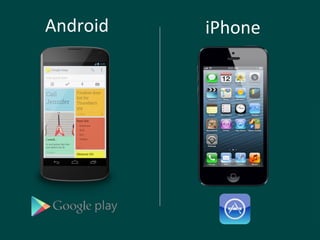
Android iPhone
-Introduction
-Rationale
-The Basics
-Gmail
-VARK
-Media Creators
-Group Work
-Tool kits
-Resources
-Disabilities
Content:
A little bit about me
Why do I use technology ?
Is it part of my everyday life?
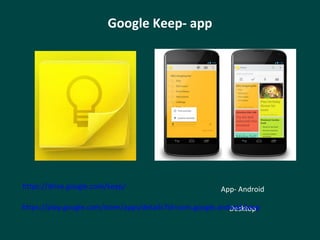
Google Keep- app
App- Android
Desktop
https://drive.google.com/keep/
https://play.google.com/store/apps/details?id=com.google.android.keep
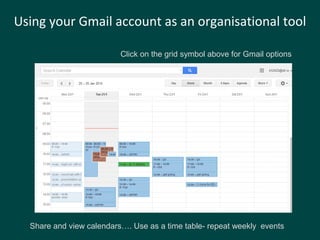
Using your Gmail account as an organisational tool
Click on the grid symbol above for Gmail options
Share and view calendars…. Use as a time table- repeat weekly events
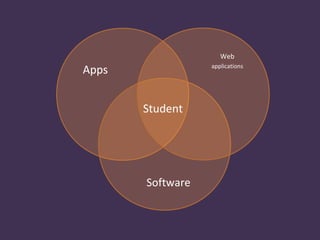
Apps
Software
Web
applications
Student
Rationale
1. Students own a multiple of devices
2. The exposure to technology is increasing.
3. The selection of applications is rising
The Net Generation
Adopting Technology
1. Habit forming
2. Right match
The Basics
The Webcourses app, called
‘Blackboard Learn’, can be
downloaded as an app on your phone
or tablet device for both the Android
and IOS.
(Android and IOS App)
FIND
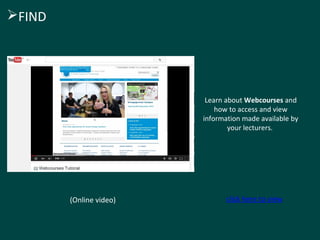
Learn about Webcourses and
how to access and view
information made available by
your lecturers.
(Online video) click here to view

FIND
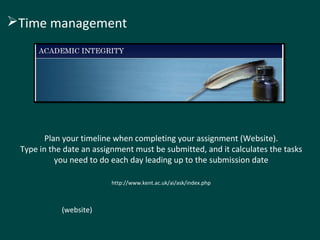
Plan your timeline when completing your assignment (Website).
Type in the date an assignment must be submitted, and it calculates the tasks
you need to do each day leading up to the submission date
http://www.kent.ac.uk/ai/ask/index.php
(website)
Time management
Dictionary and Thesaurus
Explore and understand what the
assignment title is asking you to do.
(Website and App for Android and IOS)
UNDERSTANDING THE ESSAY TITLE
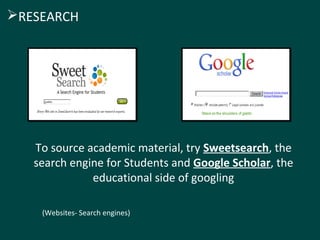
To source academic material, try Sweetsearch, the
search engine for Students and Google Scholar, the
educational side of googling
(Websites- Search engines)
RESEARCH
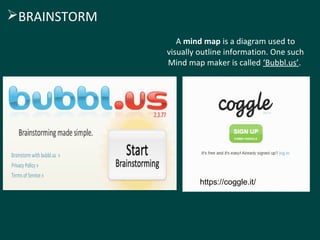
A mind map is a diagram used to
visually outline information. One such
Mind map maker is called ‘Bubbl.us’.
(Web Application)
BRAINSTORM
https://coggle.it/
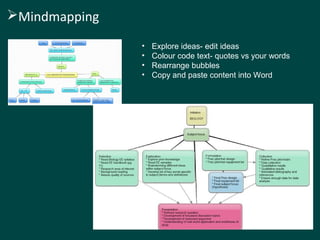
Mindmapping
• Explore ideas- edit ideas
• Colour code text- quotes vs your words
• Rearrange bubbles
• Copy and paste content into Word
Delicious - This allows to store your
Bookmarks online
Website http://delicious.com/
App- IOS
https://itunes.apple.com/us/app/delicious-official-app/id580295142?mt=8
App- Android
https://play.google.com/store/apps/details?id=se.alexanderblom.delicious&hl=en
(App and Website)
Research
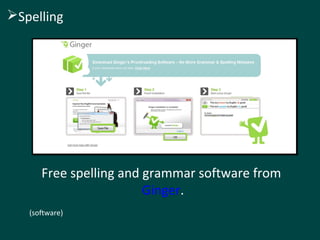
Free spelling and grammar software from
Ginger.
(software)
Spelling
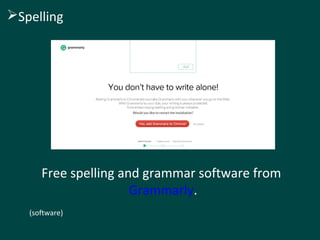
Free spelling and grammar software from
Grammarly.
(software)
Spelling
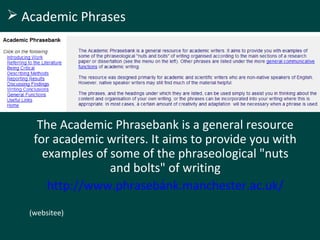
The Academic Phrasebank is a general resource
for academic writers. It aims to provide you with
examples of some of the phraseological "nuts
and bolts" of writing
http://www.phrasebank.manchester.ac.uk/
/
(websitee)
 Academic Phrases
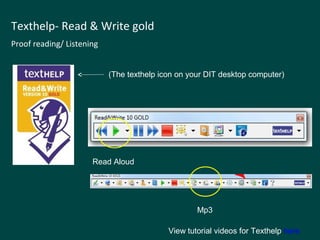
Texthelp- Read & Write gold
Proof reading/ Listening
View tutorial videos for Texthelp here
(The texthelp icon on your DIT desktop computer)
Read Aloud
Mp3
‘Dropbox’ is a free service that lets you bring
your photos, docs, and videos anywhere and
share them easily. (google drive too)
(app / web application)
STORE
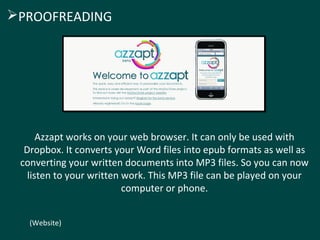
Azzapt works on your web browser. It can only be used with
Dropbox. It converts your Word files into epub formats as well as
converting your written documents into MP3 files. So you can now
listen to your written work. This MP3 file can be played on your
computer or phone.
(Website)
PROOFREADING
Keeping track of your files and folders can be difficult at times. These tips
involve calling your files and folders logical names. Also, file names can
change in a simple way for you to keep track of them like ‘AT essay V1’.
Version 1 can then become V2, V3 and so on as your essay develops.
Naming convention for files and
folders
ORGANISE
Gmail
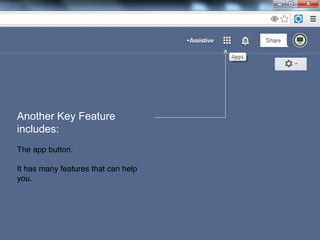
Another Key Feature
includes:
The app button.
It has many features that can help
you.
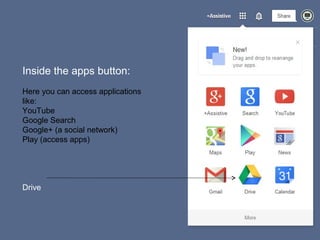
Inside the apps button:
Here you can access applications
like:
YouTube
Google Search
Google+ (a social network)
Play (access apps)
Drive
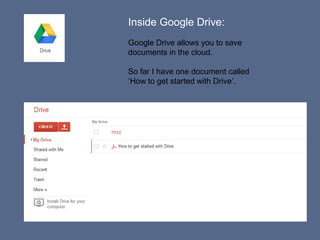
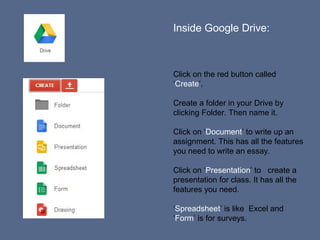
Inside Google Drive:
Google Drive allows you to save
documents in the cloud.
So far I have one document called
‘How to get started with Drive’.
Inside Google Drive:
Click on the red button called
‘Create’.
Create a folder in your Drive by
clicking Folder. Then name it.
Click on ‘Document’ to write up an
assignment. This has all the features
you need to write an essay.
Click on ‘Presentation’ to create a
presentation for class. It has all the
features you need.
‘Spreadsheet’ is like Excel and
‘Form’ is for surveys.
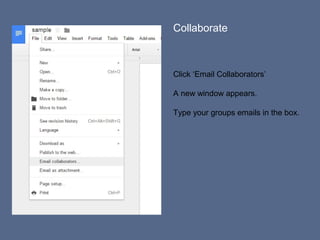
Collaborate
Click ‘Email Collaborators’
A new window appears.
Type your groups emails in the box.
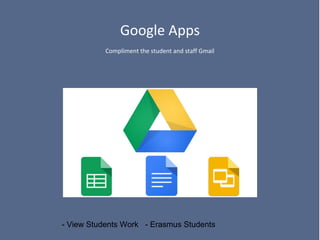
Google Apps
Compliment the student and staff Gmail
- View Students Work - Erasmus Students
VARK
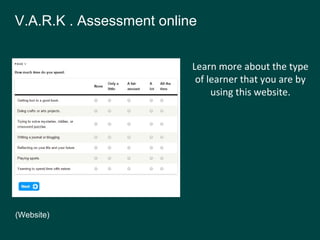
Learn more about the type
of learner that you are by
using this website.
(Website)
V.A.R.K . Assessment online
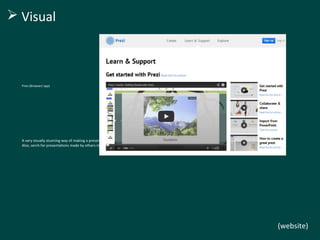
Prezi (Browser/ app)
A very visually stunning way of making a presentation from a free online website.
Also, serch for presentations made by others in the search box. http://prezi.com/
(website)
 Visual
Capture your thoughts on the move with Philips
Dictation Recorder for Android
(Please do not record lectures with out your lecturers permission).
(Android and IOS App)
Auditory
(AudioBoom)
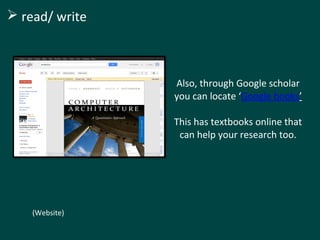
Also, through Google scholar
you can locate ‘Google books’
This has textbooks online that
can help your research too.
(Website)
 read/ write
Develop touch typing skills
website
http://www.typingweb.com/
 Kinesthetic
Specialised
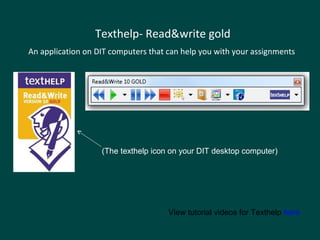
Texthelp- Read&write gold
An application on DIT computers that can help you with your assignments
View tutorial videos for Texthelp here
(The texthelp icon on your DIT desktop computer)
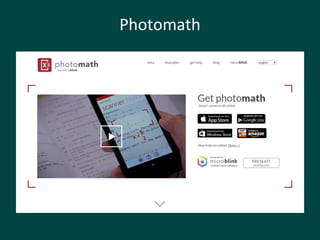
Photomath
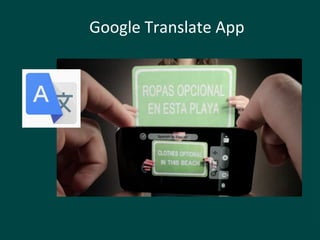
Google Translate App
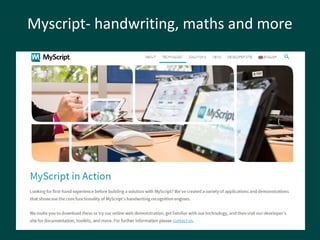
Myscript- handwriting, maths and more
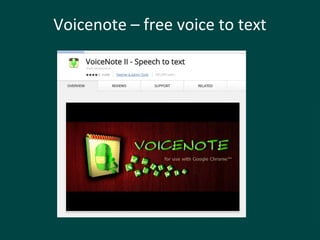
Voicenote – free voice to text
Media Creators
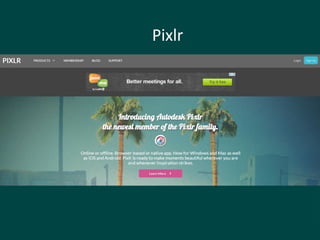
Pixlr
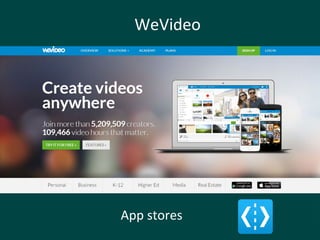
WeVideo
App stores
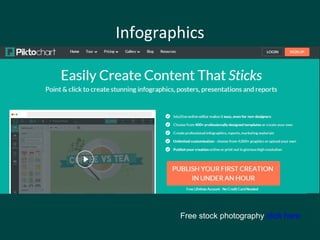
Infographics
Free stock photography click here
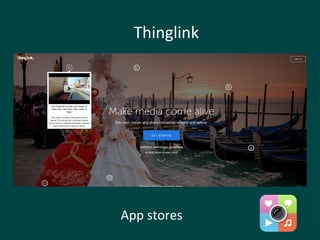
Thinglink
App stores
Group Work
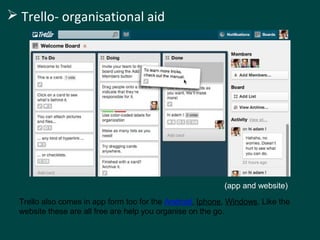
 Trello- organisational aid
Trello also comes in app form too for the Android, Iphone, Windows. Like the
website these are all free are help you organise on the go.
(app and website)
Tool Kits
Graduate Tools
Creating Bibliographies
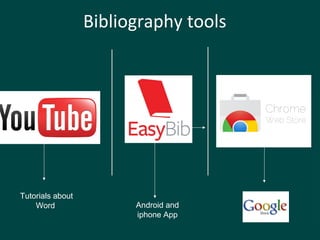
Bibliography tools
Android and
iphone App
Tutorials about
Word
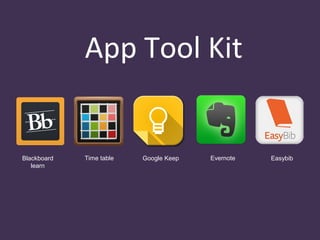
App Tool Kit
Blackboard
learn
Time table Google Keep Evernote Easybib
Resources
Content
Use YouTube to get tips about Word, PowerPoint….
Try Vimeo for online videos too- https://vimeo.com/
Write up note of video
http://www.videonot.es/
Closed captions in Youtube
itunesu Khan Academy
 Content
udemy Skills share
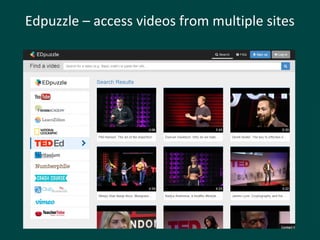
Edpuzzle – access videos from multiple sites
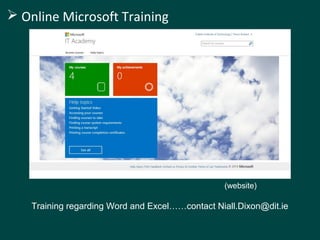
 Online Microsoft Training
Training regarding Word and Excel……contact Niall.Dixon@dit.ie
(website)
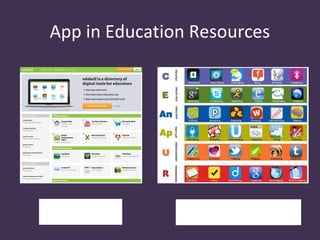
App in Education Resources
Edshelf Bloomin Apps
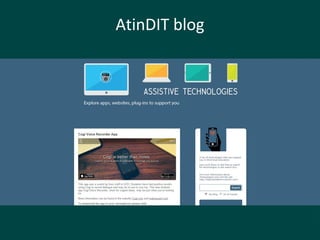
AtinDIT blog
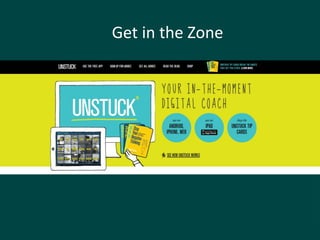
Get in the Zone
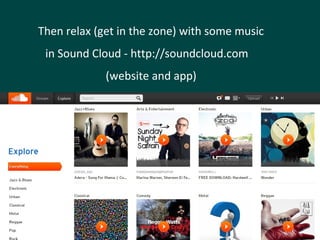
Then relax (get in the zone) with some music
in Sound Cloud - http://soundcloud.com
(website and app)
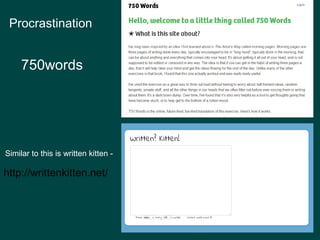
http://writtenkitten.net/
Similar to this is written kitten -
Procrastination
750words
Get in the Zone
5

All free and all useful

  • 1.
    Free technologies to supportacademic writing and college assignmentsTrevor Boland Assistive Technology Officer Trevor.boland@dit.ie
  • 2.
  • 3.
  • 4.
    -Introduction -Rationale -The Basics -Gmail -VARK -Media Creators -GroupWork -Tool kits -Resources -Disabilities Content:
  • 5.
    A little bitabout me Why do I use technology ? Is it part of my everyday life?
  • 6.
    Google Keep- app App-Android Desktop https://drive.google.com/keep/ https://play.google.com/store/apps/details?id=com.google.android.keep
  • 7.
    Using your Gmailaccount as an organisational tool Click on the grid symbol above for Gmail options Share and view calendars…. Use as a time table- repeat weekly events
  • 8.
  • 9.
  • 10.
    1. Students owna multiple of devices 2. The exposure to technology is increasing. 3. The selection of applications is rising The Net Generation
  • 11.
    Adopting Technology 1. Habitforming 2. Right match
  • 12.
  • 13.
    The Webcourses app,called ‘Blackboard Learn’, can be downloaded as an app on your phone or tablet device for both the Android and IOS. (Android and IOS App) FIND
  • 14.
    Learn about Webcoursesand how to access and view information made available by your lecturers. (Online video) click here to view FIND
  • 15.
    Plan your timelinewhen completing your assignment (Website). Type in the date an assignment must be submitted, and it calculates the tasks you need to do each day leading up to the submission date http://www.kent.ac.uk/ai/ask/index.php (website) Time management
  • 16.
    Dictionary and Thesaurus Exploreand understand what the assignment title is asking you to do. (Website and App for Android and IOS) UNDERSTANDING THE ESSAY TITLE
  • 17.
    To source academicmaterial, try Sweetsearch, the search engine for Students and Google Scholar, the educational side of googling (Websites- Search engines) RESEARCH
  • 18.
    A mind mapis a diagram used to visually outline information. One such Mind map maker is called ‘Bubbl.us’. (Web Application) BRAINSTORM https://coggle.it/
  • 19.
    Mindmapping • Explore ideas-edit ideas • Colour code text- quotes vs your words • Rearrange bubbles • Copy and paste content into Word
  • 20.
    Delicious - Thisallows to store your Bookmarks online Website http://delicious.com/ App- IOS https://itunes.apple.com/us/app/delicious-official-app/id580295142?mt=8 App- Android https://play.google.com/store/apps/details?id=se.alexanderblom.delicious&hl=en (App and Website) Research
  • 21.
    Free spelling andgrammar software from Ginger. (software) Spelling
  • 22.
    Free spelling andgrammar software from Grammarly. (software) Spelling
  • 23.
    The Academic Phrasebankis a general resource for academic writers. It aims to provide you with examples of some of the phraseological "nuts and bolts" of writing http://www.phrasebank.manchester.ac.uk/ / (websitee)  Academic Phrases
  • 24.
    Texthelp- Read &Write gold Proof reading/ Listening View tutorial videos for Texthelp here (The texthelp icon on your DIT desktop computer) Read Aloud Mp3
  • 25.
    ‘Dropbox’ is afree service that lets you bring your photos, docs, and videos anywhere and share them easily. (google drive too) (app / web application) STORE
  • 26.
    Azzapt works onyour web browser. It can only be used with Dropbox. It converts your Word files into epub formats as well as converting your written documents into MP3 files. So you can now listen to your written work. This MP3 file can be played on your computer or phone. (Website) PROOFREADING
  • 27.
    Keeping track ofyour files and folders can be difficult at times. These tips involve calling your files and folders logical names. Also, file names can change in a simple way for you to keep track of them like ‘AT essay V1’. Version 1 can then become V2, V3 and so on as your essay develops. Naming convention for files and folders ORGANISE
  • 28.
  • 29.
    Another Key Feature includes: Theapp button. It has many features that can help you.
  • 30.
    Inside the appsbutton: Here you can access applications like: YouTube Google Search Google+ (a social network) Play (access apps) Drive
  • 31.
    Inside Google Drive: GoogleDrive allows you to save documents in the cloud. So far I have one document called ‘How to get started with Drive’.
  • 32.
    Inside Google Drive: Clickon the red button called ‘Create’. Create a folder in your Drive by clicking Folder. Then name it. Click on ‘Document’ to write up an assignment. This has all the features you need to write an essay. Click on ‘Presentation’ to create a presentation for class. It has all the features you need. ‘Spreadsheet’ is like Excel and ‘Form’ is for surveys.
  • 33.
    Collaborate Click ‘Email Collaborators’ Anew window appears. Type your groups emails in the box.
  • 34.
    Google Apps Compliment thestudent and staff Gmail - View Students Work - Erasmus Students
  • 35.
  • 36.
    Learn more aboutthe type of learner that you are by using this website. (Website) V.A.R.K . Assessment online
  • 37.
    Prezi (Browser/ app) Avery visually stunning way of making a presentation from a free online website. Also, serch for presentations made by others in the search box. http://prezi.com/ (website)  Visual
  • 38.
    Capture your thoughtson the move with Philips Dictation Recorder for Android (Please do not record lectures with out your lecturers permission). (Android and IOS App) Auditory (AudioBoom)
  • 39.
    Also, through Googlescholar you can locate ‘Google books’ This has textbooks online that can help your research too. (Website)  read/ write
  • 40.
    Develop touch typingskills website http://www.typingweb.com/  Kinesthetic
  • 41.
  • 42.
    Texthelp- Read&write gold Anapplication on DIT computers that can help you with your assignments View tutorial videos for Texthelp here (The texthelp icon on your DIT desktop computer)
  • 43.
  • 44.
  • 45.
  • 46.
    Voicenote – freevoice to text
  • 47.
  • 48.
  • 49.
  • 50.
  • 51.
  • 52.
  • 53.
     Trello- organisationalaid Trello also comes in app form too for the Android, Iphone, Windows. Like the website these are all free are help you organise on the go. (app and website)
  • 54.
  • 55.
  • 56.
    Bibliography tools Android and iphoneApp Tutorials about Word
  • 57.
    App Tool Kit Blackboard learn Timetable Google Keep Evernote Easybib
  • 58.
  • 59.
    Content Use YouTube toget tips about Word, PowerPoint…. Try Vimeo for online videos too- https://vimeo.com/ Write up note of video http://www.videonot.es/ Closed captions in Youtube
  • 60.
    itunesu Khan Academy Content udemy Skills share
  • 61.
    Edpuzzle – accessvideos from multiple sites
  • 62.
     Online MicrosoftTraining Training regarding Word and Excel……contact Niall.Dixon@dit.ie (website)
  • 63.
    App in EducationResources Edshelf Bloomin Apps
  • 64.
  • 65.
  • 66.
    Then relax (getin the zone) with some music in Sound Cloud - http://soundcloud.com (website and app)
  • 67.
    http://writtenkitten.net/ Similar to thisis written kitten - Procrastination 750words
  • 68.
  • 69.