How to Design a
Process for Creating
and Maintaining
Accessible Websites
✋ Type questions in the Q&A window during the presentation
⏺ This webinar is being recorded & will be available for replay
💬 To view live captions, please click the CC icon
📱 www.3playmedia.com l @3playmedia l #a11y
Ash Harris
CEO, AKEA Web Solutions
ACCESSIBLE WEB
DESIGN
Design A Process To
Create & Maintain An
Accessible Website
3PLAYMEDIA
AKEA
ABOUTAKEA
AKEA is a Michigan-based web design firm
specializing in accessible web design and web
accessibility consulting
• Web accessibility audits including automated
and manual testing
• Web accessibility remediation consulting
• Accessible web design services and consulting
Member: World Wide Web Consortium (W3C)
2
3PLAYMEDIA
AKEA
WHATARE WE GOING TO COVER?
Principles of accessible web design and implementing a long-term strategy for compliance
Webinar Topics
• Basic legal requirements for providing accessible websites
• Principles of accessible web design
• Practical tips you can begin to implement today
• How to implement a long-term strategy for an accessible website
3
3PLAYMEDIA
AKEA
POLL – HOW WOULD YOU GRADE YOURSELF?
QUESTION
• How would you describe your level of experience with web accessibility
accommodations?
• 1 – I’m trying to learn more
• 2 – I’ve been researching best practices and begun tinkering
• 3 – I’ve used scanning software and resolved issues on websites
• 4 – I’m a Pro!
4
3PLAYMEDIA
AKEA
BUT FIRST…
Before we dive in, lets discuss what web accessibility is
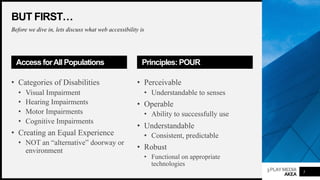
Access forAllPopulations
• Categories of Disabilities
• Visual Impairment
• Hearing Impairments
• Motor Impairments
• Cognitive Impairments
• Creating an Equal Experience
• NOT an “alternative” doorway or
environment
5
Principles: POUR
• Perceivable
• Understandable to senses
• Operable
• Ability to successfully use
• Understandable
• Consistent, predictable
• Robust
• Functional on appropriate
technologies
3PLAYMEDIA
AKEA
BUT FIRST…
Before we dive in, lets discuss what web accessibility is
The Importance of WebAccessibility
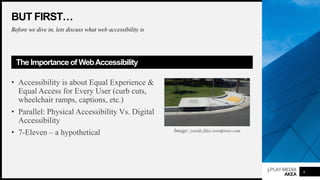
• Accessibility is about Equal Experience &
Equal Access for Every User (curb cuts,
wheelchair ramps, captions, etc.)
• Parallel: Physical Accessibility Vs. Digital
Accessibility
• 7-Eleven – a hypothetical
6
Image: jveeds.files.wordpress.com
3PLAYMEDIA
AKEA
BUT FIRST…
Before we dive in, lets discuss what web accessibility is
The Importance of WebAccessibility
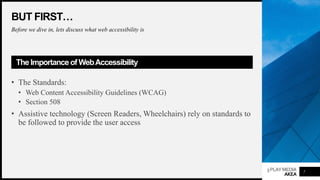
• The Standards:
• Web Content Accessibility Guidelines (WCAG)
• Section 508
• Assistive technology (Screen Readers, Wheelchairs) rely on standards to
be followed to provide the user access
7
3PLAYMEDIA
AKEA
BUT FIRST…
Before we dive in, lets discuss what web accessibility is
The Importance of WebAccessibility
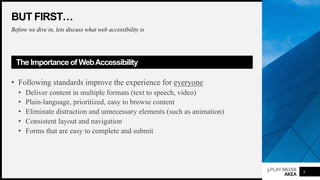
• Following standards improve the experience for everyone
• Deliver content in multiple formats (text to speech, video)
• Plain-language, prioritized, easy to browse content
• Eliminate distraction and unnecessary elements (such as animation)
• Consistent layout and navigation
• Forms that are easy to complete and submit
8
3PLAYMEDIA
AKEA
BASIC LEGAL
REQUIREMENTS
What you need to know
about web accessibility
compliance
9
3PLAYMEDIA
AKEA
POLL – YOUR INDUSTRY
Accessibility lawsuits over the past few years
QUESTION
• In what industry are you engaged?
• Government / Public Sector
• Education
• Healthcare / Insurance
10
• Hospitality
• Retail / Online Retail
• Web Agency
• SAAS
3PLAYMEDIA
AKEA
BASIC LEGAL REQUIREMENTS
Accessibility lawsuits over the past few years
Background
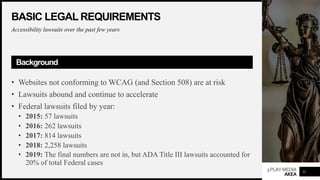
• Websites not conforming to WCAG (and Section 508) are at risk
• Lawsuits abound and continue to accelerate
• Federal lawsuits filed by year:
• 2015: 57 lawsuits
• 2016: 262 lawsuits
• 2017: 814 lawsuits
• 2018: 2,258 lawsuits
• 2019: The final numbers are not in, but ADA Title III lawsuits accounted for
20% of total Federal cases
11
3PLAYMEDIA
AKEA
BASIC LEGAL REQUIREMENTS
The precedent is substantial
WhoIs BeingSued?
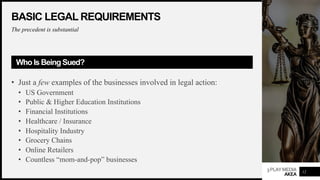
• Just a few examples of the businesses involved in legal action:
• US Government
• Public & Higher Education Institutions
• Financial Institutions
• Healthcare / Insurance
• Hospitality Industry
• Grocery Chains
• Online Retailers
• Countless “mom-and-pop” businesses
12
3PLAYMEDIA
AKEA
BASIC LEGAL REQUIREMENTS
What the law says and how it is being applied
The Bottom Line
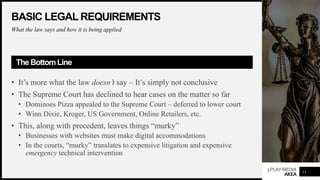
• It’s more what the law doesn’t say – It’s simply not conclusive
• The Supreme Court has declined to hear cases on the matter so far
• Dominoes Pizza appealed to the Supreme Court – deferred to lower court
• Winn Dixie, Kroger, US Government, Online Retailers, etc.
• This, along with precedent, leaves things “murky”
• Businesses with websites must make digital accommodations
• In the courts, “murky” translates to expensive litigation and expensive
emergency technical intervention
13
3PLAYMEDIA
AKEA
BASIC LEGAL REQUIREMENTS
But what does all this mean for businesses and institutions?
Being proactive is the best approach.
What ToConsider
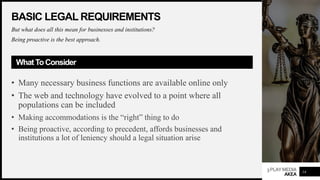
• Many necessary business functions are available online only
• The web and technology have evolved to a point where all
populations can be included
• Making accommodations is the “right” thing to do
• Being proactive, according to precedent, affords businesses and
institutions a lot of leniency should a legal situation arise
14
3PLAYMEDIA
AKEA
BASIC LEGAL REQUIREMENTS
Overview of the legal process
HowItAllPlays Out
• Letter of Complaint
• Lawsuit
• Have You Been Proactive?
• Yes – Leniency in resolving issues is generally granted
• No – Deadlines are imposed (not usually lenient)
• Legal follow-up and proof of compliance
• Audit, Remediation, Letter of Conformance
15
3PLAYMEDIA
AKEA
BASIC LEGAL REQUIREMENTS
Ok… so what does it mean to “be compliant?”
What IsActually Required?
• A major area of exposure is keyboard navigation
• Users with vision impairments cannot navigate and access the website
successfully using their screen reader
• Other issues include:
• Color Contrast (low-vision)
• Animations (discouraged, but can be done properly)
• Content Logical Order
• Web Forms and ARIA Labeling
• Much More – we’ll cover this in the next section
16
3PLAYMEDIA
AKEA
ACCESSIBILITY :
BASIC CONCEPTS
The basic principles of
accessible web design –
Tips to begin today!
17
3PLAYMEDIA
AKEA
POLL –ARE YOU CONSIDERINGACCESSIBILITY?
QUESTION
• Are you currently employing accessibility accommodations in your design and
implementation?
• Yes
• No
• Sometimes, but not consistently
18
3PLAYMEDIA
AKEA
ACCESSIBILITY BASIC CONCEPTS
Broad overview of accessibility concepts
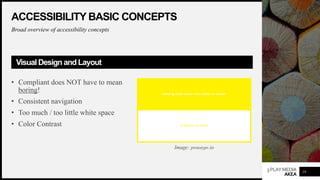
VisualDesign and Layout
• Compliant does NOT have to mean
boring!
• Consistent navigation
• Too much / too little white space
• Color Contrast
19
Image: prototypr.io
3PLAYMEDIA
AKEA
ACCESSIBILITY BASIC CONCEPTS
Broad overview of accessibility concepts
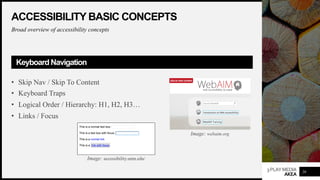
KeyboardNavigation
• Skip Nav / Skip To Content
• Keyboard Traps
• Logical Order / Hierarchy: H1, H2, H3…
• Links / Focus
20
Image: webaim.org
Image: accessibility.umn.edu/
3PLAYMEDIA
AKEA
ACCESSIBILITY BASIC CONCEPTS
Broad overview of accessibility concepts
Images
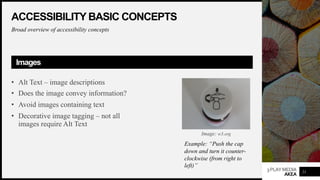
• Alt Text – image descriptions
• Does the image convey information?
• Avoid images containing text
• Decorative image tagging – not all
images require Alt Text
21
Example: “Push the cap
down and turn it counter-
clockwise (from right to
left)”
Image: w3.org
3PLAYMEDIA
AKEA
ACCESSIBILITY BASIC CONCEPTS
Broad overview of accessibility concepts
WebForms
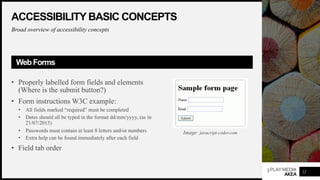
• Properly labelled form fields and elements
(Where is the submit button?)
• Form instructions W3C example:
• All fields marked “required” must be completed
• Dates should all be typed in the format dd/mm/yyyy, (as in
21/07/2013)
• Passwords must contain at least 8 letters and/or numbers
• Extra help can be found immediately after each field
• Field tab order
22
Image: javacript-coder.com
3PLAYMEDIA
AKEA
ACCESSIBILITY BASIC CONCEPTS
Broad overview of accessibility concepts
DigitalDocuments
• Microsoft: Word, PowerPoint, Excel
• Adobe Acrobat
• While PDFs can generally be “made” accessible after
publishing, it’s ideal to configure settings and options
before exporting. This applies to any authoring tool that
provides accessibility options.
23
3PLAYMEDIA
AKEA
ACCESSIBILITY BASIC CONCEPTS
Broad overview of accessibility concepts
VideoandMedia
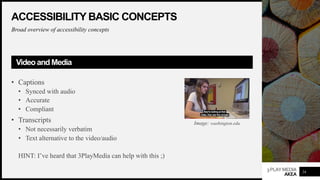
• Captions
• Synced with audio
• Accurate
• Compliant
• Transcripts
• Not necessarily verbatim
• Text alternative to the video/audio
HINT: I’ve heard that 3PlayMedia can help with this ;)
24
Image: washington.edu
3PLAYMEDIA
AKEA
STRATEGYAND
IMPLEMENTATION
Planning for long-term
success
25
3PLAYMEDIA
AKEA
POLL:ACCESSIBLE DEVELOPMENT PROJECTS
Accessibility should be considered at all stages of a web design project
QUESTION
• Are your design and development teams currently implementing
accommodations in your digital environments?
• Yes
• No
• Somewhat
26
3PLAYMEDIA
AKEA
STRATEGYAND IMPLEMENTATION
Accessibility should be considered at all stages of a web design project
PlanningYour Project
• Timeline – 3-24 months, depending on size of organization, project scope
• Regulations and Compliance Standards – what standards apply to your
business?
• WCAG (Basically every organization must do this)
• Section 508 (Government, Education)
• Other relevant regulations/standards?
• Web Accessibility does not happen by accident – consider it early in your
planning process!
• Include users with disabilities in early conversations
27
3PLAYMEDIA
AKEA
STRATEGYAND IMPLEMENTATION
Accessibility should be considered at all stages of a web design project
Design
• Do you have a formal style guide?
• Does your style guide consider accessibility standards?
• Does your style guide also apply to UX/UI for digital environments?
• It is critical to consider accessibility during this stage as it will impact
development and implementation
• There’s no sense building from a blueprint that will ultimately lead down the
wrong path and cost time/money to fix later
28
3PLAYMEDIA
AKEA
STRATEGYAND IMPLEMENTATION
Accessibility should be considered at all stages of a web design project
Content Planning
• Content – What will be included on your new website?
• Audit and organize existing content
• Text, images, media, documents
• Format considerations
• Content Architecture
• How will your new website be structured?
• How will this impact navigation menus?
• Plan for accessibility review of content, media, documents
29
3PLAYMEDIA
AKEA
STRATEGYAND IMPLEMENTATION
Accessibility should be considered at all stages of a web design project
Functionality Planning
• E-Commerce (Platform, Payment Processing, Integrations)
• Forms
• Event Ticketing
• Interactive Elements
• The list goes on and on
• How will standards impact these functions and features?
• Documentation!
30
3PLAYMEDIA
AKEA
STRATEGYAND IMPLEMENTATION
Accessibility should be considered at all stages of a web design project
Technology Choices
• Content Management System (CMS)
• System Integrations
• Server / Platform
• All of these items have implications for web accessibility
• Are your technology choices compliant with standards?
31
3PLAYMEDIA
AKEA
STRATEGYAND IMPLEMENTATION
Accessibility should be considered at all stages of a web design project
Development
• With your planning documents, design and requirements in place, development
begins
• Work in phases – and test often!
• Keep your teams and leadership communicating throughout this stage and
through all iterations
32
3PLAYMEDIA
AKEA
STRATEGYAND IMPLEMENTATION
Accessibility should be considered at all stages of a web design project
User Testing
• Develop use-cases
• Perform user testing including users with disabilities
• Screen recording provides useful reference material
• Document issues and address
• Perform final user testing
33
3PLAYMEDIA
AKEA
STRATEGYAND IMPLEMENTATION
Accessibility should be considered at all stages of a web design project
Accessibility “Certification” or Conformance
• Following planning, design, development with accessibility being considered,
your final product should be in relatively good shape
• However, a final pass-through is still important
• In some cases, organizations seek the aid of a 3rd-party to assess and provide
an endorsement of compliance state
• While optional, it’s a good step to consider
34
3PLAYMEDIA
AKEA
STRATEGYAND IMPLEMENTATION
Becoming accessible is one thing – remaining compliant is another
OngoingCompliance
• Design
• Content Creation
• Development
• Project management, internal ticket tracking, ongoing documentation
• Proactive, scheduled accessibility review, testing and audits
• Approvals
35
3PLAYMEDIA
AKEA
THANK YOU!
Please feel free to contact us with
Comments and questions and any feedback
36
www.akeaweb.com
ash@akeaweb.com
(269) 832-7470
Ash Harris, CEO

Accessible Web Design

  • 1.
    How to Designa Process for Creating and Maintaining Accessible Websites ✋ Type questions in the Q&A window during the presentation ⏺ This webinar is being recorded & will be available for replay 💬 To view live captions, please click the CC icon 📱 www.3playmedia.com l @3playmedia l #a11y Ash Harris CEO, AKEA Web Solutions
  • 2.
    ACCESSIBLE WEB DESIGN Design AProcess To Create & Maintain An Accessible Website
  • 3.
    3PLAYMEDIA AKEA ABOUTAKEA AKEA is aMichigan-based web design firm specializing in accessible web design and web accessibility consulting • Web accessibility audits including automated and manual testing • Web accessibility remediation consulting • Accessible web design services and consulting Member: World Wide Web Consortium (W3C) 2
  • 4.
    3PLAYMEDIA AKEA WHATARE WE GOINGTO COVER? Principles of accessible web design and implementing a long-term strategy for compliance Webinar Topics • Basic legal requirements for providing accessible websites • Principles of accessible web design • Practical tips you can begin to implement today • How to implement a long-term strategy for an accessible website 3
  • 5.
    3PLAYMEDIA AKEA POLL – HOWWOULD YOU GRADE YOURSELF? QUESTION • How would you describe your level of experience with web accessibility accommodations? • 1 – I’m trying to learn more • 2 – I’ve been researching best practices and begun tinkering • 3 – I’ve used scanning software and resolved issues on websites • 4 – I’m a Pro! 4
  • 6.
    3PLAYMEDIA AKEA BUT FIRST… Before wedive in, lets discuss what web accessibility is Access forAllPopulations • Categories of Disabilities • Visual Impairment • Hearing Impairments • Motor Impairments • Cognitive Impairments • Creating an Equal Experience • NOT an “alternative” doorway or environment 5 Principles: POUR • Perceivable • Understandable to senses • Operable • Ability to successfully use • Understandable • Consistent, predictable • Robust • Functional on appropriate technologies
  • 7.
    3PLAYMEDIA AKEA BUT FIRST… Before wedive in, lets discuss what web accessibility is The Importance of WebAccessibility • Accessibility is about Equal Experience & Equal Access for Every User (curb cuts, wheelchair ramps, captions, etc.) • Parallel: Physical Accessibility Vs. Digital Accessibility • 7-Eleven – a hypothetical 6 Image: jveeds.files.wordpress.com
  • 8.
    3PLAYMEDIA AKEA BUT FIRST… Before wedive in, lets discuss what web accessibility is The Importance of WebAccessibility • The Standards: • Web Content Accessibility Guidelines (WCAG) • Section 508 • Assistive technology (Screen Readers, Wheelchairs) rely on standards to be followed to provide the user access 7
  • 9.
    3PLAYMEDIA AKEA BUT FIRST… Before wedive in, lets discuss what web accessibility is The Importance of WebAccessibility • Following standards improve the experience for everyone • Deliver content in multiple formats (text to speech, video) • Plain-language, prioritized, easy to browse content • Eliminate distraction and unnecessary elements (such as animation) • Consistent layout and navigation • Forms that are easy to complete and submit 8
  • 10.
    3PLAYMEDIA AKEA BASIC LEGAL REQUIREMENTS What youneed to know about web accessibility compliance 9
  • 11.
    3PLAYMEDIA AKEA POLL – YOURINDUSTRY Accessibility lawsuits over the past few years QUESTION • In what industry are you engaged? • Government / Public Sector • Education • Healthcare / Insurance 10 • Hospitality • Retail / Online Retail • Web Agency • SAAS
  • 12.
    3PLAYMEDIA AKEA BASIC LEGAL REQUIREMENTS Accessibilitylawsuits over the past few years Background • Websites not conforming to WCAG (and Section 508) are at risk • Lawsuits abound and continue to accelerate • Federal lawsuits filed by year: • 2015: 57 lawsuits • 2016: 262 lawsuits • 2017: 814 lawsuits • 2018: 2,258 lawsuits • 2019: The final numbers are not in, but ADA Title III lawsuits accounted for 20% of total Federal cases 11
  • 13.
    3PLAYMEDIA AKEA BASIC LEGAL REQUIREMENTS Theprecedent is substantial WhoIs BeingSued? • Just a few examples of the businesses involved in legal action: • US Government • Public & Higher Education Institutions • Financial Institutions • Healthcare / Insurance • Hospitality Industry • Grocery Chains • Online Retailers • Countless “mom-and-pop” businesses 12
  • 14.
    3PLAYMEDIA AKEA BASIC LEGAL REQUIREMENTS Whatthe law says and how it is being applied The Bottom Line • It’s more what the law doesn’t say – It’s simply not conclusive • The Supreme Court has declined to hear cases on the matter so far • Dominoes Pizza appealed to the Supreme Court – deferred to lower court • Winn Dixie, Kroger, US Government, Online Retailers, etc. • This, along with precedent, leaves things “murky” • Businesses with websites must make digital accommodations • In the courts, “murky” translates to expensive litigation and expensive emergency technical intervention 13
  • 15.
    3PLAYMEDIA AKEA BASIC LEGAL REQUIREMENTS Butwhat does all this mean for businesses and institutions? Being proactive is the best approach. What ToConsider • Many necessary business functions are available online only • The web and technology have evolved to a point where all populations can be included • Making accommodations is the “right” thing to do • Being proactive, according to precedent, affords businesses and institutions a lot of leniency should a legal situation arise 14
  • 16.
    3PLAYMEDIA AKEA BASIC LEGAL REQUIREMENTS Overviewof the legal process HowItAllPlays Out • Letter of Complaint • Lawsuit • Have You Been Proactive? • Yes – Leniency in resolving issues is generally granted • No – Deadlines are imposed (not usually lenient) • Legal follow-up and proof of compliance • Audit, Remediation, Letter of Conformance 15
  • 17.
    3PLAYMEDIA AKEA BASIC LEGAL REQUIREMENTS Ok…so what does it mean to “be compliant?” What IsActually Required? • A major area of exposure is keyboard navigation • Users with vision impairments cannot navigate and access the website successfully using their screen reader • Other issues include: • Color Contrast (low-vision) • Animations (discouraged, but can be done properly) • Content Logical Order • Web Forms and ARIA Labeling • Much More – we’ll cover this in the next section 16
  • 18.
    3PLAYMEDIA AKEA ACCESSIBILITY : BASIC CONCEPTS Thebasic principles of accessible web design – Tips to begin today! 17
  • 19.
    3PLAYMEDIA AKEA POLL –ARE YOUCONSIDERINGACCESSIBILITY? QUESTION • Are you currently employing accessibility accommodations in your design and implementation? • Yes • No • Sometimes, but not consistently 18
  • 20.
    3PLAYMEDIA AKEA ACCESSIBILITY BASIC CONCEPTS Broadoverview of accessibility concepts VisualDesign and Layout • Compliant does NOT have to mean boring! • Consistent navigation • Too much / too little white space • Color Contrast 19 Image: prototypr.io
  • 21.
    3PLAYMEDIA AKEA ACCESSIBILITY BASIC CONCEPTS Broadoverview of accessibility concepts KeyboardNavigation • Skip Nav / Skip To Content • Keyboard Traps • Logical Order / Hierarchy: H1, H2, H3… • Links / Focus 20 Image: webaim.org Image: accessibility.umn.edu/
  • 22.
    3PLAYMEDIA AKEA ACCESSIBILITY BASIC CONCEPTS Broadoverview of accessibility concepts Images • Alt Text – image descriptions • Does the image convey information? • Avoid images containing text • Decorative image tagging – not all images require Alt Text 21 Example: “Push the cap down and turn it counter- clockwise (from right to left)” Image: w3.org
  • 23.
    3PLAYMEDIA AKEA ACCESSIBILITY BASIC CONCEPTS Broadoverview of accessibility concepts WebForms • Properly labelled form fields and elements (Where is the submit button?) • Form instructions W3C example: • All fields marked “required” must be completed • Dates should all be typed in the format dd/mm/yyyy, (as in 21/07/2013) • Passwords must contain at least 8 letters and/or numbers • Extra help can be found immediately after each field • Field tab order 22 Image: javacript-coder.com
  • 24.
    3PLAYMEDIA AKEA ACCESSIBILITY BASIC CONCEPTS Broadoverview of accessibility concepts DigitalDocuments • Microsoft: Word, PowerPoint, Excel • Adobe Acrobat • While PDFs can generally be “made” accessible after publishing, it’s ideal to configure settings and options before exporting. This applies to any authoring tool that provides accessibility options. 23
  • 25.
    3PLAYMEDIA AKEA ACCESSIBILITY BASIC CONCEPTS Broadoverview of accessibility concepts VideoandMedia • Captions • Synced with audio • Accurate • Compliant • Transcripts • Not necessarily verbatim • Text alternative to the video/audio HINT: I’ve heard that 3PlayMedia can help with this ;) 24 Image: washington.edu
  • 26.
  • 27.
    3PLAYMEDIA AKEA POLL:ACCESSIBLE DEVELOPMENT PROJECTS Accessibilityshould be considered at all stages of a web design project QUESTION • Are your design and development teams currently implementing accommodations in your digital environments? • Yes • No • Somewhat 26
  • 28.
    3PLAYMEDIA AKEA STRATEGYAND IMPLEMENTATION Accessibility shouldbe considered at all stages of a web design project PlanningYour Project • Timeline – 3-24 months, depending on size of organization, project scope • Regulations and Compliance Standards – what standards apply to your business? • WCAG (Basically every organization must do this) • Section 508 (Government, Education) • Other relevant regulations/standards? • Web Accessibility does not happen by accident – consider it early in your planning process! • Include users with disabilities in early conversations 27
  • 29.
    3PLAYMEDIA AKEA STRATEGYAND IMPLEMENTATION Accessibility shouldbe considered at all stages of a web design project Design • Do you have a formal style guide? • Does your style guide consider accessibility standards? • Does your style guide also apply to UX/UI for digital environments? • It is critical to consider accessibility during this stage as it will impact development and implementation • There’s no sense building from a blueprint that will ultimately lead down the wrong path and cost time/money to fix later 28
  • 30.
    3PLAYMEDIA AKEA STRATEGYAND IMPLEMENTATION Accessibility shouldbe considered at all stages of a web design project Content Planning • Content – What will be included on your new website? • Audit and organize existing content • Text, images, media, documents • Format considerations • Content Architecture • How will your new website be structured? • How will this impact navigation menus? • Plan for accessibility review of content, media, documents 29
  • 31.
    3PLAYMEDIA AKEA STRATEGYAND IMPLEMENTATION Accessibility shouldbe considered at all stages of a web design project Functionality Planning • E-Commerce (Platform, Payment Processing, Integrations) • Forms • Event Ticketing • Interactive Elements • The list goes on and on • How will standards impact these functions and features? • Documentation! 30
  • 32.
    3PLAYMEDIA AKEA STRATEGYAND IMPLEMENTATION Accessibility shouldbe considered at all stages of a web design project Technology Choices • Content Management System (CMS) • System Integrations • Server / Platform • All of these items have implications for web accessibility • Are your technology choices compliant with standards? 31
  • 33.
    3PLAYMEDIA AKEA STRATEGYAND IMPLEMENTATION Accessibility shouldbe considered at all stages of a web design project Development • With your planning documents, design and requirements in place, development begins • Work in phases – and test often! • Keep your teams and leadership communicating throughout this stage and through all iterations 32
  • 34.
    3PLAYMEDIA AKEA STRATEGYAND IMPLEMENTATION Accessibility shouldbe considered at all stages of a web design project User Testing • Develop use-cases • Perform user testing including users with disabilities • Screen recording provides useful reference material • Document issues and address • Perform final user testing 33
  • 35.
    3PLAYMEDIA AKEA STRATEGYAND IMPLEMENTATION Accessibility shouldbe considered at all stages of a web design project Accessibility “Certification” or Conformance • Following planning, design, development with accessibility being considered, your final product should be in relatively good shape • However, a final pass-through is still important • In some cases, organizations seek the aid of a 3rd-party to assess and provide an endorsement of compliance state • While optional, it’s a good step to consider 34
  • 36.
    3PLAYMEDIA AKEA STRATEGYAND IMPLEMENTATION Becoming accessibleis one thing – remaining compliant is another OngoingCompliance • Design • Content Creation • Development • Project management, internal ticket tracking, ongoing documentation • Proactive, scheduled accessibility review, testing and audits • Approvals 35
  • 37.
    3PLAYMEDIA AKEA THANK YOU! Please feelfree to contact us with Comments and questions and any feedback 36 www.akeaweb.com ash@akeaweb.com (269) 832-7470 Ash Harris, CEO