
Maturing in accessibility - a brief BBC history Jonathan Hassell Head of Audience Experience & Usability Media Trust Digital Inclusion conference 28 th  July 2009
What you need to have in place… Business drivers – buy-in from the top… Standards & Guidelines – what our standards are… Governance and Risk Management Processes  – processes for how we do QA checking… Resources and Cost Impact – is there enough money behind it? Delivery – is it integrated into the production process? Procurement & Supplier Contracts – is it integrated into the procurement process? Legacy Systems – are legacy systems reviewed and in the process of being fixed? From the Employers Forum for Disability  ‘ Accessibility Maturity Model ’ Communication with your audience – tell them what you ’ ve done…
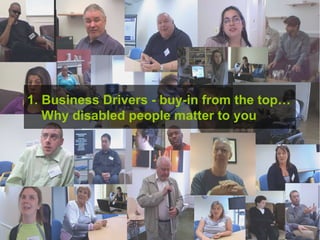
1. Business Drivers - buy-in from the top…   Why disabled people matter to you
There are (at least) two reasons to do this Reaching all audiences Regulatory and legal requirements Disability Discrimination Act (1995) creates legal obligations re online content Also: Public Sector Duty… Corporate Social Responsibility…
A significant proportion of disabled people use the internet C.  4,600,000  disabled adults have used the internet This is  42  per cent of the disabled population 67  per cent of the general population have ever used the internet  Source: EEDP and ONS (2007)
In general they use the web in ways that are very similar to non-disabled people They look for similar sorts of things on YouTube And find them in the same sorts of ways – through viral means or the search engine  People use similar social networking sites e.g. Facebook  And are often introduced to them by non disabled peers
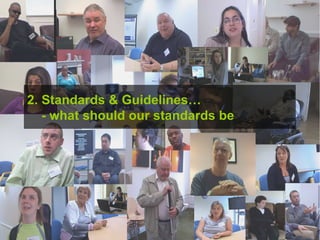
2. Standards & Guidelines…   - what should our standards be
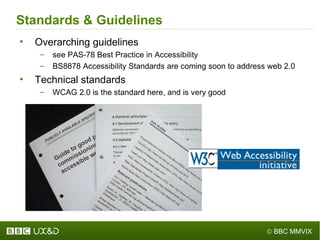
Standards & Guidelines Overarching guidelines see PAS-78 Best Practice in Accessibility BS8878 Accessibility Standards are coming soon to address web 2.0 Technical standards WCAG 2.0 is the standard here, and is very good
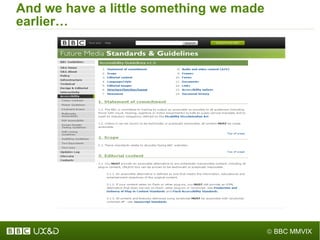
And we have a little something we made earlier…
3. Governance & Risk Management   – processes for QA checking
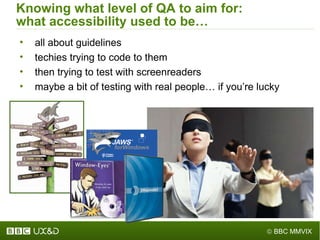
Knowing what level of QA to aim for: what accessibility used to be… all about guidelines techies trying to code to them then trying to test with screenreaders maybe a bit of testing with real people… if you ’ re lucky
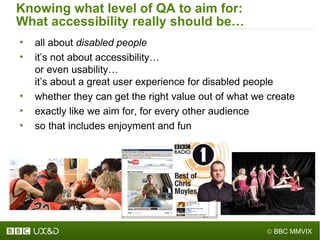
Knowing what level of QA to aim for: What accessibility really should be… all about  disabled people it ’ s not about accessibility… or even usability…  it ’ s about a great user experience for disabled people  whether they can get the right value out of what we create exactly like we aim for, for every other audience so that includes enjoyment and fun
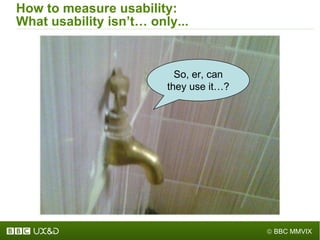
How to measure usability: What usability isn ’ t… only... So, er, can they use it…?
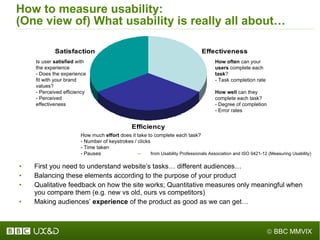
How to measure usability: (One view of) What usability is really all about… from Usability Professionals Association and ISO 9421-12 (Measuring Usability) First you need to understand website ’ s tasks… different audiences… Balancing these elements according to the purpose of your product Qualitative feedback on how the site works; Quantitative measures only meaningful when you compare them (e.g. new vs old, ours vs competitors) Making audiences ’   experience  of the product as good as we can get… How often  can your  users  complete each  task ? - Task completion rate How well  can they complete each task? - Degree of completion - Error rates How much  effort  does it take to complete each task? - Number of keystrokes / clicks - Time taken - Pauses Is user  satisfied  with the experience - Does the experience fit with your brand values? - Perceived efficiency - Perceived effectiveness
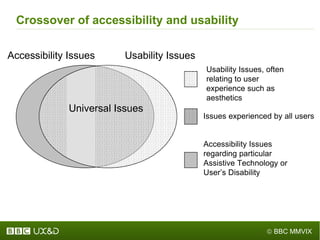
Crossover of accessibility and usability Usability Issues Accessibility Issues Accessibility Issues  regarding particular  Assistive Technology or  User ’ s Disability Issues experienced by all users   Usability Issues, often relating to user experience such as aesthetics   Universal Issues
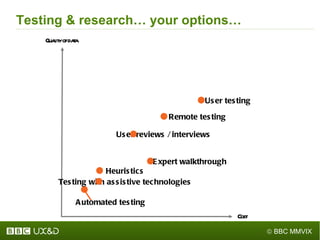
Testing & research… your options… Quality of data User testing User reviews / interviews Remote testing Expert walkthrough Heuristics Automated testing Testing with assistive technologies Cost
4. Resources and Cost Impact    – is there enough money behind it?
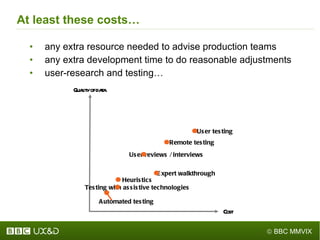
At least these costs… any extra resource needed to advise production teams any extra development time to do reasonable adjustments user-research and testing… Quality of data User testing User reviews / interviews Remote testing Expert walkthrough Heuristics Automated testing Testing with assistive technologies Cost
5. Delivery – is it integrated into your   production process?
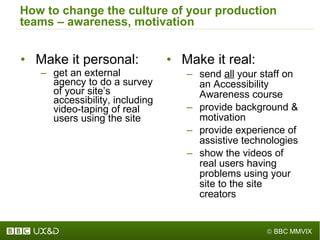
How to change the culture of your production teams – awareness, motivation Make it personal: get an external agency to do a survey of your site ’ s accessibility, including video-taping of real users using the site Make it real: send  all  your staff on an Accessibility Awareness course provide background & motivation  provide experience of assistive technologies show the videos of real users having problems using your site to the site creators
How will these fit your production process? Applying each standard… is it  “ reasonable ” ? what aspects of production does it affect? content production systems can they ensure its consistent application? will they actually handle it? manually-coded systems how can you ensure its consistent application? Integrating research and testing… do you have time at the start to do initial research? when should you do the testing? the earlier the better… within reason
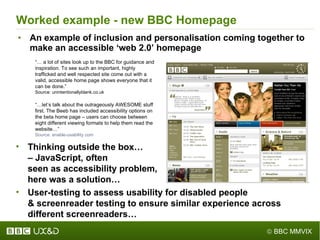
Worked example - new BBC Homepage An example of inclusion and personalisation coming together to make an accessible  ‘web 2.0’ homepage “ …  a lot of sites look up to the BBC for guidance and inspiration. To see such an important, highly trafficked and well respected site come out with a valid, accessible home page shows everyone that it can be done. ” Source: unintentionallyblank.co.uk “ … let ’ s talk about the outrageously AWESOME stuff first. The Beeb has included accessibility options on the beta home page – users can choose between eight different viewing formats to help them read the website… ” Source: enable-usability.com Thinking outside the box…  – JavaScript, often  seen as accessibility problem,  here was a solution… User-testing to assess usability for disabled people & screenreader testing to ensure similar experience across  different screenreaders…
6. Procurement & Supplier Contracts – is it   integrated into the procurement process?
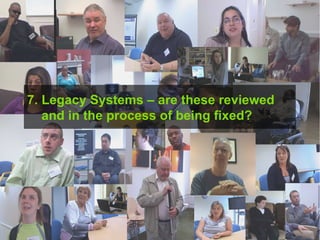
7.  Legacy Systems – are these reviewed   and in the process of being fixed?
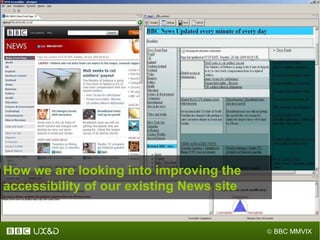
How we are looking into improving the accessibility of our existing News site
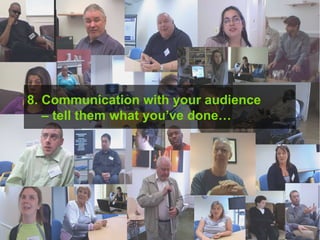
8. Communication with your audience    – tell them what you ’ ve done…
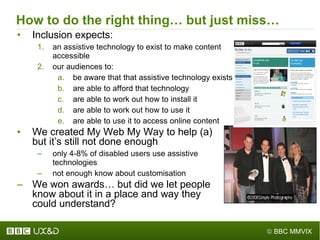
How to do the right thing… but just miss… Inclusion expects: an assistive technology to exist to make content accessible our audiences to: be aware that that assistive technology exists are able to afford that technology are able to work out how to install it are able to work out how to use it are able to use it to access online content We created My Web My Way to help (a)  but it ’ s still not done enough only 4-8% of disabled users use assistive  technologies not enough know about customisation We won awards… but did we let people  know about it in a place and way they  could understand?
e: jonathan@hassellinclusion.com t: @jonhassell w: www.hassellinclusion.com Contact me

2009: Maturing in accessibility - a brief BBC history

  • 1.
    Maturing in accessibility- a brief BBC history Jonathan Hassell Head of Audience Experience & Usability Media Trust Digital Inclusion conference 28 th July 2009
  • 2.
    What you needto have in place… Business drivers – buy-in from the top… Standards & Guidelines – what our standards are… Governance and Risk Management Processes – processes for how we do QA checking… Resources and Cost Impact – is there enough money behind it? Delivery – is it integrated into the production process? Procurement & Supplier Contracts – is it integrated into the procurement process? Legacy Systems – are legacy systems reviewed and in the process of being fixed? From the Employers Forum for Disability ‘ Accessibility Maturity Model ’ Communication with your audience – tell them what you ’ ve done…
  • 3.
    1. Business Drivers- buy-in from the top… Why disabled people matter to you
  • 4.
    There are (atleast) two reasons to do this Reaching all audiences Regulatory and legal requirements Disability Discrimination Act (1995) creates legal obligations re online content Also: Public Sector Duty… Corporate Social Responsibility…
  • 5.
    A significant proportionof disabled people use the internet C. 4,600,000 disabled adults have used the internet This is 42 per cent of the disabled population 67 per cent of the general population have ever used the internet Source: EEDP and ONS (2007)
  • 6.
    In general theyuse the web in ways that are very similar to non-disabled people They look for similar sorts of things on YouTube And find them in the same sorts of ways – through viral means or the search engine People use similar social networking sites e.g. Facebook And are often introduced to them by non disabled peers
  • 7.
    2. Standards &Guidelines… - what should our standards be
  • 8.
    Standards & GuidelinesOverarching guidelines see PAS-78 Best Practice in Accessibility BS8878 Accessibility Standards are coming soon to address web 2.0 Technical standards WCAG 2.0 is the standard here, and is very good
  • 9.
    And we havea little something we made earlier…
  • 10.
    3. Governance &Risk Management – processes for QA checking
  • 11.
    Knowing what levelof QA to aim for: what accessibility used to be… all about guidelines techies trying to code to them then trying to test with screenreaders maybe a bit of testing with real people… if you ’ re lucky
  • 12.
    Knowing what levelof QA to aim for: What accessibility really should be… all about disabled people it ’ s not about accessibility… or even usability… it ’ s about a great user experience for disabled people whether they can get the right value out of what we create exactly like we aim for, for every other audience so that includes enjoyment and fun
  • 13.
    How to measureusability: What usability isn ’ t… only... So, er, can they use it…?
  • 14.
    How to measureusability: (One view of) What usability is really all about… from Usability Professionals Association and ISO 9421-12 (Measuring Usability) First you need to understand website ’ s tasks… different audiences… Balancing these elements according to the purpose of your product Qualitative feedback on how the site works; Quantitative measures only meaningful when you compare them (e.g. new vs old, ours vs competitors) Making audiences ’ experience of the product as good as we can get… How often can your users complete each task ? - Task completion rate How well can they complete each task? - Degree of completion - Error rates How much effort does it take to complete each task? - Number of keystrokes / clicks - Time taken - Pauses Is user satisfied with the experience - Does the experience fit with your brand values? - Perceived efficiency - Perceived effectiveness
  • 15.
    Crossover of accessibilityand usability Usability Issues Accessibility Issues Accessibility Issues regarding particular Assistive Technology or User ’ s Disability Issues experienced by all users Usability Issues, often relating to user experience such as aesthetics Universal Issues
  • 16.
    Testing & research…your options… Quality of data User testing User reviews / interviews Remote testing Expert walkthrough Heuristics Automated testing Testing with assistive technologies Cost
  • 17.
    4. Resources andCost Impact – is there enough money behind it?
  • 18.
    At least thesecosts… any extra resource needed to advise production teams any extra development time to do reasonable adjustments user-research and testing… Quality of data User testing User reviews / interviews Remote testing Expert walkthrough Heuristics Automated testing Testing with assistive technologies Cost
  • 19.
    5. Delivery –is it integrated into your production process?
  • 20.
    How to changethe culture of your production teams – awareness, motivation Make it personal: get an external agency to do a survey of your site ’ s accessibility, including video-taping of real users using the site Make it real: send all your staff on an Accessibility Awareness course provide background & motivation provide experience of assistive technologies show the videos of real users having problems using your site to the site creators
  • 21.
    How will thesefit your production process? Applying each standard… is it “ reasonable ” ? what aspects of production does it affect? content production systems can they ensure its consistent application? will they actually handle it? manually-coded systems how can you ensure its consistent application? Integrating research and testing… do you have time at the start to do initial research? when should you do the testing? the earlier the better… within reason
  • 22.
    Worked example -new BBC Homepage An example of inclusion and personalisation coming together to make an accessible ‘web 2.0’ homepage “ … a lot of sites look up to the BBC for guidance and inspiration. To see such an important, highly trafficked and well respected site come out with a valid, accessible home page shows everyone that it can be done. ” Source: unintentionallyblank.co.uk “ … let ’ s talk about the outrageously AWESOME stuff first. The Beeb has included accessibility options on the beta home page – users can choose between eight different viewing formats to help them read the website… ” Source: enable-usability.com Thinking outside the box… – JavaScript, often seen as accessibility problem, here was a solution… User-testing to assess usability for disabled people & screenreader testing to ensure similar experience across different screenreaders…
  • 23.
    6. Procurement &Supplier Contracts – is it integrated into the procurement process?
  • 24.
    7. LegacySystems – are these reviewed and in the process of being fixed?
  • 25.
    How we arelooking into improving the accessibility of our existing News site
  • 26.
    8. Communication withyour audience – tell them what you ’ ve done…
  • 27.
    How to dothe right thing… but just miss… Inclusion expects: an assistive technology to exist to make content accessible our audiences to: be aware that that assistive technology exists are able to afford that technology are able to work out how to install it are able to work out how to use it are able to use it to access online content We created My Web My Way to help (a) but it ’ s still not done enough only 4-8% of disabled users use assistive technologies not enough know about customisation We won awards… but did we let people know about it in a place and way they could understand?
  • 28.
    e: jonathan@hassellinclusion.com t:@jonhassell w: www.hassellinclusion.com Contact me

Editor's Notes

  • #2 Thanks Nicola. This is the last presentation – so start thinking of questions for the end…
  • #3 I ’ ve been working in accessibility for years … And this is where we started …
  • #12 I ’ ve been working in accessibility for years … And this is where we started …
  • #13 The web isn ’ t so much about information any more. It ’ s so much more than that …
  • #14 I ’ ve been working in accessibility for years … And this is where we started …
  • #19 The DDA requires “ reasonable adjustments ” – unfortunately with no case-law yet, this is an ambiguous term Does the standard help? – remember, this is about audiences… Make sure it is practical to apply/uphold the standard within your production processes
  • #21 The BBC commissioned Systems Concepts to do a survey of bbc.co.uk ’ s accessibility in 2001. We made the report public in Feb 2002, to share our knowledge with the industry. The DRC Formal Investigation into Website Accessibility Report from last year is also good. But neither is anywhere near as good as third parties testing your site and feeding back specific suggestions about how it could be improved. The BBC, together with AbilityNet, produced and rolled-out a BBC-specific awareness course to 250 BBC web production staff in 2003/04 Send all your staff on the course – incl. decision-makers and technical, design staff experience of assistive technologies is reinforced if the course is presented by a trainer who has some form of impairment
  • #22 The DDA requires “ reasonable adjustments ” – unfortunately with no case-law yet, this is an ambiguous term Does the standard help? – remember, this is about audiences… Make sure it is practical to apply/uphold the standard within your production processes
  • #23 in 2003, Molly Holzschlag rubbished the bbc.co.uk for its conformance to standards the new BBC homepage should change her mind now how JavaScript can sort screenreader problems – an example of how complex accessibility is (often JavaScript is seen as an accessibility problem not a solution)
  • #26 The DDA requires “ reasonable adjustments ” – unfortunately with no case-law yet, this is an ambiguous term Does the standard help? – remember, this is about audiences… Make sure it is practical to apply/uphold the standard within your production processes