Geocoding
Definition
• Geocoding is the process of assigning a location
to addresses in a table by comparing the
addresses to those in a reference layer.
Benefits of geocoding
• Map customer locations
 Planning deliveries
 Giving directions
 Planning future expansion
• Internet mapping
 Driving directions
 Real estate
• Government applications
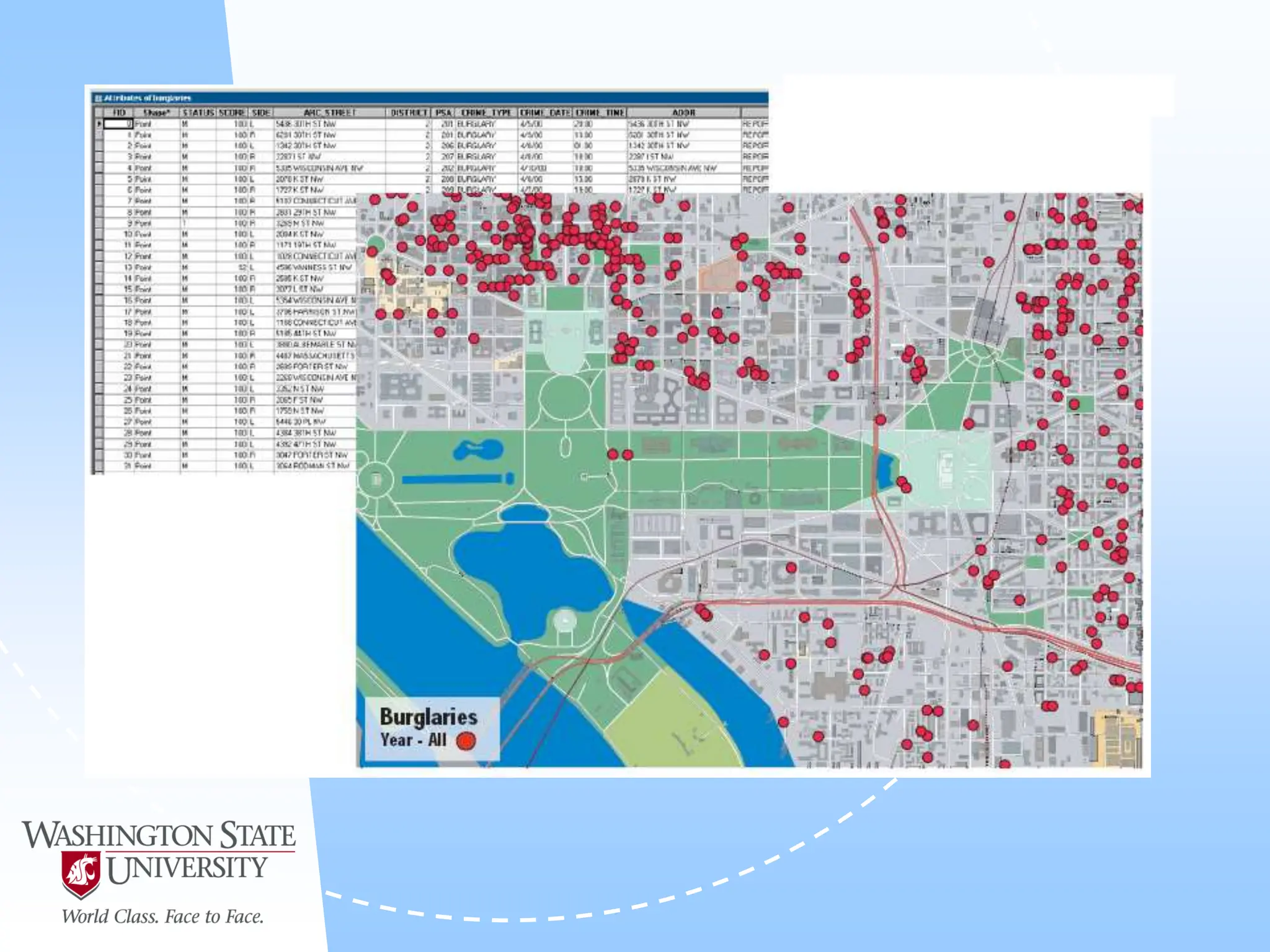
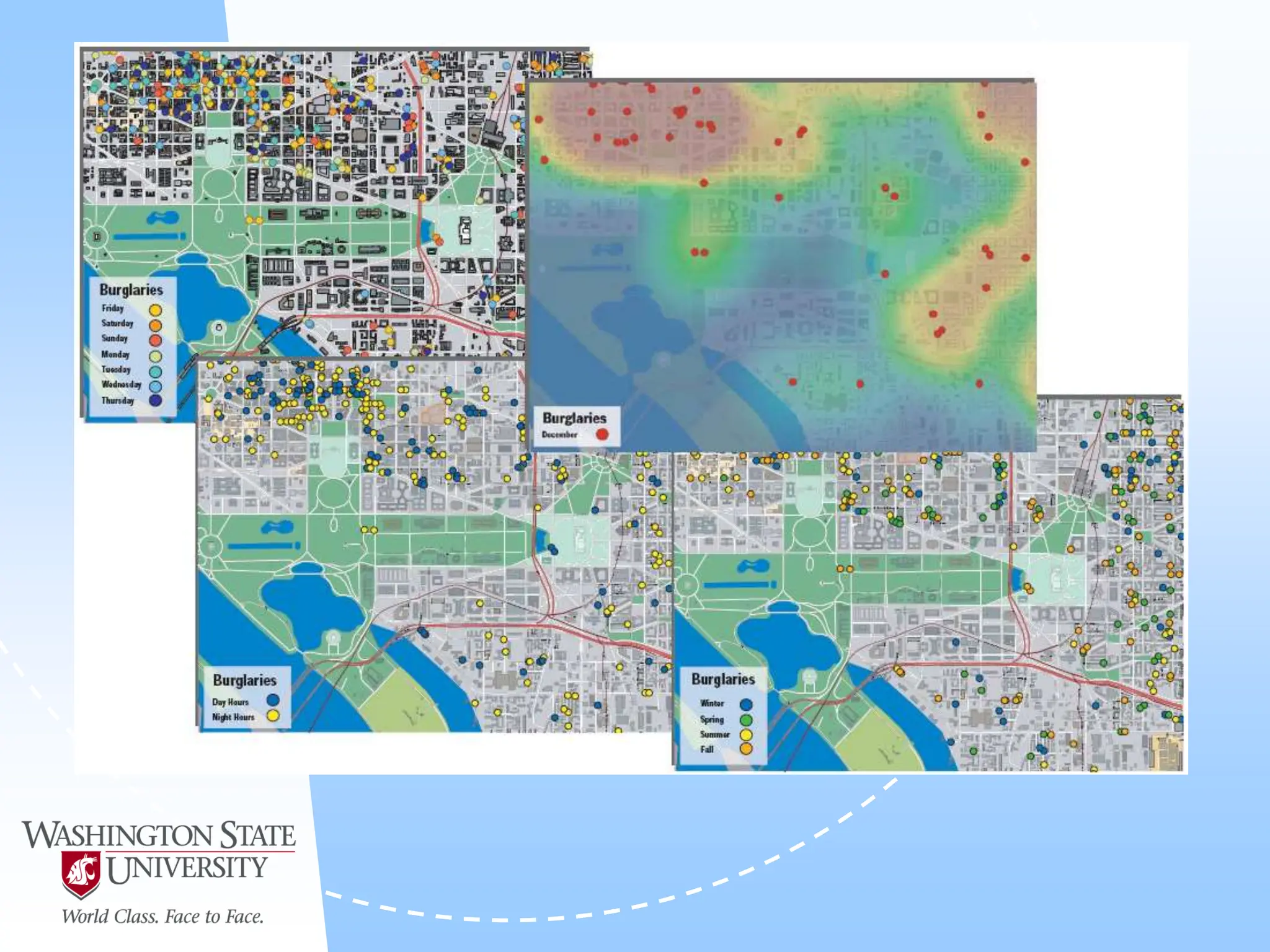
 Crime analysis
 Voter validation
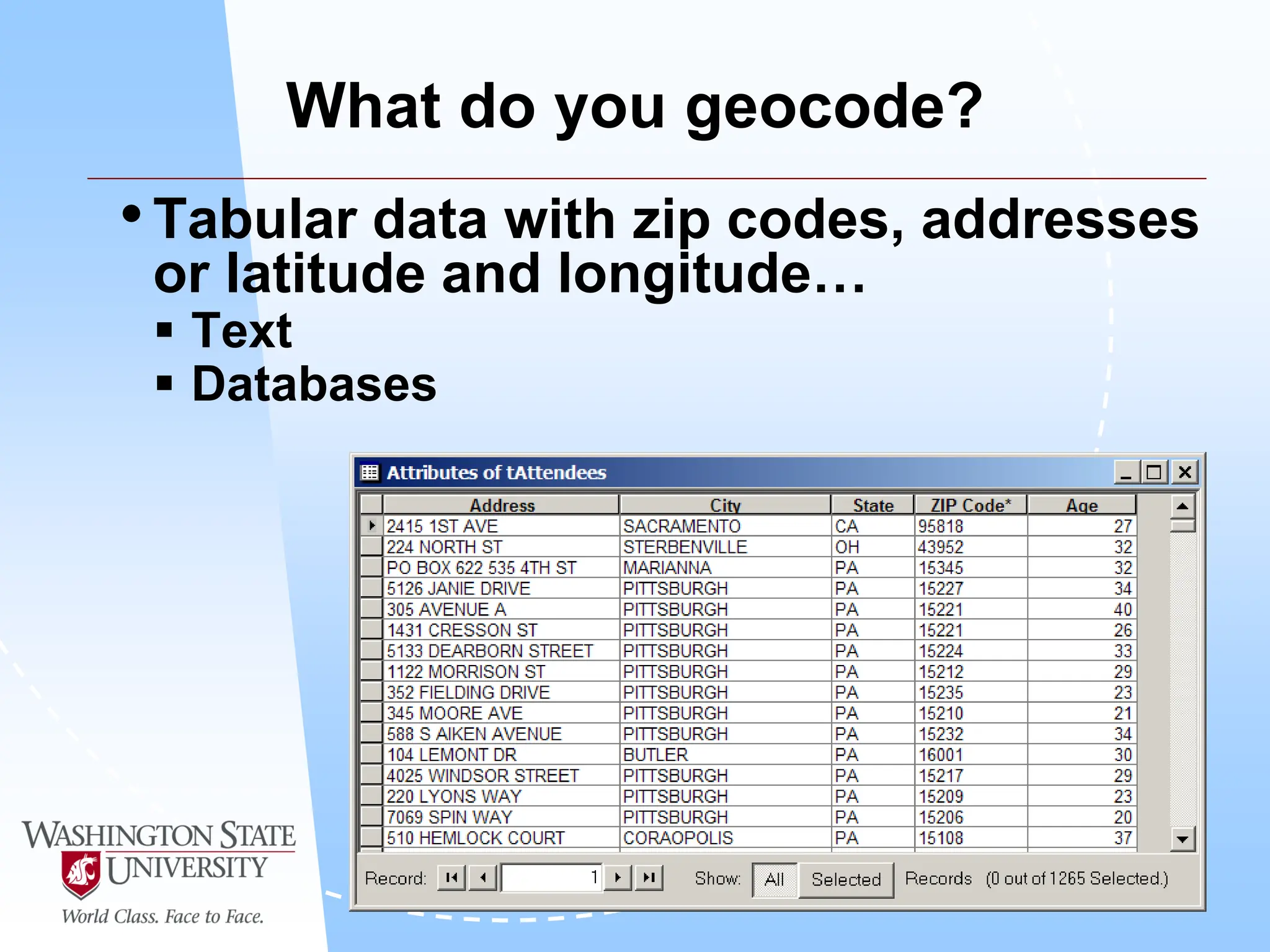
What do you geocode?
•Tabular data with zip codes, addresses
or latitude and longitude…
 Text
 Databases
Requirements for geocoding
• ArcCatalog – create address locators, geocoding
• ArcMap – display geocoded results
• Address locators – rules for assigning a location to
an address
• Reference layer – address locator assigns address
based on information in this layer
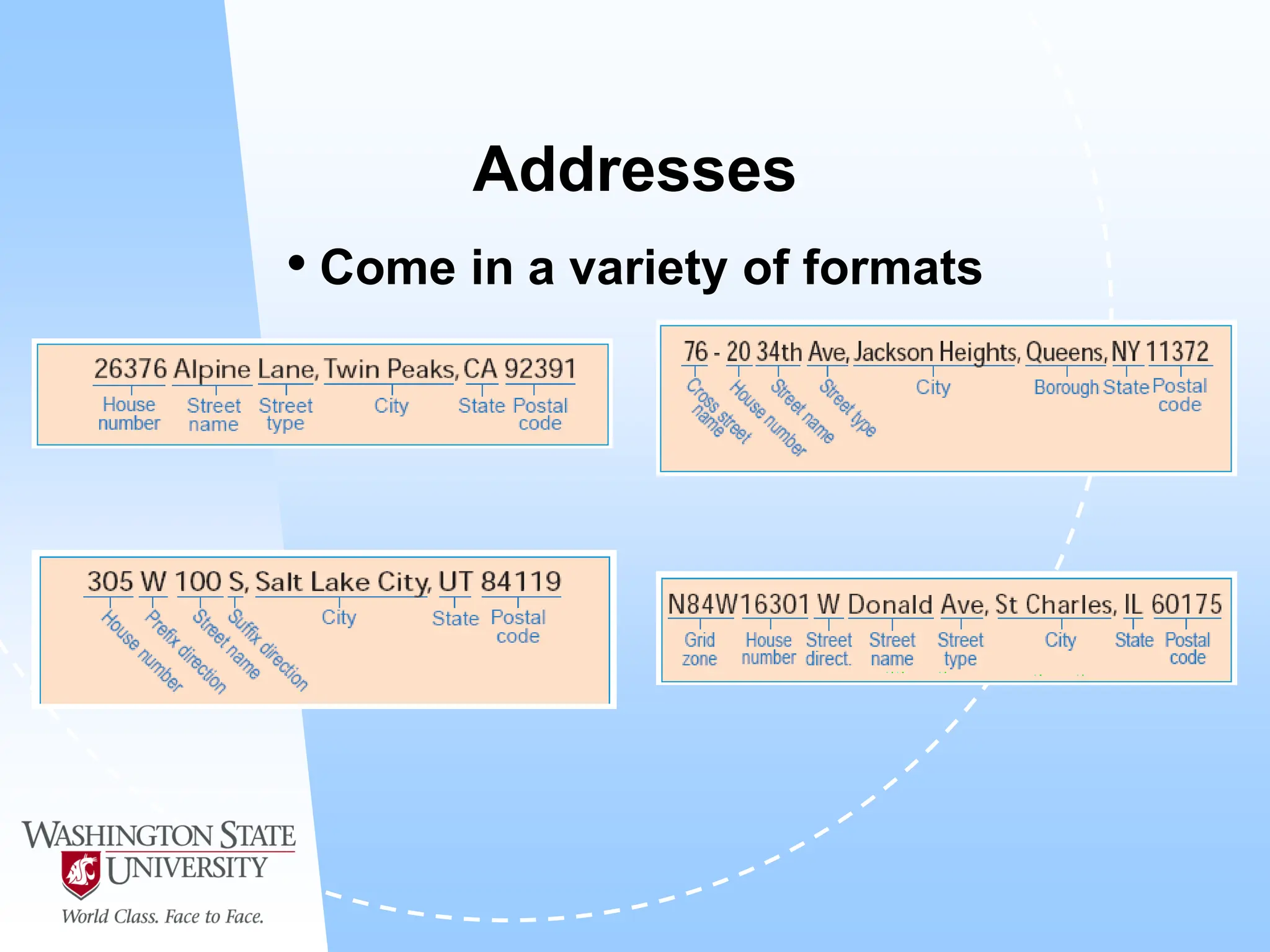
Addresses
• Come in a variety of formats
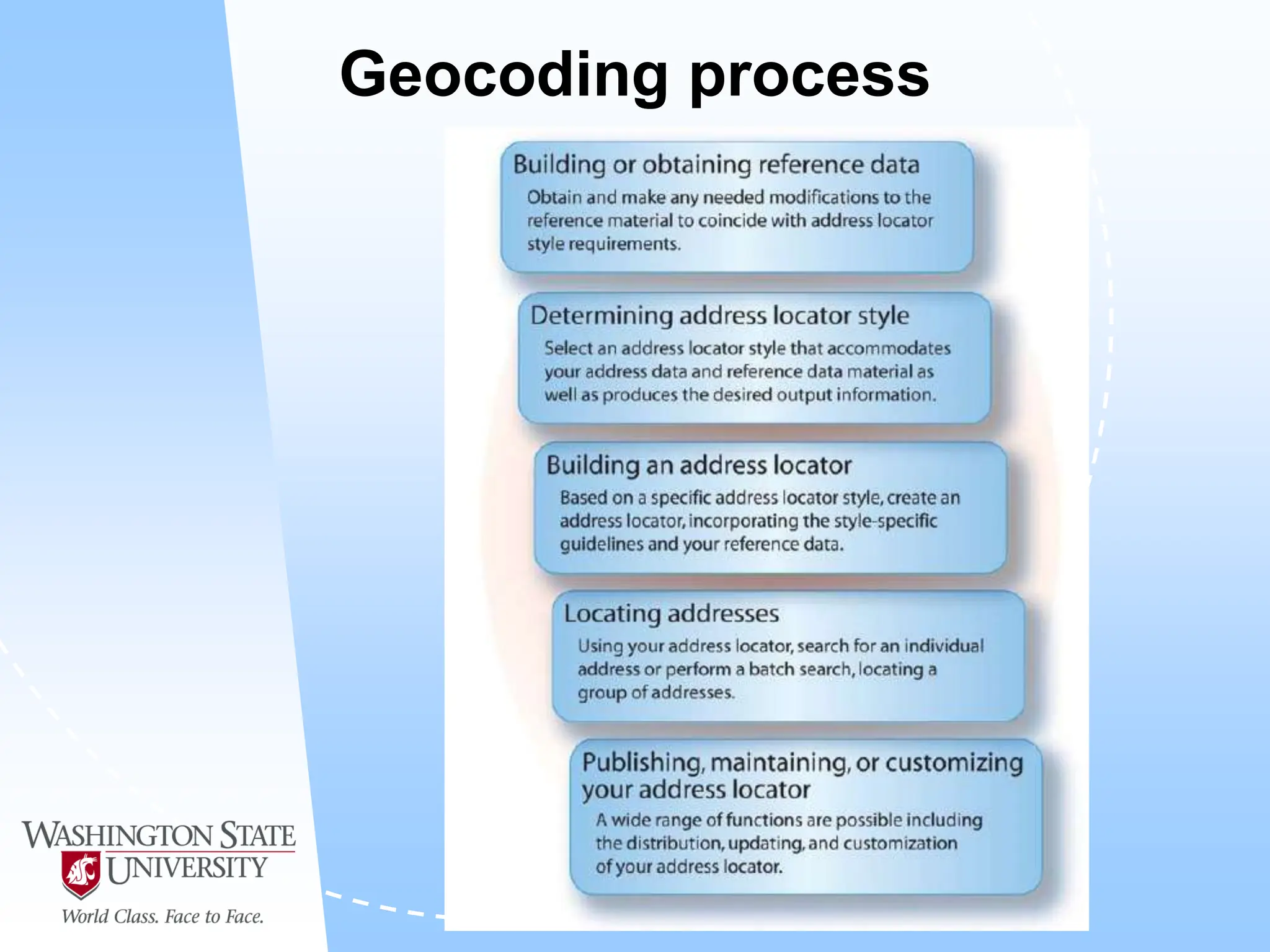
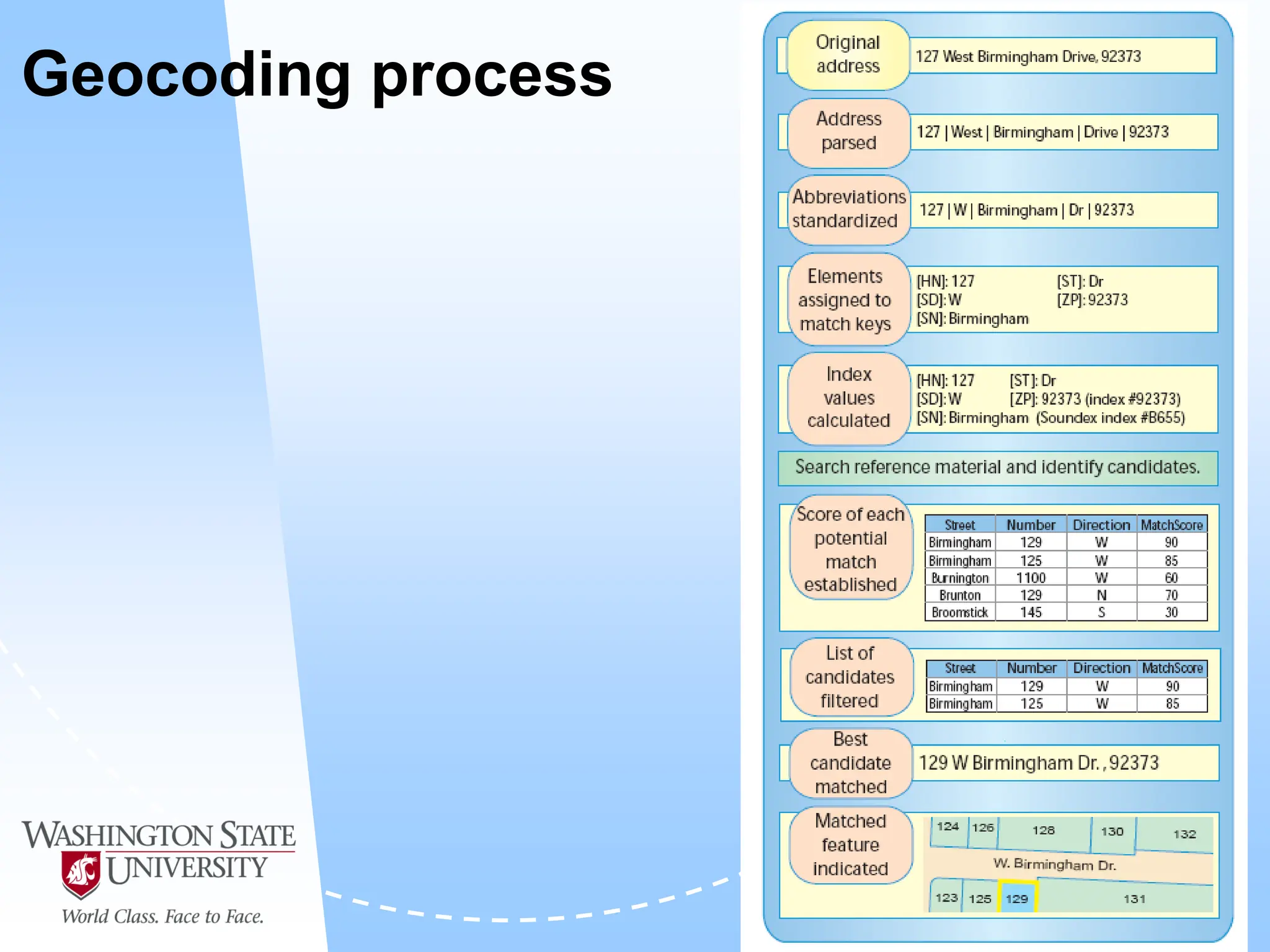
Geocoding process
Reference data
• Needs to cover the same area as data to be
geocoded
• Needs to have adequate level of detail
• Needs to be current
• Needs to be standardized
 Use standard abbreviations
 Standardize Addresses tool in ArcToolbox
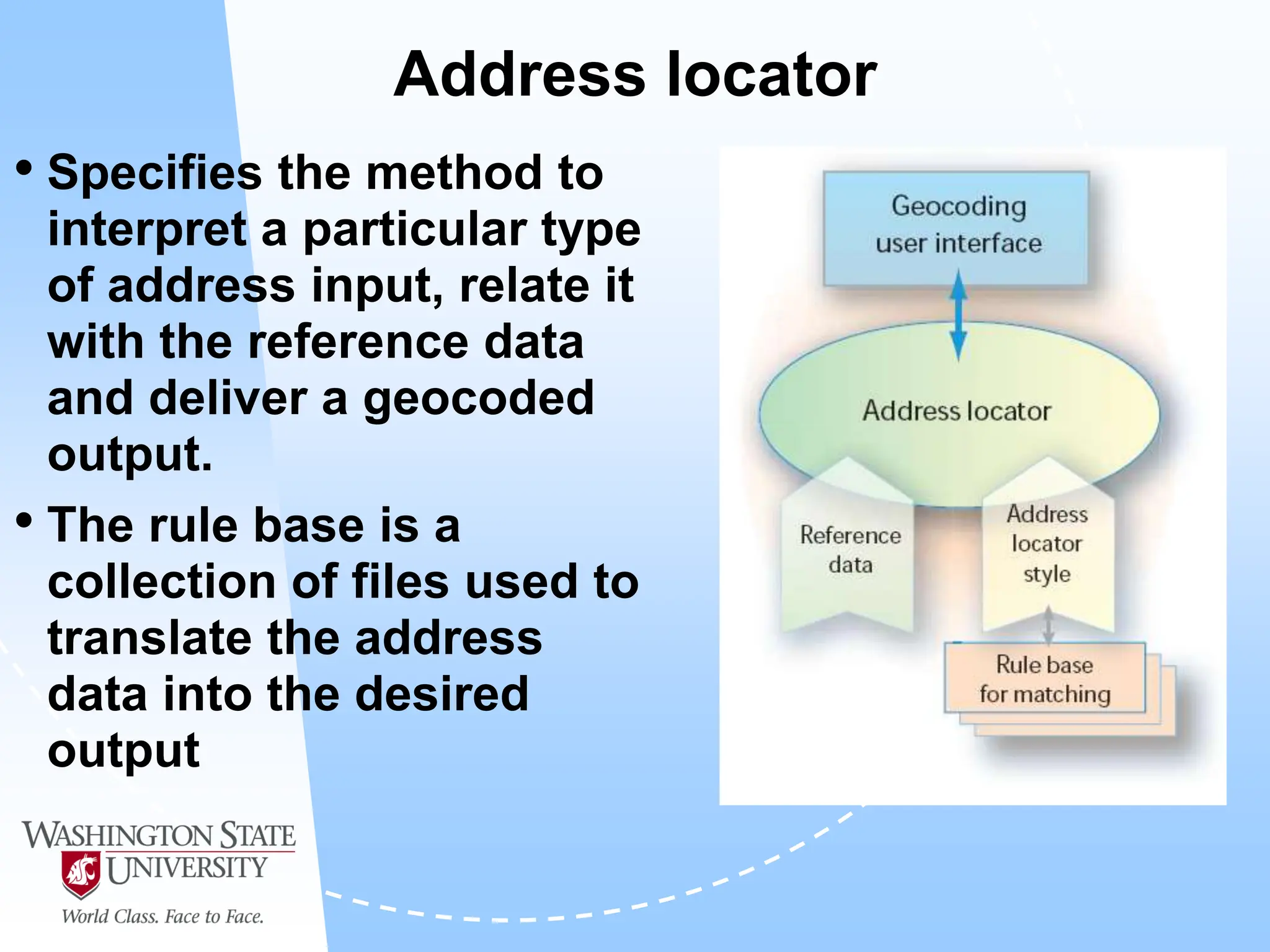
Address locator
• Specifies the method to
interpret a particular type
of address input, relate it
with the reference data
and deliver a geocoded
output.
• The rule base is a
collection of files used to
translate the address
data into the desired
output
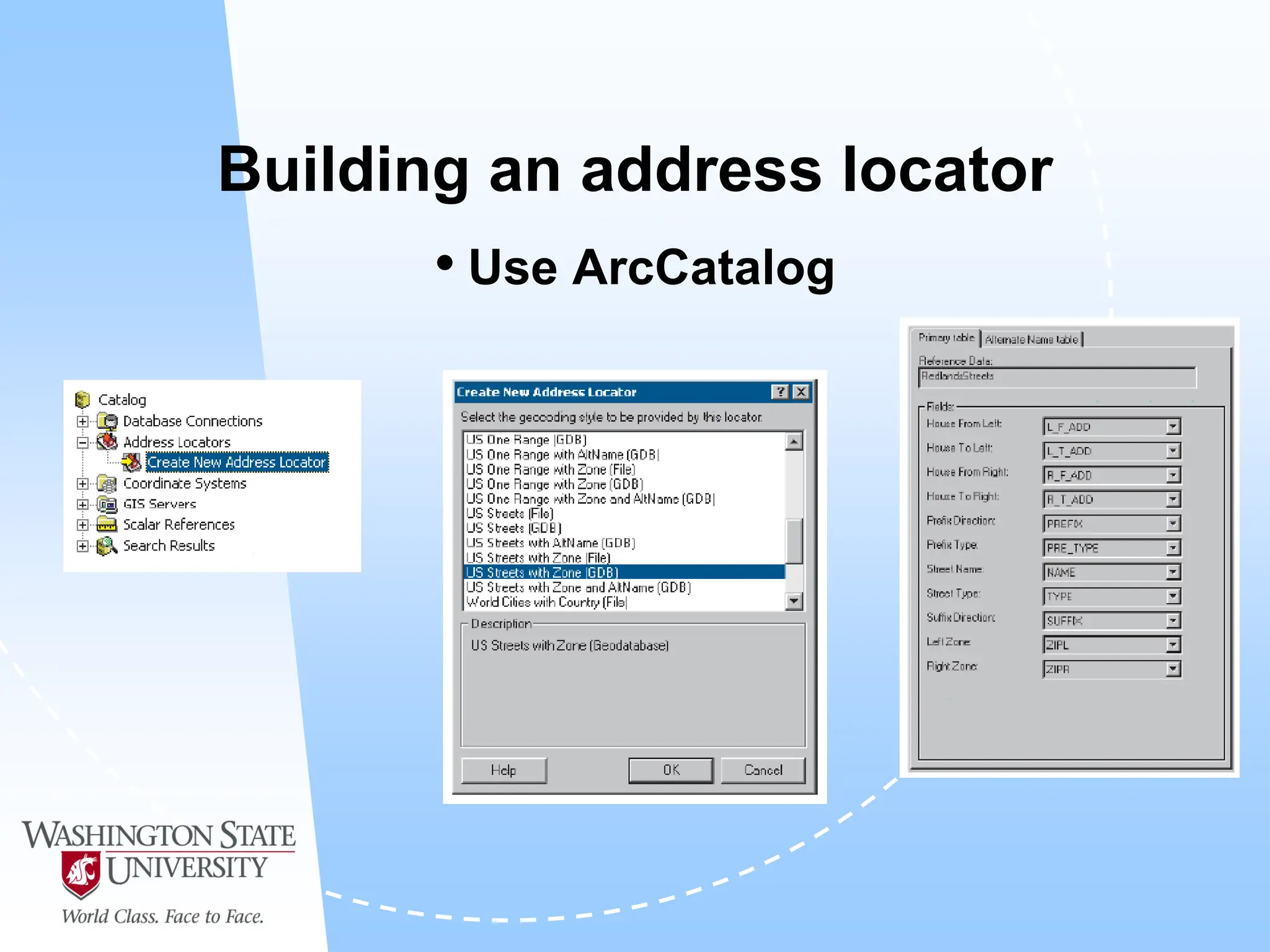
Building an address locator
• Use ArcCatalog
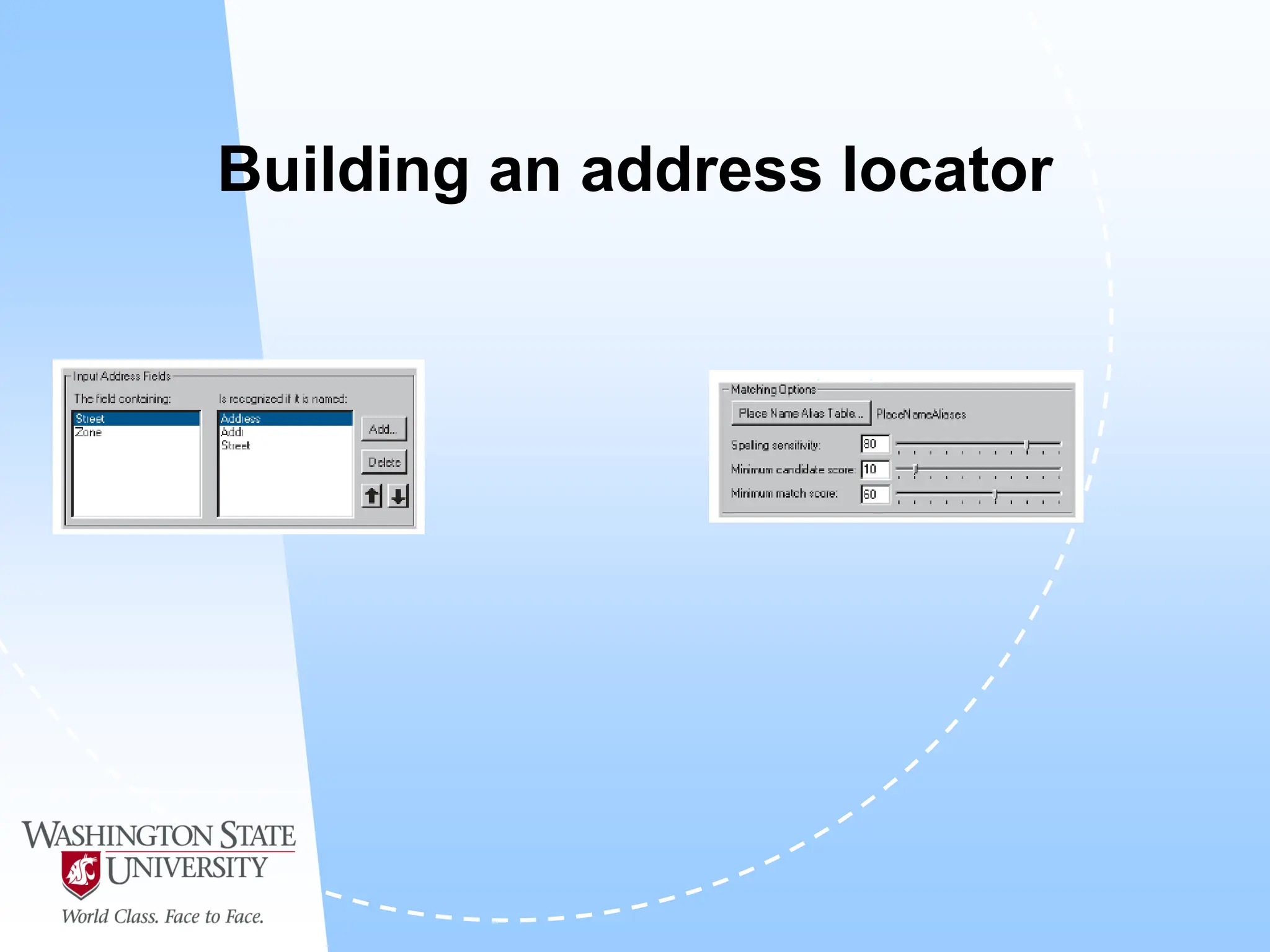
Building an address locator
Alternate names
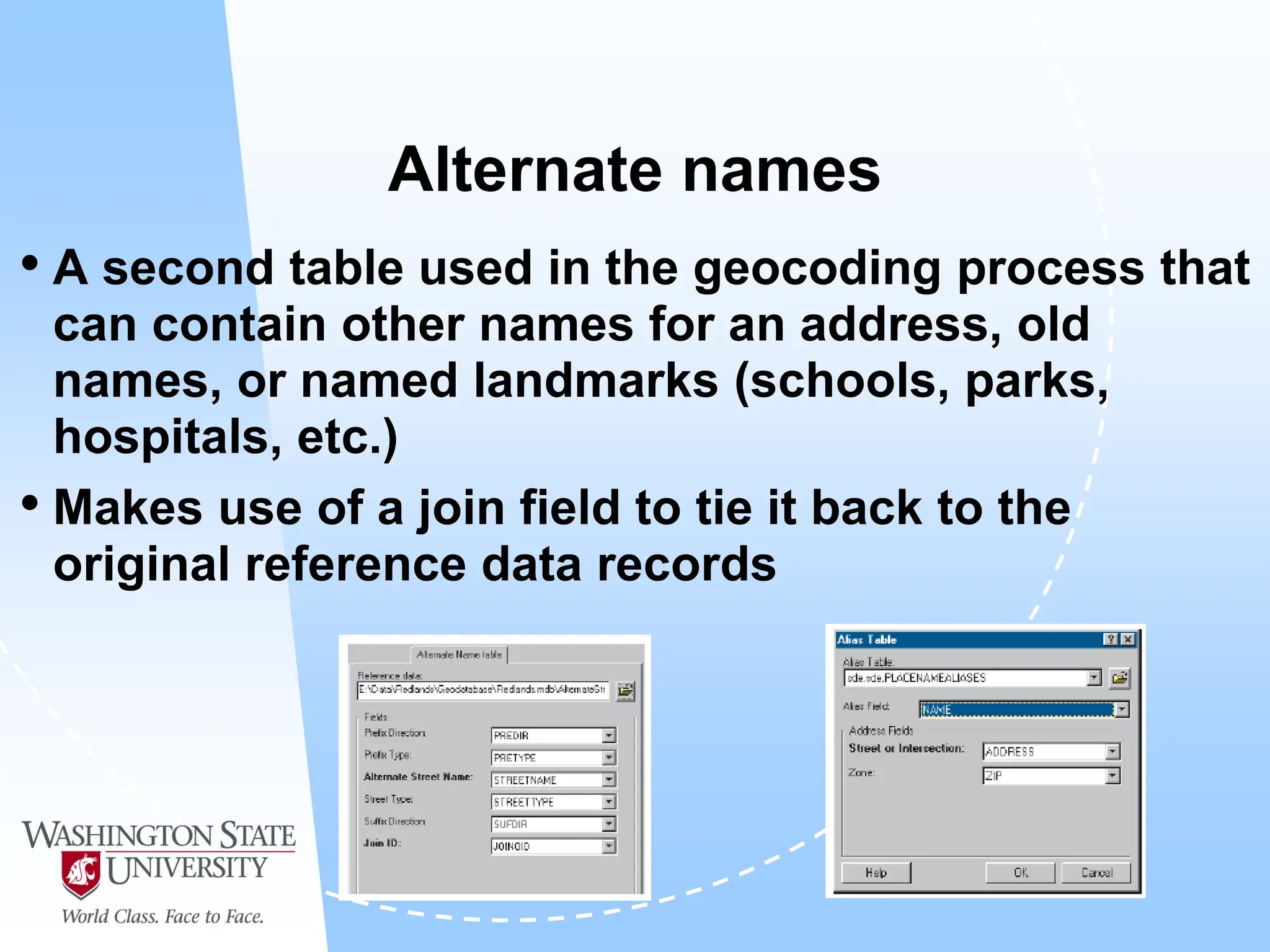
• A second table used in the geocoding process that
can contain other names for an address, old
names, or named landmarks (schools, parks,
hospitals, etc.)
• Makes use of a join field to tie it back to the
original reference data records
Geocoding process
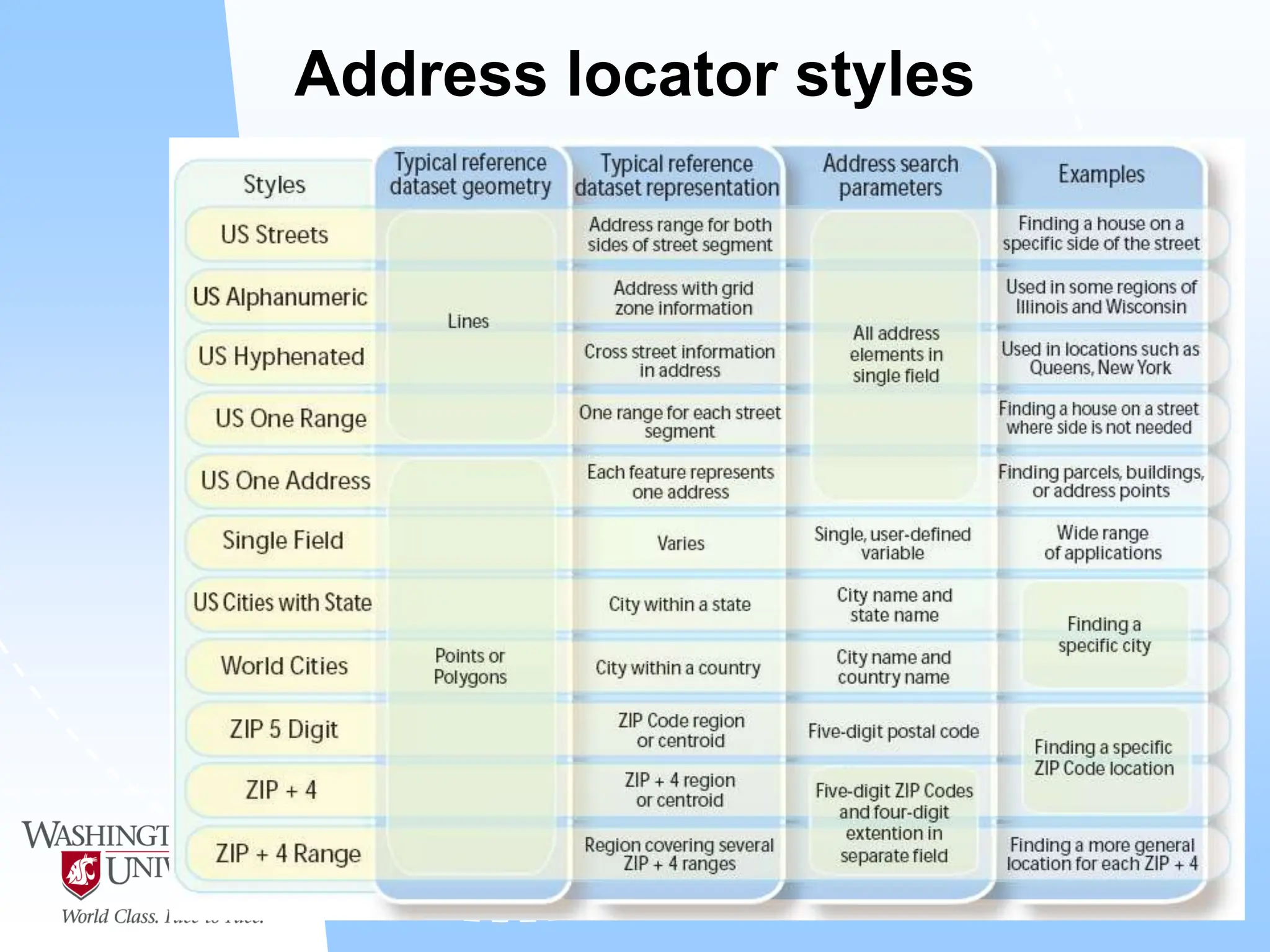
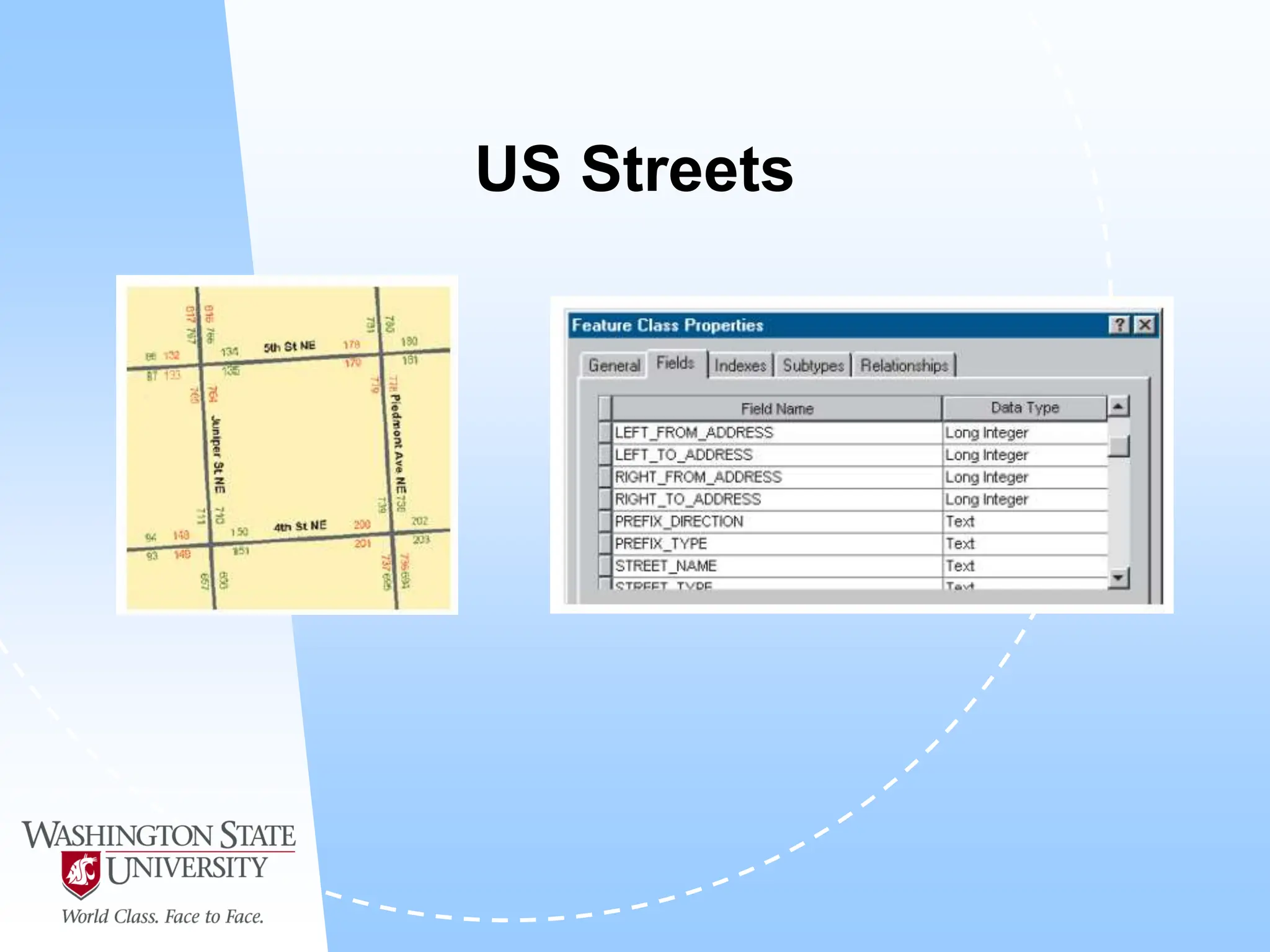
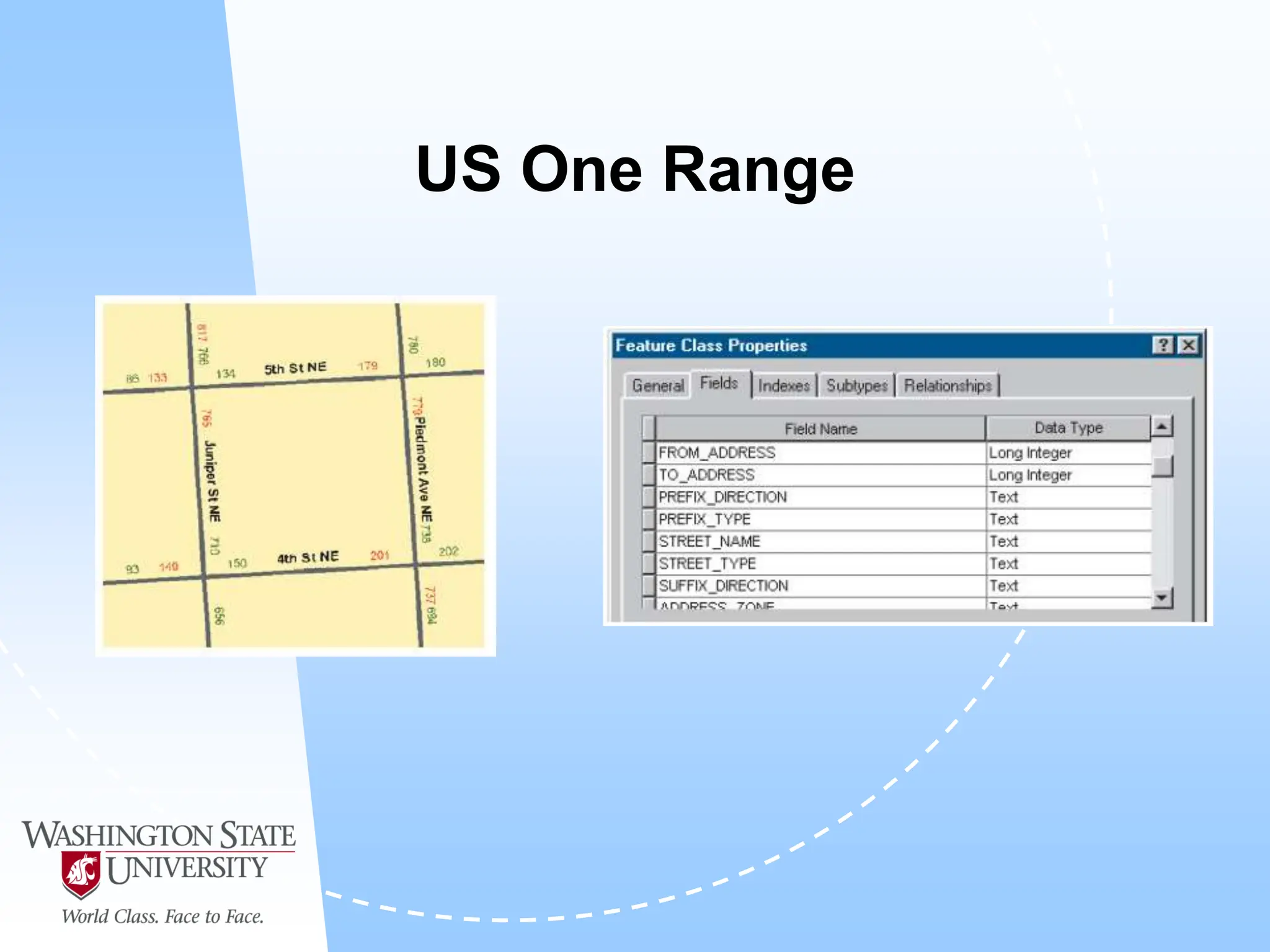
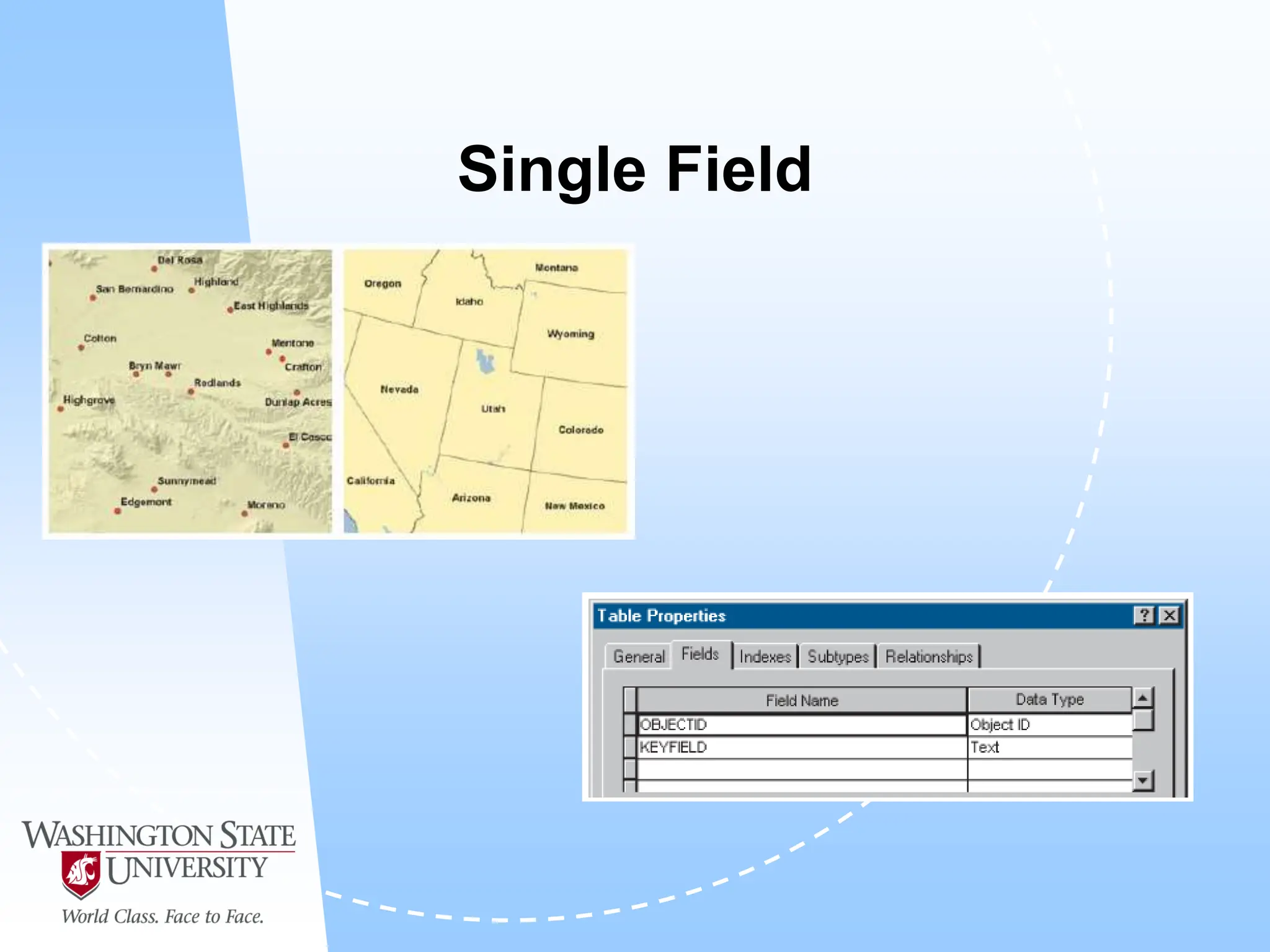
Address locator styles
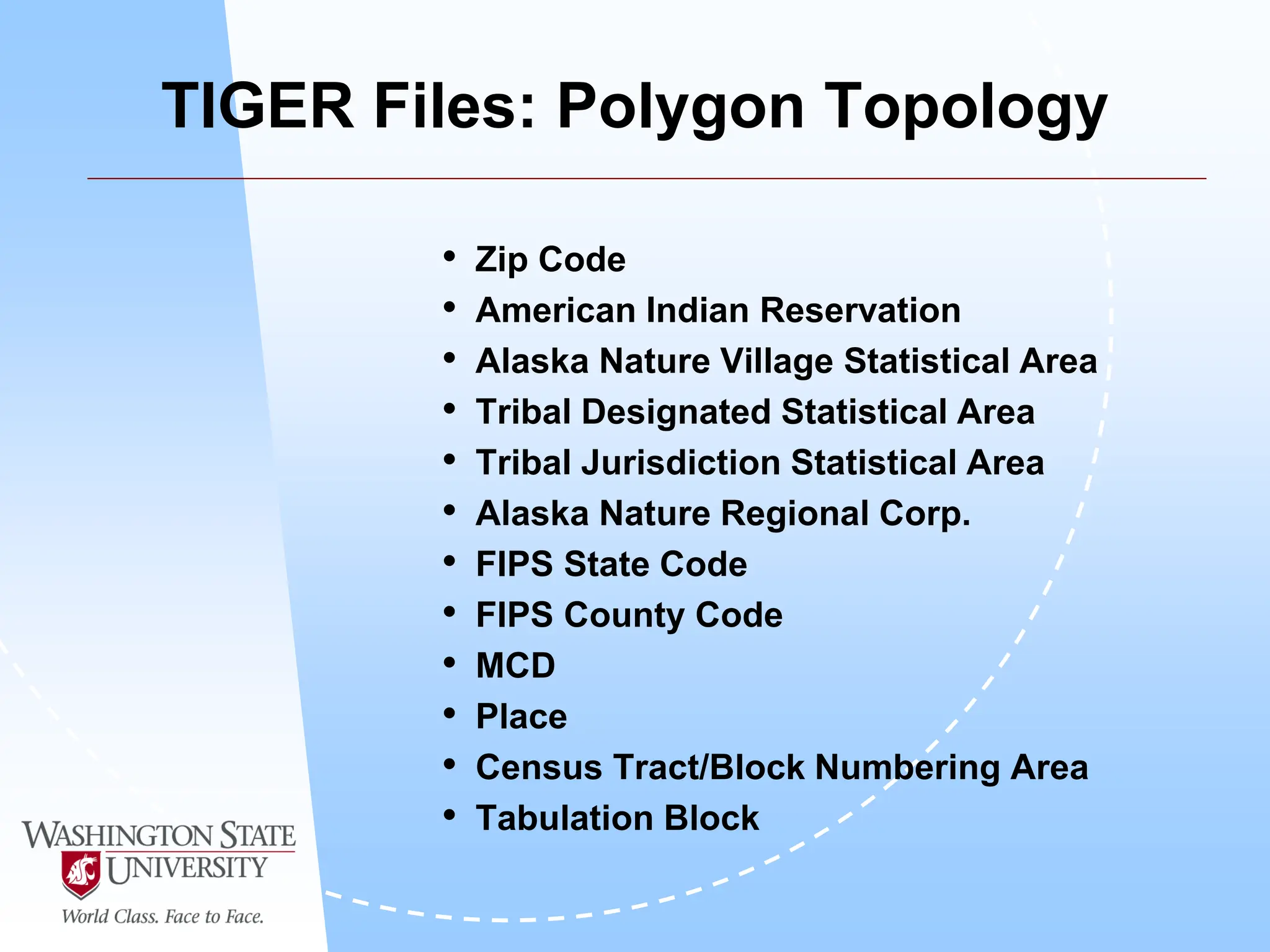
TIGER Files: Polygon Topology
• Zip Code
• American Indian Reservation
• Alaska Nature Village Statistical Area
• Tribal Designated Statistical Area
• Tribal Jurisdiction Statistical Area
• Alaska Nature Regional Corp.
• FIPS State Code
• FIPS County Code
• MCD
• Place
• Census Tract/Block Numbering Area
• Tabulation Block
US Streets
US One Range
Single Field
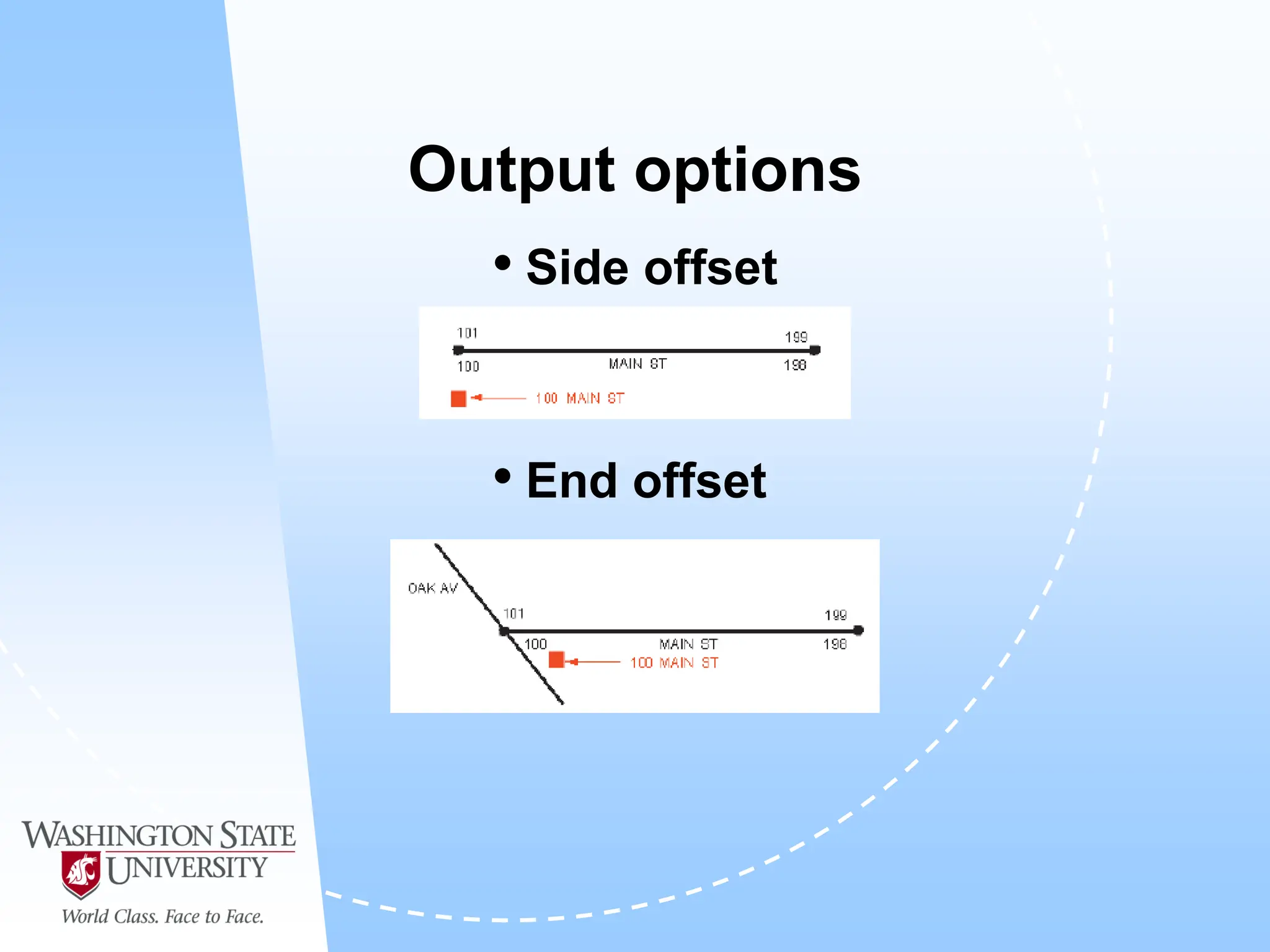
Output options
• Side offset
• End offset
Geocoding
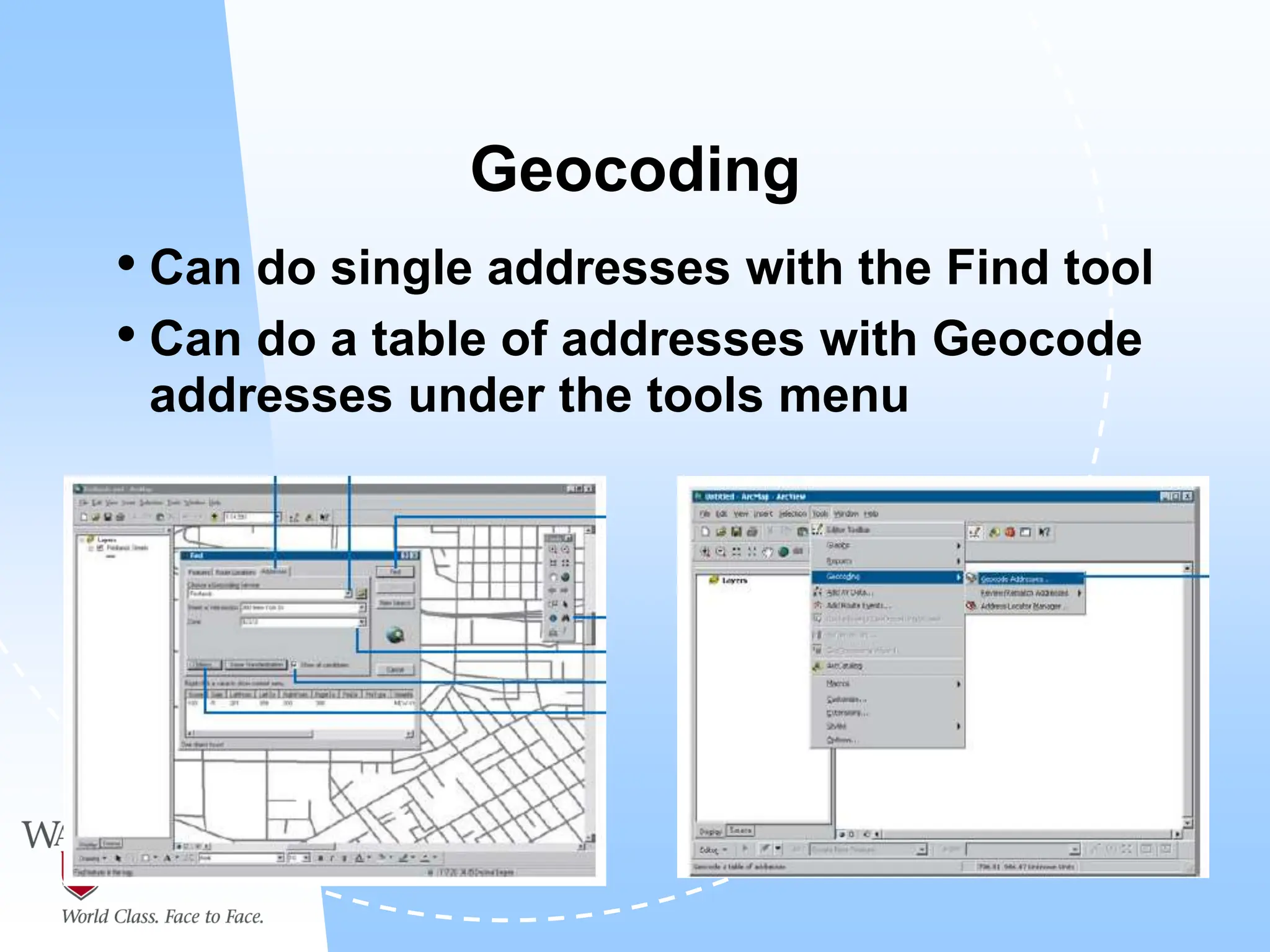
• Can do single addresses with the Find tool
• Can do a table of addresses with Geocode
addresses under the tools menu
Post-geocoding
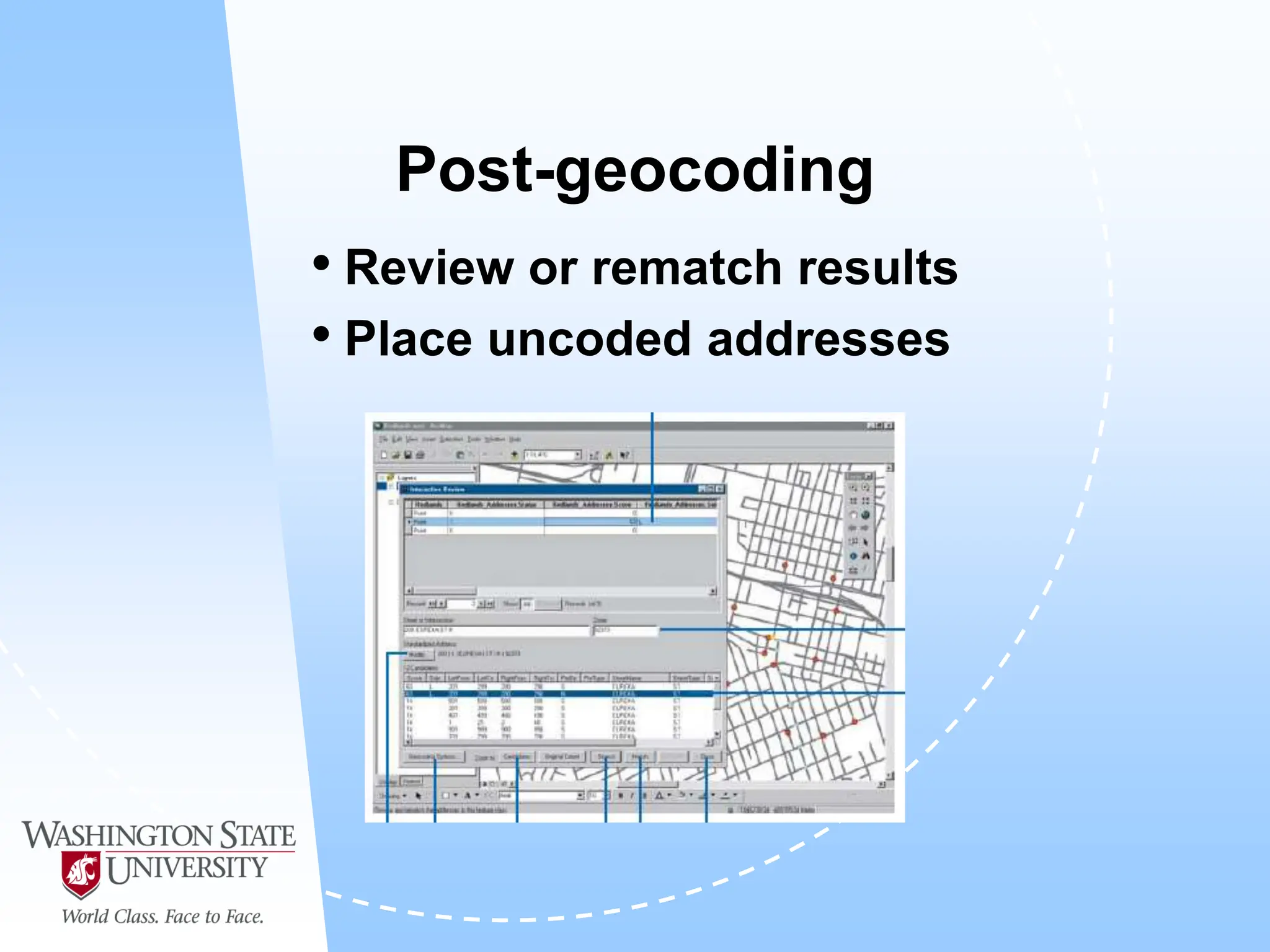
• Review or rematch results
• Place uncoded addresses
Geomasking
• Why Geomasking?
 Confidentiality of a patient’s identity
• In the database: latitude and longitude
• On a map: specific point
• Two main purposes of geomasking
 Release of data for subsequent analysis
• Spatial patterns (e.g. obesity trends)
 Maps for public release
WEB Sites to Visit
• http://www.usps.gov/ncsc/
• http://www.geocode.com/geocode.htm
• http://www.mapquest.com
• http://www.zipinfo.com

A presentation on Geocoding - Complete Guide

  • 1.
  • 2.
    Definition • Geocoding isthe process of assigning a location to addresses in a table by comparing the addresses to those in a reference layer.
  • 3.
    Benefits of geocoding •Map customer locations  Planning deliveries  Giving directions  Planning future expansion • Internet mapping  Driving directions  Real estate • Government applications  Crime analysis  Voter validation
  • 7.
    What do yougeocode? •Tabular data with zip codes, addresses or latitude and longitude…  Text  Databases
  • 8.
    Requirements for geocoding •ArcCatalog – create address locators, geocoding • ArcMap – display geocoded results • Address locators – rules for assigning a location to an address • Reference layer – address locator assigns address based on information in this layer
  • 9.
    Addresses • Come ina variety of formats
  • 10.
  • 11.
    Reference data • Needsto cover the same area as data to be geocoded • Needs to have adequate level of detail • Needs to be current • Needs to be standardized  Use standard abbreviations  Standardize Addresses tool in ArcToolbox
  • 12.
    Address locator • Specifiesthe method to interpret a particular type of address input, relate it with the reference data and deliver a geocoded output. • The rule base is a collection of files used to translate the address data into the desired output
  • 13.
    Building an addresslocator • Use ArcCatalog
  • 14.
  • 15.
    Alternate names • Asecond table used in the geocoding process that can contain other names for an address, old names, or named landmarks (schools, parks, hospitals, etc.) • Makes use of a join field to tie it back to the original reference data records
  • 16.
  • 17.
  • 19.
    TIGER Files: PolygonTopology • Zip Code • American Indian Reservation • Alaska Nature Village Statistical Area • Tribal Designated Statistical Area • Tribal Jurisdiction Statistical Area • Alaska Nature Regional Corp. • FIPS State Code • FIPS County Code • MCD • Place • Census Tract/Block Numbering Area • Tabulation Block
  • 20.
  • 21.
  • 22.
  • 23.
    Output options • Sideoffset • End offset
  • 24.
    Geocoding • Can dosingle addresses with the Find tool • Can do a table of addresses with Geocode addresses under the tools menu
  • 25.
    Post-geocoding • Review orrematch results • Place uncoded addresses
  • 27.
    Geomasking • Why Geomasking? Confidentiality of a patient’s identity • In the database: latitude and longitude • On a map: specific point • Two main purposes of geomasking  Release of data for subsequent analysis • Spatial patterns (e.g. obesity trends)  Maps for public release
  • 29.
    WEB Sites toVisit • http://www.usps.gov/ncsc/ • http://www.geocode.com/geocode.htm • http://www.mapquest.com • http://www.zipinfo.com