Working the command line

Joachim Jacob
8 and 15 November 2013
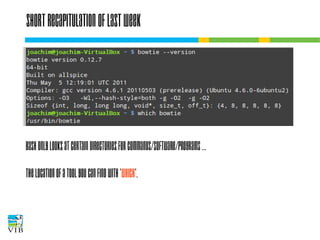
Short recapitulation of last week

Bash only looks at certain directories for
commands/software/programs …
The location of a tool you can find with 'which'.
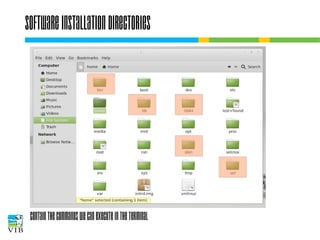
Software installation directories

Contain the commands we can execute in the terminal
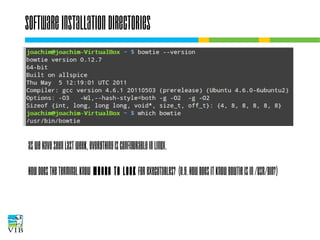
Software installation directories

As we have seen last week, everything is
configurable in Linux.
How does the terminal know where to look for
executables? (e.g. how does it know bowtie is
in /usr/bin?)
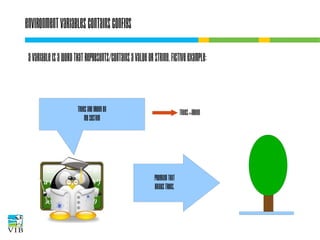
Environment variables contains configs
A variable is a word that represents/contains a
value or string. Fictive example:
TREES are green on
my system

TREES=green

Program that
Draws trees.
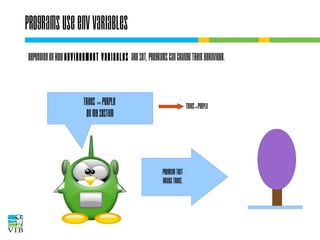
Programs use env variables
Depending on how environment variables are set,
programs can change their behaviour.
TREES = purple
on my system

TREES=purple

Program that
Draws trees.
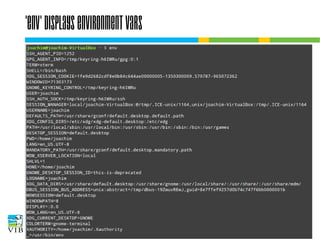
'env' displays environment vars
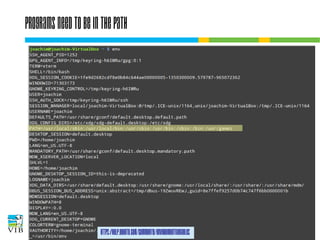
Programs need to be in the PATH
●

Environment variables: they contain
values, applicable system wide.

●

●

https://help.ubuntu.com/community/EnvironmentVariables
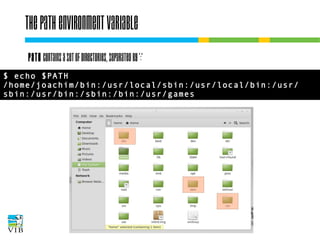
The PATH environment variable
PATH contains a set of directories, separated by ':'
$ echo $PATH
/home/joachim/bin:/usr/local/sbin:/usr/local/bin:/usr/
sbin:/usr/bin:/sbin:/bin:/usr/games
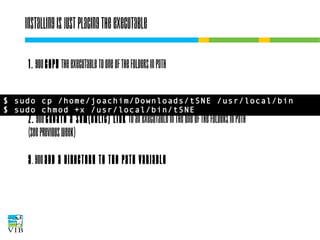
Installing is just placing the executable
1. You copy the executable to one of the folders
in PATH
$ sudo cp /home/joachim/Downloads/tSNE /usr/local/bin
$ sudo chmod +x /usr/local/bin/tSNE

2. You create a sym(bolic) link to an executable
in the one of the folders in PATH
(see previous week)
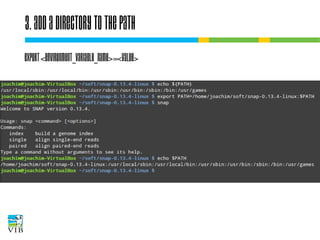
3. You add a directory to the PATH variable
3. Add a directory to the PATH
Export <environment_variable_name>=<value>
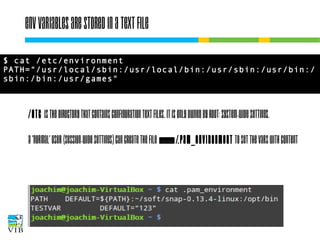
Env variables are stored in a text file
$ cat /etc/environment
PATH="/usr/local/sbin:/usr/local/bin:/usr/sbin:/usr/bin:/
sbin:/bin:/usr/games"

/etc is the directory that contains configuration text
files. It is only owned by root: system-wide settings.
A 'normal' user (session-wide settings) can create the
file ~/.pam_environment to set the vars with content
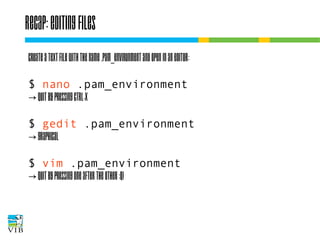
Recap: editing files
Create a text file with the name .pam_environment
and open in an editor:
$ nano .pam_environment
→ quit by pressing ctrl-x
$ gedit .pam_environment
→ graphical
$ vim .pam_environment
→ quit by pressing one after the other :q!
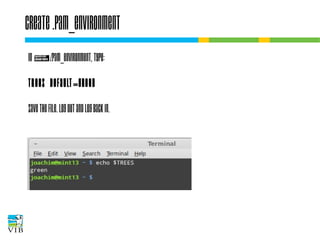
Create .pam_environment
In ~/.pam_environment, type:
TREES DEFAULT=green
Save the file. Log out and log back in.
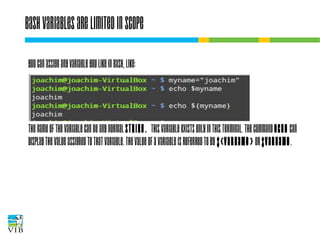
Bash variables are limited in scope
You can assign any variable you like in bash, like:

The name of the variable can be any normal string.
This variable exists only in this terminal. The
command echo can display the value assigned to that
variable. The value of a variable is referred to by $
{varname} or $varname.
It can be used in scripts!
All commands you type, you can put one after the
other in a text file, and let bash execute it.
Let's try!
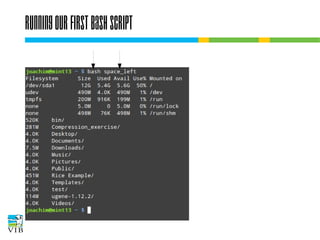
Make a file in your ~ called 'space_left':
Enter two following bash commands in this file:
df -h .
du -sh */
Running our first bash script
Exercise
→ A simple bash script
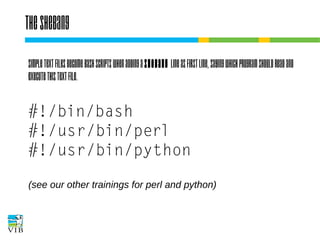
The shebang
Simple text files become Bash scripts when adding
a shebang line as first line, saying which program
should read and execute this text file.

#!/bin/bash
#!/usr/bin/perl
#!/usr/bin/python
(see our other trainings for perl and python)
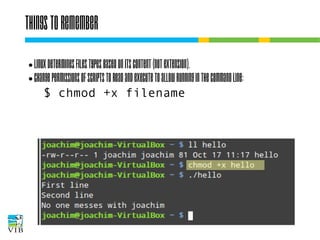
Things to remember
Linux determines files types based on its
content (not extension).
● Change permissions of scripts to read and
execute to allow running in the command line:
$ chmod +x filename
●
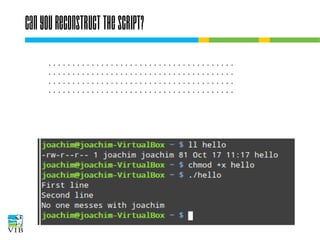
Can you reconstruct the script?
.......................................
.......................................
.......................................
.......................................
One slide on permissions
$ chown user:group filename
$ chmod [ugo][+-][rwx] filename
or
$ chmod [0-7][0-7][0-7] filename
1 stands for execute
2 stands for write
4 stands for read
→ any number from 0 to 7 is a unique
combination of 1, 2 and 4.
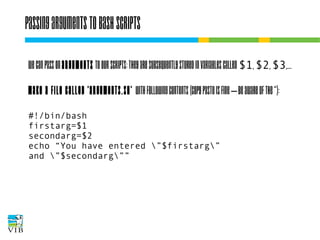
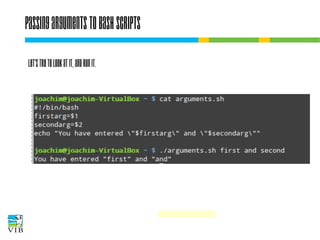
Passing arguments to bash scripts
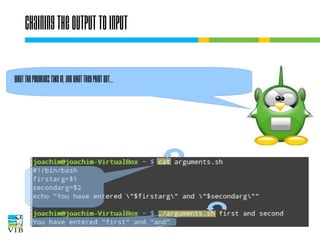
We can pass on arguments to our scripts: they are
subsequently stored in variables called $1, $2, $3,...
Make a file called 'arguments.sh' with following
contents (copy paste is fine – be aware of the “):
#!/bin/bash
firstarg=$1
secondarg=$2
echo “You have entered ”$firstarg”
and ”$secondarg””
Passing arguments to bash scripts
Make your script executable.
$ chmod +x arguments.sh
Passing arguments to bash scripts
Let's try to look at it, and run it.
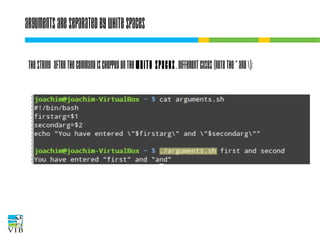
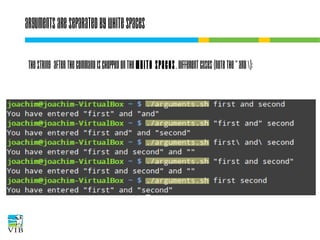
Arguments are separated by white spaces
The string after the command is chopped on the
white spaces. Different cases (note the “ and ):
Arguments are separated by white spaces
The string after the command is chopped on the
white spaces. Different cases (note the “ and ):
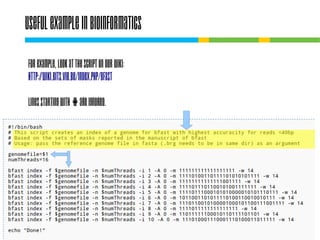
Useful example in bioinformatics
For example, look at the script on our wiki:
http://wiki.bits.vib.be/index.php/Bfast
Lines starting with # are ignored.
Chaining command line tools
This is the ultimate power of Unix-like OSes. The
philosophy is that every tool should do one
small specific task. By combining tools we can
create a bigger piece of software fulfilling our
needs.
How combining different tools?

1. writing scripts
2. pipes
Chaining the output to input
What the programs take in, and what they print out...
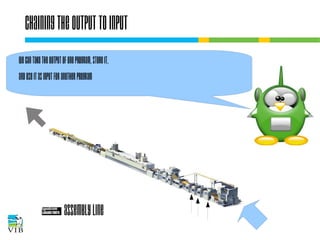
Chaining the output to input
We can take the output of one program, store it,
and use it as input for another program

~ Assembly line
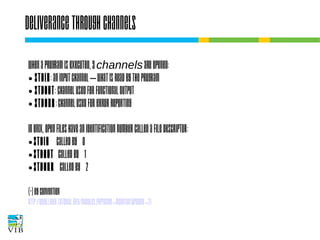
Deliverance through channels
When a program is executed, 3 channels are opened:
● stdin: an input channel – what is read by the program
● stdout: channel used for functional output
● stderr: channel used for error reporting
In UNIX, open files have an identification number
called a file descriptor:
● stdin
called by 0
● stdout
called by 1
● stderr
called by 2
(*) by convention
http://www.linux-tutorial.info/modules.php?name=MContent&pageid=2
1
I/O redirection of terminal programs
$ cat --help
Usage: cat [OPTION]... [FILE]...
Concatenate FILE(s), or standard input,
to standard output.

“When cat is
run it waits
for input. As
soon as an
enter is entered
output is written
to STDOUT.”

STDIN
or channel 0

cat
STDOUT
or channel 1

STDERR
or channel 2
I/O redirection
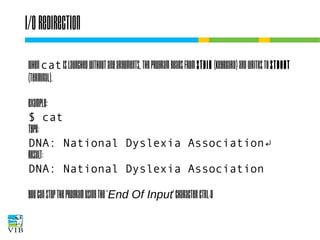
When cat is launched without any arguments, the
program reads from stdin (keyboard) and writes to
stdout (terminal).
Example:
$ cat
type:
DNA: National Dyslexia Association↵
result:
DNA: National Dyslexia Association
You can stop the program using the 'End Of Input'
character CTRL-D
I/O redirection of terminal programs
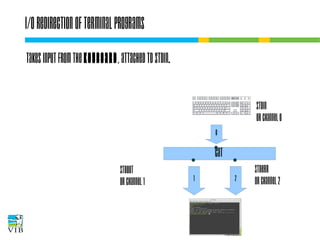
Takes input from the keyboard, attached to
STDIN.
STDIN
or channel 0
0

cat
STDOUT
or channel 1

1

2

STDERR
or channel 2
I/O redirection of terminal programs
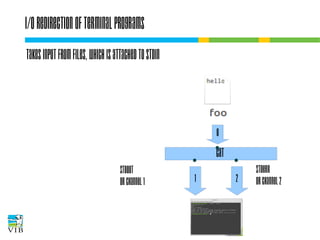
Takes input from files, which is attached to
STDIN

0

cat
STDOUT
or channel 1

1

2

STDERR
or channel 2
I/O redirection of terminal programs
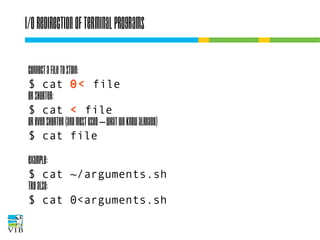
Connect a file to STDIN:
$ cat 0< file
or shorter:
$ cat < file
or even shorter (and most used – what we know
already)
$ cat file
Example:
$ cat ~/arguments.sh
Try also:
$ cat 0<arguments.sh
Output redirection
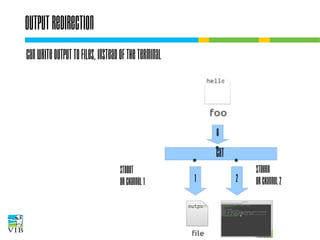
Can write output to files, instead of the
terminal

0

cat
STDOUT
or channel 1

1

2

STDERR
or channel 2
Output redirection


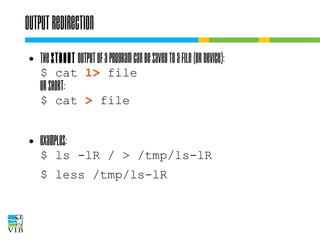
The stdout output of a program can be
saved to a file (or device):
$ cat 1> file

or short:

$ cat > file



Examples:

$ ls -lR / > /tmp/ls-lR
$ less /tmp/ls-lR
Chaining the output to input
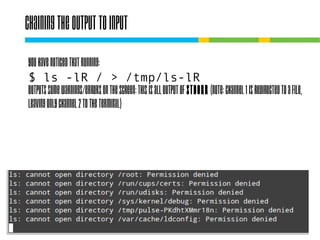
You have noticed that running:
$ ls -lR / > /tmp/ls-lR
outputs some warnings/errors on the screen: this
is all output of STDERR (note: channel 1 is
redirected to a file, leaving only channel 2 to the
terminal)
Chaining the output to input
Redirect the errors to a file called 'error.txt'.
$ ls -lR /

?
Chaining the output to input
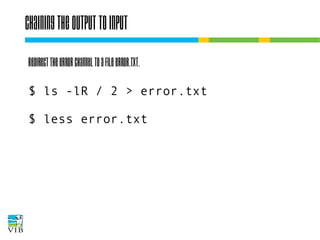
Redirect the error channel to a file error.txt.
$ ls -lR / 2 > error.txt
$ less error.txt
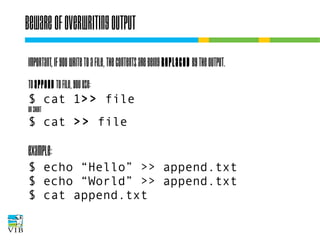
Beware of overwriting output
IMPORTANT, if you write to a file, the contents
are being replaced by the output.
To append to file, you use:

$ cat 1>> file
or short

$ cat >> file

Example:

$ echo “Hello” >> append.txt
$ echo “World” >> append.txt
$ cat append.txt
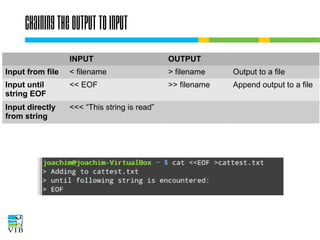
Chaining the output to input
INPUT

OUTPUT

Input from file < filename

> filename

Output to a file

Input until
string EOF

<< EOF

>> filename

Append output to a file

Input directly
from string

<<< “This string is read”
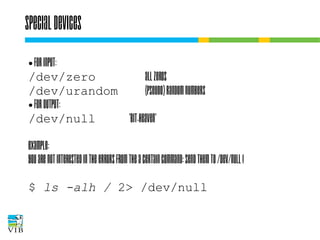
Special devices
For input:
/dev/zero
all zeros
/dev/urandom
(pseudo) random numbers
● For output:
/dev/null
'bit-heaven'
●

Example:
You are not interested in the errors from the a
certain command: send them to /dev/null !
$ ls -alh / 2> /dev/null
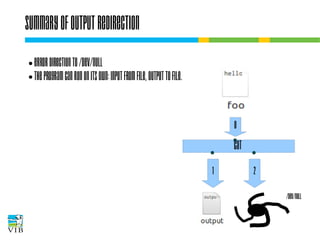
Summary of output redirection
Error direction to /dev/null
● The program can run on its
own: input from file, output to
file.
●

0

cat
1

2
/dev/null
Plumbing with in- and outputs
Example:
$ ls -lR ~ > /tmp/ls-lR
●

$ less < /tmp/ls-lR ('Q' to quit)
$ rm -rf /tmp/ls-lR
Plumbing with in- and outputs
Example:
$ ls -lR ~ > /tmp/ls-lR
●

$ less < /tmp/ls-lR ('Q' to quit)
$ rm -rf /tmp/ls-lR
can be shortened to:
$ ls -lR ~ | less
(Formally: the stdout channel of ls is connected to
the stdin channel of less)
Combining pipe after pipe
Pipes can pass the output
of a command to another
command, which on his
turn can pipe it through,
until the final output is reached.
$ history | awk '{ print $2 }' 
| sort | uniq -c | sort -nr | head -3
237 ls
180 cd
103 ll
Text tools combine well with pipes
UNIX has an extensive toolkit for text analysis:
Extraction: head, tail, grep, awk, uniq
● Reporting: wc
● Manipulation: dos2unix, sort, tr, sed
●

But, the UNIX tool for heavy text parsing is perl (see
https://www.bits.vib.be/index.php/training/175-perl)
Grep: filter lines from text
grep extracts lines that match a string.
Syntax:
$ grep [options] regex [file(s)]
The file(s) are read line by line. If the line matches
the given criteria, the entire line is written to
stdout.
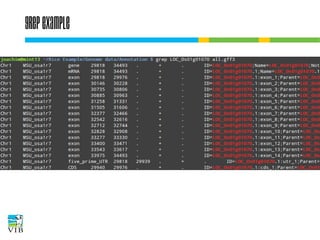
Grep example
A GFF file contains genome annotation
information. Different types of annotations are
mixed: gene, mRNA, exons, …
Filtering out one type of annotation is very easy
with grep.
Task:
Filter out all lines from locus Os01g01070 in
all.gff3 (should be somewhere in your Rice folder).
Grep example
Grep
-i: ignore case
matches the regex case insensitively
-v: inverse
shows all lines that do not match the regex
-l: list
shows only the name of the files that contain a
match
-n:
shows n lines around the match
--color:
highlights the match
Finetuning filtering with regexes
A regular expression, aka regex, is a formal way of
describing sets of strings, used by many tools: grep,
sed, awk, ...
It resembles wild card-functionility (e.g. ls *) (also
called globbing), but is more extensive.

http://www.slideshare.net/wvcrieki/bioinformatics-p2p3perlregexes-v2013wimvancriekinge?utm_source=slideshow&utm_medium=ssemail&u

http://www.faqs.org/docs/abs/HTML/regexp.html
Basics of regexes
A plain character in a regex matches itself.
. = any character
^ = beginning of the line
$ = end of the line
[ ] = a set of characters
Example:
$ grep chr[1-5] all.gff3
Regex

chr

chr[1-5]

chr.

AAF12.[1-3]

AT[1,5]G[:digit:]+/.[1,2]

Matching
string set

chr1

chr1

chr1

AAF12.1

AT5G08160.1

chr2

chr2

chr2

AAF12.2

AT5G08160.2

chr3

chr3

chr3

AAF12.3

AT5G10245.1

chr4

chr4

chr4

chr5

chr5

chr5

AT1G14525.1
Basics of regexes
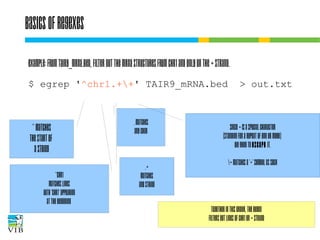
Example: from TAIR9_mRNA.bed, filter out the mRNA
structures from chr1 and only on the + strand.
$ egrep '^chr1.++' TAIR9_mRNA.bed
^ matches
the start of
a string
^chr1
Matches lines
With 'chr1' appearing
At the beginning

. matches
any char

.+
matches
any string

> out.txt

Since + is a special character
(standing for a repeat of one or more),
we need to escape it.
+ matches a '+' symbol as such

Together in this order, the regex
filters out lines of chr1 on + strand
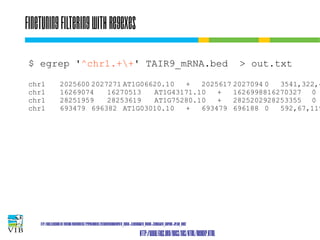
Finetuning filtering with regexes
$ egrep '^chr1.++' TAIR9_mRNA.bed
chr1
chr1
chr1
chr1

> out.txt

2025600 2027271 AT1G06620.10
+
2025617 2027094 0
3541,322,4
16269074
16270513
AT1G43171.10
+
1626998816270327 0
28251959
28253619
AT1G75280.10
+
2825202928253355 0
693479 696382 AT1G03010.10
+
693479 696188 0
592,67,119

http://www.slideshare.net/wvcrieki/bioinformatics-p2p3perlregexes-v2013wimvancriekinge?utm_source=slideshow&utm_medium=ssemail&u

http://www.faqs.org/docs/abs/HTML/regexp.html
Wc – count words in files
A general tool for counting lines, words and characters:
wc [options] file(s)
c: show number of characters
w: show number of words
l: show number of lines
How many mRNA entries are on chr1 of A. thaliana?
$ wc -l chr1_TAIR9_mRNA.bed
or
$ grep chr1 TAIR9_mRNA.bed | wc -l
Translate
To replace characters:
$ tr 's1' 's2'
! tr always reads from stdin – you cannot specify any
files as command line arguments. Characters in s1
are replaced by characters in s2.
Example:
$ echo 'James Watson' | tr '[a-z]' '[A-Z]'
JAMES WATSON
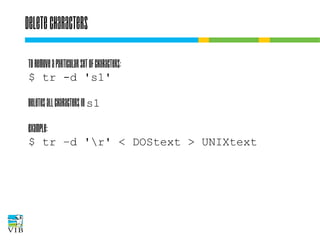
Delete characters
To remove a particular set of characters:
$ tr -d 's1'
Deletes all characters in s1
Example:
$ tr –d 'r' < DOStext > UNIXtext
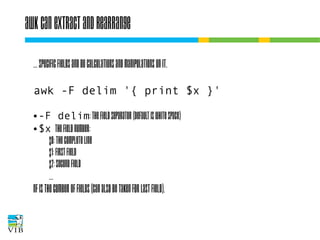
awk can extract and rearrange
… specific fields and do calculations and
manipulations on it.
awk -F delim '{ print $x }'
-F delim: the field separator (default is white space)
● $x
the field number:
$0: the complete line
$1: first field
$2: second field
●

…
NF is the cumber of fields (can also be taken for last
field).
awk can extract and rearrange
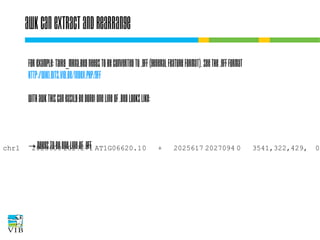
For example: TAIR9_mRNA.bed needs to be converted to
.gff (general feature format). See the .gff format
http://wiki.bits.vib.be/index.php/.gff
With AWK this can easily be done! One line of .bed looks
like:
chr1

2025600 2027271 AT1G06620.10

+

→ needs to be one line of .gff

2025617 2027094 0

3541,322,429,

0,
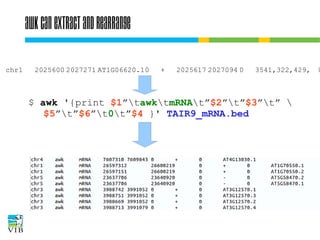
awk can extract and rearrange
chr1

2025600 2027271 AT1G06620.10

+

2025617 2027094 0

3541,322,429,

$ awk '{print $1”tawktmRNAt”$2”t”$3”t” 
$5”t”$6”t0t”$4 }' TAIR9_mRNA.bed

0
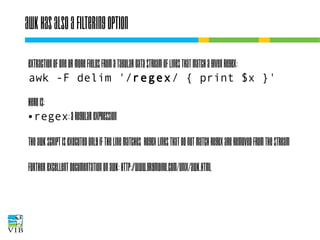
Awk has also a filtering option
Extraction of one or more fields from a tabular data
stream of lines that match a given regex:
awk -F delim '/regex/ { print $x }'
Here is:
● regex: a regular expression
The awk script is executed only if the line matches
regex lines that do not match regex are removed
from the stream
Further excellent documentation on awk:
http://www.grymoire.com/Unix/Awk.html
Cut selects columns
Cut extracts fields from text files:
Using fixed delimiter
$ cut [-d delim] -f <fields> [file]
●

chopping on fixed width
$ cut -c <fields> [file]
●

For <fields>:
N
the Nth element
N-M element the Nth till the Mth element
Nfrom the Nth element on
-M
till the Mth element
The first element is 1.
Cutting columns from text files
Fixed width example:
Suppose there is a file fixed.txt with content
12345ABCDE67890FGHIJ
To extract a range of characters:
$ cut -c 6-10 fixed.txt
ABCDE
Sorting output
To sort alphabetically or numerically lines of text:
$ sort [options] file(s)
When more files are specified, they are read one by
one, but all lines together are sorted.
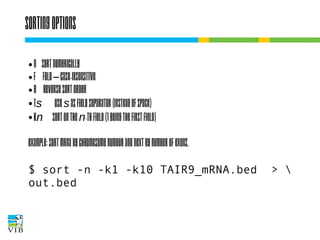
Sorting options
n
● f
● r
● ts
● kn
●

sort numerically
fold – case-insensitive
reverse sort order
use s as field separator (instead of space)
sort on the n-th field (1 being the first field)

Example: sort mRNA by chromosome number and
next by number of exons.
$ sort -n -k1 -k10 TAIR9_mRNA.bed
out.bed

>
Detecting unique records with uniq
eliminate duplicate lines in a set of files
● display unique lines
● display and count duplicate lines
●

Very important: uniq always needs from sorted
input.
Useful option:
-c count the number of fields.
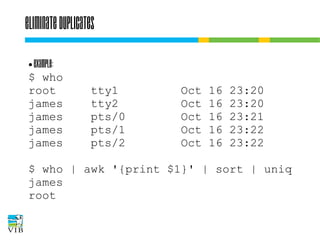
Eliminate duplicates
Example:
$ who
root
james
james
james
james
●

tty1
tty2
pts/0
pts/1
pts/2

Oct
Oct
Oct
Oct
Oct

16
16
16
16
16

23:20
23:20
23:21
23:22
23:22

$ who | awk '{print $1}' | sort | uniq
james
root
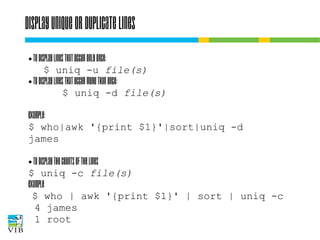
Display unique or duplicate lines
To display lines that occur only once:
$ uniq -u file(s)
● To display lines that occur more than once:
$ uniq -d file(s)
●

Example:
$ who|awk '{print $1}'|sort|uniq -d
james
To display the counts of the lines
$ uniq -c file(s)
Example
$ who | awk '{print $1}' | sort | uniq -c
4 james
1 root
●
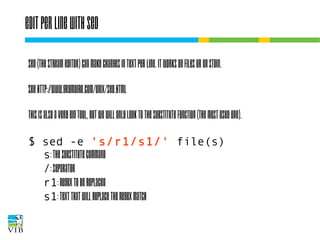
Edit per line with sed
Sed (the stream editor) can make changes in text
per line. It works on files or on STDIN.
See http://www.grymoire.com/Unix/Sed.html
This is also a very big tool, but we will only look to
the substitute function (the most used one).
$ sed -e 's/r1/s1/' file(s)
s: the substitute command
/: separator
r1: regex to be replaced
s1: text that will replace the regex match
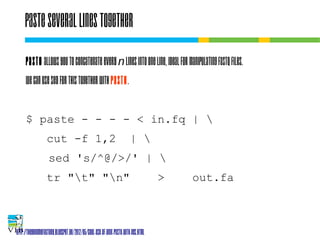
Paste several lines together
Paste allows you to concatenate every n lines into one
line, ideal for manipulating fastq files.
We can use sed for this together with paste.
$ paste - - - - < in.fq | 
cut -f 1,2

| 

sed 's/^@/>/' | 
tr "t" "n"

>

out.fa

http://thegenomefactory.blogspot.be/2012/05/cool-use-of-unix-paste-with-ngs.html
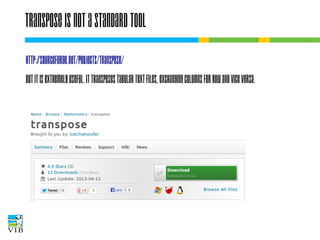
Transpose is not a standard tool
http://sourceforge.net/projects/transpose/
But it is extremely useful. It transposes tabular text
files, exchanging columns for row and vice versa.
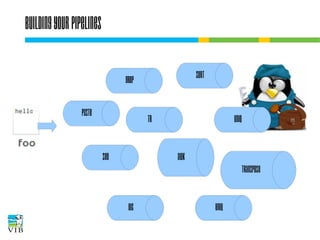
Building your pipelines
sort

grep
paste

tr

sed

uniq

awk
transpose

wc

uniq
Fill in the tools
Filter on lines ánd select different columns: …....................
Select columns: …............
Sort lines: ….....

Filter lines: …............

Merge identical
fields: …...........
Replace characters: ….....
Replace strings: …............

Numerical summary: ….....

Transpose: ….....
Exercise
→ Text manipulation exercises
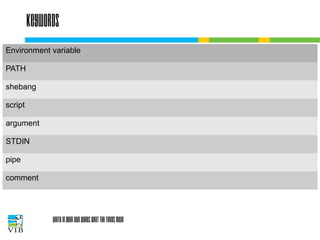
Keywords
Environment variable
PATH
shebang
script
argument
STDIN
pipe
comment

Write in your own words what the terms mean
Break

Text mining on the command line - Introduction to linux for bioinformatics

  • 1.
    Working the commandline Joachim Jacob 8 and 15 November 2013
  • 2.
    Short recapitulation oflast week Bash only looks at certain directories for commands/software/programs … The location of a tool you can find with 'which'.
  • 3.
    Software installation directories Containthe commands we can execute in the terminal
  • 4.
    Software installation directories Aswe have seen last week, everything is configurable in Linux. How does the terminal know where to look for executables? (e.g. how does it know bowtie is in /usr/bin?)
  • 5.
    Environment variables containsconfigs A variable is a word that represents/contains a value or string. Fictive example: TREES are green on my system TREES=green Program that Draws trees.
  • 6.
    Programs use envvariables Depending on how environment variables are set, programs can change their behaviour. TREES = purple on my system TREES=purple Program that Draws trees.
  • 7.
  • 8.
    Programs need tobe in the PATH ● Environment variables: they contain values, applicable system wide. ● ● https://help.ubuntu.com/community/EnvironmentVariables
  • 9.
    The PATH environmentvariable PATH contains a set of directories, separated by ':' $ echo $PATH /home/joachim/bin:/usr/local/sbin:/usr/local/bin:/usr/ sbin:/usr/bin:/sbin:/bin:/usr/games
  • 10.
    Installing is justplacing the executable 1. You copy the executable to one of the folders in PATH $ sudo cp /home/joachim/Downloads/tSNE /usr/local/bin $ sudo chmod +x /usr/local/bin/tSNE 2. You create a sym(bolic) link to an executable in the one of the folders in PATH (see previous week) 3. You add a directory to the PATH variable
  • 11.
    3. Add adirectory to the PATH Export <environment_variable_name>=<value>
  • 12.
    Env variables arestored in a text file $ cat /etc/environment PATH="/usr/local/sbin:/usr/local/bin:/usr/sbin:/usr/bin:/ sbin:/bin:/usr/games" /etc is the directory that contains configuration text files. It is only owned by root: system-wide settings. A 'normal' user (session-wide settings) can create the file ~/.pam_environment to set the vars with content
  • 13.
    Recap: editing files Createa text file with the name .pam_environment and open in an editor: $ nano .pam_environment → quit by pressing ctrl-x $ gedit .pam_environment → graphical $ vim .pam_environment → quit by pressing one after the other :q!
  • 14.
    Create .pam_environment In ~/.pam_environment,type: TREES DEFAULT=green Save the file. Log out and log back in.
  • 15.
    Bash variables arelimited in scope You can assign any variable you like in bash, like: The name of the variable can be any normal string. This variable exists only in this terminal. The command echo can display the value assigned to that variable. The value of a variable is referred to by $ {varname} or $varname.
  • 16.
    It can beused in scripts! All commands you type, you can put one after the other in a text file, and let bash execute it. Let's try! Make a file in your ~ called 'space_left': Enter two following bash commands in this file: df -h . du -sh */
  • 17.
    Running our firstbash script
  • 18.
  • 19.
    The shebang Simple textfiles become Bash scripts when adding a shebang line as first line, saying which program should read and execute this text file. #!/bin/bash #!/usr/bin/perl #!/usr/bin/python (see our other trainings for perl and python)
  • 20.
    Things to remember Linuxdetermines files types based on its content (not extension). ● Change permissions of scripts to read and execute to allow running in the command line: $ chmod +x filename ●
  • 21.
    Can you reconstructthe script? ....................................... ....................................... ....................................... .......................................
  • 22.
    One slide onpermissions $ chown user:group filename $ chmod [ugo][+-][rwx] filename or $ chmod [0-7][0-7][0-7] filename 1 stands for execute 2 stands for write 4 stands for read → any number from 0 to 7 is a unique combination of 1, 2 and 4.
  • 23.
    Passing arguments tobash scripts We can pass on arguments to our scripts: they are subsequently stored in variables called $1, $2, $3,... Make a file called 'arguments.sh' with following contents (copy paste is fine – be aware of the “): #!/bin/bash firstarg=$1 secondarg=$2 echo “You have entered ”$firstarg” and ”$secondarg””
  • 24.
    Passing arguments tobash scripts Make your script executable. $ chmod +x arguments.sh
  • 25.
    Passing arguments tobash scripts Let's try to look at it, and run it.
  • 26.
    Arguments are separatedby white spaces The string after the command is chopped on the white spaces. Different cases (note the “ and ):
  • 27.
    Arguments are separatedby white spaces The string after the command is chopped on the white spaces. Different cases (note the “ and ):
  • 28.
    Useful example inbioinformatics For example, look at the script on our wiki: http://wiki.bits.vib.be/index.php/Bfast Lines starting with # are ignored.
  • 29.
    Chaining command linetools This is the ultimate power of Unix-like OSes. The philosophy is that every tool should do one small specific task. By combining tools we can create a bigger piece of software fulfilling our needs. How combining different tools? 1. writing scripts 2. pipes
  • 30.
    Chaining the outputto input What the programs take in, and what they print out...
  • 31.
    Chaining the outputto input We can take the output of one program, store it, and use it as input for another program ~ Assembly line
  • 32.
    Deliverance through channels Whena program is executed, 3 channels are opened: ● stdin: an input channel – what is read by the program ● stdout: channel used for functional output ● stderr: channel used for error reporting In UNIX, open files have an identification number called a file descriptor: ● stdin called by 0 ● stdout called by 1 ● stderr called by 2 (*) by convention http://www.linux-tutorial.info/modules.php?name=MContent&pageid=2 1
  • 33.
    I/O redirection ofterminal programs $ cat --help Usage: cat [OPTION]... [FILE]... Concatenate FILE(s), or standard input, to standard output. “When cat is run it waits for input. As soon as an enter is entered output is written to STDOUT.” STDIN or channel 0 cat STDOUT or channel 1 STDERR or channel 2
  • 34.
    I/O redirection When catis launched without any arguments, the program reads from stdin (keyboard) and writes to stdout (terminal). Example: $ cat type: DNA: National Dyslexia Association↵ result: DNA: National Dyslexia Association You can stop the program using the 'End Of Input' character CTRL-D
  • 35.
    I/O redirection ofterminal programs Takes input from the keyboard, attached to STDIN. STDIN or channel 0 0 cat STDOUT or channel 1 1 2 STDERR or channel 2
  • 36.
    I/O redirection ofterminal programs Takes input from files, which is attached to STDIN 0 cat STDOUT or channel 1 1 2 STDERR or channel 2
  • 37.
    I/O redirection ofterminal programs Connect a file to STDIN: $ cat 0< file or shorter: $ cat < file or even shorter (and most used – what we know already) $ cat file Example: $ cat ~/arguments.sh Try also: $ cat 0<arguments.sh
  • 38.
    Output redirection Can writeoutput to files, instead of the terminal 0 cat STDOUT or channel 1 1 2 STDERR or channel 2
  • 39.
    Output redirection  The stdoutoutput of a program can be saved to a file (or device): $ cat 1> file or short: $ cat > file  Examples: $ ls -lR / > /tmp/ls-lR $ less /tmp/ls-lR
  • 40.
    Chaining the outputto input You have noticed that running: $ ls -lR / > /tmp/ls-lR outputs some warnings/errors on the screen: this is all output of STDERR (note: channel 1 is redirected to a file, leaving only channel 2 to the terminal)
  • 41.
    Chaining the outputto input Redirect the errors to a file called 'error.txt'. $ ls -lR / ?
  • 42.
    Chaining the outputto input Redirect the error channel to a file error.txt. $ ls -lR / 2 > error.txt $ less error.txt
  • 43.
    Beware of overwritingoutput IMPORTANT, if you write to a file, the contents are being replaced by the output. To append to file, you use: $ cat 1>> file or short $ cat >> file Example: $ echo “Hello” >> append.txt $ echo “World” >> append.txt $ cat append.txt
  • 44.
    Chaining the outputto input INPUT OUTPUT Input from file < filename > filename Output to a file Input until string EOF << EOF >> filename Append output to a file Input directly from string <<< “This string is read”
  • 45.
    Special devices For input: /dev/zero allzeros /dev/urandom (pseudo) random numbers ● For output: /dev/null 'bit-heaven' ● Example: You are not interested in the errors from the a certain command: send them to /dev/null ! $ ls -alh / 2> /dev/null
  • 46.
    Summary of outputredirection Error direction to /dev/null ● The program can run on its own: input from file, output to file. ● 0 cat 1 2 /dev/null
  • 47.
    Plumbing with in-and outputs Example: $ ls -lR ~ > /tmp/ls-lR ● $ less < /tmp/ls-lR ('Q' to quit) $ rm -rf /tmp/ls-lR
  • 48.
    Plumbing with in-and outputs Example: $ ls -lR ~ > /tmp/ls-lR ● $ less < /tmp/ls-lR ('Q' to quit) $ rm -rf /tmp/ls-lR can be shortened to: $ ls -lR ~ | less (Formally: the stdout channel of ls is connected to the stdin channel of less)
  • 49.
    Combining pipe afterpipe Pipes can pass the output of a command to another command, which on his turn can pipe it through, until the final output is reached. $ history | awk '{ print $2 }' | sort | uniq -c | sort -nr | head -3 237 ls 180 cd 103 ll
  • 50.
    Text tools combinewell with pipes UNIX has an extensive toolkit for text analysis: Extraction: head, tail, grep, awk, uniq ● Reporting: wc ● Manipulation: dos2unix, sort, tr, sed ● But, the UNIX tool for heavy text parsing is perl (see https://www.bits.vib.be/index.php/training/175-perl)
  • 51.
    Grep: filter linesfrom text grep extracts lines that match a string. Syntax: $ grep [options] regex [file(s)] The file(s) are read line by line. If the line matches the given criteria, the entire line is written to stdout.
  • 52.
    Grep example A GFFfile contains genome annotation information. Different types of annotations are mixed: gene, mRNA, exons, … Filtering out one type of annotation is very easy with grep. Task: Filter out all lines from locus Os01g01070 in all.gff3 (should be somewhere in your Rice folder).
  • 53.
  • 54.
    Grep -i: ignore case matchesthe regex case insensitively -v: inverse shows all lines that do not match the regex -l: list shows only the name of the files that contain a match -n: shows n lines around the match --color: highlights the match
  • 55.
    Finetuning filtering withregexes A regular expression, aka regex, is a formal way of describing sets of strings, used by many tools: grep, sed, awk, ... It resembles wild card-functionility (e.g. ls *) (also called globbing), but is more extensive. http://www.slideshare.net/wvcrieki/bioinformatics-p2p3perlregexes-v2013wimvancriekinge?utm_source=slideshow&utm_medium=ssemail&u http://www.faqs.org/docs/abs/HTML/regexp.html
  • 56.
    Basics of regexes Aplain character in a regex matches itself. . = any character ^ = beginning of the line $ = end of the line [ ] = a set of characters Example: $ grep chr[1-5] all.gff3 Regex chr chr[1-5] chr. AAF12.[1-3] AT[1,5]G[:digit:]+/.[1,2] Matching string set chr1 chr1 chr1 AAF12.1 AT5G08160.1 chr2 chr2 chr2 AAF12.2 AT5G08160.2 chr3 chr3 chr3 AAF12.3 AT5G10245.1 chr4 chr4 chr4 chr5 chr5 chr5 AT1G14525.1
  • 57.
    Basics of regexes Example:from TAIR9_mRNA.bed, filter out the mRNA structures from chr1 and only on the + strand. $ egrep '^chr1.++' TAIR9_mRNA.bed ^ matches the start of a string ^chr1 Matches lines With 'chr1' appearing At the beginning . matches any char .+ matches any string > out.txt Since + is a special character (standing for a repeat of one or more), we need to escape it. + matches a '+' symbol as such Together in this order, the regex filters out lines of chr1 on + strand
  • 58.
    Finetuning filtering withregexes $ egrep '^chr1.++' TAIR9_mRNA.bed chr1 chr1 chr1 chr1 > out.txt 2025600 2027271 AT1G06620.10 + 2025617 2027094 0 3541,322,4 16269074 16270513 AT1G43171.10 + 1626998816270327 0 28251959 28253619 AT1G75280.10 + 2825202928253355 0 693479 696382 AT1G03010.10 + 693479 696188 0 592,67,119 http://www.slideshare.net/wvcrieki/bioinformatics-p2p3perlregexes-v2013wimvancriekinge?utm_source=slideshow&utm_medium=ssemail&u http://www.faqs.org/docs/abs/HTML/regexp.html
  • 59.
    Wc – countwords in files A general tool for counting lines, words and characters: wc [options] file(s) c: show number of characters w: show number of words l: show number of lines How many mRNA entries are on chr1 of A. thaliana? $ wc -l chr1_TAIR9_mRNA.bed or $ grep chr1 TAIR9_mRNA.bed | wc -l
  • 60.
    Translate To replace characters: $tr 's1' 's2' ! tr always reads from stdin – you cannot specify any files as command line arguments. Characters in s1 are replaced by characters in s2. Example: $ echo 'James Watson' | tr '[a-z]' '[A-Z]' JAMES WATSON
  • 61.
    Delete characters To removea particular set of characters: $ tr -d 's1' Deletes all characters in s1 Example: $ tr –d 'r' < DOStext > UNIXtext
  • 62.
    awk can extractand rearrange … specific fields and do calculations and manipulations on it. awk -F delim '{ print $x }' -F delim: the field separator (default is white space) ● $x the field number: $0: the complete line $1: first field $2: second field ● … NF is the cumber of fields (can also be taken for last field).
  • 63.
    awk can extractand rearrange For example: TAIR9_mRNA.bed needs to be converted to .gff (general feature format). See the .gff format http://wiki.bits.vib.be/index.php/.gff With AWK this can easily be done! One line of .bed looks like: chr1 2025600 2027271 AT1G06620.10 + → needs to be one line of .gff 2025617 2027094 0 3541,322,429, 0,
  • 64.
    awk can extractand rearrange chr1 2025600 2027271 AT1G06620.10 + 2025617 2027094 0 3541,322,429, $ awk '{print $1”tawktmRNAt”$2”t”$3”t” $5”t”$6”t0t”$4 }' TAIR9_mRNA.bed 0
  • 65.
    Awk has alsoa filtering option Extraction of one or more fields from a tabular data stream of lines that match a given regex: awk -F delim '/regex/ { print $x }' Here is: ● regex: a regular expression The awk script is executed only if the line matches regex lines that do not match regex are removed from the stream Further excellent documentation on awk: http://www.grymoire.com/Unix/Awk.html
  • 66.
    Cut selects columns Cutextracts fields from text files: Using fixed delimiter $ cut [-d delim] -f <fields> [file] ● chopping on fixed width $ cut -c <fields> [file] ● For <fields>: N the Nth element N-M element the Nth till the Mth element Nfrom the Nth element on -M till the Mth element The first element is 1.
  • 67.
    Cutting columns fromtext files Fixed width example: Suppose there is a file fixed.txt with content 12345ABCDE67890FGHIJ To extract a range of characters: $ cut -c 6-10 fixed.txt ABCDE
  • 68.
    Sorting output To sortalphabetically or numerically lines of text: $ sort [options] file(s) When more files are specified, they are read one by one, but all lines together are sorted.
  • 69.
    Sorting options n ● f ●r ● ts ● kn ● sort numerically fold – case-insensitive reverse sort order use s as field separator (instead of space) sort on the n-th field (1 being the first field) Example: sort mRNA by chromosome number and next by number of exons. $ sort -n -k1 -k10 TAIR9_mRNA.bed out.bed >
  • 70.
    Detecting unique recordswith uniq eliminate duplicate lines in a set of files ● display unique lines ● display and count duplicate lines ● Very important: uniq always needs from sorted input. Useful option: -c count the number of fields.
  • 71.
  • 72.
    Display unique orduplicate lines To display lines that occur only once: $ uniq -u file(s) ● To display lines that occur more than once: $ uniq -d file(s) ● Example: $ who|awk '{print $1}'|sort|uniq -d james To display the counts of the lines $ uniq -c file(s) Example $ who | awk '{print $1}' | sort | uniq -c 4 james 1 root ●
  • 73.
    Edit per linewith sed Sed (the stream editor) can make changes in text per line. It works on files or on STDIN. See http://www.grymoire.com/Unix/Sed.html This is also a very big tool, but we will only look to the substitute function (the most used one). $ sed -e 's/r1/s1/' file(s) s: the substitute command /: separator r1: regex to be replaced s1: text that will replace the regex match
  • 74.
    Paste several linestogether Paste allows you to concatenate every n lines into one line, ideal for manipulating fastq files. We can use sed for this together with paste. $ paste - - - - < in.fq | cut -f 1,2 | sed 's/^@/>/' | tr "t" "n" > out.fa http://thegenomefactory.blogspot.be/2012/05/cool-use-of-unix-paste-with-ngs.html
  • 75.
    Transpose is nota standard tool http://sourceforge.net/projects/transpose/ But it is extremely useful. It transposes tabular text files, exchanging columns for row and vice versa.
  • 76.
  • 77.
    Fill in thetools Filter on lines ánd select different columns: ….................... Select columns: …............ Sort lines: …..... Filter lines: …............ Merge identical fields: …........... Replace characters: …..... Replace strings: …............ Numerical summary: …..... Transpose: ….....
  • 78.
  • 79.
  • 80.