UCSC
genome browsing

        Paco Hulpiau


  http://www.bits.vib.be
Introduction


§
    Browse genes in their genomic context
§
    See features in and around a specific gene
§
    Investigate genome organization and explore larger

    chromosome regions
§
    Search and retrieve information on a gene- and

    genome-scale
§
    Compare genomes
Introduction

§
    Collaboration between main genome browsers
       Ensembl, UCSC and NCBI
       » use same genome assemblies
       » interlinking between sites

§
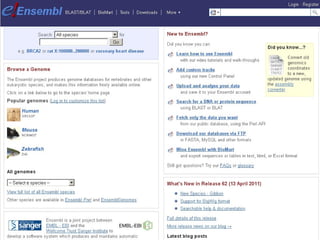
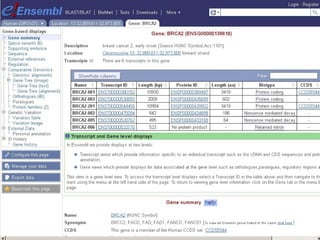
    Ensembl Genome Browser: http://www.ensembl.org/
§
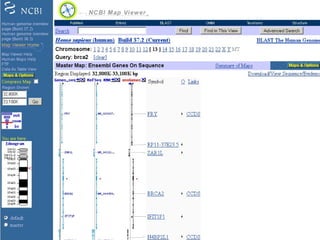
    NCBI Map Viewer: http://www.ncbi.nlm.nih.gov/mapview/
§
    UCSC Genome Browser: http://genome.ucsc.edu/
Introduction
Introduction
Introduction
Introduction
Introduction
Introduction

§
    Collaboration between main genome browsers
       Ensembl, UCSC and NCBI
       » use same genome assemblies
       » interlinking between sites

§
    Ensembl Genome Browser: http://www.ensembl.org/
§
    NCBI Map Viewer: http://www.ncbi.nlm.nih.gov/mapview/
§
    UCSC Genome Browser: http://genome.ucsc.edu/
Introduction
Introduction
Introduction

§
    Collaboration between main genome browsers
       Ensembl, UCSC and NCBI
       » use same genome assemblies
       » interlinking between sites

§
    Ensembl Genome Browser: http://www.ensembl.org/
§
    NCBI Map Viewer: http://www.ncbi.nlm.nih.gov/mapview/
§
    UCSC Genome Browser: http://genome.ucsc.edu/
Introduction
Introduction
Introduction
Introduction

§
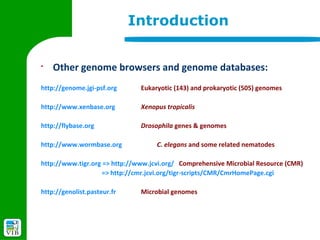
    Other genome browsers and genome databases:
http://genome.jgi-psf.org      Eukaryotic (143) and prokaryotic (505) genomes

http://www.xenbase.org         Xenopus tropicalis

http://flybase.org             Drosophila genes & genomes

http://www.wormbase.org             C. elegans and some related nematodes

http://www.tigr.org => http://www.jcvi.org/ Comprehensive Microbial Resource (CMR)
                    => http://cmr.jcvi.org/tigr-scripts/CMR/CmrHomePage.cgi

http://genolist.pasteur.fr     Microbial genomes
Introduction
Introduction
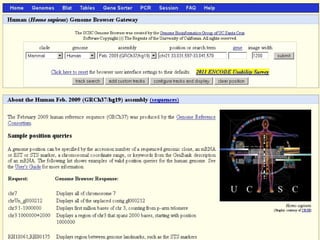
§   The UCSC Genome browser was created by the

    Genome Bioinformatics Group

    at the University of California Santa Cruz (UCSC).


    http://genome.ucsc.edu/
§
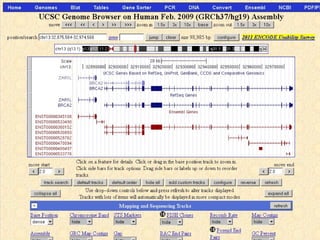
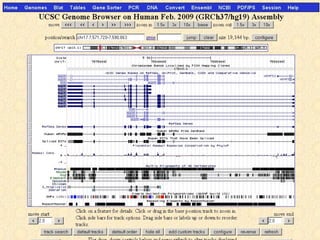
    The Genome Browser zooms and scrolls
    over chromosomes, showing the work of
    annotators worldwide.
§   Blat quickly maps your sequence to the genome.

             BLAT is not BLAST !
BLAT works by keeping an index of the entire genome in memory.
The index consists of all non-overlapping DNA 11-mers or protein 4-mers.
The index is used to find areas of probable homology, which are then
loaded into memory for a detailed alignment.

BLAT on DNA can quickly find sequences of 95% and greater similarity
of length 40 bases or more.

BLAT on proteins finds sequences of 80% and greater similarity of length
20 amino acids or more.
§
    The Table Browser provides convenient
    access to the underlying database.
§   The Gene Sorter displays a sorted table of genes

    that are related to one another.

    The relationship can be one of several types, including protein-
level homology,

    similarity of gene expression profiles,

    or genomic proximity.
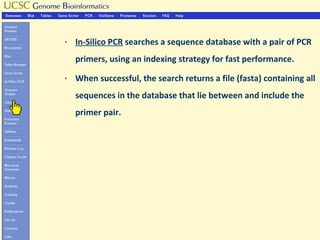
§   In-Silico PCR searches a sequence database with a pair of PCR
    primers, using an indexing strategy for fast performance.
§   When successful, the search returns a file (fasta) containing all
    sequences in the database that lie between and include the
    primer pair.
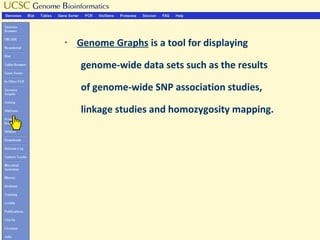
§   Genome Graphs is a tool for displaying

    genome-wide data sets such as the results

    of genome-wide SNP association studies,

    linkage studies and homozygosity mapping.
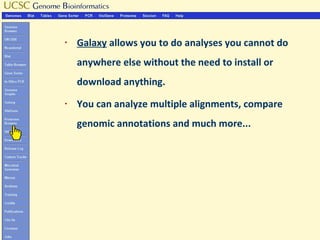
§   Galaxy allows you to do analyses you cannot do
    anywhere else without the need to install or
    download anything.
§   You can analyze multiple alignments, compare
    genomic annotations and much more...
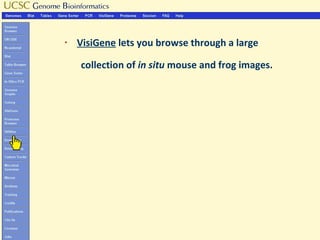
§   VisiGene lets you browse through a large

    collection of in situ mouse and frog images.
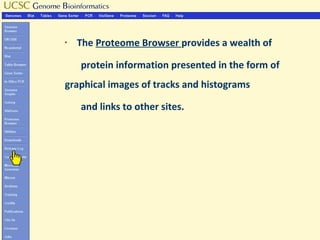
§   The Proteome Browser provides a wealth of

    protein information presented in the form of
graphical images of tracks and histograms

    and links to other sites.
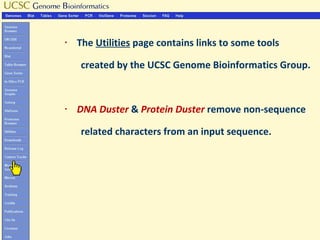
§   The Utilities page contains links to some tools

    created by the UCSC Genome Bioinformatics Group.


§   DNA Duster & Protein Duster remove non-sequence

    related characters from an input sequence.
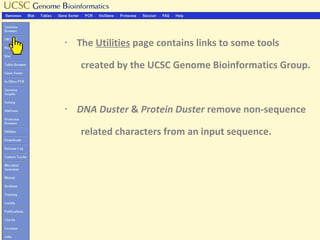
§   The Utilities page contains links to some tools

    created by the UCSC Genome Bioinformatics Group.


§   DNA Duster & Protein Duster remove non-sequence

    related characters from an input sequence.
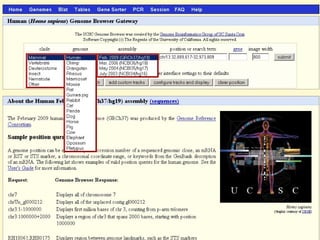
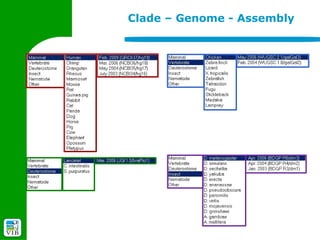
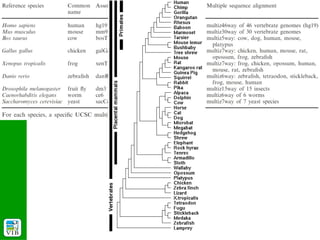
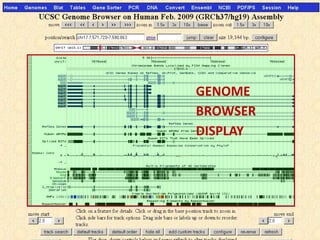
Clade – Genome - Assembly
GENOME
BROWSER
DISPLAY
POSITION
CONTROL
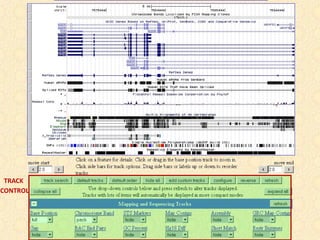
TRACK
CONTROL
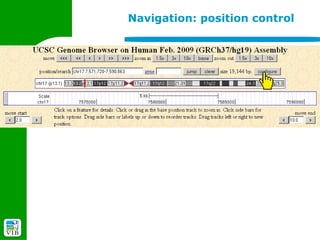
Navigation: position control


§
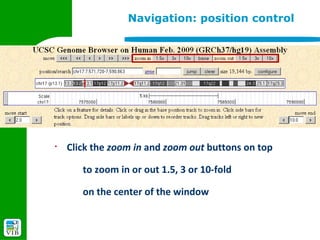
    Click the zoom in and zoom out buttons on top

       to zoom in or out 1.5, 3 or 10-fold

       on the center of the window
Navigation: position control


§
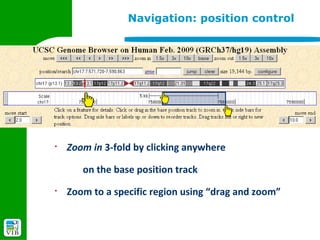
    Zoom in 3-fold by clicking anywhere

       on the base position track
§
    Zoom to a specific region using “drag and zoom”
Navigation: position control


§
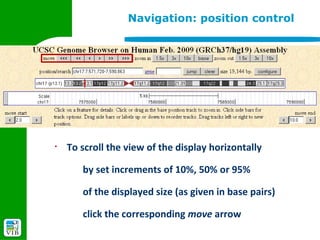
    To scroll the view of the display horizontally

       by set increments of 10%, 50% or 95%

       of the displayed size (as given in base pairs)

       click the corresponding move arrow
Navigation: position control


§
    To scroll the left of right side by a specified number of

    vertical gridlines while keeping the opposite side fixed

       click the appropriate move start or move end

    arrow
Navigation: position control


§
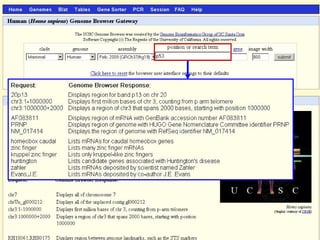
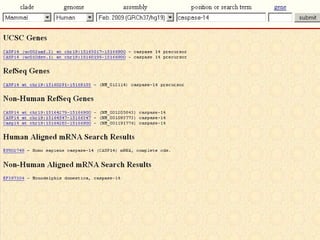
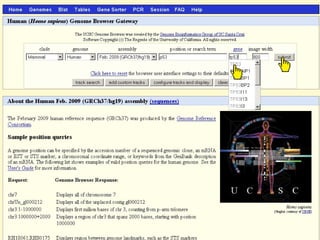
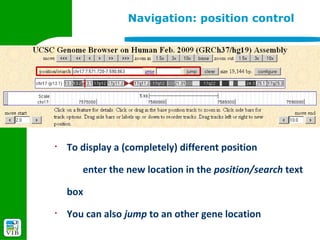
    To display a (completely) different position

       enter the new location in the position/search text

    box
§
    You can also jump to an other gene location
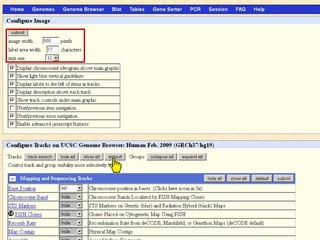
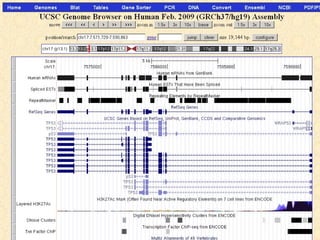
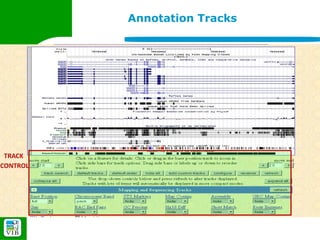
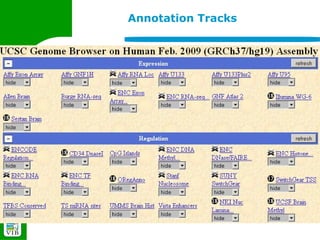
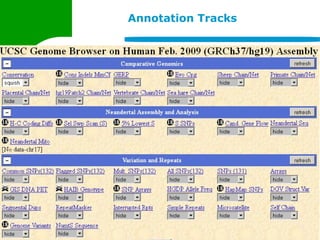
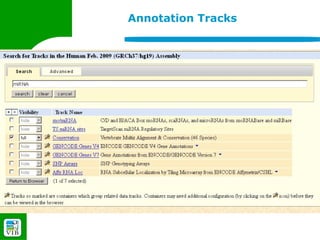
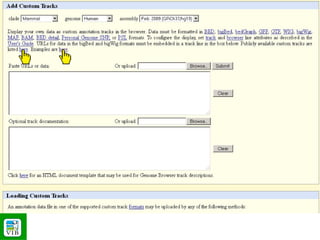
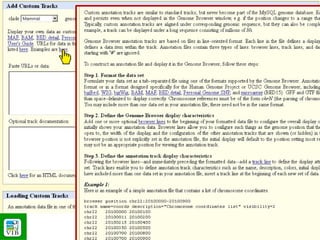
Annotation Tracks


 TRACK
CONTROL
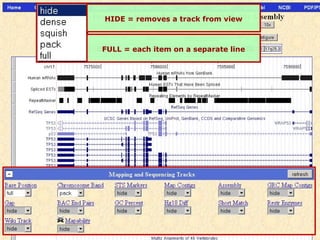
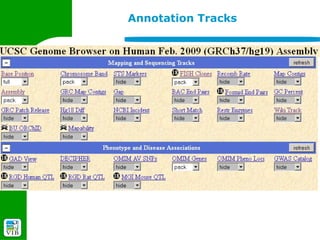
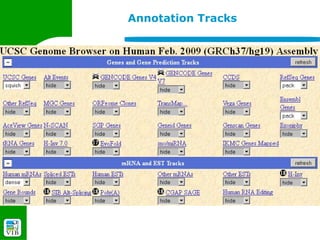
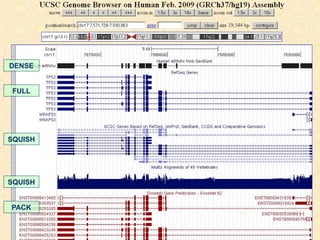
HIDE = removes a track from view


FULL = each item on a separate line
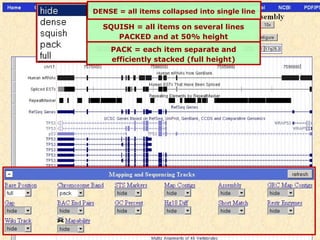
DENSE = all items collapsed into single line

  SQUISH = all items on several lines
     PACKED and at 50% height
    PACK = each item separate and
    efficiently stacked (full height)
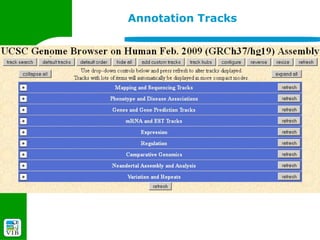
Annotation Tracks
Annotation Tracks


§
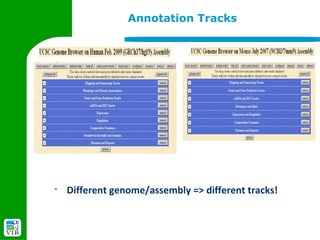
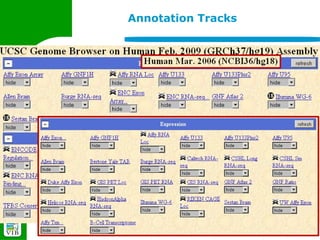
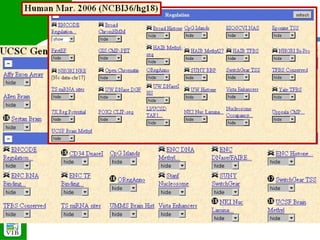
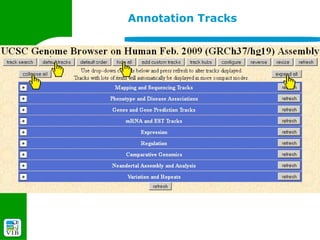
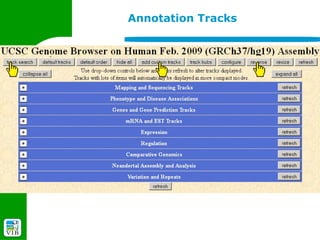
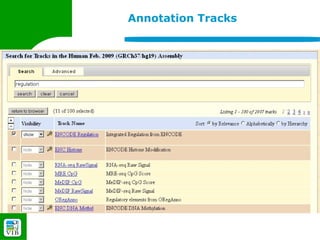
    Different genome/assembly => different tracks!
Annotation Tracks
Annotation Tracks
Annotation Tracks
Annotation Tracks
Annotation Tracks
Annotation Tracks
Annotation Tracks
Annotation Tracks


§
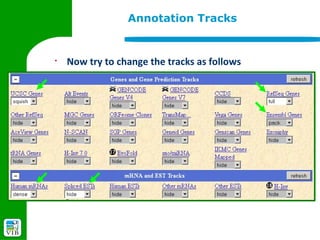
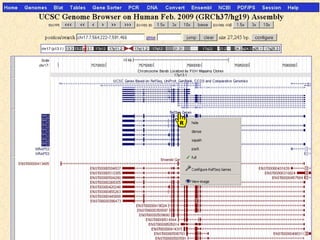
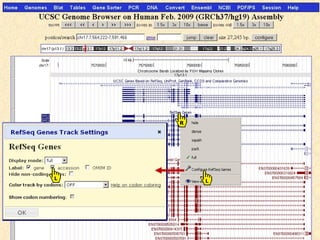
    Now try to change the tracks as follows
Annotation Tracks


§
    and...
DENSE


 FULL


SQUISH


SQUISH


PACK
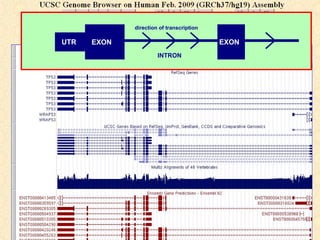
direction of transcription

UTR   EXON                                EXON
                      INTRON
Annotation Tracks
Annotation Tracks
Annotation Tracks
Annotation Tracks
Annotation Tracks
Annotation Tracks
Annotation Tracks
Annotation Tracks
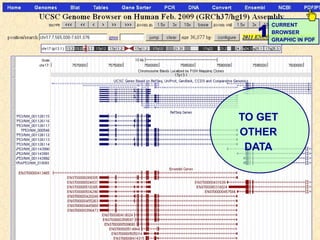
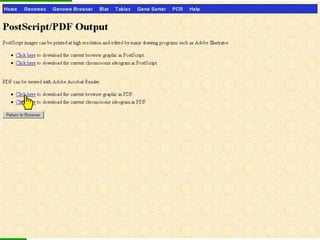
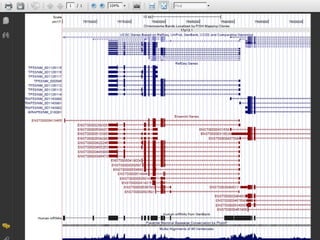
Browser graphics in PDF


        TABLE              GET          CURRENT
        BROWSER            DNA          BROWSER
                                        GRAPHIC IN PDF


                                   TO GET
                                   OTHER
CLICK                               DATA
LINE
1
      CURRENT
      BROWSER
      GRAPHIC IN PDF


TO GET
OTHER
 DATA
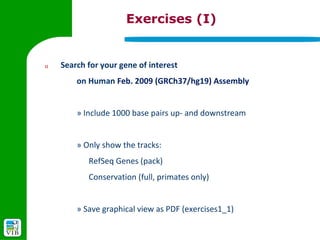
Exercises (I)


1)   Search for your gene of interest
         on Human Feb. 2009 (GRCh37/hg19) Assembly


         » Include 1000 base pairs up- and downstream


         » Only show the tracks:
            RefSeq Genes (pack)
            Conservation (full, primates only)


         » Save graphical view as PDF (exercises1_1)
Exercises (I)


2)   How many transcripts are there?


        » Compare UCSC Genes with RefSeq and Ensembl genes!


        » Save graphical view as PDF (exercises1_2)
Exercises (I)


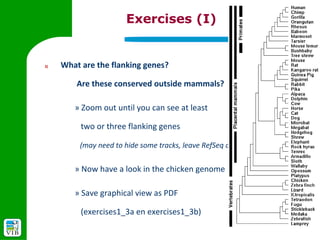
3)   What are the flanking genes?

         Are these conserved outside mammals?

        » Zoom out until you can see at least

          two or three flanking genes

         (may need to hide some tracks, leave RefSeq on)


        » Now have a look in the chicken genome

        » Save graphical view as PDF

          (exercises1_3a en exercises1_3b)
Exercises (I)


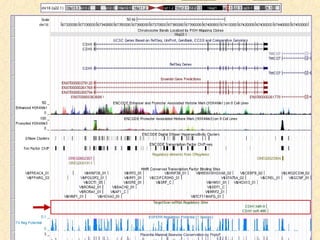
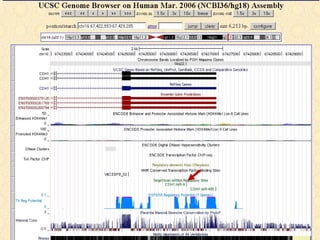
4)   Is there any regulatory information available?

         » Change the view to see the genomic region upstream

           (exon 1 and ~2000 upstream) and open some regulatory tracks

           e.g. ORegAnno, TFBS Conserved, TS miRNA sites

         » Save graphical view as PDF (exercises1_4)
BITS: UCSC genome browser - Part 1

BITS: UCSC genome browser - Part 1

  • 1.
    UCSC genome browsing Paco Hulpiau http://www.bits.vib.be
  • 2.
    Introduction § Browse genes in their genomic context § See features in and around a specific gene § Investigate genome organization and explore larger chromosome regions § Search and retrieve information on a gene- and genome-scale § Compare genomes
  • 3.
    Introduction § Collaboration between main genome browsers Ensembl, UCSC and NCBI » use same genome assemblies » interlinking between sites § Ensembl Genome Browser: http://www.ensembl.org/ § NCBI Map Viewer: http://www.ncbi.nlm.nih.gov/mapview/ § UCSC Genome Browser: http://genome.ucsc.edu/
  • 4.
  • 5.
  • 6.
  • 7.
  • 8.
  • 9.
    Introduction § Collaboration between main genome browsers Ensembl, UCSC and NCBI » use same genome assemblies » interlinking between sites § Ensembl Genome Browser: http://www.ensembl.org/ § NCBI Map Viewer: http://www.ncbi.nlm.nih.gov/mapview/ § UCSC Genome Browser: http://genome.ucsc.edu/
  • 10.
  • 11.
  • 12.
    Introduction § Collaboration between main genome browsers Ensembl, UCSC and NCBI » use same genome assemblies » interlinking between sites § Ensembl Genome Browser: http://www.ensembl.org/ § NCBI Map Viewer: http://www.ncbi.nlm.nih.gov/mapview/ § UCSC Genome Browser: http://genome.ucsc.edu/
  • 13.
  • 14.
  • 15.
  • 16.
    Introduction § Other genome browsers and genome databases: http://genome.jgi-psf.org Eukaryotic (143) and prokaryotic (505) genomes http://www.xenbase.org Xenopus tropicalis http://flybase.org Drosophila genes & genomes http://www.wormbase.org C. elegans and some related nematodes http://www.tigr.org => http://www.jcvi.org/ Comprehensive Microbial Resource (CMR) => http://cmr.jcvi.org/tigr-scripts/CMR/CmrHomePage.cgi http://genolist.pasteur.fr Microbial genomes
  • 17.
  • 18.
  • 19.
    § The UCSC Genome browser was created by the Genome Bioinformatics Group at the University of California Santa Cruz (UCSC). http://genome.ucsc.edu/
  • 20.
    § The Genome Browser zooms and scrolls over chromosomes, showing the work of annotators worldwide.
  • 21.
    § Blat quickly maps your sequence to the genome. BLAT is not BLAST ! BLAT works by keeping an index of the entire genome in memory. The index consists of all non-overlapping DNA 11-mers or protein 4-mers. The index is used to find areas of probable homology, which are then loaded into memory for a detailed alignment. BLAT on DNA can quickly find sequences of 95% and greater similarity of length 40 bases or more. BLAT on proteins finds sequences of 80% and greater similarity of length 20 amino acids or more.
  • 22.
    § The Table Browser provides convenient access to the underlying database.
  • 23.
    § The Gene Sorter displays a sorted table of genes that are related to one another. The relationship can be one of several types, including protein- level homology, similarity of gene expression profiles, or genomic proximity.
  • 24.
    § In-Silico PCR searches a sequence database with a pair of PCR primers, using an indexing strategy for fast performance. § When successful, the search returns a file (fasta) containing all sequences in the database that lie between and include the primer pair.
  • 25.
    § Genome Graphs is a tool for displaying genome-wide data sets such as the results of genome-wide SNP association studies, linkage studies and homozygosity mapping.
  • 26.
    § Galaxy allows you to do analyses you cannot do anywhere else without the need to install or download anything. § You can analyze multiple alignments, compare genomic annotations and much more...
  • 27.
    § VisiGene lets you browse through a large collection of in situ mouse and frog images.
  • 28.
    § The Proteome Browser provides a wealth of protein information presented in the form of graphical images of tracks and histograms and links to other sites.
  • 29.
    § The Utilities page contains links to some tools created by the UCSC Genome Bioinformatics Group. § DNA Duster & Protein Duster remove non-sequence related characters from an input sequence.
  • 30.
    § The Utilities page contains links to some tools created by the UCSC Genome Bioinformatics Group. § DNA Duster & Protein Duster remove non-sequence related characters from an input sequence.
  • 32.
    Clade – Genome- Assembly
  • 40.
  • 41.
  • 42.
  • 43.
  • 46.
    Navigation: position control § Click the zoom in and zoom out buttons on top to zoom in or out 1.5, 3 or 10-fold on the center of the window
  • 47.
    Navigation: position control § Zoom in 3-fold by clicking anywhere on the base position track § Zoom to a specific region using “drag and zoom”
  • 48.
    Navigation: position control § To scroll the view of the display horizontally by set increments of 10%, 50% or 95% of the displayed size (as given in base pairs) click the corresponding move arrow
  • 49.
    Navigation: position control § To scroll the left of right side by a specified number of vertical gridlines while keeping the opposite side fixed click the appropriate move start or move end arrow
  • 50.
    Navigation: position control § To display a (completely) different position enter the new location in the position/search text box § You can also jump to an other gene location
  • 51.
  • 52.
    HIDE = removesa track from view FULL = each item on a separate line
  • 53.
    DENSE = allitems collapsed into single line SQUISH = all items on several lines PACKED and at 50% height PACK = each item separate and efficiently stacked (full height)
  • 54.
  • 55.
    Annotation Tracks § Different genome/assembly => different tracks!
  • 56.
  • 57.
  • 58.
  • 59.
  • 60.
  • 61.
  • 62.
  • 63.
    Annotation Tracks § Now try to change the tracks as follows
  • 64.
  • 65.
  • 66.
  • 70.
  • 71.
  • 72.
  • 73.
  • 74.
  • 75.
  • 76.
  • 77.
  • 78.
    Browser graphics inPDF TABLE GET CURRENT BROWSER DNA BROWSER GRAPHIC IN PDF TO GET OTHER CLICK DATA LINE
  • 79.
    1 CURRENT BROWSER GRAPHIC IN PDF TO GET OTHER DATA
  • 82.
    Exercises (I) 1) Search for your gene of interest on Human Feb. 2009 (GRCh37/hg19) Assembly » Include 1000 base pairs up- and downstream » Only show the tracks: RefSeq Genes (pack) Conservation (full, primates only) » Save graphical view as PDF (exercises1_1)
  • 83.
    Exercises (I) 2) How many transcripts are there? » Compare UCSC Genes with RefSeq and Ensembl genes! » Save graphical view as PDF (exercises1_2)
  • 84.
    Exercises (I) 3) What are the flanking genes? Are these conserved outside mammals? » Zoom out until you can see at least two or three flanking genes (may need to hide some tracks, leave RefSeq on) » Now have a look in the chicken genome » Save graphical view as PDF (exercises1_3a en exercises1_3b)
  • 85.
    Exercises (I) 4) Is there any regulatory information available? » Change the view to see the genomic region upstream (exon 1 and ~2000 upstream) and open some regulatory tracks e.g. ORegAnno, TFBS Conserved, TS miRNA sites » Save graphical view as PDF (exercises1_4)