Storage Devices
Lecture 22
Zikria Mian
What is Storage
• Storage holds data, instructions and
information for future use.
– All the programs when started are loaded
from a storage device onto computer memory
– Users store a variety of data on mainframes,
servers, desktops, notebooks, handheld
devices, smart phones etc
Storage Medium
• A storage medium is the physical material
on which a computer keeps data,
instructions and information.
– Hard disks, CDs, DVDs, memory cards, USB
flash drives etc are all storage mediums or
secondary storage devices
– Storage capacity is the number of bytes a
storage medium can hold
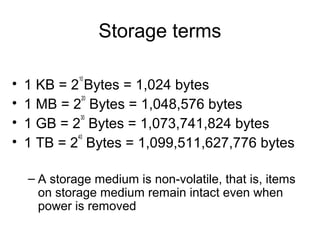
Storage terms
• 1 KB = 2
10
Bytes = 1,024 bytes
• 1 MB = 2
20
Bytes = 1,048,576 bytes
• 1 GB = 2
30
Bytes = 1,073,741,824 bytes
• 1 TB = 2
40
Bytes = 1,099,511,627,776 bytes
– A storage medium is non-volatile, that is, items
on storage medium remain intact even when
power is removed
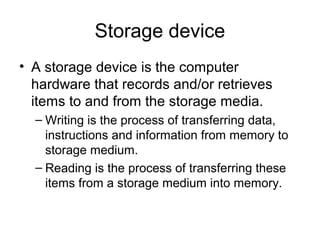
Storage device
• A storage device is the computer
hardware that records and/or retrieves
items to and from the storage media.
– Writing is the process of transferring data,
instructions and information from memory to
storage medium.
– Reading is the process of transferring these
items from a storage medium into memory.
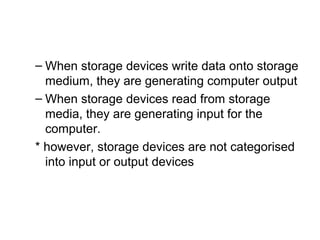
– When storage devices write data onto storage
medium, they are generating computer output
– When storage devices read from storage
media, they are generating input for the
computer.
* however, storage devices are not categorised
into input or output devices
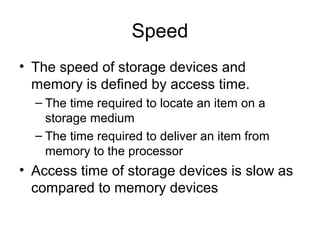
Speed
• The speed of storage devices and
memory is defined by access time.
– The time required to locate an item on a
storage medium
– The time required to deliver an item from
memory to the processor
• Access time of storage devices is slow as
compared to memory devices
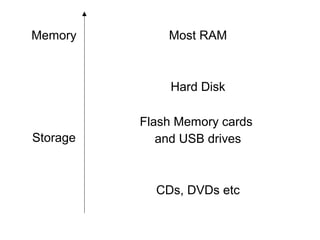
Memory Most RAM
Storage
Hard Disk
Flash Memory cards
and USB drives
CDs, DVDs etc
Magnetic Disks
• Magnetic disks use magnetic particles to
store items on a disk’s surface
– Each particle on the magnetic disk represents
a bit
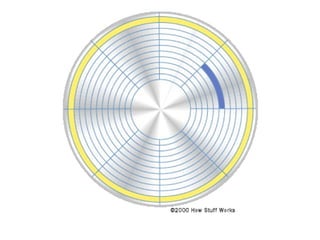
– Formatting is process of dividing the disk into
tracks, sectors and clusters (allocation unit)
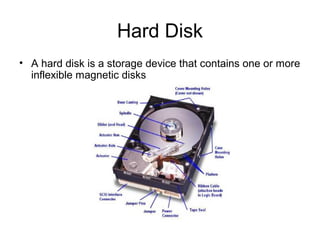
Hard Disk
• A hard disk is a storage device that contains one or more
inflexible magnetic disks
• The magnetic disks in a hard disk rotate at
a speed from 5,000 to 15,000 rpm
• The data transfer rate of hard disks range
from 15 mbps to 320 mbps
• Hard disks improve their access time by
using disk caching
– Disk cache is a memory chip on hard disk that
stores frequently accessed items
• A group of two or more integrated hard
disks is called RAID (Redundant Array of
Independent Disks)
• Miniature hard disks are present in digital
cameras, portable media players, smart
phones etc
• A pocket hard drive or portable hard drive
also has a miniature hard disk
• External or removable hard disks
Hard Disk Controller
• A disk controller consists of a special-
purpose chip and electronic circuits that
control the transfer of data.
– An interface is required by the hard disk
controller to transfer data to and from the hard
disk
• SATA (Serial Advanced Technology Attachment)
• EIDE (Enhanced Integrated Drive Electronics)
• SCSI Interfaces
• SAS (Serial Attached SCSI)
Online storage
• Online storage is a service provided on
the web that gives hard disk storage to
users for free or for a nominal monthly fee
– To access data from other computers
– To store files like audio, video and graphics
on the internet instead of downloading onto
local hard disk
– To allow others to access your files
– To store backups
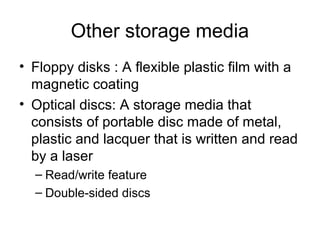
Other storage media
• Floppy disks : A flexible plastic film with a
magnetic coating
• Optical discs: A storage media that
consists of portable disc made of metal,
plastic and lacquer that is written and read
by a laser
– Read/write feature
– Double-sided discs
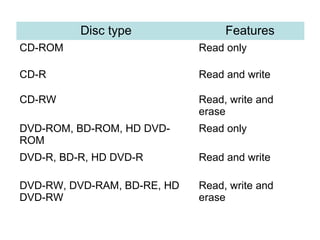
Disc type Features
CD-ROM Read only
CD-R Read and write
CD-RW Read, write and
erase
DVD-ROM, BD-ROM, HD DVD-
ROM
Read only
DVD-R, BD-R, HD DVD-R Read and write
DVD-RW, DVD-RAM, BD-RE, HD
DVD-RW
Read, write and
erase
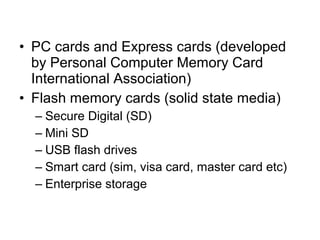
• PC cards and Express cards (developed
by Personal Computer Memory Card
International Association)
• Flash memory cards (solid state media)
– Secure Digital (SD)
– Mini SD
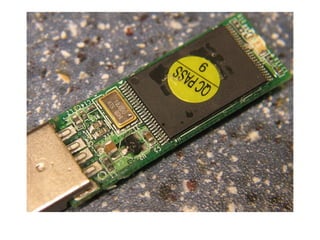
– USB flash drives
– Smart card (sim, visa card, master card etc)
– Enterprise storage
22 storage devices
22 storage devices
22 storage devices

22 storage devices

  • 1.
  • 2.
    What is Storage •Storage holds data, instructions and information for future use. – All the programs when started are loaded from a storage device onto computer memory – Users store a variety of data on mainframes, servers, desktops, notebooks, handheld devices, smart phones etc
  • 3.
    Storage Medium • Astorage medium is the physical material on which a computer keeps data, instructions and information. – Hard disks, CDs, DVDs, memory cards, USB flash drives etc are all storage mediums or secondary storage devices – Storage capacity is the number of bytes a storage medium can hold
  • 4.
    Storage terms • 1KB = 2 10 Bytes = 1,024 bytes • 1 MB = 2 20 Bytes = 1,048,576 bytes • 1 GB = 2 30 Bytes = 1,073,741,824 bytes • 1 TB = 2 40 Bytes = 1,099,511,627,776 bytes – A storage medium is non-volatile, that is, items on storage medium remain intact even when power is removed
  • 5.
    Storage device • Astorage device is the computer hardware that records and/or retrieves items to and from the storage media. – Writing is the process of transferring data, instructions and information from memory to storage medium. – Reading is the process of transferring these items from a storage medium into memory.
  • 6.
    – When storagedevices write data onto storage medium, they are generating computer output – When storage devices read from storage media, they are generating input for the computer. * however, storage devices are not categorised into input or output devices
  • 7.
    Speed • The speedof storage devices and memory is defined by access time. – The time required to locate an item on a storage medium – The time required to deliver an item from memory to the processor • Access time of storage devices is slow as compared to memory devices
  • 8.
    Memory Most RAM Storage HardDisk Flash Memory cards and USB drives CDs, DVDs etc
  • 9.
    Magnetic Disks • Magneticdisks use magnetic particles to store items on a disk’s surface – Each particle on the magnetic disk represents a bit – Formatting is process of dividing the disk into tracks, sectors and clusters (allocation unit)
  • 11.
    Hard Disk • Ahard disk is a storage device that contains one or more inflexible magnetic disks
  • 12.
    • The magneticdisks in a hard disk rotate at a speed from 5,000 to 15,000 rpm • The data transfer rate of hard disks range from 15 mbps to 320 mbps • Hard disks improve their access time by using disk caching – Disk cache is a memory chip on hard disk that stores frequently accessed items
  • 13.
    • A groupof two or more integrated hard disks is called RAID (Redundant Array of Independent Disks) • Miniature hard disks are present in digital cameras, portable media players, smart phones etc • A pocket hard drive or portable hard drive also has a miniature hard disk • External or removable hard disks
  • 14.
    Hard Disk Controller •A disk controller consists of a special- purpose chip and electronic circuits that control the transfer of data. – An interface is required by the hard disk controller to transfer data to and from the hard disk • SATA (Serial Advanced Technology Attachment) • EIDE (Enhanced Integrated Drive Electronics) • SCSI Interfaces • SAS (Serial Attached SCSI)
  • 15.
    Online storage • Onlinestorage is a service provided on the web that gives hard disk storage to users for free or for a nominal monthly fee – To access data from other computers – To store files like audio, video and graphics on the internet instead of downloading onto local hard disk – To allow others to access your files – To store backups
  • 16.
    Other storage media •Floppy disks : A flexible plastic film with a magnetic coating • Optical discs: A storage media that consists of portable disc made of metal, plastic and lacquer that is written and read by a laser – Read/write feature – Double-sided discs
  • 17.
    Disc type Features CD-ROMRead only CD-R Read and write CD-RW Read, write and erase DVD-ROM, BD-ROM, HD DVD- ROM Read only DVD-R, BD-R, HD DVD-R Read and write DVD-RW, DVD-RAM, BD-RE, HD DVD-RW Read, write and erase
  • 18.
    • PC cardsand Express cards (developed by Personal Computer Memory Card International Association) • Flash memory cards (solid state media) – Secure Digital (SD) – Mini SD – USB flash drives – Smart card (sim, visa card, master card etc) – Enterprise storage