Essential worksheet and cell
range operations
Lecture 12
Zikria Mian
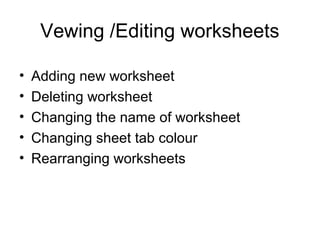
Vewing /Editing worksheets
• Adding new worksheet
• Deleting worksheet
• Changing the name of worksheet
• Changing sheet tab colour
• Rearranging worksheets
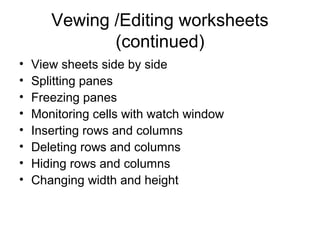
Vewing /Editing worksheets
(continued)
• View sheets side by side
• Splitting panes
• Freezing panes
• Monitoring cells with watch window
• Inserting rows and columns
• Deleting rows and columns
• Hiding rows and columns
• Changing width and height
Understanding cells and ranges
• Selecting ranges
• Selecting complete rows and columns
• Selecting non-contiguous ranges
• Selecting multisheet cells
• Selecting special cells
Copying or moving ranges
• By ribbon commands
• By shortcut menu commands
• By shortcut keys
• By using drag and drop
• Copying to other sheets
• Using names to work with ranges
Adding and editing comments
• Formatting comments
• Reading comments
• Hiding and showing comments
• Editing comments
• Deleting comments
Summary
• Editing worksheets
• What are cells and ranges
• Copying and moving ranges
• Adding and editing comments

12 essential worksheet and cell range operations

  • 1.
    Essential worksheet andcell range operations Lecture 12 Zikria Mian
  • 2.
    Vewing /Editing worksheets •Adding new worksheet • Deleting worksheet • Changing the name of worksheet • Changing sheet tab colour • Rearranging worksheets
  • 3.
    Vewing /Editing worksheets (continued) •View sheets side by side • Splitting panes • Freezing panes • Monitoring cells with watch window • Inserting rows and columns • Deleting rows and columns • Hiding rows and columns • Changing width and height
  • 4.
    Understanding cells andranges • Selecting ranges • Selecting complete rows and columns • Selecting non-contiguous ranges • Selecting multisheet cells • Selecting special cells
  • 5.
    Copying or movingranges • By ribbon commands • By shortcut menu commands • By shortcut keys • By using drag and drop • Copying to other sheets • Using names to work with ranges
  • 6.
    Adding and editingcomments • Formatting comments • Reading comments • Hiding and showing comments • Editing comments • Deleting comments
  • 7.
    Summary • Editing worksheets •What are cells and ranges • Copying and moving ranges • Adding and editing comments