Data
Representation
in C#
Michael Heron
Introduction
 In the last lecture we looked at how event driven
application in .NET work.
 I’ll leave it (mostly) up to you to get to grips with
C# syntax.
 In this lecture we’re going to discuss the .NET data
model in relation to objects (which you know) and
ADO .NET (which you probably don’t.
 ADO .NET is the database engine at the core of
.NET.
 As mentioned in previous lectures, data
representation is key to eventual success with a
system.
C# Objects
 C# objects look very much like Java objects.
 Down to the syntax.
 The prime differentiators are:
 Declaration of a class within a namespace.
 Accessors handled as properties.
 Properties provide a syntactically consistent
method of handling getting and setting of
attributes.
 Rather than the convention driven methods of
Java.
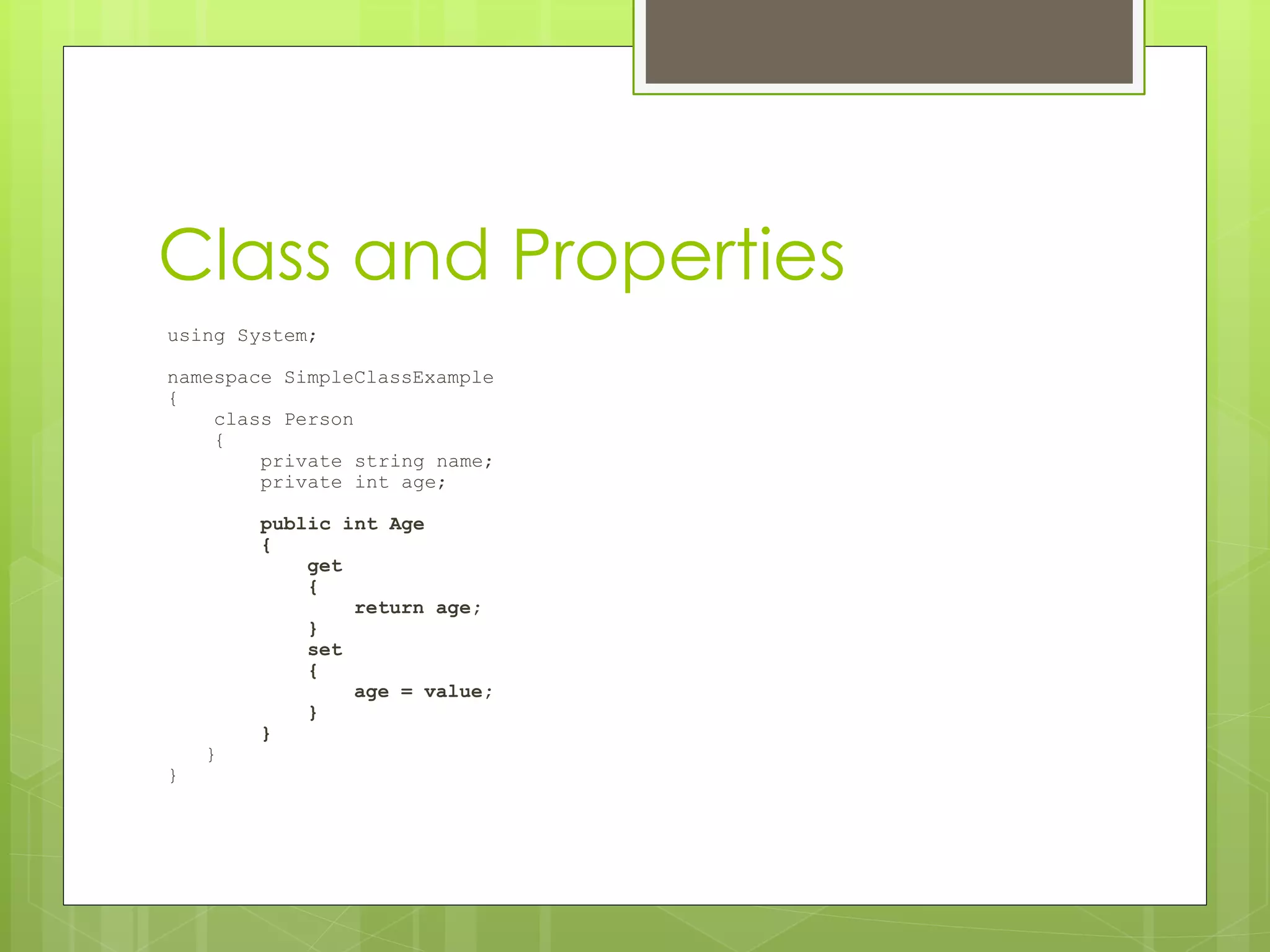
Class and Properties
using System;
namespace SimpleClassExample
{
class Person
{
private string name;
private int age;
public int Age
{
get
{
return age;
}
set
{
age = value;
}
}
}
}
Making Use Of Objects
using System;
namespace SimpleClassExample
{
class Program
{
static void Main(string[] args)
{
Person me = new Person();
me.Age = 80;
me.Name = "Michael";
me.adjustAge (1);
Console.WriteLine(me.Name + " is " + me.Age + " years
old");
}
}
}
Encapsulation
 All of the hard work of connecting to a
database in C# is encapsulated in the
data objects you work with.
 All you need to learn is how these objects
work, not how they interface with specific
databases.
 This means that once you have written
the code to work with one database, it’s
easy to change it to work with another.
Bespoke Data
 In the next lecture we’ll be talking about
how to hook up a program to a
database.
 This is a powerful technique.
 Before we get to that though, let’s talk a
little bit about why we may want to do it.
 And why we might not, on occasion.
 It’s the difference between using a
standard data layer (a database), and a
more bespoke data solution (hand-rolled
classes).
Bespoke Data Advantages
 Certain contexts demand bespoke
data implementation.
 Databases are optimised for certain kinds
of file IO, but are costly for other operations.
 Fast paced 3D games would be a good deal
less fast-paced with a database back-end.
 Very complex, tightly integrated data
manipulation is much easier to do with a
bespoke data model.
 Bespoke models give you a lot of scope for
context specific optimization.
Database Advantages
 Databases on the other hand, have
advantages of their own.
 They are already optimized for what they do.
 Large file IO, searching, sorting, etc
 Other people are constantly working on
improving them.
 A fix in the engine is a fix in your code too.
 They offer a structured standard for
interrogation.
 You can easily provide many different views of a
database because they all communicate with SQL.
Bespoke Versus Database
 When would you choose one over
another?
 The criteria I use is ‘how much does it matter to
me how the data is stored?
 For a simple web-based ecommerce
system, a database is a clear choice with
clear benefits.
 For a complex simulation, bespoke data
structures are probably better.
 It is the application itself that will dictate
this to you.
Examples
 You are a Scientist (doing science). You
want to run a variation of Conway’s
Game of Life to investigate properties of
emergent behaviour.
 Bespoke or Database?
 You are a businessperson (doing
business). You want to put up an online
catalogue that shows your wares and lets
people order them.
 Bespoke or Database?
Designing A Data Layer
 An ideal application allows for the data
representation to be abstracted from the
application itself.
 So you can change how data is represented,
and it doesn’t matter.
 This is sometimes known as an ‘3 tier’
architecture.
 Bespoke data representations do not
easily allow this.
 You need to write a translation layer of your
own.
 ADO .NET permits the use of several
underlying databases, (mostly) seamlessly.
MVC
The MVC is a design pattern that
runs through the module.
 Separate out the view from the controller
from the model.
 Or more usually, separate out the
view/controller from the model.
 Within the MVC, you can profitably look to
separate out data representation from
‘business logic’
 Through the incorporation of a dedicated
data layer.
ADO .NET
 All of this leads us to the .NET way of doing
databases.
 ADO .NET
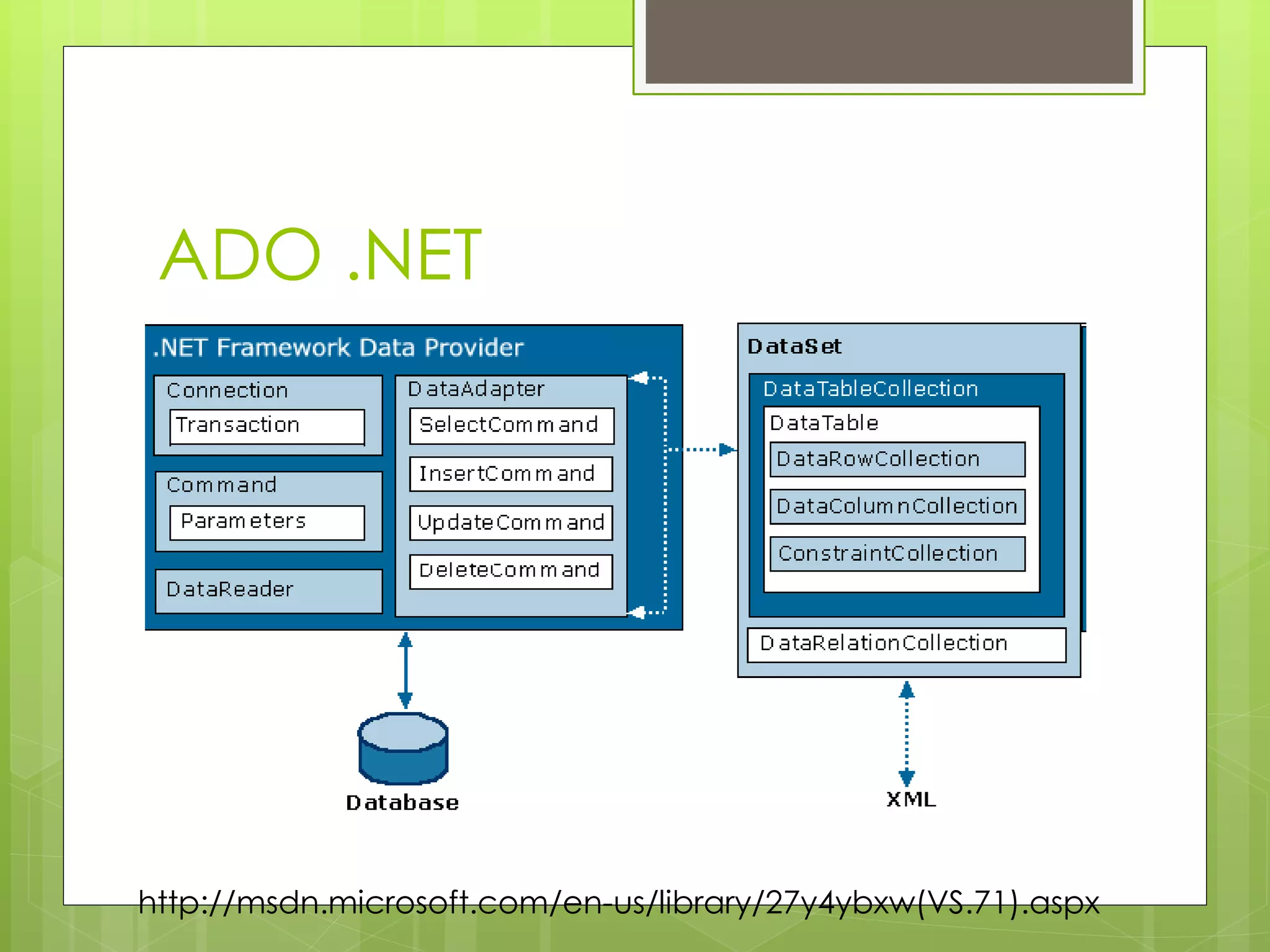
 ADO .NET’s communication with
databases is based on two key elements.
 The Data Provider Framework
 The Data Set
 The data provider framework handles the
work of connecting to an actual
database.
 The Data Set handles the work of
communicating with applications.
ADO .NET
http://msdn.microsoft.com/en-us/library/27y4ybxw(VS.71).aspx
ADO .NET
 It is possible to interact with a database in
two ways.
 Using the Data Reader, which is real-time.
 Using Datasets, which are a snapshot of an
underlying data representation.
 We’ll be doing the latter.
 Some example code on The Interwebs may use
the former. Be mindful of this.
 Data sets offer a good deal of flexibility.
 They allow for database representation to be
interchangeable with XML representation.
Data Sets
 As mentioned, data sets offer a snapshot
of the underlying data source.
 This is a disconnected, memory resident
representation.
 Think of it as making a copy of the data for your
own purposes.
 Datasets do not permit you to play with
‘live ammunition’.
 If you change things in the dataset, your
underlying database does not change until you
tell it to.
Data Sets
 This creates some complications.
 What happens if you have two data-sets
pointing to the same database, and they
have both been changed?
 ADO .NET also offers the facility for
merging data-sets together to deal with
such situations.
 Not something you should have to do, but
again something to be mindful of.
Data Sets
 One of the biggest benefits of Data Sets is
that they permit the access of underlying
data in the same style as associative
arrays.
 Or ‘hashmaps’, or ‘mappings’, whatever
term you may prefer.
 This greatly simplifies the task of
interacting with an underlying database.
 SQL, for all its power, is not an easy
language with which to Get Things Done.
Objects and Databases
 When you make a connection to a
database in ADO .NET, it translates the
database into objects you can
manipulate.
 These objects often have other objects as
part of their makeup.
 Effective working within ADO .NET requires
you to be conversant with how these
work.
Objects and Databases
 A lot of the work you do in setting up a
database is done through Visual Studio
itself.
 What it’s doing though is creating and
setting objects for you.
 When it comes time to do anything ‘clever’
with our databases, we’ll need to make use
of the objects.
Step One: Making The
Database Available
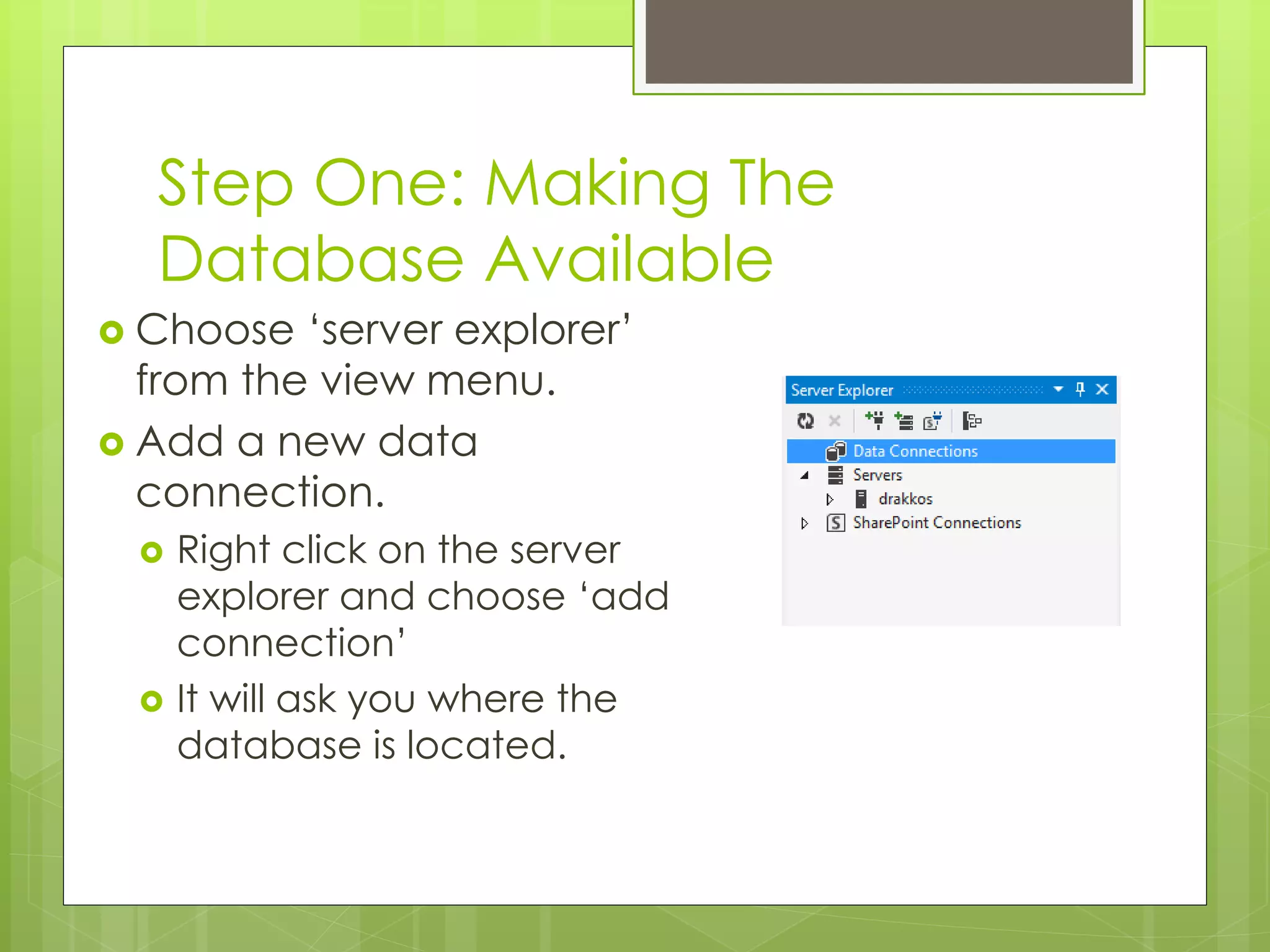
 Choose ‘server explorer’
from the view menu.
 Add a new data
connection.
 Right click on the server
explorer and choose ‘add
connection’
 It will ask you where the
database is located.
Step One: Making The
Database Available
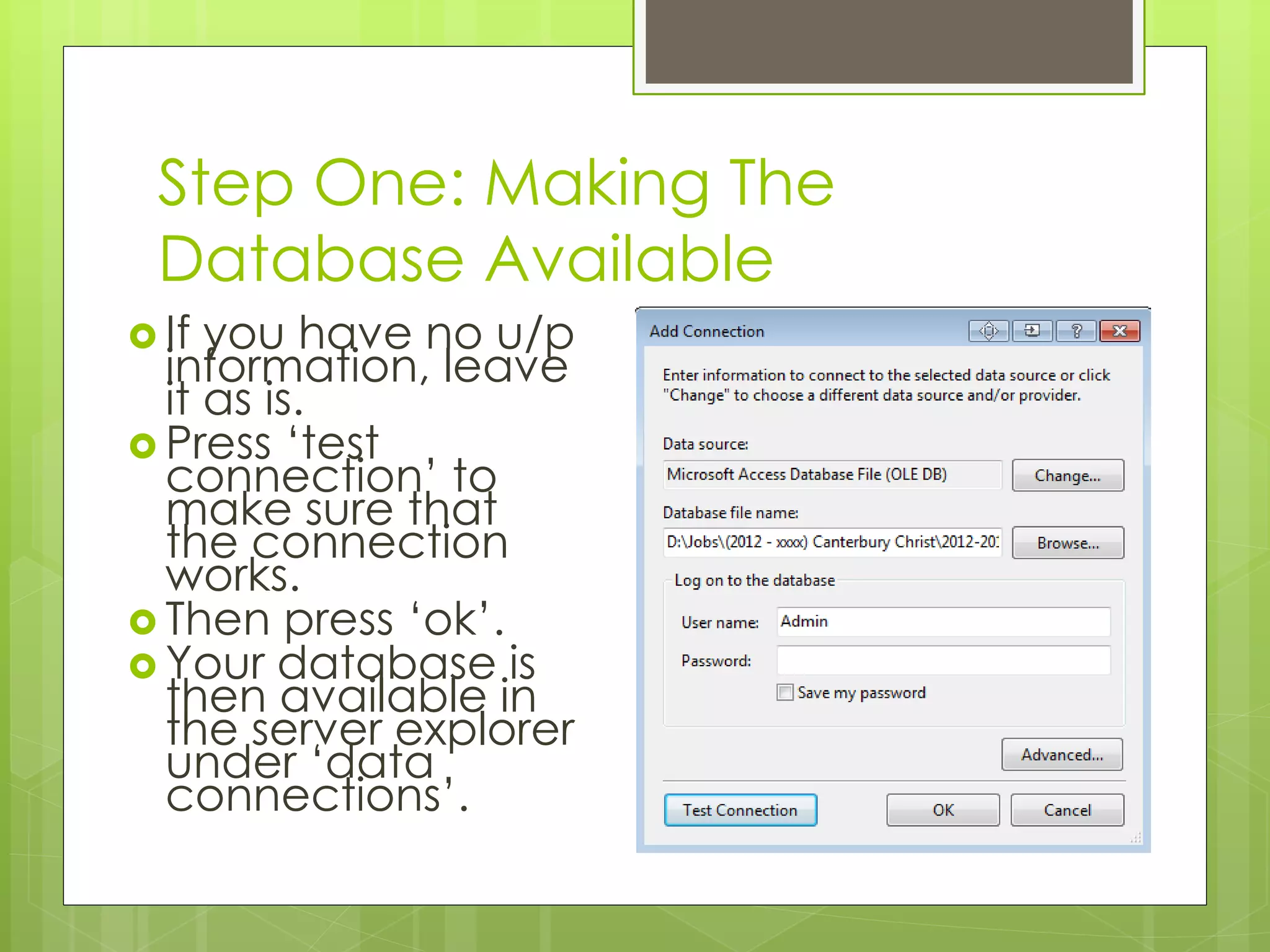
 If you have no u/p
information, leave
it as is.
 Press ‘test
connection’ to
make sure that
the connection
works.
 Then press ‘ok’.
 Your database is
then available in
the server explorer
under ‘data
connections’.
The Server Explorer
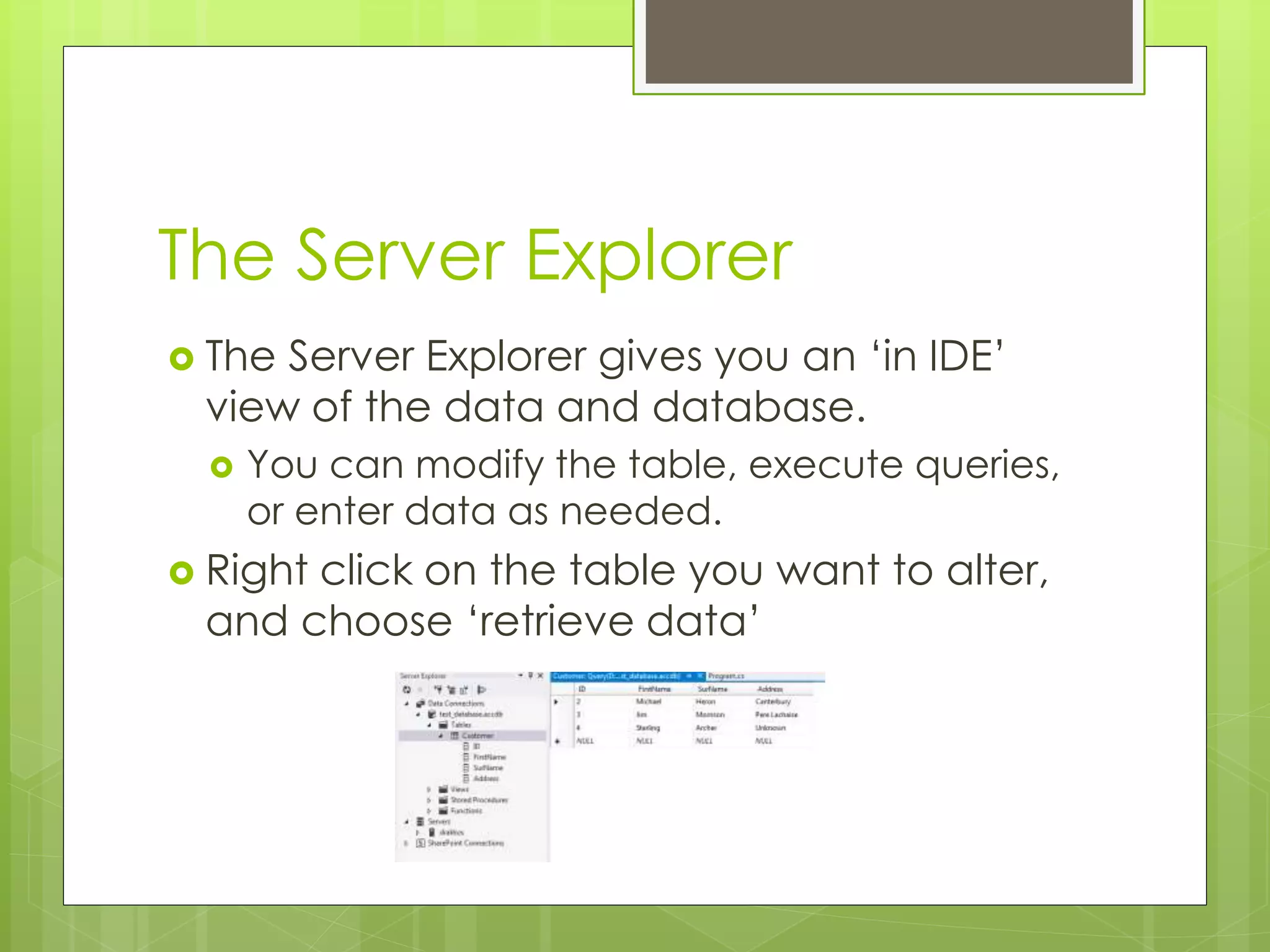
 The Server Explorer gives you an ‘in IDE’
view of the data and database.
 You can modify the table, execute queries,
or enter data as needed.
 Right click on the table you want to alter,
and choose ‘retrieve data’
Step 2: Data Adapter
 Step two is to create a data adapter to
extract information from the database.
 The data adapter defines the specific
information required by your application.
 In cases of very large complex databases, it
is vital to simplify data access routines.
 Essentially a data adapter acts as a filter
between the database and your
application.
Step 2: Data Adapter
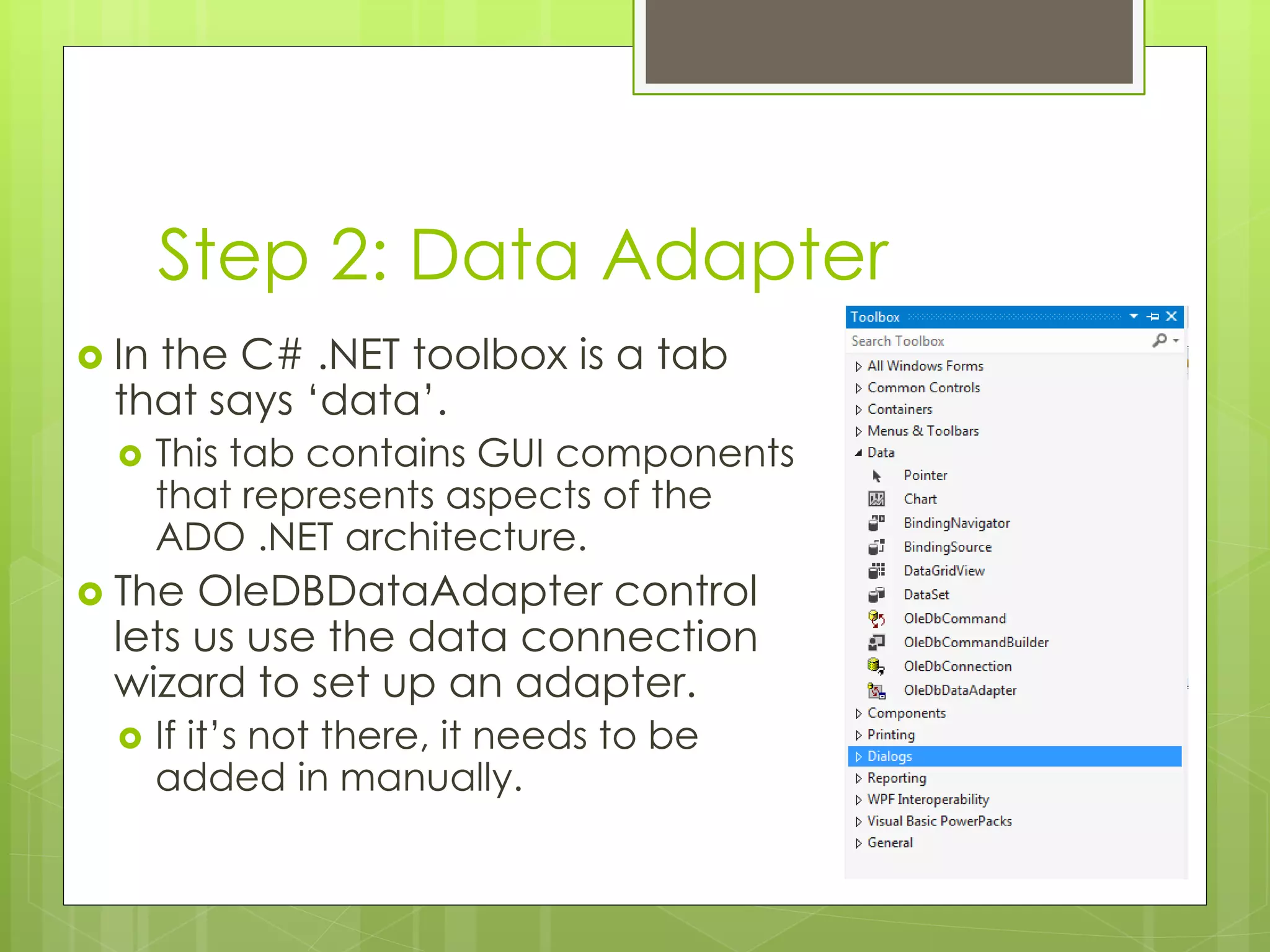
 In the C# .NET toolbox is a tab
that says ‘data’.
 This tab contains GUI components
that represents aspects of the
ADO .NET architecture.
 The OleDBDataAdapter control
lets us use the data connection
wizard to set up an adapter.
 If it’s not there, it needs to be
added in manually.
Step 2: Data Adapter
 The wizard guides you through the
process of setting up the adapter.
 Step one, it asks which data connection to use.
 You can choose from any nodes on the server
explorer.
 Step two, it asks how to access the database.
 Choose ‘use SQL statements’.
 Step three, it asks what SQL statement to use.
 For now, we’re simply going to use a ‘select * from
Customer’ statement.
Step 2: Data Adapter
 Once these three steps have been taken, the data
adapter is configured.
 It will create an instance of the object in the
‘invisible controls’ part of the IDE.
 This control can be accessed in code the same
way as any other control.
 It just doesn’t appear explicitly on the form.
 Once you have this, we can move onto step 3.
Step 3: Dataset
 The next step is to create an object that
represents the data we wish to use in our
program.
 This object is called a dataset.
 The dataset is a snapshot of some specific
part of the database.
 It can come from tables
 It can come from queries
 It can come from SQL statements.
Step 3: Dataset
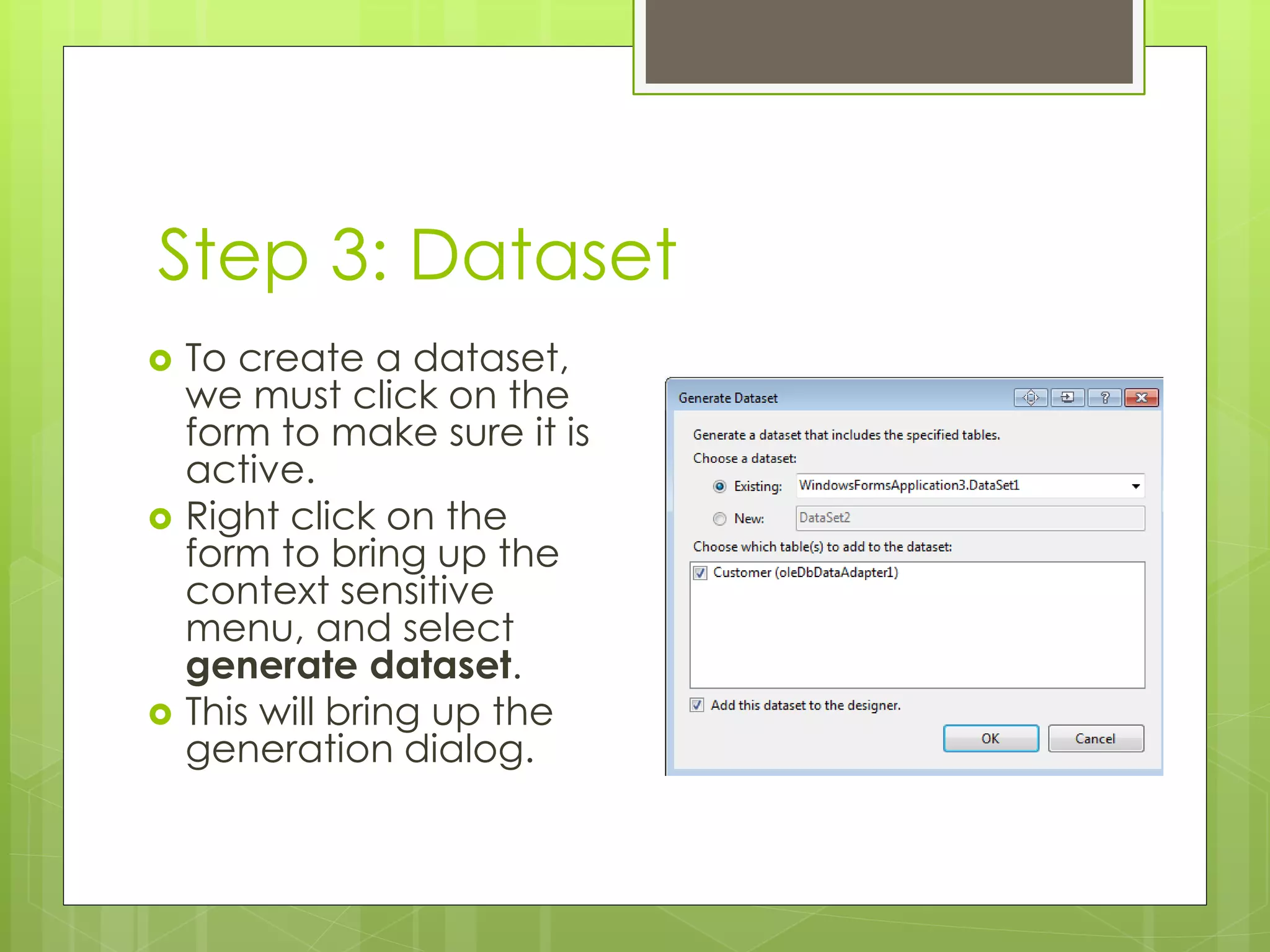
 To create a dataset,
we must click on the
form to make sure it is
active.
 Right click on the
form to bring up the
context sensitive
menu, and select
generate dataset.
 This will bring up the
generation dialog.
Step 3: Dataset
 We are going to create a new dataset, so
enter a identifier for the dataset in the
‘new’ box.
 By convention, datasets have a ds prefix.
 Ours will be called dsCustomer
 The list of tables to be used for the
dataset comes from the data adapter on
your form.
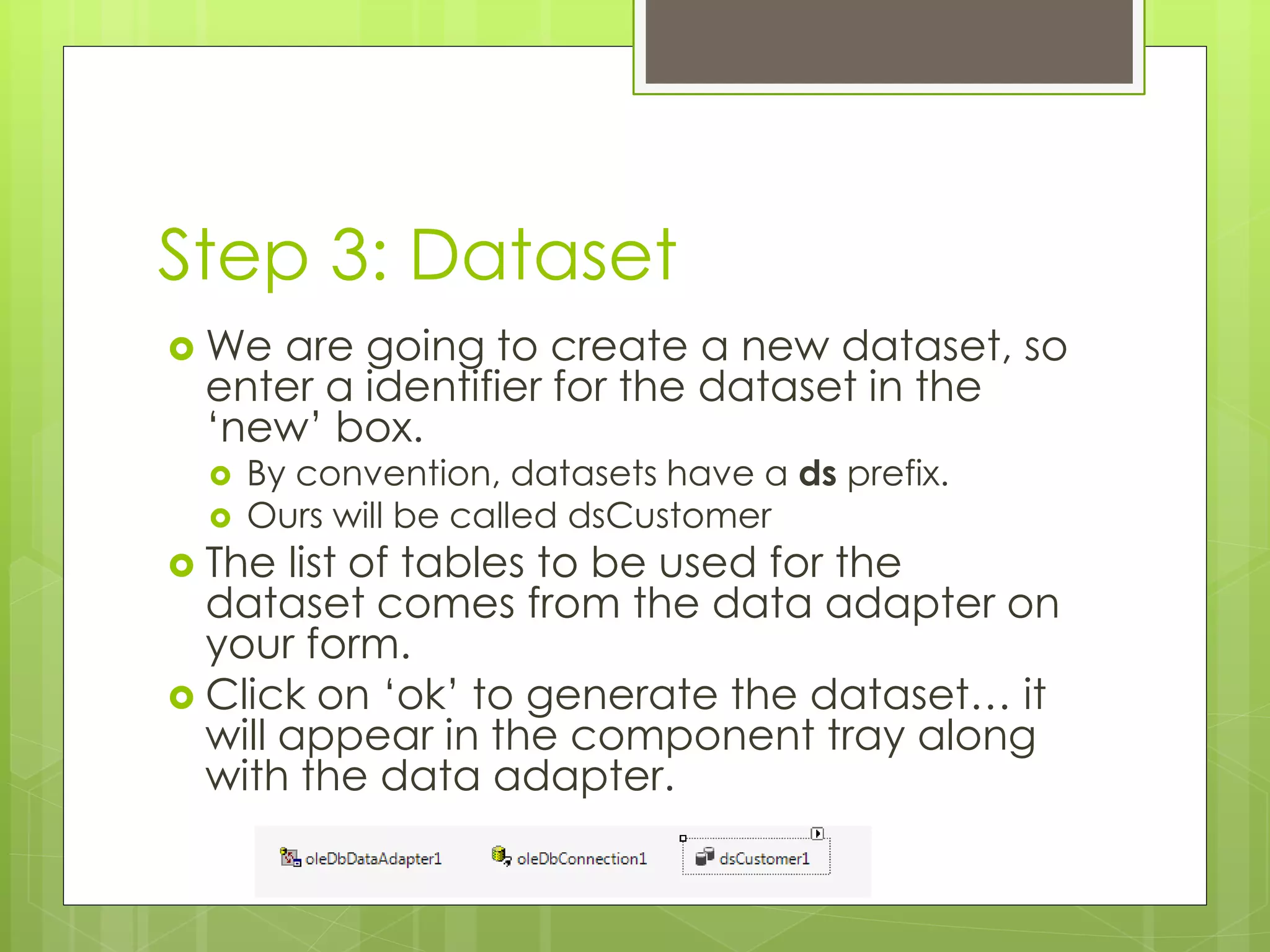
 Click on ‘ok’ to generate the dataset… it
will appear in the component tray along
with the data adapter.
Voila!
 Once you have the dataset generated,
you have a framework in your application
suitable for linking up to controls.
 In this lecture, we will look only at using
standard text boxes as data aware
controls.
 Next week we’ll look at some more
complex examples.
Displaying Data
 ADO .NET doesn’t simply dump an Access
table in your application.
 Instead, you have to explicitly decide what
controls are to display which parts of the
database.
 Most controls in C# can be bound to a
database.
 One control especially suited to this is the
textbox control.
Displaying Data
 Textboxes have many properties associated with
them.
 A category of these properties are known as data
properties.
 We use these to link the textbox to the dataset.
 textBox1.DataBindings.Add (new Binding ("Text",
dsCustomer1, "Customer.FirstName"));
 textBox2.DataBindings.Add (new Binding("Text",
dsCustomer1, "Customer.SurName"));
Displaying Data
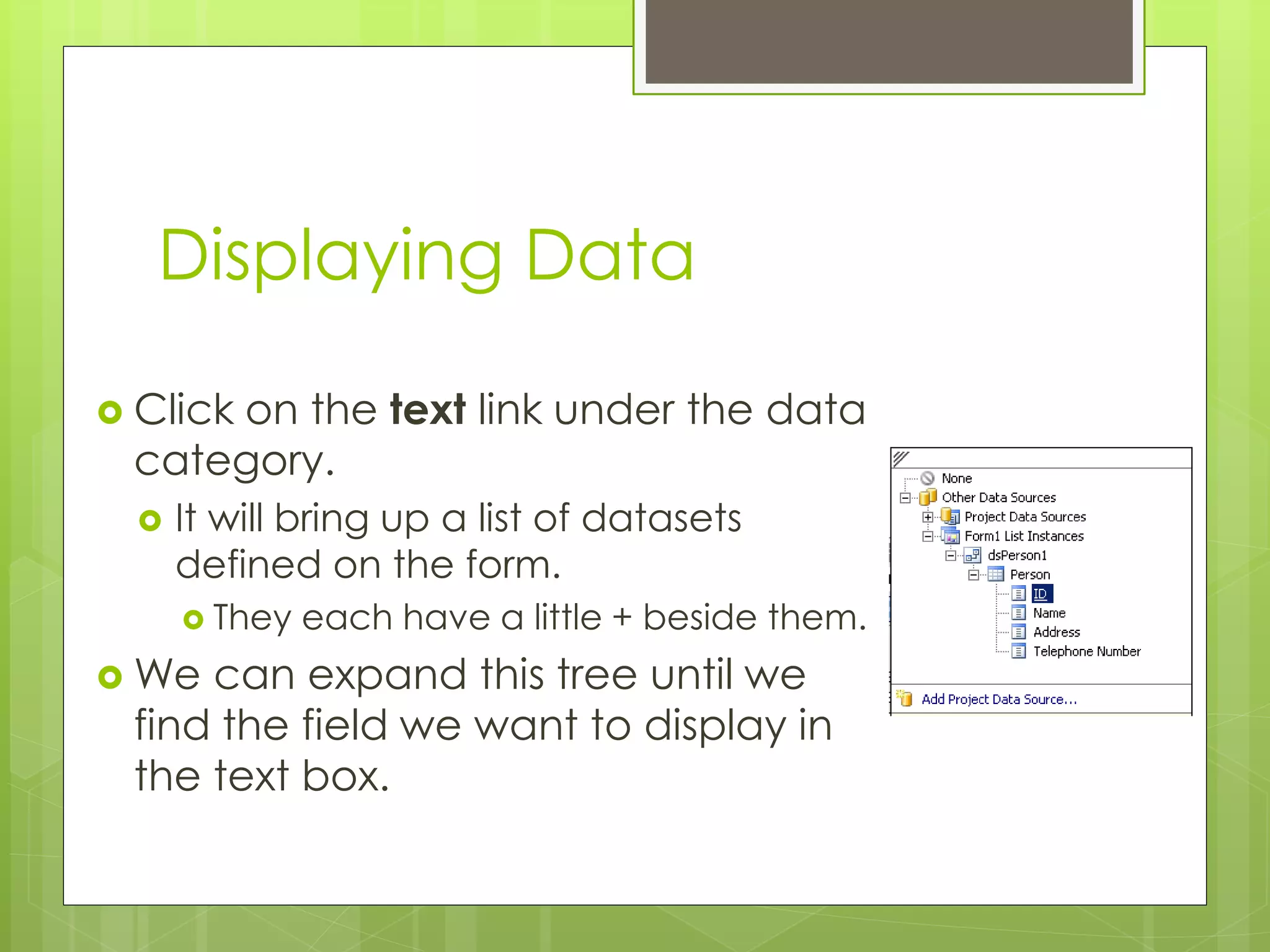
 Click on the text link under the data
category.
 It will bring up a list of datasets
defined on the form.
 They each have a little + beside them.
 We can expand this tree until we
find the field we want to display in
the text box.
Displaying Data
 We do this for each field we want to
display on the form.
 As said previously, many controls can make
use of the same dataset.
 If we set up all our controls in this way and
then run, nothing will appear in the next
box.
 We’re not done yet.
One Last Step
 Finally, we need to add some code to our
application to set up the dataset and link
it to the adapter.
 You thought we’d done that already?
 We must manually fill the dataset from the
adapter. We do that with the following
lines of code:
YourDataset.Clear()
YourDataAdapter.Fill(YourDataSet)
One Last Step
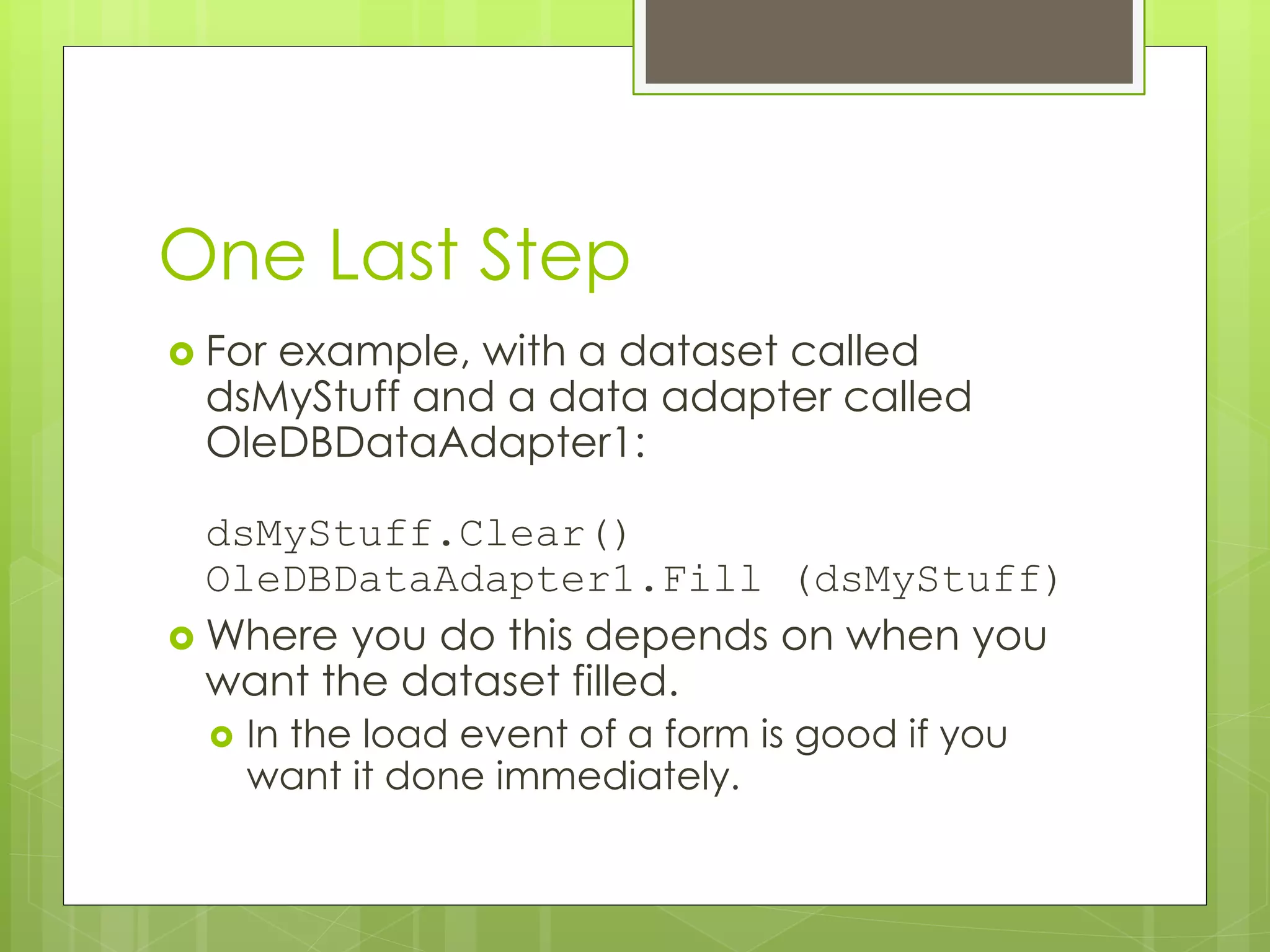
 For example, with a dataset called
dsMyStuff and a data adapter called
OleDBDataAdapter1:
dsMyStuff.Clear()
OleDBDataAdapter1.Fill (dsMyStuff)
 Where you do this depends on when you
want the dataset filled.
 In the load event of a form is good if you
want it done immediately.
Navigation
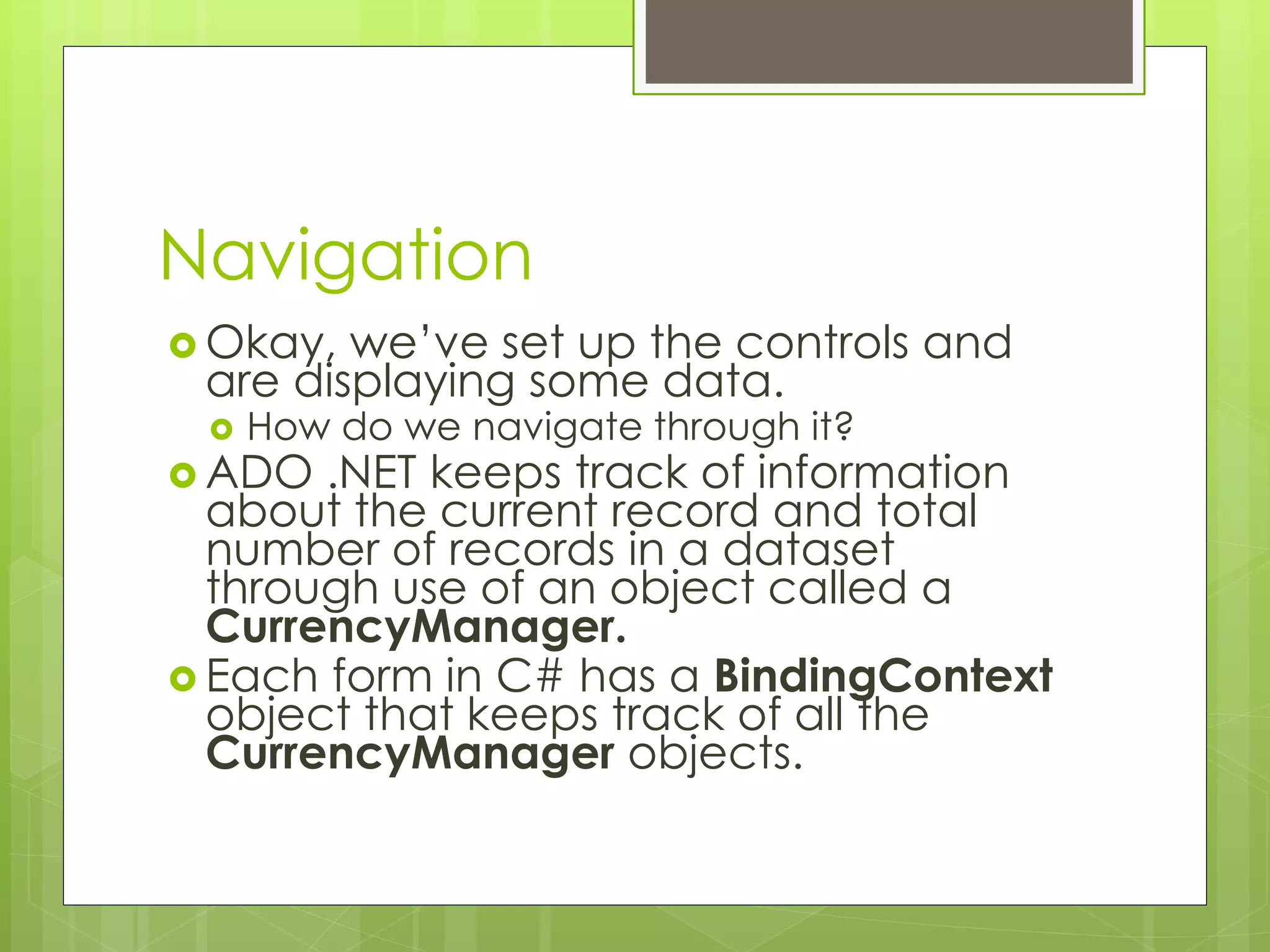
 Okay, we’ve set up the controls and
are displaying some data.
 How do we navigate through it?
 ADO .NET keeps track of information
about the current record and total
number of records in a dataset
through use of an object called a
CurrencyManager.
 Each form in C# has a BindingContext
object that keeps track of all the
CurrencyManager objects.
Navigation
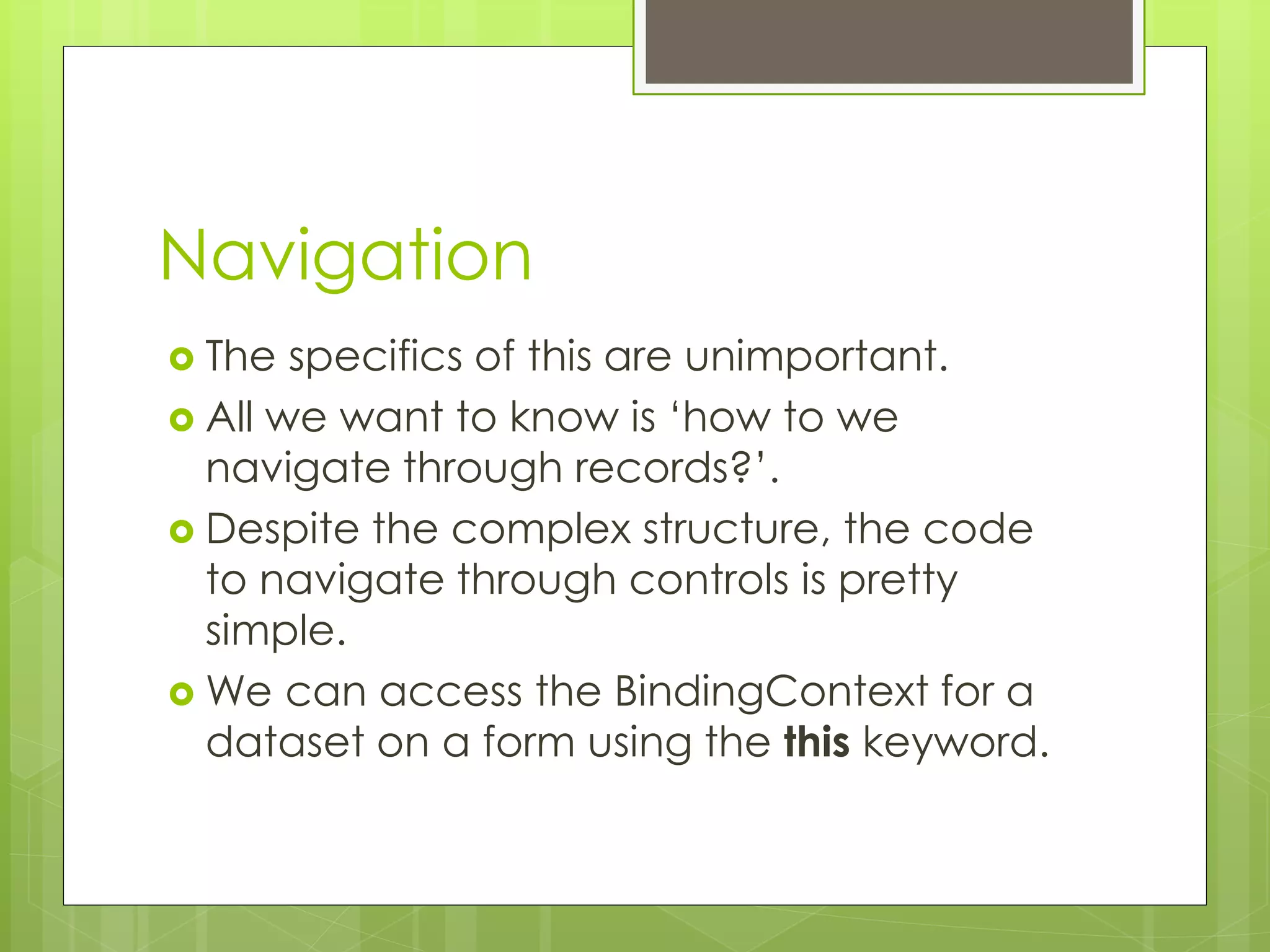
 The specifics of this are unimportant.
 All we want to know is ‘how to we
navigate through records?’.
 Despite the complex structure, the code
to navigate through controls is pretty
simple.
 We can access the BindingContext for a
dataset on a form using the this keyword.
Navigation
 Consider a form with a dataset called
dsPeople and a table in that dataset
called Persons:
this.BindingContext [dsPerson1,
“Person”]
 A BindingContext has some useful
properties for us to use:
 Position
 Count
Navigation
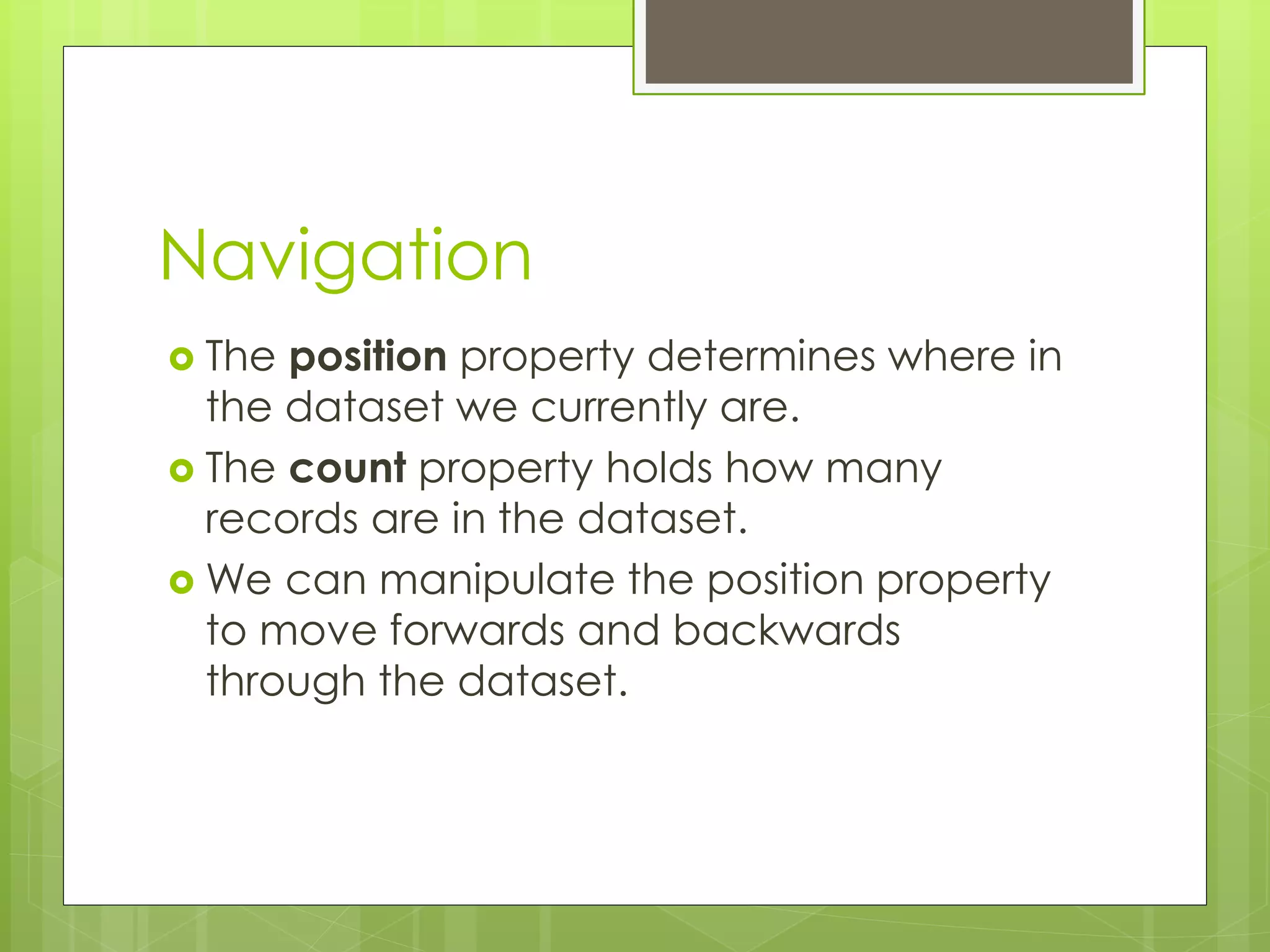
 The position property determines where in
the dataset we currently are.
 The count property holds how many
records are in the dataset.
 We can manipulate the position property
to move forwards and backwards
through the dataset.
Navigation
 Next:
this.BindingContext[dsCustomer1, "Customer"].Position += 1;
 Previous:
this.BindingContext[dsCustomer1, "Customer"].Position -= 1;
 Last:
this.BindingContext[dsCustomer1, "Customer"].Position =
this.BindingContext[dsCustomer1, "Customer"].Count - 1;
 First:
this.BindingContext[dsCustomer1, "Customer"].Position = 0;
 These code extracts can be bound to buttons
allowing the user to navigate through the
datasets.
Conclusion
 Data Representation is an important
concept.
 Something the more nerdy amongst us
often lose sleep over.
 In any application you have a choice
between bespoke representation and a
database engine.
 You should decide which of these to use on
the basis of your application.

PATTERNS07 - Data Representation in C#

  • 1.
  • 2.
    Introduction  In thelast lecture we looked at how event driven application in .NET work.  I’ll leave it (mostly) up to you to get to grips with C# syntax.  In this lecture we’re going to discuss the .NET data model in relation to objects (which you know) and ADO .NET (which you probably don’t.  ADO .NET is the database engine at the core of .NET.  As mentioned in previous lectures, data representation is key to eventual success with a system.
  • 3.
    C# Objects  C#objects look very much like Java objects.  Down to the syntax.  The prime differentiators are:  Declaration of a class within a namespace.  Accessors handled as properties.  Properties provide a syntactically consistent method of handling getting and setting of attributes.  Rather than the convention driven methods of Java.
  • 4.
    Class and Properties usingSystem; namespace SimpleClassExample { class Person { private string name; private int age; public int Age { get { return age; } set { age = value; } } } }
  • 5.
    Making Use OfObjects using System; namespace SimpleClassExample { class Program { static void Main(string[] args) { Person me = new Person(); me.Age = 80; me.Name = "Michael"; me.adjustAge (1); Console.WriteLine(me.Name + " is " + me.Age + " years old"); } } }
  • 6.
    Encapsulation  All ofthe hard work of connecting to a database in C# is encapsulated in the data objects you work with.  All you need to learn is how these objects work, not how they interface with specific databases.  This means that once you have written the code to work with one database, it’s easy to change it to work with another.
  • 7.
    Bespoke Data  Inthe next lecture we’ll be talking about how to hook up a program to a database.  This is a powerful technique.  Before we get to that though, let’s talk a little bit about why we may want to do it.  And why we might not, on occasion.  It’s the difference between using a standard data layer (a database), and a more bespoke data solution (hand-rolled classes).
  • 8.
    Bespoke Data Advantages Certain contexts demand bespoke data implementation.  Databases are optimised for certain kinds of file IO, but are costly for other operations.  Fast paced 3D games would be a good deal less fast-paced with a database back-end.  Very complex, tightly integrated data manipulation is much easier to do with a bespoke data model.  Bespoke models give you a lot of scope for context specific optimization.
  • 9.
    Database Advantages  Databaseson the other hand, have advantages of their own.  They are already optimized for what they do.  Large file IO, searching, sorting, etc  Other people are constantly working on improving them.  A fix in the engine is a fix in your code too.  They offer a structured standard for interrogation.  You can easily provide many different views of a database because they all communicate with SQL.
  • 10.
    Bespoke Versus Database When would you choose one over another?  The criteria I use is ‘how much does it matter to me how the data is stored?  For a simple web-based ecommerce system, a database is a clear choice with clear benefits.  For a complex simulation, bespoke data structures are probably better.  It is the application itself that will dictate this to you.
  • 11.
    Examples  You area Scientist (doing science). You want to run a variation of Conway’s Game of Life to investigate properties of emergent behaviour.  Bespoke or Database?  You are a businessperson (doing business). You want to put up an online catalogue that shows your wares and lets people order them.  Bespoke or Database?
  • 12.
    Designing A DataLayer  An ideal application allows for the data representation to be abstracted from the application itself.  So you can change how data is represented, and it doesn’t matter.  This is sometimes known as an ‘3 tier’ architecture.  Bespoke data representations do not easily allow this.  You need to write a translation layer of your own.  ADO .NET permits the use of several underlying databases, (mostly) seamlessly.
  • 13.
    MVC The MVC isa design pattern that runs through the module.  Separate out the view from the controller from the model.  Or more usually, separate out the view/controller from the model.  Within the MVC, you can profitably look to separate out data representation from ‘business logic’  Through the incorporation of a dedicated data layer.
  • 14.
    ADO .NET  Allof this leads us to the .NET way of doing databases.  ADO .NET  ADO .NET’s communication with databases is based on two key elements.  The Data Provider Framework  The Data Set  The data provider framework handles the work of connecting to an actual database.  The Data Set handles the work of communicating with applications.
  • 15.
  • 16.
    ADO .NET  Itis possible to interact with a database in two ways.  Using the Data Reader, which is real-time.  Using Datasets, which are a snapshot of an underlying data representation.  We’ll be doing the latter.  Some example code on The Interwebs may use the former. Be mindful of this.  Data sets offer a good deal of flexibility.  They allow for database representation to be interchangeable with XML representation.
  • 17.
    Data Sets  Asmentioned, data sets offer a snapshot of the underlying data source.  This is a disconnected, memory resident representation.  Think of it as making a copy of the data for your own purposes.  Datasets do not permit you to play with ‘live ammunition’.  If you change things in the dataset, your underlying database does not change until you tell it to.
  • 18.
    Data Sets  Thiscreates some complications.  What happens if you have two data-sets pointing to the same database, and they have both been changed?  ADO .NET also offers the facility for merging data-sets together to deal with such situations.  Not something you should have to do, but again something to be mindful of.
  • 19.
    Data Sets  Oneof the biggest benefits of Data Sets is that they permit the access of underlying data in the same style as associative arrays.  Or ‘hashmaps’, or ‘mappings’, whatever term you may prefer.  This greatly simplifies the task of interacting with an underlying database.  SQL, for all its power, is not an easy language with which to Get Things Done.
  • 20.
    Objects and Databases When you make a connection to a database in ADO .NET, it translates the database into objects you can manipulate.  These objects often have other objects as part of their makeup.  Effective working within ADO .NET requires you to be conversant with how these work.
  • 21.
    Objects and Databases A lot of the work you do in setting up a database is done through Visual Studio itself.  What it’s doing though is creating and setting objects for you.  When it comes time to do anything ‘clever’ with our databases, we’ll need to make use of the objects.
  • 22.
    Step One: MakingThe Database Available  Choose ‘server explorer’ from the view menu.  Add a new data connection.  Right click on the server explorer and choose ‘add connection’  It will ask you where the database is located.
  • 23.
    Step One: MakingThe Database Available  If you have no u/p information, leave it as is.  Press ‘test connection’ to make sure that the connection works.  Then press ‘ok’.  Your database is then available in the server explorer under ‘data connections’.
  • 24.
    The Server Explorer The Server Explorer gives you an ‘in IDE’ view of the data and database.  You can modify the table, execute queries, or enter data as needed.  Right click on the table you want to alter, and choose ‘retrieve data’
  • 25.
    Step 2: DataAdapter  Step two is to create a data adapter to extract information from the database.  The data adapter defines the specific information required by your application.  In cases of very large complex databases, it is vital to simplify data access routines.  Essentially a data adapter acts as a filter between the database and your application.
  • 26.
    Step 2: DataAdapter  In the C# .NET toolbox is a tab that says ‘data’.  This tab contains GUI components that represents aspects of the ADO .NET architecture.  The OleDBDataAdapter control lets us use the data connection wizard to set up an adapter.  If it’s not there, it needs to be added in manually.
  • 27.
    Step 2: DataAdapter  The wizard guides you through the process of setting up the adapter.  Step one, it asks which data connection to use.  You can choose from any nodes on the server explorer.  Step two, it asks how to access the database.  Choose ‘use SQL statements’.  Step three, it asks what SQL statement to use.  For now, we’re simply going to use a ‘select * from Customer’ statement.
  • 28.
    Step 2: DataAdapter  Once these three steps have been taken, the data adapter is configured.  It will create an instance of the object in the ‘invisible controls’ part of the IDE.  This control can be accessed in code the same way as any other control.  It just doesn’t appear explicitly on the form.  Once you have this, we can move onto step 3.
  • 29.
    Step 3: Dataset The next step is to create an object that represents the data we wish to use in our program.  This object is called a dataset.  The dataset is a snapshot of some specific part of the database.  It can come from tables  It can come from queries  It can come from SQL statements.
  • 30.
    Step 3: Dataset To create a dataset, we must click on the form to make sure it is active.  Right click on the form to bring up the context sensitive menu, and select generate dataset.  This will bring up the generation dialog.
  • 31.
    Step 3: Dataset We are going to create a new dataset, so enter a identifier for the dataset in the ‘new’ box.  By convention, datasets have a ds prefix.  Ours will be called dsCustomer  The list of tables to be used for the dataset comes from the data adapter on your form.  Click on ‘ok’ to generate the dataset… it will appear in the component tray along with the data adapter.
  • 32.
    Voila!  Once youhave the dataset generated, you have a framework in your application suitable for linking up to controls.  In this lecture, we will look only at using standard text boxes as data aware controls.  Next week we’ll look at some more complex examples.
  • 33.
    Displaying Data  ADO.NET doesn’t simply dump an Access table in your application.  Instead, you have to explicitly decide what controls are to display which parts of the database.  Most controls in C# can be bound to a database.  One control especially suited to this is the textbox control.
  • 34.
    Displaying Data  Textboxeshave many properties associated with them.  A category of these properties are known as data properties.  We use these to link the textbox to the dataset.  textBox1.DataBindings.Add (new Binding ("Text", dsCustomer1, "Customer.FirstName"));  textBox2.DataBindings.Add (new Binding("Text", dsCustomer1, "Customer.SurName"));
  • 35.
    Displaying Data  Clickon the text link under the data category.  It will bring up a list of datasets defined on the form.  They each have a little + beside them.  We can expand this tree until we find the field we want to display in the text box.
  • 36.
    Displaying Data  Wedo this for each field we want to display on the form.  As said previously, many controls can make use of the same dataset.  If we set up all our controls in this way and then run, nothing will appear in the next box.  We’re not done yet.
  • 37.
    One Last Step Finally, we need to add some code to our application to set up the dataset and link it to the adapter.  You thought we’d done that already?  We must manually fill the dataset from the adapter. We do that with the following lines of code: YourDataset.Clear() YourDataAdapter.Fill(YourDataSet)
  • 38.
    One Last Step For example, with a dataset called dsMyStuff and a data adapter called OleDBDataAdapter1: dsMyStuff.Clear() OleDBDataAdapter1.Fill (dsMyStuff)  Where you do this depends on when you want the dataset filled.  In the load event of a form is good if you want it done immediately.
  • 39.
    Navigation  Okay, we’veset up the controls and are displaying some data.  How do we navigate through it?  ADO .NET keeps track of information about the current record and total number of records in a dataset through use of an object called a CurrencyManager.  Each form in C# has a BindingContext object that keeps track of all the CurrencyManager objects.
  • 40.
    Navigation  The specificsof this are unimportant.  All we want to know is ‘how to we navigate through records?’.  Despite the complex structure, the code to navigate through controls is pretty simple.  We can access the BindingContext for a dataset on a form using the this keyword.
  • 41.
    Navigation  Consider aform with a dataset called dsPeople and a table in that dataset called Persons: this.BindingContext [dsPerson1, “Person”]  A BindingContext has some useful properties for us to use:  Position  Count
  • 42.
    Navigation  The positionproperty determines where in the dataset we currently are.  The count property holds how many records are in the dataset.  We can manipulate the position property to move forwards and backwards through the dataset.
  • 43.
    Navigation  Next: this.BindingContext[dsCustomer1, "Customer"].Position+= 1;  Previous: this.BindingContext[dsCustomer1, "Customer"].Position -= 1;  Last: this.BindingContext[dsCustomer1, "Customer"].Position = this.BindingContext[dsCustomer1, "Customer"].Count - 1;  First: this.BindingContext[dsCustomer1, "Customer"].Position = 0;  These code extracts can be bound to buttons allowing the user to navigate through the datasets.
  • 44.
    Conclusion  Data Representationis an important concept.  Something the more nerdy amongst us often lose sleep over.  In any application you have a choice between bespoke representation and a database engine.  You should decide which of these to use on the basis of your application.