Developing Database Applications Using ADO.NET and XML
Objectives


                In this session, you will learn to:
                   Identify the connected and disconnected environment in
                   ADO.NET
                   Working in a connected environment


     Ver. 1.0                      Session 4                            Slide 1 of 14
Developing Database Applications Using ADO.NET and XML
Introducing Connected and Disconnected Environment


                A connected environment is one in which a user or an
                application is constantly connected to a data source.
                A connected environment provides the following
                advantages:
                   Data concurrency issues are easier to control.
                   Data is current and updated.
                A connected environment has the following disadvantages:
                   A constant network connection may, sometimes, lead to
                   network traffic logging.
                   Scalability and performance issues in applications.
                Let us now discuss the disconnected environment.


     Ver. 1.0                     Session 4                            Slide 2 of 14
Developing Database Applications Using ADO.NET and XML
Introducing Connected and Disconnected Environment (Contd.)


                In a disconnected environment is one in which a user or an
                application is not directly connected to a data source.
                A disconnected environment provides the following
                advantages:
                   Allows multiple applications to simultaneously interact with the
                   data source.
                   Improves the scalability and performance of applications.
                A disconnected environment has the following
                disadvantages:
                   Data is not always up to date as no proper connection is
                   established with the data source.
                   Data concurrency issues can occur when multiple users are
                   updating the data to the data source.


     Ver. 1.0                      Session 4                               Slide 3 of 14
Developing Database Applications Using ADO.NET and XML
Introducing Connected and Disconnected Environment (Contd.)


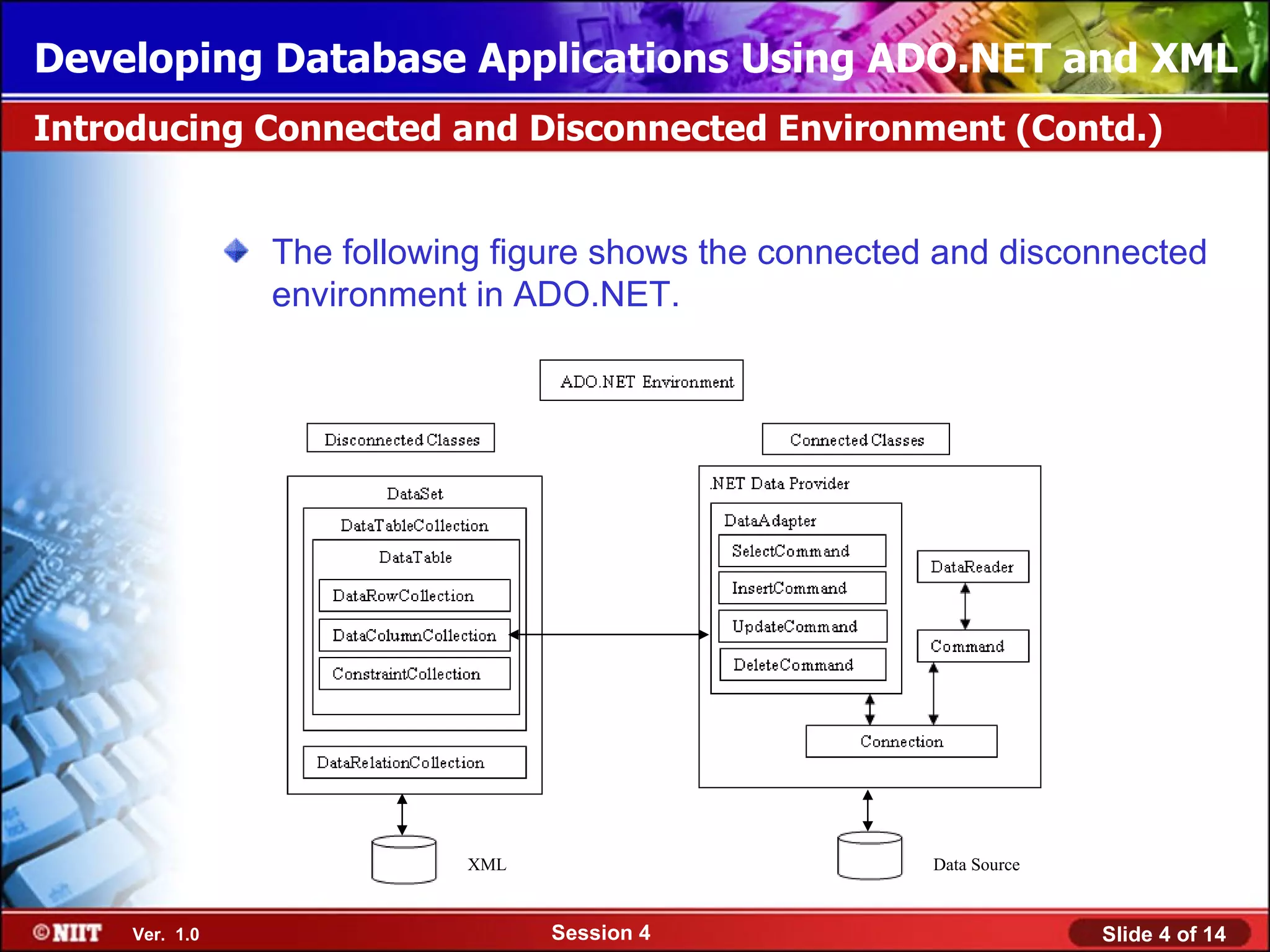
                The following figure shows the connected and disconnected
                environment in ADO.NET.


                           XML                          Data Source


     Ver. 1.0                    Session 4                            Slide 4 of 14
Developing Database Applications Using ADO.NET and XML
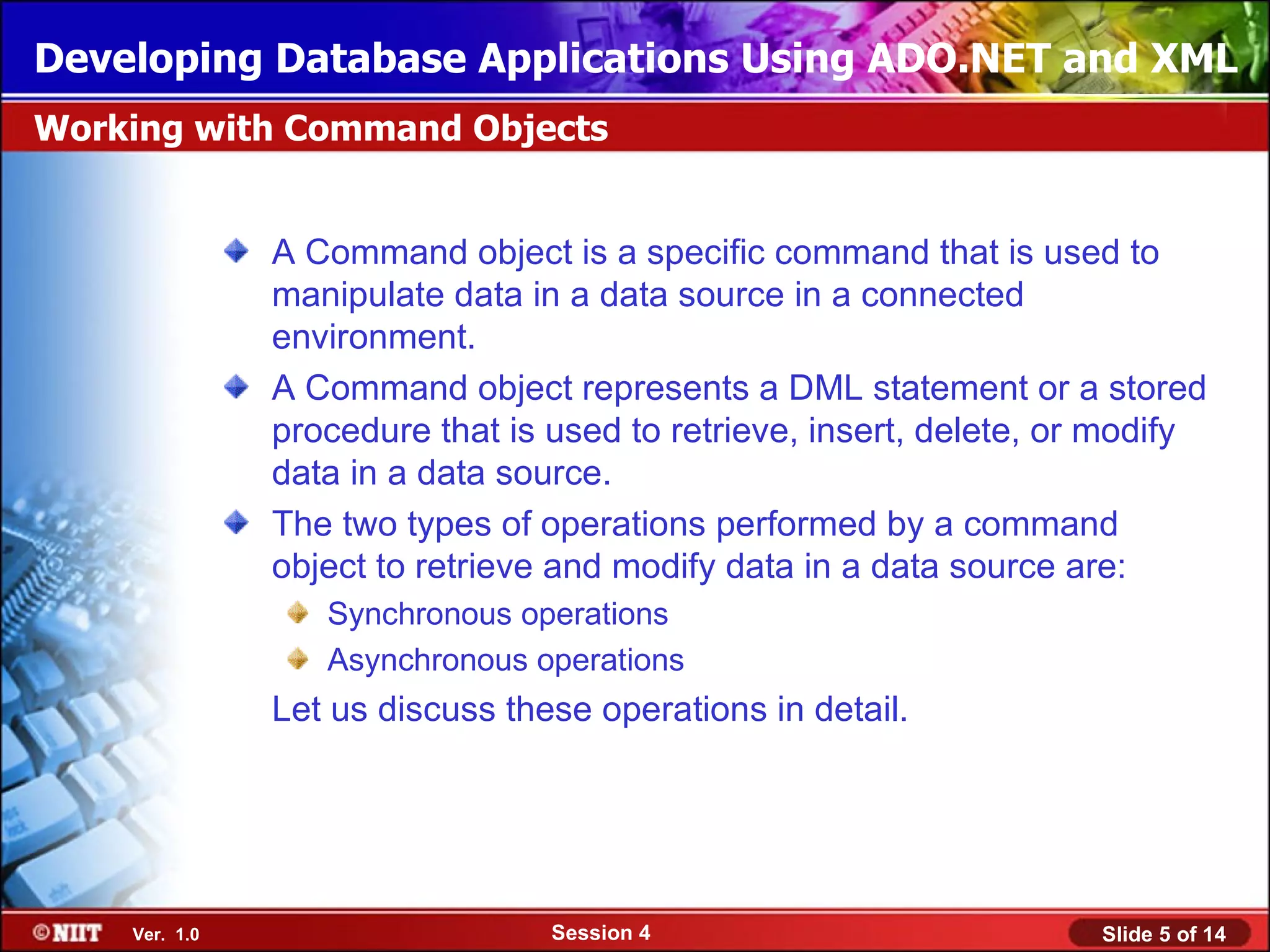
Working with Command Objects


               A Command object is a specific command that is used to
               manipulate data in a data source in a connected
               environment.
               A Command object represents a DML statement or a stored
               procedure that is used to retrieve, insert, delete, or modify
               data in a data source.
               The two types of operations performed by a command
               object to retrieve and modify data in a data source are:
                  Synchronous operations
                  Asynchronous operations
               Let us discuss these operations in detail.


    Ver. 1.0                     Session 4                           Slide 5 of 14
Developing Database Applications Using ADO.NET and XML
Working with Command Objects (Contd.)


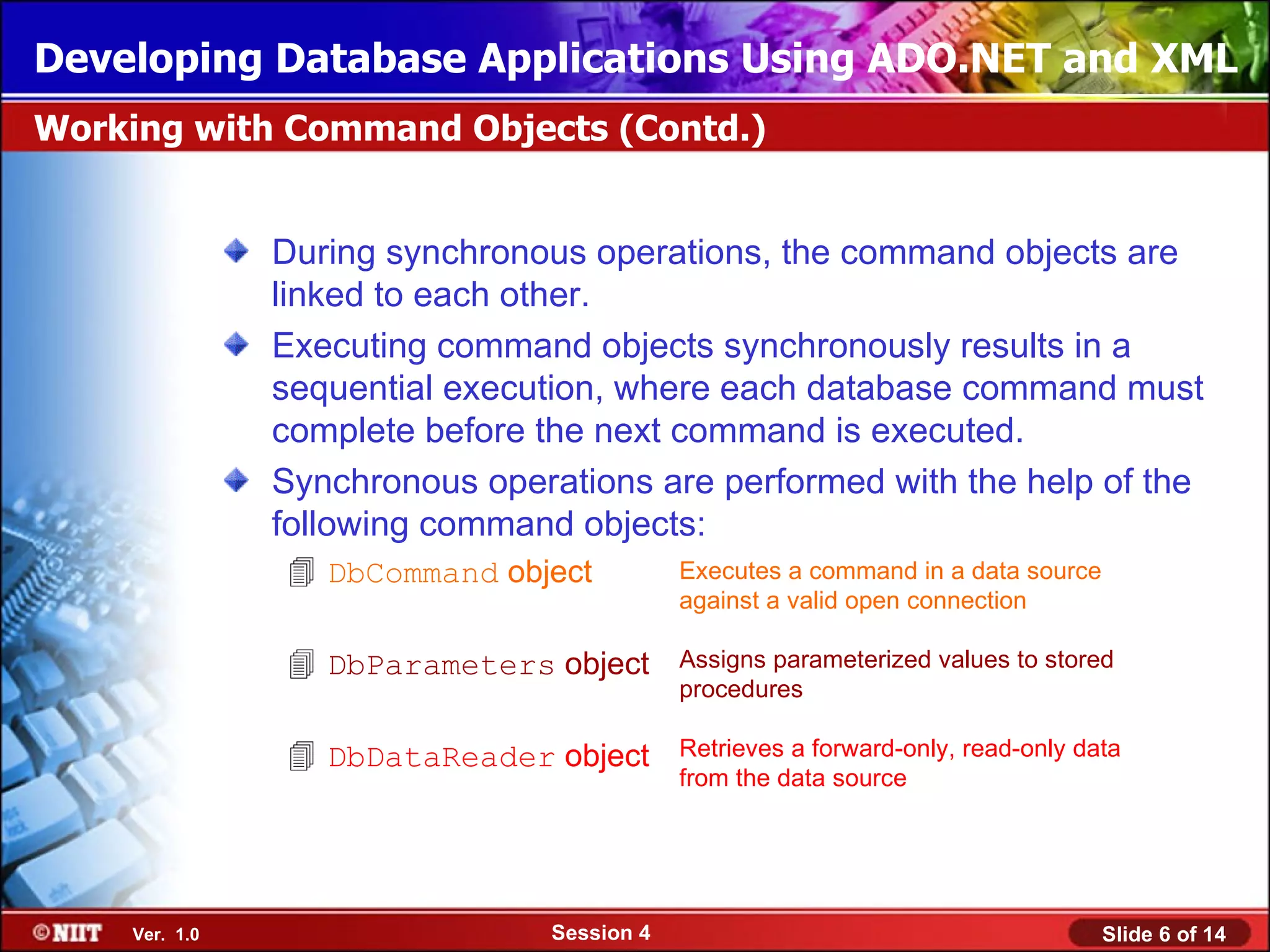
               During synchronous operations, the command objects are
               linked to each other.
               Executing command objects synchronously results in a
               sequential execution, where each database command must
               complete before the next command is executed.
               Synchronous operations are performed with the help of the
               following command objects:
                DbCommand object           Executes a command in a data source
                                            against a valid open connection

                DbParameters object        Assigns parameterized values to stored
                                            procedures

                DbDataReader object        Retrieves a forward-only, read-only data
                                            from the data source


    Ver. 1.0                    Session 4                                         Slide 6 of 14
Developing Database Applications Using ADO.NET and XML
Just a minute


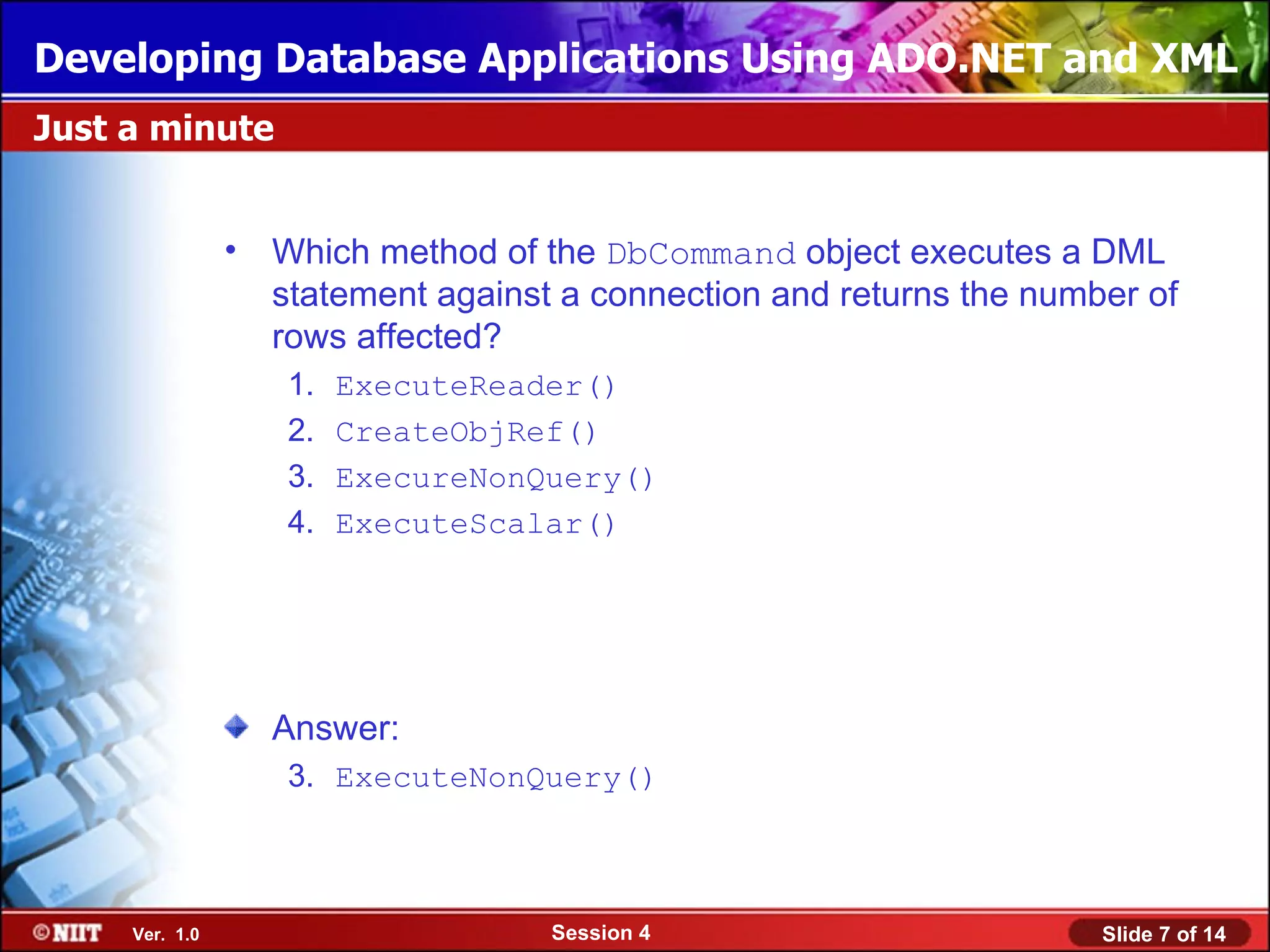
                • Which method of the DbCommand object executes a DML
                  statement against a connection and returns the number of
                  rows affected?
                   1.   ExecuteReader()
                   2.   CreateObjRef()
                   3.   ExecureNonQuery()
                   4.   ExecuteScalar()


                  Answer:
                   3. ExecuteNonQuery()


     Ver. 1.0                      Session 4                         Slide 7 of 14
Developing Database Applications Using ADO.NET and XML
Working with Command Objects (Contd.)


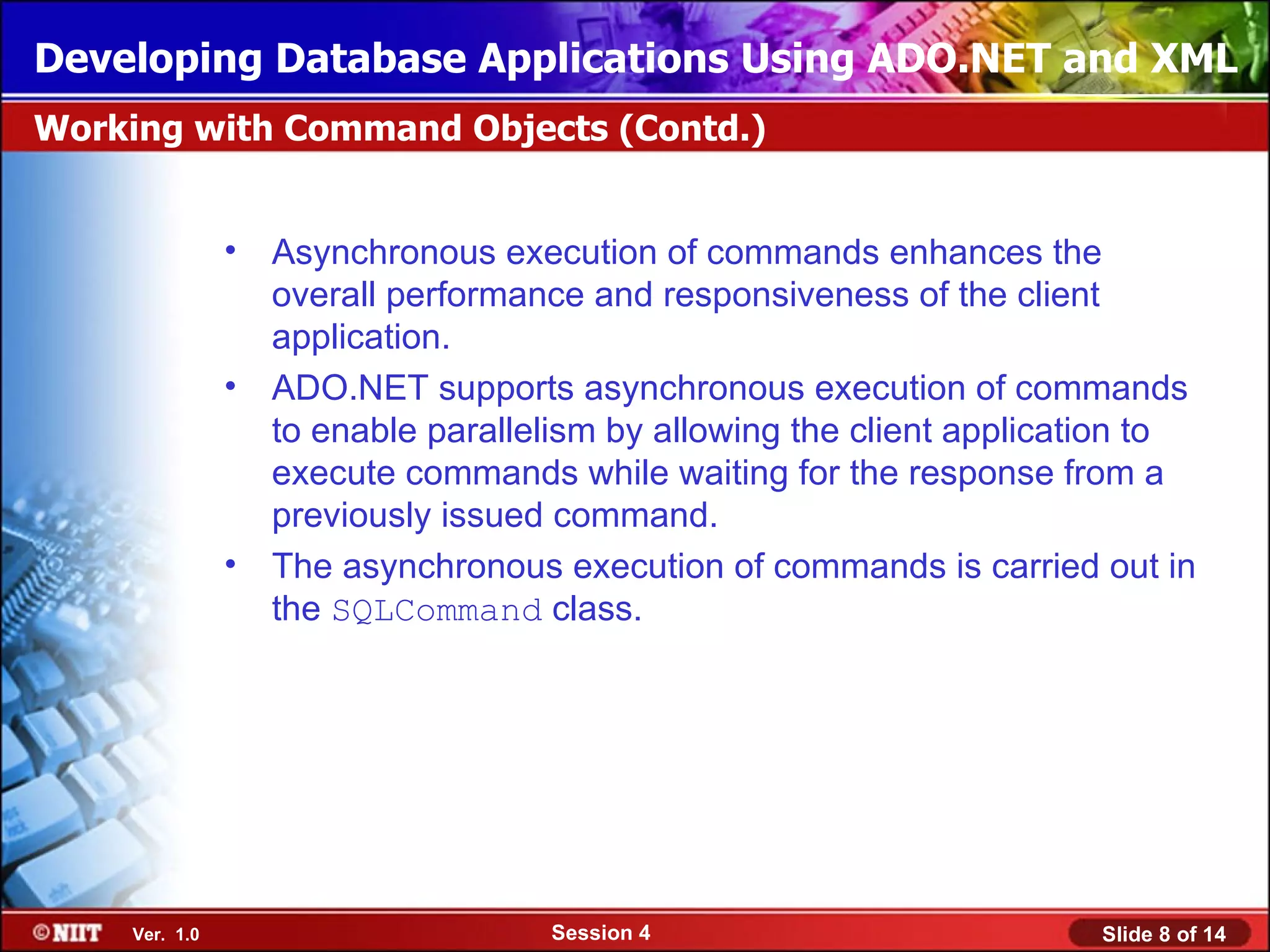
               •   Asynchronous execution of commands enhances the
                   overall performance and responsiveness of the client
                   application.
               •   ADO.NET supports asynchronous execution of commands
                   to enable parallelism by allowing the client application to
                   execute commands while waiting for the response from a
                   previously issued command.
               •   The asynchronous execution of commands is carried out in
                   the SQLCommand class.


    Ver. 1.0                        Session 4                          Slide 8 of 14
Developing Database Applications Using ADO.NET and XML
Working with Command Objects (Contd.)


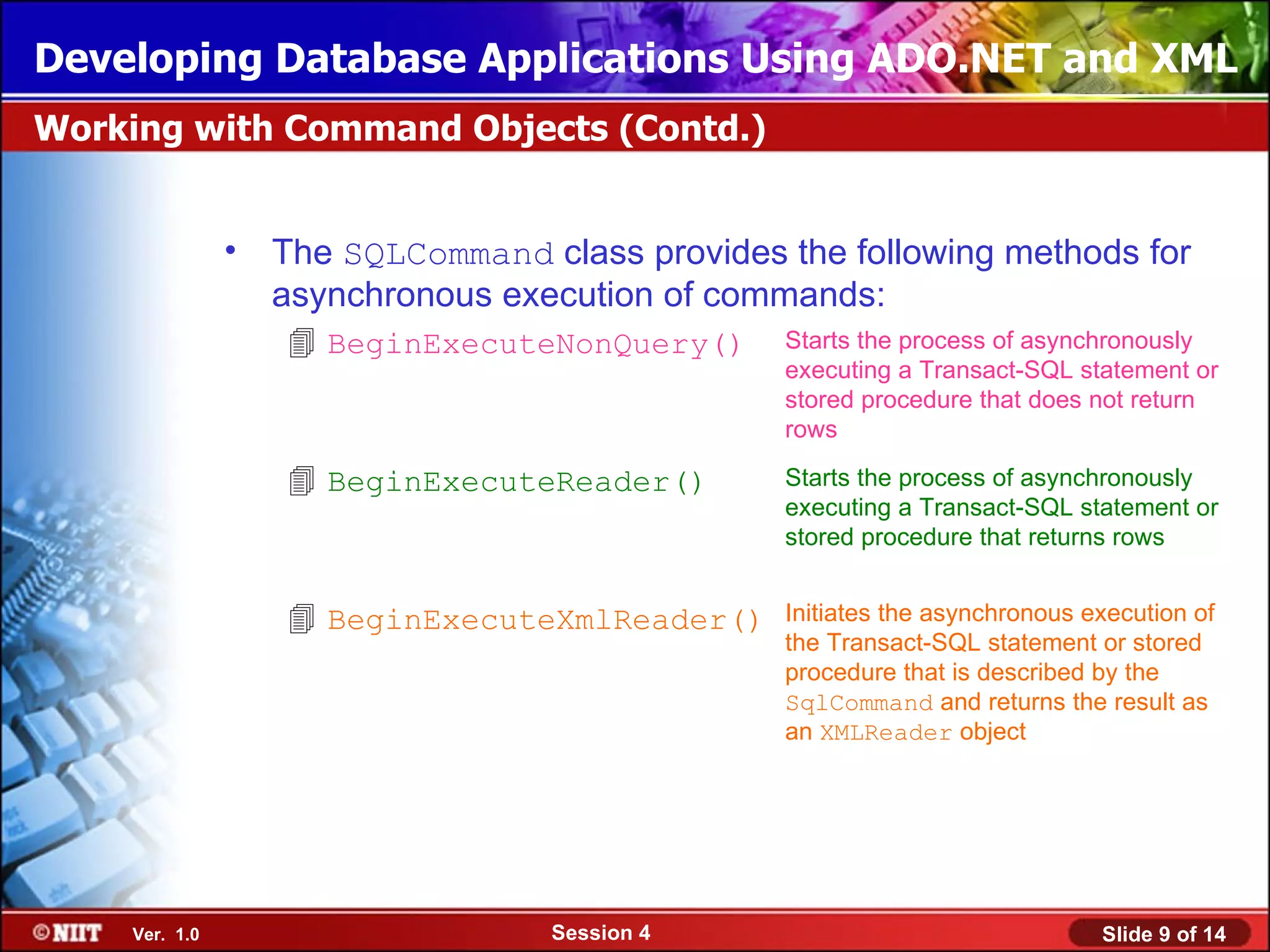
               •   The SQLCommand class provides the following methods for
                   asynchronous execution of commands:
                    BeginExecuteNonQuery()      Starts the process of asynchronously
                                                 executing a Transact-SQL statement or
                                                 stored procedure that does not return
                                                 rows

                    BeginExecuteReader()        Starts the process of asynchronously
                                                 executing a Transact-SQL statement or
                                                 stored procedure that returns rows


                    BeginExecuteXmlReader()     Initiates the asynchronous execution of
                                                 the Transact-SQL statement or stored
                                                 procedure that is described by the
                                                 SqlCommand and returns the result as
                                                 an XMLReader object


    Ver. 1.0                       Session 4                                 Slide 9 of 14
Developing Database Applications Using ADO.NET and XML
Working with Command Objects (Contd.)


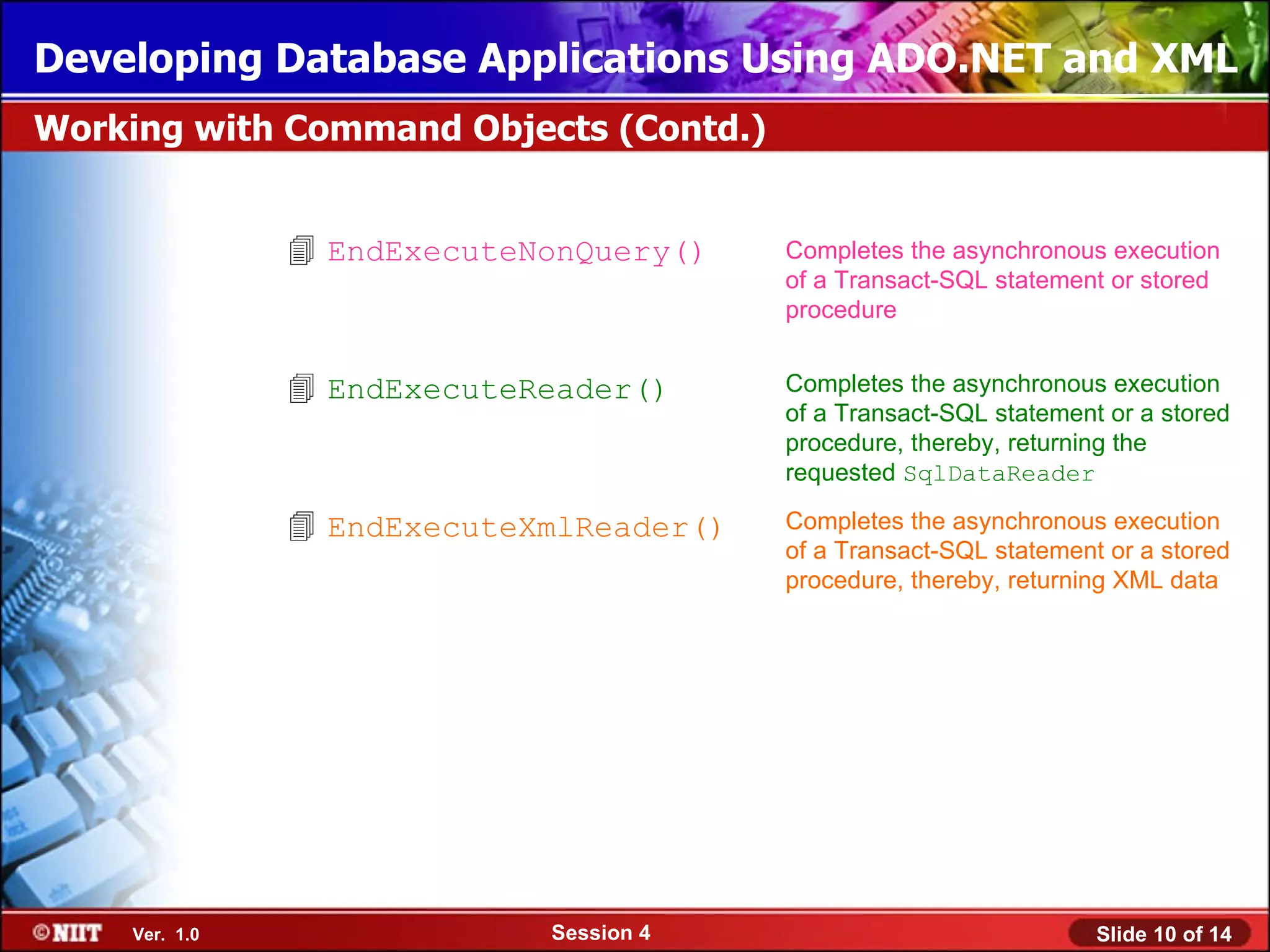
                EndExecuteNonQuery()    Completes the asynchronous execution
                                         of a Transact-SQL statement or stored
                                         procedure


                EndExecuteReader()      Completes the asynchronous execution
                                         of a Transact-SQL statement or a stored
                                         procedure, thereby, returning the
                                         requested SqlDataReader

                EndExecuteXmlReader()   Completes the asynchronous execution
                                         of a Transact-SQL statement or a stored
                                         procedure, thereby, returning XML data


    Ver. 1.0                Session 4                               Slide 10 of 14
Developing Database Applications Using ADO.NET and XML
Working with Command Objects (Contd.)


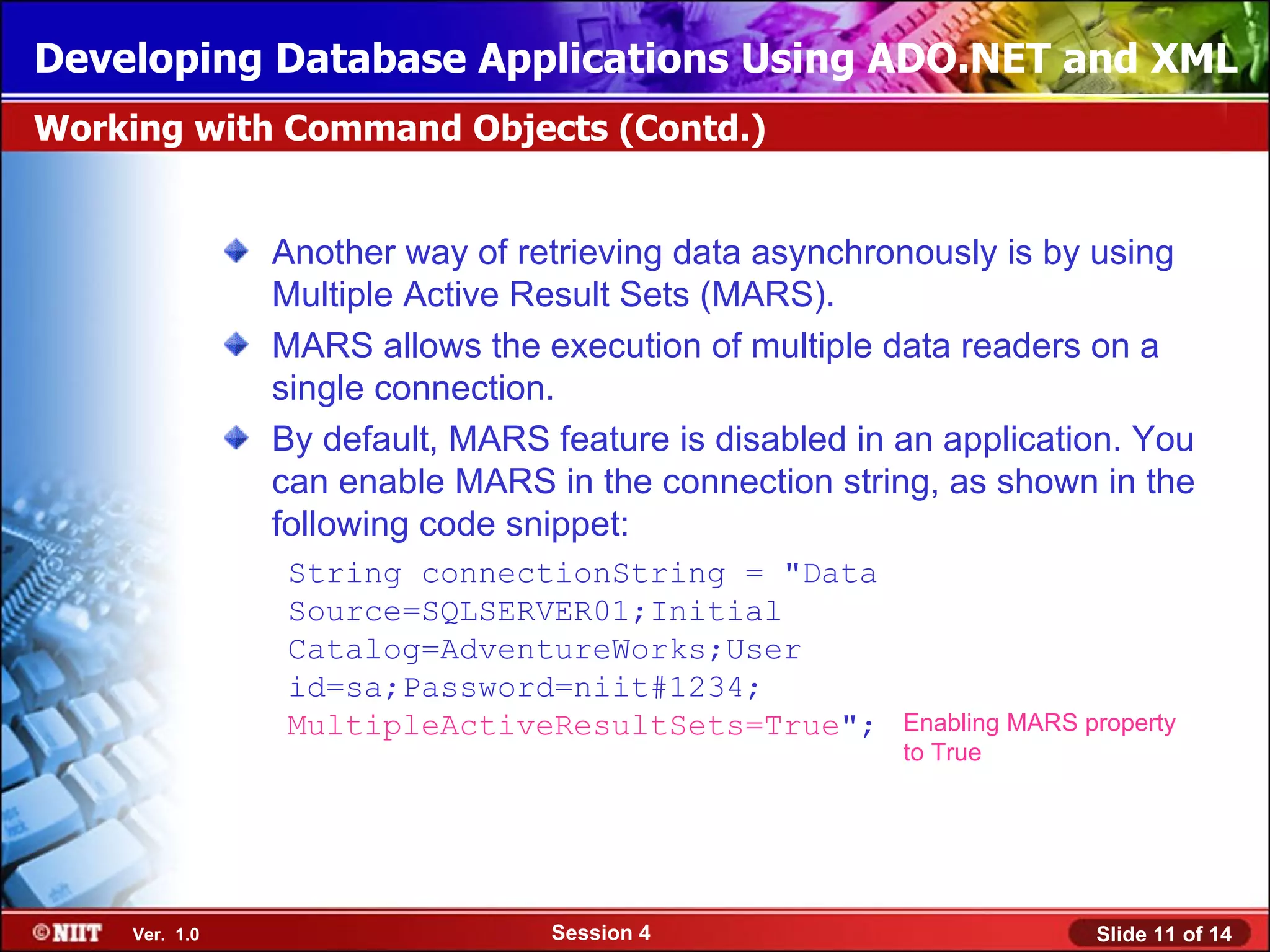
               Another way of retrieving data asynchronously is by using
               Multiple Active Result Sets (MARS).
               MARS allows the execution of multiple data readers on a
               single connection.
               By default, MARS feature is disabled in an application. You
               can enable MARS in the connection string, as shown in the
               following code snippet:
                String connectionString = "Data
                Source=SQLSERVER01;Initial
                Catalog=AdventureWorks;User
                id=sa;Password=niit#1234;
                MultipleActiveResultSets=True";        Enabling MARS property
                                                       to True


    Ver. 1.0                    Session 4                             Slide 11 of 14
Developing Database Applications Using ADO.NET and XML
Just a minute


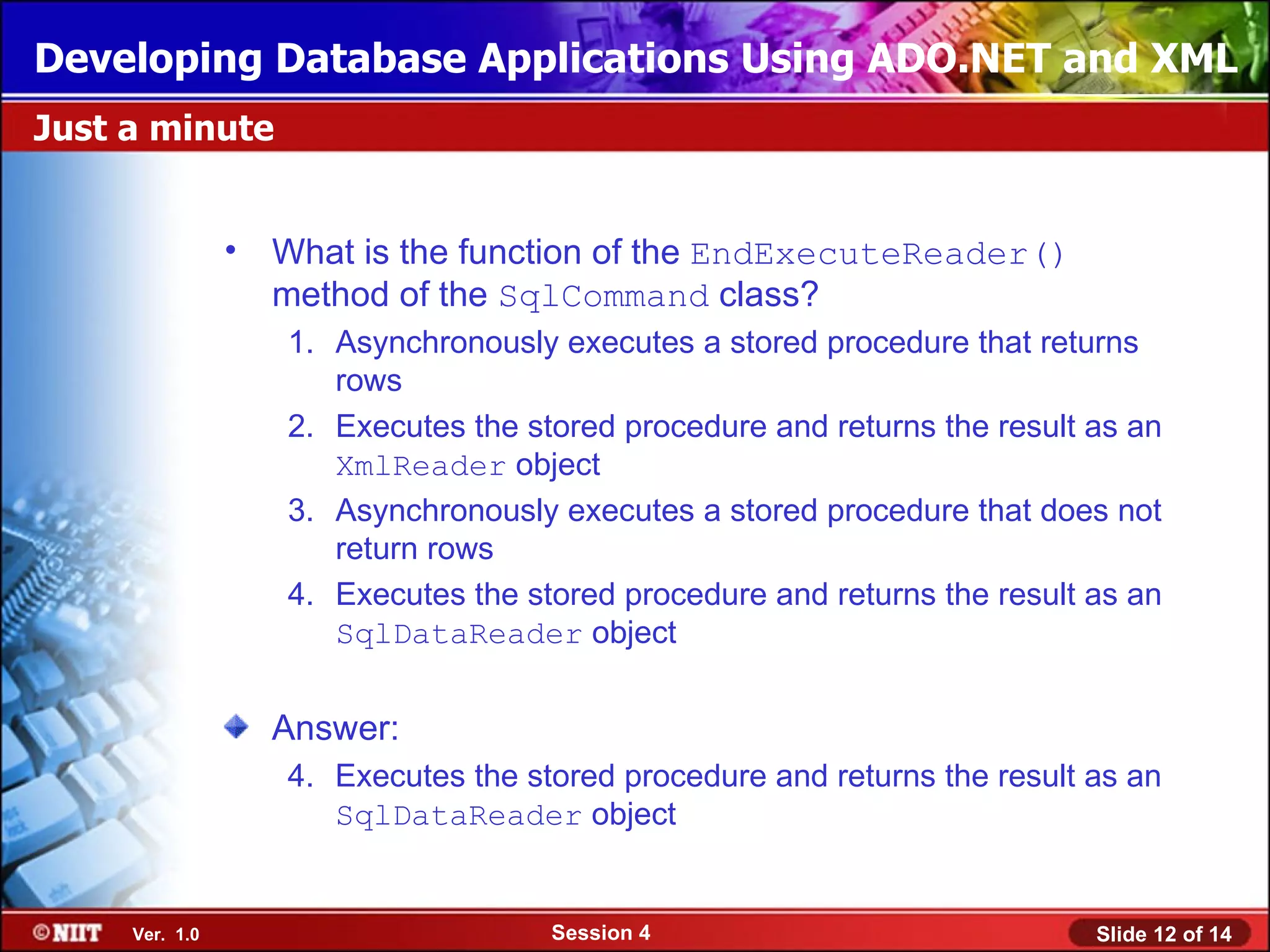
                • What is the function of the EndExecuteReader()
                  method of the SqlCommand class?
                   1. Asynchronously executes a stored procedure that returns
                      rows
                   2. Executes the stored procedure and returns the result as an
                      XmlReader object
                   3. Asynchronously executes a stored procedure that does not
                      return rows
                   4. Executes the stored procedure and returns the result as an
                      SqlDataReader object


                  Answer:
                   4. Executes the stored procedure and returns the result as an
                      SqlDataReader object


     Ver. 1.0                        Session 4                             Slide 12 of 14
Developing Database Applications Using ADO.NET and XML
Summary


               In this session, you learned that:
                  A connected environment is one in which a user or an
                  application is constantly connected to a data source.
                  A disconnected environment is one in which a user or an
                  application is not directly connected to a data source.
                  The two types of operations performed by a command object
                  to retrieve and modify data in a data source are:
                    Synchronous operations
                    Asynchronous operations
                 During synchronous operations, the command objects are
                  linked to each other.
                 Synchronous operations are performed with the help of the
                  following command objects:
                    DbCommand object
                    DbParameters object
                    DbDataReader object
    Ver. 1.0                      Session 4                            Slide 13 of 14
Developing Database Applications Using ADO.NET and XML
Summary (Contd.)


                ADO.NET supports asynchronous execution of commands to
                 enable parallelism by allowing the client application to execute
                 commands while waiting for the response from a previously
                 issued command.
                The SqlCommand class provides the following methods for
                 asynchronous operations:
                      BeginExecuteNonQuery()
                      BeginExecuteReader()
                      BeginExecuteXmlReader()
                      EndExecuteNonQuery()
                      EndExecuteReader()
                      EndExecuteXmlReader()
                MARS allows the execution of multiple data readers on a single
                 connection.


    Ver. 1.0                      Session 4                              Slide 14 of 14

Ado.net session04

  • 1.
    Developing Database ApplicationsUsing ADO.NET and XML Objectives In this session, you will learn to: Identify the connected and disconnected environment in ADO.NET Working in a connected environment Ver. 1.0 Session 4 Slide 1 of 14
  • 2.
    Developing Database ApplicationsUsing ADO.NET and XML Introducing Connected and Disconnected Environment A connected environment is one in which a user or an application is constantly connected to a data source. A connected environment provides the following advantages: Data concurrency issues are easier to control. Data is current and updated. A connected environment has the following disadvantages: A constant network connection may, sometimes, lead to network traffic logging. Scalability and performance issues in applications. Let us now discuss the disconnected environment. Ver. 1.0 Session 4 Slide 2 of 14
  • 3.
    Developing Database ApplicationsUsing ADO.NET and XML Introducing Connected and Disconnected Environment (Contd.) In a disconnected environment is one in which a user or an application is not directly connected to a data source. A disconnected environment provides the following advantages: Allows multiple applications to simultaneously interact with the data source. Improves the scalability and performance of applications. A disconnected environment has the following disadvantages: Data is not always up to date as no proper connection is established with the data source. Data concurrency issues can occur when multiple users are updating the data to the data source. Ver. 1.0 Session 4 Slide 3 of 14
  • 4.
    Developing Database ApplicationsUsing ADO.NET and XML Introducing Connected and Disconnected Environment (Contd.) The following figure shows the connected and disconnected environment in ADO.NET. XML Data Source Ver. 1.0 Session 4 Slide 4 of 14
  • 5.
    Developing Database ApplicationsUsing ADO.NET and XML Working with Command Objects A Command object is a specific command that is used to manipulate data in a data source in a connected environment. A Command object represents a DML statement or a stored procedure that is used to retrieve, insert, delete, or modify data in a data source. The two types of operations performed by a command object to retrieve and modify data in a data source are: Synchronous operations Asynchronous operations Let us discuss these operations in detail. Ver. 1.0 Session 4 Slide 5 of 14
  • 6.
    Developing Database ApplicationsUsing ADO.NET and XML Working with Command Objects (Contd.) During synchronous operations, the command objects are linked to each other. Executing command objects synchronously results in a sequential execution, where each database command must complete before the next command is executed. Synchronous operations are performed with the help of the following command objects:  DbCommand object Executes a command in a data source against a valid open connection  DbParameters object Assigns parameterized values to stored procedures  DbDataReader object Retrieves a forward-only, read-only data from the data source Ver. 1.0 Session 4 Slide 6 of 14
  • 7.
    Developing Database ApplicationsUsing ADO.NET and XML Just a minute • Which method of the DbCommand object executes a DML statement against a connection and returns the number of rows affected? 1. ExecuteReader() 2. CreateObjRef() 3. ExecureNonQuery() 4. ExecuteScalar() Answer: 3. ExecuteNonQuery() Ver. 1.0 Session 4 Slide 7 of 14
  • 8.
    Developing Database ApplicationsUsing ADO.NET and XML Working with Command Objects (Contd.) • Asynchronous execution of commands enhances the overall performance and responsiveness of the client application. • ADO.NET supports asynchronous execution of commands to enable parallelism by allowing the client application to execute commands while waiting for the response from a previously issued command. • The asynchronous execution of commands is carried out in the SQLCommand class. Ver. 1.0 Session 4 Slide 8 of 14
  • 9.
    Developing Database ApplicationsUsing ADO.NET and XML Working with Command Objects (Contd.) • The SQLCommand class provides the following methods for asynchronous execution of commands:  BeginExecuteNonQuery() Starts the process of asynchronously executing a Transact-SQL statement or stored procedure that does not return rows  BeginExecuteReader() Starts the process of asynchronously executing a Transact-SQL statement or stored procedure that returns rows  BeginExecuteXmlReader() Initiates the asynchronous execution of the Transact-SQL statement or stored procedure that is described by the SqlCommand and returns the result as an XMLReader object Ver. 1.0 Session 4 Slide 9 of 14
  • 10.
    Developing Database ApplicationsUsing ADO.NET and XML Working with Command Objects (Contd.)  EndExecuteNonQuery() Completes the asynchronous execution of a Transact-SQL statement or stored procedure  EndExecuteReader() Completes the asynchronous execution of a Transact-SQL statement or a stored procedure, thereby, returning the requested SqlDataReader  EndExecuteXmlReader() Completes the asynchronous execution of a Transact-SQL statement or a stored procedure, thereby, returning XML data Ver. 1.0 Session 4 Slide 10 of 14
  • 11.
    Developing Database ApplicationsUsing ADO.NET and XML Working with Command Objects (Contd.) Another way of retrieving data asynchronously is by using Multiple Active Result Sets (MARS). MARS allows the execution of multiple data readers on a single connection. By default, MARS feature is disabled in an application. You can enable MARS in the connection string, as shown in the following code snippet: String connectionString = "Data Source=SQLSERVER01;Initial Catalog=AdventureWorks;User id=sa;Password=niit#1234; MultipleActiveResultSets=True"; Enabling MARS property to True Ver. 1.0 Session 4 Slide 11 of 14
  • 12.
    Developing Database ApplicationsUsing ADO.NET and XML Just a minute • What is the function of the EndExecuteReader() method of the SqlCommand class? 1. Asynchronously executes a stored procedure that returns rows 2. Executes the stored procedure and returns the result as an XmlReader object 3. Asynchronously executes a stored procedure that does not return rows 4. Executes the stored procedure and returns the result as an SqlDataReader object Answer: 4. Executes the stored procedure and returns the result as an SqlDataReader object Ver. 1.0 Session 4 Slide 12 of 14
  • 13.
    Developing Database ApplicationsUsing ADO.NET and XML Summary In this session, you learned that: A connected environment is one in which a user or an application is constantly connected to a data source. A disconnected environment is one in which a user or an application is not directly connected to a data source. The two types of operations performed by a command object to retrieve and modify data in a data source are:  Synchronous operations  Asynchronous operations  During synchronous operations, the command objects are linked to each other.  Synchronous operations are performed with the help of the following command objects:  DbCommand object  DbParameters object  DbDataReader object Ver. 1.0 Session 4 Slide 13 of 14
  • 14.
    Developing Database ApplicationsUsing ADO.NET and XML Summary (Contd.)  ADO.NET supports asynchronous execution of commands to enable parallelism by allowing the client application to execute commands while waiting for the response from a previously issued command.  The SqlCommand class provides the following methods for asynchronous operations:  BeginExecuteNonQuery()  BeginExecuteReader()  BeginExecuteXmlReader()  EndExecuteNonQuery()  EndExecuteReader()  EndExecuteXmlReader()  MARS allows the execution of multiple data readers on a single connection. Ver. 1.0 Session 4 Slide 14 of 14

Editor's Notes

  • #2 Introduce the students to the course by asking them what they know about forensics. Next, ask the students what they know about system forensics and why is it required in organizations dependent on IT. This could be a brief discussion of about 5 minutes. Lead the discussion to the objectives of this chapter.
  • #3 Introduce the students to the different types of threats that systems face by: Asking the students to give examples of what they think are environmental and human threats. Asking the students to give instances of what they think are malicious and non-malicious threats. Conclude the discussion on the different types of threats by giving additional examples of malicious and non malicious threats.
  • #4 Introduce the students to the different types of threats that systems face by: Asking the students to give examples of what they think are environmental and human threats. Asking the students to give instances of what they think are malicious and non-malicious threats. Conclude the discussion on the different types of threats by giving additional examples of malicious and non malicious threats.
  • #5 Introduce the students to the different types of threats that systems face by: Asking the students to give examples of what they think are environmental and human threats. Asking the students to give instances of what they think are malicious and non-malicious threats. Conclude the discussion on the different types of threats by giving additional examples of malicious and non malicious threats.
  • #6 Introduce the students to the different types of threats that systems face by: Asking the students to give examples of what they think are environmental and human threats. Asking the students to give instances of what they think are malicious and non-malicious threats. Conclude the discussion on the different types of threats by giving additional examples of malicious and non malicious threats.
  • #7 Introduce the students to the different types of threats that systems face by: Asking the students to give examples of what they think are environmental and human threats. Asking the students to give instances of what they think are malicious and non-malicious threats. Conclude the discussion on the different types of threats by giving additional examples of malicious and non malicious threats.
  • #8 In this slide you need to show the calculation to determine the sum of an arithmetic progression for bubble sort algorithm. Refer to student guide.
  • #9 Introduce the students to the different types of threats that systems face by: Asking the students to give examples of what they think are environmental and human threats. Asking the students to give instances of what they think are malicious and non-malicious threats. Conclude the discussion on the different types of threats by giving additional examples of malicious and non malicious threats.
  • #10 Introduce the students to the different types of threats that systems face by: Asking the students to give examples of what they think are environmental and human threats. Asking the students to give instances of what they think are malicious and non-malicious threats. Conclude the discussion on the different types of threats by giving additional examples of malicious and non malicious threats.
  • #11 Introduce the students to the different types of threats that systems face by: Asking the students to give examples of what they think are environmental and human threats. Asking the students to give instances of what they think are malicious and non-malicious threats. Conclude the discussion on the different types of threats by giving additional examples of malicious and non malicious threats.
  • #12 Introduce the students to the different types of threats that systems face by: Asking the students to give examples of what they think are environmental and human threats. Asking the students to give instances of what they think are malicious and non-malicious threats. Conclude the discussion on the different types of threats by giving additional examples of malicious and non malicious threats.
  • #13 In this slide you need to show the calculation to determine the sum of an arithmetic progression for bubble sort algorithm. Refer to student guide.