



















GETTING THINGS
DONE
By David Allen
A Narrative
Summary
PRESENTED BY
Abhinav Aditya Arun
Dipak Niharika
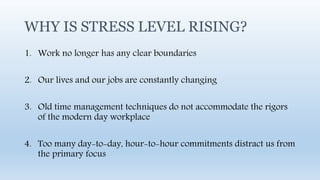
WHY IS STRESS LEVEL RISING?
1. Work no longer has any clear boundaries
2. Our lives and our jobs are constantly changing
3. Old time management techniques do not accommodate the rigors
of the modern day workplace
4. Too many day-to-day, hour-to-hour commitments distract us from
the primary focus
What must this system do?
• Couple big picture thinking with the smallest of open details
• Manage multiple tiers of priorities
• Maintain control over hundreds of new inputs daily
• Save more time than time spent in maintenance
The system should make it easier to “GET THINGS DONE”
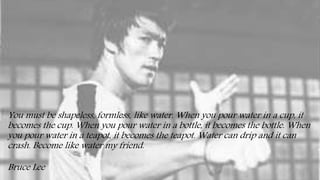
You must be shapeless, formless, like water. When you pour water in a cup, it
becomes the cup. When you pour water in a bottle, it becomes the bottle. When
you pour water in a teapot, it becomes the teapot. Water can drip and it can
crash. Become like water my friend.
Bruce Lee
Basics for managing commitments
• Capture all open loops in a system outside your mind
• Clarify your commitment and what tasks you must do
• Keep reminders and review each task in a trustworthy system
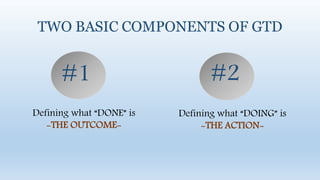
TWO BASIC COMPONENTS OF GTD
Defining what “DONE” is
-THE OUTCOME-
Defining what “DOING” is
-THE ACTION-
#1 #2
HENCE A BOTTOM-UP APPROACH IS MORE EFFECTIVE
Your mind is a focusing tool, not a storage space
5 stages of Getting Something Done
• CAPTURE what has our attention
• CLARIFY what each item means
• ORGANIZE the results
• REFLECT on our options
• ENGAGE with the best suitable option
5 stages of handling a messy kitchen
• Identify the stuff that doesn’t belong where it is
• Determine what to keep and what to throw away
• Put things where they need to go
• Check your recipe book, along with ingredients and utensils
• Select a recipe and start cooking
The biggest reason people are unable to stay organized is that
they try to attempt all the 5 stages at once
Physical In-Tray
Writing Paper and Pads
Digital and Voice Note taking
E-mail and Texting
Technology integration
Tools for capture
Get it all out of your head
Minimize Capture locations
Empty Capture tools regularly
Capturing incompletes
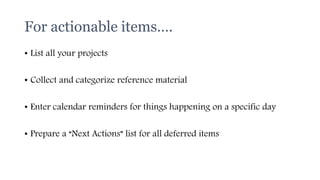
For actionable items….
• List all your projects
• Collect and categorize reference material
• Enter calendar reminders for things happening on a specific day
• Prepare a “Next Actions” list for all deferred items
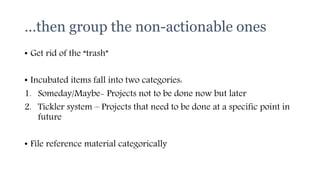
…then group the non-actionable ones
• Get rid of the “trash”
• Incubated items fall into two categories:
1. Someday/Maybe- Projects not to be done now but later
2. Tickler system – Projects that need to be done at a specific point in
future
• File reference material categorically
1. Calendar
2. Next Action Lists
3. Projects Lists
4. Waiting for lists
5. Someday/Maybe Lists
Priority of pending tasks
Process all your “stuff”
Review your systems
Update your lists
Get clear, current and complete
Review your lists
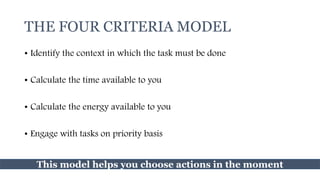
THE FOUR CRITERIA MODEL
• Identify the context in which the task must be done
• Calculate the time available to you
• Calculate the energy available to you
• Engage with tasks on priority basis
This model helps you choose actions in the moment
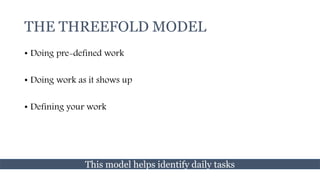
THE THREEFOLD MODEL
• Doing pre-defined work
• Doing work as it shows up
• Defining your work
This model helps identify daily tasks
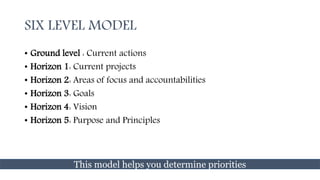
SIX LEVEL MODEL
• Ground level : Current actions
• Horizon 1: Current projects
• Horizon 2: Areas of focus and accountabilities
• Horizon 3: Goals
• Horizon 4: Vision
• Horizon 5: Purpose and Principles
This model helps you determine priorities
Key ingredients of relaxed control
• Clearly defined outcomes and the next actions required to
move them towards closure
• Reminders placed in a trusted system reviewed regularly
This is known as horizontal focus
Sometimes, you need greater rigor and focus to get a project or
situation under control, to identify a solution or to ensure that all the
right steps have been determined.
This is where vertical focus comes into play
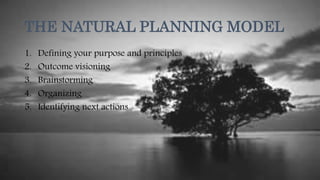
THE NATURAL PLANNING MODEL
1. Defining your purpose and principles
2. Outcome visioning
3. Brainstorming
4. Organizing
5. Identifying next actions
The unnatural planning model
This is attempting to come up with a good idea before defining your
purpose, creating a vision and collecting lots of initial bad ideas
This is likely to lead to creative constipation
The Reactive Planning model
This is resisting planning meetings, presentations and strategic
operations till the last minute
As MBA students…we are all too familiar with this
Let us delve a little deeper into the five phases of the
natural planning model
01 Defining purpose
& principles
Purpose provides the juice and the
direction while principles define
the parameters of action and the
criteria for excellence of conduct
02 Outcome Visioning
When we focus on something it
generates ideas and thought
patterns that were otherwise not
possible
Something extraordinary happens
in our minds when we create and
focus a clear picture of what we
want
03 Brainstorming
Always write down or capture
these ideas in an external way. This
helps boost productive output and
thinking
External brainstorming not only
helps capture original ideas but
helps generate new ones as well
Look I’m going to give you as many ideas as you feel you can effectively use. If you are not
collecting them in some trusted way, I wont give you that many. But if you are actually doing
something with the ideas- even if it’s just recording them for later evaluation- then here, have a
bunch! And oh wow! That reminds me of another one and another…
Sincerely
Your Brain
04 Organizing
• Identify significant pieces
• Sort by sequences/priorities
• Detail to the required degree
05 Identifying next
actions
• Decide on the next actions for
each of the “moving parts”
• Decide on the next action in the
planning process (if any)
If you need more clarity at any stage, shift
your thinking up the scale
If more action is needed at any stage, move
down the model
Navigating the model
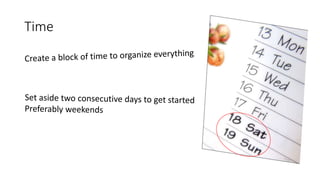
Time
Space
• Set up space at workplace, home and in transit that are identical
• Don’t share your space
• Eg:- Use cloud computing
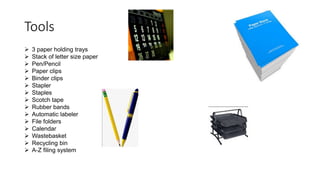
Tools
 3 paper holding trays
 Stack of letter size paper
 Pen/Pencil
 Paper clips
 Binder clips
 Stapler
 Staples
 Scotch tape
 Rubber bands
 Automatic labeler
 File folders
 Calendar
 Wastebasket
 Recycling bin
 A-Z filing system
Collection: Corralling your Stuff
• Gather all things before ‘processing’ and ‘organizing’
• Paperwork, business cards, notes …
• Mental ‘mind sweep’ to detect anything in ‘psychic RAM’
• Don’t worry and focus on quantity
• Don’t leave items in the in box’ for too long
• Move on to the next step
Focus on the
Next Action
required to
move forward
Big projects have many steps.
Just focus on the very next physical action you
need to do to move the project forward
The key is not to focus on everything that has to be done
(that’s a great way to freak yourself out)
It may be looking up a piece of information,
making a phone call,
or accomplishing the smallest of the task.
Whatever it is, it’ll move you closer to completing the project.
Focus only on what you can do right now.
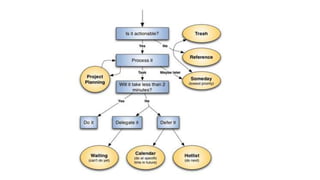
After collecting everything, you need to process it.
You should:
• Trash what you don’t need.
• Complete any less-than 2 minute actions.
• Delegate stuff you can’t complete to others.
• Sort into your own organizing system reminders for actions that will take more
than two minutes.
• Identify any larger commitments, or projects, that you have.
• Identify things to save for later and use as reference material only.
How to do it ??
Here are the rules of processing:
• Process one item at a time
• If it takes less than two minutes,
do it now
• Never put anything back into 'in'
For every item, one of the following
must be done:
Identify the next action to be done
The action must be the absolute next
physical thing to do
No next action? Then: trash, incubate
or file it in your 'reference system'
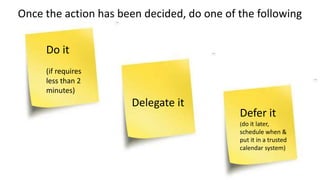
Once the action has been decided, do one of the following
Do it
(if requires
less than 2
minutes)
Delegate it
Defer it
(do it later,
schedule when &
put it in a trusted
calendar system)
The Reference System
Having a good reference system is crucial
Need to be within arm's reach
Needs to be quick to file an item (<< 60 seconds) and to find an item
Incubate
Put into a calendar that will remind to do the item when appropriate.
Can also use a 'someday/maybe' list if there is no specific time to start the task
Misc Tips
• Learn to touch type
• Learn keyboard shortcuts
to your programs
Incubate
Put into a calendar that will remind to do the item when appropriate.
Can also use a 'someday/maybe' list if there is no specific time to start the task
Misc Tips
• Learn to touch type
• Learn keyboard shortcuts
to your programs
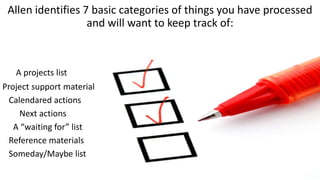
Allen identifies 7 basic categories of things you have processed
and will want to keep track of:
A projects list
Project support material
Calendared actions
Next actions
A “waiting for” list
Reference materials
Someday/Maybe list
The obvious danger in
setting a lot of separate
buckets is not review
them often enough
(which obviously needs
to be done in order for
the system to work)
Project List
List of the ongoing projects.
Unlike other lists, it may be OK to review only once a week.
When concrete steps need to be taken in order to progress,
the steps should be copied to the 'next actions list'.
The projects can be organized in different sections
(ex: personal, professional).
Project Support Materials
Resources to support project's actions.
Do not use as reminders
(use 'next actions', calendar or 'waiting for' instead).
Calendar
Things to be reminded of in the future
(such as events, deadlines and periodic reminders)
Putting an item in the calendar does not mean
it has to be done;
It is just that attention must be brought on the item at a
specific time.
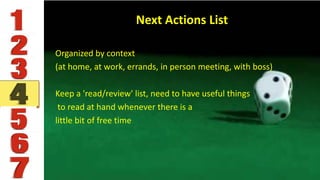
Next Actions List
Organized by context
(at home, at work, errands, in person meeting, with boss)
Keep a 'read/review' list, need to have useful things
to read at hand whenever there is a
little bit of free time
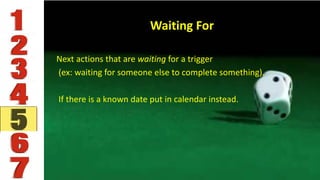
Waiting For
Next actions that are waiting for a trigger
(ex: waiting for someone else to complete something).
If there is a known date put in calendar instead.
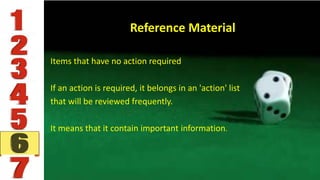
Reference Material
Items that have no action required
If an action is required, it belongs in an 'action' list
that will be reviewed frequently.
It means that it contain important information.
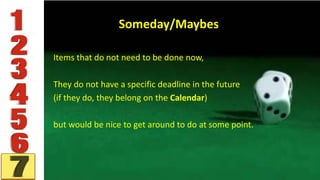
Someday/Maybes
Items that do not need to be done now,
They do not have a specific deadline in the future
(if they do, they belong on the Calendar)
but would be nice to get around to do at some point.

Getting things done - A narrative summary

  • 1.
    GETTING THINGS DONE By DavidAllen A Narrative Summary
  • 2.
    PRESENTED BY Abhinav AdityaArun Dipak Niharika
  • 6.
    WHY IS STRESSLEVEL RISING? 1. Work no longer has any clear boundaries 2. Our lives and our jobs are constantly changing 3. Old time management techniques do not accommodate the rigors of the modern day workplace 4. Too many day-to-day, hour-to-hour commitments distract us from the primary focus
  • 8.
    What must thissystem do? • Couple big picture thinking with the smallest of open details • Manage multiple tiers of priorities • Maintain control over hundreds of new inputs daily • Save more time than time spent in maintenance The system should make it easier to “GET THINGS DONE”
  • 10.
    You must beshapeless, formless, like water. When you pour water in a cup, it becomes the cup. When you pour water in a bottle, it becomes the bottle. When you pour water in a teapot, it becomes the teapot. Water can drip and it can crash. Become like water my friend. Bruce Lee
  • 12.
    Basics for managingcommitments • Capture all open loops in a system outside your mind • Clarify your commitment and what tasks you must do • Keep reminders and review each task in a trustworthy system
  • 16.
    TWO BASIC COMPONENTSOF GTD Defining what “DONE” is -THE OUTCOME- Defining what “DOING” is -THE ACTION- #1 #2
  • 17.
    HENCE A BOTTOM-UPAPPROACH IS MORE EFFECTIVE
  • 18.
    Your mind isa focusing tool, not a storage space
  • 21.
    5 stages ofGetting Something Done • CAPTURE what has our attention • CLARIFY what each item means • ORGANIZE the results • REFLECT on our options • ENGAGE with the best suitable option
  • 22.
    5 stages ofhandling a messy kitchen • Identify the stuff that doesn’t belong where it is • Determine what to keep and what to throw away • Put things where they need to go • Check your recipe book, along with ingredients and utensils • Select a recipe and start cooking
  • 23.
    The biggest reasonpeople are unable to stay organized is that they try to attempt all the 5 stages at once
  • 25.
    Physical In-Tray Writing Paperand Pads Digital and Voice Note taking E-mail and Texting Technology integration Tools for capture
  • 26.
    Get it allout of your head Minimize Capture locations Empty Capture tools regularly Capturing incompletes
  • 30.
    For actionable items…. •List all your projects • Collect and categorize reference material • Enter calendar reminders for things happening on a specific day • Prepare a “Next Actions” list for all deferred items
  • 31.
    …then group thenon-actionable ones • Get rid of the “trash” • Incubated items fall into two categories: 1. Someday/Maybe- Projects not to be done now but later 2. Tickler system – Projects that need to be done at a specific point in future • File reference material categorically
  • 33.
    1. Calendar 2. NextAction Lists 3. Projects Lists 4. Waiting for lists 5. Someday/Maybe Lists Priority of pending tasks
  • 34.
    Process all your“stuff” Review your systems Update your lists Get clear, current and complete Review your lists
  • 36.
    THE FOUR CRITERIAMODEL • Identify the context in which the task must be done • Calculate the time available to you • Calculate the energy available to you • Engage with tasks on priority basis This model helps you choose actions in the moment
  • 37.
    THE THREEFOLD MODEL •Doing pre-defined work • Doing work as it shows up • Defining your work This model helps identify daily tasks
  • 38.
    SIX LEVEL MODEL •Ground level : Current actions • Horizon 1: Current projects • Horizon 2: Areas of focus and accountabilities • Horizon 3: Goals • Horizon 4: Vision • Horizon 5: Purpose and Principles This model helps you determine priorities
  • 40.
    Key ingredients ofrelaxed control • Clearly defined outcomes and the next actions required to move them towards closure • Reminders placed in a trusted system reviewed regularly This is known as horizontal focus
  • 41.
    Sometimes, you needgreater rigor and focus to get a project or situation under control, to identify a solution or to ensure that all the right steps have been determined. This is where vertical focus comes into play
  • 42.
    THE NATURAL PLANNINGMODEL 1. Defining your purpose and principles 2. Outcome visioning 3. Brainstorming 4. Organizing 5. Identifying next actions
  • 44.
    The unnatural planningmodel This is attempting to come up with a good idea before defining your purpose, creating a vision and collecting lots of initial bad ideas This is likely to lead to creative constipation
  • 45.
    The Reactive Planningmodel This is resisting planning meetings, presentations and strategic operations till the last minute As MBA students…we are all too familiar with this
  • 46.
    Let us delvea little deeper into the five phases of the natural planning model
  • 47.
    01 Defining purpose &principles Purpose provides the juice and the direction while principles define the parameters of action and the criteria for excellence of conduct
  • 48.
    02 Outcome Visioning Whenwe focus on something it generates ideas and thought patterns that were otherwise not possible Something extraordinary happens in our minds when we create and focus a clear picture of what we want
  • 49.
    03 Brainstorming Always writedown or capture these ideas in an external way. This helps boost productive output and thinking External brainstorming not only helps capture original ideas but helps generate new ones as well
  • 50.
    Look I’m goingto give you as many ideas as you feel you can effectively use. If you are not collecting them in some trusted way, I wont give you that many. But if you are actually doing something with the ideas- even if it’s just recording them for later evaluation- then here, have a bunch! And oh wow! That reminds me of another one and another… Sincerely Your Brain
  • 51.
    04 Organizing • Identifysignificant pieces • Sort by sequences/priorities • Detail to the required degree
  • 52.
    05 Identifying next actions •Decide on the next actions for each of the “moving parts” • Decide on the next action in the planning process (if any)
  • 53.
    If you needmore clarity at any stage, shift your thinking up the scale If more action is needed at any stage, move down the model Navigating the model
  • 55.
  • 56.
    Space • Set upspace at workplace, home and in transit that are identical • Don’t share your space • Eg:- Use cloud computing
  • 57.
    Tools  3 paperholding trays  Stack of letter size paper  Pen/Pencil  Paper clips  Binder clips  Stapler  Staples  Scotch tape  Rubber bands  Automatic labeler  File folders  Calendar  Wastebasket  Recycling bin  A-Z filing system
  • 59.
    Collection: Corralling yourStuff • Gather all things before ‘processing’ and ‘organizing’ • Paperwork, business cards, notes … • Mental ‘mind sweep’ to detect anything in ‘psychic RAM’ • Don’t worry and focus on quantity • Don’t leave items in the in box’ for too long • Move on to the next step
  • 61.
    Focus on the NextAction required to move forward Big projects have many steps. Just focus on the very next physical action you need to do to move the project forward The key is not to focus on everything that has to be done (that’s a great way to freak yourself out)
  • 62.
    It may belooking up a piece of information, making a phone call, or accomplishing the smallest of the task. Whatever it is, it’ll move you closer to completing the project. Focus only on what you can do right now.
  • 63.
    After collecting everything,you need to process it. You should: • Trash what you don’t need. • Complete any less-than 2 minute actions. • Delegate stuff you can’t complete to others. • Sort into your own organizing system reminders for actions that will take more than two minutes. • Identify any larger commitments, or projects, that you have. • Identify things to save for later and use as reference material only.
  • 64.
    How to doit ?? Here are the rules of processing: • Process one item at a time • If it takes less than two minutes, do it now • Never put anything back into 'in'
  • 65.
    For every item,one of the following must be done: Identify the next action to be done The action must be the absolute next physical thing to do No next action? Then: trash, incubate or file it in your 'reference system'
  • 66.
    Once the actionhas been decided, do one of the following Do it (if requires less than 2 minutes) Delegate it Defer it (do it later, schedule when & put it in a trusted calendar system)
  • 67.
    The Reference System Havinga good reference system is crucial Need to be within arm's reach Needs to be quick to file an item (<< 60 seconds) and to find an item
  • 68.
    Incubate Put into acalendar that will remind to do the item when appropriate. Can also use a 'someday/maybe' list if there is no specific time to start the task Misc Tips • Learn to touch type • Learn keyboard shortcuts to your programs
  • 70.
    Incubate Put into acalendar that will remind to do the item when appropriate. Can also use a 'someday/maybe' list if there is no specific time to start the task Misc Tips • Learn to touch type • Learn keyboard shortcuts to your programs
  • 71.
    Allen identifies 7basic categories of things you have processed and will want to keep track of: A projects list Project support material Calendared actions Next actions A “waiting for” list Reference materials Someday/Maybe list
  • 72.
    The obvious dangerin setting a lot of separate buckets is not review them often enough (which obviously needs to be done in order for the system to work)
  • 73.
    Project List List ofthe ongoing projects. Unlike other lists, it may be OK to review only once a week. When concrete steps need to be taken in order to progress, the steps should be copied to the 'next actions list'. The projects can be organized in different sections (ex: personal, professional).
  • 74.
    Project Support Materials Resourcesto support project's actions. Do not use as reminders (use 'next actions', calendar or 'waiting for' instead).
  • 75.
    Calendar Things to bereminded of in the future (such as events, deadlines and periodic reminders) Putting an item in the calendar does not mean it has to be done; It is just that attention must be brought on the item at a specific time.
  • 76.
    Next Actions List Organizedby context (at home, at work, errands, in person meeting, with boss) Keep a 'read/review' list, need to have useful things to read at hand whenever there is a little bit of free time
  • 77.
    Waiting For Next actionsthat are waiting for a trigger (ex: waiting for someone else to complete something). If there is a known date put in calendar instead.
  • 78.
    Reference Material Items thathave no action required If an action is required, it belongs in an 'action' list that will be reviewed frequently. It means that it contain important information.
  • 79.
    Someday/Maybes Items that donot need to be done now, They do not have a specific deadline in the future (if they do, they belong on the Calendar) but would be nice to get around to do at some point.