Getting Things Done Working more focused and with less stress Tricode Professional Services www.tricode.nl Date 18-09-2009 Author: Marius van Dam Robin van Riel
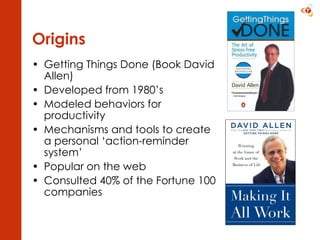
Origins Getting Things Done (Book David Allen) Developed from 1980’s Modeled behaviors for productivity Mechanisms and tools to create a personal ‘action-reminder system’ Popular on the web Consulted 40% of the Fortune 100 companies
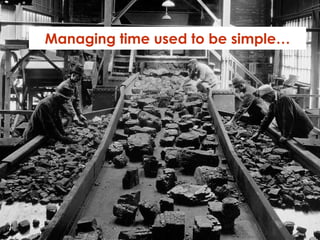
Managing time used to be simple…
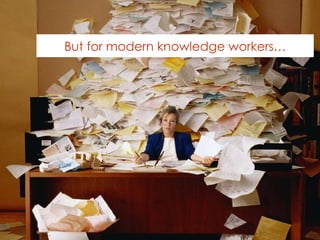
But for modern knowledge workers…
As a knowledge worker Unclear or changing job descriptions Shifting roles and responsibilities A responsibility to determine your work  what how when “ The knowledge worker cannot be supervised closely or in detail. He can only be helped. But he must direct himself, and he must direct himself towards performance and contribution, that is, toward effectiveness. “ - Peter Drucker
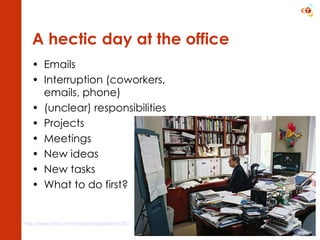
A hectic day at the office Emails Interruption (coworkers, emails, phone) (unclear) responsibilities Projects Meetings New ideas New tasks What to do first? http://www.time.com/time/photogallery/0,29307,1622338_1363003,00.html
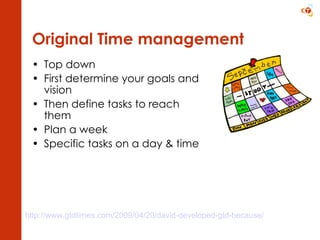
Original Time management Top down First determine your goals and vision  Then define tasks to reach them  Plan a week Specific tasks on a day & time http://www.gtdtimes.com/2009/04/20/david-developed-gtd-because/
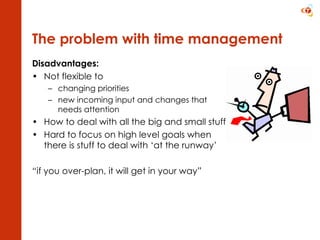
The problem with time management Disadvantages:  Not flexible to  changing priorities new incoming input and changes that needs attention How to deal with all the big and small stuff? Hard to focus on high level goals when there is stuff to deal with ‘at the runway’ “ if you over-plan, it will get in your way”
To do list (bad) What is the goal? What is the concrete task? Triggers more thinking Not complete… Does not help to decide on priorities Organize a birthday party for my daughter  Set up my computer at home The garden Create a new CV Tax Do more sports Finish project x
The mind is not a good repository Not good at remembering commitments  Can’t keep so many things Does not remind at the right place & time (example: you were just in super market where they sold the batteries that you needed for your TV remote but you think about it when you’re back at home)
The mind can’t let go “ If you don’t pay attention to what has your attention, it will take more of your attention than it deserves” - David Allen Will keep letting you know that there is something (stress) Will remind things at the wrong place and time So use it for thinking, not for keeping stuff
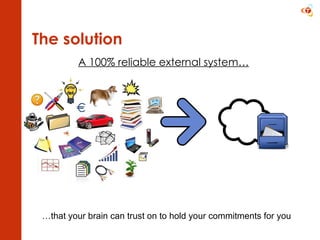
The solution A 100% reliable external system… … that your brain can trust on to hold your commitments for you
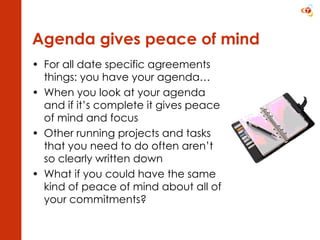
Agenda gives peace of mind For all date specific agreements things: you have your agenda… When you look at your agenda and if it’s complete it gives peace of mind and focus Other running projects and tasks that you need to do often aren’t so clearly written down What if you could have the same kind of peace of mind about all of your commitments?
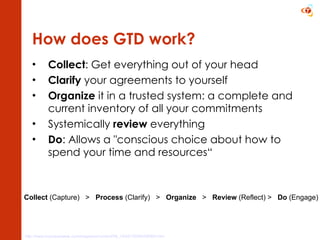
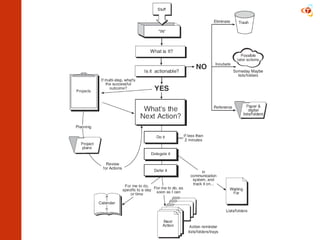
How does GTD work? Collect : Get everything out of your head Clarify  your agreements to yourself Organize  it in a trusted system: a complete and current inventory of all your commitments Systemically  review  everything Do : Allows a "conscious choice about how to spend your time and resources“ http://www.businessweek.com/magazine/content/09_14/b4125084256954.htm   Collect  (Capture)  >  Process  (Clarify)  >  Organize   >  Review  (Reflect) >  Do  (Engage)
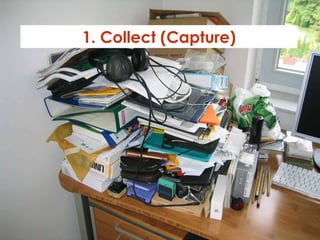
1. Collect (Capture)
Stuff “ Anything you have allowed into your psychological or physical world that doesn’t belong where it is, but for which you haven’t yet determined the desired outcome and the next action step “ - David Allen
Collect & capture your stuff Physical stuff  (collect it) Paper  Mailings Flyers Letters  Trash Old things you don’t need anymore Non-physical stuff (capture it) Loose ends To do’s Ideas Goals Promises to yourself Promises to others
1. Collect in in-baskets Create several in baskets At work: a physical in basket Folders On the go (Pen & paper? Mobile? Application? Folder for loose papers and booklets? Email Empty your head (brainstorm)
2. Process (Clarify)
Clarify = thinking Processing is not the same as looking through You need to think and decide (train to do it quickly!) If it has no action: throw away or archive If there is an action: Capture the results in your action reminder system
 
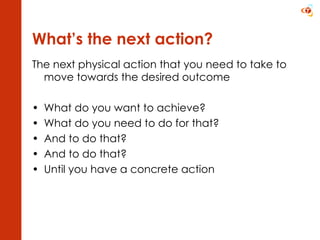
What’s the next action? The next physical action that you need to take to move towards the desired outcome What do you want to achieve? What do you need to do for that? And to do that? And to do that? Until you have a concrete action
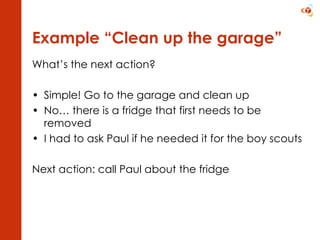
Example “Clean up the garage” What’s the next action? Simple! Go to the garage and clean up No… there is a fridge that first needs to be removed I had to ask Paul if he needed it for the boy scouts  Next action: call Paul about the fridge
Example : Organize a PHP workshop What’s the next action? We need to determine who the speakers are So I need to send out a call for papers Wait, first we need to determine the theme I think I’ll have a chat with Niels to see what his ideas are Next action: “plan brainstorm with Niels”
Example  “Do taxes”   What’s the next action? I can’t start until I have received my annual statement Next action: “Wait for Annual statement”
What  is a project Anything that needs multiple (independent) steps After the next action, more actions follow You need to be reminded to plan them Keep a separate projects list
What  is the desired outcome? Visualize what you want to achieve
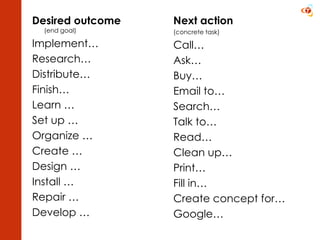
Desired outcome   (end goal) Implement… Research… Distribute… Finish… Learn … Set up … Organize … Create … Design … Install … Repair … Develop … Next action (concrete task) Call… Ask… Buy… Email to… Search… Talk to… Read… Clean up… Print… Fill in… Create concept for… Google…
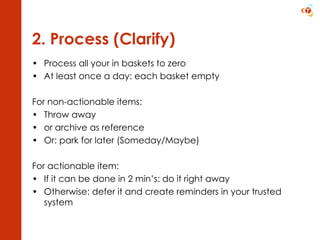
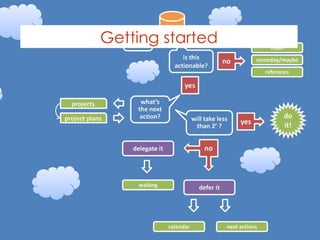
2. Process (Clarify) Process all your in baskets to zero At least once a day: each basket empty For non-actionable items: Throw away  or archive as reference Or: park for later (Someday/Maybe) For actionable item: If it can be done in 2 min’s: do it right away Otherwise: defer it and create reminders in your trusted system
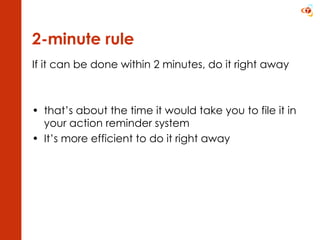
2-minute rule If it can be done within 2 minutes, do it right away that’s about the time it would take you to file it in your action reminder system It’s more efficient to do it right away
3. Organize
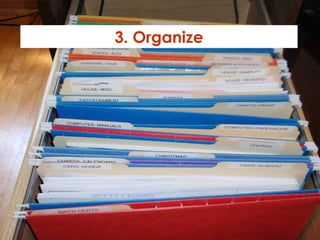
3. Organize in lists Store and organize your reminders in a way that they can be retrieved at the right time and under the right circumstances (context) Calendar (for time based stuff) Project list Next actions per Context Someday/Maybe list A list or mindmap for higher horizons
Contexts @ Office @ Home @ Calls @ Computer @ Errands @ Gamma @ Agenda – team meeting @ Agenda – board meeting @ Agenda - Peter
 
4. Review (Reflect)
4. Review (Reflect) Plan a weekly review to update all your reminders and create new items where needed (about 2 hours?) Collect Loose Papers and Materials Get “IN” to zero Empty Your Head Review Action Lists Review Previous Calendar Data Review Upcoming Calendar Review Waiting-For List Review Project (and Larger Outcome) Lists Review Someday/Maybe List Be Creative & Courageous
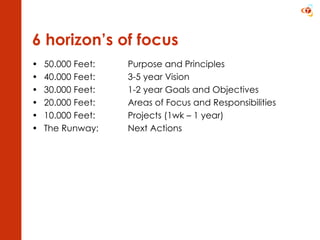
6 horizon’s of focus 50.000 Feet:  Purpose and Principles  40.000 Feet:  3-5 year Vision 30.000 Feet:  1-2 year Goals and Objectives 20.000 Feet:  Areas of Focus and Responsibilities 10.000 Feet:  Projects (1wk – 1 year) The Runway:  Next Actions
5. Do (Engage)
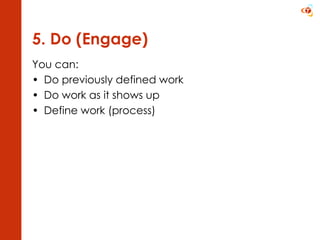
5. Do (Engage) You can: Do previously defined work Do work as it shows up Define work (process)
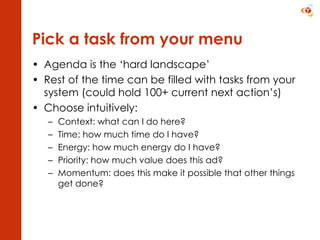
Pick a task from your menu Agenda is the ‘hard landscape’ Rest of the time can be filled with tasks from your system (could hold 100+ current next action’s) Choose intuitively: Context: what can I do here? Time: how much time do I have? Energy: how much energy do I have? Priority: how much value does this ad? Momentum: does this make it possible that other things get done?
Implementing it Getting started
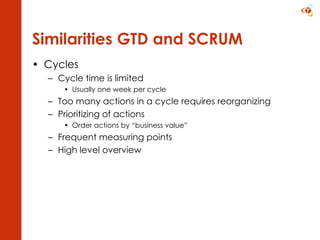
Similarities GTD and SCRUM Cycles Cycle time is limited Usually one week per cycle Too many actions in a cycle requires reorganizing Prioritizing of actions Order actions by “business value” Frequent measuring points High level overview
From total chaos to GTD Total Chaos Lots of ideas, plans, visions, must-do’s Everything packed inside your head Lots of stuff gets forgotten Lots of deadline surprises (“Ah… I knew there was something!”) Listmania Lots of lists for lots of stuff (but certainly not everything!) Tasks ordered by type, so that they can be performed in batches Whenever the lists are in sight (risc factor!), the actions usually get done
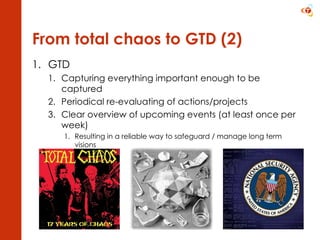
From total chaos to GTD (2) GTD Capturing everything important enough to be captured Periodical re-evaluating of actions/projects Clear overview of upcoming events (at least once per week) Resulting in a reliable way to safeguard / manage long term visions
What does it take? You can implement it in any way you like. Make sure your system is efficient and trustworthy! Create new actions / projects in a system that works for  you Empty your stuff box & mailbox(es) Once a day All day long (no additional time required) Weekly overview Once a week Could take one or two hours Syncing of stuff collections on a regular basis Manually syncing iphone GTD app data with Mac app, Web application, WebDav server (if needed) Manually combine “hardware” stuff boxes (collect stuff notes / artifacts)
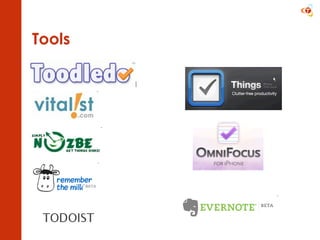
Tools
What GTD brings you
Advantages of GTD Complete inventory of all running projects and tasks More control over your life and work Get perspective over where you are going  Empty your head Reduce stress More focused on your current task Be more productive Make decisions “when it shows up, not when it blows up”
False statements about GTD … “ GTD is a system that tells me what to do” “ I started GTD a few months ago but now I’m unorganized again so I failed” “ I can’t react on this fire-alarm: my inbox is still not empty” “ I already do all of this stuff” “ GTD is a quick fix for becoming highly productive”

Getting things done

  • 1.
    Getting Things DoneWorking more focused and with less stress Tricode Professional Services www.tricode.nl Date 18-09-2009 Author: Marius van Dam Robin van Riel
  • 2.
    Origins Getting ThingsDone (Book David Allen) Developed from 1980’s Modeled behaviors for productivity Mechanisms and tools to create a personal ‘action-reminder system’ Popular on the web Consulted 40% of the Fortune 100 companies
  • 3.
    Managing time usedto be simple…
  • 4.
    But for modernknowledge workers…
  • 5.
    As a knowledgeworker Unclear or changing job descriptions Shifting roles and responsibilities A responsibility to determine your work what how when “ The knowledge worker cannot be supervised closely or in detail. He can only be helped. But he must direct himself, and he must direct himself towards performance and contribution, that is, toward effectiveness. “ - Peter Drucker
  • 6.
    A hectic dayat the office Emails Interruption (coworkers, emails, phone) (unclear) responsibilities Projects Meetings New ideas New tasks What to do first? http://www.time.com/time/photogallery/0,29307,1622338_1363003,00.html
  • 7.
    Original Time managementTop down First determine your goals and vision Then define tasks to reach them Plan a week Specific tasks on a day & time http://www.gtdtimes.com/2009/04/20/david-developed-gtd-because/
  • 8.
    The problem withtime management Disadvantages: Not flexible to changing priorities new incoming input and changes that needs attention How to deal with all the big and small stuff? Hard to focus on high level goals when there is stuff to deal with ‘at the runway’ “ if you over-plan, it will get in your way”
  • 9.
    To do list(bad) What is the goal? What is the concrete task? Triggers more thinking Not complete… Does not help to decide on priorities Organize a birthday party for my daughter Set up my computer at home The garden Create a new CV Tax Do more sports Finish project x
  • 10.
    The mind isnot a good repository Not good at remembering commitments Can’t keep so many things Does not remind at the right place & time (example: you were just in super market where they sold the batteries that you needed for your TV remote but you think about it when you’re back at home)
  • 11.
    The mind can’tlet go “ If you don’t pay attention to what has your attention, it will take more of your attention than it deserves” - David Allen Will keep letting you know that there is something (stress) Will remind things at the wrong place and time So use it for thinking, not for keeping stuff
  • 12.
    The solution A100% reliable external system… … that your brain can trust on to hold your commitments for you
  • 13.
    Agenda gives peaceof mind For all date specific agreements things: you have your agenda… When you look at your agenda and if it’s complete it gives peace of mind and focus Other running projects and tasks that you need to do often aren’t so clearly written down What if you could have the same kind of peace of mind about all of your commitments?
  • 14.
    How does GTDwork? Collect : Get everything out of your head Clarify your agreements to yourself Organize it in a trusted system: a complete and current inventory of all your commitments Systemically review everything Do : Allows a "conscious choice about how to spend your time and resources“ http://www.businessweek.com/magazine/content/09_14/b4125084256954.htm Collect (Capture) > Process (Clarify) > Organize > Review (Reflect) > Do (Engage)
  • 15.
  • 16.
    Stuff “ Anythingyou have allowed into your psychological or physical world that doesn’t belong where it is, but for which you haven’t yet determined the desired outcome and the next action step “ - David Allen
  • 17.
    Collect & captureyour stuff Physical stuff (collect it) Paper Mailings Flyers Letters Trash Old things you don’t need anymore Non-physical stuff (capture it) Loose ends To do’s Ideas Goals Promises to yourself Promises to others
  • 18.
    1. Collect inin-baskets Create several in baskets At work: a physical in basket Folders On the go (Pen & paper? Mobile? Application? Folder for loose papers and booklets? Email Empty your head (brainstorm)
  • 19.
  • 20.
    Clarify = thinkingProcessing is not the same as looking through You need to think and decide (train to do it quickly!) If it has no action: throw away or archive If there is an action: Capture the results in your action reminder system
  • 21.
  • 22.
    What’s the nextaction? The next physical action that you need to take to move towards the desired outcome What do you want to achieve? What do you need to do for that? And to do that? And to do that? Until you have a concrete action
  • 23.
    Example “Clean upthe garage” What’s the next action? Simple! Go to the garage and clean up No… there is a fridge that first needs to be removed I had to ask Paul if he needed it for the boy scouts Next action: call Paul about the fridge
  • 24.
    Example : Organizea PHP workshop What’s the next action? We need to determine who the speakers are So I need to send out a call for papers Wait, first we need to determine the theme I think I’ll have a chat with Niels to see what his ideas are Next action: “plan brainstorm with Niels”
  • 25.
    Example “Dotaxes” What’s the next action? I can’t start until I have received my annual statement Next action: “Wait for Annual statement”
  • 26.
    What isa project Anything that needs multiple (independent) steps After the next action, more actions follow You need to be reminded to plan them Keep a separate projects list
  • 27.
    What isthe desired outcome? Visualize what you want to achieve
  • 28.
    Desired outcome (end goal) Implement… Research… Distribute… Finish… Learn … Set up … Organize … Create … Design … Install … Repair … Develop … Next action (concrete task) Call… Ask… Buy… Email to… Search… Talk to… Read… Clean up… Print… Fill in… Create concept for… Google…
  • 29.
    2. Process (Clarify)Process all your in baskets to zero At least once a day: each basket empty For non-actionable items: Throw away or archive as reference Or: park for later (Someday/Maybe) For actionable item: If it can be done in 2 min’s: do it right away Otherwise: defer it and create reminders in your trusted system
  • 30.
    2-minute rule Ifit can be done within 2 minutes, do it right away that’s about the time it would take you to file it in your action reminder system It’s more efficient to do it right away
  • 31.
  • 32.
    3. Organize inlists Store and organize your reminders in a way that they can be retrieved at the right time and under the right circumstances (context) Calendar (for time based stuff) Project list Next actions per Context Someday/Maybe list A list or mindmap for higher horizons
  • 33.
    Contexts @ Office@ Home @ Calls @ Computer @ Errands @ Gamma @ Agenda – team meeting @ Agenda – board meeting @ Agenda - Peter
  • 34.
  • 35.
  • 36.
    4. Review (Reflect)Plan a weekly review to update all your reminders and create new items where needed (about 2 hours?) Collect Loose Papers and Materials Get “IN” to zero Empty Your Head Review Action Lists Review Previous Calendar Data Review Upcoming Calendar Review Waiting-For List Review Project (and Larger Outcome) Lists Review Someday/Maybe List Be Creative & Courageous
  • 37.
    6 horizon’s offocus 50.000 Feet: Purpose and Principles 40.000 Feet: 3-5 year Vision 30.000 Feet: 1-2 year Goals and Objectives 20.000 Feet: Areas of Focus and Responsibilities 10.000 Feet: Projects (1wk – 1 year) The Runway: Next Actions
  • 38.
  • 39.
    5. Do (Engage)You can: Do previously defined work Do work as it shows up Define work (process)
  • 40.
    Pick a taskfrom your menu Agenda is the ‘hard landscape’ Rest of the time can be filled with tasks from your system (could hold 100+ current next action’s) Choose intuitively: Context: what can I do here? Time: how much time do I have? Energy: how much energy do I have? Priority: how much value does this ad? Momentum: does this make it possible that other things get done?
  • 41.
  • 42.
    Similarities GTD andSCRUM Cycles Cycle time is limited Usually one week per cycle Too many actions in a cycle requires reorganizing Prioritizing of actions Order actions by “business value” Frequent measuring points High level overview
  • 43.
    From total chaosto GTD Total Chaos Lots of ideas, plans, visions, must-do’s Everything packed inside your head Lots of stuff gets forgotten Lots of deadline surprises (“Ah… I knew there was something!”) Listmania Lots of lists for lots of stuff (but certainly not everything!) Tasks ordered by type, so that they can be performed in batches Whenever the lists are in sight (risc factor!), the actions usually get done
  • 44.
    From total chaosto GTD (2) GTD Capturing everything important enough to be captured Periodical re-evaluating of actions/projects Clear overview of upcoming events (at least once per week) Resulting in a reliable way to safeguard / manage long term visions
  • 45.
    What does ittake? You can implement it in any way you like. Make sure your system is efficient and trustworthy! Create new actions / projects in a system that works for you Empty your stuff box & mailbox(es) Once a day All day long (no additional time required) Weekly overview Once a week Could take one or two hours Syncing of stuff collections on a regular basis Manually syncing iphone GTD app data with Mac app, Web application, WebDav server (if needed) Manually combine “hardware” stuff boxes (collect stuff notes / artifacts)
  • 46.
  • 47.
  • 48.
    Advantages of GTDComplete inventory of all running projects and tasks More control over your life and work Get perspective over where you are going Empty your head Reduce stress More focused on your current task Be more productive Make decisions “when it shows up, not when it blows up”
  • 49.
    False statements aboutGTD … “ GTD is a system that tells me what to do” “ I started GTD a few months ago but now I’m unorganized again so I failed” “ I can’t react on this fire-alarm: my inbox is still not empty” “ I already do all of this stuff” “ GTD is a quick fix for becoming highly productive”

Editor's Notes

  • #37 Collect Loose Papers and Materials Gather all accumulated business cards, receipts, and miscellaneous paper-based materials into your in-basket. Get “IN” to zero Process completely all outstanding paper materials, journal and meeting notes, voicemails, dictation, and emails. Empty Your Head Put in writing and process any uncaptured new projects, action items, waiting-for’s, someday-maybe’s, etc. Review Action Lists Mark off completed actions. Review for reminders of further action steps to record. Review Previous Calendar Data Review past calendar in detail for remaining action items, reference data, etc., and transfer into the active system. Review Upcoming Calendar Review upcoming calendar events - long and short term. Capture actions triggered. Review Waiting-For List Review Project (and Larger Outcome) Lists Evaluate status of projects, goals and outcomes, one by one, ensuring at least one current action item on each. Browse through project plans, support material & any other work-in-progress material to trigger new actions, completions, waiting-for’s, etc. Review Any Relevant Checklists Use as a trigger for any new actions. Review Someday/Maybe List Review for any projects which may now have become active, and transfer to “Projects.” Delete items no longer of interest. Be Creative & Courageous Any new, wonderful, hare-brained, creative, thought-provoking, risk-taking ideas to add into your system???