Managing yourself:
how to be productive with your time

              Jo Alcock
      Birmingham City University
             @joeyanne
         www.joeyanne.co.uk
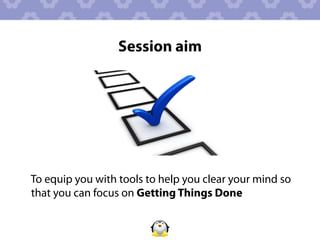
Session aim


To equip you with tools to help you clear your mind so
that you can focus on Getting Things Done
Learning outcomes

By the end of this session, participants will be able to:
1.  Implement the Getting Things Done methodology in
    their work and personal life
2.  Employ systems (physical or virtual) to manage and
    organise information
3.  Apply productivity techniques to focus on progressing
    towards short, medium and long term goals
Session overview

•  Introduction to Getting Things Done methodology
•  Stages of Getting Things Done (with discussion,
   individual and group activities, and software
   demos)
•  Alternative systems for productivity
•  Additional tips and tricks
•  Applying what you have learnt into practice
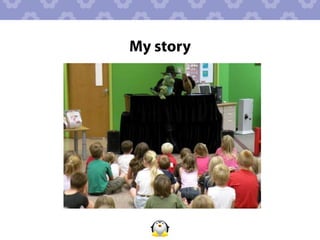
My story
Your journey
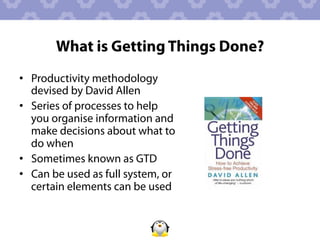
What is Getting Things Done?
•  Productivity methodology
   devised by David Allen
•  Series of processes to help
   you organise information and
   make decisions about what to
   do when
•  Sometimes known as GTD
•  Can be used as full system, or
   certain elements can be used
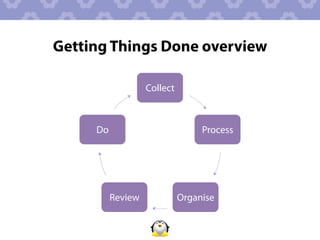
Getting Things Done overview

                   Collect


     Do                           Process


          Review             Organise
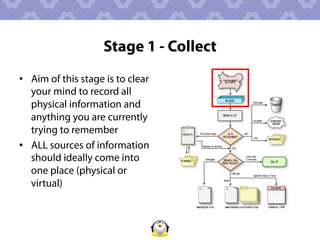
Stage 1 - Collect
•  Aim of this stage is to clear
   your mind to record all
   physical information and
   anything you are currently
   trying to remember
•  ALL sources of information
   should ideally come into
   one place (physical or
   virtual)
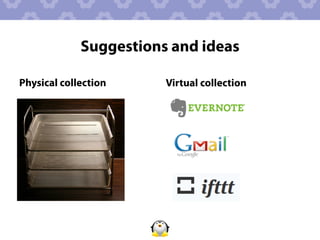
Suggestions and ideas

Physical collection     Virtual collection
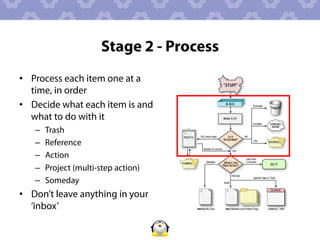
Stage 2 - Process
•  Process each item one at a
   time, in order
•  Decide what each item is and
   what to do with it
   –    Trash
   –    Reference
   –    Action
   –    Project (multi-step action)
   –    Someday
•  Don’t leave anything in your
   ‘inbox’
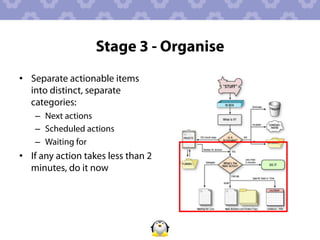
Stage 3 - Organise
•  Separate actionable items
   into distinct, separate
   categories:
    –  Next actions
    –  Scheduled actions
    –  Waiting for
•  If any action takes less than 2
   minutes, do it now
Using lists

“I have a secret. I make lists. That's how I handle
stress. And whether they actually help me
accomplish more or not,they make me feel so much
better. If I can jot down all the tasks that swirl
around in my head, I shift from feeling deluged and
stressed to feeling in control and calm. And this is
before I even do anything on the list.”
                    Suzanne Riss (2007) in Maggio (2009)
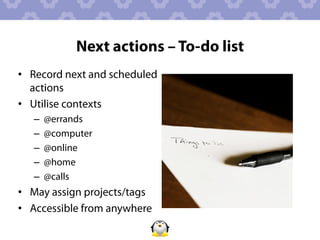
Next actions – To-do list
•  Record next and scheduled
   actions
•  Utilise contexts
   –    @errands
   –    @computer
   –    @online
   –    @home
   –    @calls
•  May assign projects/tags
•  Accessible from anywhere
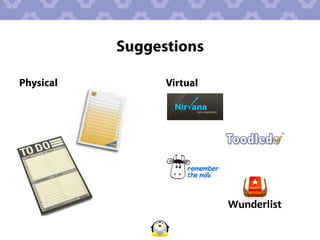
Suggestions

Physical         Virtual
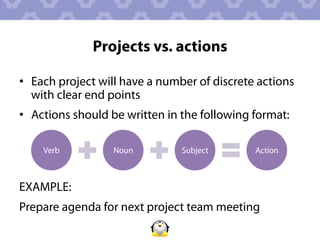
Projects vs. actions

•  Each project will have a number of discrete actions
   with clear end points
•  Actions should be written in the following format:

    Verb          Noun         Subject        Action


EXAMPLE:
Prepare agenda for next project team meeting
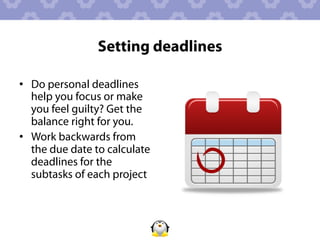
Setting deadlines

•  Do personal deadlines
   help you focus or make
   you feel guilty? Get the
   balance right for you.
•  Work backwards from
   the due date to calculate
   deadlines for the
   subtasks of each project
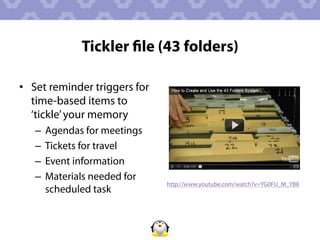
Tickler file (43 folders)

•  Set reminder triggers for
   time-based items to
   ‘tickle’ your memory
   –  Agendas for meetings
   –  Tickets for travel
   –  Event information
   –  Materials needed for
                               http://www.youtube.com/watch?v=YG0FU_M_YB8
      scheduled task
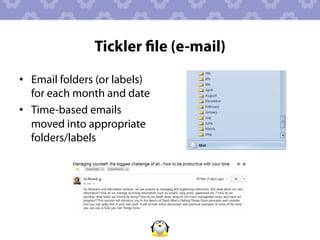
Tickler file (e-mail)
•  Email folders (or labels)
   for each month and date
•  Time-based emails
   moved into appropriate
   folders/labels
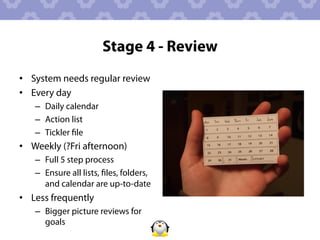
Stage 4 - Review
•  System needs regular review
•  Every day
   –  Daily calendar
   –  Action list
   –  Tickler file
•  Weekly (?Fri afternoon)
   –  Full 5 step process
   –  Ensure all lists, files, folders,
      and calendar are up-to-date
•  Less frequently
   –  Bigger picture reviews for
      goals
Stage 5 - Do


•  Assess situation depending
   on following factors:
   –    Context
   –    Time available
   –    Energy
   –    Priority
Knowing what not to do

•  Do you need to do this?
•  Do you want to do this?
•  Is it something you feel you
   should do? Why?
•  Can it be deleted,
   delegated, or simplified?
Getting started

  "The secret of getting ahead is getting started"
                                            Mark Twain
•  Adopt the 15 minute rule - spend just 15 minutes
   starting a task. You may find that you are so into it
   by then that you want to continue, but at minimum
   you will have at least started.
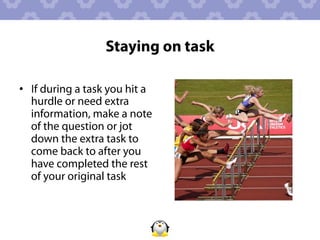
Staying on task

•  If during a task you hit a
   hurdle or need extra
   information, make a note
   of the question or jot
   down the extra task to
   come back to after you
   have completed the rest
   of your original task
Dealing with procrastination
•  Discover the source of
   procrastination - lack of
   commitment, knowledge,
   motivation, fear of failure,
   overwhelmed?
•  Deal with the problem
•  Just do it - even if only for
   15 minutes
•  Set yourself a reward
   mechanism
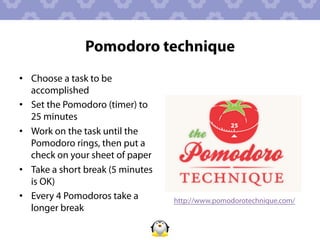
Pomodoro technique
•  Choose a task to be
   accomplished
•  Set the Pomodoro (timer) to
   25 minutes
•  Work on the task until the
   Pomodoro rings, then put a
   check on your sheet of paper
•  Take a short break (5 minutes
   is OK)
•  Every 4 Pomodoros take a        http://www.pomodorotechnique.com/
   longer break
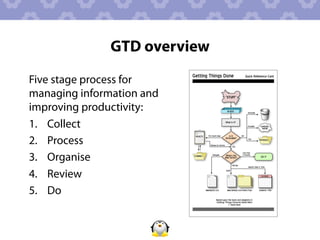
GTD overview
Five stage process for
managing information and
improving productivity:
1.  Collect
2.  Process
3.  Organise
4.  Review
5.  Do
Alternative productivity systems

•  Zen to Done
•  The Seven Habits of Highly Effective People
•  Never Check E-Mail in the Morning
•  Bit Literacy
•  The Four-Hour Workweek
•  One Year to an Organized Work Life
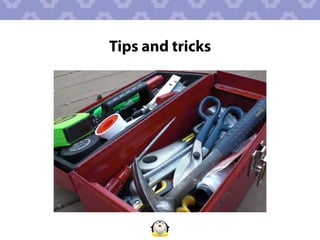
Tips and tricks
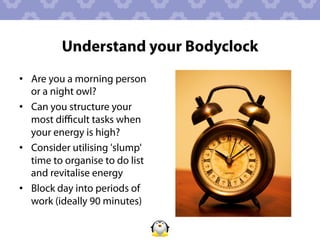
Understand your Bodyclock
•  Are you a morning person
   or a night owl?
•  Can you structure your
   most difficult tasks when
   your energy is high?
•  Consider utilising 'slump'
   time to organise to do list
   and revitalise energy
•  Block day into periods of
   work (ideally 90 minutes)
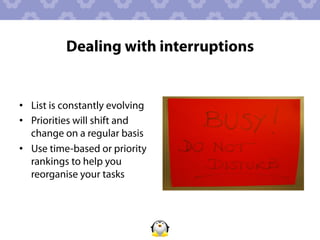
Dealing with interruptions


•  List is constantly evolving
•  Priorities will shift and
   change on a regular basis
•  Use time-based or priority
   rankings to help you
   reorganise your tasks
To-don't list

•  Keep a list of activities that you sometimes feel you
   'ought' to do but know drain your energy, take up too
   much of your time, or are unrewarding
•  Be sensible and realistic about your capabilities, skills and
   commitments
•  Practice saying no - be firm but kind when turning down
   opportunities and offer an alternative if possible e.g. "I'm
   sorry, I can't do that but Mr X might be interested"
Saying no
  “Not saying no often enough is one of the biggest causes
  of being too busy”
                                               Maggio (2009)
•  Before responding, let person know you'll get back to
   them but spend time making the right decision
•  Don't give excuses if it's something you don't want to do,
   be honest and keep your response simple
•  Saying no is much kinder than saying yes and not
   fulfilling your commitment
Email management tips
•  Try choosing 1-4 periods of
   the day to deal with email
•  Turn off email alert signal
•  Store informational email in
   reference folders
•  Practice replying to emails
   in as few words as possible
Extracting information from calls/
                 meetings
•  Make notes at meetings
   and during calls
•  Highlight any actions
   and record these in your
   list immediately after the
   call/meeting
•  Store your notes for
   reference - somewhere
   you can easily recall
   them
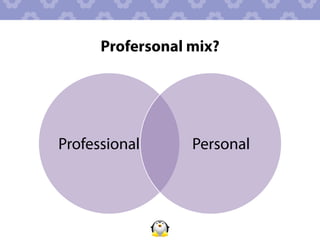
Profersonal mix?


Professional      Personal
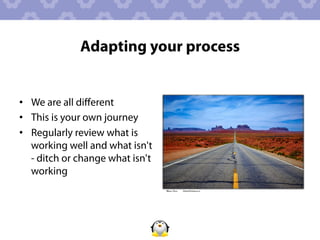
Adapting your process


•  We are all different
•  This is your own journey
•  Regularly review what is
   working well and what isn't
   - ditch or change what isn't
   working
Feel free to contact me


            Jo Alcock
            Evidence Based Researcher
            @joeyanne
            jo@joeyanne.co.uk
Recommended reading
•  Allen, D. (2001) Getting Things Done: How to achieve stress-free
   productivity. Piatkus.
•  Hines, S. (2010) Productivity for Librarians: How to get more
   done in less time. Oxford: Chandos Publishing.
•  Houghton-Jan, S. (2008) Being Wired or Being Tired: 10 Ways to
   Cope with Information Overload. Being Wired or Being Tired: 10
   Ways to Cope with Information Overload. Ariadne [online], 56.
•  Maggio, R. (2009) The Art of Organizing Anything: Simple
   Principles for Organizing Your Home, Your Office, and Your Life.
   New York: McGraw Hill.
Image sources
http://www.flickr.com/photos/lwvc/6306132745/ - tickbox
http://www.flickr.com/photos/rcpl/4881969613/ - storytime
http://www.flickr.com/photos/aigle_dore/5849712695/ - journey
http://pokechild.com/gtd-flawed-system-helpful-system/ - GTD flowchart
http://www.flickr.com/photos/crystaljingsr/3915514724/ - investigation
http://www.flickr.com/photos/schlosi/6413179977/ - inbox
http://www.flickr.com/photos/crystaljingsr/3915516040/ - group discussion
http://www.flickr.com/photos/71804756@N00/410602044/ - wine glasses
http://www.flickr.com/photos/dmachiavello/3327609638/ - to do list
http://www.flickr.com/photos/joelanman/366190064/ - calendar
http://www.flickr.com/photos/29254399@N08/3187186308/ - clock
http://www.flickr.com/photos/wwarby/4782854680/ - hurdle
http://www.flickr.com/photos/nataliejohnson/2122722198/ - Quality Street
http://www.flickr.com/photos/jrhode/4632887921/ - toolbox
http://www.flickr.com/photos/splic3/6811683059/ - alarm clock
http://www.flickr.com/photos/renaissancechambara/2927082003/ - do not disturb
http://www.flickr.com/photos/27282406@N03/4134661728/ - thank you
http://www.iconfinder.com - icons

Managing yourself - how to be productive with your time

  • 1.
    Managing yourself: how tobe productive with your time Jo Alcock Birmingham City University @joeyanne www.joeyanne.co.uk
  • 2.
    Session aim To equipyou with tools to help you clear your mind so that you can focus on Getting Things Done
  • 3.
    Learning outcomes By theend of this session, participants will be able to: 1.  Implement the Getting Things Done methodology in their work and personal life 2.  Employ systems (physical or virtual) to manage and organise information 3.  Apply productivity techniques to focus on progressing towards short, medium and long term goals
  • 4.
    Session overview •  Introductionto Getting Things Done methodology •  Stages of Getting Things Done (with discussion, individual and group activities, and software demos) •  Alternative systems for productivity •  Additional tips and tricks •  Applying what you have learnt into practice
  • 5.
  • 6.
  • 7.
    What is GettingThings Done? •  Productivity methodology devised by David Allen •  Series of processes to help you organise information and make decisions about what to do when •  Sometimes known as GTD •  Can be used as full system, or certain elements can be used
  • 8.
    Getting Things Doneoverview Collect Do Process Review Organise
  • 9.
    Stage 1 -Collect •  Aim of this stage is to clear your mind to record all physical information and anything you are currently trying to remember •  ALL sources of information should ideally come into one place (physical or virtual)
  • 10.
    Suggestions and ideas Physicalcollection Virtual collection
  • 11.
    Stage 2 -Process •  Process each item one at a time, in order •  Decide what each item is and what to do with it –  Trash –  Reference –  Action –  Project (multi-step action) –  Someday •  Don’t leave anything in your ‘inbox’
  • 12.
    Stage 3 -Organise •  Separate actionable items into distinct, separate categories: –  Next actions –  Scheduled actions –  Waiting for •  If any action takes less than 2 minutes, do it now
  • 13.
    Using lists “I havea secret. I make lists. That's how I handle stress. And whether they actually help me accomplish more or not,they make me feel so much better. If I can jot down all the tasks that swirl around in my head, I shift from feeling deluged and stressed to feeling in control and calm. And this is before I even do anything on the list.” Suzanne Riss (2007) in Maggio (2009)
  • 14.
    Next actions –To-do list •  Record next and scheduled actions •  Utilise contexts –  @errands –  @computer –  @online –  @home –  @calls •  May assign projects/tags •  Accessible from anywhere
  • 15.
  • 16.
    Projects vs. actions • Each project will have a number of discrete actions with clear end points •  Actions should be written in the following format: Verb Noun Subject Action EXAMPLE: Prepare agenda for next project team meeting
  • 17.
    Setting deadlines •  Dopersonal deadlines help you focus or make you feel guilty? Get the balance right for you. •  Work backwards from the due date to calculate deadlines for the subtasks of each project
  • 18.
    Tickler file (43folders) •  Set reminder triggers for time-based items to ‘tickle’ your memory –  Agendas for meetings –  Tickets for travel –  Event information –  Materials needed for http://www.youtube.com/watch?v=YG0FU_M_YB8 scheduled task
  • 19.
    Tickler file (e-mail) • Email folders (or labels) for each month and date •  Time-based emails moved into appropriate folders/labels
  • 20.
    Stage 4 -Review •  System needs regular review •  Every day –  Daily calendar –  Action list –  Tickler file •  Weekly (?Fri afternoon) –  Full 5 step process –  Ensure all lists, files, folders, and calendar are up-to-date •  Less frequently –  Bigger picture reviews for goals
  • 21.
    Stage 5 -Do •  Assess situation depending on following factors: –  Context –  Time available –  Energy –  Priority
  • 22.
    Knowing what notto do •  Do you need to do this? •  Do you want to do this? •  Is it something you feel you should do? Why? •  Can it be deleted, delegated, or simplified?
  • 23.
    Getting started "The secret of getting ahead is getting started" Mark Twain •  Adopt the 15 minute rule - spend just 15 minutes starting a task. You may find that you are so into it by then that you want to continue, but at minimum you will have at least started.
  • 24.
    Staying on task • If during a task you hit a hurdle or need extra information, make a note of the question or jot down the extra task to come back to after you have completed the rest of your original task
  • 25.
    Dealing with procrastination • Discover the source of procrastination - lack of commitment, knowledge, motivation, fear of failure, overwhelmed? •  Deal with the problem •  Just do it - even if only for 15 minutes •  Set yourself a reward mechanism
  • 26.
    Pomodoro technique •  Choosea task to be accomplished •  Set the Pomodoro (timer) to 25 minutes •  Work on the task until the Pomodoro rings, then put a check on your sheet of paper •  Take a short break (5 minutes is OK) •  Every 4 Pomodoros take a http://www.pomodorotechnique.com/ longer break
  • 27.
    GTD overview Five stageprocess for managing information and improving productivity: 1.  Collect 2.  Process 3.  Organise 4.  Review 5.  Do
  • 28.
    Alternative productivity systems • Zen to Done •  The Seven Habits of Highly Effective People •  Never Check E-Mail in the Morning •  Bit Literacy •  The Four-Hour Workweek •  One Year to an Organized Work Life
  • 29.
  • 30.
    Understand your Bodyclock • Are you a morning person or a night owl? •  Can you structure your most difficult tasks when your energy is high? •  Consider utilising 'slump' time to organise to do list and revitalise energy •  Block day into periods of work (ideally 90 minutes)
  • 31.
    Dealing with interruptions • List is constantly evolving •  Priorities will shift and change on a regular basis •  Use time-based or priority rankings to help you reorganise your tasks
  • 32.
    To-don't list •  Keepa list of activities that you sometimes feel you 'ought' to do but know drain your energy, take up too much of your time, or are unrewarding •  Be sensible and realistic about your capabilities, skills and commitments •  Practice saying no - be firm but kind when turning down opportunities and offer an alternative if possible e.g. "I'm sorry, I can't do that but Mr X might be interested"
  • 33.
    Saying no “Not saying no often enough is one of the biggest causes of being too busy” Maggio (2009) •  Before responding, let person know you'll get back to them but spend time making the right decision •  Don't give excuses if it's something you don't want to do, be honest and keep your response simple •  Saying no is much kinder than saying yes and not fulfilling your commitment
  • 34.
    Email management tips • Try choosing 1-4 periods of the day to deal with email •  Turn off email alert signal •  Store informational email in reference folders •  Practice replying to emails in as few words as possible
  • 35.
    Extracting information fromcalls/ meetings •  Make notes at meetings and during calls •  Highlight any actions and record these in your list immediately after the call/meeting •  Store your notes for reference - somewhere you can easily recall them
  • 36.
  • 37.
    Adapting your process • We are all different •  This is your own journey •  Regularly review what is working well and what isn't - ditch or change what isn't working
  • 38.
    Feel free tocontact me Jo Alcock Evidence Based Researcher @joeyanne jo@joeyanne.co.uk
  • 39.
    Recommended reading •  Allen,D. (2001) Getting Things Done: How to achieve stress-free productivity. Piatkus. •  Hines, S. (2010) Productivity for Librarians: How to get more done in less time. Oxford: Chandos Publishing. •  Houghton-Jan, S. (2008) Being Wired or Being Tired: 10 Ways to Cope with Information Overload. Being Wired or Being Tired: 10 Ways to Cope with Information Overload. Ariadne [online], 56. •  Maggio, R. (2009) The Art of Organizing Anything: Simple Principles for Organizing Your Home, Your Office, and Your Life. New York: McGraw Hill.
  • 40.
    Image sources http://www.flickr.com/photos/lwvc/6306132745/ -tickbox http://www.flickr.com/photos/rcpl/4881969613/ - storytime http://www.flickr.com/photos/aigle_dore/5849712695/ - journey http://pokechild.com/gtd-flawed-system-helpful-system/ - GTD flowchart http://www.flickr.com/photos/crystaljingsr/3915514724/ - investigation http://www.flickr.com/photos/schlosi/6413179977/ - inbox http://www.flickr.com/photos/crystaljingsr/3915516040/ - group discussion http://www.flickr.com/photos/71804756@N00/410602044/ - wine glasses http://www.flickr.com/photos/dmachiavello/3327609638/ - to do list http://www.flickr.com/photos/joelanman/366190064/ - calendar http://www.flickr.com/photos/29254399@N08/3187186308/ - clock http://www.flickr.com/photos/wwarby/4782854680/ - hurdle http://www.flickr.com/photos/nataliejohnson/2122722198/ - Quality Street http://www.flickr.com/photos/jrhode/4632887921/ - toolbox http://www.flickr.com/photos/splic3/6811683059/ - alarm clock http://www.flickr.com/photos/renaissancechambara/2927082003/ - do not disturb http://www.flickr.com/photos/27282406@N03/4134661728/ - thank you http://www.iconfinder.com - icons