GETTING THINGS DONE
By David Allen
A Narrative Summary
PRESENTED BY
Abhinav Aditya Arun
Dipak Niharika
WHY IS STRESS LEVEL RISING?
1. Work no longer has any clear boundaries
2. Our lives and our jobs are constantly changing
3. Old time management techniques do not accommodate the
rigors of the modern day workplace
4. Too many day-to-day, hour-to-hour commitments distract us
from the primary focus
What must this system do?
• Couple big picture thinking with the smallest of open details
• Manage multiple tiers of priorities
• Maintain control over hundreds of new inputs daily
• Save more time than time spent in maintenance
The system should make it easier to “GET THINGS DONE”
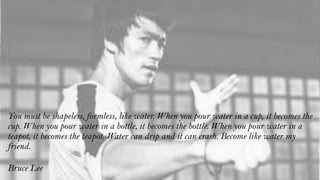
You must be shapeless, formless, like water. When you pour water in a cup, it becomes the
cup. When you pour water in a bottle, it becomes the bottle. When you pour water in a
teapot, it becomes the teapot. Water can drip and it can crash. Become like water my
friend.
Bruce Lee
Basics for managing commitments
• Capture all open loops in a system outside your mind
• Clarify your commitment and what tasks you must do
• Keep reminders and review each task in a trustworthy system
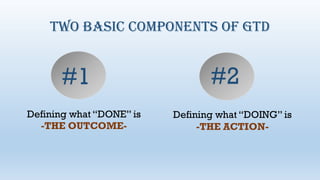
TWO BASIC COMPONENTS OF GTD
Defining what “DONE” is
-THE OUTCOME-
Defining what “DOING” is
-THE ACTION-
#1 #2
HENCE A BOTTOM-UP APPROACH IS MORE EFFECTIVE
Your mind is a focusing tool, not a storage space
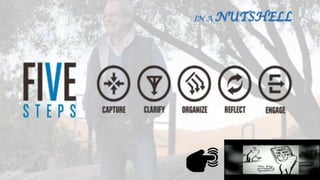
5 stages of Getting Something Done
• CAPTURE what has our attention
• CLARIFY what each item means
• ORGANIZE the results
• REFLECT on our options
• ENGAGE with the best suitable option
5 stages of handling a messy kitchen
• Identify the stuff that doesn’t belong where it is
• Determine what to keep and what to throw away
• Put things where they need to go
• Check your recipe book, along with ingredients and utensils
• Select a recipe and start cooking
The biggest reason people are unable to stay
organized is that they try to attempt all the 5 stages at
once
Physical In-Tray
Writing Paper and Pads
Digital and Voice Note taking
E-mail and Texting
Technology integration
Tools for capture
Get it all out of your head
Minimize Capture locations
Empty Capture tools regularly
Capturing incompletes
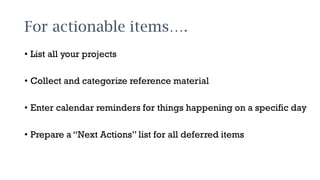
For actionable items….
• List all your projects
• Collect and categorize reference material
• Enter calendar reminders for things happening on a specific day
• Prepare a “Next Actions” list for all deferred items
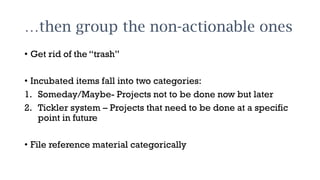
…then group the non-actionable ones
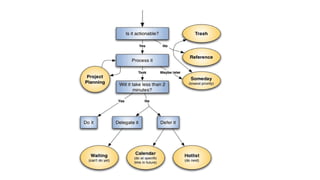
• Get rid of the “trash”
• Incubated items fall into two categories:
1. Someday/Maybe- Projects not to be done now but later
2. Tickler system – Projects that need to be done at a specific
point in future
• File reference material categorically
1. Calendar
2. Next Action Lists
3. Projects Lists
4. Waiting for lists
5. Someday/Maybe Lists
Priority of pending tasks
Process all your “stuff”
Review your systems
Update your lists
Get clear, current and complete
Review your lists
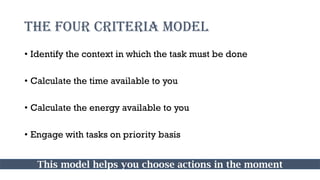
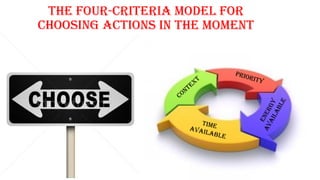
THE FOUR CRITERIA MODEL
• Identify the context in which the task must be done
• Calculate the time available to you
• Calculate the energy available to you
• Engage with tasks on priority basis
This model helps you choose actions in the moment
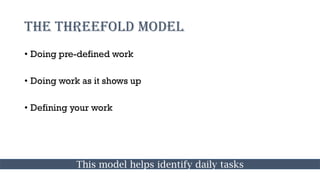
THE THREEFOLD MODEL
• Doing pre-defined work
• Doing work as it shows up
• Defining your work
This model helps identify daily tasks
SIX LEVEL MODEL
• Ground level : Current actions
• Horizon 1: Current projects
• Horizon 2: Areas of focus and accountabilities
• Horizon 3: Goals
• Horizon 4: Vision
• Horizon 5: Purpose and Principles
This model helps you determine priorities
Key ingredients of relaxed control
• Clearly defined outcomes and the next actions
required to move them towards closure
• Reminders placed in a trusted system reviewed
regularly
This is known as horizontal focus
Sometimes, you need greater rigor and focus to get a project
or situation under control, to identify a solution or to ensure
that all the right steps have been determined.
This is where vertical focus comes into play
THE NATURAL PLANNING MODEL
1. Defining your purpose and principles
2. Outcome visioning
3. Brainstorming
4. Organizing
5. Identifying next actions
The unnatural planning model
This is attempting to come up with a good idea before defining
your purpose, creating a vision and collecting lots of initial bad
ideas
This is likely to lead to creative constipation
The Reactive Planning model
This is resisting planning meetings, presentations and strategic
operations till the last minute
As MBA students…we are all too familiar with this
Let us delve a little deeper into the five phases of
the natural planning model
01 Defining
purpose &
principles
Purpose provides the juice and
the direction while principles
define the parameters of action
and the criteria for excellence
of conduct
02 Outcome
Visioning
When we focus on something it
generates ideas and thought
patterns that were otherwise
not possible
Something extraordinary
happens in our minds when we
create and focus a clear
picture of what we want
03Brainstorming
Always write down or capture
these ideas in an external way.
This helps boost productive
output and thinking
External brainstorming not
only helps capture original
ideas but helps generate new
ones as well
Look I’m going to give you as many ideas as you feel you can effectively use. If you are
not collecting them in some trusted way, I wont give you that many. But if you are
actually doing something with the ideas- even if it’s just recording them for later
evaluation- then here, have a bunch! And oh wow! That reminds me of another one and
another…
Sincerely
Your Brain
04 Organizing
• Identify significant pieces
• Sort by sequences/priorities
• Detail to the required
degree
05 Identifying
next actions
• Decide on the next actions
for each of the “moving
parts”
• Decide on the next action in
the planning process (if any)
If you need more clarity at any stage,
shift your thinking up the scale
If more action is needed at any stage,
move down the model
Navigating the model
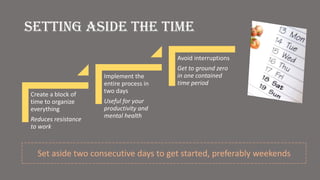
Setting aside the time
Create a block of
time to organize
everything
Reduces resistance
to work
Implement the
entire process in
two days
Useful for your
productivity and
mental health
Avoid interruptions
Get to ground zero
in one contained
time period
Set aside two consecutive days to get started, preferably weekends
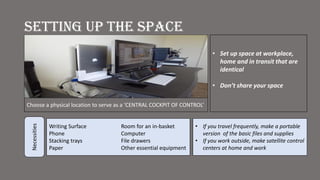
Setting up the space
Writing Surface Room for an in-basket
Phone Computer
Stacking trays File drawers
Paper Other essential equipment
Necessities
Choose a physical location to serve as a ‘CENTRAL COCKPIT OF CONTROL’
• Set up space at workplace,
home and in transit that are
identical
• Don’t share your space
• If you travel frequently, make a portable
version of the basic files and supplies
• If you work outside, make satellite control
centers at home and work
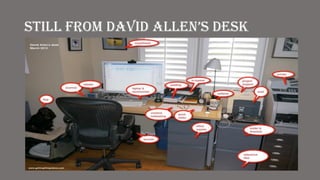
Still from DaviD allen’S DeSk
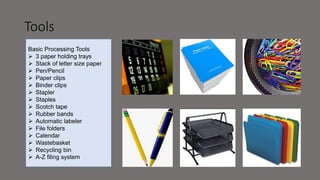
Tools
Basic Processing Tools
 3 paper holding trays
 Stack of letter size paper
 Pen/Pencil
 Paper clips
 Binder clips
 Stapler
 Staples
 Scotch tape
 Rubber bands
 Automatic labeler
 File folders
 Calendar
 Wastebasket
 Recycling bin
 A-Z filing system
FILING SYSTEM
Filing system need to be at 'hand distance' from workplace
Only one filing system
The question: 'where could item be?' should not have more than 2-3
possible answers (every possible item should have as few likely places
as possible)
Filing an item should be quick (<< 1 minute)
Purge the filing system periodically (once a year)
Collection: Corralling your Stuff
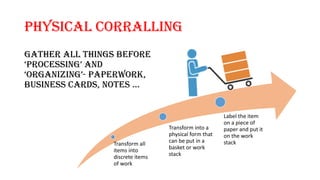
PHYSICAL CORRALLING
Gather all things before
‘proceSSing’ anD
‘organizing’- paperwork,
buSineSS carDS, noteS …
Transform all
items into
discrete items
of work
Transform into a
physical form that
can be put in a
basket or work
stack
Label the item
on a piece of
paper and put it
on the work
stack
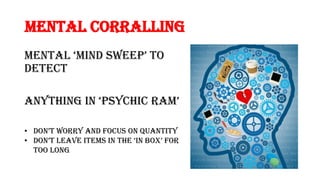
Mental Corralling
mental ‘minD Sweep’ to
detect
anything in ‘pSychic ram’
• Don’t worry anD focuS on quantity
• Don’t leave itemS in the ‘in box’ for
too long
Focus on the
Next Action
required to
move forward
Big projects have many steps.
Just focus on the very next physical
action you need to do to move the
project forward
The key is not to focus on everything that has
to be done
(that’S a great way to freak yourSelf out)
It may be looking up a piece of information,
making a phone call,
or accomplishing the smallest of the task.
whatever it iS, it’ll move you cloSer to completing the
project.
Focus only on what you can do right
now.
After collecting everything, you need to process
it.
You should:
• traSh what you Don’t neeD.
• Complete any less-than 2 minute actions.
• Delegate Stuff you can’t complete to otherS.
• Sort into your own organizing system reminders for actions
that will take more than two minutes.
• Identify any larger commitments, or projects, that you have.
• Identify things to save for later and use as reference
material only.
How to do it ??
Here are the rules of
processing:
• Process one item at a time
• If it takes less than two
minutes, do it now
• Never put anything back
into 'in'
For every item, one of the
following must be done:
Identify the next action to be
done
The action must be
the absolute next physical
thing to do
No next action? Then: trash,
incubate or file it in your
'reference system'
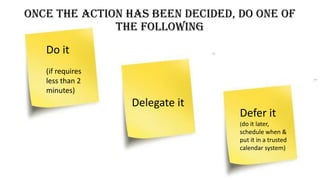
Once the action has been decided, do one of
the following
Do it
(if requires
less than 2
minutes)
Delegate it
Defer it
(do it later,
schedule when &
put it in a trusted
calendar system)
The Reference System
Having a good reference system is crucial
Need to be within arm's reach
Needs to be quick to file an item (<< 60 seconds) and to find
an item
Incubate
Put into a calendar that will remind to do the item when appropriate.
Can also use a 'someday/maybe' list if there is no specific time to start
the task
Misc Tips
• Learn to touch type
• Learn keyboard
shortcuts to your
programs
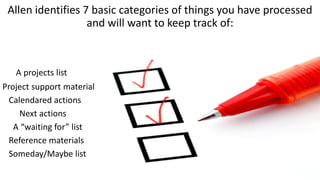
Allen identifies 7 basic categories of things you have processed
and will want to keep track of:
A projects list
Project support material
Calendared actions
Next actions
A “waiting for” list
Reference materials
Someday/Maybe list
The obvious danger in
setting a lot of separate
buckets is not review
them often enough
(which obviously needs
to be done in order for
the system to work)
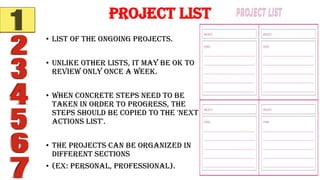
• List of the ongoing projects.
• Unlike other lists, it may be OK to
review only once a week.
• When concrete steps need to be
taken in order to progress, the
steps should be copied to the 'next
actions list'.
• The projects can be organized in
different sections
• (ex: personal, professional).
Project List
• Resources to support
project's actions.
• Do not use as reminders
(use 'next actions',
calendar or 'waiting for'
instead)
Project Support Materials
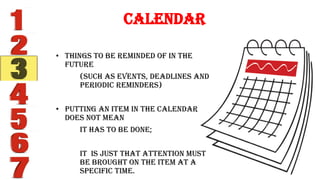
Calendar
• Things to be reminded of in the
future
(such as events, deadlines and
periodic reminders)
• Putting an item in the calendar
does not mean
it has to be done;
It is just that attention must
be brought on the item at a
specific time.
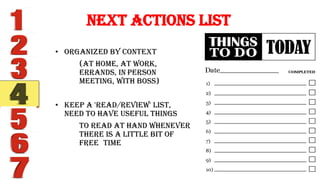
• Organized by context
(at home, at work,
errands, in person
meeting, with boss)
• Keep a 'read/review' list,
need to have useful things
to read at hand whenever
there is a little bit of
free time
Next Actions List
• Next actions that
are waiting for a
trigger
(ex: waiting for
someone else to
complete
something)
• If there is a known
date put in calendar
instead
Waiting For
• Items that have no action
required
• If an action is required, it
belongs in an 'action' list
that will be reviewed
frequently
It means that it contain
important information
Reference Material
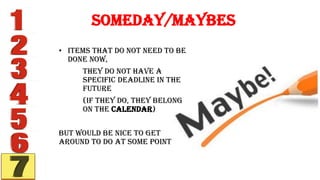
• Items that do not need to be
done now,
They do not have a
specific deadline in the
future
(if they do, they belong
on the Calendar)
but would be nice to get
around to do at some point
Someday/Maybes
Enable brain
to be free to
experience
more
elegant,
productive
and creative
activity
TO EARN FREEDOM
Brain must
engage with
all commitment
and activities
consistently
THINK
• are YOU doing what you
need to be doing
or
• If its okay to be not doing
what you are not doing
promotes
Clarity &
Stability
WHAT TO
AT
& WHEN ?
WHAT TO
AT
& WHEN ?
Look at your Calendar First
• Frequently review, if you are maintain
one
• Helps in assessing what has to get done
• Know time & space parameter
when you are free, what engagements
you already have, how much time you
can find to carry your activities
Then your
list • Review action list
• Decide on all the possible actions you could
possibly do in your current context
• Eg. If you are in office – look at your list of
emails, calls & in office things
If TRUSTWORHTY If CURRENT
Only things you
need to refer to
The right review in the Right
Context
• May need home list
for home related
issues
• Agenda and project
lists for office
related activities
You may need access to
anyone of your list at
any time
Your
system
Power of • Capturing,
reevaluation and
reprocessing time to
keep you in balance
• Sharpen the focus on
your important tasks
• Get Clear
• Get current
• Get creative
Get
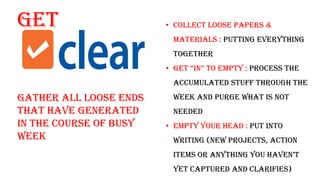
Gather all loose ends
that have generated
in the course of busy
week
• Collect Loose papers &
materials : putting everything
together
• get “in” to empty : Process the
accumulated stuff through the
week and purge what is not
needed
• Empty Your head : put into
writing (new projects, action
itemS or anything you haven’t
yet captured and clarifies)
Get
current
• review “next actionS” liSt – Mark off completed
tasks, review for actions on yet to be completed
task
• Review previous calendar data – calendar
entries for remaining or emergent actions &
transfer the data into active system
• Review Upcoming calendar – capture the actions
required for upcoming events
• review “ waiting for” liSt – update on follow ups
• review “projectS” liSt – evaluate the status of
projects
• Review any relevant checklists
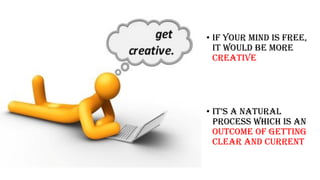
Get Creative
• If your mind is free,
it would be more
creative
• it’S a natural
process which is an
outcome of getting
clear and current
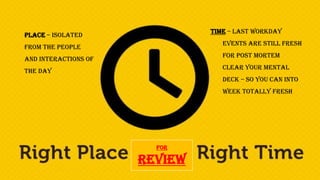
For
Review
Time – Last workday
Events are still fresh
for post mortem
Clear your mental
deck – so you can into
week totally fresh
Place – Isolated
from the people
and interactions of
the day
Review
• For larger outcomes, long term goals, the visions and
principles that ultimately drive, test and prioritize
your decisions
• Review them at appropriate intervals
• Have your vision, values and objectives in right place
Engaging:
Making the
Best Action
Choices
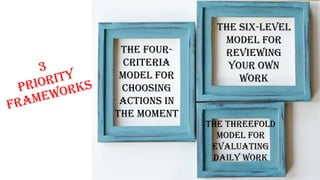
The four-
criteria
model for
choosing
actions in
the moment
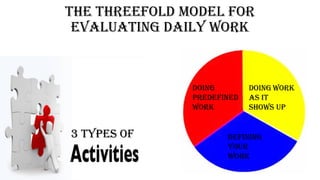
The threefold
model for
evaluating
daily work
The six-level
model for
reviewing
your own
work
The four-criteria model for
choosing actions in the moment
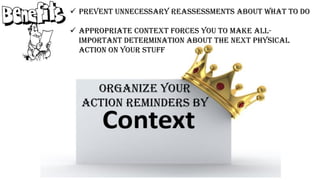
Organize your
action reminders by
 Prevent unnecessary reassessments about what to do
 Appropriate context forces you to make all-
important determination about the next physical
action on your stuff
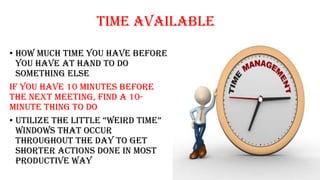
Time Available
• How much time you have before
you have at hand to do
something else
if you have 10 minutes before
the next meeting, find a 10-
minute thing to do
• utilize the little “weirD time”
windows that occur
throughout the day to get
shorter actions done in most
productive way
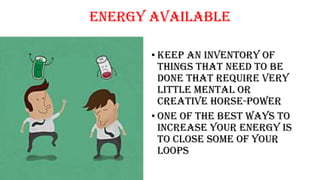
Energy available
• Keep an inventory of
things that need to be
done that require very
little mental or
creative horse-power
• One of the best ways to
increase your energy is
to close some of your
loops
Priority
It is impossible to
feel good about
your choices unless
you are clear about
what your work
really is
The threefold model for
evaluating daily work
Doing
predefined
work
Doing work
as it
shows up
Defining
your
work
3 types of
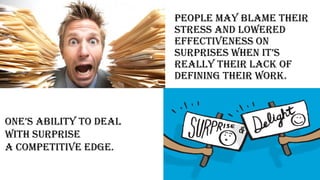
People may blame their
stress and lowered
effectiveness on
SurpriSeS when it’S
really their lack of
defining their work.
one’S ability to Deal
with surprise
a competitive edge.
The six-level model for
reviewing your own work
The Six-Level Model for Reviewing Your Own Work is presented in terms of
altitude:
• Horizon 5: Life
• Horizon 4 : Three- to five-year visions
• Horizon 3 : One-to two-year goals
• Horizon 2: Areas of responsibility
• Horizon 1 : Current projects
• Ground: Current actions
Each of these levels should enhance and align with the levels above it
• Priorities are driven from the top
• However, without a sense of control over current projects and actions,
trying to manage oneself from the top down can create frustration. start
at the bottom level, first ensuring all action lists are complete, and then
working up the model
Getting
under Control
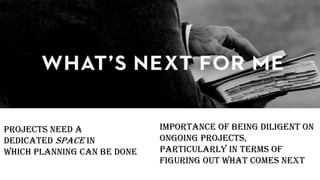
Projects need a
Dedicated space in
which planning can be done
importance of being diligent on
ongoing projects,
particularly in terms of
figuring out what comes next
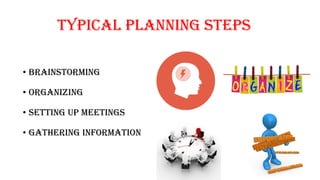
Typical Planning Steps
• Brainstorming
• Organizing
• Setting up meetings
• Gathering Information
Tools
• lower your mental load, write down ideas
as they occur
• Make sure everything can be put in a
project or next action list
• Always keep something you can jot down
ideas
- prevent good ideas from being lost
- free up your mind from the stress of
forgetting something
• Writing instrument
- Paper and pads, easels and whiteboard,
digital tools
• Accessible
formats in which
project thinking
can be captured
• File
• Digital
• Software
The support structure
• Get comfortable with
having and using your
ideas
• Focus energy
constructively
The Power of the Key
Priniciple
Chapter – 11th 12th & 13th
The Power of Capturing
• When you receive, process, and organize in
an airtight manner the exchanges and
agreement you have with others, people
start trusting you in an unique manner
• enhances your mental well being
• Improves the quality of your
communications & relationship
• When organization put this in practice, it
can Significantly improve culture’S
productivity and reduce its stress
Personal
• Identify the Source of negative feelings
• Get rid of the feeling by acting on source
• Experience the release, or relief, or control
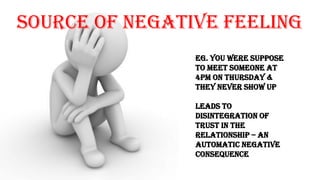
Source of Negative Feeling
Eg. You were suppose
to meet someone at
4pm on Thursday &
they never show up
leads to
disintegration of
trust in the
relationship – an
automatic negative
consequence
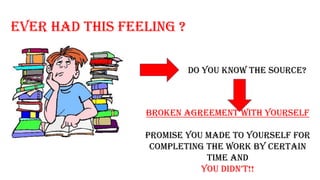
Ever Had this FEELING ?
DO YOU KNOW THE SOURCE?
BROKEN AGREEMENT with yourself
Promise you made to yourself for
completing the work by certain
time AND
you DiDn’t!!
WELCOME
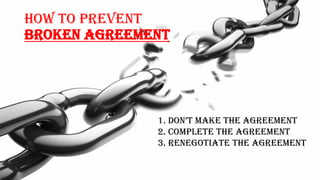
How TO PREVENT
BROKEN AGREEMENT
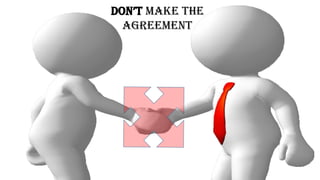
1. Don’t make the agreement
2. Complete the Agreement
3. Renegotiate the Agreement
Don’t make the
Agreement
COMPLETE the
Agreement
Renegotiate the
Agreement
Have a Capture Habit
• Scan through your mind
• Download everything
• Process eliminates the leakage of information
• Make agreement
• Abide by your agreement
• Provides Communication clarity & promotes trust
• Leads to less interruptions
• Stress free work
The Power of Next Decision
ADOPT ACTION
FOR
EVERY
QUERY
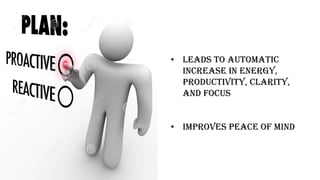
• Leads to automatic
increase in energy,
productivity, clarity,
and focus
• Improves peace of mind
Creating
an option
oF
• Look through your list
• aSk yourSelf “what’S the next action”
• Few seconds of focused thinking would give
you the answer
• Refine your answer for the next step that
would help you solve the issue
• EXAMPLE
Tune up for the car – car to garage – find
WHETHER garage can fix it – need to call
garage – need phone no. – search for garage
no.
• Search for garage’S no – Next action
• Since you have your NEXT ACTION THINKING
done,
NOW ACT
The Value of Next Action
Decision Making Standard
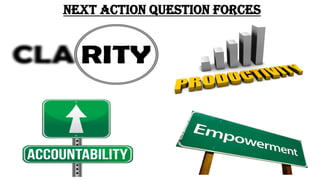
Next action question forces
The Power of
Outcome
Focusing
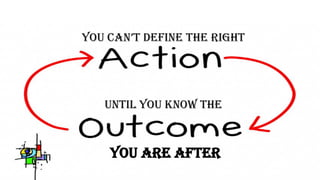
you can’t Define the right
until you know the
you are after
REMEMBER
• What does this mean to me
?
• What do I want to be true
about it ?
• what’S the next Step
require to make the
happen?
• We need to answer these
questions about
everything
GTD provides tools to
answer them effectively
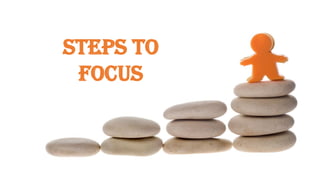
STEPS TO
FOCUS
1. IDENTIFY
THE DESIRED
OUTCOME
2.
(1) you know what you want, and you
Don’t know how to get it;
(2) “you Don’t know what you want”
What if you have no
idea what you want?
• START LOOKING FOR THE ANSWER
• SPEND SOME TIME REFLECTING AND
IDENTIFYING YOUR GOALS
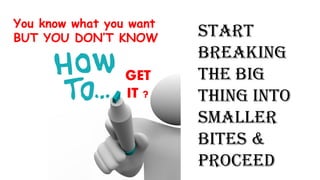
GET
IT ?
Start
breaking
the big
thing into
smaller
bites &
PROCEED
You know what you want
BUT YOU DON’T KNOW
• There are mundane steps while working
towards the goal
• Remember
• How those mundane task will help you accomplish
your big goal
• Appreciate them
To accomplish something
big like , you have to
revel in the
CHAPTER 14TH & 15TH
GTD AND POSITIVE
PSYCHOLOGY
GTD is more than just a way to
manage tasks and projects
It is more concerned with
fundamental issues of
meaningful work, mindful living,
and psychological well being
DISTRIBUTED COGNITION
It provides the methodology for
identifying those things that need
focused attention, applying it
efficiently on the front end and
organizing the triggers for
appropriate thinking at the right
time.
RELIEVING THE COGNITIVE LOAD OF
INCOMPLETIONS
In alignment with GTD practices,
Dr. Roy Baumister has proven
that completion of unfinished
items- goals, projects, etc. is not
required to relieve the burden
on the psyche. What is needed is a
trusted plan that would ensure
the occurrence of forward
engagement
FLOW THEORY
GTD approach includes
having clear goals and
receiving feedbacks in
alignment with the flow
theory
Self Leadership
Theory
GTD connects with all
three types of self
leadership
• Behavior-focused
• Natural Reward
• Constructive thought
pattern
Psychological Capital
GTD helps in achieving
• Self efficacy
• Optimism
• Hope
• Resilience
IN A NUTSHELL
Getting things done

Getting things done

  • 1.
    GETTING THINGS DONE ByDavid Allen A Narrative Summary
  • 2.
    PRESENTED BY Abhinav AdityaArun Dipak Niharika
  • 6.
    WHY IS STRESSLEVEL RISING? 1. Work no longer has any clear boundaries 2. Our lives and our jobs are constantly changing 3. Old time management techniques do not accommodate the rigors of the modern day workplace 4. Too many day-to-day, hour-to-hour commitments distract us from the primary focus
  • 8.
    What must thissystem do? • Couple big picture thinking with the smallest of open details • Manage multiple tiers of priorities • Maintain control over hundreds of new inputs daily • Save more time than time spent in maintenance The system should make it easier to “GET THINGS DONE”
  • 10.
    You must beshapeless, formless, like water. When you pour water in a cup, it becomes the cup. When you pour water in a bottle, it becomes the bottle. When you pour water in a teapot, it becomes the teapot. Water can drip and it can crash. Become like water my friend. Bruce Lee
  • 12.
    Basics for managingcommitments • Capture all open loops in a system outside your mind • Clarify your commitment and what tasks you must do • Keep reminders and review each task in a trustworthy system
  • 16.
    TWO BASIC COMPONENTSOF GTD Defining what “DONE” is -THE OUTCOME- Defining what “DOING” is -THE ACTION- #1 #2
  • 17.
    HENCE A BOTTOM-UPAPPROACH IS MORE EFFECTIVE
  • 18.
    Your mind isa focusing tool, not a storage space
  • 21.
    5 stages ofGetting Something Done • CAPTURE what has our attention • CLARIFY what each item means • ORGANIZE the results • REFLECT on our options • ENGAGE with the best suitable option
  • 22.
    5 stages ofhandling a messy kitchen • Identify the stuff that doesn’t belong where it is • Determine what to keep and what to throw away • Put things where they need to go • Check your recipe book, along with ingredients and utensils • Select a recipe and start cooking
  • 23.
    The biggest reasonpeople are unable to stay organized is that they try to attempt all the 5 stages at once
  • 25.
    Physical In-Tray Writing Paperand Pads Digital and Voice Note taking E-mail and Texting Technology integration Tools for capture
  • 26.
    Get it allout of your head Minimize Capture locations Empty Capture tools regularly Capturing incompletes
  • 30.
    For actionable items…. •List all your projects • Collect and categorize reference material • Enter calendar reminders for things happening on a specific day • Prepare a “Next Actions” list for all deferred items
  • 31.
    …then group thenon-actionable ones • Get rid of the “trash” • Incubated items fall into two categories: 1. Someday/Maybe- Projects not to be done now but later 2. Tickler system – Projects that need to be done at a specific point in future • File reference material categorically
  • 33.
    1. Calendar 2. NextAction Lists 3. Projects Lists 4. Waiting for lists 5. Someday/Maybe Lists Priority of pending tasks
  • 34.
    Process all your“stuff” Review your systems Update your lists Get clear, current and complete Review your lists
  • 36.
    THE FOUR CRITERIAMODEL • Identify the context in which the task must be done • Calculate the time available to you • Calculate the energy available to you • Engage with tasks on priority basis This model helps you choose actions in the moment
  • 37.
    THE THREEFOLD MODEL •Doing pre-defined work • Doing work as it shows up • Defining your work This model helps identify daily tasks
  • 38.
    SIX LEVEL MODEL •Ground level : Current actions • Horizon 1: Current projects • Horizon 2: Areas of focus and accountabilities • Horizon 3: Goals • Horizon 4: Vision • Horizon 5: Purpose and Principles This model helps you determine priorities
  • 40.
    Key ingredients ofrelaxed control • Clearly defined outcomes and the next actions required to move them towards closure • Reminders placed in a trusted system reviewed regularly This is known as horizontal focus
  • 41.
    Sometimes, you needgreater rigor and focus to get a project or situation under control, to identify a solution or to ensure that all the right steps have been determined. This is where vertical focus comes into play
  • 42.
    THE NATURAL PLANNINGMODEL 1. Defining your purpose and principles 2. Outcome visioning 3. Brainstorming 4. Organizing 5. Identifying next actions
  • 44.
    The unnatural planningmodel This is attempting to come up with a good idea before defining your purpose, creating a vision and collecting lots of initial bad ideas This is likely to lead to creative constipation
  • 45.
    The Reactive Planningmodel This is resisting planning meetings, presentations and strategic operations till the last minute As MBA students…we are all too familiar with this
  • 46.
    Let us delvea little deeper into the five phases of the natural planning model
  • 47.
    01 Defining purpose & principles Purposeprovides the juice and the direction while principles define the parameters of action and the criteria for excellence of conduct
  • 48.
    02 Outcome Visioning When wefocus on something it generates ideas and thought patterns that were otherwise not possible Something extraordinary happens in our minds when we create and focus a clear picture of what we want
  • 49.
    03Brainstorming Always write downor capture these ideas in an external way. This helps boost productive output and thinking External brainstorming not only helps capture original ideas but helps generate new ones as well
  • 50.
    Look I’m goingto give you as many ideas as you feel you can effectively use. If you are not collecting them in some trusted way, I wont give you that many. But if you are actually doing something with the ideas- even if it’s just recording them for later evaluation- then here, have a bunch! And oh wow! That reminds me of another one and another… Sincerely Your Brain
  • 51.
    04 Organizing • Identifysignificant pieces • Sort by sequences/priorities • Detail to the required degree
  • 52.
    05 Identifying next actions •Decide on the next actions for each of the “moving parts” • Decide on the next action in the planning process (if any)
  • 53.
    If you needmore clarity at any stage, shift your thinking up the scale If more action is needed at any stage, move down the model Navigating the model
  • 55.
    Setting aside thetime Create a block of time to organize everything Reduces resistance to work Implement the entire process in two days Useful for your productivity and mental health Avoid interruptions Get to ground zero in one contained time period Set aside two consecutive days to get started, preferably weekends
  • 56.
    Setting up thespace Writing Surface Room for an in-basket Phone Computer Stacking trays File drawers Paper Other essential equipment Necessities Choose a physical location to serve as a ‘CENTRAL COCKPIT OF CONTROL’ • Set up space at workplace, home and in transit that are identical • Don’t share your space • If you travel frequently, make a portable version of the basic files and supplies • If you work outside, make satellite control centers at home and work
  • 57.
    Still from DaviDallen’S DeSk
  • 58.
    Tools Basic Processing Tools 3 paper holding trays  Stack of letter size paper  Pen/Pencil  Paper clips  Binder clips  Stapler  Staples  Scotch tape  Rubber bands  Automatic labeler  File folders  Calendar  Wastebasket  Recycling bin  A-Z filing system
  • 59.
    FILING SYSTEM Filing systemneed to be at 'hand distance' from workplace Only one filing system The question: 'where could item be?' should not have more than 2-3 possible answers (every possible item should have as few likely places as possible) Filing an item should be quick (<< 1 minute) Purge the filing system periodically (once a year)
  • 61.
  • 62.
    PHYSICAL CORRALLING Gather allthings before ‘proceSSing’ anD ‘organizing’- paperwork, buSineSS carDS, noteS … Transform all items into discrete items of work Transform into a physical form that can be put in a basket or work stack Label the item on a piece of paper and put it on the work stack
  • 63.
    Mental Corralling mental ‘minDSweep’ to detect anything in ‘pSychic ram’ • Don’t worry anD focuS on quantity • Don’t leave itemS in the ‘in box’ for too long
  • 65.
    Focus on the NextAction required to move forward Big projects have many steps. Just focus on the very next physical action you need to do to move the project forward The key is not to focus on everything that has to be done (that’S a great way to freak yourSelf out)
  • 66.
    It may belooking up a piece of information, making a phone call, or accomplishing the smallest of the task. whatever it iS, it’ll move you cloSer to completing the project. Focus only on what you can do right now.
  • 67.
    After collecting everything,you need to process it. You should: • traSh what you Don’t neeD. • Complete any less-than 2 minute actions. • Delegate Stuff you can’t complete to otherS. • Sort into your own organizing system reminders for actions that will take more than two minutes. • Identify any larger commitments, or projects, that you have. • Identify things to save for later and use as reference material only.
  • 68.
    How to doit ?? Here are the rules of processing: • Process one item at a time • If it takes less than two minutes, do it now • Never put anything back into 'in'
  • 69.
    For every item,one of the following must be done: Identify the next action to be done The action must be the absolute next physical thing to do No next action? Then: trash, incubate or file it in your 'reference system'
  • 70.
    Once the actionhas been decided, do one of the following Do it (if requires less than 2 minutes) Delegate it Defer it (do it later, schedule when & put it in a trusted calendar system)
  • 71.
    The Reference System Havinga good reference system is crucial Need to be within arm's reach Needs to be quick to file an item (<< 60 seconds) and to find an item
  • 73.
    Incubate Put into acalendar that will remind to do the item when appropriate. Can also use a 'someday/maybe' list if there is no specific time to start the task Misc Tips • Learn to touch type • Learn keyboard shortcuts to your programs
  • 74.
    Allen identifies 7basic categories of things you have processed and will want to keep track of: A projects list Project support material Calendared actions Next actions A “waiting for” list Reference materials Someday/Maybe list
  • 75.
    The obvious dangerin setting a lot of separate buckets is not review them often enough (which obviously needs to be done in order for the system to work)
  • 76.
    • List ofthe ongoing projects. • Unlike other lists, it may be OK to review only once a week. • When concrete steps need to be taken in order to progress, the steps should be copied to the 'next actions list'. • The projects can be organized in different sections • (ex: personal, professional). Project List
  • 77.
    • Resources tosupport project's actions. • Do not use as reminders (use 'next actions', calendar or 'waiting for' instead) Project Support Materials
  • 78.
    Calendar • Things tobe reminded of in the future (such as events, deadlines and periodic reminders) • Putting an item in the calendar does not mean it has to be done; It is just that attention must be brought on the item at a specific time.
  • 79.
    • Organized bycontext (at home, at work, errands, in person meeting, with boss) • Keep a 'read/review' list, need to have useful things to read at hand whenever there is a little bit of free time Next Actions List
  • 80.
    • Next actionsthat are waiting for a trigger (ex: waiting for someone else to complete something) • If there is a known date put in calendar instead Waiting For
  • 81.
    • Items thathave no action required • If an action is required, it belongs in an 'action' list that will be reviewed frequently It means that it contain important information Reference Material
  • 82.
    • Items thatdo not need to be done now, They do not have a specific deadline in the future (if they do, they belong on the Calendar) but would be nice to get around to do at some point Someday/Maybes
  • 84.
    Enable brain to befree to experience more elegant, productive and creative activity
  • 85.
    TO EARN FREEDOM Brainmust engage with all commitment and activities consistently
  • 86.
    THINK • are YOUdoing what you need to be doing or • If its okay to be not doing what you are not doing
  • 87.
  • 88.
    WHAT TO AT & WHEN? WHAT TO AT & WHEN ?
  • 89.
    Look at yourCalendar First • Frequently review, if you are maintain one • Helps in assessing what has to get done • Know time & space parameter when you are free, what engagements you already have, how much time you can find to carry your activities
  • 90.
    Then your list •Review action list • Decide on all the possible actions you could possibly do in your current context • Eg. If you are in office – look at your list of emails, calls & in office things
  • 91.
    If TRUSTWORHTY IfCURRENT Only things you need to refer to
  • 92.
    The right reviewin the Right Context • May need home list for home related issues • Agenda and project lists for office related activities You may need access to anyone of your list at any time
  • 93.
  • 94.
    Power of •Capturing, reevaluation and reprocessing time to keep you in balance • Sharpen the focus on your important tasks
  • 95.
    • Get Clear •Get current • Get creative
  • 96.
    Get Gather all looseends that have generated in the course of busy week • Collect Loose papers & materials : putting everything together • get “in” to empty : Process the accumulated stuff through the week and purge what is not needed • Empty Your head : put into writing (new projects, action itemS or anything you haven’t yet captured and clarifies)
  • 97.
    Get current • review “nextactionS” liSt – Mark off completed tasks, review for actions on yet to be completed task • Review previous calendar data – calendar entries for remaining or emergent actions & transfer the data into active system • Review Upcoming calendar – capture the actions required for upcoming events • review “ waiting for” liSt – update on follow ups • review “projectS” liSt – evaluate the status of projects • Review any relevant checklists
  • 98.
    Get Creative • Ifyour mind is free, it would be more creative • it’S a natural process which is an outcome of getting clear and current
  • 99.
    For Review Time – Lastworkday Events are still fresh for post mortem Clear your mental deck – so you can into week totally fresh Place – Isolated from the people and interactions of the day
  • 100.
    Review • For largeroutcomes, long term goals, the visions and principles that ultimately drive, test and prioritize your decisions • Review them at appropriate intervals • Have your vision, values and objectives in right place
  • 101.
  • 103.
    The four- criteria model for choosing actionsin the moment The threefold model for evaluating daily work The six-level model for reviewing your own work
  • 104.
    The four-criteria modelfor choosing actions in the moment
  • 105.
    Organize your action remindersby  Prevent unnecessary reassessments about what to do  Appropriate context forces you to make all- important determination about the next physical action on your stuff
  • 106.
    Time Available • Howmuch time you have before you have at hand to do something else if you have 10 minutes before the next meeting, find a 10- minute thing to do • utilize the little “weirD time” windows that occur throughout the day to get shorter actions done in most productive way
  • 107.
    Energy available • Keepan inventory of things that need to be done that require very little mental or creative horse-power • One of the best ways to increase your energy is to close some of your loops
  • 108.
    Priority It is impossibleto feel good about your choices unless you are clear about what your work really is
  • 109.
    The threefold modelfor evaluating daily work Doing predefined work Doing work as it shows up Defining your work 3 types of
  • 110.
    People may blametheir stress and lowered effectiveness on SurpriSeS when it’S really their lack of defining their work. one’S ability to Deal with surprise a competitive edge.
  • 111.
    The six-level modelfor reviewing your own work
  • 112.
    The Six-Level Modelfor Reviewing Your Own Work is presented in terms of altitude: • Horizon 5: Life • Horizon 4 : Three- to five-year visions • Horizon 3 : One-to two-year goals • Horizon 2: Areas of responsibility • Horizon 1 : Current projects • Ground: Current actions Each of these levels should enhance and align with the levels above it • Priorities are driven from the top • However, without a sense of control over current projects and actions, trying to manage oneself from the top down can create frustration. start at the bottom level, first ensuring all action lists are complete, and then working up the model
  • 113.
  • 114.
    Projects need a Dedicatedspace in which planning can be done importance of being diligent on ongoing projects, particularly in terms of figuring out what comes next
  • 115.
    Typical Planning Steps •Brainstorming • Organizing • Setting up meetings • Gathering Information
  • 116.
    Tools • lower yourmental load, write down ideas as they occur • Make sure everything can be put in a project or next action list • Always keep something you can jot down ideas - prevent good ideas from being lost - free up your mind from the stress of forgetting something • Writing instrument - Paper and pads, easels and whiteboard, digital tools
  • 117.
    • Accessible formats inwhich project thinking can be captured • File • Digital • Software The support structure
  • 118.
    • Get comfortablewith having and using your ideas • Focus energy constructively
  • 119.
    The Power ofthe Key Priniciple Chapter – 11th 12th & 13th
  • 120.
    The Power ofCapturing
  • 121.
    • When youreceive, process, and organize in an airtight manner the exchanges and agreement you have with others, people start trusting you in an unique manner • enhances your mental well being • Improves the quality of your communications & relationship • When organization put this in practice, it can Significantly improve culture’S productivity and reduce its stress
  • 122.
    Personal • Identify theSource of negative feelings • Get rid of the feeling by acting on source • Experience the release, or relief, or control
  • 123.
    Source of NegativeFeeling Eg. You were suppose to meet someone at 4pm on Thursday & they never show up leads to disintegration of trust in the relationship – an automatic negative consequence
  • 124.
    Ever Had thisFEELING ? DO YOU KNOW THE SOURCE? BROKEN AGREEMENT with yourself Promise you made to yourself for completing the work by certain time AND you DiDn’t!!
  • 125.
  • 126.
    How TO PREVENT BROKENAGREEMENT 1. Don’t make the agreement 2. Complete the Agreement 3. Renegotiate the Agreement
  • 127.
  • 128.
  • 129.
  • 130.
    Have a CaptureHabit • Scan through your mind • Download everything • Process eliminates the leakage of information • Make agreement • Abide by your agreement • Provides Communication clarity & promotes trust • Leads to less interruptions • Stress free work
  • 131.
    The Power ofNext Decision
  • 132.
  • 133.
    • Leads toautomatic increase in energy, productivity, clarity, and focus • Improves peace of mind
  • 134.
    Creating an option oF • Lookthrough your list • aSk yourSelf “what’S the next action” • Few seconds of focused thinking would give you the answer • Refine your answer for the next step that would help you solve the issue • EXAMPLE Tune up for the car – car to garage – find WHETHER garage can fix it – need to call garage – need phone no. – search for garage no. • Search for garage’S no – Next action • Since you have your NEXT ACTION THINKING done, NOW ACT
  • 135.
    The Value ofNext Action Decision Making Standard
  • 136.
  • 137.
  • 138.
    you can’t Definethe right until you know the you are after
  • 139.
    REMEMBER • What doesthis mean to me ? • What do I want to be true about it ? • what’S the next Step require to make the happen? • We need to answer these questions about everything GTD provides tools to answer them effectively
  • 140.
  • 141.
  • 142.
  • 143.
    (1) you knowwhat you want, and you Don’t know how to get it; (2) “you Don’t know what you want”
  • 144.
    What if youhave no idea what you want? • START LOOKING FOR THE ANSWER • SPEND SOME TIME REFLECTING AND IDENTIFYING YOUR GOALS
  • 145.
    GET IT ? Start breaking the big thinginto smaller bites & PROCEED You know what you want BUT YOU DON’T KNOW
  • 146.
    • There aremundane steps while working towards the goal • Remember • How those mundane task will help you accomplish your big goal • Appreciate them To accomplish something big like , you have to revel in the
  • 147.
  • 148.
    GTD AND POSITIVE PSYCHOLOGY GTDis more than just a way to manage tasks and projects It is more concerned with fundamental issues of meaningful work, mindful living, and psychological well being
  • 149.
    DISTRIBUTED COGNITION It providesthe methodology for identifying those things that need focused attention, applying it efficiently on the front end and organizing the triggers for appropriate thinking at the right time.
  • 150.
    RELIEVING THE COGNITIVELOAD OF INCOMPLETIONS In alignment with GTD practices, Dr. Roy Baumister has proven that completion of unfinished items- goals, projects, etc. is not required to relieve the burden on the psyche. What is needed is a trusted plan that would ensure the occurrence of forward engagement
  • 151.
    FLOW THEORY GTD approachincludes having clear goals and receiving feedbacks in alignment with the flow theory
  • 152.
    Self Leadership Theory GTD connectswith all three types of self leadership • Behavior-focused • Natural Reward • Constructive thought pattern
  • 153.
    Psychological Capital GTD helpsin achieving • Self efficacy • Optimism • Hope • Resilience
  • 154.