GETTING THINGS DONE
By David Allen
THE WINNING COMBO
“Until you’ve captured everything
that has your attention, some
part of you will not totally trust
that you’re working with the
whole picture of your world”
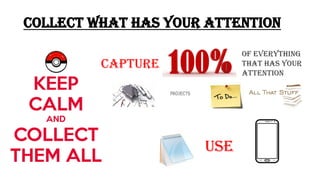
COLLECT WHAT HAS YOUR ATTENTION
Capture
of everything
that has your
attention
use
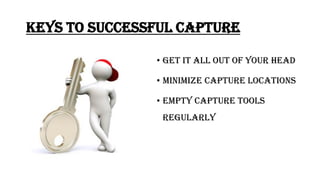
Keys to successful capture
• Get it all out of your head
• Minimize Capture locations
• Empty Capture tools
regularly
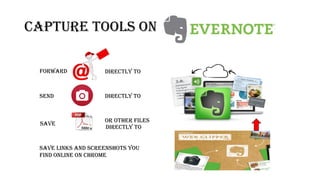
CAPTURE TOOLS ON
Forward Directly to
send Directly to
Save
Or other files
Directly to
Save links and screenshots you
find online on Chrome
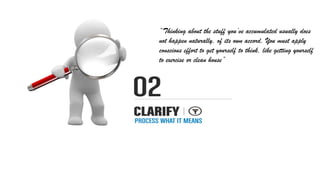
“Thinking about the stuff you’ve accumulated usually does
not happen naturally, of its own accord. You must apply
conscious effort to get yourself to think, like getting yourself
to exercise or clean house”
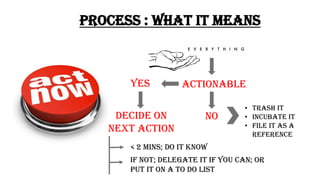
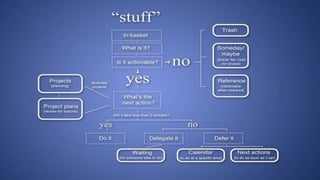
PROCESS : WHAT IT MEANS
Actionable
no
yes
• TRASH IT
• INCUBATE IT
• FILE IT AS A
REFERENCE
Decide on
next action
< 2 MINS; DO IT KNOW
If NOT; delegate it if you can; or
Put it on a TO DO LIST
LIMIT THE NUMBER OF NOTEBOOKS YOU HAVE
CREATE
THREE NOTEBOOKS
INBOX NEXT ACTIONS CABINET
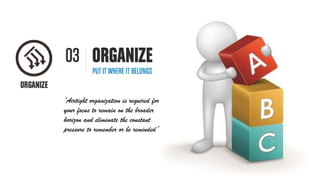
“Airtight organization is required for
your focus to remain on the broader
horizon and eliminate the constant
pressure to remember or be reminded”
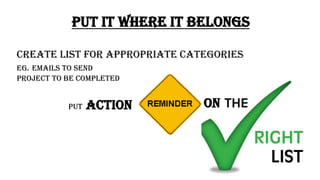
PUT IT WHERE IT BELONGS
PUT ACTION
CREATE LIST FOR APPROPRIATE CATEGORIES
EG. EMAILS TO SEND
PROJECT TO BE COMPLETED
ON
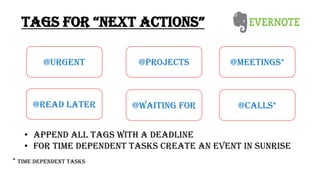
TAGS FOR “NEXT ACTIONS”
• Append all tags with a deadline
• For time DEPENDENT TASKS create an event in SunrisE
@PROJECTS
@CALLS*@READ LATER
@URGENT @MEETINGS*
@WAITING FOR
* Time DEPENDENT TASKS
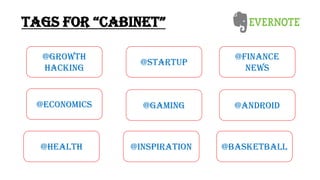
TAGS FOR “CABINET”
@STARTUP
@ANDROID@ECONOMICS
@GROWTH
HACKING
@FINANCE
NEWS
@GAMING
@INSPIRATION@HEALTH @BASKETBALL
“A few seconds a day is usually
all you need for review, as long
as you’re looking at sufficient
amount of right things at the
right time”
REVIEW FREQUENTLY
TO DETERMINE WHAT TO DO NEXT
DO WEEKLY REVIEW TO
• CLEAN UP
• UPDATE YOUR LISTS
• CLEAR YOUR MIND
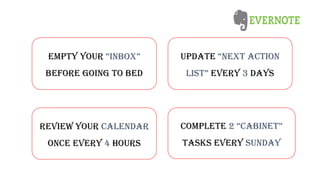
update “NEXT ACTION
LIST” every 3 days
Review your calendar
once every 4 hours
complete 2 “CABINET”
tasks every Sunday
EMPTY your “INBOX”
before going to bed
“Ultimately and always you
must trust your intuition. There
are many things you can do,
however, that can enhance that
trust”
SIMPLY DO
USE YOUR SYSTEM
TO
WITH
• There is not MUCH DOING in
Evernote
• If the action is completed
immediately DELETE it
• If needED later , move it from
“NEXT ACTIONS” TO “CABINET”
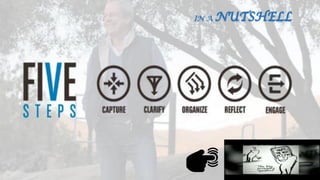
IN A NUTSHELL
PRESENTED BY
Abhinav Aditya Arun
Dipak Niharika
Getting Things Done - David Allen

Getting Things Done - David Allen

  • 1.
  • 11.
  • 13.
    “Until you’ve capturedeverything that has your attention, some part of you will not totally trust that you’re working with the whole picture of your world”
  • 14.
    COLLECT WHAT HASYOUR ATTENTION Capture of everything that has your attention use
  • 15.
    Keys to successfulcapture • Get it all out of your head • Minimize Capture locations • Empty Capture tools regularly
  • 16.
    CAPTURE TOOLS ON ForwardDirectly to send Directly to Save Or other files Directly to Save links and screenshots you find online on Chrome
  • 17.
    “Thinking about thestuff you’ve accumulated usually does not happen naturally, of its own accord. You must apply conscious effort to get yourself to think, like getting yourself to exercise or clean house”
  • 18.
    PROCESS : WHATIT MEANS Actionable no yes • TRASH IT • INCUBATE IT • FILE IT AS A REFERENCE Decide on next action < 2 MINS; DO IT KNOW If NOT; delegate it if you can; or Put it on a TO DO LIST
  • 19.
    LIMIT THE NUMBEROF NOTEBOOKS YOU HAVE CREATE THREE NOTEBOOKS INBOX NEXT ACTIONS CABINET
  • 20.
    “Airtight organization isrequired for your focus to remain on the broader horizon and eliminate the constant pressure to remember or be reminded”
  • 21.
    PUT IT WHEREIT BELONGS PUT ACTION CREATE LIST FOR APPROPRIATE CATEGORIES EG. EMAILS TO SEND PROJECT TO BE COMPLETED ON
  • 22.
    TAGS FOR “NEXTACTIONS” • Append all tags with a deadline • For time DEPENDENT TASKS create an event in SunrisE @PROJECTS @CALLS*@READ LATER @URGENT @MEETINGS* @WAITING FOR * Time DEPENDENT TASKS
  • 23.
  • 24.
    “A few secondsa day is usually all you need for review, as long as you’re looking at sufficient amount of right things at the right time”
  • 25.
    REVIEW FREQUENTLY TO DETERMINEWHAT TO DO NEXT DO WEEKLY REVIEW TO • CLEAN UP • UPDATE YOUR LISTS • CLEAR YOUR MIND
  • 26.
    update “NEXT ACTION LIST”every 3 days Review your calendar once every 4 hours complete 2 “CABINET” tasks every Sunday EMPTY your “INBOX” before going to bed
  • 27.
    “Ultimately and alwaysyou must trust your intuition. There are many things you can do, however, that can enhance that trust”
  • 28.
    SIMPLY DO USE YOURSYSTEM TO WITH
  • 29.
    • There isnot MUCH DOING in Evernote • If the action is completed immediately DELETE it • If needED later , move it from “NEXT ACTIONS” TO “CABINET”
  • 31.
  • 33.
    PRESENTED BY Abhinav AdityaArun Dipak Niharika