Introduction to Chainer
Seiya Tokui, July 20, 2016
Outline
• General concepts of deep learning frameworks
• Basics of Chainer (based on v1.11)
• Walk through MNIST example
2
General concepts
Considerations and internals of deep learning frameworks
Why are frameworks needed for
neural networks (NN)?
NN research requirements:
• Flexibility in defining NN architectures
• Fast trial-and-error
• It means we want to automate programming as much as possible
We want to automate
• Automatic differentiation
• CUDA programming
• Efficient execution (computational optimization)
• Boilerplates in training loops
4
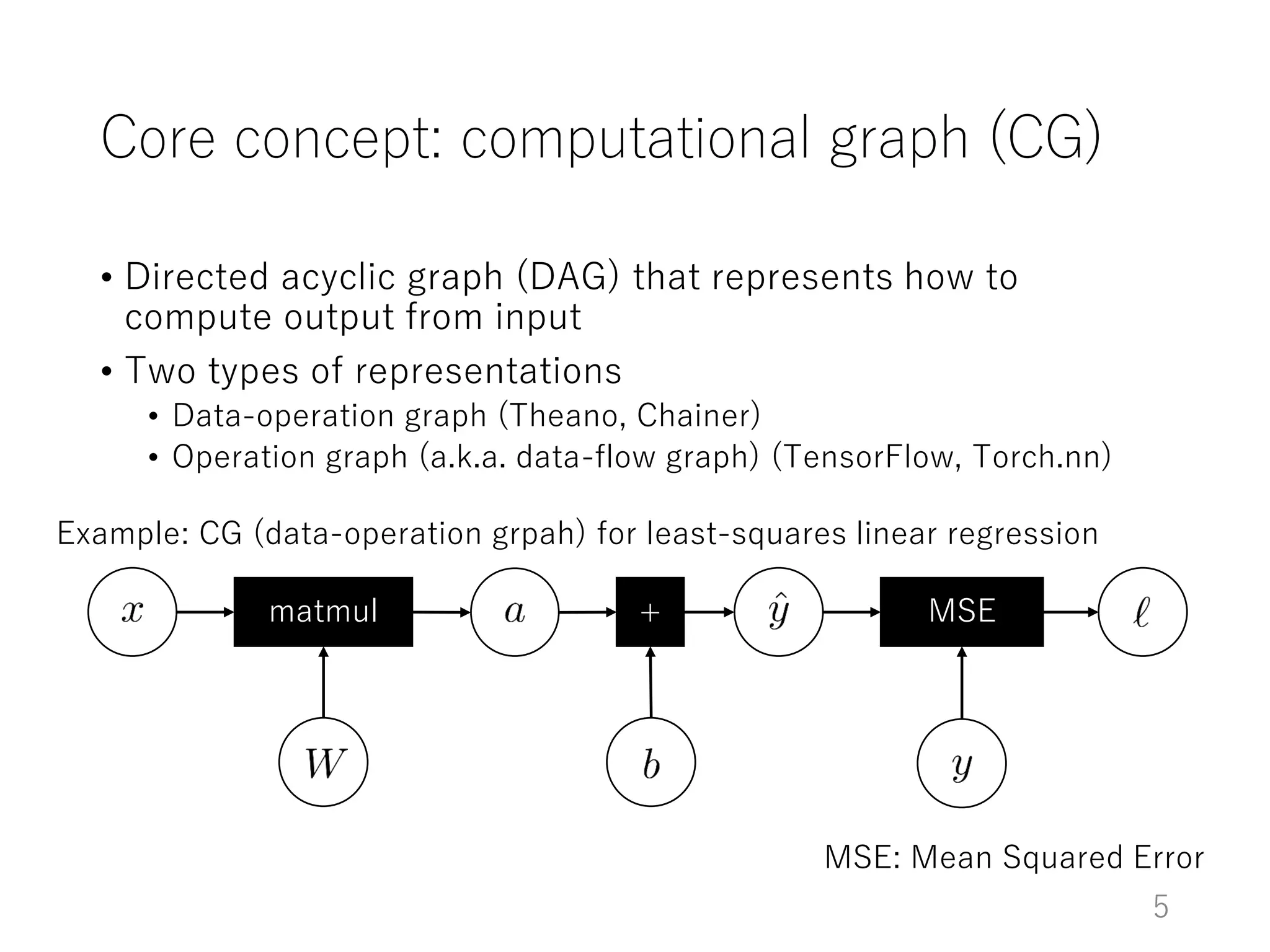
Core concept: computational graph (CG)
• Directed acyclic graph (DAG) that represents how to
compute output from input
• Two types of representations
• Data-operation graph (Theano, Chainer)
• Operation graph (a.k.a. data-flow graph) (TensorFlow, Torch.nn)
matmul + MSE
Example: CG (data-operation grpah) for least-squares linear regression
MSE: Mean Squared Error
5
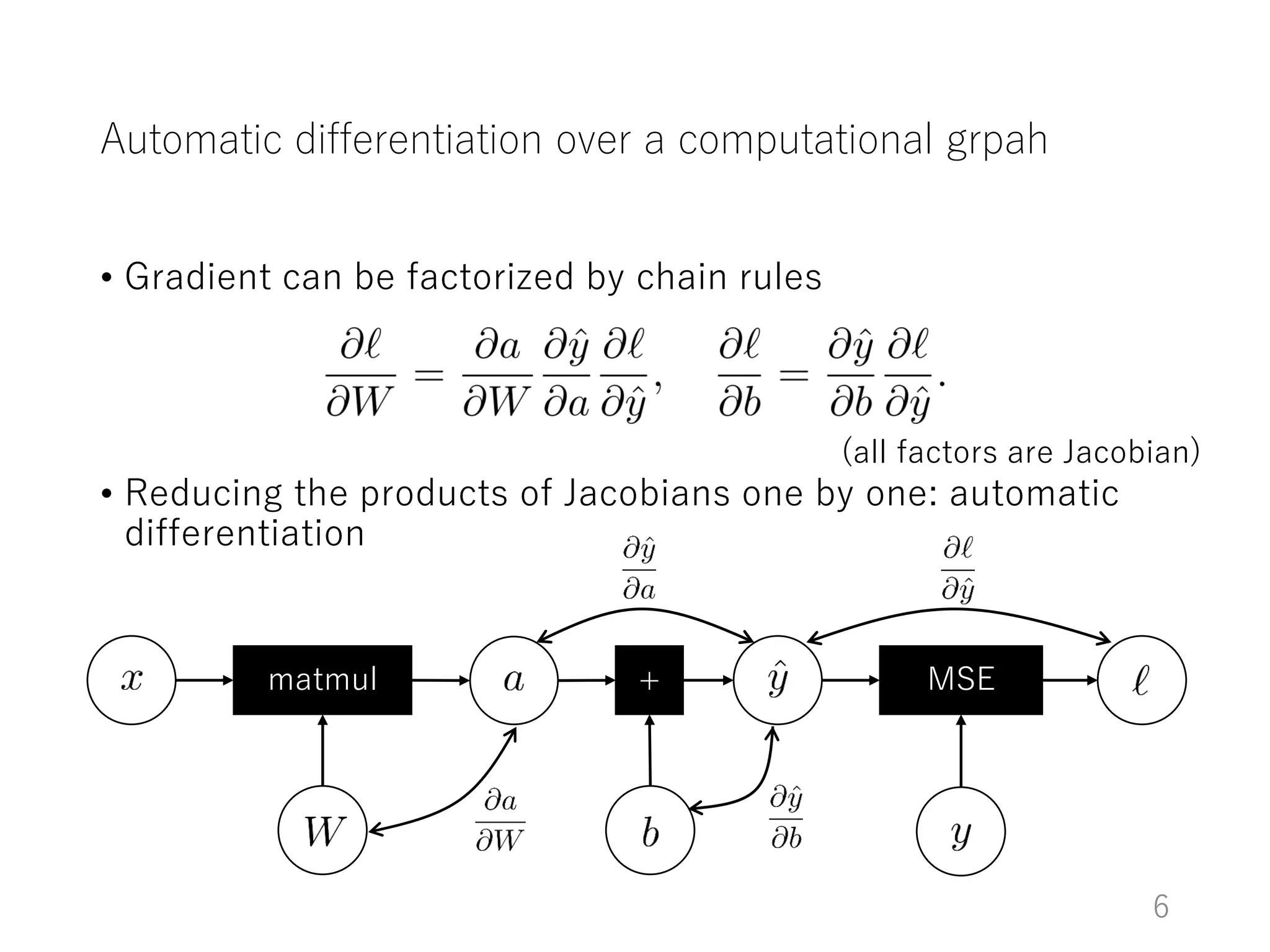
Automatic differentiation over a computational grpah
• Gradient can be factorized by chain rules
• Reducing the products of Jacobians one by one: automatic
differentiation
matmul + MSE
(all factors are Jacobian)
6
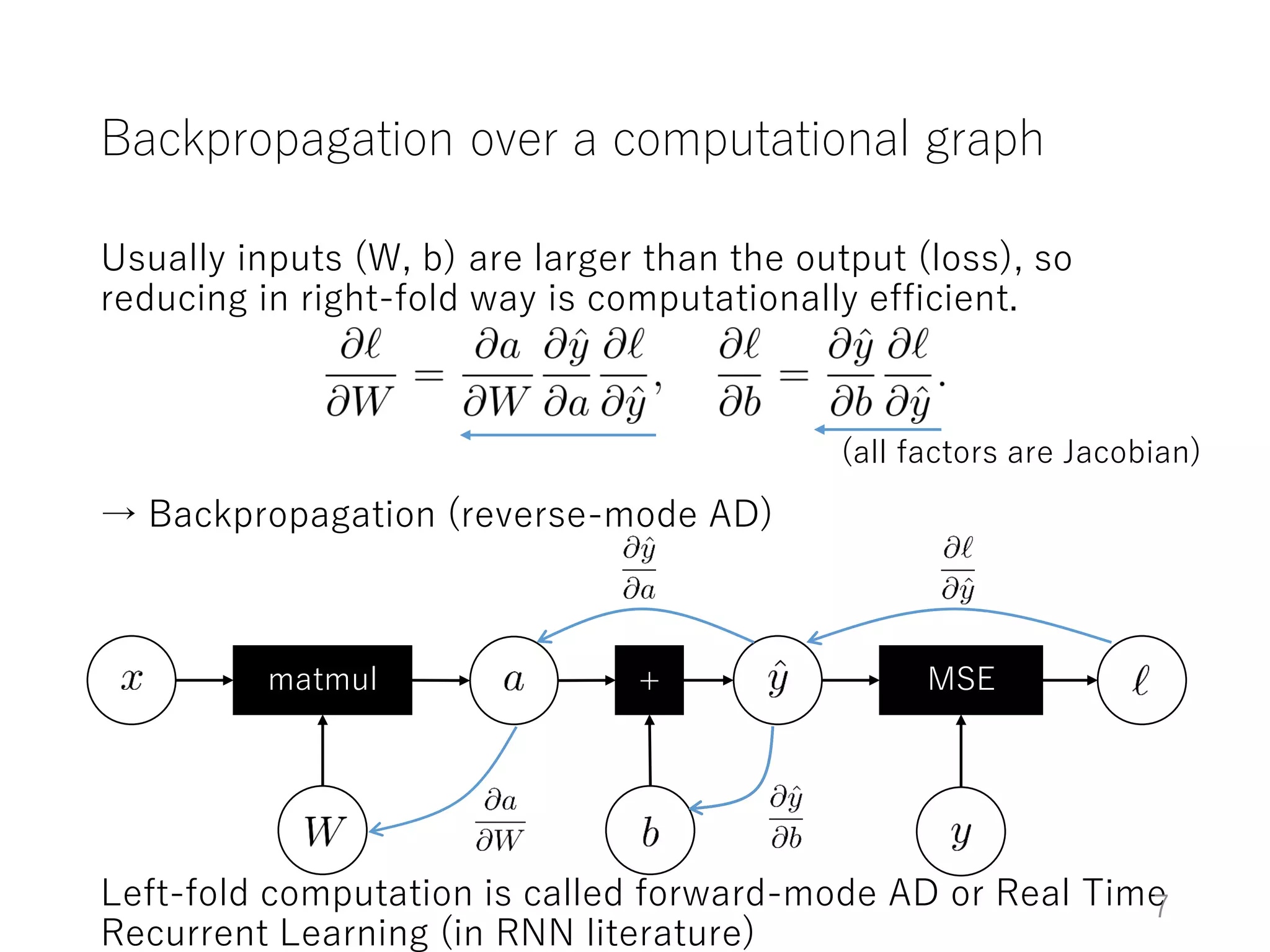
Backpropagation over a computational graph
Usually inputs (W, b) are larger than the output (loss), so
reducing in right-fold way is computationally efficient.
→ Backpropagation (reverse-mode AD)
Left-fold computation is called forward-mode AD or Real Time
Recurrent Learning (in RNN literature)
matmul + MSE
(all factors are Jacobian)
7
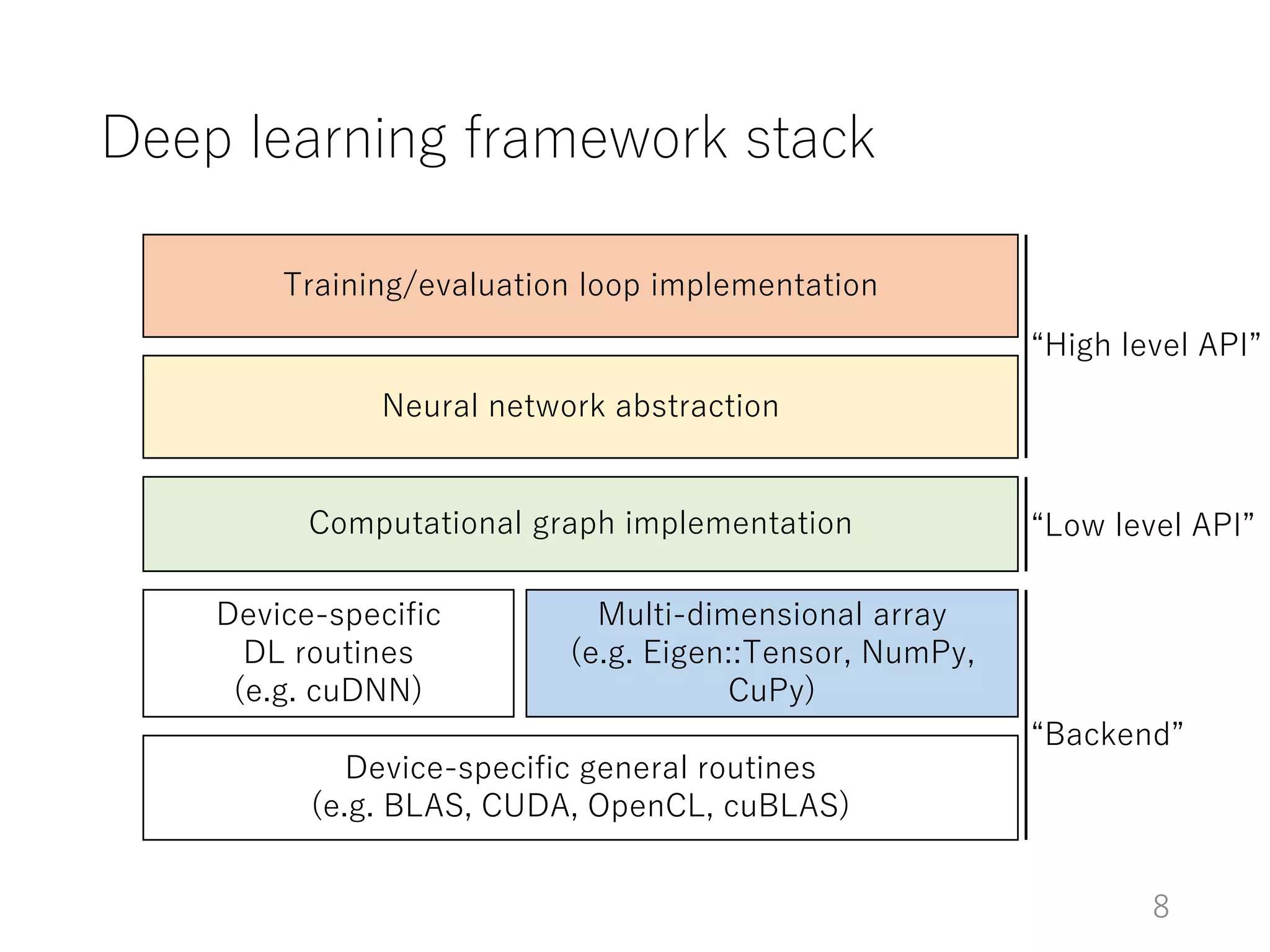
Deep learning framework stack
Device-specific general routines
(e.g. BLAS, CUDA, OpenCL, cuBLAS)
Device-specific
DL routines
(e.g. cuDNN)
Multi-dimensional array
(e.g. Eigen::Tensor, NumPy,
CuPy)
Computational graph implementation
Neural network abstraction
Training/evaluation loop implementation
“Low level API”
“High level API”
“Backend”
8
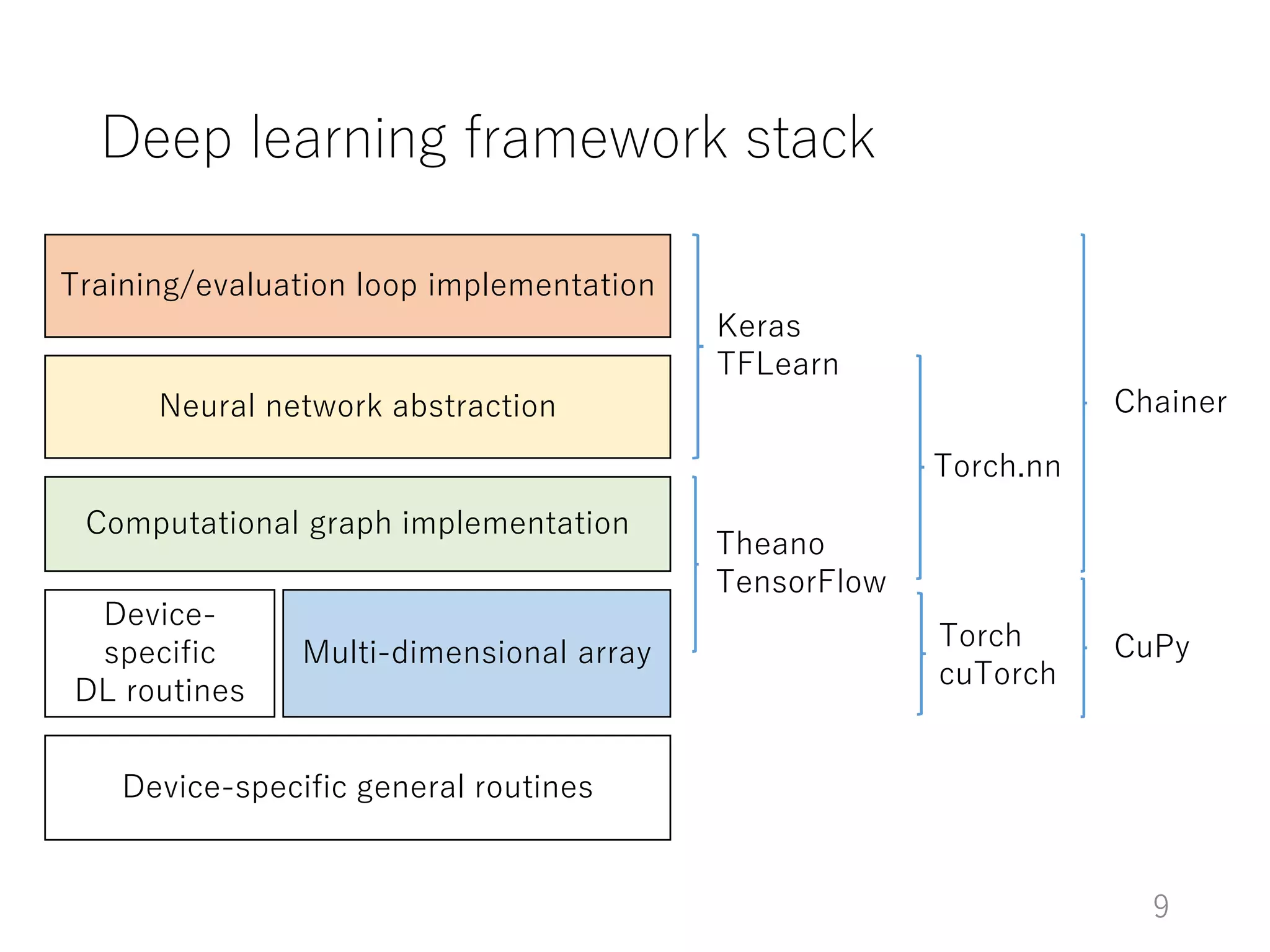
Deep learning framework stack
Device-specific general routines
Device-
specific
DL routines
Multi-dimensional array
Computational graph implementation
Neural network abstraction
Training/evaluation loop implementation
Theano
TensorFlow
Keras
TFLearn
Chainer
CuPyTorch
cuTorch
Torch.nn
9
Basics of Chainer
Based on v1.11
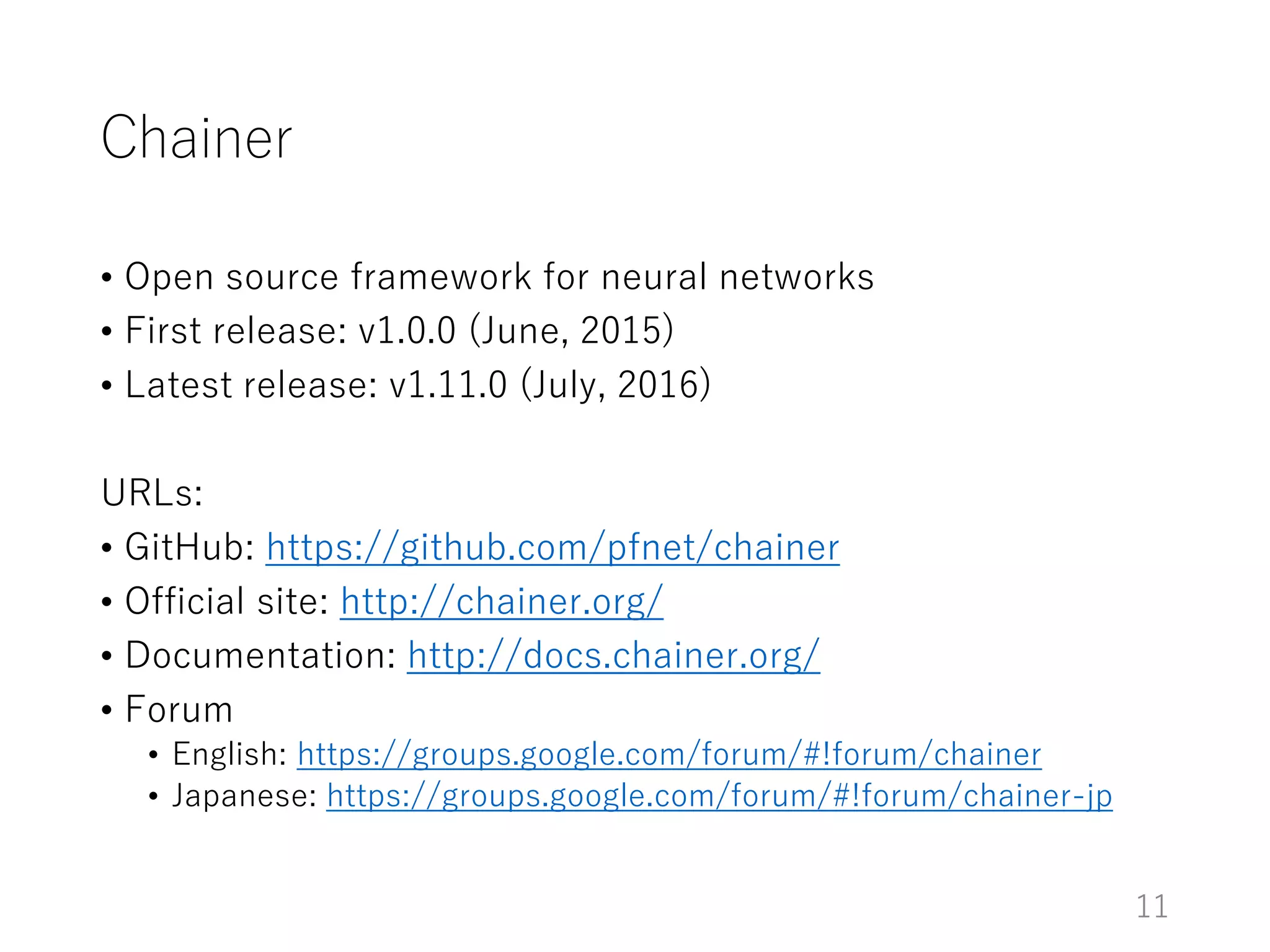
Chainer
• Open source framework for neural networks
• First release: v1.0.0 (June, 2015)
• Latest release: v1.11.0 (July, 2016)
URLs:
• GitHub: https://github.com/pfnet/chainer
• Official site: http://chainer.org/
• Documentation: http://docs.chainer.org/
• Forum
• English: https://groups.google.com/forum/#!forum/chainer
• Japanese: https://groups.google.com/forum/#!forum/chainer-jp
11
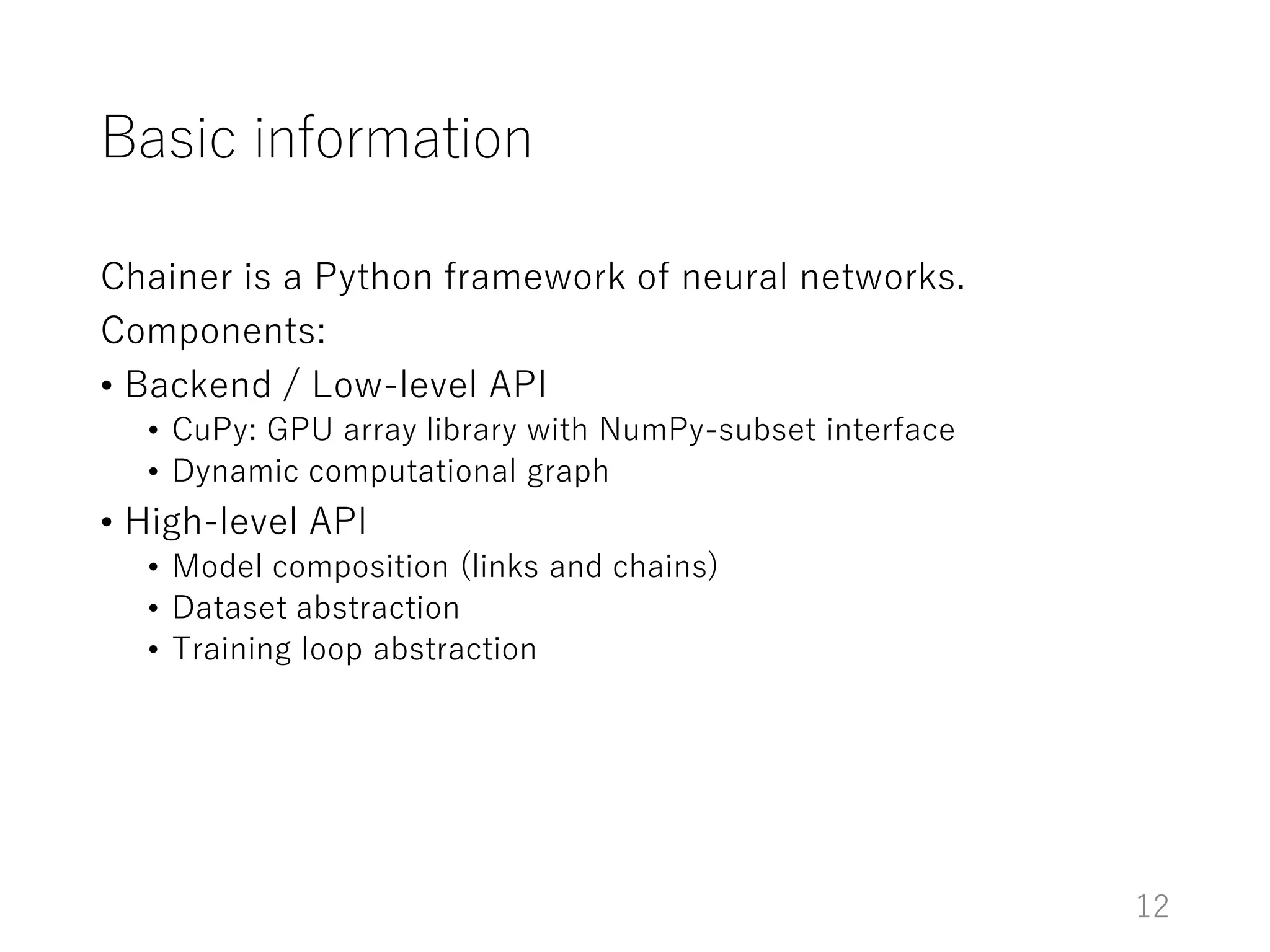
Basic information
Chainer is a Python framework of neural networks.
Components:
• Backend / Low-level API
• CuPy: GPU array library with NumPy-subset interface
• Dynamic computational graph
• High-level API
• Model composition (links and chains)
• Dataset abstraction
• Training loop abstraction
12
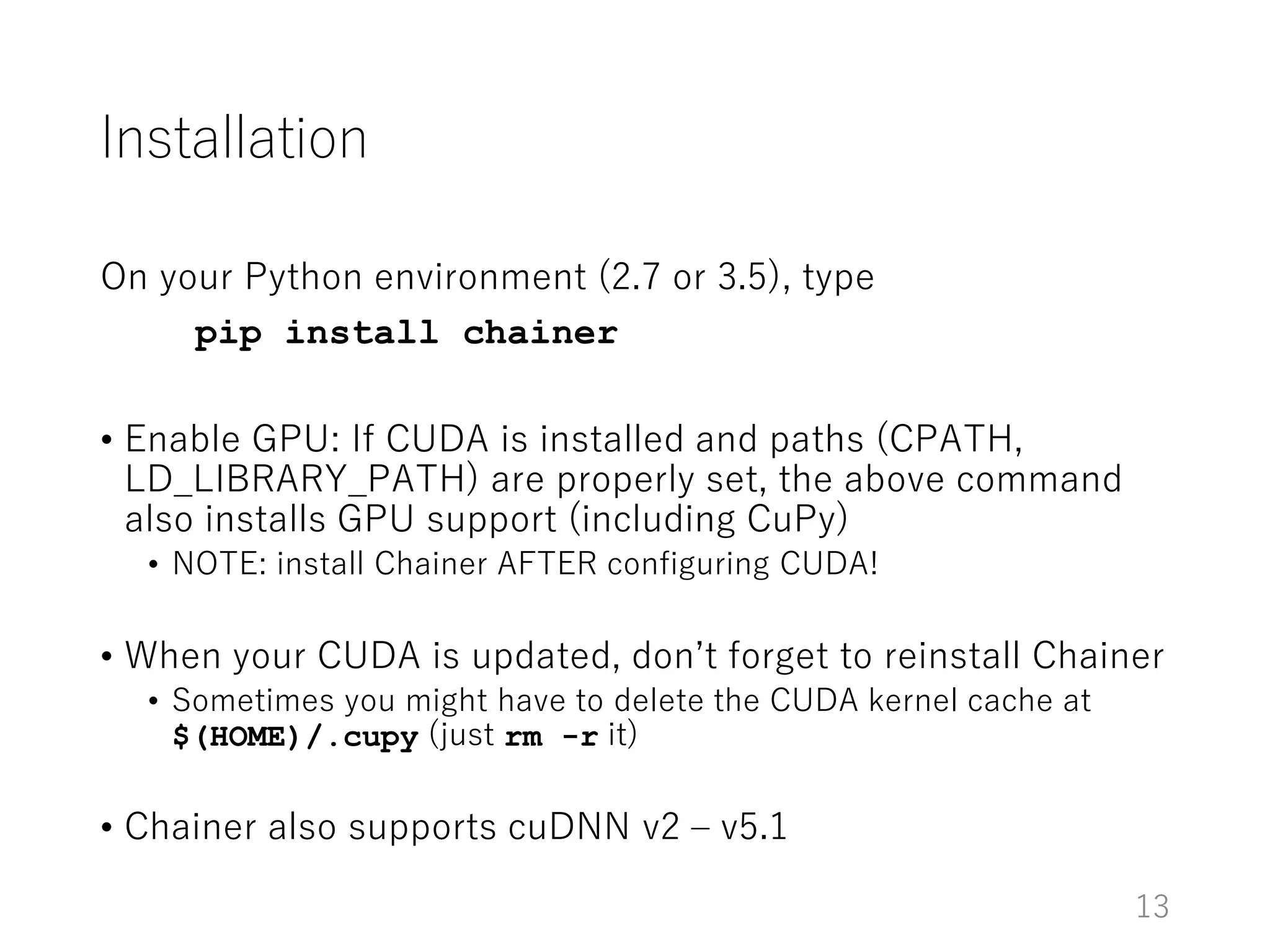
Installation
On your Python environment (2.7 or 3.5), type
pip install chainer
• Enable GPU: If CUDA is installed and paths (CPATH,
LD_LIBRARY_PATH) are properly set, the above command
also installs GPU support (including CuPy)
• NOTE: install Chainer AFTER configuring CUDA!
• When your CUDA is updated, don’t forget to reinstall Chainer
• Sometimes you might have to delete the CUDA kernel cache at
$(HOME)/.cupy (just rm -r it)
• Chainer also supports cuDNN v2 – v5.1
13
How to learn Chainer
Official tutorial
• Part of the official document (http://docs.chainer.org)
Official examples
• examples directory in the official repository
(https://github.com/pfnet/chainer)
14
Computational graph (CG) in Chainer
Chainer is based on dynamic CG construction
• CG is not built beforehand for the forward computation
• The forward computation is written like a regular program on
Variable and Function
• Variable remembers the history of computation = CG
• Backpropagation is done by walking through this CG
15
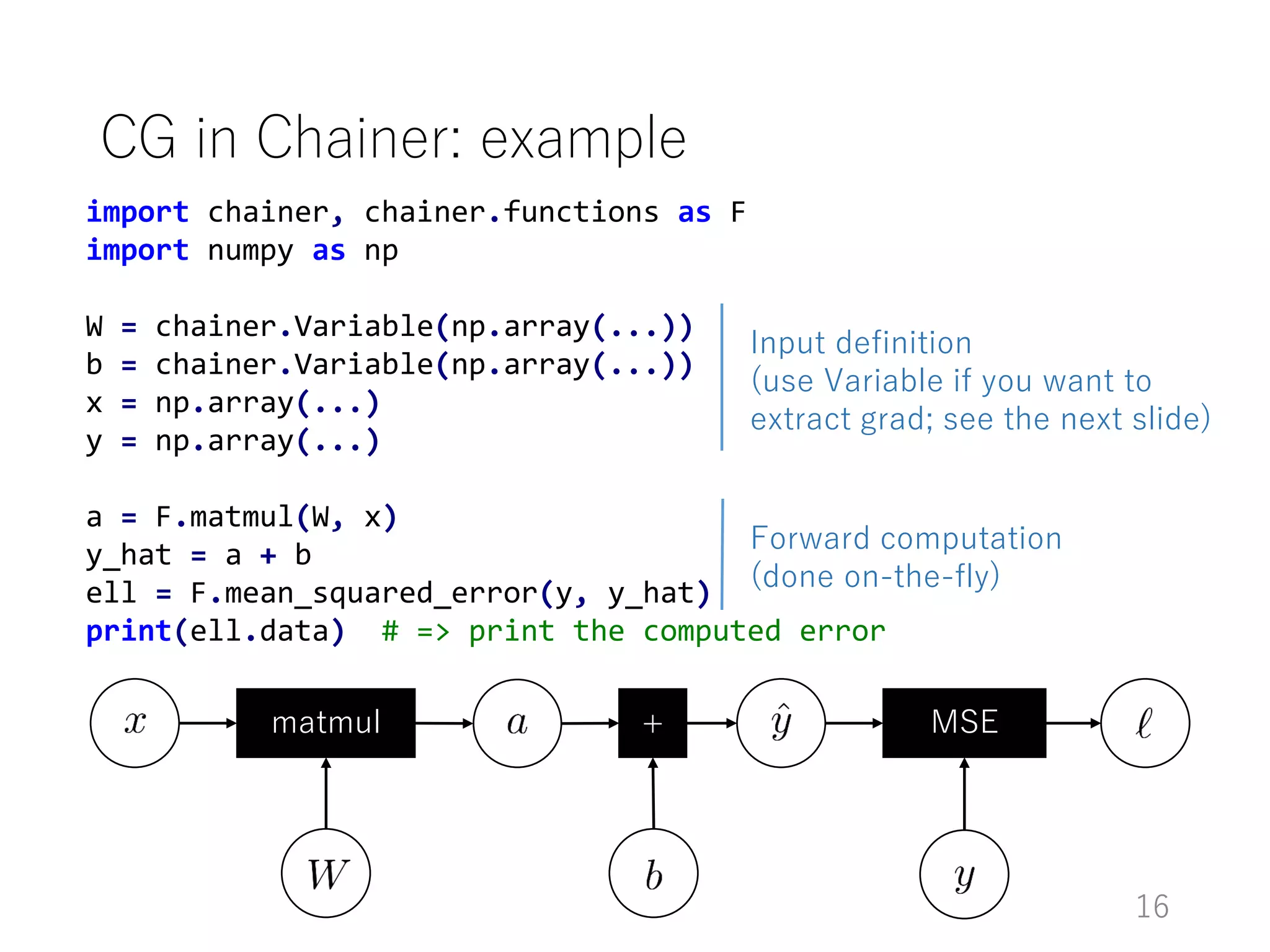
import chainer, chainer.functions as F
import numpy as np
W = chainer.Variable(np.array(...))
b = chainer.Variable(np.array(...))
x = np.array(...)
y = np.array(...)
a = F.matmul(W, x)
y_hat = a + b
ell = F.mean_squared_error(y, y_hat)
print(ell.data) # => print the computed error
CG in Chainer: example
matmul + MSE
Input definition
(use Variable if you want to
extract grad; see the next slide)
Forward computation
(done on-the-fly)
16
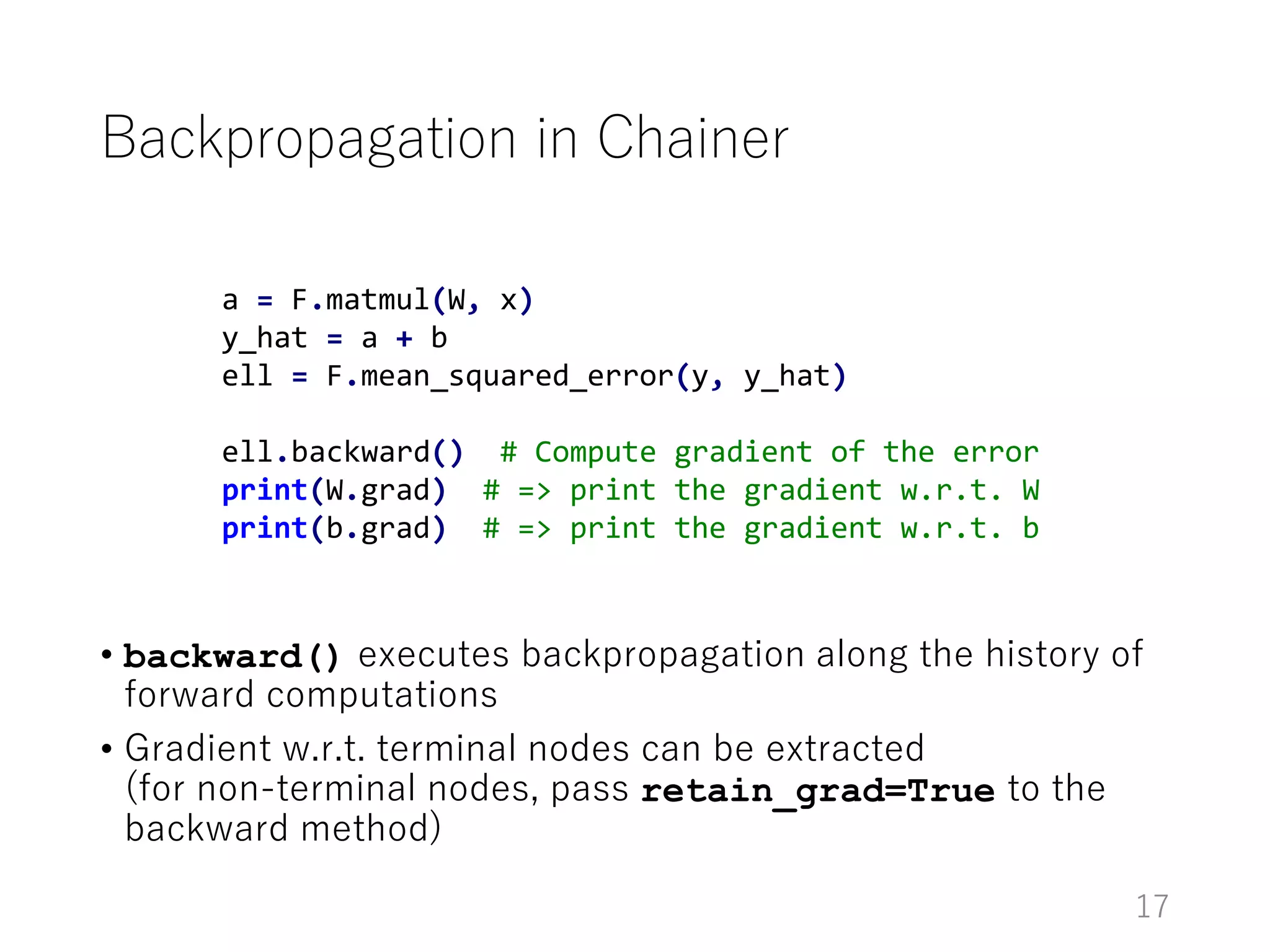
Backpropagation in Chainer
• backward() executes backpropagation along the history of
forward computations
• Gradient w.r.t. terminal nodes can be extracted
(for non-terminal nodes, pass retain_grad=True to the
backward method)
17
a = F.matmul(W, x)
y_hat = a + b
ell = F.mean_squared_error(y, y_hat)
ell.backward() # Compute gradient of the error
print(W.grad) # => print the gradient w.r.t. W
print(b.grad) # => print the gradient w.r.t. b
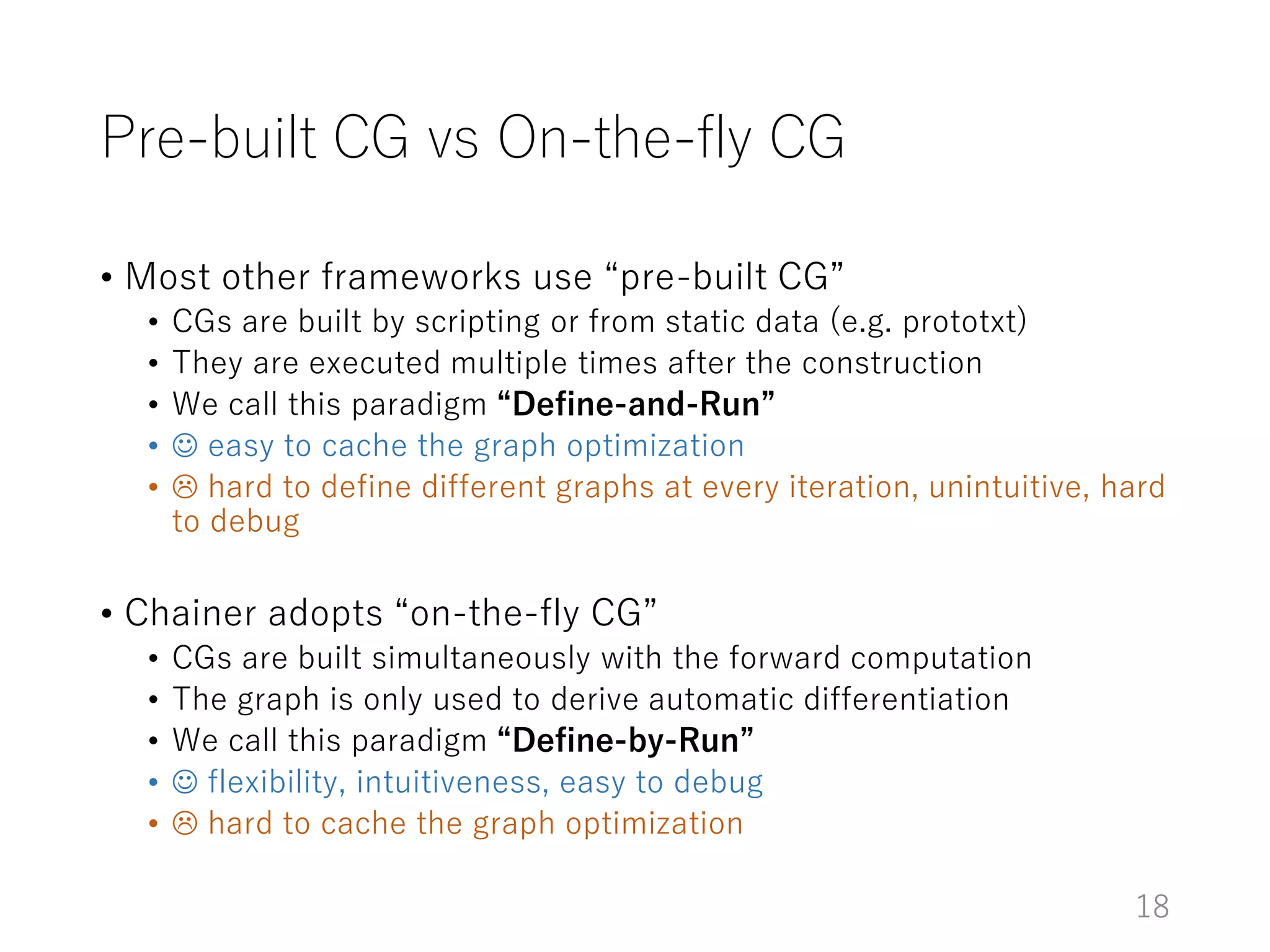
Pre-built CG vs On-the-fly CG
• Most other frameworks use “pre-built CG”
• CGs are built by scripting or from static data (e.g. prototxt)
• They are executed multiple times after the construction
• We call this paradigm “Define-and-Run”
•  easy to cache the graph optimization
•  hard to define different graphs at every iteration, unintuitive, hard
to debug
• Chainer adopts “on-the-fly CG”
• CGs are built simultaneously with the forward computation
• The graph is only used to derive automatic differentiation
• We call this paradigm “Define-by-Run”
•  flexibility, intuitiveness, easy to debug
•  hard to cache the graph optimization
18
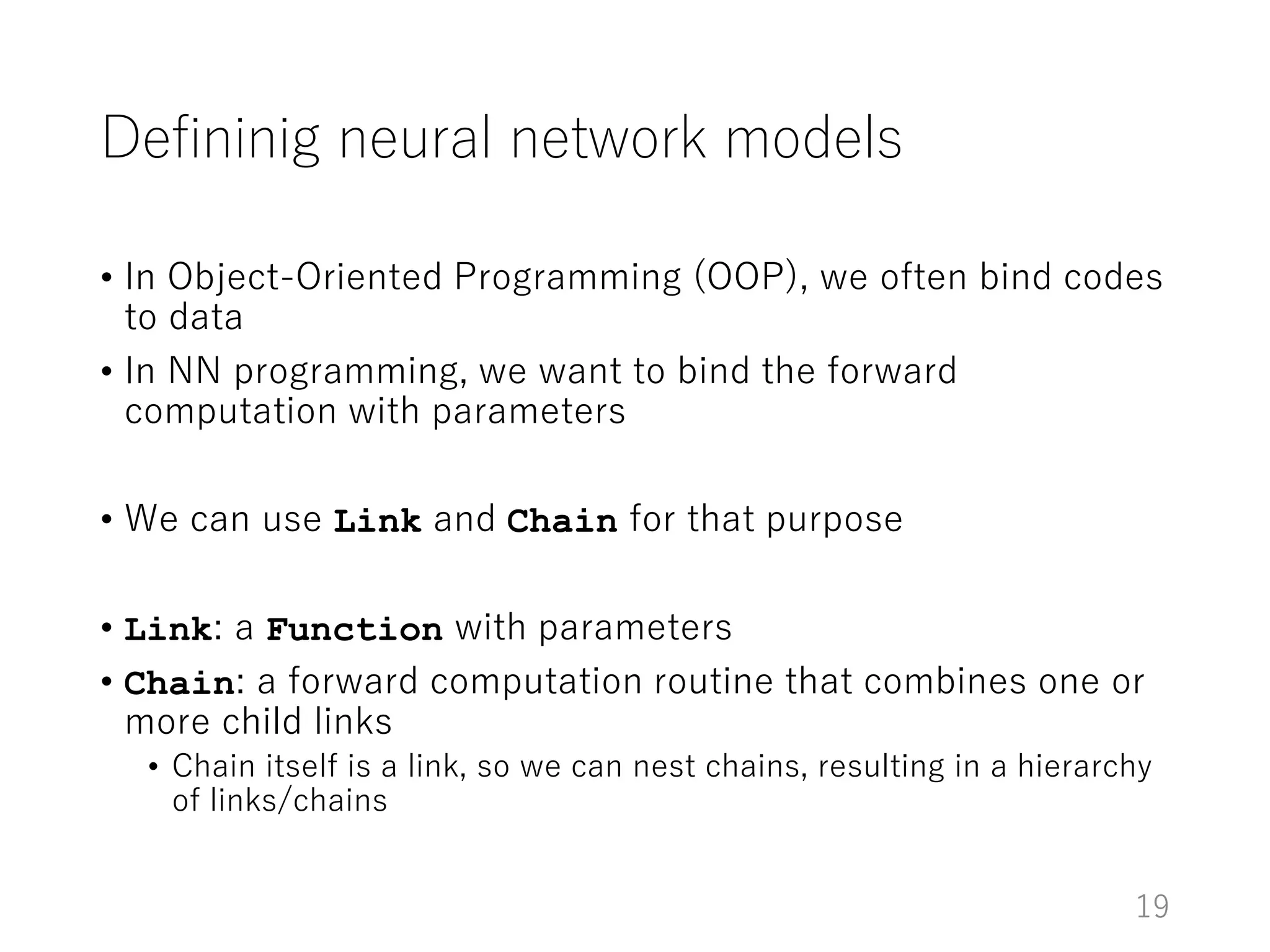
Defininig neural network models
• In Object-Oriented Programming (OOP), we often bind codes
to data
• In NN programming, we want to bind the forward
computation with parameters
• We can use Link and Chain for that purpose
• Link: a Function with parameters
• Chain: a forward computation routine that combines one or
more child links
• Chain itself is a link, so we can nest chains, resulting in a hierarchy
of links/chains
19
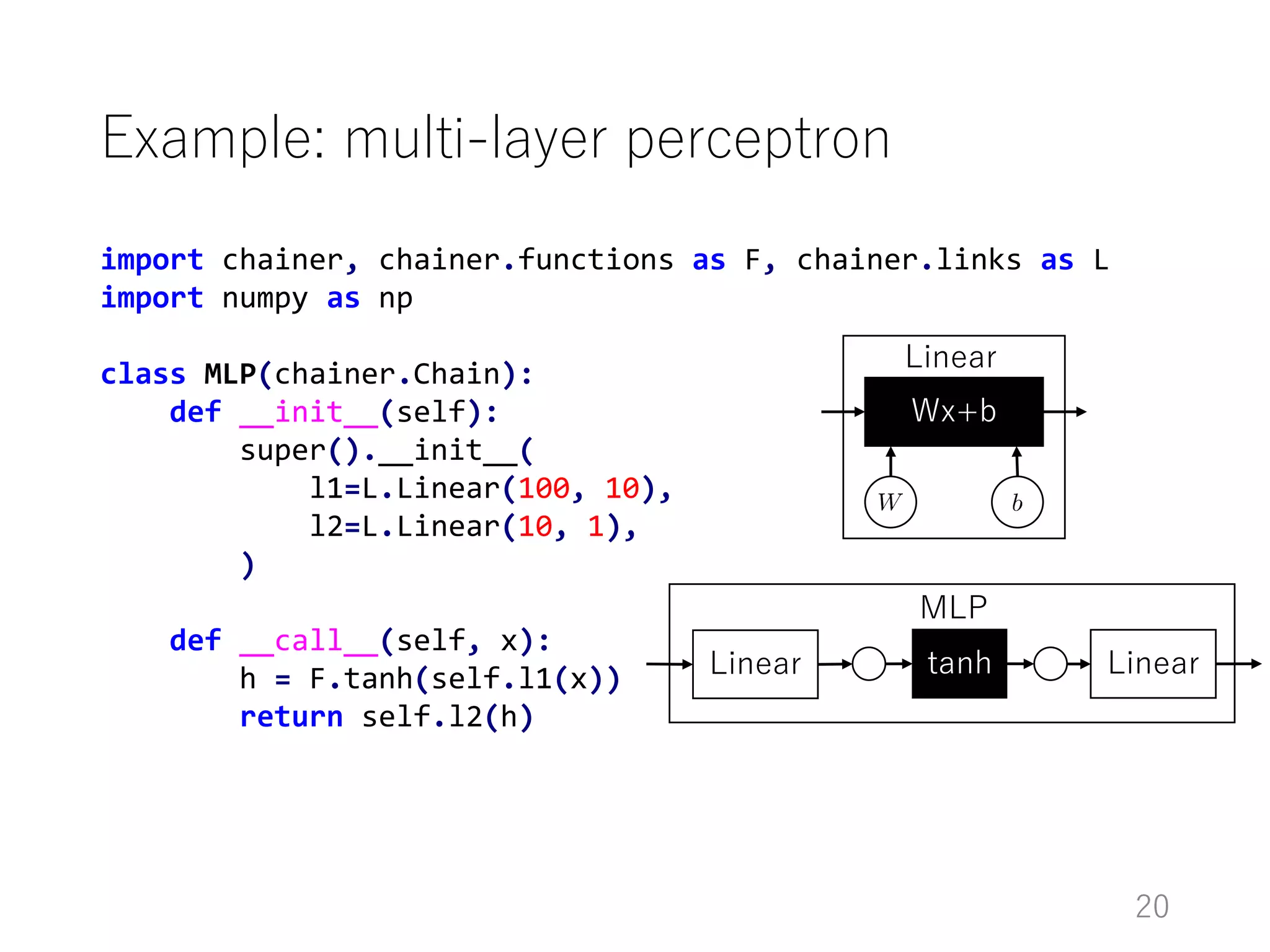
import chainer, chainer.functions as F, chainer.links as L
import numpy as np
class MLP(chainer.Chain):
def __init__(self):
super().__init__(
l1=L.Linear(100, 10),
l2=L.Linear(10, 1),
)
def __call__(self, x):
h = F.tanh(self.l1(x))
return self.l2(h)
Example: multi-layer perceptron
Wx+b
Linear
Linear
MLP
tanh Linear
20
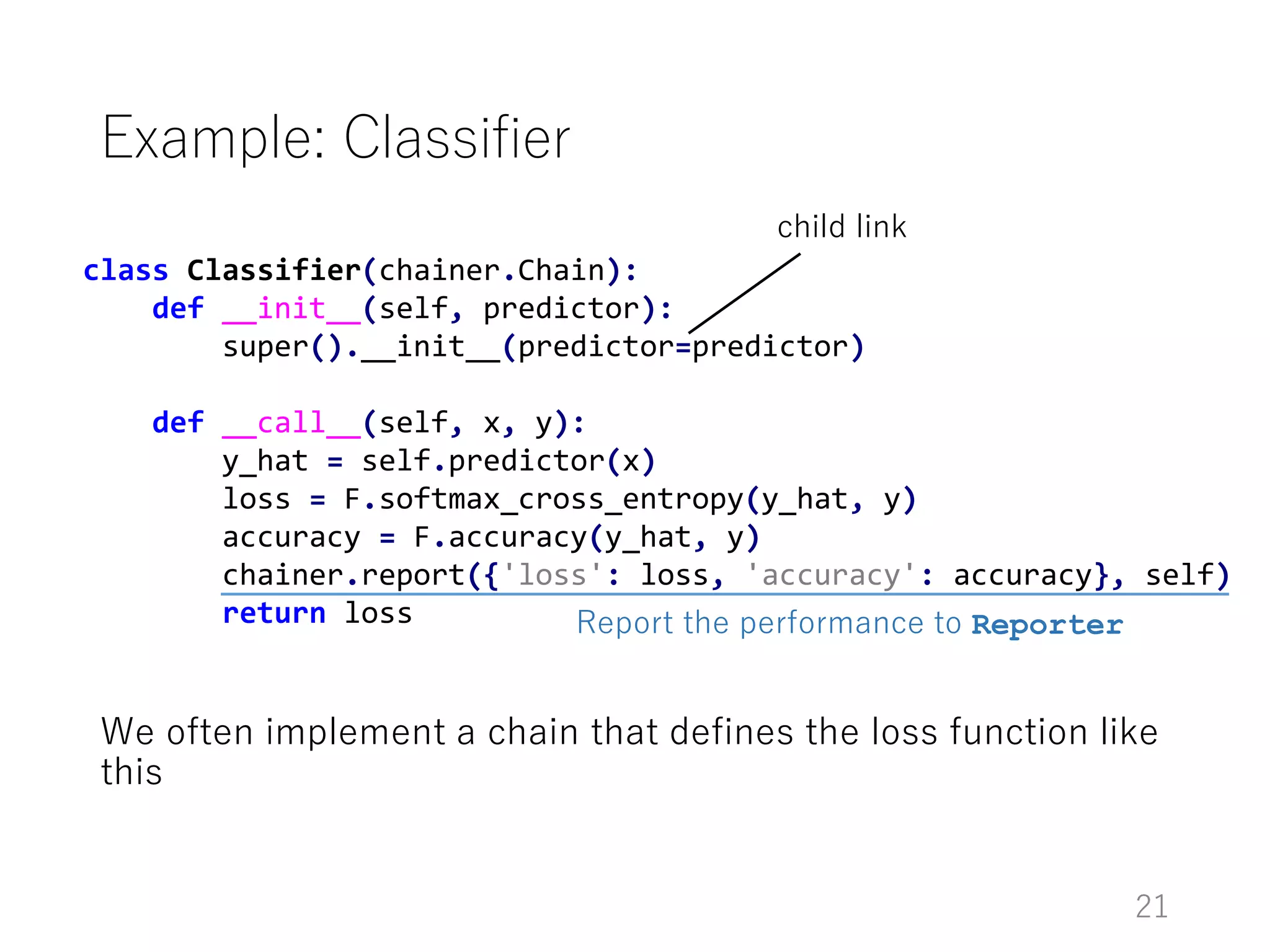
class Classifier(chainer.Chain):
def __init__(self, predictor):
super().__init__(predictor=predictor)
def __call__(self, x, y):
y_hat = self.predictor(x)
loss = F.softmax_cross_entropy(y_hat, y)
accuracy = F.accuracy(y_hat, y)
chainer.report({'loss': loss, 'accuracy': accuracy}, self)
return loss
Example: Classifier
We often implement a chain that defines the loss function like
this
child link
Report the performance to Reporter
21
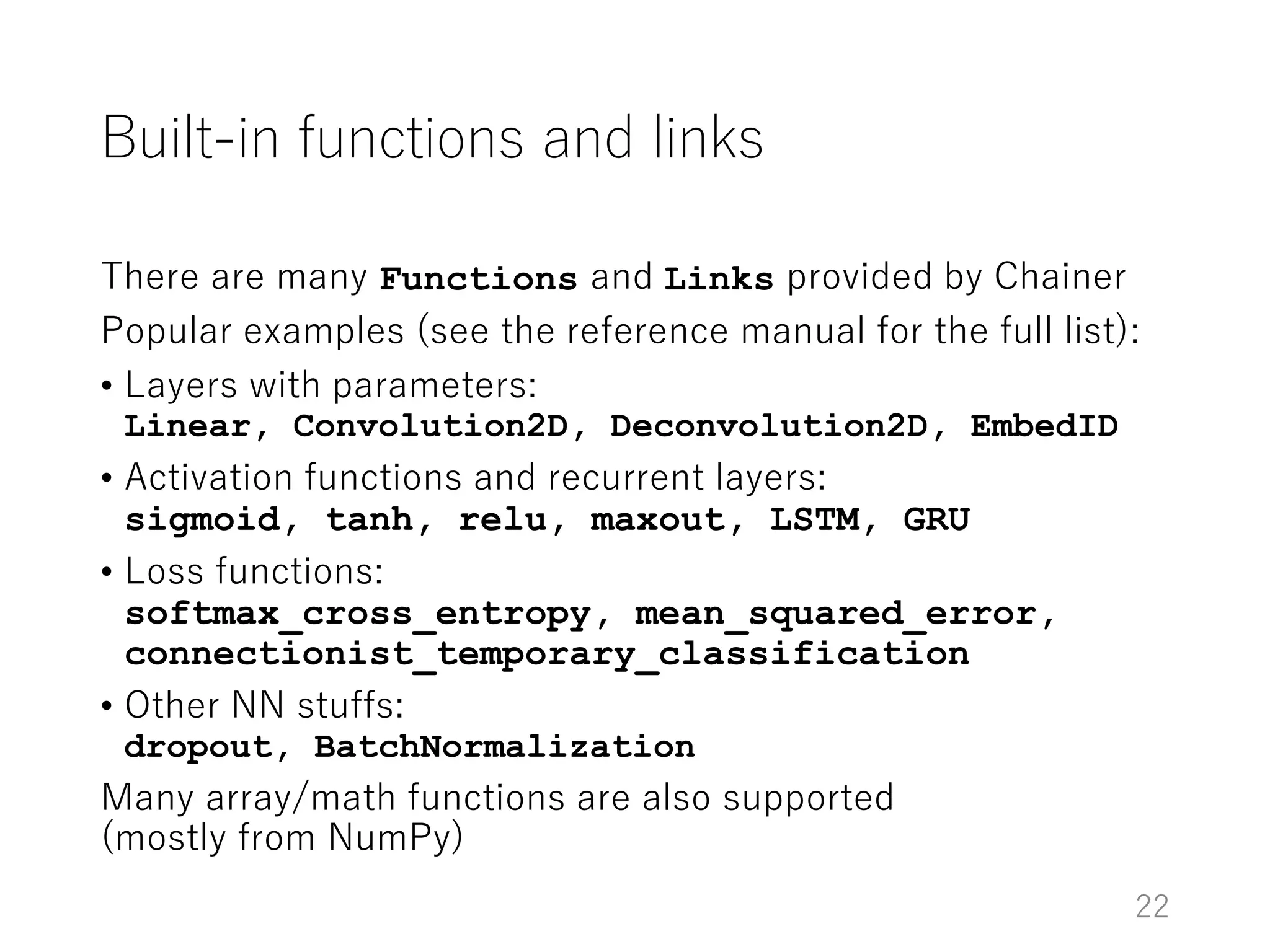
Built-in functions and links
There are many Functions and Links provided by Chainer
Popular examples (see the reference manual for the full list):
• Layers with parameters:
Linear, Convolution2D, Deconvolution2D, EmbedID
• Activation functions and recurrent layers:
sigmoid, tanh, relu, maxout, LSTM, GRU
• Loss functions:
softmax_cross_entropy, mean_squared_error,
connectionist_temporary_classification
• Other NN stuffs:
dropout, BatchNormalization
Many array/math functions are also supported
(mostly from NumPy)
22
Numerical optimization
• NNs are often trained with online gradient methods
• Stochastic Gradient Descent (SGD), momentum SGD, AdaGrad,
RMSprop, Adam, etc.
• Most of these optimizers need state vectors besides the parameters
(e.g. momentum, moving average of squared gradient, etc.)
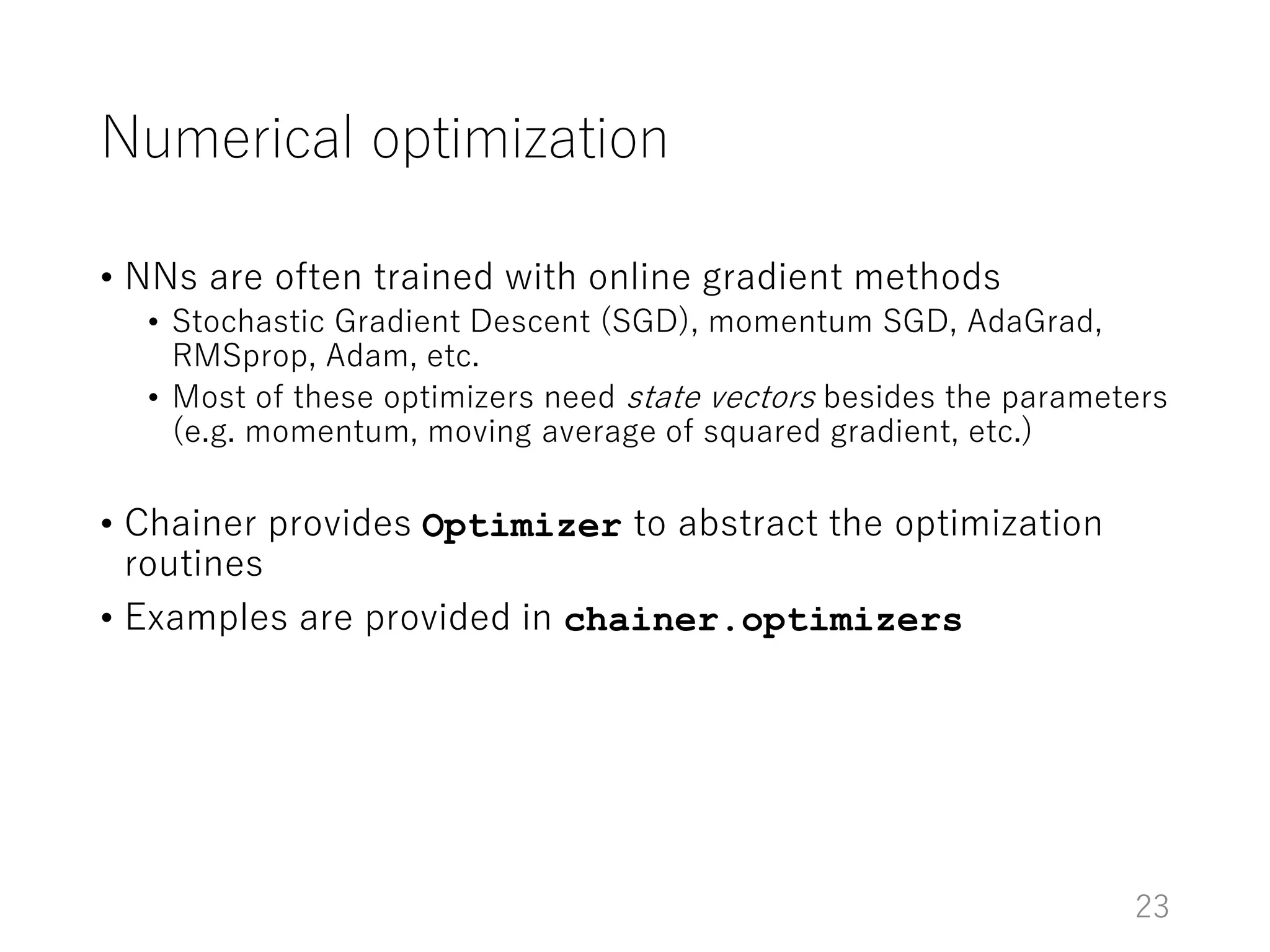
• Chainer provides Optimizer to abstract the optimization
routines
• Examples are provided in chainer.optimizers
23
Numerical optimization
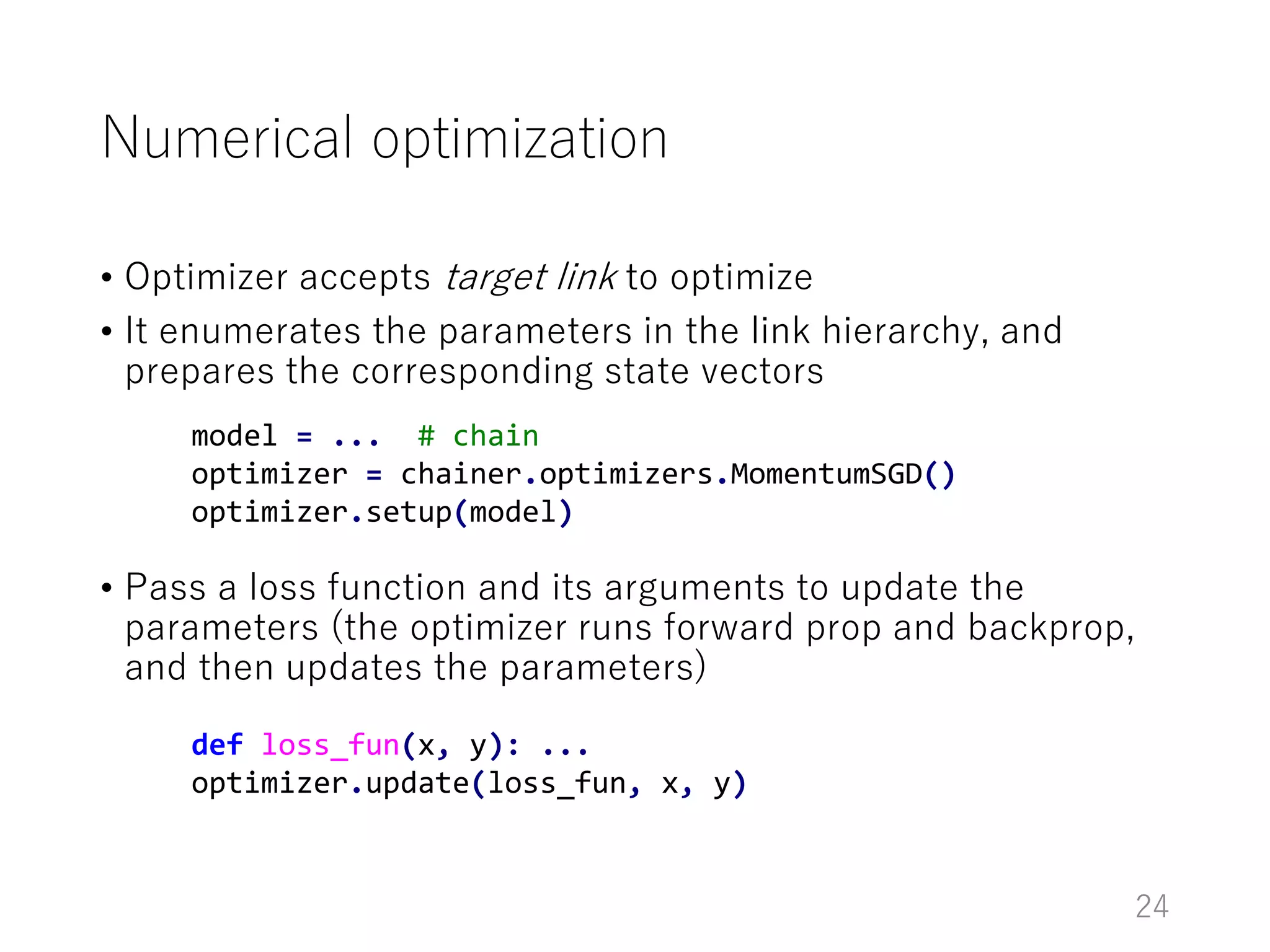
• Optimizer accepts target link to optimize
• It enumerates the parameters in the link hierarchy, and
prepares the corresponding state vectors
• Pass a loss function and its arguments to update the
parameters (the optimizer runs forward prop and backprop,
and then updates the parameters)
24
model = ... # chain
optimizer = chainer.optimizers.MomentumSGD()
optimizer.setup(model)
def loss_fun(x, y): ...
optimizer.update(loss_fun, x, y)
Training loop
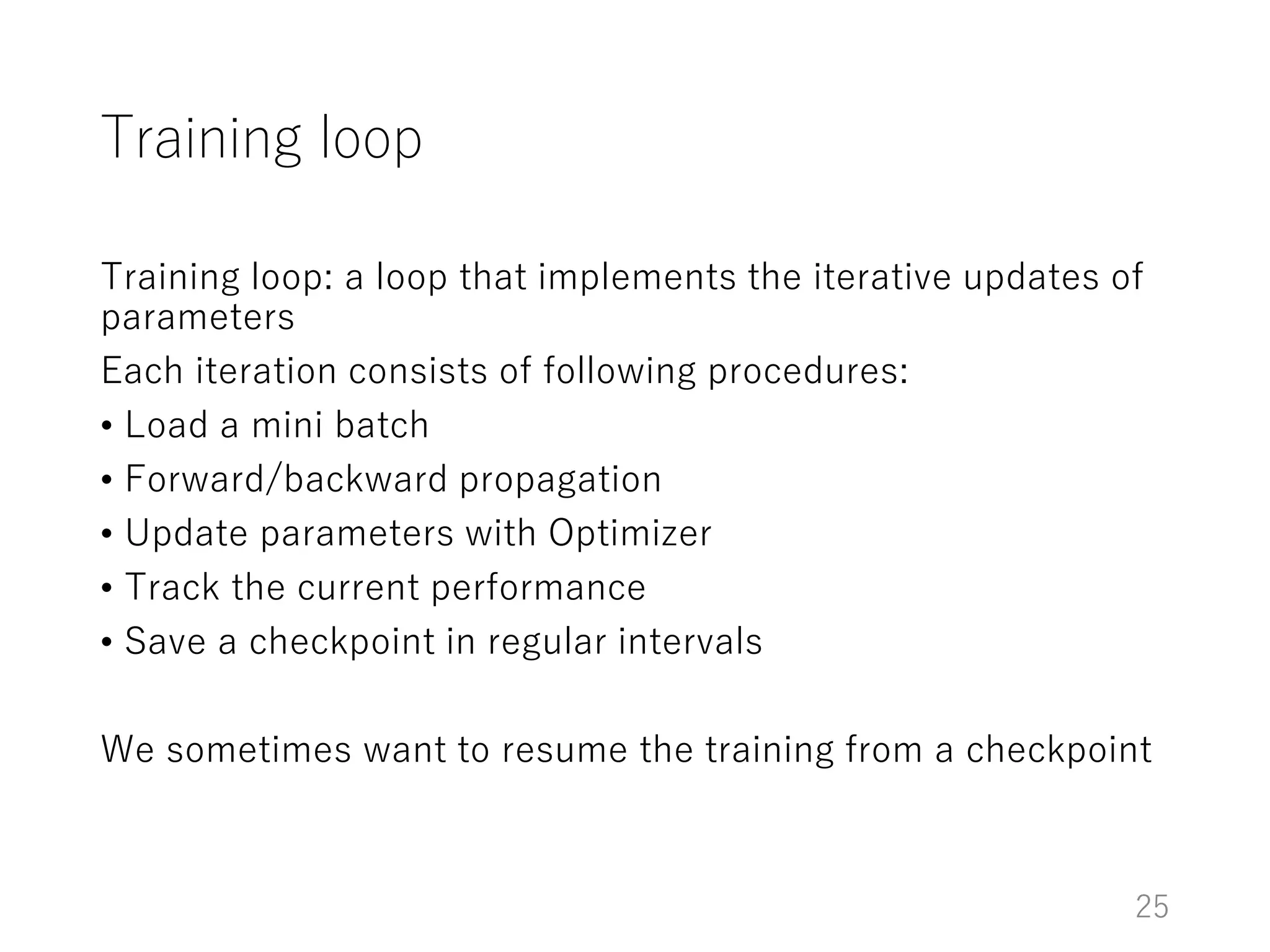
Training loop: a loop that implements the iterative updates of
parameters
Each iteration consists of following procedures:
• Load a mini batch
• Forward/backward propagation
• Update parameters with Optimizer
• Track the current performance
• Save a checkpoint in regular intervals
We sometimes want to resume the training from a checkpoint
25
Training loop abstraction
(new feature of v1.11)
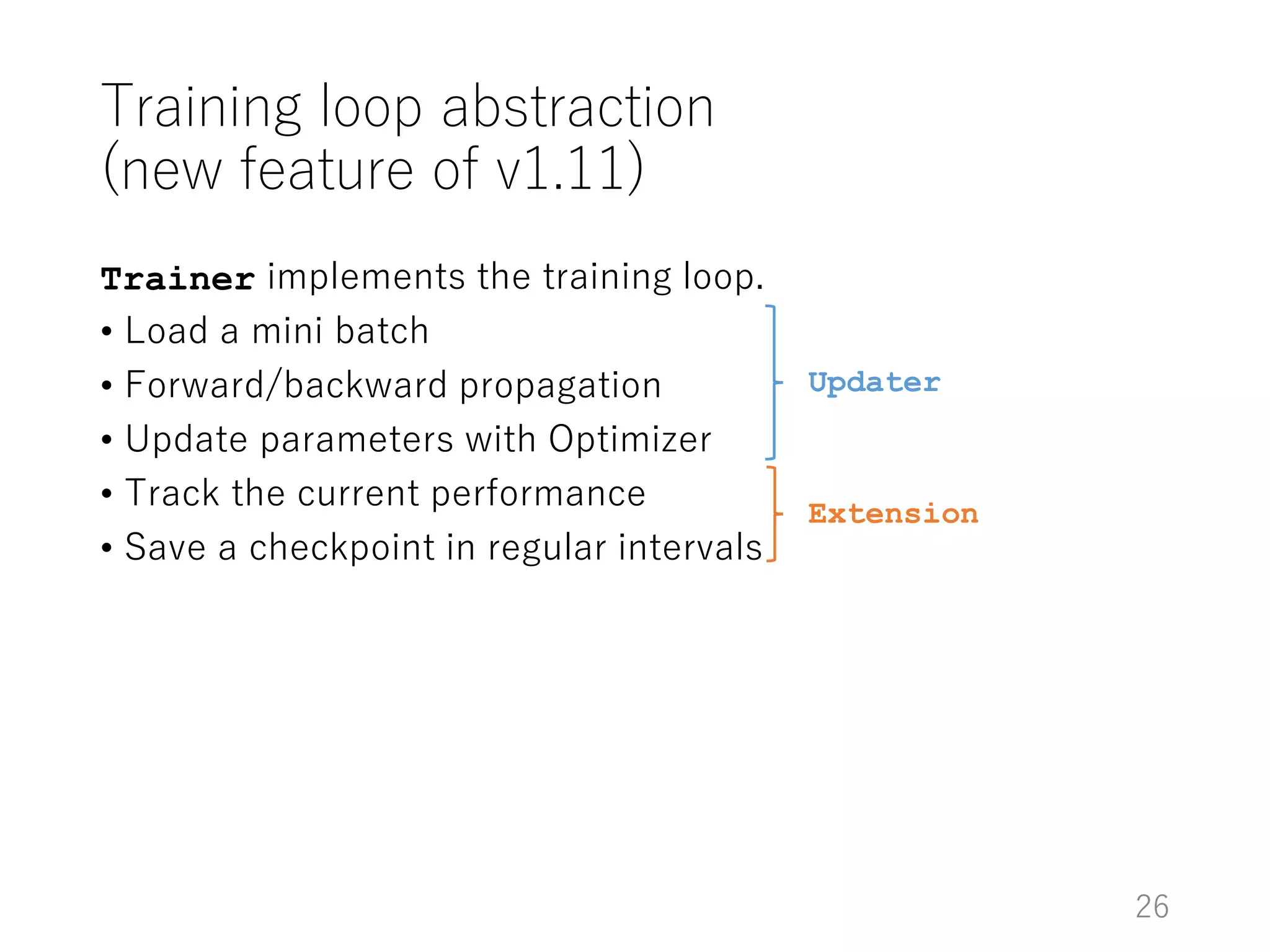
Trainer implements the training loop.
• Load a mini batch
• Forward/backward propagation
• Update parameters with Optimizer
• Track the current performance
• Save a checkpoint in regular intervals
Updater
Extension
26
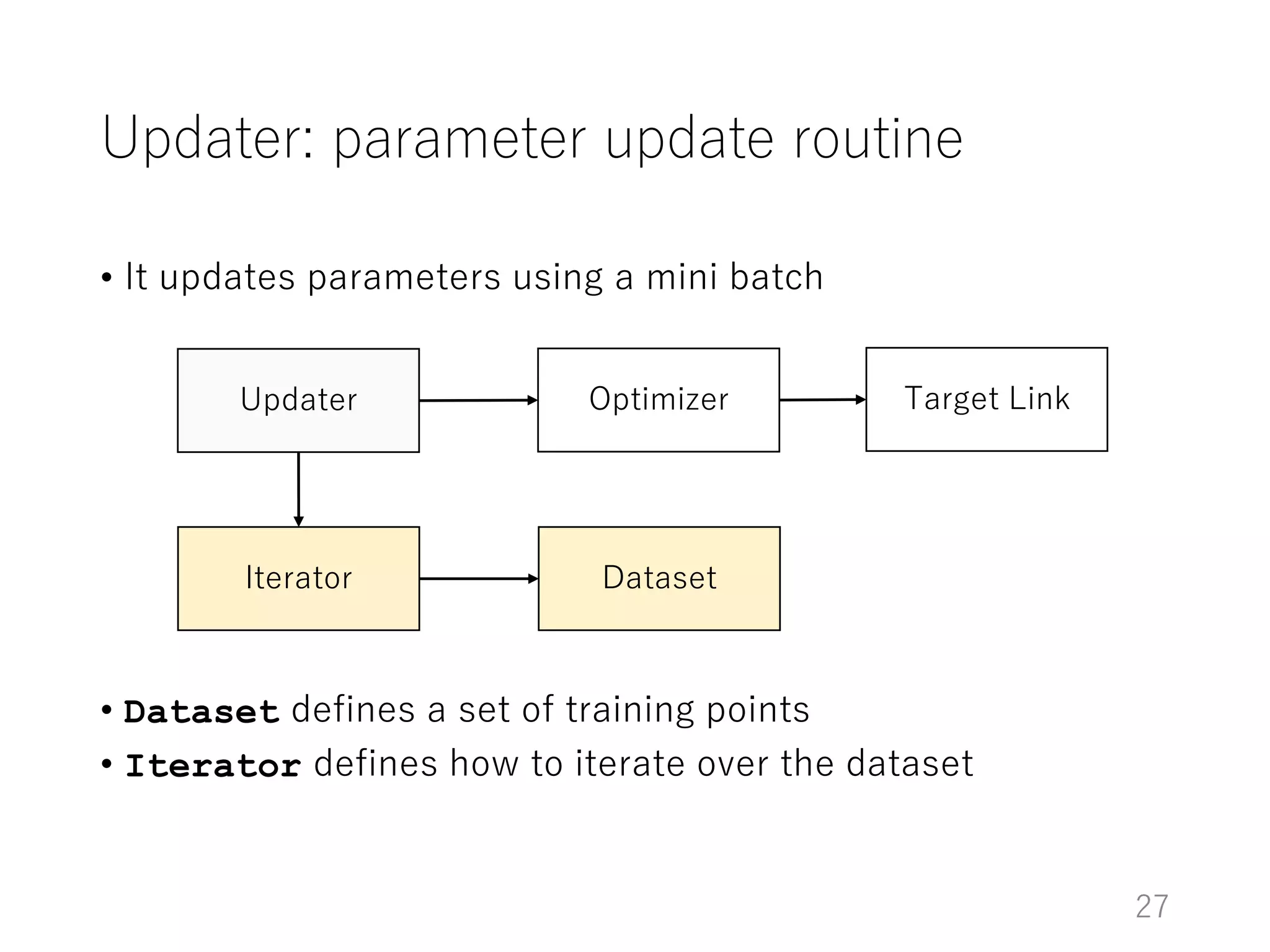
Updater: parameter update routine
• It updates parameters using a mini batch
• Dataset defines a set of training points
• Iterator defines how to iterate over the dataset
Updater Optimizer Target Link
Iterator Dataset
27
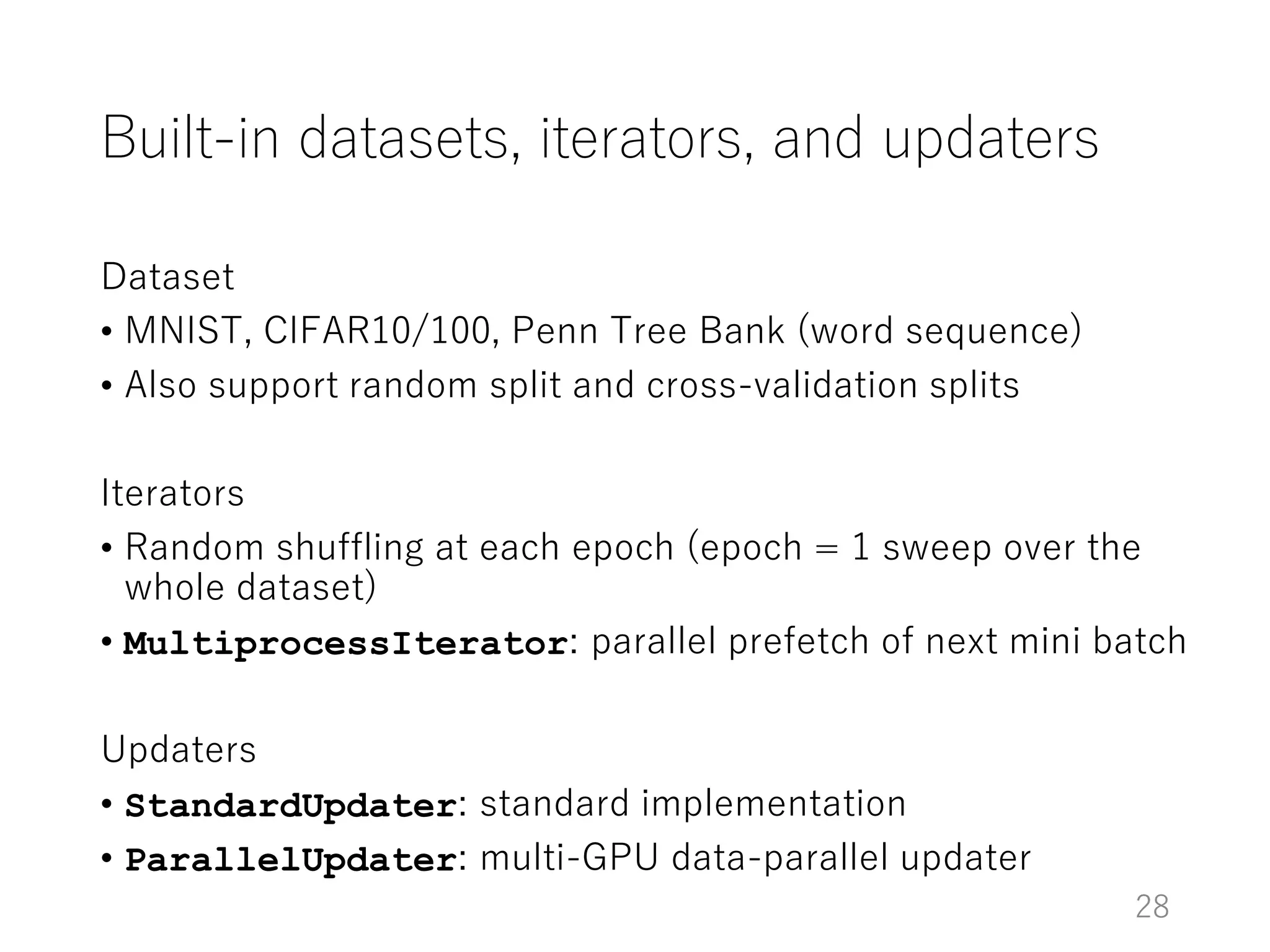
Built-in datasets, iterators, and updaters
Dataset
• MNIST, CIFAR10/100, Penn Tree Bank (word sequence)
• Also support random split and cross-validation splits
Iterators
• Random shuffling at each epoch (epoch = 1 sweep over the
whole dataset)
• MultiprocessIterator: parallel prefetch of next mini batch
Updaters
• StandardUpdater: standard implementation
• ParallelUpdater: multi-GPU data-parallel updater
28
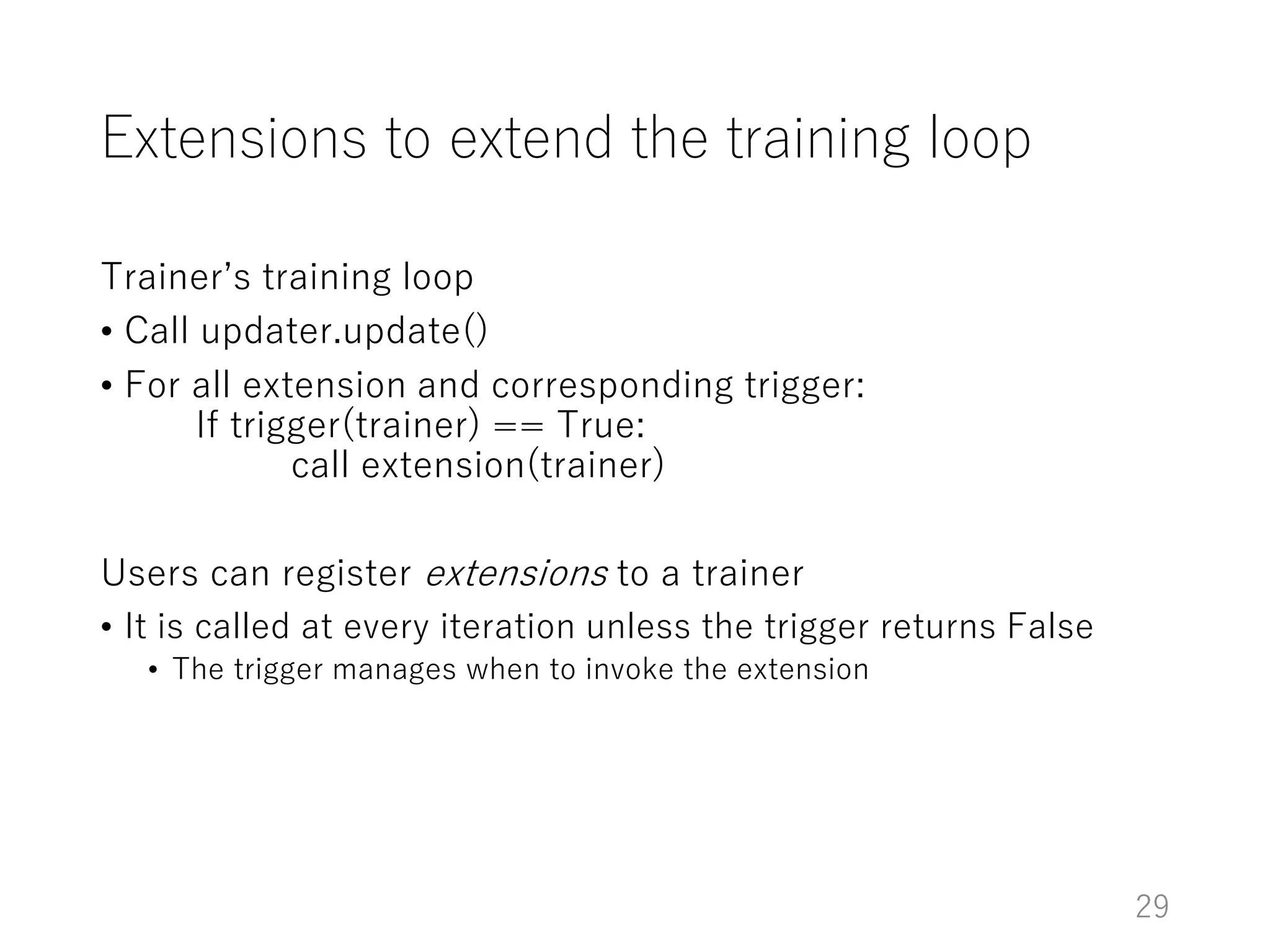
Extensions to extend the training loop
Trainer’s training loop
• Call updater.update()
• For all extension and corresponding trigger:
If trigger(trainer) == True:
call extension(trainer)
Users can register extensions to a trainer
• It is called at every iteration unless the trigger returns False
• The trigger manages when to invoke the extension
29
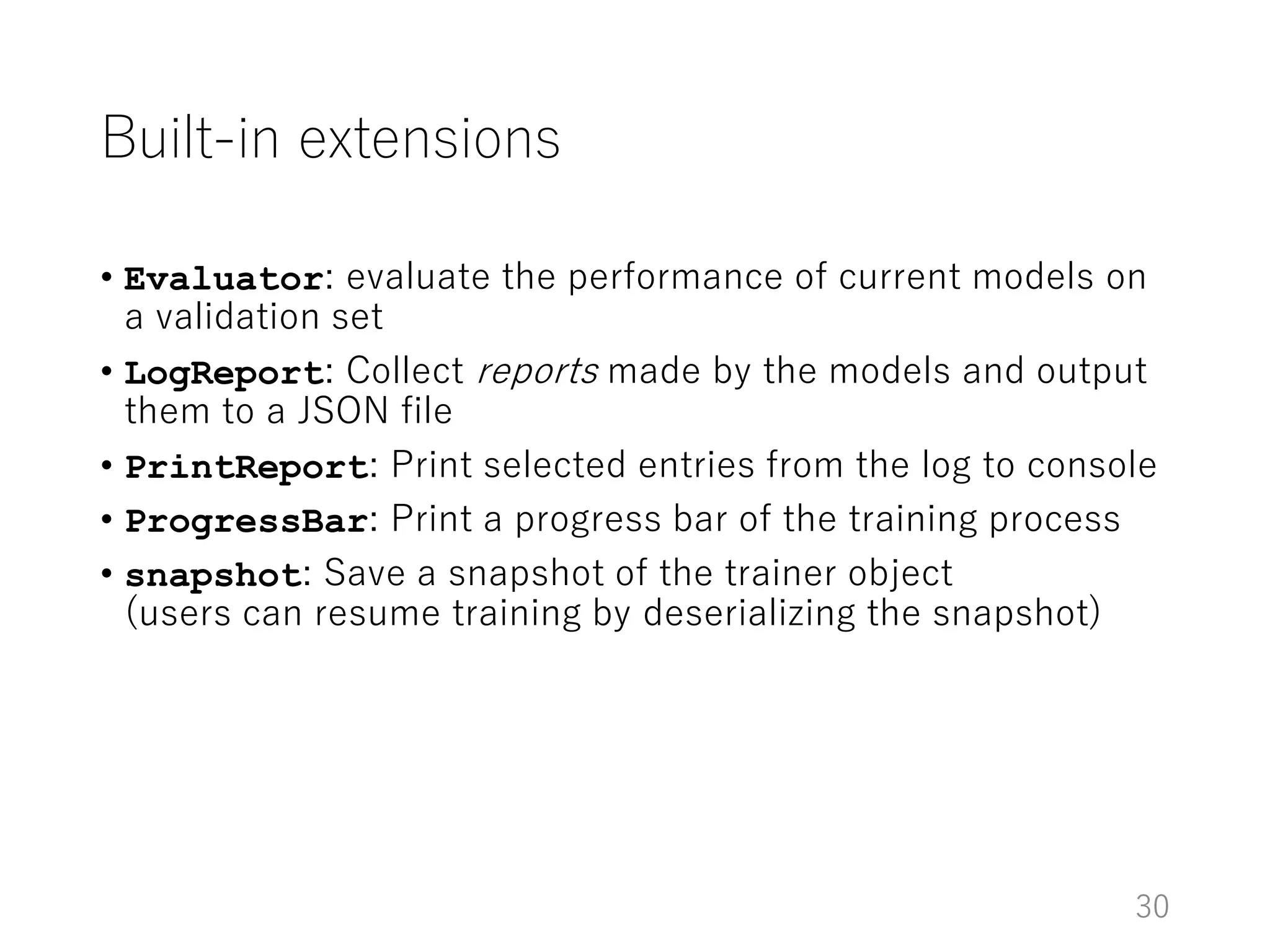
Built-in extensions
• Evaluator: evaluate the performance of current models on
a validation set
• LogReport: Collect reports made by the models and output
them to a JSON file
• PrintReport: Print selected entries from the log to console
• ProgressBar: Print a progress bar of the training process
• snapshot: Save a snapshot of the trainer object
(users can resume training by deserializing the snapshot)
30
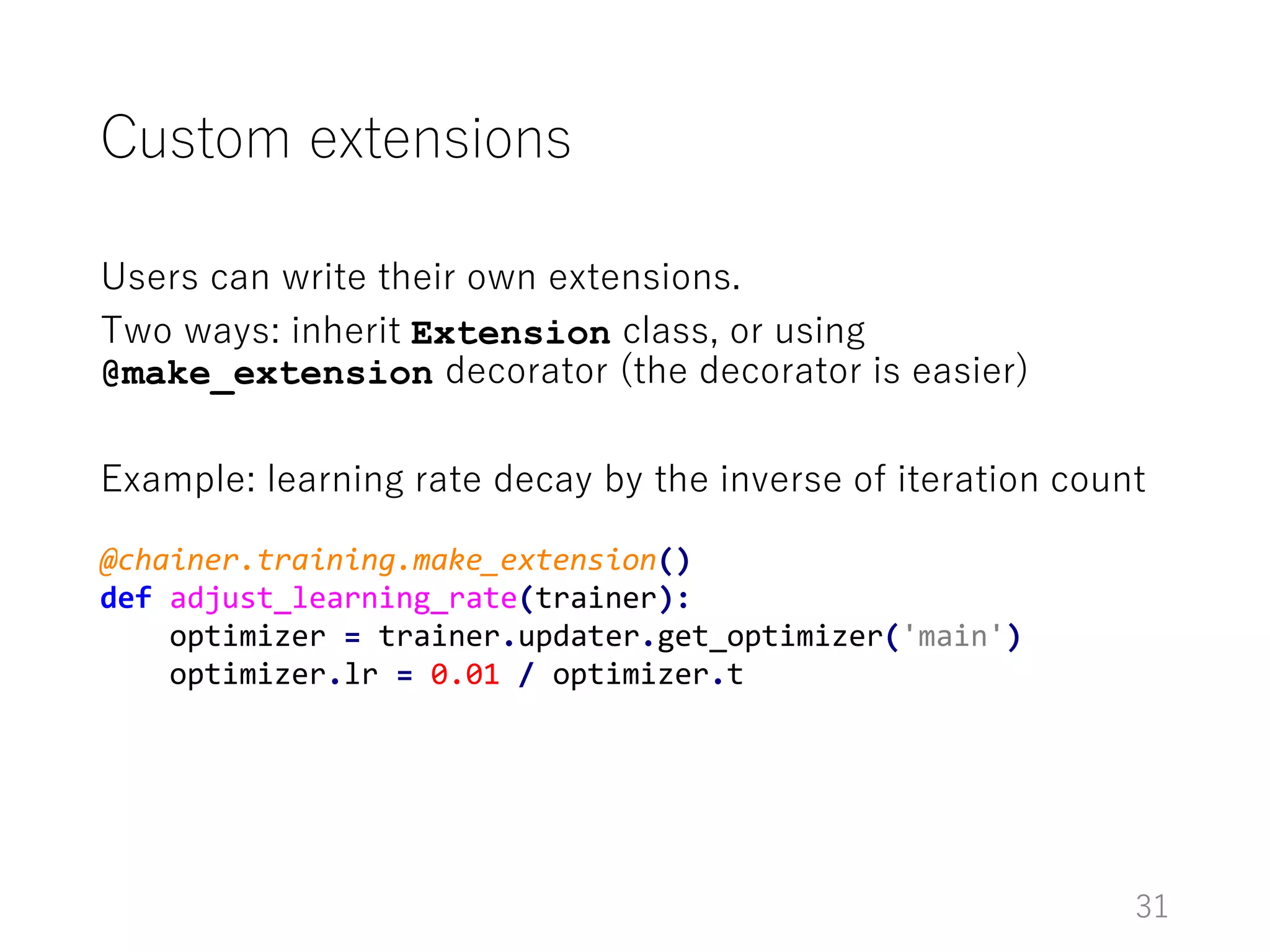
Custom extensions
Users can write their own extensions.
Two ways: inherit Extension class, or using
@make_extension decorator (the decorator is easier)
Example: learning rate decay by the inverse of iteration count
31
@chainer.training.make_extension()
def adjust_learning_rate(trainer):
optimizer = trainer.updater.get_optimizer('main')
optimizer.lr = 0.01 / optimizer.t
MNIST example
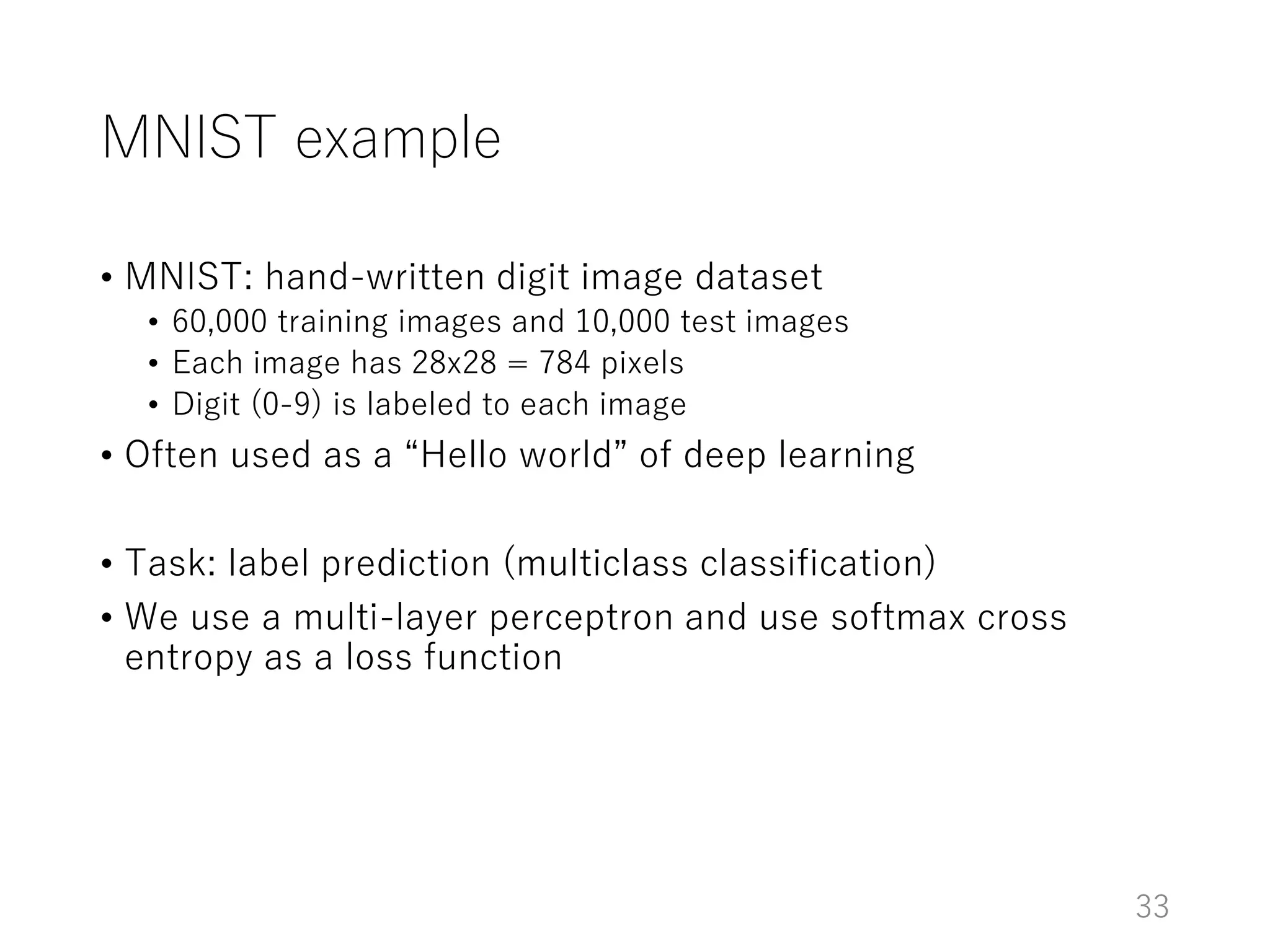
MNIST example
• MNIST: hand-written digit image dataset
• 60,000 training images and 10,000 test images
• Each image has 28x28 = 784 pixels
• Digit (0-9) is labeled to each image
• Often used as a “Hello world” of deep learning
• Task: label prediction (multiclass classification)
• We use a multi-layer perceptron and use softmax cross
entropy as a loss function
33
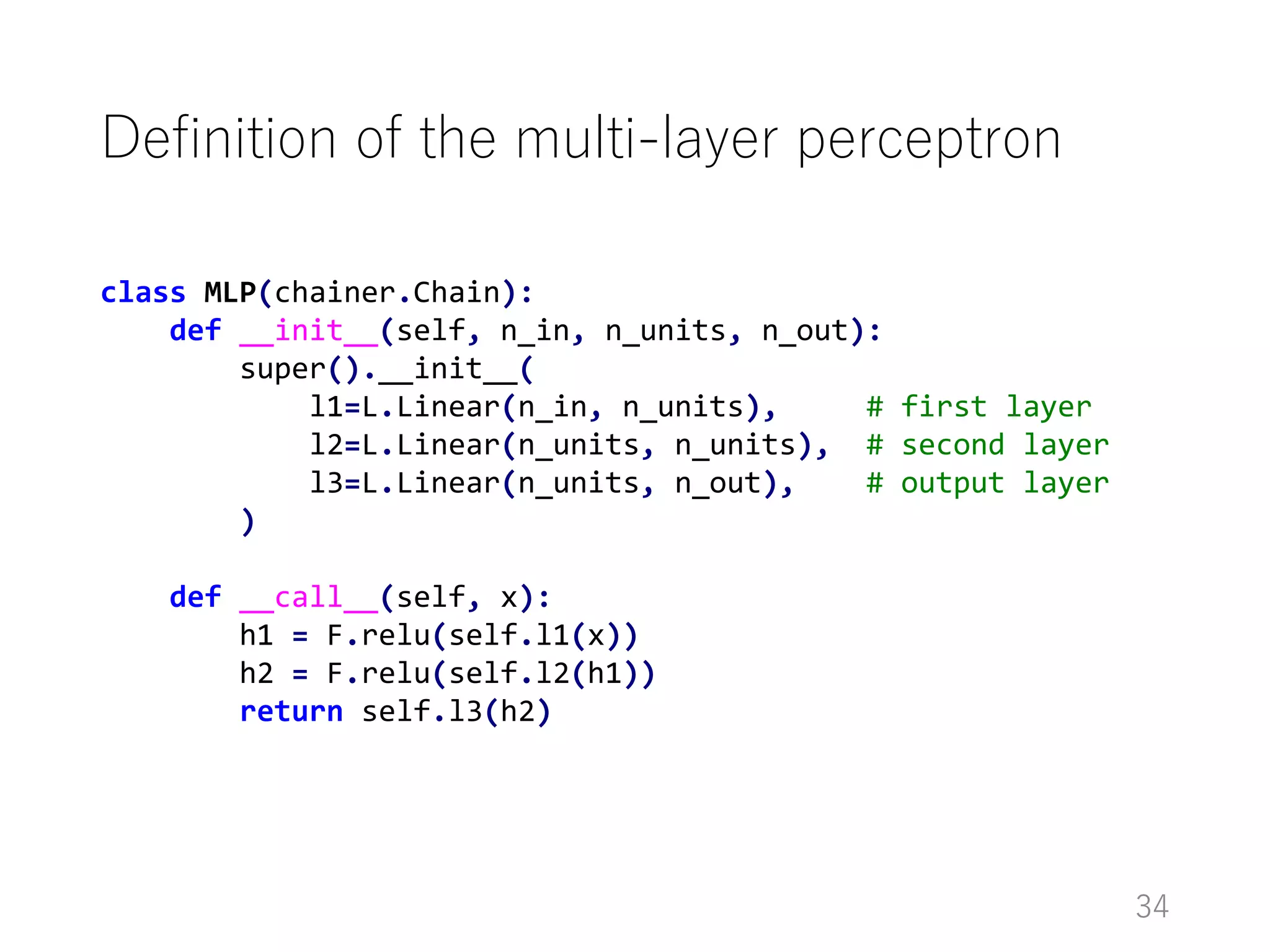
Definition of the multi-layer perceptron
34
class MLP(chainer.Chain):
def __init__(self, n_in, n_units, n_out):
super().__init__(
l1=L.Linear(n_in, n_units), # first layer
l2=L.Linear(n_units, n_units), # second layer
l3=L.Linear(n_units, n_out), # output layer
)
def __call__(self, x):
h1 = F.relu(self.l1(x))
h2 = F.relu(self.l2(h1))
return self.l3(h2)
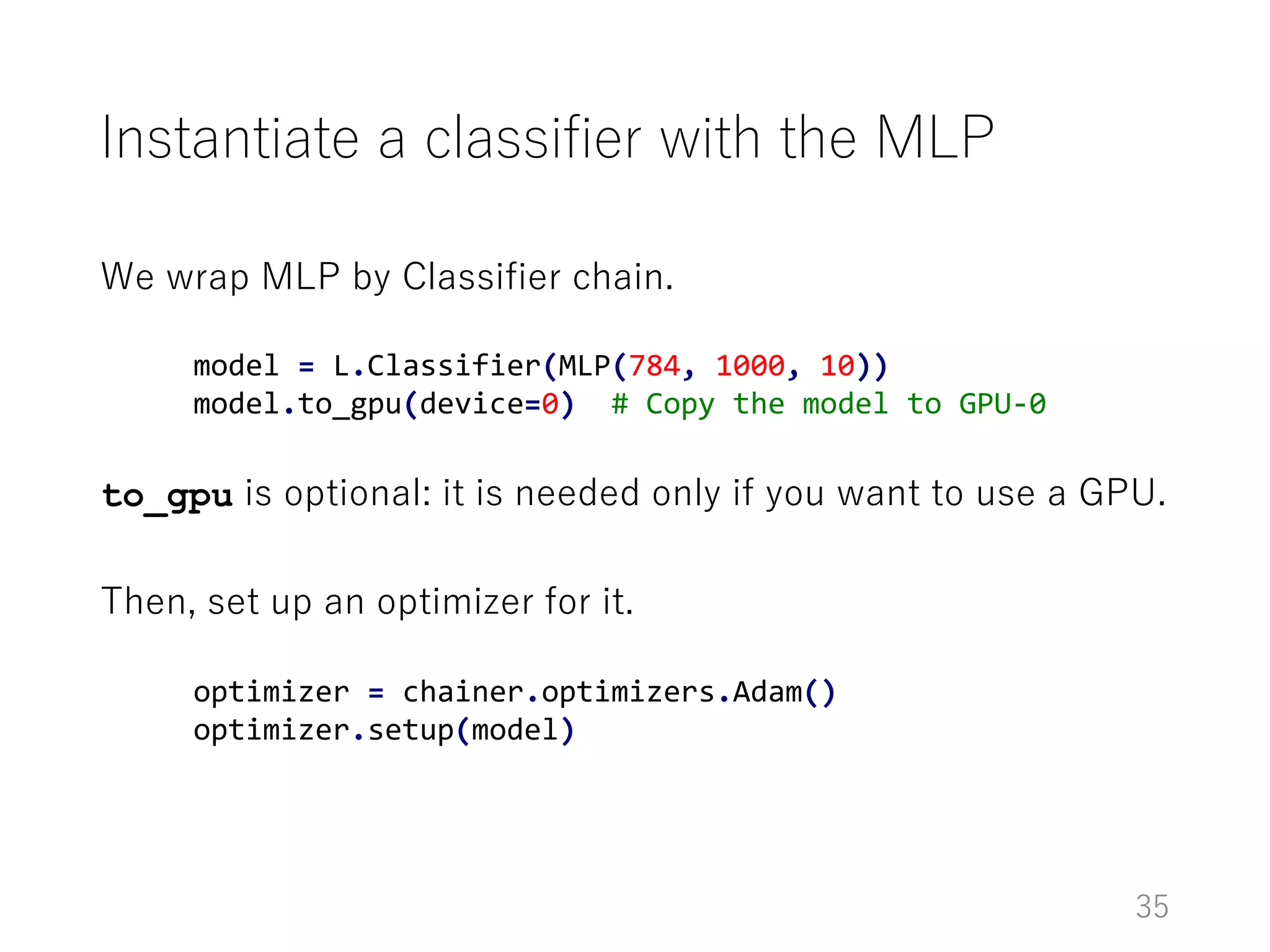
Instantiate a classifier with the MLP
We wrap MLP by Classifier chain.
to_gpu is optional: it is needed only if you want to use a GPU.
Then, set up an optimizer for it.
35
model = L.Classifier(MLP(784, 1000, 10))
model.to_gpu(device=0) # Copy the model to GPU-0
optimizer = chainer.optimizers.Adam()
optimizer.setup(model)
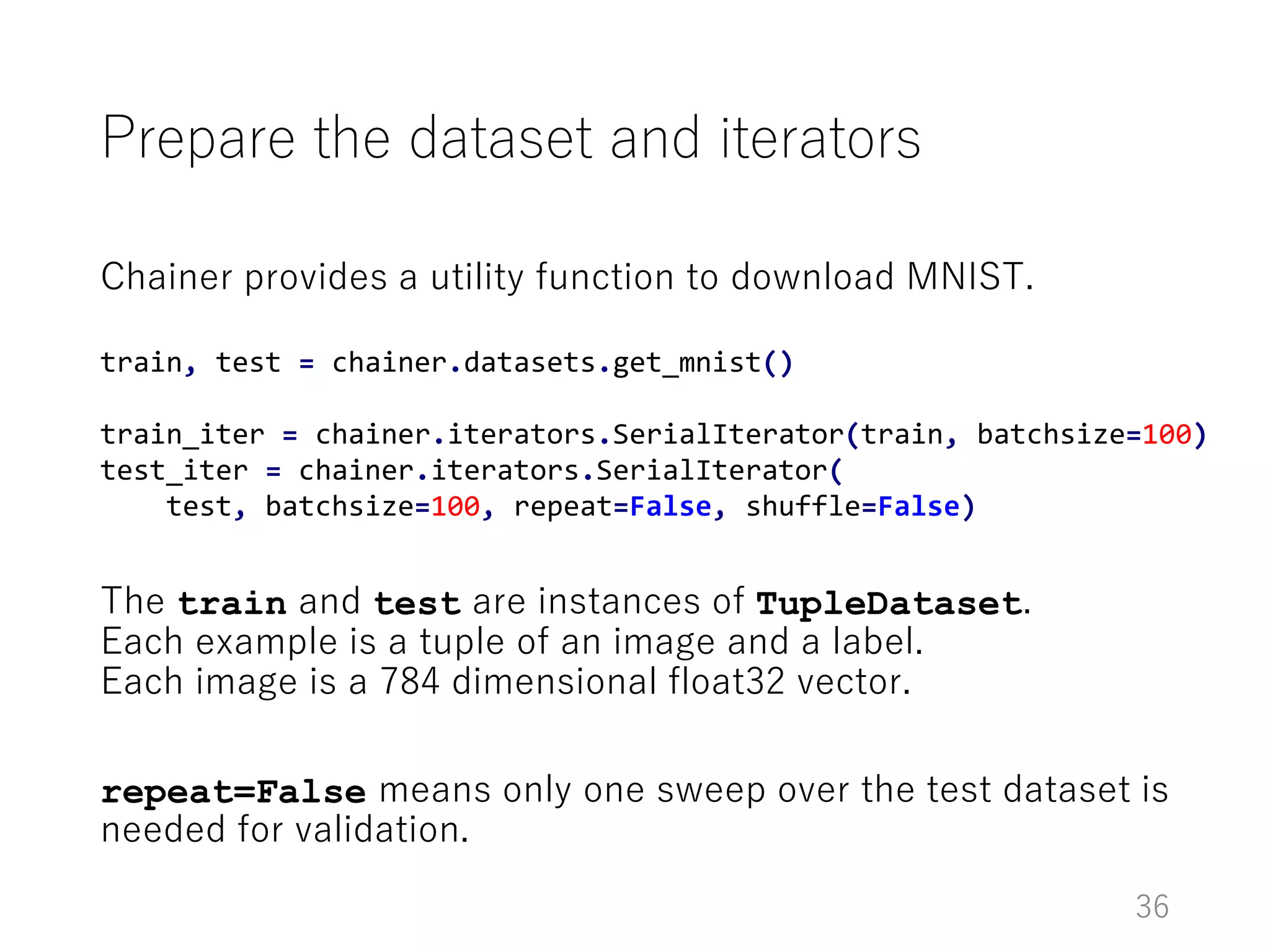
Prepare the dataset and iterators
Chainer provides a utility function to download MNIST.
The train and test are instances of TupleDataset.
Each example is a tuple of an image and a label.
Each image is a 784 dimensional float32 vector.
repeat=False means only one sweep over the test dataset is
needed for validation.
36
train, test = chainer.datasets.get_mnist()
train_iter = chainer.iterators.SerialIterator(train, batchsize=100)
test_iter = chainer.iterators.SerialIterator(
test, batchsize=100, repeat=False, shuffle=False)
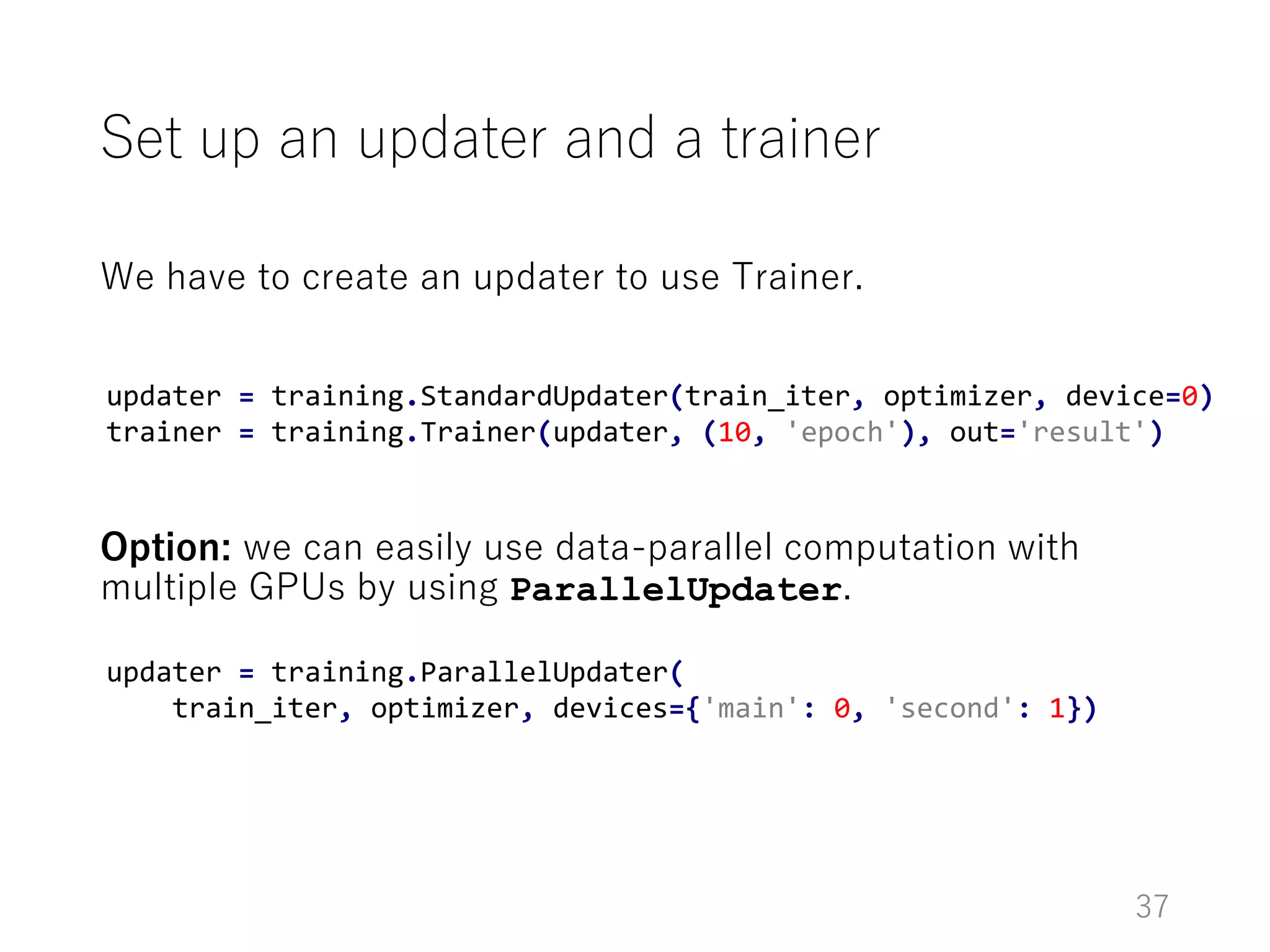
We have to create an updater to use Trainer.
Option: we can easily use data-parallel computation with
multiple GPUs by using ParallelUpdater.
Set up an updater and a trainer
37
updater = training.StandardUpdater(train_iter, optimizer, device=0)
trainer = training.Trainer(updater, (10, 'epoch'), out='result')
updater = training.ParallelUpdater(
train_iter, optimizer, devices={'main': 0, 'second': 1})
Add extensions
38
# Evaluate the model with the test set at the end of each epoch
trainer.extend(extensions.Evaluator(tests_iter, model, device=0))
# Save a snapshot of the trainer at the end of each epoch
trainer.extend(extensions.snapshot())
# Collect performance, save it to a log file,
# and print some entries to the console
trainer.extend(extensions.LogReport())
trainer.extend(extensions.PrintReport(
['epoch', 'main/loss', 'validation/main/loss',
'main/accuracy', 'validation/main/accuracy']))
# Print a progress bar
trainer.extend(extensions.ProgressBar())
Executes the training loop
39
Just call trainer.run.
DEMO: executing this trainer.
trainer.run()
Summary
• Computational graph is a crucial part of any deep learning
frameworks
• DL frameworks also contain high-level APIs
• Chainer provides both low-level APIs and high-level APIs
• Today, I introduced the computational graph in Chainer and
high-level APIs
• Almost any part of Chainer can be customized, so you can try
unusual workflow sometimes seen in cutting-edge DL
research
40

Introduction to Chainer

  • 1.
    Introduction to Chainer SeiyaTokui, July 20, 2016
  • 2.
    Outline • General conceptsof deep learning frameworks • Basics of Chainer (based on v1.11) • Walk through MNIST example 2
  • 3.
    General concepts Considerations andinternals of deep learning frameworks
  • 4.
    Why are frameworksneeded for neural networks (NN)? NN research requirements: • Flexibility in defining NN architectures • Fast trial-and-error • It means we want to automate programming as much as possible We want to automate • Automatic differentiation • CUDA programming • Efficient execution (computational optimization) • Boilerplates in training loops 4
  • 5.
    Core concept: computationalgraph (CG) • Directed acyclic graph (DAG) that represents how to compute output from input • Two types of representations • Data-operation graph (Theano, Chainer) • Operation graph (a.k.a. data-flow graph) (TensorFlow, Torch.nn) matmul + MSE Example: CG (data-operation grpah) for least-squares linear regression MSE: Mean Squared Error 5
  • 6.
    Automatic differentiation overa computational grpah • Gradient can be factorized by chain rules • Reducing the products of Jacobians one by one: automatic differentiation matmul + MSE (all factors are Jacobian) 6
  • 7.
    Backpropagation over acomputational graph Usually inputs (W, b) are larger than the output (loss), so reducing in right-fold way is computationally efficient. → Backpropagation (reverse-mode AD) Left-fold computation is called forward-mode AD or Real Time Recurrent Learning (in RNN literature) matmul + MSE (all factors are Jacobian) 7
  • 8.
    Deep learning frameworkstack Device-specific general routines (e.g. BLAS, CUDA, OpenCL, cuBLAS) Device-specific DL routines (e.g. cuDNN) Multi-dimensional array (e.g. Eigen::Tensor, NumPy, CuPy) Computational graph implementation Neural network abstraction Training/evaluation loop implementation “Low level API” “High level API” “Backend” 8
  • 9.
    Deep learning frameworkstack Device-specific general routines Device- specific DL routines Multi-dimensional array Computational graph implementation Neural network abstraction Training/evaluation loop implementation Theano TensorFlow Keras TFLearn Chainer CuPyTorch cuTorch Torch.nn 9
  • 10.
  • 11.
    Chainer • Open sourceframework for neural networks • First release: v1.0.0 (June, 2015) • Latest release: v1.11.0 (July, 2016) URLs: • GitHub: https://github.com/pfnet/chainer • Official site: http://chainer.org/ • Documentation: http://docs.chainer.org/ • Forum • English: https://groups.google.com/forum/#!forum/chainer • Japanese: https://groups.google.com/forum/#!forum/chainer-jp 11
  • 12.
    Basic information Chainer isa Python framework of neural networks. Components: • Backend / Low-level API • CuPy: GPU array library with NumPy-subset interface • Dynamic computational graph • High-level API • Model composition (links and chains) • Dataset abstraction • Training loop abstraction 12
  • 13.
    Installation On your Pythonenvironment (2.7 or 3.5), type pip install chainer • Enable GPU: If CUDA is installed and paths (CPATH, LD_LIBRARY_PATH) are properly set, the above command also installs GPU support (including CuPy) • NOTE: install Chainer AFTER configuring CUDA! • When your CUDA is updated, don’t forget to reinstall Chainer • Sometimes you might have to delete the CUDA kernel cache at $(HOME)/.cupy (just rm -r it) • Chainer also supports cuDNN v2 – v5.1 13
  • 14.
    How to learnChainer Official tutorial • Part of the official document (http://docs.chainer.org) Official examples • examples directory in the official repository (https://github.com/pfnet/chainer) 14
  • 15.
    Computational graph (CG)in Chainer Chainer is based on dynamic CG construction • CG is not built beforehand for the forward computation • The forward computation is written like a regular program on Variable and Function • Variable remembers the history of computation = CG • Backpropagation is done by walking through this CG 15
  • 16.
    import chainer, chainer.functionsas F import numpy as np W = chainer.Variable(np.array(...)) b = chainer.Variable(np.array(...)) x = np.array(...) y = np.array(...) a = F.matmul(W, x) y_hat = a + b ell = F.mean_squared_error(y, y_hat) print(ell.data) # => print the computed error CG in Chainer: example matmul + MSE Input definition (use Variable if you want to extract grad; see the next slide) Forward computation (done on-the-fly) 16
  • 17.
    Backpropagation in Chainer •backward() executes backpropagation along the history of forward computations • Gradient w.r.t. terminal nodes can be extracted (for non-terminal nodes, pass retain_grad=True to the backward method) 17 a = F.matmul(W, x) y_hat = a + b ell = F.mean_squared_error(y, y_hat) ell.backward() # Compute gradient of the error print(W.grad) # => print the gradient w.r.t. W print(b.grad) # => print the gradient w.r.t. b
  • 18.
    Pre-built CG vsOn-the-fly CG • Most other frameworks use “pre-built CG” • CGs are built by scripting or from static data (e.g. prototxt) • They are executed multiple times after the construction • We call this paradigm “Define-and-Run” •  easy to cache the graph optimization •  hard to define different graphs at every iteration, unintuitive, hard to debug • Chainer adopts “on-the-fly CG” • CGs are built simultaneously with the forward computation • The graph is only used to derive automatic differentiation • We call this paradigm “Define-by-Run” •  flexibility, intuitiveness, easy to debug •  hard to cache the graph optimization 18
  • 19.
    Defininig neural networkmodels • In Object-Oriented Programming (OOP), we often bind codes to data • In NN programming, we want to bind the forward computation with parameters • We can use Link and Chain for that purpose • Link: a Function with parameters • Chain: a forward computation routine that combines one or more child links • Chain itself is a link, so we can nest chains, resulting in a hierarchy of links/chains 19
  • 20.
    import chainer, chainer.functionsas F, chainer.links as L import numpy as np class MLP(chainer.Chain): def __init__(self): super().__init__( l1=L.Linear(100, 10), l2=L.Linear(10, 1), ) def __call__(self, x): h = F.tanh(self.l1(x)) return self.l2(h) Example: multi-layer perceptron Wx+b Linear Linear MLP tanh Linear 20
  • 21.
    class Classifier(chainer.Chain): def __init__(self,predictor): super().__init__(predictor=predictor) def __call__(self, x, y): y_hat = self.predictor(x) loss = F.softmax_cross_entropy(y_hat, y) accuracy = F.accuracy(y_hat, y) chainer.report({'loss': loss, 'accuracy': accuracy}, self) return loss Example: Classifier We often implement a chain that defines the loss function like this child link Report the performance to Reporter 21
  • 22.
    Built-in functions andlinks There are many Functions and Links provided by Chainer Popular examples (see the reference manual for the full list): • Layers with parameters: Linear, Convolution2D, Deconvolution2D, EmbedID • Activation functions and recurrent layers: sigmoid, tanh, relu, maxout, LSTM, GRU • Loss functions: softmax_cross_entropy, mean_squared_error, connectionist_temporary_classification • Other NN stuffs: dropout, BatchNormalization Many array/math functions are also supported (mostly from NumPy) 22
  • 23.
    Numerical optimization • NNsare often trained with online gradient methods • Stochastic Gradient Descent (SGD), momentum SGD, AdaGrad, RMSprop, Adam, etc. • Most of these optimizers need state vectors besides the parameters (e.g. momentum, moving average of squared gradient, etc.) • Chainer provides Optimizer to abstract the optimization routines • Examples are provided in chainer.optimizers 23
  • 24.
    Numerical optimization • Optimizeraccepts target link to optimize • It enumerates the parameters in the link hierarchy, and prepares the corresponding state vectors • Pass a loss function and its arguments to update the parameters (the optimizer runs forward prop and backprop, and then updates the parameters) 24 model = ... # chain optimizer = chainer.optimizers.MomentumSGD() optimizer.setup(model) def loss_fun(x, y): ... optimizer.update(loss_fun, x, y)
  • 25.
    Training loop Training loop:a loop that implements the iterative updates of parameters Each iteration consists of following procedures: • Load a mini batch • Forward/backward propagation • Update parameters with Optimizer • Track the current performance • Save a checkpoint in regular intervals We sometimes want to resume the training from a checkpoint 25
  • 26.
    Training loop abstraction (newfeature of v1.11) Trainer implements the training loop. • Load a mini batch • Forward/backward propagation • Update parameters with Optimizer • Track the current performance • Save a checkpoint in regular intervals Updater Extension 26
  • 27.
    Updater: parameter updateroutine • It updates parameters using a mini batch • Dataset defines a set of training points • Iterator defines how to iterate over the dataset Updater Optimizer Target Link Iterator Dataset 27
  • 28.
    Built-in datasets, iterators,and updaters Dataset • MNIST, CIFAR10/100, Penn Tree Bank (word sequence) • Also support random split and cross-validation splits Iterators • Random shuffling at each epoch (epoch = 1 sweep over the whole dataset) • MultiprocessIterator: parallel prefetch of next mini batch Updaters • StandardUpdater: standard implementation • ParallelUpdater: multi-GPU data-parallel updater 28
  • 29.
    Extensions to extendthe training loop Trainer’s training loop • Call updater.update() • For all extension and corresponding trigger: If trigger(trainer) == True: call extension(trainer) Users can register extensions to a trainer • It is called at every iteration unless the trigger returns False • The trigger manages when to invoke the extension 29
  • 30.
    Built-in extensions • Evaluator:evaluate the performance of current models on a validation set • LogReport: Collect reports made by the models and output them to a JSON file • PrintReport: Print selected entries from the log to console • ProgressBar: Print a progress bar of the training process • snapshot: Save a snapshot of the trainer object (users can resume training by deserializing the snapshot) 30
  • 31.
    Custom extensions Users canwrite their own extensions. Two ways: inherit Extension class, or using @make_extension decorator (the decorator is easier) Example: learning rate decay by the inverse of iteration count 31 @chainer.training.make_extension() def adjust_learning_rate(trainer): optimizer = trainer.updater.get_optimizer('main') optimizer.lr = 0.01 / optimizer.t
  • 32.
  • 33.
    MNIST example • MNIST:hand-written digit image dataset • 60,000 training images and 10,000 test images • Each image has 28x28 = 784 pixels • Digit (0-9) is labeled to each image • Often used as a “Hello world” of deep learning • Task: label prediction (multiclass classification) • We use a multi-layer perceptron and use softmax cross entropy as a loss function 33
  • 34.
    Definition of themulti-layer perceptron 34 class MLP(chainer.Chain): def __init__(self, n_in, n_units, n_out): super().__init__( l1=L.Linear(n_in, n_units), # first layer l2=L.Linear(n_units, n_units), # second layer l3=L.Linear(n_units, n_out), # output layer ) def __call__(self, x): h1 = F.relu(self.l1(x)) h2 = F.relu(self.l2(h1)) return self.l3(h2)
  • 35.
    Instantiate a classifierwith the MLP We wrap MLP by Classifier chain. to_gpu is optional: it is needed only if you want to use a GPU. Then, set up an optimizer for it. 35 model = L.Classifier(MLP(784, 1000, 10)) model.to_gpu(device=0) # Copy the model to GPU-0 optimizer = chainer.optimizers.Adam() optimizer.setup(model)
  • 36.
    Prepare the datasetand iterators Chainer provides a utility function to download MNIST. The train and test are instances of TupleDataset. Each example is a tuple of an image and a label. Each image is a 784 dimensional float32 vector. repeat=False means only one sweep over the test dataset is needed for validation. 36 train, test = chainer.datasets.get_mnist() train_iter = chainer.iterators.SerialIterator(train, batchsize=100) test_iter = chainer.iterators.SerialIterator( test, batchsize=100, repeat=False, shuffle=False)
  • 37.
    We have tocreate an updater to use Trainer. Option: we can easily use data-parallel computation with multiple GPUs by using ParallelUpdater. Set up an updater and a trainer 37 updater = training.StandardUpdater(train_iter, optimizer, device=0) trainer = training.Trainer(updater, (10, 'epoch'), out='result') updater = training.ParallelUpdater( train_iter, optimizer, devices={'main': 0, 'second': 1})
  • 38.
    Add extensions 38 # Evaluatethe model with the test set at the end of each epoch trainer.extend(extensions.Evaluator(tests_iter, model, device=0)) # Save a snapshot of the trainer at the end of each epoch trainer.extend(extensions.snapshot()) # Collect performance, save it to a log file, # and print some entries to the console trainer.extend(extensions.LogReport()) trainer.extend(extensions.PrintReport( ['epoch', 'main/loss', 'validation/main/loss', 'main/accuracy', 'validation/main/accuracy'])) # Print a progress bar trainer.extend(extensions.ProgressBar())
  • 39.
    Executes the trainingloop 39 Just call trainer.run. DEMO: executing this trainer. trainer.run()
  • 40.
    Summary • Computational graphis a crucial part of any deep learning frameworks • DL frameworks also contain high-level APIs • Chainer provides both low-level APIs and high-level APIs • Today, I introduced the computational graph in Chainer and high-level APIs • Almost any part of Chainer can be customized, so you can try unusual workflow sometimes seen in cutting-edge DL research 40