Securing Securing 
KVM / containerKVM / container
networksnetworks
Marian HackMan MarinovMarian HackMan Marinov
<mm@siteground.com><mm@siteground.com>
Chief System ArchitectChief System Architect
SiteGroundSiteGround
Who am I?Who am I?Who am I?Who am I?
❖ Chief System Architect of Siteground.com
❖ Sysadmin since 1996
❖ Organizer of OpenFest, BG Perl Workshops,
LUG-BG and similar :)
❖ Teaching Network Security and Linux System
Administration at Sofia University
DISCLAMERDISCLAMERDISCLAMERDISCLAMER
❖ I'll be looking only at the network on the host
machine
❖ The only proper way of securing the network
between your VMs / containers and the host
machine is to know your infrastructure.
This includes MAC, IP addresses and their actual
location.
❖ Basic things that have to protect from
 arp spoofing
 ip spoofing
 traffic leaking / sniffing
KVM networkingKVM networkingKVM networkingKVM networking
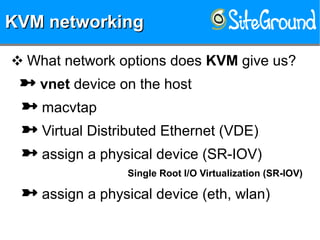
❖ What network options does KVM give us?
 vnet device on the host
 macvtap
 Virtual Distributed Ethernet (VDE)
 assign a physical device (SR-IOV)
Single Root I/O Virtualization (SR-IOV)
 assign a physical device (eth, wlan)
KVM networkingKVM networkingKVM networkingKVM networking
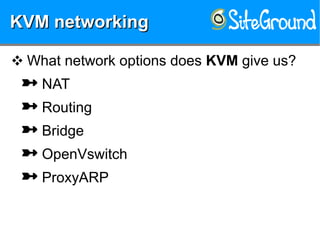
❖ What network options does KVM give us?
 NAT
 Routing
 Bridge
 OpenVswitch
 ProxyARP
Container networkingContainer networkingContainer networkingContainer networking
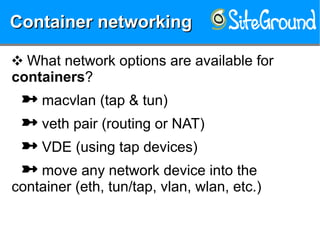
❖ What network options are available for
containers?
 macvlan (tap & tun)
 veth pair (routing or NAT)
 VDE (using tap devices)
 move any network device into the
container (eth, tun/tap, vlan, wlan, etc.)
Container networkingContainer networkingContainer networkingContainer networking
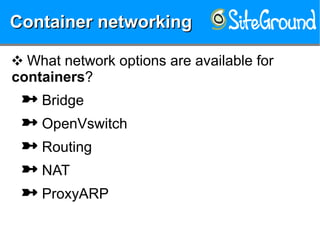
❖ What network options are available for
containers?
 Bridge
 OpenVswitch
 Routing
 NAT
 ProxyARP
Protections?Protections?Protections?Protections?
❖ How can we secure all those options?
 VLANs
Protections?Protections?Protections?Protections?
❖ How can we secure all those options?
 VLANs
 Routing
Protections?Protections?Protections?Protections?
❖ How can we secure all those options?
 VLANs
 Routing
 Static ARP
Protections?Protections?Protections?Protections?
❖ How can we secure all those options?
 VLANs
 Routing
 Static ARP
 iptables
Protections?Protections?Protections?Protections?
❖ How can we secure all those options?
 VLANs
 Routing
 Static ARP
 iptables
 ebtables
Protections?Protections?Protections?Protections?
❖ How can we secure all those options?
 VLANs
 Routing
 Static ARP
 iptables
 ebtables
 arptables
Protections?Protections?Protections?Protections?
❖ How can we secure all those options?
 VLANs
 Routing
 Static ARP
 iptables
 ebtables
 arptables
 ip6tables
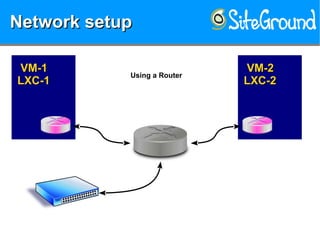
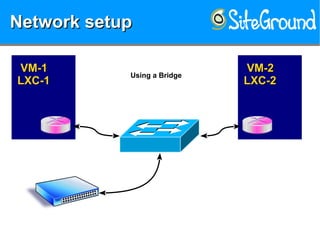
Network setupNetwork setupNetwork setupNetwork setup
VM-1VM-1
LXC-1LXC-1
VM-2VM-2
LXC-2LXC-2
Using a Router
Network setupNetwork setupNetwork setupNetwork setup
VM-1VM-1
LXC-1LXC-1
VM-2VM-2
LXC-2LXC-2
Using a Bridge
Attacking theAttacking the
bridged networkbridged network
Attacking theAttacking the
bridged networkbridged network
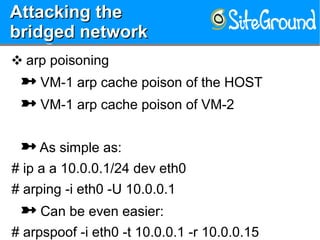
❖ arp poisoning
 VM-1 arp cache poison of the HOST
 VM-1 arp cache poison of VM-2
 As simple as:
# ip a a 10.0.0.1/24 dev eth0
# arping -i eth0 -U 10.0.0.1
 Can be even easier:
# arpspoof -i eth0 -t 10.0.0.1 -r 10.0.0.15
Protecting theProtecting the
bridged networkbridged network
Protecting theProtecting the
bridged networkbridged network
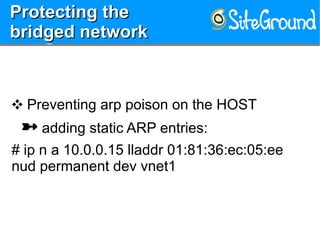
❖ Preventing arp poison on the HOST
 adding static ARP entries:
# ip n a 10.0.0.15 lladdr 01:81:36:ec:05:ee
nud permanent dev vnet1
Protecting theProtecting the
bridged networkbridged network
Protecting theProtecting the
bridged networkbridged network
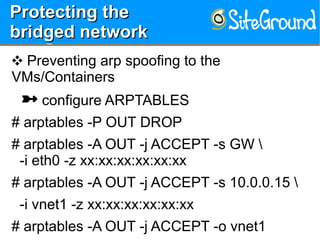
❖ Preventing arp spoofing to the
VMs/Containers
 configure ARPTABLES
# arptables -P OUT DROP
# arptables -A OUT -j ACCEPT -s GW 
-i eth0 -z xx:xx:xx:xx:xx:xx
# arptables -A OUT -j ACCEPT -s 10.0.0.15 
-i vnet1 -z xx:xx:xx:xx:xx:xx
# arptables -A OUT -j ACCEPT -o vnet1
Network setupNetwork setupNetwork setupNetwork setup
VM-1VM-1
LXC-1LXC-1
VM-2VM-2
LXC-2LXC-2
Using a Bridge
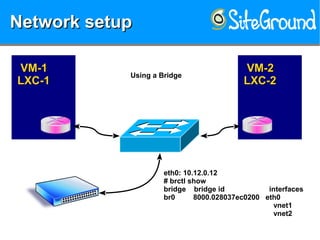
eth0: 10.12.0.12
# brctl show
bridge bridge id interfaces
br0 8000.028037ec0200 eth0
vnet1
vnet2
Network setupNetwork setupNetwork setupNetwork setup
VM-1VM-1
LXC-1LXC-1
VM-2VM-2
LXC-2LXC-2Using a Bridge
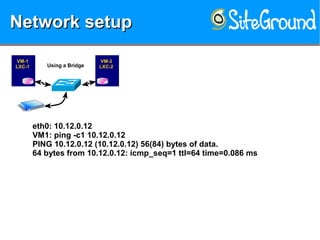
eth0: 10.12.0.12
VM1: ping -c1 10.12.0.12
PING 10.12.0.12 (10.12.0.12) 56(84) bytes of data.
64 bytes from 10.12.0.12: icmp_seq=1 ttl=64 time=0.086 ms
Network setupNetwork setupNetwork setupNetwork setup
VM-1VM-1
LXC-1LXC-1
VM-2VM-2
LXC-2LXC-2Using a Bridge
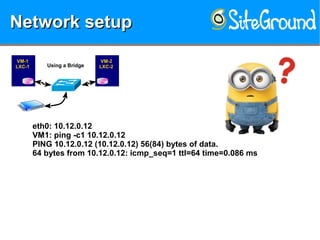
eth0: 10.12.0.12
VM1: ping -c1 10.12.0.12
PING 10.12.0.12 (10.12.0.12) 56(84) bytes of data.
64 bytes from 10.12.0.12: icmp_seq=1 ttl=64 time=0.086 ms
Network setupNetwork setupNetwork setupNetwork setup
VM-1VM-1
LXC-1LXC-1
VM-2VM-2
LXC-2LXC-2Using a Bridge
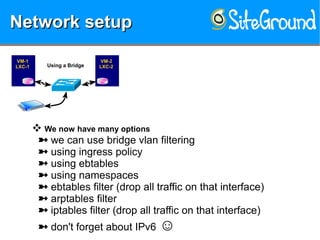
❖ We now have many options
we can use bridge vlan filtering
using ingress policy
using ebtables
using namespaces
ebtables filter (drop all traffic on that interface)
arptables filter
iptables filter (drop all traffic on that interface)
don't forget about IPv6 ☺
Network setupNetwork setupNetwork setupNetwork setup
VM-1VM-1
LXC-1LXC-1
VM-2VM-2
LXC-2LXC-2Using a Bridge
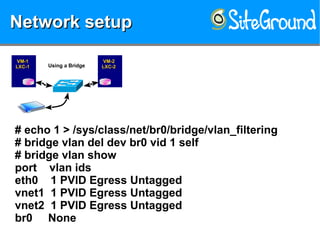
# echo 1 > /sys/class/net/br0/bridge/vlan_filtering
# bridge vlan del dev br0 vid 1 self
# bridge vlan show
port vlan ids
eth0 1 PVID Egress Untagged
vnet1 1 PVID Egress Untagged
vnet2 1 PVID Egress Untagged
br0 None
Network setupNetwork setupNetwork setupNetwork setup
VM-1VM-1
LXC-1LXC-1
VM-2VM-2
LXC-2LXC-2Using a Bridge
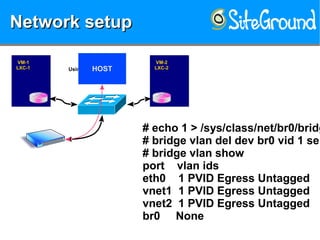
# echo 1 > /sys/class/net/br0/bridg
# bridge vlan del dev br0 vid 1 sel
# bridge vlan show
port vlan ids
eth0 1 PVID Egress Untagged
vnet1 1 PVID Egress Untagged
vnet2 1 PVID Egress Untagged
br0 None
HOST
Network setupNetwork setupNetwork setupNetwork setup
VM-1VM-1
LXC-1LXC-1
VM-2VM-2
LXC-2LXC-2Using a Bridge
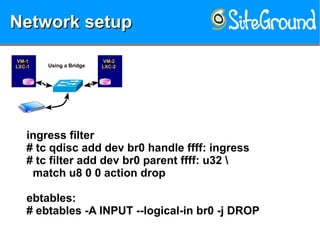
ingress filter
# tc qdisc add dev br0 handle ffff: ingress
# tc filter add dev br0 parent ffff: u32 
match u8 0 0 action drop
ebtables:
# ebtables -A INPUT --logical-in br0 -j DROP
Network setupNetwork setupNetwork setupNetwork setup
VM-1VM-1
LXC-1LXC-1
VM-2VM-2
LXC-2LXC-2
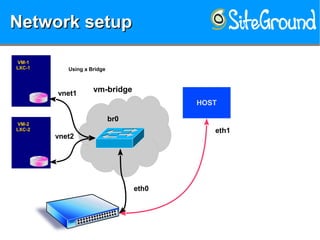
Using a Bridge
HOST
eth1
br0
eth0
vnet1
vnet2
vm-bridge
Network setupNetwork setupNetwork setupNetwork setup
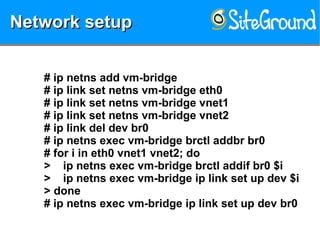
# ip netns add vm-bridge
# ip link set netns vm-bridge eth0
# ip link set netns vm-bridge vnet1
# ip link set netns vm-bridge vnet2
# ip link del dev br0
# ip netns exec vm-bridge brctl addbr br0
# for i in eth0 vnet1 vnet2; do
> ip netns exec vm-bridge brctl addif br0 $i
> ip netns exec vm-bridge ip link set up dev $i
> done
# ip netns exec vm-bridge ip link set up dev br0
Network setupNetwork setupNetwork setupNetwork setup
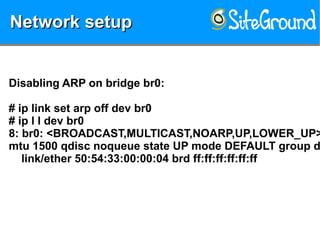
Disabling ARP on bridge br0:
# ip link set arp off dev br0
# ip l l dev br0
8: br0: <BROADCAST,MULTICAST,NOARP,UP,LOWER_UP>
mtu 1500 qdisc noqueue state UP mode DEFAULT group d
link/ether 50:54:33:00:00:04 brd ff:ff:ff:ff:ff:ff
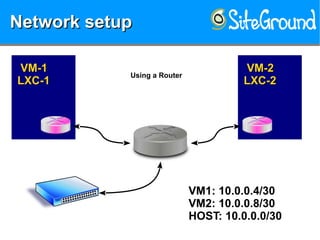
Network setupNetwork setupNetwork setupNetwork setup
VM-1VM-1
LXC-1LXC-1
VM-2VM-2
LXC-2LXC-2
Using a Router
VM1: 10.0.0.4/30
VM2: 10.0.0.8/30
HOST: 10.0.0.0/30
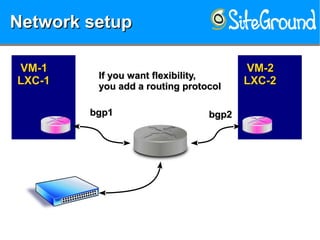
Network setupNetwork setupNetwork setupNetwork setup
VM-1VM-1
LXC-1LXC-1
VM-2VM-2
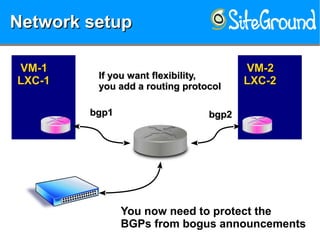
LXC-2LXC-2If you want flexibility,If you want flexibility,
you add a routing protocolyou add a routing protocol
bgp1bgp1 bgp2bgp2
Network setupNetwork setupNetwork setupNetwork setup
VM-1VM-1
LXC-1LXC-1
VM-2VM-2
LXC-2LXC-2If you want flexibility,If you want flexibility,
you add a routing protocolyou add a routing protocol
You now need to protect the
BGPs from bogus announcements
bgp1bgp1 bgp2bgp2
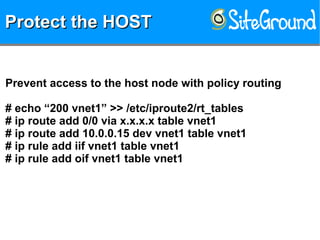
Protect the HOSTProtect the HOSTProtect the HOSTProtect the HOST
Prevent access to the host node with policy routing
# echo “200 vnet1” >> /etc/iproute2/rt_tables
# ip route add 0/0 via x.x.x.x table vnet1
# ip route add 10.0.0.15 dev vnet1 table vnet1
# ip rule add iif vnet1 table vnet1
# ip rule add oif vnet1 table vnet1
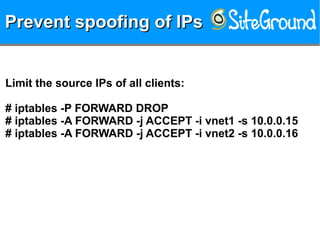
Prevent spoofing of IPsPrevent spoofing of IPsPrevent spoofing of IPsPrevent spoofing of IPs
Limit the source IPs of all clients:
# iptables -P FORWARD DROP
# iptables -A FORWARD -j ACCEPT -i vnet1 -s 10.0.0.15
# iptables -A FORWARD -j ACCEPT -i vnet2 -s 10.0.0.16
THANK YOUTHANK YOUTHANK YOUTHANK YOU
Marian HackMan Marinov
<mm@siteground.com>

Securing the network for VMs or Containers

  • 1.
    Securing Securing  KVM / containerKVM / container networksnetworks Marian HackMan MarinovMarianHackMan Marinov <mm@siteground.com><mm@siteground.com> Chief System ArchitectChief System Architect SiteGroundSiteGround
  • 2.
    Who am I?Whoam I?Who am I?Who am I? ❖ Chief System Architect of Siteground.com ❖ Sysadmin since 1996 ❖ Organizer of OpenFest, BG Perl Workshops, LUG-BG and similar :) ❖ Teaching Network Security and Linux System Administration at Sofia University
  • 3.
    DISCLAMERDISCLAMERDISCLAMERDISCLAMER ❖ I'll belooking only at the network on the host machine ❖ The only proper way of securing the network between your VMs / containers and the host machine is to know your infrastructure. This includes MAC, IP addresses and their actual location.
  • 4.
    ❖ Basic thingsthat have to protect from  arp spoofing  ip spoofing  traffic leaking / sniffing
  • 5.
    KVM networkingKVM networkingKVMnetworkingKVM networking ❖ What network options does KVM give us?  vnet device on the host  macvtap  Virtual Distributed Ethernet (VDE)  assign a physical device (SR-IOV) Single Root I/O Virtualization (SR-IOV)  assign a physical device (eth, wlan)
  • 6.
    KVM networkingKVM networkingKVMnetworkingKVM networking ❖ What network options does KVM give us?  NAT  Routing  Bridge  OpenVswitch  ProxyARP
  • 7.
    Container networkingContainer networkingContainernetworkingContainer networking ❖ What network options are available for containers?  macvlan (tap & tun)  veth pair (routing or NAT)  VDE (using tap devices)  move any network device into the container (eth, tun/tap, vlan, wlan, etc.)
  • 8.
    Container networkingContainer networkingContainernetworkingContainer networking ❖ What network options are available for containers?  Bridge  OpenVswitch  Routing  NAT  ProxyARP
  • 9.
    Protections?Protections?Protections?Protections? ❖ How canwe secure all those options?  VLANs
  • 10.
    Protections?Protections?Protections?Protections? ❖ How canwe secure all those options?  VLANs  Routing
  • 11.
    Protections?Protections?Protections?Protections? ❖ How canwe secure all those options?  VLANs  Routing  Static ARP
  • 12.
    Protections?Protections?Protections?Protections? ❖ How canwe secure all those options?  VLANs  Routing  Static ARP  iptables
  • 13.
    Protections?Protections?Protections?Protections? ❖ How canwe secure all those options?  VLANs  Routing  Static ARP  iptables  ebtables
  • 14.
    Protections?Protections?Protections?Protections? ❖ How canwe secure all those options?  VLANs  Routing  Static ARP  iptables  ebtables  arptables
  • 15.
    Protections?Protections?Protections?Protections? ❖ How canwe secure all those options?  VLANs  Routing  Static ARP  iptables  ebtables  arptables  ip6tables
  • 16.
    Network setupNetwork setupNetworksetupNetwork setup VM-1VM-1 LXC-1LXC-1 VM-2VM-2 LXC-2LXC-2 Using a Router
  • 17.
    Network setupNetwork setupNetworksetupNetwork setup VM-1VM-1 LXC-1LXC-1 VM-2VM-2 LXC-2LXC-2 Using a Bridge
  • 18.
    Attacking theAttacking the bridgednetworkbridged network Attacking theAttacking the bridged networkbridged network ❖ arp poisoning  VM-1 arp cache poison of the HOST  VM-1 arp cache poison of VM-2  As simple as: # ip a a 10.0.0.1/24 dev eth0 # arping -i eth0 -U 10.0.0.1  Can be even easier: # arpspoof -i eth0 -t 10.0.0.1 -r 10.0.0.15
  • 19.
    Protecting theProtecting the bridgednetworkbridged network Protecting theProtecting the bridged networkbridged network ❖ Preventing arp poison on the HOST  adding static ARP entries: # ip n a 10.0.0.15 lladdr 01:81:36:ec:05:ee nud permanent dev vnet1
  • 20.
    Protecting theProtecting the bridgednetworkbridged network Protecting theProtecting the bridged networkbridged network ❖ Preventing arp spoofing to the VMs/Containers  configure ARPTABLES # arptables -P OUT DROP # arptables -A OUT -j ACCEPT -s GW -i eth0 -z xx:xx:xx:xx:xx:xx # arptables -A OUT -j ACCEPT -s 10.0.0.15 -i vnet1 -z xx:xx:xx:xx:xx:xx # arptables -A OUT -j ACCEPT -o vnet1
  • 21.
    Network setupNetwork setupNetworksetupNetwork setup VM-1VM-1 LXC-1LXC-1 VM-2VM-2 LXC-2LXC-2 Using a Bridge eth0: 10.12.0.12 # brctl show bridge bridge id interfaces br0 8000.028037ec0200 eth0 vnet1 vnet2
  • 22.
    Network setupNetwork setupNetworksetupNetwork setup VM-1VM-1 LXC-1LXC-1 VM-2VM-2 LXC-2LXC-2Using a Bridge eth0: 10.12.0.12 VM1: ping -c1 10.12.0.12 PING 10.12.0.12 (10.12.0.12) 56(84) bytes of data. 64 bytes from 10.12.0.12: icmp_seq=1 ttl=64 time=0.086 ms
  • 23.
    Network setupNetwork setupNetworksetupNetwork setup VM-1VM-1 LXC-1LXC-1 VM-2VM-2 LXC-2LXC-2Using a Bridge eth0: 10.12.0.12 VM1: ping -c1 10.12.0.12 PING 10.12.0.12 (10.12.0.12) 56(84) bytes of data. 64 bytes from 10.12.0.12: icmp_seq=1 ttl=64 time=0.086 ms
  • 24.
    Network setupNetwork setupNetworksetupNetwork setup VM-1VM-1 LXC-1LXC-1 VM-2VM-2 LXC-2LXC-2Using a Bridge ❖ We now have many options we can use bridge vlan filtering using ingress policy using ebtables using namespaces ebtables filter (drop all traffic on that interface) arptables filter iptables filter (drop all traffic on that interface) don't forget about IPv6 ☺
  • 25.
    Network setupNetwork setupNetworksetupNetwork setup VM-1VM-1 LXC-1LXC-1 VM-2VM-2 LXC-2LXC-2Using a Bridge # echo 1 > /sys/class/net/br0/bridge/vlan_filtering # bridge vlan del dev br0 vid 1 self # bridge vlan show port vlan ids eth0 1 PVID Egress Untagged vnet1 1 PVID Egress Untagged vnet2 1 PVID Egress Untagged br0 None
  • 26.
    Network setupNetwork setupNetworksetupNetwork setup VM-1VM-1 LXC-1LXC-1 VM-2VM-2 LXC-2LXC-2Using a Bridge # echo 1 > /sys/class/net/br0/bridg # bridge vlan del dev br0 vid 1 sel # bridge vlan show port vlan ids eth0 1 PVID Egress Untagged vnet1 1 PVID Egress Untagged vnet2 1 PVID Egress Untagged br0 None HOST
  • 27.
    Network setupNetwork setupNetworksetupNetwork setup VM-1VM-1 LXC-1LXC-1 VM-2VM-2 LXC-2LXC-2Using a Bridge ingress filter # tc qdisc add dev br0 handle ffff: ingress # tc filter add dev br0 parent ffff: u32 match u8 0 0 action drop ebtables: # ebtables -A INPUT --logical-in br0 -j DROP
  • 28.
    Network setupNetwork setupNetworksetupNetwork setup VM-1VM-1 LXC-1LXC-1 VM-2VM-2 LXC-2LXC-2 Using a Bridge HOST eth1 br0 eth0 vnet1 vnet2 vm-bridge
  • 29.
    Network setupNetwork setupNetworksetupNetwork setup # ip netns add vm-bridge # ip link set netns vm-bridge eth0 # ip link set netns vm-bridge vnet1 # ip link set netns vm-bridge vnet2 # ip link del dev br0 # ip netns exec vm-bridge brctl addbr br0 # for i in eth0 vnet1 vnet2; do > ip netns exec vm-bridge brctl addif br0 $i > ip netns exec vm-bridge ip link set up dev $i > done # ip netns exec vm-bridge ip link set up dev br0
  • 30.
    Network setupNetwork setupNetworksetupNetwork setup Disabling ARP on bridge br0: # ip link set arp off dev br0 # ip l l dev br0 8: br0: <BROADCAST,MULTICAST,NOARP,UP,LOWER_UP> mtu 1500 qdisc noqueue state UP mode DEFAULT group d link/ether 50:54:33:00:00:04 brd ff:ff:ff:ff:ff:ff
  • 31.
    Network setupNetwork setupNetworksetupNetwork setup VM-1VM-1 LXC-1LXC-1 VM-2VM-2 LXC-2LXC-2 Using a Router VM1: 10.0.0.4/30 VM2: 10.0.0.8/30 HOST: 10.0.0.0/30
  • 32.
    Network setupNetwork setupNetworksetupNetwork setup VM-1VM-1 LXC-1LXC-1 VM-2VM-2 LXC-2LXC-2If you want flexibility,If you want flexibility, you add a routing protocolyou add a routing protocol bgp1bgp1 bgp2bgp2
  • 33.
    Network setupNetwork setupNetworksetupNetwork setup VM-1VM-1 LXC-1LXC-1 VM-2VM-2 LXC-2LXC-2If you want flexibility,If you want flexibility, you add a routing protocolyou add a routing protocol You now need to protect the BGPs from bogus announcements bgp1bgp1 bgp2bgp2
  • 34.
    Protect the HOSTProtectthe HOSTProtect the HOSTProtect the HOST Prevent access to the host node with policy routing # echo “200 vnet1” >> /etc/iproute2/rt_tables # ip route add 0/0 via x.x.x.x table vnet1 # ip route add 10.0.0.15 dev vnet1 table vnet1 # ip rule add iif vnet1 table vnet1 # ip rule add oif vnet1 table vnet1
  • 35.
    Prevent spoofing ofIPsPrevent spoofing of IPsPrevent spoofing of IPsPrevent spoofing of IPs Limit the source IPs of all clients: # iptables -P FORWARD DROP # iptables -A FORWARD -j ACCEPT -i vnet1 -s 10.0.0.15 # iptables -A FORWARD -j ACCEPT -i vnet2 -s 10.0.0.16
  • 36.
    THANK YOUTHANK YOUTHANKYOUTHANK YOU Marian HackMan Marinov <mm@siteground.com>