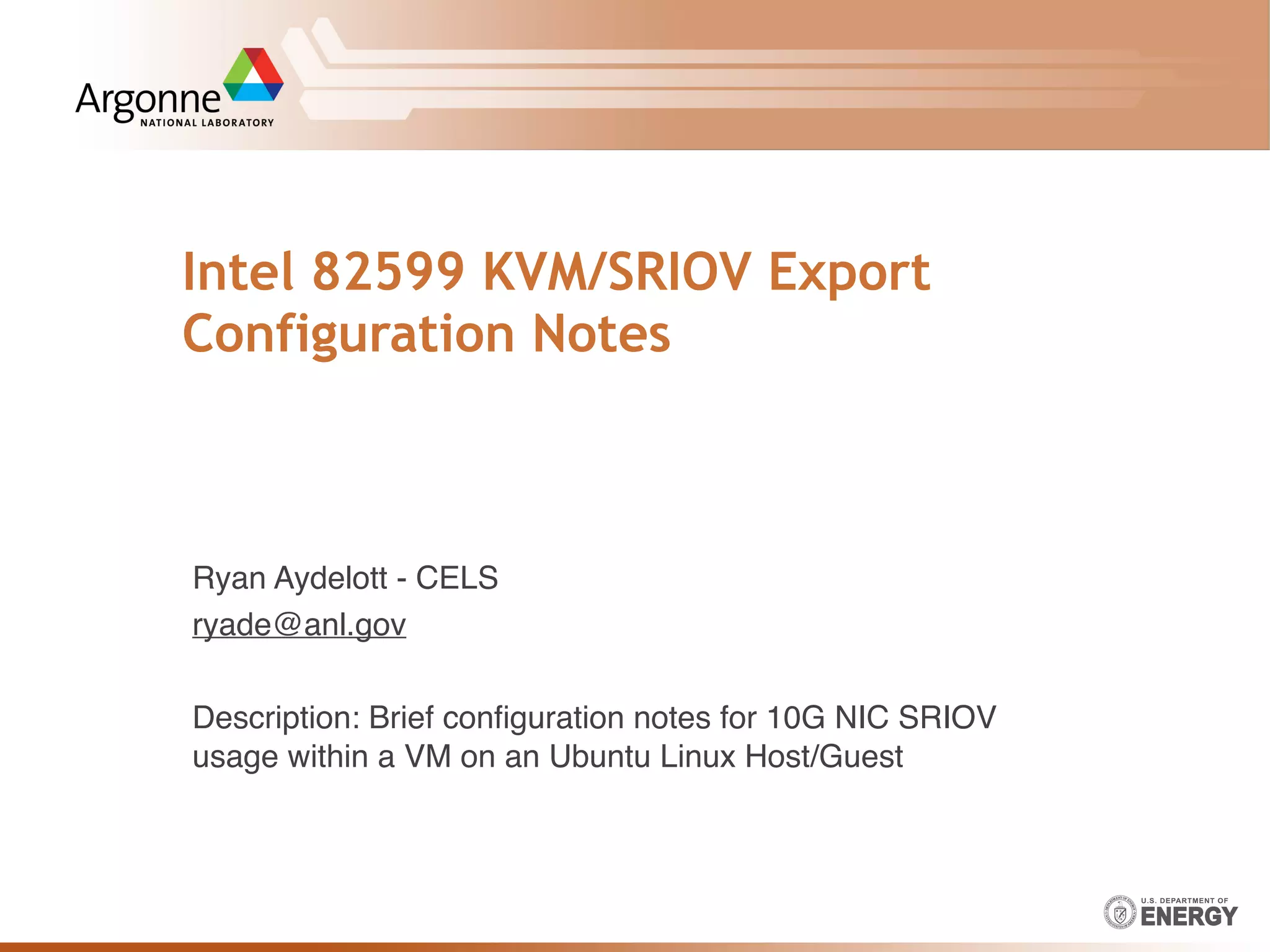
Intel 82599 KVM/SRIOV Export
Configuration Notes
Ryan Aydelott - CELS
ryade@anl.gov
Description: Brief configuration notes for 10G NIC SRIOV
usage within a VM on an Ubuntu Linux Host/Guest
Ryan Aydelott - CELS
Installing/Verifying the Driver
2
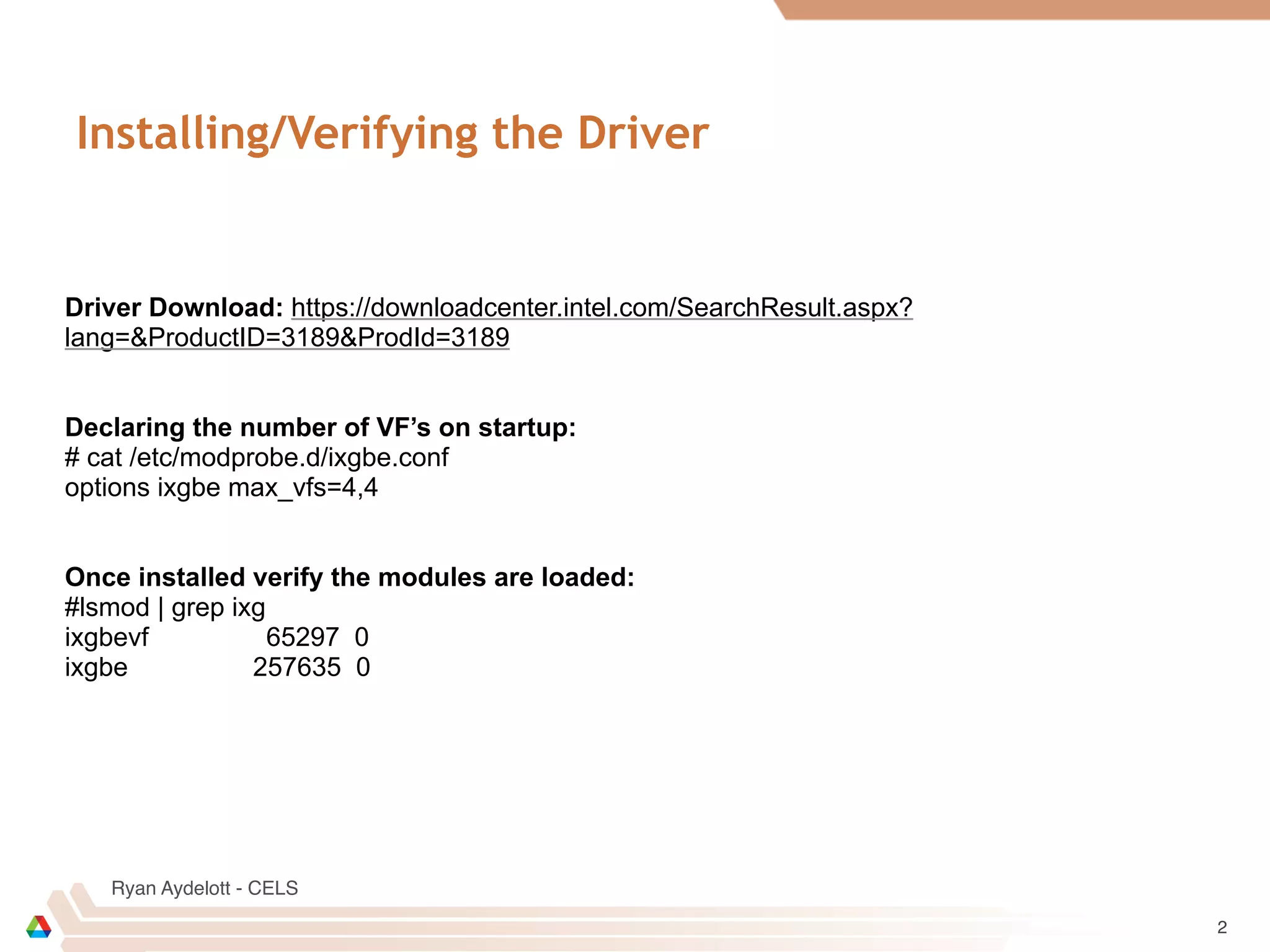
Driver Download: https://downloadcenter.intel.com/SearchResult.aspx?
lang=&ProductID=3189&ProdId=3189
Declaring the number of VF’s on startup:
# cat /etc/modprobe.d/ixgbe.conf
options ixgbe max_vfs=4,4
Once installed verify the modules are loaded:
#lsmod | grep ixg
ixgbevf 65297 0
ixgbe 257635 0
Ryan Aydelott - CELS
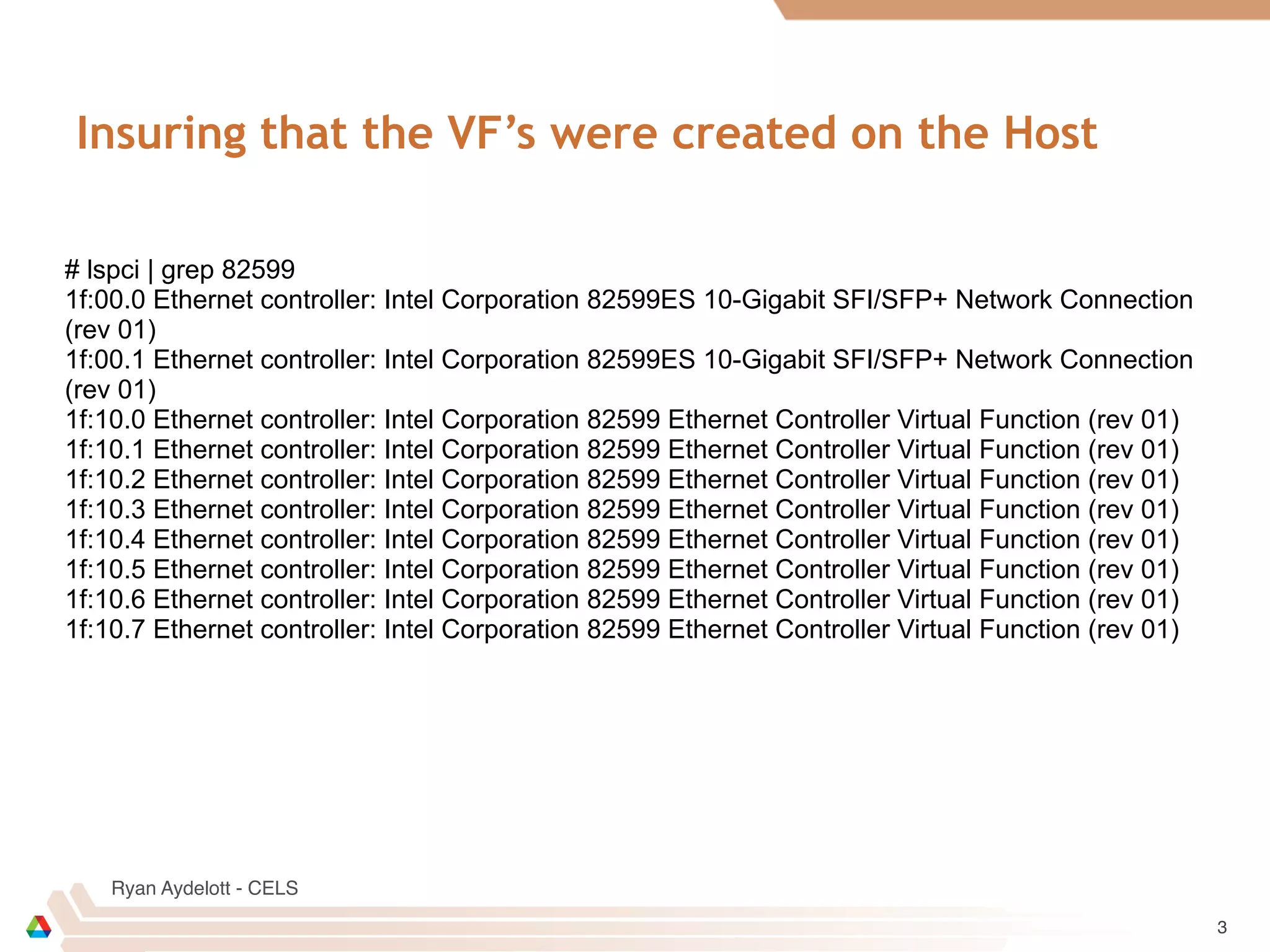
Insuring that the VF’s were created on the Host
3
# lspci | grep 82599
1f:00.0 Ethernet controller: Intel Corporation 82599ES 10-Gigabit SFI/SFP+ Network Connection
(rev 01)
1f:00.1 Ethernet controller: Intel Corporation 82599ES 10-Gigabit SFI/SFP+ Network Connection
(rev 01)
1f:10.0 Ethernet controller: Intel Corporation 82599 Ethernet Controller Virtual Function (rev 01)
1f:10.1 Ethernet controller: Intel Corporation 82599 Ethernet Controller Virtual Function (rev 01)
1f:10.2 Ethernet controller: Intel Corporation 82599 Ethernet Controller Virtual Function (rev 01)
1f:10.3 Ethernet controller: Intel Corporation 82599 Ethernet Controller Virtual Function (rev 01)
1f:10.4 Ethernet controller: Intel Corporation 82599 Ethernet Controller Virtual Function (rev 01)
1f:10.5 Ethernet controller: Intel Corporation 82599 Ethernet Controller Virtual Function (rev 01)
1f:10.6 Ethernet controller: Intel Corporation 82599 Ethernet Controller Virtual Function (rev 01)
1f:10.7 Ethernet controller: Intel Corporation 82599 Ethernet Controller Virtual Function (rev 01)
Ryan Aydelott - CELS
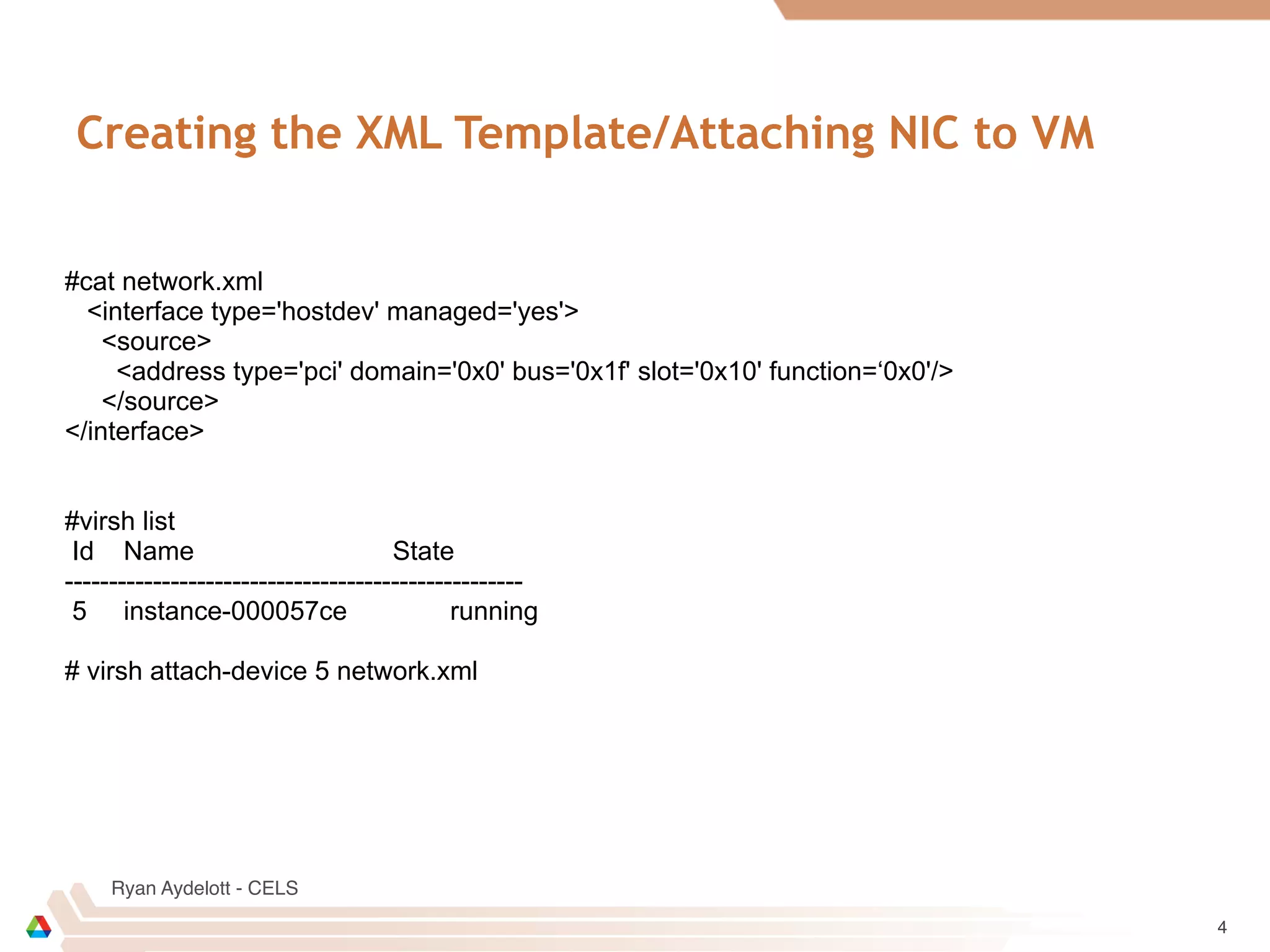
Creating the XML Template/Attaching NIC to VM
4
#cat network.xml
<interface type='hostdev' managed='yes'>
<source>
<address type='pci' domain='0x0' bus='0x1f' slot='0x10' function=‘0x0'/>
</source>
</interface>
#virsh list
Id Name State
----------------------------------------------------
5 instance-000057ce running
# virsh attach-device 5 network.xml
Ryan Aydelott - CELS
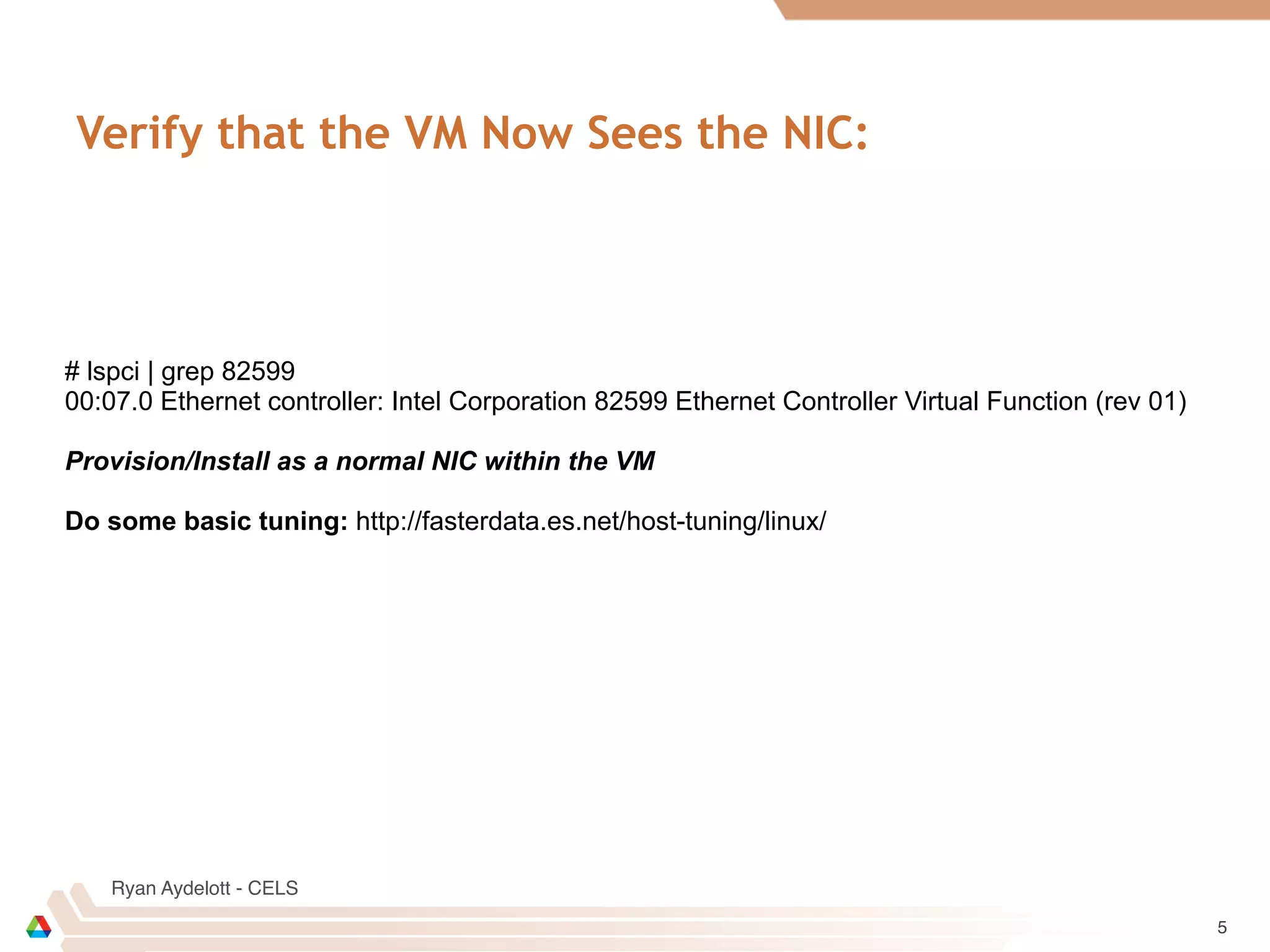
Verify that the VM Now Sees the NIC:
5
# lspci | grep 82599
00:07.0 Ethernet controller: Intel Corporation 82599 Ethernet Controller Virtual Function (rev 01)
Provision/Install as a normal NIC within the VM
Do some basic tuning: http://fasterdata.es.net/host-tuning/linux/

82599 sriov vm configuration notes

  • 1.
    Intel 82599 KVM/SRIOVExport Configuration Notes Ryan Aydelott - CELS ryade@anl.gov Description: Brief configuration notes for 10G NIC SRIOV usage within a VM on an Ubuntu Linux Host/Guest
  • 2.
    Ryan Aydelott -CELS Installing/Verifying the Driver 2 Driver Download: https://downloadcenter.intel.com/SearchResult.aspx? lang=&ProductID=3189&ProdId=3189 Declaring the number of VF’s on startup: # cat /etc/modprobe.d/ixgbe.conf options ixgbe max_vfs=4,4 Once installed verify the modules are loaded: #lsmod | grep ixg ixgbevf 65297 0 ixgbe 257635 0
  • 3.
    Ryan Aydelott -CELS Insuring that the VF’s were created on the Host 3 # lspci | grep 82599 1f:00.0 Ethernet controller: Intel Corporation 82599ES 10-Gigabit SFI/SFP+ Network Connection (rev 01) 1f:00.1 Ethernet controller: Intel Corporation 82599ES 10-Gigabit SFI/SFP+ Network Connection (rev 01) 1f:10.0 Ethernet controller: Intel Corporation 82599 Ethernet Controller Virtual Function (rev 01) 1f:10.1 Ethernet controller: Intel Corporation 82599 Ethernet Controller Virtual Function (rev 01) 1f:10.2 Ethernet controller: Intel Corporation 82599 Ethernet Controller Virtual Function (rev 01) 1f:10.3 Ethernet controller: Intel Corporation 82599 Ethernet Controller Virtual Function (rev 01) 1f:10.4 Ethernet controller: Intel Corporation 82599 Ethernet Controller Virtual Function (rev 01) 1f:10.5 Ethernet controller: Intel Corporation 82599 Ethernet Controller Virtual Function (rev 01) 1f:10.6 Ethernet controller: Intel Corporation 82599 Ethernet Controller Virtual Function (rev 01) 1f:10.7 Ethernet controller: Intel Corporation 82599 Ethernet Controller Virtual Function (rev 01)
  • 4.
    Ryan Aydelott -CELS Creating the XML Template/Attaching NIC to VM 4 #cat network.xml <interface type='hostdev' managed='yes'> <source> <address type='pci' domain='0x0' bus='0x1f' slot='0x10' function=‘0x0'/> </source> </interface> #virsh list Id Name State ---------------------------------------------------- 5 instance-000057ce running # virsh attach-device 5 network.xml
  • 5.
    Ryan Aydelott -CELS Verify that the VM Now Sees the NIC: 5 # lspci | grep 82599 00:07.0 Ethernet controller: Intel Corporation 82599 Ethernet Controller Virtual Function (rev 01) Provision/Install as a normal NIC within the VM Do some basic tuning: http://fasterdata.es.net/host-tuning/linux/