Paper name : Computer application in business
Staff : N.Ruba MCA, M.Phill.
Class : II-BCA-B
Semester : IV
Unit : Unit-II
Topic : Excel
EXCEL
INTRODUCTION TO EXCEL:
 A worksheet is an interactive computer
applications for association, investigation and
storage of data in tabular form.
 Father of excel is Charles Simonyi
 Developed in the 1985s.
 It was used to calculate the addition,
subtraction, multiplication, and divisions precisely.
 excel are used to maintain accounts
resourcefully.
Excel have a different type of menu bars to use
the users.
HISTORY OF SPREADSHEETS:
1) paper spreadsheet
2) Batch spreadsheet
3) Lanpar spreadsheet
4) Auto tab spreadsheet
5) Supercalc
6) Lotus 1-2-3 And other types
TYPES INFORMATION
PEPER SPREADSHEET
The word spreadsheet
came from in the sense of
newspaper or magazine.
It used to nearby book-
keeping of ledgers.
It is twise as wise as from
mundane paper.
BATCH SPREADSHEET
A batch spreadsheet is
identical from a batch
compiler with added input
data and it fabricate the
output.
Batch spreadsheet is
non-interactive.
The batch spreadsheet is
mostly with the addition
or subtraction of input
variable.
LANPAR SPREADSHEET
Lanpar spreadsheet is
also a electronic
spreadsheet.
Lanpar spreadsheet is
arithmetical invention
routine natural order
calculation algorithm.
Data could be entered
enthusiastically by paper
tape.
Lanpar is online time
distribution systems.
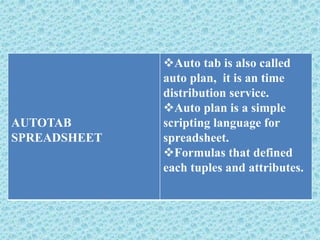
AUTOTAB
SPREADSHEET
Auto tab is also called
auto plan, it is an time
distribution service.
Auto plan is a simple
scripting language for
spreadsheet.
Formulas that defined
each tuples and attributes.
LOTUS 1-2-3
It is an standard
spreadsheet program it is
developed by IBM PC,
Augest 1981.
It is very fast compared
to visicalc the Apple II
APPLICATIONS OF SPREADSHEET:
It maintain accounts exactly.
To create a charts for the assessment of data in
management.
It perform financial computation for making
financial reports.
Filter is used to facilitate filtering of the
selected cells.
do billing simply.
do cost survey simply.
Do tax calculation for easily and exactly.
 final reports can be equipped at any time.
FEATURES OF EXCEL:
Creating and updating of list can be simply.
Import of data is achievable.
To generate a chart is easily.
Entering, editing and copying formulae are very
simple.
Table handling is more expedient.
Merge cell and split cells is simpler and more rapidly.
It is easy to find out for all case of users.
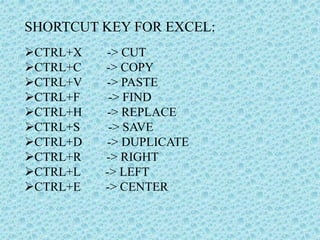
SHORTCUT KEY FOR EXCEL:
CTRL+X -> CUT
CTRL+C -> COPY
CTRL+V -> PASTE
CTRL+F -> FIND
CTRL+H -> REPLACE
CTRL+S -> SAVE
CTRL+D -> DUPLICATE
CTRL+R -> RIGHT
CTRL+L -> LEFT
CTRL+E -> CENTER
CREATIONS OF CHART:
Enter the data in excel.
Select the data in excel.
Click “insert” menu.
Choose “chart types” and “chart
subtypes”.
Click “ok” button.
0
50
100
150
200
250
300
350
400
450
TAMIL ENGLISH NME SBE ALLIED MAJOR
KANMANI
ANAMI
LILLY
KOWSI
JENI
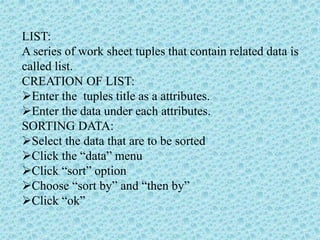
LIST:
A series of work sheet tuples that contain related data is
called list.
CREATION OF LIST:
Enter the tuples title as a attributes.
Enter the data under each attributes.
SORTING DATA:
Select the data that are to be sorted
Click the “data” menu
Click “sort” option
Choose “sort by” and “then by”
Click “ok”
NAME TAMIL ENGLISH MATHS
KOWSI 50 60 100
LILLY 67 88 89
JENIFER 87 99 87
NAME TAMIL ENGLISH MATHS
JENIFER 87 99 87
LILLY 67 88 89
KOWSI 50 60 100
BEFORE SORT
AFTER SORT
SAVE AND CLOSING OF SPREADSHEET:
To save:
Click the “file” menu
Click “save” option
Select the “file format”
Enter the “file name” and click save.
To close:
Click “file” menu and click “close "excel displays the
message box
Press “yes”
THANKYOU

Ms excel

  • 1.
    Paper name :Computer application in business Staff : N.Ruba MCA, M.Phill. Class : II-BCA-B Semester : IV Unit : Unit-II Topic : Excel
  • 2.
  • 3.
    INTRODUCTION TO EXCEL: A worksheet is an interactive computer applications for association, investigation and storage of data in tabular form.  Father of excel is Charles Simonyi  Developed in the 1985s.  It was used to calculate the addition, subtraction, multiplication, and divisions precisely.  excel are used to maintain accounts resourcefully. Excel have a different type of menu bars to use the users.
  • 4.
    HISTORY OF SPREADSHEETS: 1)paper spreadsheet 2) Batch spreadsheet 3) Lanpar spreadsheet 4) Auto tab spreadsheet 5) Supercalc 6) Lotus 1-2-3 And other types
  • 5.
    TYPES INFORMATION PEPER SPREADSHEET Theword spreadsheet came from in the sense of newspaper or magazine. It used to nearby book- keeping of ledgers. It is twise as wise as from mundane paper.
  • 6.
    BATCH SPREADSHEET A batchspreadsheet is identical from a batch compiler with added input data and it fabricate the output. Batch spreadsheet is non-interactive. The batch spreadsheet is mostly with the addition or subtraction of input variable.
  • 7.
    LANPAR SPREADSHEET Lanpar spreadsheetis also a electronic spreadsheet. Lanpar spreadsheet is arithmetical invention routine natural order calculation algorithm. Data could be entered enthusiastically by paper tape. Lanpar is online time distribution systems.
  • 8.
    AUTOTAB SPREADSHEET Auto tab isalso called auto plan, it is an time distribution service. Auto plan is a simple scripting language for spreadsheet. Formulas that defined each tuples and attributes.
  • 9.
    LOTUS 1-2-3 It isan standard spreadsheet program it is developed by IBM PC, Augest 1981. It is very fast compared to visicalc the Apple II
  • 10.
    APPLICATIONS OF SPREADSHEET: Itmaintain accounts exactly. To create a charts for the assessment of data in management. It perform financial computation for making financial reports. Filter is used to facilitate filtering of the selected cells. do billing simply. do cost survey simply. Do tax calculation for easily and exactly.  final reports can be equipped at any time.
  • 11.
    FEATURES OF EXCEL: Creatingand updating of list can be simply. Import of data is achievable. To generate a chart is easily. Entering, editing and copying formulae are very simple. Table handling is more expedient. Merge cell and split cells is simpler and more rapidly. It is easy to find out for all case of users.
  • 12.
    SHORTCUT KEY FOREXCEL: CTRL+X -> CUT CTRL+C -> COPY CTRL+V -> PASTE CTRL+F -> FIND CTRL+H -> REPLACE CTRL+S -> SAVE CTRL+D -> DUPLICATE CTRL+R -> RIGHT CTRL+L -> LEFT CTRL+E -> CENTER
  • 13.
    CREATIONS OF CHART: Enterthe data in excel. Select the data in excel. Click “insert” menu. Choose “chart types” and “chart subtypes”. Click “ok” button. 0 50 100 150 200 250 300 350 400 450 TAMIL ENGLISH NME SBE ALLIED MAJOR KANMANI ANAMI LILLY KOWSI JENI
  • 14.
    LIST: A series ofwork sheet tuples that contain related data is called list. CREATION OF LIST: Enter the tuples title as a attributes. Enter the data under each attributes. SORTING DATA: Select the data that are to be sorted Click the “data” menu Click “sort” option Choose “sort by” and “then by” Click “ok”
  • 15.
    NAME TAMIL ENGLISHMATHS KOWSI 50 60 100 LILLY 67 88 89 JENIFER 87 99 87 NAME TAMIL ENGLISH MATHS JENIFER 87 99 87 LILLY 67 88 89 KOWSI 50 60 100 BEFORE SORT AFTER SORT
  • 16.
    SAVE AND CLOSINGOF SPREADSHEET: To save: Click the “file” menu Click “save” option Select the “file format” Enter the “file name” and click save. To close: Click “file” menu and click “close "excel displays the message box Press “yes”
  • 17.