Introduction to DatabaseWith Microsoft Office Access 2007
AgendaGetting to Know DatabaseBasic of Microsoft Office Access 2007Basic Operations of DatabaseStructured Query Language (SQL)CRUD Operations
Getting to Know Database
Definition of DatabaseOrganized mechanism to store, manage and retrieve informationEfficientRobustStableArranged in tabular fashionApparent relationship between informationThe most important aspectWon’t be taught in this class :-(
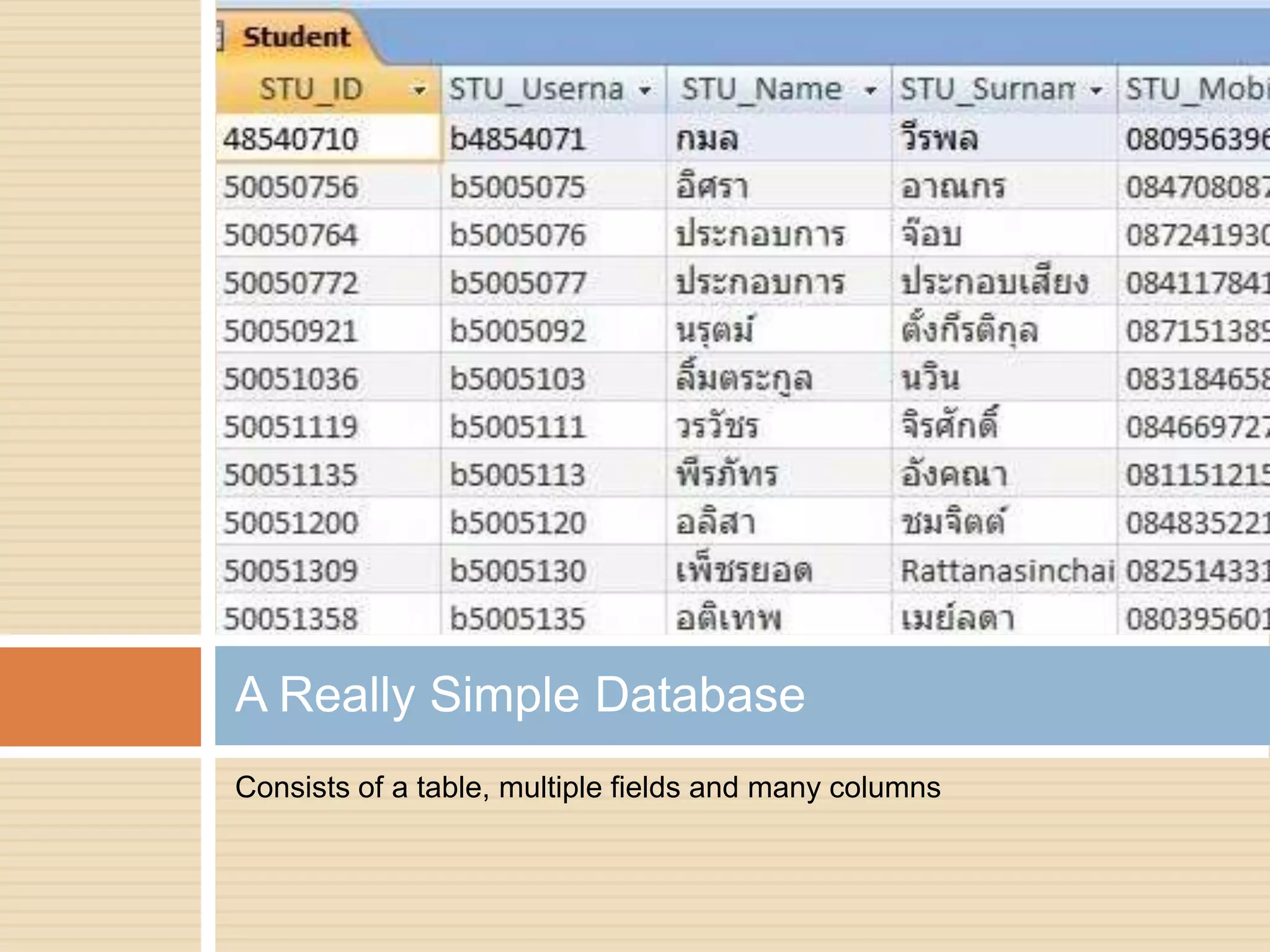
Consists of a table, multiple fields and many columnsA Really Simple Database
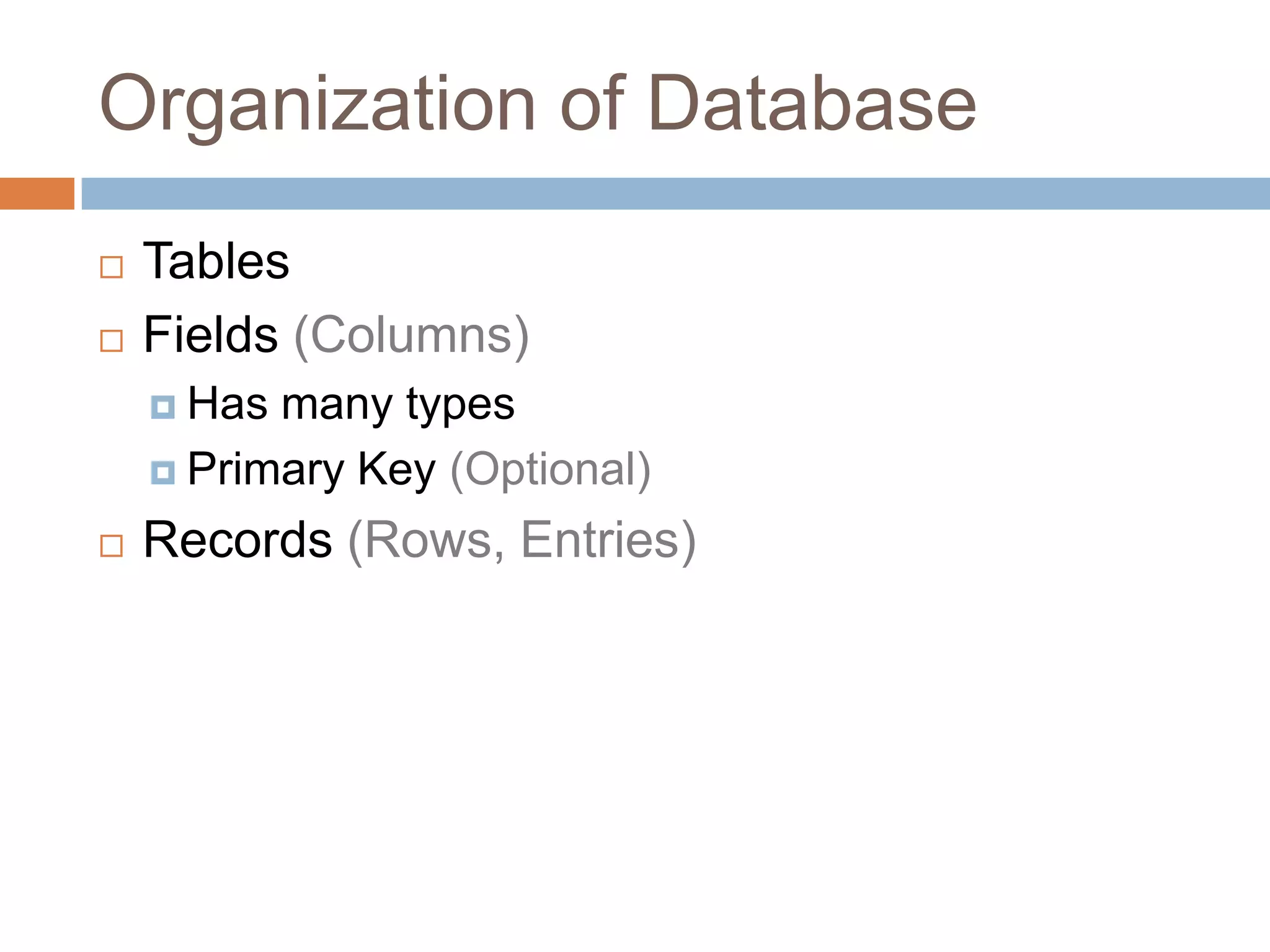
Organization of DatabaseTablesFields (Columns)Has many typesPrimary Key (Optional)Records (Rows, Entries)
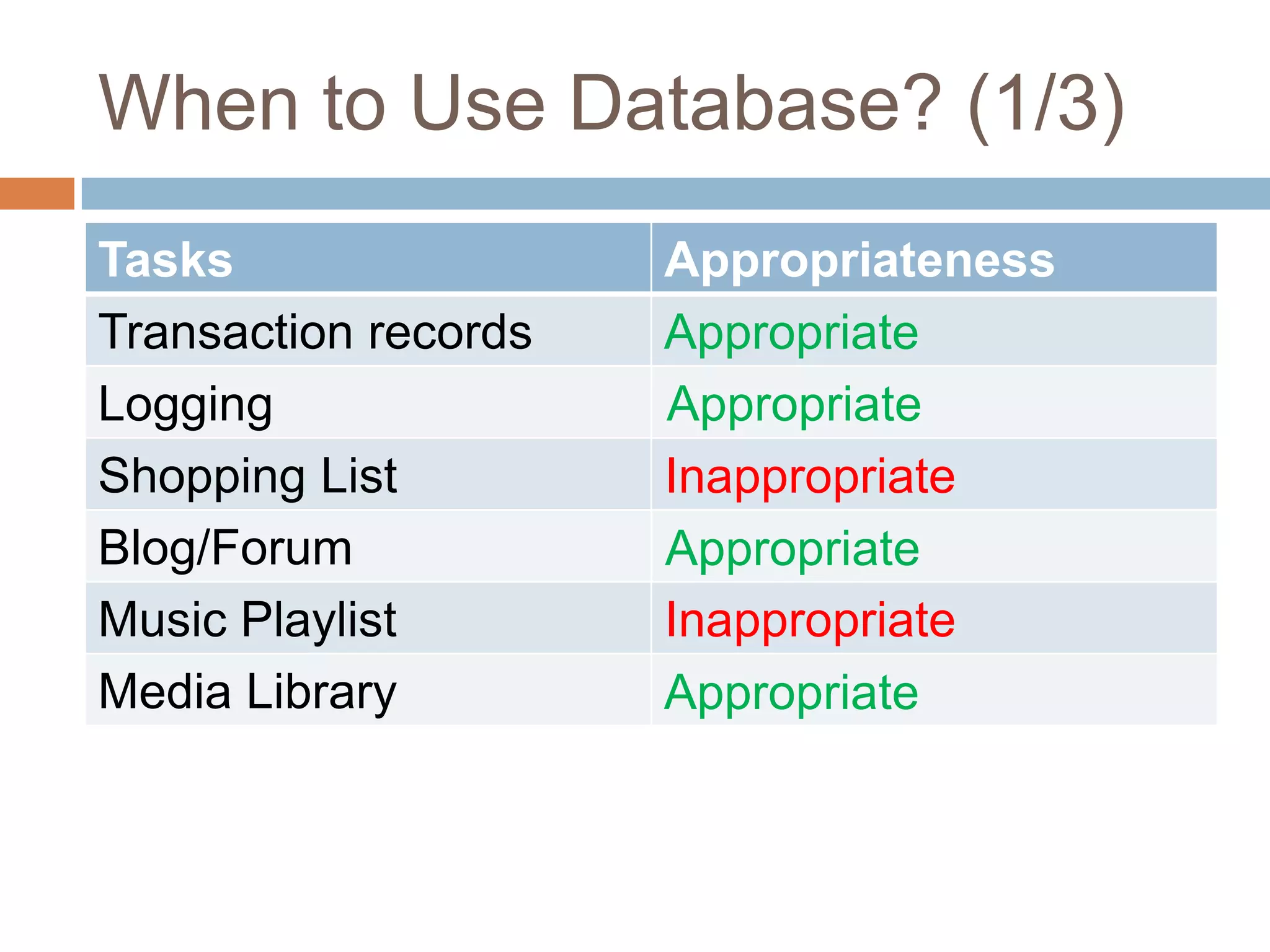
When to Use Database? (1/3)AppropriateAppropriateInappropriateAppropriateInappropriateAppropriate
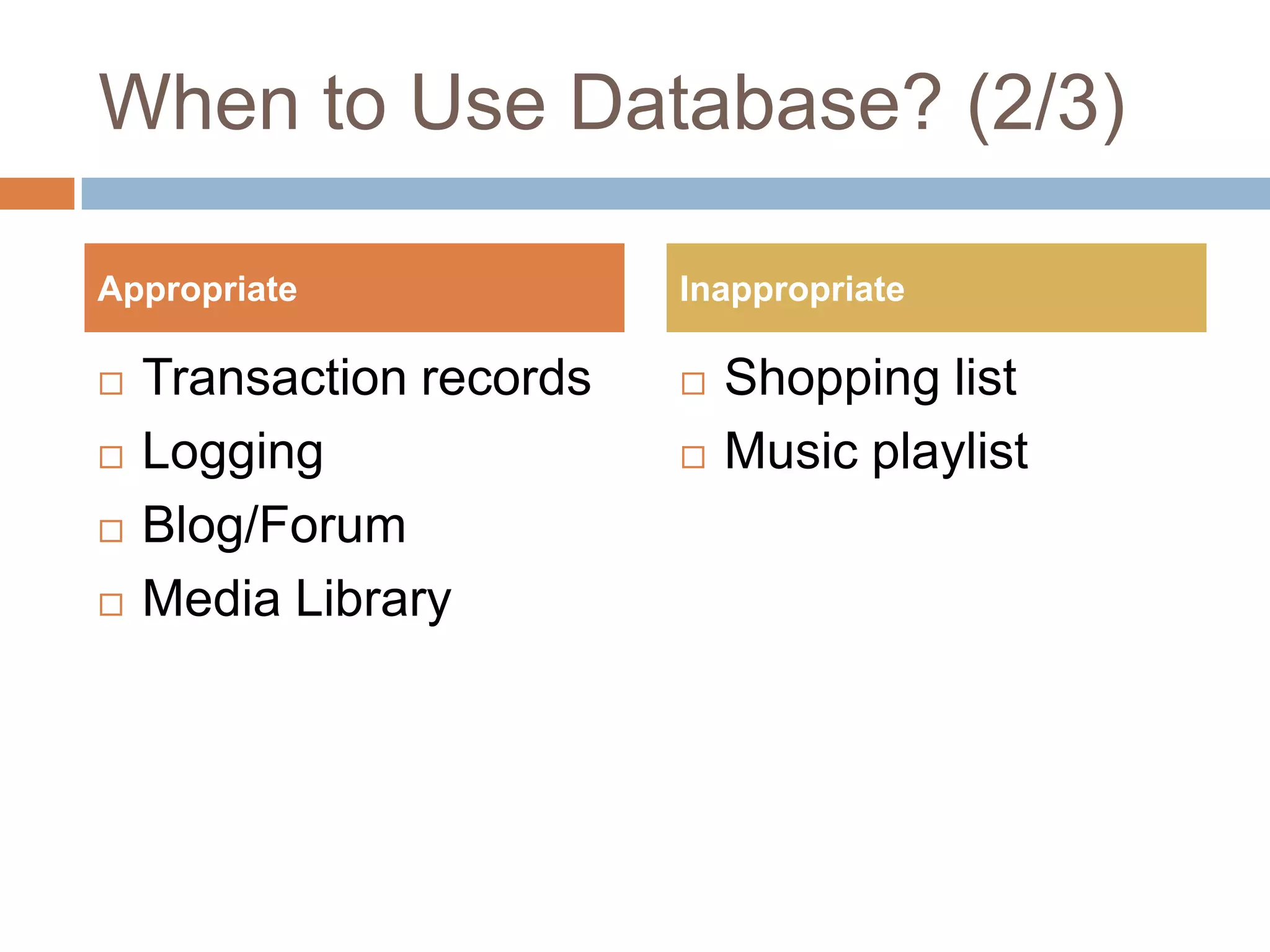
When to Use Database? (2/3)Transaction recordsLoggingBlog/ForumMedia LibraryShopping listMusic playlistAppropriateInappropriate
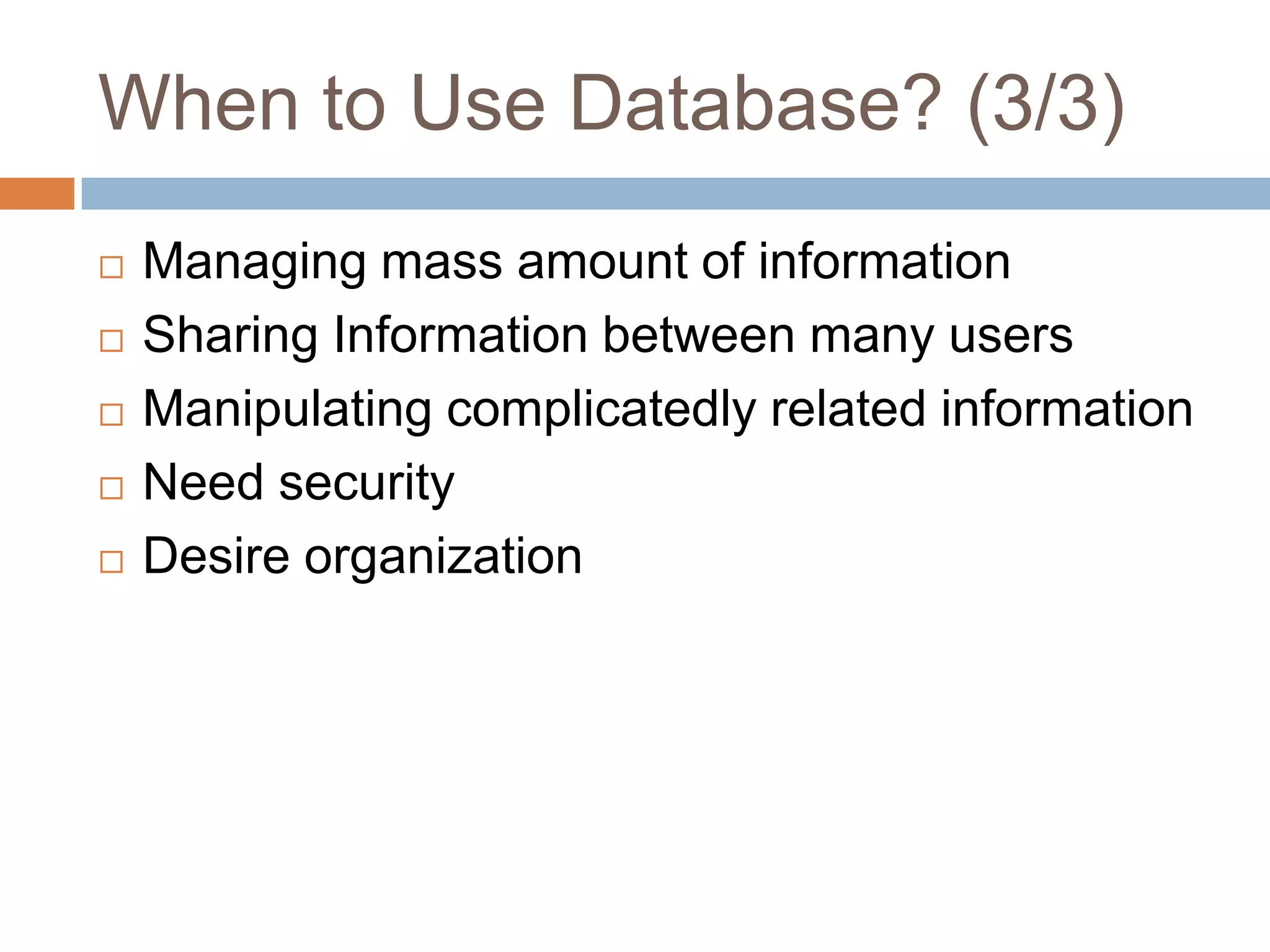
When to Use Database? (3/3)Managing mass amount of informationSharing Information between many usersManipulating complicatedly related informationNeed securityDesire organization
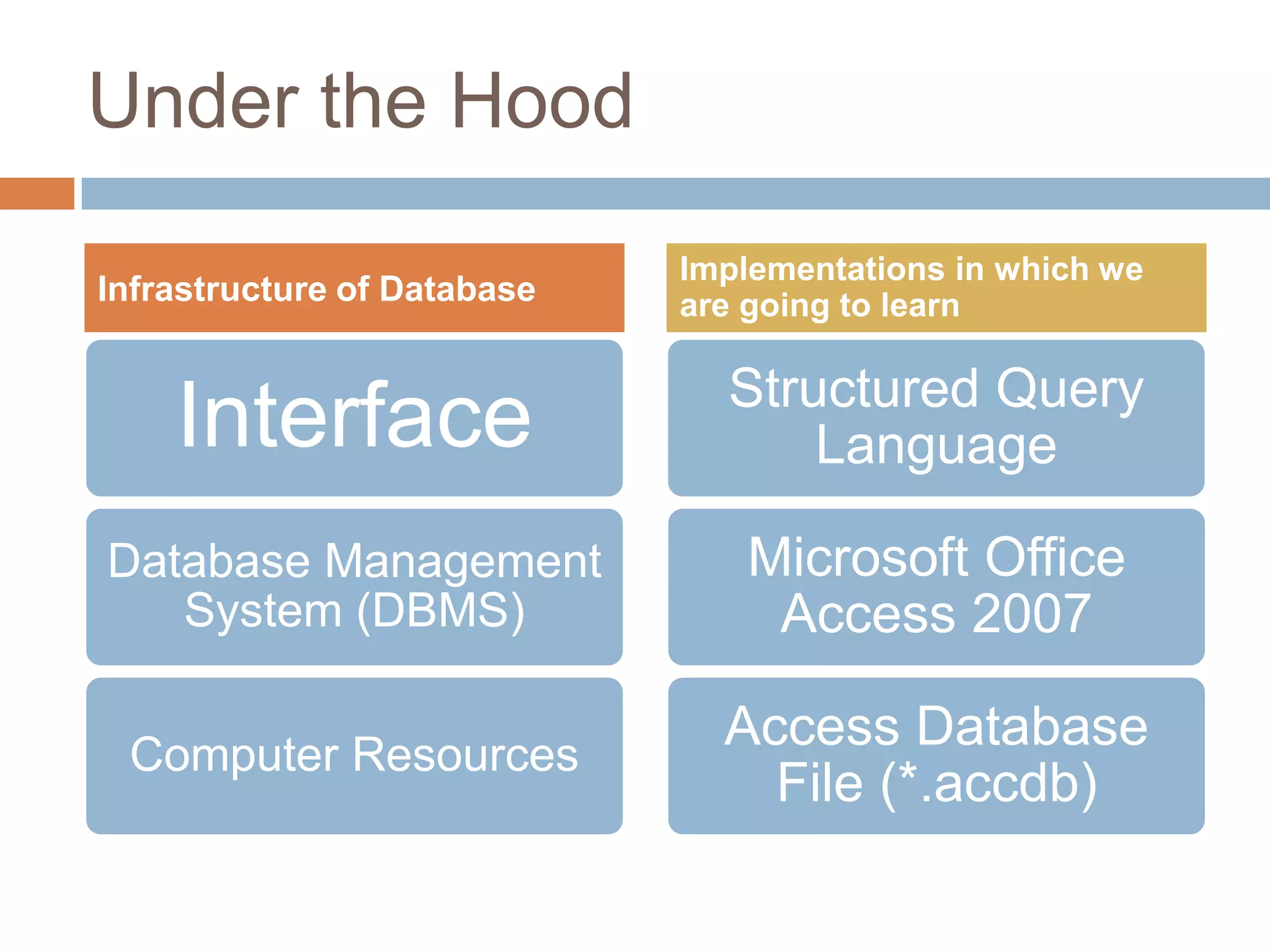
Under the HoodInfrastructure of DatabaseImplementations in which we are going to learn
Basic of Access 2007
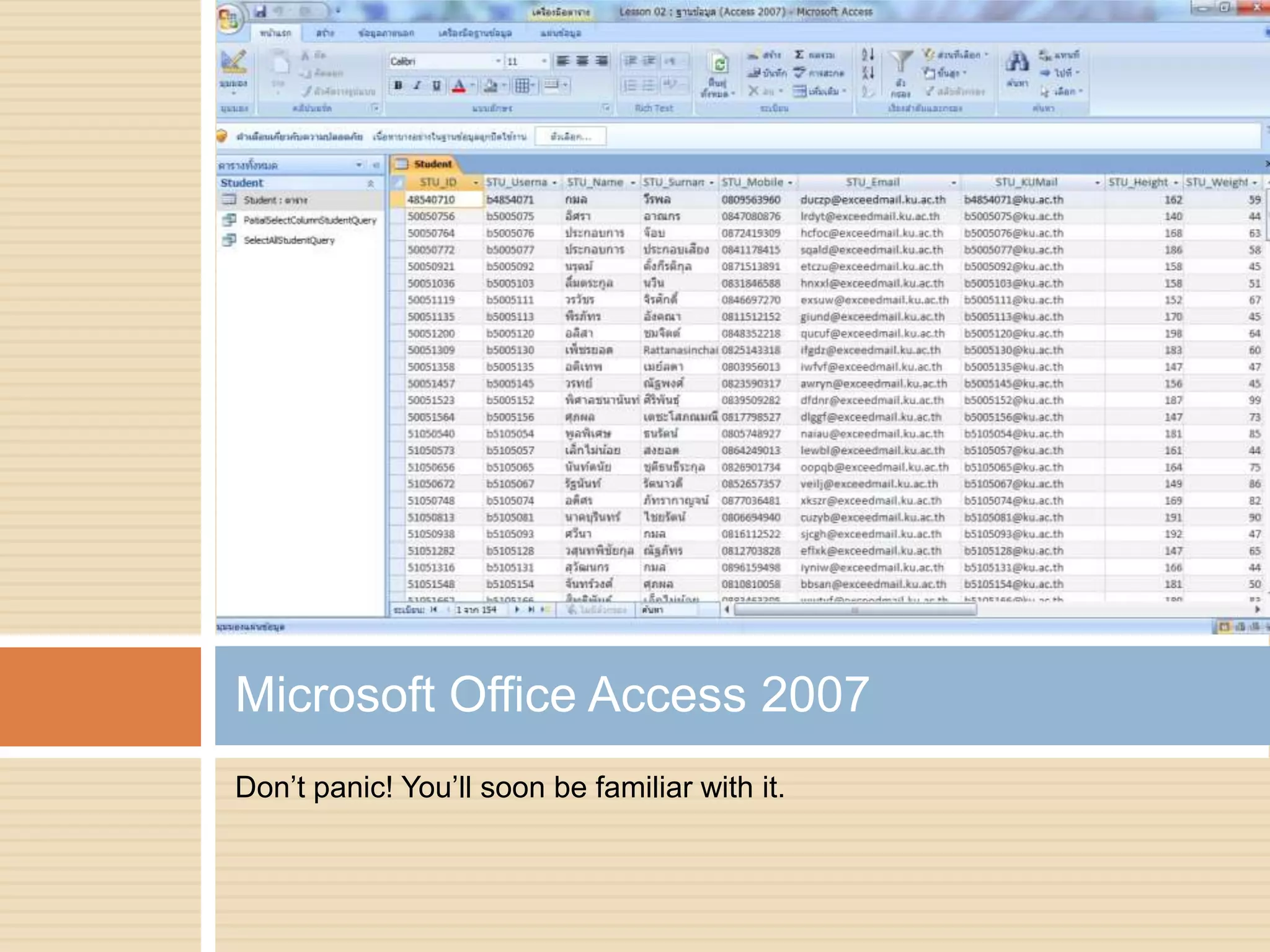
Don’t panic! You’ll soon be familiar with it.Microsoft Office Access 2007
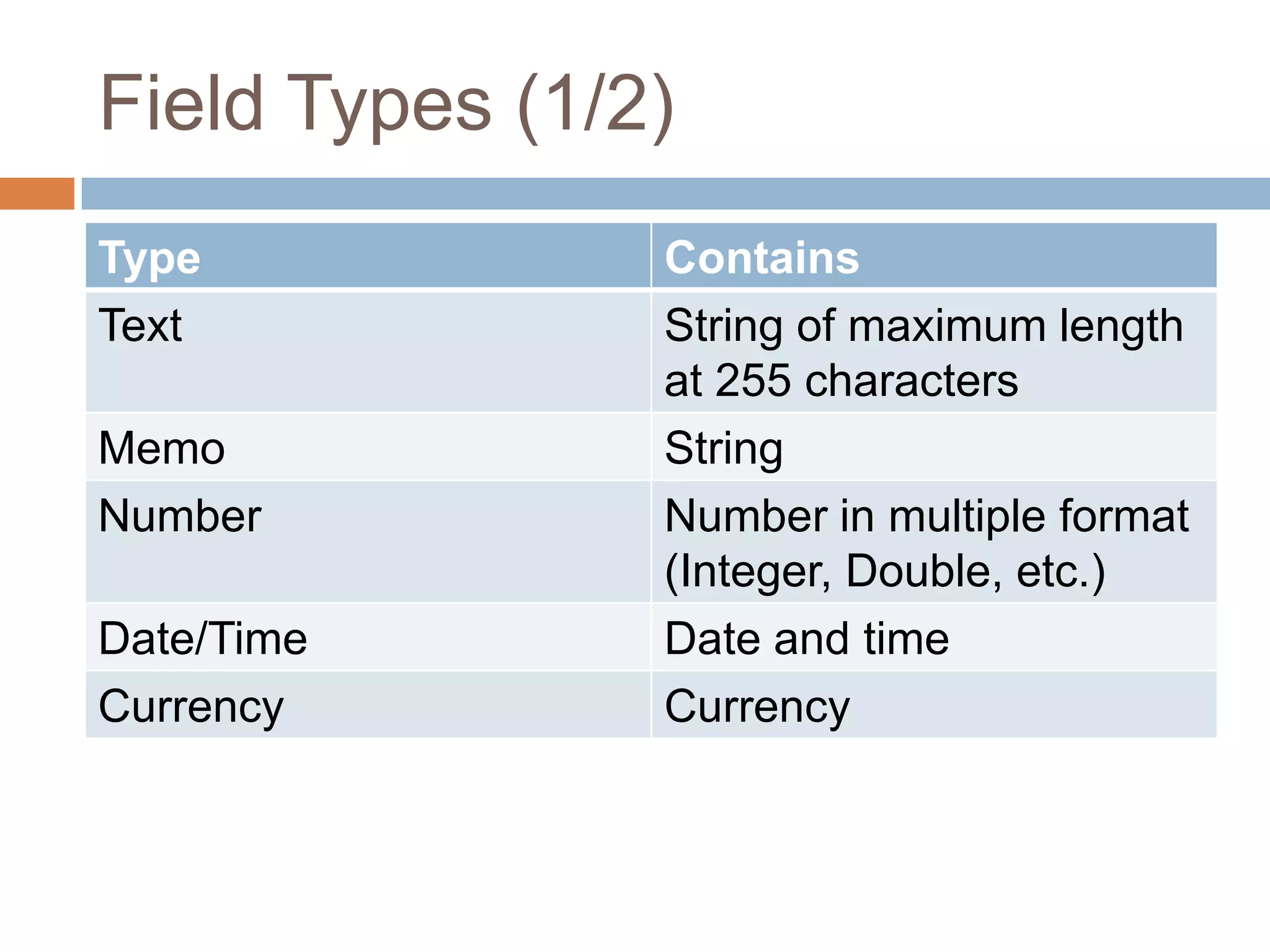
Field Types (1/2)
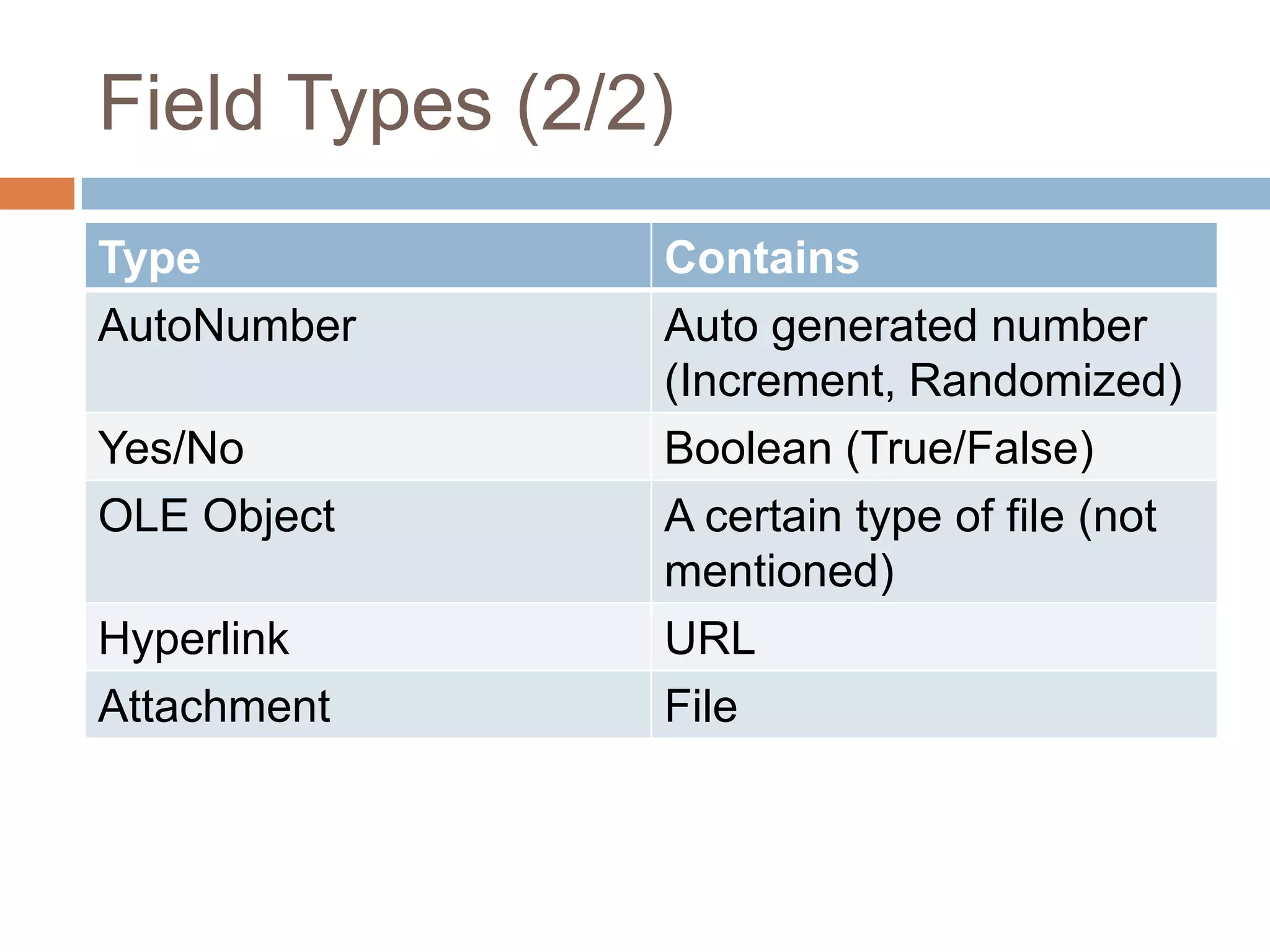
Field Types (2/2)
Basic Operations of Database
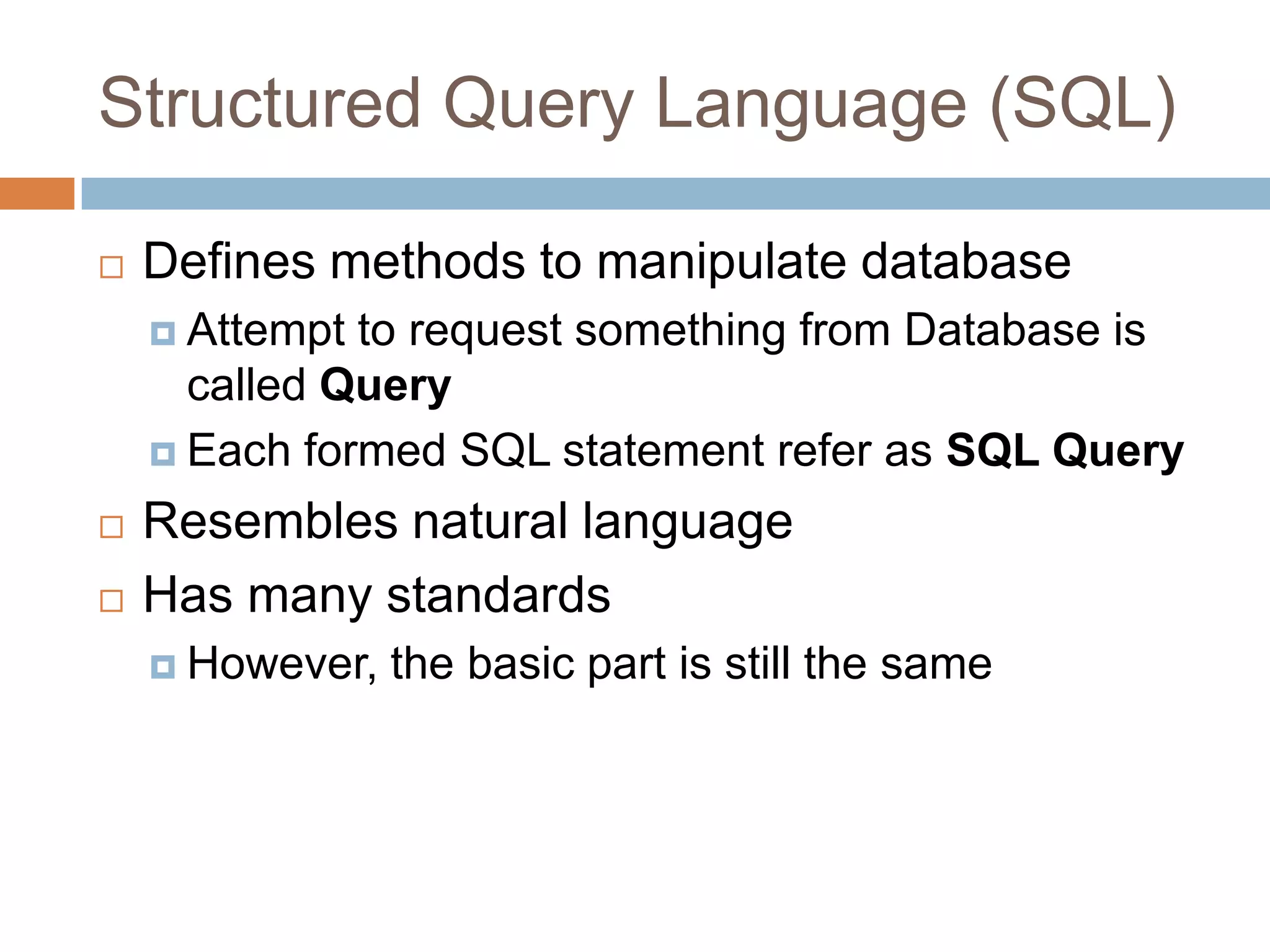
Structured Query Language (SQL)Defines methods to manipulate databaseAttempt to request something from Database is called QueryEach formed SQL statement refer as SQL QueryResembles natural languageHas many standardsHowever, the basic part is still the same
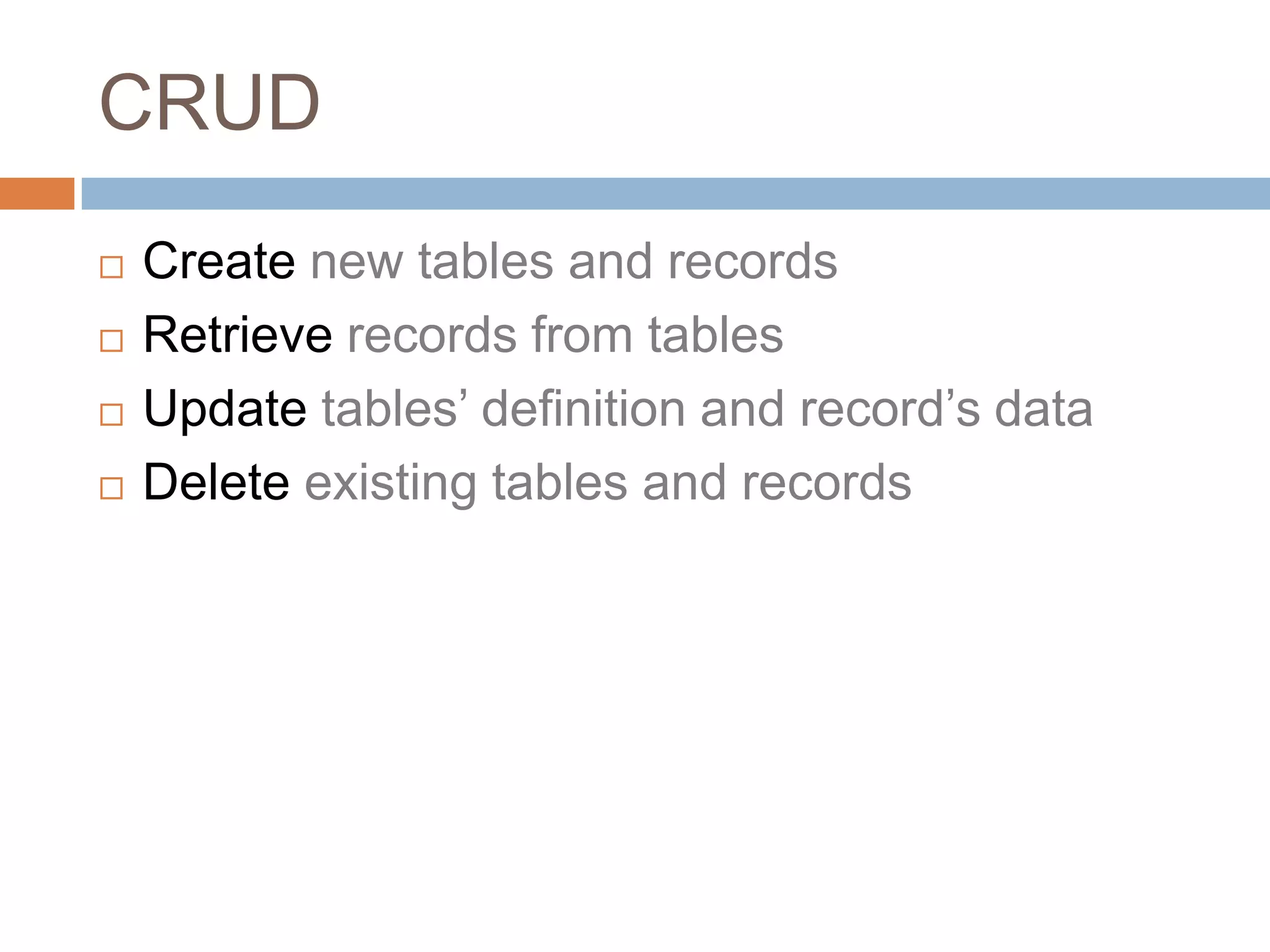
CRUDCreate new tables and recordsRetrieve records from tablesUpdate tables’ definition and record’s dataDelete existing tables and records
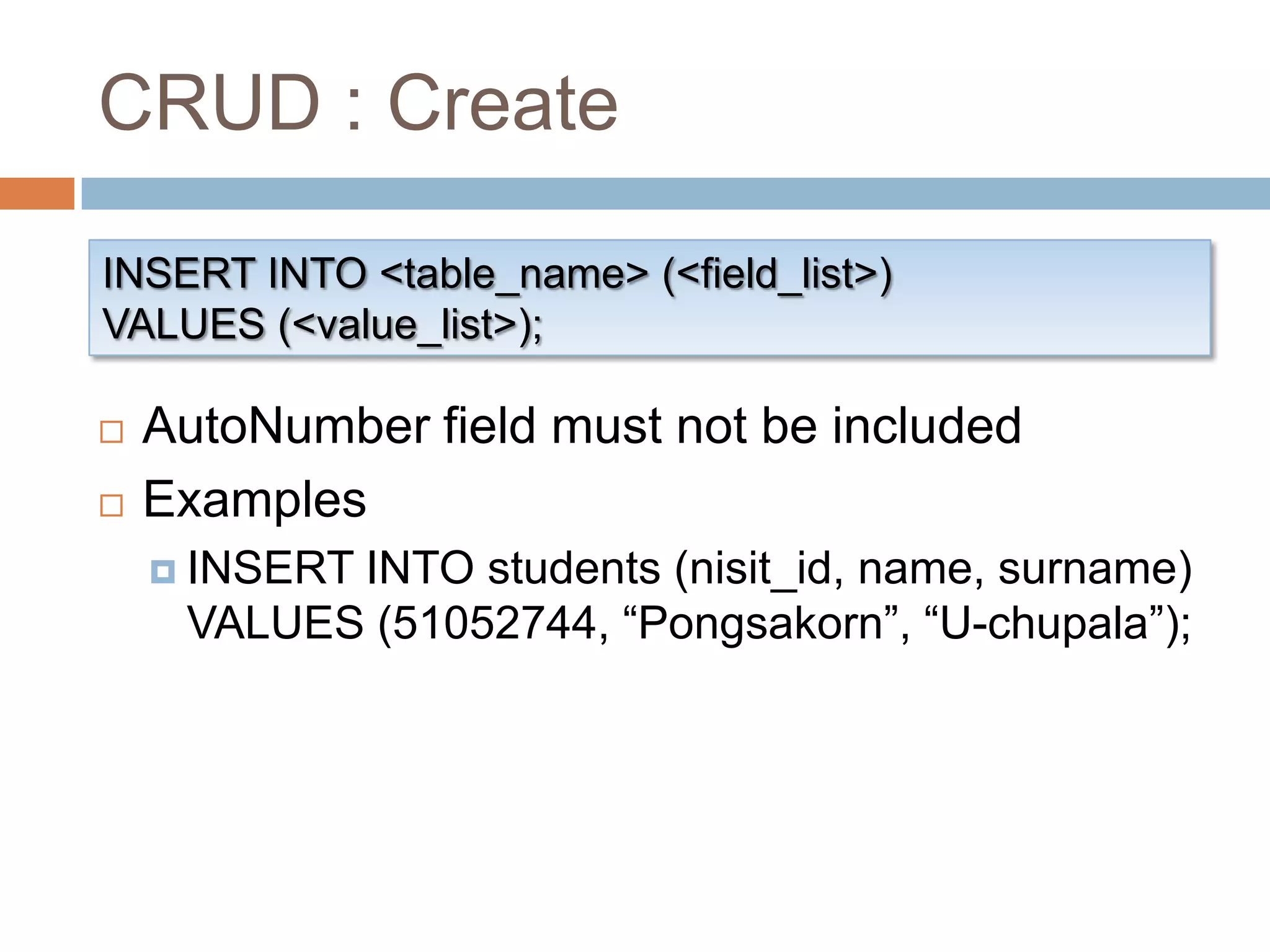
CRUD : CreateINSERT INTO <table_name> (<field_list>)VALUES (<value_list>);AutoNumber field must not be includedExamplesINSERT INTO students (nisit_id, name, surname) VALUES (51052744, “Pongsakorn”, “U-chupala”);
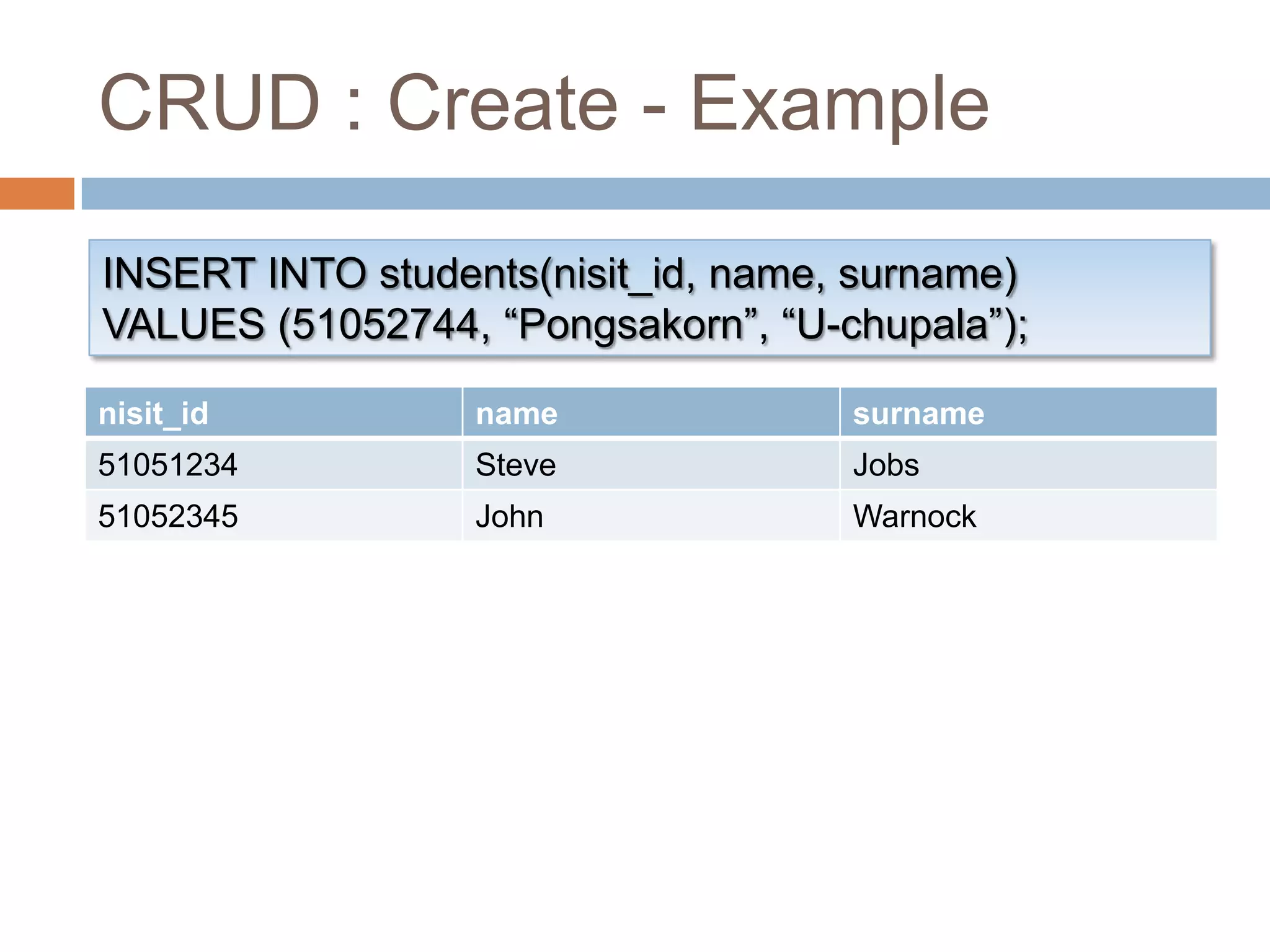
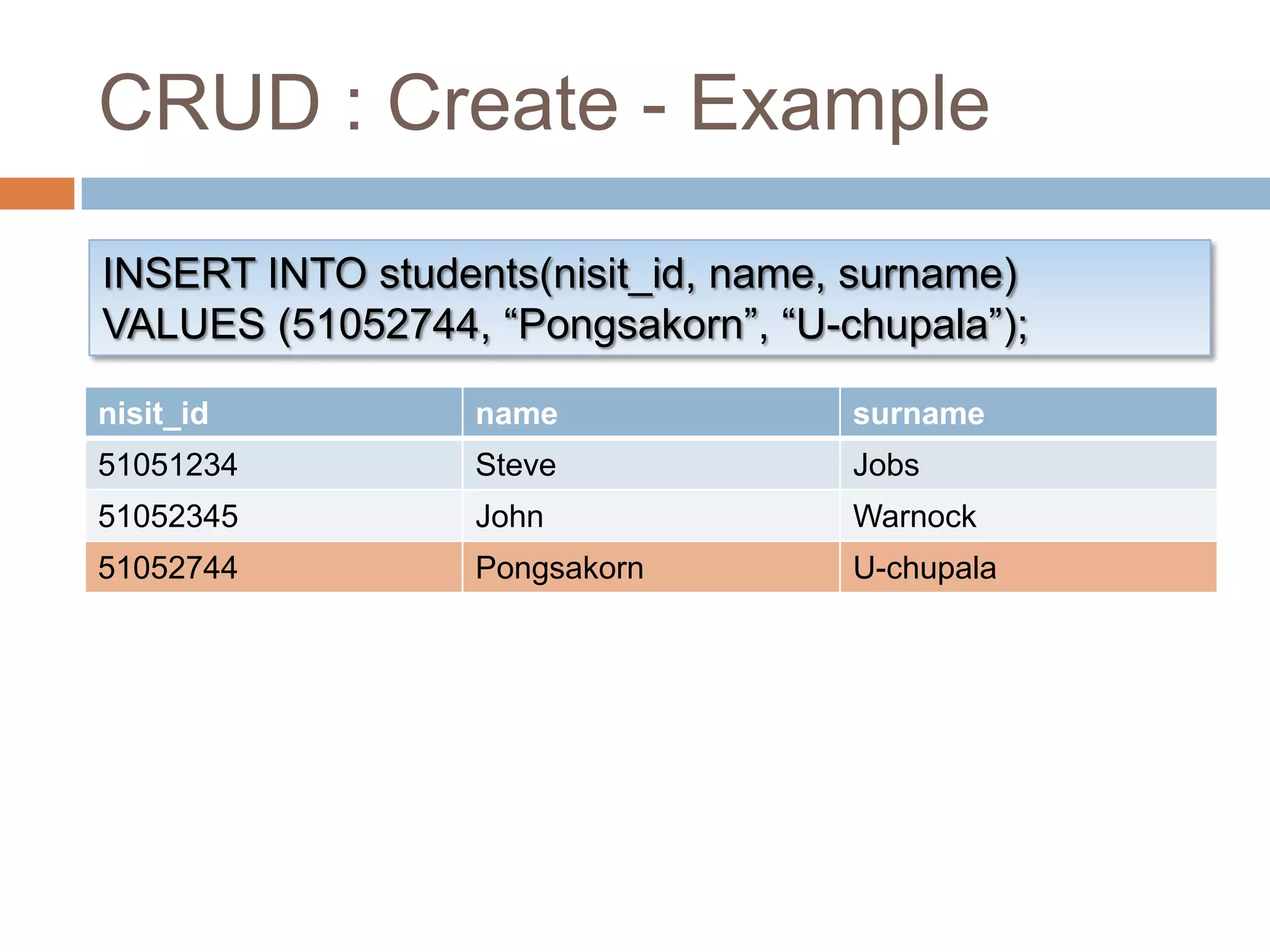
CRUD : Create - ExampleINSERT INTO students(nisit_id, name, surname)VALUES (51052744, “Pongsakorn”, “U-chupala”);
CRUD : Create - PracticeInsert a record with every field specified
CRUD : RetrieveSELECT <select_list> FROM <table_name>[ WHERE <search_condition> ][ ORDER BY <order_expression> [ ASC | DESC ] ];Select which fields to retrieve ExamplesSELECT field_1, field_2 FROM table_name …SELECT * FROM table_name …
CRUD : RetrieveSELECT <select_list> FROM <table_name>[ WHERE <search_condition> ][ ORDER BY <order_expression> [ ASC | DESC ] ];Available operators: =, <, >, <=, >=, <>Modifiers: AND, OR, NOT, ()Examples… WHERE student_id=1 …… WHEHE (<cond1>) AND (<cond2>) …
CRUD : RetrieveSELECT <select_list> FROM <table_name>[ WHERE <search_condition> ][ ORDER BY <order_expression> [ ASC | DESC ] ];Sort results by order expression ascending (default) or descendingExpression can be chained togetherExamples… ORDER BY date DESC …… ORDER BY name ASC, surname ASC …
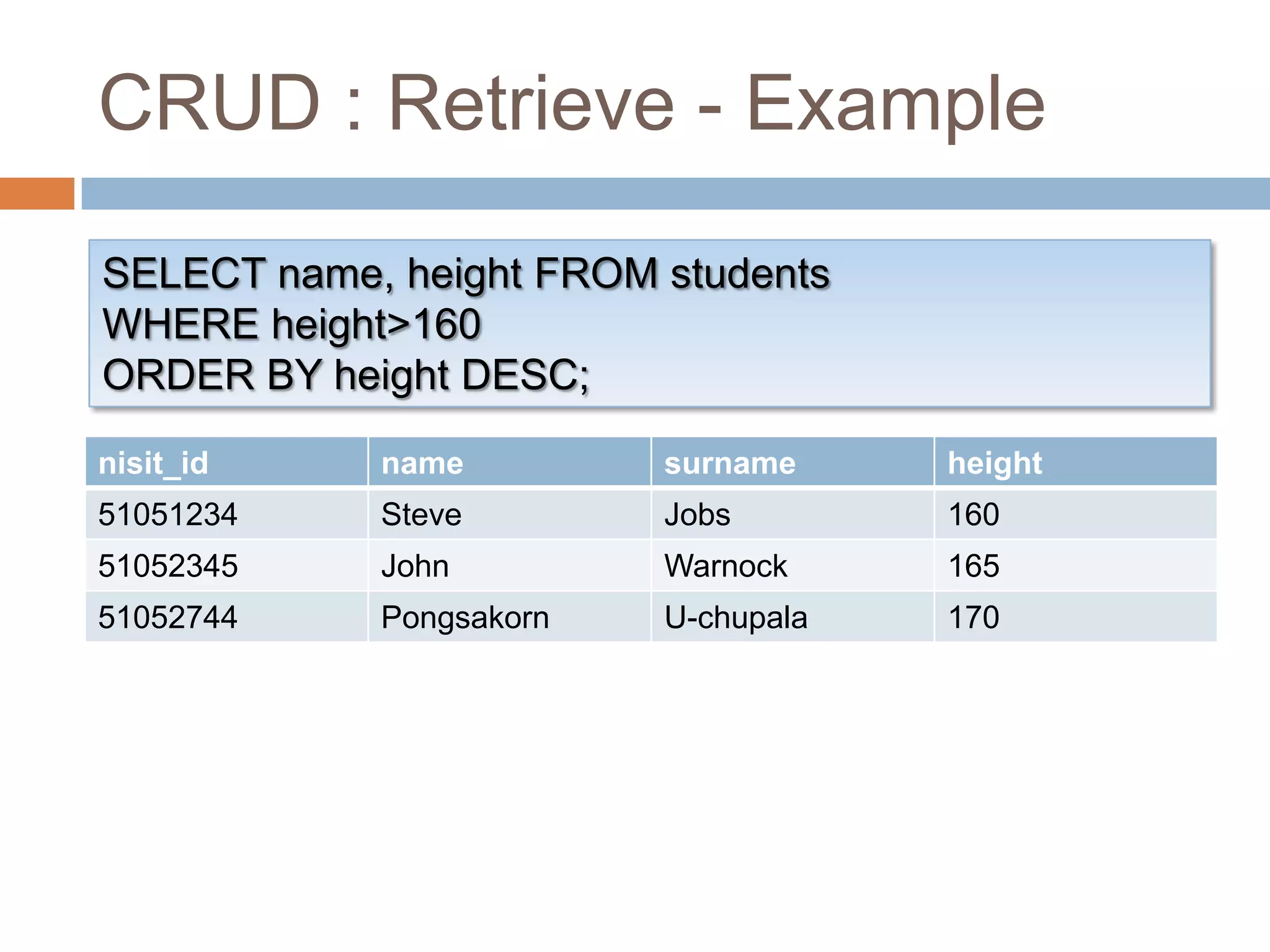
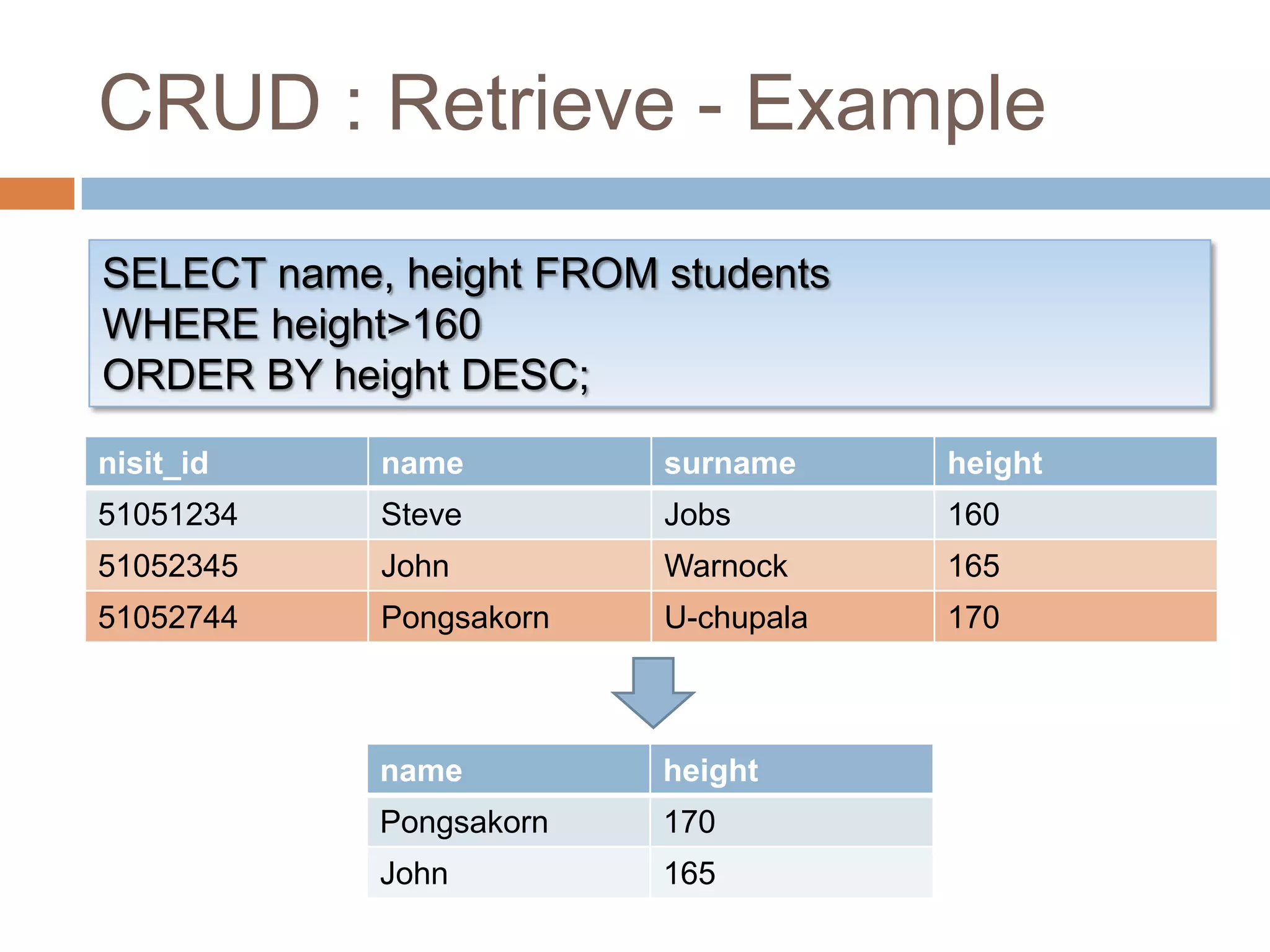
CRUD : Retrieve - ExampleSELECT name, height FROM studentsWHERE height>160ORDER BY height DESC;
CRUD : Retrieve - PracticeSelect every record, sort by STU_ID, ascendingSelect name, surname and height of everyone shorter than 170Select everyone heavier than 70, sort by height, descending
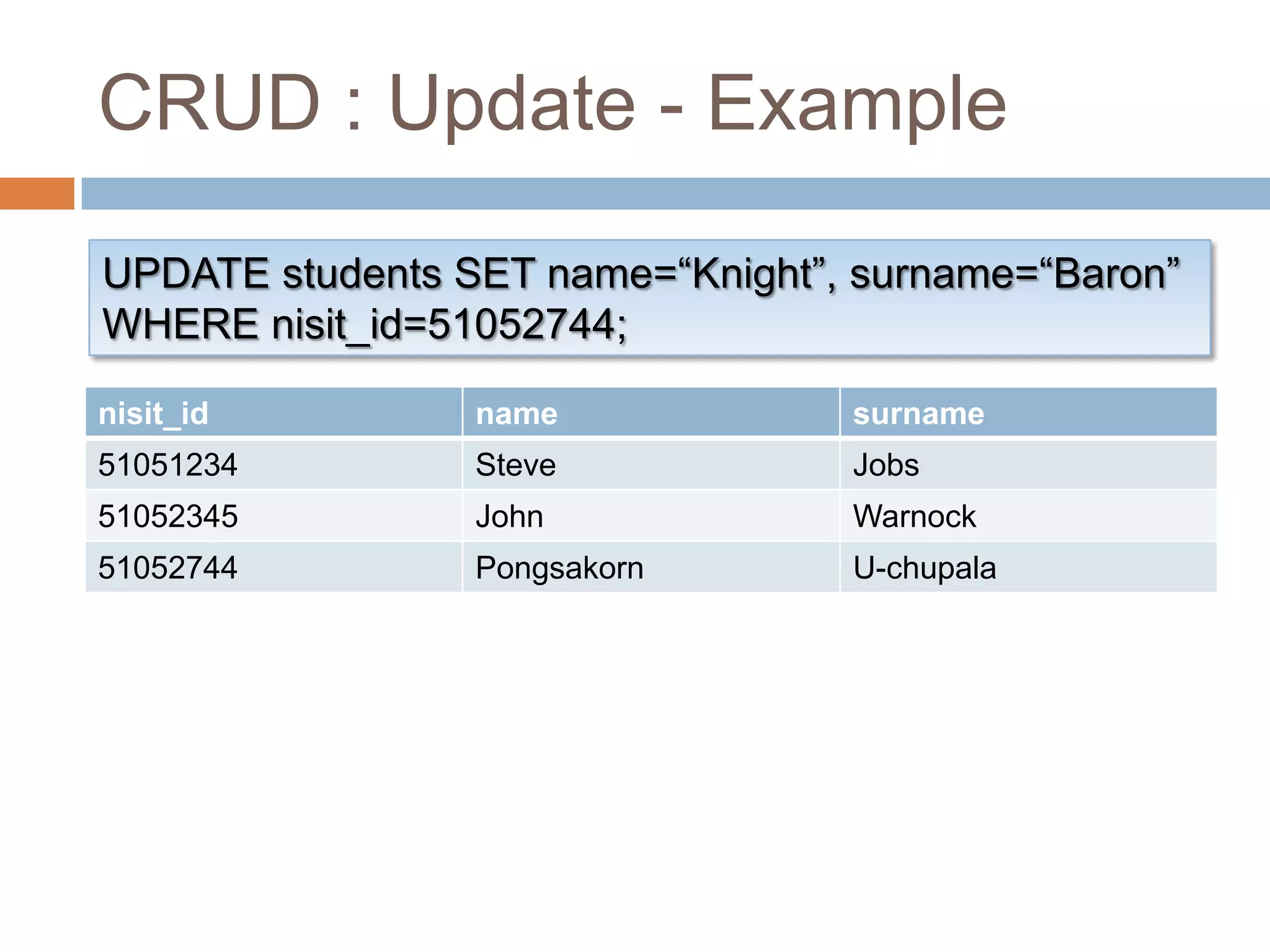
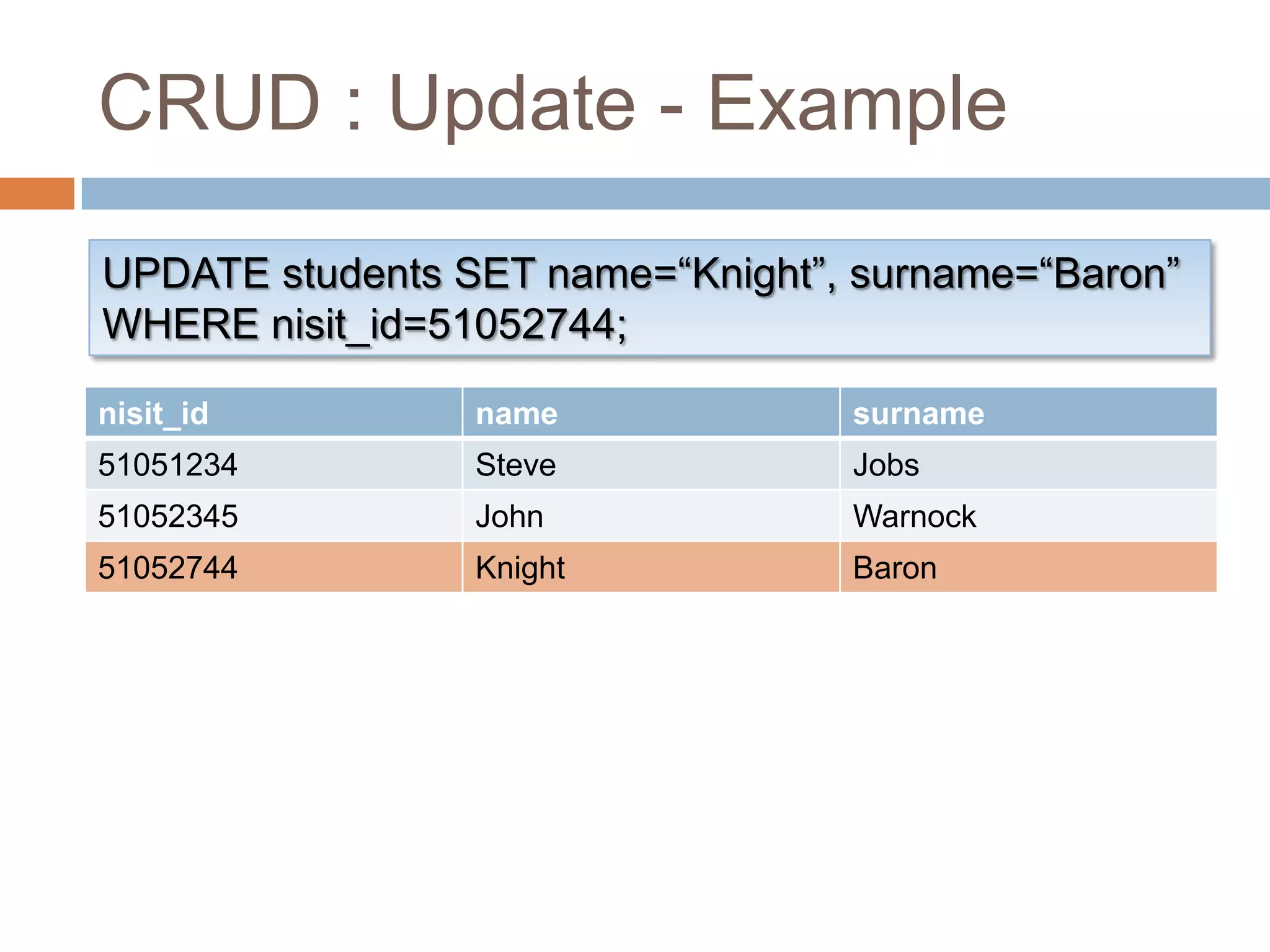
CRUD : UpdateUPDATE <table_name> SET <field_value_list>[ WHERE <search_condition> ];Update every record that match the search conditionWe usually use primary key for thisExamplesUPDATE students SET name=“Knight”, surname=“Baron” WHERE nisit_id=1;
CRUD : Update - ExampleUPDATE students SET name=“Knight”, surname=“Baron”WHERE nisit_id=51052744;
CRUD : Update - PracticeUpdate the record that you’ve added earlier with different data
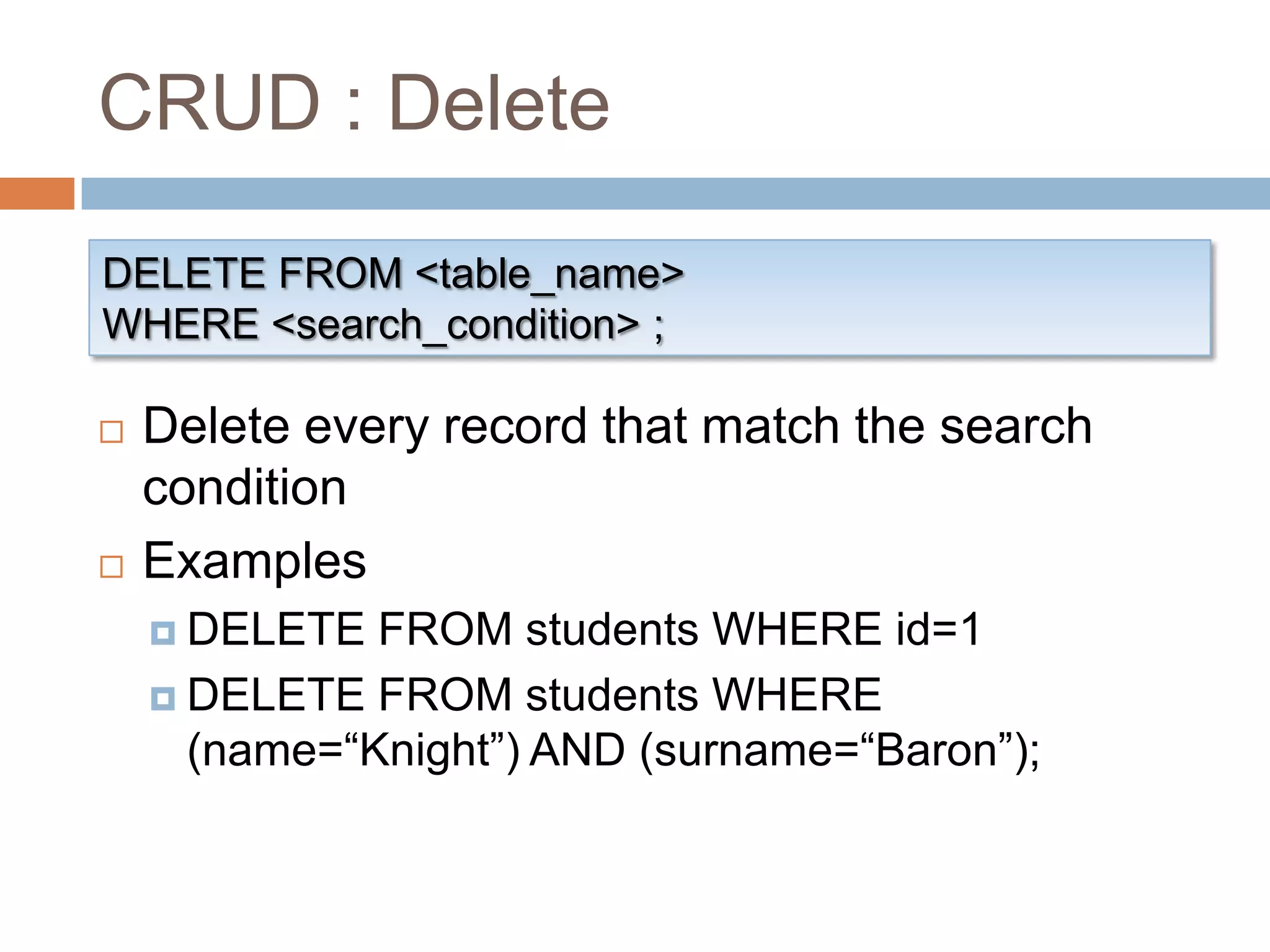
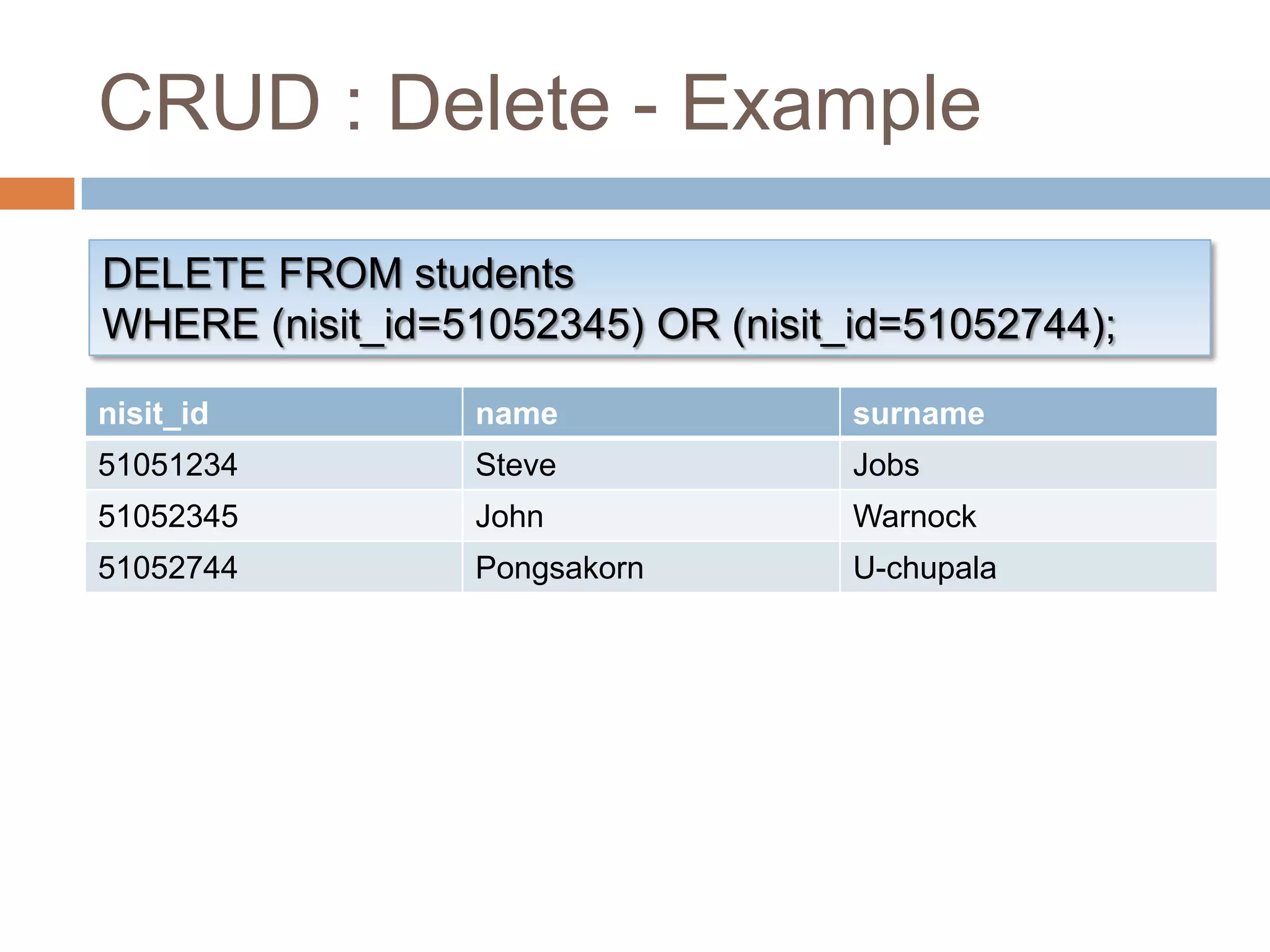
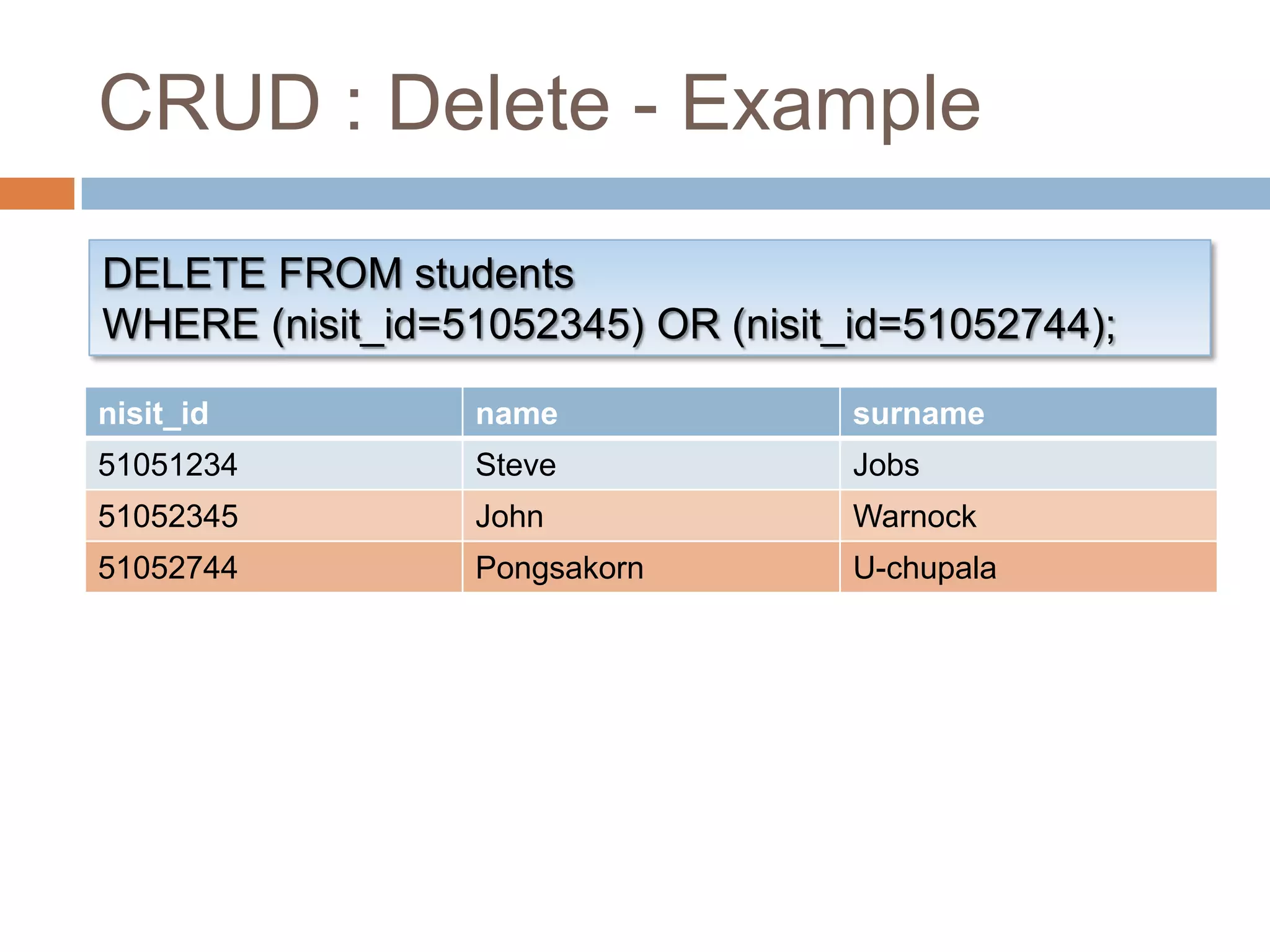
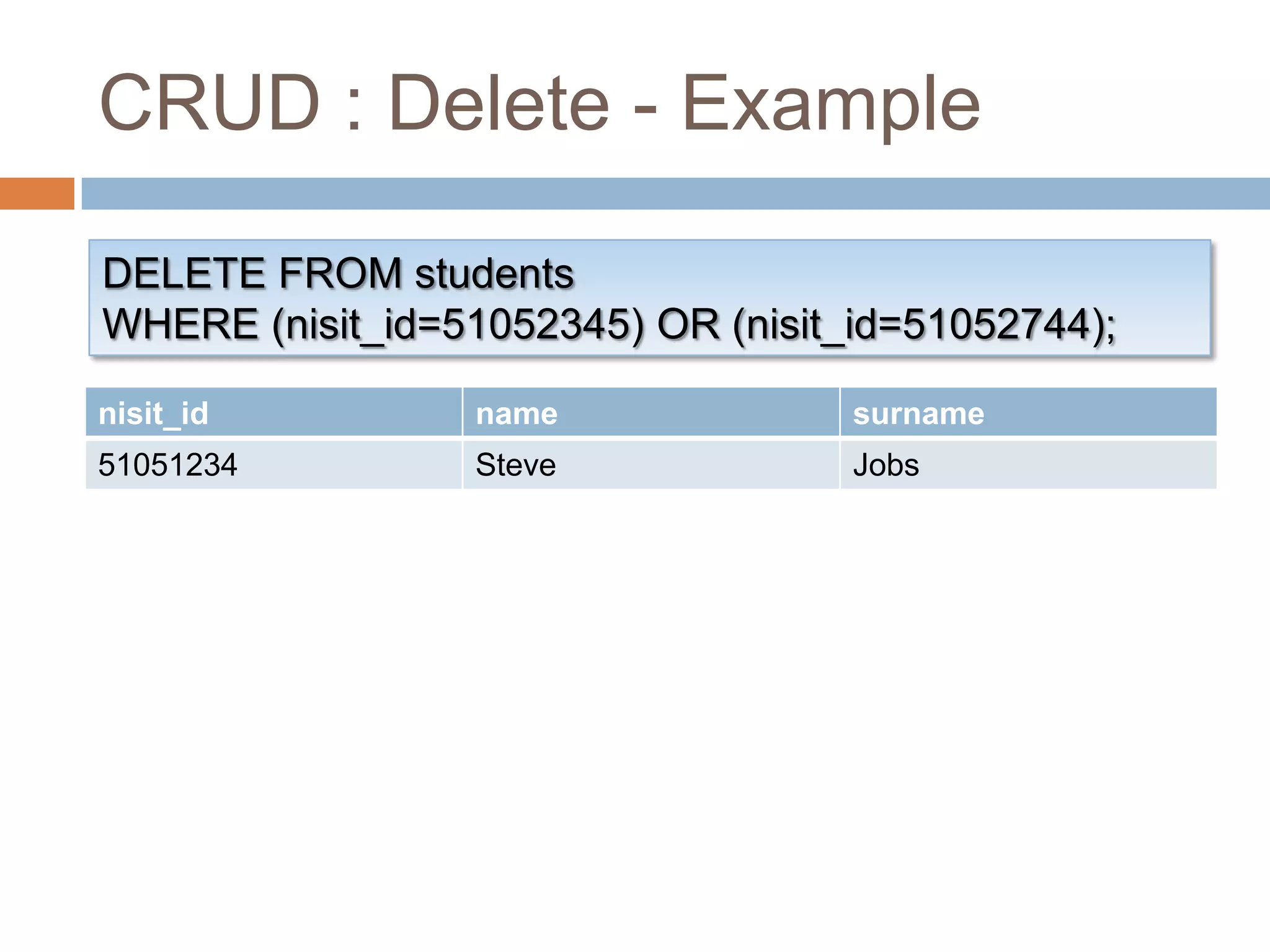
CRUD : DeleteDELETE FROM <table_name>WHERE <search_condition> ;Delete every record that match the search conditionExamplesDELETE FROM students WHERE id=1DELETE FROM students WHERE (name=“Knight”) AND (surname=“Baron”);
CRUD : Delete - ExampleDELETE FROM studentsWHERE (nisit_id=51052345) OR (nisit_id=51052744);
CRUD : Delete - PracticeDelete the record you’ve modified earlier
Conclusion
ReviewGetting to know DatabaseDefinitionOrganizationPracticing with Access 2007Database operationsSQL SyntaxCRUD Operations
Please do not hesitate to askAny Questions?
Author: @KnightBaronBlog: http://aosekai.net/Email: knightbaron@gmail.comThank You!

Introduction to database

  • 1.
    Introduction to DatabaseWithMicrosoft Office Access 2007
  • 2.
    AgendaGetting to KnowDatabaseBasic of Microsoft Office Access 2007Basic Operations of DatabaseStructured Query Language (SQL)CRUD Operations
  • 3.
  • 4.
    Definition of DatabaseOrganizedmechanism to store, manage and retrieve informationEfficientRobustStableArranged in tabular fashionApparent relationship between informationThe most important aspectWon’t be taught in this class :-(
  • 5.
    Consists of atable, multiple fields and many columnsA Really Simple Database
  • 6.
    Organization of DatabaseTablesFields(Columns)Has many typesPrimary Key (Optional)Records (Rows, Entries)
  • 7.
    When to UseDatabase? (1/3)AppropriateAppropriateInappropriateAppropriateInappropriateAppropriate
  • 8.
    When to UseDatabase? (2/3)Transaction recordsLoggingBlog/ForumMedia LibraryShopping listMusic playlistAppropriateInappropriate
  • 9.
    When to UseDatabase? (3/3)Managing mass amount of informationSharing Information between many usersManipulating complicatedly related informationNeed securityDesire organization
  • 10.
    Under the HoodInfrastructureof DatabaseImplementations in which we are going to learn
  • 11.
  • 12.
    Don’t panic! You’llsoon be familiar with it.Microsoft Office Access 2007
  • 13.
  • 14.
  • 15.
  • 16.
    Structured Query Language(SQL)Defines methods to manipulate databaseAttempt to request something from Database is called QueryEach formed SQL statement refer as SQL QueryResembles natural languageHas many standardsHowever, the basic part is still the same
  • 17.
    CRUDCreate new tablesand recordsRetrieve records from tablesUpdate tables’ definition and record’s dataDelete existing tables and records
  • 18.
    CRUD : CreateINSERTINTO <table_name> (<field_list>)VALUES (<value_list>);AutoNumber field must not be includedExamplesINSERT INTO students (nisit_id, name, surname) VALUES (51052744, “Pongsakorn”, “U-chupala”);
  • 19.
    CRUD : Create- ExampleINSERT INTO students(nisit_id, name, surname)VALUES (51052744, “Pongsakorn”, “U-chupala”);
  • 20.
    CRUD : Create- ExampleINSERT INTO students(nisit_id, name, surname)VALUES (51052744, “Pongsakorn”, “U-chupala”);
  • 21.
    CRUD : Create- PracticeInsert a record with every field specified
  • 22.
    CRUD : RetrieveSELECT<select_list> FROM <table_name>[ WHERE <search_condition> ][ ORDER BY <order_expression> [ ASC | DESC ] ];Select which fields to retrieve ExamplesSELECT field_1, field_2 FROM table_name …SELECT * FROM table_name …
  • 23.
    CRUD : RetrieveSELECT<select_list> FROM <table_name>[ WHERE <search_condition> ][ ORDER BY <order_expression> [ ASC | DESC ] ];Available operators: =, <, >, <=, >=, <>Modifiers: AND, OR, NOT, ()Examples… WHERE student_id=1 …… WHEHE (<cond1>) AND (<cond2>) …
  • 24.
    CRUD : RetrieveSELECT<select_list> FROM <table_name>[ WHERE <search_condition> ][ ORDER BY <order_expression> [ ASC | DESC ] ];Sort results by order expression ascending (default) or descendingExpression can be chained togetherExamples… ORDER BY date DESC …… ORDER BY name ASC, surname ASC …
  • 25.
    CRUD : Retrieve- ExampleSELECT name, height FROM studentsWHERE height>160ORDER BY height DESC;
  • 26.
    CRUD : Retrieve- ExampleSELECT name, height FROM studentsWHERE height>160ORDER BY height DESC;
  • 27.
    CRUD : Retrieve- PracticeSelect every record, sort by STU_ID, ascendingSelect name, surname and height of everyone shorter than 170Select everyone heavier than 70, sort by height, descending
  • 28.
    CRUD : UpdateUPDATE<table_name> SET <field_value_list>[ WHERE <search_condition> ];Update every record that match the search conditionWe usually use primary key for thisExamplesUPDATE students SET name=“Knight”, surname=“Baron” WHERE nisit_id=1;
  • 29.
    CRUD : Update- ExampleUPDATE students SET name=“Knight”, surname=“Baron”WHERE nisit_id=51052744;
  • 30.
    CRUD : Update- ExampleUPDATE students SET name=“Knight”, surname=“Baron”WHERE nisit_id=51052744;
  • 31.
    CRUD : Update- PracticeUpdate the record that you’ve added earlier with different data
  • 32.
    CRUD : DeleteDELETEFROM <table_name>WHERE <search_condition> ;Delete every record that match the search conditionExamplesDELETE FROM students WHERE id=1DELETE FROM students WHERE (name=“Knight”) AND (surname=“Baron”);
  • 33.
    CRUD : Delete- ExampleDELETE FROM studentsWHERE (nisit_id=51052345) OR (nisit_id=51052744);
  • 34.
    CRUD : Delete- ExampleDELETE FROM studentsWHERE (nisit_id=51052345) OR (nisit_id=51052744);
  • 35.
    CRUD : Delete- ExampleDELETE FROM studentsWHERE (nisit_id=51052345) OR (nisit_id=51052744);
  • 36.
    CRUD : Delete- PracticeDelete the record you’ve modified earlier
  • 37.
  • 38.
    ReviewGetting to knowDatabaseDefinitionOrganizationPracticing with Access 2007Database operationsSQL SyntaxCRUD Operations
  • 39.
    Please do nothesitate to askAny Questions?
  • 40.
  • 41.