Effective Communication
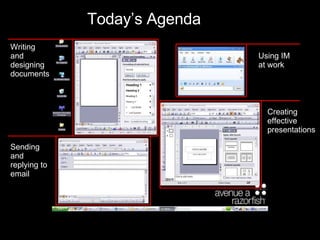
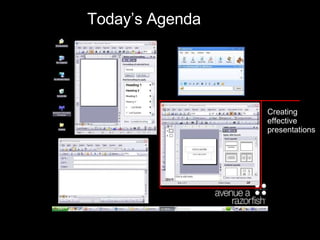
Today’s Agenda Writing and designing documents Using IM at work Creating effective presentations Sending and replying to email
User Centered Writing Think about your audience  Who are your readers? What are their preferences for style, tone, format, length? What do you know about their environment and where they’ll read? What questions do your readers bring to the document? Tailor your message for your readers Imagine them reading your document Respond to their questions Assume your reader is busy and just wants the facts
How To Write Good Don’t try to sound smart, try to make sense There has been a decision that we will proceed with haste. Let’s go! Change nominalizations into agents with active verbs The agency  conducted an investigation  into the matter.  There is  no need for further study of this problem. The agency  investigated  the matter.  We  do not need to study this problem further. Delete unnecessary words and phrases Productivity  actually  depends on  certain  factors that involve  basic  psychology more than  on any particular  technology Productivity depends more on psychology than technology We must explain  the reason for  the  delay  in the meeting We must explain  why  the meeting was  delayed
Consistency, Consistency, Uniformity Consistent styles and formatting Keep the width of indentations the same (don’t tab all over the page) Don’t change type size and style (except to communicate hierarchy) Don’t change font within documents Consistent capitalization Sentence case capitalizes the first word Title Case Capitalizes Every Word Shift + F3 toggles quickly between them Consistent (and parallel) bullet points Start each point in the series with either a noun or an action verb Don’t add periods at the end unless they are full sentences
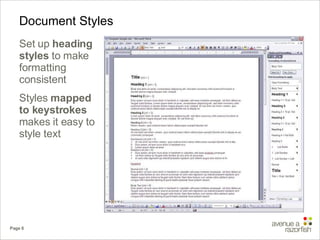
Document Styles Set up  heading styles  to make formatting consistent Styles  mapped to keystrokes  makes it easy to style text
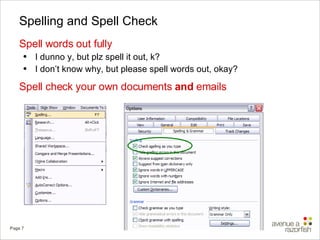
Spelling and Spell Check Spell words out fully I dunno y, but plz spell it out, k? I don’t know why, but please spell words out, okay? Spell check your own documents  and  emails
Writing Pet Peeves Use of quotation marks The phrase user personas are a “best practice” in the field of web design doesn't make the words “best practice” seem more important. It makes it sound like you're lying. Use of  And You can use the word  and  to begin a sentence... but it had better be a  really  good sentence. Using exclamation points Don’t over-emote, PUHLEAAAZZEEE!!!!
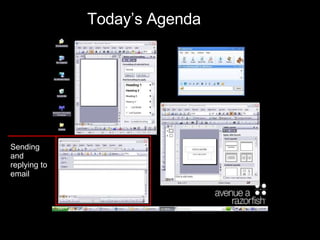
Today’s Agenda Sending and replying to email
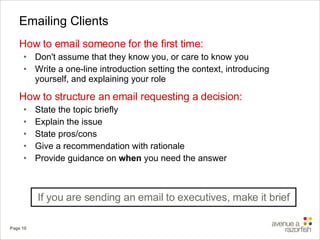
Emailing Clients How to email someone for the first time: Don't assume that they know you, or care to know you Write a one-line introduction setting the context, introducing yourself, and explaining your role How to structure an email requesting a decision: State the topic briefly Explain the issue State pros/cons Give a recommendation with rationale Provide guidance on  when  you need the answer If you are sending an email to executives, make it brief
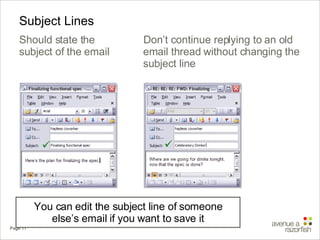
Subject Lines Should state the subject of the email You can edit the subject line of someone else’s email if you want to save it  Don’t continue replying to an old email thread without changing the subject line 
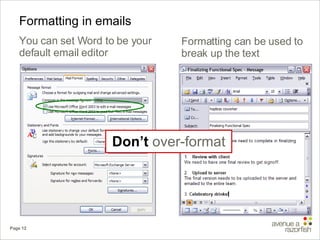
Formatting in emails You can set Word to be your default email editor Don’t  over-format Formatting can be used to break up the text
Font in Emails True   or  False? I do creative work for a creative company, so a good place to express my creativity is in the  font  I choose for my emails False Use  Arial 10 Point  for body text Not  Verdana ,  Trebuchet , and especially not  Comic Sans Don’t emphasize too much Please, no more  BOLD ITALIC UNDERLINE ALL CAPS If you want to emphasize, do it  sparingly with bold Don’t write emails in ALL CAPS IT MAKES IT SOUND LIKE YOU’RE  YELLING
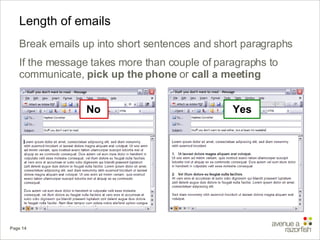
Length of emails Break emails up into short sentences and short paragraphs If the message takes more than couple of paragraphs to communicate,  pick up the phone  or  call a meeting No Yes
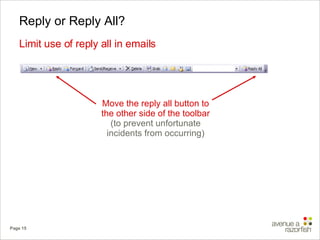
Reply or Reply All? Limit use of reply all in emails Move the reply all button to the other side of the toolbar  (to prevent unfortunate incidents from occurring)
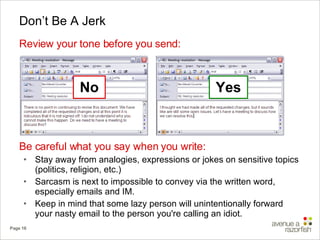
Don’t Be A Jerk Review your tone before you send: Be careful what you say when you write: Stay away from analogies, expressions or jokes on sensitive topics (politics, religion, etc.) Sarcasm is next to impossible to convey via the written word, especially emails and IM. Keep in mind that some lazy person will unintentionally forward your nasty email to the person you're calling an idiot. No Yes
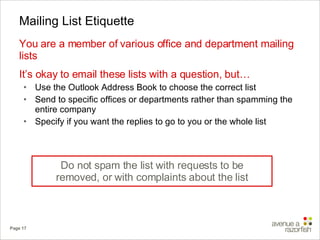
Mailing List Etiquette You are a member of various office and department mailing lists It’s okay to email these lists with a question, but… Use the Outlook Address Book to choose the correct list  Send to specific offices or departments rather than spamming the entire company Specify if you want the replies to go to you or the whole list Do not spam the list with requests to be removed, or with complaints about the list
Today’s Agenda Creating effective presentations
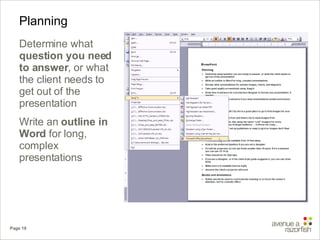
Planning Determine what  question you need to answer , or what the client needs to get out of the presentation Write an  outline in Word  for long, complex presentations
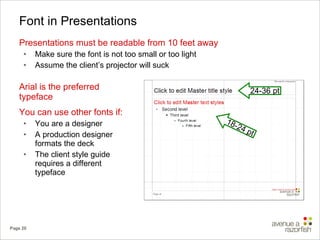
Font in Presentations Presentations must be readable from 10 feet away Make sure the font is not too small or too light Assume the client’s projector will suck Arial is the preferred typeface You can use other fonts if: You are a designer A production designer formats the deck The client style guide requires a different typeface 24-36 pt 18-24 pt
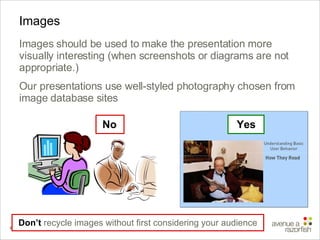
Images Images should be used to make the presentation more visually interesting (when screenshots or diagrams are not appropriate.) Our presentations use well-styled photography chosen from image database sites Don’t  recycle images without first considering your audience No Yes
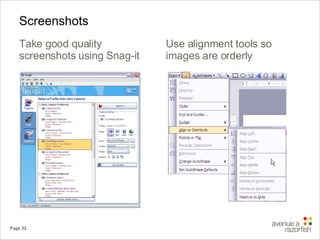
Screenshots Take good quality screenshots using Snag-it Use alignment tools so images are orderly
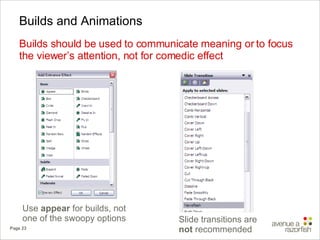
Builds and Animations Builds should be used to communicate meaning or to focus the viewer’s attention, not for comedic effect Use  appear  for builds, not one of the swoopy options Slide transitions are  not  recommended
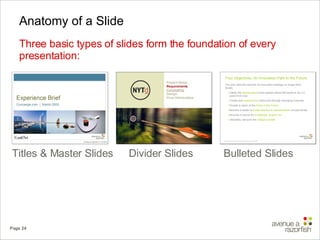
Anatomy of a Slide Three basic types of slides form the foundation of every presentation: Divider Slides Bulleted Slides Titles & Master Slides
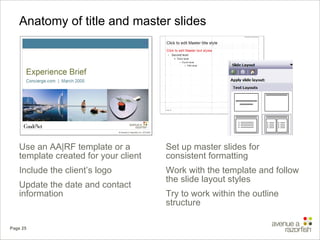
Anatomy of title and master slides Use an AA|RF template or a template created for your client Include the client’s logo Update the date and contact information Set up master slides for consistent formatting Work with the template and follow the slide layout styles Try to work within the outline structure
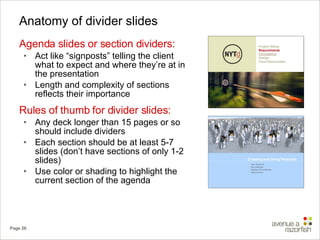
Anatomy of divider slides Agenda slides or section dividers: Act like “signposts” telling the client what to expect and where they’re at in the presentation Length and complexity of sections reflects their importance Rules of thumb for divider slides: Any deck longer than 15 pages or so should include dividers Each section should be at least 5-7 slides (don’t have sections of only 1-2 slides) Use color or shading to highlight the current section of the agenda
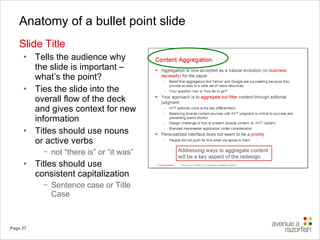
Anatomy of a bullet point slide Slide Title Tells the audience why the slide is important – what’s the point? Ties the slide into the overall flow of the deck and gives context for new information Titles should use nouns or active verbs not “there is” or “it was” Titles should use consistent capitalization  Sentence case or Title Case
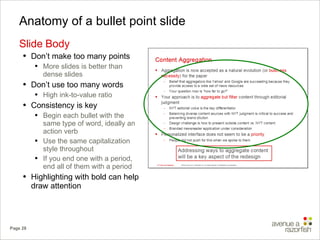
Anatomy of a bullet point slide Slide Body Don’t make too many points More slides is better than dense slides Don’t use too many words  High ink-to-value ratio Consistency is key Begin each bullet with the same type of word, ideally an action verb Use the same capitalization style throughout If you end one with a period, end all of them with a period Highlighting with bold can help draw attention
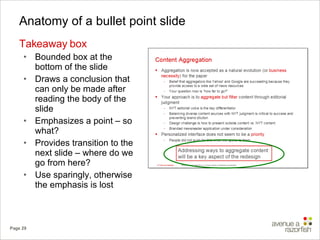
Anatomy of a bullet point slide Takeaway box Bounded box at the bottom of the slide Draws a conclusion that can only be made after reading the body of the slide Emphasizes a point – so what? Provides transition to the next slide – where do we go from here? Use sparingly, otherwise the emphasis is lost
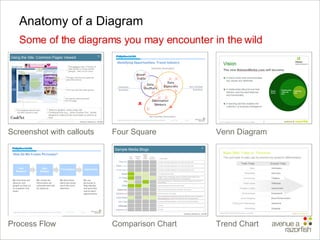
Anatomy of a Diagram Some of the diagrams you may encounter in the wild Venn Diagram Process Flow Four Square Screenshot with callouts Comparison Chart Trend Chart
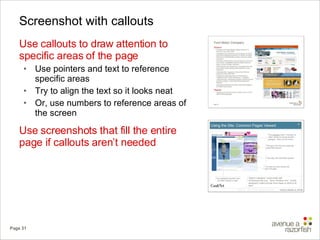
Screenshot with callouts Use callouts to draw attention to specific areas of the page Use pointers and text to reference specific areas Try to align the text so it looks neat Or, use numbers to reference areas of the screen Use screenshots that fill the entire page if callouts aren’t needed
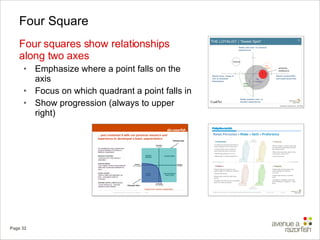
Four Square Four squares show relationships along two axes Emphasize where a point falls on the axis Focus on which quadrant a point falls in Show progression (always to upper right)
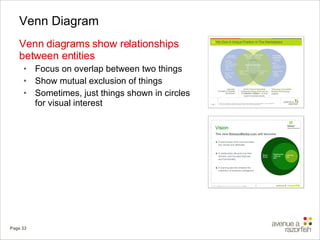
Venn Diagram Venn diagrams show relationships between entities Focus on overlap between two things Show mutual exclusion of things Sometimes, just things shown in circles for visual interest
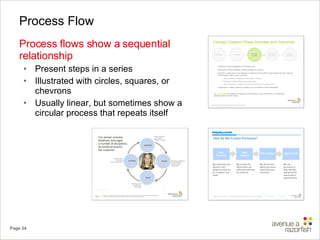
Process Flow Process flows show a sequential relationship Present steps in a series Illustrated with circles, squares, or chevrons Usually linear, but sometimes show a circular process that repeats itself
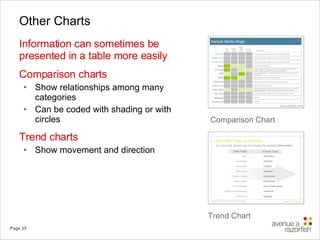
Other Charts Information can sometimes be presented in a table more easily Comparison charts Show relationships among many categories Can be coded with shading or with circles Trend charts Show movement and direction Comparison Chart Trend Chart
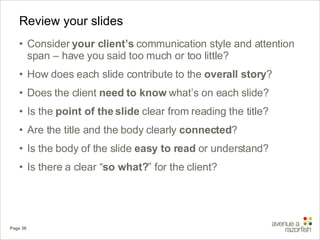
Review your slides Consider  your client’s  communication style and attention span – have you said too much or too little? How does each slide contribute to the  overall story ? Does the client  need to know  what’s on each slide? Is the  point of the slide  clear from reading the title? Are the title and the body clearly  connected ? Is the body of the slide  easy to read  or understand? Is there a clear “ so what? ” for the client?
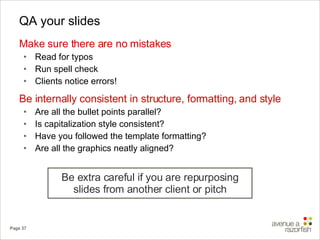
QA your slides Make sure there are no mistakes  Read for typos Run spell check Clients notice errors! Be internally consistent in structure, formatting, and style Are all the bullet points parallel? Is capitalization style consistent? Have you followed the template formatting? Are all the graphics neatly aligned? Be extra careful if you are repurposing slides from another client or pitch
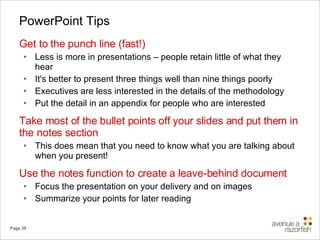
PowerPoint Tips Get to the punch line (fast!) Less is more in presentations – people retain little of what they hear It's better to present three things well than nine things poorly  Executives are less interested in the details of the methodology Put the detail in an appendix for people who are interested Take most of the bullet points off your slides and put them in the notes section This does mean that you need to know what you are talking about when you present! Use the notes function to create a leave-behind document Focus the presentation on your delivery and on images Summarize your points for later reading
Document Production Book time in advance for a  production designer  to format your presentation, if needed Alert office services in advance if you need presentations  printed and bound  – leave enough time
Today’s Agenda Using IM at work
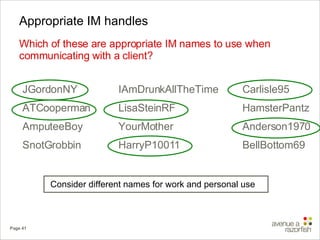
Appropriate IM handles Which of these are appropriate IM names to use when communicating with a client? IAmDrunkAllTheTime LisaSteinRF YourMother HarryP10011 JGordonNY ATCooperman AmputeeBoy SnotGrobbin Carlisle95 HamsterPantz Anderson1970 BellBottom69 Consider different names for work and personal use
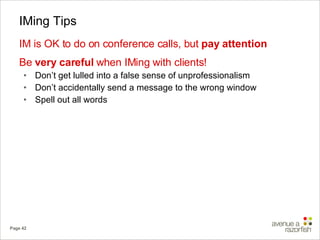
IMing Tips IM is OK to do on conference calls, but  pay attention Be  very careful  when IMing with clients!  Don’t get lulled into a false sense of unprofessionalism Don’t accidentally send a message to the wrong window  Spell out all words
Conclusion
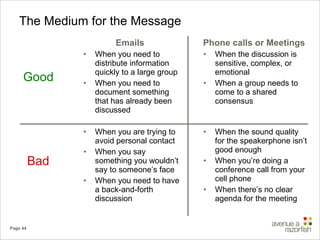
The Medium for the Message Emails When you need to distribute information quickly to a large group When you need to document something that has already been discussed When you are trying to avoid personal contact When you say something you wouldn’t say to someone’s face When you need to have a back-and-forth discussion Phone calls or Meetings When the discussion is sensitive, complex, or  emotional When a group needs to come to a shared consensus When the sound quality for the speakerphone isn’t good enough When you’re doing a conference call from your cell phone When there’s no clear agenda for the meeting Good Bad
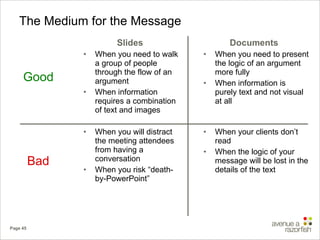
The Medium for the Message Slides When you need to walk a group of people through the flow of an argument When information requires a combination of text and images When you will distract the meeting attendees from having a conversation When you risk “death-by-PowerPoint” Documents When you need to present the logic of an argument more fully When information is purely text and not visual at all When your clients don’t read When the logic of your message will be lost in the details of the text Good Bad
Thank You

Effective Communication

  • 1.
  • 2.
    Today’s Agenda Writingand designing documents Using IM at work Creating effective presentations Sending and replying to email
  • 3.
    User Centered WritingThink about your audience Who are your readers? What are their preferences for style, tone, format, length? What do you know about their environment and where they’ll read? What questions do your readers bring to the document? Tailor your message for your readers Imagine them reading your document Respond to their questions Assume your reader is busy and just wants the facts
  • 4.
    How To WriteGood Don’t try to sound smart, try to make sense There has been a decision that we will proceed with haste. Let’s go! Change nominalizations into agents with active verbs The agency conducted an investigation into the matter. There is no need for further study of this problem. The agency investigated the matter. We do not need to study this problem further. Delete unnecessary words and phrases Productivity actually depends on certain factors that involve basic psychology more than on any particular technology Productivity depends more on psychology than technology We must explain the reason for the delay in the meeting We must explain why the meeting was delayed
  • 5.
    Consistency, Consistency, UniformityConsistent styles and formatting Keep the width of indentations the same (don’t tab all over the page) Don’t change type size and style (except to communicate hierarchy) Don’t change font within documents Consistent capitalization Sentence case capitalizes the first word Title Case Capitalizes Every Word Shift + F3 toggles quickly between them Consistent (and parallel) bullet points Start each point in the series with either a noun or an action verb Don’t add periods at the end unless they are full sentences
  • 6.
    Document Styles Setup heading styles to make formatting consistent Styles mapped to keystrokes makes it easy to style text
  • 7.
    Spelling and SpellCheck Spell words out fully I dunno y, but plz spell it out, k? I don’t know why, but please spell words out, okay? Spell check your own documents and emails
  • 8.
    Writing Pet PeevesUse of quotation marks The phrase user personas are a “best practice” in the field of web design doesn't make the words “best practice” seem more important. It makes it sound like you're lying. Use of And You can use the word and to begin a sentence... but it had better be a really good sentence. Using exclamation points Don’t over-emote, PUHLEAAAZZEEE!!!!
  • 9.
    Today’s Agenda Sendingand replying to email
  • 10.
    Emailing Clients Howto email someone for the first time: Don't assume that they know you, or care to know you Write a one-line introduction setting the context, introducing yourself, and explaining your role How to structure an email requesting a decision: State the topic briefly Explain the issue State pros/cons Give a recommendation with rationale Provide guidance on when you need the answer If you are sending an email to executives, make it brief
  • 11.
    Subject Lines Shouldstate the subject of the email You can edit the subject line of someone else’s email if you want to save it  Don’t continue replying to an old email thread without changing the subject line 
  • 12.
    Formatting in emailsYou can set Word to be your default email editor Don’t over-format Formatting can be used to break up the text
  • 13.
    Font in EmailsTrue or False? I do creative work for a creative company, so a good place to express my creativity is in the font I choose for my emails False Use Arial 10 Point for body text Not Verdana , Trebuchet , and especially not Comic Sans Don’t emphasize too much Please, no more BOLD ITALIC UNDERLINE ALL CAPS If you want to emphasize, do it sparingly with bold Don’t write emails in ALL CAPS IT MAKES IT SOUND LIKE YOU’RE YELLING
  • 14.
    Length of emailsBreak emails up into short sentences and short paragraphs If the message takes more than couple of paragraphs to communicate, pick up the phone or call a meeting No Yes
  • 15.
    Reply or ReplyAll? Limit use of reply all in emails Move the reply all button to the other side of the toolbar (to prevent unfortunate incidents from occurring)
  • 16.
    Don’t Be AJerk Review your tone before you send: Be careful what you say when you write: Stay away from analogies, expressions or jokes on sensitive topics (politics, religion, etc.) Sarcasm is next to impossible to convey via the written word, especially emails and IM. Keep in mind that some lazy person will unintentionally forward your nasty email to the person you're calling an idiot. No Yes
  • 17.
    Mailing List EtiquetteYou are a member of various office and department mailing lists It’s okay to email these lists with a question, but… Use the Outlook Address Book to choose the correct list Send to specific offices or departments rather than spamming the entire company Specify if you want the replies to go to you or the whole list Do not spam the list with requests to be removed, or with complaints about the list
  • 18.
    Today’s Agenda Creatingeffective presentations
  • 19.
    Planning Determine what question you need to answer , or what the client needs to get out of the presentation Write an outline in Word for long, complex presentations
  • 20.
    Font in PresentationsPresentations must be readable from 10 feet away Make sure the font is not too small or too light Assume the client’s projector will suck Arial is the preferred typeface You can use other fonts if: You are a designer A production designer formats the deck The client style guide requires a different typeface 24-36 pt 18-24 pt
  • 21.
    Images Images shouldbe used to make the presentation more visually interesting (when screenshots or diagrams are not appropriate.) Our presentations use well-styled photography chosen from image database sites Don’t recycle images without first considering your audience No Yes
  • 22.
    Screenshots Take goodquality screenshots using Snag-it Use alignment tools so images are orderly
  • 23.
    Builds and AnimationsBuilds should be used to communicate meaning or to focus the viewer’s attention, not for comedic effect Use appear for builds, not one of the swoopy options Slide transitions are not recommended
  • 24.
    Anatomy of aSlide Three basic types of slides form the foundation of every presentation: Divider Slides Bulleted Slides Titles & Master Slides
  • 25.
    Anatomy of titleand master slides Use an AA|RF template or a template created for your client Include the client’s logo Update the date and contact information Set up master slides for consistent formatting Work with the template and follow the slide layout styles Try to work within the outline structure
  • 26.
    Anatomy of dividerslides Agenda slides or section dividers: Act like “signposts” telling the client what to expect and where they’re at in the presentation Length and complexity of sections reflects their importance Rules of thumb for divider slides: Any deck longer than 15 pages or so should include dividers Each section should be at least 5-7 slides (don’t have sections of only 1-2 slides) Use color or shading to highlight the current section of the agenda
  • 27.
    Anatomy of abullet point slide Slide Title Tells the audience why the slide is important – what’s the point? Ties the slide into the overall flow of the deck and gives context for new information Titles should use nouns or active verbs not “there is” or “it was” Titles should use consistent capitalization Sentence case or Title Case
  • 28.
    Anatomy of abullet point slide Slide Body Don’t make too many points More slides is better than dense slides Don’t use too many words High ink-to-value ratio Consistency is key Begin each bullet with the same type of word, ideally an action verb Use the same capitalization style throughout If you end one with a period, end all of them with a period Highlighting with bold can help draw attention
  • 29.
    Anatomy of abullet point slide Takeaway box Bounded box at the bottom of the slide Draws a conclusion that can only be made after reading the body of the slide Emphasizes a point – so what? Provides transition to the next slide – where do we go from here? Use sparingly, otherwise the emphasis is lost
  • 30.
    Anatomy of aDiagram Some of the diagrams you may encounter in the wild Venn Diagram Process Flow Four Square Screenshot with callouts Comparison Chart Trend Chart
  • 31.
    Screenshot with calloutsUse callouts to draw attention to specific areas of the page Use pointers and text to reference specific areas Try to align the text so it looks neat Or, use numbers to reference areas of the screen Use screenshots that fill the entire page if callouts aren’t needed
  • 32.
    Four Square Foursquares show relationships along two axes Emphasize where a point falls on the axis Focus on which quadrant a point falls in Show progression (always to upper right)
  • 33.
    Venn Diagram Venndiagrams show relationships between entities Focus on overlap between two things Show mutual exclusion of things Sometimes, just things shown in circles for visual interest
  • 34.
    Process Flow Processflows show a sequential relationship Present steps in a series Illustrated with circles, squares, or chevrons Usually linear, but sometimes show a circular process that repeats itself
  • 35.
    Other Charts Informationcan sometimes be presented in a table more easily Comparison charts Show relationships among many categories Can be coded with shading or with circles Trend charts Show movement and direction Comparison Chart Trend Chart
  • 36.
    Review your slidesConsider your client’s communication style and attention span – have you said too much or too little? How does each slide contribute to the overall story ? Does the client need to know what’s on each slide? Is the point of the slide clear from reading the title? Are the title and the body clearly connected ? Is the body of the slide easy to read or understand? Is there a clear “ so what? ” for the client?
  • 37.
    QA your slidesMake sure there are no mistakes Read for typos Run spell check Clients notice errors! Be internally consistent in structure, formatting, and style Are all the bullet points parallel? Is capitalization style consistent? Have you followed the template formatting? Are all the graphics neatly aligned? Be extra careful if you are repurposing slides from another client or pitch
  • 38.
    PowerPoint Tips Getto the punch line (fast!) Less is more in presentations – people retain little of what they hear It's better to present three things well than nine things poorly Executives are less interested in the details of the methodology Put the detail in an appendix for people who are interested Take most of the bullet points off your slides and put them in the notes section This does mean that you need to know what you are talking about when you present! Use the notes function to create a leave-behind document Focus the presentation on your delivery and on images Summarize your points for later reading
  • 39.
    Document Production Booktime in advance for a production designer to format your presentation, if needed Alert office services in advance if you need presentations printed and bound – leave enough time
  • 40.
  • 41.
    Appropriate IM handlesWhich of these are appropriate IM names to use when communicating with a client? IAmDrunkAllTheTime LisaSteinRF YourMother HarryP10011 JGordonNY ATCooperman AmputeeBoy SnotGrobbin Carlisle95 HamsterPantz Anderson1970 BellBottom69 Consider different names for work and personal use
  • 42.
    IMing Tips IMis OK to do on conference calls, but pay attention Be very careful when IMing with clients! Don’t get lulled into a false sense of unprofessionalism Don’t accidentally send a message to the wrong window Spell out all words
  • 43.
  • 44.
    The Medium forthe Message Emails When you need to distribute information quickly to a large group When you need to document something that has already been discussed When you are trying to avoid personal contact When you say something you wouldn’t say to someone’s face When you need to have a back-and-forth discussion Phone calls or Meetings When the discussion is sensitive, complex, or emotional When a group needs to come to a shared consensus When the sound quality for the speakerphone isn’t good enough When you’re doing a conference call from your cell phone When there’s no clear agenda for the meeting Good Bad
  • 45.
    The Medium forthe Message Slides When you need to walk a group of people through the flow of an argument When information requires a combination of text and images When you will distract the meeting attendees from having a conversation When you risk “death-by-PowerPoint” Documents When you need to present the logic of an argument more fully When information is purely text and not visual at all When your clients don’t read When the logic of your message will be lost in the details of the text Good Bad
  • 46.