Adding polish to presentations
         10 tips to make your talk shine

                                                                     Keith Bradnam
# Author: Keith Bradnam, Genome Center, UC Davis
# This work is licensed under a Creative Commons Attribution-NonCommercial-ShareAlike
3.0 Unported License.
# 2012
3 things that your talk should be
1) Understandable


If people don’t understand it, what’s the point in them being there? A waste of time for them
*and* you.
2) Memorable


People may understand what you’re talking about while you’re saying it, but if they forget it
right away then that’s not good either. You want your talk to be remembered by others, long
after you give it.
3) Enjoyable


Many people never even think about making their talks enjoyable. It *may* be enough just to
present the facts, but if you can entertain people at the same time then why not do that as
well. Sometimes all this takes is showing a degree of passion.
What will be the best part
 of your presentation?
Your results?
       Your visual content?

       Your spoken content?
       Your sparkling personality?

Don’t just worry about the actual results/data that you have to present. The whole package is
important: the data, the slides, how you speak, and how your personality comes across.
Deficiencies in any one of these areas can make a dent in an otherwise good talk.
SLIDES


                                           THE
                                         PERFECT
                                          TALK?

                 DELIVERY                                       CHARISMA


Not many people make fantastic looking slides, and have a great style of public speaking,
*and* have bags of charisma to boot. Steve Jobs was one such person, and he’s a great
example of someone who gave flawless presentations time after time. Always the results of
practice and hard work.
Some things to consider
  before you present
Things to do before your talk
              Think & make notes         Write plan     Make slides       Practice


                                     20%

                                                      45%
                                   10%


                                         25%


Plan your talk *before* you fire up Keynote/Powerpoint! Think about what you want to say,
and what message your talk should have. Most importantly, allow time to practice your talk.
The above figures are approximately how much time I might devote to something like a lab
talk.
Who is your audience?
                                   Preparation time Preparation time
                  Venue
                                      (expected)       (observed)

                 Lab talk               3–7 days              2–24 hours

              Department
                                       2–4 weeks               1–2 days
               meeting

              Conference
                                      1–2 months              1–2 weeks
              presentation


Preparation time obviously depends on the nature of the talk. The bigger the talk, the more
time you should allow. Most people prepare talks at the last minute, and/or work through the
night to get their slides finished. This is usually very obvious to the audience!
Two types of questions

                                                TA L K
                          D
         “That’s some really cool science...what does

                       OO
         this mean for x, y, or z?”
                     G
         “Could you clarify how you did...?”

                                               TA L K
                              D
         “What’s the rationale for doing...?”

                          B A
         “Which program did you use to do...?”
         “What species do you work on?”
         “Was that RNA or DNA that you were using?”
Two types of questions can be asked at talks. The first category is a sign of a good talk. The
second category is a sign that your talk didn’t explain things in enough detail.
10 tips for a better
   presentation
1) Be prepared
Things to do before your talk
Before your talk...
          Research your presentation environment:

             projector

             computer

             version of Powerpoint/Keynote

             pointer?

             microphone?


Don’t turn up and be disappointed to find out that they don’t have a computer capable of
handling your slides. Do you know if you have a lectern to stand at? Will you assume that a
pointer is available? Will the lighting in the room make your slides hard to read? You should
check all of these things in advance.
Before your talk...

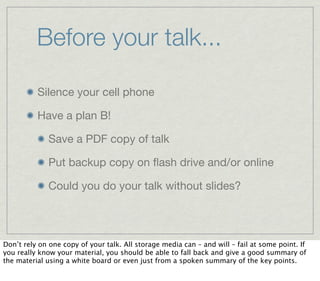
          Silence your cell phone

          Have a plan B!

              Save a PDF copy of talk

              Put backup copy on flash drive and/or online

              Could you do your talk without slides?


Don’t rely on one copy of your talk. All storage media can – and will – fail at some point. If
you really know your material, you should be able to fall back and give a good summary of
the material using a white board or even just from a spoken summary of the key points.
2) Eliminate distractions
What don’t you want your audience to see?
If the first thing people see about your talk is all of the crud and mess that lives on your
computer, then you are already lowering expectations before you even open your mouth.
Typical slide during talk

          Lots of bullet points

          But you’re about to make a big point

          Very important to keep focus

          Don’t distract the audience at this point


Pop-up alerts in the middle of your talk? Classy, real classy.
Distractions


                         ON A MAC, USE A GUEST ACCOUNT!


Incoming Skype calls? Such things will happen if you don’t quit any application you don’t
need. On a Mac, simply turn on a Guest account and use that for your presentation. You can
guarantee there will be no other software which will interrupt your talk.
3) Don’t mix styles
Choose one style and stick to it
Ugly slides

          If you needlessly change your fonts between slides...

          ...or even within slides

          And if you use lots of different colors
          or font sizes...


It’s amazing how many people just throw slides together from different presentations. I call
this the ‘instant headache’ effect.
IT LOOKS UGLY!


Some color combinations will induce nausea.
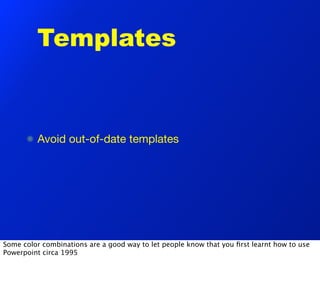
Templates


         Avoid out-of-date templates


Some color combinations are a good way to let people know that you first learnt how to use
Powerpoint circa 1995
A little more advice on
         style

          Only use a few font sizes

                            Be consistent with text alignment

          It’s okay to change the font size to improve word
          wrapping


Sentences that have just one word that wraps to another line can make slides look ugly. You
are not legally obliged to use the same font size for every slide. Sometimes bumping a font
down by one point is enough to eliminate word wrap.
A little more advice on style


         Use only a few font sizes

         Be consistent with text alignment

         It’s okay to change the font size to improve word wrapping


The same slide, with some consistency.
Transitions


          Is your talk divided into sections?

          Will people know when you switch sections?


If you talk about more than one subject, or even if you have different sections to your talk
(which you probably should have), then will people know when you transition from one part
to another?
Next:

            Mixing slides from
            different presentations


Using a different colored/styled slide makes for an easy visual cue to your audience that you
have moved on. This is very useful if people in your audience were waiting for ‘the next
section’ and were not paying much attention to your opening slides. This can sometimes be a
place where you use slide animations effectively. I.e. only animate slides which indicate
transitions between sections
Older data from my boss
           •   My boss has some                                 Interest in talk
               results that use a               100
               different slide template
                                                  75
           •   It has different colors
               and fonts                          50


           •   It might even contain              25
               irrelevant data
                                                   0

           •   I’m too lazy to change it
                                                        1      2       3       4    5

                                                       Number of different slide designs
               though


Don’t include slides from other presentations (e.g. from your boss or lab colleague) without
first changing the theme of the that slide to match the theme of your slides. Be prepared to
edit and remove objects from these slides which are no longer relevant to the point you are
making.
4) Use images
We are visual creatures
Data

          I studied conserved genes in:

             Arabidopsis thaliana

             Mus musculus

             Xenopus tropicalis

             Gallus gallus


Does your audience always need to read lists of things?
Data
         I studied conserved genes in:
             Arabidopsis thaliana


             Mus musculus


             Xenopus tropicalis


             Gallus gallus


Wouldn’t the addition of some pictures make the slide more appealing?
Data


Maybe you don’t even need the text – you could still add text beneath pictures, but if there is
an opportunity to use a picture, use it! We are visual creatures and having images on slides
helps break up the monotony of the usual, text-heavy, talk.
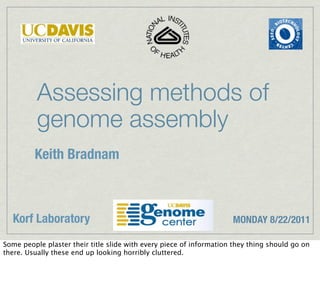
Assessing methods of
          genome assembly
         Keith Bradnam


  Korf Laboratory                                                    MONDAY 8/22/2011

Some people plaster their title slide with every piece of information they thing should go on
there. Usually these end up looking horribly cluttered.
Assessing methods of
          genome assembly
         Keith Bradnam
You could instead use a simpler opening slide...
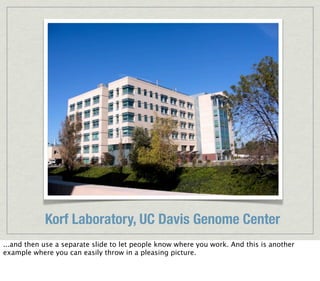
Korf Laboratory, UC Davis Genome Center
...and then use a separate slide to let people know where you work. And this is another
example where you can easily throw in a pleasing picture.
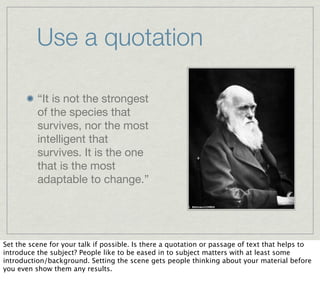
Use a quotation

          “It is not the strongest
          of the species that
          survives, nor the most
          intelligent that
          survives. It is the one
          that is the most
          adaptable to change.”


Set the scene for your talk if possible. Is there a quotation or passage of text that helps to
introduce the subject? People like to be eased in to subject matters with at least some
introduction/background. Setting the scene gets people thinking about your material before
you even show them any results.
Use a quotation

                                                 “It is not the strongest of
                                                 the species that survives,
                                                 nor the most intelligent
                                                 that survives. It is the one
                                                 that is the most adaptable
                                                 to change.”


And if you do have quotes, make sure that the person in the picture looks like they are
speaking the quote. This might require you to flip an image. This is not hard.
5) Reduce bullet points
And reduce chance of people falling asleep
Death by bullet point

        Some talks contain

        so many bullet points

        that it makes you

        want to go out and

        shoot something


Yawn.
Too short?


          Download data

          Process

          Check


You had better explain such things very clearly, otherwise slides like this are redundant.
Too long?

          Need to obtain sequence data from suitable
          database in order to find set of intron sequences

          A script was written to process sequences into
          suitable data format (process_data.pl)

          All species that were investigated had data sets
          that did not produce any errors


Conversely, some people don’t like reading too much text. This still might be a preferred
option though if English isn’t your native language and you want to be sure people
understand you.
A happy compromise


         Download intron data from GenBank

         Process into new format

         No species contained errors


Strike the right balance. Make sure what you say complements what’s on the screen, and
doesn’t just reproduce it verbatim.
6) Avoid data overload
Only show what needs to be shown
If you reproduce figures from published papers (or other sources), you are not required to
show them all in one go.
MASKING USED TO HIDE PARTS OF IMAGE


Use image masks or crop images before you add them to your slide. Let people see just the
parts that they need to see.
ADD SHAPES TO HIDE PARTS OF IMAGE


Alternatively, hide out parts of the image using white shapes and reveal them one at a time.
This keeps the audience focused on one thing at a time.
Don’t look at the cheese


If you have lots of different things on one slide and they all appear at once, you will
immediately ensure that many of the audience will be looking at different things.

And I bet you looked at the cheese didn’t you?
FIGURE 2


When you present things in a series of events, this is a great opportunity to animate each
step.
I always use a wipe effect to reveal each element. In this case, the white rectangles that are
hiding the objects would be revealed with a ‘wipe downwards’ effect.
7) Use your voice
You have an instrument, learn how to play it
ACTORS


Presenting science data requires you to be a little bit of actor. Adopt a stage persona if that
helps you. Most tips on acting apply to science presentations (project your voice, pause for
dramatic effect etc.)
SALESPEOPLE


Equally, you have to be something of a car salesmen. You are selling data and need to make
people understand why your results are important.
Tips for speaking

Vary pace & volume

Use pauses

Practice words you may be unfamiliar with

Avoid excessive reading of text

Be confident
Put people at ease

          Remind people of timing

          Let people know if they can interrupt

          Tell jokes?

          Tell anecdotes?


Don’t tell jokes if you are uncomfortable in doing so, and never say things which might be
considered inappropriate. But a little levity goes a long way. If you are having a good time
when you present your talk, this will come across to the audience.
8) Content
How do you choose what to say?
Anatomy of a talk
                Introduction         Background           Results          Summary


                                            2%
                                             5%
                                         10%
                                        15% 8%
                                                       25%


                                        55%80%


Most people cram their talks full of results and leave little room for anything else.
Background material


          Make sure you include sufficient background!!!

          Make sure background is appropriate to audience


This is my number one problem with most science talks. Speakers are not respectful of the
audience and dive straight into what they did without first setting the scene.
This good guy (Luke Skywalker) finds out that
                                   this bad guy (Darth Vader) is really his dad.


   But Luke still
   becomes a Jedi and
   kicks his dad’s ass to
   piss off the Emperor


              And the good guys blow up this
              Death Star thing and crush the evil
              Empire. Yay, the good guys win.

              The End.

Imagine if someone described the Star Wars trilogy without making reference to the first film
(Star Wars, episode III). This film is necessary to set up the whole story and make us
sympathetic to the protagonists. Similarly, your talk should include a section which sets up
your results.
9) Have a plan
Do you know how to get from A to B?
Tell a story


If you plan your talk before you make your slides you are much more likely to come up with a
better flow to your whole presentation. It should have a beginning, middle, and end. Good
talks even set up drama by revealing problems, and then add a resolution (how you overcame
the problem).
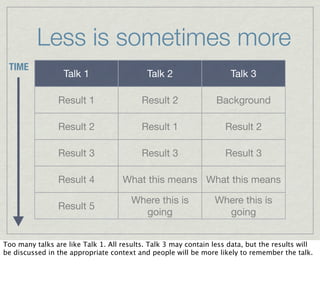
Less is sometimes more
 TIME
                  Talk 1                    Talk 2                   Talk 3

                Result 1                  Result 2               Background

                Result 2                  Result 1                  Result 2

                Result 3                  Result 3                  Result 3

                Result 4            What this means What this means

                                       Where this is            Where this is
                Result 5
                                         going                    going


Too many talks are like Talk 1. All results. Talk 3 may contain less data, but the results will
be discussed in the appropriate context and people will be more likely to remember the talk.
Make your talk flow


The order in which you produced results is not
necessarily the order in which you present results!
Have a goal


          What are the key ‘take home’ messages?

          If you don’t know what they are...

          ...your audience won’t either


As you plan your talk, and as you make your slides, always ask yourself ‘why should the
audience care about any of this?’
10) Practice!
People will notice if you haven’t practiced
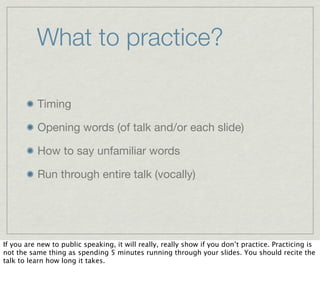
What to practice?

          Timing

          Opening words (of talk and/or each slide)

          How to say unfamiliar words

          Run through entire talk (vocally)


If you are new to public speaking, it will really, really show if you don’t practice. Practicing is
not the same thing as spending 5 minutes running through your slides. You should recite the
talk to learn how long it takes.
Learn to use software
         Do you know how to use Powerpoint/Keynote?

         Do you really know to use them?

         Can you:

             mask/crop an object?

             align all objects to an edge

             rotate objects by exactly 90º?

             animate an object along a custom path?

Knowledge of what your presentation software is capable of can really help you be much
more efficient in putting slides together.
Practice, practice, practice!

          Practice rehearsing your talk as you will give it

          Check every slide, animation, and transition

          Get feedback from friends/colleagues

          Be prepared to edit and refine slides

          Know your talk inside and out


If you don’t practice your talk, then I refuse to be friends with you. Do you know your
material so well you could run through your talk without the slides? Can you ad lib on topics
related to, but not included in, your main subject matter?
Giving talks for 2nd time

          Still need to practice!

          Things change (data, background material etc.)!

          You’ll have new ideas about your talk

          You can always make a talk better


Don’t assume that because you have made a set of slides, that you will never need to change
things if you present the same talk again. Audiences differ, your results may have changed,
the background material may have changed, and you may have better ideas of how to
explain/present your data...all of these things mean that you should always go through every
slide and make changes if appropriate.
Summary
Giving a talk is easy

        Giving a good talk is hard

        Giving a great talk is difficult!


Don’t ever assume it will be easy. Great presentations happen because of great presenters.
And presenters become great through hard work and practice.
One great talk could change
   your career forever...


   ...so take the time to make
   every talk fantastic.

If you give a talk at a conference, the audience may contain your future employer or grant/
manuscript reviewer! Treat every talk like it is the last talk you’ll ever give.
The End.


# Author: Keith Bradnam, Genome Center, UC Davis
# This work is licensed under a Creative Commons Attribution-NonCommercial-ShareAlike
3.0 Unported License.

10 tips for adding polish to presentations

  • 1.
    Adding polish topresentations 10 tips to make your talk shine Keith Bradnam # Author: Keith Bradnam, Genome Center, UC Davis # This work is licensed under a Creative Commons Attribution-NonCommercial-ShareAlike 3.0 Unported License. # 2012
  • 2.
    3 things thatyour talk should be
  • 3.
    1) Understandable If peopledon’t understand it, what’s the point in them being there? A waste of time for them *and* you.
  • 4.
    2) Memorable People mayunderstand what you’re talking about while you’re saying it, but if they forget it right away then that’s not good either. You want your talk to be remembered by others, long after you give it.
  • 5.
    3) Enjoyable Many peoplenever even think about making their talks enjoyable. It *may* be enough just to present the facts, but if you can entertain people at the same time then why not do that as well. Sometimes all this takes is showing a degree of passion.
  • 6.
    What will bethe best part of your presentation?
  • 7.
    Your results? Your visual content? Your spoken content? Your sparkling personality? Don’t just worry about the actual results/data that you have to present. The whole package is important: the data, the slides, how you speak, and how your personality comes across. Deficiencies in any one of these areas can make a dent in an otherwise good talk.
  • 8.
    SLIDES THE PERFECT TALK? DELIVERY CHARISMA Not many people make fantastic looking slides, and have a great style of public speaking, *and* have bags of charisma to boot. Steve Jobs was one such person, and he’s a great example of someone who gave flawless presentations time after time. Always the results of practice and hard work.
  • 9.
    Some things toconsider before you present
  • 10.
    Things to dobefore your talk Think & make notes Write plan Make slides Practice 20% 45% 10% 25% Plan your talk *before* you fire up Keynote/Powerpoint! Think about what you want to say, and what message your talk should have. Most importantly, allow time to practice your talk. The above figures are approximately how much time I might devote to something like a lab talk.
  • 11.
    Who is youraudience? Preparation time Preparation time Venue (expected) (observed) Lab talk 3–7 days 2–24 hours Department 2–4 weeks 1–2 days meeting Conference 1–2 months 1–2 weeks presentation Preparation time obviously depends on the nature of the talk. The bigger the talk, the more time you should allow. Most people prepare talks at the last minute, and/or work through the night to get their slides finished. This is usually very obvious to the audience!
  • 12.
    Two types ofquestions TA L K D “That’s some really cool science...what does OO this mean for x, y, or z?” G “Could you clarify how you did...?” TA L K D “What’s the rationale for doing...?” B A “Which program did you use to do...?” “What species do you work on?” “Was that RNA or DNA that you were using?” Two types of questions can be asked at talks. The first category is a sign of a good talk. The second category is a sign that your talk didn’t explain things in enough detail.
  • 13.
    10 tips fora better presentation
  • 14.
    1) Be prepared Thingsto do before your talk
  • 15.
    Before your talk... Research your presentation environment: projector computer version of Powerpoint/Keynote pointer? microphone? Don’t turn up and be disappointed to find out that they don’t have a computer capable of handling your slides. Do you know if you have a lectern to stand at? Will you assume that a pointer is available? Will the lighting in the room make your slides hard to read? You should check all of these things in advance.
  • 16.
    Before your talk... Silence your cell phone Have a plan B! Save a PDF copy of talk Put backup copy on flash drive and/or online Could you do your talk without slides? Don’t rely on one copy of your talk. All storage media can – and will – fail at some point. If you really know your material, you should be able to fall back and give a good summary of the material using a white board or even just from a spoken summary of the key points.
  • 17.
    2) Eliminate distractions Whatdon’t you want your audience to see?
  • 18.
    If the firstthing people see about your talk is all of the crud and mess that lives on your computer, then you are already lowering expectations before you even open your mouth.
  • 19.
    Typical slide duringtalk Lots of bullet points But you’re about to make a big point Very important to keep focus Don’t distract the audience at this point Pop-up alerts in the middle of your talk? Classy, real classy.
  • 20.
    Distractions ON A MAC, USE A GUEST ACCOUNT! Incoming Skype calls? Such things will happen if you don’t quit any application you don’t need. On a Mac, simply turn on a Guest account and use that for your presentation. You can guarantee there will be no other software which will interrupt your talk.
  • 21.
    3) Don’t mixstyles Choose one style and stick to it
  • 22.
    Ugly slides If you needlessly change your fonts between slides... ...or even within slides And if you use lots of different colors or font sizes... It’s amazing how many people just throw slides together from different presentations. I call this the ‘instant headache’ effect.
  • 23.
    IT LOOKS UGLY! Somecolor combinations will induce nausea.
  • 24.
    Templates Avoid out-of-date templates Some color combinations are a good way to let people know that you first learnt how to use Powerpoint circa 1995
  • 25.
    A little moreadvice on style Only use a few font sizes Be consistent with text alignment It’s okay to change the font size to improve word wrapping Sentences that have just one word that wraps to another line can make slides look ugly. You are not legally obliged to use the same font size for every slide. Sometimes bumping a font down by one point is enough to eliminate word wrap.
  • 26.
    A little moreadvice on style Use only a few font sizes Be consistent with text alignment It’s okay to change the font size to improve word wrapping The same slide, with some consistency.
  • 27.
    Transitions Is your talk divided into sections? Will people know when you switch sections? If you talk about more than one subject, or even if you have different sections to your talk (which you probably should have), then will people know when you transition from one part to another?
  • 28.
    Next: Mixing slides from different presentations Using a different colored/styled slide makes for an easy visual cue to your audience that you have moved on. This is very useful if people in your audience were waiting for ‘the next section’ and were not paying much attention to your opening slides. This can sometimes be a place where you use slide animations effectively. I.e. only animate slides which indicate transitions between sections
  • 29.
    Older data frommy boss • My boss has some Interest in talk results that use a 100 different slide template 75 • It has different colors and fonts 50 • It might even contain 25 irrelevant data 0 • I’m too lazy to change it 1 2 3 4 5 Number of different slide designs though Don’t include slides from other presentations (e.g. from your boss or lab colleague) without first changing the theme of the that slide to match the theme of your slides. Be prepared to edit and remove objects from these slides which are no longer relevant to the point you are making.
  • 30.
    4) Use images Weare visual creatures
  • 31.
    Data I studied conserved genes in: Arabidopsis thaliana Mus musculus Xenopus tropicalis Gallus gallus Does your audience always need to read lists of things?
  • 32.
    Data I studied conserved genes in: Arabidopsis thaliana Mus musculus Xenopus tropicalis Gallus gallus Wouldn’t the addition of some pictures make the slide more appealing?
  • 33.
    Data Maybe you don’teven need the text – you could still add text beneath pictures, but if there is an opportunity to use a picture, use it! We are visual creatures and having images on slides helps break up the monotony of the usual, text-heavy, talk.
  • 34.
    Assessing methods of genome assembly Keith Bradnam Korf Laboratory MONDAY 8/22/2011 Some people plaster their title slide with every piece of information they thing should go on there. Usually these end up looking horribly cluttered.
  • 35.
    Assessing methods of genome assembly Keith Bradnam You could instead use a simpler opening slide...
  • 36.
    Korf Laboratory, UCDavis Genome Center ...and then use a separate slide to let people know where you work. And this is another example where you can easily throw in a pleasing picture.
  • 37.
    Use a quotation “It is not the strongest of the species that survives, nor the most intelligent that survives. It is the one that is the most adaptable to change.” Set the scene for your talk if possible. Is there a quotation or passage of text that helps to introduce the subject? People like to be eased in to subject matters with at least some introduction/background. Setting the scene gets people thinking about your material before you even show them any results.
  • 38.
    Use a quotation “It is not the strongest of the species that survives, nor the most intelligent that survives. It is the one that is the most adaptable to change.” And if you do have quotes, make sure that the person in the picture looks like they are speaking the quote. This might require you to flip an image. This is not hard.
  • 39.
    5) Reduce bulletpoints And reduce chance of people falling asleep
  • 40.
    Death by bulletpoint Some talks contain so many bullet points that it makes you want to go out and shoot something Yawn.
  • 41.
    Too short? Download data Process Check You had better explain such things very clearly, otherwise slides like this are redundant.
  • 42.
    Too long? Need to obtain sequence data from suitable database in order to find set of intron sequences A script was written to process sequences into suitable data format (process_data.pl) All species that were investigated had data sets that did not produce any errors Conversely, some people don’t like reading too much text. This still might be a preferred option though if English isn’t your native language and you want to be sure people understand you.
  • 43.
    A happy compromise Download intron data from GenBank Process into new format No species contained errors Strike the right balance. Make sure what you say complements what’s on the screen, and doesn’t just reproduce it verbatim.
  • 44.
    6) Avoid dataoverload Only show what needs to be shown
  • 45.
    If you reproducefigures from published papers (or other sources), you are not required to show them all in one go.
  • 46.
    MASKING USED TOHIDE PARTS OF IMAGE Use image masks or crop images before you add them to your slide. Let people see just the parts that they need to see.
  • 47.
    ADD SHAPES TOHIDE PARTS OF IMAGE Alternatively, hide out parts of the image using white shapes and reveal them one at a time. This keeps the audience focused on one thing at a time.
  • 48.
    Don’t look atthe cheese If you have lots of different things on one slide and they all appear at once, you will immediately ensure that many of the audience will be looking at different things. And I bet you looked at the cheese didn’t you?
  • 49.
    FIGURE 2 When youpresent things in a series of events, this is a great opportunity to animate each step.
  • 50.
    I always usea wipe effect to reveal each element. In this case, the white rectangles that are hiding the objects would be revealed with a ‘wipe downwards’ effect.
  • 51.
    7) Use yourvoice You have an instrument, learn how to play it
  • 52.
    ACTORS Presenting science datarequires you to be a little bit of actor. Adopt a stage persona if that helps you. Most tips on acting apply to science presentations (project your voice, pause for dramatic effect etc.)
  • 53.
    SALESPEOPLE Equally, you haveto be something of a car salesmen. You are selling data and need to make people understand why your results are important.
  • 54.
    Tips for speaking Varypace & volume Use pauses Practice words you may be unfamiliar with Avoid excessive reading of text Be confident
  • 55.
    Put people atease Remind people of timing Let people know if they can interrupt Tell jokes? Tell anecdotes? Don’t tell jokes if you are uncomfortable in doing so, and never say things which might be considered inappropriate. But a little levity goes a long way. If you are having a good time when you present your talk, this will come across to the audience.
  • 56.
    8) Content How doyou choose what to say?
  • 57.
    Anatomy of atalk Introduction Background Results Summary 2% 5% 10% 15% 8% 25% 55%80% Most people cram their talks full of results and leave little room for anything else.
  • 58.
    Background material Make sure you include sufficient background!!! Make sure background is appropriate to audience This is my number one problem with most science talks. Speakers are not respectful of the audience and dive straight into what they did without first setting the scene.
  • 59.
    This good guy(Luke Skywalker) finds out that this bad guy (Darth Vader) is really his dad. But Luke still becomes a Jedi and kicks his dad’s ass to piss off the Emperor And the good guys blow up this Death Star thing and crush the evil Empire. Yay, the good guys win. The End. Imagine if someone described the Star Wars trilogy without making reference to the first film (Star Wars, episode III). This film is necessary to set up the whole story and make us sympathetic to the protagonists. Similarly, your talk should include a section which sets up your results.
  • 60.
    9) Have aplan Do you know how to get from A to B?
  • 61.
    Tell a story Ifyou plan your talk before you make your slides you are much more likely to come up with a better flow to your whole presentation. It should have a beginning, middle, and end. Good talks even set up drama by revealing problems, and then add a resolution (how you overcame the problem).
  • 62.
    Less is sometimesmore TIME Talk 1 Talk 2 Talk 3 Result 1 Result 2 Background Result 2 Result 1 Result 2 Result 3 Result 3 Result 3 Result 4 What this means What this means Where this is Where this is Result 5 going going Too many talks are like Talk 1. All results. Talk 3 may contain less data, but the results will be discussed in the appropriate context and people will be more likely to remember the talk.
  • 63.
    Make your talkflow The order in which you produced results is not necessarily the order in which you present results!
  • 64.
    Have a goal What are the key ‘take home’ messages? If you don’t know what they are... ...your audience won’t either As you plan your talk, and as you make your slides, always ask yourself ‘why should the audience care about any of this?’
  • 65.
    10) Practice! People willnotice if you haven’t practiced
  • 66.
    What to practice? Timing Opening words (of talk and/or each slide) How to say unfamiliar words Run through entire talk (vocally) If you are new to public speaking, it will really, really show if you don’t practice. Practicing is not the same thing as spending 5 minutes running through your slides. You should recite the talk to learn how long it takes.
  • 67.
    Learn to usesoftware Do you know how to use Powerpoint/Keynote? Do you really know to use them? Can you: mask/crop an object? align all objects to an edge rotate objects by exactly 90º? animate an object along a custom path? Knowledge of what your presentation software is capable of can really help you be much more efficient in putting slides together.
  • 68.
    Practice, practice, practice! Practice rehearsing your talk as you will give it Check every slide, animation, and transition Get feedback from friends/colleagues Be prepared to edit and refine slides Know your talk inside and out If you don’t practice your talk, then I refuse to be friends with you. Do you know your material so well you could run through your talk without the slides? Can you ad lib on topics related to, but not included in, your main subject matter?
  • 69.
    Giving talks for2nd time Still need to practice! Things change (data, background material etc.)! You’ll have new ideas about your talk You can always make a talk better Don’t assume that because you have made a set of slides, that you will never need to change things if you present the same talk again. Audiences differ, your results may have changed, the background material may have changed, and you may have better ideas of how to explain/present your data...all of these things mean that you should always go through every slide and make changes if appropriate.
  • 70.
  • 71.
    Giving a talkis easy Giving a good talk is hard Giving a great talk is difficult! Don’t ever assume it will be easy. Great presentations happen because of great presenters. And presenters become great through hard work and practice.
  • 72.
    One great talkcould change your career forever... ...so take the time to make every talk fantastic. If you give a talk at a conference, the audience may contain your future employer or grant/ manuscript reviewer! Treat every talk like it is the last talk you’ll ever give.
  • 73.
    The End. # Author:Keith Bradnam, Genome Center, UC Davis # This work is licensed under a Creative Commons Attribution-NonCommercial-ShareAlike 3.0 Unported License.